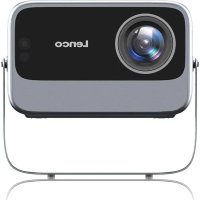
LPJ960 - Projector LENCO - Free user manual and instructions
Find the device manual for free LPJ960 LENCO in PDF.



| Product Type | LCD Projector |
| Native Resolution | Full HD 1080P (1920 x 1080) |
| Maximum Image Size | Up to 160 inches (4 meters diagonal) |
| Optimal Projection Distance | 2 to 4 meters |
| Power Supply | Power adapter (100-240 V, 50/60 Hz) |
| Wi-Fi Connectivity | Yes, for screencast and mirroring |
| Input Connectors | HDMI, USB-A, USB-T, AV (Composite) |
| Audio Output | 3.5mm headphone jack, built-in speakers |
| Built-in Speakers | Yes |
| Remote Control | Infrared, included |
| Keystone Correction | Yes, adjustable |
| Zoom and Focus | Manual |
| Projection Orientation | Table and ceiling |
| Software Features | Miracast (Android), ScreenShare (iOS), Netflix, Prime Video |
| Application Installation | Via the browser or built-in App Store |
| Operating Temperature | 0°C to 35°C |
| Usage | Indoor only, domestic use |
| Maintenance and Cleaning | Soft dry cloth, mild detergent if necessary |
| Safety | Do not open, do not look at the beam, avoid moisture |
| Package Contents | Projector, remote control, power adapter, power cable |
Frequently Asked Questions - LPJ960 LENCO
User questions about LPJ960 LENCO
0 question about this device. Answer the ones you know or ask your own.
Ask a new question about this device
Download the instructions for your Projector in PDF format for free! Find your manual LPJ960 - LENCO and take your electronic device back in hand. On this page are published all the documents necessary for the use of your device. LPJ960 by LENCO.
USER MANUAL LPJ960 LENCO
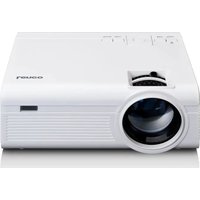
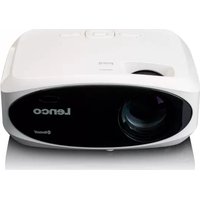
Full HD 1080P LCD projector
With Wi-Fi
QUICK START GUIDE
natural_image
Illustration of a portable electronic device with front panel and control buttons (no text or symbols)EN Quick start guide 5
DE Kurzanleitung 8
FR Guide d'utilisation rapide 11
NL Snelstartgids 15
IT Guida rapida all'avvio 18
ES Guía de inicio rápido 21
PT Guia de iniciação rápida 25
sv Snabbstartsguide 28
FI Pika-aloitusopas 31
NO Hurtigguide 35
DA Vejledning til hurtig start 38
HU Gyors beüzemelési útmutató 41
PL Przewodnik Szybki start 44
① OL Οδηγός γρήγορης εκκίνησης 47
SK Rýchly návod 51
cs Rychlý návod 54
RO Ghid rapid de inițiere 57
Lühijuhend 60
Technical Specifications
| Product | LCD projector LPJ-960SI |
| Type | With Wi-Fi |
| Light brightness | 300 ANSI lm (±) |
| Projection light source | LED |
| Resolution | 1920 x 1080p |
| Projection area | Up to 160 inch |
| Contrast ratio | 1500:1 |
| Projection distance | 1.2 - 4 meters |
| Aspect ratio | 16:9 / 4:3 |
| Focus mode | AUTO |
| Video format | MPEG / VP8 / VP9 / H.264 / H.263 / VC-1 / AVI |
| Audio format | MPEG-1 / 2 Layer 2, MPEG-1 / 2 / 2.5 Layer 3, AC-3 (DD), E-AC-3 (DDP), LPCM, FLAC |
| Image format | JPG / BMP / PNG |
| Input | USB x 2 / HDMI x 1 / AV x 1 |
| Output | 3.5 mm Earphones |
| Keystone correction | Vertical (auto) |
| Wi-Fi | Wi-Fi 2.4 GHz / 5 GHz |
| Chipset | MTK9266 |
| Built-in speaker | 1 x 5 W |
| Total power consumption | 80 W |
| Power consumption in off mode | <=0.5W |
| Power consumption in stand-by mode | <=0.5W |
| Supply voltage | 220 - 240 VAC ; 50 - 60 Hz |
| Operating conditions | 0 - 35 °C |
| Dimensions (l×b×h) | 187.5 x 122.5 x 184mm (with stand) |
| Weight1.57 kg |
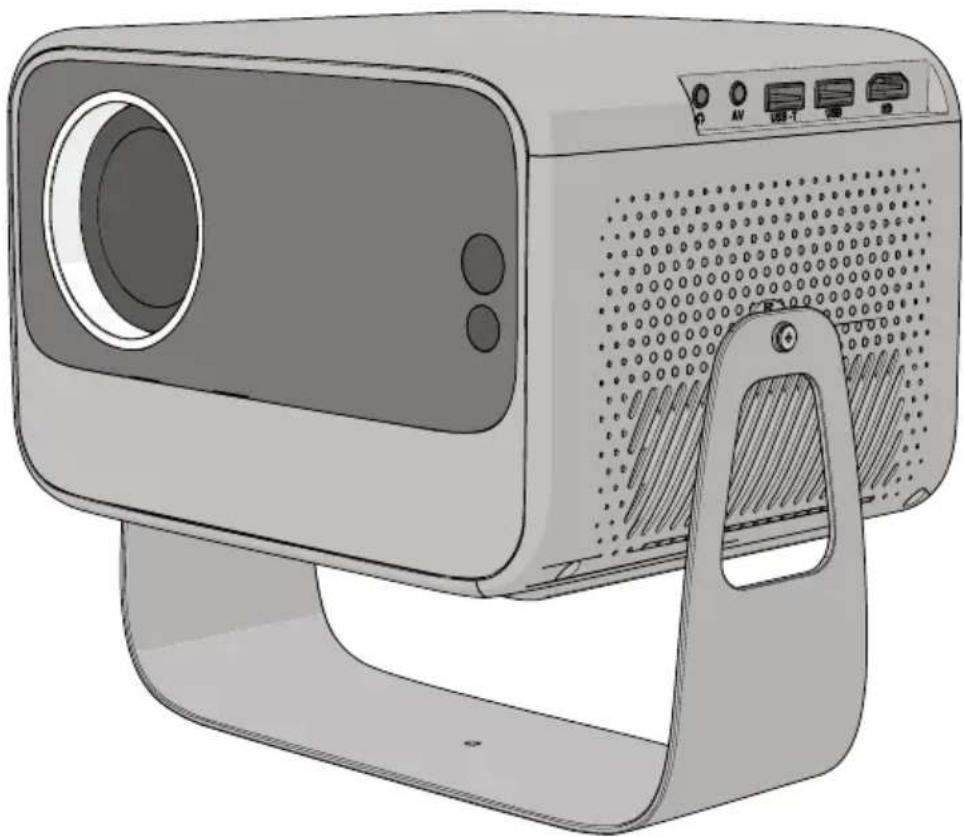
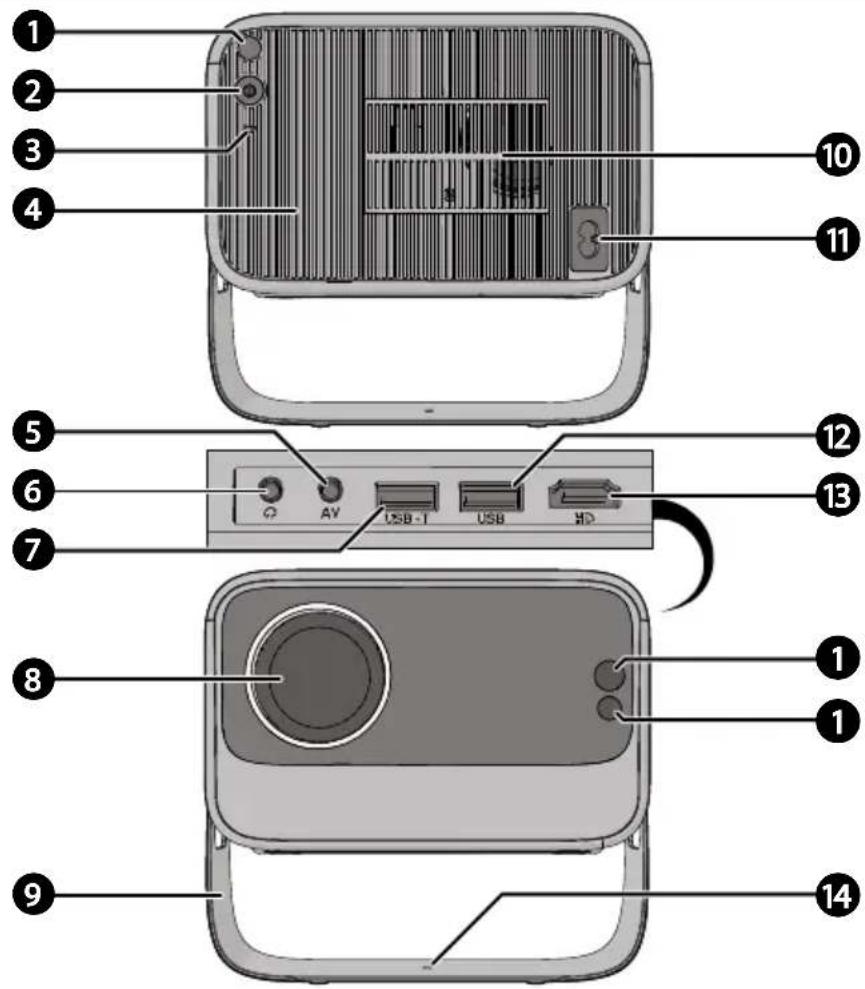
A
B
C
D
Full HD 1080P LCD projector
LPJ-960SI

For more information, scan the QR code on the front page to see the extended manual.
About this document
This document is the user manual and contains all the information for correct, efficient, and safe use of the product.
Ensure you have fully read and understood the instructions in this document before you install or use the product. Keep the packaging and this document for future reference.
Symbols used
WARNING!
Signal word used to indicate a potentially hazardous situation which, if not avoided, could result in death or serious injury.
CAUTION!
Signal word used to indicate a potentially hazardous situation which, if not avoided, could result in minor or moderate injury.
NOTICE
Signal word used to address practices not related to physical injury.
i
Indicates important information that is not directly related to safety.
Product description (image A)
① Infrared sensor
②Powerbutton
③PowerindicatorLED
④Built-inspeaker
⑤AVinput
6Headphonejack3.5 mm
⑦USB-Tinput
8 Lens
9Projectortiltstand
10Dustcover
11 Powerinput
12USB-Ainput
13HDMIport
14Ceilingfixationhole
Product description (image B)
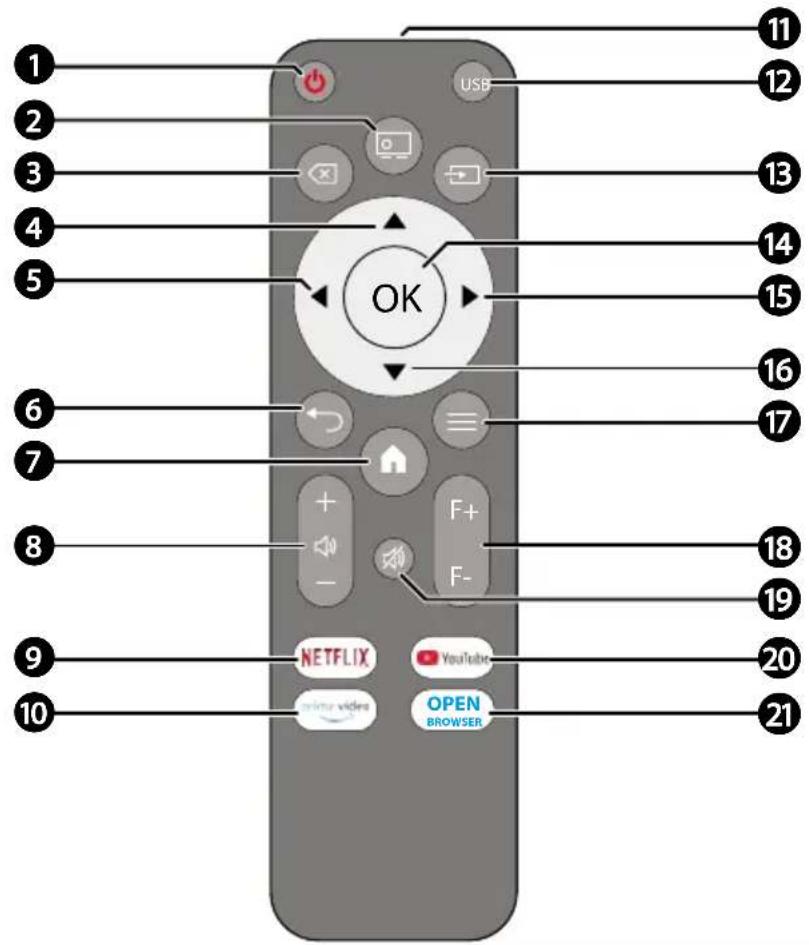
① Power button
②Projectionorientation button
3Backspacebutton
4Upbutton
5Leftbutton
6Returnbutton
⑦Homebutton
⑧Volumecontrol button
9Netflixbutton
10PrimeVideobutton
11IRreceiver
12USBsourcebutton
13 Signalsourcebutton
14 OKbutton
15Rightbutton
16Downbutton
⑰Settingsbutton
18 Focuscontrolbutton
19Mutebutton
20 YouTubebutton
21OpenBrowserbutton
Intended use
This product is intended as an LCD projector with built-in Wi-Fi and speaker, multiple input options, and support for full HD projection up to 160 inches or 4 meters.
This product is intended for indoor use only. Only use the product as described in this user manual.
This product is not intended for commercial use.
This device is not intended for use by persons (including children) with reduced physical, sensory or mental capabilities, or lack of experience and knowledge, unless they have been given supervision or instruction concerning use of the device by a person responsible for their safety. regarding the use of the device.
Safety instructions
Ensure you have fully read and understood the instructions in this document before you install or use the product. Keep the packaging and this document for future reference.
WARNING!
Healthhazard:
- Usage of controls or adjustments or performance of procedures other than those specified in this document may result in hazardous radiation exposure.
- Keep the product out of reach from children.
- In the event of a battery leaking, do not allow the liquid to come in contact with the skin or eyes. If contact has been made, wash the affected area with copious amounts of water and seek medical advice.
- Always keep batteries, both full and empty, out of reach of children to avoid the chance of swallowing. Dispose of used batteries immediately and safely. Seek immediate medical attention when you suspect that batteries have been swallowed.
- Do not ingest batteries. They may cause chemical burns or death within 2 hours.
- Do not use the product if the battery compartment does not close securely.
Chokinghazard:
- Do not let children play with packaging material. Packaging materials can lead to choking and suffocation. Always keep the packaging material out of reach of children.
Electricalhazard:
-
Stepping on the power adapter, placing heavy objects on the power adapter, or pinching the power adapter may cause damage and lead to overheating or electric shock. Always handle the power adapter with care.
• Install the product close to a power outlet. -
Disconnect the product from the power outlet in case of malfunction.
- Do not expose the product to water, rain, moisture, or high humidity.
- Do not use the product in damp environments, such as a bathroom or kitchen or near swimming pools.
- Do not use this device in environments where condensation may form. If the device is used in a warm, humid room, moisture or water droplets can build up inside, which may cause it to malfunction. If this happens, turn off the device and leave it unplugged for 1 to 2 hours to allow it to dry completely before turning it back on.
- Do not place water or water-filled objects such as vases, glasses or bottles on or near the product.
- Never insert any object into the ventilation opening of the product. The product contains electrical components.
- Keep the product away from pets and other animals. Animals can bite through the power cable and suffer electrical shock.
- Do not open the product, there are no user serviceable parts inside.
- This product may only be serviced by a qualified technician for maintenance.
Firehazard:
- Do not use the product if a part is damaged or defective. Always replace a damaged or defective product immediately.
- Unplug the product from the power source and other equipment if problems occur.
- Do not cover the ventilation openings. Always leave at least 5 cm of space around the product.
- Do not place the product on top of other electrical equipment.
- Never use the product with a damaged power cable or adapter.
- Do not unplug the power supply by pulling on the cable. Always grasp the plug and pull.
- Always replace batteries by the same type. Incorrect replacement may cause explosion.
CAUTION!
Risk of hearing loss:
- Extended exposure to high volumes can cause hearing loss.
Risk of vision loss:
- Never look directly into the light beam.
NOTICE
Risk of damaging the product:
- Do not expose batteries to open flames or extreme heat, or high/low pressure during use,
storage, or transport as they may explode.
- Do not subject cells or batteries to mechanical shock.
- Do not dispose of batteries in fire or ovens.
- Do not expose cells or batteries to heat or fire. Avoid storage in direct sunlight.
- Avoid extremely low air pressure to prevent explosion or leakage.
- Dispose of batteries according to environmental regulations.
- Only use attachments/accessories specified by the manufacturer.
- Do not interrupt the connection when the product is formatting or transferring files to prevent data from being lost or corrupted.
- Do not use USB extension cables to avoid interference and data errors.
- Keep the product away from heat sources, such as radiators, heaters, stoves, and naked flames.
- Only use the product within the approved temperature range of 0 °C - 35 °C.
- Keep the product away from strong magnetic objects.
- Always keep the power cable and the product away from usual walkways.
- Do not disconnect the product by pulling on the cable. Always grasp the connector and pull.
- Avoid electrostatic discharge when handling the product. Electrostatic discharge can disturb the normal functioning of the product. Reset the product following the instructions in this user manual if electrostatic discharge has disturbed the normal functioning of the product.
- Only use accessories provided by the manufacturer.
- Disconnect the product from the power outlet during lightning storms or before prolonged periods of disuse.
- Only use the product as described in this document.
- Do not drop the product and avoid bumping.
- Make sure the product is placed on a flat and stable surface.
- Clean the outside of the product every month with a soft, dry cloth. Avoid abrasives that can damage the surface.
- Clean severe stains on the product with a soft, damp cloth and diluted detergent.
Check the contents of the package
Check that all parts are present and that no damage is visible on the parts. If parts are missing or damaged, contact the Lenco B.V. service desk via the website: www.lenco.com.
Installing the product
- Place the product on a flat and stable surface close to a power outlet.
- Adjust the projector to the desired angle.
- Plug the power connector into the power input on the product.
- Plug the other end of the power adapter into a power outlet.
- Aim the projector at a flat surface like a wall or ceiling.
The projector works best at a wall distance of 2 - 4 m.
-
Press the power button on the product or remote control to switch on the product.
-
Follow the onscreen instructions to set up the product.
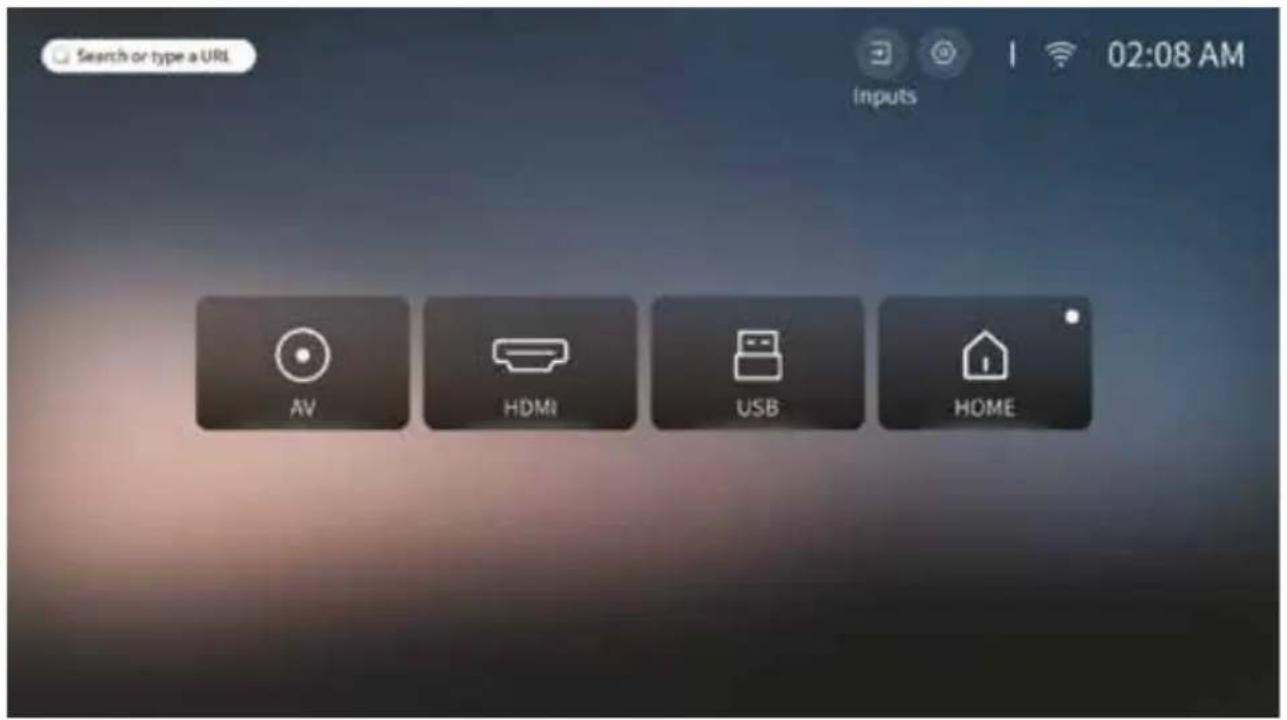
Connecting source devices (image C)
- Insert the USB disk, HDMI cable, or AV cable into the corresponding input connectors on the projector and source device.
- Press the signal source button on the remote control or select signal source on the projector home page.
- Select the source device (USB / HDMI / AV).
- Press the OK button on the remote control or select HOME on the projector home page.
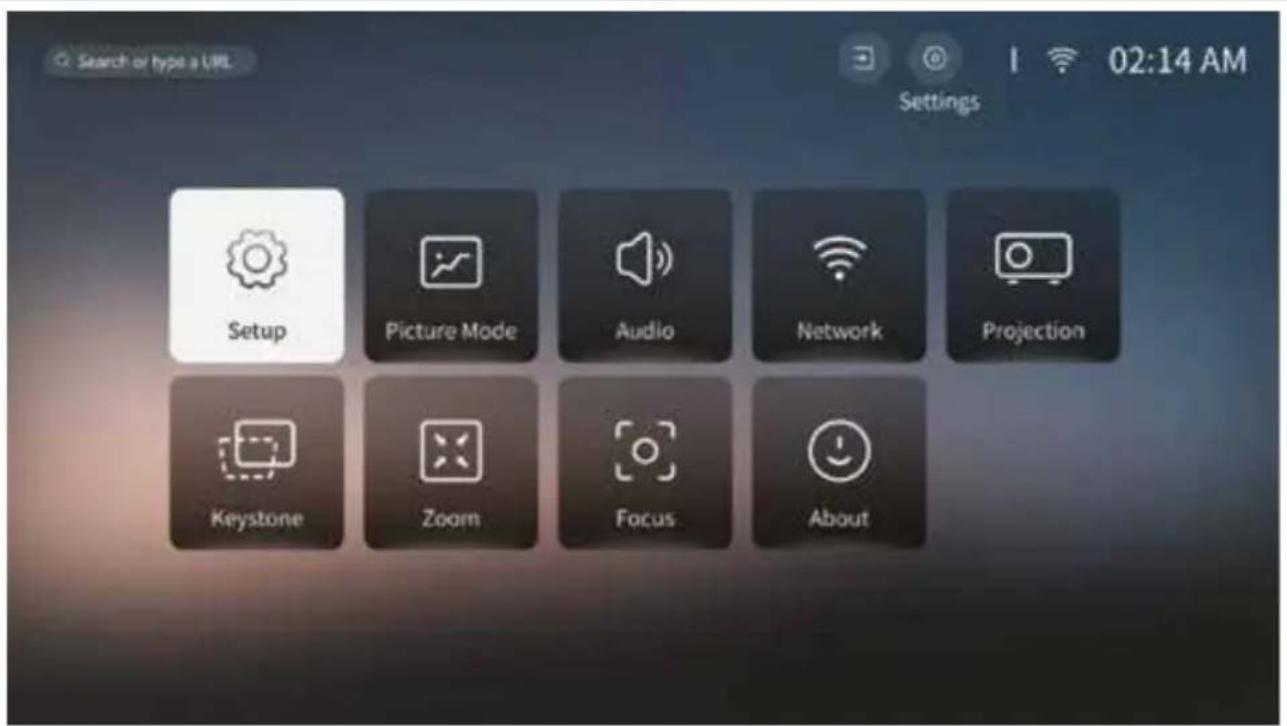
Settings (image D)
- Press the settings button on the remote control or select the gear symbol on the projector home page to open the settings home page.
- Adjust the settings in Setup, Picture Mode, Audio, Network, Projection, Keystone, Zoom, Focus and About to ensure proper functioning of the product.
Screencast
- Ensure the Android source device and projector are connected to the same Wi-Fi network.
- Open the projector home page and select screencast.
- Enable the Miracast service on the projector.
- Open the screen mirroring function on the Android source device and start casting.
- Select the projector from the device list to establish the connection.
ScreenShare
- Ensure the Apple source device and projector are connected to the same W-Fi network.
- Open the projector home page and select APP assistant.
- Download and install the ScreenShare app.
- Open ScreenShare.
- Open the screen mirroring function on the
Apple source device and start casting.
- Select the projector from the device list to establish the connection.
Installing apps
- Press the open browser button or select the App Store on the projector home page.
- Search for the desired application.
- Follow the onscreen instructions to install the application.
Setting projection orientation
- Press the projection mode button on the remote control.
- Adjust the settings to the desired projection orientation: Table or ceiling projection
Disclaimer
Updates to firmware and/or hardware components are made regularly. Therefore some of the instruction, specifications, and pictures in this documentation may differ slightly from your particular situation. All items described in this guide are for illustration purposes only and may not apply to your particular situation. No legal right or entitlements may be obtained from the description made in this manual.
Disposal
This symbol indicates that the relevant electrical product or battery should not be disposed of as general household waste in Europe. To ensure the correct waste treatment of the product and battery, please dispose them in accordance to any applicable local laws of requirement for disposal of electrical equipment or batteries. In doing so, you will help to conserve natural resources and improve standards of environmental protection in treatment and disposal of electrical waste (Waste Electrical and Electronic Equipment Directive).
Declaration of Conformity
We, Commaxx B.V. declare as manufacturer that the product LPJ-960SI from our brand Lenco®, produced in China, has been tested according to all relevant CE standards and regulations and that all tests have been passed successfully. This includes, but is not limited to the RED 2014/53/EU regulation.
The complete Declaration of Conformity (and the safety datasheet if applicable) can be found and downloaded via:
https://doc.nedis.com/en-us/LPJ960SI
Service
For more information and helpdesk support, please visit www.lenco.com
Commaxx B.V. Wiebachstraat 37, 6466 NG, Kerkrade, The Netherlands.

Kurzanleitung
Installation of apps
Projector LCD Full HD 1080P
LPJ-960SI

Full HD 1080P LCD projectors
LPJ-960SI

- Full HD 1080P LCD projector
- About this document
- Symbols used
- WARNING!
- CAUTION!
- NOTICE
- Product description (image A)
- Product description (image B)
- Intended use
- Safety instructions
- Firehazard:
- Risk of hearing loss:
- Risk of vision loss:
- Risk of damaging the product:
- Check the contents of the package
- Installing the product
- Connecting source devices (image C)
- Settings (image D)
- Screencast
- ScreenShare
- Installing apps
- Setting projection orientation
- Disclaimer
- Disposal
- Declaration of Conformity
- Service
- Kurzanleitung
- Installation of apps
- Projector LCD Full HD 1080P
- Full HD 1080P LCD projectors
Brand : LENCO
Model : LPJ960
Category : Projector