ManualGo.com
SPI 81 - Welding machine Weller - Free user manual and instructions
Find the device manual for free SPI 81 Weller in PDF.



Download the instructions for your Welding machine in PDF format for free! Find your manual SPI 81 - Weller and take your electronic device back in hand. On this page are published all the documents necessary for the use of your device. SPI 81 by Weller.
USER MANUAL SPI 81 Weller
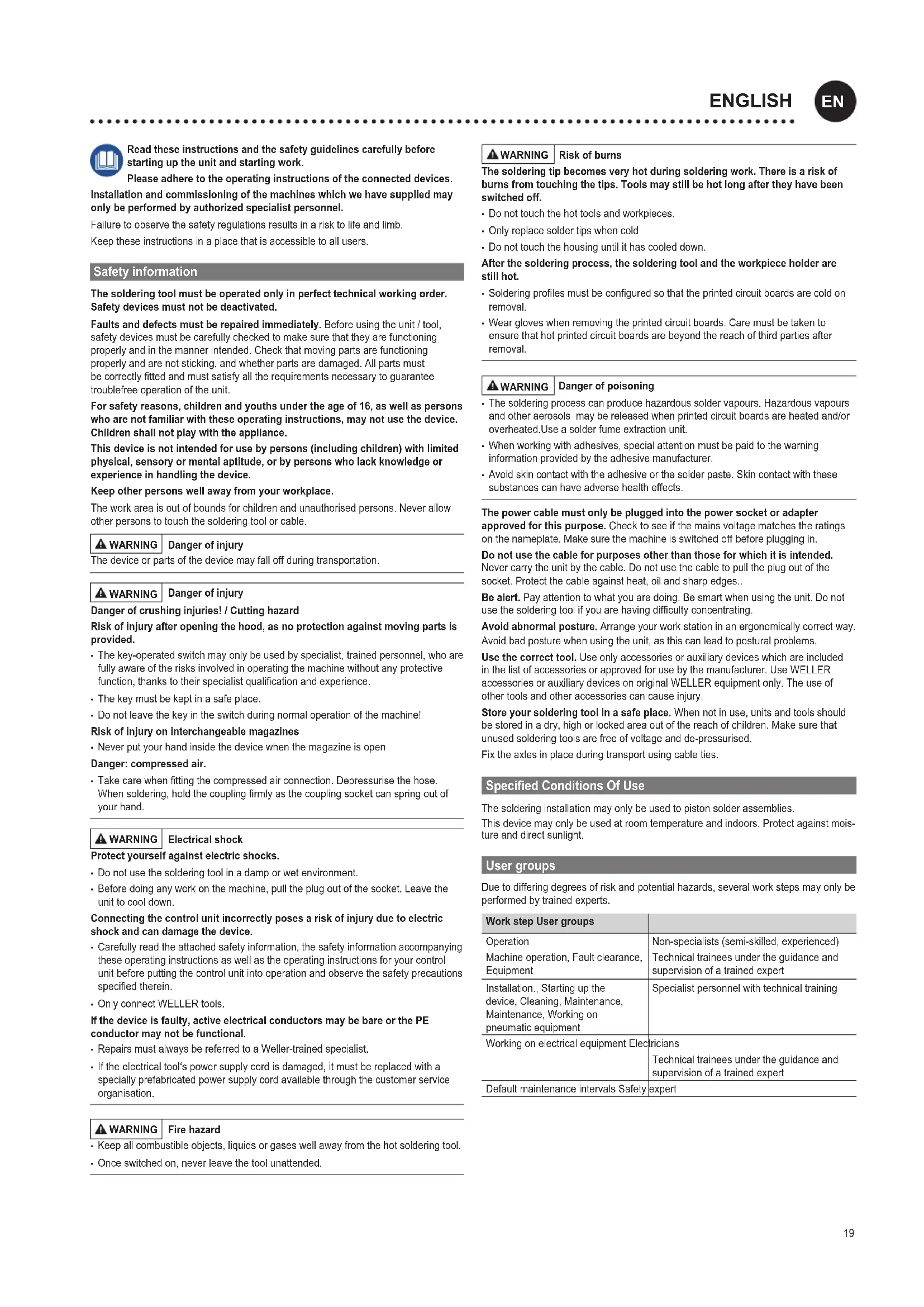
DEUTSCH19 Read these instructions and the safety guidelines carefully before starting up the unit and starting work. Please adhere to the operating instructions of the connected devices. Installation and commissioning of the machines which we have supplied may only be performed by authorized specialist personnel. Failuretoobservethesafetyregulationsresultsinarisktolifeandlimb. Keep these instructions in a place that is accessible to all users. Safety information The soldering tool must be operated only in perfect technical working order. Safety devices must not be deactivated. Faults and defects must be repaired immediately. Before using the unit / tool, safetydevicesmustbecarefullycheckedtomakesurethattheyarefunctioning properlyandinthemannerintended.Checkthatmovingpartsarefunctioning properlyandarenotsticking,andwhetherpartsaredamaged.Allpartsmust becorrectlyttedandmustsatisfyalltherequirementsnecessarytoguarantee troublefree operation of the unit. For safety reasons, children and youths under the age of 16, as well as persons who are not familiar with these operating instructions, may not use the device. Children shall not play with the appliance. This device is not intended for use by persons (including children) with limited physical, sensory or mental aptitude, or by persons who lack knowledge or experience in handling the device. Keep other persons well away from your workplace. The work area is out of bounds for children and unauthorised persons. Never allow other persons to touch the soldering tool or cable. WARNING Danger of injury Thedeviceorpartsofthedevicemayfalloffduringtransportation. WARNING Danger of injury Danger of crushing injuries! / Cutting hazard Risk of injury after opening the hood, as no protection against moving parts is provided.
- Donotleavethekeyintheswitchduringnormaloperationofthemachine! Risk of injury on interchangeable magazines
- Neverputyourhandinsidethedevicewhenthemagazineisopen
Danger: compressed air.
- Takecarewhenttingthecompressedairconnection.Depressurisethehose. Whensoldering,holdthecouplingrmlyasthecouplingsocketcanspringoutof yourhand. WARNING Electrical shock Protect yourself against electric shocks.
- Do not use the soldering tool in a damp or wet environment.
- Beforedoinganyworkonthemachine,pulltheplugoutofthesocket.Leavethe unit to cool down. Connecting the control unit incorrectly poses a risk of injury due to electric shock and can damage the device.
- Carefullyreadtheattachedsafetyinformation,thesafetyinformationaccompanying theseoperatinginstructionsaswellastheoperatinginstructionsforyourcontrol unitbeforeputtingthecontrolunitintooperationandobservethesafetyprecautions speciedtherein.
- OnlyconnectWELLERtools. If the device is faulty, active electrical conductors may be bare or the PE conductor may not be functional.
- Once switched on, never leave the tool unattended. WARNING Risk of burns The soldering tip becomes very hot during soldering work. There is a risk of burns from touching the tips. Tools may still be hot long after they have been switched off.
- Do not touch the hot tools and workpieces.
- Onlyreplacesoldertipswhencold
- Do not touch the housing until it has cooled down. After the soldering process, the soldering tool and the workpiece holder are still hot.
- Solderingprolesmustbeconguredsothattheprintedcircuitboardsarecoldon removal.
- Wear gloves when removing the printed circuit boards. Care must be taken to ensurethathotprintedcircuitboardsarebeyondthereachofthirdpartiesafter removal. WARNING Danger of poisoning
- The soldering process can produce hazardous solder vapours. Hazardous vapours andotheraerosolsmaybereleasedwhenprintedcircuitboardsareheatedand/or overheated.Use a solder fume extraction unit.
- When working with adhesives, special attention must be paid to the warning informationprovidedbytheadhesivemanufacturer.
- Avoid skin contact with the adhesive or the solder paste. Skin contact with these substances can have adverse health effects. The power cable must only be plugged into the power socket or adapter approved for this purpose. Check to see if the mains voltage matches the ratings on the nameplate. Make sure the machine is switched o before plugging in. Do not use the cable for purposes other than those for which it is intended. Nevercarrytheunitbythecable.Donotusethecabletopulltheplugoutofthe socket. Protect the cable against heat, oil and sharp edges.. Be alert. Payattentiontowhatyouaredoing.Besmartwhenusingtheunit.Donot usethesolderingtoolifyouarehavingdifcultyconcentrating. Avoid abnormal posture. Arrangeyourworkstationinanergonomicallycorrectway. Avoid bad posture when using the unit, as this can lead to postural problems. Use the correct tool. Useonlyaccessoriesorauxiliarydeviceswhichareincluded inthelistofaccessoriesorapprovedforusebythemanufacturer.UseWELLER accessoriesorauxiliarydevicesonoriginalWELLERequipmentonly.Theuseof othertoolsandotheraccessoriescancauseinjury. Store your soldering tool in a safe place. When not in use, units and tools should bestoredinadry,highorlockedareaoutofthereachofchildren.Makesurethat unused soldering tools are free of voltage and de-pressurised. Fix the axles in place during transport using cable ties. Specied Conditions Of Use Thesolderinginstallationmayonlybeusedtopistonsolderassemblies. Thisdevicemayonlybeusedatroomtemperatureandindoors.Protectagainstmois- ture and direct sunlight. User groups Duetodifferingdegreesofriskandpotentialhazards,severalworkstepsmayonlybe performedbytrainedexperts. Work step User groups Operation Machine operation, Fault clearance, Equipment Non-specialists (semi-skilled, experienced) Technical trainees under the guidance and supervision of a trained expert Installation., Starting up the device, Cleaning, Maintenance, Maintenance, Working on pneumatic equipment Specialist personnel with technical training Working on electrical equipment Electricians Technical trainees under the guidance and supervision of a trained expert Default maintenance intervals Safetyexpert
ENGLISH Operating controls
Start StartstheprocessofthecurrentlyloadedWinControlprogram. After stopping, the machine starts the stopped movement in the exact place where it was interrupted, provided machining has not been ended via the operating interface.
Emergencystop Abortionofallfunctions;thefaultstatuscanstillbechecked using the software. Care and maintenance WARNING Before doing any work on the machine, pull the plug out of the socket. Leave the unit to cool down. Daily Soldering tip Check for wear Replaceifnecessary Cleaning station Beat the brushes Emptythecollectiontank Solder wire guide tube Check for wear Replaceifnecessary Weekly Solder wire guide tube Clean Replaceifnecessary Every 3 months Soldering tip Check the temperature Heating element Replaceifnecessary Solderwirefeedsystem Visual check for wear on the drive wheels under pressure or the drive shaft Drive Check the switch point of the soldering end switch Axles Every500-1000operating hours Lubricate the axles (Ex works with sodium soap grease GP00/000F-20 in accordance with DIN 5105022) Every100-200operating hours If oil is used, relubricate. TheoperatinghourscanbedisplayedinWinControl. Check all connected cables and hoses on a regular basis. If power tools are damaged,theymustbeimmediatelyremovedfromuse. RepairsandworksspeciedintheseInstructionsmayonlybeperformedbyqualied authorised staff. Useoriginalreplacementpartsonly. Warranty Claimsbythebuyerforphysicaldefectsaretime-barredafteraperiodofone yearfromdeliverytothebuyer.Thisdoesnotapplytoclaimsbythebuyerfor indemnicationinaccordancewith§§478,479BGB(GermanFederalLawGazette). Weshallonlybeliableforclaimsarisingfromawarrantyfurnishedbyusifthe qualityordurabilitywarrantyhasbeenfurnishedbyuseinwritingandusingtheterm „Warranty“. Thewarrantyshallbevoidifdamageisduetoimproperuseandifthedevicehas beentamperedwithbyunauthorisedpersons. For more information please visit www.weller-tools.com. Technical Data Piston soldering robot / Soldering machine WTBR-1000 Dimensions L x W x H (mm) (inch) 1100 x 900 x 950 Weight (kg) 205 Mainssupplyvoltage (V / Hz) 200-230 / 50-60 100-120 / 50-60 Power consumption (W) max. 1500 Compressed air connection oil-free,drycompressedair bar 5,5 - 8 Work area (mm) (inch) 390(2 x 195) x 205 x 100 Positioning range (mm) Axles: x: 400 y:300 z: 100 t: 270° Soldering iron HER 120 Power consumption (W) 120 Temperature range (°C) 50 - 450 Stroke Pneumatic module (mm) 50 Work angle -30° - +30° Solder wire feed system Solder wire diameter (mm) 0,5 - 1,5 Speed (mm /s) 0 - 24 Power consumption (W) 1,7 Planetarygearreduction 1:166 Stroke Pneumatic module (mm) 30 Work angle -30° - +30° Subject to technical alterations and amendments.21 Symbols Caution! / Warning! Warning! Risk of burns! Warning against hand injuries Warning against cutting injuries Read the operating instructions! Beforeperformingworkofanykindontheunit,alwaysdisconnectthe power plug from the socket. ESD-compatible design and ESD-compatible workstation CEmarkofconformity Disposal Do not dispose of electric tools together with household waste material! In observance of European Directive 2012/19/EU on waste electrical and electronic equipment and its implementation in accordance with national law, electric tools that have reached the end of their life must be collected separatelyandreturnedtoanenvironmentallycompatiblerecyclingfacility. Original declaration of conformity Piston soldering robot / Soldering machine WTBR-1000 We hereby declare that the products described herein comply with the following guidelines: 2006/42/EG, 2014/30/EU Applied harmonised standards: