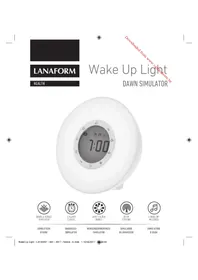
Wake Up Light - Alarm Clock LANAFORM - Free user manual and instructions
Find the device manual for free Wake Up Light LANAFORM in PDF.



| Product Type | Radio alarm clock with dawn and dusk simulator |
| Brand | Lanaform |
| Model | Wake Up Light |
| Power supply | Mains adapter (included) and 3 AAA batteries (not included) as backup |
| Approximate dimensions | 20 x 15 x 10 cm |
| Approximate weight | 500 g |
| Main functions | Sunrise simulation, sunset simulation, LED mood lamp, FM radio, two alarms, snooze function, LCD screen with brightness adjustment |
| Number of alarm sounds | 6 nature sounds + FM radio |
| Volume adjustment | From 1 to 15 (limited to 10 on battery) |
| Time display | 12 h or 24 h mode |
| Radio antenna | Integrated wire antenna |
| Station memory | Automatic search with storage |
| Dusk function | Sunset simulation to fall asleep, adjustable on two schedules |
| Maintenance and cleaning | Clean with a dry cloth, do not immerse, avoid humidity |
| Safety instructions | Do not use near water, do not cover, keep out of reach of children, unplug after use |
| Backup batteries | 3 AAA batteries (not included) for backup in case of power outage |
| Warranty | 2 years against material and manufacturing defects |
| Included accessories | Mains adapter, user manual |
Frequently Asked Questions - Wake Up Light LANAFORM
User questions about Wake Up Light LANAFORM
0 question about this device. Answer the ones you know or ask your own.
Ask a new question about this device
Download the instructions for your Alarm Clock in PDF format for free! Find your manual Wake Up Light - LANAFORM and take your electronic device back in hand. On this page are published all the documents necessary for the use of your device. Wake Up Light by LANAFORM.
USER MANUAL Wake Up Light LANAFORM
The photographs and other images of the product in this manual and on the packaging are as accurate as possible, but do not claim to be a perfect reproduction of the product.
Thank you for choosing the LANAFORM Wake Up Light. The Wake Up Light offers you a gentle and natural way of wakening up in the morning. The gradually intensifying LED light simulates the effect of a sunrise to gently wake you up. As well as this simulated sunrise, you can programme a wake-up alarm sound. The Wake Up Light also allows you to enjoy atmospheric lighting with different LED colours while listening to the radio. Finally, after setting the Wake Up Light to the required time, you can use it as a bedside lamp before falling into a peaceful sleep thanks to the sunset function.
PLEASE READ ALL THE INSTRUCTIONS BEFORE USING YOUR WAKE UP LIGHT DEVICE, PARTICULARLY THESE FEW BASIC SAFETY INSTRUCTIONS
Use this device only in accordance with the instructions given in this manual.
- This appliance is not intended for use by people (including children) with limited physical, sensory or mental abilities, or by people lacking experience or knowledge, unless they are supervised or have been instructed beforehand on how to use the appliance by someone responsible for their safety. Children should be supervised to make sure they do not play with the device.
Before connecting the device, check that the voltage shown on the device corresponds to the local voltage.
- Do not use accessories that are not recommended by LANAFORM or that are not supplied with this device.
- This device must not be modified in any way.
If the power cable is damaged, it must be replaced by a similar one available from the supplier or its after-sales department.
- Do not use this device if the power plug is damaged, if the device is not working properly, has been dropped on the floor or if it is damaged or has been dropped into water. Have the device examined and repaired by the supplier or its after-sales department.
- Never try to recover a device that has fallen into water. Remove the mains plug or power supply from the socket immediately.
- Keep children away from the packaging materials (risk of suffocation).
- Position the power cable in a way that avoids any tripping hazard.
- Do not carry this device around by its power cable and do not use this cable as a handle.
Always unplug the device after use or before cleaning.
- Electrical appliances should never be left unattended when connected. Unplug when not in use.
- Keep the power cable away from hot surfaces.
- Never let anything drop and never insert any object into any of the openings.
- Do not use this device in a damp atmosphere (in a bathroom, close to a shower, etc.)
- Do not use this device under a cover or under a cushion. Excessive heat can cause fire, electrocution or injury.
- Do not expose the device to direct sunlight or high temperatures.
DESCRIPTION OF THE DEVICE, FRONT
1 Snooze function
2 Radio button
3 Sunset alarm 1
4 Sunset alarm 2
5 + button
6 Light button
7 - button
8 Wake-up alarm 2
9 Wake-up alarm 1
10 Setting function
BACK
11Volume setting
12 Melody setting
13 12-hour or 24-hour time format
14 Display screen lighting
15 Battery compartment
16 Mains adapter plug
DISPLAY SCREEN
17 Morning (display in 12-hour format only)
18 Afternoon (display in 12-hour format only)
19 Sunset alarm 1
20 Sunset alarm 2
21 Wake-up alarm 1
22 Wake-up alarm 2
23 Time/radio station display
EN FR NL DE ES IT PL CS SK HU SL BG SV LT
SETTING UP THE WAKE UP LIGHT
- Remove the packaging.
- Check that all parts are included on delivery.
- Inspect the device, mains adapter and cable for any signs of damage.
- Remove the cover of the battery compartment on the back of the device (15) and insert the batteries (3 x AAA, not supplied) according to the polarity shown. The batteries will provide a back-up energy source in the event of a power cut.
- Place the device on a stable and flat surface at a distance of ± 30 cm from your head, on a bedside table, for example.
- Insert the mains adapter plug in the mains adapter socket on the back of the device (16).
Plug the mains adapter into a suitable power socket.
USING THE WAKE UP LIGHT SETTING THE TIME
Before using the Wake-up Light for the first time or after a power cut, you will need to set the time. When you plug the device in, all the symbols will light up for 2 seconds and the hours display will then flash for 10 seconds, allowing you to set the time.
To set the hours, press the ^ 一 + and - buttons (5) and (7).
- Then press the set button (10). The minutes display will start to flash.
To set the minutes, press the ^ 一 + ^ 一 and - buttons (5) and (7).
EN FR NL DE ES IT PL CS SK HU SL BG SV LT
To navigate more quickly between the hours and minutes, press and hold the ^ 十 ^ 一 or - button (5) and (7).
- Press the set button (10) to confirm the time.
The format button (13) allows you to choose either a 24-hour or a 12-hour display format. If you select the 12-hour format, the control screen will show the time of day as either "AM" or "PM" (17 and 18).
If the hour symbol stops flashing before you have set the time, simply press the set button (10) once.
SETTING THE LIGHT INTENSITY OF THE LCD SCREEN
- You have a choice of two light intensities for the display screen. Press the light button for the display screen (14) repeatedly to select or deactivate the light intensity.
SETTING THE ALARM
- You can set two different alarm times (alarm 1 and alarm 2) on the Wake Up Light.
To set the alarm 1 or 2, press and hold the alarm 1 button (9) or alarm 2 button (8) for 3 seconds.
The symbol for the wake-up alarm 1 or 2 (21 or 22) will then appear on the display screen.
The hours display for the alarm will start to flash.
Use the ^ 一 + ^ 一 and - buttons (5) and (7) to select the alarm time. Then press the set button (10). The minutes display will start to flash.
To set the minutes, press the ^ 喜 + ^ 喜 and - buttons (5) and (7). To navigate more quickly between the hours and minutes, press and hold the ^ 喜 + ^ 喜 or - button (5) and (7).
CHOOSING THE ALARM SOUND
- You can choose between 6 sounds from the world of nature or FM radio.
Press the melody setting button (12) once. The wake-up alarm 1 symbol (21) will flash. If you want to set a sound alert for the alarm 2, press the + and 一 ^ buttons (5) and (7).
Press the melody setting button (12) a second time. You can then select your preferred natural sound by pressing the ^ 喜 + ^ 喜 and - buttons 5 and repeatedly. The numbers 1 to 6 are natural sounds and number 7 is FM radio.
Press the melody setting button (12) again to confirm your choice.
To adjust the volume of the alarm, press the volume button repeatedly until you reach the desired level (1 to 15).
If the FM radio is on when the wake-up alarm is due to go off, the radio will stop at the alarm time to allow the natural sound to play for 2 minutes, after which the radio will automatically come back on again.
SWITCHING OFF THE ALARM
- When the alarm goes off, you can deactivate it by pressing any button, with the exception of the snooze button (1). The alarm will then be deactivated until the programmed wake-up time the following morning.
To deactivate the alarm 1 or 2 completely, press the alarm 1 or 2 button (9) or (8) again. The corresponding symbol will then disappear.
SNOOZE FUNCTION
- When an alarm goes off, you can stop it temporarily by pressing the snooze button (1). The alarm will then go off again 5 minutes later, repeating each time you press the snooze button (1).
SUNRISE FUNCTION
The sunrise simulation is activated 30 minutes before the wake-up alarm time. The brightness of the LED increases progressively up until the alarm time.
- When the wake-up alarm goes off, you can deactivate the light by pressing the light button (6) repeatedly.
If you want to deactivate the sunrise function before the wake-up alarm time, press the wake-up alarm 1 or 2 button (9 or 8) and press the light button (6) to switch the lamp off.
LAMP FUNCTION/ATMOSPHERIC LIGHTING WITH CHANGING COLOURS
You can also use the Wake Up Light as a normal lamp or as atmospheric lighting with changing colours.
To activate the normal lamp function, press the light button (6) once. You can then adjust the intensity of the light by pressing and holding the ^ 一 + ^ 一 and - buttons (5) and (7).
To activate the atmospheric lighting function, press the light button (6) twice. The LEDs will then change colour automatically. You can select one of the six specific colours by pressing the "+" and " -" buttons (5) and (7).
EN FR NL DE ES IT PL CS SK HU SL BG SV LT
- The Wake Up Light device has a mobile aerial situated on the back. Unwind the wire and ar range it in the longest position to ensure the best reception.
- Press the radio button (2) to switch it on.
- To launch the automatic station search, press and hold the radio button (2) and then release it. The device will start searching for stations and save them automatically.
Once the stations have been saved, you can press the ^ 十 + ^ 一 and - buttons (5) and 7 to choose the station you would like to listen to. The symbol P' is displayed in front of the station number.
If you prefer to search for a station manually, press and hold the ^ 喜 + ^ 喜 and - buttons (5) and (7) until you come to the station you are looking for.
To adjust the volume of the radio, press the volume button (1) repeatedly (settings from 1 to 15).
To switch the radio off, press the radio button (2). - When the FM radio is on, you can use the light as a normal lamp or atmospheric lighting. Press the light button (6) repeatedly to select the normal lamp function or atmospheric lighting.
If you select the FM radio first and then the normal lamp function, the lamp will be at its maximum intensity.
SUNSET FUNCTION
- You can also use the Wake Up Light to help you fall asleep by selecting a sleeping time. The sunset simulation will start 30 minutes before the programmed sleeping time. The LED will gradually become darker up until the sleeping time.
Wake Up Light EN Instruction manual
LANAFORM

EN FR NL DE ES IT PL CS SK HU SL BG SV LT
- You can set two different alarm times (alarm 1 and alarm 2) for the sleeping light.
To set the alarm 1 or 2, press and hold the sunset alarm 1 button (3) or sunset alarm 2 button (4) for 3 seconds.
The sunset alarm 1 or 2 symbol (19 or 20) will then be displayed on the screen.
The hours display for the alarm will start to flash.
Use the ^ 十 + ^ 一 and - buttons (5) and 7 to select the alarm time. Then press the set button (10). The minutes display will start to flash.
To set the minutes, press the ^ 一 + ^ 一 and - buttons (5) and (7). To navigate more quickly between the hours and minutes, press and hold the ^+ or - button (s) and (7).
If you want to switch off the sunset function before the sleeping time, press the sunset alarm 1 or 2 button (3 or 4) and use the light button (6) to switch the light off.
If the sunset function is activated, the "atmospheric lighting with changing colours" function will be deactivated. Only a light with no colour changes can be used during this time.
BATTERY OPERATION
It is possible to use the Wake Up Light with batteries. However, in this case, the maximum volume will be level 10 and the light will be less intense in comparison with mains operation.
CLEANING AND MAINTENANCE
Make sure no water penetrates inside the device. If this should happen, wait until the device is completely dry before using it again.
- Never immerse the device and mains adapter water or other liquids.
- Protect the device from impacts, humidity, dust, chemicals, sudden changes in temperature and proximity to heat sources (oven, radiator).
- Clean the device using a dry cloth.
- Do not use any abrasive detergents.
Always change the batteries in good time and use batteries of the same type. - Do not use rechargeable batteries.
Leaking batteries may damage the device. If you do not plan to use the device for an extended period, remove the batteries from the battery compartment. - Run-down or damaged batteries can cause skin irritations. Wear appropriate protective gloves.
ADVICE REGARDING THE DISPOSAL OF WASTE
All the packaging is composed of materials that pose no hazard for the environment and which can be disposed of at your local sorting centre to be used as secondary raw materials. The cardboard may be disposed of in a paper recycling bin. The packaging film must be taken to your local sorting and recycling centre.
When you have finished using the device, please dispose of it in an environmentally friendly way and in accordance with the law. Prior to disposal, please remove the battery and dispose of it at a collection point so that it can be recycled.
Under no circumstances should spent batteries be disposed of with household waste.
LIMITED WARRANTY
LANAFORM guarantees this product against any material or manufacturing defect for a period of two years from the date of purchase, except in the circumstances described below.
The LANAFORM guarantee does not cover damage caused as a result of normal wear to this product. In addition, the guarantee covering this LANAFORM product does not cover damage caused by abusive or inappropriate or incorrect use, accidents, the use of unauthorized accessories, changes made to the product or any other circumstance, of whatever sort, that is outside LANAFORM's control.
LANAFORM may not be held liable for any type of circumstantial, indirect or specific damage.
All implicit guarantees relating to the suitability of the product are limited to a period of two years from the initial date of purchase as long as a copy of the proof of purchase can be supplied.
On receipt, LANAFORM will repair or replace your appliance at its discretion and will return it to you. The guarantee is only valid through LANAFORM's Service Centre. Any attempt to maintain this product by a person other than LANAFORM's Service Centre will render this guarantee void.
DEN ALARM AUSSCHALTEN
BESCHRANKTE GARANTIE
Onakobkata e HanpaBeHa 3zrao OT MaTePnAIn, KONTO He npedctablaBt ONaCHOCT 3a OKJHaTa
EN FR NL DE ES IT PL CS SK HU SL BG SV LT
cpeaN KOHToMOraT Da 6bDat npedeAeHn B ceH Tbpa 3a npepa6oTBaHe Ha OTnAdBn BbB BaHaTa 0bUnHa, 3a Da 6bDat n3NoI3BaHn KaTO BTOpuHN cypOBuHN. MoKeTe Da OCTaBte KaWoHa B KOHTe- Hep 3a Cb6upaHe Ha xapTna. OnakOBtHOTo fOnIO Tp6Ba Da npedeAeTe B CEHTbpa 3a npepa6oTBaHe n peuKnipaHe Ha OTnAdBn BB BaHaTa 0bUnHa.
CneI KATO pncTaHete Da n3noN3BaTe yCTpoiCTBOTo, n3XBpIeTe FO No HauHH, KOITo HE BpeIN Ha OKONHaTcpeDa N E B CbOTBETCTBNE C N3NUCKBAHNrA Ta 3aKOHODaTEJCTBOTo. IpeDn TOBa n3BaJeTe 6aTePnIa I NaocTaBeTe B KOHTeHepa 3a cb6npaHe, 3a da 6bJe peuKnipapaHa.
A3nnon3aHume bamepuu B Hukak68 cnyaui He mpr6ea da ce u3x8bpam 3aeHO c6bumoe omnaBu.
OTPAHNUEHA TAPAHUN
LANAFORM rapaHnpOpyKT He npTeKaba MaTePnAHn N o6pnuHn De6kTn, CHTaHOOT DaTATA Ha 3aknyBaHTo My 3a nepmoD OT DBe roDHH, Cn3KNIOueHHe Ha yTOUHeHnTa No-DOy.
TapaHnraLANAFORM He noKpBa 8eTne, KOTo ca npuHHeN OTHopMaHHTO n3HOcBaHe Ha npOyKa. TapaHnraHa npOyKaLANAFORM He noKpnBa CbUo n 8eTne, KOTo ca npuHHeN OT HEnpaBUNHO nn HEnoXoJIoTO My n3NoI3BaHe, KaKTo nOT BCa Ka pyra HEnpaBUNHa ynotpe6a, Zlononyka, 3aKpenBaHe Ha Hepa3peWeH aKceCoapn, N3MeHHe, N3BbpSeHo Bbpxy npOyKa, nn npn BcKaO npyroUCOBue, He3aBNCmo OT Heroboto eCTcBO, KoTo He MoKe da Ce KOtponnpa ot LANAFORM.
LANAFORM He Hocu OTROBOPHcT 3a HnKaKBa Do- nblHntHa, NocleDbuaa nn CneuaHa Ta.
BcKa Dpyra NmnnnntHa rapaunna 3a roHocHa npOyKaTce orpaHnUba 3a nepnoD OT DBe roDHH, CHTaHO OT DaTata Ha IIpBOHaayHOT My 3aKynyBaHe, cN3NCKBaHe 3a npEcdTabHe Ha KOnne OT DOkymeHa, yOCTOBepBaA u npOdaXbata.
CneI KaTo nonuB Baun ypeD, LANAFORM ige ro nonpaBn HnnoDMeHn, B3abucmocT O6ctOTeCTBaTa, u Ie Bn ro BbPhe. TapaHunra te npinara eHNCTBeHo nocpeCTBOM CepBn3Hn ueHTbp Ha LANAFORM.BcKa DeHocT no NOdpbXkKaTaHa To3n IpOdyKT, KOrTO e Bb3JIOxHeHa dpyro, pa3NnuHO ot CepBn3Hn ueHTbp Ha LANAFORM, nue, anynpa HacTOruata rapaHun.
sv Bruksanvisning
Downloaded from www.vandenbore.be


Downloaded from www.vandenbore.be




- PLEASE READ ALL THE INSTRUCTIONS BEFORE USING YOUR WAKE UP LIGHT DEVICE, PARTICULARLY THESE FEW BASIC SAFETY INSTRUCTIONS
- DESCRIPTION OF THE DEVICE, FRONT
- BACK
- DISPLAY SCREEN
- SETTING UP THE WAKE UP LIGHT
- USING THE WAKE UP LIGHT SETTING THE TIME
- SETTING THE LIGHT INTENSITY OF THE LCD SCREEN
- SETTING THE ALARM
- CHOOSING THE ALARM SOUND
- SWITCHING OFF THE ALARM
- SNOOZE FUNCTION
- SUNRISE FUNCTION
- LAMP FUNCTION/ATMOSPHERIC LIGHTING WITH CHANGING COLOURS
- SUNSET FUNCTION
- BATTERY OPERATION
- CLEANING AND MAINTENANCE
- ADVICE REGARDING THE DISPOSAL OF WASTE
- LIMITED WARRANTY
- DEN ALARM AUSSCHALTEN
- BESCHRANKTE GARANTIE
- OTPAHNUEHA TAPAHUN
- sv Bruksanvisning
Brand : LANAFORM
Model : Wake Up Light
Category : Alarm Clock