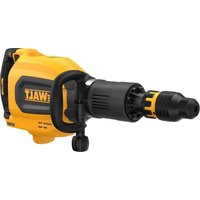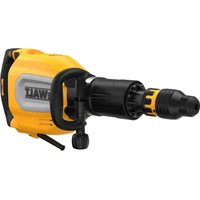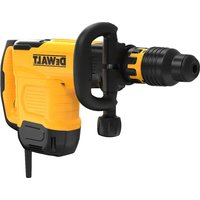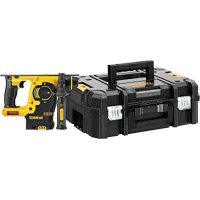
DCH253 - Hammer DEWALT - Free user manual and instructions
Find the device manual for free DCH253 DEWALT in PDF.



| Product Type | Cordless Rotary Hammer |
| Brand | DeWalt |
| Model | DCH253 |
| Rated Voltage | 18 V DC |
| Battery Type | Li-Ion |
| Compatible Batteries | DCB180, DCB181, DCB182, DCB183/B, DCB184/B, DCB185 |
| No-load Speed | 0-1200 min⁻¹ |
| Impact Rate | 0-4500 bpm |
| Single Impact Energy (EPTA 05/2009) | 2.1 J |
| Drilling Capacity – Concrete | 24 mm |
| Drilling Capacity – Steel | 13 mm |
| Drilling Capacity – Wood | 26 mm |
| Tool Holder | SDS Plus |
| Weight (without battery) | 2.5 kg |
| Collar Diameter | 54 mm |
| Sound Pressure Level LpA | 86 dB(A) |
| Sound Power Level LwA | 97 dB(A) |
| Vibration – Drilling in Concrete | 6.6 m/s² (uncertainty K=1.5) |
| Vibration – Chiseling | 5.4 m/s² (uncertainty K=1.5) |
| Functions | Rotary drilling, rotary hammer, hammer only |
| Variable Speed | Yes, with variable speed trigger |
| Mode Selector | Yes, three positions |
| Work Light | Yes, integrated LED |
| Active Vibration Control | Yes, damping system |
| Torque Limiter | Mechanical |
| Side Handle | Yes, 360° rotatable |
| Maintenance | Clean ventilation slots with dry compressed air; no lubrication required |
| Package Contents | Hammer, side handle, depth stop, charger, battery pack(s), keyless chuck (depending on version), carry case |
Frequently Asked Questions - DCH253 DEWALT
User questions about DCH253 DEWALT
0 question about this device. Answer the ones you know or ask your own.
Ask a new question about this device
Download the instructions for your Hammer in PDF format for free! Find your manual DCH253 - DEWALT and take your electronic device back in hand. On this page are published all the documents necessary for the use of your device. DCH253 by DEWALT.
USER MANUAL DCH253 DEWALT
ADVARSEL: For at reducere
risikoen for personskade, sluk og tag batteripakken af, inden der foretages justeringer aller
You have chosen a DEWALT tool. Years of experience, thorough product development and innovation make DEWALT one of the most reliable partners for professional power tool users.
Technical Data
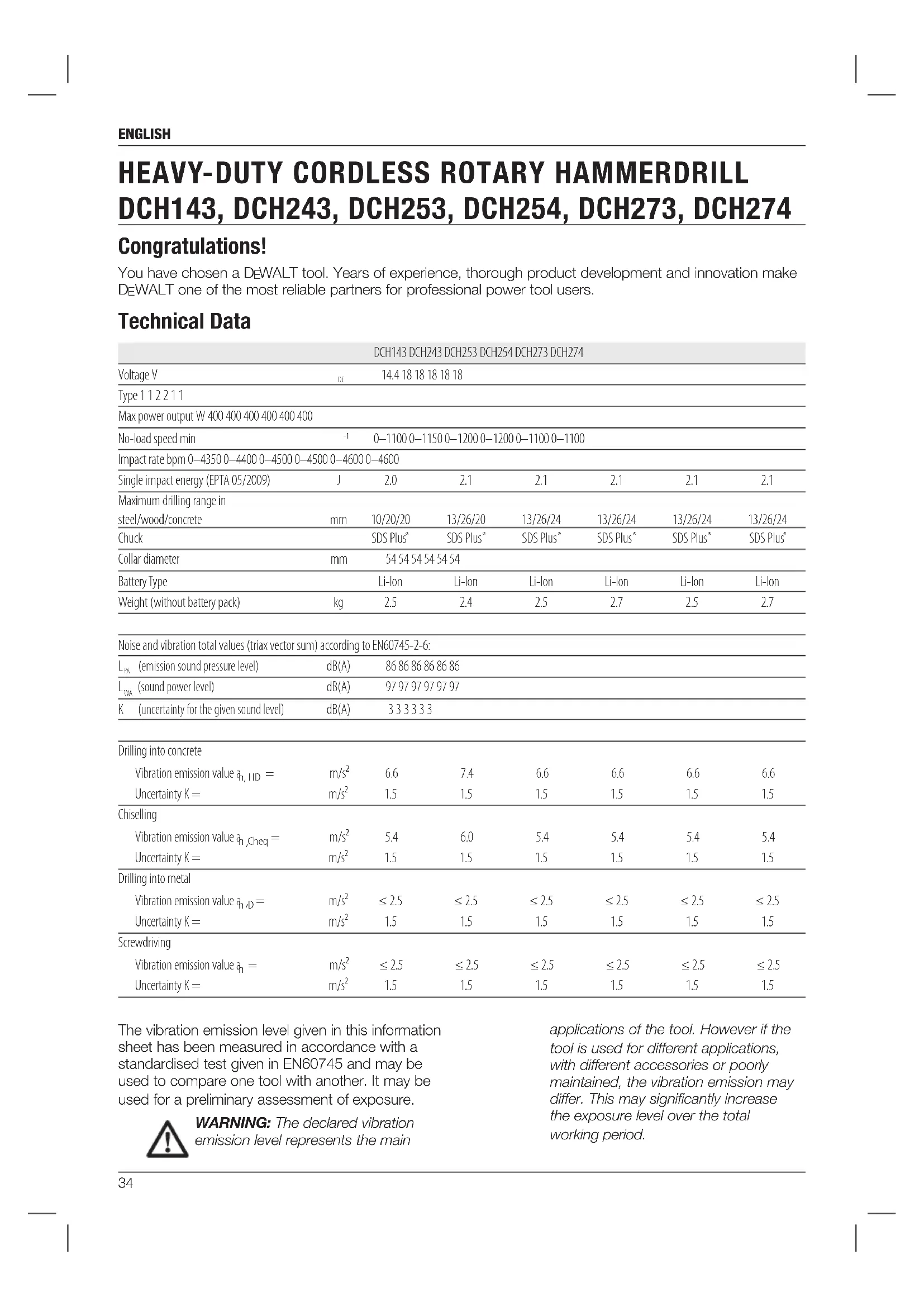
| DCH143 DCH243 DCH253 DCH254 DCH273 DCH274 | |||||||
| Voltage V | DC | 14.4 18 18 18 18 18 | |||||
| Type 1 1 2 2 1 1 | |||||||
| Max power output W 400 400 400 400 400 400 | |||||||
| No-load speed min | -1 | 0-1100 0-1150 0-1200 0-1200 0-1100 0-1100 | |||||
| Impact rate bpm 0-4350 0-4400 0-4500 0-4600 0-4600 | |||||||
| Single impact energy (EPTA 05/2009) | J | 2.0 | 2.1 | 2.1 | 2.1 | 2.1 | 2.1 |
| Maximum drilling range in steel/wood/concrete | mm | 10/20/20 | 13/26/20 | 13/26/24 | 13/26/24 | 13/26/24 | 13/26/24 |
| Chuck | SDS Plus° | SDS Plus° | SDS Plus° | SDS Plus° | SDS Plus° | SDS Plus° | |
| Collar diameter | mm | 54 54 54 54 54 54 | |||||
| Battery Type | Li-Ion | Li-Ion | Li-Ion | Li-Ion | Li-Ion | Li-Ion | |
| Weight (without battery pack) | kg | 2.5 | 2.4 | 2.5 | 2.7 | 2.5 | 2.7 |
| Noise and vibration total values (triax vector sum) according to EN60745-2-6: | |||||||
| Lp( emission sound pressure level) | dB(A) | 86 86 86 86 86 86 | |||||
| Lw( sound power level) | dB(A) | 97 97 97 97 97 97 | |||||
| K (uncertainty for the given sound level) | dB(A) | 3 3 3 3 3 3 | |||||
| Drilling into concrete | |||||||
| Vibration emission value aH, HD = | m/s2 | 6.6 | 7.4 | 6.6 | 6.6 | 6.6 | 6.6 |
| Uncertainty K = | m/s2 | 1.5 | 1.5 | 1.5 | 1.5 | 1.5 | 1.5 |
| Chiselling | |||||||
| Vibration emission value aH,Cheq = | m/s2 | 5.4 | 6.0 | 5.4 | 5.4 | 5.4 | 5.4 |
| Uncertainty K = | m/s2 | 1.5 | 1.5 | 1.5 | 1.5 | 1.5 | 1.5 |
| Drilling into metal | |||||||
| Vibration emission value aH,D = | m/s2 | ≤ 2.5 | ≤ 2.5 | ≤ 2.5 | ≤ 2.5 | ≤ 2.5 | ≤ 2.5 |
| Uncertainty K = | m/s2 | 1.5 | 1.5 | 1.5 | 1.5 | 1.5 | 1.5 |
| Screwdriving | |||||||
| Vibration emission value aH = | m/s2 | ≤ 2.5 | ≤ 2.5 | ≤ 2.5 | ≤ 2.5 | ≤ 2.5 | ≤ 2.5 |
| Uncertainty K = | m/s2 | 1.5 | 1.5 | 1.5 | 1.5 | 1.5 | 1.5 |
The vibration emission level given in this information sheet has been measured in accordance with a standardised test given in EN60745 and may be used to compare one tool with another. It may be used for a preliminary assessment of exposure.

WARNING: The declared vibration emission level represents the main
applications of the tool. However if the tool is used for different applications, with different accessories or poorly maintained, the vibration emission may differ. This may significantly increase the exposure level over the total working period.
An estimation of the level of exposure to vibration should also take into account the times when the tool is switched off or when it is running but not actually doing the job. This may significantly reduce the exposure level over the total working period.
Identify additional safety measures to protect the operator from the effects of vibration such as: maintain the tool and the accessories, keep the hands warm, organisation of work patterns.
| Battery pack | DCB140 | DCB141 | DCB142 |
| Battery type | Li-Ion | Li-Ion | Li-Ion |
| Voltage | VDC | 14.4 | 14.4 |
| Capacity | Ah | 3.0 | 1.5 |
| Weight | kg | 0.53 | 0.30 |
| Battery pack | DCB143 | DCB144 | DCB145 |
| Battery type | Li-Ion | Li-Ion | Li-Ion |
| Voltage | VDC | 14.4 | 14.4 |
| Capacity | Ah | 2.0 | 5.0 |
| Weight | kg | 0.30 | 0.52 |
| Battery pack | DCB180 | DCB181 | DCB182 |
| Battery type | Li-Ion | Li-Ion | Li-Ion |
| Voltage | VDC | 18 | 18 |
| Capacity | Ah | 3.0 | 1.5 |
| Weight | kg | 0.64 | 0.35 |
| Battery pack | DCB183/B | DCB184/B | DCB185 |
| Battery type | Li-Ion | Li-Ion | Li-Ion |
| Voltage | VDC | 18 | 18 |
| Capacity | Ah | 2.0 | 5.0 |
| Weight | kg | 0.40/0.45 | 0.62/0.67 |
| Charger DCB105 | |||
| Mains voltage VAC | 230 | ||
| Battery type 10.8/14.4/18 Li-Ion | |||
| Approx. charging time of battery packs | min 25 (1.3 Ah) 30 (1.5 Ah) 40 (2.0 Ah) | ||
| 55 (3.0 Ah) 70 (4.0 Ah) 90 (5.0 Ah) | |||
| Weight kg | 0.49 | ||
| Charger DCB107 | |||
| Mains voltage VAC | 230 | ||
| Battery type 10.8/14.4/18 Li-Ion | |||
| Approx. charging time of battery packs | min 60 (1.3 Ah) 70 (1.5 Ah) 90 (2.0 Ah) | ||
| 140 (3.0 Ah) 185 (4.0 Ah) | 240 (5.0 Ah) | ||
| Weight kg | 0.29 | ||
| Charger DCB112 | |
| Mains voltage V AC 230 | |
| Battery type 10.8/14.4/18 Li-ion | |
| Approx. charging time of min 40 (1.3 Ah) 45 (1.5 Ah) 60 (2.0 Ah) battery packs 90 (3.0 Ah) 120 (4.0 Ah) 150 (5.0 Ah) | |
| Weight kg 0.36 | |
| Charger DCB113 | |
| Mains voltage V AC 230 | |
| Battery type 10.8/14.4/18 Li-ion | |
| Approx. charging time of min 30 (1.3 Ah) 35 (1.5 Ah) 50 (2.0 Ah) battery packs 70 (3.0 Ah) 100 (4.0 Ah) 120 (5.0 Ah) | |
| Weight kg 0.4 | |
| Charger DCB115 | |
| Mains voltage V AC 230 | |
| Battery type 10.8/14.4/18 Li-ion | |
| Approx. charging time of min 22 (1.3 Ah) 22 (1.5 Ah) 30 (2.0 Ah) battery packs 45 (3.0 Ah) 60 (4.0 Ah) 75 (5.0 Ah) | |
| Weight kg 0.5 | |
| Fuses: | |
| Europe 230V tools 10 Amperes. mains | |
| U.K. & Ireland 230V tools 3 Amperes. in plugs |
Definitions: Safety Guidelines
The definitions below describe the level of severity for each signal word. Please read the manual and pay attention to these symbols.

DANGER: Indicates an imminently hazardous situation which, if not avoided, will result in death or serious injury.

WARNING: Indicates a potentially hazardous situation which, if not avoided, could result in death or serious injury.

CAUTION: Indicates a potentially hazardous situation which, if not avoided, may result in minor or moderate injury.
NOTICE: Indicates a practice not related to personal injury which, if not avoided, may result in

property damage.
Denotes risk of electric shock.
Denotes risk of fire.
ENGLISH
EC-Declaration of Conformity
MACHINERY DIRECTIVE

HEAVY-DUTY CORDLESS ROTARY HAMMERDRILL DCH143, DCH243, DCH253, DCH254, DCH273, DCH274
DEWALT declares that these products described under Technical Data are in compliance with: 2006/42/EC, EN60745-1:2009+A11:2010, EN60745-2-6:2010.
These products also comply with Directive 2004/108/EC (until 19.04.2016), 2014/30/EU (from 20.04.2016) and 2011/65/EU. For more information, please contact DEWALT at the following address or refer to the back of the manual.
The undersigned is responsible for compilation of the technical file and makes this declaration on behalf of DEWALT.
Markus Rompel
Director Engineering
D-65510, Idstein, Germany
06.11.2015


IG: To reduce the risk of injury, read the instruction manual.
General Power Tool SafetyWarnings

WARNING! Read all safety warnings and all instructions. Failure to follow
the warnings and instructions may result in electric shock, fire and/or serious injury.
SAVE ALL WARNING AND INSTRUCTIONS FOR FUTURE REFERENCE
The term "power tool" in the warnings refers to your mains-operated (corded) power tool or battery-operated (cordless) power tool.
1) WORK AREA SAFETY
a) Keep work area clean and well lit. Cluttered or dark areas invite accide
b) Do not operate power tools in explosive atmospheres, such as in the presence of flammable liquids, gases or dust. Power tools create sparks which may ignite the dust or fumes.
c) Keep children and bystanders away while operating a power tool. Distractions can cause you to lose control.
2) ELECTRICAL SAFETY
a) Power tool plugs must match the outlet. Never modify the plug in any way. Do not use any adapter plugs with earthed (grounded) power tools. Unmodified plugs and matching outlets will reduce risk of electric shock.
b) Avoid body contact with earthed or grounded surfaces such as pipes, radiators, ranges and refrigerators. There is an increased risk of electric shock if your body is earthed or grounded.
c) Do not expose power tools to rain or wet conditions. Water entering a power tool will increase the risk of electric shock.
d) Do not abuse the cord. Never use the cord for carrying, pulling or unplugging the power tool. Keep cord away from heat, oil, sharp edges or moving parts. Damaged or entangled cords increase the risk of electric shock.
e) When operating a power tool outdoors, use an extension cord suitable for outdoor use. Use of a cord suitable for outdoor use reduces the risk of electric shock.
f) If operating a power tool in a damp location is unavoidable, use a residual current device (RCD) protected supply. Use of an RCD reduces the risk of electric shock.
3) PERSONAL SAFETY
a) Stay alert, watch what you are doing and use common sense when operating a power tool. Do not use a power tool while you are tired or under the influence of drugs, alcohol or medication. A moment of inattention while operating power tools may result in serious personal injury.
b) Use personal protective equipment. Always wear eye protection. Protective equipment such as dust mask, non-skid safety shoes, hard hat, or hearing protection used for appropriate conditions will reduce personal injuries.
c) Prevent unintentional starting. Ensure the switch is in the off position before connecting to power source and/or battery pack, picking up or carrying the tool. Carrying power tools with your finger on the switch or energising power tools that have the switch on invites accidents.
d) Remove any adjusting key or wrench before turning the power tool on. A wrench or a key left attached to a rotating part of the power tool may result in personal injury.
e) Do not overreach. Keep proper footing and balance at all times. This enables better control of the power tool in unexpected situations.
f) Dress properly. Do not wear loose clothing or jewellery. Keep your hair, clothing and gloves away from moving parts. Loose clothes, jewellery or long hair can be caught in moving parts.
g) If devices are provided for the connection of dust extraction and collection facilities, ensure these are connected and properly used. Use of dust collection can reduce dust-related hazards.
4) POWER TOOL USE AND CARE
a) Do not force the power tool. Use the correct power tool for your application. The correct power tool will do the job better and safer at the rate for which it was designed.
b) Do not use the power tool if the switch does not turn it on and off. Any power tool that cannot be controlled with the switch is dangerous and must be repaired.
c) Disconnect the plug from the power source and/or the battery pack from the power tool before making any adjustments, changing accessories, or storing power tools. Such preventive safety measures reduce the risk of starting the power tool accidentally.
d) Store idle power tools out of the reach of children and do not allow persons unfamiliar with the power tool or these instructions to operate the power tool. Power tools are dangerous in the hands of untrained users.
e) Maintain power tools. Check for misalignment or binding of moving parts, breakage of parts and any other condition that may affect the power tool's operation. If damaged, have the power tool repaired before use. Many accidents are caused by poorly maintained power tools.
f) Keep cutting tools sharp and clean. Properly maintained cutting tools with sharp cutting edges are less likely to bind and are easier to control.
g) Use the power tool, accessories and tool bits etc., in accordance with these instructions taking into account the working conditions and the work to
be performed. Use of the power tool for operations different from those intended could result in a hazardous situation.
5) BATTERY TOOL USE AND CARE
a) Recharge only with the charger specified by the manufacturer. A charger that is suitable for one type of battery pack may create a risk of fire when used with another battery pack.
b) Use power tools only with specifically designated battery packs. Use of any other battery packs may create a risk of injury and fire.
c) When battery pack is not in use, keep it away from other metal objects like paper clips, coins, keys, nails, screws or other small metal objects that can make a connection from one terminal to another. Shorting the battery terminals together may cause burns or a fire.
d) Under abusive conditions, liquid may be ejected from the battery, avoid contact. If contact accidentally occurs, flush with water. If liquid contacts eyes, additionally seek medical help. Liquid ejected from the battery may cause irritation or burns.
6) SERVICE
a) Have your power tool serviced by a qualified repair person using only identical replacement parts. This will ensure that the safety of the power tool is maintained.
Additional Safety Instructions for Rotary Hammers
- Wear ear protectors. Exposure to noise can cause hearing loss.
Use auxiliary handles supplied with the tool. Loss of control can cause personal injury. - Hold power tools by insulated gripping surfaces when performing an operation where the cutting tool may contact hidden wiring. Contact with a "live" wire will make exposed metal parts of the tool "live" and could give the operator an electrical shock.
- Use clamps or other practical way to secure and support the workpiece to a stable platform. Holding the work by hand or against your body is unstable and may lead to loss of control.
- Wear safety goggles or other eye protection. Hammering operations cause chips to fly. Flying particles can cause permanent eye damage. Wear a dust mask or respirator for applications that generate dust. Ear protection may be required for most applications.
ENGLISH
- Keep a firm grip on the tool at all times. Do not attempt to operate this tool without holding it with both hands. It is recommended that the side handle be used at all times. Operating this tool with one hand will result in loss of control. Breaking through or encountering hard materials such as re-bar may be hazardous as well. Tighten the side handle securely before use.
- Do not operate this tool for long periods of time. Vibration caused by hammer action may be harmful to your hands and arms. Use gloves to provide extra cushion and limit exposure by taking frequent rest periods.
- Do not recondition bits yourself. Chisel reconditioning should be done by an authorized specialist. Improperly reconditioned chisels could cause injury.
- Wear gloves when operating tool or changing bits. Accessible metal parts on the tool and bits may get extremely hot during operation. Small bits of broken material may damage bare hands.
- Never lay the tool down until the bit has come to a complete stop. Moving bits could cause injury.
- Do not strike jammed bits with a hammer to dislodge them. Fragments of metal or material chips could dislodge and cause injury.
- Slightly worn chisels can be resharpened by grinding.
- Keep the power cord away from the rotating bit. Do not wrap the cord around any part of your body. An electric cord wrapped around a spinning bit may cause personal injury and loss of control.
Residual Risks
The following risks are inherent to the use of rotary hammers:
- Injuries caused by touching the rotating parts or hot parts of the tool.
In spite of the application of the relevant safety regulations and the implementation of safety devices, certain residual risks cannot be avoided. These are:
Impairment of hearing.
- Risk of squeezing fingers when changing the accessory.
- Health hazards caused by breathing dust developed when working in concrete and/or masonry.
Markings on Tool
The following pictograms are shown on the tool:

Read instruction manual before use.

Wear ear protection.

Wear eye protection.
DATE CODE POSITION
The date code, which also includes the year of manufacture, is printed into the housing surface that forms the mounting joint between tool and battery.
Example:
2016 XX XX
Year of Manufacture
Important Safety Instructions for All Battery Chargers
SAVE THESE INSTRUCTIONS: This manual contains important safety and operating instrc tions for compatible battery chargers.
- Before using charger, read all instructions and cautionary markings on charger, battery pack, and product using battery pack.

WARNING: Shock hazard. Do not allow any liquid to get inside charger. Electric shock may result.
WAPIN
G: We recommend the use of a residual current device with a residual current rating of 30mA or less.

CAUTION: Burn hazard. To reduce the risk of injury, charge only DEWALT rechargeable batteries. Other types of batteries may burst causing personal injury and damage.

CAUTION: Children should be supervised to ensure that they do not play with the appliance.
NOTICE: Under certain conditions, with the charger plugged in to the power supply, the charger can be shorted by foreign material. Foreign materials of a conductive nature such as, but not limited to, grinding dust, metal chips, steel wool, aluminum foil, or any buildup of metallic particles should be kept away from charger cavities. Always unplug the charger from the power supply when
there is no battery pack in the cavity. Unplug charger before attempting to clean.
DO NOT attempt to charge the battery pack with any chargers other than the ones in this manual. The charger and battery pack are specifically designed to work together.
These chargers are not intended for any uses other than charging DEWALT rechargeable batteries. Any other uses may result in risk of fire, electric shock or electrocution.
- Do not expose charger to rain or snow.
- Pull by plug rather than cord when disconnecting charger. This will reduce risk of damage to electric plug and cord.
Make sure that cord is located so that it will not be stepped on, tripped over, or otherwise subjected to damage or stress.
- Do not use an extension cord unless it is absolutely necessary. Use of improper extension cord could result in risk of fire, electric shock, or electrocution.
- Do not place any object on top of charger or place the charger on a soft surface that might block the ventilation slots and result in excessive internal heat. Place the charger in a position away from any heat source. The charger is ventilated through slots in the top and the bottom of the housing.
- Do not operate charger with damaged cord or plug - have them replaced immediately.
- Do not operate charger if it has received a sharp blow, been dropped, or otherwise damaged in any way. Take it to an authorised service centre.
- Do not disassemble charger; take it to an authorised service centre when service or repair is required. Incorrect reassembly may result in a risk of electric shock, electrocution or fire.
- In case of damaged power supply cord the supply cord must be replaced immediately by the manufacturer, its service agent or similar qualified person to prevent any hazard.
- Disconnect the charger from the outlet before attempting any cleaning. This will reduce the risk of electric shock. Removing the battery pack will not reduce this risk.
NEVER attempt to connect 2 chargers together.
The charger is designed to operate on standard 230V household electrical power. Do not attempt to use it on any
other voltage. This does not apply to the vehicular charger.
SAVE THESE INSTRUCTIONS
Chargers
The DCB105, DCB107, DCB112, DCB113 and DCB115 chargers accept 10.8V, 14.4V and 18V Li-Ion XR (DCB123, DCB127, DCB140, DCB141, DCB142, DCB143, DCB144, DCB145, DCB180, DCB181, DCB182, DCB183, DCB183B, DCB184, DCB184B and DCB185) battery packs.
DEWALT chargers require no adjustment and are designed to be as easy as possible to operate.
Charging Procedure (Fig. 3)
- Plug the charger into an appropriate outlet before inserting battery pack.
- Insert the battery pack (F) into the charger. The red (charging) light will blink continuously indicating that the charging process has started.
- The completion of charge will be indicated by the red light remaining ON continuously. The pack is fully charged and may be used at this time or left in the charger.
NOTE: To ensure maximum performance and life of Li-lon batteries, charge the battery pack fully before first use.
Charging Process
Refer to the table below for the charge status of the battery pack.
| Charge indicators: DCB105 | |
| charging | - - - - - |
| fully charged | - - - - - |
| hot/cold pack delay | - - - - - |
| replace battery pack | - - - - - |
Charge indicators: DCB107, DCB112, DCB113, DCB115
| charging | - - - - - |
| fully charged | - - - - - |
| hot/cold pack delay* | - - - | - - - |
- DCB107, DCB112, DCB113, DCB115: The red light will continue to blink, but a yellow indicator light will be illuminated during this operation. Once the battery has reached an appropriate temperature, the yellow light will turn off and the charger will resume the charging procedure.
ENGLISH
The compatible charger(s) will not charge a faulty battery pack. The charger will indicate faulty battery by refusing to light or by displaying problem pack or charger blink pattern.
NOTE: This could also mean a problem with a charger.
If the charger indicates a problem, take the charger and battery pack to be tested at an authorised service centre.
HOT/COLD PACK DELAY
When the charger detects a battery that is too hot or too cold, it automatically starts a Hot/Cold Pack Delay, suspending charging until the battery has reached an appropriate temperature. The charger then automatically switches to the pack charging mode. This feature ensures maximum battery life.
A cold battery pack will charge at about half the rate of a warm battery pack. The battery pack will charge at that slower rate throughout the entire charging cycle and will not return to maximum charge rate even if the battery warms.
XR Li-Ion tools are designed with an Electronic Protection System that will protect the battery against overloading, overheating or deep discharge.
The tool will automatically turn off if the Electronic Protection System engages. If this occurs, place the lithium-ion battery on the charger until it is fully charged.
Important Safety Instructions for All Battery Packs
When ordering replacement battery packs, be sure to include catalogue number and voltage.
The battery pack is not fully charged out of the carton. Before using the battery pack and charger, read the safety instructions below. Then follow charging procedures outlined.
READ ALL INSTRUCTIONS
- Do not charge or use battery in explosive atmospheres, such as in the presence of flammable liquids, gases or dust. Inserting or removing the battery from the charger may ignite the dust or fumes.
- Never force battery pack into charger. Do not modify battery pack in any way to fit into a non-compatible charger as battery pack may rupture causing serious personal injury.
- Charge the battery packs only in DEWALT chargers.
DO NOT splash or immerse in water or other liquids.
- Do not store or use the tool and battery pack in locations where the temperature may reach or exceed 40^ (105 F) (such as outside sheds or metal buildings in summer).

WARNING: Never attempt to open the battery pack for any reason. If battery pack case is cracked or damaged, do not insert into charger. Do not crush, drop or damage battery pack. Do not use a battery pack or charger that has received a sharp blow, been dropped, run over or damaged in any way (i.e., pierced with a nail, hit with a hammer, stepped on). Electric shock or electrocution may result. Damaged battery packs should be returned to service centre for recycling.
CAUTION: When not in use, place tool on its side on a stable surface where it will not cause a tripping or falling hazard. Some tools with large battery packs will stand upright on the battery pack but may be easily knocked over.
SPECIFIC SAFETY INSTRUCTIONS FOR LITHIUM ION (Li-Ion)
- Do not incinerate the battery pack even if it is severely damaged or is completely worn out. The battery pack can explode in a fire. Toxic fumes and materials are created when lithium ion battery packs are burned.
- If battery contents come into contact with the skin, immediately wash area with mild soap and water. If battery liquid gets into the eye, rinse water over the open eye for 15 minutes or until irritation ceases. If medical attention is needed, the battery electrolyte is composed of a mixture of liquid organic carbonates and lithium salts.
- Contents of opened battery cells may cause respiratory irritation. Provide fresh air. If symptoms persist, seek medical attention.

WARNING: Burn hazard. Battery liquid may be flammable if exposed to spark or flame.
Transportation
DEWALT batteries comply with all applicable shipping regulations as prescribed by industry and legal standards which include UN Recommendations on the Transport of Dangerous Goods; International Air Transport Association (IATA) Dangerous Goods
Regulations, International Maritime Dangerous Goods (IMDG) Regulations, and the European Agreement Concerning The International Carriage of Dangerous Goods by Road (ADR). Lithium-ion cells and batteries have been tested to section 38.3 of the UN Recommendations on the Transport of Dangerous Goods Manual of Tests and Criteria.
In most instances, shipping a DEWALT battery pack will be excepted from being classified as a fully regulated Class 9 Hazardous material. In general, the two instances that require shipping Class 9 are:
- Air shipping more than two DEWALT lithium-ion battery packs when the package contains only battery packs (no tools), and
- Any shipment containing a lithium-ion battery with an energy rating greater than 100 watt hours (Wh). All lithium-ion batteries have the watt hour rating marked on the pack.
Regardless of whether a shipment is considered excepted or fully regulated, it is the shipper's responsibility to consult the latest regulations for packaging, labeling/marking and documentation requirements.
Transporting batteries can possibly cause fire if the battery terminals inadvertently come in contact with conductive materials. When transporting batteries, make sure that the battery terminals are protected and well insulated from materials that could contact them and cause a short circuit.
The information provided in this section of the manual is provided in good faith and believed to be accurate at the time the document was created. However, no warranty, expressed or implied, is given. It is the buyer's responsibility to ensure that its activities comply with the applicable regulations.
Battery Pack
BATTERY TYPE
The DCH143 operates on 14.4 V battery packs. The DCH243, DCH253, DCH254, DCH273 and DCH274 operate on 18 V battery packs.
The DCB140, DCB141, DCB142, DCB143, DCB144 or DCB145 battery packs (14.4 V) may be used on the DCH143.
The DCB180, DCB181, DCB182, DCB183, DCB183B, DCB184, DCB184B or DCB185 battery packs (18 V) may be used on the DCH243, DCH253, DCH254, DCH273 and DCH274.
Storage Recommendations
- The best storage place is one that is cool and dry away from direct sunlight and excess heat or cold. For optimum battery performance and
life, store battery packs at room temperature when not in use.
- For long storage, it is recommended to store a fully charged battery pack in a cool, dry place out of the charger for optimal results.
NOTE: Battery packs should not be stored completely depleted of charge. The battery pack will need to be recharged before use.
Labels on Charger and Battery Pack
In addition to the pictographs used in this manual, the labels on the charger and the battery pack may show the following pictographs:

Read instruction manual before use.

See Technical Data for charging time.
Battery charging.

Battery charged.

Battery defective.

Hot/cold pack delay.

Do not probe with conductive objects.

Do not charge damaged battery packs.

Do not expose to water.

Have defective cords replaced immediately.

Charge only between 4^ and 40^ .
Only for indoor use.

Discard the battery pack with due care for the environment.
Charge DEWALT battery packs only with designated DEWALT chargers. Charging battery packs other than the designated DEWALT batteries with a DEWALT charger may make them burst or lead to other dangerous situations.
ENGLISH

Do not incinerate the battery pack.
Package Contents
The package contains:
1 Cordless rotary hammerdrill
1 Side handle and depth rod
1 Charger
1 Battery pack (D1, L1, M1, P1)
2 Battery packs (D2, L2, M2, P2)
3 Battery packs (D3, L3, M3, P3)
1 Keyless chuck (DCH254, DCH274)
1 Kit box
1 Instruction manual
NOTE: Battery packs and chargers are not included with N-models.
- Check for damage to the tool, parts or accessories which may have occurred during transport.
Take the time to thoroughly read and understand this manual prior to operation.
Description (Fig. 1, 3, 7)

WARNING: Never modify the power tool or any part of it. Damage or personal injury could result.
A. Variable speed switch
B.Forward/reverse button
C. Mode selector
D.Worklight DCH143,DCH253,DCH254, DCH273,DCH274)
E. Side handle
F. Battery pack
G. Release button
H. Main handle
- Drill bit symbol (rotary drilling mode)
J. Hammerdrilling symbol (rotary hammering mode)
K. Hammer symbol (hammering only mode)
L. SDS Plus® tool holder
M. Sleeve
N. Fuel gauge button
O. Dust cover
P. Locking collar
Q. Keyless chuck (DCH254, DCH274)
R. Belt hook (DCH273, DCH274)
S. Mode selector button
T. Dust extraction system electrical connection
INTENDED USE
Your DCH143, DCH243, DCH253, DCH254, DCH273 and DCH274 cordless rotary hammerdrills have been designed for professional drilling and hammerdrilling applications, as well as screwdriving and chipping applications.
DO NOT use under wet conditions or in presence of flammable liquids or gases.
These hammerdrills are professional power tools.
DO NOT let children come into contact with the tool. Supervision is required when inexperienced operators use this tool.
- Young children and the infirm. This appliance is not intended for use by young children or infirm persons without supervision.
- This product is not intended for use by persons (including children) suffering from diminished physical, sensory or mental abilities; lack of experience, knowledge or skills unless they are supervised by a person responsible for their safety. Children should never be left alone with this product.
Electrical Safety
The electric motor has been designed for one voltage only. Always check that the battery pack voltage corresponds to the voltage on the rating plate. Also make sure that the voltage of your charger corresponds to that of your mains.

Your DAWALT charger is double insulated in accordance with EN60335; therefore no earth wire is required.
If the supply cord is damaged, it must be replaced by a specially prepared cord available through the DEWALT service organization.
Mains Plug Replacement (U.K. & Ireland Only)
If a new mains plug needs to be fitted:
- Safely dispose of the old plug.
- Connect the brown lead to the live terminal in the plug.
- Connect the blue lead to the neutral terminal.

WARNING: No connection is to be made to the earth terminal.
Follow the fitting instructions supplied with good quality plugs. Recommended fuse: 3 A.
Using an Extension Cable
An extension cord should not be used unless absolutely necessary. Use an approved extension cable suitable for the power input of your charger (see Technical Data). The minimum conductor size is 1mm^2 ; the maximum length is 30m .
When using a cable reel, always unwind the cable completely.
ASSEMBLY AND ADJUSTMENTS

WARNING: Prior to assembly and adjustment, always remove the battery pack. Always switch off the tool before inserting or removing the battery pack.

WARNING: Use only DEWALT battery packs and chargers.
Inserting and Removing the Battery Pack from the Tool (Fig. 3)

WARNING: To reduce the risk of injury, never depress the battery release button without removing the battery pack. Depressing the battery release button without removing the battery pack can result in the battery pack falling out unexpectedly.
NOTE: For best results, make sure your battery pack is fully charged.
TO INSTALL THE BATTERY PACK INTO THE TOOL HANDLE
- Align the battery pack (F) with the rails inside the tool's handle (Fig. 3).
- Slide it into the handle until the battery pack is firmly seated in the tool and ensure that it does not disengage.
TO REMOVE THE BATTERY PACK FROM THE TOOL
- Press the battery release button (G) and firmly pull the battery pack out of the tool handle.
- Insert battery pack into the charger as described in the charger section of this manual.
FUEL GAUGE BATTERY PACKS (FIG. 3)
Some DeWALT battery packs include a fuel gauge which consists of three green LED lights that indicate the level of charge remaining in the battery pack.
To actuate the fuel gauge, press and hold the fuel gauge button (N). A combination of the three green LED lights will illuminate designating the level of charge left. When the level of charge in the battery is below the usable limit, the fuel gauge will not illuminate and the battery will need to be recharged.
NOTE: The fuel gauge is only an indication of the charge left on the battery pack. It does not indicate tool functionality and is subject to variation based on product components, temperature and end-user application.
Variable Speed Switch (Fig. 1)
To turn the tool on, squeeze the trigger switch (A). To turn the tool off, release the trigger switch. Your tool is equipped with a brake. The tool holder will stop as soon as the trigger switch is fully released.
The variable speed trigger switch enables you to select the best speed for a particular application. The farther you squeeze the trigger switch, the faster the tool will operate. For maximum tool life, use variable speed only for starting holes or fasteners.
NOTE: Continuous use in variable speed range is not recommended. It may damage the switch and should be avoided.
Side Handle (Fig. 1)

WARNING: To reduce the risk of personal injury, ALWAYS operate the tool with the side handle properly installed. Failure to do so may result in the side handle slipping during tool operation and subsequent loss of control. Hold tool with both hands to maximize control.
The side handle (E) clamps to the front of the gear case and may be rotated 360^ to permit right- or left-hand use. The side handle must be tightened sufficiently to resist the twisting action of the tool if the accessory binds or stalls. Be sure to grip the side handle at the far end to control the tool during a stall.
To loosen side handle, rotate counterclockwise.
Forward/Reverse Control Button (Fig. 1, 2)

WARNING: Always wait until the motor has come to a complete standstill before changing the direction of rotation.
A forward/reverse control button (B) determines the direction of the tool and also serves as a lock off button.
To select forward rotation, release the trigger switch and depress the for ward/re verse control button on the right side of the tool.
To select reverse, release the trigger switch and depress the forward/reverse control button on the left side of the tool.
ENGLISH
The center position of the control button locks the tool in the off position. When changing the position of the control button, be sure the trigger is released.
NOTE: The first time the tool is run after changing the direction of rotation, you may hear a click on start up. This is normal and does not indicate a problem.
Worklight (Fig. 1)
DCH143, DCH253, DCH254, DCH273, DCH274
There is a worklight (D) located on the front of the tool. The worklight will be activated when the trigger switch is squeezed. The worklight is activated when the trigger switch is depressed, and will automatically turn off 20 seconds after the trigger switch is released. If the trigger switch remains depressed, the worklight will remain on.
NOTE: The worklight is for lighting the immediate work surface and is not intended to be used as a flashlight.
Selecting the Operating Mode (Fig. 1)

WARNING: Do not select the operating mode when the tool is running.
Your tool is equipped with a separate mode selector (C) to switch between rotary drilling, rotary hammering and hammering only mode.

Rotary drilling: for screwdriving and for drilling into steel, wood and plastics.

Rotary hammering: for concrete and masonry drilling.

Hammering only: for light chipping.
Before attempting to rotate the mode selector depress the mode selector button (S). For rotary drilling, rotate the mode selector (C) until the arrow points to the drill bit symbol (I). For rotary hammering mode, align the arrow with the hammerdrilling symbol (J). For hammering only mode, align arrow with the hammer symbol (K).
NOTE: The mode selector (C) must be in rotary drilling, rotary hammering or hammering only mode at all times. There are no operable positions in between.
Active Vibration Control
The active vibration control neutralises rebound vibration from the hammer mechanism. Lowering hand and arm vibration, it allows more comfortable use for longer periods of time and extends the life of
the unit. In operation, a spring loaded mechanism counterbalances the vibration forces. This can be sensed by the cushioning effect when pressure is applied to the tool. Make sure the spring is engaged but not too firmly. The mechanism should be allowed to "float."
Belt Hook (Fig. 1, 4)
DCH273, DCH274
A belt hook (R) is fitted below the main handle (H) on the left side of the tool. To extend the belt hook pull it out from the side of the tool. To store the belt hook push it back flush with the side of the tool. The belt hook (R) can be positioned to the left or right of the tool to accommodate left or right-handed users.
- Position the belt hook into the extended position and remove the hex head screw located on the underside of the main handle.
- Pull out the belt hook until it is free from the unit.
- Reinsert the belt hook into the desired side and push it into the slot.
NOTE: On some models the slot may be covered with a sticker. Either remove the sticker or pierce the sticker to expose the slot underneath.
- Re-insert the hex screw and tighten securely.
If use of the hook is not desired at all, it can be removed completely.
SDS Plus® Tool Holder (Fig. 5)
To insert a drill or chisel bit, insert the shank of the bit about 19mm (3 / 4^ ) into SDS Plus tool holder (L). Push and rotate bit until it locks in place. The bit will be securely held.
To release bit, pull the sleeve (M) back and remove the bit.
Replacing the SDS Plus® Tool Holder with the Keyless Chuck (Fig. 7)
DCH254,DCH274
- Turn the locking collar (P) into the unlocked position and pull the SDS Plus tool holder (L) off.
- Push the keyless chuck (Q) onto the spindle and turn the locking collar into the locking position.
- To replace the keyless chuck with the SDS Plus® tool holder, first remove the keyless chuck the same way as the SDS Plus® tool holder was removed. Then replace the SDS Plus® tool holder the same way as the keyless chuck was replaced.

WARNING: Never use standard chucks in the rotary hammering mode.
Overload Clutch
There are two different types of overload clutch fitted. The DCH143, DCH243, DCH253 and DCH254 have a mechanical overload clutch, the DCH273 and DCH274 have an electronic overload clutch fitted.
In case of jamming of a drill bit, the drive to the drill spindle is interrupted. On units fitted with a mechanical clutch the indication that the clutch has activated will be an audible ratcheting together with increased vibration. If the electronic clutch activates the motor is repeatedly switched on and off for a few seconds to replicate the feedback associated with a mechanical clutch. Release and depress the trigger to re-engage drive.
Because of the resulting forces, always hold the tool with both hands and take a firm stance.
Dust Extraction System (Fig. 1)
A dedicated integrated dust extraction system (D25303DH) is available and can be purchased separately.
To operate the D25303DH uses an electrical connection (T) to the rotary hammer.
The DCH253, DCH254 (TYPE 2 Only), DCH273, and DCH274 rotary hammer models are equipped with the electrical connection (T).
NOTE: The D25303DH is not compatible with the DCH143, DCH243 or TYPE 1 versions of the DCH253 and DCH254.
The DCH274 is available supplied complete with a D25303DH and extended kit box as the DCH275.
OPERATION
Instructions for Use
-
Always observe the safety instructions and applicable regulations.
-
Be aware of the location of pipework and wiring.
- Apply only a gentle pressure to the tool (approx. 5 kg). Excessive force does not speed up drilling but decreases tool performance and may shorten tool life.
- Do not drill or drive too deep to prevent damage to the dust cover (O).
Always hold the tool firmly with both hands and ensure a secure stance. Always operate the tool with the side handle properly mounted.
WARNING: To reduce the risk of serious personal injury, turn tool off and disconnect battery pack before making any adjustments or removing/installing attachments or accessories.
Proper Hand Position (Fig. 1, 6)
WARNING: To reduce the risk of serious personal injury, ALWAYS use proper hand position as shown in figure 6.
WARNING: To reduce the risk of serious personal injury, ALWAYS hold securely in anticipation of a sudden reaction.
Proper hand position requires one hand on the main handle (H), with the other hand on the side handle (E).
Drill Operation (Fig. 1)
WARNING: To reduce the risk of serious personal injury, turn tool off and disconnect tool from power source before making any adjustments or removing/installing attachments or accessories.
WARNING: To reduce the risk of personal injury, ALWAYS ensure workpiece is anchored or clamped firmly. If drilling thin material, use a wood "back-up" block to prevent damage to the material.
HAMMERDRILLING (FIG. 1)
- Set the mode selector switch (C) to the "rotary hammering" position.
- Insert the appropriate drill bit. For best results use high quality carbide-tipped bits.
- Adjust the side handle (E) as required.
- Mark the spot where the hole is to be drilled.
- Place the drill bit on the spot and switch on the tool.
ROTARY DRILLING (FIG.1)
- Set the mode selector switch (C) to the "rotary drilling" position.
- Depending on your tool, follow either of the following instructions:
ENGLISH
- Fit a chuck adaptor/chuck assembly (DCH143, DCH243, DCH253, DCH273). Special SDS Plus® adaptors with threaded sections are available for use with standard 10 or 13 mm chucks to enable straight shank bits to be used.
-
Replace the SDS Plus tool holder with the keyless chuck (DCH254, DCH274).
-
Proceed as described for rotary hammering.

WARNING: Never use standard chucks in the rotary hammering mode.
SCREWDRIVING (FIG. 1)
- Set the mode selector switch (C) to the "rotary drilling" position.
- Select the direction of rotation.
-
Depending on your tool, follow either of the following instructions:
-
Insert the special SDS Plus screwdriving adaptor for use with hexagonal screwdriver bits (DCH143, DCH243, DCH253, DCH273).
-
Replace the SDS Plus tool holder with the keyless chuck (DCH254, DCH274).
-
Insert the appropriate screwdriver bit. When driving slotted head screws always use bits with a finder sleeve.
- Gently press the variable speed switch (A) to prevent damage to the screw head. In reverse (LH) rotation the tool speed is automatically reduced for easy screw removal.
- When the screw is flush with the workpiece, release the variable speed switch to prevent the screw head from penetrating into the workpiece.
CHIPPING (FIG. 1)
- Set the mode selector switch (C) to the "hammering only" position.
- Insert the appropriate chisel and check if it is properly locked.
3 Adjust the side handle (E) as required. - Switch on the tool and start working.
It may be necessary to briefly run the motor after having changed from chiselling to rotary modes in order to align the gears.
use this tool to mix or pump easily combustible or explosive fluids (benzine, alcohol, etc.).
- Do not mix or stir inflammable liquids labelled accordingly.
MAINTENANCE
Your DeWALT power tool has been designed to operate over a long period of time with a minimum of maintenance. Continuous satisfactory operation depends upon proper tool care and regular cleaning.

G: To reduce the risk of serious personal injury, turn tool off and disconnect battery pack before making any adjustments or removing/installing attachments or accessories. An accidental start-up can cause injury.
This machine is not user-serviceable. Take the tool to an authorised DEWALT repair agent after approximately 40 hours of use. If problems occur before this time contact an authorised DEWALT repair agent.
The charger and battery pack are not serviceable. There are no serviceable parts inside.

Lubrication
Your power tool requires no additional lubrication.

Cleaning

WARNING: Blow dirt and dust out of the main housing with dry air as often as dirt is seen collecting in and around the air vents. Wear approved eye protection and approved dust mask when performing this procedure.

WARNING: Never use solvents or other harsh chemicals for cleaning the non-metallic parts of the tool. These chemicals may weaken the materials used in these parts. Use a cloth dampened only with water and mild soap. Never let any liquid get inside the tool; never immerse any part of the tool into a liquid.
CHARGER CLEANING INSTRUCTIONS

G: Shock hazard. Disconnect the charger from the AC outlet before cleaning. Dirt and grease may be removed from the exterior of the charger using a cloth or soft nonmetallic brush. Do not use water or any cleaning solutions.
Optional Accessories

WARNING: Since accessories, other than those offered by DEWALT, have not been tested with this product, use of such accessories with this tool could be hazardous. To reduce the risk of injury, only DEWALT recommended accessories should be used with this product.
Various types of SDS Plus® drill bits and chisels are available as an option.
Accessories and attachments used must be regularly lubricated around the SDS Plus® fitment.
Consult your dealer for further information on the appropriate accessories.
Protecting the Environment
Separate collection. Products and batteries marked with this symbol must not be disposed of with normal household waste.
Products and batteries contain materials that can be recovered or recycled reducing the demand for raw materials. Please recycle electrical products and batteries according to local provisions. Further information is available at www.2helpU.com.

Rechargeable Battery Pack
This long life battery pack must be recharged when it fails to produce sufficient power on jobs which were easily done before. At the end of its technical life, discard it with due care for our environment:
- Run the battery pack down completely, then remove it from the tool.
- Li-ion cells are recyclable. Take them to your dealer or a local recycling station. The collected battery packs will be recycled or disposed of properly.
MARTILLO PERFORADOR INALÁMBRICO PARA OPERACIONES PESADAS DCH143, DCH243, DCH253, DCH254, DCH273, DCH274
jEnhorabuena!
Suspension de charge.

PERCAGE AVEC PERCUSSION (FIG.1)
PERCAGE SANS PERCUSSION (FIG. 1)
Batterie rechargeable
Director Engineering
DEWALT, Richard-Slinger-Strase 11
ACCU'S MET VERMOGENMETER (AFB.3)
1) SIKKERHET PÅ ARBEIDSPLASSEN
Transport Association (IATA) Dangerous Goods Regulations, International Maritime Dangerous Goods (IMDG) Regulations, og European Agreement Concerning The International Carriage of Dangerous Goods by Road (ADR). Lithium-ion celler og batterier er testet i henhold til avsnitt 38.3 i UN Recommendations on the Transport of Dangerous Goods Manual of Tests and Criteria".
slagboring: for leett hakking.
For du prover a rotere modusvalget, trykk ned modusvalgbryteren (S). For roterende boring, skru pa modusvelgeren (C) til pilen peker pa drill bit symbolet (I). For roterende slagboringsmodus, rett pilen mot slagboringssymbolet (J). For kun slagboringsmodus, rett pilen mot slagsymbolet (K).
MERK: Modusvelgeren (C) skal hele tiden stä i roterende boring, roterende slagboring eller kun slagborings-modus. Det finnes ingen operative mellomfunksjoner.
SKRUTREKKING (FIG. 1)
Director de Engenharia
D-65510, Idstein, Germany
06.11.2015

6) ΣYNTHPHΣH (ΣEPBΙΣ)
a)Φovriote anwC n ouvtipnontou nEeKtpiOu epyaleiou npayatotoiiteai aToPiToTOnIevo yia Etnkuec ato, u T xPnTowv tautoanuw movoavtaAakIKuv.Auro 0aEgaoqalioe1 tn diatnpon nC aQaaleiaC Tou nEeKtpiOu epyaleiou.
PpOoTeoi Kavovc aOpaaleias EIOIKA yia TEPiOTPOPIKcS OUPES
- Popate npootateutika yia ta autia. H ek0ean sto 0pupo mtpoei va npokaaleoi atwlaia akonc.
XpnaiopnoiteTc Bononntikcs AaBec Tnou npexovtai e to epyaaleio. H aTwaleia eelyxou mtopei va pokaloei PPOoWNIKO tpaumatio.
KpatateTo nAektpiko epyaleio ano movwvec enipaveies Laaic otav ekTeleire ia epyaia onou to aegouap konnc mnpei va epoei oe npin me aheata kaowia. Ze nepintwnn enpinc me kalwoio uro raan,thetauv uno nAekpiki nraon kai ta ektegeva metaikakepn tou epyaleiou kai oAmpouoe va pokn e i Aektpoiianxi a Tou xepiotn.
Xpnoiopoioiote ophiKtnpec n aalno npaktikopnto yia tn otepewon e aopaaleia kai tnv unootnpion tou unokatepyaosa avtkemuevou oia stahepn PAtopma.To kpatnua Tou avtkeiuevou to xepi n otepewon Tou oTo owuaac ev yyuatai tn otaepoTnA kai evexetai va oynyoei oe anwlaea eleyxou. - opate poatautika yuaia n aaaa poatautika yia ta maia. OI epyaioes upnlatnoans exouv wC anotelaea mTv apavion iTtapevw pokaviow. Ta iTtapeva uataiia npovv va okaeouv moviues ta maia. Na opate maoka yia tn kovn h avatveuotnpa yia eapuoyec kat a Tc onoies nnioupyeirai okovn. Evexerai va ataetra i ton poatautikwv yia ta autia yia Tc πepiootepec eapuoyec.
Kparate navtoe otaepa to epyaleio. Mny enixepnoetva xeiipoteite to npov epyaleio av dev to kparate kai ta duo xepia. Suviotatai va xpnoioutoie TnV TnAeupikn Aabn. O xeiipaooc tou epyaleiou Eev a xepi 0a onynoe i ae anwlaea IeYxou. Eianc, n pauan n avtiuwnn oknpwv uikwv, otw os pafoi omioou, evexetai va eivai enikivnu. Suqicte aopalaeia nTv TnAeupikn Aabn piv ano tn xpon.
Mn xnpoiopoiite To epyaleio yia npatetateva xpovika biaotmuata. H dovnon nou npokaleiai ano tv evepyia tsc oφupacεvδexetai va eivai embetaçγia ta
Xepia kai touc bpaxioevoc aac. Xpnoiopoioieite Yavria nV npoxn eniIaeov ppoataic Kai TepiopiTe nV ekOeon e ouxva diaotmuata avanauonc.
Mny eTlidiopWvTe movoi oac ta tputavia. H eTlidiopwOn twv omawv npetnei va npayatotoiitai ano eoouioobotmevo iEikO. OI oile Tnou exouv eTlidiopWthetai akataaAa ATOPOUV vAnpokaaleouv Tpaumaio.
Na opate yavia orav xieipceote to epyaleio n orav aalacete rpunavia. Ta pooetelaoima etaaika tmuata tou epyaleiou kai ta rpunavia mtopei va emuavouv utepoia kara th diapkeia tsleitoupyiac. Mkpa teayia opaouevou uikou mtpoei va tpaumatioov ra ymuva xepia.
Not aphiVETKAToepyaaleio evaTO rputavi dev exi otapatnoe i va KVEirai EVTEwC. Ta kivoumeva rputavia mtropov va Tpokaiaouv tpaumanofo.
Mn xunate kateotpaupeva rpunavia opui yia va ta anokolnoe. Evextai va atokolnthetaov npauoata pokavida tou ulikou, oka a tpaumaio.
OeAaepwC aepuvec oiaec mTropov va akovioTOUV EK VEO Ue Ipoxiaqa.
AiatnpieTo kaiwio rou peupatoc
paipia aTTO TEPiOpeoEvo rputavi. Mnu tuaiyTe To kaiwio yupw aT0 oioBDiTote mepoc Tou oWATOS OAC.Eva nEeKpiKO KAIWDIO TOU Exei TuixTeI yUPO aT0 eva TEPiOpeoEvo rputavi Muopei va Tpokaloei atoukiopauatiojko aiawla Eaeyxou.
Aoittoi kivduvoi
Oi akolouoi kivduovoi Tpoepxovtai aTn xpnon Tuv TEPiOTpeoepvWv OphiWv:
- Tpaunioos npokalouevoc ano eannp n e Ta nepioppeoEv aepn n ta zoeTa epn tov evaieou.