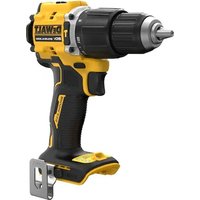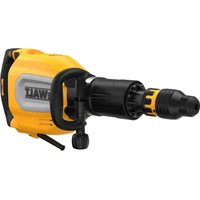
D25911 - Hammer DEWALT - Free user manual and instructions
Find the device manual for free D25911 DEWALT in PDF.


| Product Type | Breaker Demolition Hammer |
| Brand and Model | DeWALT D25911 |
| Supply Voltage | 230 V AC (also 115 V for UK/Ireland) |
| Frequency | 50 Hz |
| Input Power | 1700 W (230 V) / 16 A (115 V) |
| Blows per Minute (Idle) | 810-1620 bpm |
| Single Impact Energy (EPTA) | 27 J |
| Tool Holder | SDS max® |
| Chisel Positions | 12 |
| Weight | 12.7 kg |
| Sound Pressure Level (LPA) | 90 dB(A) |
| Sound Power Level (LWA) | 98 dB(A) |
| Vibration (Chiselling) | 6.0 m/s² (uncertainty K=1.5 m/s²) |
| Speed Control | Adjustable dial (1 to 7) |
| Anti-Vibration System | Active Vibration Control (AVC) |
| Special Features | Soft start, yellow service indicator, Wireless Tool Control |
| Power Source | Corded electric |
| Motor Type | Universal electric |
| Package Contents | Breaker, side handle, carry case, user manual |
| Maintenance | No lubrication required; clean with a damp cloth and mild soap |
| Repairability | Spare parts available at an authorized service center |
Frequently Asked Questions - D25911 DEWALT
User questions about D25911 DEWALT
0 question about this device. Answer the ones you know or ask your own.
Ask a new question about this device
Download the instructions for your Hammer in PDF format for free! Find your manual D25911 - DEWALT and take your electronic device back in hand. On this page are published all the documents necessary for the use of your device. D25911 by DEWALT.
USER MANUAL D25911 DEWALT
Wireless Tool Control
Datokodeposition (Fig. A)
Vice President of Engineering, PTE-Europe
DEWALT, Richard-Klinger-Straße 11,
Wireless Tool ControlTM.
You have chosen a DEWALT tool. Years of experience, thorough product development and innovation make DEWALT one of the most reliable partners for professional power tool users.
Technical Data
| D25911 | ||
| Voltage V | AC | 230 |
| UK & Ireland V | AC | 230/115 |
| Type 1 | ||
| Frequency Hz 50 | ||
| Power input (230V) W 1700 | ||
| Current input (115V) A 16 | ||
| No-Load beats per minute bpm 810-1620 | ||
| Single impact energy (EPTA 05/2009) J 27 | ||
| Tool holder | SDS max® | |
| Chisel positions | 12 | |
| Wireless Tool Control Transmitter | ||
| Frequency Band | MHz | 433 |
| Max. Power (EIRP) | mW | 0.03 |
| Weight | kg | 12.7 |
| Noise values and/or vibration values (triax vector sum) according to EN IEC 62841: | ||
| Measured A - weighted sound pressure at the operator's level LPA (re 1 pW), in Decibel | 90 | |
| Measured A - weighted sound power level LWA (re 1 pW), in Decibel | 98 | |
| Uncertainty KWA / KPA, in Decibel | 3 | |
| Chiselling | ||
| Vibration emission value ah,Cheq = | m/s2 | 6.0 |
| Uncertainty K = | m/s2 | 1.5 |
The vibration and/or noise emission level given in this information sheet has been measured in accordance with a standardised test given in EN IEC 62841 and may be used to compare one tool with another. It may be used for a preliminary assessment of exposure.
WARNING: The declared vibration and/or noise emission represents the main applications of the tool. However, if the tool is used for different applications, with different accessories or is poorly maintained, the vibration and/or noise emission may differ. This may significantly increase the exposure level over the total working period.
An estimation of the level of exposure to vibration and/or noise should also take into account the times when the tool is switched off or when it is running but not actually doing the job. This may significantly reduce the exposure level over the total working period.
Identify additional safety measures to protect the operator from the effects of vibration and/or noise such as: maintain the tool and the accessories, keep the hands warm (relevant for vibration), organisation of work patterns.
EC-Declaration of Conformity
Machinery Directive and Radio Equipment Directive

Breaker
D25911
DEWALT declares that these products described under Technical Data are in compliance with: 2006/42/EC, EN62841-1:2015 +A11:2022, EN IEC 62841-2-6:2020 +A11:2020. These products also comply with Directive 2014/53/EU and 2011/65/EU. For more information, please contact DEWALT at the following address or refer to the back of the manual. 2000/14/EC, Electrical concrete breaker (hand-held), m ≤ 15 kg, Annex VIII, TÜV Rheinland LGA Products GmbH (0197), D-90431 Nürnberg, Germany, Notified Body ID No.: 0197 Level of sound power according to 2000/14/EC (Article 12, Annex III, No. 10; m ≤ 15 kg):
LWA (measured sound power level) 98 dB
Lwa (guaranteed sound power level) 105 dB
The undersigned is responsible for compilation of the technical file and makes this declaration on behalf of DEWALT.
Markus Rompel
Vice President of Engineering, PTE-Europe
DEWALT, Richard-Klinger-Straße 11,
65510, Idstein, Germany
07.05.2023
DECLARATION OF CONFORMITY THE SUPPLY OF MACHINERY (SAFETY) REGULATIONS 2008 AND THE RADIO EQUIPMENT REGULATION 2017 UK CA Breaker D25911
DEWALT declares that these products described under Technical Data are in compliance with:
The Supply of Machinery (Safety) Regulations, 2008, S.I.
2008/1597 (as amended),
EN62841-1:2015 +A11:2022, EN IEC 62841-2-6:2020 +A11:2020.
These products conform to the following UK Regulations:
Radio Equipment Regulation, 2017, S.I.2017/1206 (as amended).
The Restriction of the Use of Certain Hazardous Substances in Electrical and Electronic Equipment Regulations 2012, S.I.
2012/3032 (as amended).
The Noise Emission in the Environment by Equipment for use Outdoors Regulations 2001, S.I. 2001/1701 (as amend
Electrical concrete breaker (hand-held), m ≤ 15kg Schedule 11, TÜV Rheinland LGA Products GmbH Tillystraße 2,
90431 Nurnberg, Germany, Notified Body ID No.: 0197
L_WA (measured sound power level) 98 dB
L_WA (guaranteed sound power level) 105 dB
For more information, please contact DEWALT at the following address or refer to the back of the manual.
The undersigned is responsible for compilation of the technical file and makes this declaration on behalf of DEWALT.
Karl Evans
Vice President Professional Power Tools EANZ GTS
270 Bath Road, Slough
SL14DX
England
07.05.2023

WARNING: To reduce the risk of injury, read the
instruction manual.
Definitions: Safety Guidelines
The definitions below describe the level of severity for each signal word. Please read the manual and pay attention to these symbols.
DANGER: Indicates an imminently hazardous
sensation which, if not avoided, will result in death or serious injury.
WARNING: Indicates a potentially hazardous situation
if not avoided, could result in death or
serious injury.
CAITION:Indicates a potentially hazardous situation
if not avoided, may result in minor or
moderate injury.
NOTICE: Indicates a practice not related to
personal injury which, if not avoided, may result in
property damage.
Notes risk of electric shock.
D. notes risk of fire.
GENERAL POWER TOOL SAFETY WARNINGS
WARNING: Read all safety warnings, instructions, illustrations and specifications provided with this power tool. Failure to follow all instructions listed below may result in electric shock, fire and/or serious injury.
SAVE ALL WARNING AND INSTRUCTIONS FOR FUTURE REFERENCE
The term "power tool" in the warnings refers to your mains-operated (cored) power tool or battery-operated (cordless) power tool.
1) Work Area Safety
a) Keep work area clean and well lit. Cluttered or dark areas invite accidents.
b) Do not operate power tools in explosive atmospheres, such as in the presence of flammable liquids, gases or dust. Power tools create sparks which may ignite the dust or fumes.
c) Keep children and bystanders away while operating a power tool. Distractions can cause you to lose control.
2) Electrical Safety
a) Power tool plugs must match the outlet. Never modify the plug in any way. Do not use any adapter plugs with earthed (grounded) power tools.
Unmodified plugs and matching outlets will reduce risk of electric shock.
b) Avoid body contact with earthed or grounded surfaces, such as pipes, radiators, ranges and refrigerators. There is an increased risk of electric shock if your body is earthed or grounded.
c) Do not expose power tools to rain or wet conditions.
Water entering a power tool will increase the risk of electric shock.
d) Do not abuse the cord. Never use the cord for carrying, pulling or unplugging the power tool. Keep cord away from heat, oil, sharp edges or moving parts. Damaged or entangled cords increase the risk of electric shock.
e) When operating a power tool outdoors, use an extension cord suitable for outdoor use. Use of a cord suitable for outdoor use reduces the risk of electric shock.
f) If operating a power tool in a damp location is unavoidable, use a residual current device (RCD) protected supply. Use of an RCD reduces the risk of electric shock.
3) Personal Safety
a) Stay alert, watch what you are doing and use common sense when operating a power tool. Do not use a power tool while you are tired or under the influence of drugs, alcohol or medication. A moment of inattention while operating power tools may result in serious personal injury.
b) Use personal protective equipment. Always wear eye protection. Protective equipment such as a dust mask, non-skid safety shoes, hard hat or hearing protection used for appropriate conditions will reduce personal injuries.
c) Prevent unintentional starting. Ensure the switch is in the off position before connecting to power source and/or battery pack, picking up or carrying the tool. Carrying power tools with your finger on the switch or energising power tools that have the switch on invites accidents.
d) Remove any adjusting key or wrench before turning the power tool on. A wrench or a key left attached to a rotating part of the power tool may result in personal injury.
e) Do not overreach. Keep proper footing and balance at all times. This enables better control of the power tool in unexpected situations.
f) Dress properly. Do not wear loose clothing or jewellery. Keep your hair and clothing away from moving parts. Loose clothes, jewellery or long hair can be caught in moving parts.
g) If devices are provided for the connection of dust extraction and collection facilities, ensure these are connected and properly used. Use of dust collection can reduce dust-related hazards.
h) Do not let familiarity gained from frequent use of tools allow you to become complacent and ignore tool safety principles. A careless action can cause severe injury within a fraction of a second.
4) Power Tool Use and Care
a) Do not force the power tool. Use the correct power tool for your application. The correct power tool will do the job better and safer at the rate for which it was designed.
b) Do not use the power tool if the switch does not turn it on and off. Any power tool that cannot be controlled with the switch is dangerous and must be repaired.
c) Disconnect the plug from the power source and/ or remove the battery pack, if detachable, from the power tool before making any adjustments, changing accessories, or storing power tools. Such preventive safety measures reduce the risk of starting the power tool accidentally.
d) Store idle power tools out of the reach of children and do not allow persons unfamiliar with the power tool or these instructions to operate the power tool. Power tools are dangerous in the hands of untrained users.
e) Maintain power tools and accessories. Check for misalignment or binding of moving parts, breakage of parts and any other condition that may affect the power tool's operation. If damaged, have the power tool repaired before use. Many accidents are caused by poorly maintained power tools.
f) Keep cutting tools sharp and clean. Properly maintained cutting tools with sharp cutting edges are less likely to bind and are easier to control.
g) Use the power tool, accessories and tool bits, etc. in accordance with these instructions, taking into account the working conditions and the work to be performed. Use of the power tool for operations different from those intended could result in a hazardous situation.
h) Keep handles and grasping surfaces dry, clean and free from oil and grease. Slippery handles and grasping surfaces do not allow for safe handling and control of the tool in unexpected situations.
5) Service
a) Have your power tool serviced by a qualified repair person using only identical replacement parts. This will ensure that the safety of the power tool is maintained.
Hammer SafetyWarnings
- Wear ear protectors. Exposure to noise can cause hearing loss.
- Use auxiliary handles, if supplied with the tool. Loss of control can cause personal injury.
- Hold the power tool by insulated gripping surfaces, when performing an operation where the cutting accessory may contact hidden wiring. Cutting accessory contacting a "live" wire may make exposed metal parts of the power tool "live" and could give the operator an electric shock.
Additional Safety Instructions for Chiselling Hammers/Breakers
- Use clamps or other practical way to secure and support the workpiece to a stable platform. Holding the work by hand or against your body is unstable and may lead to loss of control.
- Wear safety goggles or other eye protection. Hammering operations cause chips to fly. Flying particles can cause permanent eye damage. Wear a dust mask or respirator for applications that generate dust. Ear protection may be required for most applications.
- Keep a firm grip on the tool at all times. Do not attempt to operate this tool without holding it with both hands. It is recommended that the side handle be used at all times. Operating this tool with one hand will result in loss of control. Breaking through or encountering hard materials such as re-bar may be hazardous as well. Tighten the side handle securely before use.
- Do not operate this tool for long periods of time. Vibration caused by hammer action may be harmful to your hands and arms. Use gloves to provide extra cushion and limit exposure by taking frequent rest periods.
- Do not recondition accessories yourself. Chisel reconditioning should be done by a qualified specialist. Improperly reconditioned accessories could cause injury. Only slightly-worn chisels can be resharmed by grinding.
- Do not overheat the bit (discoloration) while grinding a new edge. Badly worn chisels require reforging. Do not reharden and temper the chisel.
- Wear gloves when operating tool or changing bits. Accessible metal parts on the tool and bits may get extremely hot during operation. Small bits of broken material may damage bare hands.
-
Never lay the tool down until the bit has come to a complete stop. Moving bits could cause injury.
-
Do not strike jammed bits with a hammer to dislodge them. Fragments of metal or material chips could dislodge and cause injury.
- Make sure that there are no power or gas lines in the work area. Damage to hidden power or gas lines can result in injury from electric shock or explosion.
- When working above the floor, make sure that the area below is clear. Falling parts can cause injuries to bystanders.
- In cold weather or if the unit has not been used for a long time, run the unit without load for a few minutes before use. High load in cold condition may cause damage to the breaker.
- Make sure that the chisel is secured before using the tool. Ejected parts can cause injuries.
Reducing Dust Exposure
Before starting work, check the hazard class of the dust that will be produced when working.
WARNING: Avoid touching or breathing dust as it can be harmful to health. Dust created when using a power tool and when conducting other construction activities can contain chemicals, minerals, or particles known to cause respiratory infections, allergic reactions, cancer, birth defects, or other reproductive harm of the user or bystanders.
- Such dust can be generated, for example, when working on hardwoods such as beech or oak, lead-based paint, concrete, masonry, or stones containing quartz.
- Material containing asbestos may be handled only by specialists.
- Observe the relevant regulations in your country for the materials to be worked on.
- Use a dust extractor or extraction system with an officially approved protection class in compliance with the locally applicable dust protection regulations and suitable for the material to be worked on.
- Capture the resulting dust particles directly at the source and avoid deposits in the surrounding area. Use suitable extraction accessories for this purpose.
Additional measures:
- Make sure that the workplace is well ventilated.
- Wear a respirator appropriate for the type of dust generated.
Residual Risks
WARNING: We recommend the use of a residual current with a residual current rating of 30mA or less.
In spite of the application of the relevant safety regulations and the implementation of safety devices, certain residual risks cannot be avoided. These are:
Impairment of hearing.
- Risk of personal injury due to flying particles.
- Risk of burns due to accessories becoming hot during operation.
- Risk of personal injury due to prolonged use.
SAVE THESE INSTRUCTIONS
Electrical Safety
The electric motor has been designed for one voltage only. Always check that the power supply corresponds to the voltage on the rating plate.

Your DEWALT tool is double insulated in accordance with EN62841; therefore no earth wire is required.
If the supply cord is damaged, it must be replaced only by DEWALT or an authorised service organisation.
Mains Plug Replacement (U.K. & Ireland Only)
If a new mains plug needs to be fitted:
- Safely dispose of the old plug.
- Connect the brown lead to the live terminal in the plug.
- Connect the blue lead to the neutral terminal.
WARNING: No connection is to be made to the terminal.
Follow the fitting instructions supplied with good quality plugs. Recommended fuse: 13 A.
Using an Extension Cable
If an extension cable is required, use an approved 3-core extension cable suitable for the power input of this tool (refer to Technical Data). The minimum conductor size is 1.5mm^2 ; the maximum length is 30m .
When using a cable reel, always unwind the cable completely.
Package Contents
The package contains:
1Breaker
1Sidehandle
1Kitbox
1Instructionmanual
- Check for damage to the tool, parts or accessories which may have occurred during transport.
- Take the time to thoroughly read and understand this manual prior to operation.
Markings on Tool
The following pictograms are shown on the tool:

Read instruction manual before use.

Wear ear protection.

Wear eye protection.

Wireless Tool ControlTM.
Date Code Position (Fig. A)
The production date code 9 consists of a 4-digit year followed by a 2-digit week and is extended by a 2-digit factory code.
Description (Fig. A)
WARNING: Never modify the power tool or any part of it. Damage or personal injury could result.
1 On/off switch
2 Main handle
3 Chisel position index collar
4 Tool holder/sleeve
5 Bail/loop style auxiliary handle
6 Screw for handle mounting
7 Speed control dial
8 Tool Tag mounting holes
9 Date code
10 Yellow service indicator LED
Intended Use
Your heavy-duty breaker is designed for breaking or demolishing concrete, masonry, stone and asphalt.
DO NOT use under wet conditions or in the presence of flammable liquids or gases.
Your heavy-duty breaker is a professional power tool.
DO NOT let children come into contact with the tool.
Supervision is required when inexperienced operators use this tool.
- Young children and the infirm. This appliance is not intended for use by young children or infirm persons without supervision.
- This product is not intended for use by persons (including children) suffering from diminished physical, sensory or mental abilities; lack of experience, knowledge or skills unless they are supervised by a person responsible for their safety. Children should never be left alone with this product.
ASSEMBLY AND ADJUSTMENTS
WARNING: To reduce the risk of serious personal injury, turn tool off and disconnect tool from power source before making any adjustments or removing/ installing attachments or accessories. An accidental start-up can cause injury.
Bail/Loop Style Auxiliary Handle (Fig. B)
WARNING: To reduce the risk of personal injury, ALWAYS use the tool with the bail/loop style auxiliary handle properly installed and securely tightened. Failure to do so may result in the bail/loop style auxiliary handle slipping during tool operation and subsequent loss of control. Hold tool with both hands to maximize control.
The bail/loop style auxiliary handle 5 clamps to the front of the gear case and may be rotated 360^ to permit right- or left-hand use.
Mounting the Bail/Loop Style Auxiliary Handle (Fig. B)
- Widen the ring opening 11 of the bail/loop style auxiliary handle 5 by rotating the screw for handle mounting 6 counterclockwise.
- Slide the assembly onto the nose of the tool through the ring opening 11 and onto the chisel position index collar 3, past the chisel holder and sleeve.
- Rotate the bail/loop style auxiliary handle to the desired position.
- Lock the bail/loop style auxiliary handle in place by securely tightening the screw for handle mounting 6, rotating it clockwise so that the assembly will not rotate.
Chisel and Tool Holder
WARNING: Burn hazard. ALWAYS wear gloves when changing chisels. Accessible metal parts on the tool and chisels may get extremely hot during operation. Small bits of broken material may damage bare hands.
Inserting and Removing SDS max® Accessories (Fig. C)
This machine uses SDS max chisels (refer to the inset in Figure C for a cross-section of an SDS max chisel shank).
- Clean the chisel shank.
W1 NING: Do not apply lubricant to the machine.
- Pull back the locking sleeve 4 and insert the chisel shank.
- Release the locking sleeve and turn the chisel slightly until the locking sleeve snaps into position.
- Pull on the chisel to check if it is properly locked. The hammering function requires the chisel to be able to move axially several centimetres when locked in the chisel holder.
- To remove a chisel pull back the locking sleeve 4 and pull the chisel out of the tool holder 4.
Indexing the Chisel Position (Fig. D)
The chisel can be indexed and locked into 12 different positions.
- Insert the chisel as described above.
- Rotate the chisel position index collar 3 in the direction of the arrow until the chisel is in the desired position.
Setting the Electronic Impact Energy Control Dial (Fig. A)
Turn the dial 7 to the desired level. The higher the number, the greater the impact energy. With dial settings from 1 (low) to 7 (full power) the tool is extremely versatile and adaptable for many different applications.
The required setting is a matter of experience, for example:
- When chiseling soft, brittle materials or when minimum break-out is required, set the dial to 1 or 2 (low);
- When breaking harder materials, set the dial to 7 (full power).
Service Indicator LED (Fig. A)
Your breaker has yellow service indicator LED 10, to indicate when service is required. Refer to the table for more information on LED functionality.
LED Function Description
| Yellow (permanently on) | Service required The yellow service indicator LED 10 lights up to indicate the tool needs servicing within the next 10 hours of use (new lubrication and hammer mechanism sealing). |
| Yellow (FLASHING) | Service exceeded With the service indicator lit, after a further 10 hours of use the service indicator flashes to indicate the tool has exceeded the required service interval. |
Active Vibration Control (AVC) System
For best vibration control, hold the tool as described in Proper Hand Position and apply just enough pressure so the damping device on the main handle is approximately midstroke.
The active vibration control neutralises rebound vibration from the hammer mechanism. Lowering hand and arm vibration, it allows more comfortable use for longer periods of time and extends the life of the unit.
The hammer only needs enough pressure to engage the active vibration control. Applying too much pressure will not make the tool drill or chip faster and active vibration control will not engage.
Soft Start Feature
The soft start feature allows the tool to accelerate slowly, thus preventing the drill bit from walking off the intended hole position when starting.
The soft start feature also reduces the immediate torque reaction transmitted to the gearing and the operator if the hammer is started with the drill bit in an existing hole.
DEWALT Tool Tag Ready (Fig. F)
Optional Accessory
Your breaker comes with Tool Tag mounting holes 8 and fasteners 12 for installing a DEWALT Tool Tag. You will need a T15 bit tip to install the tag.
WARNING: Use only original fasteners. Longer screws use the risk of electrical shock or damage to the tool.
The DEWALT Tool Tag is designed for tracking and locating professional power tools, equipment, and machines using the DEWALT Tool Connect™ app. For proper installation of the DEWALT Tool Tag refer to the DEWALT Tool Tag manual.
Dust Extraction System (Fig. G)
The use of a dust extraction system (DWH051) is recommended to reduce potentially harmful airborne dust and to prolong tool and accessory life.
Consult your dealer for further information on suitable dust extraction systems.
OPERATION
Instructions for Use
WARNING: Always observe the safety instructions and applicable regulations.
WARNING: To reduce the risk of serious personal injury, turn tool off and disconnect tool from power source before making any adjustments or removing/ installing attachments or accessories. An accidental start-up can cause injury.
WARNING: Always observe the safety instructions and applicable regulations.
WARNING: Be aware of the location of pipework iring.
WARNING: Apply a pressure of approx. 44-66 lbs. (≈ 0kg) to the tool. Excessive force does not speed up chiseling but decreases tool performance and may shorten tool life.
Proper Hand Position (Fig. E1, E2)
WARNING: To reduce the risk of serious personal injury, ALWAYS use proper hand position as shown.
WARNING: To reduce the risk of serious personal injury, ALWAYS hold securely in anticipation of a sudden reaction.
IMPORTANT: The tool must be held with two hands at all times when in use.
Horizontal Applications (Fig. E1)
Proper hand position requires one hand on the bail/loop style auxiliary handle 5 with the other hand on the main handle 2.
Vertical Applications (Fig. E2)
Proper hand position requires both hands on the main handle 2.
Switching On and Off (Fig. A)
Switching on: set the on/off switch 1 to position 1.
Switching off: set the on/off switch 1 to position 0.
Demolition (Fig. A)
WARNING: Ensure that the cutting edge does not show coloration caused by too much pressure. This may impair the hardness of the accessory.
Various types of chisels are available as an option.
- Select the appropriate chisel. Clean the chisel shank.
- Insert the chisel and check whether it is properly locked.
-
Set the desired impact energy level.
-
Fit and adjust the bail/loop style auxiliary handle 5 and make sure it is firmly tightened.
- Hold the tool with main handle and switch on. The tool now runs in continuous operation.
IMPORTANT: ALWAYS use two hands when operating the tool. Refer to Proper Hand Position for the proper use of the tool for both horizontal and vertical applications.
- Always switch off the tool when work is finished and before unplugging.
Wireless Tool ControlTM (Fig. A)
CANTION: Read all safety warnings, instructions and specifications of the appliance which is to be paired with the tool.
Your tool is equipped with a Wireless Tool Control™ transmitter which allows your tool to be wirelessly paired with another Wireless Tool Control™ device, such as a dust extractor.
To pair your tool using Wireless Tool Control™, push the on/off switch 1 on the tool to the on position and press the Wireless Tool Control™ pairing button on the separate device. An LED on the separate device will let you know when your tool has been successfully paired.
MAINTENANCE
Your power tool has been designed to operate over a long period of time with a minimum of maintenance. Continuous satisfactory operation depends upon proper tool care and regular cleaning.
WARNING: To reduce the risk of serious personal injury, turn tool off and disconnect tool from power source before making any adjustments or removing/ installing attachments or accessories. An accidental start-up can cause injury.
Lubrication
Your power tool requires no additional lubrication.
Cleaning
WARNING: Electrical shock and mechanical hazard. Connect the electrical appliance from the power source before cleaning.
WARNING: To ensure safe and efficient operation, always keep the electrical appliance and the ventilation slots clean.
WARNING: Never use solvents or other harsh chemicals for cleaning the non-metallic parts of the tool. These chemicals may weaken the materials used in these parts. Use a cloth dampened only with water and mild soap. Never let any liquid get inside the tool; never immerse any part of the tool into a liquid.
Ventilation slots can be cleaned using a dry, soft non-metallic brush and/or a suitable vacuum cleaner. Do not use water or any cleaning solutions. Wear approved eye protection and an approved dust mask.
Transport
CAUTION:Accidental starting during transport!
- Always transport your tool with removed battery or disconnected power supply cord.
- Check the tool for damage before use after transport.
Storage
- Before storage, remove the battery from the tool or disconnect the power supply cable from the mains.
Clean the tool before storage. Refer to Cleaning. - The storage place must be suitable for the weight of the tool.
- Store the tool in a cool and dry place.
- Store the tool in a place where they cannot be accessed by children or unauthorized persons.
- Check the tool for damage before use after long periods of storage.
Optional Accessories
WARNING: Since accessories, other than those offered by a WALT, have not been tested with this product, use of such accessories with this tool could be hazardous.
To reduce the risk of injury, only DEWALT-recommended accessories should be used with this product.
Consult your dealer for further information on the appropriate accessories.
Protecting the Environment
Separate collection. Products marked with this symbol must not be disposed of with normal household waste.
Products contain materials that can be recovered or recycled, reducing the demand for raw materials. Please recycle electrical products according to local provisions. Further information is available at www.2helpU.com.
SDS plus and SDS max are registered trademarks of Robert Bosch GmbH.
TROUBLESHOOTING GUIDE
BE SURE TO FOLLOW SAFETY RULES AND INSTRUCTIONS
For assistance with your product, visit our website at www.dewalt.com for a list of service centres.
PROBLEM POSSIBLE CAUSE SOLUTION
| Tool will not start. | The extension cord and/or plug is defective. | Have the extension cord and/or plug checked by a qualified electrician and replaced if necessary. |
| Internal components are too hot. Allow tool to cool down. | ||
| Reduced power. The extension cord is too long and/or its gauge is inadequate. | Use an extension cord of an approved length and/or of adequate gauge. | |
| The voltage provided by the electric supply is inadequate. Connect the hammer to an adequate electric supply. | ||
| The chisel cannot be released. | The chuck is not pulled back fully. | Pull the chuck back as far as it will go and remove the chisel. Refer to Inserting and Removing SDS max® Accessories. |
ROMPEDOR
D25911
;Enhorabuena!
Wireless Tool ControlTM.
Wireless Tool ControlTM (Fig. A)
PROBLEMA CAUSA POSIBLE SOLUCION
(Isolation double) - outfits
12 positions differentes.
Wireless Tool ControlTM.
PROBLEMA POSSIBLE CAUSA SOLUZIONE
BEWAARALLE WAARSCHUWINGEN EN INSTRUCTIES ALS TOEKOMSTIG REFERENTIEMATERIALAAL
Wireless Tool ControlTM.
Positie datumcode (Afb. [Fig.] A)
Vice President of Engineering, PTE-Europe
Wireless Tool ControlTM.
Posicao do��o de data (Fig.A)
PROBLEMCAUSA POSSIVEL SOLUÇAO
Wireless Tool ControlTM.
+A11:2022 EN IEC 62841-2-6:2020 +A11:2020.
Wireless Tool Control
Placering av datumkod (Bild [Fig.] A)
Wireless Tool Control
Wireless Tool Control
OeON Kwdiokou nepoynviac (Eik. [Fig.] A)
O kwδiok nερoynviaç napaywync 9 anoteléitai anó evav 4ψnφio apiθμó etouc akolouθouμevo anó evav 2ψnφio apiθμo εβδoúáac kai exεi wc TLkπ Επεktaon evav 2ψnφio kwδiok εpyoσaiou.
περιγραφή (Eικ. A)
PPOEIANOIHs: Note mnu TpoiooioeTo nAekptko epaneio n oioobnoTe epooc tou. Oa mopoouoe va npokpsi ciuia ntpauuaiooc.