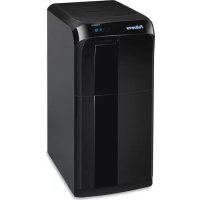
AutoMax 500CL - Shredder FELLOWES - Free user manual and instructions
Find the device manual for free AutoMax 500CL FELLOWES in PDF.



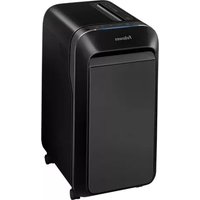
| Product Type | Document Shredder |
| Brand | Fellowes |
| Model | AutoMax 500CL |
| Cut Type | Cross-cut (confetti) 4 x 38 mm |
| Paper Capacity (A4, 70 g/m²) | 500 sheets |
| Power Supply | 220-240 V, 50/60 Hz, 4.0 A |
| Run Time | Continuous (500CL model) |
| Auto Feed | Yes (AutoMax™) |
| SmartLock™ | Automatic locking during shredding |
| JamGuard™ | Detection and reversal in case of jam |
| Delayed Start | 30, 60 or 90 minutes (500CL model) |
| Sleep Mode | After 2 minutes of inactivity |
| Shreddable Materials | Paper, staples, paper clips, credit cards, CD/DVD |
| Indicator Lights | Overheat, remove paper, bin full, drawer open, SmartLock |
| Casters | Yes, for easy mobility |
| Maintenance | Monthly oiling with vegetable oil; cleaning of infrared sensors |
| Parts Warranty | 2 years |
| Cutting Blades Warranty | 20 years |
| Child Safety | Keep away; emergency stop |
Frequently Asked Questions - AutoMax 500CL FELLOWES
User questions about AutoMax 500CL FELLOWES
0 question about this device. Answer the ones you know or ask your own.
Ask a new question about this device
Download the instructions for your Shredder in PDF format for free! Find your manual AutoMax 500CL - FELLOWES and take your electronic device back in hand. On this page are published all the documents necessary for the use of your device. AutoMax 500CL by FELLOWES.
USER MANUAL AutoMax 500CL FELLOWES
Please read these instructions before use. Do not discard: keep for future reference.
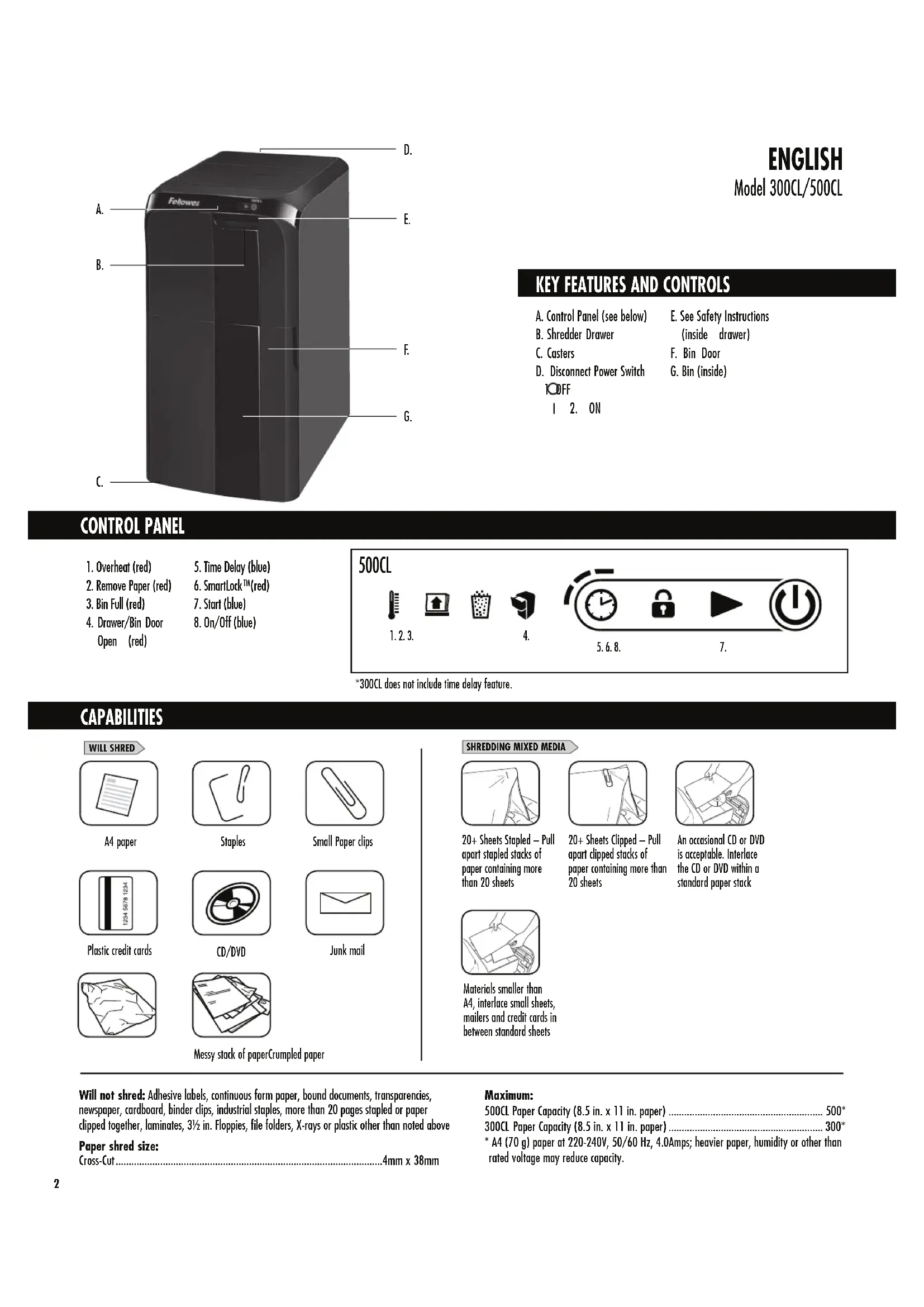
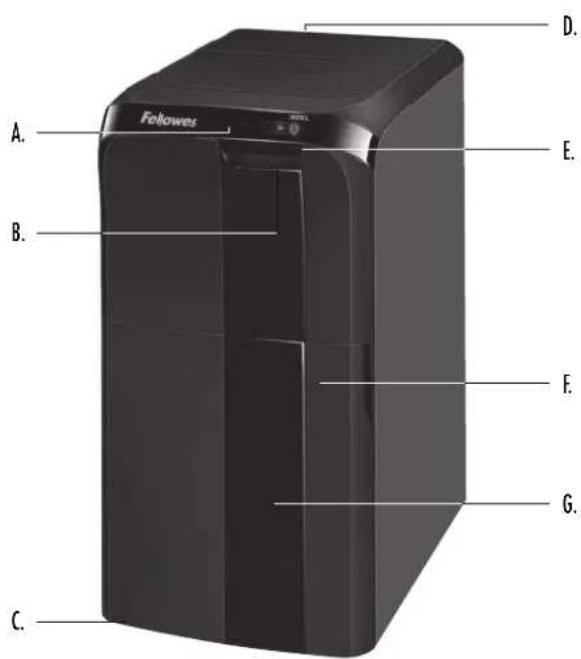
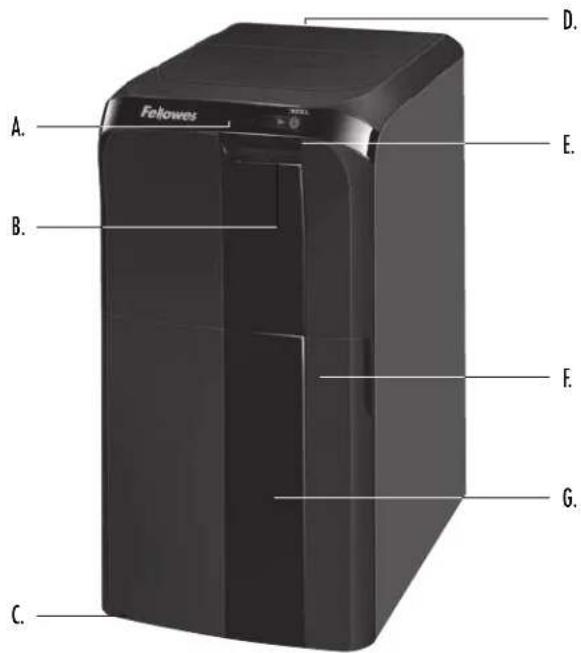
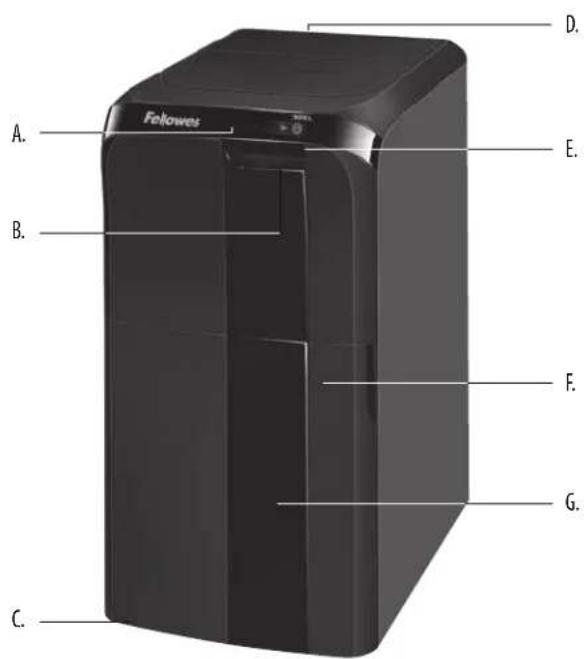
A. Control Panel (see below)
B. Shredder Drower
C. Casters
D. Disconnect Power Switch OFF
E. See Safety Instructions
(inside drawer)
F. Bin Door
G. Bin (inside)
- ON
CONTROL PANEL
- Overheat (red)
- Remove Paper (red)
- Bin Full (red)
-
Drawer/Bin Door Open (red)
-
Time Delay (blue)
- SmartLockTM (red)
7.Start (blue) - On/Off (blue)
500CL

1.2.3.


4.

5.6.8.



7.
*300CL does not include time delay feature.
CAPABILITIES

WILL SHRED
A4 paper
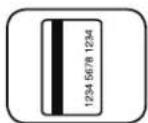
Plastic credit cards
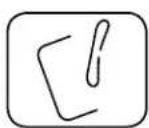
Staples
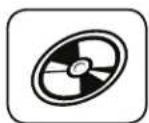
CD/DVD


Small Paper clips

Junk mail
Messy stack of paperCrumpled paper
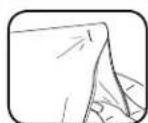
SHREDDING MIXED MEDIA
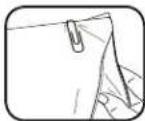
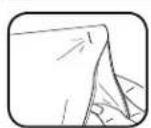
20+ Sheets Stapled - Pull apart stapled stacks of paper containing more than 20 sheets
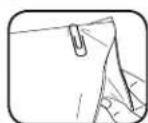
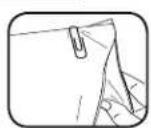
20+ Sheets Clipped - Pull apart clipped stacks of paper containing more than 20 sheets
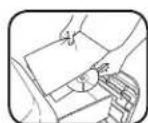
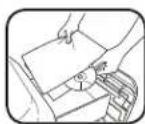
An occasional CD or DVD is acceptable. Interlace the CD or DVD within a standard paper stack
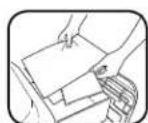
Materials smaller than A4, interlace small sheets, mailers and credit cards in between standard sheets
Will not shred: Adhesive labels, continuous form paper, bound documents, transparencies, newspaper, cardboard, binder clips, industrial staples, more than 20 pages stapled or paper clipped together, laminates, 3 12 in. Floppies, file folders, X-rays or plastic other than noted above
Paper shred size: Cross-Cut .4mm x 38mm
Maximum:
500CL Paper Capacity (8.5 in. x 11 in. paper) 500
300CL Paper Capacity (8.5 in. x 11 in. paper) 300
A4 (70 g) paper at 220-240V, 50/60 Hz, 4.0Amps; heavier paper, humidity or other than rated voltage may reduce capacity.

WARNING: IMPORTANT SAFETY INSTRUCTIONS - Read Before Using!


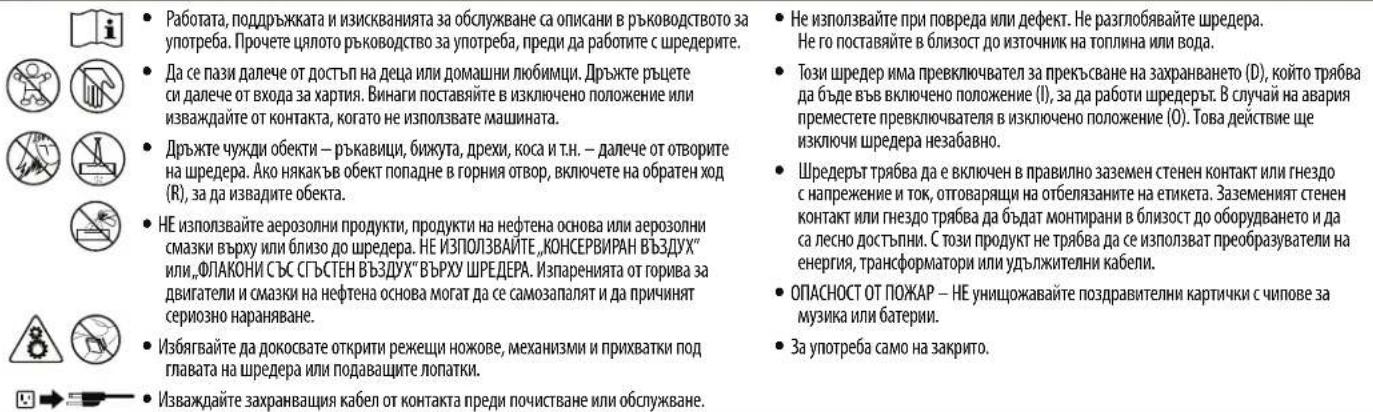
Operation, maintenance, and service requirements are covered in the instruction manual. Read the entire instruction manual before operating shredders.
- Keep away from children and pets. Keep hands away from paper entry. Always set to off or unplug when not in use.
- Keep foreign objects—gloves, jewelry, clothing, hair, etc.—away from shredder openings. If object enters top opening, switch to Reverse (R) to back out object.
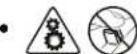
DO NOT use aerosol products, petroleum based or aerosol lubricants on or near shredder. DO NOT USE "CANNED AIR" OR "AIR DUSTERS" ON SHREDDER. Vapors from propellants and petroleum based lubricants may combust causing serious injury.
- Avoid touching exposed cutting blades, gears and tucks under shredder head or feed arms.
- Do not use if damaged or defective. Do not disassemble shredder.
- Do not place near or over heat source or water.
- This shredder has a Disconnect Power Switch (D) that must be in the ON(1) position to operate shredder. In case of emergency, move switch to OFF (0) position. This action will stop shredder immediately.
- Shredder must be plugged into a properly grounded wall outlet or socket of the voltage and amperage designated on the label. The grounded outlet or socket must be installed near the equipment and easily accessible. Energy converters, transformers, or extension cords should not be used with this product.
- FIRE HAZARD - Do NOT shred greeting cards with sound chips or batteries.
For indoor use only.


plug shredder before cleaning or servicing.
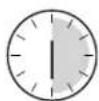
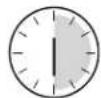
500CL run time: continuous operation

300CL run time:
Up to 30-minutes maximum
NOTE: Operation beyond 30-minutes will trigger 30-minute cool down period

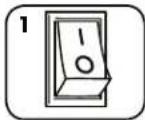
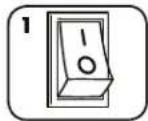
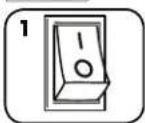
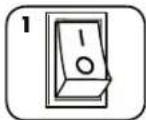
Plug in and put disconnect power switch in ON (1) position
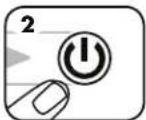
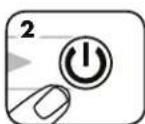
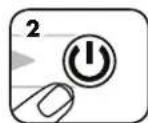
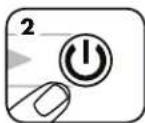
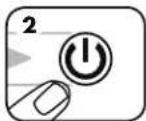
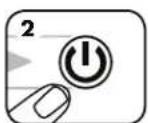
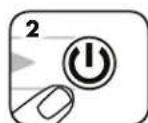
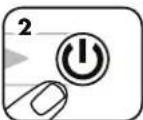
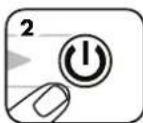
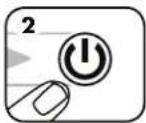
Press ON to activate
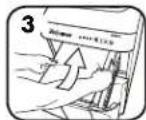
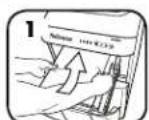
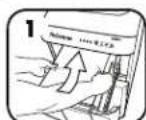
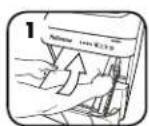
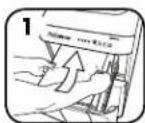
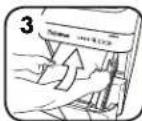
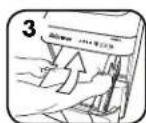
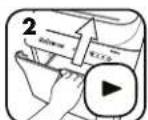
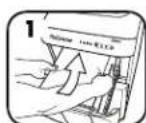
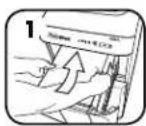
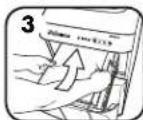
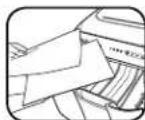
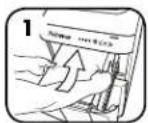
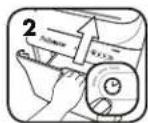
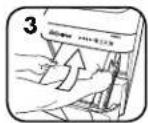
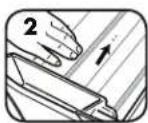
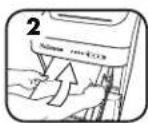
Open drawer and add paper (Note: Pull firmly to open drawer)
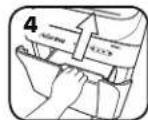
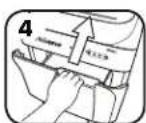
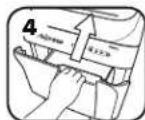
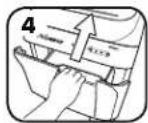
Close drawer
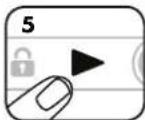
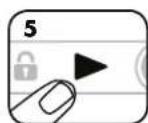
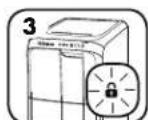
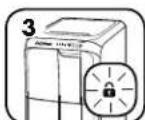
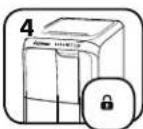
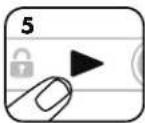
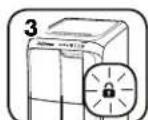
Press start to begin shredding. Drawer will lock automatically
NOTICE: The shredder will automatically lock when the Start Button is pressed to ensure confidential documents remain secure and will unlock once the shred job is complete.
After turning the disconnect power switch on, the shredder will run through a start up cycle before ready for use.
ADVANCED PRODUCT FEATURES

JamGuard System™
Prevents shredding interruptions for jam free operation


SmartLockTM
Engages with each shred cycle to protect confidential information


Energy Saving Sleep Mode Feature shuts down the shredder after 2 minutes of inactivity

JAMGUARD SYSTEMTM
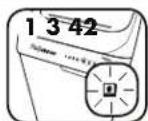
In the event of a paper jam

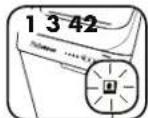
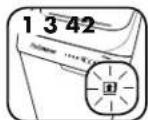
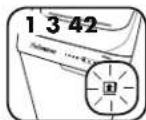
Shredder will automatically reverse paper and Remove Paper icon will illuminate
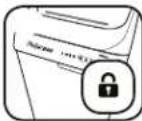
Lock icon will turn off and shredder drawer will unlock
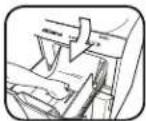
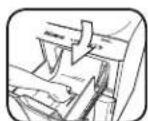
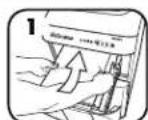
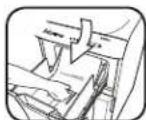
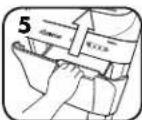
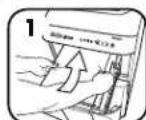
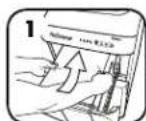
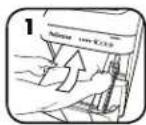
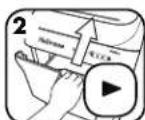
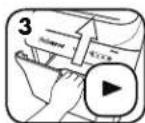
Open drawer and remove paper
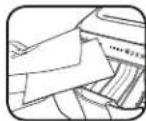
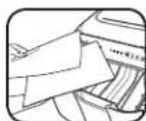
Separate shredded stack, turn stack around so clean, un-shredded edge goes into drawer first
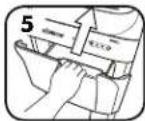
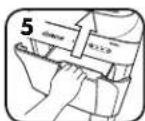
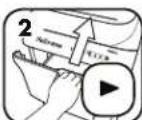
Close drawer and press start to resume shredding

SMARTLOCK
Engages with each shred cycle to protect confidential information

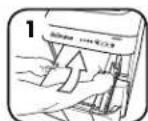
Open drawer and add paper
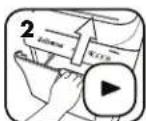
Close drawer and press Start to begin shredding. Smart Lock automatically engages
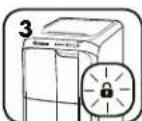
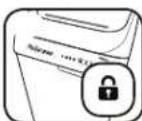
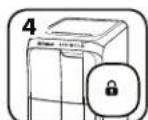
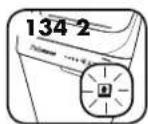
Drawer will lock and Lock icon on control panel will illuminate. Opening drawer while Lock icon is illuminated may cause damage to the machine
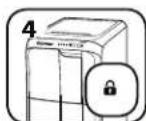
When shred job is complete, Lock icon will turn off and shredder drawer will unlock

Feature shuts down the shredder after 2 minutes of inactivity

or
Press On
DELAYED START (ON 500CL ONLY)
Allows you to delay shredding for 30, 60 or 90 minutes.
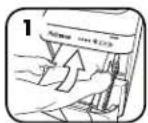
DELAYED START
Open drawer and add paper
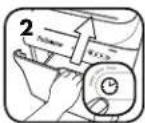
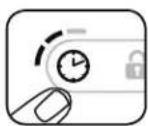
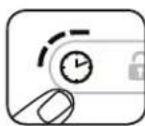
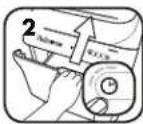
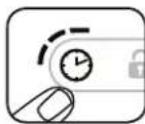
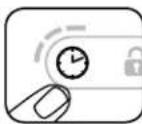
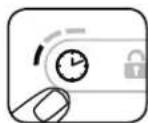
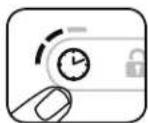
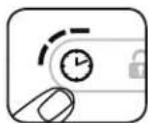
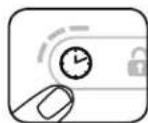
Close drawer and press clock icon on control panel
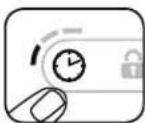
Press once for 30 minute delay (one LED will illuminate)
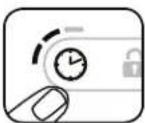
Press twice for 60 minute delay (two LEDs will illuminate)
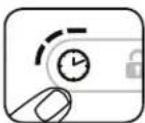
Press three times for 90 minute delay (three LEDs will illuminate)
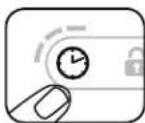
Press four times to reset clock
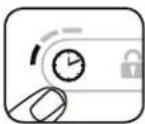
**To cancel Delayed Start, press and hold Clock icon for 2 seconds
PRODUCT MAINTENANCE
OILING SHREDDER

All cross-cut shredders require oil for peak performance. Under or over oiling a machine could lead to issues such as diminished sheet capacity, intrusive noise when shredding and it could ultimately stop running. To avoid these problems, we recommend you oil your Fellowes® AutoMax™ shredder once per month.
FOLLOW OILING PROCEDURE BELOW
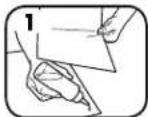
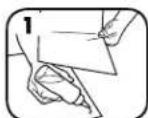
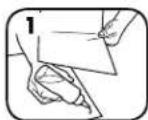
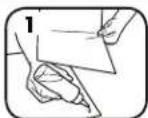
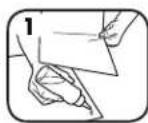
Apply a light coat of oil between two sheets of paper
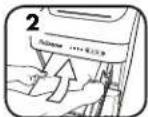
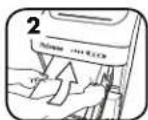
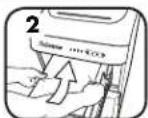
Open paper feed drawer and place oiled sheets in drawer
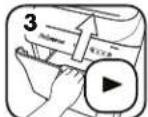
Close the paper feed drawer and press start to shred the oiled sheets
CLEANING AUTO-START INFRARED SENSORS
Paper detection sensors are designed for maintenance free operation. However, on rare occasions the sensors may become blocked by paper dust causing the motor to run even if there is no paper present.
(Note: two paper detection sensors are located at the bottom of the paper drawer).
TO CLEAN THE SENSORS
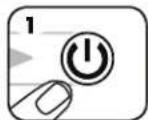
Turn off and unplug shredder
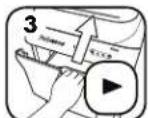
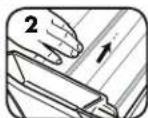
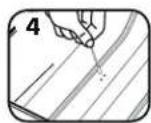
Locate Auto-start infrared sensor
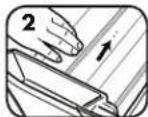
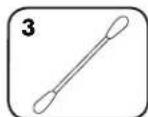
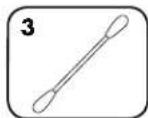
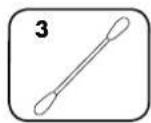
Dip cotton swab in rubbing alcohol
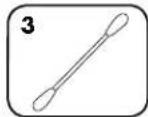
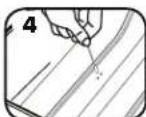
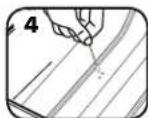
Using cotton swab, wipe away any contamination from the paper sensors

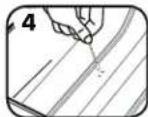
* Only use a non-aerosol vegetable oil in long nozzle container such as Fellowes 35250
TROUBLESHOOTING

Overheat Indicator: When the Overheat Indicator is illuminated, the shredder has exceeded its maximum operating temperature and needs to cool down. This indicator will remain illuminated and the shredder will not operate for the duration of the recovery time.

Drawer/Bin Door Open: The shredder will not run if the bin is open. When illuminated, close the bin to resume shredding.

Bin Full: When illuminated, the shredder waste bin is full and needs to be emptied. Use Fellowes waste bag 3608401.

Remove Paper: When illuminated, see Paper Jam section under Advanced Product Features.
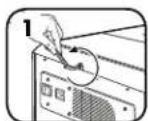
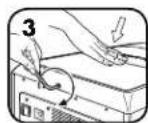
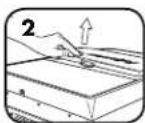
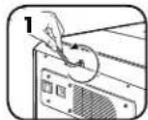
If a critical situation occurs while SmartLock™ is engaged and the shredder drawer needs to be accessed, follow the steps below.
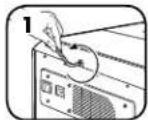
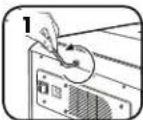
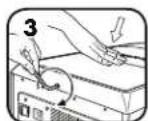
Turn off and unplug shredder. Locate the access screw on the back of the machine and turn counter clockwise with a 6mm allen wrench.
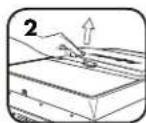
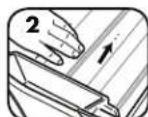
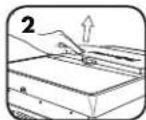
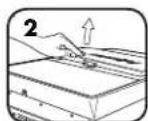
The service hatch will begin to rise. Keep turning until the hatch panel is easily removed from the top of the machine.
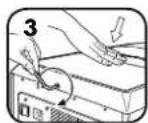
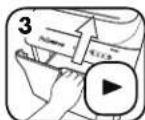
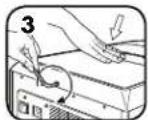
To replace the service hatch, position hatch panel back on top of the machine. Hold panel in place while turning the allen wrench clockwise until you feel resistance.
- Shredder will not run if the hatch is not in place. Always replace the hatch to resume shredding.

Operation, maintenance, and service requirements are covered in the instruction manual. Read the entire instruction manual before operating shredders.

Unplug shredder before cleaning or servicing.

- Avoid touching exposed cutting blades, gears and tacks under shredder head or feed arms.
In case of a power outage, SmartLockTM will remain engaged. Once power is restored, shred cycle will automatically resume.

SMART LOCK
LIMITED PRODUCT WARRANTY
Limited Warranty: Fellowes, Inc. ("Fellowes") warrants the parts of the machine to be free of defects in material and workmanship and provides service and support for 2 years from the date of purchase by the original consumer. Fellowes warrants the cutting blades of the machine to be free from defects in material and workmanship for 20 years from the date of purchase by the original consumer. If any part is found to be defective during the warranty period, your sole and exclusive remedy will be repair or replacement. at Fellowes' option and expense, of the defective part. This warranty does not apply in cases of abuse, mishandling, failure to comply with product usage standards, shredder operation using an improper power supply (other than listed on the label), or unauthorized repair. Fellowes reserves the right to charge the consumers for any
additional costs incurred by Fellowes to provide parts or services outside of the country where the shredder is initially sold by an authorized reseller. ANY IMPLIED WARRANTY, INCLUDING THAT OF MERCHANTABILITY OR FITNESS FOR A PARTICULAR PURPOSE, IS HEREBY LIMITED IN DURATION TO THE APPROPRIATE WARRANTY PERIOD SET FORTH ABOVE. In no event shall Fellowes be liable for any consequential or incidental damages attributable to this product. This warranty gives you specific legal rights. The duration, terms, and conditions of this warranty are valid worldwide, except where different limitations, restrictions, or conditions may be required by local law. For more details or to obtain service under this warranty, please contact us or your dealer.
Australia Residents Only:
Our goods come with guarantees that cannot be excluded under the Australian Consumer Law. You are entitled to a replacement or refund for a major failure and for compensation for any other reasonably foreseeable loss or damage. You are also entitled to have the goods repaired or replaced if the goods fail to be of acceptable quality and the failure does not amount to a major failure. The benefits under Fellowes' Warranty are in addition to other rights and remedies under a law in relation to the shredder.
FRANCAIS
Modèle 300CL/500CL
CHARACTERISTIQUES ET COMMANDES CLÉS
BESCHRANKTE PRODUKT-GARANTIE
IN MODALITA SOSPENSIONE
BEPERKTE PRODUCTGARANTIE
I tilfelter of papirstop
PAPIRSTOP
NAR MASKINEN ER I SLEEP MODE
eller
Tryk pa Taend
UDSKUDT START (KUN 500CL)
Ger det muligt at udsette makulering i 30, 60 erer 90 minutter.
UDSKUDT START
Abn skuffen og tilfoj papir
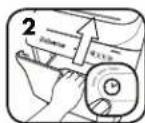
Luk skuffen og tryk pa ur-ikonet pa kontrlpanele
VEDLIGEHOLDELSFPRODUKTET
SMØRING AF MAKULERINGSMASKINEN

Alle konfettikippere kraver smaring for bedste praestation. For lidt ellr for meget smering of en maskine kan hare til problemer, sasom formindsket kapacitet, ubehogel staj under makulering, og den kan i sidste ende bryde sommen. For at undgo disse problemer anbefaler vi, at du smorer din Fellowes AutoMaxTM makuleringsmaskine en gang om maneden.
FOLG SMÖRINGSFREMGANGSMÄDEN NEDENFOR
Pafar et let lag olie mellem to stykker papir
LAITTEEN LISÄTOIMINNOT

JamGuard SystemTM
Opptil makes 30 minutes
MERK:Drift utover 30 minutier
vil utase en 30 minuters
Nedkjoingssperiode
PAPIR
Koble til makuleringsmaskinen og seft strembryteren i stillingen PÄ (I)
Trykk (ΦPÀ for à aktivere
makuleringsmaskinen after to
Trykk to ganger for 60 minuters usetsele (to LED-lamper tennes)
Trykk tre ganger for 90 minuters outsettelle (tre LED-lamper tennes)
Pnne HnpepbBHOpa60tbo60nee5MmHTy
MHHHmHPyETc30-MHHHTbI pieHIO oxJaakDeHnA
NAHEB ynpABNEHnA
1.Пелеррев(Kрасьн)
2. YdaiMe Te 6ymayr (KpaChbIy)
3. KOnTeHep 3aONnHeN (KpaCHbI)
4. OTKpblIuMK/Dbepua KOHTeHepa (KpaChb)
- TaMMep (CMNH)
- SmartLockTM(красьн)
- Npck (cHm)
8.BKJ/BbIK.(CHHM)
500CL

1.2.

3.


4.

5.6.7.8.
MzMeBbUHTenb 300CL He OcHauen yHKuHnT TaMHepa.
MaTePnAbIpa3MePoM MeHee
A4:He60bnIhne IINCTb6ymHn, NocOByoKOPpeCNOHDeeHHU KpeDTHBe KaPTb CNeYET paaMeuBt MeNJy OobHbHMn IMCTaM6ymHn.
B0e 20 nCTOB 6yMaH, CKPENHNbIX cKPENKAMn: CTbO bGYMaRn, cKPENHNbHe KaHcENPAckmM CKPENKaMn u CoepXaueo B0e 20 nCTOB, CneYET pa3dEnTb.
Donyckaetca
nepnouueckoe
N3MmBcHne CD- nnn
DVD-AMCKOB.CD-WIM
DVD-IMCKMOXHO
NOMeCTNTb 0ObiHHyO
CTONY BymarH.
He nmebuae: KneKne 3nKeTkn, 6eCKoNeHbIe oOpmyraIbI, c6pOuHOBaHHBe DOKyMeHTbI, dnaNo3NTMbIbI, r3aTeBtI, kapTOH, 3axMmbI dN a6ymarI, npMbIuNEHHBe CkO6bl, 60nee 20 NCTOB 6ymarI, CKpeJIeNHbIX CTenPepOM IIN KaHcENApCKMN CkpenKaMM, NaMHaTHbI nnactIK, DNCKeTB1 3,5DIOMa, naKN dN a6ymarI, peHTReHOBCKMe CHUMKn H He yka3AHbIe BblIe BNduPiactKIA
Pa3mep φparmentob 6ymam:
PonepeuHpa pe3ka 4MMx38MM
Makchmym:
POn3BOaHTeBHOCTbH3MeJIbHTeTg500CL(6ymara21,59x27,94cm) 500NtO8*
POn3BODHTENbHcTbH3MeJIbHHTeJ300CL(6ymara21,59x27,94cm).300NCTOB
*Bymara A4 (70 r) npn 220-240 B,50/60 f4,40A;6oJIeee BbICOKaIIIOTHOCTb Bymarn, IOBbIeHHaBbAAKHOCT bNII OTKIOHHeHne HAnpIXeHHa NITAHAR OT HOMHAbHOrO 3HAeHHa MOrYT CHMNTb IPOW3BOJNTENbHOCTb.

PPEyIPEXJEHIE: BAXHbIe IPNABUNA TEXHMKB E30NACHOCTN - npoHTte nepeid nCnoB3OBaHnEM!

Tpe6oBAHNn no 3KcNlnyatauIN,TexHnueCKMOy 06cNlyKBHnIO n peMoHTy H3IOKeHBnpyKOBODCTBO NO kCkNlnyatauIN. IpeE naHApON paBoTb C N3MeNBHTeHem NOHOCBTOO3HAKOMtBeC pKOBODCTBOM NO KcNlnyatauIN.
He npnyckaiTe Detn Hxmbothix K 3MeIbHTeIO. He npnoHcNte pykn6bn3K npoeMy dna 3arpy3kn 6ymarn. Bcerda bblknoaute Wn OTKNOaite yctpoCTBO n3 po3eKN, eCN OHO He NCNoB3yeTc.
HeOnyckaIeNnonadHnNoCTOPOHNHnpEmetOBpeTOKOBenHPbXu3dennOedKblBONOCHT.D. 3aRpy3OHynePnoEmyI3MeMbHTeN.Pri npNnonadHnnpEmetBaBEXeeOTbEPTEBkUHNBePeBc(R)Tc0b6BbTaAHTBtErO.
3ANPEUHOHNOIb3OBaTbA3pO30n,CM3KHyHAcOHOBeHeFTePOyKOWBINB WIDEcpeOKoN3MeNBuTEHNE.3ANPEUAECTPCAPBbJIrTBCKATbBBO3DXYHA N3MEINbYNTeIB.NCnapeHHOTToNNBaUNMCA3KNHaOHOBe HeFTePOyKOBTOMGYTOBCnNAHEHTCBnIPNBecTHNCepbe3HBmTPaBMAM
He KacaTecbOTKpbTbIX HOKe, UeCTepHMe uTnHToB,pacnoJooKeHHbIX noD peXyUIM 6NOKOM NmONOPbIMN NOCTaBkAMM.
He HcHb3yIte H3MeIbYHTeB, cIIN OH NOBpeKJEN IHH HmCnpaBc. He pa36mpaTe H3MeIbYHTeB. He yCTAHABIMBaTE H3MeIbYHTeB B6JIIMN NTOCHIKOB TENNA HnBnA, a TaOKE HAD HMM.
M3MeIbYHTENbOCHAUEH BbIKIOHTENEM HCTOHHaNtAHINaD. Yo6bMoXHO bblNO non30Ba7cR M3MeJIbYHTENeM, 3OT BbIKIOHTeB IOnJKeH HAXOITBCBn NOIOXeHN BkI.(1).BKCTpeHHOM CNYaYe nepeBeNTe BbIKIOHTeB nIOJOKeHne BbIKI.(0). 3To npMBeET K HEMeIeHHo OCTAHOBKe M3MeIbYHTenEa
M3MeNbHTeBdoJnKHe6bTbNoKnIOUeH KHaIeNkaUMO6paOM3a3EmNEHHo HAcHeHNO CTeEOBPO3EKe, HAnpRHeHneM CINaTOBAKOTOPOTCBETCTBYOT yKa3AHbIM HaMapKOpOBc.3a3EmHHeHPO8eTAoKHa pAOHaPcNOrAATbCRAPOm C yTPOIcTBOM,K HeNJOINOWMeTbYOHObHDOCTy.NaPeuAeTcNcONb30BaTc 3TMN H3dENHM PneO6p3OBATEHN, TPAHCOPMATOBYNiYDNNHTEEN.
- OIACHOCTb BO3FOPAHNA 3ANPEUAETCRA M3MEnbTuB N03dpabNTbHbHe OKPbITKn CO 3BYKOBbIMM MHKPOCKeMaMm Hn SaTapeKaMaM.
-NCIOB3OBaTbTOIbKO B IOMeHm.


OCHOBHbIe OTEPAuIN IO N3MEJbUeHNIO
Bpema pa60bI moedin 500CL:
HenpepbBHybPiabOoumIzukn
Bpema pa6oToI moeHn 300CL: He 60one 30 MMHT
PIMMEYAHNE. Nocne HepepebIBHOI paobtbo 6oee 30 MNHT aBOMaTHueCKn AKTHBpyetc30-MNHTHm nepnoD OXJAKDEHNA.
SYMATA
BKIIQUHHTyCtPOIcTB0B C BcTb N yCTaHOBITE BKIIIOUaTeBn IITAHnB BN noJoxHe BKI. (I)
Haxmte BkI. ()ДЯakTbauN
OTKPOIe Huaikn 3aarpy3nte
6myary.PmmeauHne:YTObbl
OTKpBtNb NotOK,NotAHInTe 3a
HERoCYCNHEM.
3aikpoTeAaik
HakmttePnyck 106bHaayatbM3meneHMe.
Aunk byet ABomatweeckn
3aboknopobah
BHUMAHNEI!
06cepehen
KOHΦnIeHuaJIbHoCTN
H6e30NaChOCTnocJe
HaKaTnKHONK
nyka(StartButton)
m3MeIbIyIeJIb 6yIeT
abTOMaTHUeCKN
3a6nokpoBaHdo
OKOHyAHnpa60TbI IO
yHNUTOKeHHIO DOKymeHTOB.
ДОПОЛНТЕЛьнIBLE BO3MOXHXOCTN YCTPOДТВА

JamGuard SystemTM
06ecneuBaet HenpepbBHeo 13MeIbYeHne 6e3aTOpO


SmartLockTM
Cpa6aTbBaet Ha KaJxDM UKKe N3MeBLeHnnaIIN 3aUHTbl KOHnDHeHnAJIbHoHn HnFOpMaUN

SLEEP MODE
3heprocesperaoouni
pezum oxndaHn
Функша OTKJIHuaeI N3MeNbUHTenb uepe2 MHHTyI Be3JeCTBnA
JAMGUARD SYSTEM
Bcnyae 3atopa 6ymarr
BMyMAXHbIe 3ATOpbl
M3mEnbHHTeB ABTOMATueckn BO3BpaNT 6MyaY, H3arOpTc3Ha4OK N3BNEKeTe 6myaY
3HaQOK 3aMKnIoracHET,
HIMIKNIMeBnWHTeNA
6yDertpa6NoKmPobAH
OTKPOIHTAJIIMK IN MZBNEKHTE 6yMaury
OTdENITe CTONYH3MeNbUeHHoB 6yMaTHu NpepeBEPHTE CTONY TAK,TOBbU HCTaA, HEn3MeNbUeHHa CTOPHO B0JNA B RnK NepBOI
3aKpoIte RaHnK
HaxMHTe KhoNky TcyCK
TINBO3O6HOBHeHH
3MEJIbYeHH

SMARTLOCKTM
CpaabtbaetHaKaJzDomUzKNe U3MeIbYeHnIa3uTb KoHΦuEnHuaBHo HfOpMaun
BKJIOHTME SMARTLOCK
OTKPOITeAaMnK 3a3yPmTe6bMy
3akpoiTe aunK HAKMTE KHOKNY
"YnCK,HTO6bIHaNTB
IMMeBueHne.
SmartLock BKnUHTCA
abTomTtueeCK.
HaNaHEnIynpaBHeNMa3AroPITc3 HaNoK 3AmKa, NAnuK 6yET 3abNOkOBpaO.OTKpbTNEOTKa npnCBTeAeMcR HINKaTope 6bKnOBpKbMOKeT PnBeCTN K nobpeJeHHIO MmEbnYtENa
Nocne 3abepweHHaMEnbueHnH3aHOKaMaK NOrAChET, MAnIKMEnbueHnTaeBbEyetpa36NoKpOBAH

ФУHKUOHOHPOBAHME B PEXMME OXNUDAHNA
ФункцИОТКIOUЯETN3MEnbYHTeB.Yepe3 2 MmHtby6e3dECTBnA
B PEXKIME OXIMDAHNA
M
HAKIMTE KHOKNKy BKn.
TAYMEP 3ATYCKA (TOJIbKO IIN MODEJN 500CL)
P03BONETOTNOXHTN3MEnbYeHHeHa30,60MN90MNHT.
TAMMEP3ANYCKA
OTKPOITEAAMHK 3aqrpy3TE6yMa
3akpoTReIaIKn HaxMMTe Ha 3HaQoK YacOB Ha naHemn ynpabNeHm
YcTAHOBK Taimepa Ha 30MHYT (3aoropnTc OHCBTOOM)

Hakmite dba paa3a
TAYCTAHOBKM
TaMMepa Ha 60
MMHT (zagorpa
da CBETOJMDa)
HakMMTE TPN paa3a
TIN YCTAHOBKM
Taimepa Ha 90
MmHTy (3agopTa)
TPN CBETMOJa
HaxMMTe ytebipe pataa DnA c6poca Taimepa
**Ipa ommebI maIepa 3anyka hakmume u ydepkuaiue 3naok qac0e meuehe 2 cekyHd
TEXHNUECKOE OBCUYXMBAHNE N3DEJIIA
CMA3bIBAHNE IN3MENbYHTEJI

Ia Hnboe KaueCTBHeHn paObTb IIOHO rHMeBnHTe n cnonepHoe peKo Heo6xDima CMA3ka.EcN B yCTPOINCTBe CNHKOM MHO rnn CNHKOM MAno MaCna,ero pON3BOInTeNbHOCTb NaAeT,0HO h3Daet peKmIympn PaO6Te N KOHcE KOHcOB MoKcET PpeKpATMb paObTaB. Bo 36ekahme 3TNX pNO6nem Mbl peKOMHyem CMsBaTB N3MeBnHTeB Fellowes AutoMaxpaB MeCu.
BbINOHNHTCIEIkyIOIPOUEDPYCM3KIN
HaheCte ToKHH CIOI MaCa MekJy DByMa IMCTAMBbMaH
OTKPOIeAaWkNIOaHcybMaHnNOIOXKeB HeroCMA3aHHbe JNCTbI
3aKpOteAaHKn HaxMMTe KHOKNy «Ipyck》, 4TO6bIM3MeNbCHtB CMA3AHbIe JINCTbl
OuHCTKA INHOPAKPACHbIX DATUKNOB ABTOMATUeCKOTo 3AnyCKA
KOHCTpykua DAATyIKOB 6bHApyKeHHa 6yMaHr N03BOnAE HcNoIb3OBA Tb Mx 6e3 Heo6XIOIMCn TExNHueCKOr O6CyKBAHHa. ODAHko B peKHX CUYaHx DAuTKN MoYr 3aBuaBaCByMaaKHO IIbIb, Bpe3yIbTate Yero DBmRteJIb PNOJKAe PA60TaTb, DaKe ECIN BYCTPOIHCTBE HET yMaHr.
(Плмачаим. 06а датчка оьаружени hybmarн расponnoхсьн BHH3уагрztorho npocma dny bymarH).
ДЯ OУСТКИ DAТЧИКOB
BbKIOHTe MMEnbWTeJIb NOTKIOHTe erOOT cETn
HaiDte HmPpakpaChbI DaTtIK ABTO3aYyCa
CMOHTE BaTHB TAMNOH CNTPTOM
CnmoouboBathoro TAMNHOydanitc 3aqrAneHnC daTqNKOB 0bHApyeKHe6yMa

*Mcnonb3yime monboKe Hea3p03o3n6Hoe pacmuemnbHoe Macno8 macneke cndnnhBm Hocukom, Hanpumep Fellowes 35250

NOMCK M YCTPAHEHHE HEMCIPABHOCTEI

HnNkatop nepreba. HnNkatop nepreba 3arpaetra npn pnebwhenn MaKmamnbno pa6oey Temepatpybni 3mebnnten, yka3bna Ha To, TTOyctpoCTby He6xOIMO OCTbIb. DaHhnn HnNkatop npoONKT ropeB, aM3MebnHTenb He 6ydt paobotab B TeceHHe nepoJa BocCTaHOBNHE.

OTKpbT IaIK /Dbepa KOHTeHep. Ecm OTKpbT KOHTeHep, M3MeIbHTeNb He 6yET pa6oTaB. Ecm 3aropaeTc TOT HNDnKaTOp, To dI BA036HOBHeH N3MeIbueH NHe6xOIMO 3akpItb KOHTeHep.

KotheHep 3aONHe. Ecn 3aRopaetc 3OT Hmikatop, 3aHT, KOtheHep dIra OTOxOIOB M3MeIbYHTeN 3aONHe Iero HyXHO ONyCTOIMTB. Mcnbl3yITe Meuok dIra OTxOIOB Fellowes 3608401.

Ydarnite 6myary. Ecn3aropaetca 3OT Hmdkatop, cm. NyHKT «bMyaxkHbe 3aToPbI» Bpa3ene «DOnonHnTeNbHbe Bo3MOxHcHt yctpoCTBa»
E npn030dert kprntueckar CHTyaua npn BknoeHHo yHKHMM SmartLock m nptpebyetcAOKpblTbIaIKM3MeJIbWITEnA, cIeYmTe Yka3AHAM HXke.
BbKIOHHTe
MmJIbHTeBn
OTKHOHTe EEROT
CTM.HaITBE BHT
DOCTyNA CTbINbHO
CTOPBOY YcTPOHTBA
N NOBOPaBHAE
ERO WcETHRpaHHBM
KIOUOM Ha 6 MM PpOTMB
YacOBOc TcPENK.
Kpbioka cepBnCHORIOIOKA HAHETOINHMATCBIOBopauhBaIte DoTNOp, NOka HE CMoKetNEKO OTdENbNTa HIOKAOTyCTPOKCTBA.
AryctahOBKn KpbHKn CepBCHOrO
NIOKA HA MECTo NOMeCTNe NaHEnb NIOKA
OBpaTHo HA yCTpOcTBQ.yDepKHBaTe
NaHEnb Ha MecTe, NOBopaHnBa PnI
OTOM WcETrPaHHb KNOu No YAcobO B
CTPENKE, NOKA HE NOYCbCTByTe
CONPOTIVBJeHne.

Tpe6oBAHnno 3KcNpyataun,TexNHueckOMy 6cbnykBaHHn n peMOHTy NIOXKeHb B pyKOBOCTBe NO 3KcNpyataun. Ipeed Hauanom paOToB C INMEnbHmTeIeM NIOHOCTbO O3HAKOMbTECb C pyKOBOCTBOM NO 3KcNpyataun.

IpeooucTKOINIO6CnyKBAHmEMOTKNIOHTeMEnbHTeB0T p03eTKN.


He KacaiTecb OTKpbIbIX HOKe, WcTePHeN uTnFTOB, paCNOIOKeHHbIX NOIpeKyUIM bIoKOM Hm ONOpHbIMN NOCTaBkAMN.
Bcnyae nepe6o3 cneKtponTahmHem dyHKsma SmartLock"octaetc aKTMBHO. Iocne BOCCTAHOBHeHHIITAHM UKNK N3MeBHeHHNpOdoJIKAeTcABOTMAUChckn.

SMART LOCK
*Ppu omycmeuu Ha Mece Kpbuukc cepbuczo noka u3Mn6yumnb He 6ydeomab. Cedeym eceda yamaaeneaemb ee Ha meco dna npdoonxena u3m64eua.
OTPAHNUEHHAR TAPANTHA HU3DEJME
OrpaHueHHra rapaHTn. KomnaHn Fellowes, Inc. (Fellows) rapaHTpyet OTCYCTBne deEeKTOB MaTePAHIOB IN pOIm3BODCTBEHNbIX deEeKTOB DeTaeNey CTOPTOBu npEOctABnNETepBCHHO6ObCyXMBAHNE INoDpEKPbKBy TceUHe 2 NcO dHaero npOoPteTHn NEpBOHaJIbHM bOKyIaTEMEL. Fellowes rapaHTpyet OTCYCTBne deEeKTOB MaTePAHIOB IN pOIm3BODCTBEHNbIX deEeKTOB PekxUHX HOKeY UTOPTOBBy TceUHe 20 NcO dHaero npOoPteTHn NEpBOHaJIbHM bOKyIaTEMEL. EcnB b TeueHE rapaHTmHoro cOpaK 6yEtobhApYKe HdeEeK TcKaOH-1n6o DetAn, ppeDyCMOTpeHHA KOMNeHcaZn 6yEt 3AkHouTaBCNkLIQUHTENbHO BPEMOHTe INI 3aMeHE HcNlPbAHO DetAnNO YCMOTpeHHO 3a ChET Fellowes. 3a rapaHTn HE paCnpocTpaHReTc BcIyAAx HnepAIBNbHO IIN HeoCTopoxHoro 6OpaSeHHEN, HcO6IoDeHHa CTaNapTob HcNlONb3OBAHN 3dENa, 3cknnyataun IN3MenbHTenCA HcHApEnKzauIM NcTOHNNKOM NTanAHN (BcE, KpOme yKa3AHHHO H aTtHKTeK) INI HecAHKnOHIPOBaHHO peMOHTa. Fellowes coXpAHRe 3a CoBoN npABo B3bIKMBAbC
noknyaTeJI nObIe IOnoHInTeBHeIpaXoDbI, NoHeceHbIe Fellewes npn npedocTabHeHm CMeHHbIX DetaneI nn OcbNyXHBHnA 3a npedeIaMn cTpaHbI, rne I3MeNbHTeB 6bln nepBoaHaNbIO npDAn ABOTHOBAHbIM npDabouOM. HACTOUII JOKYMENT OFPAHNUBAET EIECTBNE IIOBOI AOBPAYMAEBMOI PAHTHM, B TOM NCIE TAPAHTM TOBAPHO COCTOHNI INPINPOJHOCTN DIA NCOIbS3OBAHBM OPNEDEENHBIX LENIX, YKA3AHbIM BBIUE COBTBETCTBYIOUM IAPAHTNHbIM CPOKOM. KomnauH Fellows H npn kAKHX o6cToTeBCTBX He Hecet OTBeCTBEHNOCTB 3a IIO60 KoCbeHHbMI INN cyuAHHy uep6, CBzAHBN C dANHBM M3dENEM. 3ra papTHAIN PEOTOCTABAE BAM ONpeDEENHbIe KpNDUcHECKn PabaC. Pck dEChTBnM yCIOBHa HAcTOIe RAPAHM DeCTBtUNbHb BO BCEM Mmpe 3a NKIOUeHMe CTpaH, rme MeCthoe 3akHOdaTeBcTBO MOKeT HanaraTb DpyrWe ORpHaCNHn Hnn yCNOBn. IIN NOUYEHn Booene NoopboHm HfOpMaHm INN cepBcHOrO BCNoxHBnA Hn 3toTgapAHTHCBXKITECb C HAHI Mn CO BOMm DInepom.
YIAKOBKA COIDEPXXMT
1xHyHHTOKNITbDOKyMeHToB Fellowes
1xPykoBOOCTBONoJIb30BaTeJIa
1xO6pa3eucMaTcIaIcM3KnHoxKeYhUToXKeTeNlOckyMeHTOB(TolbKOIIaMoTeNeIcpeKePCTHOuMKpoe3Koi)
1yn.x06pa3eMuMkoBdnoTxAoDob
EAAHNIKA
MovTeAo 300CL/500CL
ZHMANTIKEZ AYNATOTHTE KAI XEIPLTHPIA
A. NivaKac EλEyxou (δειτη παρακαιω)
B. √uplekataoTopeepa
C. Tpoxoi
D.Aiaokntncatooovvseoc peuataoc
1CAAEI2TO
2.ANOIKTO

Pa36bpkKaHa KynuHaJIMCTOBe
YHIOXKABAHE HA CMECEHN HOCHTEN
20 nOBeue nCTa, npKauHc H cTEnbOpa3deneTpKauHcHntc TEnbO bPb3KM OT nobEeOT 20 nCTa
20 nOBeue nCTa,
nPKaueHc KnaMep-
pa3deneTe nPKaueHNTe C
KnaMep Bp3KnOT nobee
ot 20 nCTa
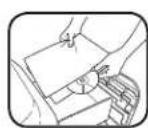
PnpeMmBo e yHmIoXoKaBaHaTe Hb CD nH DVD DNCK OT Bpeme HA Bpeme. NocTabete CD nH DVD DnCKaMeKdy IMCTATA B CTaNapTHa KYNuHa OITNCOTBe
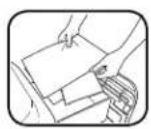
NoctabaryMeMaTePmaHn, no-MaNKoTΦopMaT A4, MaNKJNCTOBE, NooueCNKn KpeDTHKn KapTh Mekdy CTaNDapTHNe JIcTOBe
Hama da yhmoKn: 3aneBaun ETMKeT, 6e3KOHeHa XapTn, cIeHn DOyMeHTn, npO3paHn HocHTenB, BcTHNm, KApTOH, CNPauH, MNDyCTpHAnH TcTeHa, NOBEeOT 20 nCTa, pNkAueH CTeHteta NkNkameH, NaMHHpaHn MaTeHn, 31-NUHOBn DICKETn, NaKN 3a DOkyMeHTn, peHTTEHOB CHMMKn NnNpACTMacOBn eMeHTn, pa3NIuHrO NT ONoCHeHrE No-rope
Pa3Mep HaXapTmTa 3a yHnIooJaBaHe:
HapraBahe ha napuenca 4mm x 38 mm
Makcmanen6poin:
500CL: KanauTet 3a xapTna (xapTnC pazmepn 8,5 nHcu x 11 nHcu) .500*
300CL:KanaunTe 3a xapTn (xaptn pa3mepn 8,5 nHua x 11 nHua) 300*
XaptnA470rpama) npn 220-240V,50/60 Hz,4,0 amnpa; no-nbta ha xaptnBnara nHanpexeHne, p3NNUOOT HOMHaHJTO, MoTaJa HAmAJT KanaUTeTa.
I PPEyIpeXJEHHe: BAXHM INHCTpyKcIM 3A BE30TACHOCT - IpooyTepeynynotpe6a!
OCHOBHA PABOTA 3A YHMIOXABAHE 4PE3 PRAHAE
Bpeme Ha pa60ta Ha 500CL: HnpeKbchata pa60ta
BpeHa pa6oTa Ha 300CL: D030MHHTMAKCMYM
3AEBENKKA:PaobotaraB npoibjkeHHe Ha noBoey ot 30 MNHYM ue BkIOuH 30-MnHyTe pekmm Ha OXIAJDAe.
XAPTH8
Bknokoyete ⅢeNcena B KOHTaKa NTnOBtete pIeNkOuHBeTAR3Na ⅢpKbCBAHe Na 3axpaHbAHeTO B NIOXKeHe3a 2BKnOuBaHE (I)
HATHCHETE 6yToHa 3a BkUOBaHE (O), 3a da aKTHMBPATE wupedepa
OTbOpTe YKMeMKeTKe
mOaboeTae KATINH
(3aBeJennKa:JaDpIbnHe
cuHHo,3a Da OTbOpTe
YKMeMKeTKe)
3aTbOpTe 4eKmEmdKeTe
HATMCHETe 6yToHa 3a CTAP (▶), 3a Da 3aOpHETe yHmIOKABAHETO. YKMeDKeTcO 1e ce 3AOKHO ABTOMTHUHO
PPEJYPEXDEHNE: WpepebIe ce 3aKnUOu ABTOMATNUHO npHaTHCKAHe Ha6yToHa 3a cTApTnPaHe, 3a Da Ce OCHpyr3aHTaTa H KaOHΦIeHNJIH NOKyMeHTN, N Iue CE OTKIOUc Cne3abBpWBAHe HA3aDaHHeTo 3a HAdpo6BaHe.
PA3UHPEH NPHKUN HA IPODyKTA

JamGuard System
He no3BONBA npekcbBaHnHa p3aHTo 3aOcMpyBaHc Ha pa60ta 6e33adpbCTBaHn

SMART LOCK
SmartLock
AKnBnpa c npn BceKuKbHa pR3aHe, 3a Da 3auNTN NOBepInTeHnHOpMaun

SLEEP MODE
EheprocteBaI pekmHa cBn
ФункштетаИЗКИLOУВа WpeДЕРа CпEDIIMNCA Ha AKTINBHOCT B PpOДБПЖЕHMeHA 2 MmHtN

JAMGUARD SYSTEM™
BcnyaHnHa3aDpBCTBaNecXapTna
3AДРБСТBAHCEXAPTN
UpepepbT abTomatuHIO ue PnBnHkX kaptrrta Ha obpaten XODI UIE CBETHE KOKATA 33 M8bAaDaHe HA KpTaTH
HKoHTa3a3zKIOHOBa HEIgTache HeYekMeDKeToHa WpEepaTe cteOIKOnH
OTBPOTE YKMEJDEKTO HMBDAETXAPTMRA
OTdenete Hapra3aHata
KynHua, 3abTpe Ta Ka,
Ye UcHnT, HnApzHn KpA
Da BnEe npBb B YekmJedKeT
3atBopete YekMedjKeTo nHATCHeTe 6yTOna 3a cTapt,3aJa Bb3oHOBnITe pR3AteHO

SMARTLOCK™
AKTNbnpce npn Bcckn Kcbn Ha p3ahe, 3a da 3aHTN NOBEPTeHa HOpmau
AKTUBIPAHE HA SMARTLOCK
OTBOPETE YKEMJEXETO NdoBBETE XAPTM
3aTbOpTe HEKMeDkHTo
N HATHCHETE OYTOHa 3a
CTApT, 3a Da 3aONHeTe
yHnIOXABAHETO. SmartHO
ce3AeBCTBa BtOMTuHNO
YekmedKeTo 3e ce 3aknOuH NkOHATA 3a 3AkIOVBAHe H KOHTPONHAN He 5CBTeH. OTBapHE To HA YekmedKeTo, DOKaTO INKoHATA 3a 3AKIOUHO CbCTOAHHE CBETMMOE Da PmHHN NOBDAE MA MauHnHa.
Korato yHnOxKaBaHeto 3aBbPmIKoHata 3a 3aKnOyBaHe Ie HsFache Hc KEmKeJTeHOupeepa 1e CeOTKIOH

PABOTA HA PEXKUMA HA CbH
Функцята МЗКИЧУВа Урета РсД ПИNUСАHaakTMBHOCCTВпрдьЖЕСЕНЯHA 2MHNYI
KORATO E B PEXHM HA CbH
3aHIM3AHeOTpeKIMHa HcBOTOBPeTeYeKeMeJKeT0 H3apeTeXapTm
HNN
HATACHETE BYTOHA 3a BNTNHOBAHE
OTJIOXEHCTAPT(CAM03A500CL)
I03BOLRA Bn da OTIOKHTe yHmIoKoBaHaHETo C 30,60 mN 90 MMHyTN.
OTJIOXEN CTAPT
OTbOpeTe UeKMeJKeTo H DoBaBeTe XapTHA
3aTbOperte YekMeDkeTeo HnHtCNTE MeKOHtHa CcAocBHHKa HOKPTOHNHaNaeI
HaTmHeTe BeDhBk 3a OtnarHae C 30 MMHTN (ue CBtHe eDIN CBtOIOID)
HaTMCHe DBA TbB T3a OTnArahe C60 MNHTM (ue CBETHAT DBA cEBTOIDHO)
HaHcHTe TnIbTH3a OtnarHeC90MHyTN (ueCBETNAT CEBTOHO)
HaTHeTeHnPiTbT, 3aJa HynpaTe aocBnHnKa
**3a o omme hme omloxhen cmap, Hamucheme u 3aodpbjxme ukoHama c yacobnK 3a 2 cekyndu
NODPbXKA HA IPOyKTA
CMA3BAHE HA WIPDEPA

BcHKn Wpeepn 3a Hap3BaHe Na napYeHa N3NCKBt MacNo 3a Ha-nrOJaMa npOn3BodInTeHIOCT. HeOCTaTbYHO INI pKeOMePHo CMA3BaHe Na MaUnHtA MaOme Da DObEe Do np6bnMe, KaTo HAMaleh KanaHTet 3a JINTOB, OocAden yMm npN yHnOxKaBaHe n EBEHTyALHO PbIHO CNpAne Ha FyHKUHOHPaHTo. 3a npDeOpBpaTBAHe Na Te3n np6bnMeu BN nppeopbYBaMe DA CMA3BaTe BauHn Wpeep Fellowes" AutoMax" BeHNbX MeceHo.
CIEBAIHTIPOUEDYPATA3CAMA3BAHEIO-DOJY
Haenece TbHk cn01 MaNo MEKdy DBA nCTa xPTy
OTbBpEe YekMepeKeto 3aNoDabHe NaXrTyr N NoCTabE B Hero HAMACHEHITNCTOBE
3aTbOpete YekMeKxTeo 3a NOdABHeA H XAPTNH HATNCHETe 6yToHa 3a CTAP,3a Da YHHUOKHTe HAMACHEHTE JNCTOBE
IIOYNCCTBAHE HA NHΦPAUPEBHUITE CEH3OPN 3A ABTOMATNUHO CTAPTNPAHE
Ceh3OpHTe 3a 3acUHane Ha xapTnca pa3pa6oTeHH 3a pa6oTa 6e3 noDpBkKa. BpeKn CNYan cEH3OpHTe MoKe Da 6bDat 6noKmpan Ht XapTne Npax, KoeTo Da DObede Do p6oTa Ha Motopa, DOp npn nnCaTa Ha xapTn.
(3a6eneKka:JbceHc0pa 3a cHnAe Ha XapTHe C HAMNAT BdoHATA aact Ha YekMePKeTo 3aXapTHe).
3A DA NOHCTNTE CEH3OPNTE
Nkhoumoe tuepepepa Hbadaetee 3axpaahbaaeta MY kaban oT KONKTAKA
OTKPIIe HnppaepBHeH NCEH303aABTOMaTHNO CTAPITPAHE
HanoTe namyueh TAMNOB CNTNPT
NHTMCTETCnAMYHNA TAMNOH BCANKBO 3aMbPCBAHEOTCEHOPNTE 3XAPTH

*Hnon3baumcama Haeepo30nHpacmuenHo Macno 8 konmeihecpbla2a103a, kamo Fellowes 35250
OTCTPAHRAHE HA IPOBJEMN

HnHKaTOp 3a npereBaHe: KOrato CBETN HnHKaTOpBt 3a npereBaHe, UpeepbTe nAcbMNIM MAKcMmHaTa pa6oTHa TemnepaTypa n Tp6Ba da ce oxna. ToHnHKaTOp 10ctA He Da CBeTN upeepbT Hma Da pa6oTHn Ppe3 BpeMeTo 3a Bb3CTaHOBAVe.

YekmedKeTo/BpTaMkata Ha KOHTeHepa e OTBopeHo/a: WpeepbT Hama da pa6oTH, Ako KOHTeHepbTe e OTBopeH. Korato CBETn, 3aTBopTe KOHTeHepa, 3a Da BB306HOBtE yHmOxJabaHETO.

Tbien KOHTeHep: KOraTo CBeTm, KOHTeHepb3 a OmaIbun Ha WpepeAp e bInen Tpr6Ba da 6bde Hnnpa3neHn. HnOINBaTe Top6ata 3a otnaBcui Fellowes 3608401.

N3baJdHa Ha xapTtHa: Korato CbTei, BmKe Tpa3Dena, 3aBpCTBaHe c XapTn" nOa, Pa3WUnpeH fYHKm Hn npOyKta".
AkoBb3HmKHe KpHTuHa CHTuaa PnP aKTHBa HcyHKMa SmartLockM e Heo6xOuM DooCTbI Do cekMeJKeTo Ha Wpeepepa, CneBae TcBKnTe no-dony.
M3KIOUe Tpeepa H 13BaTe 3aaPbHbAunna My KaBcN OT KOTKaT. OKnIe BnHa 3a DocTb Ha TbPbHa MaMaHnHaTa HrO 3abbpTeo6pHHO HAcoOBHKOBaT CPTenKa C-IMHMetPOB WcETOrpahen KIOU.
CepBnHnT KAnak
ue 3anOuHe da ce
BnHa. IpObKnTe
Da BpTnE, DOKaTO
NaHeBt Ha KaNaka
ce OTCpaHN HeCHO
OT TOpHata NaCT Ha
MaHnHata.
3a da noctabHte oTHOBO cepBnHNAKAN, NOCTABeTe 6opatHO naHEHa HanaKaHbBpy MaHHTa. DpBkTe naHEHa HA MNTo,doKato 3aBBaTe C IcETOPaHHN KINH No NocOKa HA cAOBHKOBATC CPENK, DOKATO CYTHe CbPOTNBHeM
* Wpeepbmyama da paobomu, ako kanakbm He e Ha Mmcmomo cu. BuHazu nocmaaime o6pamHo Kanaka, 3a da Ce 6306HObu yhuOkaBaHaemo.

Paobotata, noDpBxkata N mNCKBaHnra 3a oCbnyBaHe ca onnCaHH B pKoBOCTBTO 3a yOnTpe6a. IpOyTe cIanoTo pKoBOCTBO 3a yOnTpe6a, npEn da paobotme C wpeephte.
- 3aepnKoHTaTnpdHnOuHcBaHe HnO6CnykBaHe.
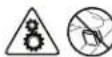
-368raTae da kocBaTe oKPMn pexueH HOKOb, MEXAH3MN npxBAKN no rnaBata Hwpeepa nnnoabaunte noatakn.
B cnuyai HnnpaHn ha 3axpaHaBaHeto SmartLock" ue octane aKTHBnpanha.
CnBb3tHaOBBaHe Ha 3axpaHbAHeTo UKkBbTb Ha YHUNOxKaBaHe aBTOMaTHNO Ue Ce Bb3oHOBn.

SMART LOCK
OTPAHmUeHA TAPAHnA 3A PNOyKTA
OrpanuHena rapaunia: Fellowes, Inc. (Fellows) rapaTHnpa, ye cactnHe MaunHata ca 6be3ekeTHa MaTePauHInu H3paObTKa, NIM OcNpyRpaBa 06CnykBaHe N oNDpBxKHa 2a 2 roDHHN ot DaTATA HA 3a KynyBaHE NTbPOBaHauHNn Notpe6HTen. Fellowes rapaTHpu, ye peKeJeHTte HOKOBHe MAaunHata ca 6be3ekeTHa MaTePauHInu H3paObTKa, NIM OcNpyRba 06CbNyHHe N oNDpBxKHa 3a 20 roDHHN ot DaTATA Ha 3aKynyBaHE NTbPOBaHauHNn Notpe6HTen. Ako KOtTo N da e cact ce OKaKe He DeEkeTHa npe3 rapaHauOnHHne nepHO, BaaTeo EINHCTBEHO IN3KIOUHTHe O6BeIe THe Nce 6bIe PeMOHT NIM 3AmHa H DeEkeTHa YACT No 136Op 13 a CMeTka H Fellowes. HactoTuata rapaHauHne He Baxm 3a ChuaYn H 3noYOnTpe6Ha, HennpaBnHoo HopabeHe, HecBoTetCBnBc CTanDaTnTE 3a YOnTpe6Ha NpoJyKa, paObaTa H upeDepe C HENoDxoAio EneKtpMNECKO 3axPaHbae (paoHHo TO TBA, NOOCHoH a EtHKeta) Nm HneOpTNpaHemont. Fellowes cn 3ana3Ba npaboto da TAKCyBa Notpe6HTenite 3a
BCaKaBn DoBbHInTeHn pa3XoDn, HnPaBaHen OIT Fellowes 3a ocNpyBaHe Ha acTn Nm yCnyr n3BbN cTpaHATA, B KIOYU WpeDepeBt e npOaDEh PbBOHaAHNo OT oTOpmHpAHTbPROEu. BCKA KOCBEHA TAPAHUN, BIKNUHTHEHO TAm 3A IPODABAEMOCT NIM IIPNTHOCT 3A KOHKPETHA UEL, NO CNIATA HA HACTOUII NOKYMHT EOPAHUEHA B PAMKNTE HA CBoTBEHNA TAPAHUHOHE INPENOJ, YKA3AH NIO-TOPE. B HKOHN CNYau Fellowes He hocn OTROBPOHcT 3a KaKBTo M Da e noCneDaun Nm CnyauHm NobPeDu, Dblkaune Ce Ha To3n npOyKT. HactouaT aRapAnuBn Daaba OnpeJeHHa ZAKOHOBn npaba. PnpblknteHNOCTTa, npabnata NycOBMaTA Ha CTAOUATA rapaunca Ca BmDNn B cNeHn CBT, C MKNOHeHn Ha MeCTaT, KbDeTo MeCHTO zakoHDoTcNBO MoKe Da NsCKBa pa3NHyn ORpaHueHn, pceTpuKmnn NcOBNa. 32 Naoeue Noop6HOeNn Nm 3a nonyubabe Ha oCbNyKBa Hn NaCTOaT a rapAnuie Ce CBpbKeTc Hac Nm CBAunN TBproBu.
ROMÁNA
Modelul 300CL/500CL
FUNCTII SI COMENZI ESENTIALE
jia jia jia jia jia jia jia jia jia jia jia jia jia jia jia jia jia jia jia jia jia jia jia jia jia jia jia jia jia jia jia jia jia jia jia jia jia jia jia jia jia jia jia jia jia jia jia jia jia jia jia
1 1
aaiy 100
0jle baiol jglalbui

jJU 100
jznnn 20a

:300CL
J 30 JLo
aai jiai jaojiai jiu jia jia jia jia jia jia jia jia jia jia jia jia jia jia jia jia jia jia jia jia jia jia jia jia jia jia jia jia jia jia jia jia jia jia jia jia jia jia jia
jai jg 1000
gJ 1
a 100

j 1
1 1
SMARTLOCKTM
aJaaai jgjSgo hii
aLiLiLiLoglog

SMARTLOCK
Lac Jai51 20 jaoaiaaa jaoaill aaiyai yaiyai Laii
Smart Lock
a a a a a a a a a a a a a a a a a a a a a a a a
J
i 1
y 1
3.9-29=9
(y)
j
a 1000000000000000000000000000000000000000000
jaoa jao
J 10000000000000000000000000000000000000000000
J 1

i1i1i1i1j1j
Jgssllg jgsj gnnnlllglg jgsj gaae 1111 1111 1111 1111 1111 1111 1111 1111 1111 1111 1111 1111 1111 1111 11
aaii
yjll jyjll jyjll jyjll jyjll jyjll jyjll jyjll jyjll jyjll jyjll jyjll jyjll jyjll jyjll jyjll jyjll jyjll jyjll jyjll jyjll jyjll jyjll jyjll jyjll jyjll
y 1
aiaaa aiee 39

f 35250
LgXg=SS
gaaal yjra jagai jgi jie dlaa a jy gai jay jai jai jai jai jai jai jai jai jai jai jai jai jai jai jai jai jai jai jai jai jai jai jai jai jai jai jai jai jai jai jai jai jai jai jai jai jai jai jai jai jai jai jai jai jai
jaii 10000000000000000000000000000000000000000000000000
3608401 1jfoFellows oIago poaio Iqaii aiaiaaiaaiaaaiaaiaiaiaiaiaiaiaiaiaiaiaiaiaiaiaiaiaiaiaiaiaiaiaiaiaiaiaiaiaiaiaiaiaiaiaiaiaiaiaiaiaiaiaiaiaiaiaiaiaiaiaiaiaiaiaiaiaiaiaiaiaiaiaiaiaiaiaiaiaiaiaiaiaiaiaia
"aiiaol jaioll 100 " jaii aie "gjll Laiu" aaiy iay Loaic gijl d


Jg 10000000000000000000000000000000000000000000000000

aaiuogai aaii jiaoi iiaaiiaai jiaai jiaai

aagglgulgugulgagccgclglaal gol
SmartlockTM 1

SMART LOCK
SrtLockTM 1
a#sblc s##yol
sllac aggl yall
gla yao aal
agull cag aagll
galogagog
jlac gai jiaall
gaiin gai aclll
all slil aglal
1 111111111111111111111111111111
jaiy jaiy jaiy jaiy jaiy jaiy jaiy jaiy jaiy jaiy jaiy jaiy jaiy jaiy jaiy jaiy jaiy jaiy jaiy jaiy jaiy jaiy jaiy jaiy jaiy jaiy jaiy jaiy jaiy jaiy jaiy jaiy jaiy jaiy jaliy jaliy jaliy jaliy jaliy jaliy jaliy jaliy jaliy jaliy jaliy jaliy jaliy jaliy jaliy jaliy jaliy jaliy jaliy jaliy jaliy jaliy jaliy jaliy jaliy jaliy jaliy jaliy jaliy jaliy jaliy jaliy jaliy jali yjali yjali yjali yjali yjali yjali yjali yjali yjali yjali yjali yjali yjali yjali yjali yjali yjali yjali yjali yjali yjali yjali yjali yjali yjali yjali yjali yjali yjali yjali yjali yjali yjali yjall
aagao jg aaiil ciej 5i iiaaiuill gaj jge Jao j
Fellows 450
Fellows, Inc.250
Gall All Fellow
Gellw, Inc.250
Gellw all Fellow
Gellw, Inc.250
Gellw all Fellow
Gellw, Inc.250
Gellw all Fellow
Gellw, Inc.250
Gellw all Fellow
Gellw, Inc.250
Gellw all Fellow
Gellw, Inc.250
Gellw all Fellow
Gellw, Inc
W.E.E.E.
English
This product is classified as Electrical and Electronic Equipment. Should the time come for you to dispose of this product please ensure that you do so in accordance with the European Waste of Electrical and Electronic Equipment (WEEE) Directive and in compliance with local laws relating to this directive.
For more information on the WEEE Directive please visit www.fellows.com/WEEE
French
Declaration of Conformity
Fellowes, Inc.
Unit 2 Ontario Drive, New Rossington, Doncaster, DN11 0BF, England declares that the product Models 300CL/500CL conform with the requirements of the Restriction of Hazardous Substances Directive (2011/65/EU), the Low Voltage Directive (2014/35/EU), the Electromagnetic Compatibility Directive (2014/30/EU), the WEEE directive (2012/19/EU), and below harmonized European EN Standards.
Safety: EN60950-1: 2006/A2:2013
EMC Standard: EN55014-1:2006+A1:2009+A2:2011
EN55014-2:1997+A1:2001+
EN61000-3-2:2014
EN61000-3-3:2013
A2:2008
Year Affixed: 16
Itasca, Illinois, USA
July 1, 2016

John Fellowes

- CONTROL PANEL
- CAPABILITIES
- Maximum:
- WARNING: IMPORTANT SAFETY INSTRUCTIONS - Read Before Using!
- ADVANCED PRODUCT FEATURES
- JAMGUARD SYSTEMTM
- SMARTLOCK
- DELAYED START (ON 500CL ONLY)
- PRODUCT MAINTENANCE
- OILING SHREDDER
- FOLLOW OILING PROCEDURE BELOW
- CLEANING AUTO-START INFRARED SENSORS
- TO CLEAN THE SENSORS
- TROUBLESHOOTING
- SMART LOCK
- LIMITED PRODUCT WARRANTY
- Australia Residents Only:
- FRANCAIS
- Modèle 300CL/500CL
- CHARACTERISTIQUES ET COMMANDES CLÉS
- BESCHRANKTE PRODUKT-GARANTIE
- IN MODALITA SOSPENSIONE
- BEPERKTE PRODUCTGARANTIE
- UDSKUDT START (KUN 500CL)
- VEDLIGEHOLDELSFPRODUKTET
- SMØRING AF MAKULERINGSMASKINEN
- LAITTEEN LISÄTOIMINNOT
- NAHEB ynpABNEHnA
- 500CL
- Pa3mep φparmentob 6ymam:
- Makchmym:
- PPEyIPEXJEHIE: BAXHbIe IPNABUNA TEXHMKB E30NACHOCTN - npoHTte nepeid nCnoB3OBaHnEM!
- OCHOBHbIe OTEPAuIN IO N3MEJbUeHNIO
- Bpema pa60bI moedin 500CL:
- BHUMAHNEI!
- ДОПОЛНТЕЛьнIBLE BO3MOXHXOCTN YCTPOДТВА
- SmartLockTM
- 3heprocesperaoouni
- JAMGUARD SYSTEM
- ФУHKUOHOHPOBAHME B PEXMME OXNUDAHNA
- TAYMEP 3ATYCKA (TOJIbKO IIN MODEJN 500CL)
- TEXHNUECKOE OBCUYXMBAHNE N3DEJIIA
- CMA3bIBAHNE IN3MENbYHTEJI
- OuHCTKA INHOPAKPACHbIX DATUKNOB ABTOMATUeCKOTo 3AnyCKA
- NOMCK M YCTPAHEHHE HEMCIPABHOCTEI
- OTPAHNUEHHAR TAPANTHA HU3DEJME
- YIAKOBKA COIDEPXXMT
- EAAHNIKA
- MovTeAo 300CL/500CL
- ZHMANTIKEZ AYNATOTHTE KAI XEIPLTHPIA
- I PPEyIpeXJEHHe: BAXHM INHCTpyKcIM 3A BE30TACHOCT - IpooyTepeynynotpe6a!
- OCHOBHA PABOTA 3A YHMIOXABAHE 4PE3 PRAHAE
- PA3UHPEH NPHKUN HA IPODyKTA
- JAMGUARD SYSTEM™
- 3AДРБСТBAHCEXAPTN
- SMARTLOCK™
- AKTUBIPAHE HA SMARTLOCK
- PABOTA HA PEXKUMA HA CbH
- KORATO E B PEXHM HA CbH
- OTJIOXEHCTAPT(CAM03A500CL)
- NODPbXKA HA IPOyKTA
- CMA3BAHE HA WIPDEPA
- IIOYNCCTBAHE HA NHΦPAUPEBHUITE CEH3OPN 3A ABTOMATNUHO CTAPTNPAHE
- OTCTPAHRAHE HA IPOBJEMN
- OTPAHmUeHA TAPAHnA 3A PNOyKTA
- ROMÁNA
- Modelul 300CL/500CL
- FUNCTII SI COMENZI ESENTIALE
- gJ 1
- J
- i 1
- i1i1i1i1j1j
- aaii
- LgXg=SS
- W.E.E.E.
- English
- French
- Declaration of Conformity
Brand : FELLOWES
Model : AutoMax 500CL
Category : Shredder