
TUFGaming550B - Power supply ASUS - Free user manual and instructions
Find the device manual for free TUFGaming550B ASUS in PDF.
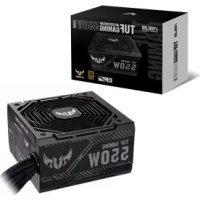



| Product Type | Desktop Power Supply |
| Brand | Asus |
| Model | TUF Gaming 550B |
| Rated Power | 550 W |
| Form Factor | ATX |
| Efficiency Certification | 80+ Bronze (estimated) |
| Dimensions (L x W x H) | 150 x 140 x 86 mm |
| Weight | Approximately 1.5 kg |
| Main Connector | 1 x ATX 24-pin (20-pin compatible) |
| CPU Connector | 1 x 4+4 pin |
| PCIe Connector | 1 x 6+2 pin |
| SATA Connector | 1 x SATA |
| Peripheral Connector | 1 x 4-pin |
| Fan | 120 mm |
| Operating Temperature | 0°C to 50°C |
| Relative Humidity | 20% to 80% |
| Safety | Never open the unit, internal high voltage. Use only supplied cables. Avoid water and extreme temperatures. |
| Maintenance and Cleaning | Disconnect the device before cleaning. Use a dry cloth for the exterior. Do not insert objects into openings. |
| Spare Parts and Repairability | Not applicable: the power supply contains no user-serviceable parts. Opening voids warranty. |
Frequently Asked Questions - TUFGaming550B ASUS
User questions about TUFGaming550B ASUS
0 question about this device. Answer the ones you know or ask your own.
Ask a new question about this device
Download the instructions for your Power supply in PDF format for free! Find your manual TUFGaming550B - ASUS and take your electronic device back in hand. On this page are published all the documents necessary for the use of your device. TUFGaming550B by ASUS.
USER MANUAL TUFGaming550B ASUS
TUF GAMING POWER SUPPLY UNIT
Quick Start Guide
Quick Start Guide (Traditional Chinese)
Quick Start Guide (Simplified Chinese)
Quick Start Guide (Japanese)
Quick Start Guide (Russian)
Quick Start Guide (Arabic)
Conventions used in this guide
To ensure that you perform certain tasks properly, take note of the following symbols used throughout this manual.

DANGER/WARNING: Information to prevent injury to yourself when trying to complete a task.
NOTE: Tips and additional information to help you complete a task.
Product overview
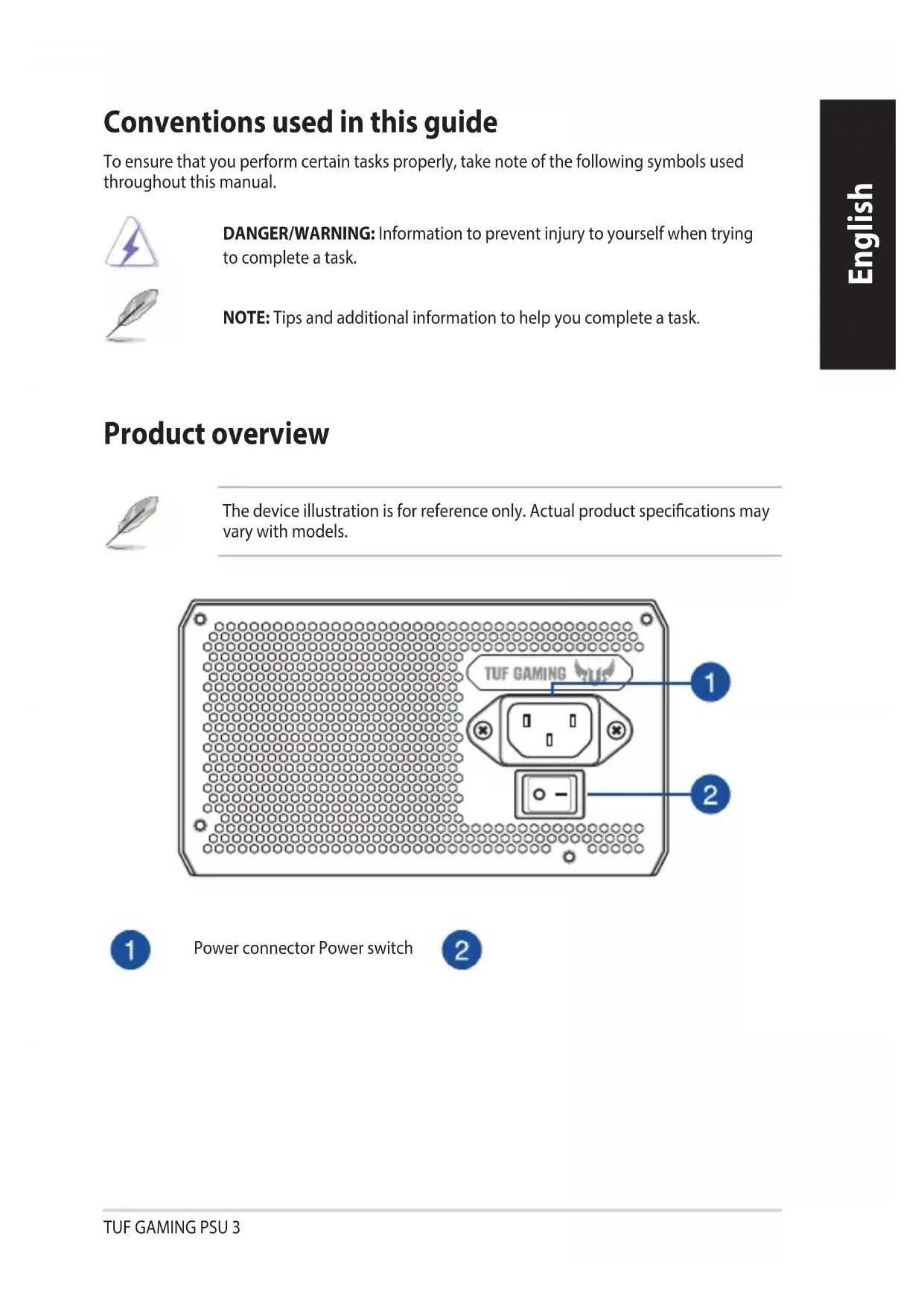
The device illustration is for reference only. Actual product specifications may vary with models.
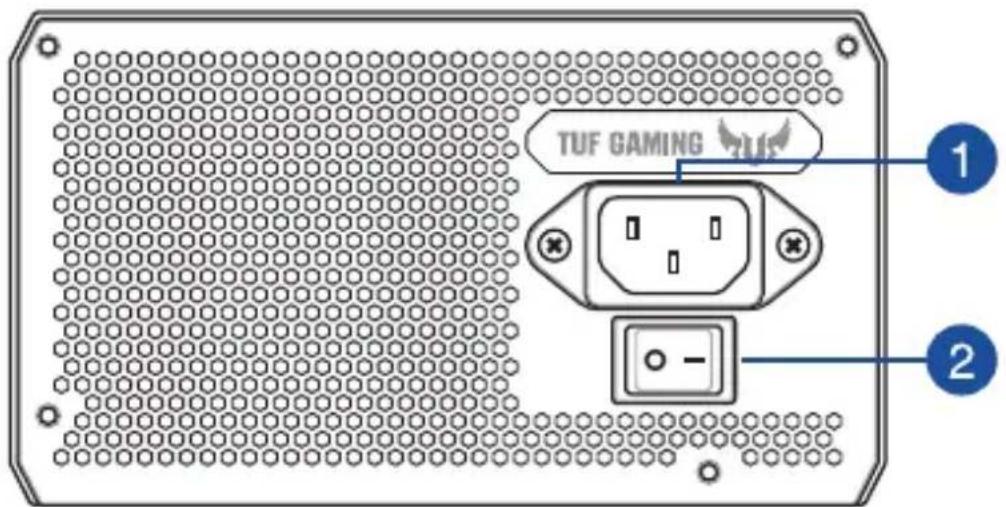

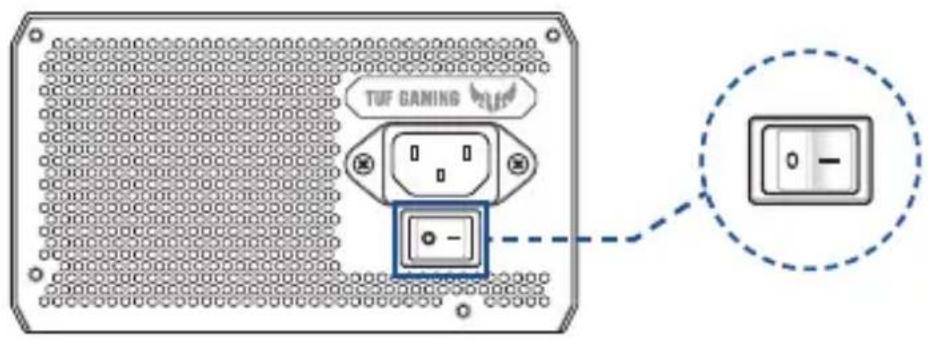
Power connector Power switch

Installing your TUF GAMING Power Supply Unit

Before installing or removing cables, ensure that the system is turned off, and all power cables for the system and all attached devices are unplugged.
- Follow the directions of your chassis manual and secure your TUF GAMING power supply unit into your chassis using the mounting screws.
- Connect the bundled cables to your TUF GAMING power supply unit.
- Connect the power connectors to your motherboard and peripheral devices according to your preference. You may refer to the list below to check which devices each power connector can be connected to.
- The power connectors may vary between different models of TUF GAMING power supply units.
- Refer to your motherboard's user manual for more information on the location and connecting the power connectors mentioned below.
- Connect the 24-pin or 20-pin Main Power Connector to the motherboard's 24-pin or 20-pin power connector.
- Connect the 4+4 pin CPU +12V Power Connector to the CPU power socket on the motherboard.
- Connect the 4-pin Peripheral Power Connector to peripheral devices if needed. Connect the 6+2 pin PCI-E +12V Power Connector to the PCI-E graphics card.
- Connect the SATA Power Connector to devices with a Serial ATA interface.
- Connect your TUF GAMING power supply unit to a power source using the bundled power cord.
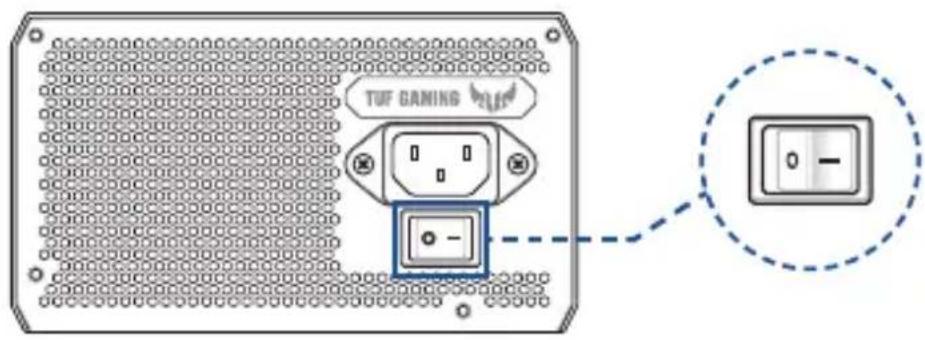
- Flip the Power Switch to the "I" position to turn on your power supply unit.
Safety information
- High voltages are present in the power supply unit, it is extremely dangerous to open the power supply case or attempt to repair/clean the power supply unit. You should NEVER, under any circumstances, open the power supply unit.
- The Warranty will become void if the cover of the power supply unit is opened; there are no serviceable components inside the power supply unit. DO NOT insert any objects into the power supply unit.
- DO NOT place any objects in front of the fan or the ventilation area of the power supply unit that may obstruct or restrict the airflow.
- USE ONLY the modular cables bundled with the power supply unit.
- DO NOT use the power supply unit near water, or in high temperature or high humidity environments.
- The power supply unit should be operated in suitable environment. (Operating temperature: 0° to 50°C , Relative Humidity: 20% to 80% )
- The power supply unit is for integration into a computer, and not intended for external or outdoor usage.
- Failure to comply with any manufacturer instructions and any of the safety instructions will immediately void all warranties and guarantees.
Notice labels
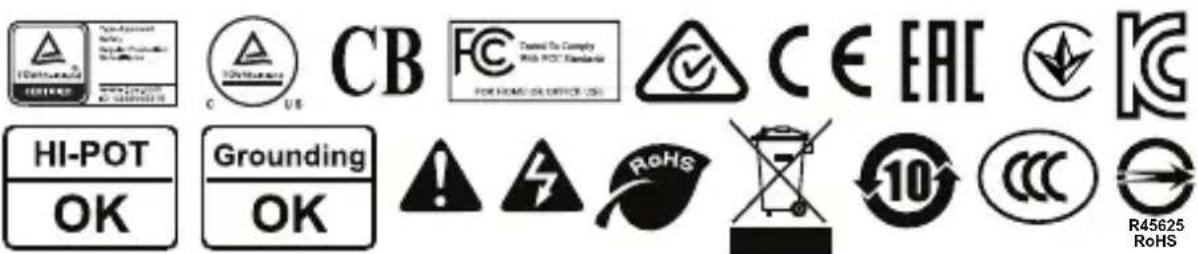

Warning symbols
Installing the TUF GAMING Power Supply Unit

Installing the TUF GAMING Power Supply Unit
Installing the TUF GAMING Power Supply Unit

Before installing or removing cables, make sure the system is turned off and all power cables and connected devices are disconnected from the power source.
- Follow the instructions in the chassis manual and secure the TUF GAMING power supply unit in the chassis with mounting screws.
- Connect the cables from the power supply unit's accessory kit to the TUF GAMING power supply unit. 3. Connect the power connectors to the motherboard and peripheral devices according to your needs. The table below provides information on which devices can be connected to each power connector.
- The power connectors may vary depending on the model of the TUF GAMING power supply unit.
- The motherboard manual provides more information on the location and connection of the power connectors.
- Connect the 24-pin or 20-pin main power connector to the 24-pin or 20-pin power connector on the motherboard. - Connect the 4+4 pin CPU +12V power connector to the 4+4 pin CPU +12V power connector on the motherboard. - If necessary, connect the 4-pin peripheral power connector to the peripheral devices. - Connect the 6+2 pin PCI-E +12V power connector to the graphics card PCI-E.
- Connect the SATA power connector to devices with a Serial ATA interface.
4. Connect the TUF GAMING power supply unit to the power outlet using the power cord from the accessory kit. 5. Set the power switch to the "I" position to turn on the power supply unit.
Brand : ASUS
Model : TUFGaming550B
Category : Power supply