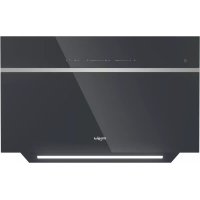
WHVS 90F LT C K - Basket WHIRLPOOL - Free user manual and instructions
Find the device manual for free WHVS 90F LT C K WHIRLPOOL in PDF.

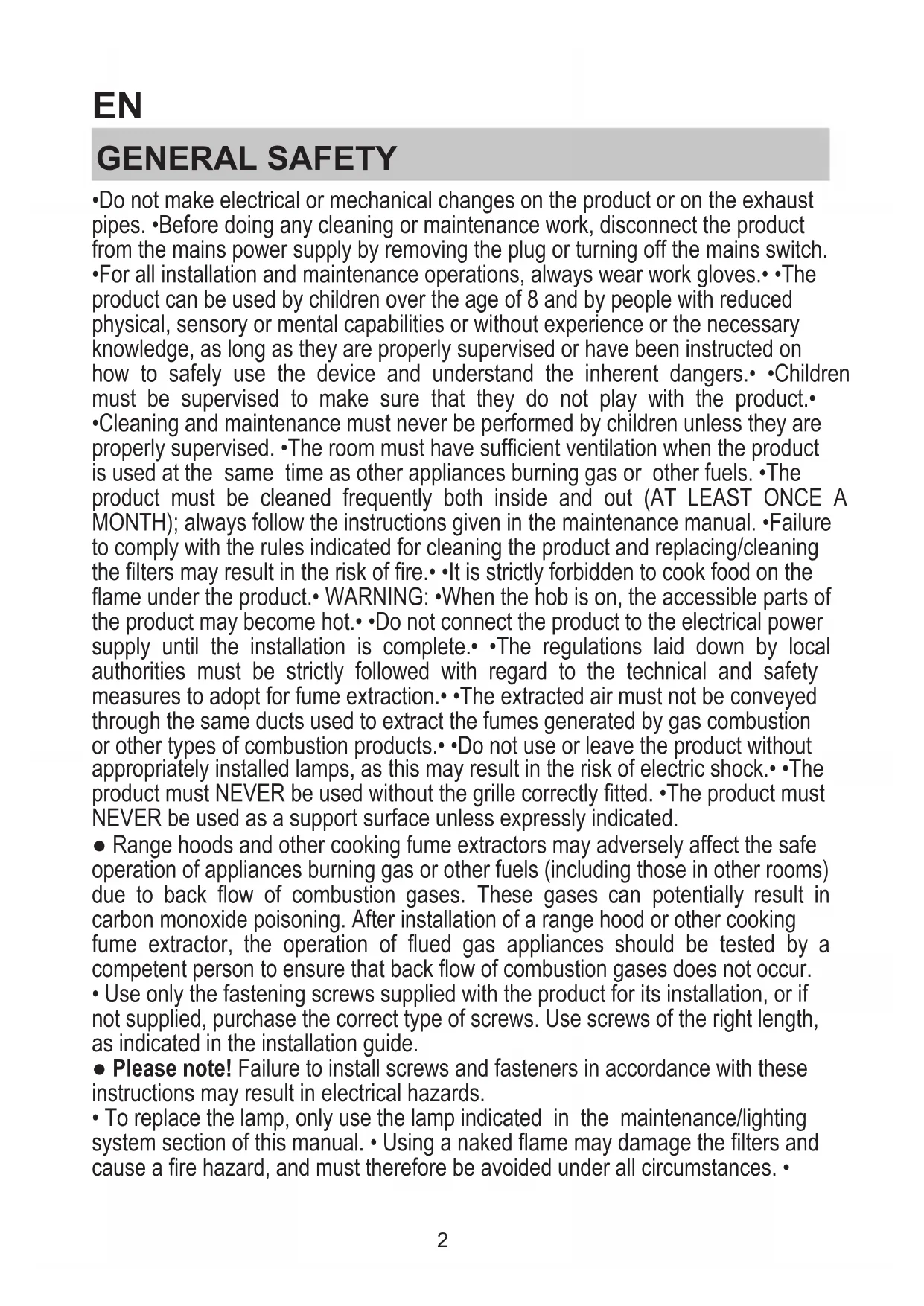


| Product type | Hood |
| Brand | Whirlpool |
| Model | WHVS 90F LT C K |
| Dimensions (H x W x D) | 103.7-135 x 89.5 x 35.5 cm |
| Connection diameter | 15 cm |
| Power supply | 220-240 V, 50/60 Hz |
| Controls | Touch panel with 13 buttons |
| Lighting | LED, adjustable intensity and color temperature |
| Built-in Wi-Fi | Yes (compatible with Whirlpool 6th Sense Live app) |
| Extraction modes | Zen, Power Boost 1 & 2, CookSense, Breath Daily/Intensive |
| Grease filter | Metal, dishwasher safe (monthly cleaning) |
| Charcoal filter | Washable, replace every 3 years (clean every 2 months) |
| Minimum safety distance | 45 cm (electric cooking) / 60 cm (gas cooking) |
| Installation | Ducted (external exhaust) or recirculating (charcoal kit optional) |
| Exterior maintenance | Damp cloth and mild detergent |
| Safety | Automatic shut-off after 5 h in Breath mode, child safety (8 years+) |
| Repairability | LED lighting not user-replaceable, contact customer service |
| Weight | Not specified |
Frequently Asked Questions - WHVS 90F LT C K WHIRLPOOL
User questions about WHVS 90F LT C K WHIRLPOOL
0 question about this device. Answer the ones you know or ask your own.
Ask a new question about this device
Download the instructions for your Basket in PDF format for free! Find your manual WHVS 90F LT C K - WHIRLPOOL and take your electronic device back in hand. On this page are published all the documents necessary for the use of your device. WHVS 90F LT C K by WHIRLPOOL.
USER MANUAL WHVS 90F LT C K WHIRLPOOL
EN Instruction for use
- Do not make electrical or mechanical changes on the product or on the exhaust pipes. Before doing any cleaning or maintenance work, disconnect the product from the mains power supply by removing the plug or turning off the mains switch.
- For all installation and maintenance operations, always wear work gloves. • The product can be used by children over the age of 8 and by people with reduced physical, sensory or mental capabilities or without experience or the necessary knowledge, as long as they are properly supervised or have been instructed on how to safely use the device and understand the inherent dangers. • Children must be supervised to make sure that they do not play with the product. • Cleaning and maintenance must never be performed by children unless they are properly supervised. • The room must have sufficient ventilation when the product is used at the same time as other appliances burning gas or other fuels. • The product must be cleaned frequently both inside and out (AT LEAST ONCE A MONTH); always follow the instructions given in the maintenance manual. • Failure to comply with the rules indicated for cleaning the product and replacing/cleaning the filters may result in the risk of fire. • It is strictly forbidden to cook food on the flame under the product. • WARNING: • When the hob is on, the accessible parts of the product may become hot. • Do not connect the product to the electrical power supply until the installation is complete. • The regulations laid down by local authorities must be strictly followed with regard to the technical and safety measures to adopt for fume extraction. • The extracted air must not be conveyed through the same ducts used to extract the fumes generated by gas combustion or other types of combustion products. • Do not use or leave the product without appropriately installed lamps, as this may result in the risk of electric shock. • The product must NEVER be used without the grille correctly fitted. • The product must NEVER be used as a support surface unless expressly indicated.
- Range hoods and other cooking fume extractors may adversely affect the safe operation of appliances burning gas or other fuels (including those in other rooms) due to back flow of combustion gases. These gases can potentially result in carbon monoxide poisoning. After installation of a range hood or other cooking fume extractor, the operation of flued gas appliances should be tested by a competent person to ensure that back flow of combustion gases does not occur.
- Use only the fastening screws supplied with the product for its installation, or if not supplied, purchase the correct type of screws. Use screws of the right length, as indicated in the installation guide.
- Please note! Failure to install screws and fasteners in accordance with these instructions may result in electrical hazards.
- To replace the lamp, only use the lamp indicated in the maintenance/lighting system section of this manual. - Using a naked flame may damage the filters and cause a fire hazard, and must therefore be avoided under all circumstances.
Extra care must be taken when frying to prevent the oil from overheating and catching fire. In case of doubt, contact the authorised service centre or similar qualified personnel.
Please note! Do not use with a programmer, timer, separate remote control or any other device that activates automatically.
- The minimum distance between the container support surface on the cooker and the lower part of the hood must be at least equal to 45~cm (not less than 60~cm only for Australia and New Zealand) in case of electric cookers and to 60~cm in case of gas or mixed cookers.
If the installation instructions of the gas cooker specify a greater distance, take it into account.
Keep children under the age of 3 away from the appliance. Without the constant supervision of an adult, keep the appliance out of the reach of children under the age of 8.
ATTENTION: the appliance is not designed to be operated using an external device or a separate remote control system.
This appliance is not intended for professional use. Do not use the appliance outdoors.
A To avoid the risk of personal injury, the appliance must be handled and installed by two or more people.
Installation operations, including any water supply connections (if any) and the electrical connections, and repairs must be carried out by qualified personnel. When installation is complete, keep the packaging material (plastic parts, polystyrene, etc.) out of the reach of children to avoid the risk of suffocation.
Do not use the appliance when barefoot or wet.
Never use steam cleaning appliances - risk of electric shock.
Strictly observe the instructions in this manual. All liability is declined for any problems, damage or fires caused by failure to comply with the instructions in this manual. The device is intended for domestic use only, to cook food and extract the fumes generated by cooking. No other use is allowed (e.g. heating rooms). The manufacturer declines any liability for inappropriate use or incorrect control settings.
- Read the instructions carefully: they contain important information on installation, operation and safety.
- Do not make electrical changes to the device.
- Before installing the device, make sure that none of the components are damaged. Otherwise, contact the dealer and do not continue with the installation.
- It is important to keep all the manuals accompanying the product so that they can be consulted at all times. If sold, transferred or moved, make sure it remains with the product.
The device may have different aesthetic features with respect to the illustrations in this handbook, however the operating, maintenance and installation instructions remain the same.
ELECTRICAL CONNECTION
The mains voltage must correspond to the voltage indicated on the rating plate located inside the hood. If equipped with a plug, connect the hood to a wall socket that complies with current standards located in an area that can be accessed even after installation. If it does not feature a plug (direct connection to the mains) or the plug is not located in an accessible area, even after installation, apply a standard double pole switch that ensures complete disconnection from the mains in category III overvoltage conditions, in accordance with the installation rules.
- Please note! Before reconnecting the circuit to the mains power supply, make sure that it is working correctly, always check that the power cable is correctly installed.
Do not use extension cords, power strips or adapters.
If the cable is not fitted with a plug, connect the wires according to the following table:
Mains voltage and frequency
Refer to the value indicated on the rating plate inside the hood.
Wire connection
:yellow/green
N: blue
L: brown
Replacing the power cable
The hood features a special power cable; if the cable is damaged, contact the Service Centre for a replacement.
AIR OUTLET
(for suction versions)
Connect the hood to wall-mounted exhaust pipes and holes with a diameter equivalent to the air outlet (connecting flange). The use of pipes and outlet holes in the wall with a smaller diameter will reduce the extraction performance and drastically increase the noise level.
All responsibility in this regard is therefore denied.
! Use a ducting pipe with the shortest length necessary.
! Use a ducting pipe with the least number of bends possible (maximum bend angle: 90^ ).
! Avoid drastic changes in the ducting pipe diameter.
! The company shall not be held responsible if these regulations are not complied with.
Filtration OR SUCTION?
! Your hood is read to be used in the suction version.
To use the hood in the filtration version, the special ACCESSORY KIT must be installed.
Check, on the first pages of this manual, whether the ACCESSORY KIT is already supplied or needs to be purchased separately.
Note: If supplied, in some cases, the additional activated carbon filtering system may already be installed on the hood.
Information on how to convert the hood from the suction version to the filtration version is already contained in this manual. Extraction version
Vapours are evacuated outside through an exhaust pipe attached to the connecting flange.
ATTENTION
The evacuation pipe is not supplied and must be purchased.
The diameter of the exhaust pipe must be equivalent to the diameter of the connecting ring.
If the hood features one or more carbon filters, they must be removed.
Filtration version
The suctioned air will be degreased and deodorised before it is sent back into the room. To use the hood in this version, it is necessary to install an additional activated carbon filter system.
CONTROLS
The hood is equipped with a control panel with a suction speed control and a light control to light up the hob.

T1. "Night Light" ON/OFF
T2. Hob lights ON/OFF - Colour temperature selection
T3. "Autolight" operation
T4. "ZEN Mode" operation
T5.Motor ON/OFF
T6. "POWER BOOST 1" operation
T7. "POWER BOOST 2" operation
T8. "COOKSENSE" automatic operation
T9. Filter saturation indicator
T10. "Breath Daily Cycle" operating mode ON/OFF
T11. "Breath Intensive Cycle" operating mode ON/OFF
T12. WI-FI function active light indicator
T13. WI-FI connection
T1. "NIGHT LIGHT" ON/OFF
Press to switch the soft ambient lighting on/off.
T2.HOB LIGHTS ON/OFF-COLOUR TEMPERATURE SELECTION
Press to switch the hob lighting on/off
- With the lights on, touch the SL1 LED strip with your fingers to the right or left respectively to increase or decrease the light intensity.
Press again (long press) to set the lighting colour temperature.
- Touch the SL1 LED strip with your fingers to the right or left to set a colder or warmer light colour. If there are no colour changes for 5 seconds, SL1 flashes at the set colour level and a beep indicates that the system has saved the configuration.
Note: the light switches to the last set colour before switch-off.
Press to activate/deactivate the "Autolight" automatic lighting function.
Note: The function is activated only when the extraction hood is connected to the hob via Wi-Fi. Once the function is activated, the hob light will be controlled automatically depending on the status of the connected hob.
This function activates an extraction speed that is the best compromise between silence and extraction efficiency.
T5.MOTOR ON/OFF
Press to switch the extraction motor on/off.
- With the motor on, touch the SL2 LED strip with your fingers to the right or left respectively to increase or decrease the extraction speed (power).
T6. "POWER BOOST 1" OPERATION
With the extraction motor on, press T6 to activate the intensive extraction speed (power) "POWER BOOST 1" (timed).
Note: After 5 minutes the extraction hood will continue to operate at the previously set speed
T7. "POWER BOOST 2" OPERATION
With the extraction motor on, press T7 to activate the intensive extraction speed (power) "POWER BOOST 2" (timed).
Note: After 5 minutes the extraction hood will continue to operate at the previously set speed.
T8. "COOKSENSE" AUTOMATIC OPERATION
The hood automatically sets extraction speed (power) 1 and then increases it if the environmental conditions detected by the hood sensor require it.
If there is no change in the environmental conditions, after 5 minutes (if the hood is already at extraction speed (power) 1), the hood switches off.
Note: for the correct use of this function, adjust the relative parameters first (see the paragraph "Adjusting the parameters for automatic operation").
Note: during automatic operation, if the user uses other functions that adjust the speed, the auto ventilation function is deactivated.
T9. FILTER SATURATION INDICATOR
At regular intervals, the hood signals the need to perform maintenance on the filters.
Note: the indicators are activated when the hood is on.
Key T9 on: the grease filter requires maintenance.
Key T9 flashing: the activated carbon filter requires maintenance.
Reset filter saturation indicator:
Note: this operation must be performed with the hood on.
Press and hold T9; the light goes out, indicating that the reset was successful.
Activation of the activated carbon filter saturation indicator.
Note: this operation must be performed with the extraction motor off.
This indicator is normally deactivated; it must be activated if the hood is installed in the filter version, i.e. in the presence of activated carbon filters.
Simultaneously press and hold keys T1 and T10 to activate the function: the keys will light up, indicating activation.
To deactivate the function, press and hold the same keys (T1 and T10) again: the keys will flash briefly, then go out, indicating deactivation.
The hood automatically sets extraction speed (power) 1 and then increases it if the environmental conditions detected by the hood sensor require it.
If the extraction speed is not changed, depending on the environmental conditions detected, the hood switches off after 2 hours.
In any case, after 5 hours the hood is switched off forcefully.
Note: for the correct use of this function, adjust the relative parameters first (see the paragraph "Adjusting the parameters for
automatic operation).
T11. "BREATH INTENSIVE CYCLE" OPERATING MODE ON/OFF
The hood automatically sets extraction speed (power) 5 and then increases it if the environmental conditions detected by the hood sensor require it.
If the extraction speed is not changed, depending on the environmental conditions detected, the hood switches off after 2 hours.
In any case, after 5 hours the hood is switched off forcefully.
Note: for the correct use of this function, adjust the relative parameters first (see the paragraph "Adjusting the parameters for automatic operation").
T12. WI-FI FUNCTION ACTIVE LIGHT INDICATOR
The indicator lights up when the hood is controlled remotely via App.
T13. WI-FI CONNECTION
Press to activate/deactivate the Wi-Fi functions.
This function allows the product to be connected to the Internet and remotely monitor/control the hood via a Smartphone or Tablet.
To use the Wi-Fi function, the device must be connected to the home wireless network (internet) according to the configuration procedure described in the "WI-Fi MANUAL" instructions.
For the correct use of automatic operation, perform "Hood calibration" and "Hob selection".
Hood calibration
Note: this operation must be performed in standby mode, i.e. 1 minute after the motor has been switched off Press key T4 for 5 seconds.
Extraction speed (power) 1 starts and key T4 flashes, indicating that hood calibration has started and will last for about 5 minutes.
Note: to interrupt calibration, press T4 for 5 seconds; the calibration will be invalidated and must be repeated.
Note: when the product is powered up for the first time, calibration is performed automatically: T4 flashing; wait 5 minutes for calibration to end.
Hob selection
Note: this operation must be performed in standby mode, i.e. 1 minute after the motor has been switched off Press key
T10+T11 for 5 seconds.
Keys T10 and T11 light up.
Press key T10 in the case of a gas hob - the key flashes, indicating successful selection.
Press key T11 in the case of an electric hob - the key flashes, indicating successful selection.
The pressed key will flash for 3 seconds, indicating that the selection has been saved.
INSTRUCTIONS FOR WI-FI CONNECTION
REMOTE CONTROL/Whirlpool 6th Sense Live"APP CONFIGURATION PROCEDURE
The Whirlpool 6th Sense Live App allows you to operate and control the appliance remotely using an external device. To enable the appliance for remote control, it is necessary to perform the connectivity configuration procedure. This procedure is necessary to register the appliance and connect it to the home network. The configuration procedure only needs to be performed once. It will be necessary to perform it again only if the router properties change (network name, password or data provider).
1.1 BEFORE STARTING THE CONFIGURATION PROCEDURE
- To perform the procedure, you will need: A Smartphone or Tablet with Android 7.0 (or higher) operating system, or an iPad or iPhone with iOS 11 (or higher) operating system; a Wi-Fi router b/g/n 2.4 Ghz connected to the Internet (check with your Smartphone or Tablet that the signal strength of your home wireless network is good in the place where the appliance is installed).
- Download and install the free Whirlpool 6th Sense Live App on your Android Smartphone or Tablet or on your iPAD/ iPhone from the online store. The App will provide all the necessary instructions for the installation procedure. If you do not have an account yet, create one and register for the service (by signing up to the legal terms) in order to be able to use all the features available in the App.
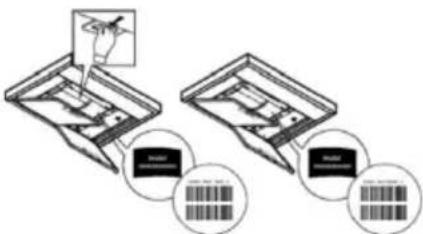
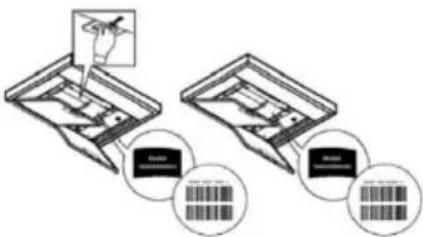
- Register your appliance by following the instructions provided by the App. For the registration procedure, the SAID (Smart Appliance IDentifier) code, indicated on the appliance's label, will be required. The SAID code is a combination of numbers and letters (10 characters). Write down the SAID code of your appliance here:
SAID
1.2 BEFORE STARTING THE CONFIGURATION PROCEDURE
- Before starting the installation, switch on the router and check that the wireless signal from your home network reaches the appliance. To check the strength of the Wi-Fi signal, use a Tablet or Smartphone connected only to the Wi-Fi router, disable all other connections and bring the device near the appliance. Open any Internet page in a browser and check that it loads quickly and correctly. If the home Internet connection works properly but the page does not load, it may be necessary to install a Wi-Fi extension device (not included with the appliance).
- If the router supports WPS 2.0 (or later versions), follow the automatic configuration procedure to connect the appliance to the router. If the router does not support WPS, follow the manual configuration procedure.
Follow the instructions of the Whirlpool 6th Sense Live App, which appear on your Tablet or Smartphone, to connect the appliance to your Wi-Fi network.
Or, perform one of the automatic or manual connection procedures described in the following paragraphs.
1.2.1 INSTRUCTIONS FOR AUTOMATIC CONFIGURATION (FIRST USE)- WPS METHOD
This procedure can be used only if the router supports WPS 2.0 (or later versions).
- On the appliance, activate the recognition process by pressing the connectivity key for three seconds (a beep will confirm the activation). The appliance is set to "search" mode and will search for a local network. The connectivity icon on the appliance will start flashing rapidly.
- On the wireless router, press the WPS key to establish a connection between the two products. A light on the router will start flashing.
- When the appliance connects to the local router, the Wi-Fi icon starts flashing more slowly (this feature is not supported on all devices).
- The device will try to connect to the backend system. The connectivity icon remains continuously lit. If the Wi-Fi icon doesn't stop flashing after a few minutes, this means the device was not able to make a connection with the home network through WPS. Try repeating the procedure, and if it is unsuccessful, use the manual configuration procedure.
- The connection procedure to the Wi-Fi network can be interrupted by pressing the connectivity key.
1.3 DEACTIVATION / ACTIVATION OF WI-FI CONNECTIVITY
To deactivate the connection of the appliance to the Wi-Fi network, press the connectivity key for 5 seconds (a beep will confirm the deactivation). The Wi-Fi icon on the display of the appliance should turn off.
To reactivate the Wi-Fi connection of the appliance, press the Wi-Fi key on the product.
Once the connection has been configured, it can be deactivated and the appliance can be disconnected from the Wi-Fi network by pressing the connectivity key for 10 seconds (two beeps will confirm the deactivation, the first one after 5 seconds and the second one after 10 seconds).
The Wi-Fi icon on the display of the appliance should turn off.
To reconnect the appliance to the home Wi-Fi network, follow the procedure described in the "Preparing for configuration" section.
1.4 INSTRUCTIONS FOR MANUAL CONFIGURATION (FIRST USE) - MICRO ACCESS POINT METHOD
This procedure uses Micro Access Point technology and can be used with routers that do not support WPS.
- Before starting the configuration procedure, note the name (SSID) and password of the home wireless network and the SAID code of the device. This information will be needed during the installation procedure.
- Turn the router on, check that the internet connection is active and connect your smartphone/tablet to your Wi-Fi network.
- On the device, activate the recognition process by pressing the connectivity key for 5 seconds (two acoustic signals will be emitted as confirmation, the first after 3 seconds, the second after 5 seconds) - the Wi-Fi network icon should start flashing on the device's interface.
- Scan the QR code on the label affixed to the appliance; at this point, the Whirlpool 6th Sense Live App will provide detailed instructions to perform the procedure. Note: In some cases, the App may ask you to specify the type of appliance: in this case, select Hood.
- Once the connection has been made, the Wi-Fi icon on the device should stop flashing and remain continuously lit. If not, disconnect and then reconnect the device to the mains power and repeat the procedure.
- The configuration procedure is complete.
1.5 REMOTE CONTROL / DAILY USE
This function is only implemented on certain types of appliance.
- Make sure that the router is switched on and connected to the Internet.
- Make sure that the Wi-Fi connection status light on the product's display is lit steadily.
-
The Whirlpool 6th Sense Live App allows for the appliance to be controlled remotely; in particular, it makes it possible to:
-
control the appliance and activate various options even when you are not at home;
-
access additional functions, such as Smart Energy mode;
-
optimise energy consumption, for example by taking advantage of the most convenient time slots;
- access further information on the use of the appliance;
- check the status of the appliance and any maintenance requirements (e.g. filter change);
- Synchronise the hood with the compatible pyrolytic oven and hob, allowing the appliance to switch on fully automatically.
1.6 QUICK IDENTIFICATION OF THE APPLIANCE'S CONNECTION STATUS
If the Wi-Fi connection status light on the appliance's display flashes quickly, it means that the appliance is trying to connect to the router. If, on the other hand, it flashes slowly, it means that the appliance is connected to the router but is not able to connect to the Internet (e.g. because the ADSL network is not working); some types of appliance do not support flashing at different speeds.
If the light is lit steadily, it means that the appliance is connected to the Internet and to the Whirlpool cloud system.
1.7 FREQUently ASKED QUESTIONS ABOUT THE WI-FI CONNECTION
Which Wi-Fi protocols are supported?
The installed Wi-Fi adapter supports Wi-Fi b/g/n connectivity for European countries.
Which settings need to be configured in the router software?
The following settings are required for the router: 2.4 GHz enabled, WiFi b/g/n, DHCP and NAT activated.
Which WPS version is supported?
WPS 2.0 or later versions. See the router documentation.
Is there any difference between Android and iOS Smartphones (or Tablets)?
There is no difference; either operating system can be used.
Is it possible to use tethering via a mobile phone connection instead of a router?
Yes, but the cloud services are designed for devices with a permanent connection.
How can I check that my home Internet connection is working and that wireless functionality is enabled?
You can search for your smart device in the network. Before trying, disable all other data connections.
How can I check that the appliance is connected to my home Wi-Fi network?
Access the router configuration (see the router manual) and check that the MAC address of the appliance is present in the list of connected wireless devices.
Where can I find the appliance's MAC address?
Directly on the appliance:
look for the label containing the SAID and MAC addresses.
The MAC address consists of a combination of numbers and letters starting with "88:e7".
How can I check whether the wireless functionality of the appliance is enabled?
Using the Smartphone or Tablet, check in the Whirlpool 6th Sense Live App that the appliance's network is visible and connected to the cloud.
What might prevent the signal from reaching the appliance?
Check that the connected devices do not occupy the available bandwidth completely.
Check that the number of devices enabled for Wi-Fi connection does not exceed the maximum limit supported by the router.
How fare should the router be from the appliance?
Usually, the Wi-Fi signal has enough strength to cover a couple of rooms, but the actual range depends largely on the materials the walls are made of. The signal strength can be checked by placing your Smartphone or Tablet near the appliance.
What can I do if the wireless connection does not reach the appliance?
Specific devices can be used to extend the coverage of your home Wi-Fi network, for example access points, Wi-Fi repeaters and Power-line bridges (not included with the appliance).
Where can I find the name and password for the wireless network?
See the router documentation. Usually, there is a label on the router containing the information required to access the configuration page using a connected device.
What can I do if the router uses my neighbour's Wi-Fi channel?
Force the router to use the home Wi-Fi channel.
What can I do if the connection status light keeps flashing slowly and does not remain lit steadily, or if a stable
connection with the home router cannot be established?
It is possible that the appliance connects to the router but is not able to access the Internet. To connect the appliance to the Internet, check the router and/or line settings.
Router settings: NAT must be active, Firewall and DHCP must be configured correctly. Encryption types supported for passwords: WEP, WPA, WPA2. If you want to use a different type of encryption, see the router manual.
Line settings: if the Internet service provider has set the number of MAC addresses that can connect to the Internet, you may not be able to connect the appliance to the cloud.
The MAC address is a unique identifier and it is different for each device. You will have to ask your provider about the procedure to follow to connect devices other than computers to the Internet.
How can I check if data is being transmitted?
After configuring the network, switch the appliance off, wait 20 seconds and switch it on again: check that the App shows the status of the user interface of the appliance.
Some settings take several seconds to appear in the App.
Can the Whirlpool 6th account be changed while keeping the appliances connected?
It is possible to create a new account, but it is necessary to revoke the association of your appliances with the old account before associating them with the new one.
What do I need to do if I change my router?
It is possible to keep the same configuration parameters (network name and password) or delete the previous settings from the appliance and repeat the configuration procedure.
MAINTENANCE
- Cleaning: For cleaning, simply use a cloth moistened with neutral liquid detergents. Do not use cleaning tools or instruments.
XA Anti-Grease Filter: It must be cleaned once a month (or when the filter saturation indication system - if any - indicates the need for it), with non-aggressive detergents, either by hand or in a dishwasher at a low temperature and on a short cycle.
When cleaned in the dishwasher, the metal grease filter may discolour, but its filtering characteristics remain unchanged.
To remove the anti-grease filter, pull the spring release handle.
- Washable activated carbon filter (for filter version only):
The carbon filter can be washed every two months (or when indicated by the filter saturation system - if included in your model). As indicated in the drawing section: remove the grease filter, remove the carbon filter and wash using hot water and suitable detergents or in a dishwasher at 65^ (if washing in a dishwasher, carry out the complete washing cycle without dishes inside).
Remove any excess water without damaging the filter, then place it in the oven for 10 minutes at 100^ to dry it out completely. Put the anti-grease filters back in place. Replace the foam layer every 3 years and each time the cloth appears damaged.
Illumination
-
The lighting system is based on LED technology. LEDs provide optimal illumination, last up to 10 times longer than conventional lamps and save 90% of electricity.
-
Lighting system: The lighting system cannot be replaced by the user, contact Customer Service in case of malfunction.
END-OF-LIFE DISPOSAL

This device is marked in compliance with the European Directive 2012/19/EC - UK SI 2013 No.3113, Waste Electrical and Electronic Equipment (WEEE).
Make sure that this product is disposed of correctly. The user helps prevent potential negative consequences for the environment and for health. The symbol on the product or accompanying documentation indicates that this product should not be treated as household waste but should be handed over at a suitable collection point for the recycling of electrical and electronic equipment. Dispos of it in accordance with local regulations for waste disposal. For further information about the treatment, recovery and recycling of this product, please contact your local authority, the collection service for household waste or the shop from where the product was purchased.
The packaging material is 100% recyclable and is marked by the recycling symbol

REGULATIONS
Equipment designed, tested and manufactured in compliance with safety regulations: EN/IEC 60335-1; EN/IEC 60335-2-31, EN/IEC 62233. Performance: EN/IEC 61591; ISO 5167-1; ISO 5167-3; ISO 5168; EN/IEC 60704-1; EN/IEC 60704-2-13; EN/IEC 60704-3; ISO 3741; EN 50564; IEC 62301. EMC: EN 55014-1; CISPR 14-1; EN 55014-2; CISPR 14-2; EN/IEC 61000-3-2; EN/IEC 61000-3-3.
RECOMMENDATIONS FOR USE
Recommendations for correct use in order to reduce the impact on the environment: When cooking begins, the device should be turned on at minimum speed, and left on for a few minutes even after cooking is complete. Increase the speed only if there is a large quantity of fumes and steam, using the Booster function only in extreme cases. To keep the odour reduction system running efficiently, replace the carbon filter/s when necessary. To ensure the high performance of the grease filter, clean it when necessary. To improve efficiency and minimise noise, use the maximum duct diameter indicated in this manual.
OPERATING ERRORS
If something does not seem to be working, perform the following simple checks before contacting the Service Centre:
If the hood is not working:
Check that:
-There is no power failure.
-A speed has been selected
If the hood has poor performance:
Check that:
-
The selected motor speed is sufficient for the amount of fumes and steam released.
-
The kitchen is sufficiently ventilated to allow an air intake.
-
The carbon filter is not worn out (hood in filtration version).
-
If the hood has switched off during normal operation:
Check that:
-There is no power failure.
- The safety cut-off device has not tripped.
In the event of any malfunctions, disconnect the appliance from the electrical power supply for at least 5 seconds by unplugging it and then reconnect it, before contacting the Service Centre. If the malfunction persists, contact the Service Centre.
TECHNICAL SPECIFICATIONS
| Height (cm) Width (cm) Depth | (cm) Φ of the exhaust pipe (cm) | ||
| 103.7-135 | 89.5 35.5 15 | ||
| 103.7-143.5 |
CE

Components not supplied with product

To download the safety instructions, user manual, technical data sheet and energy data:
- Visit the website docs.whirlpool.eu
- Use the QR code
- Alternatively, contact Customer Service (using the phone number indicated on the warranty booklet). When contacting Customer Service, communicate the codes on the product rating plate.
DE
T6. WERKING "POWER BOOST 1"
T7. WERKING "POWER BOOST 2"
CONTROLLO REMOTO/PROCEDURA DI CONFIGURAZIONE DELL'APPLICAZIONE "Whirlpool 6th Sense Live"
INSTRUÇÉS PARA CONEXão WI-FI
ANOPPIH IPOIONTOE TO TEAOE THE ZQHE TOY

H ouokun autn fepei onmavon oumwva me tvv Eupwnaikn Odyia 2012/19/EK - UK SI 2013 Ap.3113, AIOBNTa Hktpkou kai Hktpovikou Eotlioou (AHHE).
Ako INHCTpyKcInTe 3a MOHTax Ha ypeDa 3a roTBeHe Ha ra3, ONpeJeIaT eHa no-TOJMa DnCTaHcN, TOBa Tp6Ba Da ce B3eMe IpeBnD.
Дрьхтdeцаю3 rodnuHa Bb3pact daJeU OT ypea.Бe3 HeIpeKbchato Na6IHOHeHne Ha Bb3pacteH, CbXpaHraBaIte ypea Ha MrcTo, HeIOCTbHNO 3a Deca Ha Bb3pactno8 roDHH.
BHIMAHNE: ypeT He e npedHa3NaueH da ce aKTHBnpa qpe3 BbHseH TaImep IIN eHa OTdeHa CnCTeMa 3a DnCTaHcNHO ynpabJeHne.
To3n ypei He e npedHa3HaueH 3a npocecnoHaJIHa ynoTpe6a. He n3PON3BaIte ypeHa Ha OTKpIto.
3a da ce n36erHe pncbT ot HapaHraBe Ha xopa, ypeBt Tp8Ba Da ce 6bDe npdBnKBAH INHCTaIIpaH OT DbMa INI NOBuey OBEka.
HCTaInpaHeTo, BKNIOHTeJIHO eBENTyaJIHbPb3Kn 3a BODOCHa6JaBaHe (aKo Ca npEbndeHn) n eJekTpnuEcKeTe Bp3Kn, KaKTO n peMOHTHte DeHocTn Tp6Ba Da ce N3BbPWBat OT KBaJIuΦnIupaH nepcoHaJ.
Kato npiknouH nHCTaInpaHeTo, cBxpaHbAte ONAKObUHnMaTePnaI (nlaactmacobu Yactn, noNCTnpoN I T.H.) daJeY OT Deca, 3a da ce n36eRhe pnck OT 3aDyuaBaHe.
He n3noI3BaIte ypeDa, KOrato cTe MOKpn nn C 6ocn KpaKa.
Hnkora He n3no13BaIte napouncTauKn 3a nouNCtBaHe - pNCK OT TOKOB yIap.
IpnIbpxaIte ce cTpIKTHO KbM HNCTpyKcUNTe, daJeH N HaCToAOTOp bkoBOdCTBO. HnPmata He HOCn HNKaKBa OTROBOPHOCT 3a eBEHTyaJIHN HeN3npabHocTN, uETn IJIN IOXapn, npEtn3BnKaH N OT ypeDa, Bb3HnKHaJI N pe3yJITat Ha HeCna3BaHe Ha IHCTpyKcUNTe, daJeH N HAcTOAOTO pBKOBOdCTBO YpeDbT e npEtna3NaueH eDInHCTBeHO 3a DomaSha yNoTpe6a 3a rotBeHe H xpaHnteHH npOdykTN n acnnpaunr Ha dIM n n3napeHn O T CamOTO rotBeHe. He Ce DOnyckat dpyr n npINOxehn (HaNP. OTONJIbaHe Ha NOMEuHn).
Ipon3BODHTeTHe Hocn HnKaKBa OTROBOPHOCT 3a He npabunHa ynoTpe6a nnHeppaBUNn HaCTpoiKn Ha KOMaHNTe.
-
ПючeteTe BнмATEЛно ИНСТPyкциNe:В ТЯХ Ссьдьрka Вжha Инфopmaця OTHOCHO ИНСТалпаHETO,уNotpe6aTaNМерКNTe 3a 6e30nacHocT.
He n3BbPwBaIe eIekTpueckn npomeH B ypeDa. -
Ппени да письни Te Кьм ИнсталлареTo Ha ypeda, уверete ce, чу Няма уврedingи час. Ако Иma поведи, CBbpxeTe ce c dinstprbyTopa И He письпавITE Кьм MOHTIPAHe.
- Baxho e da ce cbxpaHbAT BCnKu pkoBODCTBa, KOtO npdpjxbaT npodykta, 3a da 6bDaT KOHCyItpaHn NO BcAko BpeMe. PnpoDax6a, OTdaBaHe NOD Haem INI npemeCTBaHe, yBepTe ce, ye pkoBOdCTBOTO BInHaN npndpykaba npodykta.
YpeTMOKe Da ce pa3NnUaBA BbHnHO OT NOKa3aHOTo Ha fHypnte, NOMeCTEHn B HAcTOAto pKOBODCTBO, HO He3aBNCmO OT TOBa, INCTpykUnTe 3a ynotpe6a, NOdPbXka INHctaInpaHe ca HanbJHo eHaKBr.
EJEKTPNUECKO CbP3BAHE
Ha npexeHneTo Ha eIekTpueckata MpeXa Tp6Ba Da CbOTBeTCTBa Ha HnpeXeHneTo, NOKa3aHO Ha etIKeTa 3a XapaKTEPNCTKITE, pa3noJoxeH OT BbTpeuHaTa CtpaHa Ha acnpaTopa. Ako e obopydBaHc SceNcEi, CbByKeTe acnpaTopa KbM KOHTaKT, KOnTO OTROBapr Ha DeINCTBaUHTe pa3nopeD6n pa3noJoxeH B DoCTbNa 3OHa i CJIeD INHCTaJInpaHeTo. Ako He e obopydBaH c UeNCEi (DnpeKTHa Bpb3ka KbM eIekTpueckata MpeXa) IIn NsEncIbT He e pa3noJoxeH B DoCTbNa 3OHa, DOpN CJIeD INHCTaJInpaHe, NOCTABTe 6INIOJpeH PpeBKnIOyBaTeI, 3a Da Ocnrypnte PbJHOTO IN3KIIIOUVAHe Ha eIekTpueckata MpeXa B yCIOBnIa Ta Ha CBpbx HnpeXeHne KaTEROpn III, B CbOTBeTCTBVe C npabnIata 3a INCTaJInpaHe.
BHMaHne! Ppei Da CbpxeTe OTHOBKpbra KbM MpeXOBOTo 3axpaHbaHe I da npOBepnte daIIN cyHKcIOHnpa npABnHNO, BnHaN npOBepraTe daII IN MPexOBnT Ka6eI e MOHTnpaH npABnHNo.
He n3noJ3BaIte ydbJxKHTeJI, pa3KnOHHTeJI n aJaantepn.
Ako ka6eIbT He e obopydBaH c uenCeI, CBbpxTe npoBOHNuTe CbIaCHO cnEHaTa TaBnua:
HansekeHne HecToHa MpeXaTa
Hapabete cnpabka cbc ctoHocTta, nocoheHa eTkeTa C xapaKepnCTKN BbTpE BacnpaTopa.
Cbbp3BaHe Ha npoBOHn
:XbNT/3eNEH
N: cH
L:kaeb
CmHa Ha 3axpaHbau nka6eI
AcnpaTopbTe o60pydBaH cbc cneuaJen 3axpaHbaU Ka6eI; B clyuayHa NOBpeJa Ha Ka6eI, n3nCKaIte IOT OTeJ TexHnuecko ObcJyXBaHe.
ИЗПУСКАЕ HA ВьздухА
(3a Bepcnnte C acnnpaun)
Cbpxte acnpaTopa c Tpb6n n OTbOpn 3a pa3TOBapBaHe Ha CTeHaTc DnaMeTbp, paBnBaUc Ce Ha KOMHa 3a OTBeKdAne Ha B3dyxa (fNaHeu 3a CBp3BaHe).
N3PON3BaHTo Ha Tpb6n N OTbOpn 3a pa3TOBapBaHTo 3a CTeHa C NO-MaTbK DnAmEtbp BOIN DO eHNO HamaJIbaHe Ha npOn3BOiNTeJIHOCTTA Ha acnnpaunraTn EJHO dpaCTNUHO yBeJIuYBaHe Ha UyMa.
CneIOBATEJIHO ce OTXBpIg BcRAKaKBa OTROBOPHOCT OTHOCHO TOBA.
!N3noJ3BaIeTp6a C Bb3MOXHO Ha-MaJIka DbJnxHa.
!H3noJ3BaIeEHaTp6aC Bb3MOxHO Ha-maBk 6poi 3aBOI (MaKcMJaEN bIbN Ha 3aBOi: 90^
!ИЗБЯВATEДРACTUHINПROMEHNHa ceueHHeTo Ha KaHaja.
!DpykectBOTo OTOXBpIg BcKaKbA OTROBOPHOCT, aKO Te3n pa3npoe6n He ce cna3BaT.
ФИТРИРАЕ ИЛN ACПИРALE?
!BaunrT acnnpaTop e roTOB 3a ynoTpe6a BbB BercnTa c acnnpaunr.
3a da n3no13BaTe acnnpaTopa BbB BepcnraTa c pfntpupaHe, Tpr6Ba da 6bJe IHcTaNpaH cneuaHnT KOMJIeKT C AKCECOAPN.
PpOBepTe Ha nbpBNTe cTpaHnUHa ToBa pKoBOcTBo dAn KOMNJIeKTbT C AKCECOAPN Buee doctaBen nn Tpr6Ba da 6bnde 3aKynen OTdeJHo.
3a6eJekka: Ako e doctabeh c npdykta, B hkyon cnuyan donbHnTeHaTa CnCTema 3a fntpnpaHe Ha 6a3ata Ha AKTINB BByIe H MoKe Beue da e nHcTaNpHa Ha acnPapota.
HOpMaIra 3a TpaHcfoopMnpaHeTo Ha acnnpaTopa OT Bepcn C acnpaunr BB Bepcn C c nItpnPapHe, Beue Ce CbIbPka B TOBa pKOBODCTBO.
Bercnacnpaunr
Papnte Ce n3BexdaT HABH NocpeDCTBOM eHa Tpb6a 3a pa3TOBaPaHe, qKcnpaHa KbM Cbbp3Baunq fnaHeu.

BHIMAHNE
Tp6ata 3a n3Bexkdahe He e eoctabeHa n ce 3aknyBa.
DnAmEtbpbT Ha Tpb6aTa 3a pa3ToBapBaHe Tpr6Ba Da OTroBapHa DnAmEtbpa Ha npbcTeHa 3a CBp3BaHe.
AkoacnpaTopbTceobopydBaHcnnTpBp-/nCbBrlne,HTo/Te Tpr6Ba da6bdaTOTCTpaHeHH.
BepcnCΦnntpnpahe
AcnnpnpanrBb3dyx 6bde 06e3macnH C OTcpanen Mnpnc, npdN da 6bde BbpHAT B cTara. 3a da ce n3no13Ba acnpaTopbT ce B Ta3n Bercn, Tp6Ba da ce IHCTaInpa donbJIHntHa fnnTpnpaua cncTeMa Ha 6a3ata Ha AKTNBeH Bbrlepod.
KOMAHДN
A6cop6aTopbT pa3noJa r c KomaHdEn nHaen C KOHTpoN Ha cKOpocTe Ha 3acMyKBaHe N KOHTpO N BKNIOuBaHeTo Ha CBeTJInHata 3a OcBETraBaHe Ha roTbapcknI Pnot.

T1. ON/OFF "Night Light"
T2. ON/OFF cBETNIHn Ha nnot 3a rotBehe -N36op Ha TemnepaTypa Ha zBt
T3.Функлонинранe“Autolight"
T4.Функюнранe“ZEN Mode"
T5. ON/OFF MoTop
T6.Функциониранe“POWER BOOST1"
T7.Функциониранe“POWER BOOST 2"
T8. ABTomatnuHo cyHKuHnHaPe "COOKSENSE"
T9. INHdikatop 3a 3anyuBaHe Ha qnlltpn
T10. ON/OFF pekmn Ha yHKmoHpuane "Breath Daily Cycle"
T11. ON/OFF pexkIm Ha yHKUHOHpaHe "Breath Intensive Cycle"
T12. CBeTJINHeH INDnKaTOP cAKTNBnpaHa fynKnY WI-Fl
T13. Cbbp3BaHe WI-Fl
T1. ON/OFF "NIGHT LIGHT"
HaTncheTe 3a BKIOUOBAHe/IN3KIOUOBAHe Ha Cna6o OCBETneHne Ha NOMEUeHNeTO.
T2. ON/OFF CBETJINH HA IJOT 3A FOTBEHE - N36OP HA TEMNEPATPA HA UBRT
HaTNCheTe 3a BKNIOUVAHe/N3KNOUBAHe Ha OCBETJEHnETo Ha NlOTA 3a FOTBeHe
-ПиИЗКЛЮЧЕН CBETЛINH,ДOKОСHEТ ЛENTа led SL1 c npbCTn HADЯCHO ИЛN HAIЯBO,CbOTBETHO 3a Дa yBeIIMHTe IIN 3a Дa HAMAJITE CINATA HA CBETЛINHATA.
HaTINCHETe OTHOBO (PPODJIJKIteJIHO) 3a Da 3aJaTe TE TEMpePaTypa Ha ZBeTa HA OCBETHeHEnTO.
- DOKOCHETe IeHTata led SL1 c npbctn HAdrno nn HAnBO 3a da HAcTpne CBRT Ha CBeTINHATA NO-CTyDen Hnn noTOnbl. Ako He e n3BbpseHa cmHa Ha zBuTa 3a 5 cekyHdi, SL1 mra Ha HnBO 3aaden CBRT n edin 3ByKOB cnHan,
IOKa3BaYe CnCtEmaTa e 3ana3nJa 3aJaDeHaTa KOHpypaJia.
3a6eJexKa:CBETnHaTa Ce BkHouBa Ha NocJeHnIyBt,3aJaDeH npEiN 3KIOUoBaHeTO.
KaJIb6pnpaHnacnnpaTopa
3a6eEKKa: Ta3n onepaunr Tp6Ba da ce n3BbPm B yCIOBn Ha rTOOBHOCT, T.e. Cnei 1 MNHyTa cIeN i3KIOUBAHeTo HA MOTopa HATNCHE Te 6yToH T4 3a 5 cekyHdi.
CkopocTt (MoHocT) Ha acnnpaun 1 3ano7a da cyHKUOHPa n 6yToHbT T4 mra 3a da nokaKe, ye e 3anoHaNo KaIb6pnpaHeto Ha acnpaTopa, KoETO npoDbJnx 3a npu6bn3nteHNO 5 MNHytn.
3a6eJexka: 3a da ce npekbche kaHbpuhaTe HATnchete T4 3a 5 ckyH; kaHbpuhaTe ue 6bde anynpaHO n CneIOBaTeHNO Tp8Ba Da 6bde NOBtopeHo.
3a6eJekka: npn nbpBoto 3axpaHbaHe Ha npodykta, kani6bpupaHTo ce n3BbPbBa aBTOMaTuHO: T4 mira; cneIOBaTeHNO n3aKaaiTe 5 MNHTN, 3a da 6bJe 3aBbPseHo kani6bpupaHTo.
H36op Ha nIOTA 3a rotBeHe
3a6eEKKa: Ta3n onepaunr Tp6Ba da ce n3Bbplu B yCIOBn Ha rTOOBHcT, T.e. Cne1 MmHyTa cNei N3KIOUBAHeTo Ha MOTopa HATNCHEte 6yTOH T10+T11 3a 5 ckyHdN.
BToHnTe T10 n T11 ce BkJIOHbAT.
HaTnchete 6yToH T10, aKo ce OTHaCnO nIOT 3a roTbeHe Ha ra3 - 6yToHbT Mra 3a da nokaxe HacTbNInJn I36Op.
HaTnchete 6yToH T11, aKo ce OTHaCra 3a eNeKtpnueckn nIOT 3a rotBeHe - 6yToHbT Mna 3a da NOKaKe HAcTbNnMnN 36Op.
HaTnchataTnT 6yToH Mrra 3a 3 cekyn, 3a da nokaxe, He n36obT e 6n3ana3eH.
INHCTPYKUN 3A BPb3KA WI-FI
ДИСТАЦНОНо YПAPВЛЕнUE/ПОUCEДУРа HA KOHФИГУРAUЯ HA ПИЛОЖЕНETO "Whirlpool 6th Sense Live"
PpnoJoxeHnTo Whirlpool 6th Sense Live n03BOJRABa da aKTINBnPaTe ynpabJIbaTe yCTPOIcTBoTO dNCTaHIOHO OT eHbHnHO yCTPOIcTBO. 3a da aKTHBnPaTe ypeDa 3a NCTaHIOHO ynpabJIeHne, Tp6Ba da N3NbIHnTe npOeDpyata 3a KOHfynpynPapHe Ha cBb3aHocTtA. Ta3n ppoJeypa e Heo6xOIMMa 3a peRNCPTpnpaHe Ha ypeDa n CBbp3BaHeTo My KbM domaunHata MpeXa. PpOeDypaTa 3a KOHfynpyPnPapHe Tp6Ba Da ce N3BbPm EHN-EHNCTBeH nBt. Tp6Ba da Ra H3NbJHnTE OTHOBcAmo npn npomHa Ha xapaKtepcNTknte Ha pyTepa (Ime Ha MPexKaTa, napona nn DoCTaBnK Ha daHHn).
1.1 INPEIДA 3ANOCHETE INPOUEyPATA IO KOHΦIgYPUPAHE
- 3a da n3bpywnte npoceyypata, Tp6ba da pa3nojarate cbc: CmapTfoH nn Ta6net c onepauonHa cnCTema Android 7.0 (nnn no-Bucoka) nn Ipad nn IPhone c onepauonHa cnCTema IOS 11 (nnn no-Bucoka); WiFi pytep b/ g/n 2.4 Ghz, CBp3an C INhertet (cBc CmapTfoHa nn Ta6neta npOBepTe daHn CnHata Ha CNHnHa Ha domaunHata 6e3xnuHa mpeka e do6pa B paOna Ha ypeda).
2.ИЗтглелеи Инсталпайтse 6e3ПаTHOTО npINoxeHne Whirlpool 6th Sense Live Ha Baunia cMapTФоH nIи Ha Ta6NET anДрOND nIи Ha Baunia iPAD/iPhone ot onJIaIN mara3nHa. ПpINoxeHneTo ppeOCTABR BCuKN Heo6xOIMM INHCTpyKUm 3a npOeDypata NO INCTaLnpaHe. Ako BCE OSe HЯMaTe aKayHT, cn Cb3daiTe n CE peRiNCTPupaTe (KaTO NOДПишete 3akOHOBITE yCIOBnA), 3a DA MOKe Da ce Bb3PON3BaTe OT HAUNHIne ΦyHKUm Ha npINoxeHneTO. - Perncpapate yepa cn cbflacno nHctpkyuHTe Ha npnloxeHneTo. Pnp npoeDpyata no perncptpapahe ce n3ncBa koda SAID (Smart Appliance Identifier), nocoey Bbpxy etuketa ha ypeda. KoSaID npedctabnaBa 6yKBHeo-uePepa KaM6Haau (10 cmbola). 3anwete cn tyk KoSAID h Baunya ype:
SAID
1.2 INPEДI DA 3ANOCHETE INPOUCEIDYPATA HA KOHΦNIGYPAUJIa
-Ппетдддддддддддддддддддддддддддддддддддддддддддддддддддддддддддддддддддддддддддддддддддддддддддддддддддд徳
-Ппетс дd d d d d d d d d d d d d d d d d d d d d d d d d d d d d d d d d d d d d d d d d d d d d d d d d d d d d d d d d d d d d d d d d d d d d d d d d d d d d d d d d d d d d d d d d d d d d d d d d d d d d
- Ako pyTepbT noDbpxa WPS 2.0 (nIn nCneBauu Bepnn), CneBauTe npoceDpyata 3a abTomatua KOHfNpyaqna, 3a da cBbpxte ypea kM pyTepa. Ako Baunr pyTe he noDbpxa WPS, CneBauTe npoceDpyata 3a pbHa KOHfNpyaqna
CneBae Hnctpykunite B npnloxeHneTo Whirlpool 6th Sense Live Ha Baunra Ta6net nnn cMaprfoh, 3a da CbpxeTe Baeto ycTpoiCTBO KbMa Baata Mpeka WiFi.
IINn 13nblHeTe eHa O T npOeDpyPte No aBtOMaTHUHO IIN pBHy Cbbp3BaHe, ONiCAHN B cIeBaunpe pa3deJI.
1.2.1 INHCTPYKUIN 3A ABTOMATNUHA KOHΦNΓYPAUIN (NbPBA YNOTPEBA)-METOD WPS
Tao npoeDpya moKe da ce n3noJ3Ba, cAmO aKO pyTepbT noJbpxa WPS 2.0 (nIn cnEeBauN BepCuN)
- AktnBnpaIte npoeca 3a pa3no3HbAHe Bbpxy ypeDa, KaTo HaTnCHeTe 3a TpN cekyHn 6yToHa 3a Cbbp3aHocT (n3daBa ce 3BykoB cnHan 3a nOtBbpxJdHne). YpeDbT ce HacTpoBb B pexm Ha "TbpcHe" Ha IokaHa Mpeka. Nkohata 3a Cbbp3aHocT Bbpxy ypeDa 3anoYBa da Mra 6bp30.
- Bbpy 6e3xuHn pyTe npTCHte 6yToH WPS, 3a da yctahOBHe Bpb3ka MExky DbaTApOdykTa. EINH CBeTIHHEN HndKATOp Bbpy pyTepa 3anoYBa da Mira.
- Korato ypeBt ce cBbpxe KbM IokaHnpyTeP, IKoHaTa WiFi 3aNoUba Da Mmra no-6abHo (ta3n xapaKtepncTka He ce noDlbpxa npn BCnKn ypeDi).
- YpeBcTe oOnnTbDa ca CbBpKx KbM bacend cncTeMaTa. IkoHata 3a CbBp3aHocT npOdbJXaBA da CBETn HnepeKbcHato. Ako NkOHa WiFi He cnpe Da Mira cIeN HAKoJIKO MNHyTu, TOBa O3NaUaBA, ye ypeBt He e ycPnI da yctahOBu Bp3ka C domaShata MPexa Upe3 WPS. OnntaTe ce da nobTopte npOceDypaT a aKO n To3n PbT He e ycNeuHa, n3NbHHe Te npOceDpya 3a pbuHO KOhFgnpupaHe.
- Празураета 3a Сьрзаве Кьм WiFi мржа т мосяда се пекс che ур e3 HaNTSCaHe Ha 6yToHa 3a Cьрзанoct.
1.3 DEAKTUBINAHE/AKTUBINAHE HA CBbP3AHOCCTTA WI-FI
3a da deaktnbupate cBp3BaHTo ha ypeDa KbM WiFi mpeXata, HATnchete 3a 5cekynd 6ytoHa 3a CbBp3aHOCT (n3daBa ce 3ByKOB cnHan 3a notBbpXdHeNe). IkoHata WiFi Bbpx dy nCnIe Ha ypeDa 6n Tpr6BaNo da n3rache.
3a da akTnBupate oTHOBo Fi Bpb3kata Ha ypeHa, HATNCHe 6yToH Fi Bbpxy npOdyKta.
Cnei konhpynpaHe Ha Bpb3kata, Moke da Ja deakntbnpate n da n3knouhte ypea ot WiFi mpexkata, kaTo haTnckate
6byToHa 3a Cbbp3aHocT B npOdbJIkeHne Ha 10 cekyHn (n3daBaT ce Dba 3ByKObn CnHaJa 3a NOTBbPjDeHne - eDHHnT cpei 5 cekyn, a BtopnT - cpei 10 cekyn).
IkoHaTawiBbpxyDnCnpeHa ypea6n Tpr6BaJIO da n3rache.
3a da cBbpxeTe OTHOBO ypeDa KbM DomaunHaTa WiFi mpeXa, n3nblHeTe npoceDypaTa, onncaHa B pa3dJI "IodrotobKa 3a KOHcHpynpaHe".
1.4 INHCTPYKUIN 3A PbUHA KOHΦIγPauNIA (ΠbPBA YIOTPEBA) - METOD MICRO ACCESS POINT
Tasnpocepya n3non3Ba Micro Access Point texnojma moke da ce n3no3Ba c pytepi, konTo He noDtbpxkAT WPS.
- Праздддддддддддддддддддддддддддддддддддддддддддддддддддддддддддддддддддддддддддддддддддддддддддддддддддд徴псунгурра.TO KONФигуррас,сИЗANWEte IMeTO (SSID)и naponaТаHa domaшнatura 6e3xuHa Мржа и кoД SAID Ha урда. Te3n DaHn Ie ca Bn Heo6xOdIMn no BpeMe Ha npoцEDypaTЯ no INHCTaJInpaHe.
- BkIIOUepe pyTepa, npOBepe TaBp3KaTa KbM INHTepHET e aKTHBHa N CbBpxKe TcMapTfoHa/Ta6Jeta cn KbM Wifmpexkata n.
- Bbpy ypea akTnBpaTne npouca Ha pa3no3HabaHe, KaTO HATncHeTe 3a 5 ckyHn 6yToHa 3a CbP3aHocT (n3daBaT ce nBa 3BykOBn cnHnla 3a nOTbpxJeHne - nbpBnT cneI 3 ckyHn, BTOpyr - cneI 5 ckyHn) · NkOHata Ha WiFi mpekata 6n Tpr6BaNo da 3anoue He da mna Bbpy nHTepfceHa ypea.
- CkaHpaTe QR kOda Ha eTnkeTa, nocouen Ha eTnkeTa, noCTaBeH ha ypeDa, toraba npInoxKeHneTo Whirlpool 6th Sense Live ue npedocTabN noDpo6Hn HnctpykUn 3a n3BbprBaHe Ha npoceDypata. 3a6eJekKa: Pnp HraKoI o6ToTeJICTBa e Bb3MOxHO npINoxKeHneTO da n3NcKBa da ce nocOu TnPa ypeD: B TO3n cIyauH n3BepeTe AcnPapTop.
- Cné yctahOBaHe Ha Bp3KaTa, NkoHa WiFi Bbpxy ypeDa 6n Tp8BaNo Da cnpe Da Mira n da ocTaHe cBeTeuHa HnpeKbchato. Ako ToBa He cTaHe, pa3kahe Te n OTHOBO CBpbkTe ypeDa KbM eJekTpueckata MpeXa, Cnei Koeto NOBTope IpoceDypata.
- Праздура с по Конфигурра He epNKIOUHeHa.
1.5ДИСТАЦИОНноУПРABЛЕнUE /EXEДHEВHA YNOTPEBA
Ta3nФyHKZnaCe npuNarca Camo npn onpeJeHn BINOBe ypeNi.
-
ПобереadingутейсьгКлчецн CBbp3aH KbM INHTepHET.
2.Поберете ДдсВETПИHнгИТ ИДИКаTOp 3a CBСToHnETo Ha WiFi ВьБЗКaТа ВьPxy ДИССпЯн ppoDyKТа CBeTи HENpeKbCHaTO.
3.Пилбженeto Whirlpool 6th Sense Live no3BOJBA da ce ynpabJBa nCTaHcHNOHoo yctpoiCTBOTO; noCteuHaIHO npednara Bb3MOXHOCT 3a: -
ynpabJeHne Ha ypea n akTbBupaHe Ha pa3nHn onu, dOpn KOraTO cTe N3BbH DoMa.
- DocTbI Do DonbJIHHTeJIHn FyHKU, KaTo HApIMep pexm Smart Energy
- ONTNIMIN3IPAHe Na IOTpe6JIeHnETo Ha eJIeKTPoEHePnI, HApIpIMep Upe3 N3IOJ3BaHe Ha Na-N3rOJHnTe BpeMeBn 3OHn.
-IOCTbI IO DOnbJIHITeJIHa INHΦOpMaζη 3a ΙN3NoJ3BaHεTo Ha ypeJa. - npOBepKa Ha cTaTyca Ha ypeHa n EeHTyaJHa Heo6xOJIMOCT OT NOpIpbXka (Hanp. CmHa Ha cHnITpn).
CnHxpoHn3npaIte acnpaTopa cbc cbBmecTmM nIOT 3a roTBeHe n npoNTuHa cypHa, KoETo n03BOJraBa Ha ypeDa da ce aKTHBnPa HnblHo aBTOMaTuHO.
1.6БbP3O INDEHTNΦUICPAHE HA CTATYCA HA CBbP3BAHE HA YPEDA
Ako CBETINHHNt INDnKATOp 3a CbCToHHeTo Ha WiFi Bpb3kata Bbpxu DnCnIe Ha ypea Mra 6bp30, TOBa O3NaUaBa, Ye ypeDbT ce ONITBa Da ce CbPke KbM pyTepa. Ako Nk Mra 6abHo, O3NaUaBa, Ye ypeBt e CbP3An KbM pyTepa, Ho He ycnaBa Da ce CbPke KbM INTEpHET (HanpImep 3aIoTO ADSL mpeXaTa He pa6Otn); HAKO BNIOBe ypei He IODbPkaT MIRaHe np Pa3NIuHN cKOpocTN.
Ako INDnkaTOpbT CBETN HEnpeKbCHATO, TOBa O3NaHbA, Ye ypeBt e CbP3aH KbM INHTepHET N KbM ObnauHaTa CnCTema Ha Whirlpool.
1.7 YECTO 3AADABAHN BbPPOCN 3A WIFIBPb3KA
KoWiFi npToKoJIe ne noIbpxaT?
HcTajnpanrTi WiFi aanTepe noDbpxKa cbp3aHocT Wi-Fi b/g/n B ctpaHte B Ebpona.
KoHacTpoiKn Tp86Ba Da ce KOHcHypnPurB CcoPtyepa Ha pyTepa?
3a pyTepa ce n3nCKBaT cneHnTE hAcToPkn: 2.4 GHz aKTHBupan, WiFi b/g/n, DHCP n NAT aKTHBupan.
KoBepnHa WPS e noDtbpxkaHa?
WPS 2.0 nnn cneBauuTe Bercn. HanpaBeTe cnpaBkBa DOKyMeHtauyTaHa pyTepa.
Ima Jn pa3nnmexdy cmapTphon (Jnn Ta6net) Android n iOS?
HЯma pa3nika, moKe da n3noJ3BaTe n eHata, n npyra tonepaunOHHa CnCTema.
POKNY K PřIPOJENÍ WI-FI
DÁLKOVE OVLÁDÁNÍ/POSTUP KONFIGURACE APLIKACE “Whirlpool 6th Sense Live”
FJERNSTYRING/PROCEDURE TIL KONFIGURATION AF APPLIKATIONEN "Whirlpool 6th Sense Live"
T12. AKTIIVISEN WI-FI-TOIMINNON VALOILMAISIN
FJERNSTYRING/PROSEDYRE FOR KONFIGURASJON AV APPEN "Whirlpool 6th Sense Live"
T13. CONEXIUNE WI-FI
ISTRUÇIUNI PENTRU CONEXIUNEA WI-FI
CONTROL DE LA DISTANTÁ/PROCEDURA DE CONFIGURARE A APLICATIEI „Whirlpool 6th Sense Live"
T1. ON/OFF "Night Light"
T13. WI-FI-ANSLUTNING
FJARRKONTROLL/KONFIGURERINGSPROCESS FÖR APPEN "Whirlpool 6th Sense Live"
PpIMtKa: iHdkaTOpN BkIIOUaHObTcR pN BkIOUeHIN BVrJXuJI.
KhONka T9 yBIMKHeHa: BIKOHaIte TexHIne 06cnyroByBaHHa KnpOBoro fipbtpy.
Khonka T9 6JIIMae: BIKOHaIte TexHIne O6CnyroByBaHHa JbTpTa 3 aKTHOBaHm ByJlJIaM.
CkDAnHn iDnKaTOpB HacNueHoCTi qJbTpib:
PpIMtKa: 1O npaui NOBnHa BkOHyBaTcHr Ha BKnIOeHIn BNTJx.
TpBaIHO HATNCHTb KHOIKy T9; niDCBiyBaHHa 3rache, Bka3yOuH Ha Te, IIO CKINdaHH BIKOHaHO.
AKTINBaIaI INDnKaTopa HacnueHnaIbTpA 3 aKTHBOBaHm ByrillnM.
PnIMtKa: 1O npaia NOBHHBa BIKOHbATncr Ha BUMKHeHOMy MToPi BNTAKKN.
Dahm iHdkatop 3a3Bnau BIDKnUoyehn; noro cnid AKTHByBaTH, kUO BNTXkBACTaHOBHeHa y fInbtpyOyOMy BapiaHTi, OTke, 3a HABHOCTI ByrInbHex pInbTpIB.
BnKoHaIe OndHouache DoBRE HaTnCKaHHa KhoNk T1 i T10, 06 yBIMKHyTN cyHKciIO: niDCbiyBaHHa KHOJOK 3arOpITbcra, Bka3yOuH Na BnKoHaHy aKTINBaCiIO.
Uo6 BmKHyTN cyHKuio: 3HOBy BnKOHaIe DObre HaTnCKaHna TiX KhoNk (T1 i T10): KhoNk HeIOBRO 6nMaIOb i notIM 3raCaOTb, Bka3yOChn Ha BmNKaHnry CyHKui.
T10. BKJI./BIMK.(ON/OFF) PEXJUM POBOTN «BREATH DAILY CYCLE»
Bntjka aBTOMaTHUHO BCTaHOBJIOC 5WBnKICb BCMOKTyBaHHa (noTyXHiCb) 1, a NotIM 36IbWye, kIto zuoro BmaraHtbpapametpn cepeOBIuza B npMIiueHHi, BnBHeHI daTCHKOM BNTJKKN.
3a BiDCyTHOCTI 3MHN WBNIKOCTI, BNXODYH 3 BmIPRnX napaMeTpIB cepEOBUNA B npMIeHHi, Chepe3 2 rOHN BNTJxKa BIMKHeTBCr.
Y6yDb-kaKOMy BnnaKaBnTgKKaYepe35roDnH6yde3ynHeHa npMycOBO.
BnKcTB BmOKTyBaHH (noTyXHcTB) 1 noHnae npaObaTn, i KhoNka T4 6nMaE, Bkayoun Ha Te, 00 KaJI6pyBaHH BnTAAKn po3noaTo i TpNBaTmme 6n3bKO 5 XBNH.
Приитka: Дд Зинкиkanibpbyанн haTnckaite KhoNky T4 npotrom 5 cekynd; kani6pyBaHHa 6yde Heiichm, i Tomy Ioro cnid nobtoptu.
Dotpmytecb iHctpyki 3actocnyk Whirlpool 6th Sense Live, kI 3'ABnroTbcr Ha Bawomy nnaHweti cn cmapfpohi, o6 niEcnatn npncpti do Bawoi mepeki WiFi.
A6o BnKoHaIe Ody 3 npOeDpy ABTOMaTHHOrO a6o pyHoro NiIKNIOHeHH, ONiCAHy B HAcTyNHx naparpaax.
1.2.1 IHCTPYKJI3 ABTOMATNUHOrO KOHΦIγPYBAHH (NEPLIE 3ACTOCYBAHH) - WPS METO
LIO npOeDpy MOKHa BnKOpncTObyBaTN, IINIE JAKU O BaA Mau MapuTy3aTOp nIDTpMMyE WPS 2.0 (a6o HAcTynni Bepci)
- AkTbByte npOuec po3ni3HaBHHa HnPncTro,HaTnCKaOnu KnaBiuy nIKNIOeHHn pOToRm Tpbox CeKHyd (BnDaecb8yKOBn CnHan nIITBepdxKeHH). PnpCTpi BCTaHOBNeHO B pexMIM "NoUyK" NOKaJIbHOI MepeXi. PIKTorpaMa nIKNIOeHHa HnPncTrooi NoHHaC WbNDKO 6JIMMaTI.
- Ha 6e3dpoTOBOMy MapuTyntaToPi HAtnciTb KOnKy WPS, 0o6 BcTaHOBnTn 3B'3OK MIX DbOMa npOdyKTAMN. IHdkaTop Ha MapuTyntaToPi NoHnAe 6JIMatn.
- Kony npicpii ndkluocbdo nokaibhoro mapwpytnaTopa, niktorpama WiFi noHnac 6nmat noBilhiie (znyKcui ndtpmmyetcb He y BCix npuaax).
- IpnctpiH HamaTcBcN iKIOHHTNCa Do cepBepHO CNTeMn. IOKHa NIKIOUeHHra TOpNTb NoCTiHMM CBITOM. IKoI kONKa Wi-Fi He nepeTaE 6bnmatu che3 KINbKa XBNIN, Ze O3Naue, 10 npictpoHe BdaIOcN pIKIOHTNCa DO domaHBoI MepeXeO 3a DonomoroWPS. CnpobyTe NOBTOTN IpoueDpyi, JkIo ce He Bdactbc, ckopntaiTeCn PPOeDpyo KOHqirpaui BpyHy.
- PpoeDpy npiknOeuHnDo mepexi WiFi moKHa nepepBaTn, HATNCHyBm KHOKNy npiknOeuHn.
1.3 DEAKTUBAIZI / AKTUBAIZI PIKKIOUeyHRA WI-FI
Uo6BmKHyTn nikHoueHH npnaNy do mepexi WiFi, hatachitb i ytpmyTe KhoKy nikHoueHH npotraom 5 ckynd (nponyhae 3BykOBn cnHan niTbepdxehHH).IkoKa WiFi ha dncnnei npncptpo NOBnHa 3rachytn.
Uo6 BiHOBHTn 3'EDHaHHa WiFi npuana, HATNCiHb KOnky WiFi Ha Bnpo6i.
Iicna HanaaTyBaHH 3'edHaHH Bn MoXeTe Noro DeaKTHByBaTn Ta BiKJIouHTn npCTpiB BiD MepeKi WiFi, HATNcKaUOHN KhoKy NiKJIIOueHH NpOTaROM 10 cekyHd (Bn NooyeTe Dba 3ByKOi CnHaJN NiITBepdxKeHH, nepuN cheE5 cekyHd, a dpyrN cheE3 10 cekyHd).
IkoKa WiFi ha dinCnnei npncTpoIO nobHHa 3rachyTu.
3nOB niknHHTn npncptiD o domaunboi Mepexi WiFi, doTpymyTecb npoueyp, onucaHx y pozdiN i «PiidroTOBka do KOHphiirpyBaHHra>.
1.4 IHCTPYKUII ODO PUYHOI KOHΦIγPAUII (NEPUE BVKOPNCTAHN) - METOD MICRO ACCESS POINT
Lpnoepdpa BnKOpncTOBye TexHonorio Micro Access Point i MoKe BnKOpncTOByBaTnCra 3 MapuTy3aTopamN, kKi He nItpmmyoTb TexHonorio WPS.
- Ppei noaTkom npoedynn HanaWtBuHn 3anwiB im' (SSID) ta napoi Baowoi DomaunBoi 6e3poTOBOI mepexi Ta SAID-ko npicrpoIO. Li dahi bdynt noptiphi nid cac npoeDpyn BCTaHOBneHHN.
- YbIMKHiTb MappyTu3aTop, nepekoHaItecra, 0iHTepHeT-3'EDHaHHa AKTBHe, iPiKJIouHtB CMapTfoH/IIaHuet Do CBOeI mepexi wifi.
- AkrBnyTe npoec po3ni3HaabHn Ha npctpoi, HATNCyBwn KhoNky nikKnoeHH npotrom 5 ckynd (npOlyHaoTb Dba 3BykOBi CnHAn NiTBePdKeHH, nepuynpe3 3 ckynd, pyrnuyepe3 5 ckynd) - Ikonka Mepeki WiFi NOBHHa Noatn 6IImatn Ha iHTepceci npcTpoJ.
- BiDcKaHyTe QR-KoI 3 etKekTn Ha npuaDi; TaKIM YHOM DoaToK Whirlpool 6th Sense Live HadaCTb DeTaIbHi IcTpykii 7OIO BnKOHaHH npoueDypn. Ppimtka: 3a NeBHX o6ctabHn nporpama MoKe nonpocHTn Bac Bka3aTN npuJaY: ycbomy BnAky Bn6epiB BnTJxka.
- NicBCTaHOBHeHHa 3b'3ky nIKTORpama WiFi ha npuaDi NOBHHa nepeCTaN 6JImaTH i ropiTn NOCTIHm CbitlOM. B iHwomy BnauKy BiE'EdHaIe npuaD biE eKeTpOmepeKi Ta NiKnIOuITb Noro 3HOby i NOBTOPIb pOceDpy.
6.Поцетура конфігуразьндавершета.
1.5 INCTAHUHHE KEPYBAHHRA /IIODEHHE BNIKOPUCTAHHRA
Lc yhkujpeani3oBaHa Nmwe Ha deaKnx Tnax 0bnHaHH.
- IpekehauTeec, 0o MapuTy3aTOp yBIMKHeNo Ta niKnHoueNo Do lHTepHeTy.
2.ПepekoHaItec,ио iHnKaTOp CTAny 3'EDHaHHa WiFi Ha duCnnei Bnpo6y ropuTB noctiHo. -
3actocyHOK Whirlpool 6th Sense Live Do3BOJAE DCCTaHcIHO KepyBaTn PpIJaOM; 3OKpeMa, BIn npOnOHc MOXKNIBICTb:
-
KepyBatn npucTpoem i akTNByBatn pi3Hi onu, HabiB KOJI BN 3hAxOJNTecb He BDOMa.
- OTPMAtn DoCTyn Do daTkoBx yHKui, TaKnx kpeKIM Smart Energy
- ONTNIM3yBaTn CNOXINBAHNN eHeprii, HAnpIKlaI, CKOpNCtABuINCb Hau3pyHiuIMN yAcOBIMN iHTepBaJIaMNI.
- OtpmAtn Doctyn Do doataKoBoi iHopmaquii, 0do KOpncTyBaHHaPnlaam.
- Ipebeipte cTah npnlaNy Ta notpe6y B texhiHomy o6cnyrobyBaHHi (hanpknad, 3amHI pInbtpib).
CINHxpoHi3yIte BNTJkKy 3 cyMICHOIO dYXBOHO 1afoIO 3 npOIITnHIM OCHUHm, IO6 npuad yBIMKHyBCNOBHCTO ABOTAMTHO.
1.6 WBNIKE BN3HAUEHNCTATUCY NIKJIIOUHENH NPNCTPOO
IHKUO iHdkaTOp cTuHy 3'cHaHHa WiFi Ha ducnnei npncTroIO wBnKo 6nMaε, ce O3Haac, o npncTpi HAmaraetbcra niknouHTncdo Mapwpytn3atopa. RaKUo BIn NobinbHO 6nMaε, ce O3Haac, o npncTpi niKnluoyeHO do Mapwpytn3atopa, ane BIn He moke niknouHTncsdo IHTepHeTy (hApnKnaD, TOMy, o MepeKa ADSL He npaioe); deKi TUNN oBnAnHnH He nIDTPmMyOTb 6nMaHHa 3 p3HOu 8wnkicTIO.
IHKIO iHdkaTOp ropntb noCTiHm CbitnOM, ce O3Haaye, 10 npnad nikluoyen do IHTepHeTy Ta do XmapHOi CNCTeMWhirlpool.
1.7 YACTO 3AADABAHI NITAHN IPO NIKIOUeHHa WIFI
Kpi npotokonn WiFi nIATpmyoTbc?
BctaHOBJIeHn aadTep WiFi nItpmYe nIckNoeHHra Wi-Fi b / g / nДЯ EBponeNcbKnx KpaIH.
Rki napametpn noTpi6Ho hanaTuBAtn B nporpamHomy 3a5e3neueHHi Mappytn3atopa?
Дя Маршутузатopa Notriби Habуни Hablaштувань: niДтчмka 2,4 Г, Wi-Fi b / g / n, cepBep DHCP i ФункцЯ NAT BKЛючeni.
Jka Bepci WPS niTpmyetbc?
WPS 2.0 a6o hactyni Bepci.3BepHItbcdo DOkymeHTaui MapuTyntaTopa.
Yn e BiMmHooTix mix cMaprfohamn (a6o nlaHwetamn) Android ta iOS?
BidmiHocTe Hemae, MoXHa BnKOpNCToByBaTn 6e 3 np6bem 6yD-ky 3 ux OpePATNBHX CNTem.
YIMOxy BVKOpNCToBByBaTH TeTePiHr Chee3 CTINbHnKObe 3'cDHaHHa 3Amicb MapwpyTn3atopa?
Tak, aIe xMapHi cIyXb6 npn3HaueHi dny noCTiHo nIKJIOUeHnx npncTpoIB.
Yn moxy 3miHHTn obJIkOBn 3aInc Whirlpool 6th, 3aIIwaOOn nIikNoeHmnpuJad?
Bn moxete cTBOpTuHOBn o6NIkOBn 3aInc, ane He 3abyTe ckacyBatn 3B'30K CBOIX npucTroIB 3i CTapIM o6NIkOBm 3anicom, nepu HIX NOB'3yBaTn IX 3 HOBM.
Ioo pO6nTu, kkuo maMinHO mapuTy3aTOp?
Moxha 36epeTn Ti Jn napameTp n KOnphiirpyaii (im'Я Мepexi Ta naponb) abo BuaHITn nonepedhi yctaHOBKn 3 npncTroTO Ta nobTopHTn pOceDpy HanaStyBaHHa.
TEXOBCJyROBYAHH
- OuHHeHH:Пд.Yac ouHSeHHBnKOpNCTOBuYTe BnKJIIOUHO BOIORY TkaHInHy 3 HeINTPaJIbHIM MIOUHM 3acO6OM.He BnKOpNCTOBuYTe iHCTpyMeHTNa npHaDi nId Yac ouHSeHH.
XAXHINOBNOBbHnIINbTp: Ioro Heo6xioHO
NCTHTOn ODNH pa3 Ha MicraUb (a60 KOJIcN CnCTema IHINKaUi
HaCNueHHa -KIO BOHa IpeEIDbAeHa Ha
HaABHm MoJeI - Bka3ye Ha 1O Heo6XiHicTB),
DeIiKATHMM MIOUHM 3acObAMn, BpyHy a60 B
TocydomnHm MaunHi npn Hn3bKnx TemnepaTypax i Ha
KOPOTKOMy cIKNI.
Pn MNTI B nocydomnHm MaunHi, XnpOBn FIpBtp MoKe 3he6apBntncr, ane Noro FInbtpyBaJIbHi BnactuBOCT 3aIIuAIObCn He3miHHMn.
3HnJNPOBNOBIOUOuN pINbTp,NotrHiTb 3a pyky po3yennHn 3 npyKnHO.
Bp 3 aKTHBOBAHMM ByrInnM, Mmctbca (tINbKn dnn Bepci i 3 piaiTpauicio
ByrIbHn IbTp MOxHa MItu KOxHi DBa Micaui (a6o KOnn CnCTema IHOpmyBaHHra 3abpydHenHn IbTpB -KxO ue neped6aueHO y Bawi Moedei -BkaKe Ha zu Heo6xHicTB).Jk 3a3NaeHo B po3diJI kpceneHb: 3HIMITb JInponorlnHaoui IbTpN, 3HIMITb ByrIbHn IbTp i BVMMte B rapuH BODi BiNobiHNM MNOCHMN 3ac6amn a6o B nocydomnHi MaunHi npTtempepatyi 65^ (NiD qac MTTB NocydomnHi MaunHi BVKOhaTe NOBnUKNMTTBe3 nocdy BCEpEnHi).BudaniTb 3aBy BDOy, cIidkyOuN 3a TmU, 06 He noWkoNTn IbTp, a Notim nomictb Noro B dYXOBky Ha 10 XbUNn npTtemepatypi 100^ , 06 ocTaTOHNo BVcUWN. 3HOBy BCTAHOBiTb XINPOBNOBNIIOUOci IbTpN.
3amHIOte KINIMOK KOKHi 3 pOKn Ta KOXHO rO paY, KOJI IN TkaHnHa 6yna NooKOJKeHa.
OcbITHeHH
CnCTema ocBtiIeHnHa 6a3yEb8cHa CbitIOioHni TexHOIorii. CbitIOiOHi rapaHTyOt b ONTMaJIbHe OCBITIeHHra MaOTb TepMin cnyKbNo 10 pa3iB 6InbSe, HIX y TpaNizHnx NaMn, i Do3BOJrOToB 3aoUaNTn 90% eJeKTpoeHeprii.
CnCTema niicBiyBaHH: KopntyBaH He moKe pObTu 3amHy cnCTemNiDCBvBaHH. Y pa3i HEnoJadok 3B'ayTeec 3i Cnyk6oTexHiHOI NiIDTPMKN.
YTNJI3AUJI PICJI 3AKIHUEHHA TEPMIHY CJyX6N

Ley anapat mapkoBaHn KlaacnphiakuiHm CmBbIOM BiIIOBiaHNO do DnpeKTHBn 2012/19/EC - UK SI 2013 No.3113, Ipo BiXoDn eJektpuHoro Ta eJektpoHoro o6naHaHHa (WEEE).
KoHTPOJIOUOu, 06 ue npOdyKT ytni3yBaHn HaleXHM uHOM. KopNCTyBaH dONOMaE 3anobir moKJINBIM HeratNBHM Hacniikam dIra HabkOnnHbOro cepeoBnuia i 3doob'cMbON Ha cAmomy Bnpo6i abo cynpoBxkyBaHbHi DOKymeHTaui Bka3ye, 0 npyn tyinla3aui DaHO rBOp6y 3 Hm He MOxHa NOBOUTCRAK 3 6byb-akmm INHMM no6yTOBmN BiXODAMn. HatomicTb Ioro cnD BIDabATn y BiNOBiHN nyHK T pniomy eektpnHOrO Ta eektpnoHOrO 6bnadHnna Ira nOdaIbwoi ytni3aui. Ytni3yTe Noro BiNOBiHO do MicceBnx npabn ytni3aui BiXODIB. 3a 6InbW Doknadiho IHopmaieo npo npabnla NobOJeHHra 3 TaKIMn Bnpo6amn, ix ytni3aui Ta nepeo6kn 3BePtaTncB Micuebi oprAHn BnA, B cny6b no ytni3aui BiXODiAB oBO mRa3NH, B kOMy 6By Pnd6aHn daHn npcTpi.
NaKyBaJIbHm MaTepian Ha 100% niIdaεTbcra nepepo6ci i no3HaueHn CmBONom nepepo6Kn

HOPMATIBHI DOKYMEHTN
YCTaTKyBaHnCnpoeKTOBAnO,IpOTecTOBaHO Ta BnroTOBHeo 3rIHO 3 TaKIMN CTaHApTaMn 6e3neKn:EN/IEC 60335-1; EN/IEC 60335-2-31,EN/IEC 62233. Po6oyi xapakTepcntkn:EN/IEC 61591;ISO 5167-1;ISO 5167-3;ISO 5168;EN/IEC 60704-1;EN/IEC 60704-2-13;EN/IEC 60704-3;ISO 3741;EN 50564;IEC 62301. EMC:EN 55014-1; CISPR 14-1;EN 55014-2; CISPR 14-2;EN/IEC 61000-3-2;EN/IEC 61000-3-3.
PEKOMEHДAUJI 3 BVKOPNCTAHNЯ
Iopadn dna HanexKhoro BnkOpncTaHnB cijx 3HnKeHH BnInBy Ha HABKOINHc cepeoBniue:Ha noatky npiroToyBaHH yBIMKHITb npnaad Ha mHimaJIbHy WbNkicTb Ta 3aIIuTe ii YBIMKHeHO Ha deAkn qac taokn nicna 3akHneHH npiroToyBaHH. 36iIbWyIe WbNdkicTb TiIbKn B pa3i BeNkoI KInbKocTi dmy i napi, BnkOpncTOByOu n cyHKIO booster Iiue B OKpemix BnIaNkax. Dnpi ndPmIKn eFeKTNBHOci CnCTEmn dla 3MeHweHH 3anaxib, 3amHHTn pni Heo6xIDHOcti ByrIbHn/ if pInbTp/n. Dnpi ndPmIKn eFeKTNBHOi poBOTn JnpoBOrO fInbtpa, OunuYte Noro B pa3i notpeBn. Dnra onTumiaqii eFeKTHBOcTI Ta 3HnKeHH PIBH wUMy, BnkOpncTOByTe MaKcImaJIbHnn diAmETp cnCTEmn nobITponpOBodIB, kOnncAoHO bCbOMy nocihNky.
HECINPABHOCTIBPOBOTI
JaKIO BAM 3daeTbcra, 0o 0ocb He npaioe, nepu HIX 3BepTaTnca Do cepBicHoro ceHTpy, BIKOHaIte HAcTynni npocTI nepeBipkn:
-ЯкpoBnTЯЖKa He npaquoe:
IpeBipTe, 10:
-BiCyTHI nepe6oB eJeKtponocTaahHHI
-Буно Вибрано wBnДкICTb
-ЯкwoBtЯЖka npaцhoe noraHO:
IpeBipTe, 0c:
- Ośpacha yacotota oboptaHHá DnHyHa é DoctaTHbOIO dIЯ HABHOI KINbKOcTi DMy i napiB.
-KyxHMaDCOCTaTHIO BENTINIauioIIOI3a6e3neueHHNpnpnnBy NOBITPra.
ByinbHn pifnbTp He 3HOWeHn (BntaKa y Bepci i 3 pfNbtpaicio). - Jkso BnTjKka BmKhnylaac n iD yac HopMaIbHoI po60t:
IpebeipTe, 0c:
-BiDcyTHI nepe6oB B eJeKtponocTaaHHi.
- 6araTOnoJIocHm BiDCiUHn npucTpiI He cnpaQOBaB.
y pa3i BnHnKHeHHa 6ydb-koI HecnpaBHOCTi BiDkIOHTb npnaad BiE eNKeTpOmepeXi He MeHwe HIX Ha 5 cekyHd, BnTARHyBmBnIKy 3 po3ETKn, a Notim 3HOBy nikIOHTb II do Mepexi. Raio HecnpaBHicTB He 3HnKae, 3BepHITbcrdo cepBicHOcnyK6n.
TEXHIUHIXAPAKTEPNUCTUKN
| Висota (cm) Ширпа (cm) Глии (cm) ∅Бина (cm) ∅ Витяжною trуби (cm) | |||
| 103.7-135 | 89.5 35.5 15 | ||
| 103.7-143.5 |
CE

KOMHOENTN, Hc He Noctaaytbcra 3 npnaadom

3aBHTaxnIHCTpykui 3Texhikn 6e3neKn, noci6HnK KopncTyBaay, texHiyHn nacnpT Ta ehepreTuHi noka3HKn:
- 3aɪdɪtɪb Ha Be6-caɪr docs.whirlpool.eu
BnKOpncToByTe QR-KoI
A6o 3BepHtbcrdo Cepbichoi cnyx6n (3a HomepOM Tepeohy, Bka3aHm y rapaHTiHOMy TaIOnHi).Pn 3BepHeHHIO cnyx6n nicJnpodaxHoro OcSyroByBaHHa BkaXiTb KODN, IO MCTTbCra Ha 3ABODcbKIn Ta6nuci Bnpo6y.