
Optimow 15 - Lawn mower GREENWORKS - Free user manual and instructions
Find the device manual for free Optimow 15 GREENWORKS in PDF.



User questions about Optimow 15 GREENWORKS
0 question about this device. Answer the ones you know or ask your own.
Ask a new question about this device
Download the instructions for your Lawn mower in PDF format for free! Find your manual Optimow 15 - GREENWORKS and take your electronic device back in hand. On this page are published all the documents necessary for the use of your device. Optimow 15 by GREENWORKS.
USER MANUAL Optimow 15 GREENWORKS
MANUAL DE INSTRUCTIUNI
BG
Роботизирана ливадна косачка
The following pages contain important safety and operating instructions
Carefully read and review all safety instructions, warnings and cautions contained in this manual.
Failure to read and follow these instructions, warnings and cautionary statements may result in severe injury or death to persons and pets or damage to personal property.
The materials, technical data, and figures in this manual are provided for guidance only and are not binding. The manufacturer reserves the right to make any changes to the technical characteristics and all features of operation, materials, technical data, or figures without prior warning.
Contents
Product Safety....4
Reading the operator manual....4
Operational safety....6
Product Unboxing....7
Installation 8
Planning Layout and Preparation 8
Installing and Connecting the Charging Station....9
Position for the charging station as follows:....9
Connecting the Power Supply....10
Initial Charging of the Battery....11
Installing the Boundary Wire....12
Installing a Guide Wire ....15
Calibrating and Initial Start Up....17
Operation....18
Starting and Stopping the Mower....18
Switching Off the Mower 18
Adjusting Cutting Height 18
Lifting and Carrying the Mower....19
Pairing Mobile App to Mower....19
Maintenance 20
Removing the Body from Chassis 20
Cleaning....20
Replacing Blades....21
Maintaining the Battery....21
Replacing the Battery 22
Winter Storage Mower 23
Winter storage Charging Station 23
Troubleshooting....24
Indicator LEDs on Mower 24
Symptoms....25
Breaks in Boundary Wire and Guide Wire....25
Technical Data....26
Environmental Protection....27
Warranty Terms 28
CE Declaration of Conformity....29
As a complement to this operator manual, more information is available on the website: www.greenworkstools.eu
EXPLANATION OF SYMBOLS ON THE MOWER


This is a dangerous power tool. Use care when operating and follow all safety instructions and warnings.
Read the operator manual carefully before operating the mower.


Remove the safety key before working on or lifting the mower.


Hazard of thrown objects during operation.
Keep a safe distance from the mower when operating and keep people, especially children, pets and bystanders away from the area where mower is being operated.


Do not ride on the mower.

Class III appliance
READING THE OPERATOR MANUAL
The following symbols are important for reading and understanding the operating instructions.

Wear protective gloves
The following system is used in the operator manual to make it easier to understand:
- WARNING! Warning texts alert users and consumers to the existence and nature of hazards so that they can prevent injury by appropriate conduct during use of the product.
- CAUTION: Caution texts alert users and consumers to the existence and nature of product risks so that they can prevent damaging the product by appropriate conduct during use of the product.
NOTE: Notes inform users and consumers about additional information about product use.
• Text written in bold italics refers to another section in the operator manual.
• Text written in bold refers to settings on the mower.
IMPORTANT
READ CAREFULLY BEFORE USE! KEEP FOR FUTURE REFERENCE!
Training
WARNING! Automatic lawnmower! Keep away from the machine! Supervise children!
- Read the instructions carefully. Be familiar with the controls and the proper use of the machine.
- Never allow people unfamiliar with these instructions or children to use the machine. Local regulations may restrict the age of the operator.
• The operator or user is responsible for accidents or hazards occurring to other people or their property.
Preparation
- Ensure the correct installation of the automatic perimeter delineation system as instructed.
- Periodically inspect the area where the machine is to be used and remove all stones, sticks, wires, bones, and other foreign objects.
- Periodically visually inspect to see that the blades, blade bolts and cutter assembly are not worn or damaged. Replace worn or damaged blades and bolts in sets to preserve balance.
• On multi-spindle machines, take care as rotating one blade can cause other blades to rotate.
General
- Never operate the machine with defective guards, or without safety devices, for example deflectors and/or grass catchers, in place.
- Do not put hands or feet near or under rotating parts. Keep clear of the discharge opening at all times.
- Never pick up or carry an machine while the motor is running.
- Remove (or Operate) the disabling device from the machine
- before clearing a blockage;
- before checking, cleaning or working on the machine.
- Do not leave the machine to operate unattended if you know that there are pets, children or people in the vicinity.
Maintenance and storage
- Keep all nuts, bolts, and screws tight to be sure the machine is in safe working condition.
- Check the grass catcher frequently for wear or deterioration.
- Replace worn or damaged parts for safety.
• Ensure that only replacement cutting means of the right type are used. - Ensure that batteries are charged using the correct charger recommended by the manufacturer. Incorrect use may result in electric shock, overheating or leakage of corrosive liquid from the battery.
- In the event of leakage of electrolyte flush with water/neutralizing agent, seek medical help if it comes into contact with the eyes, etc.
Servicing of the machine should be according to manufacturers' instructions.
OPERATIONAL SAFETY
This operator manual contains all of the basic information concerning the safe operation and maintenance of the mower.

Carefully read all the safety precautions and instructions in this operator manual before operating the mower. Save this operator manual for future reference. Follow manufacturer instructions regarding installation, operation, maintenance, and repair.
This mower is designed to mow grass in open and level areas. Use only equipment recommended by the manufacturer. All other types of use are incorrect.

This mower conforms to CE safety standards and directives concerning electromagnetic compatibility, machines, and low voltage.

The mower is not intended for use by persons (including children) with reduced physical, sensory, or mental capabilities, or lack of experience and knowledge, unless they have been given supervision or instruction concerning use of the appliance by a person responsible for their safety.
Children should be supervised to ensure that they do not play with the appliance.
The mower must only be operated, maintained, and repaired by persons that fully understand its special characteristics and safety regulations.
Start the mower in accordance with the instructions. When the safety key is in the Enabled position, keep your hands and feet away from the rotating blades.
Never put your hands and feet under the mower.
Do not modify the original design of the mower. All modifications void the guarantee.
Switch off mower using the STOP button on the mower when persons, especially children, or pets are in the cutting area. It is recommended that the mower be programmed for use during hours when the area is free from persons or pets.
Remove objects from the operating area such as branches, toys, stones, tools that can damage the blades. The mower can fasten on objects in the operating area and help may be required to remove the object before the mower can continue mowing.
Never lift up the mower or carry it with the safety key inserted.
Always switch off the mower using the STOP button when the mower is not in use. The mower can only start when the safety key is inserted and the START button is pressed.
The built-in alarm is very loud. Be careful, especially if the mower is handled indoors.
Do not use the mower with a defective blade disc or body.
Do not let persons who do not know how the mower works and behaves use it.
Do not put anything on top of the mower or its charging station.
Always wear protective gloves when working with the mower's blades.

Product Unboxing
EN
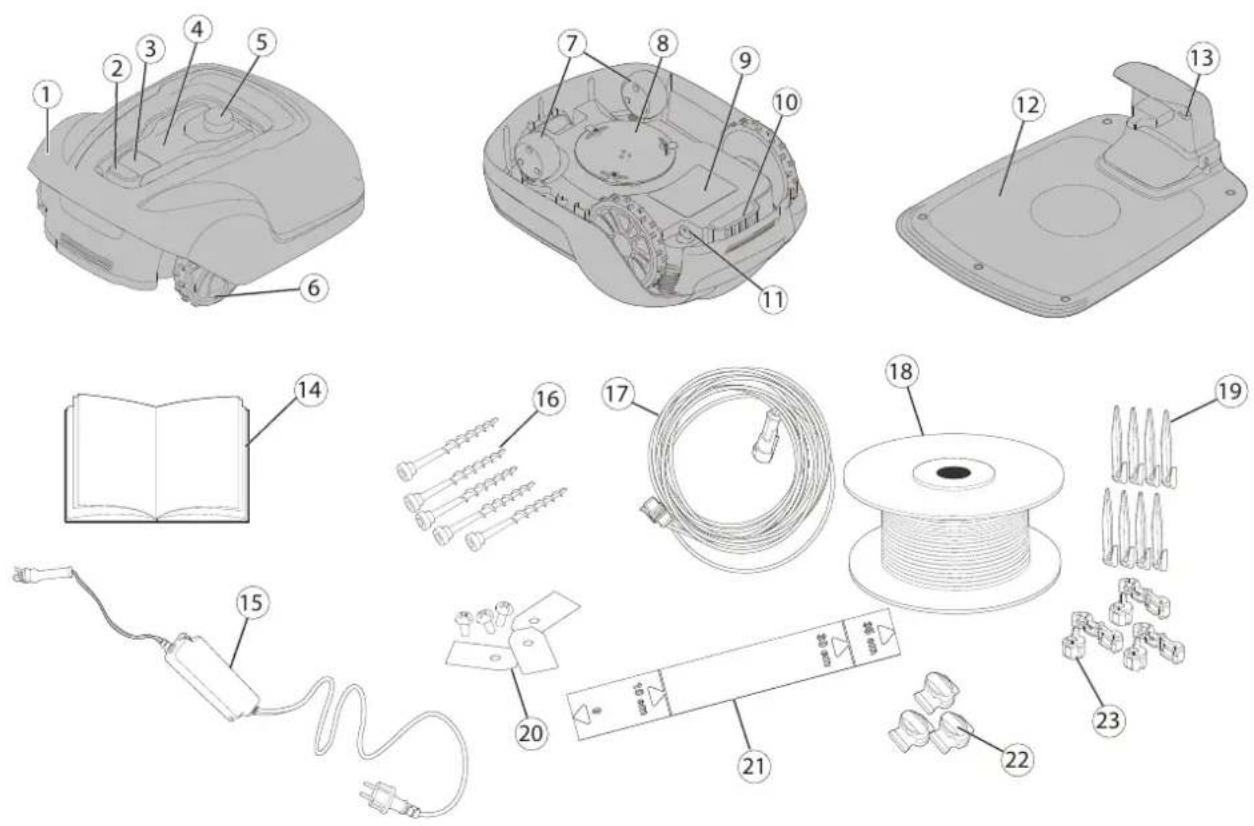
text_image
Exploded view diagram of a device with numbered parts for identification and assembly reference.1 Removable cover
2 Stop button
3 Start button
4 LED indicators
5 Cutting height adjustment
6 Rear wheels
7 Front wheels
8 Blade disc
9 Battery cover
10 Carrying handle
11 Safety key
12 Charging station
13 LED for operation check
14 Operator manual and quick guide
15 Power supply*
16 Screws for securing charging station (x5)
17 Low voltage cable
18 Loop wire for boundary and guide wire
19 Wire pegs
20 Extra blades and screws (x3)
21 Ruler (break off carton top)
22 Splice and guide wire connectors (x3)
23 Loop wire connectors (x 3)
* The appearance of the power supply may differ depending on market.
Unbox the mower and installation materials. Make certain that all parts shown in Figure 1 are included and undamaged. Contact your retailer if any items are missing or damaged.
Keep the Quick Guide in a safe place since it contains the unique pairing code for your mower.
Read the entire section before beginning installation. Installation affects mower capability.
Plan the installation carefully.
The following are the main tasks within the installation:
- Planning layout and preparation
• Installing and connecting the charging station
• Connecting the power supply
• Initial charging of the battery
• Installing the boundary wire
• Installing the guide wire
• Calibrating and initial start up
PLANNING LAYOUT AND PREPARATION
Ensure that the following conditions exist in the operating area where the mower will be used:
• The grass is shorter than 10 cm.
• There are no stones, loose pieces of wood, wire, live mains cables, and other foreign objects.
• The operating area is even and has no ditches, grooves, and steep slopes greater than 35%.
The following tools are required for installation, but not included:
• Hammer/rubber mallet to drive the pegs into the ground
• Combination pliers to cut the boundary wire
• Polygrip to press the couplers together
• Hex key, 6 mm for securing the charging station to ground
INSTALLING AND CONNECTING THE CHARGING STATION
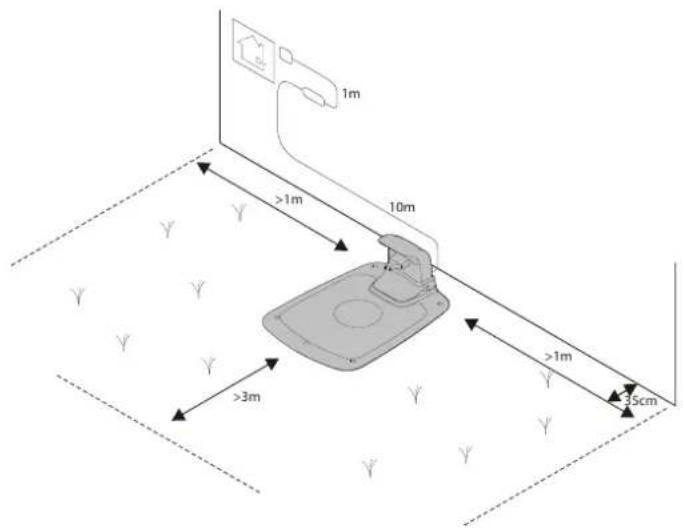
text_image
1m >1m 10m >3m >1m 35cmPosition for the charging station as follows:
- In a level spot out of direct sunlight
(The front end of the charging station must not be 5 cm higher or lower than the back end.)
• Within reach of a wall socket (The low voltage cable is 10 m long.) - With at least 3 m in front of it and 1 m to each side (Do not position in confined spaces in the operating area.)
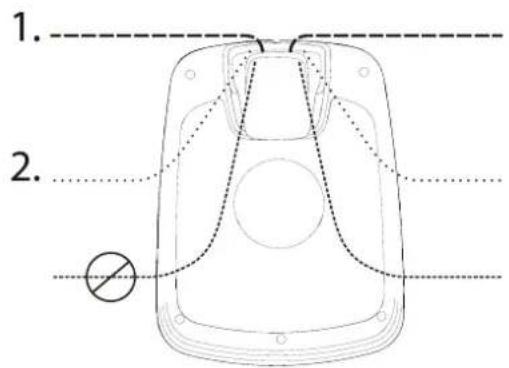
text_image
1. 2.The majority of the charging station must be inside the operating area.
The following two options are shown in figure:
• Option 1 - Charging station is completely inside the operating area.
• Option 2 - Charging station partly outside the operating area.
CONNECTING THE POWER SUPPLY
Connect the power supply in a cool, dry environment; out of direct sunlight.
If the power supply is connected to an electrical socket outdoors, it must be approved for outdoor use.
The low voltage cable can cross the operating area if it is stapled down or buried.
CAUTION: Do not cut, splice, or alter the low voltage cable. Altering the low voltage cable will void the product guarantee.
natural_image
Diagram of a car interior showing directional arrows indicating movement or force (no text or symbols)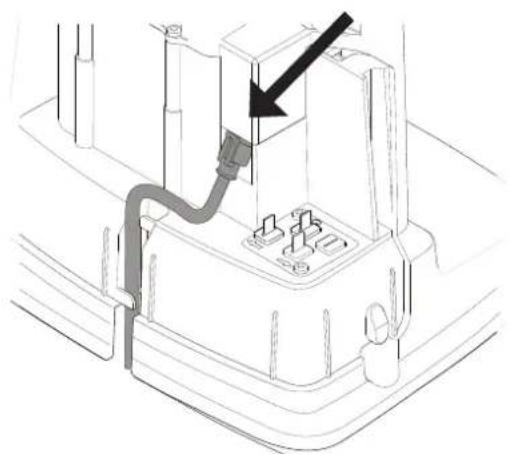
natural_image
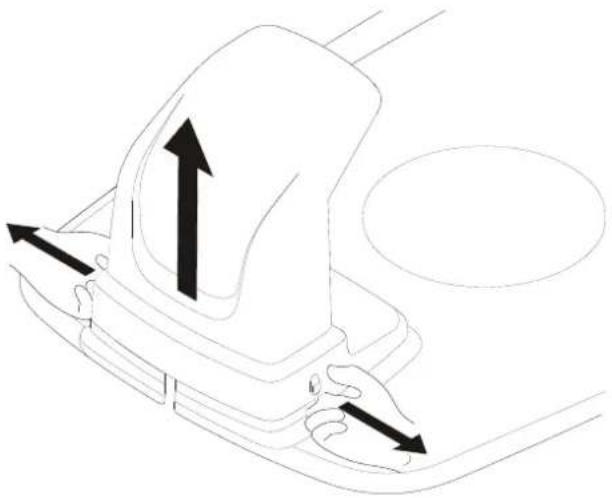
Technical line drawing of a mechanical assembly with a black arrow pointing to a component (no text or symbols present)Remove the protective cover on the charging station by pressing in the tabs on each side of the base and lifting away the cover.
Connect the low voltage cable to the charging station.
Thread the low voltage cable behind the tabs to hold it in place in the charging station.
Connect the power supply power cable to a 100-240 V wall socket.
INITIAL CHARGING OF THE BATTERY
natural_image
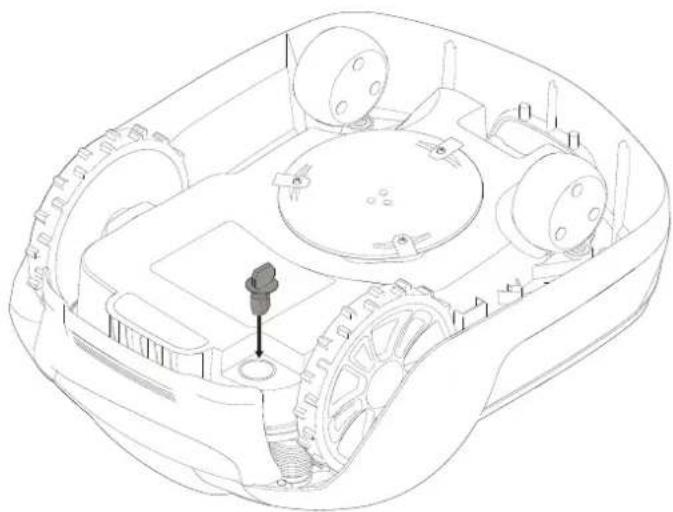
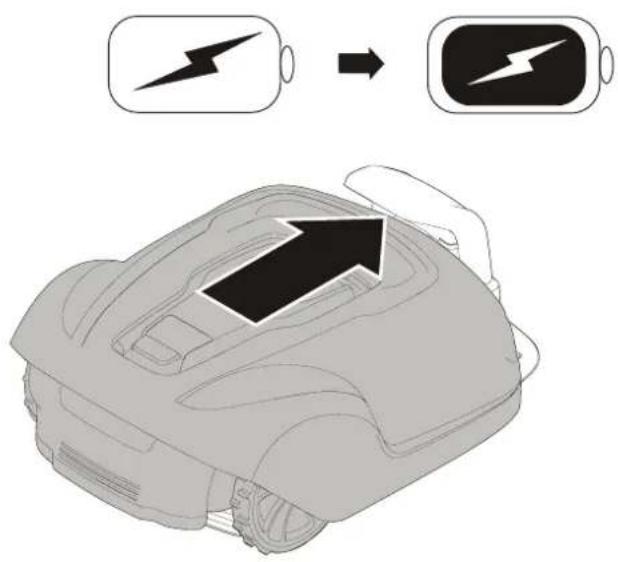
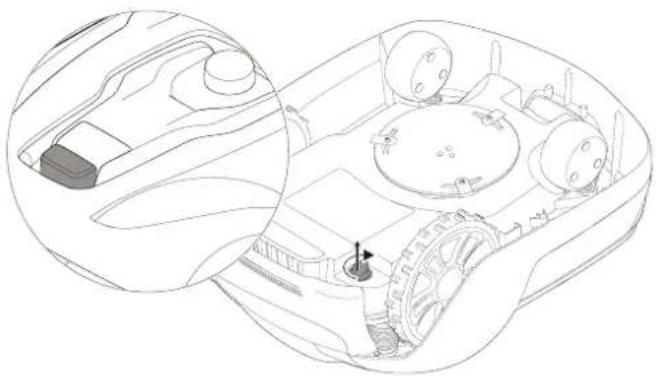
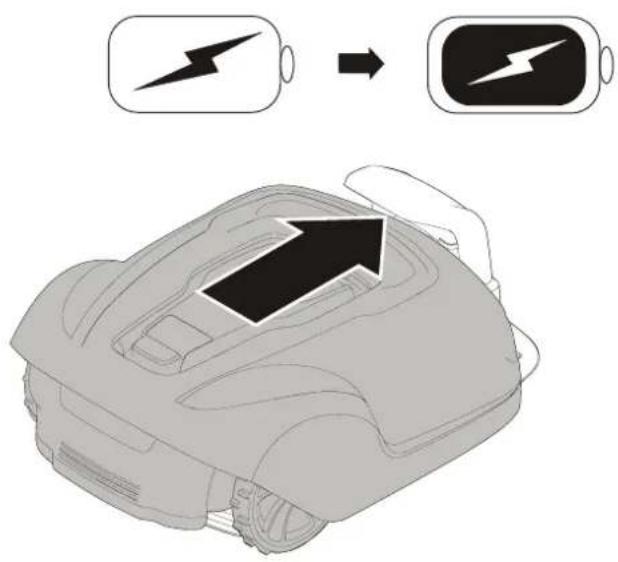
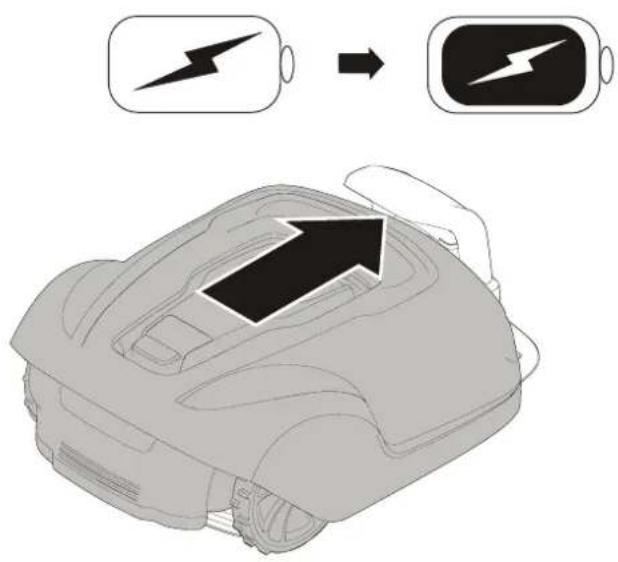
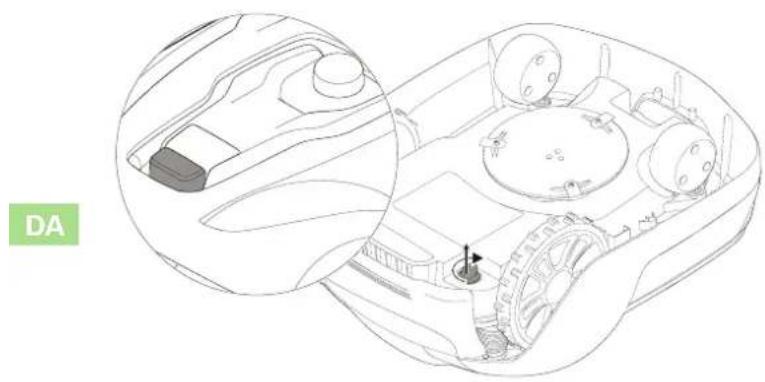
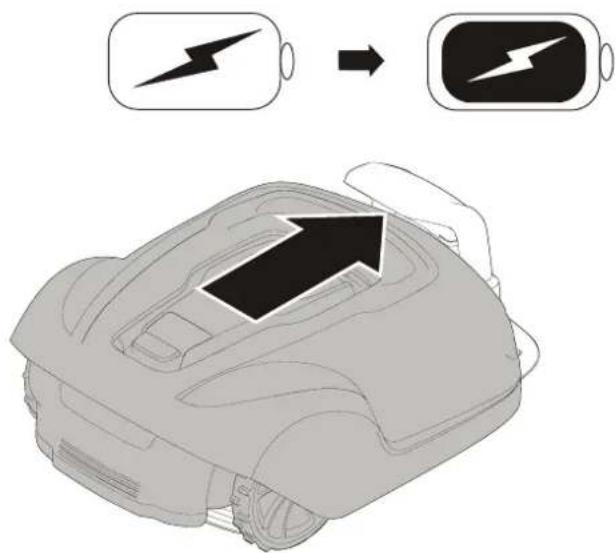
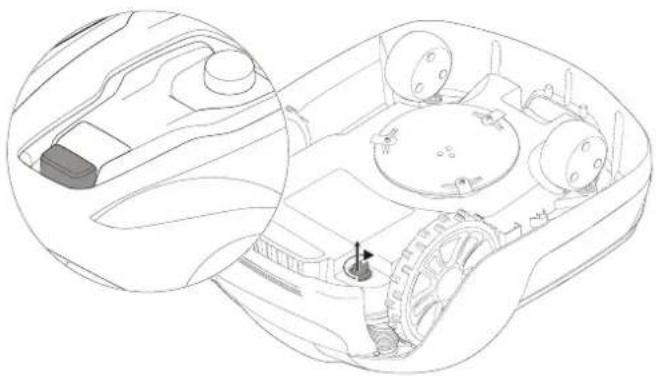
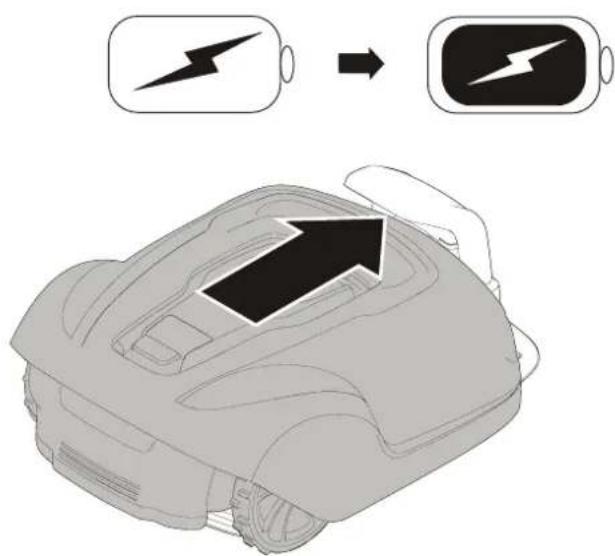
Technical line drawing of a mechanical vehicle showing internal components and a central hub (no text or symbols)Insert the safety key into the underside of mower and turn to the Enable position.
text_image
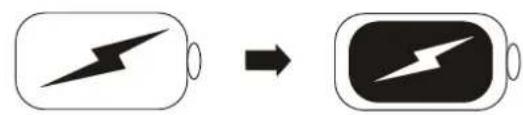
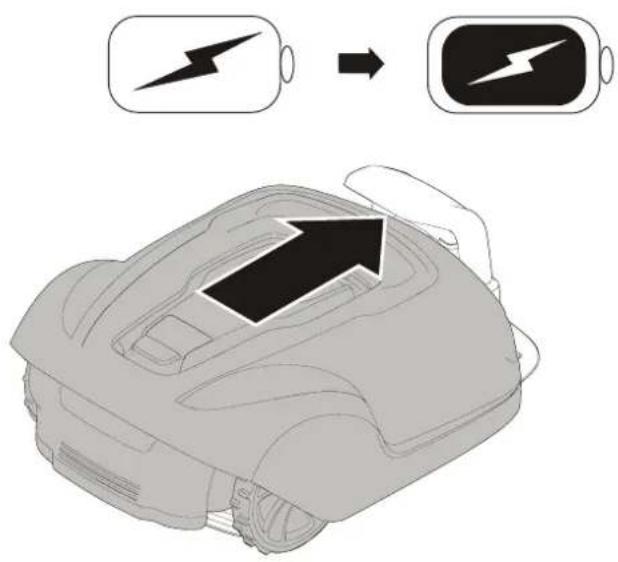
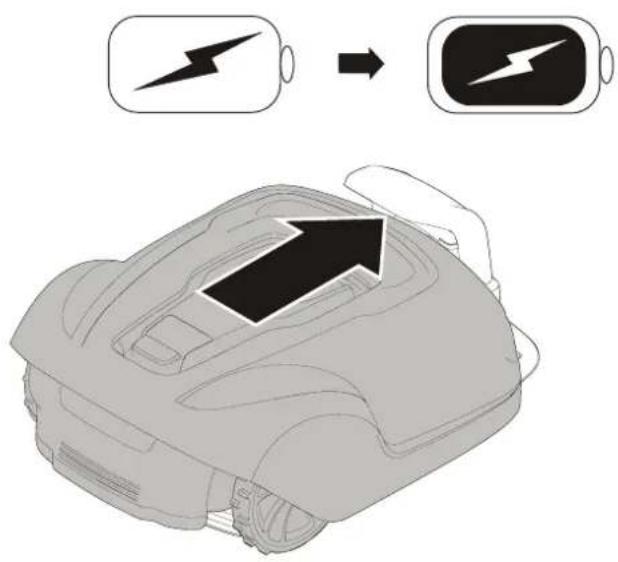
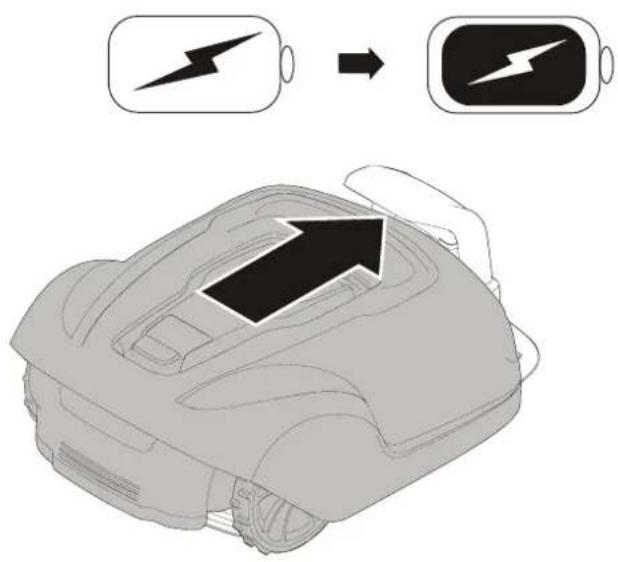
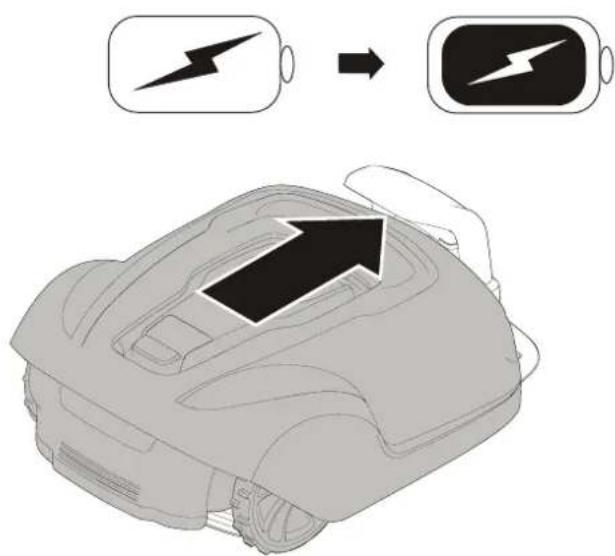
Diagram showing battery charging process with lightning bolt symbol and battery iconPlace the mower into the charging station while the boundary and guide wires are being laid.
The mower cannot be used before the installation is complete.
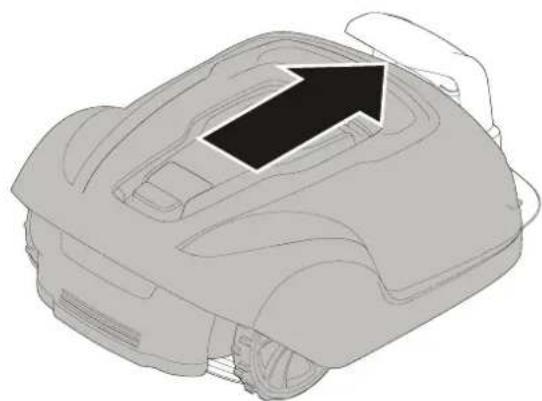
natural_image
Line drawing of a robotic car with an arrow indicating direction (no text or symbols)INSTALLING THE BOUNDARY WIRE
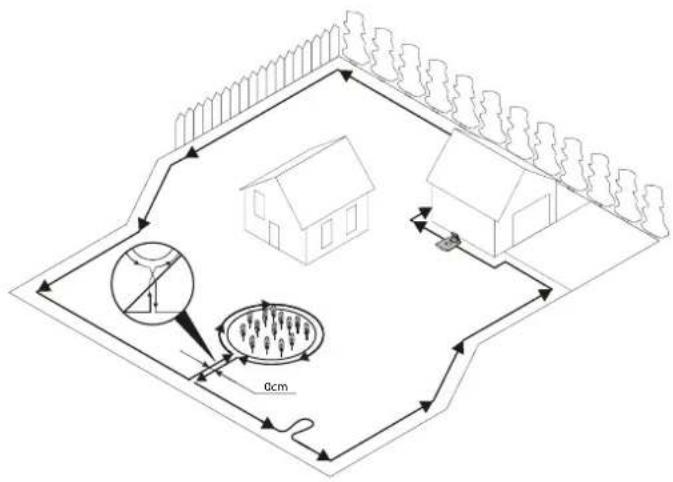
When installing the boundary wire there are a number of situations to consider as described in the table below.
Table 1. Handling Deviations and Obstacles in the Operating Area
| VARIATION WITHIN OPERATING AREA BOUNDARY WIRE PLANNING | |
| Fixed obstacles level with lawn that the mower can traverse (paving stone paths or similar) | Lay the boundary wire under the paving stones or in the joint between the paving stones.Never run the mower over gravel, mulch, or similar material that can damage the blades. |
| Fixed obstacles ± 1 cm high Lay the boundary wire 10 cm from the obstacle. | |
| Fixed obstacles 1—5 cm high (small ditches, flower beds, or low kerbstones) | Lay the boundary wire 30 cm from the obstacle. |
| Fixed obstacles 5 cm or higher (fences or walls) Lay the boundary wire 35 cm from the obstacle. | |
| Fixed obstacles taller than 15 cm that can withstand a collision (trees or shrubs) | No measures required; the mower will turn around when it collides with this type of obstacle. |
| Fixed obstacles that slope slightly such as stones or large trees with raised roots | Lay the boundary wire 30 cm from or remove obstacle. |
| Fixed obstacles that cannot withstand a collision Lay the boundary wire 30 cm from and around the obstacle and then return it back along the same route. | |
| Long and narrow passages and areas narrower than 1.5 m Install a guide wire. | |
| Borders on a slope, road, precipice, or water Supplement the boundary wire with a physical barrier at least 15 cm high. | |
| Slope up to 35% within operating area No measures required; the mower can operate up to a 35% as long as the slope is not at the boundary of the operating area. | |
| Slope less than 15% at operating area edge Lay boundary wire as normal. | |
| Slope greater than 15% at operating area edge Do not lay boundary wire unless a fixed obstacle (fence or wall) exists to prevent the mower from leaving the operating area.When a part of the operating area outer edge slopes more than 15%; lay the boundary wire 20 cm in on the flat ground before the beginning of the slope. | |
NOTE: Slope gradient is defined in percentage units (%). The slope as a percentage unit is calculated as the difference in elevation in centimetres for every metre. If, for example, the difference in elevation is 10 cm, the slope gradient is 10%.
Installation
EN
text_image
Diagram illustrating a rural water management or irrigation system with labeled components and measurement indicators.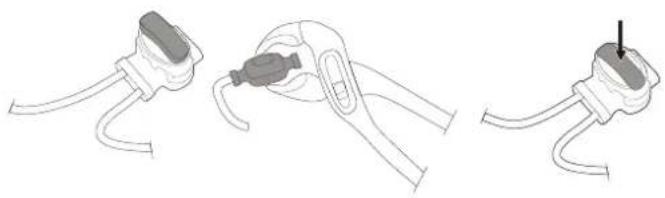
natural_image
Three-step diagram showing cable installation steps: wire connection, clamp placement, and plug attachment (no text or symbols)Temporarily secure the end of the loop wire to a peg or other object at the charging station.
Lay out the loop wire in a counter-clockwise direction alone the planned boundary of the operating area taking into consideration the rules in Table 1 until you return to the charging station.
If you are going to install a guide wire, create an eyelet with about 20 cm of extra boundary wire at the point where the guide wire will later be connected.
See Installing a Guide Wire on page 15 for more information.
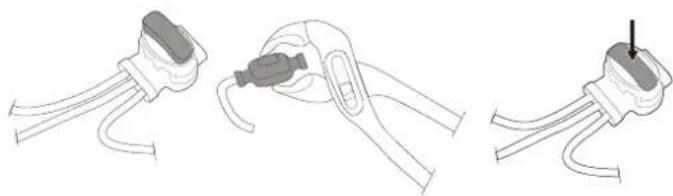
If the boundary wire is too short, use provided splice and guide wire connectors to splice additional boundary wire as follows:
1 Insert both ends of the boundary wire into the splice and guide wire connector. Check that the wires are fully inserted into the splice and guide wire connector so that the ends are visible through the splice and guide wire connector.
2 Squeeze down the button on top of the splice and guide wire connector fully using a polygrip until you hear a click.
Lay down the loop wire reel at the charging station.
Go back around the boundary of the operating area and secure the boundary wire either using pegs or buried in the ground. Pegs are recommended since this allows for adjustment during the first few weeks of operation.
When securing the boundary wire with pegs:
- Cut the grass very low with a standard lawnmower or a trimmer where the wire is to be laid.
- Lay the boundary wire on the ground and secure with pegs close together.
- Push or hammer the pegs into the ground.
Do not push the pegs so far into the ground so that they strain the boundary wire.
When burying the boundary wire:
- Bury the boundary wire 1—20 cm into the ground.
natural_image
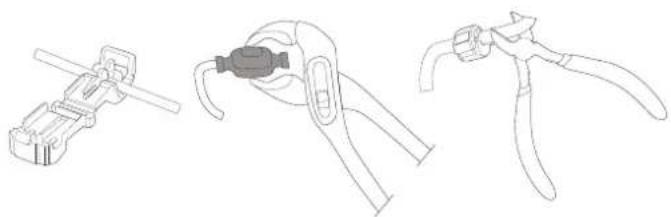
Line drawings of three different types of pliers or tools, no text or symbols presentWhen the boundary wire is completely laid out and secured, install end loop wire connectors as follows:
1 Open the loop wire connector and place the wire in the loop wire connector grip.
2 Press the loop wire connectors together using a polygrip until you hear a click.
Cut off any surplus boundary wire 1-2 cm above each connector.
natural_image
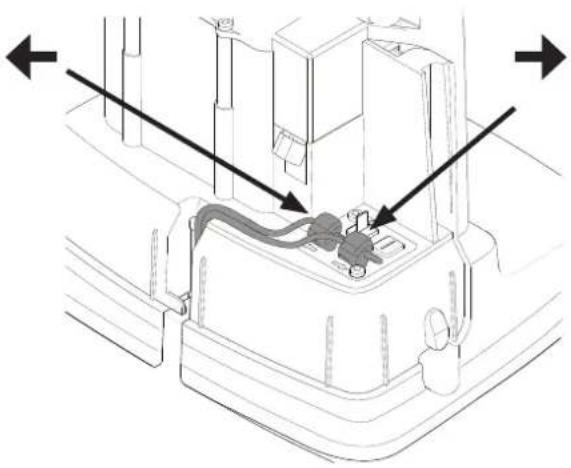
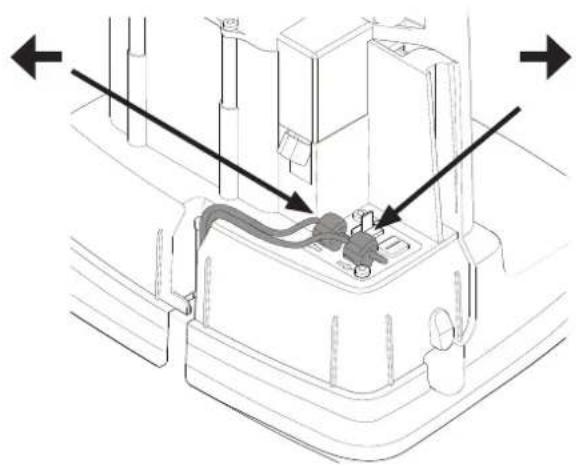
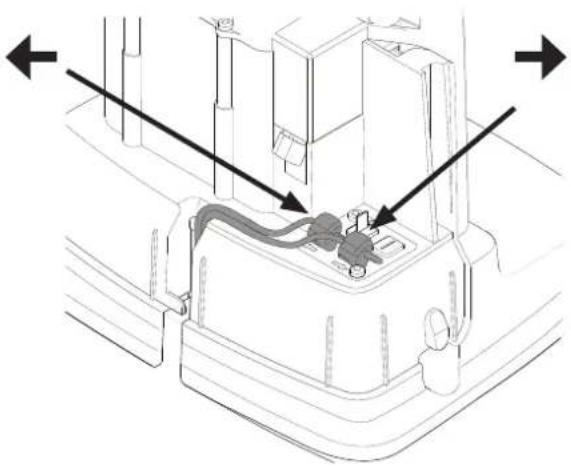
Technical diagram of a mechanical component with directional arrows indicating assembly or flow (no text or symbols present)Connect the boundary wire to the charging station as follows:
1 Remove the protective cover on the charging station and thread the wire behind the tabs into the channel at the rear of the charging station.
2 Press the connector onto the metal pins on the charging station (marked with left and right arrows).
NOTE: Make sure the boundary wire to the right of the charging station is connected to the arrow pointing right and the same for the left side.
INSTALLING A GUIDE WIRE
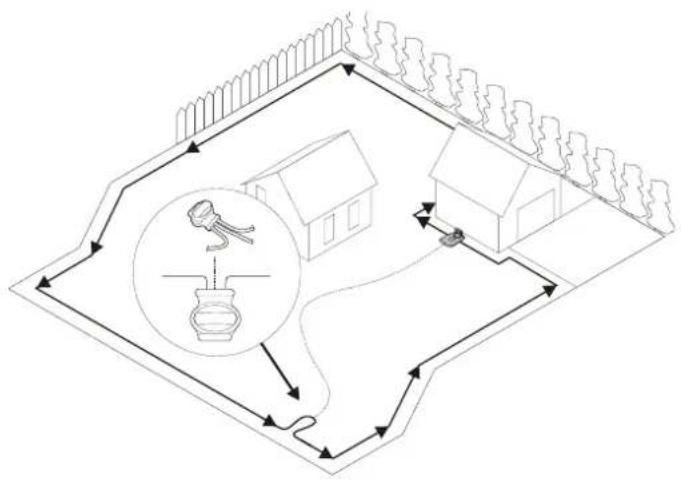
The mower uses the optional guide wire to find its way back to the charging station, but also find hard-to reach areas of the operating area. For example, the guide wire is laid between the charging station and a remote part of the working area or through a narrow passage.
For narrow passages (less than 3 m) or to shorten search times, a guide wire is recommended.
Plan the location of the guide wire before laying out the boundary wire.
Use the same cable roll for both the boundary wire and the guide wire.
The guide wire, like the boundary wire, must be secured to the ground with pegs or buried.
When installing the guide wire on a steep slope, lay the wire at an angle to the slope so it is easier for the mower to follow the guide wire on the slope.
Do not lay the guide wire at sharp angles or the mower will have difficulty following it.
Do not lay the guide wire closer than 30 cm from the boundary wire.
Do not lay the guide wire across the boundary wire.
Run the guide wire straight under the charging plate and then at least 2 m straight out from the front edge of the plate.
Leave as much space as possible to the left of the guide wire (as seen when facing the charging station).
Run the guide wire to the loop on the boundary wire where the guide wire is to be connected.
Cut the boundary wire using the combination pliers.
EN
Installation
natural_image
Three-step diagram showing cable fastening and mounting bracket assembly (no text or symbols)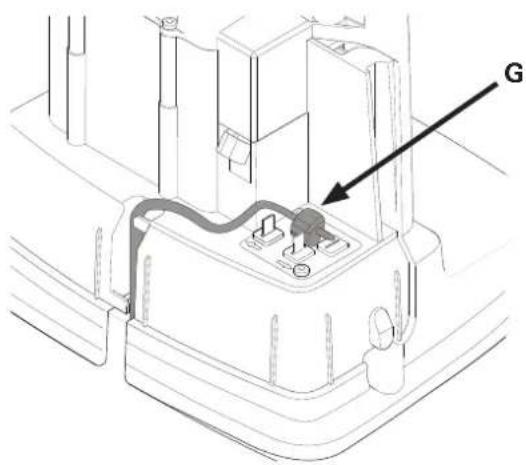
text_image
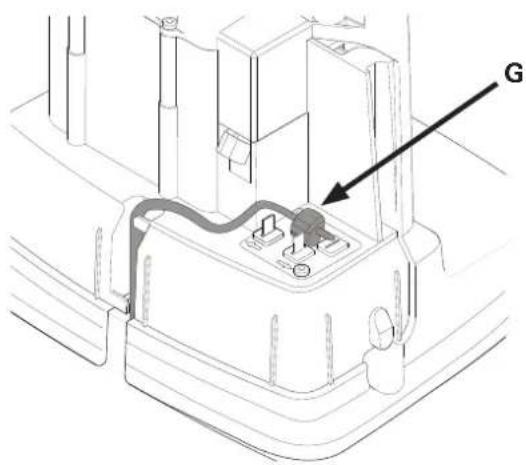
GInsert both ends of the boundary wire as well as the end of the guide wire into the splice and guide wire connector. Check that the wires are fully inserted into the splice and guide wire connector so that the ends are visible through the splice and guide wire connector.
Squeeze down the button on top of the splice and guide wire connector fully using a polygrip until you hear a click.
Secure the splice and the boundary and guide wires either using pegs or by burying.
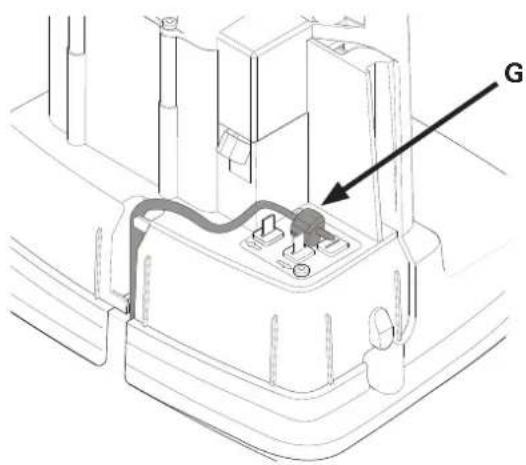
Connect the guide wire to the charging station as follows:
1 Remove the protective cover on the charging station and thread the guide wire behind the tabs into the channel leading to the terminals.
2 Connect the guide wire to the contact pin on the charging station that is labelled G.
CALIBRATING AND INITIAL START UP
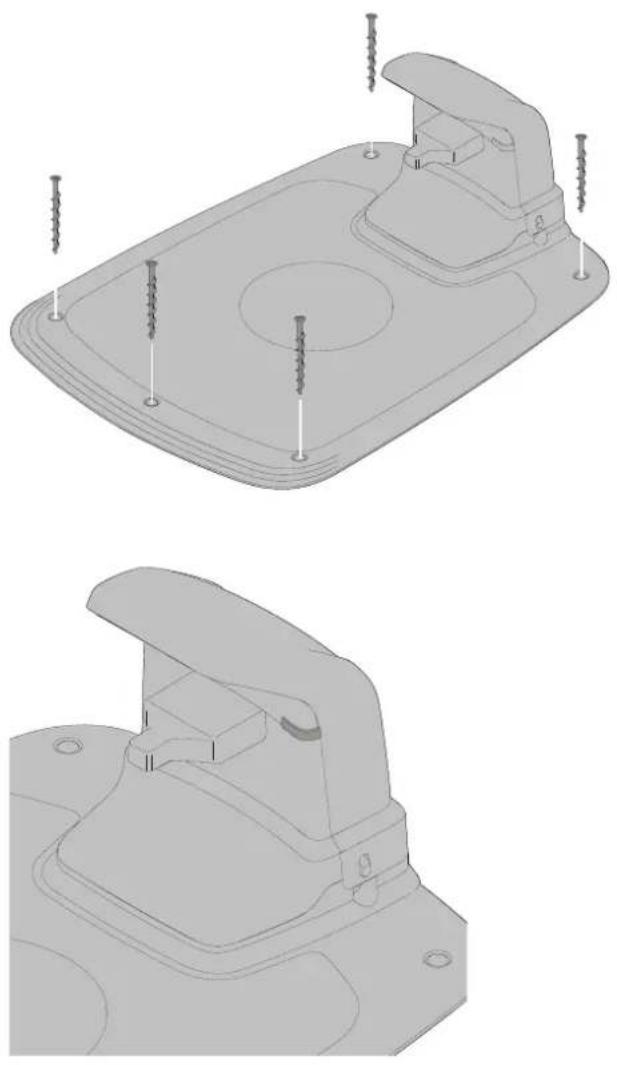
natural_image
Technical line drawings of a mechanical component with screws and mounting holes (no text or symbols)Secure the charging station to the ground using the five supplied fixing screws using a 6 mm hex key.
NOTE: Do not make new holes in the charging station base plate. Only the existing holes may be used to secure the base plate to the ground.
NOTE: Do not step or walk on the charging station base plate.
Check the LED indicator on the charging station:
- LED indicator lights up continuously green, if the output voltage of the power supply is available and the boundary wire is not interrupted.
The LED indicator does not light up when the output voltage of the power supply is not available.
If the indicator LED does not show a solid or green light, see Indicator LEDs on the Charging Station on page 24 for troubleshooting.
Pair the mower with Mobile App as instructed in Pairing Mobile App to Mower on page 19.
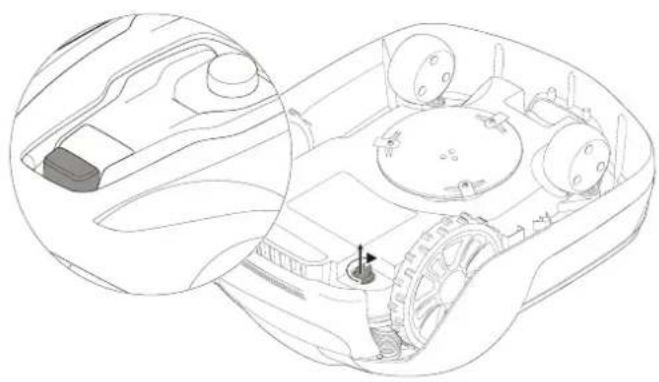
STARTING AND STOPPING THE MOWER
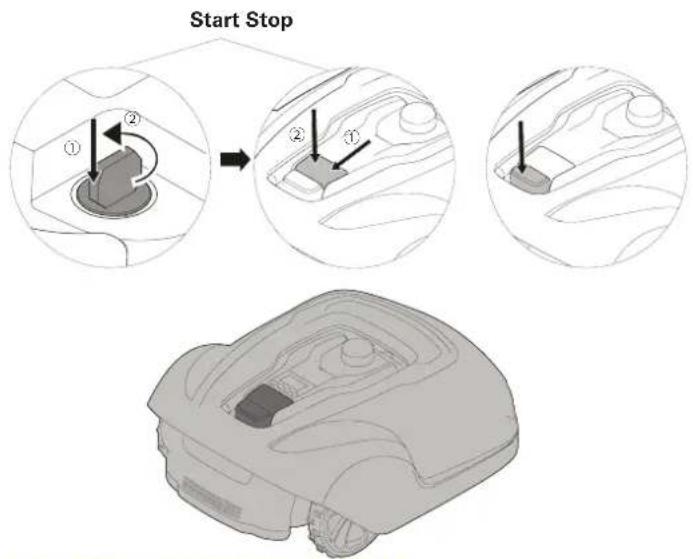
text_image
Start Stop ① ② ② ① ②SWITCHING OFF THE MOWER
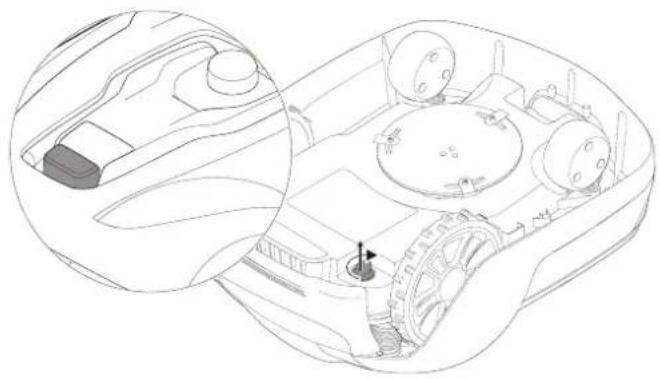
natural_image
Technical line drawing of a vehicle interior showing dashboard, steering wheel, and gear (no text or symbols)ADJUSTING CUTTING HEIGHT
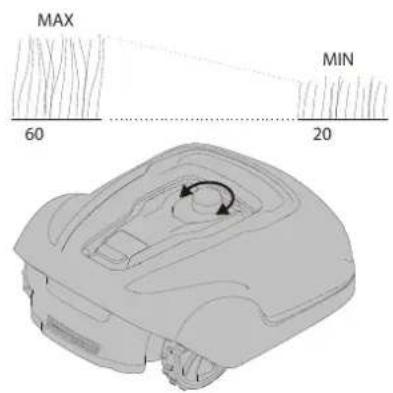
text_image
MAX 60 MIN 20To start the mower:
1 Insert the safety key and rotate counter clockwise to position "1".
2 Slide the START button latch backwards.
3 Press down the START button.
To stop the mower:
Press the STOP button on the mower.
Press the STOP button on the mower and remove the safety key.
WARNING! Always remove the safety key when performing maintenance or if the mower must be moved.
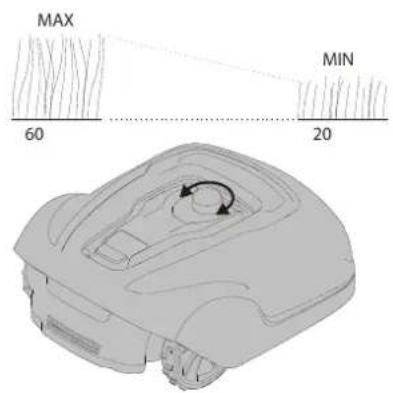
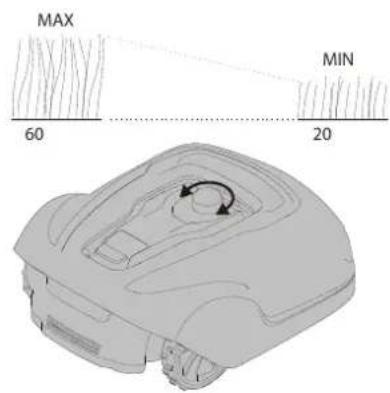
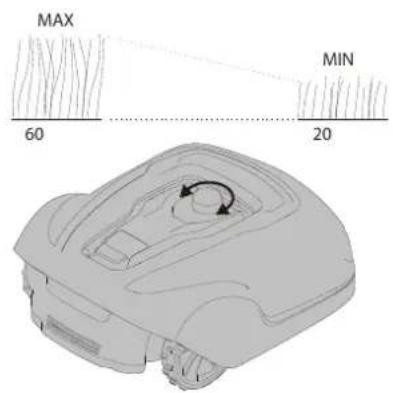
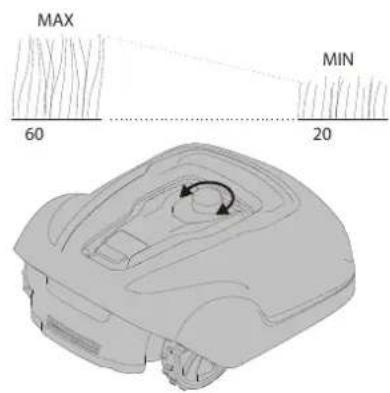
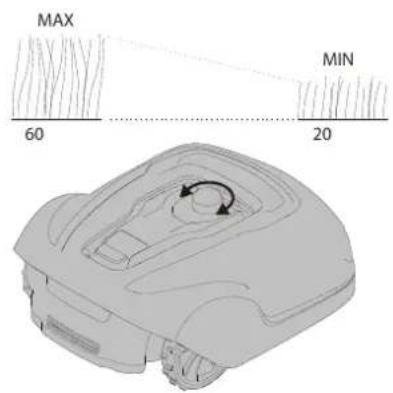
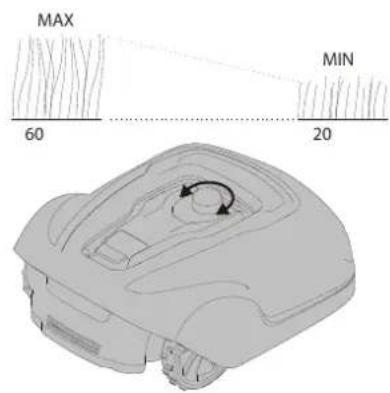
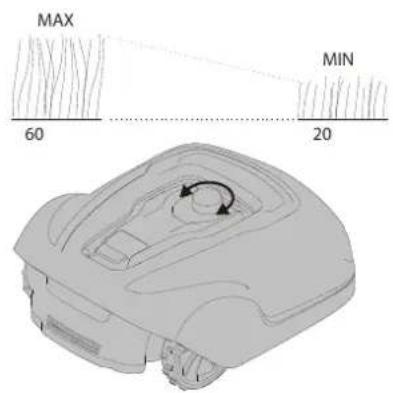
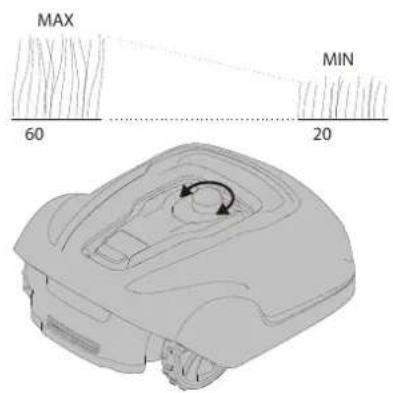
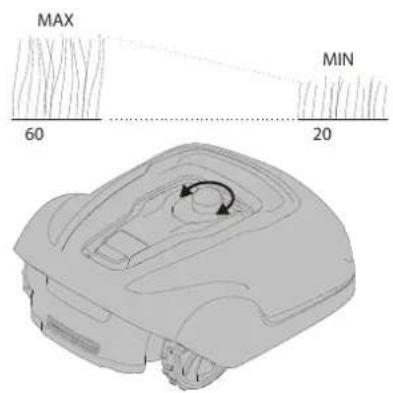
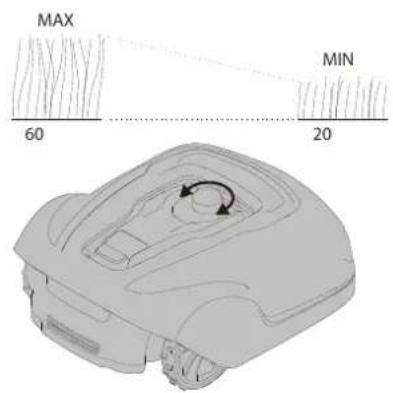
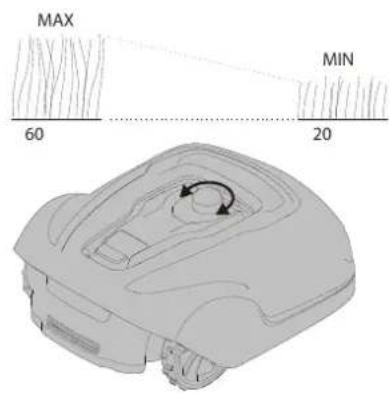
For the first few weeks of mowing, set the cutting height to 60 mm to avoid cutting the boundary wire and guide wire. Lower the setting one step each week thereafter until the desired cutting height is reached.
Turn the cutting height adjustment knob to the required setting. The selected setting is the marking on the body that aligns with the arrow on the knob.
Turn clockwise to increase the cutting height.
Turn anti-clockwise to decrease the cutting height.
The cutting height for the mower can be adjusted between 20 mm and 60 mm.
Operation
EN
LIFTING AND CARRYING THE MOWER
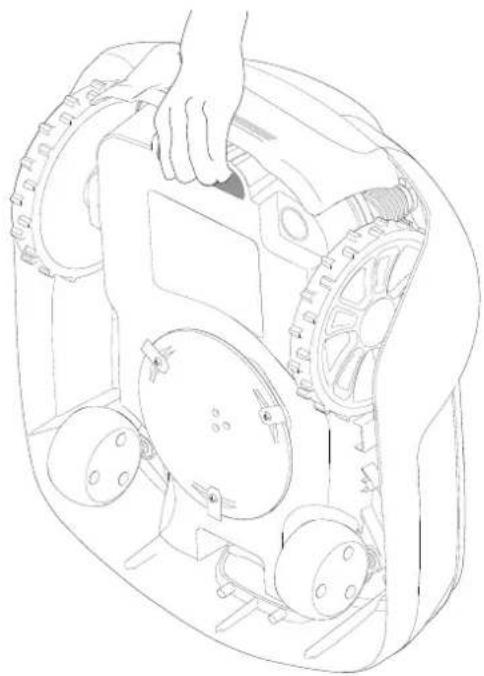
natural_image
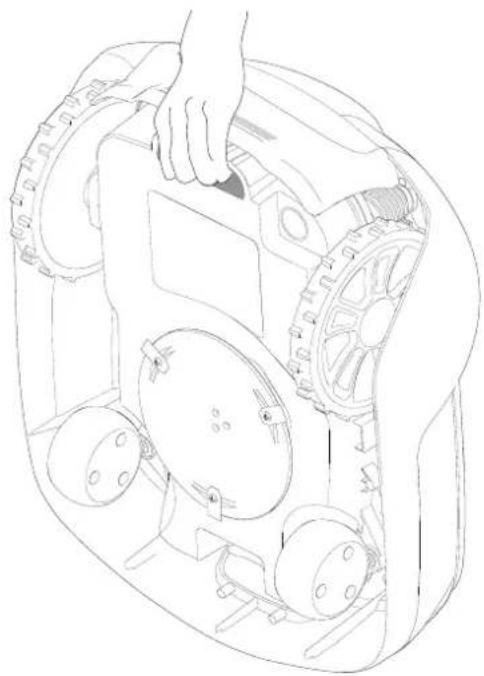
Line drawing of a robotic vehicle showing wheel assembly and hand placement (no text or symbols)Press the STOP button and remove the safety key before lifting. Always lift the mower using the carrying handle.
PAIRING MOBILE APP TO MOWER
Download Greenworks GreenGuide from App Store/Google Play and follow the on-screen instructions for how to pair the mower. Have the unique pairing code (found on the quick guide manual) and the mower at hand.
WARNING! Wear protective gloves when handling or working near the sharp blades.
WARNING! Before working on the mower itself, remove the safety key.
WARNING! Before working on the charging station or power supply, remove the plug from the mains.
• Periodically visually inspect the mower and replace worn or damaged parts for safety.
• Inspect that the blades rotate freely
- Keep all nuts, bolts, and screws tight to be sure that the mower is in safe working condition.
- The normal operating life of the blades is 2 to 6 weeks when used at maximum area capacity and longer for smaller areas.
CAUTION: Dull blades result in the grass being cut poorly; requiring more energy and shorter time between battery loadings.
- Clean the mower regularly for best function.
REMOVING THE BODY FROM CHASSIS
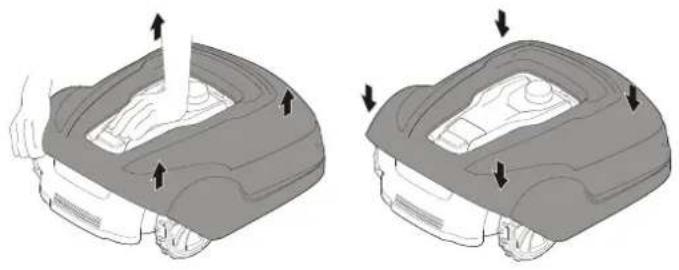
natural_image
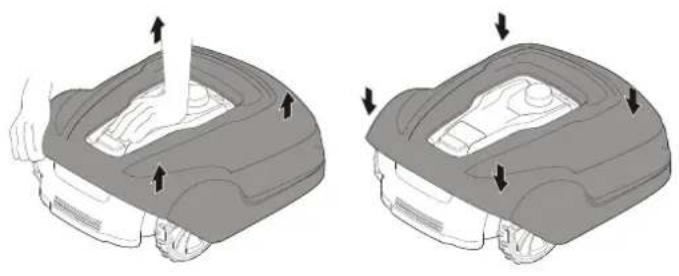
Two identical diagrams showing a robotic car interior with arrows indicating movement or force (no text or symbols present)Hold down the mower with one hand and lift firmly at one of the corners of the body and repeat for all four corners, until the body pops loose from the chassis.
Replace the body by aligning the body onto the chassis and press down firmly until you hear the click. Check that the body is firmly attached to the chassis.
CLEANING
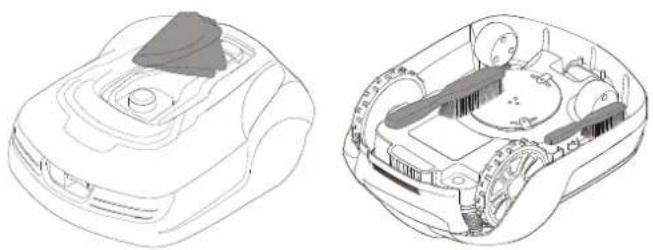
natural_image
Technical line drawings of a vehicle's internal components, showing top and side views (no text or symbols)WARNING! Press the STOP button and remove the safety key before cleaning.
Clean the exterior of the mower thoroughly using a soft brush, damp cloth, and low pressure water hose, if necessary. Remove the body from the chassis.
Turn the mower on its side and clean the blade area and wheels with a stiff brush or scraper to remove compacted grass clippings.
REPLACING BLADES
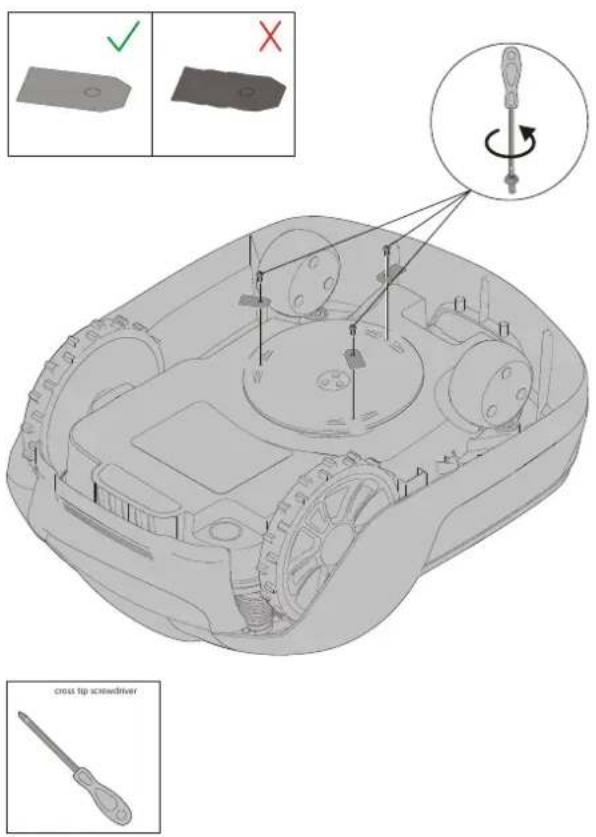
text_image
Technical diagram of a mechanical device with labeled components and tool icons, including cross tip screwdriver and checkmark indicators.MAINTAINING THE BATTERY
text_image
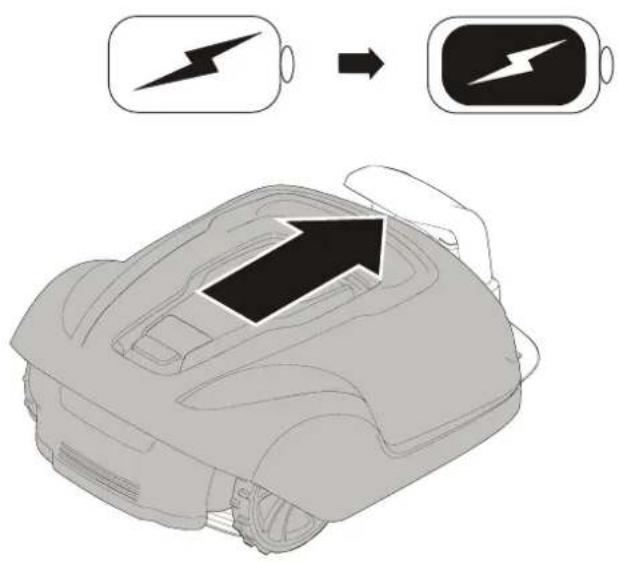
Diagram showing battery charging process with lightning bolt symbol and arrow indicating charging directionWARNING! Press the STOP button and remove the safety key before replacing blades and wear protective gloves.
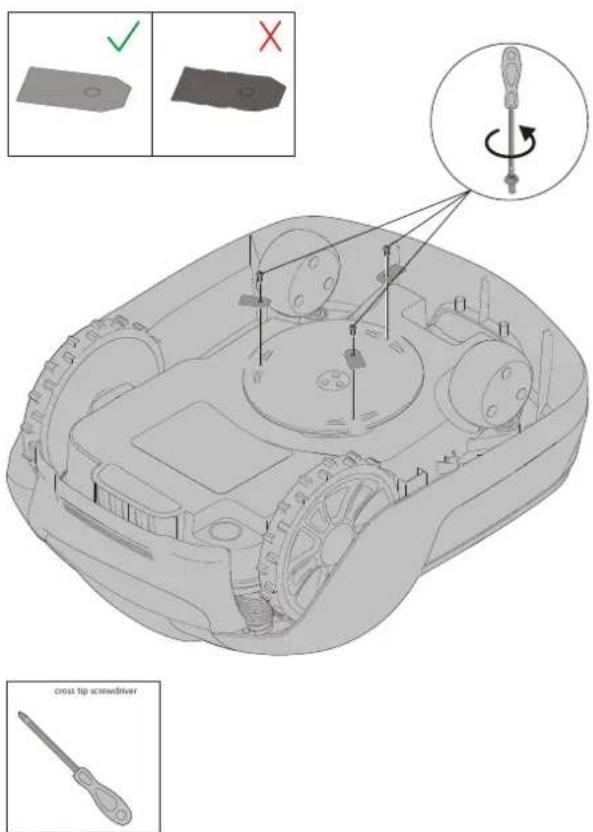
WARNING! Use only GLOBE'S blade: 333092355
CAUTION: Use only original replacement parts.
Replace all three blades and screws as a set at the same time.
Turn the mower upside down.
Loosen the screws using a straight slot or cross tip screwdriver.
Remove the blades and the screws.
Screw in the new blades using new screws.
Check that the blades pivot freely
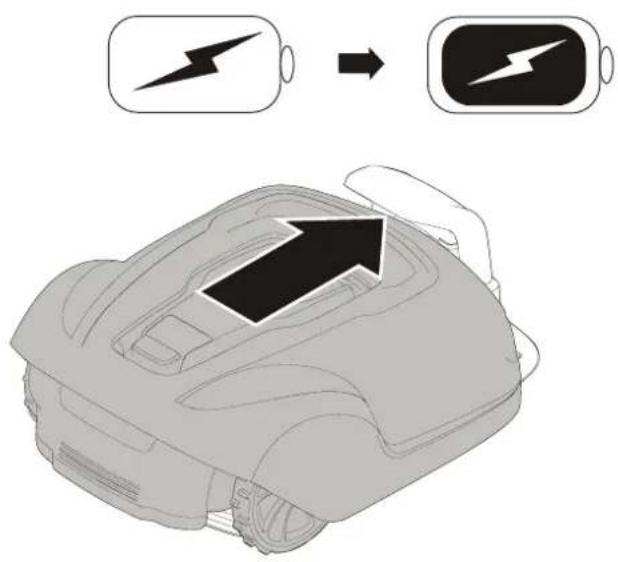
WARNING! In the event of electrolyte leakage, flush with water/neutralizing agent and seek medical care if electrolyte comes in contact with the eyes.
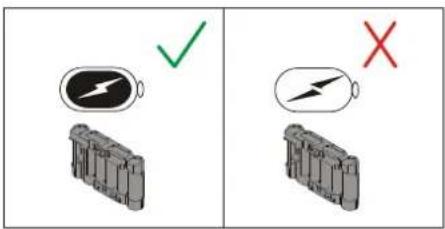
Only charge the battery in the original charging station. Incorrect use may result in electric shock, overheating, or leakage of corrosive liquid from the battery.
The battery is maintenance-free, but has a limited service life of 2 to 4 years depending on the length of the season and how many hours a day the mower is used.
REPLACING THE BATTERY
text_image
Diagram showing battery charging symbols with checkmark and cross indicating status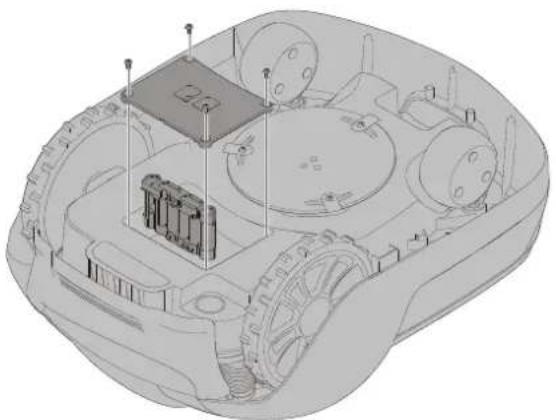
natural_image
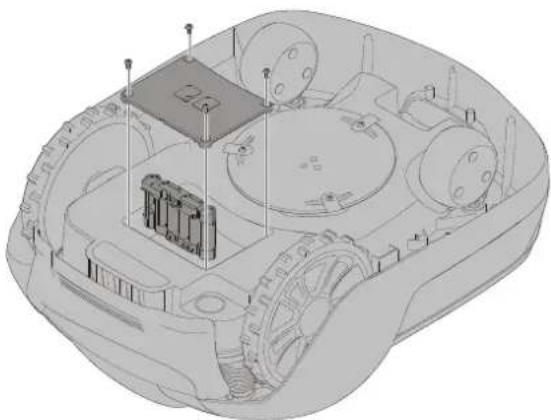
3D technical illustration of a vehicle chassis with internal components and no visible text or symbolsWARNING! Press the STOP button and remove the safety key before replacing batteries and wear protective gloves.
CAUTION: Use only original replacement parts.
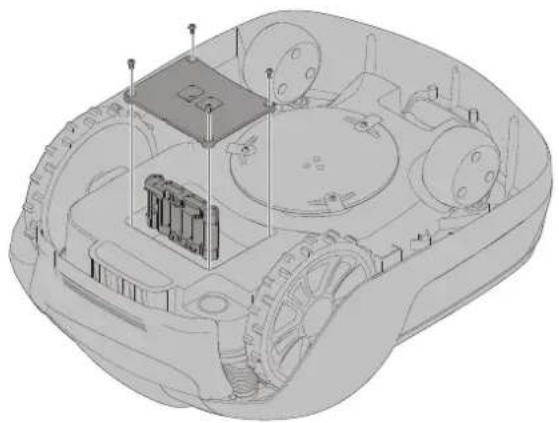
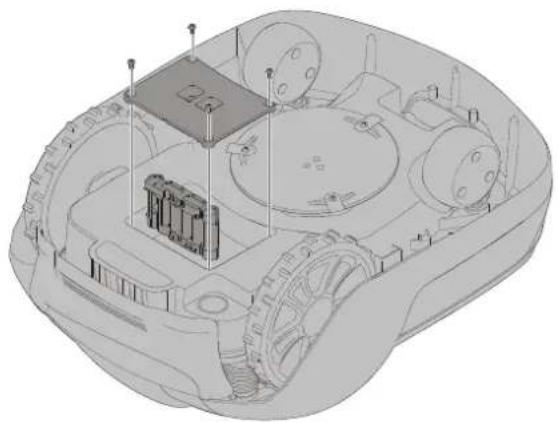
Turn the mower upside down and remove the four Torx T20 screws and remove the battery cover.
Disconnect the battery terminal connector.
Lift the battery straight out.
Insert the new battery in slot 1 (the rear slot).
Connect the battery terminal connector to the new battery.
Put the battery cover back into place and insert and tighten the four Torx T20 screws.
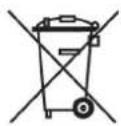
Discard the old battery in accordance with local environmental regulations.
WINTER STORAGE MOWER
Always clean the mower before winter storage.
Charge the battery fully before winter storage. If the battery is not fully charged it can be damaged and in certain cases be rendered useless.
CAUTION: If the battery is not fully charged, it can be damaged and in certain cases be rendered useless.
Inspect the condition of wear items; that the blades are sharp and that blades and front wheels turn freely. Correct any deficiencies.
Store the mower in a dry, frost-free environment standing on all four wheels.
WINTER STORAGE CHARGING STATION
When possible, disconnect the boundary wire and guide wire from the charging station and store the charging station and power supply indoors.
Leave the boundary wire and the guide wire in the ground, but protect the ends of the wires from dampness by connecting them to an original coupler or putting them in a container with grease.
If it is not possible to store the charging station indoors, the charging station must remain connected to the mains, the boundary wire, and the guide wires.
AFTER WINTER STORAGE
Inspect the mower and charging station contact and charging strips for corrosion, burning, or filth. If the charging or contact strips require cleaning, clean using fine grade emery cloth.
This section also presents some symptoms that can guide you if the mower does not work as expected.
INDICATOR LEDS ON MOWER
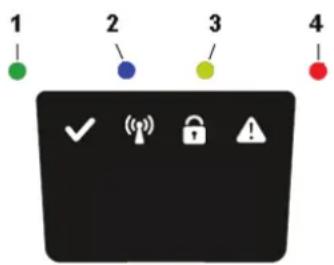
text_image
1 2 3 4| LED STATUS | MEANING ACTION | ||
| 1. Operating (Green) | Flashing | Mower stopped with Stop button on mower | Press Start on mower for operation |
| On Mower in operation mode (charging, parked in Charging station, paused, mowing or searching) | |||
| Off Safety key in in the Disabled position, mower in Error state or mower waiting for PIN code. | |||
| 2. Connectivity (Blue) | Flashing | Trying to connect to internet server | |
| On Connected to internet server | |||
| Off Mower not in “Power on mode” | |||
| 3. Security (Yellow) | Flashing | PIN code authorization required | ... via Mobile App. |
| Off No pin required | No action required | ||
| 4. Error (Red) | Flashing | Mower stopped with error | Check the reason for the error and then restart by pressing the Start button on the mower. |
INDICATOR LEDS ON CHARGING STATION
| LED STATUS MEANING ACTION | |||
| 5. Green On Boundary wire and Charging station OK No action required. | |||
| Blue Flashing Boundary wire broken or not connected Check and repair boundary wire. | |||
| Red | Flashing | Electronic fault in charging station or power supply Unit | Please contact your dealer |
Troubleshooting
EN
SYMPTOMS
If your mower does not work as expected, follow the troubleshooting guide below.
| SYMPTOMS CAUSE ACTION | ||
| Mower has difficulty docking with charging station | The charging station is on a slope. Place the charging station on a surface that is entirely level. SeeInstalling and connecting the Charging Stationon page 9. | |
| The boundary wire is not laid correctly in relation to the charging station. | Check that the charging station and boundary wire has been correctly installed. SeeInstalling and connecting the Charging Stationon page 9. | |
| Uneven mowing results | The mower works too few hours per day. | Increase the operation time. See the Scheduling function in the Mobile App. |
| The shape of the working area requires manual settings to be made for the mower to find its way to all remote areas. | Adjust lawn coverage to steer the mower to one or more remote areas. SeeSettingsfunction in the Mobile App. | |
| The shape of the working area requires manual settings to be made for the mower to find its way to all remote areas. | Try limiting the operating area or extending the operation time. See the Scheduling function in the Mobile App. | |
| The blades are dull. Replace all the blades and screws so that the rotating parts are balanced. SeeReplacing bladeson page 21. | ||
| Grass collects on the blade disc or around the motor shaft. | Check that the blade disc rotates easily. If not, remove grass and foreign objects. SeeMaintenanceon page 20. | |
| The mower mows for shorter periods than usual between charges | Grass or other foreign object are blocking the blade disc. | Remove grass and foreign objects. SeeMaintenanceon page 20. |
| The battery is worn out. | Replace the battery. SeeReplacing the Batteryon page 22. | |
| Mowing and charging times shorter than usual | The battery is worn out. | Replace the battery. SeeReplacing the Batteryon page 22. |
BREAKS IN BOUNDARY WIRE AND GUIDE WIRE
Breaks in the boundary wire and guide wire (if installed) are usually the result of unintentional physical damage.
Inspect the entire boundary wire from the charging station and back.
Inspect the guide wire (if installed) from the charging station to the splice into the boundary wire.
Inspect that all the couplings have been properly squeezed to make connections.
| OPTIMOW 10 OPTIMOW 15 | ||
| Dimensions: | ||
| Height 26 cm 26 cm | ||
| Length 62 cm 62 cm | ||
| Width 50 cm 50 cm | ||
| Weight 11 kg 11 kg | ||
| Electrical system: | ||
| Battery, Special Lithium-Ion battery | 24 V / 2.0 Ah, Part No. 211022355 | 24 V / 2.0 Ah, Part No. 211022355 |
| Power supply 100-240 V/32 V DC 100-240 V/32 V DC | ||
| Low voltage cable length | 10 m | 10 m |
| Mean energy consumption at maximum use | 8 kWh/month for a working area of 1,000 m^2 | 10 kWh/month for a working area of 1,500 m^2 |
| Charge current | 1.3 A DC | 1.3 A DC |
| Average charging time | 140 minutes | 70 minutes |
| Average cutting time | 70 minutes | 70 minutes |
| Noise emissions: *) | ||
| Measured sound power noise level **) | 58 dB (A) | 58 dB (A) |
| Guaranteed sound power noise level | 60 dB (A) | 60 dB (A) |
| Sound pressure noise level ***) | 47 dB (A) | 47 dB (A) |
| Mowing: | ||
| Cutting system | Three pivoted cutting blades | Three pivoted cutting blades |
| Average power consumption during cutting | 25 W ± 20% | 25 W ± 20% |
| Cutting height | 2-6 cm | 2-6 cm |
| Cutting width | 22 cm 22 cm | |
| Narrowest possible passage | 60 cm 60 cm | |
| Maximum angle for cutting area | 35% | 35% |
| Maximum angle for boundary wire | 15% | 15% |
| Maximum length boundary wire | 800 m 800 m | |
| Maximum working capacity | 1,000 m^2 | 1,500 m^2 |
| Recommended area capacity | 0 - 700 m^2 | 500 - 1,200 m^2 |
| IP classification: | ||
| Mower IPX5 | IPX5 | |
| Charging station | IPX2 | IPX2 |
| Power supply IP67 | IP67 | |
*) Noise emissions in the environment measured as sound power (LWA) in conformity with EC directive 2000/14/EC. The guaranteed sound power level includes variation in production as well as variation from the test code with 1-3 dB(A).
The noise emission declarations conforms to EN 50636-2-107:2015
** uncertainty KWA, 2 dB (A)
\\\*) uncertainties KPA, 2-4 dB (A)
Environmental Protection
EN

According to the European law 2012/19/EU, electrical and electronic equipment that is no longer usable, and according to the European law 2006/66/EC, defective or used battery packs/batteries, must be collected separately and disposed of in an environmentally correct manner.
The symbol on the mower or its packaging indicates that this product cannot be treated as domestic waste. It should instead be left at a suitable recycling centre to recycle its electronic components and batteries.
The batteries are enclosed in the chassis under the mower. See Replacing the Battery on page 22 for battery removal.
By ensuring that this product is taken care of correctly, you can help to counteract the potential negative impact on the environment and people that can otherwise result through the incorrect waste management of this product.
For more detailed information about recycling this product, contact your municipality, your domestic waste service or the shop from where you purchased the product.

Separate collection of used machine and packaging let you recycle materials and use them again. Use of the recycled materials helps prevent environmental pollution and decreases the requirements for raw materials.
Batteries

At the end of their useful life, discard batteries with a precaution for our environment. The battery contains material that is dangerous to you and the environment. You must remove and discard these materials separately at a equipment that accepts lithium-ion batteries.
GLOBGRO AB, Globe Group Europe guarantees this product's functionality for a period of two years (from date of purchase). The guarantee covers serious faults relating to materials or manufacturing faults. Within the guarantee period, we will replace the product or repair it at no charge if the following terms are met:
- The mower and the charging station may only be used in compliance with the instructions in this operator manual.
- Users or non-authorized third parties must not attempt to repair the product.
Examples of faults which are not included in the guarantee:
• Damage caused by lightning.
• Damage caused by improper battery storage or battery handling.
• Damage caused by using a battery that is not a original battery.
• Damage caused by not using original spare parts and accessories, such as blades and installation material.
• Damage to the loop wire.
The blades are seen as disposable and are not covered by the guarantee.
If a fault occurs with your mower, please contact the dealer for further instructions. Have your receipt and product serial number to hand for quicker assistance.
(Only applicable to European versions)
Manufacturer: GLOBGRO AB, Globe Group Europe
Address: Propellergatan 1, 21115 Malmö, Sweden
Name and address of the person authorized to compile the technical file:
Peter Söderström
Propellergatan 1, 21115 Malmö, Sweden
Herewith we declare that the product:
Category: Robotic Lawnmower
Model: Optimow 10®/Optimow 15®
Serial number: See product rating label.
Serial No See product rating label.
- Is in conformity with the relevant provisions of the Machinery Directive (2006/42/EC)
• Particular requirements for robotic battery powered electrical lawnmowers EN 50636-2-107: 2015 / A1:2018 - Is in conformity with the provisions of the following other directives:
2014/30/EU EN 55014-1:2017 EN 55014-2:2015
Noise Emission Directive (2000/14/EC amended by 2005/88/EC)
2014/53/EU, RF EN 303413, EN 301489-1/-19, EN303447, EN301 489-1/-3, EN 301489-1/-52, EN 301511, EN 62479
And furthermore, we declare that:
- The following (parts/classes of) European harmonized standards have been used:
EN 60335-1:2012+A11+A13:2017, EN 50636-2-107:2015+A1:2018, EN 60335-2-29:2004+A2:2010, EN 62233:2008, EN ISO 3744:2005, EN 55014-1:2017, EN 55014-2:2015, EN 61000-3-2:2014, EN 61000-3-3:2013, EN 300 328 V2.1.1, EN 301 489-1 V2.1.1, EN 301 489-17 V3.1.1, EN 62311:2008, EN 61558-1:2005+A1:2009, EN 61558-2-16:2009+A1:2013
Measured sound power level 58 dB(A)
Guaranteed sound power level 60 dB(A)
Conformity assessment method to: Annex V/Directive 2000/14/EC
EC type examination certificate number: 13SHN0023-01
Ted au
Ted Qu Haichao
Quality Director
Changzhou, 1 December 2018
CE
text_image
Exploded view diagram of a device with numbered parts for identification and assembly reference.text_image
1m >1m 10m >3m >1m 35cm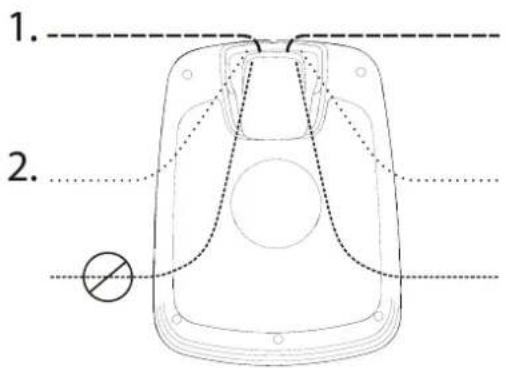
text_image
1. 2.natural_image
Diagram of a car interior showing directional arrows indicating movement or force (no text or symbols)natural_image
Technical line drawing of a mechanical component with a black arrow pointing to a section (no text or symbols present)natural_image
Technical line drawing of a mechanical vehicle showing internal components and a central hub (no text or symbols)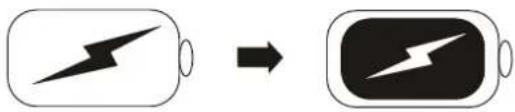
text_image
Diagram showing battery charging process with lightning bolt symbol and battery icon, indicating charging sequence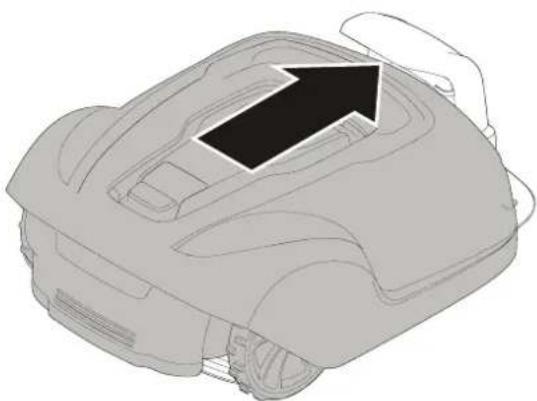
natural_image
Line drawing of a mechanical device with an arrow pointing to the top component (no text or symbols present)text_image
Diagram illustrating a rural water safety system with irrigation, drainage, and power plug connections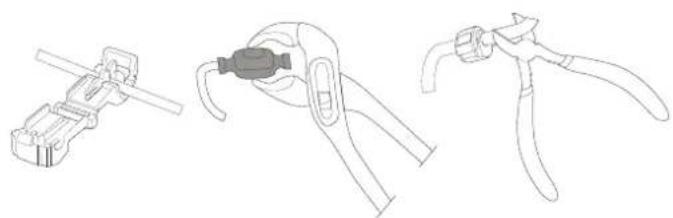
natural_image
Line drawings of three different types of pliers or tools, no text or symbols presentnatural_image
Technical diagram of a mechanical component with directional arrows indicating assembly or flow (no text or symbols present)natural_image
Three-step diagram showing cable fastening and mounting process (no text or symbols)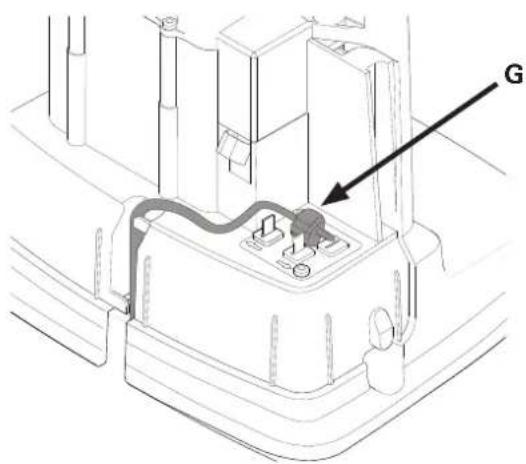
text_image
Gnatural_image
Technical line drawings of a mechanical component with screws and mounting holes (no text or symbols)natural_image
Technical line drawing of a vehicle interior showing dashboard, steering wheel, and gear (no text or symbols)natural_image
Line drawing of a robotic vehicle showing wheel assembly and hand placement (no text or symbols)natural_image
Two identical 3D illustrations of a car's internal components, showing hand positioning and directional arrows (no text or symbols)natural_image
Technical line drawings of a robotic car showing front and side views (no text or symbols)text_image
cross tip screwdriverWARTUNG DES AKKUS
text_image
Diagram showing battery charging process with lightning bolt symbol and arrow indicating charging directiontext_image
Diagram showing battery terminal symbols with checkmark and cross indicating status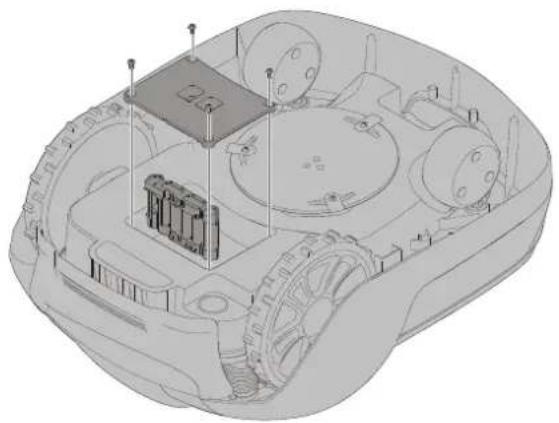
natural_image
3D technical illustration of a military vehicle chassis with visible internal components and no text or symbolsReading the operator manual....4
Operational safety 6
Product Unboxing....7
Installation 8
Planning Layout and Preparation....8
Installing and Connecting the Charging Station 9
Position for the charging station as follows:....9
Connecting the Power Supply....10
Initial Charging of the Battery....11
Installing the Boundary Wire 12
Installing a Guide Wire 15
Calibrating and Initial Start Up....17
Operation....18
Starting and Stopping the Mower 18
Switching Off the Mower.... 18
Adjusting Cutting Height 18
Lifting and Carrying the Mower....19
Pairing Mobile App to Mower.... 19
Maintenance....20
Removing the Body from Chassis....20
Cleaning 20
Replacing Blades 21
Maintaining the Battery....21
Replacing the Battery 22
Winter Storage Mower 23
Winter storage Charging Station....24
Troubleshooting 25
Indicator LEDs on Mower 26
Symptoms 27
Breaks in Boundary Wire and Guide Wire 25
Technical Data....26
Environmental Protection 27
Warranty Terms....28
CE Declaration of Conformity 29
text_image
Exploded view diagram of electronic devices with numbered parts for identification and assembly reference.text_image
1m >1m 10m >3m >1m 35cm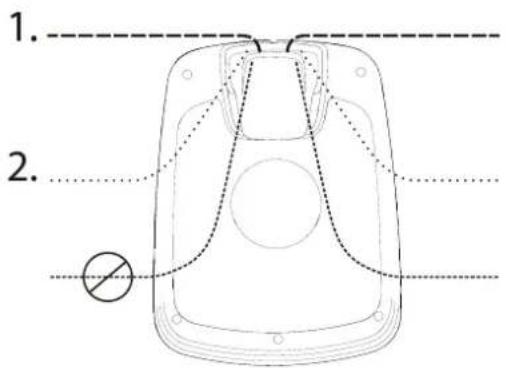
text_image
1. 2.natural_image
Diagram of a car interior showing directional arrows indicating movement or force (no text or symbols)natural_image
Technical line drawing of a mechanical assembly with a black arrow pointing to a component (no text or symbols present)natural_image
Technical line drawing of a mechanical vehicle showing internal components and a central hub (no text or symbols)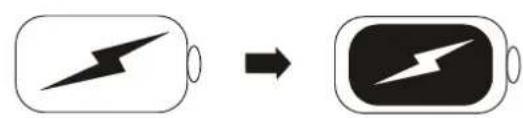
text_image
Diagram showing battery charging process with lightning bolt symbol and battery icon, indicating charging state change
natural_image
Line drawing of a mechanical device with an arrow pointing to the top component (no text or symbols present)text_image
Diagram illustrating a rural irrigation system with labeled components and water flow indicators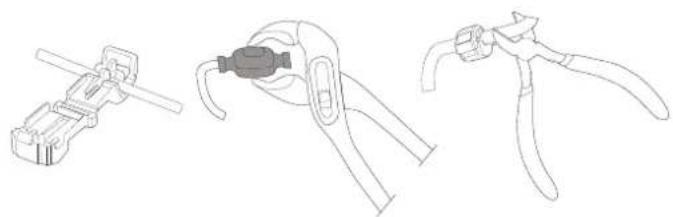
natural_image
Line drawings of three different types of pliers or tools, no text or symbols presentnatural_image
Technical diagram of a mechanical component with directional arrows indicating assembly or flow (no text or symbols present)natural_image
Three-step diagram showing cable fastening and mounting bracket assembly (no text or symbols)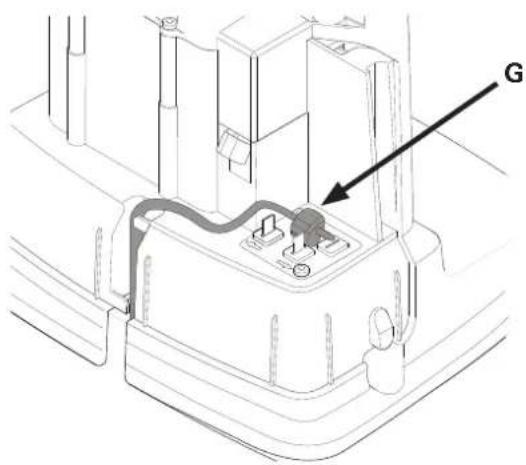
text_image
Gtext_image
Diagram illustrating a robotic arm tool with labeled parts and step-by-step instructions for tool positioning.natural_image
Technical line drawing of a vehicle interior showing dashboard, steering wheel, and gear (no text or symbols)AJUSTE DE LA ALTURA DE CORTE
text_image
MAX 60 MIN 20natural_image
Line drawing of a robotic vehicle with visible wheels and a hand adjusting the wheel (no text or symbols)natural_image
Two identical illustrations of a robotic car with arrows indicating motion or force application (no text or symbols present)natural_image
Technical line drawings of a car's front and side views (no text or symbols)text_image
cross tip screwdrivertext_image
Diagram showing battery charging process with lightning bolt symbol and arrow indicating charging directiontext_image
Diagram showing battery terminal symbols with checkmark and cross indicating status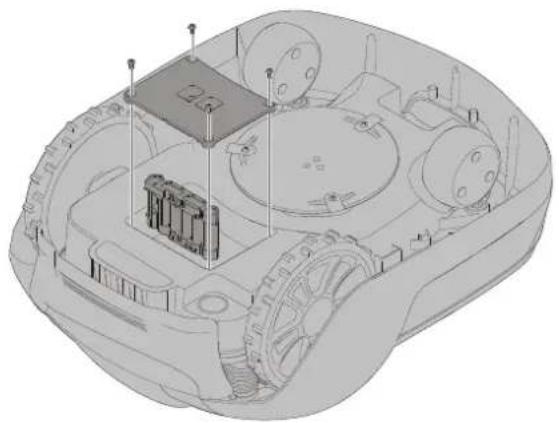
natural_image
3D technical illustration of a vehicle chassis with internal components and no visible text or symbolstext_image
Exploded view diagram of electronic devices with numbered parts and labeled componentstext_image
1m >1m 10m >3m >1m 35cm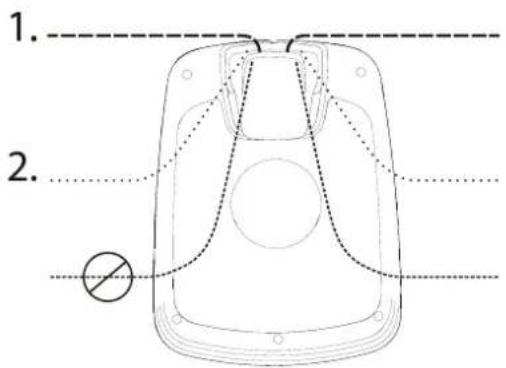
text_image
1. 2.natural_image
Diagram of a car interior showing directional arrows indicating movement or force (no text or symbols)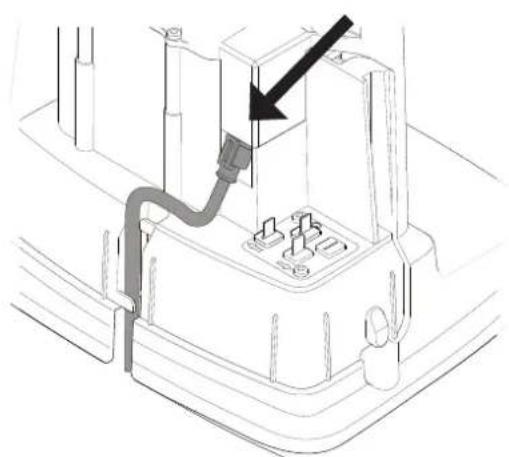
natural_image
Technical line drawing of a mechanical component with a black arrow pointing to a section (no text or symbols present)natural_image
Technical line drawing of a mechanical vehicle showing internal components and a central hub (no text or symbols)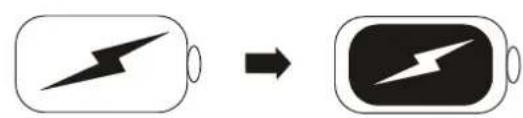
text_image
Diagram showing battery charging process with lightning bolt symbol and battery icon, indicating charging state change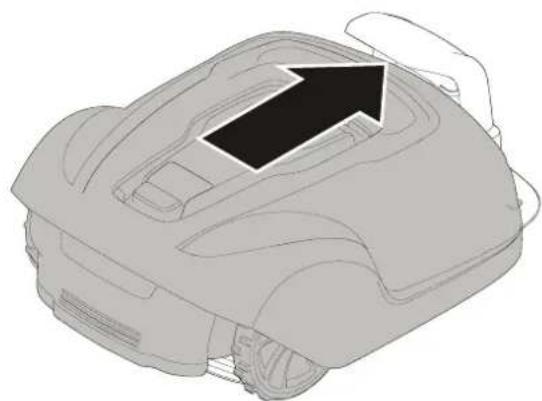
natural_image
Line drawing of a mechanical device with an arrow pointing to the top component (no text or symbols present)text_image
Diagram illustrating a rural water management or irrigation system with labeled components and measurement indicators.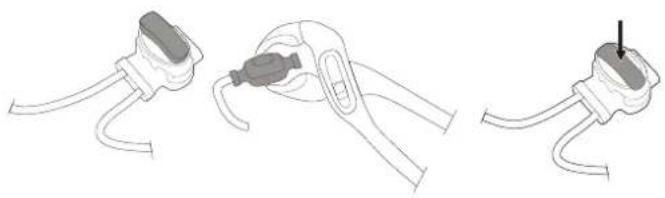
natural_image
Three-step diagram showing cable installation steps: wire connection, clamp placement, and plug attachment (no text or symbols)natural_image
Line drawings of three different types of pliers or tools, no text or symbols presentnatural_image
Technical diagram of a mechanical component with directional arrows indicating assembly or flow (no text or symbols present)natural_image
Three-step diagram showing cable installation steps: wire connection, clamp placement, and final connector (no text or symbols)natural_image
Technical line drawings of a mechanical component with screws and mounting holes (no text or symbols)text_image
Avvio Stop ① ② ② ① Avvio Stop (2018)SPEGNERE L'APPARECCHIO.
natural_image
Technical line drawing of a vehicle interior showing dashboard, steering wheel, and gear mechanism (no text or labels)natural_image
Line drawing of a robotic vehicle with visible wheels and a hand adjusting the component (no text or symbols)natural_image
Technical line drawings of a car's front and side views (no text or symbols)text_image
cross tip screwdrivertext_image
Diagram showing battery charging process with lightning bolt symbol and arrow indicating charging directiontext_image
Diagram showing battery charging symbols with checkmark and cross indicating status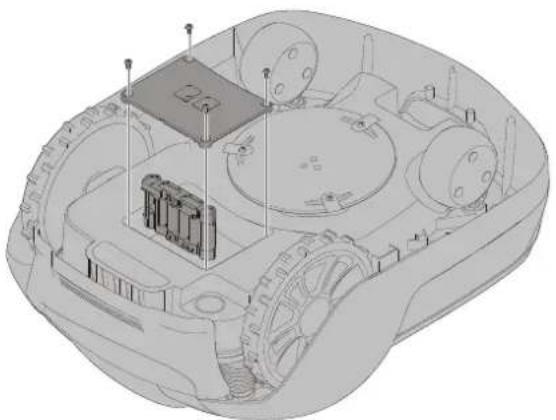
natural_image
3D technical illustration of a military armored vehicle showing internal components and structural elements (no text or symbols)Separate collection of used machine and packaging let you recycle materials and use them again. Use of the recycled materials helps prevent environmental pollution and decreases the requirements for raw materials.
Batteries

At the end of their useful life, discard batteries with a precaution for our environment. The battery contains material that is dangerous to you and the environment. You must remove and discard these materials separately at a equipment that accepts lithium-ion batteries.
Name and address of the person authorized to compile the technical file:
Peter Söderström
Propellergatan 1, 21115 Malmö, Sweden
text_image
Exploded view diagram of electronic devices with numbered parts and labeled componentstext_image
1m >1m 10m >3m >1m 35cm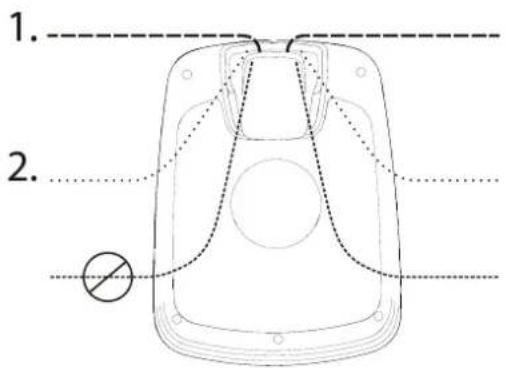
text_image
1. 2.natural_image
Diagram of a car interior showing directional arrows indicating movement or force (no text or symbols)natural_image
Technical line drawing of a mechanical assembly with a black arrow pointing to a component (no text or symbols present)natural_image
Technical line drawing of a mechanical vehicle showing internal components and a central hub (no text or symbols)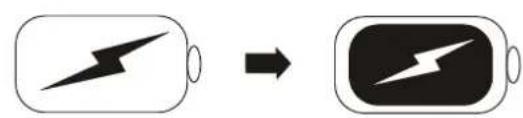
text_image
Diagram showing battery charging process with lightning bolt symbol and battery icon, indicating charging state change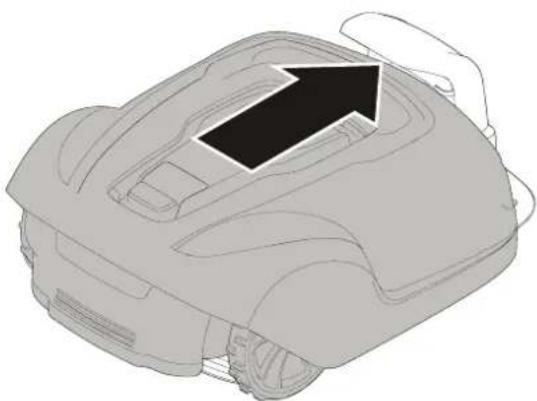
natural_image
Line drawing of a mechanical device with an arrow pointing to the top component (no text or symbols present)text_image
Diagram illustrating a rural water feature layout with labeled components and scale indicator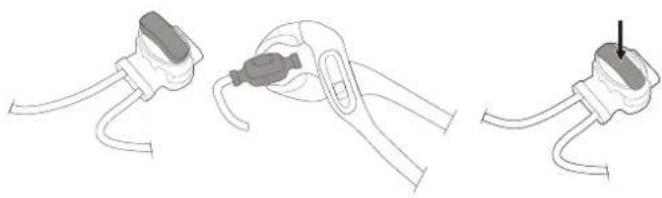
natural_image
Three-step diagram showing a cable clamp holding a plug, with one being inserted and the other holding a plug (no text or symbols present)natural_image
Line drawings of three different types of pliers or tools, no text or symbols presentInstallation
FR
natural_image
Technical diagram of a mechanical component with arrows indicating direction (no text or symbols)natural_image
Three-step diagram showing cable fastening and mounting bracket assembly (no text or symbols)FR
natural_image
Technical line drawings of a mechanical component with screws and mounting holes (no text or symbols)natural_image
Technical line drawing of a vehicle interior showing dashboard, steering wheel, and gear mechanism (no text or symbols)AJUSTEMENT DE HAUTEUR DE COUPE
text_image
MAX 60 MIN 20natural_image
Line drawing of a robotic vehicle with visible wheels and a hand adjusting the component (no text or symbols)natural_image
Two identical 3D illustrations of a car's dashboard and steering wheel, showing mechanical components without any text or symbols.natural_image
Technical line drawings of a car interior showing top and side views (no text or symbols)text_image
Technical diagram of a mechanical device with labeled components and tool icons, including cross tip screwdriver and checkmark indicators.MAINTENANCE DE LA BATTERIE
text_image
Diagram showing battery charging process with lightning bolt symbol and arrow indicating charging directiontext_image
Diagram showing battery charging symbols with checkmark and cross indicating status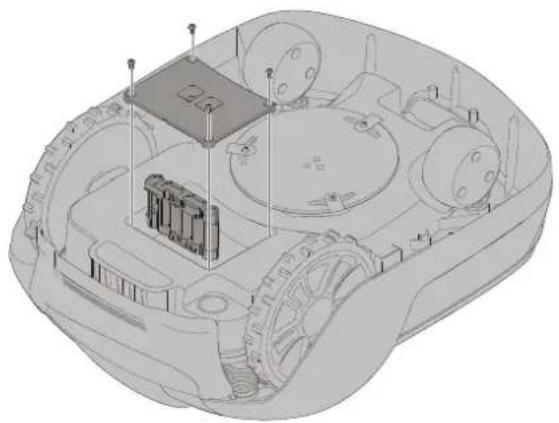
natural_image
3D technical illustration of a vehicle's internal components, showing no text or symbolstext_image
Exploded view diagram of a device with numbered parts for identification and assembly reference.text_image
1m >1m 10m >3m >1m 35cm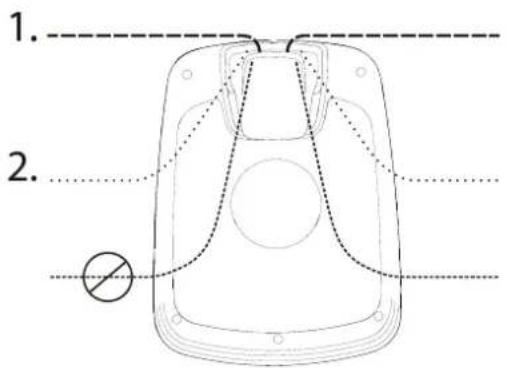
text_image
1. 2.natural_image
Diagram of a car's seatbelt mechanism with directional arrows indicating movement (no text or symbols)natural_image
Technical line drawing of a mechanical component with a black arrow pointing to a section (no text or symbols present)natural_image
Technical line drawing of a mechanical vehicle showing internal components and a central hub (no text or symbols)text_image
Diagram showing battery charging process with lightning bolt symbol and battery icon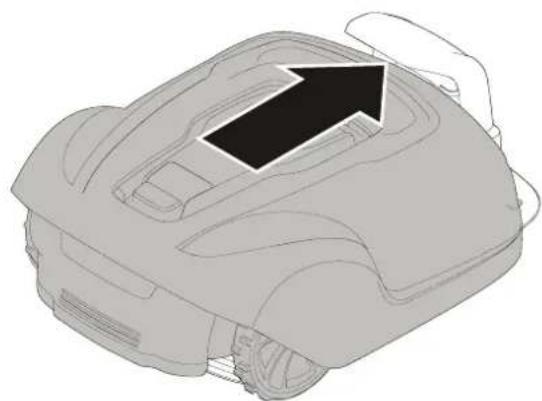
natural_image
Line drawing of a robotic car with an arrow indicating direction (no text or symbols)text_image
Diagram illustrating electric vehicle charging station layout with labeled components and distance measurementnatural_image
Line drawings of three different types of pliers or tools, no text or symbols presentnatural_image
Technical diagram of a mechanical component with directional arrows indicating assembly or movement (no text or symbols present)natural_image
Three-step diagram showing cable fastening and mounting bracket assembly (no text or symbols)PT
text_image
Gnatural_image
Technical line drawing of a vehicle interior showing dashboard, steering wheel, and gear mechanism (no text or symbols)AJUSTAR A ALTURA DE CORTE
text_image
MAX 60 MIN 20natural_image
Line drawing of a robotic vehicle with visible wheels and a hand adjusting the component (no text or symbols)REMOVER O CORPO DO CHASSIS
natural_image
Line drawing of a robotic vacuum cleaner (no text or symbols)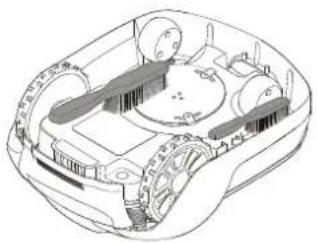
natural_image
Technical line drawing of a mechanical device with no visible text or symbolstext_image
cross tip screwdrivertext_image
Diagram showing battery charging process with lightning bolt symbol and arrow indicating charging directiontext_image
Diagram showing battery and plug symbols with checkmark and cross indicating status or failurePT
natural_image
3D technical illustration of a vehicle's internal components, showing no text or symbolsName and address of the person authorized to compile the technical file:
Peter Söderström
Propellergatan 1, 21115 Malmö, Sweden
text_image
Exploded view diagram of a device with numbered parts for identification and assembly reference.text_image
1m >1m 10m >3m >1m 35cm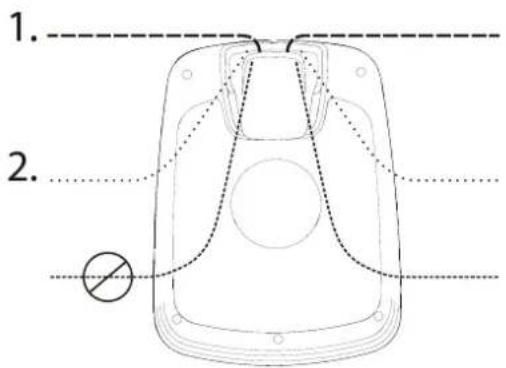
text_image
1. 2.natural_image
Technical line drawing of a mechanical vehicle showing internal components and a central hub (no text or symbols)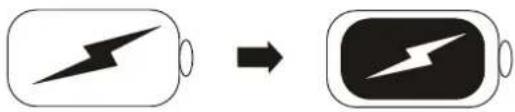
text_image
Diagram showing battery charging process with lightning bolt symbol and battery icon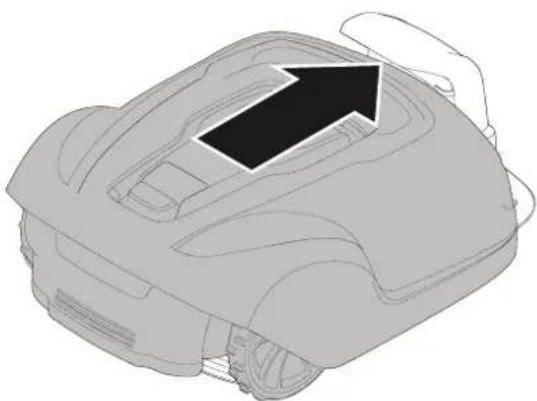
natural_image
Line drawing of a robotic vacuum cleaner with an arrow indicating the component (no text or symbols present)text_image
Diagram illustrating a rural water management system with labeled components including a rural house, a manhole cover, and outdoor monitoring area.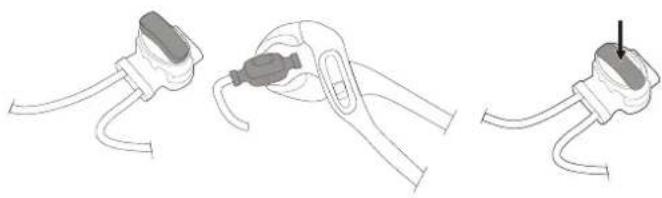
natural_image
Three-step diagram showing a cable clamp holding a plug, with one being inserted and the other holding a plug (no text or symbols present)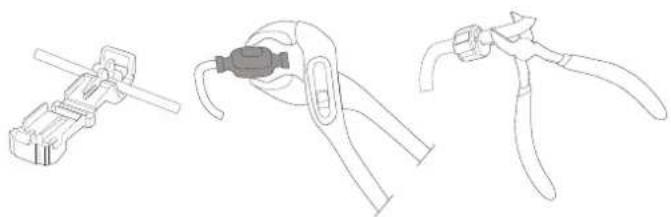
natural_image
Line drawings of three different types of pliers or tools, no text or symbols presentnatural_image
Technical diagram of a mechanical component with directional arrows indicating assembly or flow (no text or symbols present)flowchart
graph TD
    A["Water Heating Unit"] --> B["Soil Treatment"]
    B --> C["Outdoor Storage"]
    C --> D["Storage Facility"]
    D --> E["Grid Structure"]
    E --> F["Recovery Path"]
    F --> G["Recirculation Loop"]
    G --> H["Storage Facility"]
    H --> I["Storage Facility"]
    I --> J["Grid Structure"]
    J --> K["Recirculation Loop"]
    K --> L["Storage Facility"]
    L --> M["Storage Facility"]
natural_image
Three-step diagram showing cable fastening and mounting bracket assembly (no text or symbols)NL
text_image
Gnatural_image
Technical line drawings of a mechanical component with screws and mounting holes (no text or symbols)text_image
Start Stop ① ② ③ NLDE GRASMAAIER UITSCHAKELEN
natural_image
Technical line drawing of a vehicle interior showing dashboard, steering wheel, and gear (no text or symbols)DE MAAIHOOGTE AANPASSEN
text_image
MAX 60 MIN 20De grasmaaier starten:
natural_image
Line drawing of a robotic vehicle showing wheel assembly and hand placement (no text or symbols)natural_image
Two identical diagrams showing a car's interior components with arrows indicating movement or force (no text or symbols present)natural_image
Technical line drawings of a car interior showing front and side views (no text or symbols)text_image
cross tip screwdriverDE ACCU ONDERHOUDEN
text_image
Diagram showing battery charging process with lightning bolt symbol and arrow indicating charging directiontext_image
Diagram showing battery and plug symbols with checkmark and cross symbols indicating status or failureNL
natural_image
3D technical illustration of a vehicle's internal components, showing no text or symbolsChangzhou, 1 december 2018
text_image
Exploded view diagram of a device with numbered parts for identification and assembly reference.text_image
1m >1m 10m >3m >1m 35cm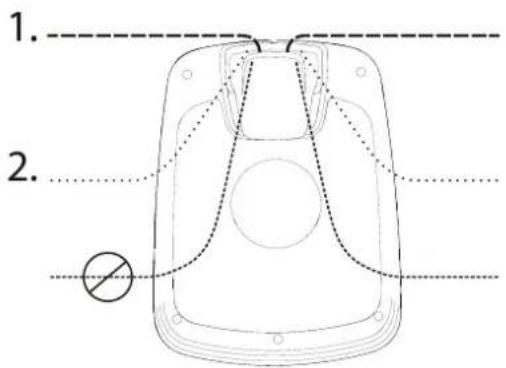
text_image
1. 2.natural_image
Diagram of a car interior showing directional arrows indicating movement or force (no text or symbols)natural_image
Technical line drawing of a mechanical assembly with a black arrow pointing to a component (no text or symbols present)natural_image
Technical line drawing of a mechanical vehicle showing internal components and a central hub (no text or symbols)text_image
Diagram showing battery charging process with lightning bolt symbol and battery icon
natural_image
Line drawing of a robotic car with an arrow indicating motion or force (no text or symbols)text_image
Diagram illustrating a rural water management system with labeled components including a manhole, houses, and a fence.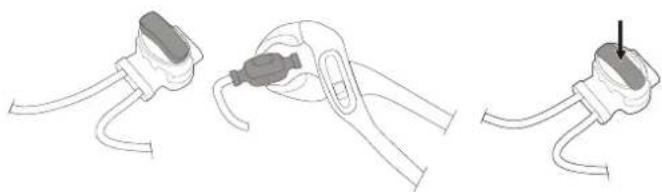
natural_image
Three-step diagram showing cable installation steps: wire connection, clamp placement, and plug attachment (no text or symbols)natural_image
Line drawings of three different types of pliers or tools, no text or symbols presentМонтаж
natural_image
Technical diagram of a mechanical component with directional arrows indicating assembly or flow (no text or symbols present)natural_image
Three-step diagram showing cable fastening and mounting bracket assembly (no text or symbols)natural_image
Technical line drawings of a mechanical component with screws and mounting holes (no text or symbols)natural_image
Technical line drawing of a vehicle interior showing dashboard, steering wheel, and gear (no text or symbols)natural_image
Line drawing of a robotic vehicle with visible wheels and a hand adjusting the wheel (no text or symbols)natural_image
Two identical 3D illustrations of a car's front bumper with arrows indicating direction (no text or symbols)natural_image
Technical line drawings of a car interior showing front and side views (no text or symbols)text_image
cross tip screwdriverТЕХОБСЛУЖИВАНИЕ АКБ

text_image
Diagram showing battery charging process with lightning bolt symbol and arrow indicating charging directiontext_image
Diagram showing battery charging symbols with checkmark and cross indicating statusRU
natural_image
3D technical illustration of a military armored vehicle with visible internal components and no text or symbolstext_image
Exploded view diagram of a device with numbered parts for identification and assembly reference.text_image
1m >1m 10m >3m >1m 35cm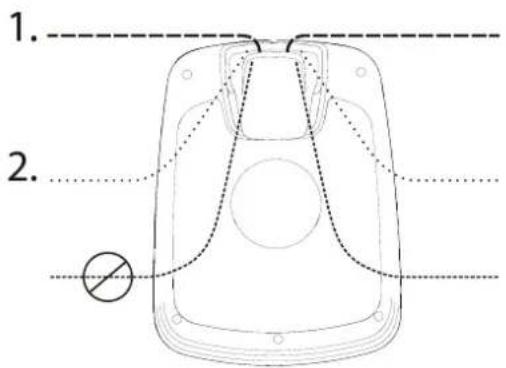
text_image
1. 2.natural_image
Technical line drawing of a mechanical vehicle showing internal components and a central hub (no text or symbols)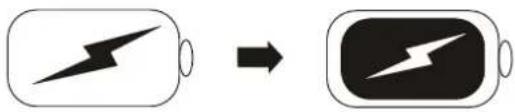
text_image
Diagram showing battery charging process with lightning bolt symbol and battery icon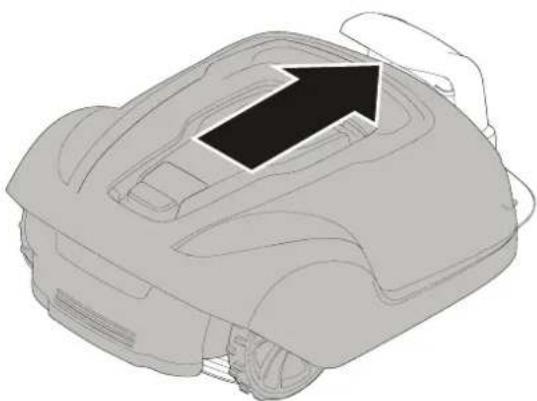
natural_image
Line drawing of a robotic vacuum cleaner with a black arrow indicating the component (no text or symbols present)text_image
Diagram illustrating a rural irrigation system with labeled components and water flow indicatorsnatural_image
Line drawings of three different types of pliers or tools, no text or symbols presentnatural_image
Technical diagram of a mechanical component with directional arrows indicating assembly or flow (no text or symbols present)natural_image
Three-step diagram showing cable fastening and mounting bracket assembly (no text or symbols)natural_image
Technical line drawings of a mechanical component with screws and mounting holes (no text or symbols)natural_image
Technical line drawing of a vehicle interior showing dashboard, steering wheel, and gear (no text or symbols)LEIKKUUKORKEUDEN SÄÄTÄMINEN
text_image
MAX 60 MIN 20natural_image
Line drawing of a robotic vehicle with visible wheels and a hand adjusting the wheel (no text or symbols)natural_image
Two identical 3D illustrations of a car's front bumper with arrows indicating direction (no text or symbols)natural_image
Technical line drawings of a car interior showing front and side views (no text or symbols)text_image
cross tip screwdriverAKUN KUNNOSSAPITO
text_image
Diagram showing battery charging process with lightning bolt symbol and arrow indicating charging directiontext_image
Diagram showing battery and plug symbols with checkmark and cross indicating status or failure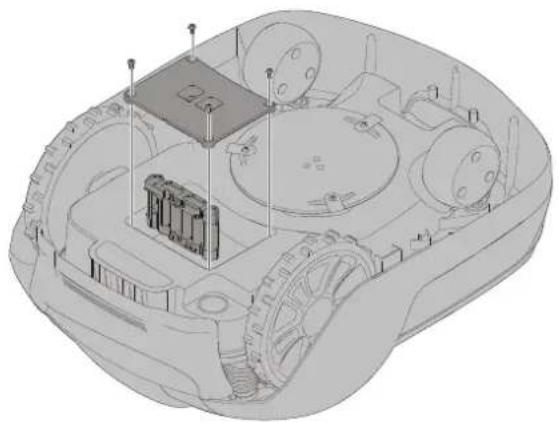
natural_image
3D technical illustration of a vehicle chassis with internal components and no visible text or symbolsName and address of the person authorized to compile the technical file:
Peter Söderström
Propellergatan 1, 21115 Malmö, Sweden
text_image
Exploded view diagram of a device with numbered parts for identification and assembly reference.text_image
1m >1m 10m >3m >1m 35cm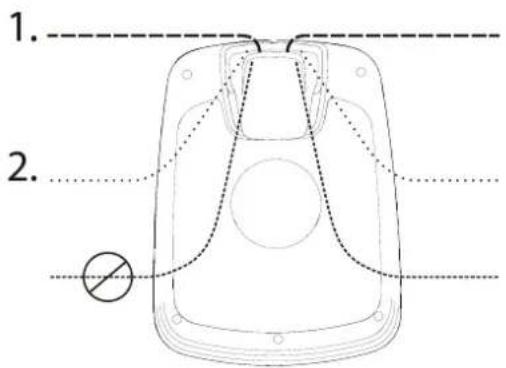
text_image
1. 2.natural_image
Diagram of a car interior showing directional arrows indicating movement or force (no text or symbols)natural_image
Technical line drawing of a mechanical assembly with a black arrow pointing to a component (no text or symbols present)Anslut lågspänningskabeln till laddstationen.
natural_image
Technical line drawing of a mechanical vehicle showing internal components and a central hub (no text or symbols)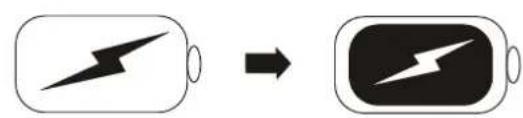
text_image
Diagram showing battery charging process with lightning bolt symbol and battery icon, indicating charging state change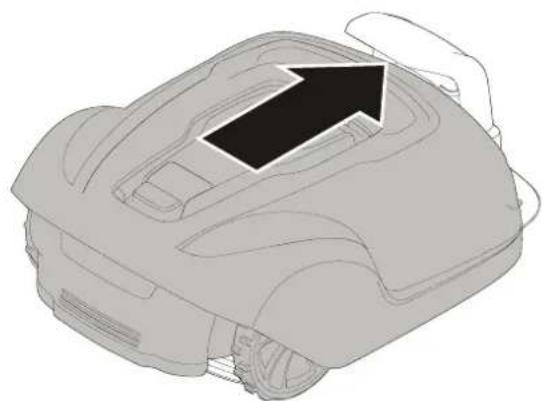
natural_image
Line drawing of a robotic car with an arrow indicating direction (no text or symbols)text_image
Diagram illustrating a rural water management system with labeled components including a rural house, a manhole cover, and outdoor monitoring setup.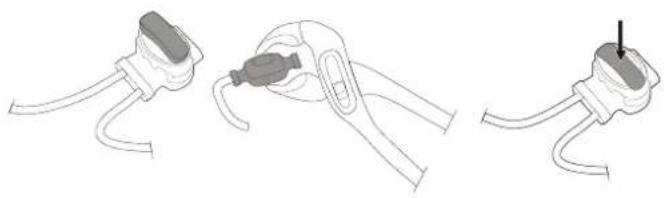
natural_image
Three-step diagram showing cable installation steps: wire connection, clamp placement, and plug attachment (no text or symbols)natural_image
Line drawings of three different types of pliers or tools, no text or symbols presentnatural_image
Technical diagram of a mechanical component with directional arrows indicating assembly or flow (no text or symbols present)natural_image
Three-step diagram showing cable fastening and mounting bracket assembly (no text or symbols)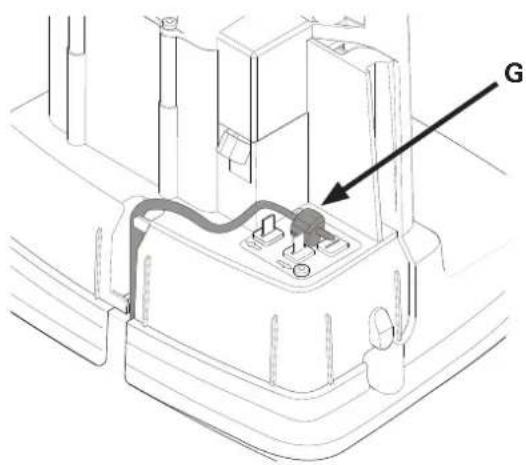
text_image
Gnatural_image
Technical line drawings of a mechanical component with screws and mounting holes (no text or symbols)natural_image
Technical line drawing of a vehicle interior showing dashboard, steering wheel, and gear (no text or symbols)JUSTERA KLIPPHÖJDEN
text_image
MAX 60 MIN 20LYFTA OCH BÄRA KLIPPAREN
natural_image
Line drawing of a robotic vehicle with visible wheels and a hand adjusting the component (no text or symbols)natural_image
Two 3D illustrations of a car's dashboard and steering wheel, showing mechanical components with arrows indicating motion (no text or symbols)natural_image
Technical line drawings of a car interior showing front and side views (no text or symbols)text_image
cross tip screwdriverUNDERHÅLLA BATTERIET
text_image
Diagram showing battery charging process with lightning bolt symbol and arrow indicating charging directiontext_image
Diagram showing battery and plug symbols with checkmark and cross indicating status or failure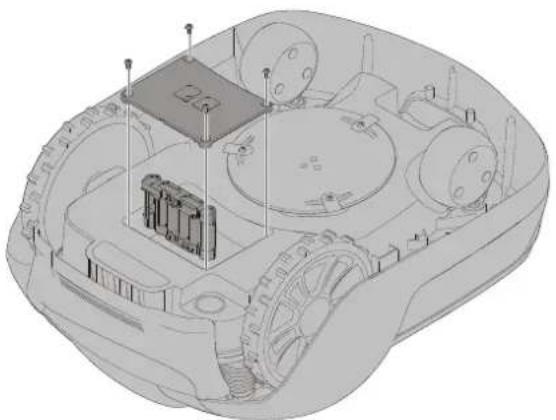
natural_image
3D technical illustration of a vehicle's internal components, showing no text or symbolsChangzhou, 1 december 2018
text_image
Exploded view diagram of a device with numbered parts for identification and assembly reference.text_image
1m >1m 10m >3m >1m 35cm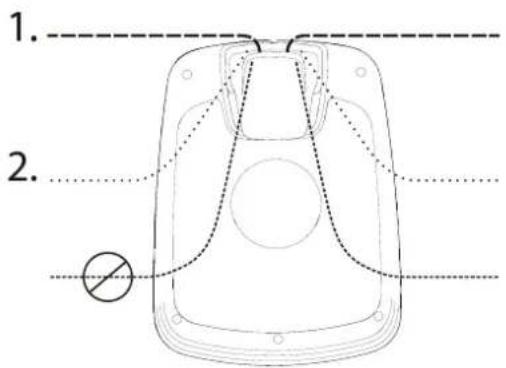
text_image
1. 2.natural_image
Diagram of a car's seatbelt mechanism with directional arrows indicating movement (no text or symbols)natural_image
Technical line drawing of a mechanical assembly with a black arrow pointing to a component (no text or symbols present)natural_image
Technical line drawing of a mechanical vehicle interior showing internal components and a central hub (no text or symbols)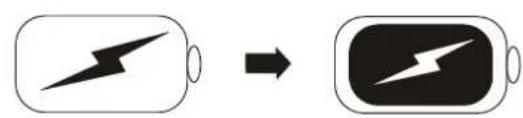
text_image
Diagram showing battery charging process with lightning bolt symbol and battery icon, indicating charging state change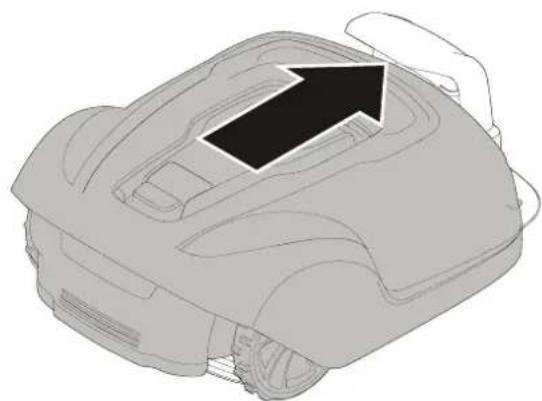
natural_image
Line drawing of a robotic car with an arrow indicating direction (no text or symbols)text_image
Diagram illustrating a rural irrigation system with labeled components and water flow indicatorsnatural_image
Line drawings of three different types of pliers or tools, no text or symbols presentnatural_image
Technical diagram of a mechanical component with directional arrows indicating assembly or flow (no text or symbols present)natural_image
Three-step diagram showing cable fastening and mounting bracket assembly (no text or symbols)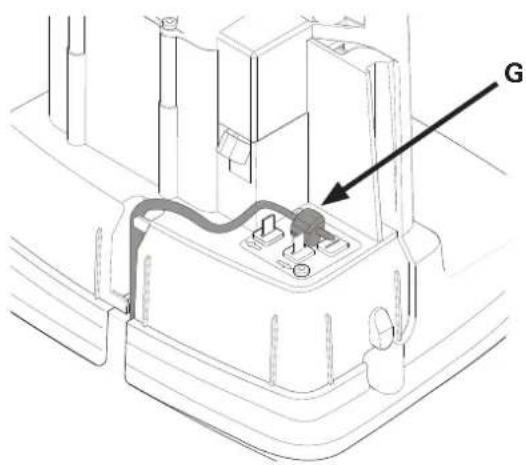
text_image
Gnatural_image
Technical line drawings of a mechanical component with screws and mounting holes (no text or symbols)natural_image
Technical line drawing of a vehicle dashboard and steering wheel assembly (no text or symbols)REGULERE KLIPPEH∅YDEN
text_image
MAX 60 MIN 20Slik starter du gressklilpperen:
natural_image
Line drawing of a robotic vehicle with visible wheels and a hand adjusting the component (no text or symbols)Trykk på STOPP-knappen på gressklipperen og ta ut sikkerhetsnøkkelen før du løfter gressklipperen.
Løft alltid gressklipperen i selve håndtaket.
PARING AV MOBILAPPEN MED GRESSKLIPPEREN
natural_image
Two 3D illustrations of a car's interior components with arrows indicating movement or force (no text or symbols)natural_image
Technical line drawings of a car interior showing front and side views (no text or symbols)text_image
cross tip screwdriverVEDLIKEHOLD AV BATTERIET
text_image
Diagram showing battery charging process with lightning bolt symbol and arrow indicating charging directiontext_image
Diagram showing battery charging symbols with checkmark and cross indicating status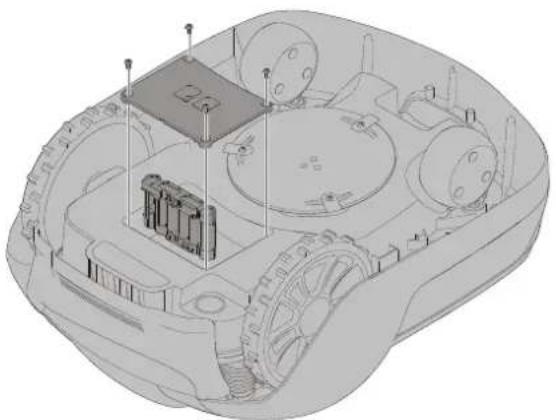
natural_image
3D technical illustration of a vehicle's internal components, showing gears and a central housing (no text or symbols)Name and address of the person authorized to compile the technical file:
Peter Söderström
Propellergatan 1, 21115 Malmö, Sweden
text_image
Exploded view diagram of a device with numbered parts for identification and assembly reference.text_image
1m >1m 10m >3m >1m 35cm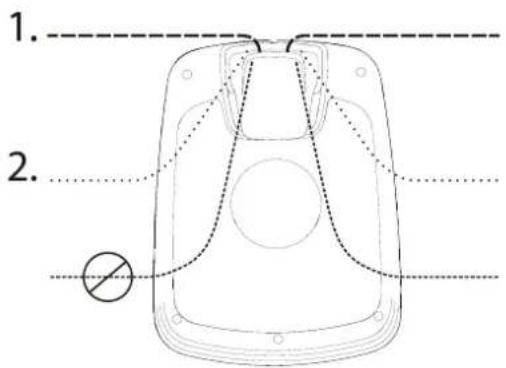
text_image
1. 2.Placering af ladestation:
natural_image
Diagram of a car interior showing directional arrows indicating movement or force (no text or symbols)natural_image
Technical line drawing of a mechanical component with a black arrow pointing to a section (no text or symbols present)natural_image
Technical line drawing of a mechanical vehicle showing internal components and a central hub (no text or symbols)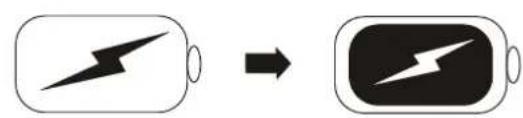
text_image
Diagram showing battery charging process with lightning bolt symbol and battery icon, indicating charging state change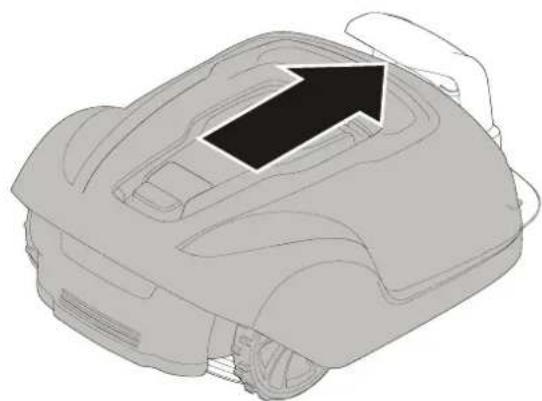
natural_image
Line drawing of a robotic car with an arrow indicating direction (no text or symbols)text_image
Diagram illustrating a rural irrigation system with labeled components and water flow indicatorsnatural_image
Line drawings of three different types of pliers or tools, no text or symbols presentnatural_image
Technical diagram of a mechanical component with directional arrows indicating assembly or flow (no text or symbols present)natural_image
Three-step diagram showing cable fastening and mounting bracket assembly (no text or symbols)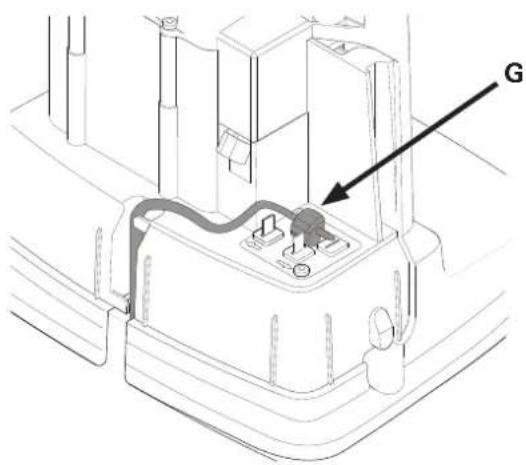
text_image
Gnatural_image
Technical line drawings of a mechanical component with screws and mounting holes (no text or symbols)text_image
Start Stop ① ② ② ① ②FRAKOBLING AF PLÆNEKLIPPEREN
natural_image
Technical line drawing of a vehicle interior showing dashboard, steering wheel, and gear (no text or symbols)JUSTERING AF KLIPPEH∅JDE
text_image
MAX 60 MIN 20natural_image
Line drawing of a robotic vehicle with visible wheels and a hand adjusting the component (no text or symbols)natural_image
Two identical 3D illustrations of a car's front bumper with arrows indicating direction (no text or symbols)natural_image
Technical line drawings of a car interior showing front and side views (no text or symbols)UDSKIFTNING AF KNIVE
text_image
Technical diagram of a mechanical component with labeled parts and tool icons, including checkmark, cross, and screwdriver instructions.VEDLIGEHOLDELSE AF BATTERIET
text_image
Diagram showing battery charging process with lightning bolt symbol and arrow indicating charging directiontext_image
Diagram showing battery charging symbols with checkmark and cross indicating status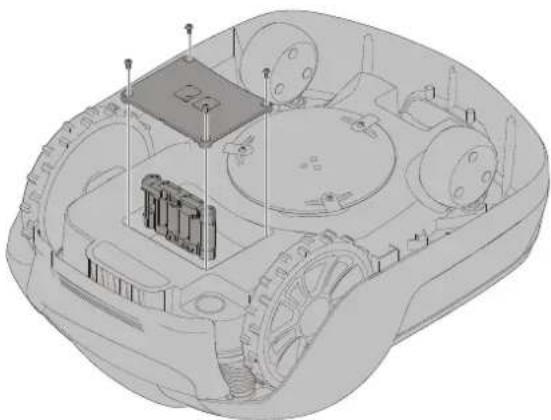
natural_image
3D technical illustration of a military armored vehicle showing internal components like tanks, wheels, and a central platform (no text or symbols)INDIKATOR-LED'ER PÅ LADESTATION
Changzhou, 1 december 2018
text_image
Exploded view diagram of a device with numbered parts for identification and assembly reference.text_image
1m >1m 10m >3m >1m 35cm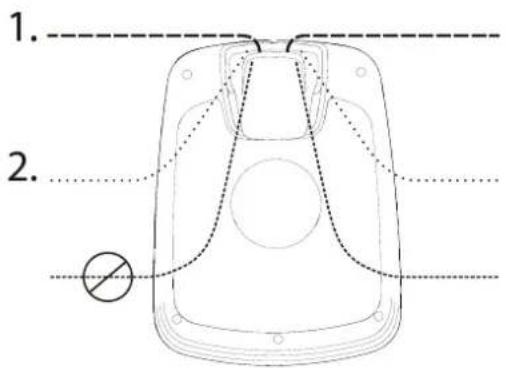
text_image
1. 2.natural_image
Diagram of a car's seatbelt mechanism with directional arrows indicating movement (no text or symbols)natural_image
Technical line drawing of a mechanical assembly with a black arrow pointing to a component (no text or symbols present)natural_image
Technical line drawing of a mechanical vehicle showing internal components and a central hub (no text or symbols)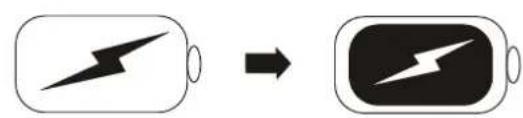
text_image
Diagram showing battery charging process with lightning bolt symbol and battery icon, indicating charging state change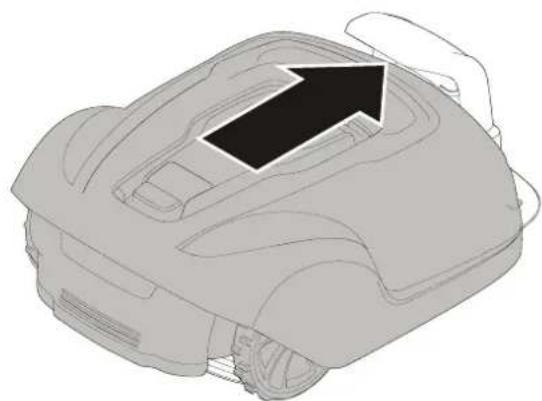
natural_image
Line drawing of a robotic car with an arrow indicating direction (no text or symbols)text_image
Diagram illustrating a rural water management system with labeled components including a rural house, a manhole cover, and outdoor monitoring setup.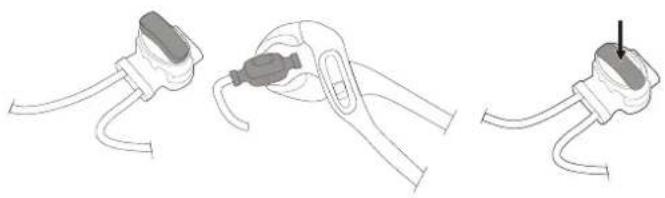
natural_image
Three-step diagram showing cable installation steps: wire connection, clamp placement, and plug attachment (no text or symbols)natural_image
Line drawings of three different types of pliers or tools, no text or symbols presentnatural_image
Technical diagram of a mechanical component with directional arrows indicating assembly or flow (no text or symbols present)flowchart
graph TD
    A["Water Heating Unit"] --> B["Soil Treatment"]
    B --> C["Outdoor Storage"]
    C --> D["Storage Facility"]
    D --> E["Grid Structure"]
    E --> F["Recovery Path"]
    F --> G["Recirculation Loop"]
    G --> H["Storage Facility"]
    H --> I["Storage Facility"]
    I --> J["Grid Structure"]
    J --> K["Recirculation Loop"]
    K --> L["Storage Facility"]
    L --> M["Storage Facility"]
natural_image
Three-step diagram showing cable fastening and mounting bracket assembly (no text or symbols)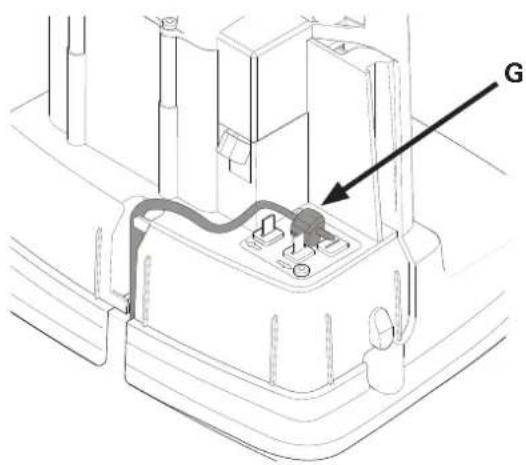
text_image
Gnatural_image
Technical line drawings of a mechanical component with screws and mounting holes (no text or symbols)text_image
Start Stop ① ② ② ① ②WYŁĄCZANIE KOSIARKI
natural_image
Technical line drawing of a vehicle interior showing dashboard, steering wheel, and gear (no text or symbols)REGULACJA WYSOKOŚCI KOSZENIA
text_image
MAX 60 MIN 20natural_image
Line drawing of a robotic vehicle with visible wheels and a hand adjusting the component (no text or symbols)natural_image
Two identical illustrations of a robotic car with arrows indicating motion or force direction (no text or symbols present)natural_image
Technical line drawings of a car interior showing front and side views (no text or symbols)text_image
cross tip screwdriverKONSERWACJA AKUMULATORA
text_image
Diagram showing battery charging process with lightning bolt symbol and arrow indicating charging directiontext_image
Diagram showing battery charging symbols with checkmark and cross indicating status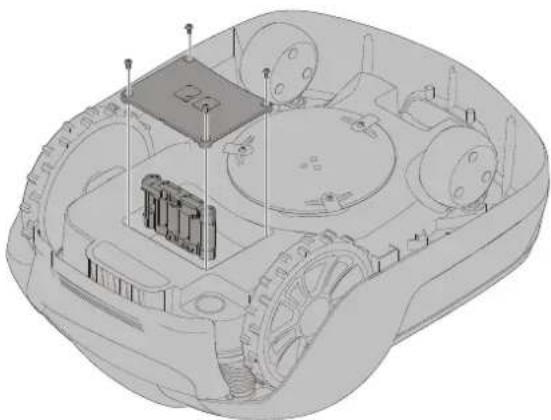
natural_image
3D technical illustration of a military armored vehicle showing internal components like tanks, wheels, and a central platform (no text or symbols)Producent: GLOBGRO AB, Globe Group Europe
Address: Propellergatan 1, 21115 Malmö, Sweden
Name and address of the person authorized to compile the technical file:
Peter Söderström
Propellergatan 1, 21115 Malmö, Sweden
text_image
Exploded view diagram of a device with numbered parts for identification and assembly reference.text_image
1m >1m 10m >3m >1m 35cm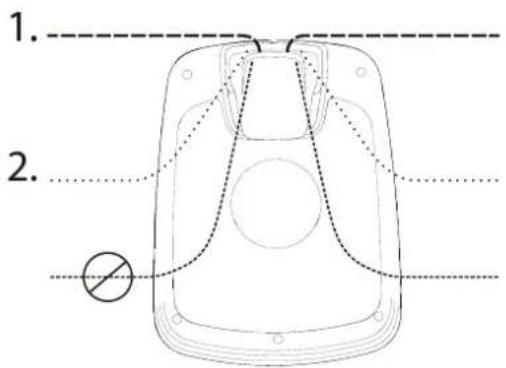
text_image
1. 2.natural_image
Diagram of a car's seatbelt mechanism with directional arrows indicating movement (no text or symbols)natural_image
Technical line drawing of a mechanical component with a black arrow pointing to a section (no text or symbols present)natural_image
Technical line drawing of a mechanical vehicle showing internal components and a central hub (no text or symbols)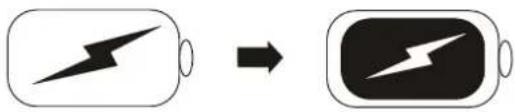
text_image
Diagram showing battery charging process with lightning bolt symbol and battery icon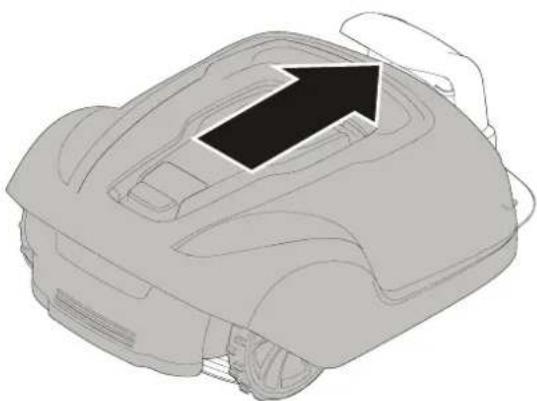
natural_image
Line drawing of a robotic vacuum cleaner with a hand adjusting the top part (no text or symbols)text_image
Diagram illustrating a rural irrigation system with labeled components and water flow indicatorsnatural_image
Line drawings of three different types of pliers or tools, no text or symbols presentnatural_image
Technical diagram of a mechanical component with directional arrows indicating assembly or flow (no text or symbols present)natural_image
Three-step diagram showing cable fastening and mounting bracket assembly (no text or symbols)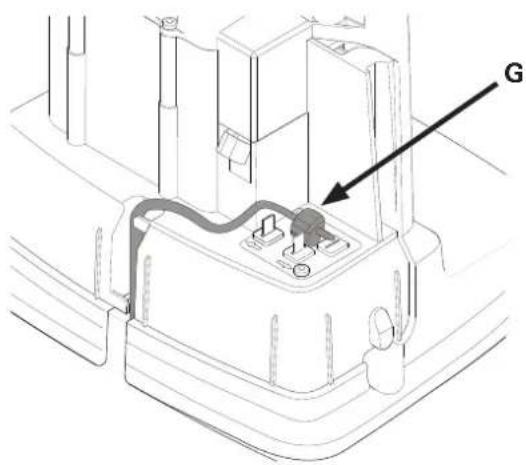
text_image
Gnatural_image
Technical line drawing of a vehicle interior showing dashboard, steering wheel, and gear mechanism (no text or labels)CS
NASTAVENÍ DÉLKY SEKÁNÍ
text_image
MAX 60 MIN 20natural_image
Line drawing of a robotic vehicle showing wheel assembly and hand placement (no text or symbols)natural_image
Two identical diagrams showing a robotic car interior with arrows indicating movement or force (no text or symbols present)natural_image
Technical line drawings of a car's front and side views (no text or symbols)text_image
Technical diagram of a mechanical component with labeled parts and tool icons, including checkmark, cross, and screwdriver instructions.ÚDRŽBA BATERIE
text_image
Diagram showing battery charging process with lightning bolt symbol and arrow indicating charging directiontext_image
Diagram showing battery charging symbols with checkmark and cross indicating status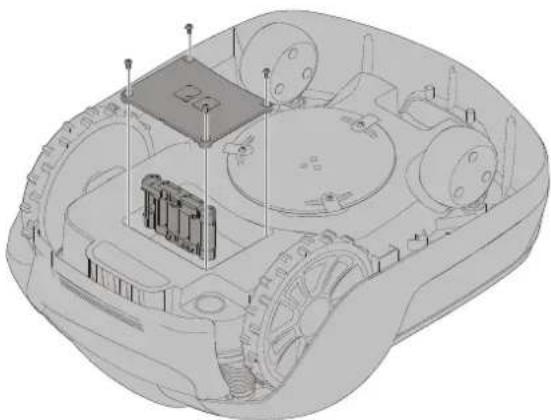
natural_image
3D technical illustration of a military armored vehicle with visible internal components and no text or symbolsName and address of the person authorized to compile the technical file:
Peter Söderström
Propellergatan 1, 21115 Malmö, Sweden
text_image
Exploded view diagram of a device with numbered parts for identification and assembly reference.text_image
1m >1m 10m >3m >1m 35cm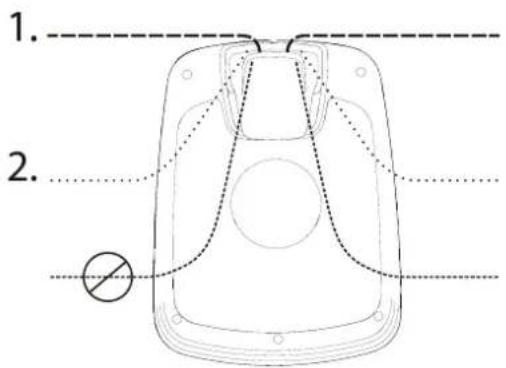
text_image
1. 2.natural_image
Diagram of a car's seatbelt mechanism with directional arrows indicating movement (no text or symbols)natural_image
Technical line drawing of a mechanical assembly with a black arrow pointing to a component (no text or symbols present)natural_image
Technical line drawing of a mechanical vehicle showing internal components and a central hub (no text or symbols)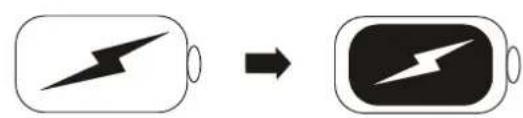
text_image
Diagram showing battery charging process with lightning bolt symbol and battery icon, indicating charging state change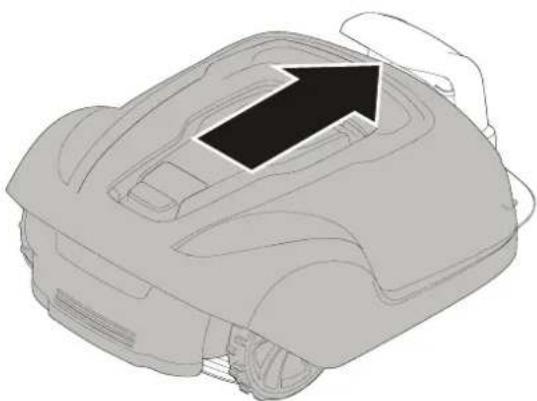
natural_image
Line drawing of a robotic vacuum cleaner with a hand holding the lid (no text or symbols)text_image
Diagram illustrating a rural water management system with labeled components including a rural house, a manhole cover, and outdoor monitoring setup.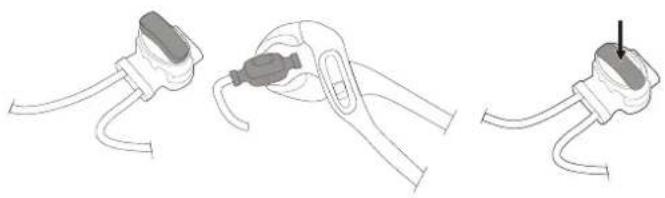
natural_image
Three-step diagram showing cable installation steps: wire connection, clamp placement, and plug attachment (no text or symbols)natural_image
Line drawings of three different types of pliers or tools, no text or symbols presentnatural_image
Technical diagram of a mechanical component with directional arrows indicating assembly or flow (no text or symbols present)natural_image
Three-step diagram showing cable fastening and mounting bracket assembly (no text or symbols)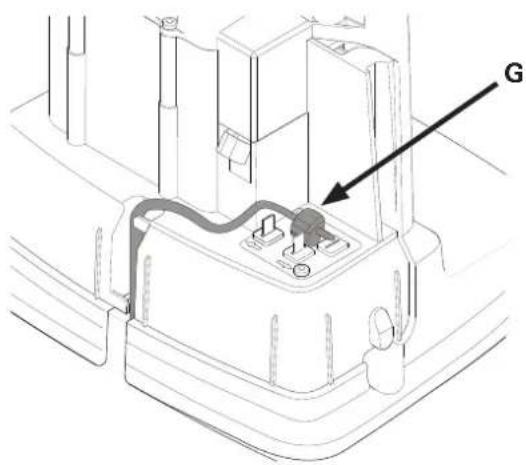
text_image
Gnatural_image
Technical line drawing of a vehicle interior showing dashboard, steering wheel, and gear (no text or symbols)NASTAVENIE VÝŠKY KOSENIA
SK
text_image
MAX 60 MIN 20Zapnutie kosačky:
natural_image
Line drawing of a robotic vehicle showing wheel assembly and hand placement (no text or symbols)natural_image
Two 3D illustrations of a car's dashboard and steering wheel, showing mechanical components with arrows indicating motion (no text or symbols)natural_image
Technical line drawings of a car interior showing front and side views (no text or symbols)text_image
cross tip screwdriverÚDRŽBA BATÉRIE
text_image
Diagram showing battery charging process with lightning bolt symbol and arrow indicating charging directionVAROVANIE! Stlačte tlačidlo STOP a pred výmenou čepelí vyberte bezpečnostný klúč a nasadte si ochranné rukavice.
VAROVANIE! Používajte iba čepel' GLOBE: 333092355
text_image
Diagram showing battery charging symbols with checkmark and cross indicating status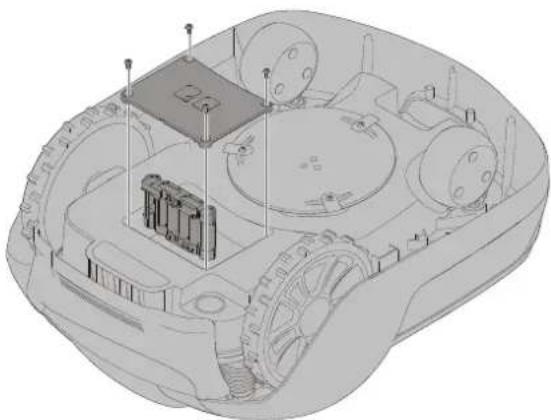
natural_image
3D technical illustration of a military armored vehicle showing internal components and structural elements (no text or symbols)VAROVANIE! Stlačte tlačidlo STOP a pred výmenou batérií vyberte bezpečnostný klúč a nasadte si ochranné rukavice.
Name and address of the person authorized to compile the technical file:
Peter Söderström
Propellergatan 1, 21115 Malmö, Sweden
Changzhou, 1. december 2018
text_image
Exploded view diagram of a device with numbered parts for identification and assembly reference.1 Snemljiv pokrov
2 Gumb Stop (Ustavi)
3 Gumb Start (Zagon)
4 Indikatorske lučke LED
5 Prilagajanje višine košnje
6 Zadnji kolesi
7 Sprednji kolesi
8 Rezalni disk
9 Pokrov predala za baterijo
10 Nosilni ročaj
11 Varnostni ključ
12 Polnilna postaja
text_image
1m >1m 10m >3m >1m 35cm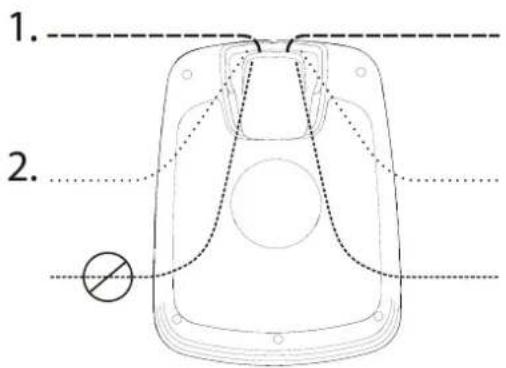
text_image
1. 2.natural_image
Diagram of a car's seatbelt mechanism with directional arrows indicating movement (no text or symbols)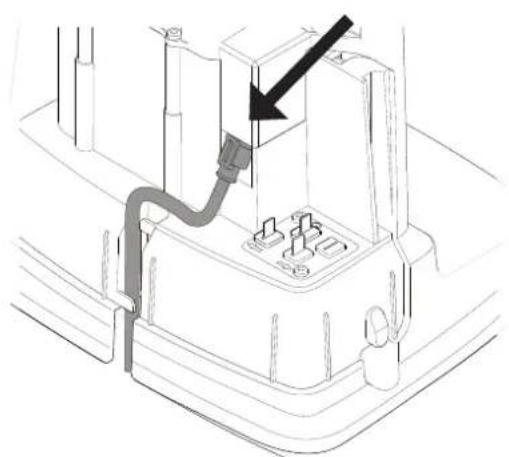
natural_image
Technical line drawing of a mechanical component with a black arrow pointing to a section (no text or symbols present)natural_image
Technical line drawing of a mechanical vehicle showing internal components and a central hub (no text or symbols)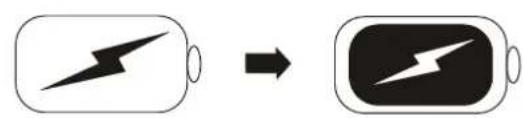
text_image
Diagram showing battery charging process with lightning bolt symbol and battery icon, indicating charging state change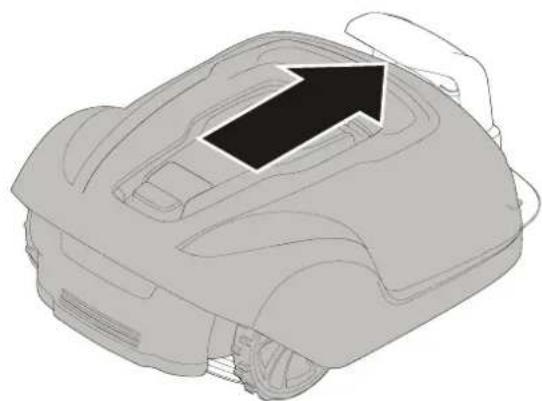
natural_image
Line drawing of a robotic car with an arrow indicating direction (no text or symbols)text_image
Diagram illustrating a rural water management system with labeled components including a rural house, a manhole cover, and outdoor monitoring setup.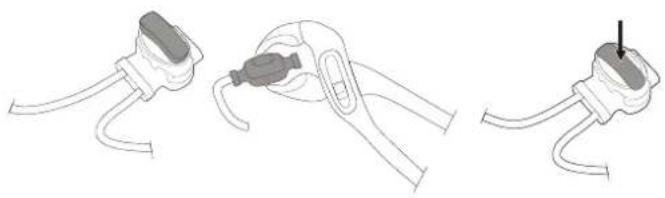
natural_image
Three-step diagram showing cable installation steps: wire connection, clamp placement, and plug attachment (no text or symbols)natural_image
Line drawings of three different types of pliers or tools, shown in separate views (no text or symbols present)SL
natural_image
Technical diagram of a mechanical component with directional arrows indicating assembly or flow (no text or symbols present)natural_image
Three-step diagram showing cable fastening and mounting bracket assembly (no text or symbols)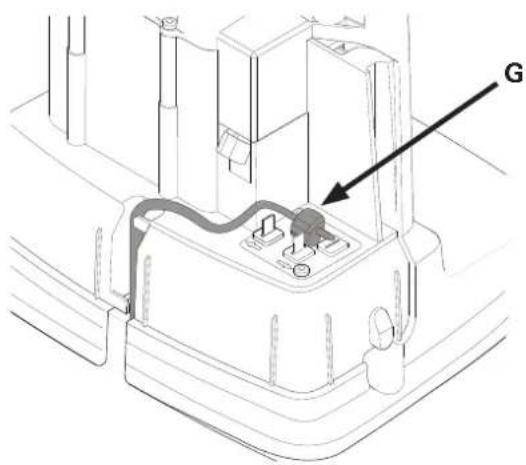
text_image
Gnatural_image
Technical line drawings of a mechanical component with screws and mounting holes (no text or symbols)Start (Zagon) Stop (Ustavi)
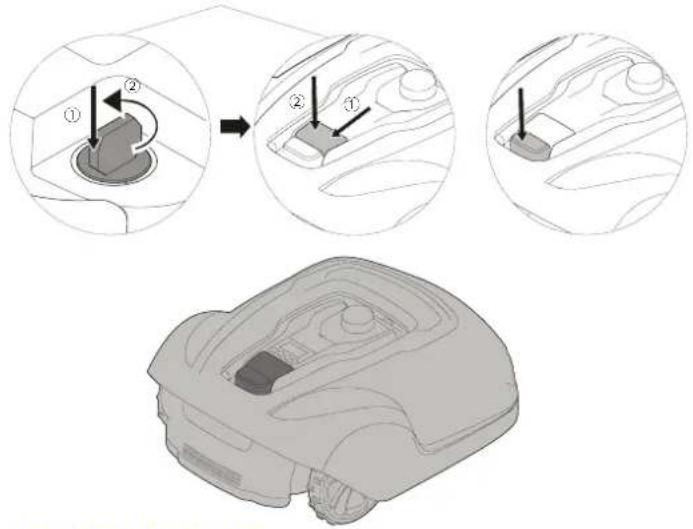
text_image
Diagram illustrating a robotic arm tool with labeled parts and step-by-step instructions for tool positioning.IZKLOP KOSILNICE
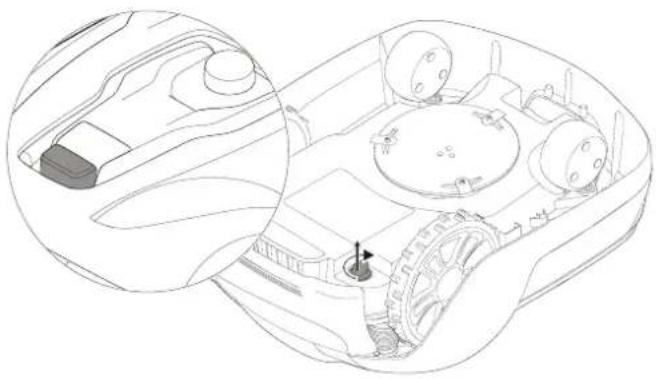
natural_image
Technical line drawing of a vehicle interior showing dashboard, steering wheel, and gear mechanism (no text or symbols)PRILAGODITEV VIŠINE KOŠNJE
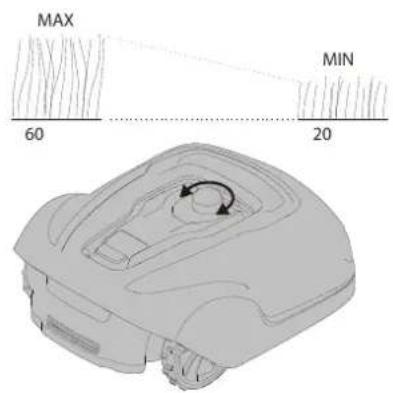
text_image
MAX 60 MIN 20Za zagon kosilnice:
1 Vstavite varnostni ključ in ga obrnite v nasprotni smeri urnega kazalca v položaj »1«.
2 Zapah gumba START (ZAGON) potisnite nazaj.
3 Pritisnite gumb START (ZAGON).
natural_image
Line drawing of a robotic vehicle showing wheel assembly and hand placement (no text or symbols)natural_image
Two identical 3D illustrations of a car's dashboard and steering wheel, showing mechanical components without any text or symbols.natural_image
Technical line drawings of a vehicle's internal components, showing front and side views (no text or symbols)text_image
cross tip screwdriverVZDRŽEVANJE BATERIJE
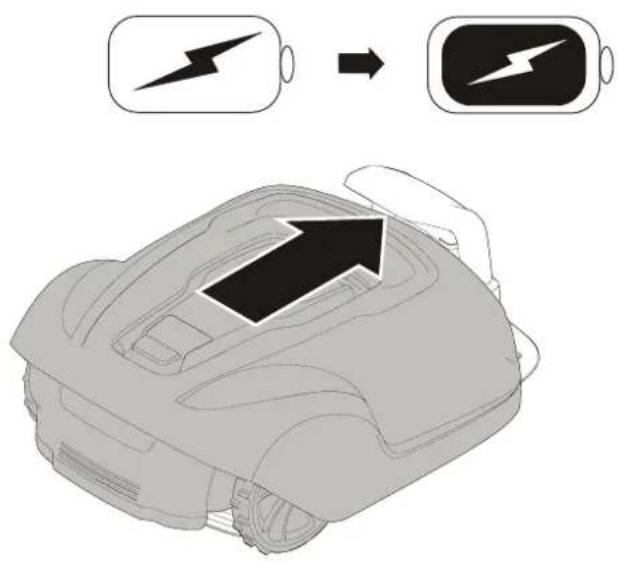
text_image
Diagram showing battery charging process with lightning bolt symbol and arrow indicating charging directionOPOZORILO! Preden zamenjate rezila, pritisnite gumb STOP (USTAVI) in odstranite varnostni ključ, pri tem pa nosite zaščitne rokavice.
OPOZORILO! Uporabite le rezila GLOBE: 333092355
POZOR: Uporabite le originalne nadomestne dele.
Odstranite rezila in vijake.
Privijte nova rezila z novimi vijaki.
Preverite, ali se rezila nemoteno vrtijo.
text_image
Diagram showing battery charging symbols with checkmark and cross indicating status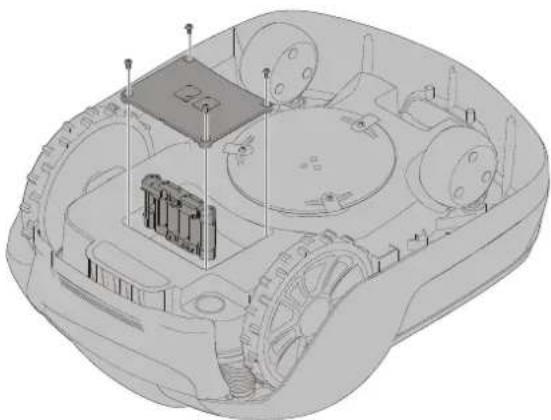
natural_image
3D technical illustration of a military armored vehicle showing internal components and structural elements (no text or symbols)OPOZORILO! Pritisnite gumb STOP (USTAVI) in odstranite varnostni ključ, preden zamenjate baterije. Pri tem nosite zaščitne rokavice.
POZOR: Uporabite le originalne nadomestne dele.
Noise Emission Directive (2000/14/EC amended by 2005/88/EC)
2014/53/EU, RF EN 303413, EN 301489-1/-19, EN303447, EN301 489-1/-3, EN 301489-1/-52, EN 301511, EN 62479
Changzhou, 1. december 2018
Sljedeće stranice sadrže važne sigurnosne upute i upute za rukovanje.
text_image
Exploded view diagram of a device with numbered parts for identification and assembly reference.1 Obavijest na skidljivom poklopcu
2 Gumb za zaustavljanje
3 Gumb za pokretanje
4 LED indikatori
5 Podešavanje visine košnje
6 Stražnji kotači
7 Prednji kotači
8 Disk za noževe
9 Poklopac akumulatora
10 Drška za prenošenje
11 Sigurnosni ključ
12 Stanica za punjenje
13 LED za provjeru rada
14 Priručnik za rukovatelja i brzi vodič
15 Izvor napajanja*
16 Vijci za pričvršćivanje stanice za punjenje (x5)
17 Niskonaponski kabel
18 Žica za petlje za graničnu žicu i žicu vodilicu
19 Kolčići za žicu
20 Dodatni noževi i vijci (x3)
21 Ravnalo (dio koji se otkida s vrha kartonske kutije)
22 Spojnice upletke i žice vodilice (x3)
23 Spojnice za žicu za petlje (x3)
HR
Ugradnja
text_image
1m >1m 10m >3m >1m 35cm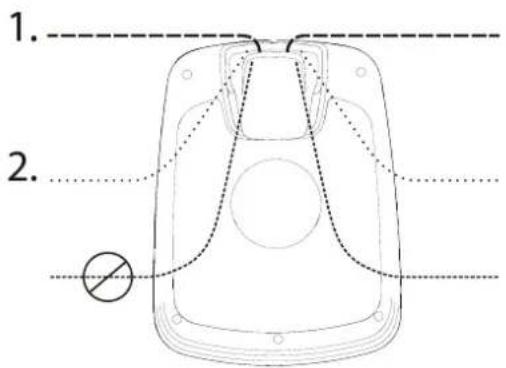
text_image
1. 2.natural_image
Diagram of a car interior showing directional arrows indicating movement or force (no text or symbols)Skinite zaštitni poklopac na stanici za punjenje pritiskom na krilca na svakoj strani podnožja i podizanjem poklopca.
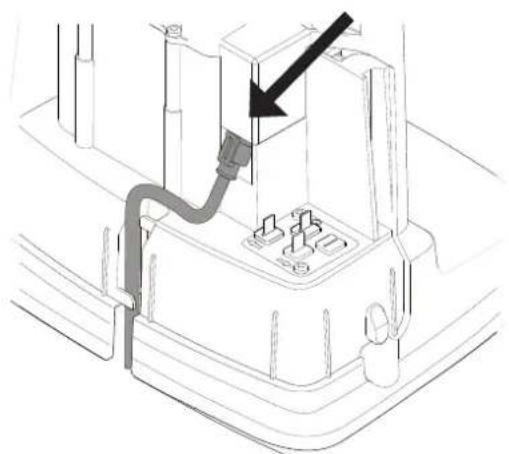
natural_image
Technical line drawing of a mechanical assembly with a black arrow pointing to a component (no text or symbols present)natural_image
Technical line drawing of a mechanical vehicle showing internal components and a central hub (no text or symbols)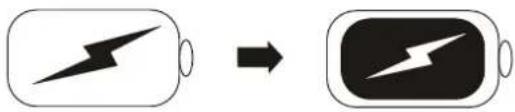
text_image
Diagram showing battery charging process with lightning bolt symbol and battery icon, indicating charging sequence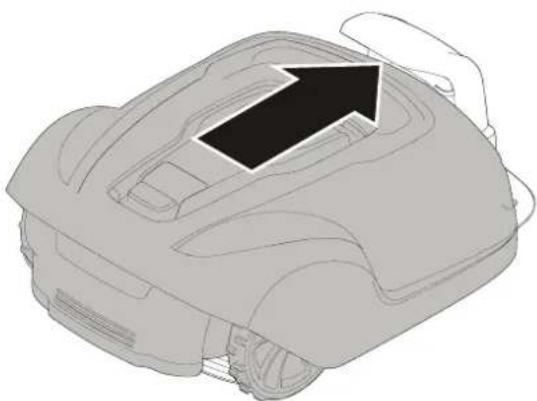
natural_image
Line drawing of a robotic vacuum cleaner with an arrow indicating the component (no text or symbols present)Umetnite sigurnosni ključ u donju stranu kosilice i okrenite ga u položaj Omogući (Enable).
text_image
Diagram illustrating a rural irrigation system with labeled components and water flow indicatorsPrivremeno pričvrstite kraj žice za petlju na kolčić ili neki drugi predmet na stanici za punjenje.
natural_image
Line drawings of three different types of pliers or tools, no text or symbols presentKad položite svu graničnu žicu i pričvrstite je, montirajte spojnice za žicu za završne petlje na sljedeći način:
1 Otvorite spojnicu za žicu za petlje i stavite žicu u ležište unutar spojnice za žicu za završne petlje.
2 Stisnite spojnice za žicu za završne petlje zajedno papagajkama dok ne čujete klik.
Odrežite sav višak granične žice od 1 do 2 cm iznad svake spojnice.
Ugradnja
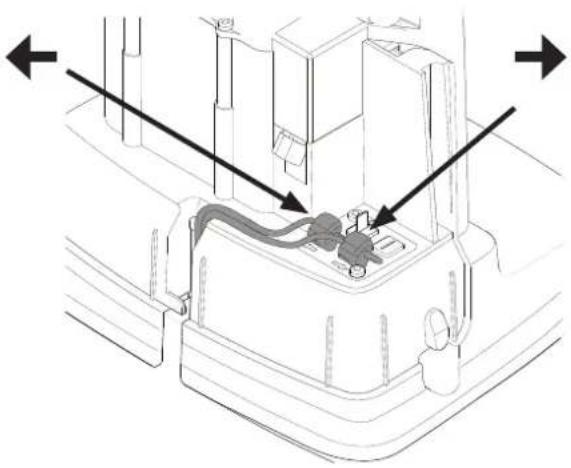
natural_image
Technical diagram of a mechanical component with directional arrows indicating assembly or flow (no text or symbols present)Spojite graničnu žicu na stanicu za punjenje na sljedeći način:
natural_image
Three-step diagram showing cable fastening and mounting bracket assembly (no text or symbols)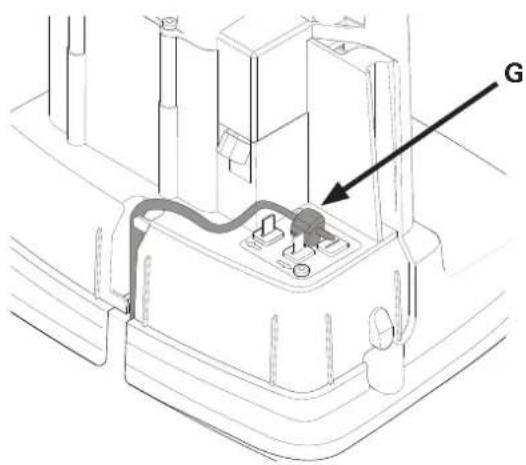
text_image
GUtaknite oba kraja granične žice kao i kraj žice vodilice u spojnicu za upletke i žicu vodilicu. Provjerite jesu li žice do kraja umetnute u spojnicu za upletke i žicu vodilicu tako da se krajevi vide kroz spojnicu za upletke i žicu vodilicu.
Stisnite prema dolje gumb na vrhu spojnice za upletke i žicu vodilicu papagajkama dok ne čujete klik.
natural_image
Technical line drawings of a mechanical component with screws and mounting holes (no text or symbols)Pričvrstite stanicu za punjenje za tlo s pet vijaka isporučenih uz uređaj imbus ključem od 6 mm.
text_image
Diagram illustrating a robotic arm tool with labeled parts and step-by-step instructions for tool positioning.ISKLJUČIVANJE KOSILICE
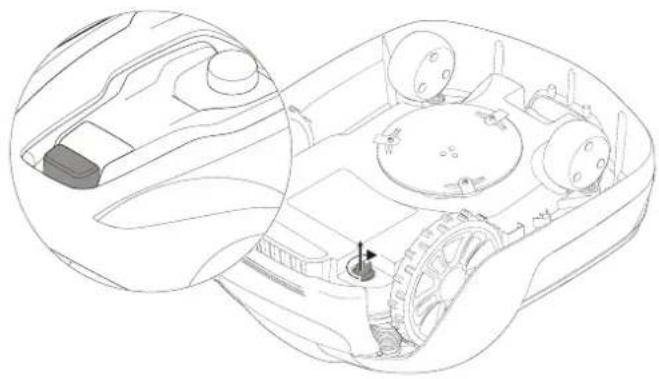
natural_image
Technical line drawing of a vehicle interior showing dashboard, steering wheel, and gear mechanism (no text or labels)PODEŠAVANJE VISINE REZANJA
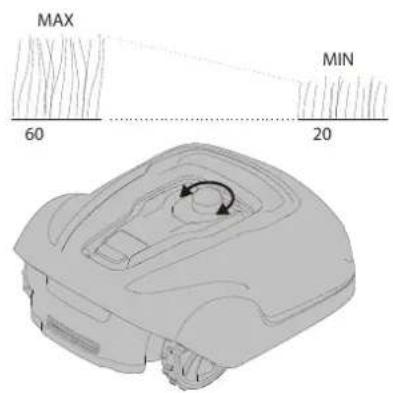
text_image
MAX 60 MIN 20Pokretanje rada kosilice:
natural_image
Line drawing of a robotic vehicle showing wheel assembly and hand placement (no text or symbols)natural_image
Two identical diagrams showing a robotic car interior with arrows indicating movement or force (no text or symbols present)Čvrsto držite kosilicu dolje jednom rukom i čvrsto podignite jedan od uglova kućišta i ponovite to za sva četiri ugla dok se kućište uz prigušeni pucanj ne odvoji od šasije.
natural_image
Technical line drawings of a car interior showing front and side views (no text or symbols)text_image
cross tip screwdriverODRŽAVANJE BATERIJE
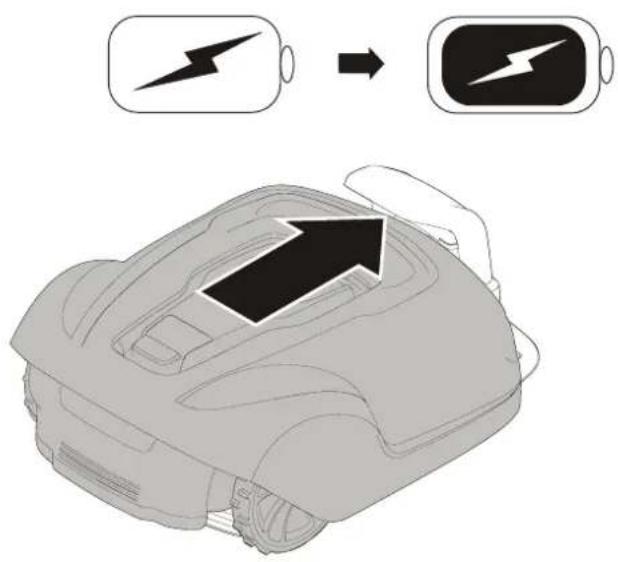
text_image
Diagram showing battery charging process with lightning bolt symbol and arrow indicating charging directiontext_image
Diagram showing battery charging symbols with checkmark and cross indicating status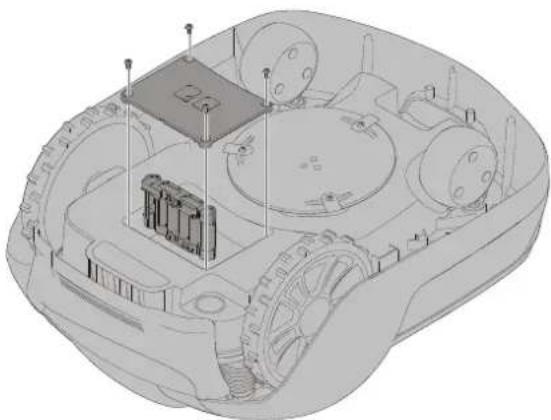
natural_image
3D technical illustration of a military armored vehicle showing internal components and structural elements (no text or symbols)text_image
Exploded view diagram of a device with numbered parts for identification and assembly reference.text_image
1m >1m 10m >3m >1m 35cm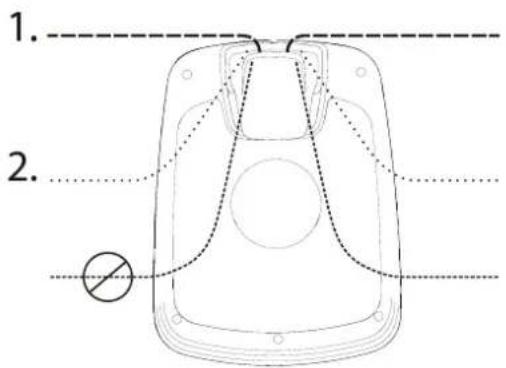
text_image
1. 2.The low voltage cable can cross the operating area if it is stapled down or buried.
natural_image
Diagram of a car interior showing directional arrows indicating movement or force (no text or symbols)natural_image
Technical line drawing of a mechanical assembly with a black arrow pointing to a component (no text or symbols present)natural_image
Technical line drawing of a mechanical vehicle showing internal components and a central hub (no text or symbols)text_image
Diagram showing battery charging process with lightning bolt symbol and battery iconnatural_image
Line drawing of a robotic vacuum cleaner with a black arrow indicating the component (no text or symbols present)HU
Telepítés
A HATÁROLÓHUZAL TELEPÍTÉSE
text_image
Diagram illustrating a rural water management system with labeled components including a rural house, a circular manhole, and outdoor structures.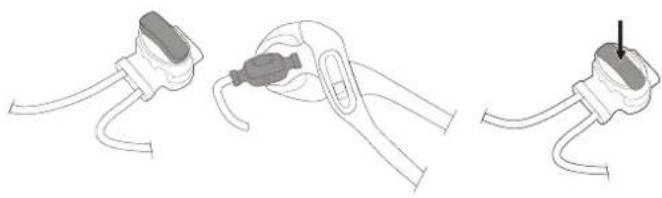
natural_image
Three-step diagram showing a cable clamp holding a plug, with one being inserted and the other holding a plug (no text or symbols present)natural_image
Line drawings of three different types of pliers or tools, no text or symbols presentnatural_image
Technical diagram of a mechanical component with directional arrows indicating assembly or flow (no text or symbols present)flowchart
graph TD
    A["Water Heating Unit"] --> B["Soil Treatment"]
    B --> C["Outdoor Storage"]
    C --> D["Storage Facility"]
    D --> E["Grid Structure"]
    E --> F["Recovery Path"]
    F --> G["Recirculation Loop"]
    G --> H["Storage Facility"]
    H --> I["Storage Facility"]
    I --> J["Grid Structure"]
    J --> K["Recirculation Loop"]
    K --> L["Storage Facility"]
    L --> M["Storage Facility"]
natural_image
Three-step diagram showing cable fastening and mounting bracket assembly (no text or symbols)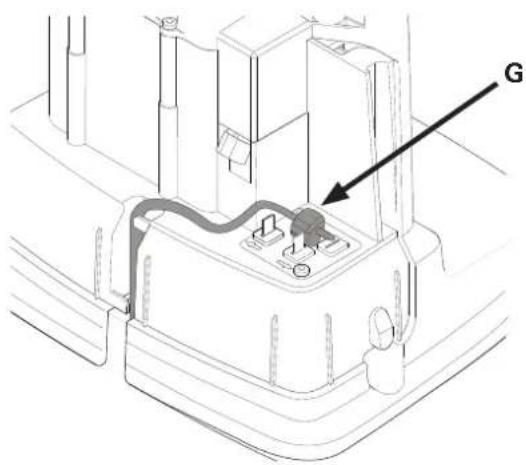
text_image
Gtext_image
Diagram illustrating a robotic device's step-by-step assembly with labeled components and motion arrowsA FÓNYÍRÓ KIKAPCSOLÁSA
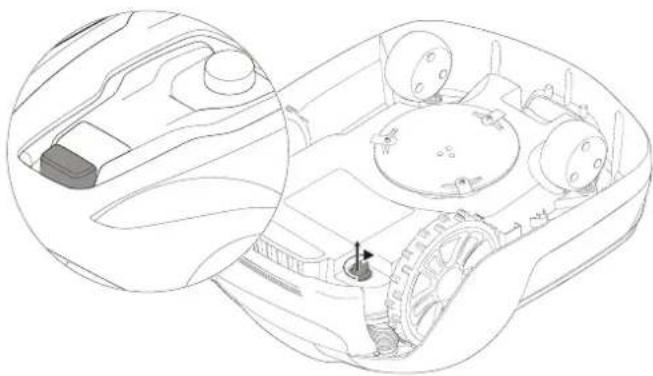
natural_image
Technical line drawing of a vehicle interior showing dashboard, steering wheel, and gear mechanism (no text or labels)natural_image
Line drawing of a robotic vehicle showing wheel assembly and hand placement (no text or symbols)natural_image
Two 3D illustrations of a car's rear engine compartment showing internal components and directional arrows (no text or symbols)natural_image
Technical line drawings of a car interior showing front and side views (no text or symbols)text_image
Technical diagram of a tank with screwdriver and tool, showing assembly instructions and component labelsAZ AKKUMULÁTOR KARBANTARTÁSA
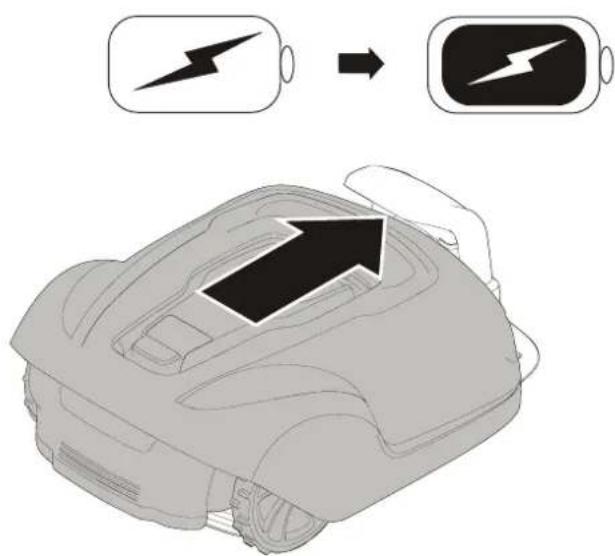
text_image
Diagram showing battery charging process with lightning bolt symbol and arrow indicating charging directiontext_image
Diagram showing battery charging symbols with checkmark and cross indicating status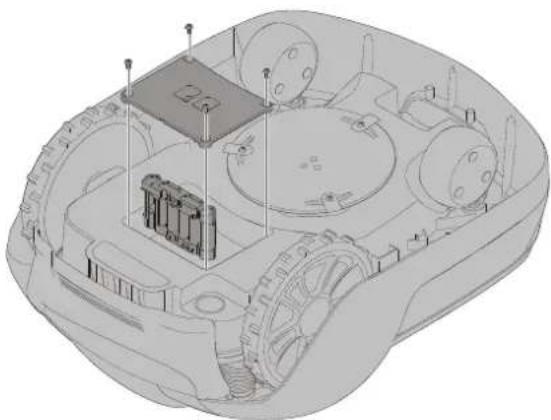
natural_image
3D technical illustration of a military armored vehicle showing internal components and structural elements (no text or symbols)CE Declaration of Conformity
Connecting the Power Supply....10
text_image
Exploded view diagram of a device with numbered parts for identification and assembly reference.text_image
1m >1m 10m >3m >1m 35cm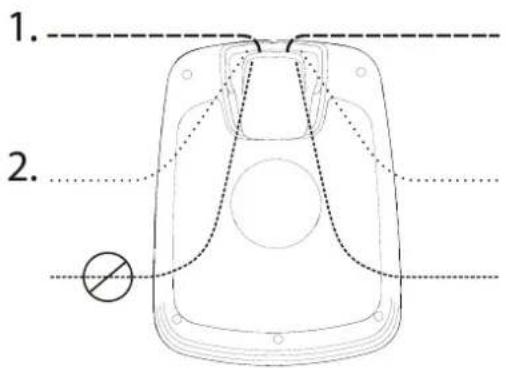
text_image
1. 2.natural_image
Diagram of a car interior showing directional arrows indicating movement or force (no text or symbols)natural_image
Technical line drawing of a mechanical assembly with a black arrow pointing to a component (no text or symbols present)natural_image
Technical line drawing of a mechanical vehicle showing internal components and a central hub (no text or symbols)text_image
Diagram showing battery charging process with lightning bolt symbol and battery iconnatural_image
Line drawing of a robotic vacuum cleaner with a hand adjusting the top part (no text or symbols)text_image
Diagram illustrating a rural water management system with labeled components including a rural house, a circular manhole, and outdoor structures.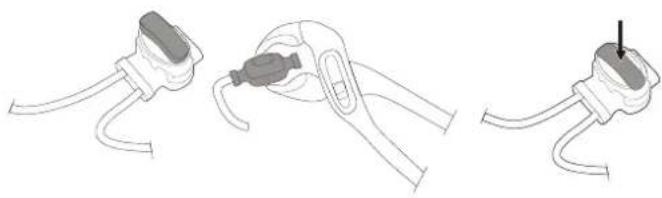
natural_image
Three-step diagram showing a cable clamp holding a plug, with one being inserted and the other holding a plug (no text or symbols present)natural_image
Line drawings of three different types of pliers or tools, no text or symbols presentnatural_image
Technical diagram of a mechanical component with directional arrows indicating assembly or flow (no text or symbols present)flowchart
graph TD
    A["Water Heating Unit"] --> B["Soil Treatment"]
    B --> C["Outdoor Storage"]
    C --> D["Storage Facility"]
    D --> E["Grid Structure"]
    E --> F["Recovery Path"]
    F --> G["Recirculation Loop"]
    G --> H["Storage Facility"]
    H --> I["Storage Facility"]
    I --> J["Grid Structure"]
    J --> K["Recirculation Loop"]
    K --> L["Storage Facility"]
    L --> M["Storage Facility"]
    M --> N["Grid Structure"]
    N --> O["Recirculation Loop"]
    O --> P["Storage Facility"]
    P --> Q["Storage Facility"]
    Q --> R["Grid Structure"]
    R --> S["Recirculation Loop"]
    S --> T["Storage Facility"]
    T --> U["Storage Facility"]
    U --> V["Grid Structure"]
natural_image
Three-step diagram showing cable fastening and mounting bracket assembly (no text or symbols)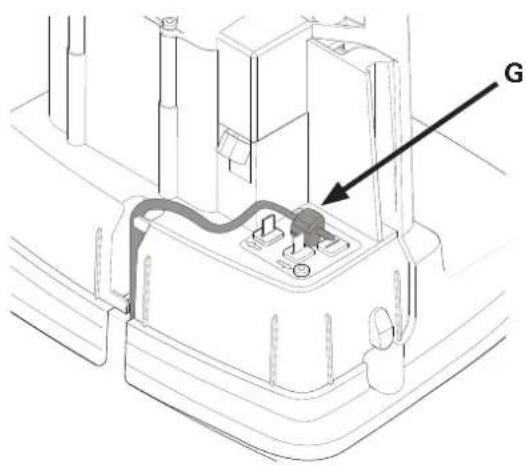
text_image
Gnatural_image
Technical line drawings of a mechanical component with screws and mounting holes (no text or symbols)text_image
Start Stop ① ② ② ① ①OPRIREA ROBOTULUI
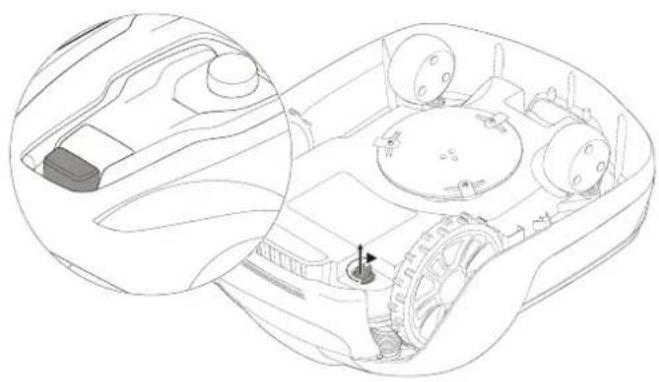
natural_image
Technical line drawing of a vehicle interior showing dashboard, steering wheel, and gear mechanism (no text or symbols)REGLAREA ÎNĂLȚIMII DE TĂIERE CUTTING HEIGHT
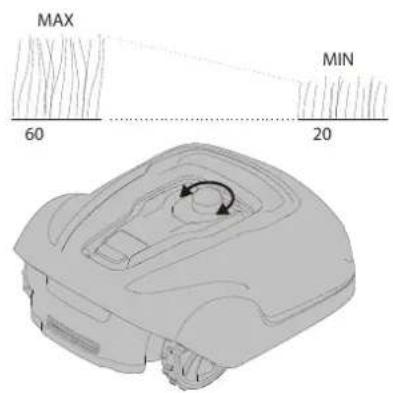
text_image
MAX 60 MIN 20Pentru a porni robotul de tuns iarba:
natural_image
Line drawing of a robotic vehicle with visible wheels and a hand adjusting the component (no text or symbols)natural_image
Line drawing of a robotic vacuum cleaner (no text or symbols)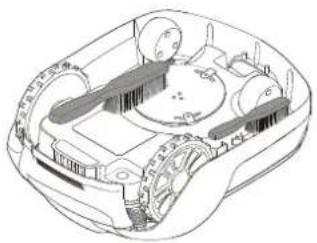
natural_image
Technical line drawing of a mechanical device with no visible text or symbolstext_image
cross tip screwdriverÎNTRETINEREA ACUMULATORULUI
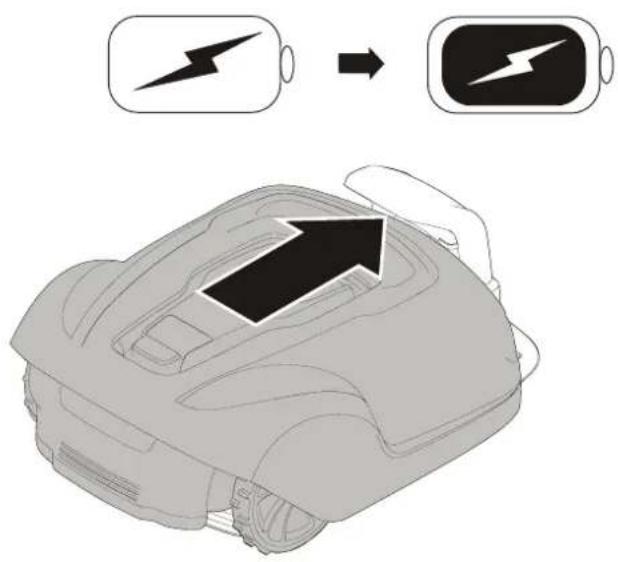
text_image
Diagram showing battery charging process with lightning bolt symbol and arrow indicating charging directiontext_image
Diagram showing battery charging symbols with checkmark and cross indicating status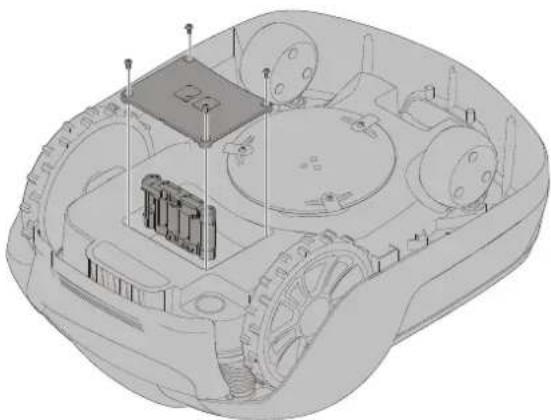
natural_image
3D technical illustration of a military armored vehicle showing internal components like tanks, wheels, and a central platform (no text or symbols)Fabricant: GLOBGRO AB, Globe Group Europe
Address: Propellergatan 1, 21115 Malmö, Sweden
Name and address of the person authorized to compile the technical file:
Peter Söderström
Propellergatan 1, 21115 Malmö, Sweden
text_image
Exploded view diagram of a device with numbered parts for identification and assembly reference.text_image
1m >1m 10m >3m >1m 35cm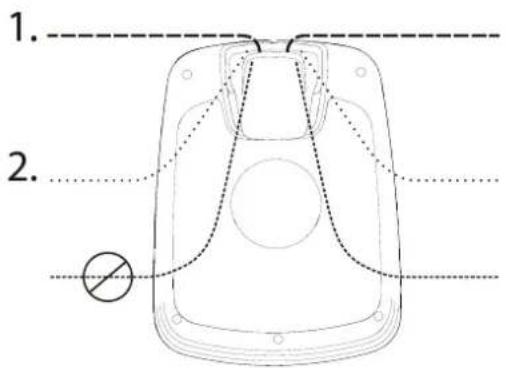
text_image
1. 2.natural_image
Diagram of a car interior showing directional arrows indicating movement or force (no text or symbols)natural_image
Technical line drawing of a mechanical component with a black arrow pointing to a section (no text or symbols present)natural_image
Technical line drawing of a mechanical vehicle showing internal components and a central hub (no text or symbols)text_image
Diagram showing battery charging process with lightning bolt symbol and battery icon, indicating charging sequence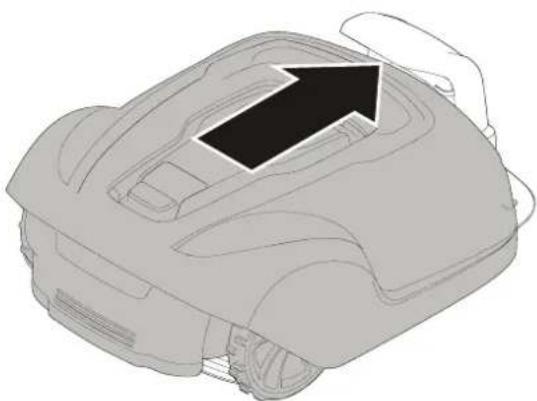
natural_image
Line drawing of a robotic vacuum cleaner with a hand adjusting the top part (no text or symbols)text_image
Diagram illustrating a rural water management system with labeled components including a manhole, fence, and outdoor houses.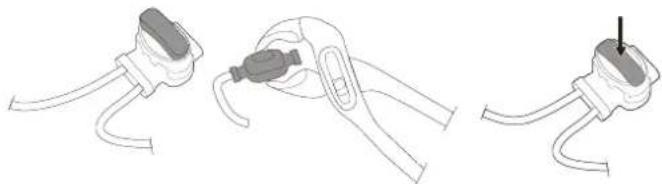
natural_image
Three-step diagram showing cable installation steps: wire connection, clamp placement, and plug attachment (no text or symbols)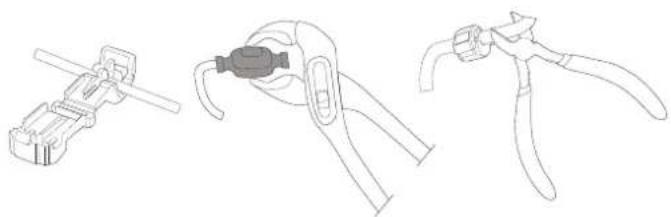
natural_image
Line drawings of three different types of pliers or tools, no text or symbols presentnatural_image
Technical diagram of a mechanical component with directional arrows indicating assembly or flow (no text or symbols present)natural_image
Three-step diagram showing cable fastening and mounting bracket assembly (no text or symbols)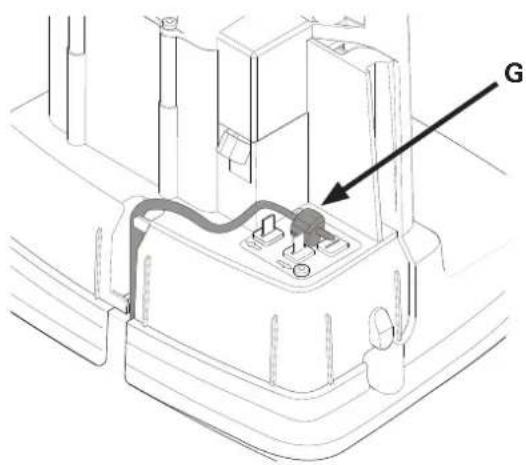
text_image
Gnatural_image
Technical line drawings of a mechanical component with screws and mounting holes (no text or symbols)natural_image
Technical line drawing of a vehicle interior showing dashboard, steering wheel, and gear (no text or symbols)РЕГУЛИРАНЕ НА ВИСОЧИНАТА НА
РЯЗАНЕ
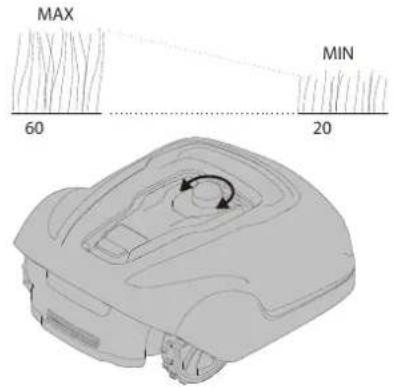
text_image
MAX 60 MIN 20natural_image
Line drawing of a robotic vehicle with visible wheels and a hand adjusting the component (no text or symbols)natural_image
Two 3D illustrations of a robotic car interior with arrows indicating movement or force (no text or symbols present)natural_image
Technical line drawings of a vehicle interior showing front and side views (no text or symbols)text_image
Technical diagram of a mechanical device with labeled components and tool icons, including cross tip screwdriver and checkmark indicators.text_image
Diagram showing battery charging process with lightning bolt symbol and arrow indicating charging directiontext_image
Diagram showing battery charging symbols with checkmark and cross indicating status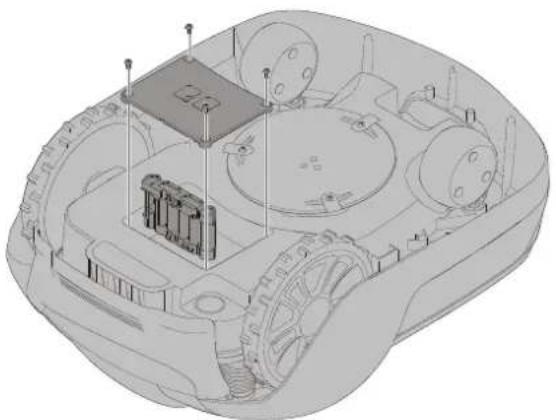
natural_image
3D technical illustration of a military armored vehicle showing internal components and structural elements (no text or symbols)Separate collection of used machine and packaging let you recycle materials and use them again. Use of the recycled materials helps prevent environmental pollution and decreases the requirements for raw materials.
Batteries

At the end of their useful life, discard batteries with a precaution for our environment. The battery contains material that is dangerous to you and the environment. You must remove and discard these materials separately at a equipment that accepts lithium-ion batteries.
Гаранционни условия
Measured sound power level 58 dB(A)
Guaranteed sound power level 60 dB(A)