
Pulsefire Surge - Mouse HYPERX - Free user manual and instructions
Find the device manual for free Pulsefire Surge HYPERX in PDF.
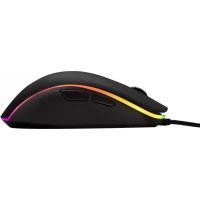



| Product type | Wired gaming mouse |
| Brand | HyperX |
| Model | Pulsefire Surge |
| Product reference | HX-MC002B |
| Connectivity | Wired USB |
| Sensor | Gaming optical sensor |
| Buttons | 6 programmable buttons (left click, right click, scroll wheel, DPI, forward, backward) |
| Scroll wheel | Clickable scroll wheel |
| Resolution (DPI) | Presets: 800, 1600, 3200 DPI (customizable via software) |
| Lighting | Customizable per-zone RGB |
| Onboard memory | 3 onboard memory profiles |
| Customization software | HyperX NGenuity |
| Cable length | Approximately 1.8 m |
| Dimensions (L x W x H) | Approximately 120 x 70 x 40 mm |
| Weight | Approximately 100 g (without cable) |
| Power supply | USB, 5V |
| Operating temperature | 0°C to 40°C |
| Storage temperature | -20°C to 60°C |
| Cleaning | Wipe with a soft, dry cloth. Do not use harsh liquids. |
| Reset | Press DPI button + scroll wheel click for 10 seconds |
| Package contents | HyperX Pulsefire Surge gaming mouse, documentation |
Frequently Asked Questions - Pulsefire Surge HYPERX
User questions about Pulsefire Surge HYPERX
0 question about this device. Answer the ones you know or ask your own.
Ask a new question about this device
Download the instructions for your Mouse in PDF format for free! Find your manual Pulsefire Surge - HYPERX and take your electronic device back in hand. On this page are published all the documents necessary for the use of your device. Pulsefire Surge by HYPERX.
USER MANUAL Pulsefire Surge HYPERX
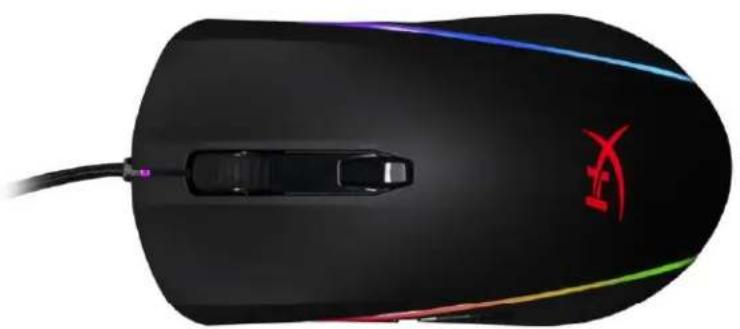
HyperX Pulsefire Surge™ RGB Gaming Mouse
Find the language and latest documentation for your HyperX Pulsefire Surge RGB Gaming Mouse here.
HyperX Pulsefire Surge RGB Gaming Mouse Installation Guide
For instructions in English
HyperX Pulsefire Surge™ RGB Gaming Mouse
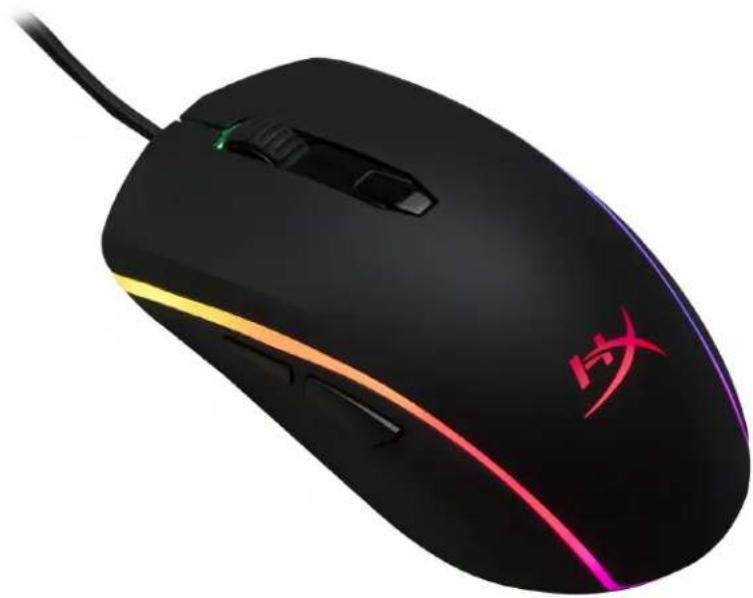
Part Number: HX-MC002B
What's included:
HyperX Pulsefire Surge™ RGB Gaming Mouse
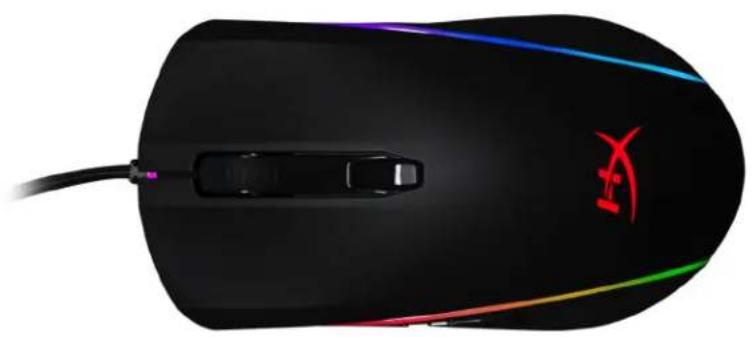
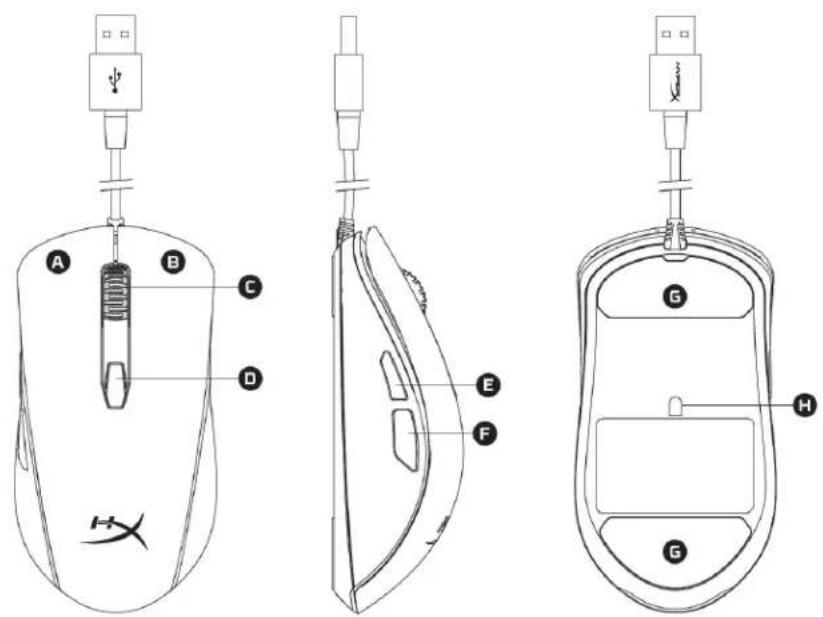
Mouse Overview:
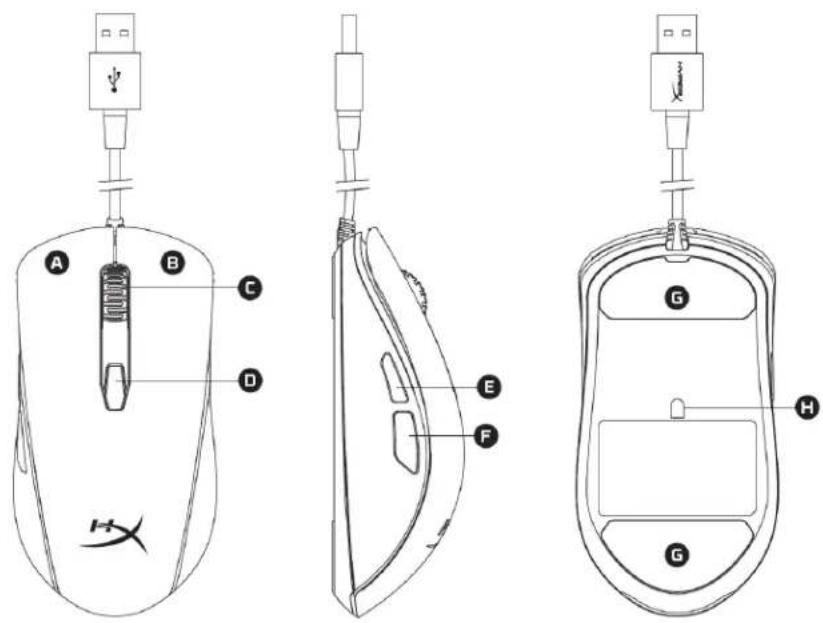
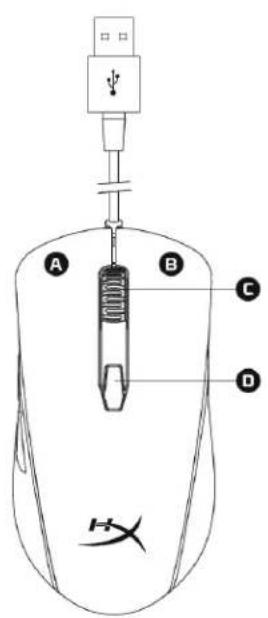
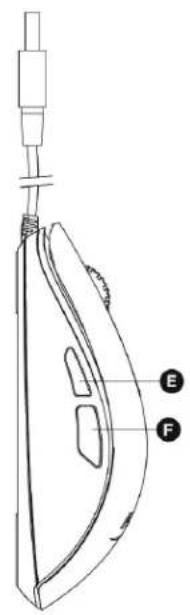
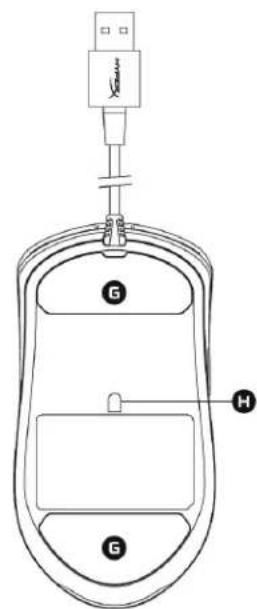
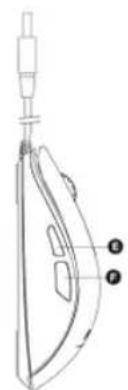
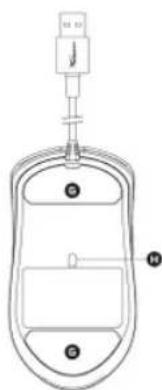
A- Left click button. B- Right click button. C- Mouse wheel. D- DPI button. E- Forward click button. F- Back click button. G- Mouse skates. H- Optical gaming sensor.
Installation:
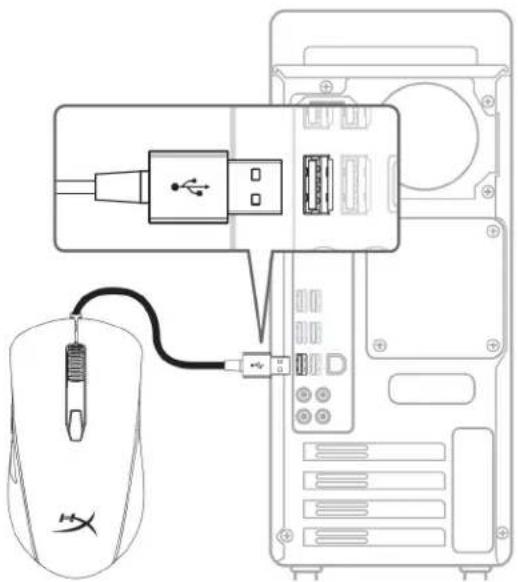
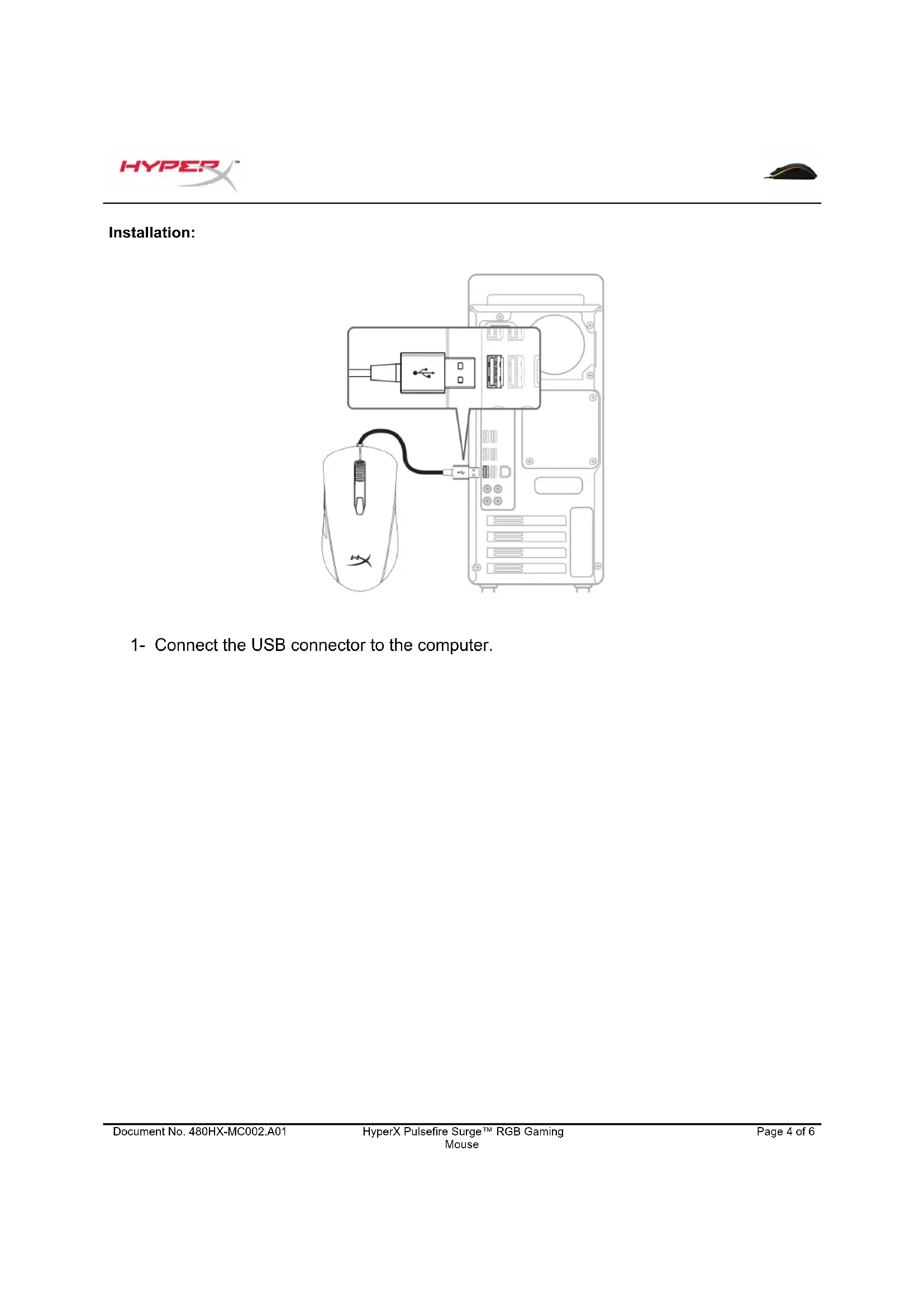
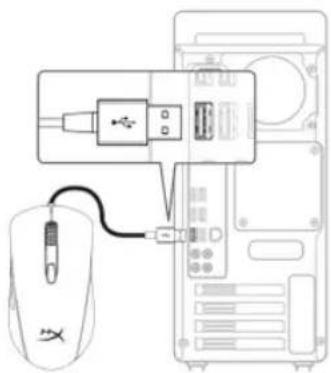
1- Connect the USB connector to the computer.
Function Keys:
| Function Keys | Secondary Feature |
| DPI button | Change between DPI presets. Default values are: - 800 DPI (blue). - 1600 DPI (yellow). - 3200 DPI (green). |
| DPI button + Mouse wheel click | Switch between the default on board memory profiles: - Profile 1: RGB wave. - Profile 2: Color cycle. - Profile 3: Solid red. |
| DPI button + Back click button | Decrease LED brightness. There are 4 brightness levels: off, low, medium and high. |
| DPI button + Forward click button | Increase LED brightness. There are 4 brightness levels: off, low, medium and high. |
HyperX NGenuity Software:
To customize lighting, DPI presets and macro settings, download the HyperX NGenuity software here: hyperxgaming.com/ngenuity.
Refer to the HyperX NGenuity Gaming Software manual for more information on functionalities.
Mouse factory reset:
If you are experiencing any issue with the mouse you can perform a factory reset. You will lose your custom LED profile and DPI resets by doing this.
| Function Keys | Secondary Feature |
| DPI button + Mouse wheel click for 10 seconds | Factory reset of the mouse and all on board memory settings. |
HyperX NGenuity software:
To customize the lighting, DPI presets, and macro configuration, download the HyperX NGenuity software here: hyperxgaming.com/ngenuity.
HyperX NGenuity software:
HyperX Pulsefire Surge™ Mouse Gaming RGB
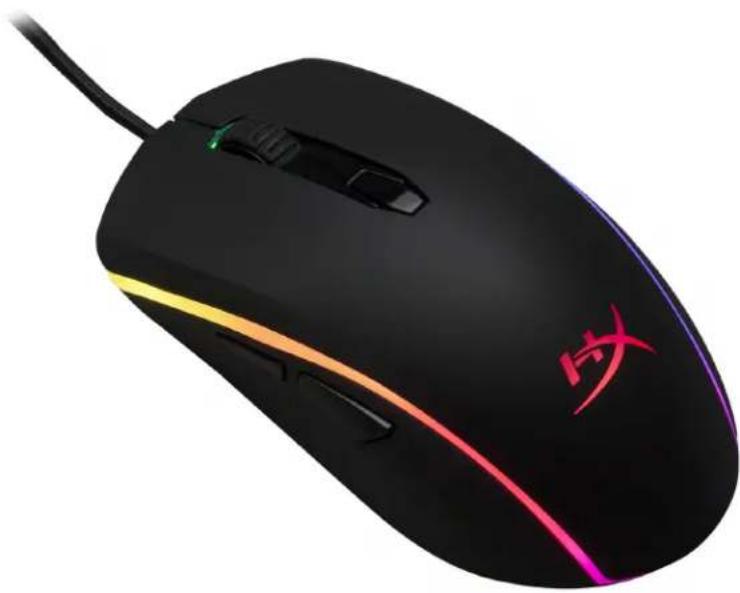
HyperX Pulsefire Surge™ Mouse Gaming RGB
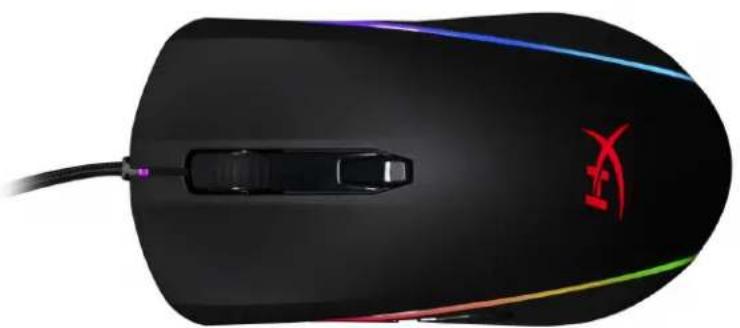
Mouse overview:
HyperX NGenuity software:
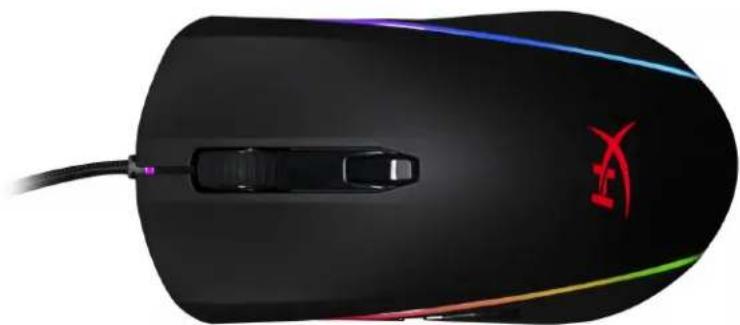
- HyperX Pulsefire Surge™ RGB mouse
Overview:
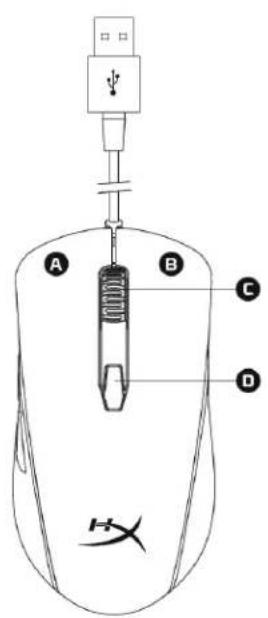
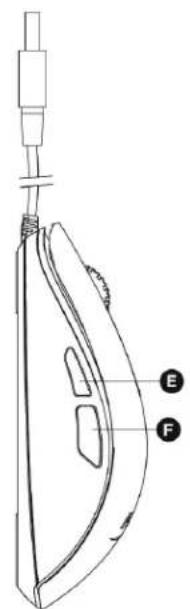
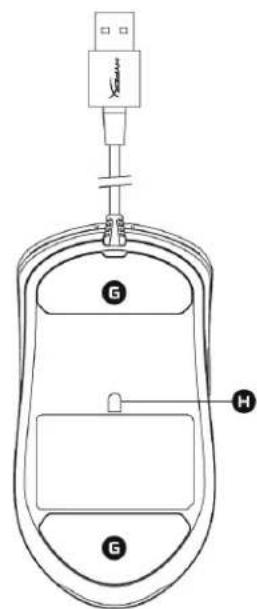
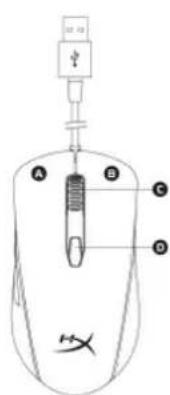
A-Left mouse button. B-Right mouse button. C-Scroll wheel. D-DPI button. E-Forward button. F-Back button. G-Mouse pad. H-Optical sensor.
Connection:
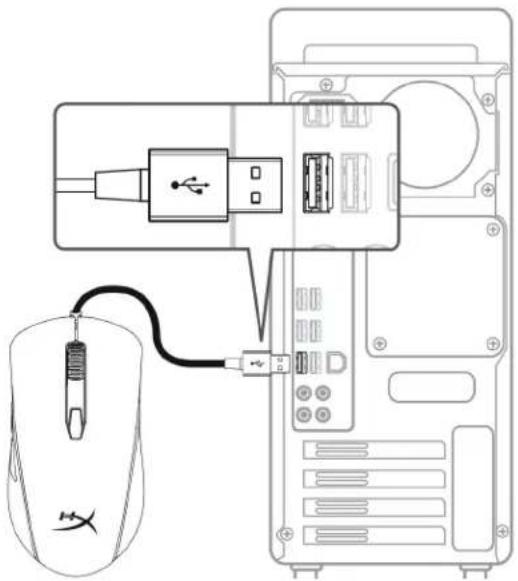
1- Connect the USB connector to the computer.
HyperX NGenuity Software:
HyperX Pulsefire Surge RGB
SKU:
HyperX Pulsefire Surge™ RGB

HX-MC002B
#
- HyperX Pulsefire Surge™ RGB

Package Contents:
A. Mouse B. USB cable

Mouse
1. USB port

LED
| ### | ### |
| ### DPI | ### |
| ### DPI + ### | ### |
| ### DPI + ### | ### |
| ### DPI + ### | ### |
| ### DPI + ### | ### |

HyperX NGenuity:
Customize DPI settings and lighting effects with HyperX NGenuity software at hyperxgaming.com/ngenuity.
Y
HyperX Pulsefire Surge™ RGB gaming mouse
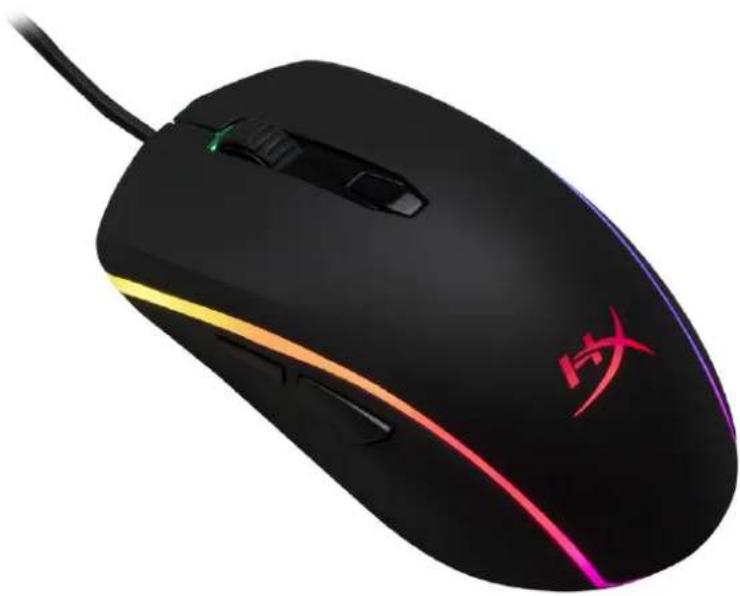
Model: HX-MC002B
Product contents:
- HyperX Pulsefire Surge™ RGB gaming mouse
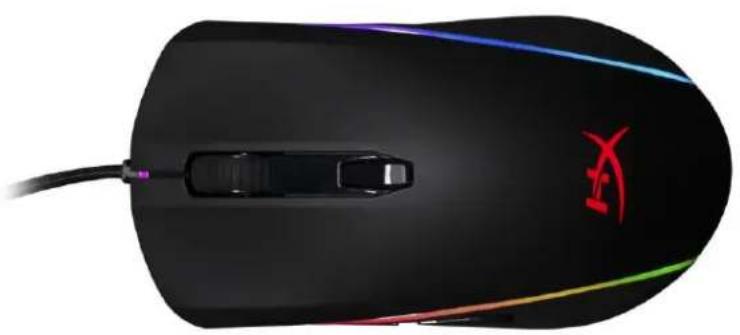
Mouse introduction:
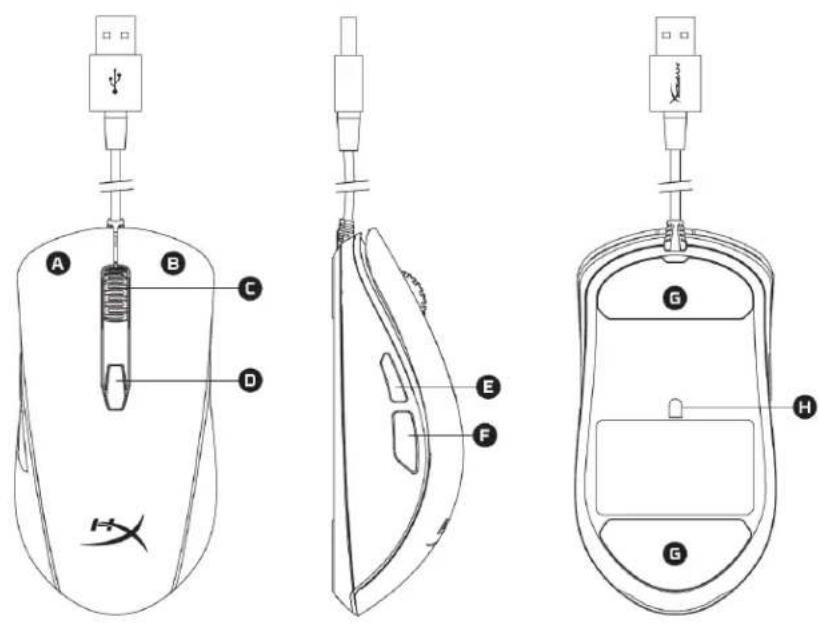
A- Left button. B- Right button. C- Scroll wheel. D- DPI button. E- Forward button. F- Back button. G- Mouse feet. H- Optical gaming sensor.
Setup:
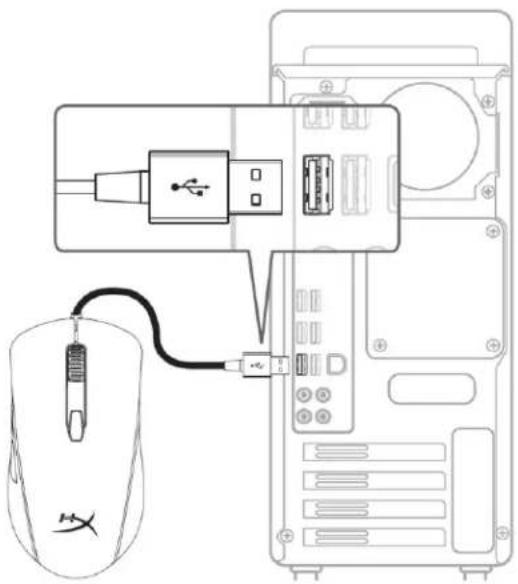
1- Connect the USB connector to the computer.
Function keys:
HyperX NGenuity software:
To customize lighting, set DPI presets, and set macros, download the HyperX NGenuity software here: hyperxgaming.com/ngenuity.
Refer to the HyperX NGenuity software user guide for more information about the features.
Reset mouse to default settings:
If you encounter any issues with the mouse, you can reset it to factory settings. You will lose custom LED configurations and preset DPI settings when doing so.



- HYPERX PULSEFIRE SURGE™ RGB GAMING MOUSE
- HYPERX PULSEFIRE SURGE RGB GAMING MOUSE INSTALLATION GUIDE
- WHAT'S INCLUDED
- MOUSE OVERVIEW
- INSTALLATION
- HYPERX NGENUITY SOFTWARE
- MOUSE FACTORY RESET
- HYPERX PULSEFIRE SURGE™ MOUSE GAMING RGB
- OVERVIEW
- CONNECTION
- SKU
- HYPERX PULSEFIRE SURGE™ RGB
- MOUSE
- LED
- HYPERX NGENUITY
- PRODUCT CONTENTS
- MOUSE INTRODUCTION
- SETUP
- FUNCTION KEYS
- RESET MOUSE TO DEFAULT SETTINGS
Brand : HYPERX
Model : Pulsefire Surge
Category : Mouse