Twintalker 3800 Camouflage Pack - Radio TOPCOM - Free user manual and instructions
Find the device manual for free Twintalker 3800 Camouflage Pack TOPCOM in PDF.



Frequently Asked Questions - Twintalker 3800 Camouflage Pack TOPCOM
User questions about Twintalker 3800 Camouflage Pack TOPCOM
0 question about this device. Answer the ones you know or ask your own.
Ask a new question about this device
Download the instructions for your Radio in PDF format for free! Find your manual Twintalker 3800 Camouflage Pack - TOPCOM and take your electronic device back in hand. On this page are published all the documents necessary for the use of your device. Twintalker 3800 Camouflage Pack by TOPCOM.
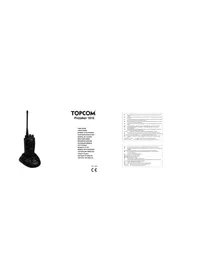
USER MANUAL Twintalker 3800 Camouflage Pack TOPCOM
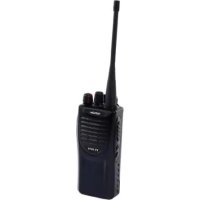
Thank you for purchasing the Topcom Twintalker 3800. It's a short range, low powered radio communication device with a range of maximum 5Km . It has no running costs other than the minimal cost of re-charging the batteries.
TheTwintalker operates on 8 channels according to the PMR (Private Mobile Radio) standard.
2 Intended purpose
It can be used for different professional purposes. For example: support crane operation. It can be used for recreational purposes. For example: to keep in contact during travelling with 2 or more cars, biking, skiing. It can be used to keep in contact with your children when they are playing outside, etc...
3 CE Mark
The CE symbol on the unit, user guide and giftbox indicates that the unit complies with the essential requirements of the R&TTE directive 1995/5/EC.
The Declaration of conformity can be found on: http://www.topcom.net/cdeclarations.php
4 Safety instructions
4.1 General
Please read carefully through the following information concerning safety and proper use. Make yourself familiar with all functions of the device. Keep this manual in a safe place for future use.
4.2 Burning injuries
- If the cover of the antenna is damaged, do not touch because when an antenna comes in contact with the skin, a minor burn may result when transmitting.
- Batteries can cause property damage such as burns if conductive material such as jewellery, keys or beaded chains touches exposed terminals. The material may complete an electrical circuit (short circuit) and become quite hot. Exercise care in handling any charged battery, particularly when placing it inside a pocket, purse or other container with metal objects.
4.3 Injuries
- Do not place your device in the area over an air bag or in the air bag deployment area. Air bags inflate with great force. If a PMR is placed in the bag deployment area and the air bag inflates, the communicator may be propelled with great force and cause serious injury to the occupants of the vehicle.
- Keep the PMR at least 15 centimetres away from a pacemaker.
- Turn your PMR OFF as soon as interference is taking place with medical equipment.
4.4 Danger of explosion
- Do not replace batteries in a potentially explosive atmosphere. Contact sparking may occur while installing or removing batteries and cause an explosion.
- Turn your PMR off when in any area with a potentially explosive atmosphere. Sparks in such areas could cause an explosion or fire resulting in bodily injury or even death.
- Never throw batteries in fire as they may explode.

Areas with potentially explosive atmospheres are often, but not always, clearly marked. They include fuelling areas such as below deck on boats, fuel or chemical transfer or storage facilities; areas where the air contains chemicals or particles, such as grain, dust or metal powders; and any other area where you would normally be advised to turn off your vehicle engine.
4.5 Poisoning danger
- Keep batteries away from small children.
4.6 Legal
- In some countries it is prohibited to use your PMR while driving a vehicle. In this case leave the road before using the device.
- Turn your PMR OFF when on board an aircraft when instructed to do so. Any use of the PMR must be in accordance with airline regulations or crew instructions.
- Turn your PMR OFF in any facilities where posted notices instruct you to do so. Hospitals or health care facilities may be using equipment that is sensitive to external RF energy.
- Replacing or modifying the antenna may affect the PMR radio specifications and violate the CE regulations. Unauthorized antennas could also damage the radio.
4.7 Notes
- Do not touch the antenna while transmitting, it could affect the range.
- Remove the batteries if the device is not going to be used for a long period.
5 Cleaning and maintenance
- To clean the unit, wipe with a soft cloth dampened with water. Don't use a cleaner or solvents on the unit; they can damage the case and leak inside, causing permanent damage.
- Battery contacts may be wiped with a dry lint-free cloth.
- If the unit gets wet, turn it off and remove the batteries immediately. Dry the battery compartment with a soft cloth to minimize potential water damage. Leave the cover off the battery compartment overnight or until completely dry. Do not use the unit until completely dry.
6 Disposal of the device (environment)
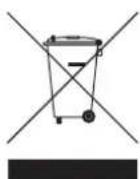
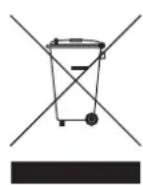
At the end of the product lifecycle, you should not throw this product into the normal household garbage but bring the product to a collection point for the recycling of electrical and electronic equipments. The symbol on the product, user guide and/or box indicate this.
Some of the product materials can be re-used if you bring them to a recycling point. By reusing some parts or raw materials from used products you make an important contribution to the protection of the environment. Please contact your local authorities in case you need more information on the collection points in your area.
7 Using a PMR device
To communicate between PMR devices they need to be all set on the same channel and CTCSS code and within receiving range (up to max. 5 km in open field). Since these devices use free frequency bands (channels), all devices in operation share these channels(total 8 channels). Therefore, privacy is not guaranteed. Anybody with a PMR set to your channel can overhear the conversation. If you want to communicate (transmitting a voice signal) you need to press the -button . 10
Once this button pressed, the device will go into transmit mode and you can speak into the microphone. All other PMR devices in range, on the same channel and in standby mode (not transmitting) will hear your message. You need to wait until the other party stops transmitting before you can reply to the message. At the end of each transmission the unit will send a beep if the Roger Beep is enabled (see chapter 14.10). To reply, just press the -button ⑩ and speak into the microphone.

If 2 or more users press the -button at the same time the receiver will receive only the strongest signal and the other signal(s) will be suppressed. Therefore you should only transmit a signal (press -button when the channel is free.
8 Included in the package
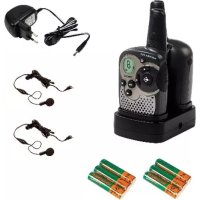
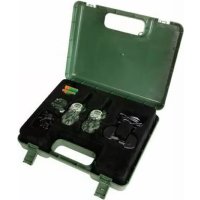
2 × Twintalker 3800
- 2 x Beltclip
- 2 x Power adapter
- 2 x NiMH (3 x AA) battery pack
- 2 x Earpiece with microphone and PTT button
- 2 x Lan yard
Use r g u i d e
- Card with service address and Hotline
9 Getting started
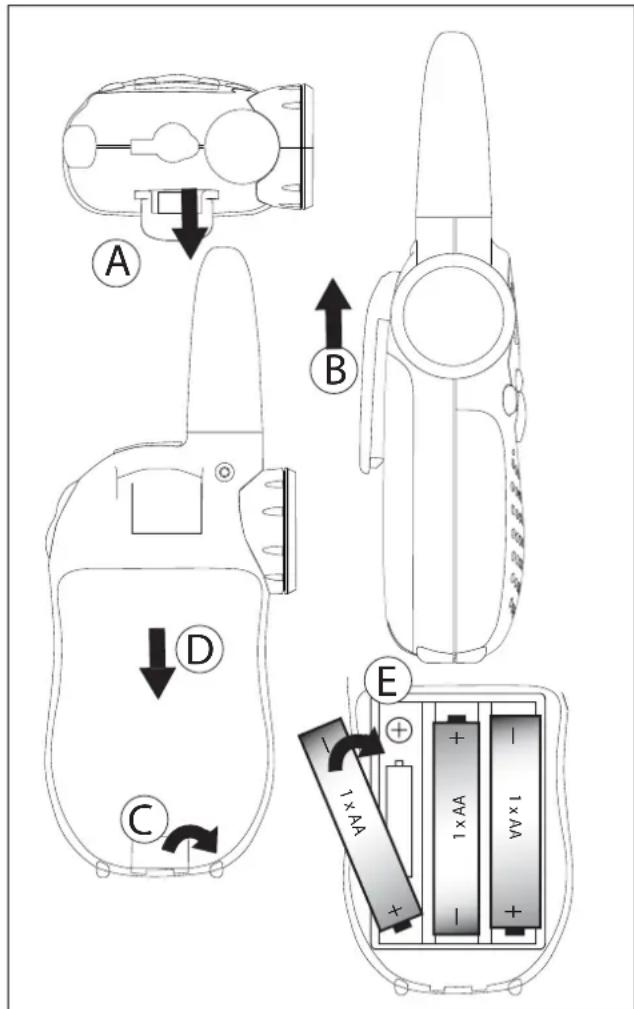
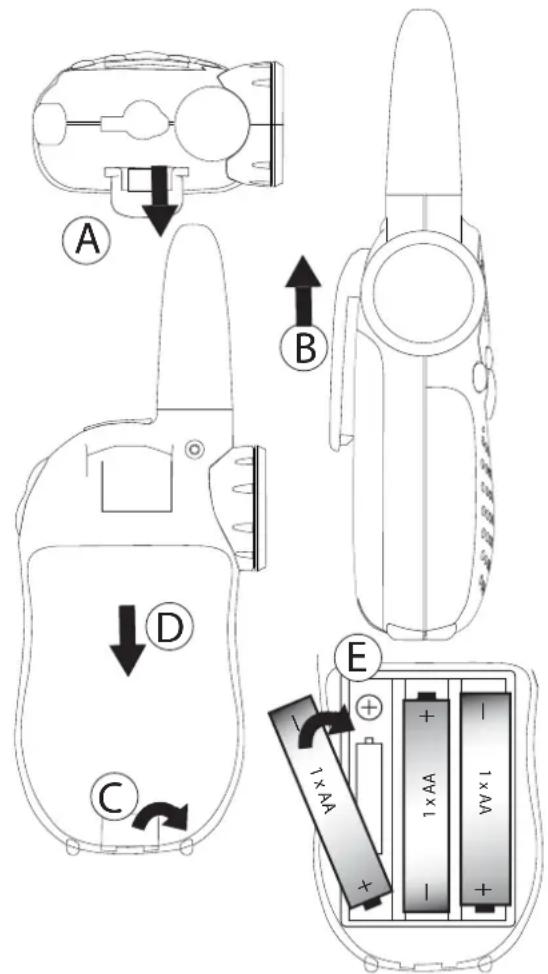
9.1 Removing/Installing the Belt Clip
- To remove the belt clip from the unit, push the belt clip (B), while pulling the clip away from the unit (A).
- To install the belt clip, align the pin with the hole in the backside. Gently push until it clicks into position.
9.2 Battery Installation
- Remove the belt clip (See chapter 9.1.1).
- Pull the battery cover tab (C) and gently remove the battery cover (D).
- Install the enclosed 3 × AA NiMh batteries following the polarity as shown (E).
- Re-install the Battery Cover and Belt Clip (See chapter 9.1.2).
10 Charging batteries
When using rechargeable batteries you can use an optional adapter to charge.
- Insert three (3) "AA" rechargeable batteries.
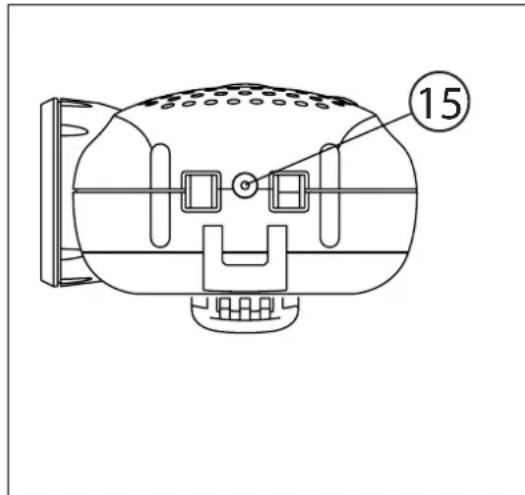
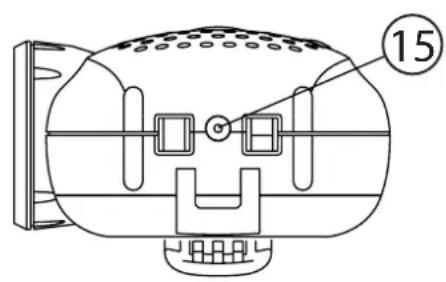
- Plug the small plug of the adapter into the SPK/MIC/CHG jack (15) and the other end in the electrical socket.
- Make sure that the unit is switched off in order to charge the batteries properly.
NOTE: It takes approximately 7 to 10 hours to fully charge the batteries.

Only use the enclosed AC/DC ADAPTER with "AA" rechargeable batteries. Do not charge this unit when regular "AA" alkaline batteries are installed!
11 Battery Charge Level
The BATTERY CHARGE LEVEL is indicated by the number of bars present inside the BATTERY icon on the LCD Display.
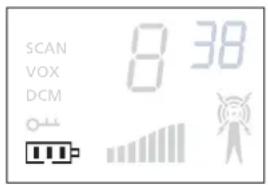
·Battery Full
Battery 2/3 charged
Battery 1/3 charged
- Battery empty
When the BATTERY CHARGE LEVEL is low, the BATTERY icon will flash to indicate that the batteries need to be replaced or recharged.

Dispose of batteries at a designated battery disposal unit and not in the household waste. Do not short-circuit & dispose of in fire. Remove the batteries if this device is not going to be used for a long period.
12 Description
See folded cover page - Illustration 1
1.ANTENNA
2. SPEAKER/MIC Connector
3. LED - LIGHT flash button
4. LED - LIGHT button
5. ON/OFF button
6.MENU button
-
Enter menu.
-
DOWN button
- Decrease the speaker volume
- Select the previous item in the menu.
-
SPEAKER
-
MICROPHONE
-
PUSH TO TALK button
- Press To Talk or release to listen
- Confirm a setting in the menu
- UP button
- Increase the speaker volume
- Select the next item in the menu
- CALL button
Transmit a call tone - LED LIGHT
- LCD Display
- CHARGER Connector
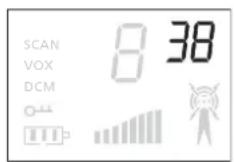
13 LCD Display information
See folded cover page - Illustration 2
- RX icon - Displayed when receiving a signal
- TX icon - Displayed when transmitting a signal
- Speaker volume indicator
- Battery charge level indicator
- Dual Scan icon - Displayed when dual scan mode is active
- VOX icon - Displayed in Voice controlled (Vox) mode
- Scan icon - Displayed when scan mode is active
- Channel
- CTCSS code
14 Using the Twintalker 3800
14.1 Turning the Unit ON/OFF
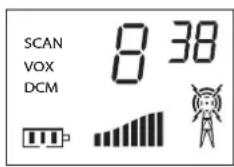
To turn ON:
-
Press and hold the - button for 2 seconds. The unit will "beep" and the LCD display will display the current channel. To switch OFF:
-
Press and hold the - button for 2 seconds. The unit will "beep" and the LCD display will turn blank.
14.2 Adjusting Speaker Volume
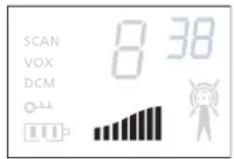
-
Press the - button in stand-by-mode to increase the speaker volume. The volume level is displayed.
-
Press the - button to decrease the speaker volume.
14.3 Receiving a Signal
The unit is continuously in the RECEIVE mode when the unit is switched ON and not transmitting.

In order for other people to receive your transmission, they must also be on the same channel and have set the same CTCSS code. (See chapter 14.5 and 14.6)
14.4 Transmitting a Signal
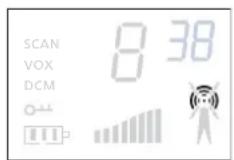
- Press and hold the - button ⑩ to TRANSMIT. The TX symbol is displayed.
- Hold the unit in a vertical position with the MICROPHONE 10cm from the mouth and speak into the microphone.
- Release the - button 10 when you want to stop transmitting.

To check the channel activity use the monitor function (See chapter 14.7). The maximum transmitting time is limited to 1 minute. Release and press PTT - button ⑩ to restart transmitting.
14.5 Changing Channels
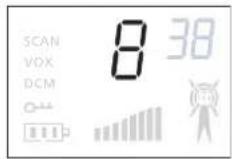
- Press the - button ⑥ once, the current channel number flashes on the display.
- Press the - button ① or the button to change the channel.
- Press the -按钮 ⑩ to confirm and return to stand-by mode.

If no button is pressed within 5 seconds during setting, the unit will return to standby.
14.6 CTCSS (Continuous Tone Coded Squelch System)
The 2 digit CTCSS code corresponds to a specific tone frequency the radio emits. Two users, with the same channel and CTCSS set can hear one another. They will not be able to hear anyone else on the channel unless the other radios have the same exact CTCSS code enabled. The Twintalker 3800 has 38 CTCSS codes available.
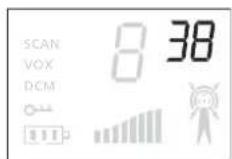
- Press the - button ⑥ twice, the current CTCSS code flashes on the display.
- Press the - button or the - button to change to another code.
- Press the -按钮 ⑩ to confirm and return to stand-by mode.

- Any PMR set on the same channel can receive and listen to the conversation, also when the other uses a CTCSS code.
- To disable CTCSS code, set the code to '0'.
14.7 Monitor
You can use the monitor feature to check for weaker signals in the current channel.
- Press the - button and the - button at the same time to activate channel monitoring.
- Press the - button to stop monitoring.
14.8 VOX Selection
The PMR is capable of voice activated (VOX) transmission. In VOX mode, the radio will transmit a signal when it is activated by your voice or other sound around you. VOX operation is not recommended if you plan to use your radio in a noisy or windy environment.
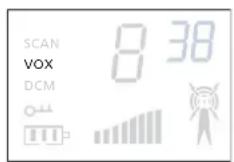
- Press the - button ⑥ three times, the current VOX setting flashes on the display and the VOX icon is displayed.
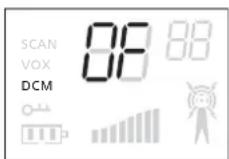
- Press the -button to turn the VOX feature ON. Press the -button again to set the VOX sensitivity level between 1 and 3. Press the button until 'OF' appears on the display, to turn VOX OFF.
- Press the - button to confirm and return to stand-by mode.
14.9 Call Tones
A call tone alerts others that you want to start talking.
14.9.1 Setting the Call Tone
The Twintalker 3800 has 5 call tones
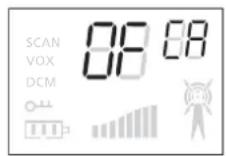
- Press the - button ⑥ four times, 'CA' is displayed.
- Press the - button 11 or the button to change to another Call Tone. Select 'OF' to disable the call tones.
- Press the - button ⑩ to confirm and return to stand-by mode.
14.9.2 Sending a call Tone
Press the button briefly. The call tone will be transmitted on the set channel.
14.10 Roger Beep On/Off
After the PTT - button ⑩ is released, the unit will send out a roger beep to confirm that you have stopped talking.
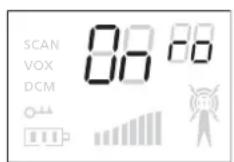
- Press the - button five times, the current Roger Beep setting flashes on the display and 'ro' is displayed.
- Press the - button to enable (ON) or the - button to disable (OF) the Roger Beep.
- Press the - button to confirm and return to stand-by mode.
14.11 Key Tone On/Off
When a button is pressed, the unit will beep briefly.
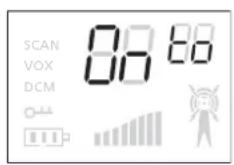
- Press the - button ⑥ six times, the current Key Tone setting flashed on the display and 'to' is displayed.
- Press the - button or the - button to enable (ON) or disable (OF) the Key Tone.
- Press the - button 10 to confirm and return to stand-by mode.
14.12 Channel Scan
Channel scan performs searches for active signals in an endless loop from channel 1 to 8 including the CTCSS codes.
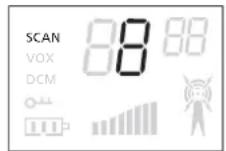
- Press and hold the - button. Press the - button ⑥ briefly to activate Channel Scan. The channel scan icon is displayed.
- When an active signal (one of 8 channels) is detected, press the - button to fix the channel and starts communicating over the active channel. If you don't press the PTT - button Channel Scan will restart after 5 seconds.
- Press the - button or the - button ⑦ to bypass the current channel and continue to search for another active channel.
- Press the - button briefly to deactivate Channel Scan.
14.13 Dual Channel scan
In stand-by, the PMR is set on one set channel with CTCSS code. The PMR will only receive signals transmitted on that channel and CTCSS code.
Dual Channel Monitor allows you to monitor a second channel with CTCSS code.
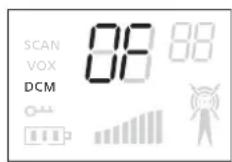
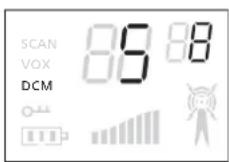
- Press the - button ⑥ seven times, the dual channel scan icon appears on the display.
- Press the - button ① or the button to change the channel.
- Press the - button to confirm the channel selection and go to CTCSS SUB-CHANNEL SELECTION.
- Press the - button ① or the button to change the CTCSS.
- Press the - button ⑩ to confirm and return to stand-by mode.
Press the -button 6 seven times to disable the function. Then press the - button 11 or the button until 'OF' is displayed.
When the Dual Channel Monitor function is activated, the PMR will switch sequentially between the standby channel + CTCSS and the Dual Channel + CTCSS.
When there is activity on the Dual Channel + CTCSS, the active channel will be displayed for 5 seconds after the activity has ended. Within this period, you have the possibility to answer the transmission.
14.14 Chronometer
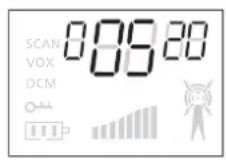
The Twintalker 3800 has a chronometer function (mm:ss).
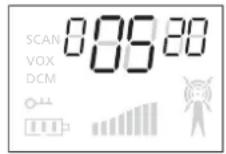
- Press and hold the - button for 3 seconds. The counter is displayed.
- Press the - button to start counting.
- Press the - button again to stop counting and see the lap time. The counter continues in the background. Press the button 11 to proceed counting.
- When the counter is stopped, press the - button to reset the counter.
- Press and hold the - button ⑥ for 3 seconds to go back to stand-by.
14.15 Display back light
To activate the backlight of the LCD display, press any button except the button or the button.
The LCD backlight will light up for 5 seconds.
15 Earpiece connection
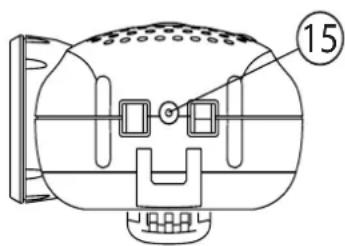
The Twintalker 3800 can be used with the included earpiece. The connector is located under the protective rubber cover on top of the unit ②.
To attach the earpiece, remove the rubber flap to expose the connector.
Insert the earpiece plug into the connector (2,5mm jack).

Do not connect other earpieces. This may damage your device.
16 Troubleshooting
| No power Clean the battery contacts with a soft cloth. Replace the batteries. | |
| No transmission Make sure the - button is pressed completely before you speak. Monitor the channel activity and switch to another channel if the current is used. | |
| No reception Check the speaker volume. Make sure that you are in the reception range of the sender and change if necessary your location. | |
| Limited Range and noise during transmission | The talking range depends on the terrain. Steal constructions, concrete buildings or the use in vehicles have a bad influence on the range. Try to avoid as many obstacles as possible and communicate in a clear line of sight. Change your locations. |
| Interference The receiver and transmitter | er are too close. The minimum distance between 2 units is 1,5m. |
17 Technical specifications
| Channels | 8 |
| Sub-code | CTCSS 38 |
| Frequency | 446.00625MHz - 446.09375 MHz |
| Range | Up to 5 Km (Open field) |
| Batteries | 3 x AA Alkaline or NiMH rechargeable |
| Transmission Power | <= 500mW ERP |
| Modulation Type | FM - F3E |
| Channel spacing | 12,5 kHz |
| Duo Charger adapter | Input: 230V AC / 50Hz Output: 7,5V DC / 200mA |
| Channel Frequency Chart: Channel Frequency (MHz) | CSS Code Chart Code Frequency (Hz) Code Freq. (Hz) Code Freq. (Hz) Code Freq. (Hz) | |||||||
| 1 | 446,00625 | 0 | Disabled | 10 | 94,8 | 20 | 131,8 | 30 |
| 2 | 446,01875 | 1 | 67,0 | 11 | 97,4 | 21 | 136,5 | 31 |
| 3 | 446,03125 | 2 | 71,9 | 12 | 100,0 | 22 | 141,3 | 32 |
| 4 | 446,04375 | 3 | 74,4 | 13 | 103,5 | 23 | 146,2 | 33 |
| 5 | 446,05625 | 4 | 77,0 | 14 | 107,2 | 24 | 151,4 | 34 |
| 6 | 446,06875 | 5 | 79,7 | 15 | 110,9 | 25 | 156,7 | 35 |
| 7 | 446,08125 | 6 | 82,5 | 16 | 114,8 | 26 | 162,2 | 36 |
| 8 | 446,09375 | 7 | 85,4 | 17 | 118,8 | 27 | 167,9 | 37 |
| 8 | 88,5 | 18 | 123,0 | 28 | 173,8 | 38 | ||
| 9 | 91,5 | 19 | 127,3 | 29 | 179,9 | |||
18 Topcom Warranty
18.1 Warranty period
The Topcom units have a 24-month warranty period. The warranty period starts on the day the new unit is purchased. Consumables or defects causing a negligible effect on operation or value of the equipment are not covered.
The warranty has to be proven by presentation of the original purchase receipt, on which the date of purchase and the unit-model are indicated.
18.2 Warranty handling
A faulty unit needs to be returned to a Topcom service centre including a valid purchase note. If the unit develops a fault during the warranty period, Topcom or its officially appointed service centre will repair any defects caused by material or manufacturing faults free of charge.
Topcom will at its discretion fulfill its warranty obligations by either repairing or exchanging the faulty units or parts of the faulty units. In case of replacement, colour and model can be different from the original purchased unit.
The initial purchase date shall determine the start of the warranty period. The warranty period is not extended if the unit is exchanged or repaired by Topcom or its appointed service centres.
18.3 Warranty exclusions
Damage or defects caused by incorrect treatment or operation and damage resulting from use of non-original parts or accessories not recommended by Topcom are not covered by the warranty.
The warranty does not cover damage caused by outside factors, such as lightning, water and fire, nor any damage caused during transportation.
No warranty can be claimed if the serial number on the units has been changed, removed or rendered illegible.
1 Inleiding
http://www.topcom.net/cdeclarations.php
14.6 CTCSS (Continuous Tone Coded Squelch System)
14.13 Dual Channel-scan
http://www.topcom.net/cdeclarations.php
14.6 CTCSS (Continuous Tone Coded Squelch System)
http://www.topcom.net/cdeclarations.php
4.4 Risk for explosion
14.6 CTCSS (Continuous Tone Coded Squelch System)
14.6 CTCSS (Continuous Tone Coded Squelch System)
4.5 Fare for forgiving
14.6 CTCSS (Continuous Tone Coded Squelch System)
14.6 CTCSS (Continuous Tone Coded Squelch System)
14.6 CTCSS (Continuous Tone Coded Squelch System)
O diyipioic kwikoc CTCSS avtoixei 6e mia oukyekpiévn ouxvotnta tovou Tou kTtEo o TIOBektnc. Au xnoTeC 6e To iDIO kavai KAI Ouotma CTCSS MTOPOUV va aKOUVE o evac tov alov. 6ev 8a MTOPOUV va akouve kavevav aALov 0To kavai, av ta aApaioqwva 6ev exouv EvpyoTOnjévo tov iDIO akpiBWCIKOC TCSS. To Twintalker 3800 diaTei 38 KWIKOUCCTCSS.
4.2 Oxorobble TpaBmbi
- Ecni noBpeJdeH Kopnyc aHTeHHbl, He npKacaiTeCb K Hemy, NockoJIbky BO3MOxHbI KOHTaKT aHTeHHbl C KoxKe B0 Bpemr nepeaun MoKeT npNBecTu K MeCTHOMy
- Ecni BO3HnkaeT KOHTaKT MeJdy OROJIHHbIMN KOHTaKTHbIMN BbIBOdaMn aKKyMylrTOPOB IN IPOBOJaIIM MaTePnaIOM TaKnx IpeDMTOB, KaK KJIIOUH, 6yCbI NII IOBEJIINpHbIe yKpaSeHnR, BO3MOxHO NOBpeKJeHne IMUeCTBa TEINIOBbIM BO3DeIcTBHeM aKKymyIaTOpOB. MaTePnaI MoXeT Bbl3BaTb KOpOTKoe 3aMbIKAHne NII HArpTeBcRdo OueHb BlicOKoI Tempeatypbl. ByIbTe OCTopoXhbl npi pa6Ote C IIO6bIMN 3apJxEHnMI 6aTaapeHKamn, Oco6eHNO npi pa3MeIeHNu YcTPOIcTBa B KApMaHe, KOWeJIbKe IINI JIObOM dpyrom cyTlpe, rIe IMeOTc MEtaJIINueCKne IpeDMtbl.
4.3 TpaBMbl
He nomeuTe daHHOe yCTPOcTBo HAD BO3dyuHOn NOyUkoN NnB 3OHe ee packpbTna. Bce noDywn paKpbBaOTcra C BbICOKo ydapHOJ CnNo. Ecnpaun HaxODITcra B 30He paKpbTna BO3dyuHOn NOyUKN, paKpbBaIOueCra C BbICOKo YdAPHOJ CnNo, paun MOKeT OTJeTeTb C 6OJIbWo CKOpocTbU n HaHeCTn cepBe3HbIe TpaBMbl NaCCaXnPam aBTOMo6nla.
He noDnOcIte paunIO K 3neKToHOMy KapdnoCTmMyTopy 6nke 15 cm.
- Ecni daHHa pauncaT nomexn dny pa60tbI meuHcKOrO o6OpydoBaHna, BblIOHTe ee.
4.4 OnachocTb B3pbiBa
He 3aMeHnTe 6aTapeeKn B nOteHuaNbHO B3pbIBOOnaCHO CpeDe. Pn n3BneHn nn yCTaHOBe 6aTapeek BO3MOxHo NCKpeHne KOHTaKTOB, CnOCo6Hoe npNBecTu K B3pbIBy.
- Пи Нахождени В Лобом MeCTe, АВлЯЮшемСЯ NOTЕЦИАЛБНО B3рьIBOONaCHbIM, paцию Heo6xODnMo BvIKIIOuHTb. Иckpo06pa3OBaHne B TAKNX MecTAX MOKeT Bbl3BaTb B3рьIB ИПИnpVBecTN K NOЖAPY C BO3MOЖHbIMN ПOCJIeDCTBnAМN B BVNe cepbe3 Дже СмepTeJbHbIX TpaBM.
HnBkoemcnyae He 6pocaiTe 6aTapeiKn B OROh, NockoJIbKy OHN MOryT B3OpBaTbcra.

MecTa,ЯВяLOUINeSCI NOTeHuaJIbHO B3PbIBOONaCHbIMN, YaCTO (HO He Bcerda)ЯСнБIM O6pa3OM NOMEaOTcR. K Hm OTHOCrTcMeCTa TOnJIbBO3aNPaBKn (HaNPmEp NOd NaIy6oH Ha cydax), MeCTa TpAHcNOpTnPOBKn TOJINBa IJIH XHMnueCKNX BeIeCTB B XpaHInuMeCTa C CODepXaHNem B BO3dUxE XHMnueCKNX BeIeCTB JIn6o Ta YAcTnC, KaK NeCunHKn, Nblb NJIb MeTaNlHuCKN NoPoWOK, a TaKKe IIO6bIe DpyrHe MeCTa, rDe obbIuHO peKOMeHdyEtCra BblKIIouaTb DBnRaTeJIb aBTOMo6nJa.
4.5 OnachocTb OtpaBJIeHnIa
CneIte 3a TEM, yTo6bI ycTpoiCTBO 6blNo HeoctynHO MaJIeHbKIM DeTAM.
4.6 IOpndnueckne HOpMbI
B HeKOTopbIX cTpaHax 3aIpeuaeTcR nonb3OBaHne ycTpoiCTBaMn cTaHdapTa PMR npIN BOxDeHnn aBTOMo6nJI. B TaKnx cTpaHax nepeD BKIOUeHNem ycTpoiCTBa cJeDuYET npInapKOBAtbcra.
- CornaCHO npabnam BbIKIOuAte paunio Ha 60pty camoneTa. IIObIe MaHInpyaCn C paueiDOLXHBI NOUHHaTbcra npabnam, DeIcTBYIOUM Ha 60pty, INN yKa3aHnM 3Knnpka.
BbIKIOuayte paunio B IIO6bIX MeCTax, Ie 3TO Tpe6yeTc cornaCHO yCTaHOJIeHHbIM npedynpejckdeHnM. B 6OJIbHIuaX n Iue6hbx yUpeKdEHNx BO3MOxHO INcnoIb3OBaHne obOpudobAHn, YvBCTBNTelbHOro K BHeUHemy paAnOuaCTOTHomy H3JyHeHIO.
3aMeHa NJI MOnnФkaZna aHTeHHb MoKeT PnBecTu K n3MeHeHIO XapaKTepNcTK paAnocBra3n cTaHdapTa PMR n K hapuSeHIO HOpM CE. PpUHoi NapyuEHH naPAnocBra3n MOrY T CnyKntb TaKke KOHTpaKaTHbIe aHTeHHbl.
4.7 Птумейань
He npikacaiTecb KaHTeHHe BO BpeMnpepaN - 3TO MOKeT He6IaIopnraTHO NOBJIaTb Ha paDnyc DeiCTBna.
- Ecni yctpoiCTBO BblIOHaeTcN 3 pa60tbi Ha dIITeHoe Bpemr, n3BNeKeTe 6batapeiKn.
5 OuInctka n TexHnueckoe o6cIyXnBaHne
- Дя оочсту устюства пострпге erо мяков тkaнь, сlerka smoуенho Вадо. He obpaывайт по breast yctpoicstba ochntelem nln pa3bavtelem, nockolyk OHI MOrTy NOBpeiNt b KOpIyC n npoteCy BOBHyTpB, Bbl3bBaJ HEBOCCTaHOBIMbIe NOBpeKdEHHa.
- KoHTaKTbI 6aTapeek MoxHo npOTnpaTb cyxOi TkaHbIO 6e3 BOpca.
- Ecni B yctpoiCTBO nonadaet Bnara, BbIKIOHTe erO n HeMeIeHHO n3BNEKeITe 6aTapeKNI. YTO6bl CBeCTN K MINHMMy NOTEHuaJIbHbI BpeD OT BO3JeCTBnRA BOIbI, npOTpTe aKKymJrTOPHyU rYeKy cyXoI TKAHbI. KpbIshky aKKymJrTOPHoI rYeKIn cNeDuYET npocuHTB TteHHe HOn IIN Do NOJIHO rCue3HOBeHn RAar. He N0lb3yUTecb yCTPOiCTBOM, NOKa NOJIHOCTbIO He NCye3HEr Bnara.
6 Ytnn3aun yctpoicTba (3aunTa Okpykaioe cpebl)
No nCTeueHn cpoKa cnJx6bl n3dJIyra 3aIpeuaTcra ero yTuIN3aunr BM C O6bIuHbIM 6bITOBbIM Mycopom. YcTPOIcTBo NODJeXHT Cdaue B nyHK T npHeMa DnYTuIN3aunn 3neKTPnueckoro n 3neKTPoHHoro o6OpydoBaHn. Ha 3to yka3bIbaet 06O3HaueHne Ha yCTpOcTBe, B pyKOBoCTBe nIb3OBaTeJI r I/IIIn Ha yNaKOBke.
HeKOTOpbIe MaTePnAJIbI, npIMHeHemBie B npOn3BOcCTBe n3DeJIINr, MOrYT 6bITb nepepa6oTaHbI, ecn DoCTaBnTB nX B nyHKT nepepa6oTKn. Blaorapra NOBTOpHOMy npIMeHEnIO HeKOTopbIX Detalne NIn MaTePnaIOB BbIPA6oTabWero cPoK Cnyx6bl N3DeJIINr BHOCNTcR BaXhBI BkNaD B 3aunTy OkpykaUOSei cpebl. IInr noLyueHn r DonONHnTeJbHOH INΦOpMauCn O NyKtax Pnpema CBxKITecb C opraHaMn MeCTHO BJaCTN.
7 IcnoIb3OBAHne yctpoiCTBa cTaHdapTa PMR
Дя obecneueHЯ CBa3n MeJy paunm Heo6xOIMo, yTo6bI BCE yCTpoiCTBa 6bln HactpoeHbHa OdnH IOT JKe KaHAn N KoD CTCSS n HaxoOnnCb B npedeJax Dnaana30Ha npHema (He 6OJIee 5 KM Ha OTKpbITOn MeCTHOCTN). Pockonbky 3TN yCTpoiCTBa pa6OtaOT B OTKpbTbIX YAcTOTHbIX DnAna3OHax (No KaHAnAM), BCE HaxoJaUncsB Pa6Ote yCTpoiCTBa COBMeCTHO NCIOB3yOT 3TN KaHAnB. Po3Tomy CeKpeTHOCb CBa3n He rapaHTnpuyetc. LIO6o NOLb3OBaTeNb annapata PMR, HactpoeHHbI Ha KaHAn dpyrOro NOlb3OBaTeJRA, MoKet npocnyuWbA Tb erO pa3ROBOp. JIry UcTaHOBJIeHn CBa3n (pepeaH peyeBOrO CInHaJ) Heo6XODIMo HaxaTb KONkY 10.
HaXaTne DaHHoN KHOJKN BbI3bIBaET nepeBOD yCTpoINCTBa B pexIM nepeJaH, nocJe Yero MoXHo roBOpHTB MmKpOfoH. NepeDaBaemoe npn 3Tom coo6uHHe npocJyUHbaeTcRa Ha BCEx dpyrnx yCTpoINCTbax PMR, haxoJxUnxCB B dnaNa3OHe npHema, HAcTpoEHhbIX Ha 3TOT Ke KaHAp I HaxoJxUnxCB B peKIme OxUdAnHra (6e3 aKTNBHO JpeJaH). PepeD oTBetOM Ha COo6uHHe Heo6xOdmo DoXdaTbcS 3aBepSeHn JpeJaHOn OT dpyrOro abOHeHTa.
EcnBkIoueH 3ByKOBoi CnHaJ Roger Beep ("Bac noHajl"), no OKOHuaHn KaKdoj nepeDaun yCtpoNCTBO BbIaet COOTBeTCTByOuSNI 3ByKOBoi CnHaJ (cm. rJaBy 14.10).ДЯ OTBeTa DoCTaTOUHO HaxaTb KHOkNy10I nepeDaTb peYeBOe coo6ueHne Yepe3 MInKpOfoH.

Ecnn KhoNky 10 OndOBpeMeHHo Haxmamot HeckOJbKO nOJIb3OBATeNei, npHemHKn pPnHMaET ToIbKO cambl MoUHbIM CnRHaI, c6paCbIBaR ocTaIbHbIe. NToTOMy cneDyET nepeDaBaTb CnRHaI (HaxmAtb KhoNky 10) TOnbKO npn HaJIuHc CBO6OJHO KaHaIa.
8B KOMnJIeKT NOCTaBKn BXoIIT
paunTwintalker 3800
2 3aKIma DJIpeMeuKa
2 6Joka NITaHnA
2 ynakOBKn HnKeJIb-MaHHeBbIX 6aTapei (3 x AA)
2 Hayshnka c MnkpofoHOM n KhoNkoI nepedaun
2 x shypa
PykoBoDCTBO noJIb3OBaTeJIA
Kapta c aDpecom cepBnChOn cnJxkbI n TeNefoHom cnXkbI noDnepKKn
9 Haçaão pa6oTbI
9.1 YctaHOBka/CHrTne 3axnMa dJa peMeuKa
1.ДЯ CHЯТЯ 3axmMa DЯ pemeuka paunHaDabNTe Ha 3axm(B), OndOBpeMeHHO NOTaHyB eRo B HappaBHeHn OT paun(A).
2.ДЯ yctaHOBKn 3axnMa COBMecTnTe CtepXeHb C OTBepCTnEm Ha o6paTHo CTopoHe paun. AkkypaTHO npOTOnKNHe TcepXeHb B OTBepCTne Do UeNyKa.
9.2 YctaHOBka 6atapeek
- CHINMTe 3axm dIy peMeuKa (cM. rnaBy 8.1).
2.ПOTЯнв 3a ВьICTун Ha Крblшke 6atapen (C),akkypaTHO cHIMnTe KpbIshky (D).
3.YCTaHOBNTe TPN npNJaraembIe HNKeJIbMaHHeBbIe 6atapen AA cornacho yKa3aHHbIM NOIocam (E). - BHObY yCTaHOBNTe KpbIuKy aKKymJrTOpHOn JaYeKn N 3aXm peMeUka (cM. rnaBy 8.1).
10 3apяdka 6atapeek
Ipn nCnOJIb3OBaHnn nepe3apJxAeMbIX 6aTapeNIX 3apJXKIMOXHO NOpJIb3OBaTbcr OTdEJIbHO npNo6peTaembl aanTepom.
- YCTaHOBtB Tprn nepe3apjXaEmbIX 6atapei "AA".
BCTaBbTe MmHnAToHpyu BnIky aAnTepa B pa3bem SPK/MIC/CHG (15) n BKInOHTe pyrO KoHeC B 3JIeKTpueeCKyUo po3ETKy. - UTo6bI 6aTapeu 3apAduJIncB npaBnJbHO, BblKJIIOUHTe paunH, npexJe Yem Haayatb 3apJkY.
Ha pa3pjaKeHHoe coCToHne, To 3NaOc BATTERY mIraet IJRA O603aueHn Heo6XoDmOcTn 3aMeHb IJI nepe3apdka 6aTaapeek.

IcnoJIb3OBaHHbIe 6aTapeKn yTHIN3NpyuTe B COOTBETCTBnC npaBnIaMn, He dOnycka Ix NOnaHaHnB 6bITOBbI. NCKJIIOHTe KOpOTKoe 3aMbIkaHne n BO3dEiCTBnE orHЯ. EcIn DaHHoe yCTpoiCTBO BbIKJIOUaEcTcRn 3 pa6Otbl Ha dJInteJIbHOe BpeMn, N3BJIeKNTe N3 Hero 6aTapen.
12Описанne
Cm. o6noKky. Pnc. 1
1.AHTEHHA
2. Pa3bem ДЯ мИКрфОна
3. CBeToIIOHbI INdkaTOp
4.CBeToOnnHaKHOJa
5. KhoNka ON/OFF (BKn./BbIKn.)
6. KhoNka MENU (MeHIO)
-
Bxoδ e MeHHO.
-
KhoNkaDOWN(BHn3)
-ymehbweHue apomKocmu duhamuka.
-BbI6op npedbydyueo nyHKma e MeHIO.
8.ДИНAMИK -
MKNPOΦOH
-
Khonka PUSH TO TALK (HajkaTb Дя pa3roBopa)
-Haxamue dna pa32oBopa unu omnyckaHue dna npocnywuaHua. -PodmeepxdeHue ycmaHo6ku e MeHIO - Khonka UP (Bbepx)
- YeJnueHue apomKocmu duHaMuKa.
- BbI6op cneyioezo nyHKma 6 MeH
- Khonka CALL (Bbl3OB)
- Nocblnka moHaNbHo2o Cu2HaJa 6bl308a.
- CBeToDIONoHbI INdNkaTOp
- JKK-dincnnei
- Pa3bem Дпя 3apdHOrO yctpoiCTBa
13 HΦopMaζη Na KK-dncnnee
Cm. o6IoxKky cTpaHnUbl. Pnc. 2
- 3nauok RX - omobpaxaemc npu npueme cuehana.
- 3haok TX - omobpaxaemc npu nepedaue cu2hana.
18.ИндикадургомковдиHamika - INDnKaTOp yPOBn 3apAnK 6aTaapeek
- 3NaUok Dual Scan (cDBoeHHoe cKaHnpOBaHne) - omobpaXaemc8 aKmuebHom pexkume cDBoeHHo2O cKaHupOBaHua.
- 3Nauchok VOX - omobpaxkaemc8 pekume peuee02o ynpaeneHua (Vox)
- 3NaOH Scan (ckaHupoBaHne) - omobpaxaemc8 aKmuehOM peXkume cKaHupoHaHua.
- KaHaJ
- KoД CTCSS
14.13 CkaHnpOBaHne DByx KaHaJIOB
B pejxime oXnidaHna paunr PMR BkIoueHa Ha OIN HacTpoEHbIK KaHAn C KODom CTCSS. PMR donyckaet TOnbKO npneM cnHAnOB, nepeDaBaembIX NO daHHOMy KaHaNv IN B daHHOM kOde CTCSS.
CДВОЕНБИ KAHаньНИ MOHITOPINH R NO3BOJЯET KOHTPOJIINPOBAb BTOPOI KaHaI C KOpCTCSS.
·HaxmTe KhONky 6cemb pa3 Do NOBHeHnHa DnCnnee 3HaUka cKaHnpOBaHnA dByX KaHaNoB.
-ДЯ n3MeHnna KaHaJa HaxMnte KHOy11 7
- HaxmTe KhoNky ⑥ДЯ NOДТВерждЕня Bbl6opa KaHaJa n nepeiDnTe K Bbl6opy Homepa NOdkaHaJa CTCSS SUBCHANNEL SELECTION.
-ДяизMeHeHЯCTCSSнжмITEKHONky 11ИлнКHONky 7
-Дя ПОДТВерждени в BOЗВраТа B peхиM OЖИДань НжмITE KHOПКу 10.
Дя OTKЛIOUeHЯФУHKUIN HaXMITE KHOJKy 6 ceMb pa3. 3aTeMHaXMITE KHOJky ▲ 11 nIIN 7no8BJIeHЯ O6O3HaueHЯ "OF".
Ecnn aKTHBn3npoBaHa yHKzna CDBOeHHoro KaHbHoro MOHTOpnHra, paunr PMR nocJeDoBaTeJbHO nepeKJIIOuAeTcra MeXdy NcXoHbIM KaHaIOM + CTCSS n BTOpbIM KaHaIOM +CTCSS.
Ipi nepeaue npyHM noB3oBeTema Coo6uEHHa KaKOMy-Jn60 n3 KaHApOB u KODOBCTCSS Ha dinCpnee B TeueHne 5 cJeDyUOxN ceKHyD oTo6paXaETcA kTtBbI KaHAp. BTeueHne 3TOrO BpeMeHN MOxHO OTBeTHTb Ha Coo6uEHe.
14.14 XpoHometp
B Twintalker 3800 ImeeTcA cyHKuXPOHMeTpa, OTo6paKaHOaJbBpeM B MmHyTaX I ceKyHdx.
HaxmTe n B TeueHne 3 ckyHd ydepxnBaIte KhoNky 6 Ha dinCnnee oTo6pa3ntc4 chetuk BpeMeHN.
-Дянaya OTCyeta HaxMnte ①11
-Дя OCTaHOBKn OTCYeTa n npocMOTpa NCTeKJwero BpeMeHn CHOBa HaxMMTe KONKy ⑪. OTCyET npoOJIxNtCBA ΦOHOBom pexnme.Дя npoOJIxKeHnE OTCYe Ta HaxMMTe KONky ⑭.
-Дясбрoca chetчиka octaHOBNTe ero n HaKMITE KHONKy ⑦.
HaxmTe n B TeueHne 3 cekynd ydepxnBaTKe KHOkky 6
IINB03Bpata B peKIM OxNJaHna.
14.15 Повсветka
ДяakTnBaunnoDcBETK K-dncnpe HaXMMte JIO6yO KNOpKy, Kpome 10 n.7. Ha5cekyHd BKNIOHTcra noDCBeTka KK-dncnpeer.
KoMaHnA Topcom B noJHoM Mepe BbIOnHЯET B3aTbIe Ha ce6ra rapaHTnHbIe 68a3aTeNbCTBa, OcyuEcTBnA peMOHT nN 3aMeHy BblSeDiJero N3 CTPOr N3deJIy NII erO deTale. B clyuae 3aMeHbI ZBET n MoJeMb MOryT OTnUaTbcr O T npNo6peTeHHoro paHee N3dEJIy.
Дeист Ве rapaHTи ONpeDEJIeTcЯTOI nepBOHauJIbHOJ NOKyIKN. ГаANTиНь IпрIoD He npOДЛeВaETcB CJIyae 3aMeHbI Илп рeMOHTa ИЗдELЯВ KOMпAHn Topcom nIe ee yNOLHOMOueHHbIX cepBnCHbIX ueHTpax.
18.3 NcknoueHn 3 rapaHTnHbIX o6a3aTeIbCTB
Дeистбе rapаNTи He paCnpoCTpaHЯETcR Ha NOBpeXdEHNr HJIr HEnOJaKn, KOTopbIe BO3HKn BcneIcTBnE HapUSeHn IpaBnI 3KcPnyatauN IIn60 PrpImeHEnr DeTaJe npHaIaJIeXHOCTei CTOpOHnIX n3rOToBnTeJei, He peKOMeHIOBaHbIX KOMnaHnei Topcom.
IapaHTnHe paCnpocTpaHareTcH Na NOBpeXdeHn, Bbl3BaHHbIe BHeUHM BO3dEICTBnEM (HaPpIMep, pa3pYdOM MOHN, nonaDaHnEM BlaRn IIN BO3rOpAHnEM), a TaKKe Ha IOBpeXdeHn, BO3HKnUne npN TpaHCnOPTnPOBKe.
TapaHTn He npImeHareTcLyHae n3MeHHeN, ydaJIeHn IIN Hepa36OpuBOCTn cepnHOrO HOMepa n3dEIny.
1 U v o d
RETURN WITH YOUR DEFECT PRODUCT
(Original Proof of Purchase has to be attached to this return card to be valid for warranty)