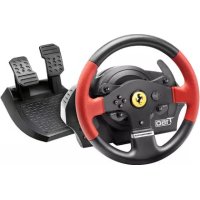
T150 Ferrari Edition - Controller THRUSTMASTER - Free user manual and instructions
Find the device manual for free T150 Ferrari Edition THRUSTMASTER in PDF.


| Product Type | Force Feedback Racing Wheel |
| Brand | Thrustmaster |
| Model | T150 Ferrari Edition |
| Compatibility | PlayStation 4, PlayStation 3, PC |
| Rotation Angle | 1080 degrees |
| Force Feedback | Yes, belt and gear drive |
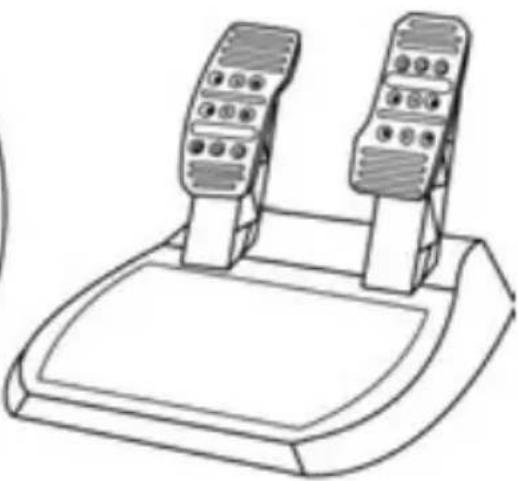
| Included Pedals | 2 pedals (accelerator, brake) |
| Gear Shift Paddles | 2 sequential paddles (up/down) |
| Gearbox Connector | Yes (TH8A/TH8RS sold separately) |
| Pedal Connector | Yes |
| Buttons | Directional pad, L3/R3, SELECT/START (PS3) or SHARE/OPTIONS (PS4), PS button, MODE with red/green indicator |
| Power Supply | EU version: internal 220V; other versions: external power adapter included |
| USB Cable Length | Approximately 1.5 m |
| Power Cable Length | Approximately 1.5 m |
| Mounting System | Via metal clamping screw on table or desk (integrated) |
| Dimensions (base) | Approximately 28 x 28 x 28 cm |
| Weight (wheel + pedals) | Approximately 2.5 kg |
| Rim Material | Rubber with Ferrari coating |
| Firmware Update | Via PC at support.thrustmaster.com |
| Warranty | 2 years in EU (according to local legislation) |
| Maintenance | Clean with a soft, dry cloth; do not use solvents |
| Safety | Do not open, wear shoes, respect ventilation distances |
Frequently Asked Questions - T150 Ferrari Edition THRUSTMASTER
User questions about T150 Ferrari Edition THRUSTMASTER
0 question about this device. Answer the ones you know or ask your own.
Ask a new question about this device
Download the instructions for your Controller in PDF format for free! Find your manual T150 Ferrari Edition - THRUSTMASTER and take your electronic device back in hand. On this page are published all the documents necessary for the use of your device. T150 Ferrari Edition by THRUSTMASTER.
USER MANUAL T150 Ferrari Edition THRUSTMASTER
To ensure that your T150 racing wheel functions correctly with games, you may be required to install the game's automatic updates (available when your system is connected to the Internet).
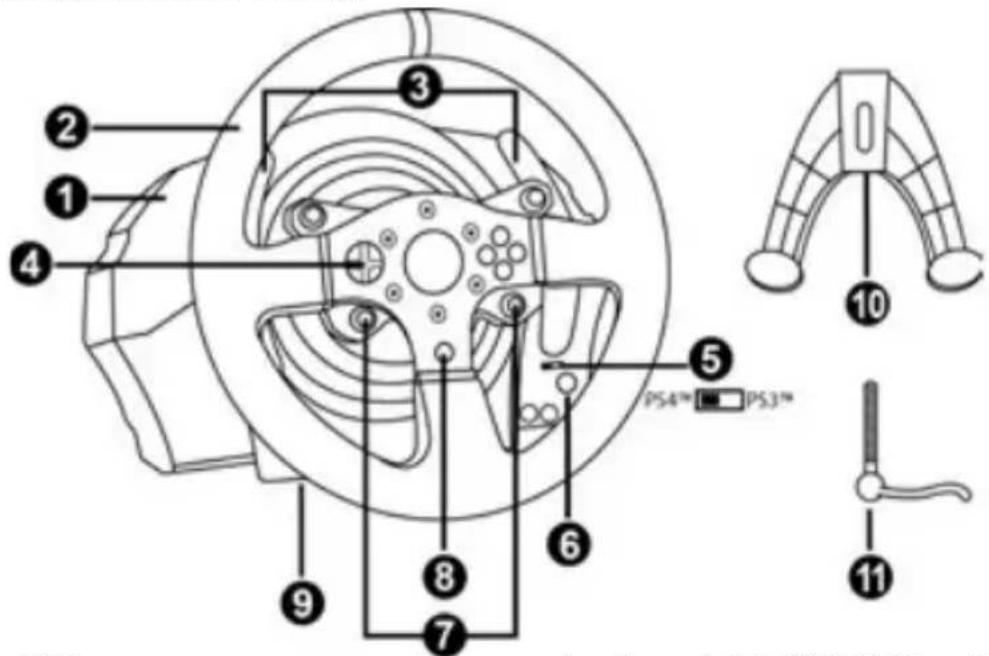
TECHNICAL FEATURES
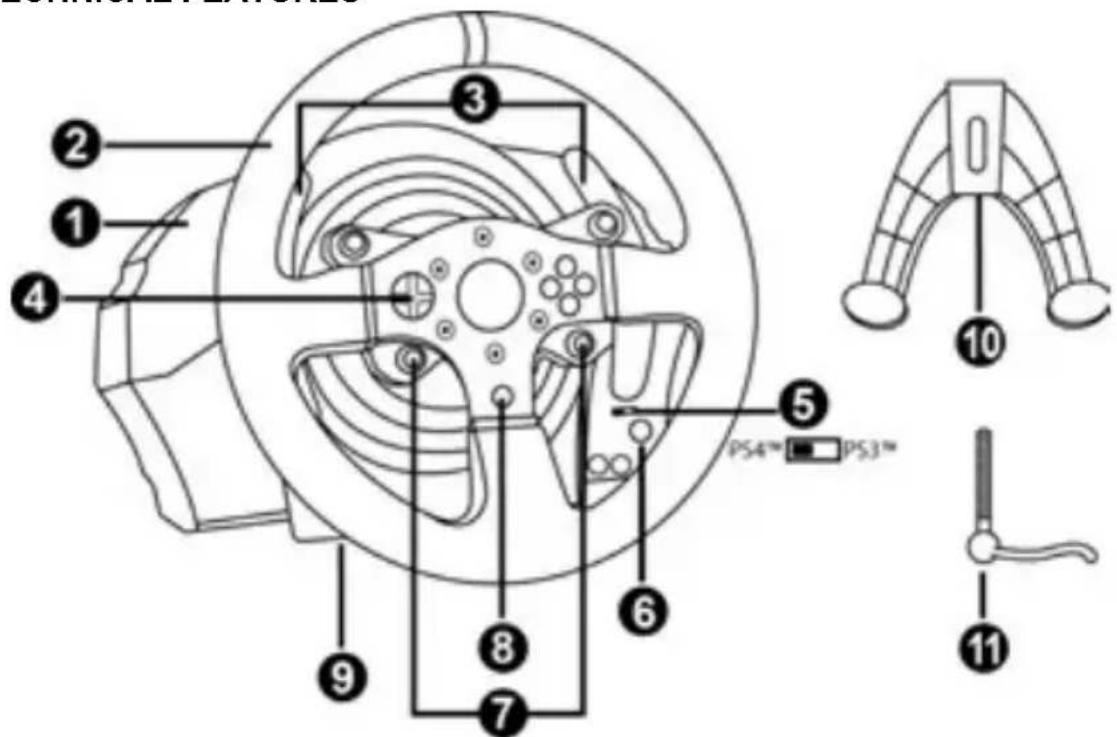
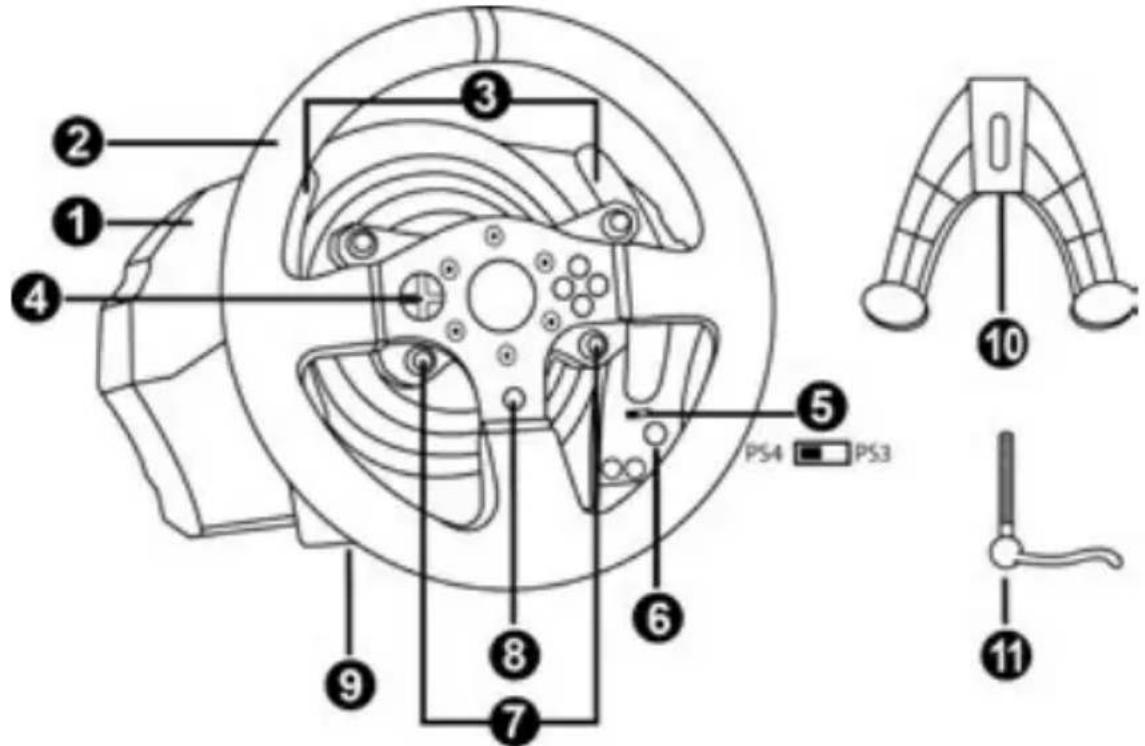
1 T150 base
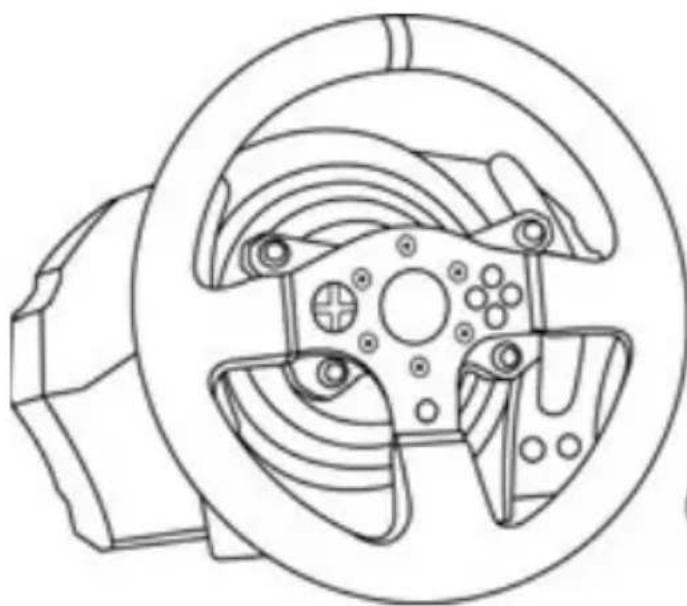
2 Wheel
3 2 sequential paddle shifters (up & down)
4 Directional buttons
5 Built-in USB sliding switch for PS4TM/PS3TM
6 MODE button + red/green indicator light
7 SELECT/START buttons on PS3™ and SHARE/OPTIONS on PS4™
8 PS button
9 Large threaded hole (for attachment system and fastening screw)
10 Attachment system
11 Metal fastening screw
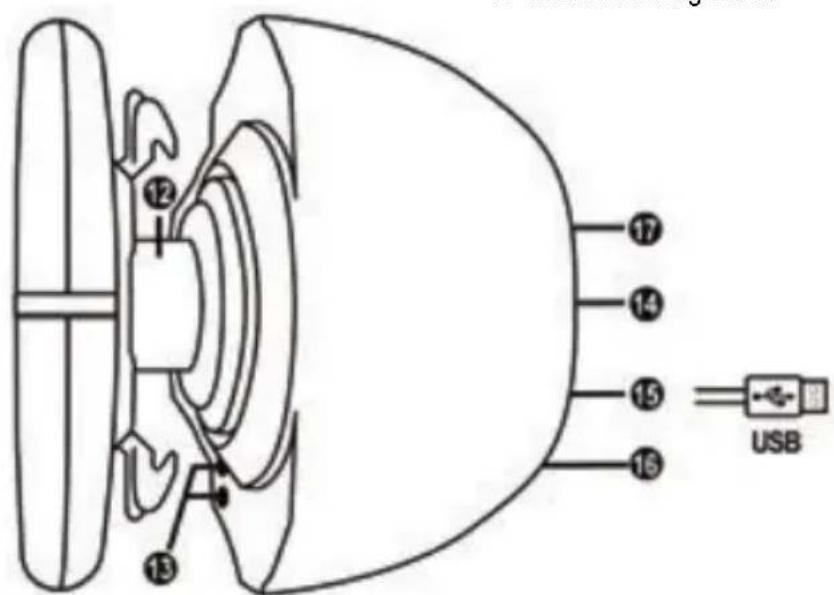
12 Steering axis
13 L3/R3 buttons
14 Power cable
or Power supply connector (varies from one country to another)
15 Racing wheel USB cable and connector
16 Gearbox connector (gearbox sold separately)
17 Pedal set connector
PLUGGING THE RACING WHEEL INTO AN ELECTRICAL OUTLET: PLEASE READ BEFORE PROCEEDING!
Your racing wheel's power supply varies according to the country where you purchased your device.
European versions only
Important note: the European version of the T150 is equipped with an internal power supply, located directly inside the racing wheel's base.
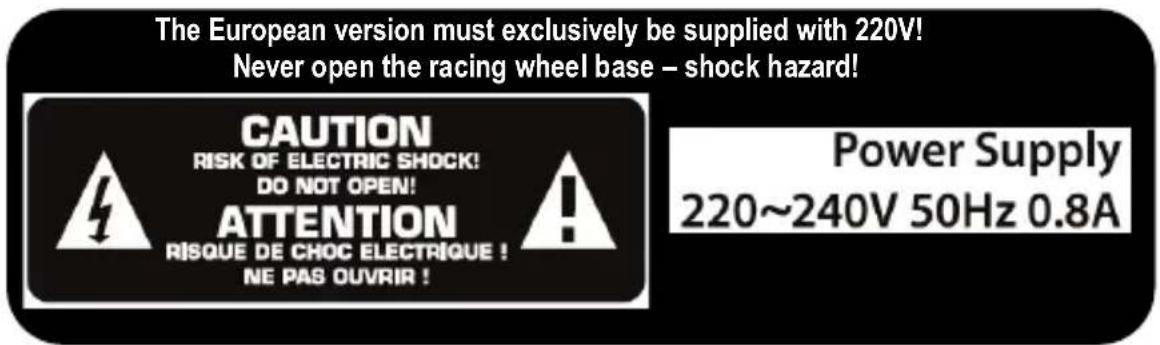
- Simply connect the racing wheel's mains connector to a 220V power outlet.
Other versions (non-European)
Note: Contrary to the European version, the non-European T150 features an external power supply, a specific device is provided with the racing wheel.
- Connect the external adapter to the relevant connector located at the back of the racing wheel, then connect the external mains power adapter to a standard power outlet featuring the same voltage.
WARNING
Before using this product, please read this manual carefully and save it for later reference.

Warning - Electrical shock
- Keep the product in a dry location and do not expose it to dust or sunlight.
- Do not twist or pull on the connectors and cables.
- Do not spill any liquid on the product or its connectors.
- Do not short-circuit the product.
- Never dismantle the product; do not throw it onto a fire and do not expose it to high temperatures.
- Do not use a power supply cable other than the one provided with your racing wheel.
- Do not use the power supply cable if the cable or its connectors are damaged, split or broken.
- Make sure that the power supply cable is properly plugged into an electrical outlet, and properly connected to the connector at the rear of the racing wheel's base.
- Do not open up the racing wheel: there are no user-serviceable parts inside. Any repairs must be carried out by the manufacturer, its authorised representative or a qualified technician.
- Only use attachment systems/accessories specified by the manufacturer.
- If the racing wheel is operating abnormally (if it is emitting any abnormal sounds, heat or odours), stop using it immediately, unplug the power supply cable from the electrical outlet and disconnect the other cables.
- If you will not be using the racing wheel for an extended period of time, unplug its power supply cable from the electrical outlet.
- The electrical outlet must be located near the equipment and must be easily accessible.
Air vents
Make sure not to block any of the air vents on the racing wheel's base. For optimal ventilation, make sure to do the following:
- Position the wheel's base at least 10cm away from any wall surfaces.
- Do not place the base in any tight spaces.
- Do not cover the base.
- Do not let any dust build up on the air vents.

For safety reasons, never use the pedal set with bare feet or while wearing only socks on your feet.
THRUSTMASTER © DISCLAIMS ALL RESPONSIBILITY IN THE EVENT OF INJURY RESULTING FROM USE OF THE PEDAL SET WITHOUT SHOES.

Warning - Injuries due to force feedback and repeated movements
Playing with a force feedback racing wheel may cause muscle or joint pain. To avoid any problems:
- Avoid lengthy gaming periods.
- Take 10 to 15 minute breaks after each hour of play.
- If you feel any fatigue or pain in your hands, wrists, arms, feet or legs, stop playing and rest for a few hours before you start playing again.
Warning - Injuries due to force feedback and repeated movements (continued)
- If the symptoms or pain indicated persist when you start playing again, stop playing and consult your doctor.
- Keep out of children's reach.
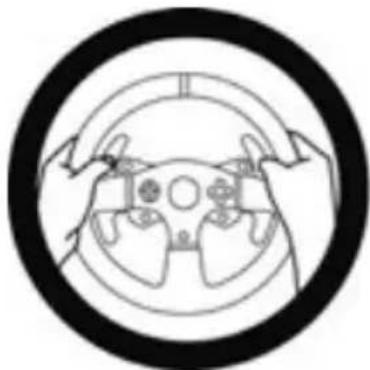
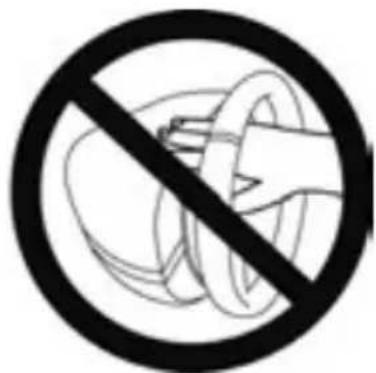
- During gameplay, always leave both hands correctly positioned on the wheel without completely letting go.
- During gameplay, never place your hands or your fingers under the pedals or anywhere near the pedal set.
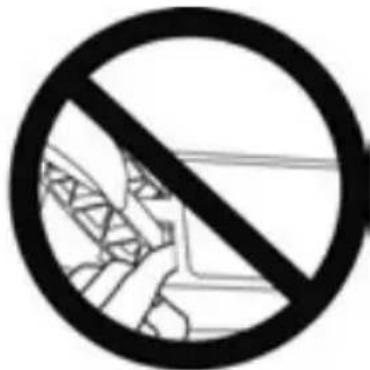
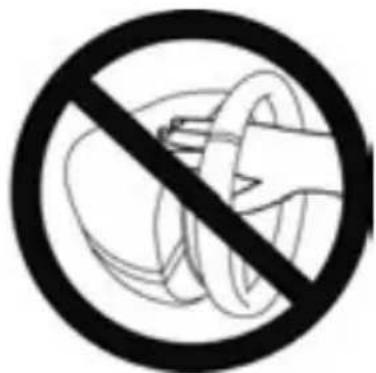
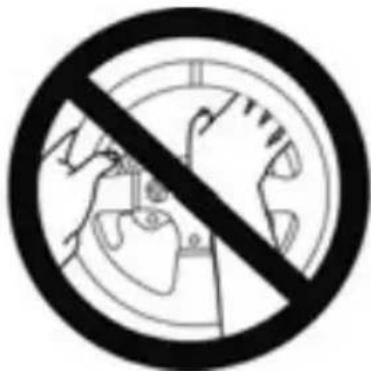
- During calibration and gameplay, never place your hand or your arm through the openings in the racing wheel.
- Make sure that the racing wheel's base is properly secured, as per this manual's instructions.

HEAVY PRODUCT
Product to be handled only by users 14 years of age or older

Be careful not to drop the product on yourself or on anyone else!
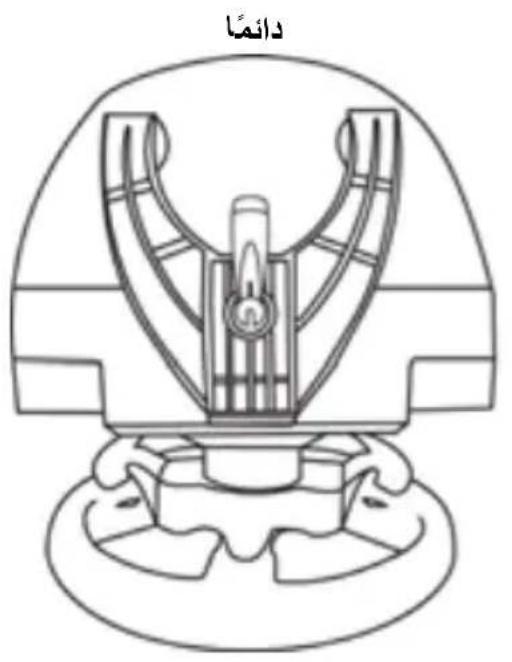
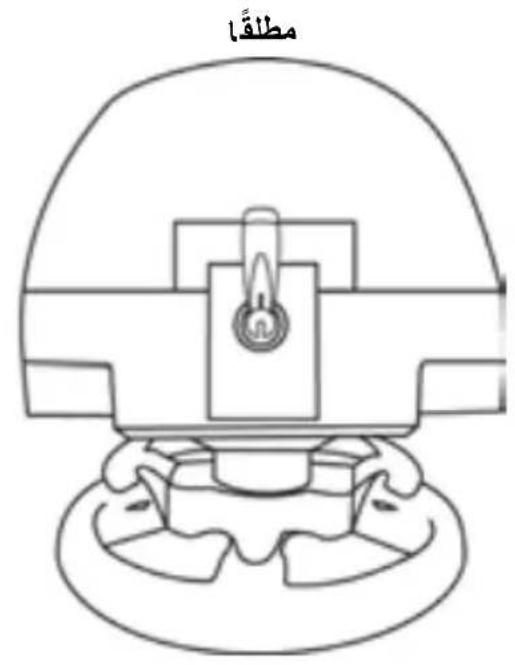
ALWAYS
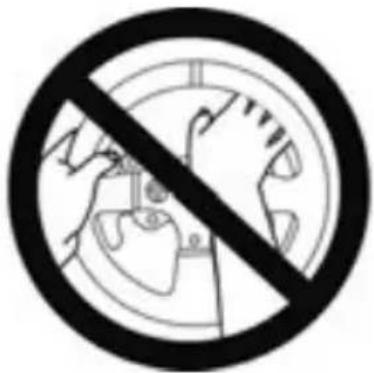
NEVER

NEVER
- Keep the pedal set out of children's reach.
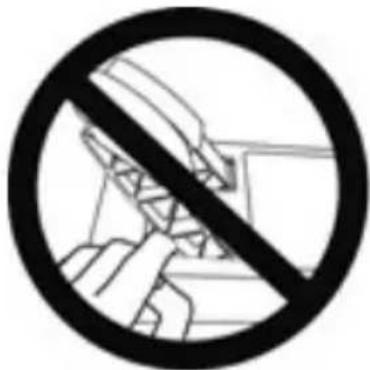
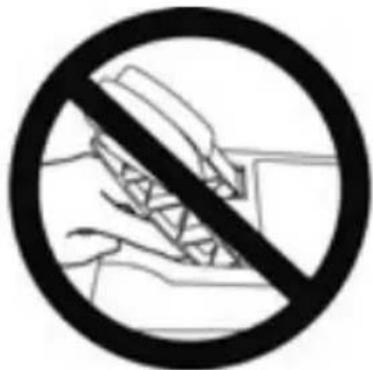
- During gameplay, never place your fingers on or anywhere near the sides of the pedals.
- During gameplay, never place your fingers on or anywhere near the pedal's rear base.
- During gameplay, never place your fingers on or anywhere near the pedal's front base.
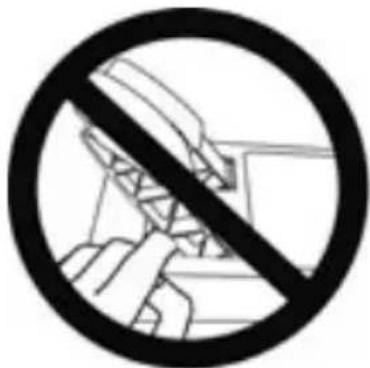
NEVER
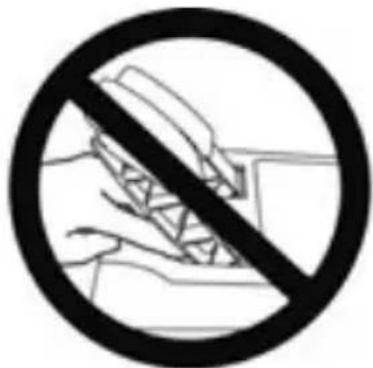
NEVER
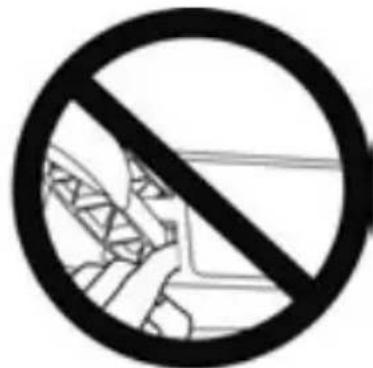
NEVER

Warning - Pedal set pinch hazard when not playing
- Store the pedal set in a safe place, and keep it out of children's reach.
UPDATING YOUR RACING WHEEL'S FIRMWARE
The firmware included in your racing wheel's base can be updated to a more recent version featuring product enhancements.
To display the firmware version that your racing wheel is currently using and update it if required: on PC, visit http://support.thrustmaster.com. Click Racing Wheels / T150, then select Firmware and follow the instructions describing the download and installation procedure.
Important note:
On PC, the USB sliding switch (5) on the racing wheel's base must always be set to the PS3™ position.
ADJUSTING THE PEDAL INCLINATION
The pedal inclination is adjustable.
The adjustment instructions for each pedal are available at http://support.thrustmaster.com. Click Racing Wheels / T150, then select Manual or FAQ.
ATTACHING THE RACING WHEEL
Attaching the racing wheel to a table or a desktop
- Place the racing wheel on a table or any other horizontal, flat and stable surface.
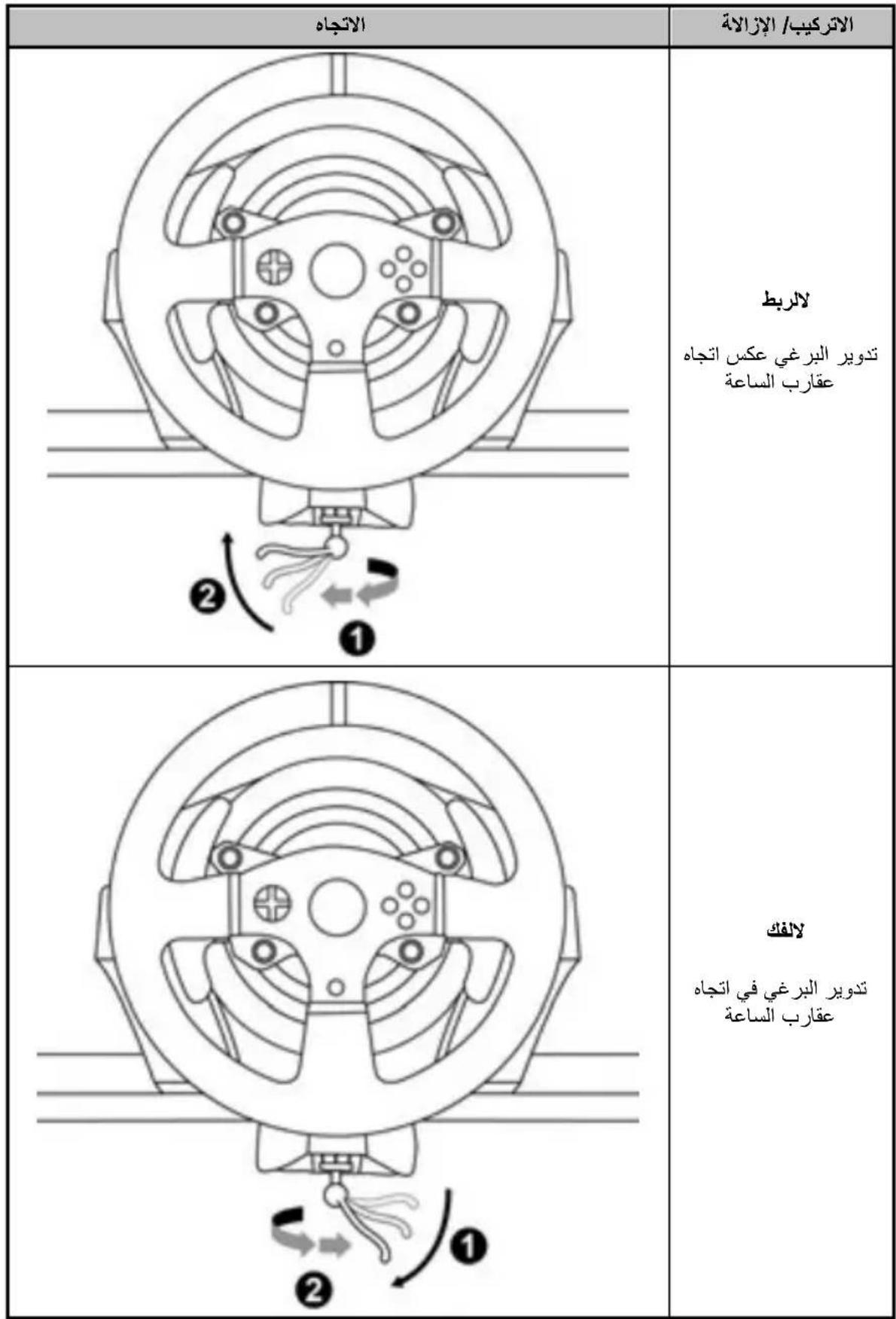
- Insert the fastening screw (11) in the attachment system (10), then tighten the device by turning the screw counterclockwise, so that it feeds into the large threaded hole (9) located beneath the racing wheel, until the wheel is perfectly stable.
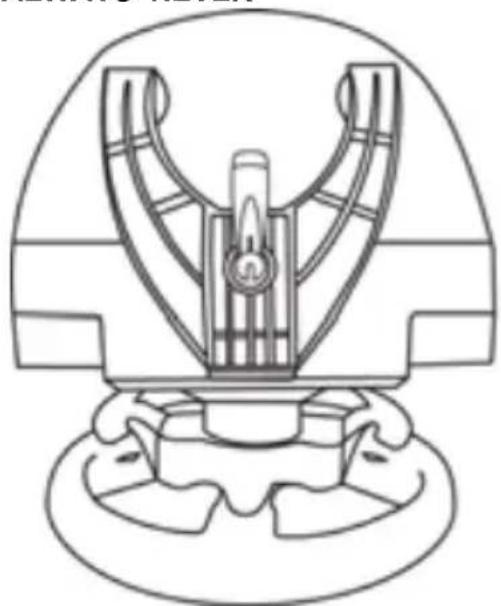
ALWAYS NEVER
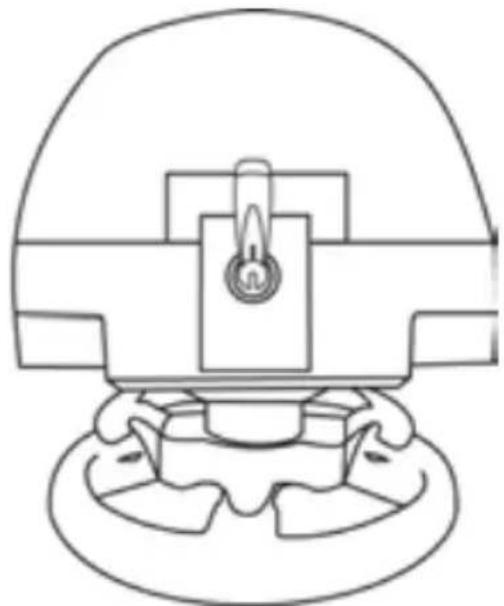
WARNING: Never tighten the screw alone, without the attachment system in place! (This could damage the racing wheel.)
| ATTACHMENT / REMOVAL | DIRECTION |
| To tighten: Turn the screw anticlockwise | 2 1 |
| To release: Turn the screw clockwise | 3 2 |
Attaching the pedal set to a cockpit
- Attach the pedal set using the small screw threads located on its underside.
- Drive two M6 screws (not included) through the cockpit shelf, then feed them into the two small screw threads located on the underside of the pedal set.
Important: The length of the two M6 screws must not exceed the thickness of the shelf + 10 mm; longer screws could cause damage to internal components located in the pedal set.
Layout diagrams for cockpits (for positioning the racing wheel's base and/or the pedal set) are available at http://support.thrustmaster.com: click Wheels / T150, then select Manual or FAQ.
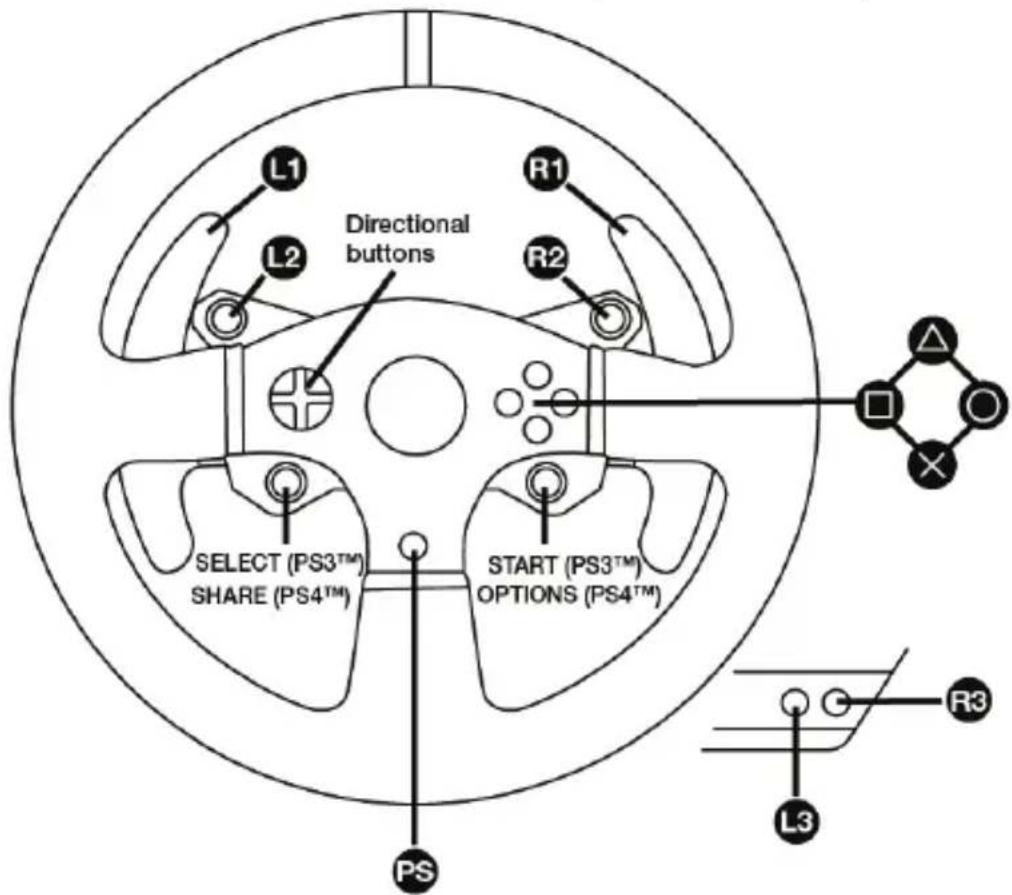
PlayStation®3 and PlayStation®4 mapping
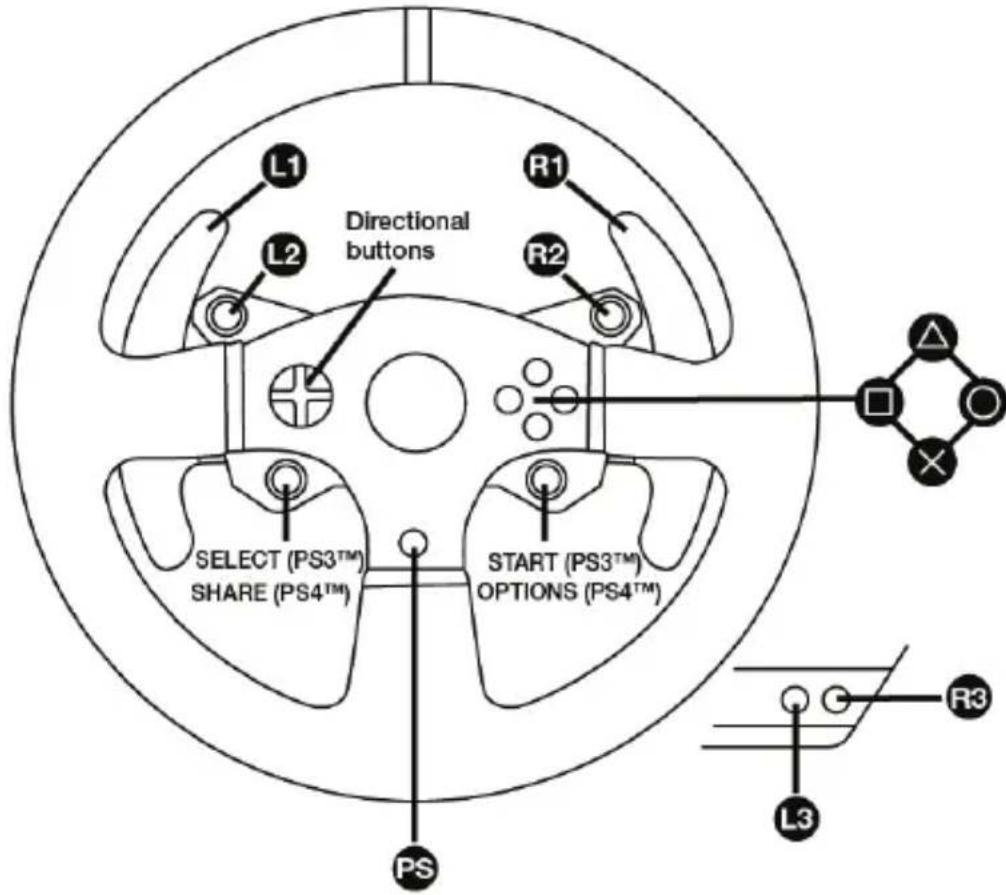
SETTING UP THE RACING WHEEL FOR PlayStation®3 OR PlayStation®4
- Connect the pedal set to the connector (17) located at the back of the racing wheel's base.
- Connect the power supply cable to the connector (14) located at the back of the racing wheel's base.
- Plug the power supply cable into an electrical outlet with the same voltage specifications.
For more information about this, please refer to the PLUGGING THE RACING WHEEL INTO AN ELECTRICAL OUTLET section, on page 3 in this manual.
- Set the USB sliding switch (5) on the racing wheel's base to either the PS3™ or PS4™ position, depending on the system or the game you are using.
- Connect the racing wheel's USB connector (15) to one of the system's USB ports.
- Once your system is powered on, your racing wheel will calibrate itself automatically.
- On PlayStation®4 (when the USB sliding switch is set to the PS4™ position): press the racing wheel's PS button (8) and sign in to your Sony Entertainment Network account, in order to be able to use the wheel.
You are now ready to play!
Important notes:
- The USB sliding switch (5) on the racing wheel's base must always be set to the proper position (PS3^TM or PS4^TM) before connecting the wheel's USB cable to the system. To change the sliding switch's position, disconnect the USB cable from the system and then change the position of the switch before reconnecting the USB cable to the system.
- On PlayStation®3, the USB sliding switch (5) must always be set to the PS3™ position:
- The wheel is recognised in most games as a T500RS wheel.
- The wheel is functional in compatible games and in system menus.
-
The "PS" function is functional on the wheel.
-
On PlayStation®4, with the USB sliding switch (5) in the PS3™ position:
- The wheel is recognised in most games as a T500RS wheel.
- The wheel is functional in compatible games, but not in system menus.
- The "SHARE" and "PS" functions are not functional on the wheel.
- On PlayStation®4, with the USB sliding switch (5) in the PS4™ position:
- Don't forget to press the racing wheel's PS button (8) in order to be able to use the wheel.
- The wheel is recognised in most games as a T300 RS or T150 wheel.
- The wheel is functional in compatible games and in system menus.
-
The "SHARE" and "PS" functions are functional on the wheel.
-
The list of PlayStation®3 and PlayStation®4 games compatible with the T150 (along with the required position for the USB sliding switch (5) according to the game being played) is available at:
http://support.thrustmaster.com (in the Racing Wheels/T150 section). This list is updated regularly.
AUTOMATIC RACING WHEEL AND PEDAL SET CALIBRATION
The wheel automatically self-calibrates when you plug the racing wheel into an electrical outlet and connect the racing wheel's USB connector to the PlayStation 3 or PlayStation 4 system. During this phase, the racing wheel will rotate quickly towards the left and the right, covering a 1080 degree angle, before stopping at the centre.

WARNING:
Never touch the racing wheel during the self-calibration phase! (This could result in improper calibration and/or personal injuries.)
AUTOMATIC CALIBRATION OF THE PEDAL SET
Never connect the pedal set to the racing wheel's base (or disconnect it from the base) when it is connected to the system or during gameplay (this could result in improper calibration). Always connect the pedal set before connecting the racing wheel to the system. Once the racing wheel's calibration is complete and the game has been started, the pedals are automatically calibrated after a few presses.
WARNING:
Never press the pedals during the racing wheel's self-calibration phase or while a game is loading! (This could result in improper calibration.)
If your racing wheel and/or pedal set do not function correctly, or if they seem to be improperly calibrated:
Power off your system and completely disconnect the racing wheel. Then reconnect all cables (including the power supply cable and the pedal set), and restart your system and your game.
MODE BUTTON AND INDICATOR LIGHT (6)
MODE button for the pedal set
The pedal set included with the T150 features 2 pedals.
When using this pedal set, make sure that the indicator light remains red, or else the gas pedal will not function properly.
The T150 is also compatible with Thrustmaster pedal sets featuring 3 pedals (sold separately); these allow you to electronically swap the accelerator and clutch pedals.
To do so, simply press the MODE button (6) for 2 seconds.
The racing wheel's internal memory stores whether the pedals have been swapped around or not.
| GAS AND CLUTCH PEDALS | Colour of the MODE indicator light (6) |
| NORMAL | RED |
| SWAPPED AROUND | GREEN |
Other information regarding the MODE button
To learn more about the MODE button and indicator light, please visit http://support.thrustmaster.com. Click Racing Wheels / T150, and then select Manual or FAQ.
HELP FILES AND FAQs
Please visit http://support.thrustmaster.com. Click Racing Wheels / T150, and then select Manual or FAQ.
SETTING UP THE RACING WHEEL FOR PC*
UPDATING YOUR RACING WHEEL'S FIRMWARE
*PC compatibility not tested nor endorsed by Sony Interactive Entertainment Europe
For more information, visit http://support.thrustmaster.com.
CONSUMER WARRANTY INFORMATION
Worldwide, Guillemot Corporation S.A., whose registered office is located at Place du Granier, B.P. 97143, 35571 Chantepie, France (hereinafter "Guillemot") warrants to the consumer that this Thrustmaster product shall be free from defects in materials and workmanship, for a warranty period which corresponds to the time limit to bring an action for conformity with respect to this product. In the countries of the European Union, this corresponds to a period of two (2) years from delivery of the Thrustmaster product. In other countries, the warranty period corresponds to the time limit to bring an action for conformity with respect to the Thrustmaster product according to applicable laws of the country in which the consumer was domiciled on the date of purchase of the Thrustmaster product (if no such action exists in the corresponding country, then the warranty period shall be one (1) year from the original date of purchase of the Thrustmaster product).
Should the product appear to be defective during the warranty period, immediately contact Technical Support, who will indicate the procedure to follow. If the defect is confirmed, the product must be returned to its place of purchase (or any other location indicated by Technical Support).
Within the context of this warranty, the consumer's defective product shall, at Technical Support's option, be either replaced or returned to working order. If, during the warranty period, the Thrustmaster product is subject to such reconditioning, any period of at least seven (7) days during which the product is out of use shall be added to the remaining warranty period (this period runs from the date of the consumer's request for intervention or from the date on which the product in question is made available for reconditioning, if the date on which the product is made available for reconditioning is subsequent to the date of the request for intervention). If permitted under applicable law, the full liability of Guillemot and its subsidiaries (including for consequential damages) is limited to the return to working order or the replacement of the Thrustmaster product. If permitted under applicable law, Guillemot disclaims all warranties of merchantability or fitness for a particular purpose.
This warranty shall not apply: (1) if the product has been modified, opened, altered, or has suffered damage as a result of inappropriate or abusive use, negligence, an accident, normal wear, or any other cause unrelated to a material or manufacturing defect (including, but not limited to, combining the Thrustmaster product with any unsuitable element, including in particular power supplies, rechargeable batteries, chargers, or any other elements not supplied by Guillemot for this product); (2) if the product has been used for any use other than home use, including for professional or commercial purposes (game rooms, training, competitions, for example); (3) in the event of failure to comply with the instructions provided by Technical Support; (4) to software, said software being subject to a specific warranty; (5) to consumables (elements to be replaced over the product's lifespan: disposable batteries, audio headset or headphone ear pads, for example); (6) to accessories (cables, cases, pouches, bags, wrist-straps, for example); (7) if the product was sold at public auction.
This warranty is nontransferable.
The consumer's legal rights with respect to laws applicable to the sale of consumer goods in his or her country are not affected by this warranty.
Additional warranty provisions
During the warranty period, Guillemot shall not provide, in principle, any spare parts, as Technical Support is the only party authorized to open and/or recondition any Thrustmaster product (with the exception of any reconditioning procedures which Technical Support may request that the consumer carry out, by way of written instructions – for example, due to the simplicity and the lack of confidentiality of the reconditioning process – and by providing the consumer with the required spare part(s), where applicable).
Given its innovation cycles and in order to protect its know-how and trade secrets, Guillemot shall not provide, in principle, any reconditioning notification or spare parts for any Thrustmaster product whose warranty period has expired.
Liability
If permitted under applicable law, Guillemot Corporation S.A. (hereinafter "Guillemot") and its subsidiaries disclaim all liability for any damages caused by one or more of the following: (1) the product has been modified, opened or altered; (2) failure to comply with assembly instructions; (3) inappropriate or abusive use, negligence, an accident (an impact, for example); (4) normal wear; (5) the use of the product for any use other than home use, including for professional or commercial purposes (game rooms, training, competitions, for example). If permitted under applicable law, Guillemot and its subsidiaries disclaim all liability for any damages unrelated to a material or manufacturing defect with respect to the product (including, but not limited to, any damages caused directly or indirectly by any software, or by combining the Thrustmaster product with any unsuitable element, including in particular power supplies, rechargeable batteries, chargers, or any other elements not supplied by Guillemot for this product).
THRUSTMASTER
TECHNICAL SUPPORT
http://support.thrustmaster.com

COPYRIGHT
© 2017 Guillemot Corporation S.A. All rights reserved. Thrustmaster® is a registered trademark of Guillemot Corporation S.A.
Licensed for sale in Europe, Africa, Middle East, Russia, India and Oceania. For use exclusively with PlayStation®3 and PlayStation®4.
All other trademarks and brand names are hereby acknowledged and are property of their respective owners. Illustrations not binding. Contents, designs and specifications are subject to change without notice and may vary from one country to another. Made in China.
Manufactured and distributed by Guillemot Corporation S.A.
ENVIRONMENTAL PROTECTION RECOMMENDATION
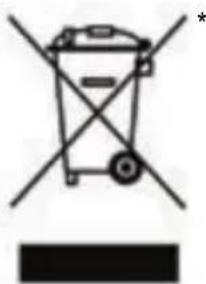
In the European Union and Turkey: At the end of its working life, this product should not be disposed of with standard household waste, but rather dropped off at a collection point for the disposal of Waste Electrical and Electronic Equipment (WEEE) for recycling.
This is confirmed by the symbol found on the product, user manual or packaging. Depending on their characteristics, the materials may be recycled. Through recycling and other forms of processing Waste Electrical and Electronic Equipment, you can make a significant contribution towards helping to protect
the environment.
Please contact your local authorities for information on the collection point nearest you.
For all other countries: Please adhere to local recycling laws for electrical and electronic equipment.
Retain this information. Colours and decorations may vary.
Plastic fasteners and adhesives should be removed from the product before it is used.
www.thrustmaster.com
*Applicable to EU and Turkey only



FORCE FEEDBACK
INFORMATIONS RELATIVES A LA GARANTIE AUX CONSOMMATEURS
www.thrustmaster.com
www.thrustmaster.com
www.thrustmaster.com
www.thrustmaster.com
www.thrustmaster.com
www.thrustmaster.com
DeiCTBnCnIOBOO6paTHoCBa3N
IcnoB3OBaHne pyneBOCnCTeMBICnIOBOO 6paTHo CB3bIO MOKeT Bb13BaTb 60JIb B MbluaX IIN cycTabax. CoBeTbIO npedotBpaueHnIO npo6nem CO 3dOpOBbEM:
- He npobodnte 3a ngpoi npoDolxHteJbHoe Bpem;
* nocne kaxdofo yaca ngpbl deaIte 10-15-mnhythbI nepepbIB;
*ecnB KnCTaX, 3aAeTbax, PpeIneYbax, CTonax Hn Horax NOBnAcb yctaoctb nn 6oJI, npeKpaTnte ngpy n OTdoxHnTe B TeueHne HeckOJIbKnx YacOB, npexJe cHcOBA npncTyNTb K nIrpe.
*ecnn Bblweyka3aHHbIe npn3HaKn IpOraBJIIOrTc CHOBa npn BO3BpaueHn K nIrp, ppeKpaNTe nRpy n 6baTnTeCb K BpaCy; - DépЖиTe CnCTeMy BHe DoCTyNa DeTei;
- BO Bpemr nprbI npabnIbHO pacnonarate obe pykn Ha pyneBOM KOnece H He No3BOJnTe emy Bpaatcbc 6eckoHTpoIbHo;
* BO Bpemn Hn B KOem cnuyae He 3acobbBaIe pykn nnn nalbcuI nOd neaIIHn He nepknte nx pRdOM CneanbHbIM 6nOKOM;
* BO BpeM KaIINbOvBKn I INrPbI HN B KOeM CInyuae He 3acOBbIbAaTe pyKN B pyNeBOe KOJIeCO;
* o6ecneyte HaedexHyo fHKcauHIO 6a3bl pyeBoro KOleca B COOTBeTCTBm C yka3aHnA M INHCTpyKUIN NO 3KcNpyaTaUIN.
TAXENOEN3DENE

He donyckaetcnaonb30BaHne n3deJnIuamMOJoxe 14 neT

He poHryTe n3dennie Ha ce6a nn Ha dpynx nuc!
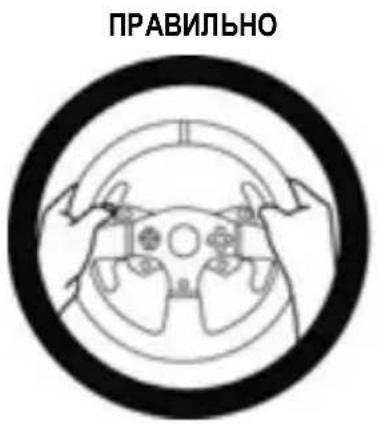
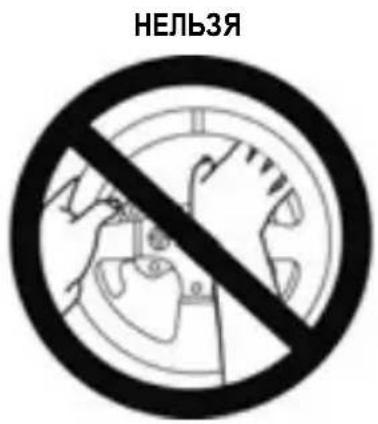
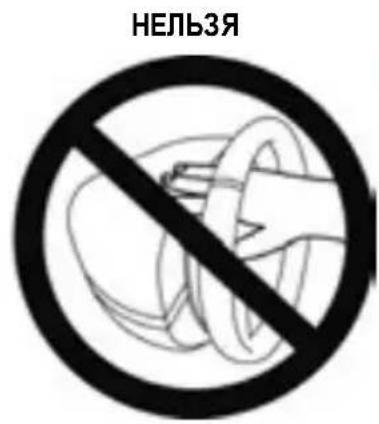
- Dépçknte neéaIbHbI bIOK BHe DoCTyNa dTeIe.
*Bo Bpemn Hn B KOem cnuyae He KnaDnTe nabuHa neaHn He 3acOBbBaIe nx C 6OKOBIX CTOPOH ndaHBO 6IOKA.
*BoBpeMnHbBkoemCnyae He 3acOBbBaIte Hx C3aIN B6a3y neJaIbHoro 6noka.
*Bo Bpemn Hn B KOem cIyae He 3acOBbBaIe nx Cpeepn B 6a3y neJaJbHoro 6noka.
HEJIb3J
HEnb3r
HEnb3a

PpeDynpexKdeHne BO3MOXHO CKaTHe NeJaIbHOrO 6JOKa BO BpeM npocToA
- XpaHnte neJaIbHbI 6JOK B 6e3onachOM MecTe BHe 3OhBi DOCTyNa DeTei.
OBHOBJIeHHe IPOUINBKN PYNEBOFO KOJECA
IpoWbky B 6a3e pyneBoro KOleca MoXHO O6HOBnTb Do 6oJee No3dHeBepCu, copejkaueycoBepseHCTBOBaHn.
Daanha rapaHTn He noIeJxT nepeaue.
Hactoa rapaTna He yuemnre npab notpebnte, npedocTabreMbIX emy npimeHMblm 3akohm B OTHOweHn npodaxn notpebntbcknx TOBapOB B COOTBEcTBYIOuei CTpaHe.
DOnonHnTeIbHbIe ycIOBna rapaHTn
B TeueHne rapaHTnHoro cpoka KOMpaHnGuillemot, B obuem n ceJOM, He npedocTabIeT HnKaHX 3aNaChbIX Yactei, TAK KAC BCKpbITNe W/IN MOnDcPKaUHO NIObIX N3dEIN Thrustmaster Bnpabe OcyueCTBnayTb TOnbKO CnyKba TexHnueCKO NODepKKN (3a NCKNIOUHeHMeK aKHX-N6o PPOeDpy IIO MoNDcPKaUHN, KOtOpBIE CnyKba TexHnueCKO NODepKKM MOKeT npEDIOXNTb BblONHnTb KInEHTy NytEM NHCbMeHHbIX INCTpyKuIN NpeDOCTaBLeHnA, PnH HeOBxOIMMOCTN, TpeByEmbIX 3aNaChbIX Yactei: HAnPmEp, B CBzN C OTCyTCTBnEM CTAtyCa CNOXHOCTN ININ KOHΦnDEHuaJIbHOCTN y TaKoB BOCCTaHOBNTeHBHO INPOeDypbl).
C yyeTOM nepnoa ocboHnHOBbIX n3deNn B cIeJx 3aIITbI CBOHX HOy-Xay N KOMMepuecknx TaH KOMnHaig Guillemot, B oIeEM n cIeJOM, He npedocTabIeT KaKix-Imo yBeOMJIeHn O BOCtAHOBJIeHN INI 3aIacMbIX qactEn dnn IIO6bIX n3deNn Thrustmaster c nCTeKlIM rapaHTNIHbIM cPOKOM.
OTBetCTBeHHOCTb
B Mepe, pa3peuHno npimHeMbIM 3aKoHOdaTeJIbCTBOM, KOMpaHnI Guillemot Corporation S.A. (dAlee - «Guillemot») n ee doUepHne npedpnaTnO tKa3bIBaOTcR O T IIOBoI OTBeTCTBeHHocTn 3a IIOboi yue6, Bbl3BaHbI ODNHM INI HecKOJIbKMn IN3 CNeDyUOxΦaTOpOB: (1) BVIOUN3MeHHeN, BCKpyITne ININ MOINPkaCuaN I3DeNIA; (2) HecoBIOJeHne INCTpyKlui N O c6OpKe; (3) HeDOnyCTmoe ININ HePaBnIbHOe INOJIb3OBAHHe, He6peXHOCTb, HeCuaCTHbI CNyAan (HaNPImep, FIn3NuCeKoe BO3deJCTBVE); (4) ECTeCTBeHHbI IN3HOC; (5) INOJIb3OBAHHe INoDyKTa B JIObIX UeNAX, KpOME bItOBbIX, BV TOM YNCNE pOceCCNOHaJIbHOe ININ KOMpeHCckOE npimHeHne (HaNPImep, B INPOBbIX 3aIax, DInr IPOBeHne OByeHnI n COpeBHOaHn). B Mepe, pa3peuHNO npimHeMlbIM 3aKoHOdaTeJIbCTBOM, KOMNaHnGuillemot n ee DoUeHne npedpnaTn OTKa3bIBaIOTcR O T IIOBoI OTBeTCTBeHHocTn 3a IIOboi yue6, He CBraHHbI C DepeKtAm MATEpHaNOb INI IN3GTobHeHn, B OTHoWeHN DaHHORO IN3DeNIA (BKInouay, NOMmo InoUeTo, IIOboi yue6, Bbl3BaHbI INPRAMO INONoCpeBOAHNO IIObIM INoPpAMMbIM ObecneHem INI INCNoB3OBAHHe IN3DeNIA Thrustmaster C IIObIMn HeINOxODaUMM 3JIeMeHTAMn, B YACTHOCTN - 6IOKAMNI ITaHnA, AKKymyJIATOpAMN, 3apAnHBIMn YCTPoJCTBAMN INIObIMn DpyIMM 3JIeMeHTAMn, He BXoDAUIMN B KOMPiKeTAUIMo Guillemot dnn daHHoro IN3DeNIA).
THRUSTMASTER
TEXHnueCKoIPOdEPRKKn
http://support.thrustmaster.com

ABTOPCKNE IPIPABA
© Kopnpaця 2017 Guillemot Corporation S.A. Bce npaba 3aunuenebl. Thrustmaster®ЯнгетсяЗaperистрпювныm TOBapHyIM 3HaKOM kopnpaци Guillemot Corporation S.A.
JinueH3nI npodaxn B EbPone, AfpKe, Ha BmKHeM BoCToke, B PocCN, HdNn OkeAHn. IInckJIouHTeBHorO nONb3OBaHn c PlayStation3 n PlayStation4.
Bce octaIbHbIe TOBaHbIe 3HaKn IaJIaIOTc CO6CTBeHHOCTbIO COOTBeTCTByIOxN BnaJeIbIeB.
NIIIOCTpaun MOryHe COOTBeTCTBOBaT BHeUHEmy BuIy/ΦyHKcIaM KOHKpeTHORO N3dJIINr.
Copepkane, KOHCTpykun n TexHnueckne XapakTePncTnK n3deJnMOryT 6bIb N3MeHebl 6e3 npedBapntelbHorO yBeDomLeHnN n 3aBcT OT cTpaHb npNo6peHn. CdeNaHO B KItae.
Pon3BeNo n pacnpoctpaHareTcKOMnaHnei Guillemot Corporation S.A.
Pn noJIb3OBaHm n3dJIeM em yuHTbIaIte cneDyUoJee: CBeTa n nn3aH MOryt pa3JIuHaTbcra.
PiactIKOBblc CTJKKn KNeKkyIO neHTy cneDyET ChrB nepei NcNoJIb3OBaHm n3dJIINIA.
www.thrustmaster.com
EAC

150 FORCE FEEDBACK
Eeyεipidio xρnσns
ПОНДОПОIHSH:
Ia va a i i t e oti n tioupepa T150 aeitoupyei owta kaote naixvioli, iowc xpeiaotei va eykataotnoete Tc autouatec evnepwoeic tou kote naixvioiou (ivai diathetaiapa otav to ouotma paiaixviiodiwival ouvodeseevnto Internet).
TEXNIKA XAPAKTHPIETIKA
PpOaPTnTou oT Twv TavA Oe EoOn oBnyou
- Pooapntote to aet twv tveita xpnoiopoioivta c ts iipoc onc ato ta otieipwata tro Bpiokovtai ano katw.
- Kaobnyote TIC duo biides M6 (ev npiaaavovta) eou nTn poeoxns nTg eons tou oanyou, kai OTN ouvexia, tooetne TIC otic duo mipecs ontc aTO aOTeipwata TPO Bpiokovtai KATW aTO TO oET TWV TEVTAL.
KoupiI MODE yia to oet twv tveTaal
To oet twv nevtal Tou nepiaaavetai otny tioviepa T150 diahe 2 Tevtal.
Otav xpoiioite auto To oet twv nevtal, bceaiwthe ot i nauxvia evdeiengs napaevei
avamevn me kokkivo xpwa, diapopetikto nevtal Tou ykaou dev th aeioupyei owotla.
H TIOVIEpa T150 eivai eTionc oUbetaTn eTo eT Twv TVEtAL nC Thrustmaster Tou diaheTei 3
TEVTaA (TWOAUVTaI EEXWPIOTa). Auta Oac napexouv Tn duvatotnta va paypatotoieite
nAEKTPovIKn evAAAYn oTO TEVTaI Tou ykau kai Tou uumEKTn.
Tia va To KAVETe auto, aTAAwC patnoTe TO KOUPTI MODE (6) ia 2 dutepOeTTa.
TINV EOWTEPIKn mVnun Tnc TIOVIEpac atoNkEUEtaEav exi paypattointhetai n oxi evAAaynTwv
TVETA.
(\Delta \varepsilon \delta \omega \mu \nu \omega \omega \kappa \kappa \kappa \omega \kappa \kappa \kappa \kappa \omega \kappa \kappa \kappa \kappa \kappa \omega \kappa \kappa \kappa \kappa \kappa \kappa \kappa \kappa \kappa \kappa \kappa \kappa \kappa \kappa \kappa \kappa \kappa \kappa \kappa \kappa \kappa \kappa \kappa \kappa \kappa \kappa \kappa \kappa \kappa \kappa \kappa \kappa \kappa \kappa
Euovn
Av eti pietai aio tv 1x uouoa vooeia, nguilemot Corporation S.A. (epecnic "Guillemot") kai oi theuyatpike ts aontoiouvta kae eueuvns ia oioa bntote znmuia npokaleitai ano eva n Tepioootea ato ta akoloutheta: (1) to pioov exi tpoontointhei, aoixei n meataointhei, (2) aotuxia w c tro soumopwpwn me tic onyie s uvaupoloynons, (3) akataaann kn kakn xnpan, aelia, atuxnua (ya napadeyuga, npokpouon), (4) quoioloyikn o0pa, (5) xpnon tou Tpoiovtoc yia oioa hntote alnn xpion nape a tno tnv oikiakn xpnon, ouptepiaauabavopevn C npans yia eayveaatikoic n eutopikoos kotoiouc (yia napaddeiyma, domegaia Taiyviidow, Ektaideuon, diaywvooi). Av eti pietai aio tv 1x uouoa vuo0eia, nguilemot kai oi theuyatpike ts aontoiouvta kae eueuvns ia oioa bntote znmuia dev oxetietai me laoc oto uko n tv kataokeun avapopa m to pioov (oumtipiaaubavetai, evdeiktka, otioahtne Tzmuia Tpokaeital aoea n emeaa aio oioobhntote loyioiuok n aio uovuaoou to Tpoiovtoc ts Thrustmaster e kaote akataaennlo stoiexio, oumtepiaaubetaavoevw ouyekpiieewv Tapoovw peuatoC, eivavaopoticioeewmv ptataipiw, ooptiotwv n aaawv stoiexiwTou deTvapexovtai aTnv Guillemot yia auto to pioov).

TINEYMATIKA DIKAIOMATA
© 2017 Guillemot Corporation S.A. Me Tnv ETIqulaaqn Tavtoc dikaiomegatoC. H ovopaoia Thrustmaster® eivai eptopiko kaataethetav tnc Guillemot Corporation S.A.
Me aedia πwlno ncs Eupwn, Aphiikn, Meon Avatoan, Pwoia, Ivbia kai Okeavia. Ia xpno n ovo PlayStation3kaiPlayStation4.
Ola ta unoloiinra eunopika anmuata aonoteauv idoktnia twv aviotoiuv katoxwv touc. O i EIKovec dev evai deaeutikec. Ta nepiexóvea, ta oxébia kai oipodaypapcs utokevitai o e alayes xwpic npoeiodoinan kai mtopei va diapepuov aio xwpa oe xwpa. Kataokeuaetzai otnv Kiva.
Kataoekuaetai kai diaevetai aTou Guillemot Corporation S.A.
www.thrustmaster.com
*IoxuEIOvOeEEKai Toupkia


Kullanma Kilavuzu
UYARI:
PEDAL EGMIN IN AYARLANMASI
www.thrustmaster.com
ZESTAWU PEDALOW BEZ OBUWIA.

www.thrustmaster.com
.1gww, u|j0g j8>JU 00 gdd uJrS|C>Ou9S;
1.5g 2.1 C
a aalalal alalalalalalalalalal
J 1
Rrrn rnrnnrnnn rnrnnn nnnn nn nnnn nnnn nnnn nnnn nnnn nnnn nnnn nnnn nnnn nnnn nnnn nnnn nnnn nnnn nnnn nnnn nnnn nnnn nnnn nnnn nnnn nnnn nnnn nnnn nnnn nnnn nnnn nnnn nnnn nnnn nnnn nnnn nnnn nnnn nnne
a + b = 3
PS3TM 5) USB
a
i 1
10 11 2.
1yj 000000000000000000000000000000000000000
()
12 + 100 M6 1/2 y/ y
aagaae aeggaae
10 + 10 10 10 10 10 10 10 10 10 10 10 10 10 10
Jx (w/11 100g / g 1111 1111 1111 1111 1111 1111 1111 1111 1111 1111 1111 1111 1111 1111 1111 1111 11
PlayStation®4 PlayStation®3
PlayStation4 PlayStation3
- Jydy ybl a
- Jydy bbl 3
- 7.
PS3TM) PS3TM) PS3TM) PS3TM) PS3TM) PS3TM) PS3TM) PS3TM) PS3TM) PS3TM) PS3TM) PS3TM) PS3TM) PS3TM) PS3TM) PS3TM) PS3TM) PS3TM) PS3TM) PS3TM) PS3TM) PS3TM) PS3TM) PS3TM) PS3TM) PS3TM) (5) USB (5) USB (5) USB (5) USB (5) USB (5) USB (5) USB (5) USB (5) USB (5) USB (5) USB (5) USB (5) USB (5) USB (5) USB (5) USB (5) USB (5) USB (5) USB (5) USB (5) USB (5) USB (5) USB (5) USB (5) USB (5)USB (5) USB (5) USB (5) USB (5) USB (5) USB (5) USB (5) USB (5) USB (5) USB (5) USB (5) USB (5) USB (5) USB (5) USB (5) USB (5) USB (5) USB (5) USB (5) USB (5) USB (5) USB (5) USB (5) USB (5) USB (5)
. Sony Interactive Entertainment Europelbssy bssy bssy
:ala aal .ps3TM 1
http://support.thrustmaster.com 1
T150 Racing Wheel (a) Game Controllers
(^i) OK
: aai 5
aalglgwr gaaaljll jzjrlj zj lal (Jl) Test Input 1
a aal j gsslll lallg yqall jrgyj bgyg y
.12 Test Forces
.
1xJ 5y
aale cllal
(PlayStation4 PlayStation8
T1500
aagaae aegaae
Jusgagaaa aalalalalalalalalalalalalalalalalalalalalalalalalalal
.PlayStation®4 3
1080 1000
.
y = 12
aaiiie aiee eae eae eae eae
(a)y1g 5
aalgl aegaae
()clll alll lglssic (scllln glaai)gllal aee eae gao jay
(1)
ailll llll llll llll llll
y 1
y = - ( x - 2) ^2 + 9 = - x^2 + 4x + 5
S OBC = S COD + S BOC - S BOC
1aaii jai i g jai aiaai aai ai aai
()
a 1 1 1 1 1 1 1 1 1 1 1 1 1 1 1 1 1 1 1 1 1 1 1 1 1 1 1 1
a aalaaal g alll lalldle 1 (aai aie gao g aai jall
a
aagaae aee
aalalalalalalalalalalalalalalalalalalalal
aal gllll alae alaiie
()
(4)
a 1
a
aiei i 1
45 5n
(a)
(6) MODE
MODE
T150
Jx 12
T150 J Ls
y
Aolaii jia 1j aaiy1 yaiy1 ay1 j
www.thrustmaster.com
L 1


FOR PLAYSTATION®3 - PLAYSTATION®4 SYSTEMS
User Manual
WARNING:
To ensure that your T150 Force Feedback racing wheel functions correctly with games for PlayStation®3 or PlayStation®4 systems, you may be required to install the games' automatic updates (available when your console is connected to the Internet).
TECHNICAL FEATURES
1 T150 Force Feedback base
2 Wheel
3 2 sequential paddle shifters (Up & Down)
4 Directional buttons
5 PS4TM or PS3TM USB sliding switch
6 MODE button + red/green indicator light
7 SELECT/START buttons on PS3TM and SHARE/OPTIONS on PS4TM
8 PS button
9 Large threaded hole (for attachment system and fastening screw)
10 Attachment system
11 Metal fastening screw

12 Steering axis
13 L3/R3 buttons
14 Power cable
or Power supply connector (type A or B) (varies from one country to another)
15 Racing wheel USB cable and connector
16 Shifter (gearbox) connector (sold separately)
17 Pedal set connector
WARNING
Before using this product, please read this manual carefully and save it for later reference.

Warning - Electrical shock
- Keep the product in a dry location and do not expose it to dust or sunlight.
- Do not twist or pull on the connectors and cables.
- Do not spill any liquid on the product or its connectors.
- Do not short-circuit the product.
- Never dismantle the product; do not throw it onto a fire and do not expose it to high temperatures.
- Do not use a power supply cable other than the one provided with your racing wheel.
- Do not use the power supply cable if the cable or its connectors are damaged, split or broken.
- Make sure that the power supply cable is properly plugged into an electrical outlet, and properly connected to the connector at the rear of the racing wheel's base.
- Do not open up the racing wheel: there are no user-serviceable parts inside. Any repairs must be carried out by the manufacturer, its authorized representative or a qualified technician.
- Only use attachment systems/accessories specified by the manufacturer.
- If the racing wheel is operating abnormally (if it is emitting any abnormal sounds, heat or odors), stop using it immediately, unplug the power supply cable from the electrical outlet and disconnect the other cables.
- If you will not be using the racing wheel for an extended period of time, unplug its power supply cable from the electrical outlet.
- The power outlet shall be installed near the equipment and shall be easily accessible.

Air vents
Make sure not to block any of the air vents on the racing wheel's base. For optimal ventilation, make sure to do the following:
- Position the wheel's base at least 10 cm away from any wall surfaces.
- Do not place the base in any tight spaces.
- Do not cover the base.
- Do not let any dust build up on the air vents.
For safety reasons, never use the pedal set with bare feet or while wearing only socks on your feet.
THRUSTMASTER © DISCLAIMS ALL RESPONSIBILITY IN THE EVENT OF INJURY RESULTING FROM USE OF THE PEDAL SET WITHOUT SHOES.
Warning - Injuries due to Force Feedback and repeated movements
Playing with a Force Feedback racing wheel may cause muscle or joint pain. To avoid any problems:
- Avoid lengthy gaming periods.
- Take 10 to 15 minute breaks after each hour of play.
-
If you feel any fatigue or pain in your hands, wrists, arms, feet or legs, stop playing and rest for a few hours before you start playing again.
-
If the symptoms or pain indicated above persist when you start playing again, stop playing and consult your doctor.
- Keep out of children's reach.
- During gameplay, always leave both hands correctly positioned on the wheel without letting it go completely.
- During gameplay, never place your hands or your fingers under the pedals or anywhere near the pedal set.
- During calibration and gameplay, never place your hand or your arm through the openings in the racing wheel.
- Make sure that the racing wheel's base is properly secured, as per this manual's instructions.

HEAVY PRODUCT
Product to be handled only by users 14 years of age or older

Be careful not to drop the product on yourself or on anyone else!
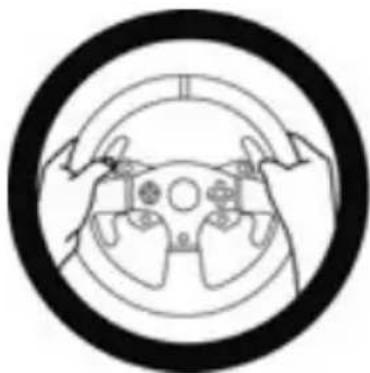
ALWAYS
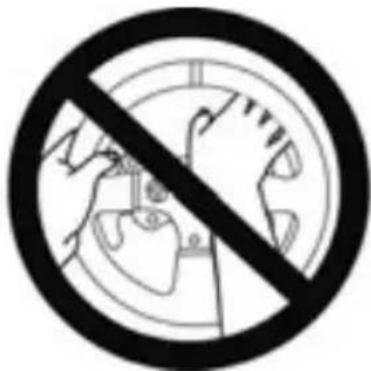
NEVER
NEVER
Warning - Pedal set pinch hazard when playing
- Keep the pedal set out of children's reach.
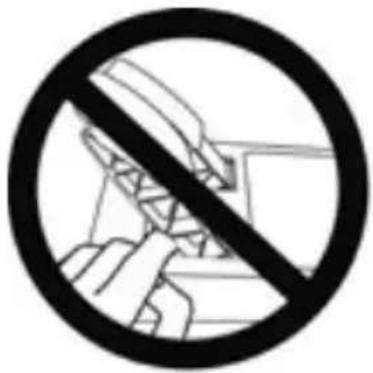
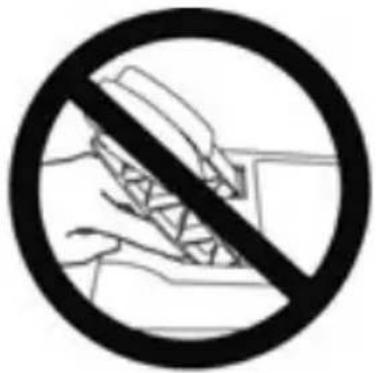
- During gameplay, never place your fingers on or anywhere near the sides of the pedals.
- During gameplay, never place your fingers on or anywhere near the pedals' rear base.
- During gameplay, never place your fingers on or anywhere near the pedals' front base.
NEVER
NEVER
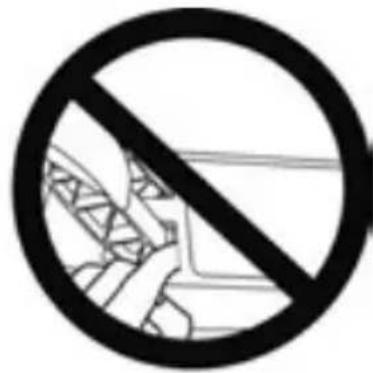
NEVER

Warning - Pedal set pinch hazard when not playing
- Store the pedal set in a safe place, and keep it out of children's reach.
UPDATING YOUR RACING WHEEL'S FIRMWARE
The firmware included in your racing wheel's base can be updated to a more recent version featuring product enhancements.
To display the firmware version that your racing wheel is currently using and update it if required: on PC, visit http://support.thrustmaster.com. Click Racing Wheels / T150 Force Feedback, then select Firmware and follow the instructions describing the download and installation procedure.
ADJUSTING THE PEDAL INCLINATION
The pedal inclination is adjustable.
The adjustment instructions for each pedal are available at http://support.thrustmaster.com. Click Racing Wheels / T150 Force Feedback, then select Manual or FAQ.
ATTACHING THE RACING WHEEL
Attaching the racing wheel to a table or a desktop
- Place the racing wheel on a table or any other horizontal, flat and stable surface.
- Insert the fastening screw (11) in the attachment system (10), then tighten the device by turning the screw counterclockwise, so that it feeds into the large threaded hole (9) located beneath the racing wheel, until the wheel is perfectly stable.
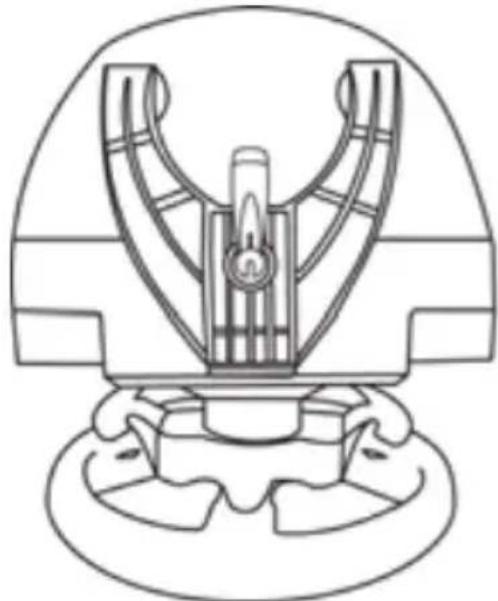
ALWAYS NEVER
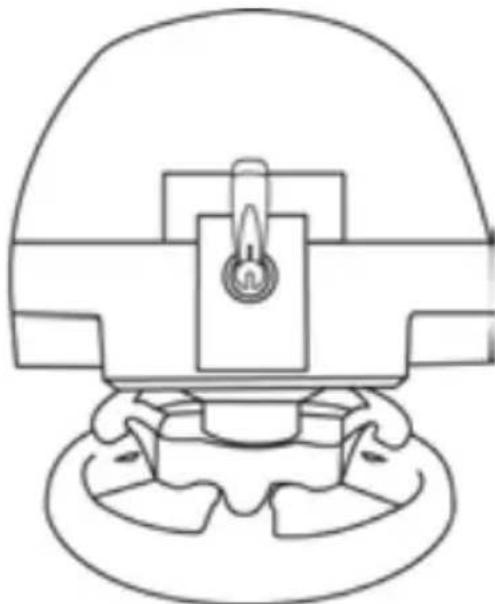
WARNING: Never tighten the screw alone, without the attachment system in place! (This could damage the racing wheel.)
| ATTACHMENT / REMOVAL | DIRECTION |
| To tighten: Turn the screw counterclockwise | 2 1 |
| To release: Turn the screw clockwise | 3 2 |
Attaching the pedal set to a cockpit
-
Attach the pedal set using the small screw threads located on its underside.
-
Drive two M6 screws (not included) through the cockpit shelf, then feed them into the two small screw threads located on the underside of the pedal set.
Important: The length of the two M6 screws must not exceed the thickness of the shelf + 10 mm, longer screws could cause damage to internal components located in the pedal set.
Layout diagrams for cockpits (for positioning the racing wheel's base and/or the pedal set) are available at http://support.thrustmaster.com: click Wheels / T150 Force Feedback, then select Manual or FAQ.
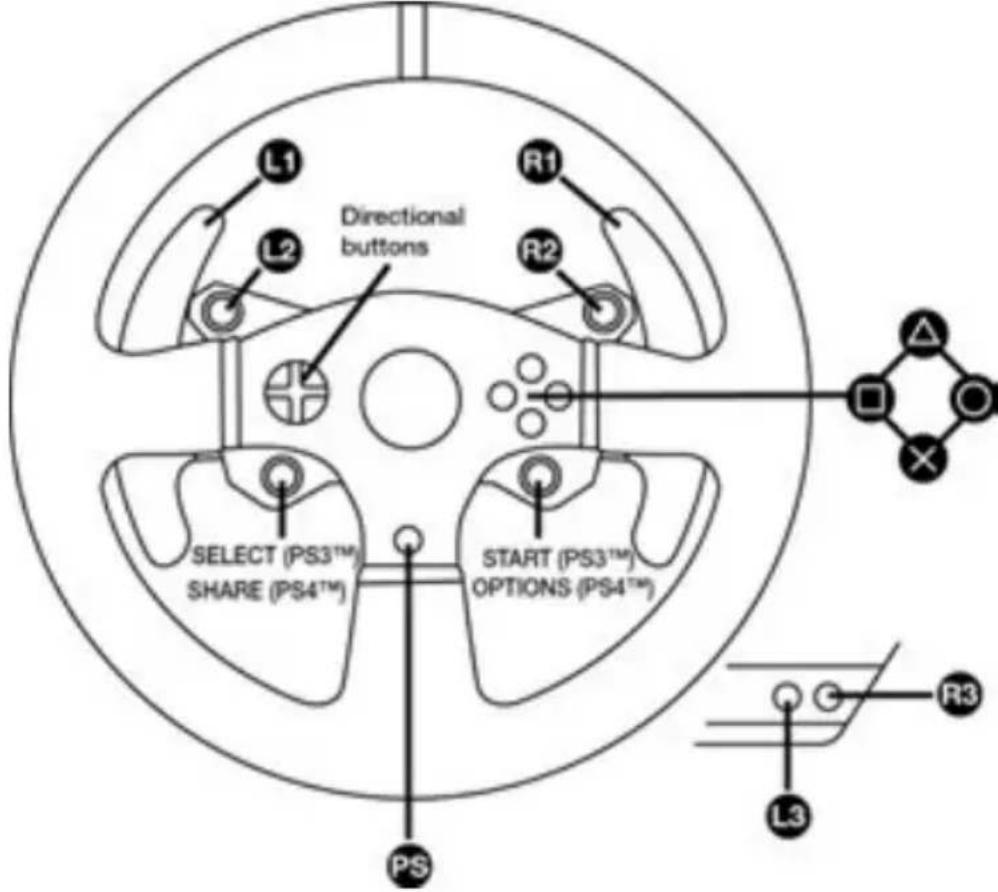
PLAYSTATION®3 AND PLAYSTATION®4 MAPPING
SETTING UP THE RACING WHEEL FOR PLAYSTATION®3 OR PLAYSTATION®4 SYSTEMS
- Connect the pedal set to the connector (17) located at the back of the racing wheel's base.
- Connect the power supply cable to the connector (14) located at the back of the racing wheel's base.
- Plug the power supply cable into an electrical outlet with the same voltage specifications.

For more information about this, please refer to the PLUGGING THE RACING WHEEL INTO AN ELECTRICAL OUTLET section, on page 3 in this manual.
- Set the USB sliding switch (5) on the racing wheel's base to either the PS3™ or PS4™ position, depending on the console or the game you are using.
- Connect the racing wheel's USB connector (15) to one of the console's USB ports.
- Once your console is powered on, your racing wheel will calibrate itself automatically.
- On PlayStation®4 system (when the USB sliding switch is set to the PS4™ position): press the racing wheel's PS button (8) and sign in to your Sony Entertainment Network account, in order to be able to use the wheel.
You are now ready to play!
Important notes:
- The USB sliding switch (5) on the racing wheel's base must always be set to the proper position (PS3^TM or PS4^TM) before connecting the wheel's USB cable to the console. To change the sliding switch's position, disconnect the USB cable from the console and then change the position of the switch before reconnecting the USB cable to the console.
- On the PlayStation®3 system, the USB sliding switch (5) must always be set to the PS3™ position:
- The wheel is recognized in most games as a T500RS wheel.
- The wheel is functional in compatible games and in console menus.
- The "PS" function is functional on the wheel.
- On the PlayStation®4 system, with the USB sliding switch (5) in the PS3™ position:
- The wheel is recognized in most games as a T500RS wheel.
- The wheel is functional in compatible games, but not in console menus.
- The "SHARE" and "PS" functions are not functional on the wheel.
- On the PlayStation®4 system, with the USB sliding switch (5) in the PS4™ position:
- Don't forget to press the racing wheel's PS button (8) in order to be able to use the wheel.
- The wheel is recognized in most games as a T300 RS or T150 Force Feedback wheel.
- The wheel is functional in compatible games and in console menus.
- The "SHARE" and "PS" functions are functional on the wheel.
- The list of PlayStation®3 and PlayStation®4 games compatible with the T150 Force Feedback (along with the required position for the USB sliding switch (5) according to the game being played) is available at:
http://support.thrustmaster.com
(in the Racing Wheels/ T150 Force Feedback section).
This list is updated regularly
SETTING UP THE RACING WHEEL FOR PC
Important note:
On PC, the USB sliding switch (5) on the racing wheel's base must always be set to the PS3™ position.
- Go to http://support.thrustmaster.com to download the drivers and the Force Feedback software for PC. Click Racing Wheels / T150 Force Feedback, then select Drivers.
- Once the download is complete, launch the installation, and follow the on-screen instructions to connect the wheel's USB plug to your computer and complete the installation.
- Once the installation is complete, click Finish and restart your computer.
- Select Start / All Programs / Thrustmaster / FFB Racing Wheel / Control Panel to open the Game Controllers window.
The Game Controllers window displays the racing wheel's name T150 Force Feedback Racing Wheel with the status OK.
-
Click Properties to configure your wheel in the T150 Force Feedback control panel:
-
Test Input tab: allows to test and view the action buttons, directional buttons, wheel and pedals axes, and to adjust the wheel's rotation angle in your PC games.
- Test Forces tab: allows to test 12 force feedback effects.
- Gain Settings tab: allows to adjust the power of the force feedback effects in your PC games.
You are now ready to play!
General notes:
- On PC, click OK to close the Game Controllers window before launching the game.
- On PC, the adjustments made in the Game Controllers window will only be saved on your computer (hence they will have no effect on PlayStation®3 or PlayStation®4).
- Your wheel's firmware version is displayed in the upper right-hand corner of the T150 Force Feedback control panel tabs.
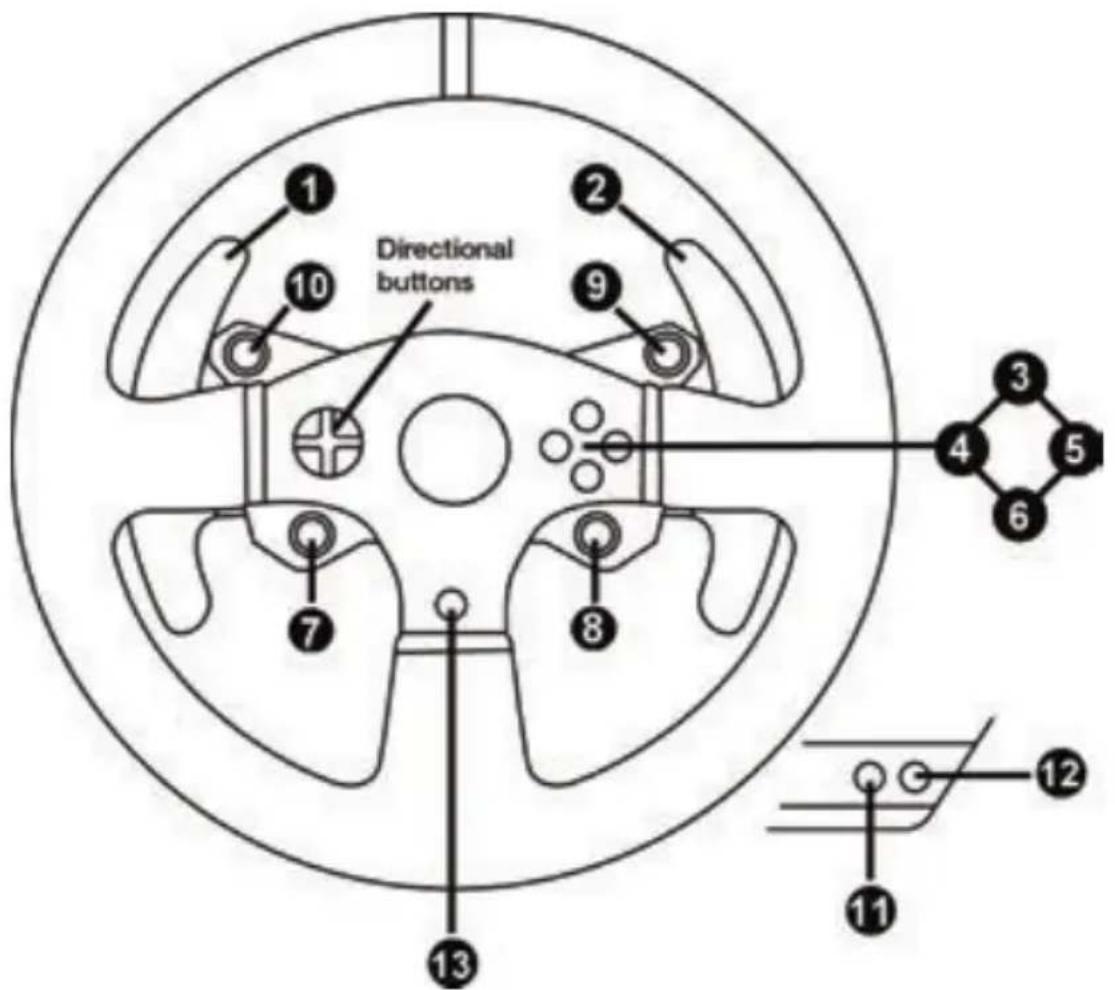
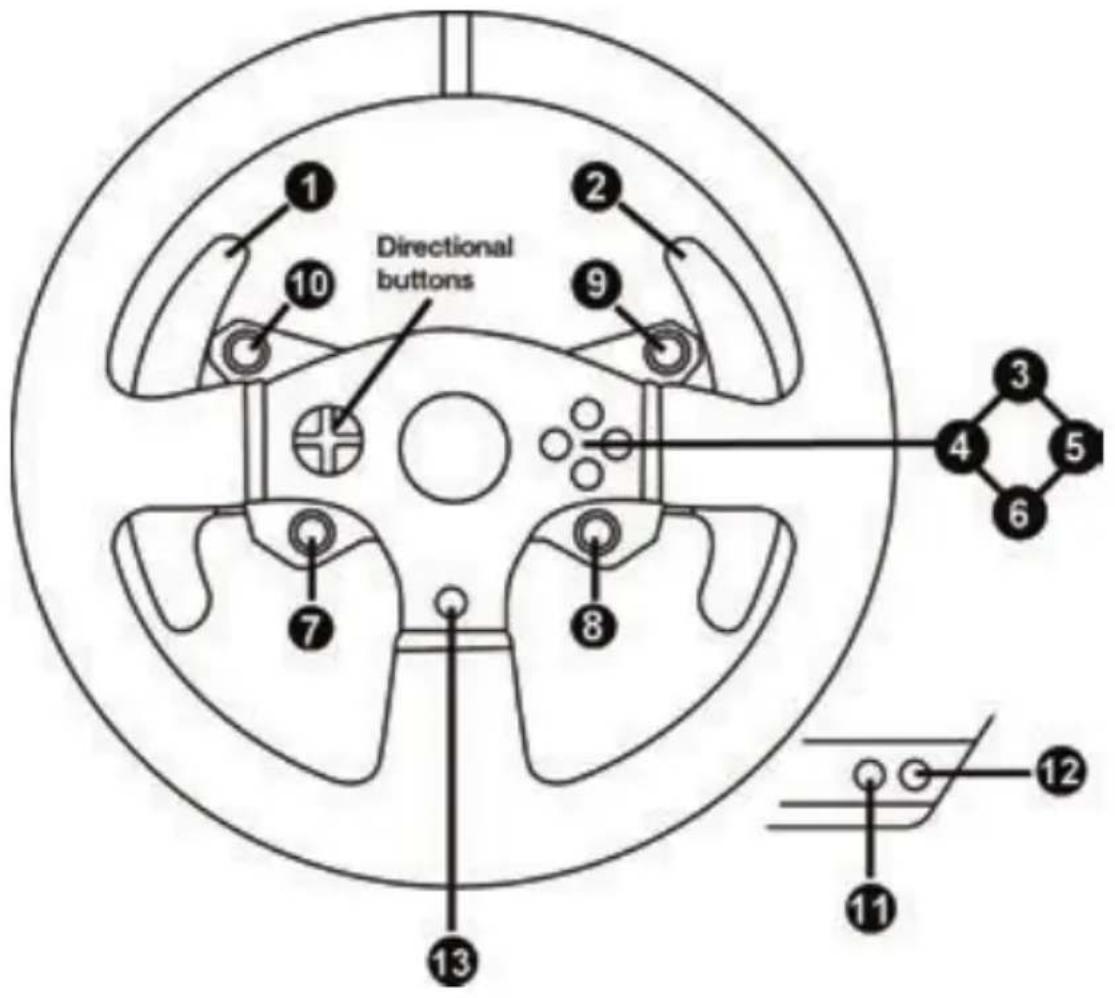
PC MAPPING
AUTOMATIC RACING WHEEL AND PEDAL SET CALIBRATION
The wheel automatically self-calibrates when you plug the racing wheel into an electrical outlet and connect the racing wheel's USB connector to the console.
During this phase, the racing wheel will rotate quickly towards the left and the right, covering a 1080 degree angle, before stopping at the center.
WARNING:
Never touch the racing wheel during the self-calibration phase! (This could result in improper calibration and/or personal injuries.)
AUTOMATIC CALIBRATION OF THE PEDAL SET
Never connect the pedal set to the racing wheel's base (or disconnect it from the base) when it is connected to the console or during gameplay (this could result in improper calibration).
Always connect the pedal set before connecting the racing wheel to the console.
Once the racing wheel's calibration is complete and the game has been started, the pedals are automatically calibrated after a few presses.
WARNING:
Never press the pedals during the racing wheel's self-calibration phase or while a game is loading!
(This could result in improper calibration.)
If your racing wheel and/or pedal set do not function correctly, or if they seem to be improperly calibrated:
Power off your console and completely disconnect the racing wheel. Then reconnect all cables (including the power supply cable and the pedal set), and restart your console and your game.
MODE BUTTON AND INDICATOR LIGHT (6)
MODE button for the pedal set
The pedal set included with the T150 Force Feedback features 2 pedals.
When using this pedal set, make sure that the indicator light remains red, or else the gas pedal will not function properly.
The T150 Force Feedback is also compatible with Thrustmaster pedal sets featuring 3 pedals (sold separately); these allow you to electronically swap the accelerator and clutch pedals.
To do so, simply press the MODE button (6) for 2 seconds.
The racing wheel's internal memory stores whether the pedals have been swapped around or not.
| GAS AND CLUTCH PEDALS | Color of the MODE indicator light (6) |
| NORMAL | RED |
| SWAPPED AROUND GREEN |
Other hints regarding the MODE button
To learn more about the MODE button and indicator light, please visit http://support.thrustmaster.com. Click Racing Wheels / T150 Force Feedback, and then select Manual or FAQ.
COMPATIBILITY WITH THE THRUSTMASTER PRODUCT ECOSYSTEM
The base of the T150 Force Feedback is compatible with:
-
The following Thrustmaster pedal sets: T3PA, T3PA-PRO (Thrustmaster 3 Pedals Add-on) and the pedal set of the T500RS racing wheel.
The following Thrustmaster shifters (gearboxes): TH8A and TH8RS. -
Sold separately (for more information, please visit http://www.thrustmaster.com/products/t150).
HELP FILES AND FAQs (NOT INCLUDED IN THIS MANUAL)
Please visit http://support.thrustmaster.com. Click Racing Wheels / T150 Force Feedback, and then select Manual or FAQ.
Consumer warranty information
Worldwide, Guillemot Corporation S.A., whose registered office is located at Place du Granier, B.P. 97143, 35571 Chantepie, France (hereinafter "Guillemot") warrants to the consumer that this Thrustmaster product shall be free from defects in materials and workmanship, for a warranty period which corresponds to the time limit to bring an action for conformity with respect to this product. In the countries of the European Union, this corresponds to a period of two (2) years from delivery of the Thrustmaster product. In other countries, the warranty period corresponds to the time limit to bring an action for conformity with respect to the Thrustmaster product according to applicable laws of the country in which the consumer was domiciled on the date of purchase of the Thrustmaster product (if no such action exists in the corresponding country, then the warranty period shall be one (1) year from the original date of purchase of the Thrustmaster product).
Notwithstanding the above, rechargeable batteries are covered by a warranty period of six (6) months from the date of original purchase.
Should the product appear to be defective during the warranty period, immediately contact Technical Support, who will indicate the procedure to follow. If the defect is confirmed, the product must be returned to its place of purchase (or any other location indicated by Technical Support).
Within the context of this warranty, the consumer's defective product shall, at Technical Support's option, be either replaced or returned to working order. If, during the warranty period, the Thrustmaster product is subject to such reconditioning, any period of at least seven (7) days during which the product is out of use shall be added to the remaining warranty period (this period runs from the date of the consumer's request for intervention or from the date on which the product in question is made available for reconditioning, if the date on which the product is made available for reconditioning is subsequent to the date of the request for intervention). If permitted under applicable law, the full liability of Guillemot and its subsidiaries (including for consequential damages) is limited to the return to working order or the replacement of the Thrustmaster product. If permitted under applicable law, Guillemot disclaims all warranties of merchantability or fitness for a particular purpose.
This warranty shall not apply: (1) if the product has been modified, opened, altered, or has suffered damage as a result of inappropriate or abusive use, negligence, an accident, normal wear, or any other cause unrelated to a material or manufacturing defect (including, but not limited to, combining the Thrustmaster product with any unsuitable element, including in particular power supplies, rechargeable batteries, chargers, or any other elements not supplied by Guillemot for this product); (2) if the product has been used for any use other than home use, including for professional or commercial purposes (game rooms, training, competitions, for example); (3) in the event of failure to comply with the instructions provided by Technical Support; (4) to software, said software being subject to a specific warranty; (5) to consumables (elements to be replaced over the product's lifespan: disposable batteries, audio headset or headphone ear pads, for example); (6) to accessories (cables, cases, pouches, bags, wrist-straps, for example); (7) if the product was sold at public auction.
This warranty is nontransferable.
The consumer's legal rights with respect to laws applicable to the sale of consumer goods in his or her country are not affected by this warranty.
Additional warranty provisions
During the warranty period, Guillemot shall not provide, in principle, any spare parts, as Technical Support is the only party authorized to open and/or recondition any Thrustmaster product (with the exception of any reconditioning procedures which Technical Support may request that the consumer carry out, by way of written instructions – for example, due to the simplicity and the lack of confidentiality of the reconditioning process – and by providing the consumer with the required spare part(s), where applicable).
Given its innovation cycles and in order to protect its know-how and trade secrets, Guillemot shall not provide, in principle, any reconditioning notification or spare parts for any Thrustmaster product whose warranty period has expired.
In the United States of America and in Canada, this warranty is limited to the product's internal mechanism and external housing. In no event shall Guillemot or its affiliates be held liable to any third party for any consequential or incidental damages resulting from the breach of any express or implied warranties. Some States/Provinces do not allow limitation on how long an implied warranty lasts or exclusion or limitation of liability for consequential or incidental damages, so the above limitations or exclusions may not apply to you. This warranty gives you specific legal rights, and you may also have other rights which vary from State to State or Province to Province.
Liability
If permitted under applicable law, Guillemot Corporation S.A. (hereinafter "Guillemot") and its subsidiaries disclaim all liability for any damages caused by one or more of the following: (1) the product has been modified, opened or altered; (2) failure to comply with assembly instructions; (3) inappropriate or abusive use, negligence, an accident (an impact, for example); (4) normal wear; (5) the use of the product for any use other than home use, including for professional or commercial purposes (game rooms, training, competitions, for example). If permitted under applicable law, Guillemot and its subsidiaries disclaim all liability for any damages unrelated to a material or manufacturing defect with respect to the product (including, but not limited to, any damages caused directly or indirectly by any software, or by combining the Thrustmaster product with any unsuitable element, including in particular power supplies, rechargeable batteries, chargers, or any other elements not supplied by Guillemot for this product).
FCC STATEMENT
- This device complies with Part 15 of the FCC Rules. Operation is subject to the following two conditions:
(1) This device may not cause harmful interference, and
(2) This device must accept any interference received, including interference that may cause undesired operation.
- Changes or modifications not expressly approved by the party responsible for compliance could void the user's authority to operate the equipment.
DECLARATION OF CONFORMITY
CANADIAN COMPLIANCE NOTICE: this Class B digital apparatus meets all requirements of the Canadian Interference-Causing Equipment Regulations.
USA COMPLIANCE NOTICE: this equipment has been tested and found to comply with the limits for a Class B digital device, pursuant to Part 15 of the FCC rules. Operation is subject to the following two conditions:
(1) This device may not cause harmful interference, and
(2) This device must accept any interference received, including interference that may cause undesired operation.
These limits are designed to provide reasonable protection against harmful interference in a residential installation. This equipment generates, uses and can radiate radio frequency energy and, if not installed and used in accordance with the instructions, may cause harmful interference to radio communications.
However, there is no guarantee that interference will not occur in a particular installation. If this equipment does cause harmful interference to radio or television reception, which can be determined by turning the equipment on and off, the user is encouraged to try to correct the interference by one or more of the following measures:
-
Reorient or relocate the receiving antenna.
-
Increase the separation between the equipment and receiver.
- Connect the equipment into an outlet on a circuit different from that to which the receiver is connected.
- Consult the dealer or an experienced radio/TV technician for help.
COPYRIGHT
© 2017 Guillemot Corporation S.A. All rights reserved. Thrustmaster® is a registered trademark of Guillemot Corporation S.A. Manufactured & distributed under license by Sony Interactive Entertainment America LLC.
Playstation, the PS family logo, PS3, PS4 and “△OXO” are registered trademarks of Sony Interactive Entertainment. All rights reserved. All other trademarks and brand names are hereby acknowledged and are property of their respective owners. Illustrations not binding. Contents, designs and specifications are subject to change without notice and may vary from one country to another. Made in China.
ENVIRONMENTAL PROTECTION RECOMMENDATION
Please adhere to local recycling laws for electrical and electronic equipment.
Retain this information. Colors and decorations may vary.
Plastic fasteners and adhesives should be removed from the product before it is used.
www.thrustmaster.com






THRUSTMASTER
TECHNICAL SUPPORT
http://support.thrustmaster.com


POUR SYSTEMES PLAYSTATION®3 - PLAYSTATION®4
www.thrustmaster.com






THRUSTMASTER
SOPORTE TÉCNICO
http://support.thrustmaster.com


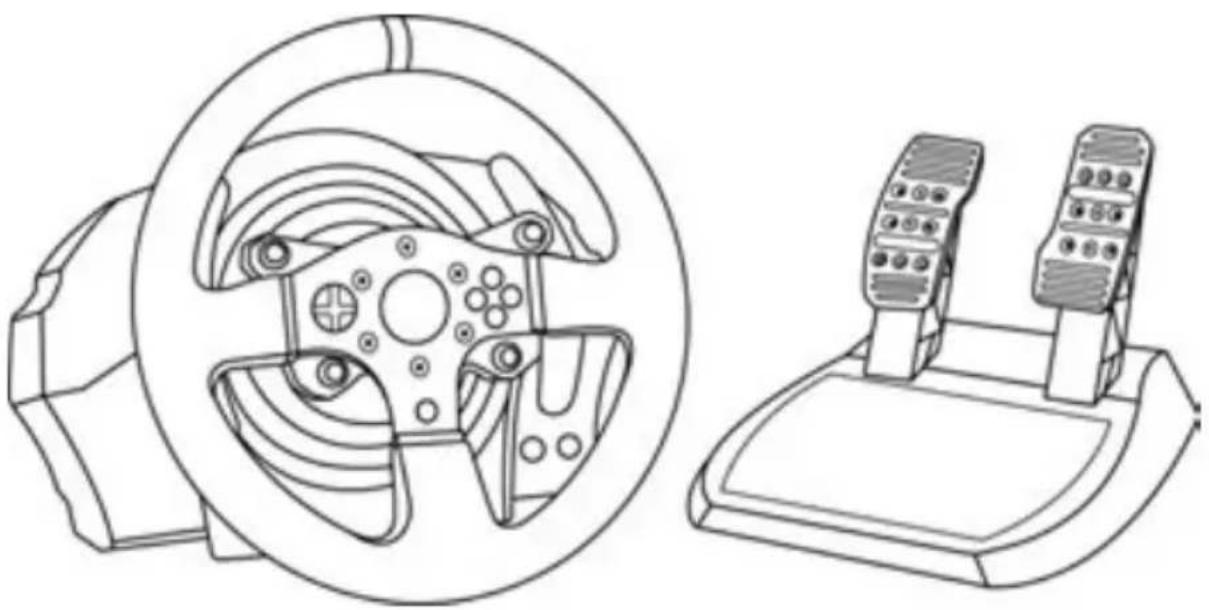
FOR PLAYSTATION®3 - PLAYSTATION®4 SYSTEMS
User Manual
WARNING:
To ensure that your T150 Force Feedback racing wheel functions correctly with games for PlayStation®3 or PlayStation®4 systems, you may be required to install the games' automatic updates (available when your console is connected to the Internet).
TECHNICAL FEATURES
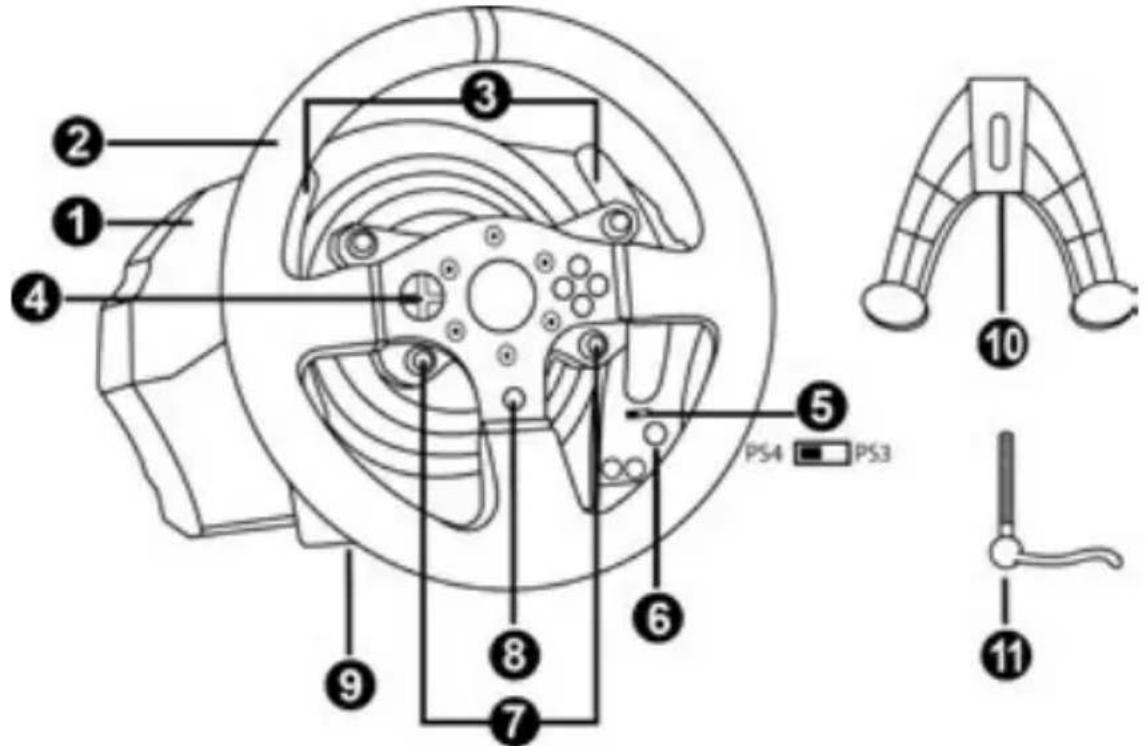
1 T150 Force Feedback base
2 Wheel
3 2 sequential paddle shifters (Up & Down)
4 Directional buttons
5 PS4TM or PS3TM USB sliding switch
6 MODE button + red/green indicator light
7 SELECT/START buttons on PS3TM and SHARE/OPTIONS on PS4TM
8 PS button
9 Large threaded hole (for attachment system and fastening screw)
10 Attachment system
11 Metal fastening screw
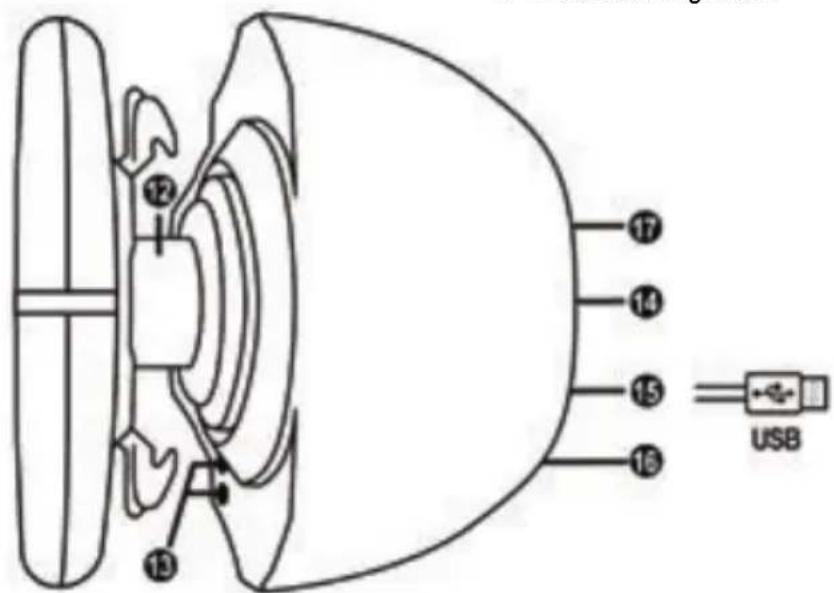
12 Steering axis
13 L3/R3 buttons
14 Power cable
or Power supply connector (type A or B) (varies from one country to another)
15 Racing wheel USB cable and connector
16 Shifter (gearbox) connector (sold separately)
17 Pedal set connector
WARNING
Before using this product, please read this manual carefully and save it for later reference.

Warning - Electrical shock
- Keep the product in a dry location and do not expose it to dust or sunlight.
- Do not twist or pull on the connectors and cables.
- Do not spill any liquid on the product or its connectors.
- Do not short-circuit the product.
- Never dismantle the product; do not throw it onto a fire and do not expose it to high temperatures.
- Do not use a power supply cable other than the one provided with your racing wheel.
- Do not use the power supply cable if the cable or its connectors are damaged, split or broken.
- Make sure that the power supply cable is properly plugged into an electrical outlet, and properly connected to the connector at the rear of the racing wheel's base.
- Do not open up the racing wheel: there are no user-serviceable parts inside. Any repairs must be carried out by the manufacturer, its authorized representative or a qualified technician.
- Only use attachment systems/accessories specified by the manufacturer.
- If the racing wheel is operating abnormally (if it is emitting any abnormal sounds, heat or odors), stop using it immediately, unplug the power supply cable from the electrical outlet and disconnect the other cables.
- If you will not be using the racing wheel for an extended period of time, unplug its power supply cable from the electrical outlet.
- The power outlet shall be installed near the equipment and shall be easily accessible.

Air vents
Make sure not to block any of the air vents on the racing wheel's base. For optimal ventilation, make sure to do the following:
- Position the wheel's base at least 10 cm away from any wall surfaces.
- Do not place the base in any tight spaces.
- Do not cover the base.
- Do not let any dust build up on the air vents.

For safety reasons, never use the pedal set with bare feet or while wearing only socks on your feet.
THRUSTMASTER © DISCLAIMS ALL RESPONSIBILITY IN THE EVENT OF INJURY RESULTING FROM USE OF THE PEDAL SET WITHOUT SHOES.
Warning - Injuries due to Force Feedback and repeated movements
Playing with a Force Feedback racing wheel may cause muscle or joint pain. To avoid any problems:
- Avoid lengthy gaming periods.
- Take 10 to 15 minute breaks after each hour of play.
-
If you feel any fatigue or pain in your hands, wrists, arms, feet or legs, stop playing and rest for a few hours before you start playing again.
-
If the symptoms or pain indicated above persist when you start playing again, stop playing and consult your doctor.
- Keep out of children's reach.
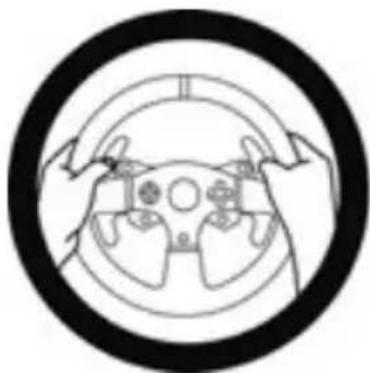
- During gameplay, always leave both hands correctly positioned on the wheel without letting it go completely.
- During gameplay, never place your hands or your fingers under the pedals or anywhere near the pedal set.
- During calibration and gameplay, never place your hand or your arm through the openings in the racing wheel.
- Make sure that the racing wheel's base is properly secured, as per this manual's instructions.

HEAVY PRODUCT
Product to be handled only by users 14 years of age or older

Be careful not to drop the product on yourself or on anyone else!
ALWAYS
NEVER
NEVER
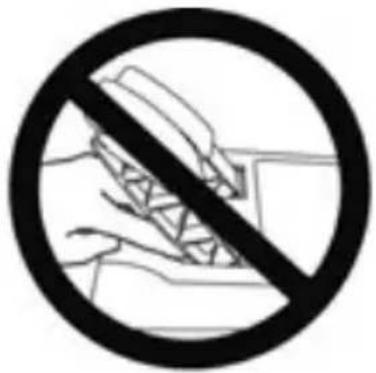
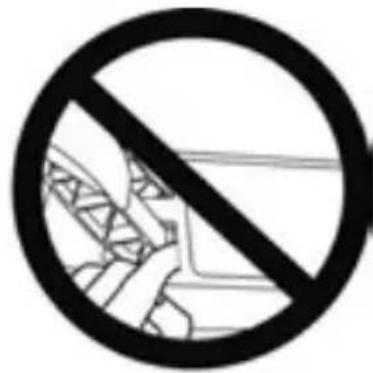
Warning - Pedal set pinch hazard when playing
- Keep the pedal set out of children's reach.
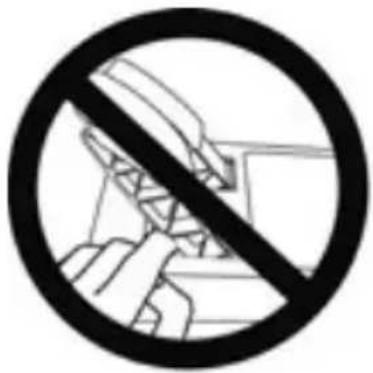
- During gameplay, never place your fingers on or anywhere near the sides of the pedals.
- During gameplay, never place your fingers on or anywhere near the pedals' rear base.
- During gameplay, never place your fingers on or anywhere near the pedals' front base.
NEVER
NEVER
NEVER

Warning - Pedal set pinch hazard when not playing
- Store the pedal set in a safe place, and keep it out of children's reach.
UPDATING YOUR RACING WHEEL'S FIRMWARE
The firmware included in your racing wheel's base can be updated to a more recent version featuring product enhancements.
To display the firmware version that your racing wheel is currently using and update it if required: on PC, visit http://support.thrustmaster.com. Click Racing Wheels / T150 Force Feedback, then select Firmware and follow the instructions describing the download and installation procedure.
ADJUSTING THE PEDAL INCLINATION
The pedal inclination is adjustable.
The adjustment instructions for each pedal are available at http://support.thrustmaster.com. Click Racing Wheels / T150 Force Feedback, then select Manual or FAQ.
ATTACHING THE RACING WHEEL
Attaching the racing wheel to a table or a desktop
- Place the racing wheel on a table or any other horizontal, flat and stable surface.
- Insert the fastening screw (11) in the attachment system (10), then tighten the device by turning the screw counterclockwise, so that it feeds into the large threaded hole (9) located beneath the racing wheel, until the wheel is perfectly stable.
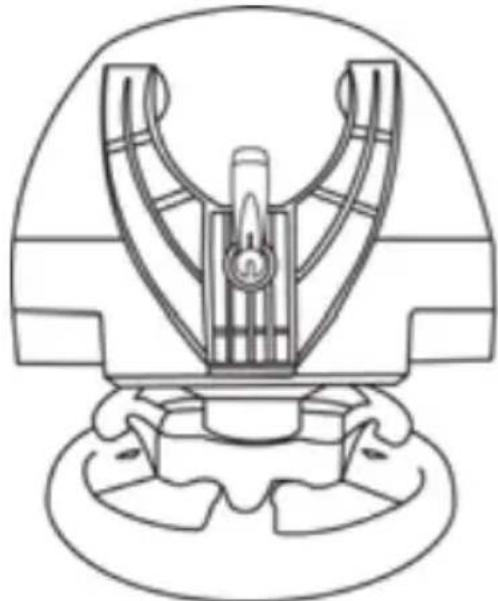
ALWAYS NEVER
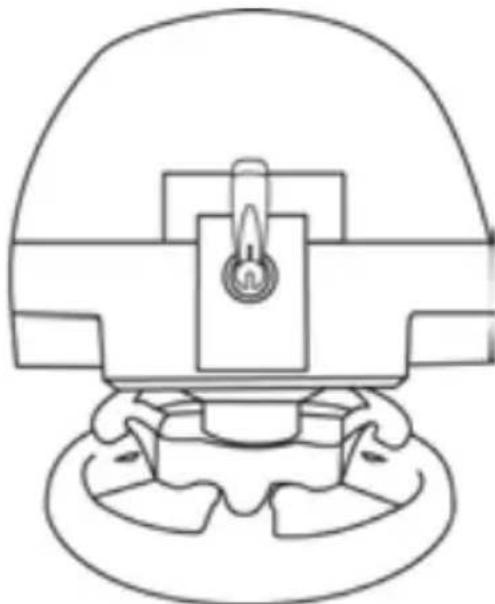
WARNING: Never tighten the screw alone, without the attachment system in place! (This could damage the racing wheel.)
| ATTACHMENT / REMOVAL | DIRECTION |
| To tighten: Turn the screw counterclockwise | 2 1 |
| To release: Turn the screw clockwise | 3 2 |
Attaching the pedal set to a cockpit
-
Attach the pedal set using the small screw threads located on its underside.
-
Drive two M6 screws (not included) through the cockpit shelf, then feed them into the two small screw threads located on the underside of the pedal set.
Important: The length of the two M6 screws must not exceed the thickness of the shelf + 10 mm, longer screws could cause damage to internal components located in the pedal set.
Layout diagrams for cockpits (for positioning the racing wheel's base and/or the pedal set) are available at http://support.thrustmaster.com: click Wheels / T150 Force Feedback, then select Manual or FAQ.
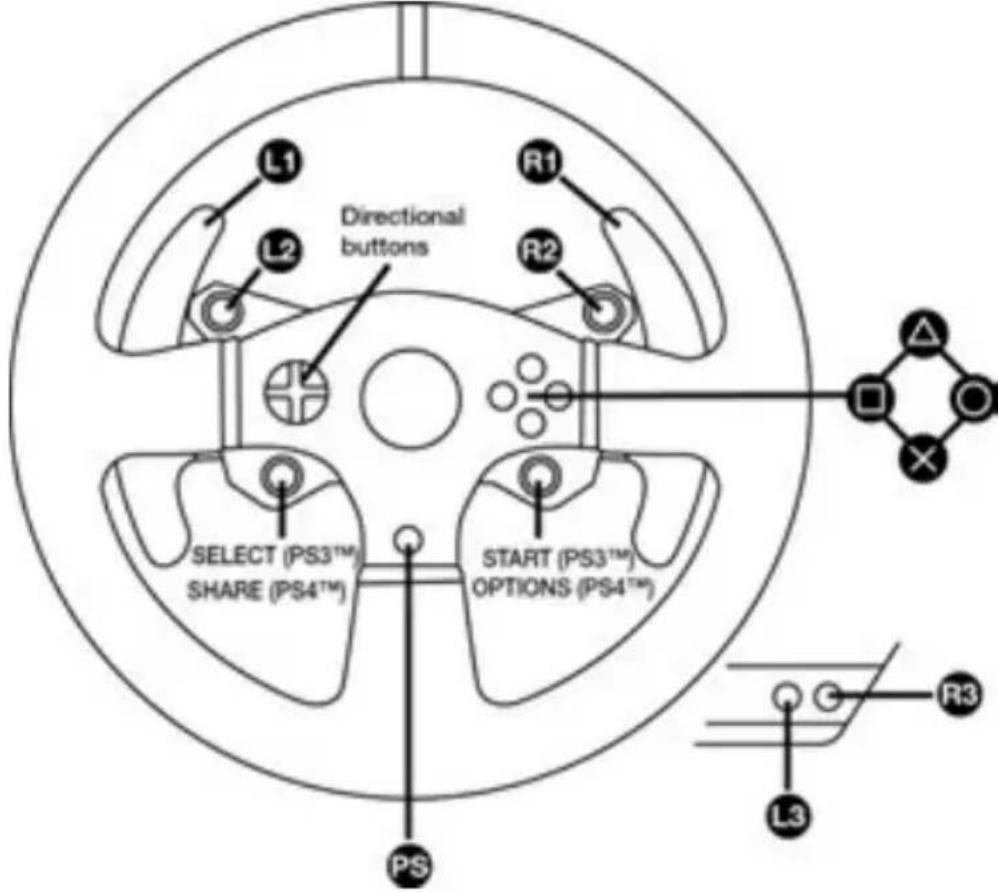
PLAYSTATION®3 AND PLAYSTATION®4 MAPPING
SETTING UP THE RACING WHEEL FOR PLAYSTATION®3 OR PLAYSTATION®4 SYSTEMS
- Connect the pedal set to the connector (17) located at the back of the racing wheel's base.
- Connect the power supply cable to the connector (14) located at the back of the racing wheel's base.
- Plug the power supply cable into an electrical outlet with the same voltage specifications.

For more information about this, please refer to the PLUGGING THE RACING WHEEL INTO AN ELECTRICAL OUTLET section, on page 3 in this manual.
- Set the USB sliding switch (5) on the racing wheel's base to either the PS3™ or PS4™ position, depending on the console or the game you are using.
- Connect the racing wheel's USB connector (15) to one of the console's USB ports.
- Once your console is powered on, your racing wheel will calibrate itself automatically.
- On PlayStation®4 system (when the USB sliding switch is set to the PS4™ position): press the racing wheel's PS button (8) and sign in to your Sony Entertainment Network account, in order to be able to use the wheel.
You are now ready to play!
Important notes:
- The USB sliding switch (5) on the racing wheel's base must always be set to the proper position (PS3^TM or PS4^TM) before connecting the wheel's USB cable to the console. To change the sliding switch's position, disconnect the USB cable from the console and then change the position of the switch before reconnecting the USB cable to the console.
- On the PlayStation®3 system, the USB sliding switch (5) must always be set to the PS3™ position:
- The wheel is recognized in most games as a T500RS wheel.
- The wheel is functional in compatible games and in console menus.
- The "PS" function is functional on the wheel.
- On the PlayStation®4 system, with the USB sliding switch (5) in the PS3™ position:
- The wheel is recognized in most games as a T500RS wheel.
- The wheel is functional in compatible games, but not in console menus.
- The "SHARE" and "PS" functions are not functional on the wheel.
- On the PlayStation®4 system, with the USB sliding switch (5) in the PS4™ position:
- Don't forget to press the racing wheel's PS button (8) in order to be able to use the wheel.
- The wheel is recognized in most games as a T300 RS or T150 Force Feedback wheel.
- The wheel is functional in compatible games and in console menus.
- The "SHARE" and "PS" functions are functional on the wheel.
- The list of PlayStation®3 and PlayStation®4 games compatible with the T150 Force Feedback (along with the required position for the USB sliding switch (5) according to the game being played) is available at:
http://support.thrustmaster.com
(in the Racing Wheels/ T150 Force Feedback section).
This list is updated regularly
SETTING UP THE RACING WHEEL FOR PC
Important note:
On PC, the USB sliding switch (5) on the racing wheel's base must always be set to the PS3™ position.
- Go to http://support.thrustmaster.com to download the drivers and the Force Feedback software for PC. Click Racing Wheels / T150 Force Feedback, then select Drivers.
- Once the download is complete, launch the installation, and follow the on-screen instructions to connect the wheel's USB plug to your computer and complete the installation.
- Once the installation is complete, click Finish and restart your computer.
- Select Start / All Programs / Thrustmaster / FFB Racing Wheel / Control Panel to open the Game Controllers window.
The Game Controllers window displays the racing wheel's name T150 Force Feedback Racing Wheel with the status OK.
-
Click Properties to configure your wheel in the T150 Force Feedback control panel:
-
Test Input tab: allows to test and view the action buttons, directional buttons, wheel and pedals axes, and to adjust the wheel's rotation angle in your PC games.
- Test Forces tab: allows to test 12 force feedback effects.
- Gain Settings tab: allows to adjust the power of the force feedback effects in your PC games.
You are now ready to play!
General notes:
- On PC, click OK to close the Game Controllers window before launching the game.
- On PC, the adjustments made in the Game Controllers window will only be saved on your computer (hence they will have no effect on PlayStation®3 or PlayStation®4).
- Your wheel's firmware version is displayed in the upper right-hand corner of the T150 Force Feedback control panel tabs.
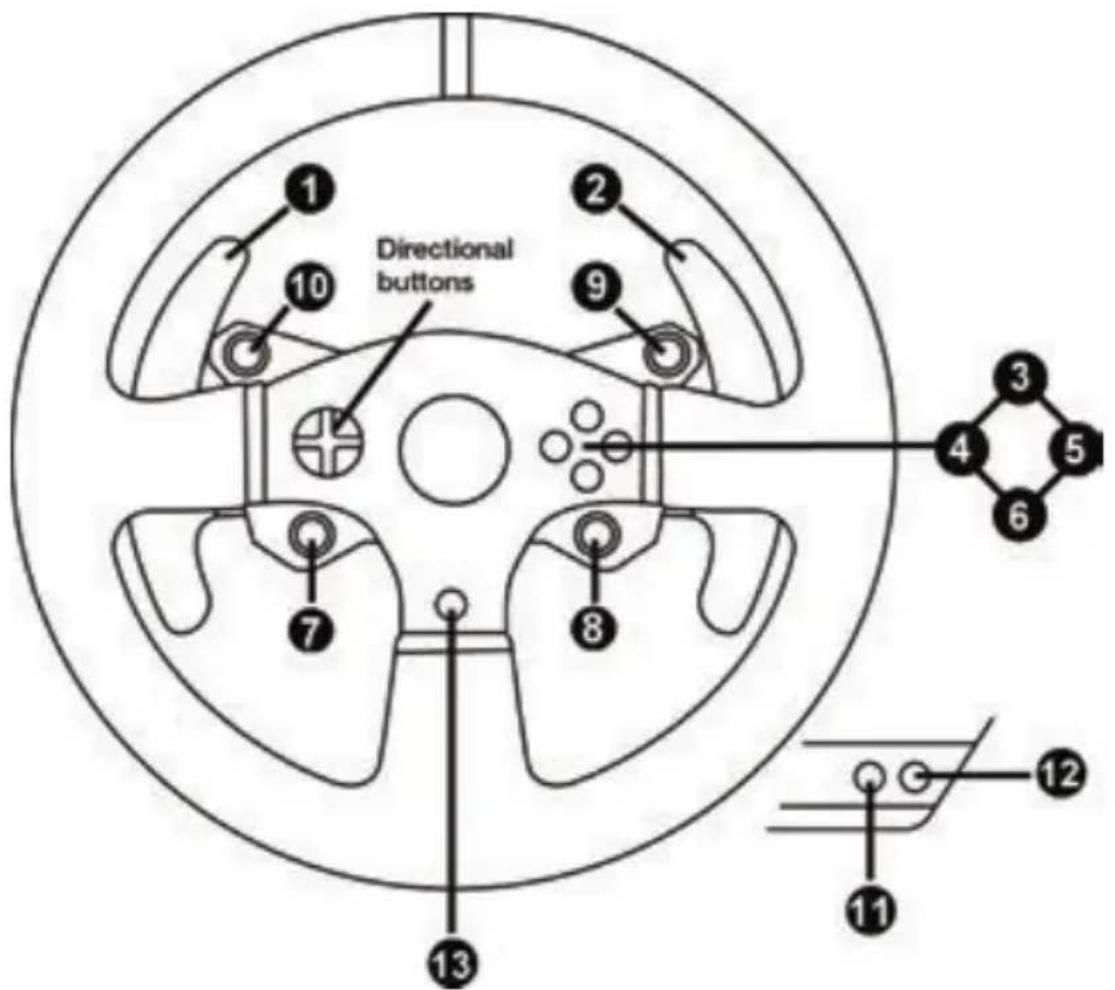
PC MAPPING
AUTOMATIC RACING WHEEL AND PEDAL SET CALIBRATION
The wheel automatically self-calibrates when you plug the racing wheel into an electrical outlet and connect the racing wheel's USB connector to the console.
During this phase, the racing wheel will rotate quickly towards the left and the right, covering a 1080
degree angle, before stopping at the center.
WARNING:
Never touch the racing wheel during the self-calibration phase!
(This could result in improper calibration and/or personal injuries.)
AUTOMATIC CALIBRATION OF THE PEDAL SET
Never connect the pedal set to the racing wheel's base (or disconnect it from the base) when it is connected to the console or during gameplay (this could result in improper calibration).
Always connect the pedal set before connecting the racing wheel to the console.
Once the racing wheel's calibration is complete and the game has been started, the pedals are automatically calibrated after a few presses.
WARNING:
Never press the pedals during the racing wheel's
self-calibration phase or while a game is loading!
(This could result in improper calibration.)
If your racing wheel and/or pedal set do not function correctly, or if they seem to be improperly calibrated:
Power off your console and completely disconnect the racing wheel. Then reconnect all cables (including the power supply cable and the pedal set), and restart your console and your game.
MODE BUTTON AND INDICATOR LIGHT (6)
MODE button for the pedal set
The pedal set included with the T150 Force Feedback features 2 pedals.
When using this pedal set, make sure that the indicator light remains red, or else the gas pedal will not function properly.
The T150 Force Feedback is also compatible with Thrustmaster pedal sets featuring 3 pedals (sold separately); these allow you to electronically swap the accelerator and clutch pedals.
To do so, simply press the MODE button (6) for 2 seconds.
The racing wheel's internal memory stores whether the pedals have been swapped around or not.
| GAS AND CLUTCH PEDALS | Color of the MODE indicator light (6) |
| NORMAL | RED |
| SWAPPED AROUND GREEN |
Other hints regarding the MODE button
To learn more about the MODE button and indicator light, please visit http://support.thrustmaster.com. Click Racing Wheels / T150 Force Feedback, and then select Manual or FAQ.
COMPATIBILITY WITH THE THRUSTMASTER PRODUCT ECOSYSTEM
The base of the T150 Force Feedback is compatible with:
-
The following Thrustmaster pedal sets: T3PA, T3PA-PRO (Thrustmaster 3 Pedals Add-on) and the pedal set of the T500RS racing wheel.
The following Thrustmaster shifters (gearboxes): TH8A and TH8RS. -
Sold separately (for more information, please visit http://www.thrustmaster.com/products/t150).
HELP FILES AND FAQs (NOT INCLUDED IN THIS MANUAL)
Please visit http://support.thrustmaster.com. Click Racing Wheels / T150 Force Feedback, and then select Manual or FAQ.
Consumer warranty information
Worldwide, Guillemot Corporation S.A., whose registered office is located at Place du Granier, B.P. 97143, 35571 Chantepie, France (hereinafter "Guillemot") warrants to the consumer that this Thrustmaster product shall be free from defects in materials and workmanship, for a warranty period which corresponds to the time limit to bring an action for conformity with respect to this product. In the countries of the European Union, this corresponds to a period of two (2) years from delivery of the Thrustmaster product. In other countries, the warranty period corresponds to the time limit to bring an action for conformity with respect to the Thrustmaster product according to applicable laws of the country in which the consumer was domiciled on the date of purchase of the Thrustmaster product (if no such action exists in the corresponding country, then the warranty period shall be one (1) year from the original date of purchase of the Thrustmaster product).
Notwithstanding the above, rechargeable batteries are covered by a warranty period of six (6) months from the date of original purchase.
Should the product appear to be defective during the warranty period, immediately contact Technical Support, who will indicate the procedure to follow. If the defect is confirmed, the product must be returned to its place of purchase (or any other location indicated by Technical Support).
Within the context of this warranty, the consumer's defective product shall, at Technical Support's option, be either replaced or returned to working order. If, during the warranty period, the Thrustmaster product is subject to such reconditioning, any period of at least seven (7) days during which the product is out of use shall be added to the remaining warranty period (this period runs from the date of the consumer's request for intervention or from the date on which the product in question is made available for reconditioning, if the date on which the product is made available for reconditioning is subsequent to the date of the request for intervention). If permitted under applicable law, the full liability of Guillemot and its subsidiaries (including for consequential damages) is limited to the return to working order or the replacement of the Thrustmaster product. If permitted under applicable law, Guillemot disclaims all warranties of merchantability or fitness for a particular purpose.
This warranty shall not apply: (1) if the product has been modified, opened, altered, or has suffered damage as a result of inappropriate or abusive use, negligence, an accident, normal wear, or any other cause unrelated to a material or manufacturing defect (including, but not limited to, combining the Thrustmaster product with any unsuitable element, including in particular power supplies, rechargeable batteries, chargers, or any other elements not supplied by Guillemot for this product); (2) if the product has been used for any use other than home use, including for professional or commercial purposes (game rooms, training, competitions, for example); (3) in the event of failure to comply with the instructions provided by Technical Support; (4) to software, said software being subject to a specific warranty; (5) to consumables (elements to be replaced over the product's lifespan: disposable batteries, audio headset or headphone ear pads, for example); (6) to accessories (cables, cases, pouches, bags, wrist-straps, for example); (7) if the product was sold at public auction.
This warranty is nontransferable.
The consumer's legal rights with respect to laws applicable to the sale of consumer goods in his or her country are not affected by this warranty.
Additional warranty provisions
During the warranty period, Guillemot shall not provide, in principle, any spare parts, as Technical Support is the only party authorized to open and/or recondition any Thrustmaster product (with the exception of any reconditioning procedures which Technical Support may request that the consumer carry out, by way of written instructions - for example, due to the simplicity and the lack of confidentiality of the reconditioning process - and by providing the consumer with the required spare part(s), where applicable).
Given its innovation cycles and in order to protect its know-how and trade secrets, Guillemot shall not provide, in principle, any reconditioning notification or spare parts for any Thrustmaster product whose warranty period has expired.
In the United States of America and in Canada, this warranty is limited to the product's internal mechanism and external housing. In no event shall Guillemot or its affiliates be held liable to any third party for any consequential or incidental damages resulting from the breach of any express or implied warranties. Some States/Provinces do not allow limitation on how long an implied warranty lasts or exclusion or limitation of liability for consequential or incidental damages, so the above limitations or exclusions may not apply to you. This warranty gives you specific legal rights, and you may also have other rights which vary from State to State or Province to Province.
Liability
If permitted under applicable law, Guillemot Corporation S.A. (hereinafter "Guillemot") and its subsidiaries disclaim all liability for any damages caused by one or more of the following: (1) the product has been modified, opened or altered; (2) failure to comply with assembly instructions; (3) inappropriate or abusive use, negligence, an accident (an impact, for example); (4) normal wear; (5) the use of the product for any use other than home use, including for professional or commercial purposes (game rooms, training, competitions, for example). If permitted under applicable law, Guillemot and its subsidiaries disclaim all liability for any damages unrelated to a material or manufacturing defect with respect to the product (including, but not limited to, any damages caused directly or indirectly by any software, or by combining the Thrustmaster product with any unsuitable element, including in particular power supplies, rechargeable batteries, chargers, or any other elements not supplied by Guillemot for this product).
FCC STATEMENT
- This device complies with Part 15 of the FCC Rules. Operation is subject to the following two conditions:
(1) This device may not cause harmful interference, and
(2) This device must accept any interference received, including interference that may cause undesired operation.
- Changes or modifications not expressly approved by the party responsible for compliance could void the user's authority to operate the equipment.
DECLARATION OF CONFORMITY
CANADIAN COMPLIANCE NOTICE: this Class B digital apparatus meets all requirements of the Canadian Interference-Causing Equipment Regulations.
USA COMPLIANCE NOTICE: this equipment has been tested and found to comply with the limits for a Class B digital device, pursuant to Part 15 of the FCC rules. Operation is subject to the following two conditions:
(1) This device may not cause harmful interference, and
(2) This device must accept any interference received, including interference that may cause undesired operation.
These limits are designed to provide reasonable protection against harmful interference in a residential installation. This equipment generates, uses and can radiate radio frequency energy and, if not installed and used in accordance with the instructions, may cause harmful interference to radio communications.
However, there is no guarantee that interference will not occur in a particular installation. If this equipment does cause harmful interference to radio or television reception, which can be determined by tuning the equipment on and off, the user is encouraged to try to correct the interference by one or more of the following measures:
-
Reorient or relocate the receiving antenna.
-
Increase the separation between the equipment and receiver.
- Connect the equipment into an outlet on a circuit different from that to which the receiver is connected.
- Consult the dealer or an experienced radio/TV technician for help.
COPYRIGHT
© 2017 Guillemot Corporation S.A. All rights reserved. Thrustmaster® is a registered trademark of Guillemot Corporation S.A. Manufactured & distributed under license by Sony Interactive Entertainment America LLC.
Playstation, the PS family logo, PS3, PS4 and “△OXO” are registered trademarks of Sony Interactive Entertainment. All rights reserved. All other trademarks and brand names are hereby acknowledged and are property of their respective owners. Illustrations not binding. Contents, designs and specifications are subject to change without notice and may vary from one country to another. Made in China.
ENVIRONMENTAL PROTECTION RECOMMENDATION
Please adhere to local recycling laws for electrical and electronic equipment.
Retain this information. Colors and decorations may vary.
Plastic fasteners and adhesives should be removed from the product before it is used.
www.thrustmaster.com






THRUSTMASTER
TECHNICAL SUPPORT
http://support.thrustmaster.com


PARASISTEMASPLAYSTATION®3-PLAYSTATION®4
Manual do Usuário
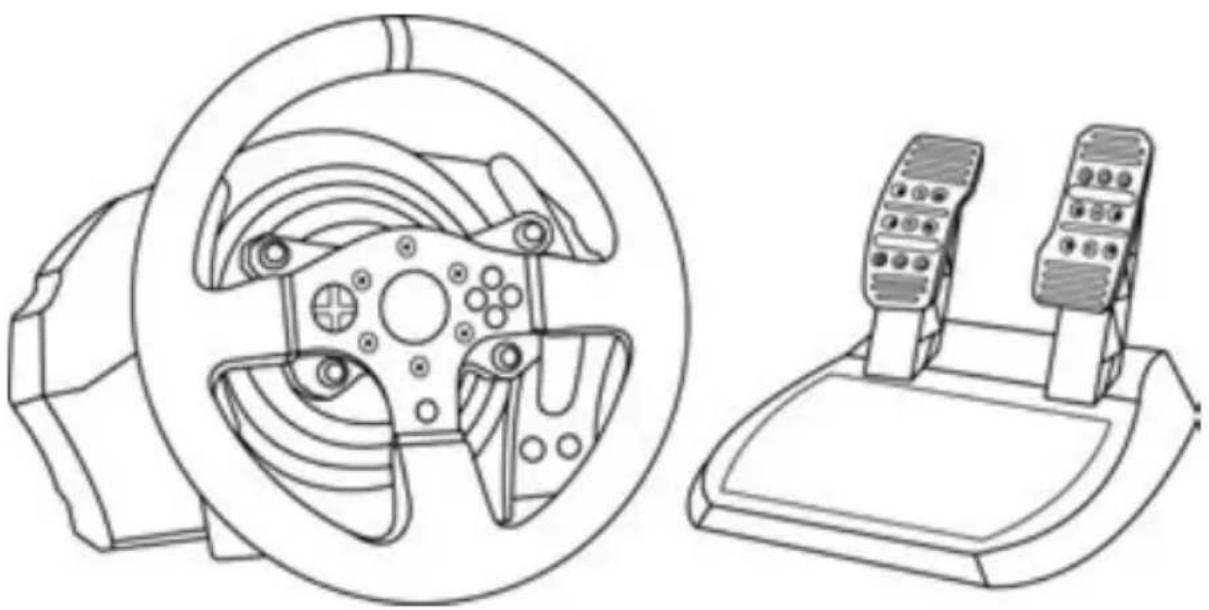
ATENÇA:
http://support.thrustmaster.com (clique em Volantes / T150 Force Feedback).
www.thrustmaster.com






THRUSTMASTER
SUPORTE TECNICO
http://support.thrustmaster.com

150 FORCE FEEDBACK
一一沙一木二一
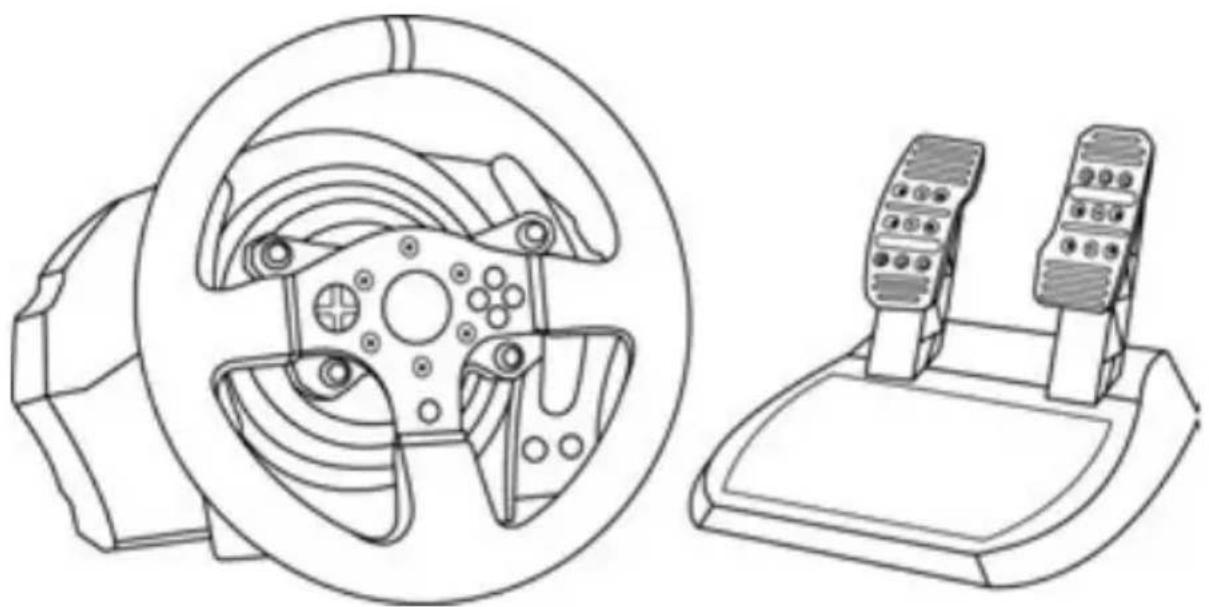
警告:
http://support Thrustmaster.com
Manufactured and distributed by Guillemot Corporation S.A.
環境保護推獎
www.thrustmaster.com
Made in China.




用户手册
警告:
ReiHnIe HnIe HnIe HnIe HnIe HnIe HnIe HnIe HnIe HnIe HnIe HnIe HnIe HnIe HnIe HnIe HnIe HnIe HnIe HnIe HnIe HnIe HnIe HnIe HnIe HnIe
藏賊藥藻藻藻藻藻藻藻藻藻藻藻藻藻藻藻藻藻藻藻藻藻藻藻藻藻藻藻藻藻藻藻藻藻藻藻藻藻藻藻藻藻藻藻藻藻藻藻藻藻藻藻藻藻藻藻藻藻藻藻藻藻藻藻藻藻藻藻藻藻藻藻藻藻藻藻藻藻
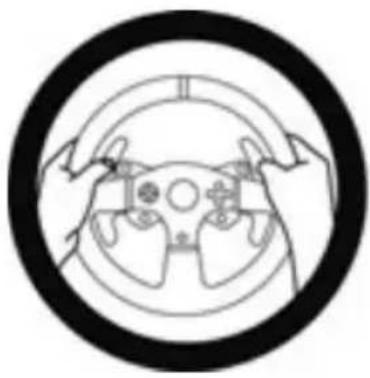
回三思

整大
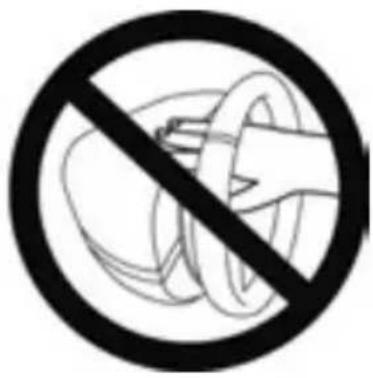
就大

記고-개일종만에 퍷일워phabetical
Reiimg hieni hiene saong chin pweer bwnrnnn n. http://support.thrustmaster.com. streerng.hen/150 Force Feedback kihk hahh hwhtck hok hok hok hok hok hok hok hok hok hok hok hok hok hok hok hok hok hok hok hok hok hok hok hok hok hok hok hok hok hok hok hok hok hok hok hok hok hok hok hok hok hok hok hok hok hok hok hok hok hok hukhukhukhukhukhukhukhukhukhukhukhukhukhukhukhukhukhukhukhukhukhukhukhukhukhukhukhukhukhukhukhukhukhukhukhukhukhukhukhukhuk
壹豆
<|im_start|>assistant
<|im_start|>assistant
<|im_start|>assistant
<|im_start|>assistant
<|im_start|>assistant
<|im_start|>assistant
<|im_start|>assistant
http://support Thrustmaster.com/ StiErHng
T150 Force Feedback 责任感的
ReiHnH
TeiIeIitnAichgEeRieH
- 場嘆緒連日里有在,尚在,不。
-
- 康常,孕,孕,孕,孕,孕,孕,孕,孕,孕,孕,孕,孕,孕,孕,孕,孕,孕,孕,孕,孕,孕,孕,孕,孕,孕,孕,孕,孕,孕,孕,孕,孕,孕,孕,孕,孕,孕,孕,孕,孕,孕,孕,孕,孕,孕,孕,孕,孕,孕,孕,子。
中:TJI 10mm'
http://support.thrustmaster.com http://support.thrustmaster.com http://support.thrustmaster.com http://support.thrustmaster.com http://support.thrustmaster.com http://support.thrustmaster.com http://support.thrustmaster.com http://support.thrustmaster.com http://support.thrustmaster.com http://support.thrustmaster.com http://support.thrustmaster.com http://support.thrustmaster.com http://support.thrustmaster.com http://support.thrustmaster.com http://support.thrustmaster.com http://upport.thrustmaster.com http://support.thrustmaster.com http://support.thrustmaster.com http://support.thrustmaster.com http://support.thrustmaster.com http://support.thrustmaster.com http://support.thrustmaster.com http://support.thrustmaster.com http://support.thrustmaster.com http://support.thrustmaster.com http://support.thrustmaster.com http://support.thrustmaster.com http://support.thrustmaster.com http://support.thrustmaster.com http://support.thustmaster.com http://support.thustmaster.com http://support.thustmaster.com http://support.thustmaster.com http://support.thustmaster.com http://support.thustmaster.com http://support.thustmaster.com http://support.thustmaster.com http://support.thustmaster.com http://support.thustmaster.com http://support.thustmaster.com http://support.thustmaster.com http://support.thustmaster.com http://support.thustmaster.com http://support.thustmaster. com http://support.thustmaster. com http://support.thustmaster. com http://support.thustmaster. com http://support.thustmaster. com http://support.thustmaster. com http://support.thustmaster. com http://support.thustmaster. com http://support.thustmaster. com http://support.thustmaster. com http://support.thustmaster. com http://support.thustmaster. com http://support.thustmaster. com http://support-thustmaster. com http://support-thustmaster. com http://support-thustmaster. com http://support-thustmaster. com http://support-thustmaster. com http://support-thustmaster. com http://support-thustmaster. com http://support-thustmaster. com http://support-thustmaster. com http://support-thustmaster. com http://support-thustmaster. com http://support-thustmaster. com http://support-thustmaster.
http://support.thrustmaster.com
S.E/0/19/150 Force Feedback/150/150/150/150/150/150/150/150/150/150/150/150/150/150/150/150/150/150/150/150/150/150/150/150/150/15
ReiHnIeHJF
Rei3PlayStation4.
i)1080

者告保定者在同的,
(0/)
印製製製機自動報價
© 2017 Guillemot Corporation S.A. 这个网站的地址是:Guillemot Corporation S.A. 的网络上首页。"PlayStation", "PS3", "PS4" "OXX" 是 Sony Interactive Entertainment, Inc 的网络上主页。这四个都是众多的,但它们都属于不同的页面,如:"Hello, my dear," "My name is," "My address is," "My phone number is," "My email is," "My e-mail address is," "My home address is," "My phone number is," "My address is," "My e-mail address is," "My home address is," "My phone number is," "My address is," "My home address is," "My e-mail address is," "My home phone number is," "My e-mail phone number is," "My home phone number is," "My e-mail e-mail number is," "My home e-mail number is," "My home e-mail address is," "My home e-mail phone number is," "My home e-mail address is," "My home e-mail phone number is," "My home e-mail e-mail address is," "My home e-mail e-mail number is," "My home e-mail e-mail phone number is," "My home e-mail phone number is," "My home e-mail e-mail address is," "My home e-mail e-mail phone number is," "My home e-mail e-mail e-mail address is," "My home e-mail e-mail phone number is," "My home e-mail e-mail e-mail address is," "My home e-mail e-mail phone number is," "My home e-mail e-mail e-mail address is," "My home e-mail e-mail phone number is," "My home e-mail e-mail e-mail address is," "My home e-mail e-mail phone number is," "My home e-mail e-mail e-mail address is,"

150 FORCE FEEDBACK
User Manual
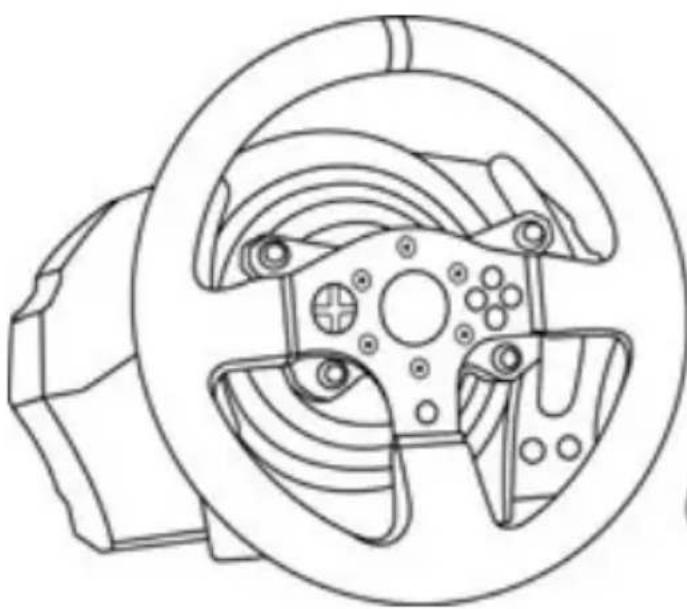
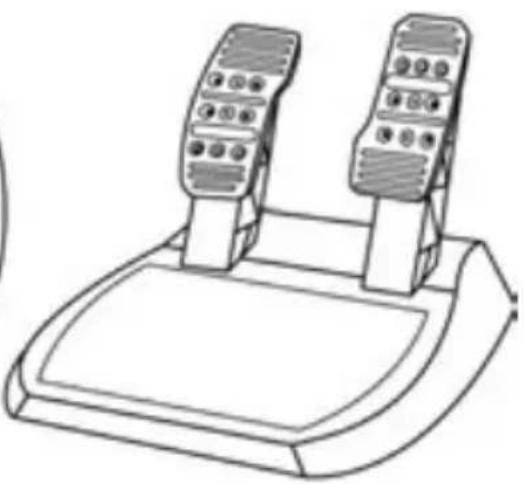
WARNING:
To ensure that your T150 racing wheel functions correctly with games, you may be required to install the game's automatic updates (available when your system is connected to the Internet).
TECHNICAL FEATURES
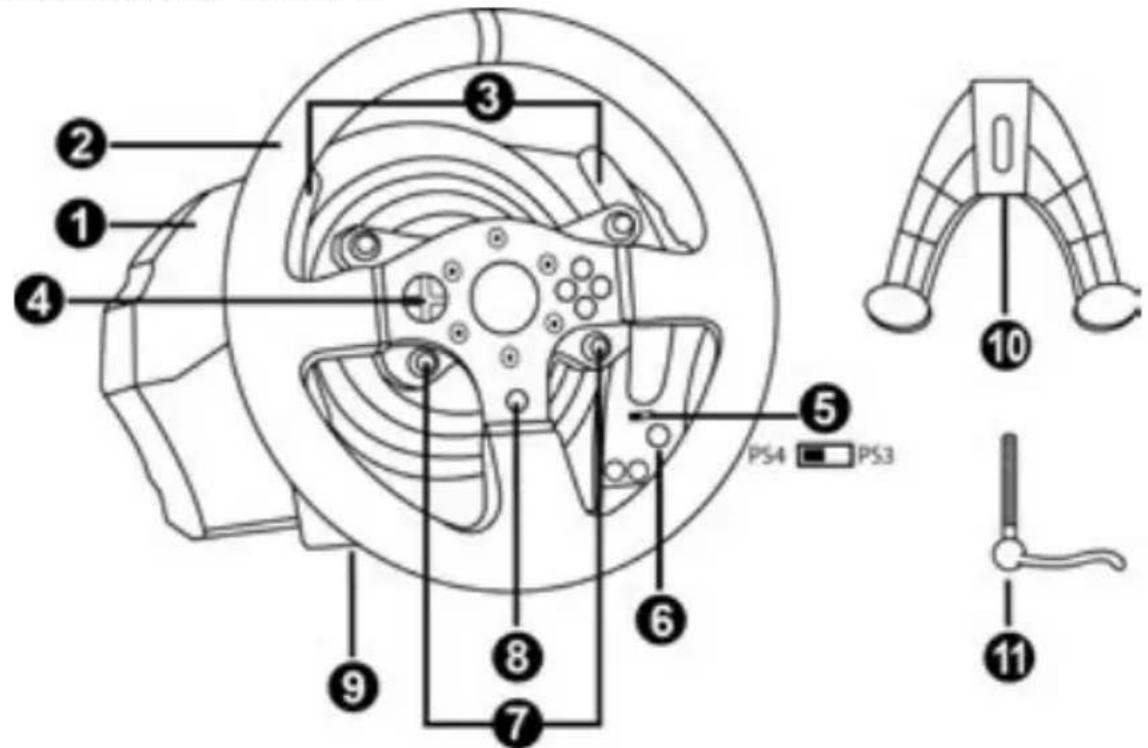
1 T150 base
2 Wheel
3 2 sequential paddle shifters (up & down)
4 Directional buttons
5 Built-in USB sliding switch for PS4TM/PS3TM
6 MODE button + red/green indicator light
7 SELECT/START buttons on PS3™ and SHARE/OPTIONS on PS4™
8 PS button
9 Large threaded hole (for attachment system and fastening screw)
10 Attachment system
11 Metal fastening screw
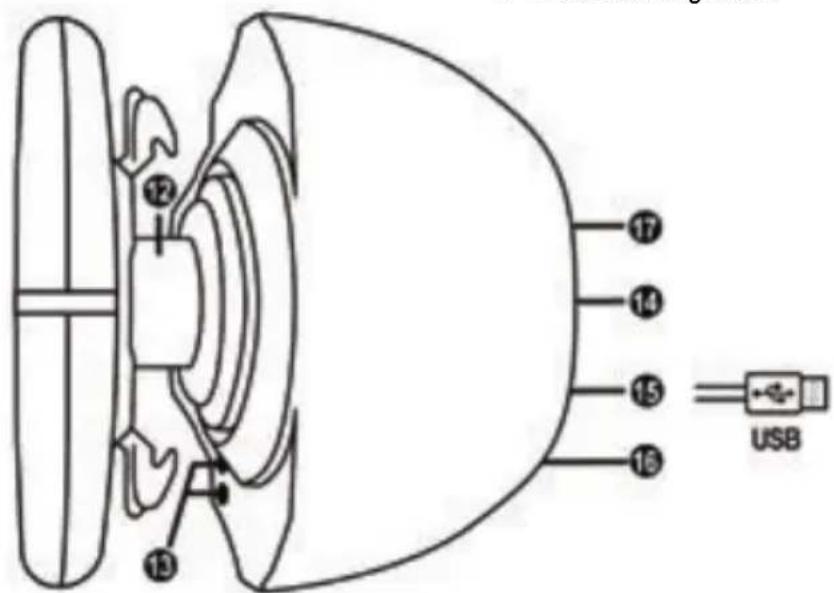
12 Steering axis
13 L3/R3 buttons
14 Power cable
or Power supply connector (varies from one country to another)
15 Racing wheel USB cable and connector
16 Gearbox connector (gearbox sold separately)
17 Pedal set connector
PLUGGING THE RACING WHEEL INTO AN ELECTRICAL OUTLET: PLEASE READ BEFORE PROCEEDING!
Your racing wheel's power supply varies according to the country where you purchased your device.
The non-European T150 features an external power supply; a specific device is provided with the racing wheel.
- Connect the external adapter to the relevant connector located at the back of the racing wheel, then connect the external mains power adapter to a standard power outlet featuring the same voltage.
WARNING
Before using this product, please read this manual carefully and save it for later reference.

Warning - Electrical shock
- Keep the product in a dry location and do not expose it to dust or sunlight.
- Do not twist or pull on the connectors and cables.
- Do not spill any liquid on the product or its connectors.
- Do not short-circuit the product.
- Never dismantle the product; do not throw it onto a fire and do not expose it to high temperatures.
- Do not use a power supply cable other than the one provided with your racing wheel.
- Do not use the power supply cable if the cable or its connectors are damaged, split or broken.
- Make sure that the power supply cable is properly plugged into an electrical outlet, and properly connected to the connector at the rear of the racing wheel's base.
- Do not open up the racing wheel: there are no user-serviceable parts inside. Any repairs must be carried out by the manufacturer, its authorised representative or a qualified technician.
- Only use attachment systems/accessories specified by the manufacturer.
- If the racing wheel is operating abnormally (if it is emitting any abnormal sounds, heat or odours), stop using it immediately, unplug the power supply cable from the electrical outlet and disconnect the other cables.
- If you will not be using the racing wheel for an extended period of time, unplug its power supply cable from the electrical outlet.

Air vents
Make sure not to block any of the air vents on the racing wheel's base. For optimal ventilation, make sure to do the following:
- Position the wheel's base at least 10cm away from any wall surfaces.
- Do not place the base in any tight spaces.
- Do not cover the base.
- Do not let any dust build up on the air vents.
For safety reasons, never use the pedal set with bare feet or while wearing only socks on your feet.
THRUSTMASTER © DISCLAIMS ALL RESPONSIBILITY IN THE EVENT OF INJURY RESULTING FROM USE OF THE PEDAL SET WITHOUT SHOES.
Warning - Injuries due to force feedback and repeated movements
Playing with a force feedback racing wheel may cause muscle or joint pain. To avoid any problems:
- Avoid lengthy gaming periods.
- Take 10 to 15 minute breaks after each hour of play.
- If you feel any fatigue or pain in your hands, wrists, arms, feet or legs, stop playing and rest for a few hours before you start playing again.
- If the symptoms or pain indicated persist when you start playing again, stop playing and consult your doctor.
- Keep out of children's reach.
- During gameplay, always leave both hands correctly positioned on the wheel without completely letting go.
- During gameplay, never place your hands or your fingers under the pedals or anywhere near the pedal set.
- During calibration and gameplay, never place your hand or your arm through the openings in the racing wheel.
- Make sure that the racing wheel's base is properly secured, as per this manual's instructions.

Product to be handled only by users 14 years of age or older

HEAVY PRODUCT
Be careful not to drop the product on yourself or on anyone else!
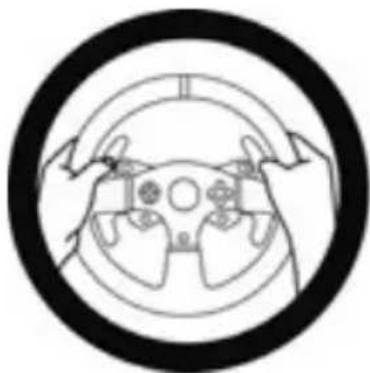
ALWAYS
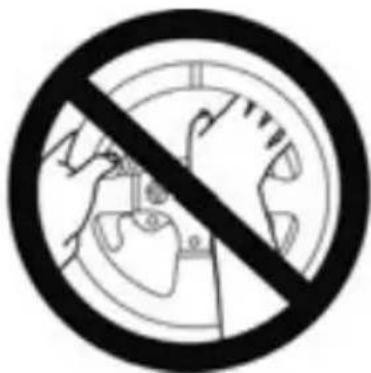
NEVER
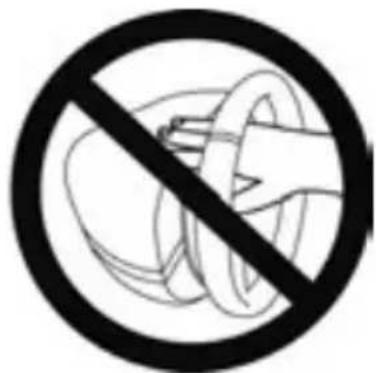
NEVER

Warning - Pedal set pinch hazard when playing
- Keep the pedal set out of children's reach.
- During gameplay, never place your fingers on or anywhere near the sides of the pedals.
- During gameplay, never place your fingers on or anywhere near the pedal's rear base.
- During gameplay, never place your fingers on or anywhere near the pedal's front base.
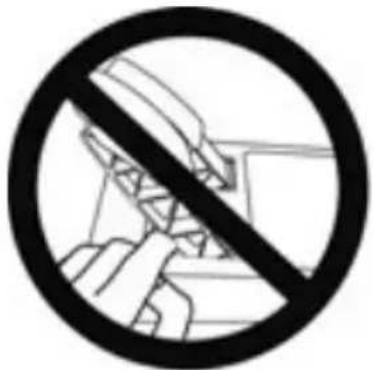
NEVER
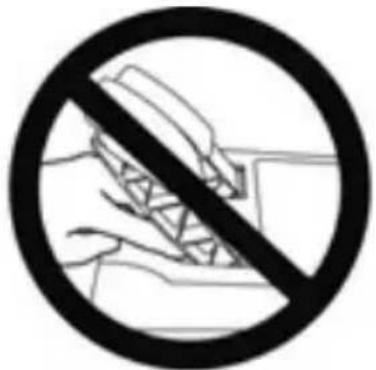
NEVER
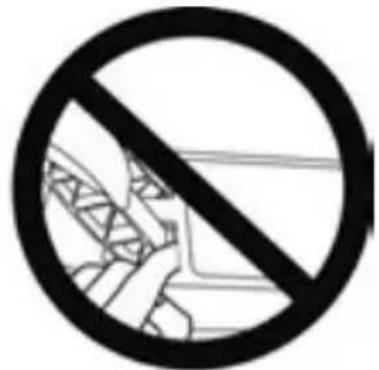
NEVER

Warning - Pedal set pinch hazard when not playing
- Store the pedal set in a safe place, and keep it out of children's reach.
UPDATING YOUR RACING WHEEL'S FIRMWARE
The firmware included in your racing wheel's base can be updated to a more recent version featuring product enhancements.
To display the firmware version that your racing wheel is currently using and update it if required: on PC, visit http://support.thrustmaster.com. Click Racing Wheels / T150 Force Feedback, then select Firmware and follow the instructions describing the download and installation procedure.
Important note:
On PC, the USB sliding switch (5) on the racing wheel's base must always be set to the PS3™ position.
ADJUSTING THE PEDAL INCLINATION
The pedal inclination is adjustable.
The adjustment instructions for each pedal are available at http://support.thrustmaster.com. Click Racing Wheels / T150 Force Feedback, then select Manual or FAQ.
ATTACHING THE RACING WHEEL
Attaching the racing wheel to a table or a desktop
- Place the racing wheel on a table or any other horizontal, flat and stable surface.
- Insert the fastening screw (11) in the attachment system (10), then tighten the device by turning the screw counterclockwise, so that it feeds into the large threaded hole (9) located beneath the racing wheel, until the wheel is perfectly stable.
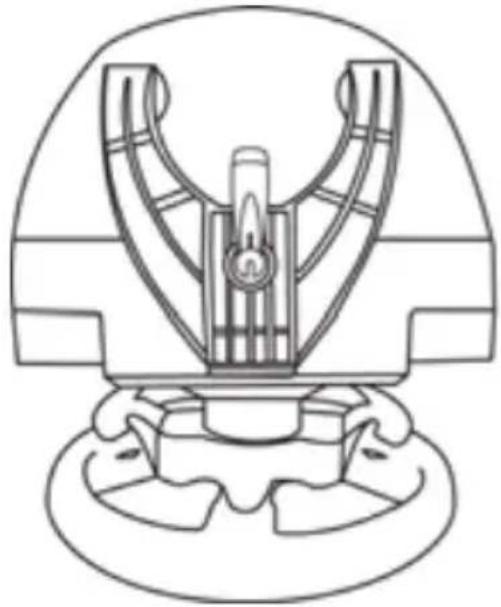
ALWAYS NEVER
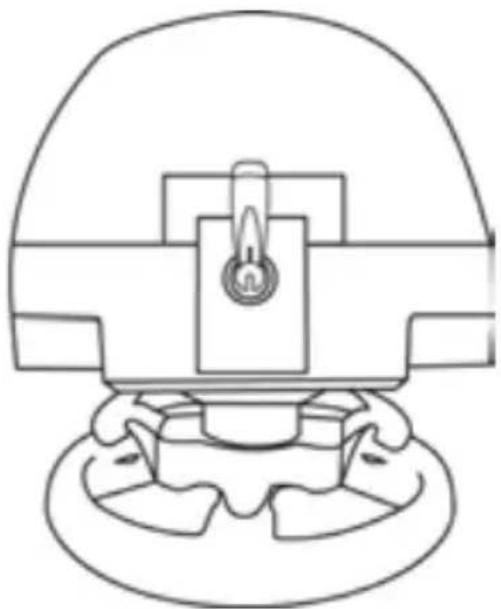
WARNING: Never tighten the screw alone, without the attachment system in place! (This could damage the racing wheel.)
| ATTACHMENT / REMOVAL | DIRECTION |
| To tighten: Turn the screw anticlockwise | 2 1 |
| To release: Turn the screw clockwise | 3 2 |
Attaching the pedal set to a cockpit
-
Attach the pedal set using the small screw threads located on its underside.
-
Drive two M6 screws (not included) through the cockpit shelf, then feed them into the two small screw threads located on the underside of the pedal set.
Important: The length of the two M6 screws must not exceed the thickness of the shelf + 10 mm, longer screws could cause damage to internal components located in the pedal set.
Layout diagrams for cockpits (for positioning the racing wheel's base and/or the pedal set) are available at http://support.thrustmaster.com: click Wheels / T150 Force Feedback, then select Manual or FAQ.
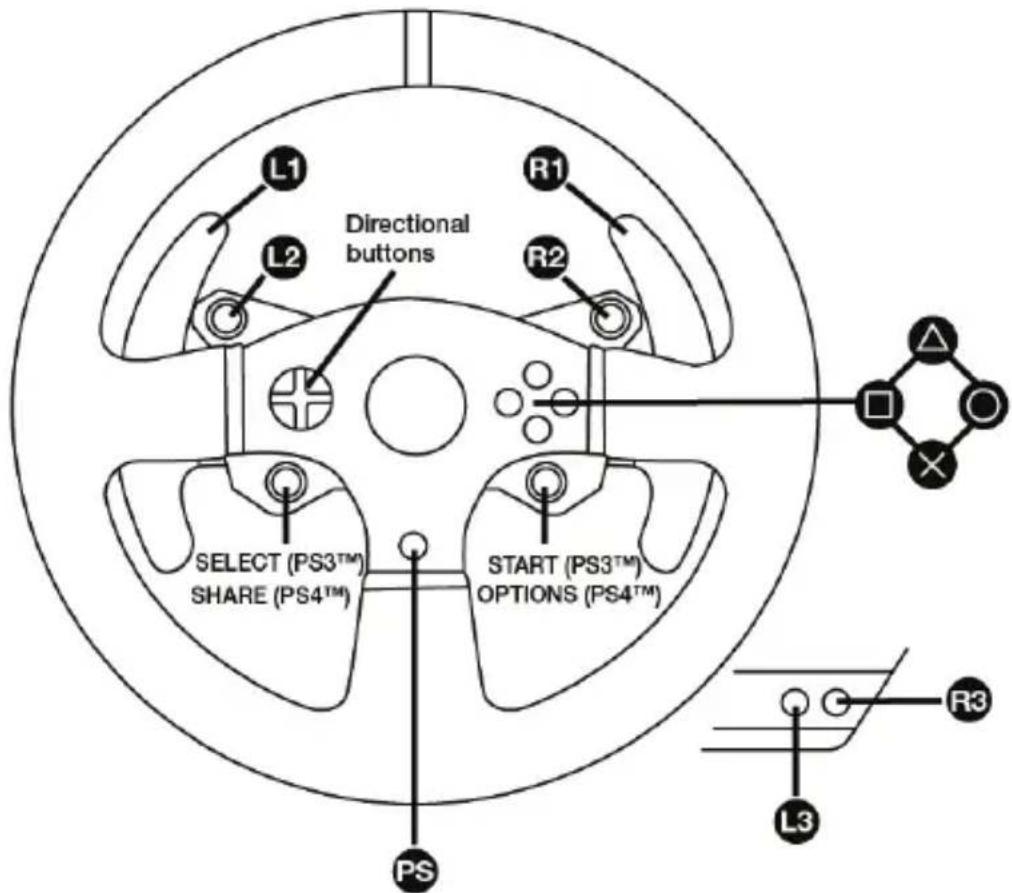
PLAYSTATION®3 AND PLAYSTATION®4 MAPPING
SETTING UP THE RACING WHEEL FOR PLAYSTATION®3 OR PLAYSTATION®4
- Connect the pedal set to the connector (17) located at the back of the racing wheel's base.
- Connect the power supply cable to the connector (14) located at the back of the racing wheel's base.
- Plug the power supply cable into an electrical outlet with the same voltage specifications.

For more information about this, please refer to the PLUGGING THE RACING WHEEL INTO AN ELECTRICAL OUTLET section, on page 3 in this manual.
- Set the USB sliding switch (5) on the racing wheel's base to either the PS3™ or PS4™ position, depending on the system or the game you are using.
- Connect the racing wheel's USB connector (15) to one of the system's USB ports.
- Once your system is powered on, your racing wheel will calibrate itself automatically.
- On PlayStation®4 (when the USB sliding switch is set to the PS4™ position): press the racing wheel's PS button (8) and sign in to your Sony Entertainment Network account, in order to be able to use the wheel.
You are now ready to play!
Important notes:
- The USB sliding switch (5) on the racing wheel's base must always be set to the proper position (PS3^TM or PS4^TM) before connecting the wheel's USB cable to the system. To change the sliding switch's position, disconnect the USB cable from the system and then change the position of the switch before reconnecting the USB cable to the system.
- On PlayStation®3, the USB sliding switch (5) must always be set to the PS3™ position:
- The wheel is recognised in most games as a T500RS wheel.
- The wheel is functional in compatible games and in system menus.
- The "PS" function is functional on the wheel.
- On PlayStation®4, with the USB sliding switch (5) in the PS3™ position:
- The wheel is recognised in most games as a T500RS wheel.
- The wheel is functional in compatible games, but not in system menus.
- The "SHARE" and "PS" functions are not functional on the wheel.
- On PlayStation®4, with the USB sliding switch (5) in the PS4™ position:
- Don't forget to press the racing wheel's PS button (8) in order to be able to use the wheel.
- The wheel is recognised in most games as a T300 RS or T150 wheel.
- The wheel is functional in compatible games and in system menus.
- The "SHARE" and "PS" functions are functional on the wheel.
- The list of PlayStation®3 and PlayStation®4 games compatible with the T150 (along with the required position for the USB sliding switch (5) according to the game being played) is available at:
http://support.thrustmaster.com (in the Racing Wheels / T150 Force Feedback).
This list is updated regularly.
AUTOMATIC RACING WHEEL AND PEDAL SET CALIBRATION
The wheel automatically self-calibrates when you plug the racing wheel into an electrical outlet and connect the racing wheel's USB connector to the PlayStation 3 or PlayStation 4 system. During this phase, the racing wheel will rotate quickly towards the left and the right, covering a 1080 degree angle, before stopping at the centre.

WARNING:
Never touch the racing wheel during the self-calibration phase! (This could result in improper calibration and/or personal injuries.)
AUTOMATIC CALIBRATION OF THE PEDAL SET
Never connect the pedal set to the racing wheel's base (or disconnect it from the base) when it is connected to the system or during gameplay (this could result in improper calibration).
Always connect the pedal set before connecting the racing wheel to the system.
Once the racing wheel's calibration is complete and the game has been started, the pedals are automatically calibrated after a few presses.

WARNING:
Never press the pedals during the racing wheel's self-calibration phase or while a game is loading!
(This could result in improper calibration.)
If your racing wheel and/or pedal set do not function correctly, or if they seem to be improperly calibrated:
Power off your system and completely disconnect the racing wheel. Then reconnect all cables (including the power supply cable and the pedal set), and restart your system and your game.
MODE BUTTON AND INDICATOR LIGHT (6)
MODE button for the pedal set
The pedal set included with the T150 features 2 pedals.
When using this pedal set, make sure that the indicator light remains red, or else the gas pedal will not function properly.
The T150 is also compatible with Thrustmaster pedal sets featuring 3 pedals (sold separately); these allow you to electronically swap the accelerator and clutch pedals.
To do so, simply press the MODE button (6) for 2 seconds.
The racing wheel's internal memory stores whether the pedals have been swapped around or not.
| GAS AND CLUTCH PEDALS | Colour of the MODE indicator light (6) |
| NORMAL | RED |
| SWAPPED AROUND | GREEN |
Other information regarding the MODE button
To learn more about the MODE button and indicator light, please visit
http://support.thrustmaster.com. Click Racing Wheels / T150, and then select Manual or FAQ.
HELP FILES AND FAQs
Please visit http://support.thrustmaster.com. Click Racing Wheels / T150, and then select Manual or FAQ.
SETTING UP THE RACING WHEEL FOR PC*
UPDATING YOUR RACING WHEEL'S FIRMWARE
*PC compatibility not tested nor endorsed by Sony Interactive Entertainment, Inc.
For more information, visit http://support.thrustmaster.com.
COPYRIGHT
© 2017 Guillemot Corporation S.A. All rights reserved. Thrustmaster® is a registered trademark of Guillemot Corporation S.A.
"PlayStation", "PS3", "PS4" and "OxO" are registered trademarks of Sony Interactive Entertainment Inc. All rights reserved.
All other trademarks and brand names are hereby acknowledged and are property of their respective owners. Illustrations not binding. Contents, designs and specifications are subject to change without notice and may vary from one country to another. Made in China.
ENVIRONMENTAL PROTECTION RECOMMENDATION
Please adhere to local recycling laws for electrical and electronic equipment.
Retain this information. Colors and decorations may vary.
Plastic fasteners and adhesives should be removed from the product before it is used.
www.thrustmaster.com