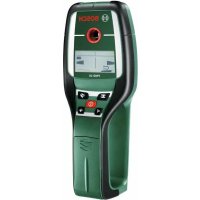
USER MANUAL PMD 10 BOSCH
Power Tools Division
70745 Leinfelden-Echterdingen
Germany
www.bosch-pt.com
2609140838(2011.05)T/107WEU

2609140838
PMD 10

BOSCH
Senior Vice President
Head of Product
Engineering
Certification
ppa. 1000 i.v. nuOycu
Robert Bosch GmbH, Power Tools Division
D-70745 Leinfelden-Echterdingen
Read and observe all instructions. SAVE THESE INSTRUCTIONS FOR FUTURE REFERENCE.
Have the measuring tool repaired only through qualified specialists using original spare parts. This ensures that the safety of the measuring tool is maintained.
Do not operate the measuring tool in explosive environments, such as in the presence of flammable liquids, gases or dusts. Sparks can be created in the measuring tool which may ignite the dust or fumes.
For technological reasons, the measuring tool cannot ensure 100% certainty. To rule out hazards, safeguard yourself each time before drilling, sawing or routing in walls, ceilings or floors by means of other information sources, such as building plans, pictures from the construction phase, etc. Environmental influences, such as humidity or closeness to electrical devices, can influence the accuracy of the measuring tool. Surface quality and condition of the walls (e.g., moisture, metallic building materials, conductive wallpaper, insulation materials, tiles) as well as the amount, type, size and position of the objects can lead to faulty measuring results.
Product Description and Specifications
Intended Use
The measuring tool is intended for the detection of metals (ferrous and non-ferrous metals, e.g., rebar), joists and "live" wires/conductors in walls, ceilings and floors.
Bosch Power Tools 2609140838|(20.4.11)
14 | English
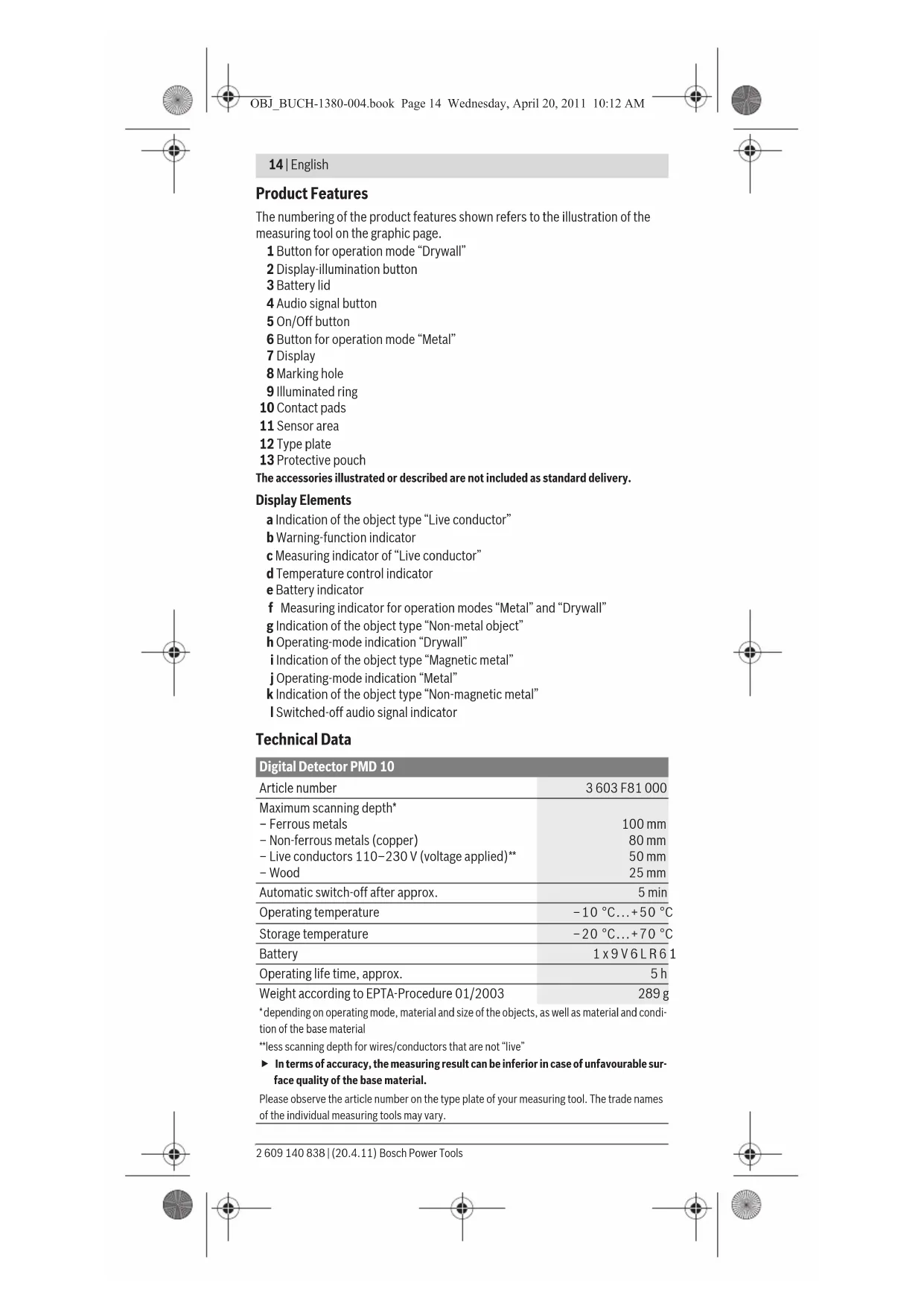
Product Features
The numbering of the product features shown refers to the illustration of the measuring tool on the graphic page.
1 Button for operation mode "Drywall"
2 Display-illumination button
3 Battery lid
4 Audio signal button
5 On/Off button
6 Button for operation mode "Metal"
7 Display
8 Marking hole
9 Illuminated ring
1.0 Contact pads
1.1 Sensor area
2.2 Type plate
3.3 Protective pouch
The accessories illustrated or described are not included as standard delivery.
Display Elements
a Indication of the object type "Live conductor"
b Warning-function indicator
c Measuring indicator of "Live conductor"
d Temperature control indicator
e Battery indicator
f Measuring indicator for operation modes "Metal" and "Drywall"
g Indication of the object type "Non-metal object"
h Operating-mode indication "Drywall"
i Indication of the object type "Magnetic metal"
j Operating-mode indication "Metal"
k Indication of the object type "Non-magnetic metal"
Switched-off audio signal indicator
Technical Data
| Digital Detector PMD 10 |
| Article number | 3603 F81 000 |
| Maximum scanning depth* | |
| - Ferrous metals | 100 mm |
| - Non-ferrous metals (copper) | 80 mm |
| - Live conductors 110-230 V (voltage applied)** | 50 mm |
| - Wood | 25 mm |
| Automatic switch-off after approx. | 5 min |
| Operating temperature | -10 °C...+50 °C |
| Storage temperature | -20 °C...+70 °C |
| Battery | 1 x 9 V 6 L R 6 |
| Operating life time, approx. | 5 h |
| Weight according to EPTA-Procedure 01/2003 | 289 g |
| *depending on operating mode, material and size of the objects, as well as material and condi-
tion of the base material | |
| **less scanning depth for wires/conductors that are not "live" | |
| In terms of accuracy, the measuring result can be inferior in case of unfavourable sur-
face quality of the base material. | |
| Please observe the article number on the type plate of your measuring tool. The trade names
of the individual measuring tools may vary. |
English | 15

We declare under our sole responsibility that the product described under
"Technical Data" is in conformity with the following standards or standardization documents: EN 61010-1:2010-10, EN 61326-1:2006-05,
EN 301489-3:2002-08, EN 301489-1:2008-04, EN 300330-1:2010-02,
EN 300330-2:2010-02 according to the provisions of the directives 2004/108/EC, 1999/5/EC.
Dr. Egbert Schneider
Dr. Eckerhard Strötgen
Senior Vice President
Head of Product
Engineering
Certification
i.v. M1O2
Robert Bosch GmbH, Power Tools Division
D-70745 Leinfelden-Echterdingen
Inserting/Replacing the Battery
Alkali-manganese batteries are recommended for the measuring tool.
To open the battery lid 3, slide it in the direction of the arrow away from the battery compartment. Insert the battery provided. When inserting, pay attention to the correct polarity according to the representation on the inside of the battery compartment.
The battery indicator e always indicates the current battery status:
Bally fully charged
Bathy has 2/3 of its capacity or less
Battery has 1/3 of its capacity or less
- Please change battery
If the measuring tool is not used for a long period of time, the battery must be removed. The battery can corrode or discharge itself over long periods.
Operation
Protect the measuring tool against moisture and direct sun light.
- Do not subject the measuring tool to extreme temperatures or variations in temperature. In case of large variations in temperature, allow the measuring tool to adjust to the ambient temperature before switching it on. In case of extreme temperatures or variations in temperature, the accuracy of the measuring tool and the display indication can be impaired.
- Use or operation of transmitting systems, such as WLAN, UMTS, radar, transmitter masts or microwaves, in the close proximity can influence the measuring function.
Initial Operation
Switching On and Off
Before switching the measuring tool on, make sure that the sensor area 11 is not moist. If required, dry the measuring tool using a soft cloth.
If the measuring tool was subject to an extreme temperature change, allow it to adjust to the ambient temperature before switching on.
To switch on the measuring tool, press the On/Off button 5.
To switch off the measuring tool, press the On/Off button 5 again.
When no button on the measuring tool is pressed for approx. 5 minutes and when no objects are detected, the measuring tool automatically switches off to save the battery.
Bosch Power Tools 2609140838| (20.4.11)


16|English
Switching the Display Illumination On/Off
The display illumination can be switched on/off with display-illumination button 2.
Switching the Audio Signal On/Off
The audio signal can be switched on/off with the audio signal button 4. When the audio signal is switched off, indication I appears on the display.
The measuring tool checks the base material of sensor area 11 in measurement direction z to the max. detection depth (see "Technical Data"). Objects are detected that differ from the material of the wall.
Always move the measuring tool in a straight line over the surface applying slight pressure, without lifting it off or changing the pressure. During measurement, the contact pads 10 must always have contact to the surface.
Measuring Procedure
Position the measuring tool on/against the surface being detected, and move it in direction of axis x and y. When the measuring tool comes closer to an object, the amplitude in measuring indicator f increases and ring 9 lights up yellow; when it is moved away from the object, the amplitude decreases. Measuring indicator f indicates the maximal amplitude above the centre of the object; ring 9 lights up red and an audio signal sounds. For small or deeply embedded objects, ring 9 can continue to light up yellow, while there is no audio signal.
- Wide objects are not indicated by the illuminated ring or the audio signal throughout their complete width.
To localise the object more precisely, move the measuring tool repeatedly (3x) back and forth over the object.
Wider objects in the base material are detected through a continuous, high amplitude of measuring indicator f. Ring 9 lights up yellow. The duration of the high amplitude corresponds approximately with the object width.
When very small or deeply embedded objects are being sought and measuring indicator f reacts only slightly, move the measuring tool repeatedly over the object in horizontal (axis x ) and vertical (axis y ) direction.
Before drilling, sawing or routing into a wall, protect yourself against hazards by using other information sources. As the measuring results can be influenced through ambient conditions or the wall material, there may be a hazard even though the indicator does not indicate an object in the sensor range (no audio signal or beep and and the illuminated ring 9 lit green).
Operating Modes
The best measuring results are achieved through selection of the operating mode. The maximal detection depth for metal objects is achieved in the operating mode "Metal". The maximal detection depth for non-metal objects is achieved in the operating mode "Drywall". "Live" conductors are detected in any operating mode.
Drywall
The operating mode "Drywall" is suitable for detecting wood or metal objects as well as "live" conductors in drywalls.
Press button 1 to activate the operating mode "Drywall". The indicator h lights up. As soon as the measuring tool is positioned against the base material to be detected, ring 9 lights up green and signals operational readiness.
In the operating mode "Drywall" all object types are detected and indicated:
Non-metal, e.g. a wood beam
Magnetic, e.g. reinforcing steel
- Nonmagnetic, but metal, e.g. copper pipe
"live", e.g. a "live" conductor
English | 17
Notes: In the operating mode "Drywall", other objects, apart from wood and metal objects and "live" conductors are also detected, such as plastic tubing filled with water. For such objects, the indication g for non-metal objects is indicated in display 7.
Nails and screws in the base material may cause a wooden beam to be indicated as a metal object on the display.
When display 7 indicates a continuously high amplitude of measuring indicator f and measuring indicator c, restart the measuring procedure again by positioning the measuring tool at a different location on the base material.
When the illuminated ring 9 does not signal operational readiness when positioning the measuring tool on the base material being detected, the measuring tool cannot properly detect the base material.
- Press and hold button 1 until the illuminated ring lights up green.
- When starting a new measuring procedure afterwards and positioning the measuring tool onto a different wall or surface, you must briefly press button 1.
- In rare cases, the measuring tool may not be able to detect the base material because the side with the sensor area 11 and the type plate 12 is soiled or dirty. Clean the measuring tool with a dry, soft cloth and restart the measuring procedure.
When the indication k (non-magnetic metal) or i (magnetic metal) is alternately displayed at a measuring position in operating mode "Drywall", you should change to the operating mode "Metal", which is better suitable for detecting and differentiating between magnetic and non-magnetic objects.
The operating mode "Metal" is suitable for detecting magnetic and non-magnetic objects as well as "live" conductors (independent of the wall material).
Press button 6 to activate the operating mode "Metal". The illuminated ring 9 lights up green and indication j lights up.
When the detected metal object is of magnetic metal (e.g. iron), the symbol i is indicated on display 7. For non-magnetic metals, the symbol k is indicated. In order to differentiate between metal types, the measuring tool must be positioned above the detected metal object (ring 9 is lit red).
Note: For reinforcement steel mesh and steel in the examined base material, an amplitude is indicated over the complete surface of measuring indicator f. For reinforcement steel mesh, it is typical that the symbol i for magnetic metal is indicated on the display directly above the iron rods, whereas between the iron rods, the symbol k for non-magnetic metal will appear.
Scanning for "Live" Wires
"Live" conductors are indicated in any operating mode.
When a "live" conductor is detected, indication a appears on the display 7 and the measuring indicator c deflects. Move the measuring tool repeatedly over the area to localise the "live" conductor more precisely. After moving over the "live" conductor several times, it can be indicated very accurately. When the measuring tool is very close to the conductor, the illuminated ring 9 flashes red and the audio signal beeps swiftly.
Notes:
- "Live" conductors can be detected easier when power consumers (e.g. lamps, machines) are connected to the sought conductor and switched on.
- Under certain conditions (such as below metal surfaces or behind surfaces with high water content), "live" conductors cannot be securely detected. The signal strength of a "live" conductor depends on the position of the cable. Therefore, apply further measurements in close proximity or use other information sources to check if a "live" conductor exists.
18 | English
Voltage-free conductors can be detected as metal objects in the operation mode "Metal". This does not apply for stranded conductors (contrary to solid conductors or cable).
- Static electricity can lead to inaccurate indication of electric lines, e.g., over a large range. To improve the indication, place your free hand flat on the wall next to the measuring tool, in order to remove the static electricity.
Working Advice
- Measuring values can be impaired through certain ambient conditions. These include, e.g., the proximity of other equipment that produce strong magnetic or electromagnetic fields, moisture, metallic building materials, foil-laminated insulation materials or conductive wallpaper or tiles. Therefore, please also observe other information sources (e.g. construction plans) before drilling, sawing or routing into walls, ceilings or floors.
Marking Objects
If required, detected objects can be marked. Perform a measurement as usual. Once you have found the boundaries or the centre of an object, mark the sought location through the marking hole 8.
Temperature Control
The measuring tool is equipped with a temperature control indicator, as accurate measurements are only possible as long as the temperature within the measuring tool remains constant.
When the temperature control indicator d lights up, the measuring tool is not within the operating temperature range or was subject to large variations in temperature. Switch the measuring tool off and allow it to adjust to the ambient temperature before switching it on again.
Warning Function
When indicator b lights up on the display, the measurement must be restarted. Remove the measuring tool from the wall and place it on the base material at a different location.
When indicator b flashes on display 7, send the measuring tool in the provided protective pouch to an authorised customer services agent.
Recalibration
When measuring indicator f indicates a continuously high amplitude in the operating mode "Metal", even though there is no metal object near the measuring tool, the measuring tool can be manually recalibrated.
- Switch the measuring tool off.
- Remove all objects near the measuring tool that could be detected, including your wrist watch or rings made of metal, and hold the measuring tool up. Pay attention that battery indicator e indicates at least 1/3 capacity: Hold the measuring tool in such a manner that the type plate 12 faces toward the ground. Avoid bright light sources or direct sunlight from shining on the area 11 and 12, without covering off this area.
- Press and hold buttons 5 and 4 until the illuminated ring 9 lights up red. Then release both buttons.
- When the calibration was successful, the measuring tool will automatically start after a few seconds, and will be ready for operation again.
Note: If the measuring tool does not automatically start, repeat the recalibration. If the measuring tool still does not start, send it in the provided protective pouch to an authorised customer services agent.
English|19
Maintenance and Service
Maintenance and Cleaning
- Check the measuring tool each time before use. In case of visible damage or loose components inside the measuring tool, safe function can no longer be ensured.
Keep the measuring tool clean and dry at all times to ensure proper and safe working.
Do not immerse the measuring tool in water or other fluids.
Wipe away debris or contamination with a dry, soft cloth. Do not use cleaning agents or solvents.
In order not to affect the measuring function, decals/stickers or name plates, especially metal ones, may not be attached in the sensor area 11 on the front or back side of the measuring tool.
Do not remove the contact pads 10 on the backside of the measuring tool.
If the measuring tool should fail despite the care taken in manufacturing and testing procedures, repair should be carried out by an authorised after-sales service centre for Bosch power tools. Do not open the measuring tool yourself.
In all correspondence and spare parts orders, please always include the 10-digit article number given on the type plate of the measuring tool.
Store and transport the measuring tool only in the supplied protective pouch.
In case of repairs, send in the measuring tool packed in its protective pouch 13.
After-sales Service and Customer Assistance
Our after-sales service responds to your questions concerning maintenance and repair of your product as well as spare parts. Exploded views and information on spare parts can also be found under:
www.bosch-pt.com
Our customer service representatives can answer your questions concerning possible applications and adjustment of products and accessories.
Great Britain
Robert Bosch Ltd. (B.S.C.)
P.O.Box 98
Broadwater Park
North Orbital Road
Denham
Uxbridge
UB95HJ
Tel. Service: +44 (0844) 736 0109
Fax:+44(0844)7360146
E-Mail: boschservicecentre@bosch.com
Ireland
Origo Ltd.
Unit 23 Magna Drive
Magna Business Park
City West
Dublin 24
Tel. Service: +353 (01) 4666700
Fax: +353 (01) 466 68 88
Bosch Power Tools 2609140838|(20.4.11)


20|English
Australia, New Zealand and Pacific Islands
Robert Bosch Australia Pty. Ltd.
Power Tools
Locked Bag 66
Clayton South VIC 3169
Customer Contact Center
Inside Australia:
Phone: +61 (01300) 307 044
Fax: +61 (01300) 307 045
Inside New Zealand:
Phone: +64 (0800) 543 353
Fax:+64(0800)428570
Outside AU and NZ:
Phone: +61 (03) 9541 5555
www.bosch.com.au
Republic of South Africa
Customer service
Hotline: +27 (011) 6519600
Gauteng - BSC Service Centre
35 Roper Street, New Centre
Johannesburg
Tel.: +27 (011) 4939375
Fax: +27 (011) 4930126
E-Mail: bsctools@icon.co.za
KZN - BSC Service Centre
Unit E, Almar Centre
143 Crompton Street
Pinetown
Tel.: +27 (031) 7012120
Fax: +27 (031) 7012446
E-Mail: bsc.dur@za.bosch.com
Western Cape - BSC Service Centre
Democracy Way, Prosperity Park
Milnerton
Tel.: +27 (021) 5512577
Fax: +27 (021) 5513223
E-Mail: bsc@zsd.co.za
Bosch Headquarters
Midrand, Gauteng
Tel.: +27 (011) 6519600
Fax: +27 (011) 6519880
E-Mail: rbsa-hq.pts@za.bosch.com
People's Republic of China
China Mainland
Bosch Power Tools (China) Co., Ltd.
567, Bin Kang Road
Bin Jiang District 310052
Hangzhou, P.R.China
Service Hotline: 400 826 8484
Fax:+8657187774502
E-Mail: contact.ptcn@cn.bosch.com
www.bosch-pt.com.cn


English | 21
HK and Macau Special Administrative Regions
Robert Bosch Hong Kong Co. Ltd.
21st Floor, 625 King's Road
North Point, Hong Kong
Customer Service Hotline: +852 (21) 02 02 35
Fax: +852 (25) 909762
E-Mail: info@hk.bosch.com
www.bosch-pt.com.hk
Indonesia
PT. Multi Tehaka
Kawasan Industri Pulogadung
Jalan Rawa Gelam III No. 2
Jakarta 13930
Indonesia
Tel.: +62 (21) 46832522
Fax: +62 (21) 46828645/6823
E-Mail: sales@multitehaka.co.id
www.multitehaka.co.id
Philippines
Robert Bosch, Inc.
28th Floor Fort Legend Towers,
3rd Avenue corner 31st Street,
Fort Bonifacio Global City,
1634 Taguig City, Philippines
Tel.: +63 (2) 870 3871
Fax: +63 (2) 870 3870
matheus.contiero@ph.bosch.com
www.bosch-pt.com.ph
Bosch Service Center:
9725-27 Kamagong Street
San Antonio Village
Makati City, Philippines
Tel.: +63 (2) 899 9091
Fax:+63(2)8976432
rosalie.dagdagan@ph.bosch.com
Malaysia
Robert Bosch (S.E.A.) Pte. Ltd.
No.8A,Jalan 13/6
G.P.O.Box 10818
46200 Petaling Jaya
Selangor, Malaysia
Tel.: +60 (3) 7966 3194
Fax: +60 (3) 7958 3838
cheehoe.on@my.bosch.com
Toll-Free: 1800 880 188
www.bosch-pt.com.my
Thailand
Robert Bosch Ltd.
Liberty Square Building
No.287,11 Floor
Silom Road, Bangrak
Bangkok 10500
Tel.: +66 (2) 631 1879 - 1888 (10 lines)
Fax: +66 (2) 2384783
Robert Bosch Ltd., P.O. Box 2054
Bangkok 10501, Thailand
Bosch Power Tools 2609140838|20.4.11)
22 | English
Bosch Service - Training Centre
2869-2869/1 Soi Ban Kluay
Rama IV Road (near old Paknam Railway)
Prakanong District
10110 Bangkok
Thailand
Tel.: +66 (2) 671 7800-4
Fax: +66 (2) 2494296
Fax: +66 (2) 2495299
Singapore
Robert Bosch (SEA) Pte. Ltd.
11 Bishan Street 21
Singapore 573943
Tel.: +65 6571 2772
Fax:+6563505315
leongheng.leow@sg.bosch.com
Toll-Free: 1800 333 8333
www.bosch-pt.com.sg
Vietnam
Robert Bosch Vietnam Co. Ltd
10/F, 194 Golden Building
473 Dien Bien Phu Street
Ward 25, Binh Thanh District
84 Ho Chi Minh City
Vietnam
Tel.: +84 (8) 62583690 ext. 413
Fax: +84 (8) 62583692
hieu.lagia@vn.bosch.com
www.bosch-pt.com
Disposal
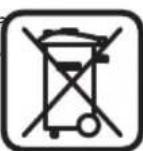
Measuring tools, accessories and packaging should be sorted for environmental-friendly recycling.
Do not dispose of measuring tools and batteries/rechargeable batteries into household waste!
Only for EC countries:

According to the European Guideline 2002/96/EC, measuring tools that are no longer usable, and according to the European Guideline 2006/66/EC, defective or used battery packs/batteries, must be collected separately and disposed of in an environmentally correct manner.
Batteries no longer suitable for use can be directly returned at:
Great Britain
Robert Bosch Ltd. (B.S.C.)
P.O.Box 98
Broadwater Park
North Orbital Road
Denham
Uxbridge
UB95HJ
Tel. Service: +44 (0844) 736 0109
Fax:+44 (0844)736 0146
E-Mail: boschservicecentre@bosch.com
Subject to change without notice.
2609140838|(20.4.11) Bosch Power Tools



Francais | 23
Français
Senior Vice President
Head of Product
Engineering
Certification
ppa. 1000 i.v. nuOycu
Robert Bosch GmbH, Power Tools Division
D-70745 Leinfelden-Echterdingen
Robert Bosch (France) S.A.S.
Senior Vice President
Head of Product
Engineering
Certification

i.v. MucSy
Robert Bosch GmbH, Power Tools Division
D-70745 Leinfelden-Echterdingen
Senior Vice President
Head of Product
Engineering
Certification

Robert Bosch GmbH, Power Tools Division
D-70745 Leinfelden-Echterdingen
Senior Vice President
Head of Product
Engineering
Certification
i.v. MucSy
Robert Bosch GmbH, Power Tools Division
D-70745 Leinfelden-Echterdingen
Senior Vice President
Head of Product
Engineering
Certification

Robert Bosch GmbH, Power Tools Division
D-70745 Leinfelden-Echterdingen
Senior Vice President
Head of Product
Engineering
Certification
ppa. Maee i.v. nuOycu
Robert Bosch GmbH, Power Tools Division
D-70745 Leinfelden-Echterdingen
Bosch Service Center
Telegrafvej 3
2750 Ballerup
Tel. Service Center: +45 (4489) 8855
Fax: +45 (4489) 87 55
E-Mail: vaerktoej@dk.bosch.com
Bosch Power Tools 2609140838|(20.4.11)
66 | Svenska
Bortskaffelse
Senior Vice President
Engineering
Dr. Eckerhard Strötgen
Head of Product
Certification
ppa. 1000 i.v. nuOycu
Robert Bosch GmbH, Power Tools Division
D-70745 Leinfelden-Echterdingen
Bosch Service Center
Telegrafvej 3
2750 Ballerup
Danmark
Tel.: +46 (020) 414455
Fax: +46 (011) 187691
Avfallshantering
Senior Vice President
Head of Product
Engineering
Certification

Robert Bosch GmbH, Power Tools Division
D-70745 Leinfelden-Echterdingen
Senior Vice President
Head of Product
Engineering
Certification
i.v. MOBG
Robert Bosch GmbH, Power Tools Division
D-70745 Leinfelden-Echterdingen
ouppwva Tic diataeicTuv oynyuw 2004/108/EK, 1999/5/EK.
2609140838|(20.4.11) Bosch Power Tools


EAAynvika 87
Dr. Egbert Schneider
Dr. Eckerhard Strötgen
Senior Vice President
Head of Product
Engineering
Certification
ppa. 1000 i.v. nuOycu
Robert Bosch GmbH, Power Tools Division
D-70745 Leinfelden-Echterdingen
Tonoetnon/AAayn unatapiac
Tia n letoupyia tou eyaaleiou metponnc npoteivetai n xpron mntapiwv akkaiou-mayyaviou.
Ia va avoileto kanaki thnnc mpatapiac 3 wthote to npoc nTv kateuuvon nou
deixvei to beao. Tonoetnoe tny mpatapia nou nepiexeta otn ouokeuaia.
PiooE, n mpatapia va tonoetntheta ie tn owtn noikotnta, ouqwva eyn
eikova oTo eoewterikoTc thnknc mpatiapac.
Tpontc aeitoupyia (Beneikova A)
Me to epaaleio metponc eleyxetai ta unootpwa tnc nepioxic aoonnpa 11 me popa metponc z ecw to meyto baooc avixveuong (Bene «Texvika xapaktnpiotiká»). AvaywpiOvtaavtkeiieva nou diaepouv ano to uiko tou toixou.
Na kiveite to epyaieo metponc enaww otny enipaveia navtoe eueooc kai aokovta cnaepiia neon, xwpic va to avaankwete kai xwpic va metaaalte tny nian. Kata tn diapkeia tnc metponc o oiothnpac 10 npenei va exei navtoe enaph me tyn uno avxveuon enipaveia.
Aiaikaaia aetponnc
Akoumntote to epyaleio metponc enawv onv unélexyeio enipaveia kai kiveite to
keateuovion ibia ^ ekeivnTwv aovwuxkaiy.OTav to epyaleio metponc
naoidie eva atikeiyevo auEvei anoklan otnv kaijaka f kai o daktulio9
avabe i xe xpuwa kitivo kai elattwetai otav auto anopakuvetai ao to
avtikeiyevo.H kaijaka f deixvei tn meiyotn anoklan nawo ano to kevtpo tou
avtikeiyevou.O daktulio9 avabe i xe xpwa kokkivo kai nxei eva akouotiko
onma.2e mikpa atikeiyeva n oe atikeieva nou piokovtaie peyalo dev
anokleietai o daktulio9 va ouvexicvi va lamnei e kitivo xpwa kai va npv
nnoe to akouotiko onja.
OTAV ta avtkeiemeva eivai nata o φwteivoc daKTuaoc kai to akouotiko onpa dev ta deixvouo e oao touc to naatoc.
Ia va evtomatei to avtkeiuevoe ieyaalutepn akpiieia kivnoe to epyaleio metponc aalacovtc opap enaveueta (3x) nao ano to avtkeiuevo.
IaavkeiEvapokalovmuiaipknioxupn anokkiontnc kaijakacf.O
8akluoc 9 avabe i e xpuwa kitpivo.H diapkeia ncoxupn anokkionc avaoyei
nepinou oTo naTc Tou avtkieevou.
'Otav avzntouvtai nolu mikpa avtikeiyeva n avtikeiyeva oe yayalo ba0oc kai n evdeIeTnC klaikacf anoklivei mvo EaXIOta, tote kivnoTe to epyaleio metpnong naaw ao to avtikeevo enaveunmueva eaAaOpioVtia (dovac x) kai katheta (dovac y).
Ptpunetae, koyete n ppeapete tov tox npenei va eaaopalizote aauabavovtac unoyn kal aaaaec nnyec nnpopoopow. Eneoi nepaalovtike enbpaeic /kai n kataotaou tou toixou mopei va enpaeaouv ta anotelaqata twv metpnoewv (dev akouyetai kanoio oma ka o oatheivoc daktuloc 9 avabe i xe xpwma npaoivo), mopei va unapxei kivduvo, av kal n evdei n dev deixvei kanoio avtkeievo otny nepioxnTwv aohtnpwv.
TpnonIaetroupyiaC
Me tn owtn eniayn tvpontnv aeitoupyiac enituyxavete apota anoteleopata. To meyioTo ba0oc avixveuong yia metaalikac avtkeiueva enituyxavetai ovo tpo n aletoupyiac Metao. To myioTo baooc avixveuong yia metaaikac avtkeiueva enituyxavetai ovo tpno aletoupyiac Tpuovada. Ynto raon eupokoevc yapmuec avaywipovartoe kaTe ponto letoupyiac.
EAnvika 89
TyuovaiBec
O TpOnoc Aetoupyiac «Uuovaaiaeivai kataaAnloc yia Tnv avuepeon avtkemuevw ano Eulao kai metaala ka0w c kai yia avepeon nAektpopowyapumov oe toixouc ano yuwoaavidec.
Pnntote to nhtko 1 yia va evepyonouoete tov npno aeitouyia
「Tupoavida。H Evdei h avabe. Moaic akoumuote to epyaieio metponc enawv otnv un o aeyo emapveia avabe kai o daKTuaoc 9e xpwa npaoivo, onpatodotuwtau nty etoumtetaetpnonc.
Tov tpo n aeioupyia c uooaib aveupiaokovtai kai napouiaovtat ola ta eion avikemuevw:
Tnpoupe to dkaiomegaaalayov.
Türkce
Güvenlik Talimati

Senior Vice President
Head of Product
Engineering
Certification
ppa. 1000 i.v. nuOycm
Robert Bosch GmbH, Power Tools Division
D-70745 Leinfelden-Ech
Bosch San. ve Tic. A.S.
Ahi Evran Cad. No:1 Kat:22
Polaris Plaza
80670 Maslak/Istanbul
Müsteri Danisman: +90 (0212) 335 06 66
Müsteri Servis Hatti: +90 (0212) 335 07 52
2609140838|(20.4.11) Bosch Power Tools



Türkce|99
Tasfiye
Jus Jus Jus Jus Jus Jus Jus Jus Jus Jus Jus Jus Jus
Lai jia bali 101 21 jai 5ai 5ai 5ai 5ai 5ai 5ai
.

s|101
j1 = k 又 l2 = 3
J 100000000000000000000000000000000000000000000000000000000000
a
1 1
y
7 aolly. 102e alls gl aod jy gll aaggl aaggl aagd l wlll oal J b

= ( x - 2x) y - 1
1 1 1 1 1 1 1 1 1 1 1 1 1 1 1 1 1 1 1 1 1 1 1 1 1 1 1 1
a
1/3 12 11 11
45 10
jol 1 j000000000000000000000000000000000000000
1 1 1 1 1 1 1 1 1 1 1 1 1 1 1 1 1 1 1 1 1 1 1 1

102|
9 1
J 1
y 1
i 1
1111
J 1
11
.5jfo
a 000) k aill yll syl jol .jilal l jnil
"Jd Jd j d Jd Jd Jd Jd Jd (gbln) i (gbln
a
e 1
( 1,2,3)
j 9 aalal 6 jll
joll 7 ailll (i:10)
i
y
ailll lgl 3000150000000000000000000000000
jlaal 151 jaiyao ge jaiyao Jia
.
abuiy jiu jiu de yu de yu yu yu yu yu yu yu yu
agaiil 1y
.
inmonet. inS 156 n: yto. (2) 156 n Jxu b xu b xu 156n 156n 156n 156n
J 1 J 1 J 1 J 1 J 1 J 1 J 1 J 1 J 1 J 1 J 1 J 1 J 1 J 1 J 1 J 1 J 1 J 1 J 1 J 1 J 1 J 1 J 1 J 1 J 1 J 1 J 1 J 1 J 1 J 1 J 1 J 1 J 1 J 1 J
a b
1 1
aal1gai.hy.111111111111111 1j
1 1
1 1
1 1 1 1 1 1 1 1 1 1 1 1 1 1 1 1 1 1 1 1 1 1 1 1 1 1 1 1 1 1 1 1 1 1 1 1 1 1 1
j 7 1

104|
m = 311
1
Jnlll jinssjglssjinnss
3 3
111 111 111 111 111 111 111 111
中
aaii i 1
Jals jaiyaaiaa
12/3 2
j11/3 2
-
( x - 1) ( x + 4) = 0
aLbI=laI=laI/J
2a1ololjbjabwblalolololjbnj
a. gall lil
1 4
a. i.i.d. all o. LiLi. liLi.
(Aa)
Jz 11 Jauu aai
.1999/5/EG.2004/108/EG 1
Dr. Egbert Schneider
Senior Vice President
Engineering
Dr. Eckerhard Strötgen
Head of Product
Certification
ppa. 11. i.v. nuogcu
Robert Bosch GmbH, Power Tools Division
D-70745 Leinfelden-Echterdingen
Leinfelden,01.04.2011

106|

1

J 1
Jnll jnnn nnnnnnnnnnnnnnnnnnnnnnnnnnnnnnnnnnnnnnnnnnnnnnnnnnnnnnnnnnnnnnnnnnnnnnnnnnnnnnnnnnnnnnnnnnnnnnnnnnnnnnnnnnnnnnn
1 1