BSS 4818 - Speaker AEG - Free user manual and instructions
Find the device manual for free BSS 4818 AEG in PDF.



| Product Type | Portable Bluetooth speaker |
| Brand | AEG |
| Model | BSS 4818 |
| Dimensions (estimated) | Approximately 18 x 6 x 6 cm |
| Weight (estimated) | Approximately 300 g |
| Power supply | DC 5 V, 500 mA via micro-USB port |
| Battery type | Built-in rechargeable lithium-ion, 3.7 V, 750 mAh |
| Charging time | Approximately 1.5 hours |
| Battery life | Up to 8 hours at 50% volume |
| Bluetooth version | V 2.1 + EDR |
| Bluetooth frequency | 2.4 GHz |
| Supported Bluetooth profiles | A2DP, AVRCP |
| Bluetooth range | Up to 10 meters (depending on environment) |
| Auxiliary input | 3.5 mm jack (AUX) |
| Main functions | Play/pause, volume, next/previous track, answer/end call |
| Hands-free function | Yes, via built-in microphone |
| Care and cleaning | Wipe with a slightly damp cloth; do not immerse in water |
| Safety | Do not expose to moisture, do not open, do not let children play with packaging, risk of suffocation |
| Spare parts and repairability | No user-serviceable parts; built-in non-removable battery |
| Disposal | Do not dispose of with household waste; take to a collection point for recycling; battery must be removed by a professional |
Frequently Asked Questions - BSS 4818 AEG
User questions about BSS 4818 AEG
0 question about this device. Answer the ones you know or ask your own.
Ask a new question about this device
Download the instructions for your Speaker in PDF format for free! Find your manual BSS 4818 - AEG and take your electronic device back in hand. On this page are published all the documents necessary for the use of your device. BSS 4818 by AEG.
USER MANUAL BSS 4818 AEG
D Bluetooth Sound System
NL Bluetooth Geluidsystem
Chaine hi-fi Bluetooth
Overview of the Components......Page 3
Instruction Manual...... Page 48
Technical Specifications...... Page 54
Disposal... Page 55
Polski
Spis tresci
Przegladelementowoblsugi.....Strona 3
Specifications techniques
Modèle: BSS 4818
Connexion audio:.. . .. . .. .. .. .. .. .. .. .. .. .. .. .. .. .. .. .. .. .. .. .. .. .. .. .. .. .. .. .. .. .. .. .. .. .. .. .. .. .. .. .. .. .. .. .. .. .. .. .. .. .. .. ... .. .. .. .. .. .. .. .. .. .. .. .. .. .. . . . . . . . . . . . . . . . . . . . . . . . . . . . . . . . . . . . . . . . . . . . . . . . . . . . . . . . . . . . . . . . . . .
-
-
-
-
-
-
-
-
-
-
-
-
-
-
-
-
-
-
-
-
-
-
-
-
-
-
-
-
-
-
-
-
-
-
-
-
-
-
-
-
-
-
-
-
-
-
- 3.5 mm
Poids net: .environ 0,247 kg
Portee: environ 10 metres
Thank you for choosing our product. We hope you will enjoy using the appliance.
Symbols in these Instructions for Use
Important information for your safety is specially marked. It is essential to comply with these instructions in order to avoid accidents and prevent damage to the machine:

WARNING:
This warns you of dangers to your health and indicates possible injury risks.

CAUTION:
This refers to possible hazards to the machine or other objects.

NOTE: This highlights tips and information.
Safety instructions
Read the operating instructions carefully before putting the appliance into operation and keep the instructions including the warranty, the receipt and, if possible, the box with the internal packing. If you give this device to other people, please also pass on the operating instructions.
- The appliance is designed exclusively for private use and or the envisaged purpose. This appliance is not fit for commercial use.
- Do not use the device with wet hands.
- To minimize the risk of fire or electrical shock, subject the device neither to rain nor to humidity. Do not operate the device in the direct proximity of water (e.g. bathroom swimming pool.).
- Keep the device away from heat, direct sunlight and sharp edges.
- Keep the device away from naked flames.
- Do not subject the battery to a hard impact or pressure.
- Do not insert any metal objects into the device. Risk of short circuit!
- Do not use the device in an extremely humid or muggy environment.
- To avoid a static charge, do not utilize the device in an extremely dry climate.
- The device needs to be examined regularly for signs of damage or material fatigue. If damage is noticed, the device may no longer be used.
- Do not repair the unit yourself but contact an authorized specialist.
Children and Frail Individuals
In order to ensure your children's safety, please keep all packaging (plastic bags, boxes, polystyrene etc.) out of their reach.

WARNING!
Caution! Do not allow small children to play with the foil as there is a danger of suffocation!
Special safety instructions for this device

WARNING:
Avoid damage to your ears by turning the volume up too high.

CAUTION:
- Do not touch the loudspeaker membranes with your hands or with other objects as this will damage them.
- Do not overload the unit.
Overview of the Components
1 Previous track/search backwards
2 Volume up (+)
3 Play/Pause () and on/off button () and accept/end call
4 Next track/search forward
5 Micro-B USB charger socket (DC IN 5 V)
6 Volume down (-)
7 3.5 mm socket (AUX)
8 Indicator lamp
9 Microphone
Supplied parts (not shown)
1 Charger cable (Type A USB to Micro-B USB)
Before First Use
- Charge the battery before first use. See details in chapter "Charge the Integrated Battery".
English
Charging the Integrated Battery
The device is operated via the integrated lithium battery. Charge the battery as follows:
- Plug the Micro B USB plug of the charging cable into the socket (5) of the device. Connect the USB plug to a powered-on computer. The indicator lamp lights up red and the battery charges.
- If the battery is completely charged, the red indicator lamp goes out.
- Remove the charger cable from the speaker and PC.

CAUTION:
Never leave the unit unattended when it is charging.
i NOTE:
- The battery is only charged while the PC is switched on.
- Do not connect the player for a long period of time to a laptop computer disconnected from mains power. Otherwise the laptop computer's battery may be discharged.
- The charging time varies according to battery use.
- Should you not use the device for longer than half a year, charge the battery at least every 6 to 12 months. The battery will also constantly discharge when switched off.
Location
Select a suitable location for the unit. A dry, even, non-slip surface on which you can easily operate the unit is suitable.
Use
You have two ways to use the device: By audio cable (3.5mm) or cordless via Bluetooth.
By cable
- Connect a 3.5 mm stereo cable to an external audio source. If required, use a suitable adapter (not included).
- Insert the other end of the cable into the AUX jack (7) on the unit.
- Turn on the loudspeaker by pressing the button (3) for 3 seconds.
- Adjust the volume on the external audio source. The function buttons on the speaker are not operational.
Cordless via Bluetooth
Bluetooth involves a technology for wireless radio connection of devices over a short distance. Devices with Bluetooth standard are transmitting between 2.402 and 2.480 GHz in the ISM band (Industrial, Scientific and Medical). Interferences can however be caused by WLANs, networks, wireless telephones, or microwave ovens, for example, which operate in the same frequency band.
This device offers you the possibility to use a Bluetooth-enabled device. The functional radius is limited to approx. 10 metres depending on the surroundings and the unit used.
If your playing device supports the A2DP profile (Advanced Audio Distribution Profile) and has a music-player function, then you can also wirelessly transfer music to the device. The A2DP profile involves a multi-vendor Bluetooth profile. By streaming, stereo-audio signals are wirelessly transferred between the playing device (source) and the receiving device. To be able to operate the source by remote control, the player needs to support the AVRCP profile (Audio Video Remote Control Profile).
Due to the different device manufacturers, models, and software versions, a full functionality cannot be guaranteed.
- Logging on devices (Pairing)
Before you listen to music via the unit, you must pair the devices. (Please unplug the audio cable.)
- Ensure, that the Bluetooth function is activated in your player (e.g. mobile phone). For this, refer to the operation manual of your player.
- Turn on the loudspeaker by pressing the button (3) for 3 seconds. The indicator lamp flashes rapidly. The device is now set to the pairing mode.
- Choose the Bluetooth menu in your player and register the device in your player. For this, refer to the operation manual of your player. The device "BSS 4818" will show in your player as a selection.
- Now enter the password "0000" in your player, depending on the device manufacturers, model, and software version.
If the device have been successfully paired, the indicator lamp briefly stop flashing.
i NOTE:
- Depending on the device manufacturer, you need to perform the registration (PAIRING) again to connect the devices.
- The Bluetooth compatibility cannot be ensured for devices (e.g. mobile phones) getting released in the future.

NOTE:
- To ensure an optimal connection, make sure that the battery of your player is completely charged.
- Some of the mobile phone brands have an energy-saving mode. Deactivate the energy-saving mode as it can otherwise result in problems during the data transfer through Bluetooth.
- To be able to transfer audio data, Bluetooth needs to stay activated in your player. Observe the operation manual of your player.
- If a mobile phone on which you are playing music receives a call, the music will be interrupted. The sound however is not played back via the speaker.
Operation
The device is equipped with multi functional buttons. For different functions press the respective button briefly or press and hold.
On/Off (3)
- Turn on the loudspeaker by pressing the button for 3 seconds.

NOTE: Automatic connection
If supported by your player (e.g. mobile phone), the devices will be connected automatically. The prerequisite for this is:
- The devices were already connected with each other.
-
Bluetooth is activated in your player.
-
Keep the button pressed for approx. 3 seconds to turn off the loudspeaker again. The units are disconnected.

NOTE:
To save the battery, switch off the speaker when not in use.
▶II Pause (3)
- Briefly press the button to pause playback.
- Press the button again to continue playback.

NOTE:
Depending on the device manufacturers, models, and software versions you need to start the music playback in your player.
Adjust Volume (2/6)
Press the VOL+ (2) and VOL- (6) buttons to adjust the desired volume step by step.
NOTE:
- Increase the volume on your player.
- The volume on the playback unit must not be set too low, otherwise static may occur.
- Music can still be heard on the lowest possible volume setting on the unit. This is not a fault on the unit.
Select Music (1/4)
- Keep the (4) button pressed to select the next track.
- Keep the ^(1) button pressed to select the previous track.
i NOTE:
Your mobile phone must support this function.
Accepting / Ending call
- Press the /d3, to accept an incoming call.
- To end the call, press the button again.
i NOTE:
- During an incoming phone call, the music playback will stop. After ending the phone call, the track will continue to play.
- Your mobile phone must support this function.
Maintenance and Cleaning

CAUTION: Never immerse the unit in water!
- There are no parts inside the device which can be maintained by the user.
- Clean the speaker with a slightly damp cloth without cleaning agent.
Troubleshooting
| Symptoms Possible cause Solution | ||
| Cannot switch the speaker on | Battery empty Charging the Integrated Battery(⇒Page 51) | |
| Audio cable is connected Disconnect the cable. | ||
| No audio signal during Bluetooth connection | Speaker is switched off Switch the speaker on. | |
| Speaker is not paired to the audio source. | Check whether the connection exists. If necessary, pair the speaker to the audio source again. | |
| Audio cable is connected. The | Bluetooth connection is automatically separated when a cable is connected to the 3.5 mm plug. Remove the cable. | |
| Volume too low Increase the volume on the vol | lume on the loudspeaker. | |
| Increase the volume on the audio source. | ||
| Cannot connect speaker | Pairing does not work Check, with whether the audio source supports the A2DP protocol. | |
| Audio source is turned off Turn the audio source on | ||
| Bluetooth is turned off on the audio source. | Turn the Bluetooth function on in the audio source. | |
| Bluetooth version is not supported. | Use another playback unit. | |
Technical Specifications
Model: BSS 4818
Audio connection: 3.5 mm stereo jack plug
Net weight: approx. 0.247 kg
Power supply: DC 5 V 500mA
Battery: 3.7 V 750 mAh lithium-lons
Charging time: approx. 1.5 hours
Operating time: approx. 8 hours (vol. = 50%)
Bluetooth
Bluetooth support: V2.1 + EDR
Range: approx. 10 meters
Transmitting frequency: 2.4 GHz
Protocols: .A2DP,AVRCP
The right to make technical and design modifications in the course of continuous product development remains reserved.
This device has been tested according to all relevant current CE guidelines, such as electromagnetic compatibility and low voltage directives, and has been constructed in accordance with the latest safety regulations.
Disposal
Battery disposal

The device has a rechargeable battery. Used batteries and accumulators do not belong in the household waste.
The batteries / accumulators must be removed before the product goes into the waste disposal. For this, consult qualified specialized personnel. To do this, contact qualified specialist personal.
Environmental protection
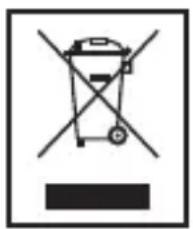
Do not dispose of the device at the end of its service life with normal household waste. Bring it to the official collection point for recycling. By doing this, you help protect the environment.
CTC Clatronic Sp. z o.o
Akkumulator: 3,7 V 750 mAh litium- lon
Toltésiido: kb.1,5ora
He BMnKaIte 3ByK Ha MaKcImaJIbHy rYHicTb, IIO6 He NOnKoJITN Clyx.

YBAGA.
He Topka'Tecsb pykami n iHsIMn npedMeTam Mem6paH npicTpoI, ockiNbKMOxHa ix NOsKOdHTN.
He napeBaHTaJyIe npicTpii.
Ihctpykci3 ekcnlyaTaqii
1 PonepeHnI dopixka/nowkHa3aI
2 36iJIbIeHHra ryHocTi (+)
3 KhoNka BiTbOpEHn/ny3n ()BIMKHeHHBIMKHeHH () npHraTTaBepWeHH BIKNIky
4 HacTynHa dopixka/nowyk ynepei
5 Po3'em Для заразджань Micro-B USB (DC IN 5 V)
6 3meHwEHHra ryHocTi(-)
7 Po3'em 3,5 MM (AUX)
8 IHHkaTOp
9 MikpofoH
YactHH,IOdoaIbC8 (He noka3aHo)
1 Ka6eIb IaIy 3apJxHaHnY (TIn A USB Do Micro-B USB)
Texhivhe 6cbnyrobyBaHHi uHnueHHa

YBAG. Hikon He 3aHpyoIte npictpi y Body!
- Y npnstpoi Hemaec yactnH, TexnHe o6cnyroByBaHHЯKnx MoKe BnKOHyBaTn KopnCTyBaq.
- YnctbTe npncptiin 3nerka BONoroIO raHupkoio 6e3 MInoux 3acobB.