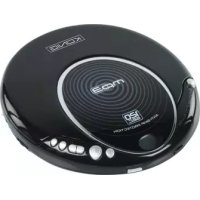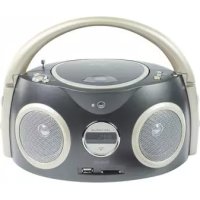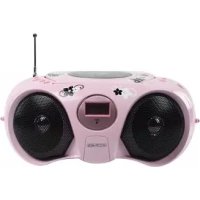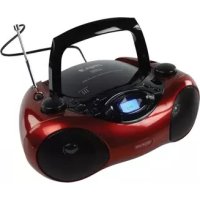
HAVPRCD12 - Cd player/recorder KONIG - Free user manual and instructions
Find the device manual for free HAVPRCD12 KONIG in PDF.

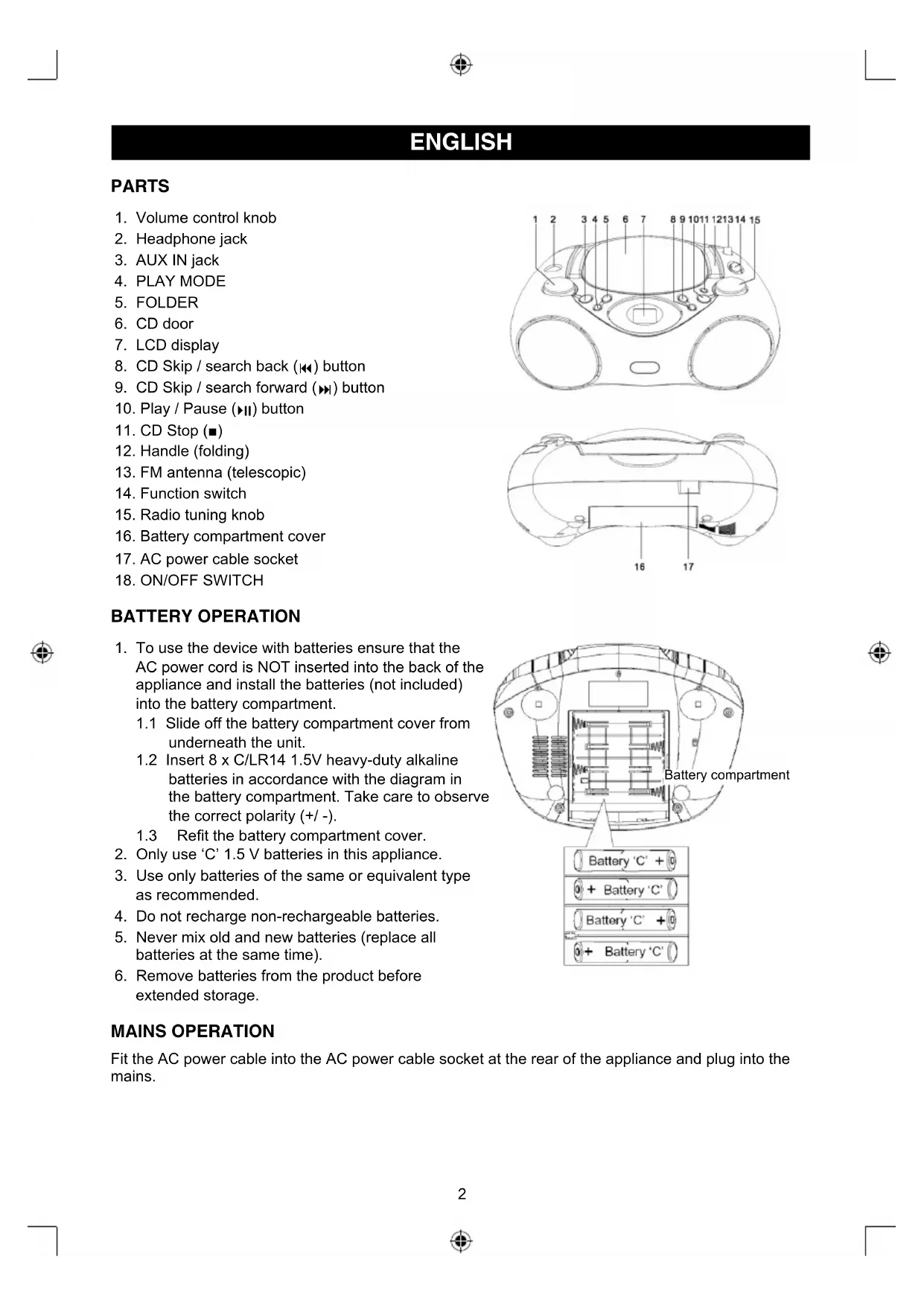


| Product type | Portable CD player/recorder with radio |
| Brand | Konig |
| Model | HAVPRCD12 |
| Power supply | 230 V AC, 50 Hz (mains adapter) or 12 V DC (8 C/LR14 1.5 V batteries) |
| Power consumption | 14 W |
| Audio output power | 1 W x 2 RMS |
| Supported disc formats | Audio CD, CD-R, CD-RW, MP3 |
| Playback functions | Play, pause, stop, skip, fast forward/backward, repeat (1, album, all), random, programmed play (20 tracks) |
| Radio | AM/FM with FM telescopic antenna and built-in AM antenna |
| Connectors | Headphone jack (3.5 mm), AUX input (3.5 mm), AC power |
| Display | LCD screen |
| Operating conditions | Temperature: -5 °C to 35 °C; humidity: 5% to 60% |
| Maintenance | Clean with a dry cloth; do not use solvents or abrasive products |
| Safety | Do not open the device (risk of electric shock); do not expose to water or moisture |
| Warranty | No warranty in case of modification or incorrect use |
| General information | Design and specifications subject to change; keep the manual and packaging |
Frequently Asked Questions - HAVPRCD12 KONIG
User questions about HAVPRCD12 KONIG
0 question about this device. Answer the ones you know or ask your own.
Ask a new question about this device
Download the instructions for your Cd player/recorder in PDF format for free! Find your manual HAVPRCD12 - KONIG and take your electronic device back in hand. On this page are published all the documents necessary for the use of your device. HAVPRCD12 by KONIG.
USER MANUAL HAVPRCD12 KONIG
MANUAL (p.2) Portable Radio CD Player
MANUAL DE UTILIZARE (p. 40) Radio-Cd player portabil
BRUGERVEJLEDNING (p. 47)
Bærbar radio CD-afspiller
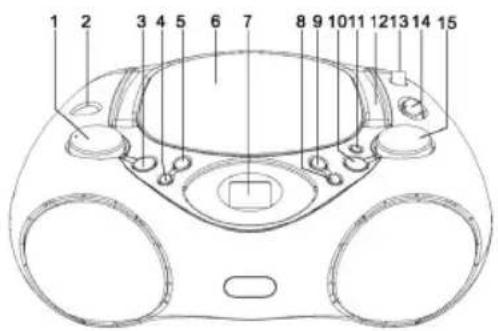
- Volume control knob
- Headphone jack
- AUX IN jack
- PLAY MODE
- FOLDER
- CD door
- LCD display
- CD Skip / search back (▶) button
- CD Skip / search forward (▶) button
- Play / Pause (II) button
- CD Stop (■)
- Handle (folding)
- FM antenna (telescopic)
- Function switch
- Radio tuning knob
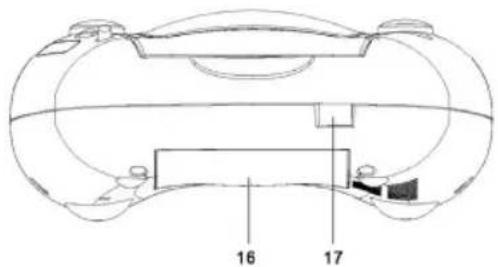
- Battery compartment cover
- AC power cable socket
- ON/OFF SWITCH
BATTERY OPERATION
- To use the device with batteries ensure that the AC power cord is NOT inserted into the back of the appliance and install the batteries (not included) into the battery compartment.
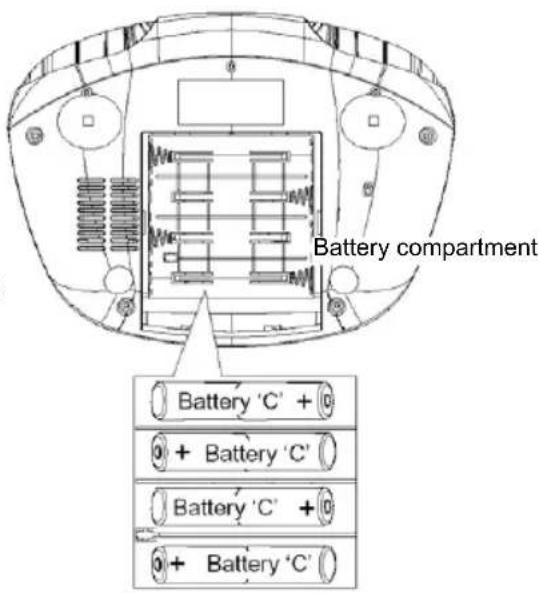
1.1 Slide off the battery compartment cover from underneath the unit.
1.2 Insert 8 × C / L R 14 1.5V heavy-duty alkaline batteries in accordance with the diagram in the battery compartment. Take care to observe the correct polarity (+ / -) .
1.3 Refit the battery compartment cover.
- Only use 'C' 1.5V batteries in this appliance.
- Use only batteries of the same or equivalent type as recommended.
- Do not recharge non-rechargeable batteries.
- Never mix old and new batteries (replace all batteries at the same time).
- Remove batteries from the product before extended storage.
MAINS OPERATION
Fit the AC power cable into the AC power cable socket at the rear of the appliance and plug into the mains.
USING THE CD/MP3 PLAYER
- The appliance is suitable to play compact discs bearing the identification mark shown. Whilst it can also read and play CD-R and CD-RW, MP3 discs, the playability may be affected by the type of software used to create the discs and the quality and condition of the blank media. This is not an indication of a problem with the unit.

- Remove the adhesive tape on the CD door, press the CD door at the CD open/close point and remove the protective card.
- Slide the function switch to the CD position, the display will illuminate and will show '--'.
- Insert a disc (label side up) and gently close the CD door. The display will initially show a flashing '--' followed by the total number of tracks for that disc after a few seconds.
- If the disc is upside down or damaged the display will still show a flashing '--' followed by 'Er'. If no disc has been inserted the display will show 'no'.
- To start the music, press the PLAY/PAUSE button. After a few seconds the music will start to play, the display will show '01' and the play / pause indicator () will illuminate in the display.
- Adjust the volume to the desired level by rotating the volume control knob.
- To pause the music, press the PLAY/PAUSE (▶) button. The play indicator and track number will flash in the display to show that the unit is in pause mode.
- To resume play, press the PLAY/PAUSE (▶) button again, the music will start to play and track number and play indicator will stop flashing.
- To stop playing the disc, press the CD STOP button and the display will show the total number of tracks on the CD.
- To turn off the unit at any time, move the function switch to the AUX IN position or slide the main power switch to the Off position
SKIP AND SEARCH FUNCTIONS
- This function allows the beginning of a track, or a particular point in a track to be located during play.
- To move forward to the next track, press the SKIP / SEARCH forward (▶) button. Repeat the action to move to each successive track. The display will show the track selected and this function works in play, pause and stop modes.
- To move back to the start of the current track, press the SKIP / SEARCH backwards (▶) button. Press again to move back to the previous track. The display will show the track selected and this function works in play, pause and stop modes.
- To search forward or backwards for a particular point in a track, press and hold either SKIP/ SEARCH (or) button to move in the desired direction. When the point in the track has been located, release the button to resume normal playback.
PLAY MODE FUNCTION
During playback press PLAY MODE repeatedly to activate repeated playing.
The display shows the chosen function.
REPEAT 1 - the given track is played over and over again.
REPEAT ALBUM - the selected folder is played repeatedly.
REPEAT ALL - the entire CD is played repeatedly.
RANDOM - repeats all tracks in random order
PROGRAMMED (MEMORY) PLAY FUNCTION
This function allows up to 20 tracks to be programmed into the memory and be played in a specific order.
- During stop mode, press the PLAY MODE button. '01' will be briefly shown in the display before the display shows '00' and the program (PROG) indicator will flash in the display.
-
Press FOLDER UP button repeatedly to select the desired folder (For MP3 disc).
-
Using the SKIP / SEARCH (▶ or ◆) buttons move forward or back until the desired track is shown on the display. Press the PLAY MODE button again to store the track into the memory. The display will briefly show a static '02' before reverting to a flashing '00' to indicate that it is ready to program the second track.
- Repeat the above step until all the desired tracks have been stored. When the maximum number of programmed tracks has been reached the sequence will begin again and any programmed tracks will be replaced with the new selection.
- When programming is completed, press the PLAY/PAUSE button to restart the play. The display will show the track being played and the program indicator will be static.
- When all the tracks have finished playing, the programmed play will stop. Programmed play can be restarted by pressing the PLAY MODE button once followed by the PLAY/PAUSE button.
- To add a track to the end of the saved program, press the PROG button repeatedly to accept each of the previously programmed tracks. When the last programmed track has been accepted use the SKIP / SEARCH (▶ or ◆) buttons to locate the new track and press the PROG button a final time to accept. For example if three tracks have been programmed and a fourth is required. Press the PROG button four times, then select the new track number with the SKIP / SEARCH buttons and press the PROG button again to accept.
- To clear the programmed tracks, press the STOP (■) button, open the CD door or turn off the power.
USING THE RADIO
- Slide the function switch to the 'FM' position.
- Turn the tuning knob to select the station of choice. The radio frequency is marked on the tuning knob.
- Adjust the volume to the desired level by rotating the volume control knob.
- To turn off the unit at any time, move the function switch to the AUX IN position or slide the main power switch to Off position
Note
The external FM antenna are directional. If tuning into a FM station extend or move the antenna for a better reception.
USING HEADPHONES (not included)
Plug in the headphones at the point marked 'PHONES'. Turn the listening volume to the lowest setting before adjusting the volume up to your chosen level. Excessive sound pressure from earphones and headphones can cause hearing loss. The speakers will not operate when headphones are fitted.
AUX PLAY
- Auxiliary analog audio equipment (e.g. MP3 player) can be connected and amplified via the unit
- Slide the function switch to the 'AUX' position and connect the auxiliary equipment using a 3.5mm jack cable (not included) into AUX IN jack on the top of the unit.
- Press the PLAY button on the auxiliary equipment and adjust the volume to the desired level.
TECHNICAL SPECIFICATIONS
Rated voltage
AC 230V\~50Hz
- DC (battery) 12 V (1.5V x 8 C)
Power consumption 14 W
Audio output 2x1W RMS
Radio frequency FM 88-108 MHz
- Operating conditions Temperature: -5°C to 35°C Humidity 5% to 60%
Operating position Horizontal
Safety precautions:


To reduce risk of electric shock, this product should ONLY be opened by an authorized technician when service is required. Disconnect the product
from mains and other equipment if a problem should occur. Do not expose the product to water or moisture.
Maintenance:
Clean only with a dry cloth. Do not use cleaning solvents or abrasives.
Warranty:
No guarantee or liability can be accepted for any changes and modifications of the product or damage caused due to incorrect use of this product.
General:
Designs and specifications are subject to change without notice.
All logos brands and product names are trademarks or registered trademarks of their respective holders and are hereby recognized as such.
Keep this manual and packaging for future reference.
Attention:
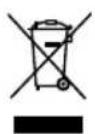
This product is marked with this symbol. It means that used electrical and electronic products should not be mixed with general household waste. There is a separate collections system for these products.
DEUTSCH
BEDIENELEMENTE UND FUNKTIONEN
Fréquence radio FM 88-108 MHz
AM 540 -1600 kHz
Radiofrequentie FM 88-108 MHz
Gebruikscondities Temperatuur: -5^ tot 35^ Vochtigkeit 5 % tot 60%
Frecventa radio FM 88-108MHz
AM 540 -1600kHz
Conditi de fonctionare Temperatura: -5^ panla 35^
Umiditate 5 % pana la 60 %