Rack Access KVM K - Cd player/recorder KONIG - Free user manual and instructions
Find the device manual for free Rack Access KVM K KONIG in PDF.



User questions about Rack Access KVM K KONIG
0 question about this device. Answer the ones you know or ask your own.
Ask a new question about this device
Download the instructions for your Cd player/recorder in PDF format for free! Find your manual Rack Access KVM K - KONIG and take your electronic device back in hand. On this page are published all the documents necessary for the use of your device. Rack Access KVM K by KONIG.
USER MANUAL Rack Access KVM K KONIG
MANUAL (p. 2)
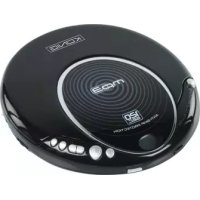
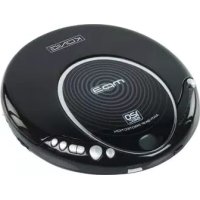
Portable CD Player
MANUAL DE UTILIZARE (p. 68) CD player portabil
Your CD player operates on two (2) AA size alkaline batteries. Open the CD cover and insert the batteries in the battery compartment following the polarity diagram located inside.
RECHARGEABLE BATTERY OPERATION (BATTERIES NOT INCLUDED)
You can operate the CD player with two AA rechargeable batteries. For new or exhausted rechargeable batteries, we recommend that you replace the batteries with new ones (Refer to battery manufacturer's guide).
When operating the CD player with an AC adapter and if non-rechargeable batteries are in the compartment, please make sure to set the "charge" switch to the "off" position to avoid damaging the player.
- Open the battery compartment cover and insert the rechargeable batteries (2 x AA) in the battery compartment following the polarity diagram located inside.
BOTH BATTERIES MUST BE RECHARGEABLE NiCd TYPES OR THE BATTERIES MAY EXPLODE OR LEAK. - Plug in an AC adapter and slide the "Charge switch" to the "On" position to start charging.
AC ADAPTOR NOT INCLUDED
Unplug the AC adapter after charging.
DO NOT CHARGE THE BATTERIES FOR MORE THAN 24 HOURS OR MORE THAN THE RECOMMENDED TIME. OVERCHARGING MAY DETERIORATE THE PERFORMANCE OF THE RECHARGEABLE BATTERIES.
If operating times decrease dramatically after the batteries have been recharged properly, purchase new rechargeable NiCd batteries.
Do not attempt to recharge alkaline batteries. This may cause leakage and damage to the CD player.
Do not mix alkaline batteries with rechargeable batteries. When operating the player with an AC adapter and non-rechargeable batteries in the compartment, please make sure to set the "Charge" switch to the "Off" position to avoid damaging the CD player (switch on bottom side).
MONEY SAVING TIPS:
Due to the nature of CD technology, the CD player uses power even when it is turned off. To extend the batteries' life, use an adapter for indoor operation or where power is supplied. Use battery power only when the player has no source of mains electricity.
DBBS FUNCTION
The Dynamic Bass Boost System (DBBS) enhances the low frequency (Bass) response of the output. Set the volume to low level and set the DBBS switch to the "ON" position to turn this function on.
Note: Some CD's with DBBS may exceed the bass response capacity and can cause distortion. Do not play DBBS in high volume as this may cause damage to the headphones and more importantly, to your hearing.
HOLD FUNCTION
The "HOLD" function prevents any unwanted function changes during "PLAY" or "STOP" mode. Slide the "HOLD" switch to the arrow direction to turn the function "ON". No other function buttons operate in the "HOLD" mode except the DBBS function.
CAUTION
Hearing experts advise against the constant use of personal stereos played at high volume.
Constant high volume use can lead to hearing loss. If you experience ringing in the ears or hearing loss, discontinue use and seek medical advice.
HANDLING DISCS
To remove the disc from its storage case, press down on the centre of the case and lift the disc out. Hold it carefully by the edges as shown below.
Insert the disc into the CD player with the label of the disc facing upwards.
Gently wipe the disc using a soft cloth from the centre to the outer direction to remove dust, fingerprints or any other particles on the disc surface. Never use chemicals such as record sprays, anti-static sprays, benzene or thinners to clean the CD. These chemicals can damage the disc surface permanently.
To avoid serious scratches on the CD, keep them in their cases after each use. Scratches can cause the laser pick-up to skip during playback.
Do not place stickers or write anything on the disc.
MAINTENANCE AND CARE
- Read the instruction manual before operating this CD player
- Do not expose the CD player to high temperatures or humidity. Use a dampened soft cloth to clean it. Do not use strong detergents or solvents to clean the player

- Ensure that all electrical connections (including the main plug, extension leads and connections between pieces of equipment) are properly made and in accordance with the manufacturer's instructions
- Consult your dealer if you are ever in doubt about the installation, operation or safety of your equipment
IMPORTANT
The CD mechanism and the sensitive circuitry may cause interference to any nearby radio tuners. Do not operate this CD player while operating other radio devices. DANGER: this product utilizes invisible laser radiation. Avoid direct exposure to the beam.
OPERATION MANUAL
POWER ON
Press PLAY/PAUSE to turn the power on.
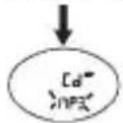

LCD screen will display "40 SEC"
The player will go to the anti-shock mode once upon being powered and the anti-shock symbol "ESP" appears on the screen. Press ASP/DIR button to quit anti-shock.
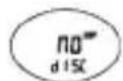
LCD screen will display "NO DISC" if no disc is detected by the player. CD mode LCD screen will display "Er" if the disc data cannot be read.
Once the disc is recognized by the player, the total number of tracks and its needed playback time will appear on the screen. For an MP3 disc, the screen will display the total number of albums and tracks.
MP3 Mode
After a few seconds, the player will start playback from the first track automatically. Press STOP button to stop playing.
CD Mode
The player will remain in stop mode for a few seconds and then shut down automatically. In the STOP mode, the display is read as below:
MP3 mode
PAUSE
Press PLAY/PAUSE button to pause on/off alternately.
POWER-OFF MEMORY FUNCTION
This feature allows the CD player to remember where to continue when it is turned off and on again.
PLAYING MODES
LISTEN TO THE DESIRED TRACK
Press FF/REW button to go to the desired track.
For an MP3 disc, press ASP/DIR button to select an album and press FF/REW button to select a track.
Press FF button to get to the next track. Press REW button to go to the previous track.
During playback, press REW button once, it will go to the beginning of the currently playing track and press it twice, it will go to the previous one.
FF/REW button works under the playback mode, the stop mode and also the pause mode.
MOVE TO THE DESIRED SPOT
During playback mode, press and hold FF/REW button to search through the disc and release the button at the desired point.
REPEAT PLAY
For CD
Press MODE button once to repeat currently played track.
The function indicator will appear on the screen. Press MODE button twice to repeat all tracks. ALL appears on the screen.
For MP3
Press MODE button once to repeat currently played track.
The function indicator will appear on the screen. Press MODE button twice to repeat the whole album.
ALBUM appears on the screen. Press the MODE button a third time to repeat the whole disc.
To quit repeat mode, keep pressing the MODE button until the function indicators disappear from the screen.
INTRO PLAY
The CD player will play each track for a few seconds.
Keep pressing the MODE button until INTRO appears on the screen.
INTRO function can be entered from both playback mode and stop mode.
Under the STOP mode, press PLAY/PAUSE button to start the INTRO play from the first track.
CD mode
Under the playback mode, the intro playback will start automatically upon completion of the current playback. Or press the PLAY/PAUSE button to start.
MP3 mode
To quit INTRO mode, keep pressing the MODE button until the function indicators disappear from the screen.
RANDOM PLAY
Keep pressing MODE button until RAND appears on the screen. The RAND function can be entered from both playback mode and stop mode.
MP3 mode
To quit RANDOM mode, keep pressing MODE button until the function indicators disappear from the screen.
Press the PLAY/PAUSE button to start RAND play. Under the playback mode, random play will start upon the completion of current playback. Or press the PLAY/PAUSE button to get started.
PROGRAM PLAY
For CD
Press PRG button at the stop mode.
Press the FF/REW button to select the desired track.
Press the PRG button to confirm. P-01 turns to P-02 and it is ready to make next selection.
Repeat the above steps to edit up to 20 tracks.
Program list can be reviewed by pressing the PRG button.
Press the PLAY/PAUSE button to start playback.
To quit the program editing, press the STOP button once.
Press the STOP button once to quit program playback, press the STOP button twice to enter standby mode.
Repeat the above steps to edit the program list.
Press the PLAY/PAUSE button to start playback.
To quit the program editing, press the STOP button once
Press the STOP button once to quit the program playback; press the STOP button twice to enter standby mode.
For MP3
Press the PRG button at the stop mode. The album entry starts flashing.
Press the FF/REW button to select a desired album.
Press the PRG button to confirm and the track entry will start flashing.

Press the FF/REW button to get the desired track. Press the PRG button to confirm. P-01 turns to P-02 and it is ready to make next selection.
ANTI SHOCK PLAY
Press ASP/DIR button to prevent disruption or stopping of CD player for 40 seconds. The LCD will display an anti-shock symbol "ESP".
LOW BATTERY DETECTION
"o" is displayed when the battery voltage is low. When the voltage is too low, the unit will automatically turn off.
Specifications:
Frequency response: 20 20.000Hz
Max. output: 20mW + 20mW (32 ohm)
- Power: 2x AA batteries/AC adapter (not included)
- Suitable for: CD/CD-R/RD-RW/CDs with MP3 files
- Digital anti-skip memory: 120 sec. in MP3/45 sec. in CD
- Functions: Forward, rewind, search, play/pause, random, repeat (one & all)
- DBBS: Dynamic bass boost system
- Headphones jack: 3.5mm
Safety precautions:
To reduce risk of electric shock, this product should ONLY be opened by an authorized technician when service is required. Disconnect the product from mains and other equipment if a problem should occur. Do not expose the product to water or moisture.
Maintenance:
Clean only with a dry cloth. Do not use cleaning solvents or abrasives.
Warranty:
No guarantee or liability can be accepted for any changes and modifications of the product or damage caused due to incorrect use of this product.
General:
Designs and specifications are subject to change without notice.
All logos brands and product names are trademarks or registered trademarks of their respective holders and are hereby recognized as such.
This manual was produced with care. However, no rights can be derived. König Electronic can not accept liability for any errors in this manual or their consequences.
Keep this manual and packaging for future reference.
Attention:
This product is marked with this symbol. It means that used electrical and electronic products should not be mixed with general household waste. There is a separate collections system for these products.
DEUTSCH
BATTERIEBETRIEB (DIE BATTERIEN SIND NICTH IM LIEFERUMFANG ENTHALTEN)
WIEDERHOLTE WIEDERGABE
Fur CD:
LECTURE DES INTRODUCTIONS
(Dynamic bass boost system)
Digitale anti-skip geheugen: 120 sec. in MP3/45 sec. in CD
DBBS: Dynamic Bass Boost system
Ta bort AC-adaptern after laddning.
LADDA INTE BATTERIERNA MER AN 24 TIMMAR ELLER MER AN DEN REKOMMENDERADE TIDEN. OVERLADDNING KAN FORSAMRA PRESTANDAN FOR DE LADDNINGSBARA BATTERIERNA.
POWER-OFF MINNESFUNKTION
DBBS: Dynamic bass boost system
YTIOOxyn akouOTIKWv:
3,5mm
O8nyieεασφαλεiας:

Tia va 1 tov kivduvo nAektpoTTnIaC, to Tpoiov auto
0a TpETe i va avoix0ei MONO aTIO EgouoioBDotnEvo TExViko
Otav aTaiteitai ouvtnpon (oePici). ATOUvOeote to Tpoiov
aTto Tnv Tpica kai aAlo EgoTTIoOaOV TAPouoiaotei
TPOBnua. Mny ekTeTe to Tpoiov oE vepo n uypoaia.


Suvtnpno:
VEDLIKEHOLD OG BEHANDLING
MINNEFUNKSJONERUTENSTRØM
Description: Portable CD Player