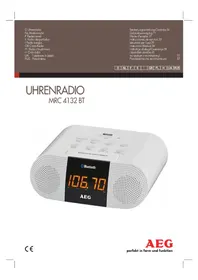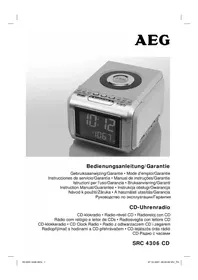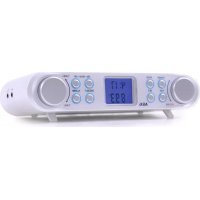
KRC 4344 - Radio AEG - Free user manual and instructions
Find the device manual for free KRC 4344 AEG in PDF.

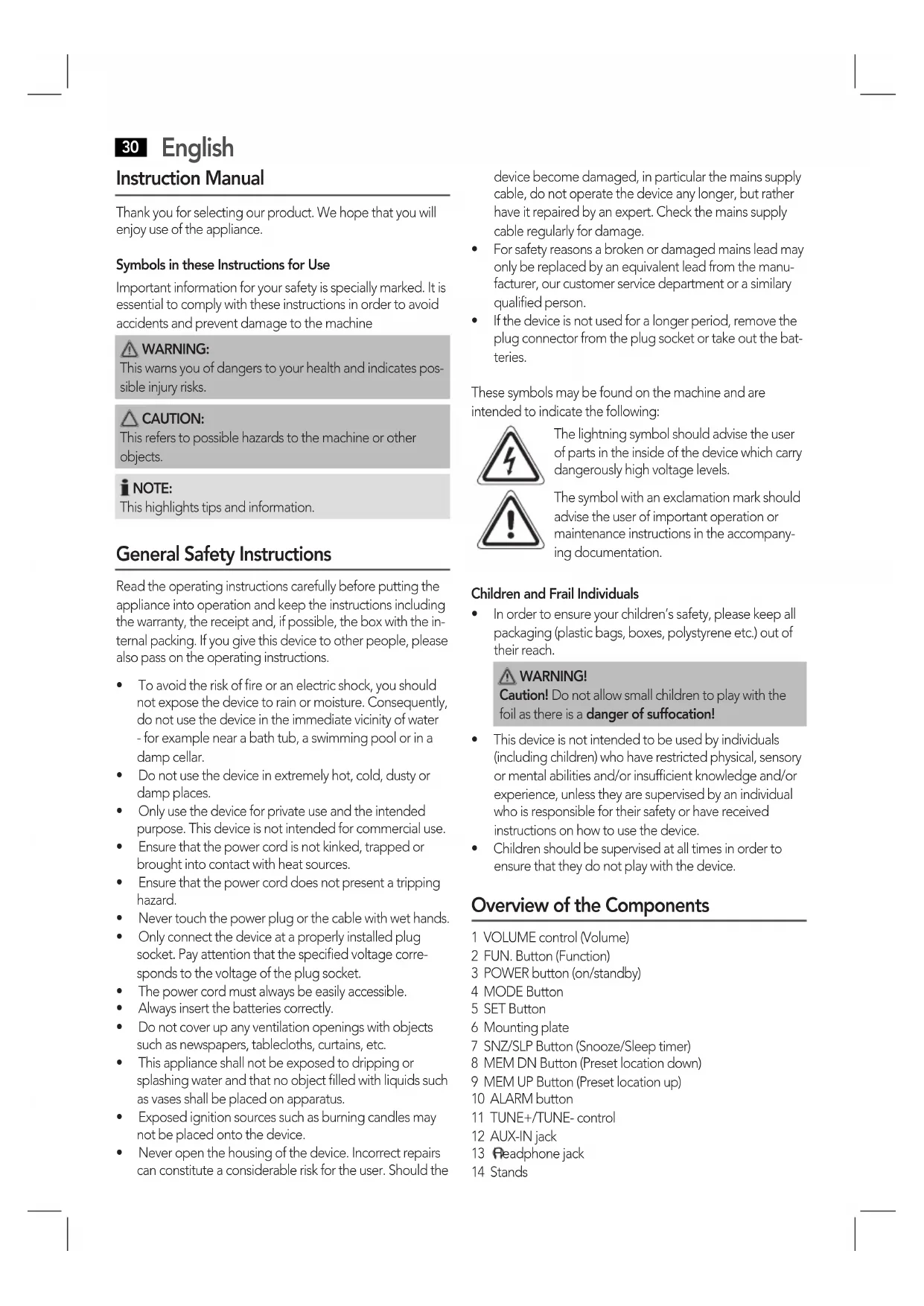


| Product type | Alarm clock radio with timer and alarm |
| Brand | AEG |
| Model | KRC 4344 |
| Power supply | 220-240 V~, 50 Hz, 4 W |
| Backup batteries | 2 AA/R03 1.5 V batteries (not included) |
| Net weight | 0.65 kg |
| Radio frequency range | FM 87.5 - 108 MHz |
| Number of preset stations | 30 |
| Display | LCD with backlight, time and date display |
| Alarm function | Dual alarm with choice of beep or radio |
| Snooze function | Snooze (approx. 5 minutes) |
| Sleep timer function | From 10 to 120 minutes |
| Timer | Up to 99 minutes 59 seconds |
| Stopwatch | Yes |
| AUX input | 3.5 mm jack socket |
| Headphone output | 3.5 mm jack socket |
| Mounting | Under cabinet or on table (fold-out feet) |
| Protection class | II (double insulation) |
| Supplied accessories | Drilling template, 4 screws, wire antenna, power cable |
| Maintenance | Clean with a slightly damp cloth, without detergent |
| Safety | Do not expose to moisture, do not open, use only batteries of the same type |
Frequently Asked Questions - KRC 4344 AEG
User questions about KRC 4344 AEG
0 question about this device. Answer the ones you know or ask your own.
Ask a new question about this device
Download the instructions for your Radio in PDF format for free! Find your manual KRC 4344 - AEG and take your electronic device back in hand. On this page are published all the documents necessary for the use of your device. KRC 4344 by AEG.
USER MANUAL KRC 4344 AEG
Overview of the Components.. 3
Instruction Manual.. Page 30
Technical Data.. Page 34
Disposal . Page 34
Język polski
Spis tresci
Przegladelementow oblsugi Strona 3
Overview of the Components
OrIe IeMeTeB ynpabnHH
Ob3op Detanei npmbopa
(Piles non fournies)
MO = Lunes, TU = Martes, WD = Miercoles, TH = Jueves, FR = Viernes, SA = Sábado, SU = Domingo
Cambio del indicator
30 English Instruction Manual
Thank you for selecting our product. We hope that you will enjoy use of the appliance.
Symbols in these Instructions for Use
Important information for your safety is specially marked. It is essential to comply with these instructions in order to avoid accidents and prevent damage to the machine
WARNING: This warns you of dangers to your health and indicates possible injury risks.
CAUTION: This refers to possible hazards to the machine or other objects.
NOTE: This highlights tips and information.
General Safety Instructions
Read the operating instructions carefully before putting the appliance into operation and keep the instructions including the warranty, the receipt and, if possible, the box with the internal packing. If you give this device to other people, please also pass on the operating instructions.
- To avoid the risk of fire or an electric shock, you should not expose the device to rain or moisture. Consequently, do not use the device in the immediate vicinity of water - for example near a bath tub, a swimming pool or in a damp cellar.
- Do not use the device in extremely hot, cold, dusty or damp places.
- Only use the device for private use and the intended purpose. This device is not intended for commercial use.
- Ensure that the power cord is not kinked, trapped or brought into contact with heat sources.
- Ensure that the power cord does not present a tripping hazard.
- Never touch the power plug or the cable with wet hands.
- Only connect the device at a properly installed plug socket. Pay attention that the specified voltage corresponds to the voltage of the plug socket.
The power cord must always be easily accessible.
Always insert the batteries correctly. - Do not cover up any ventilation openings with objects such as newspapers, tablecloths, curtains, etc.
- This appliance shall not be exposed to dripping or splashing water and that no object filled with liquids such as vases shall be placed on apparatus.
- Exposed ignition sources such as burning candles may not be placed onto the device.
- Never open the housing of the device. Incorrect repairs can constitute a considerable risk for the user. Should the
device become damaged, in particular the mains supply cable, do not operate the device any longer, but rather have it repaired by an expert. Check the mains supply cable regularly for damage.
- For safety reasons a broken or damaged mains lead may only be replaced by an equivalent lead from the manufacturer, our customer service department or a similar qualified person.
- If the device is not used for a longer period, remove the plug connector from the plug socket or take out the batteries.
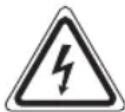
These symbols may be found on the machine and are intended to indicate the following:
The lightning symbol should advise the user of parts in the inside of the device which carry dangerously high voltage levels.
The symbol with an exclamation mark should advise the user of important operation or maintenance instructions in the accompanying documentation.
Children and Frail Individuals
- In order to ensure your children's safety, please keep all packaging (plastic bags, boxes, polystyrene etc.) out of their reach.
WARNING!
Caution! Do not allow small children to play with the foil as there is a danger of suffocation!
- This device is not intended to be used by individuals (including children) who have restricted physical, sensory or mental abilities and/or insufficient knowledge and/or experience, unless they are supervised by an individual who is responsible for their safety or have received instructions on how to use the device.
Children should be supervised at all times in order to ensure that they do not play with the device.
Overview of the Components
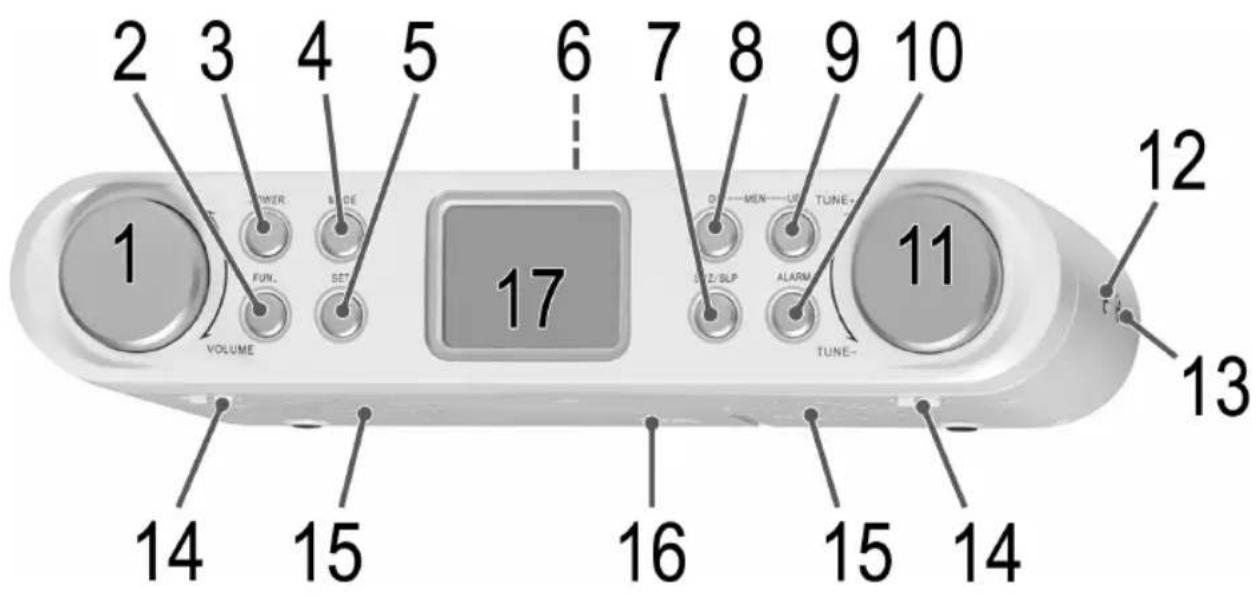
1 VOLUME control (Volume)
2 FUN. Button (Function)
3 POWER button (on/standby)
4 MODE Button
5 SET Button
6 Mounting plate
7 SNZ/SLP Button (Snoopze/Sleep timer)
8 MEM DN Button (Preset location down)
9 MEM UP Button (Preset location up)
10 ALARM button
11 TUNE+/TUNE-control
12 AUX-IN jack
13 Headphone jack
14 Stands
15 Speakers
16 Battery compartment
17 LCD display
Rear side (not shown)
Power cord
Wire antenna
Sub-structure assembly instructions
If you don't want to use the device as a standalone appliance, then please assemble it as follows:
- Remove all objects from the cupboard and anything which is fragile in the adjacent cupboards.
For the installation the cupboard must fulfil the following conditions:
Thickness of the cupboard floor between 16 mm and 20 mm.
The wall mounting of the cupboard must be stable and anchored firmly in the wall with at least 2 screws.
- Important! Do not install the device above a cooker!
- When installing the device it must be ensured that there is a power socket within reach.
- The mains socket must be within easy reach, so that the plug can be quickly removed in an emergency.
- Important! Do not connect the device to the mains power supply until after installation!
- The device cannot be installed under cupboards under which there is a lighting strip.
- For mounting, you may need the following supplies: Reamer or nail, screwdriver, measuring tape, adhesive tape, scissors, safety goggles.
Supplied mounting accessories
4 Screws (if necessary, check the battery compartment)
1 Drilling template
CAUTION:
- Please adhere to the dimensions stated in the installation instructions.
- You should use only the installation accessories supplied.
Installation
- Stick the template to the bottom of the wall cabinet with adhesive tape. With the help of a gimlet or nail pierce the crosses at the attachment points and use it to mark the holes.
- Remove the mounting plate (2) from the device. To do so, firmly press the mounting plate backwards.
- Remove the template and fit the mounting plate with the 4 screws below the cabinet.
CAUTION:
Use a screwdriver and not a cordless screwdriver.
If you use different screws or if the thickness of the cabinet floor is too small, the screws may push through the cabinet floor.
Now hang the radio onto the mounting plate and push it backwards until it clicks into place.
Start-up of the device / Introduction
- Read the operating instructions thoroughly before the start-up!
If applicable, remove the protective film from the display.
Location
- Fold out the stands (14).
- Select a suitable location for the device. Suitable would be an even, non-slip surface on which you can easily operate the device.
- Ensure that the device is adequately ventilated.
Inserting the power reserve batteries
(Batteries not included)
In case of a power failure or if the power plug of the device is disconnected from the outlet, then the settings will be retained if the power reserve batteries have been inserted.
- Open the battery compartment on the bottom.
- Insert 2 AA/R6 1.5 V type batteries. Pay attention to the correct polarity (see bottom of battery compartment)!
- Close the battery compartment again.
- If the device is not used for a long period of time, then remove the batteries from the device to prevent the battery acid from leaking.
WARNING:
The batteries shall not be exposed to excessive heat such as sunshine, fire or the like. Danger of explosion!
CAUTION:
- Different battery types or new and used batteries may not be used together.
- Batteries do not belong in the household waste. Dispos of spent batteries at the designated collection points or at the dealer.
Power supply
- Insert the plug into a properly installed 230V, 50Hz power socket. 1-1 0:00 will appear on the display. Please ensure that the mains voltage corresponds to the information on the type plate.
If you have not inserted any power reserve batteries, the preset time and radio stations are lost as soon as the power supply has been interrupted.
32 English
Switching the Device on/off (3)
Switch the device to the standby mode with the POWER button (the time is displayed). If this button is pressed once more, the device switches on again.
TUNE+/TUNE-control (11)
The TUNE control is used for different settings.
NOTE:
The TUNE control is a push switch. Turn the push switch until a "click" can be heard. Hold it down in the respective direction of rotation until the desired setting has been made.
Setting of the Clock (in Standby Mode)
-
You make adjustments using the TUNE+/TUNE-control (11).
Always confirm your settings with the SET button (5). -
Press the SET button (5). You can now adjust the settings for the minutes, hours and the display format (24 Hr or 12 Hr) in turn.

NOTE:
"PM" will show for afternoons in the 12 hour display.
Setting the date (in standby mode)
-
You make adjustments using the TUNE+/TUNE-control (11).
Always confirm your settings with the SET button (5). -
Select the date display by pushing the MODE button (4). The year display shows in the year indicator (YEAR).
- Press the SET button (5). You can now consecutively adjust the settings for the date (DATE), the month (MONTH), and the year (YEAR). The setting for the weekdays changes automatically.
MO = Monday, TU = Tuesday, WD = Wednesday, TH = Thursday, FR = Friday, SA = Saturday, SU = Sunday
Changing the display indicator
With the MODE button (4), you can toggle between the date and the time indicator or between the date and the year.
Headphone jack (13)
For headache operation, use a headache set with a 3.5 mm stereo jack plug plugged into the headphone jack. The speakers are switched off.
Volume adjusting
The desired volume can be sent using the VOLUME regulator (1).
Display brightness
The backlight of the display will automatically turn off between 11pm and 5 am.
Listening to the radio
NOTE:
The preset stations will be lost if the power is interrupted.
Scanning stations
Tune into the desired station with the TUNE+/TUNE-control (11). If you keep the control pressed in one direction, then the device will search to the next, or previous radio station. The display will show the respective frequency.
If there is interference on the received station, try to improve the reception by rotating, winding or unwinding the wire antenna.
Preseting radio stations
The device can preset up to 30 radio stations. To preset a station, follow the steps below:
- Search for a station as described in "Scanning stations".
- Press the SET button (5). The display will show MEMORY and the respective preset location will begin to flash.
- Use the MEM UP (9) and MEM DN (8) buttons to choose the preset location for the corresponding station.
- Press the SET button again. The station will be preset. The MEMORY indicator and the preset location will disappear.
Recalling preset radio stations
- Choose the preset location with the MEM UP (9) and MEM DN (8) buttons.
Automatic station scan
When holding down the SET button (5) for approx. 3 seconds, the device will start the automatic station scan searching the entire frequency range automatically for stations. The stations found will be stored on the preset locations 1-30 in ascending order.
NOTE:
The scan will only stop after all 30 preset locations have been filled.
The order cannot be changed once set.
Setting the Alarm Time
You can set up to two alarms. As follows:
- Press the ALARM button (10), --: -- ALM1 appears on the display. If you push the ALARM button once more, --: -- ALM2 will appear in the display.
English
-
After you have decided on an alarm time, select the alarm signal with the TUNE+/TUNE-control.
-
With regard to the alarm, you can choose between buzzer (4) and radio (3).
= Upon reaching the alarm time, a buzzer will sound.
= When the alarm time has been reached, the selected radio station will play at its previously set volume. - Press the SET button (5). The minute display will start to flash.
- Perform the adjustment with the TUNE+/TUNE-control (11). Confirm the entry with the SET button. The hour display will start to flash.
- Set the hours with the TUNE+/TUNE- control and confirm with the SET button.
5a. If you have selected the radio as the alarm signal, choose the desired radio station location with the TUNE+/TUNE-control. Then, press the SET button.
Snoopze function
The automatic alarm can be switched off using the SNZ/SLP button (7) for approx. 5 minutes. The symbol "ZZ" will appear in the display.
Switch off the buzzer
In order to switch off the alarm until the following day please press the POWER button.
Disabling the alarm
- Press the ALARM button (10) until the alarm time that you want to deactivate is shown.
- Select the display - - - with the TUNE+/TUNE- control (11). The alarm time has been deactivated.
Delayed Shut-Off
You can use the function for delayed power-off with radio operation. The unit is switched off automatically when the selected time is reached.
- Select the time after which the unit is switched off by repeatedly pressing the SNZ/SLP button (7). The following selections can be made: 120 to 10 minutes. The display SLEEP will appear behind the time.
This function can be cancelled with the POWER button (3).
Timer Function
You can use this function to e.g. have an overview of a specific cooking time. The maximum time that can be set is 99 minutes, 59 seconds. The previously set time is stored.
-
You can adjust the settings with the TUNE+/TUNE-control (11).
Always confirm your settings with the SET button (5). -
Press the FUN button (2) 1x. The previously set time and TMR will appear in the display.
- Press the SET button (5). You can now adjust the setting for the seconds and the minutes in turn.
- Turn the TUNE control in the direction TUNE+, to activate the function.
- As soon as the display has run to zero, a buzzer will sound. Press any key to turn off the buzzer.
NOTE:
To stop the function early, turn the control in the direction TUNE+ once more.
Stopwatch function
- Press FUN button (2) 2x. The display 0:00:00 and STW will appear in the display.
- Turn the TUNE control (11) in the TUNE+, direction to activate the function.
- If you turn the TUNE control in the TUNE+ direction once again, you can stop the function and restart it.
- Resetting the stopwatch: While the time is stopped, turn the TUNE control in the TUNE-direction. 0:00:00 will appear in the display once more.
AUX IN socket
To connect analogue replay devices. Via this socket you can also hear the sound of other playback devices such as MP3 players, CD players etc. through the loudspeakers.
- Please connect the external device with a 3.5mm stereo jack plug to the AUX-IN socket (12).
- Turn on the device with the POWER button (3). The device switches automatically to AUX IN operation. The radio sound will be turned off.
- Through the loudspeakers you can hear the playback of the sound from the external device; with the VOLUME control (1) you can change the volume.
- For the remaining procedure please see the operating instructions of the external sound source.
NOTE:
Adjust the volume of the external device to a comfortable level.
Cleaning
CAUTION:
- Do not dip the appliance in water.
- Do not use a wire brush or other abrasive objects.
-
Do not use any caustic or abrasive cleaning agents.
-
Remove the plug before cleaning.
- Clean the appliance with a slightly humid cloth without any additives.
34 English Trouble-shooting
| Symptoms Cause Solution | ||
| The unit cannot be operated. | The unit is blocked and "hangs". | Pull the mains plug for approximately 5 seconds. Then connect the unit again. |
Technical Data
Model: KRC 4344
Power supply: 220-240 V~, 50 Hz
Power consumption: 4W
Protection class:
Battery Power reserve: 2x 1.5 V, Type AA, R03
Net weight: 0.65 kg
Radio section
Frequency ranges: ..UKW/FM 87.5 108 MHz
Subject to technical changes without prior notice!
This device has been tested according to all relevant current CE guidelines, such as electromagnetic compatibility and low voltage directives, and has been constructed in accordance with the latest safety regulations.
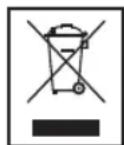
Disposal
Meaning of the "Dustbin" Symbol
Protect our environment: do not dispose of electrical equipment in the domestic waste.
Please return any electrical equipment that you will no longer use to the collection points provided for their disposal.
This helps avoid the potential effects of incorrect disposal on the environment and human health.
This will contribute to the recycling and other forms of reutilisation of electrical and electronic equipment.
Information concerning where the equipment can be disposed of can be obtained from your local authority.
Instrukcje obslugi
CTC Clatronic Sp. z o.o
IhctpyKzir 3 MOHTaKy Ha OCHOBY
KuIIO He 6aKaTe BIKOpNCTOByBatn npunctpi IN ABOHOMHIN pInlnd, 3MOHTyTE IORO HAcTynHM YHOM:
BnIMtBcippeMetn3wapknibamkippeMetn i3 cycidix wafok.
LIIaФka NOBHHa BiINOBiJATn ONUCAHm HIXKYe BUMOram DnBA BCTAHOBJIeHnB Hi npICCTPOO:
TOBUNHANXHKHbOCTIHKNUaФKIN
NOBHHHaMaTu 16-20 MM.
HactiHHe KpInIeHHaФKn NOBnHHe 6yTn CTiKmIM I WApKa NOBnHb KpInITncb HadiHo Do CTiH NoHaJMeH-We 3a DonOMOrOIO 2 RbHTIB.
BaxkInBO! He BCTaHOBIOIe npucpii HaD BapnIbHOIO NOBepxHeio!
IpeB BCTAHOBHeHnMpNCPTPOHnePebiPe, HcEymexkaxdoCAKHOCTi po3eTa.
- Po3eTka NOBHHa 6yTN B MEXkax DoCzKHocTi, Uo6 y pasi Hau3BnuHaiHOI CNTyaui MoXHa 6yIIO WBNIKO BnHATN uTekep i3 po3eTKu.
BaxJIMBO! He BMkaIe npucpiy y po3ety do Ioro BCTaHOBJIeHH!
PnncpiHcNIDBCaTbHOBIOBaTNBwaΦU,iNRAKOIO npoxoNTbOCBITJIOBaJIbHaCMyra.
- MHTyBaHHIOTpiBHe OINCaHE HIXue npuIaI3: 3eHkep a6o cBax, BkpyTKa, pyIeTKa, IInnKa cTpiHa, HOxNlJ Ta 3axnChi OKyIaRn.
PnJiaaIyI MOHTaxy, 0o Idaetbcra
4TBNHTN(AkuoNOptiHO,nepeBipTe6aTaepHnxBiDcik) 1wabnoIINC
YBAGA.
IOTpmyTecb po3MipIB,3a3HaueHnx B IHcTpkyKJHX 3i BCTAHOBJIeHHA.
CIIINBVKOPNCOTOBATNIIe npnnaDnMAOHTaKy, 10doaetbca.
BctaHOBJIeHHI
HaKneIte IINKOIO CTPIKOO 7a6HOH Ha HIXHIO CTIHky HactiHHOJI 7aФKN.3a DonomoroIO CBepnla a6o UBXa npOKOIb XpECTIKN Ha ToKax KpInJIeHHa i No3HaHTe OTBOpN.
3HIMITb 3 npictpo MOHTaXHy nlaCTnHy (2).Iy IboOr CnID CNILbHO HATNCHYMOHTaXHy nlaCTnHy Ha3a.
3HIMITb 1a6noH i npikpiiMoHTaxHy nlaCTnHy 4 WypynmPi,wafo
YBAGA.
BukopncToByTe pyHny, a He MexaH3ObaHy BkpyTkY.
Rkuo BnKOpncToByBaTu Huiu Wpynn a6o RkuDHO uapkn Mae 3aMaJy TOBcHHy, Wypyn MoKyTb npouTTi Hacpi3b.
Tenep nobicbte paio Ha MOHTaKHy nlaCTHy Ta npTNCHITb II Ha3an, Uo6 BOHa 3aΦikCyBaJACr Ha Micu.
PiIroTOBka Do yBIMKHeHH npucTpoIO/ O3HaHOMJIeHHa
IepH HIX yBIMKHyTN pInCTpiyBaxHo npOHTaTe IHCTpykui 3 ekCnnyatau!
3HIMITb 3axuCHy pIIBky 3 nCnpe, RkUo BOHa HABha.
Po3TaUyBaHHa
BunHitb CTiKn (14).
06epitb Mice, npnAthe Ira BCTaHOBneHH npictpoIO. HbOro npndaTha pIBHa, HeCIN3bKa NOBepxHa, Ha kIM MoXHa JERKO KEpyBaTN pIcTpoem.
3a6e3neHTe eefKTnBHy BEHTnlaio npIcTpoIO.
BctaBneHH6aTapeiOK pe3epBHorO xmbIeHH
(6aTaPeuKIn He DoJaHOToBcA)
Ypa3i BmKHeHH XnBHeHH Ta RkUO BnIka XnBHeHH BITaRHeHa 3 po3ETKN, HanaHTyBaHH 36epirATMUTbCRA, RkUO BCTabHeHi BaTapeKepe3epBHOrO XnBHeHH.
- BinkpniTe 6aTapeHn BiDcik y HxKHi YacTnHi npi-CTPOIO.
2.BCTABTe 26atapeKu Tny AA/R6 Hanpyro10 1,5B. 3BepHITb YBaIy Ha npabNtBu HnAHPHcTb DnB.Ha dHi 6atapeHoro BiDciKy)! - 3akpiTe 6atapeHnBjdcik.
- RaIIO npIcTpi He BIKOPNCTOBYBaTMETbCn IpOTAROM TpINBALORO Yacy, BNIMITb 6aTapeKu 3 npICCTPOU, Uo6 3ano6IRTN BUTiKaHHIO KNCNOTu 3 6aTapeKu.
A
NONEPENDKEHHA.
He nidaaTe 6ataeKn iI knxocb iHTecmbHX Jkepe enepri: coHnHO Cbitla, BORHIO nn noiigoro. IChye pnsik noxekxi uB6xy!
YBARA.
He MoXHa pa3OM BnKOpNCTOBByBaTn 6aTapeKu pi3Hux TnIB a6o HOI bTaapeKu pa3OM 3i CTapNTn.
- BaTapeiKn He BiHocrTaBc Da noNobyTOBOro cmITBa. BnKDaIte BaTapeiKn y CneuaJIbHnx nyHKtax 360py a6Oy npOdaBua.
XMBJIeHHH
YBIMKHEHHBIMKHEHH npctpoIO (3)
3a donomoro KhoKPOwER yBIMKHiTb pexm ouikyBaHnHa npictpoi (3'ABNTbc3haeHHaYacy).Akuo zu KhoNkHy HATNCHTIe pa3, npCTpiy BIMKHeTbca 3HOy.
PeryTTop TUNE+/TUNE- (11)
Peryntop TUNE BnKOpncTObYeTbcn IaPi3Hnx HanaTuBaHb.
IPTIMITKA.
Pernylantop TUNE ABnne cobso KhoNky. NobeptaTe KhoNky, nokn He nooye Te KlaaHna. Ytpmyte peryIATOp y BiIOBIDHomy Hanpami oBeptaHHa, nOKn He 3po6nte Notpi6he HalaWtBuHaH.
HanaWtYbaHHr oDmHHnka (B pexmni oikybaHH)
-
HanaityBaHHa 3diNCHIOITbCpEpyIATOPOM TUNE+/ TUNE-(11).
3abxni nIiTBePdKyIe HanaIITyBaHHKHOIO SET (5). -
HATINCHITb KhoNky SET (5).TeNep MoXHa no cep3i BCTaHOBHT HaIaU TyBaHH XBnIH, rOuH Ta fOpMaT BiO6paXeHHa cacy (24-abo 12-roHHn).
ITPIMITKA.
Y12-0nHHOMy fopmati noka3 rOunHnka nonoyndi cynpobOxkyetbca 6ykbamn"PM".
BcTaHOBJIeHH DaTn (y ceproBOMy peKmI)
-
HanaityBaHHa 3diNCHIOITbCperyIATOpom TUNE+/ TUNE-(11).
3abxni nIiTBePdxyIe HanaityBaHHKHOKO SET (5). -
HattnckaHOn KhoNkY MODE (4), o6epiB peKIM BiO-6paXeHHaTn.Pik BiO6paXaEbCra Ha iHnkaToPi pOKy (YEAR).
- Hatncihb khoiky SET (5).Tenep moxha nocjioBHO 3miHOBaTHn hanaHTyBaHHn DnA (DATE), MicaJz (MONTH) Ta pOKy (YEAR). DeHb TnxHn 3miHIOeTbc ABTOMaTHNO.
$$ \begin{array}{l} M O = \text {n o H e} _ {\text {i n o k}}, T U = \text {B i B T o p o k}, W D = \text {c e p e} _ {\text {i n a}}, \ T H = \text {c e t b e p}, F R = n ^ {\prime} A T H N I U A, \ S A = c y b o t a, S U = n e i j n \ \end{array} $$
3MiHa iHdIkaTopa BiO6paKeHHA
KhoNka MODE (4)do3BONJIe NpeMnKaTu MIX daToIO Ta YacOM, a TAKOX MIX daTOIO Ta pOKOM.
Po3'EM dHaHbAunKIB (13)
BukopictobyTe HabyuHnKIn 3 3,5-MM cTepeopo3'EMOM, nIeJcHaHm Do po3'Emy Ira HabyuHnKIB .YyHOMOBi6yJe BIMKHeHO.
HanauTyBaHHaVolume
KhoIkoVOLUME peryIaTOpOM ciNy 3Byky (1) Bu moKeTe o6paTn rHyHicTb, zo Bam nooobaetcb.
AckpabictductTie
PiicBvBaHHIINcIIeIOaBTOMaTHHO BmNkaetbHa nepioBid 23do5roHn.
PpocnyxOByBaHHpaio
IIPIMITKA.
Akuo BmKHyT XnBHeHna HanauToBaHi cTaHui He 3epekxybca.
Touwyk cTaHui
HaIaIHTyIeTcH aNoTpi6Hy cTaNuio 3a donomoroIO peryIaTopa TUNE+/TUNE- (11).KkuO ytpmByatn peYIaTOp HATNCHytM B ODHOMy HApam, npncpti 3diChIOBaTIme noUyk HAcTyHNOI qn nonepeDhboi paioctAunii. Ha IINCIIe 3'ABNTbCa BiIDNOBIDA hactota.
- RaHcHnCTaHOTpMMyEbC3 NepeUKOdAMn, cnpo6yIte NOKpaUHTN npINOM UJAXOM NOBepTaHH, 3MOYBaHH a6o p03MOYBaHH aHTEH.
PonepeDHe BCTaHOBJIeHHHa padiocTaHui
Pnpctpi Moke 3anam'rata n do 30 paioctaun. IJIO haJaalStyBaTn cTaHcIIO, DOTpIMyTEcb HabeDeHNx HNKe dyi.
- BinaHaiDiTb cTaHciHo, kO npicaHo B po3diJi "PiouyK cTaHui"
- Hatncihb KhoNky SET (5).Ha nCnIe 3'ABNTbcH iNikau "MEMORY", i BiIOBIDHe noToHne 3HaueHH noHne 6JIMaTH.
- 3a donomorok Khoonk MEM UP (9) i MEM DN (8) Bn-6epitb Mice3haxOxkeHHBIDIOHoi CTAHJI.
- 3HOBy HATnCHiTb KHONKy SET. CtAHJ6 ByJe BCTaHOBJIeHa. ByyTb BiIObpaKaTaNCb iHdNkaTop MEMORY i BCTaHOBJIeHe 3NaueHHa CTAHJI.
BnKlnk BCTaHOBJeHOi paioctaHui
- 3a donomorok Khoonk MEM UP (9) i MEM DN (8) Bn-6epitb BCTAHOBNEHy cTahluio.
ABTomatuHn noyK cTuHii
KuHaTnChTuYtpmUyBaTu KhoNky SET (5) np6n3Ho npotaROM 3ceyH, npictpi p03nohe aBtOMaTHn nouK ctaHui n BcOmy diaa3oHy yactOT. BiHaJdeHi ctaHii 6yJe 36epexeNo Ha BiBeDeHnx No3uix 1-30 y 3poctauOmy npAky.
IPTIMITKA.
CkaHyBaHHa 3yINHnTBcA TiIbKn NiCna 3aNoBHeHHa BCIX 30 no3uJi nam'ATi.
BctaHOBJIeHNI npAIOK HEmOxJINBO 3MiHHTN.
HaJauTyuBaHHa 6yDnIbHnka
Moxha HanaTbyaTn Do DBox 6yDnIbHnKIB. Ina zuoro noTpiHO Take:
-
HaTnCHiB kHONky ALARM (10),--- Ha nCnnei 3'ABnTBca HAnc ALM1. RaKUo NOBtOpHo HAnchCytn KNONky ALARM, -- -- Ha nCnnei 3'ABnTBca HAnc ALM2.
2.Пинавшп piшенna npo yap 6dnlbHnka,obepiB cnHaj 6dnlbHnka peryIaTOpom TUNE+/TUNE-. -
6yHbHKa MoKHa Bn6paTn 3ByKOBn CnHan afo paio
= i3D0C8rHHeHHaYcY, BCTaHOBJeHOrO,IIN 6yDnIbHNka, npO3ByHTb 3ByKOuN CnHAn.
=KoJIiDJIe Yac 6yUdINbHnKa,IOuHeTbcBViTBOpEHnCnHaJy BInbpaHOI CTaHcII HaHaIpeE,3aHaHIn rHyHOCTi.
- Hatachitb KhoNky SET (5). NOnHe MepexTiTn DcCnnne XBNH.
- BnKoHaIe HanaWtYBaHn 3a donomorOIO peryIATopa TUNE+/TUNE-(11).PiTBePdITb BCTaHOBJIHe 3NaueHH KhoNkoI O SET. POnHe MepextITn DmCnnE rOdnH.
- BctaHOBtIb rOdInHy peryIaTOpom TUNE+/TUNE-ta nIDTBepDITb BCTaHOBJIeHe 3HaehHH KhONKOIO SET.
5a. Jkso Bn6pao paio ta ciHan 6yDnIbHnka, o6epiTb noTpiohy paioctanuo peyIaTOpom TUNE+/TUNE- . NicnaLboro HATNCHTb KONky SET.
PexmIOBTopeHHCnHaIy
Функью ABTomatuHoro 6dIJIbHnKa MOxHa BIMKHyTN 3a ДОПOMOROЮ KHONKIn SNZ/SLP (7) npi6JIN3HO Ha 5 xBnInH. Ha ДИСПЛЕI 3'ЯВТБСА 3HAOK "zz".
BIMKHeHH pexkMpy NOBTopeHH CnHaIy
LIO6BIMKHyTN 6yDnIbHnK DO HAcTyTHOrO INH, HAInCHITb KhoNky POWER.
BmKHeHH 6yDnblbHnka
- HatnckaTe KhoNky ALARM (10), nokn He 6ynde noka3aHn Yac 6yduNbHnka, AKN NOTpioHO BUMKHyTN.
- 06epitb dncnle - --peryntopom TUNE+/TUNE-(11).
Yac 6yduNbHka BmKHeHO.
BnKIOUeHn3 BiIcTpoQKOIO
Piuc po6oTu paio MOKHa BnKOpNCTaTn fYHKUIO BiKJaA DeHOrO BmMKHeHHa KMBLeHHa. Bpi6 BmMKHeTbca ABOMaTHHO, KOIN HactaHe BCTaHOBLeHm Yac.
HaTnckaTe KnaBiiu SNZ/SLP, uo6 BcTaHOBuTu Yac nicra koro BnpiB BMKHeTBca (7).MoxHa BbOpTu Taki 3NaueHHra: BiD 120 do 10 XBmH. Ipeep cum Yacom Ha dncPiEi 3'BAITbcA iHdkaTop SLEEP.
LIOyHKJIO MOKHa BiIMiHTn HaTnCKyBaHHa KnaBlaa POWER (3).
Функця таймера
3a donomoro 1i e i fyHKi MoKHa, HapnKnla, HanaTByTa n npCTPi Ha cac npiroToBaHH KOKpeTHoi CTpaBn. MaKcImMaIbHn Yac, AKN MOxHa BCTaHOBtN, CTAHOBt9 99 XbJIINH 59 cekyHd. Paniue BCTaHOBHeH yac 36epiraetbcr.
HanaTByBaTn napameTpno MoXHa peryIaTopoM TUNE+/ TUNE- (11).
3aBxJn nIiTBePdKyIe npaMeTpH HATNCKaHHM KHOHN SET (5).
- Hatncihb kHONky FUN (2) oIN pa3. Ha dncnnei 3'BAITbcpaHIe 3aIcHnH yac Ta iHdkatop TMR.
- Hatncihitb kHonky SET (5). Tenep moXHa no cep3i HaJaIaIITobyBatn 3haeHHa XbUInH Ta CeKYHd.
- NobephiB peryIaTOp TUNE y Hanpami TUNE+, 106 yBi-MKHyTN dyHKJIO.
- Kolni nokai3nki DmncIe 3MeHUnTbca Do HyIa, npo-3ByHtB 3BYKOBu CNHaJ. Lio6 BmMKHyTu 3BYKOBu CNHaJ, HATNCiTb 6yIb-Aky KHONKy.
IIPMITKA.
LiopeepaHnHTuOfoyHKuo,ue pa3 noBepHitbperyIaTOphyanpami TUNE+.
Функис eckyHdomipa
1.ДиИнЧИТьКНОПУFUN(2).HaДиСплелi3'ABNTbCnOKa30:00:00Ta iHДИКATOP STW.
2. NobepHitb peryIaTOp TUNE (11) y6ik TUNE+, 0o6 aKTHyBaTn fYHKJIO.
3. Akuo 1e pa3 nobepHytn peryIaTOp y 6ik TUNE+ , FyHKUIO MOKHa 3ynHHTn Ta nepe3anyCTNTN.
4. CkndcekyHnomipa: KOni BiDnik Yacy 3ynHeHni, noBepHntb peryIaTOp TUNE y Hanpmi TUNE-. Ha dinCnnei3HOB 3'ABNTbCa NOKa3 0:00:00.
AUX IN rhi3do
IπiKIOeHHaHOrOBHX 3ByKOiTbOPIBaJIbHIX npI IaIb. Ype3 ue rHizDo Bn moXeTe cnyxATn Ype3 dHaMikN 3Byk IHuNX 3ByKOiTbOPIBaJIbHIX npIaIb TIny nporpaB aiv MP3, nporpaBauiv KomnKT DnCKIB CD ta IHux.
1.Плклочь 3BykOBiДTBOPKOBaJIbHn Пплад 3a ДОПOMO- roCtepeofoHOrO wTekepa 3,5 MMdo ГИЗда AUX-IN (12).
2. YbIMKHyTb npCTpi KhoNkoIO POWER (3). PpIaI aBtoMaTHnHO nepeKJIooHTbc B pexIm AUX IN. 3Byk paio BMKHETbCA.
- Ypeezinamikn Bm moxete cnyxatn BiTbopohbaHH 3Byky 3PiKIOHeHOrO npuana, rHyHicTe koro Bm moxete perynobatn KhoNkoVOLUME (1)
- NoidaIbui IHCTpykui Bm MoKeTe OTPMaTn 3 IHCTpykui obcnyroByBaHHn Dn npuaJiB, Aki Bn niKlOHaTe.
IPIIMITKA.
IocTaBTe peryIaTOp ryHocTi niKJIIOHeHO rnpNaHy HapibEh, 10 e npMmIM dIg CnyxHaHH.
YnueHHa
YBATA.
He 3aHpyoTe npictpiy Bovdy.
He BnKopncToBnyTe npOaHy uTky uHni a6pa3nBHi MaTepiAn.
He BnKOpNCToBMyTe HIX KIX iDKNX Nn a6pa3NBHX MNHNX 3ac06iB.
- IpeepuHnHbM BnIMtB tKeep i3 po3eTKI.
- YnCTbTe npntpI 3JIeRka BOJIOIO raHcIPKOIO 6e3 6yDbA-Knx 3ac06iB.
YcyHeHH HeCnpaBHOtei
Yka3bBaet Ha BO3MOxHHyIO ONaCHOCTb INI INIINI INI INI INI INI INI INI INI INI INI INI INI INI INI INI INI INI INI INI INI INI INI INI INI INI INI INI INI INI INI INI INI INI INI INI INI INI INI INI INI

TIPIMEYAHNA:

NET COBETI INHOPMaJIIO
06uye yka3aHnno TeXnke 6e3oNaChOCTn
Ipeed Hauanom 3KcNlyatauun npubopa BHMaTeIbHO npouHTaIte npnlaeraemyu INCTpyKLIO NO 3KcNlyataUIM COxpaHNTe ee B HAdexHOM MecTe, BMeCTe C rapaHTnHBIM TaHOHOM, KaccOBbIM YekOM N, NO BO3MOXHOCTN, KAPTOHHO KOp6koC yNaKoBOyHbIM MaTePnAionom. EcnJ daTe KOMyJIbO NOIOnB30BaTbCNRpOBOPOM, O8raTeJIbHO DaJIte BpNDaHy DAHNHy IO INCTpyKLIO NO 3KcNlyataUIN.
- 4TObI npedOTbpaTb pNCK Bo3HKnHOBeHn NOkapa nn Nopajehn 3JekTpOToKOM, 3aJpeuaeTcA 3KcNlyaTPOBaTb 3JekTpOpnpOpbl NOI DOXdEM NN BO Bnaxhix MecTax. 3aJpeaaetcB KJIIOuTaB 3JekTpOpnpOpbl B HeNocepEcdTBHeHHo 6NI3OCTN K BOe (HaPIM.: B BaHHoKOMHaTe, 6accseHne, BlaXHOM IOBaJe).
He npmeHnTe yctpoNCTBO 3KCTpeMaIbHO ropHnx, XOIOhBIX, 3aNbJIeHHbIX ININ BIAJXHBIX MecTax. - VcnoIb3yIte yCTpoIcTB OToIbKO B IInHbIX CEJIaX, CoIraIcHO yKa3aHHOMy IpeHa3HaYeHIO. 3To yCTpoIcTBo He IpeHa3HaHeHO DIA KOMMepueCKOro pImuMeHHeIA.
- Y6eIITecb,уTO UHyp 3JIeKTpOINTaHnH He nepeHT, He 3aUenJHe H He KOHTaKtUpyET C NCTOUYHKAMn TEHa.
- PpOBePbTe, YTO UHyp 3JIeKtpOnnTaHnA He CO3daet ONaCHOCTb CNOTbKaHnA.
He npikacaiTecb BlaJXbIMn pykamn K BInke n shHpy 3JIeKTPoNTaHnI.
BkIouaTe 3JekTpOpi6OpbI TObKO B PO3eTKU, YCTAHOBJIeHHBe B COOTBETCTBm CO BCEMn IpeDINCAHAMN.CJeITe 3a TEM, YTObI HapRaeHne cEtN COBnaJaIO C HApRaeHHeM NITaHn 3JekTpOpi6Opa.
LHyp 3neKtpoNTaHnI dOJKeH 6bITb BceTaJeRkoDcTyneH.
BctabJIaIte 6atapeKn npaBnIbHO.
He nepekpbaIte BeHTnlaUHOHbIe OTBepCTNIOCTOPOHHMNIpeDMeTAMH,HaIPmEp ra3eToi,ckaTePbIO, TTOPOI N.T.D.
HeDonyckaTe BO3deIcTBnHa yCTpOINCTBO npOIITOn IIN paCbJIHEmoB OdbI, He CTabTe Ha yCTPOINCTBO COyDbICBOIOH, HApIMepBa3bl.
- NCTOCHNIKOTKpbITORO OTHA, HApPIMep TOPAUE CBEH, He DOJXHBpacNOJaTaTbCnHa YCTPOINCTBE.
HnB Koem cIyae He BCKpbBaIte 3JeKtpOnpnpOp. HenpoceccnoHaIbHbI pEmoHT npedctabIeT 60IbUIO onaHocTb Ira nOTpeBntEJI. EcIn 3JeKtpOnpnpOp BbIeJn 3CTPOB, BOCOeHHocTn 3a deEkeTa ceTeBOrO shHypa, 60JIbue eHO He BKIOuATb, a 3dA Tb Ha pEmoHT KBaIIINPupOBaHHOMy CneuaNtCTy. PeryIapHo npoBepaIte CeTEBOI WHyp Ha OTCyTCTBne NOBpeXJDeHNI.
YTo6bI ppeoTbpatntb HeCuaCThBn CnyaH, DOnyckaeTc3aMeHrTa DepeKTHbI CeTeBOH UHyp TOnbKO Ha paBHO-3HaHybH Na 3aBoe-H3ROTOBHTe, HAlWe CepBvCHOMUENTpe INN ObpaTINBUnCb K KBaInΦuIpObaHOMCyceuaJIncTy.
EcnIeKpnpbOp DnloRe BpeM He nCIOJb3yeTcA, OKJIIOHHTe erO CTEN N BbIHbTe 6aTaapeKN.
3TN HAKJIeKNI MOrYT HAXOINTBcH Na KOpNcy N O6paIaIOT BaUe BHIMAHHe Ha CJIeDyIOUe:
CIMBOJ "MOJIINY"yka3bIbAET Ha TO, YTO BHyTpN 3JeKtpOnpNbOpa NMeOTc,DeTANI HaxOJaUneCe nOd OAnChbIM, BbICOKIM HaprJXEHnEM.

CmBON"BOCKNIUaTeJIbHbI 3HaK"6paUaETBaWE BHNMaHHe Na BaXHbIe PnIMeuaHnB COnPOBoDInTeJIbHbIX DOkUMeHTax IIO NOLb3OBAHIO nTexOCMOTpy 3JeKTPoPnpboopa.
TeHnIuHa HyKdAIOUneCBA npncMOTpe
- V3 coo6paxeHn 6e3oNaChocTn dIa DeTeH He octabIaIte IexaTaYnaKOBky (PiactIKOBbIe MeUKN, KapTOH, NeHONPAACT N.T.D.) 6e3 npuCMOTpa.

IPEyIPEXJEHNEI
He no3BolnTe DeTAM nIpaTb C nOIN3TNHeHOBONnEHNKo. OnachocTb ydyub!
3TOT npi6op He npedha3haneHnI IONb3OBAHnIaMn (BkIOUaI DeTeN) C OPAHnueHHbIMn Fm3NuECKIMN,CEHCOPHBIMN IIN yMCtBEHHbIMn CNOCO6HOCTAMN IINIINaAMn, He IMeIOUmm OnbTa NIN IN Heo6XoDMbIX 3HaHNI. NcKIOUHeHne COCTABJIOT cIyauN, KOrDa OHIN HaxoJATCnI ONPnCMOTpOM IuCa, OTBeTCTBeHHORo 3a INx Be3OJaACHOCTb, IIN KOrDa OT 3TOrO IInaNoLyHeblI yka3AHnI NO NpIb3OBAHnIO npi6opom.
HeoXoDIMO npICMaTpBaTb 3a JeTbM, YTo6bl y6e-NTbCBA TOM, YTO OH He INrpaIOT C np6Opom.
063op detanei npn6opa
1 Perynatop VOLUME (rpomkocTb)
2 KhoNka FUN. (fhyHKm)
3 KhoNka POWER (BkIouHeHne/xyIuIpeKIM)
4 KhoNka MODE
5 KhoNka SET
6 MoTajxHnI nlaCTnHa
7 KhoNka SNZ/SLP (Taimep Snoze/Sleep - noBTopeHne CnHaJa/OTKJIOUeHne)
8 KhoNka MEM DN (npedyctaHOBHeHHaB b naMRTn cTaH Lna, Bn3)
9 KhoNka MEM UP (npedyctaHOBJIeHHaB B namrTn CTaH Lna, BBepx)
10 Khonka ALARM
11 Perynatop TUNE+/TUNE-
12 THe3do AUX-IN
13 He3doIaHayuHINKOB
14Подставки
15ДИНАМИКИ
16 Otcek 6aTapeek
17KK-ducnnei
3aHnA cTOpOHa (He nOKa3Ha Ha pucyHke)
LHyp3JektpoNTaHn
ПобдаяаHTENHa
HctpyKmno BcTpaBHaHIO np6opa
Ecni npi6op He 6ydt NapmehrTcB KaueCTBe He3aBNCIMoro yCTpoCTBa, BbINONHITe CJeDyUcEe:
- Y6epnte BCE npEmtBu n3 HabeCHOrO uKaΦa, a TaKKe BcE 6bUeecra n3 COeHnX uKaΦOB.
- IyctaHOBKn npnbopa Habechoi ukaΦdoJkeH OTBeaTb CJeIyoUIM Tpe6oBaHnAm:
ToIuHa dHnua ukaopa donxHa
6bITbOT 16 MM DO 20 MM.
KpeHHe HabeCHOro 1kaFa KCTHe DoJxHO 6bITb CTaBnIbHbIM, OH DoJxKeH 6bITb PnIKpeNJIeH KCTHe MNHMym 2 aHKePHbIMn 6OJTAMn.
BaxkHo! He yctaHaBnBaIte np6op nAe nnToi!
- Пени установков прибoga Небхдимо поберпь налочи Sttenсельho розткь в пendeлax досгамocти петаюцero побога.
KUTeNCEbHOHpo3EKeDoJKeH6bITbXopoUIMdoCTyI,TTObIprnHeo6xOIMOCTHMOxHO6bIIO6bICTPOBbIHytbCteBOI Ka6JIb.
BaxkHO!Pnp6op MOxHOBKIOuHTb B CeTb TOJbKO noCne 3aBepueHn yCTaHOBKn!
- Pπb6op HeJIb3a yCTaHaBnBaTb NOI HaBeCHbIMN UkaΦa-MN CO CBETOBON peKoN BHN3Y.
- MoHTaxa MoTyr NOTpe6oBaTbC CNeIyUOJIne IH-CTpyMeHtB: pa3BepTKa ININ TBO3Nb, OTBepTKa, IN3MepInTeJbHa JInHeJa, KLeKKaJeHTa, HOKHUcbl, 3aUHTbIE OCHN.
IocTaBnaEmbIe npHaNdxKHOCTn Ia MoHTaxa
BnHTb-4Wt. (npn Heo6xOJIMOCNT, 3aTnHnTe BOTcK 6atapeek)
Lla6noH nIy CbepeHn-1 wT.

BHIMAHINE:
- Pππερχκιναίητεcb pa3Μεροβ, yka3aHHbIX B έHcTpγKζιN NO MOHTaЖy.
- IcnoIb3yIe ToIbKO DeTaJIIN, BXOJaIe B KOMIIneK TNOCTABKN.
MOHTAX
Kleikok JIeHTOn npIKpeINTe 1a6IOH K HIXKHeJ qactn HacteHHoN noKNI. Ppi NOMOUI npICNOC6JIeHN IJa IpeBaPnteIbHO rCBepJIeHN IIN IBO3I pOTKHIne 1a6IOH B yka3aHHbIX KpECTIKOM MeCTax I HamTeTbTe TOKN Ira CBepJIeHNr OTBepCTm IJa KpeJIeHNr.
- CHIMITE C yCTPOICTBa MOHTaXHyIO PIIaCTHy (2).Длг ATOTO aKKypaTHO HAXMITE Ha MOHTaXHyIO PIIaCTHy BH13.
CHIMITE U66HIOH YCTAHOBITE MOHTAXHYI NIACTNYBHN3Y UkaCpA C NOMOULBO 4 BHTOB.

BHIMAHINE:
- IcnoIb3yIte pyHHyO OTBepTKy, a He akkyMnyIaTOpHyIO.
- Ecnn npimehraOTca dpyrne BnHTbI nn npn cnilkOM MaIOI TOIIuHHe HxHHe CTeKIn Aunka, BnHTbI MOyT npoITN 3Ty CTeHKy Anuka HACKBO3b.
3aTeM NOBecbTe paDNIOHNPMHnK Ha MOHTaKHyIO pIaCTNHy I BdaBnTe eO BHn3 DoIeJnKa, CBnTeJIbCTByIO- Uero 06 yCTaHOBKe Ha MeCe.
Bvod npnbopa B 3Kcnpyaatauio /
PoiKlIoUeHne
Ipeed BBODOM npnbopaB 3KcNlyaTaUIO BHIMaTeJIbHO npoHTnte HnCTpykUIO no O6CnyXnBaHIO!
CHIMITE 3aunTHyIO nIeHky cDnCnJIe, ecIn OHa eCTb.
MecTo yctahOBKn
Pa3BepHnTe noCTaBKn (14).
Bb6epnte IyucpOCTBaIIOxOJaUe MeTo. OHO JONKHO 6bITb POHBiM, HECKOJIb3AICIIM N C JeRKM JOCTYOM K yCtpoCTBy.
Y6eNTecbBDOCTaTOHOBHTINLAUNyCTPOIcTBA.
Bctabte 6atapeKn pe3epBHoro 3NeKtponntAHN
(6aTapeiKHe BXOJAT B KOMPJIeKT NOCTaBKN)
B cnyae npoanaHna 3JekTpOnuTaHn Hn npn OTKIOueHnn BnIKN yCTpoNCTBa OT pO3eTKn napAmETpbI NaCTPOKN6yDyT COxpanHebl 6laIgOapnNCNoB3OBAHnO baTapeek pe3epBHOrO 3JekTpOnuTaHn.
52 Pycckn
- OtkpoTe OTCek BaTapeek B HnKHeu Yactn yCTpoiCTBa.
- BCTaBbTe 2 6aTapeeKn Tnna AA/R6 1,5 B. Co6JIIOaIte npabINbHyIO NOIApHocTb (CM. IN3O6paKeHne BHN3y OT- ceKa 6aTapeek)!
- 3akpoTe oTceK 6aTaapeek.
- EcIn yctpoiCTBO He 6ydtIOnIg NcNolb3ObaTbCS, IN3BLeKnte H3 HrO 6aTapeKn, YTO6bl IpeDoTbpaTNTb BbITEKaHHe N3 HNX KNCLOTbl.
IPEyIPKDEHNE:
He noDBepraTe 6aTapeKn BO3DeIcTBIO MOUHO RO nCTOHTHKA TeIIa, HApIMeP npAMoR oCINHeuHO rCBeta, ORHa IIN aHaONrHuHO. CyIeCTByET pNCK B3pbIBA!
BHIMAHNE:
HeIb3HcNIOJIb3OBAb Tb BaTapeKn DpyrOTo Tnna, JIn6o COBMeCTHO pIIMeHrTb CTapbIe HOBbIe BaTapeKn.
BaTapeKn He CneIyET BbIbpaCbIbTaB BMeCTe C bItOBbIMN OTXoDAMN. YTuJIIN3IpyIte NcNoJIb3OBAHHBe 6aTapeKn B CneIaJIbHbIX NyHKTax C6opa IIn BEpHNTe INx PO3HNHOMY PNOdABUy.
BkJIOueHne nITaHn
BotKHnTe UTeNceIbHyIO BuIky B yCTaHOBJIeHHyO corlacho npedncaHm UTencelbHyIO po3eTKy C 3a-3emJIOUIM KOHTAKTom Ha 230 B,50 rU. Ha dncnnee noBHTcH INdkaun1-1 0:00.Y6eNTecb TOM, YTO HapjKeHne B CETn COOTBeTCTByET daHHbIM Ha Ta6NIuKe npibopa C OCHOBHbIM TEXHHeCKMn DaHHbIMN.
- Ecni He 6ydy T BCTaBJIeHbI 6bTapeiKu pe3epBHoro 3NeKTpOITaHnI, To npI abapIN OCHOBHO CINIOBOrO 3NeKTpOITaHnI 6ydyT NOTePAnHbI HAcTPOJKN BpeMeHN I paNocTaHnI.
BkIIOUeHne / BbIKIOUeHne npu6opa (3)
IpeeknHntecb npn nOOMUKN KhoNKn POwER B pexm OxuaHn Standby (noBnHOTcR noka3aHn YacOB).Ecnn HaxaTb 3Ty KhoNkY eue pa3, My3bIKaJIbHbI ueHTp ONrTb BKJIOHTCra.
YnpabNeHne TUNE+/TUNE- (11)
Opran ynpablenTune nCnoB3yeTcra InaHacTroKn pa3-
INPIMMEYAHNA:
Oprahom ynpablenHa TUNE ABnreTaHaxmHno nepeKIOyateIb. NOBepHnte ero Do cblIMIMO "UeNka". YdepXnBaIte ero HaxaTbIM B ONpeJeHHOM HapabLnEHN BpaueHna Do HaCTpOnKn Ha HyxHyIO BeInuHy.
YcTaHOBka NOKa3aHnA YacOB (Bpe3epBHomMOyCe cTeHd6a)
BbInOnJIHnTe HacTpoNky opraHOM ynpabHeHH TUNE+/ TUNE-(11).
Bcerda noTBePkaJTe HacTPOkiK KOnkO SET (5).
- Haxmnte KhoNky SET (5). Tenepb MoXHo nocneDobataIbHO HAcTPOINb MInyTbI, Yacbl N fOpMaT BpeMeHn (24-HacBOoB nn 12-HacBOoB).
IINPIMEYAHNIA:
"PM"6yIeT BbIbeHNOcJIe NOJyIDnI npI OTo6paKeHNBpeMeH N 12-ACOBOM opMaTe.
Hactpoika daTbI (B dekyphom pexime)
-
Bыллине настору opraham упавлия TUNE+/ TUNE-(11).
Bcerda noTBePkaaTe HacToy KhoKo SET (5). -
Bb6epnte oTo6paKeHHe DaTbHaKaTHem KhoNk MODE (4). TOn 6yTe NOKa3aH Ha COOTBeTCTBvIOUeM INDnKatope (YEAR).
- Haxmnte KhoNky SET (5). Tenepb moxno nocJeObaTeIbHo HactponTb DaTy (DATE), MeCn (MONTH) I roD (YEAR). HactpoJaHneH HeJeHMeHReTcABTOMaTNeCKn.
$$ M O = \text {n o h e d e n b h i n k}, T U = B T O P h i n k, W D = c p e _ {i a}, $$
$$ \begin{array}{l} T H = \text {y e} T \text {B e p r}, F R = \text {n} \text {T} \text {H} \text {N} \text {I} \text {a}, \ S A = c y \delta 6 0 T a, S U = B o c k p e c e H b e \ \end{array} $$
IImmeHHe HnDnKaTopa OTo6paXeHnA
KhoNkoI MODE (4) MoXHo nepeKJIIOHaTb OTo6paJxHne INDnKaTopa DaTbI IIN BpEmH, NIO BO INDnKaTopa DaTbI I rOda.
THe3doDnHaayHnKOB (13)
InpocnyuBbHnuepe3HayuHKnCneJeYeTNCIOb3OBaTb HayuHKn Cpa3BeMOM 3,5 MM,KOTOpbIn CneJeYETBCaNTb BrHe3do TpomKorOBopntEIN pN 3OM6ydyTOTKJIUoyehbl.
PeryIpOBka ypOBHa rPOMKoCTn
HeoXoDmBmy ypoBeHb rPOMKoCTM MOxHO yCTaHOBTb peryIaTOpom VOLUME (1).
ApKoCTb dUcTlEe
IOnCBeTka DCINnner ABTomATnueckn BbIKIOuaeTcH Na nepiO,0T 23:00 (11 yacob Bepe) do 05:00 (5 yacob ytpa).
PpocnyxmbaHne paHno
I PIMMEYAHNA:
PpeBapntelbnaHacTpoKa cTaHcN TepaTeC B Cnyae nponaHaHnpanKeHHI NHTAHN.
Ponck CtaHcui
- HaCTpoTReCb Ha HyxHyIO paIIOCTaHcIIO opraHOM ynpabLeHnA TUNE+/TUNE-(11).Ecnn DepeKaTb erO hXaTbIM B ODNOM n3 HApBaJIeHn, To ycTpoIcTBo HauHET NOnCK cNeDyUOSeu nnPpeBdyUeJ paIIOCTaHcIi. Ha dncPiIee pOKa3bIbAetc COOTBETCTByIOua JAcTota.
B cnyae nomex npn npneMe ctaHm nnonpo6yTe yIyUHTb pnpem BpaueHnEM, CMaTbIBaHnEM mI npa3MaTbIBaHnEM aHTEHORO npoBOda.
Hactpoika n coxpaheHne padnoctaHcni
YcTpoIcTBoMOKTe3aONMHTbdo30paHIOCTaHm.Дla HAcTpoIKNuCOxpaHeHnCTaHmBbINOHnTEcJeDyUoee:
- BbInonHnTe nouck cTaHun, KaK onncAoB pa3dene "Pouck cTaHun".
- Haxmte KhoNky SET (5). Ha dncnnee noRbntc nHnkaa cHIMEMORY, n COOTBeTCTByIOoee 3aDaHHoe nOIOKeHHe NaHHT MNaTb.
- KhonkamM MEM UP (9) n MEM DN (8) Bb6epTe 3a- daHHoe noJoxeHne nn HauDeHHo CTaHcNn.
- ChOBA HaxMnTE KhoNkY SET. CtaHnIa 6yIeT coXpaHeHa. INHnKaZnA MEMORY n 3aDaHHoe nIOJKeHne IcYe3- Hyt.
Bb3OB coxpaHeHHbIcTaHcM
- BbI6epnTe 3aDaHHoe nOIOKeHne KHOIIKamM MEM UP (9) n MEM DN (8).
ABTomatuecknNONCKCTAHUIN
Pn HaxaTmN ydepXaHmN KhoNk SET (5) B TeueHe npi-MepHo 3 cekynd yctpoiCTBO NaHET aBtOMaTnueckn NOnCK BCEx CTaHcM BO Bcem DnaIa3OHe YactOT. CtaHcNb6yDyT COxpaHaTbC8 B 3aDaHHbIX NIOJoxeHnx OT 1 Do 30 B nopAKe BO3pactAHn.
ITPIMMEAHNAI:
CkaHIpOBaHne 3aBepuaeTcra Tolbko nocLe 3anOpHe HnBa Cex 30 npEdbapnteJbHo HaCTpoEHbIX cTaHcI.
- Iocne HacTroKn 3OT nopaOK He nImMeHReTcA.
YcTaHOBka 6yDnJIbHnKa
Moxho yctahOBtB DBA CnHana. TocTynaTe cneDyUOzIM 6pa30m:
- HaxmTe KhoNky ALARM (10), Ha dinCnIee noBHTc-- -ALM1.Ecn eue pa3 haxaTb KhoNky ALARM,Ha dinCnIee 6yDet BbVeJeHO -- - - ALM2.
- NocJe BbIbOpa BpeMeH6yDnJIbHnKa, MoXHo yKa3aTb dHa Hero CnHaI opraHom ynpaBHeHH TUNE+/TUNE.
B KaueCTBe CnHaMa MOxHO BbI6paTb 3ByKOBOI CnHnI ( ) npaIO (
B3aHaHHoe BpemCnHnHaN3aUm6yJeT NOJaBaTaBcR 3ByKOBoONrHaJ.
= Iocne IOCTXKeHnY yCTaHOBJIeHHOrO dIyINbHnKa BpeMeHN HaHHeTcR BOCnpoN3BeJeHnE BbIpaHHo paIIOCTAHmC 3aHaHHbIM paHee yPOBHe rPOMKoCTn.
3. Haxmte KhoNky SET (5). Ha nCnnee 6yDyT MraTb MNHyTbI.
- BbIIOHNITE HAcTPOKy OprAHOM ynpaBHeHnRA TUNE+/ TUNE- (11). NpOITBepDInTe HAcTPOKy KhoNkoi SET. Ha DcCnJIee HaHyT MmRaTb Yacbl.
- HacptpoTe YacbI opraHOM ynpabJIeHH TUNE+/TUNE-n noDTBepNTe HOBOE 3HaHeHne KhoNkof SET.
5a. EcIn CnHAnOM 6yDInbHnKa BbIbpaHa paIIOCTaHnA, BbIb6epnte ee yactOTy opraHOM ynpabJIeHHN TUNE+/TUNE-3aTEM Haxmnte KhoNky SET.
Функлг NOBTOPEHNA CnHaHa
Khoikon SNZ/SLP (7) aBtOMaTneckyIO NOaCy CnHaHa MoXHO BbIKIIOHTb IpIMePHo Ha 5 MmHyT. Ha DnCnnee IORBNTCR CMBOJI "ZZ".
BbIKIOUeHne cHnHa
YTo6bI BbIKJIOUHTb CnHnA 6yDnBnHa KaNo HAcTynneHnCJeNyUoJero DnH, HaxMnTe Ha KOnKy POwER.
OTKIOUHeHmEyHKuMnCnHaJIIM3aUN
- HaximaiTe KhoNky ALARM (10) Do bVbOda 6yDnIbHnka, KOtOpBti Tpe6yETcA OTKJIOuHTb.
- Bb6epnte oTo6paKeHne HaIinCIIee --- -- opraHOM ynpabLeHH TUNE+TUNE-(11). BydInbHK 6yDet OTKIOUeyH.
ABTOMaTnueCKoe BbIKIOUeHne c BpeMeHHo3aIepKkoI
3Ty cyHKUIO MOXHO NcNoJb3OBA TbДЯ OTNOKeHHORo BbIKIIOueHnA yCTpOICTBa B pEXmpepaIO. YcTpoIcTBO BbIKJIIOHTCnA bTOMaTneCKn PnHaCTyJIeHNu Yka3aHHORo BpemeHn.
BbIePnte BpemHHO INTEpBaI, NO ICTeEHNI KOTOpO To yCTpoiCTBO BbIKIOHTcra aBTOMaTHHeCKN, HaxIMma KHOkSy SNZ/SLP (7). MoXHo CJIeNaTb CJIeDyHOuMn BbI6op: 120 - 10 MInHyT. 3a Noka3aHnMn BpemHn 6yJeT BbIBeDEHO CNOBO SLEEP.
3Ty dyHKUIO MOXHO OTMEHHTb, Haxab KHONKY POWER (3).
Функлг Таймера
Moxho nCnoB3ObaTb 3Tu cyHKUIO, HapnpMe npn Ha6IHOeHN 3a BpeMeHem PpiroTOBJeHn PnU. MAcCmAbHoyeCTaHaBJIbAeMOE BpeM paBHO 99 MNHyTam n 59 cekyHdAm. Pahee 3aDaHHe BpeM coxpaHreTc.
-
MoXHo HAcTpOntb 3TOT napaMeTp opraHOM ynpabNeHH TUNE+/TUNE-(11).
Bcerda noTBepkJaTe HacToKy KOnKoSET (5). -
Haxmnte 1 pa3 KhoNky FUN (2). Ha dinnnee 6ydet noKa3aHo pahee 3aDaHHoe Bpemn n CnoBO TMR.
- Haxmnte KhoNky SET (5). Tenepb MoxH noocneobaTeIbHO HAcTPOuNb CeKyHnbl IN MmHYtbl.
54 Pycckn
- NobepHnte oprah ynpablenHH TUNE B hnapablenHH TUNE+, yTo6blakTNBnpoBaTb dyHKUIO.
- KaK TOnbKO Ha DnCnJee NOpChET DoIeT Do Hyn, 3a-3ByHIT 3yMMep.ДЯ ERo BbIKJIQUeHnHaXKMITE JIO6yHO KHOPIKy.
I P N I M E Y A H N I:
YTo6bI 3apaHee octaHOBInb dyHKUIO, eue pa3 noBepHnTe opraH ynpabLeHH B hnpabLeHH TUNE+.
Функцяcekyндомета
- Haxmte 2 pa3a kHonky FUN (2). Ha dincnee 6ydet nokasaHO 0:00:00 u STW.
- Nobeprnite opraH ynpabJeHH TUNE (11) B hnapaBHeHH TUNE+, yTo6blakTNBupoBaTb dyHKUIO.
- Ecni eue pa3 noBepHyb opran ynpablena TUNE b Hapablenu TUNE+,To cyHKUHO MOKHO OCTaHOBTb INpe3anyCTnTb.
4.C6poc cekyHdomepa:KOrJaIpekpaueH OTCeT BpeMeH, noBepnTe opraH ynpaBHeH TUNE B hApabHeHn TUNE-. Ha nCnlee ChOBA noBHTc0:00:00.
THe3do AUX IN
IHe3do npedHa3NaeHOnI nOdkNIOueHnApynx ayDNO yCTpOInCTB.YpeE3 Hrero MoKHO BOCPPOIN3BOoNTb 3Bykpe3 rpOMKOrOBOpHTeN O T pyrx NcTOHKnOB, TaNX KaK MP3- pNeepbl, CD-Pneepbl nT. D.
1.ПОДКЛЮЧITE BHEUHHe yCTpoIcTBo,IMeIOUJIe pa3bEM 3,5 MM, Hepe3 rHe3do AUX-IN (12).
2. BkIIOHTe yCTpOINCTBO KHOKNKoI POWER (3). YcTPOINCTBO ABTOMaTHUeCKN IpeKJIIOHITc Ha npnEM CnIHana C rHe3da AUX IN. 3Byk paAnio 6yDet BbIKIOueH.
3. Yepe3 rpoMkoorObopteni nIeepa Bbl cMOxet npocLnyuBaTb 3Byk OT BHeUHrO NCTOCHNka; C NOMoUbOperylraTopa VOLUME (1) MoXHO MeHrTa yPoBeHb rpoMkoCTn.
4. OctaIbHyIO INHΦOpMaIIO CM. B INHCTpyKUHX NO pa6Ote C BHELIHIMN NCTOHHKAMM.
I PIMMEYAHNIA:
Otperyunpyte rpoMKoCTb BHeUHero nctouHnka do KOMopOPTHORO yPOBHA.
UmCTka
BHIMAHHE:
HeokhynaITe npu6op B Body.
He nCIOJIb3yIte npOBOJIOHbIe IcETKn JIN dpyTne abpa3nBhIE cpeCTBa.
He npimehnTe eKne nIa6pa3nBhie qntAunie cpeCTBa.
- Ipeepd uicTKoBbHbTe luTencelbHyu Bnky.
IpoTnTe np6op cnerKa BnaKHOI TpAnKOI 6e3 IOabJIeHNA MOUxCpeDCTB.
YctpaHeHne HeNCnPaBHOCTeI
IopTe6JIeMaM MOUHOCTb: 4BT
Klacc 3aunTbI:
Pe3epB MoUHocTb6aTapeuKn: 2x1,5B,TtN AA,R03
Bec HETTO: 0,65 K
PdannopnemnIK
ДиаэонычacToT: ..UKW/FM 87,5~108MHz
Mbl octablaem 3a co6oI npabo Ha TexHnueckne n3MeHeHHa!
3To n3dJeHHe npoJIO BCE Heo6xOIMbIe n aKTyaJIbHbIe npOBepKn, ppeDncaHNbIe dIpeKTHBOI CE, K npIM. Ha 3JIeKTPomarHHTHyIO COBMECTMIOCTb I COOTBeTCTBMe Tpe6OBAHnAM K Hn3KOBoNbTHOI TEXHKe, OHO 6blIO TaKKe CCKOHCTpyuPBOHa IO NOcTpoEHO C yHTOM NocJeDNHX Tpe6OBAHNI PO TEXHKe 6e3oNaChOCTN.
-
1
-
1
-
1