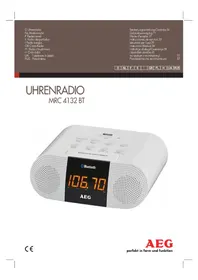
MRC 4132 BT - Radio AEG - Free user manual and instructions
Find the device manual for free MRC 4132 BT AEG in PDF.



| Product type | FM Radio with Bluetooth |
| Brand and model | AEG MRC 4132 BT |
| Mains power | DC 5V, 2A, DC IN connector 5V2A-\u0398-C+ |
| Backup power | 2 x 1.5V AAA/R03 batteries (not included) |
| Power consumption | 10 W |
| Net weight | Approx. 0.34 kg |
| Radio frequency band | FM 87.5 ~ 108 MHz |
| Bluetooth version | V2.0 + EDR, A2DP/AVRCP profiles |
| Bluetooth range | Approx. 15 meters (depending on environment) |
| Connectors | AUX IN (3.5mm stereo jack), charging USB port (5V), FM antenna |
| Main functions | FM radio, dual alarm clock, Bluetooth, AUX playback, USB charging, Snooze/Sleep function |
| Display | LED with brightness adjustment, 12/24h format |
| Speaker | Built-in speaker |
| Microphone | Built-in microphone (for Bluetooth calls) |
| Cleaning | Soft damp cloth, no detergent |
| Operating temperature | Indoor use, avoid humidity and extreme heat |
Frequently Asked Questions - MRC 4132 BT AEG
User questions about MRC 4132 BT AEG
0 question about this device. Answer the ones you know or ask your own.
Ask a new question about this device
Download the instructions for your Radio in PDF format for free! Find your manual MRC 4132 BT - AEG and take your electronic device back in hand. On this page are published all the documents necessary for the use of your device. MRC 4132 BT by AEG.
USER MANUAL MRC 4132 BT AEG
Élimination. Page 22
Espanol
Contenidos
Location of Controls.. Page 3
Instruction Manual.. Page 34
Technical Specifications.. Page 38
Disposal. Page 38
Język polski
Spistresci
Po3TaUyBaHHopraHIBKepyBaHH. .CTOp. 3
Ictpykuia 3 ekcnnyataui ctop.51
TexHHiXapaKTepeNCTIKN CTop.56
Pycckn
Copepkanne
PacnoJoxKeHne 3JeMeHToB. 3p.
PykoBocTBO no 3KcPnyaTaun.. ctp.57
TexHHecKHe xapaKTepeNCTIKn. ctp. 62
Location of Controls
Sendefrequency: 2,402-2,480 GHz
Protokolle: A2DP/AVRCP
Portee: 15 metres environ
Cordless via Bluetooth
34 English Instruction Manual
Thank you for choosing our product. We hope you will enjoy using the appliance.
Symbols in these Instructions for Use
WARNING: Warns of dangers for your health and indicates potential risks of injury.
CAUTION: Indicates potential dangers for the device or other objects.
i NOTE: Highlights tips and information for you.
General Safety Guidelines
Before using this device, carefully read this user manual and keep it together with the Warranty Certificate, cashier receipt and if possible, the original package inclusive its interior packing. If you hand on the device to any third person, include the user manual as well.
- To avoid the risk of fire or electric shock, you should not expose the device to rain or humidity. Do not use the device near water (e.g. bathroom, swimming pool, humid cellars).
- Do not use the unit in extremely hot, cold, dusty, or damp places.
The unit is designed solely for private use and its intended purpose. This unit is not designed for commercial use.
Make sure that the power cable is not bent, pinched, or comes into contact with heat sources.
Make sure that the power cable is not a tripping hazard. - The power supply unit is only suitable for use in dry rooms.
- Never touch the power supply unit or the cable with wet hands.
- Only connect the power supply unit to a properly installed wall outlet. Ensure that the listed voltage matches the voltage of the wall outlet. Also ensure that the output current, voltage and the polarity of the power supply unit match the information on the connected device.
Always install batteries in the correct direction. - Avoid covering the device's vent openings.
- Never cover the vent holes with objects, such as magazines, tablecloths, curtains etc.
- This appliance shall not be exposed to dripping or splashing water and that no object filled with liquids such as vases shall be placed on apparatus.
-
Open sources of fire, such as e.g. burning candles may not be placed onto the unit.
-
Never open the device's case. Improper repairs can cause severe danger to the user. If the device or particularly the power cord is damaged, don't use the device any further and have it repaired by a qualified specialist. Check the power cord regularly for damage.
If you do not use the device for a long period of time, pull the power supply unit from the wall socket and/or remove the batteries.
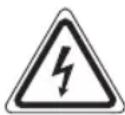
These symbols may be found on the device and shall indicate the following:
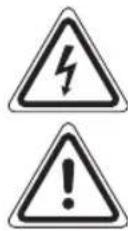
The lightning symbol warns the user of dangerously high voltages inside the case.
The exclamation mark symbol points to important instruction or maintenance remarks in the accompanying guidelines.
Children and disabled persons
- For the safety of your children, keep any packing parts (plastic bags, cartilage, Styrofoam etc.) out of their reach.
WARNING!
Don't let small children play with foils for Danger of suffocation!
- This device is not intended for use by persons (including children) with reduced physical, sensory or mental capabilities, or lack of experience and/or knowledge unless they have been given supervision or instructions concerning the use of the device by a person responsible for their safety.
Supervise children to ensure they do not play with the device.
Location of Controls
1 POWER/FUNCTION button (On/ Operational readiness/ Select source)
2 MEMORY/SET button
3 USB charging connector for Smartphones
4 MIC (Microphone)
5/10butions
6 VOLUME-/ AL2 button (reduce volume / alarm time 2)
7 VOLUME+ / AL1 button (increase volume/ alarm time 1)
8 Loudspeaker
9 Display
10 SNOOZE/SLEEP/DIMMER button
11 M/ST button (replay/pause/accept callmono/stereo switch)
12 CH MODE button
Back side (not shown)
DCIN5V2A- power supply connection
AUX IN jack (3.5 mm stereo jack)
FM ANT dipole antenna
Bottom side (not shown)
Battery compartment (power reserve)
First Use of the Device/Introduction
- Select a proper place for the device. A dry, level and slip proof surface is suitable.
Make sure the device is vented sufficiently! - Remove the protective film from the device, if present.
Power supply
- Make sure the grid voltage corresponds to the figures on the rating plate.
- Plug the power supply unit into a properly installed protective contact socket.
- Connect the device with the power supply unit by plugging the jack of the power supply unit into the "DC IN 5V2A C jack.
CAUTION:
- This device should only be used with the mains supply unit (included). Do not use it for other devices.
- Only use a 5 V power supply unit (Ø-C-Ø). A different supply unit may damage the device.
NOTE:
- Disconnect from mains power supply during longer periods of non-use.
If you did not insert another reserve battery, the time and the station memory will be lost as soon as the power supply is interrupted.
Inserting the reserve batteries
(Batteries are not included in the scope of delivery)
In case of power failure or if the power supply unit is pulled from the plug, the settings are maintained if the reserve batteries are inserted.
- Open the battery compartment on the bottom side. To do so, remove the screw on the cover of the battery compartment with a Philips screwdriver.
- Insert two type AAA/R03 1.5 V batteries. Check that the polarity is correct (see battery compartment).
- Close the battery compartment. Re-secure the battery compartment with the screw.
If the device is not used for a longer period of time, remove the batteries to avoid battery acid from "leaking out".
WARNING:
Do not expose the batteries to intense heat, such as sunlight, fire or similar. Danger of explosion!
CAUTION:
- Different batteries or new and used batteries may not be used together.
- Batteries must not be disposed of in the garbage. Please bring used batteries to competent collection centers or back to the dealer.
USB Charging Socket (3)
You can charge your Smartphone through this jack. Use the USB cable of your Smartphone for the connection.
i NOTE:
- Due to the different Smartphone types that are offered today, and their different charging capacities, the loading duration is dependent on the Smartphone used and its operating condition.
- A playback of audio-files through this connector is not possible.
General Operation
Switch device on/off
- Press the POWER/FUNCTION button (1) to turn on the device.
- To shut off the device, keep the POWER/FUNCTION button pressed for a short time. The "OFF" notification will appear in the display.
- To disconnect the unit completely from the mains, pull the mains plug from the socket.
Volume
By pressing the VOLUME+/AL1 / VOLUME-/AL2 buttons (7/6) you can adjust the desired volume.
POWER/FUNCTION (1)
Press the POWER/FUNCTION button (1) until the desired operating mode is shown on the display.
Display brightness
While in standby, press the SNOOZE/SLEEP/DIMMER button (10) to adjust the brightness of the display.
Setting the time (in standby)
- Keep the MEMORY/SET button (2) pressed for a short time. The hour display will start to flash.
- Perform the setting with the buttons (5).
- Press the MEMORY/SET button again. The minute display will start to flash.
- Perform the setting with the buttons.
- Following this, press the MEMORY/SET button again to store the time.
36 English
-
Displaying the time in the 12-hour display format:
-
While in standby, keep the SNOOZE/SLEEP/DIMMER button (1) pressed for ca. 3 seconds. The notification "24H" will appear in the display.
- Select the "12H" display with the buttons.
NOTE:
In the 12-hour display, a point will be shown at "PM" in the afternoon.
SNOOZE/SLEEP/ DIMMER (10)
When the device is switched on, you can set the time after which the device will turn into standby mode; set the time in 10 minutes intervals from 90 to 10 minutes. The device will turn off automatically after the preset time.
- Press the button. The notification "90" will appear in the display.
- Press the button repeatedly to reduce the time in steps of 10.
To call up the still remaining time, press the button briefly.
NOTE:
The activated function may not be shown in the display for technical reasons.
Alarm function (in standby mode)
Setting of the Alarm
You can set two alarm times. Proceed as follows:
- Keep the VOLUME+/AL 1 button pressed for ca. 3 seconds. The hours of the currently set alarm time start to flash.
- Use the buttons and for setting.
- Press the VOLUME+/AL 1 button for confirmation. The minutes start to flash.
- Use the buttons and find setting.
- Press the VOLUME+/AL 1 button to confirm. Then select how you want to be awakened. Perform the adjustments with and buttons and confirm them with the VOLUME+/AL 1 button. Select from:
b (Buzzer):
A buzzer sounds when the alarm time is reached. The volume will slowly increase to the set volume.
F (FM):
As soon as your set alarm time is shown, the radio switches on. The last set station is played. The volume increases slowly to the set volume. The volume cannot be adjusted.
- Now select the maximum alarm volume with the and buttons.
- Finally, press the VOLUME+/AL 1 button again. The first alarm time is now activated.
To set the second alarm time, repeat the above steps with the VOLUME-/AL 2 button (6).
i NOTE:
In case of an activated alarm time, a dot will light up at "AL1", and/or at "AL2".
Turning off the alarm
To shut the alarm signal off until the next day, press the POWER/FUNCTION button (1).
Automatic Alarm Interval
The automatically set alarm function can be shut off for approximately 9 minutes with the SNOOZE/SLEEP/DIMMER button (10).
NOTE:
If the function is activated, the dot will flash at "AL1", respectively "AL2".
Deactivate the Alarm Function (in standby mode)
To deactivate the alarm function, press the VOLUME+/AL 1, respectively VOLUME-/AL 2 button (13). The dot at "AL 1", and/or "AL2" will go out.
Radio mode
- Fully uncoil the wire antenna.
- Automatically search for radio stations:
Keep the MEMORY/SET button (2) pressed for approx. 3 seconds. The unit scans the complete frequency band for stations. The radio stations found are stored in ascending order of frequency. The sequence cannot be altered later.
Manual scan for radio stations:
Briefly press the / button (5), until you have found the radio station which you are looking for.
Preset station: To preset the found station, press the MEMORY/SET button (2). Select a preset location with the buttons. Preset the MEMORY/SET button one more. The station is preset.
- If the reception is too weak and there is interference on the received station, try to improve the reception by altering the position and uncoiling or coiling the antenna. For FM stations, you can use the / MOC / ST button (11) to switch between mono and stereo reception. We recommend that you switch to mono in case of bad reception. When switching to stereo reception, the "St" message is briefly shown in the display.
Select the preset radio station
- Press the CH MODE button (12).
- Select the desired memory location with the buttons (5). The device will replay the stored radio station a short time thereafter.
Playing back music files
You have two possibilities to replay your own music files with the device: Wired or wireless via Bluetooth.
By cable (Cable not included)
- If required, use a suitable adapter (not included).
Connect the external device as follows:
-
With a 3.5 mm stereo jack plug to the AUX IN socket (Back side of the device).
-
Repeatedly press the POWER/FUNCTION button (1) until "AU" is shown in the display.
- Start the playback of your audio source. Listen to the sound playback via the speaker. You can adjust the volume using the VOLUME+/AL1/VOLUME-/AL2 buttons (7/6).
- For the further procedure, please refer to the user manual of the external audio source.
NOTE:
If possible, adjust the volume of the external unit to a comfortable level.
Cordless via Bluetooth
Bluetooth involves a technology for wireless radio connection of devices over a short distance. Devices with Bluetooth standard are transmitting between 2.402 and 2.480 GHz in the ISM band (Industrial, Scientific and Medical). Interference can be caused for example by WLAN-networks, DAB radios, cordless phones, or microwave ovens which work on the same frequency band.
This device offers you the possibility to use a Bluetooth-enabled device. The functional radius is limited to approx. 15 metres depending on the surroundings and the unit used.
If your playing device supports the A2DP profile (Advanced Audio Distribution Profile) and has a music-player function, then you can also wirelessly transfer music to the device. The A2DP profile involves a multi-vendor Bluetooth profile. By streaming, stereo-audio signals are wirelessly transferred between the playing device (source) and the receiving device. To be able to remotely control the source, the playback device must support the AVRCP profile (Audio Video Remote Control Profile).
Due to the different device manufacturers, models, and software versions, a full functionality cannot be guaranteed.
- Logging on devices (Pairing)
Before you listen to music via the unit, you must pair the devices.
- Ensure, that the Bluetooth function is activated in your player (e.g. mobile phone). For this, refer to the operation manual of your player.
English
- Press the POWER/FUNCTION button (1) repeatedly, until "bt" is shown on the display. Two short beeps can be heard. These signalize that the device is in pairing mode.
- Chose the Bluetooth menu in your player and register the device in your player. For this, refer to the operation manual of your player. The device "AEG MRC 4132 BT" will show in your player as a selection.
NOTE:
Only one playback device may be connected with the device at one time. If the device is already connected with another playback device, the device will not show up in the BT selection menu.
- Now enter the password "0000" in your player, depending on the device manufacturers, model, and software version.
If the registration was done successfully, a beep will sound. For the further procedure, please refer to the user manual of the playback unit. If possible, adjust the volume of the external unit to a comfortable level.
NOTE:
Depending on the device manufacturer, you need to perform the registration (PAIRING) again to connect the devices.
In case of problems with the registration of a playback device, deactivate the Wi-Fi/mobile data function on your playback device.
- The Bluetooth compatibility cannot be ensured for devices (e.g. mobile phones) getting released in the future.
To ensure an optimal connection, make sure that the battery of your player is completely charged.
Some of the mobile phone brands have an energy-saving mode. Deactivate the energy-saving mode as it can otherwise result in problems during the data transfer through Bluetooth.
- To be able to transfer audio data, Bluetooth needs to stay activated in your player Observe the operation manual of your player.
If a mobile phone on which you are playing music receives a call, the music will be interrupted. Press the button (11), to accept the call. The sound is replayed by the loudspeakers. Speak into the microphone on the device or transfer the conversation to your mobile phone. To do this, observe the overlay in the display of the mobile phone. After you have ended the call, the devices are connected to each other again and playback continues.
38 English Description of the operating buttons for Bluetooth

NOTE:
Your Bluetooth playback device has to support the following functions.
II(11)
You can pause and continue music playback. Press again to continue playback.
(5)
Press 1x = Restart of the song from the beginning. Press 2x = Skip to the previous song. Press 3x = Skip to the song before the previous song.
(5)
Press to skip to the next song and the following songs.
Cleaning

CAUTION:
Do not submerge the device in water.
Before cleaning disconnect from mains power supply.
- Clean the device with a soft damp cloth without detergents.
Troubleshooting
| Fault Cause Solution | ||
| Unit cannot be operated. | Unit crashes and "hangs". | Disconnect from the mains for around 5 seconds. Then switch the unit on again. |
| No audio signal via the Bluetooth connection | The device is not registered with the audio source. | Check whether a connection exists. Reregister the device with the audio source, if necessary. |
| Volume too low Increase | ase the volume on the device. | |
| Increase the volume on the audio source. | ||
| Device cannot be connected. | Pairing does not work | Check whether the audio source supports the A2DP protocol. |
| Audio source is switched off | Switch on the audio source | |
| Bluetooth is switched off at the audio source. | Switch on the Blue- tooth function in the audio source. | |
| Bluetooth version is not supported. | Use a different play- back unit. | |
Technical Specifications
Model: MRC 4132 BT
Power supply: DC 5V, 2A, Θ-G+
Power Consumption: 10 W
Battery power reserve: 2x1.5V, AAA, R03
Radio component:
Frequency range: FM 87.5 ~ 108 MHz
Net weight: approx. 0.34 kg
Power supply unit
Protection class:
Input: AC 100-240 V~ 50/60 Hz
Output: DC 5V,2A
Bluetooth
Bluetooth support: V2.0 + EDR
Range: approx. 15 metres
Transmission frequency: 2.402-2.480 GHz
Protocols: A2DP/AVRCP
The right to make technical and design modifications in the course of continuous product development remains reserved.
This device has been tested according to all relevant current CE guidelines, such as electromagnetic compatibility and low voltage directives, and has been constructed in accordance with the latest safety regulations.
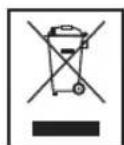
Disposal
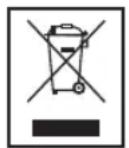
Meaning of the "Wheelie Bin" Symbol
Take care of our environment, do not dispose of electrical applications via the household waste.
Dispose of obsolete or defective electrical appliances via municipal collection points.
Please help to avoid potential environmental and health impacts through improper waste disposal.
You contribute to recycling and other forms of utilization of old electric and electronic appliances.
Your municipality provides you with information about collecting points.
CTC Clatronic Sp. z o.o
ul.Opolska1akarczow
49-120 Dabrowa
Usuwanie
Akpno npnlaHne 6ynde BnKOpncTOByBaTnc DOBnnpoMIXOK yacy, BnIMtB 6aTapeeKN, 106 yHnKHyTN BNTiKaHHN KNCNOTN 3 HNX.
IONEPEJXEHHA
YHnKaIe BnIbBy BnCOkIX TemNepaTp, HApnKJa,IprMOrO COHrHOro IpnOMIHn, BORHIO ToU, Ha BaTapei. lChyE He6e3neka Bn6yxy!
VBAFA.
HE MOxHa BnKOpNCToBbTu pa3OM pi3Hi 6aTapeuKn a6o HOy 6aTapeNk pa3OM 3i CTapoIO.
He ytni3ynte 6atapei pa3om i3 no6yTOBnCmTTAM. BukopncTahi 6atapei 3daabaTe y BiNDOBHn nyHKT npniomy afo nobertaTe ix y NyHKT npindhaHa.
BukopncTaHH USB-po3'Emy dna 3apAdkaHH (3)
Yepe3 ue po3'em MoXHa 3apAkaTn cMapTfoH.Дпяп'deHaHHBbKOpNcTObyIte USB-ka6eJIb i3 KOMPNeKtY cMapTfoHa.
IPIIMITKA.
Ha cboorDiHa pINKy npoONHyOTbCa pi3HITnN CmApT-phiHIB,ixHi yMOBn Ta cac 3apJxKaHHaPi3HATbCra. To6To cac 3apJxKaHHa 3anExkntb BiD TnPy CmApTfoHa Ta yMOB ekCnIpyatauii.
HemoxJINBO BiTbOpOBaTN ayiofoaain ueep3 cei po3'em.
3araIbHa iHΦopMaizipno po6oTy npn-ctpoio
YbIMKHeHHBIMKHeHHnPnCTPOIO
- HaTnCHITb KhoNkY POWER/FUNCTION (1), Ⅲo6 yBimKHy-Tn npuNa.
LIO6 BmKHyTn npnaI, yTpmyTe HaTnCHyTOH KHOJky POWER/FUNCTION kINbKa cekyHd. Ha ekpaHI 3'RBNTbcn NOBIDOMJIeHHN "OFF" - IINOBHORO BID'EDHaHHN PnCTPOHO BID XNBHeHHB NIMITb BNJKY 3 PO3ETKN.
TyHicTb
IotpiHy rYHicThb MoXHa HanaHTyBaTn 3a DOnOMorOIO KhoNOK VOLUME+/AL1/VOLUME-/AL2 (7/6).
YkpaIHcbka
POWER/FUNCTION (1)
HaTnckaTe KhoNky POWER/FUNCTION (1), nokn Ha dncnnei He 3'ABuTbcra Notpi6Hni peXm npoTo.
RckpaBictb ekpaHa
KoJn npilaB peximi OikyBaHHa,HaTncHt b KONky SNOOZE/SLEEP/DIMMER (10), 06 hanaHTyBaTN RckpaBicTb ekpHa.
BcTaHOBJIeHHaCay (bpeKmI oikyBaHHa
- YTPMMyTe HaTnCHyToIO KHONky MEMORY/SET (2) KJIbKa CEkyHД,ДIJIaHka 3HaYeHHr RoINH NOHTe MmROITiN.
2.BcTaHOBITb 3HaueHHa 3a DOnOMoTOIO KHOIOK - HataHcHt b KhoNky MEMORY/SET ue pa3.ДлЯнka 3ha-ueHHXbJIIN NOyHe MInOTITn.
4.BcTaHOBtB 3HaueHnHa 3a DonomoroIO KhoNOK - Notim HATNCHTb KhoNky MEMORY/SET ue pa3, 0o6 36epeTn 3HaueHHa.
-
Biodo6paXeHHa cacy B 12-roDHHOMy fOpMaTi:
-
Kolin npilaB pexkmi OiykaBaHnHaTNCihtb KhoNky SNOOZE/SLEEP/DimMER (10) Ta yTpmyTe ii HaTNCHyTO np6bn3Ho 3cekyHnHa ekpaHni 3'ABNTbcra nobidomJIeHHn"24H".
- Bn6epitb "12H" 3a donomoroo Khoonok
IIPMITKA.
Ypasi Bn6opy 12-00HHofo fopmaty nicna nonynha 6iHa 6kyB“PM"6ynde BiO6paKaTnc Kpanka.
SNOOZE/SLEEP/ DIMMER (10)
Aku npnctpiy yBIMKHeHO,MOxHa BCTaHOBHTuac,nicla 36iy Ako npnctpii nepeJe B pexm OChkyBaHH; BCTaHOBt Yac i3 10-TX xBUNHHM IHTepBaONy Diana3OH BiD 90 do 10 XBNH. Pnctpi BIMKHeTbca ABOMATNHO nicna 36iy BCTaHOBNEHO Yacy.
- HaTnChiTb KOnKy. Ha ekpaH3'YBNTbCn NOIdomMeHHa "90".
- HatackaiTe KhoNky Kilbka pa3iB nocnilb, 063meHunT Yuac i3 kpoKoM 10.
LioiHaTnca Yac, 0o IINUBc3, 3JeRka HATNCHTb KHONKY.
IIPMITKA.
AknboBaHa cyHKJMAOKe He BiIObpaKaTnca Ha ekpaHi 3 TEXHINX INPHN.
YcyHeHH HeCnpaBHOCTeI
Yka3bIbaeT Ha BO3MOxKHyIO ONaCHOCTb,IINI3JeLIMN INpyrNX OKpyXKaIOUnx IpeMeTOB.
I PIPIMEYAHNA:
JaetcoBebtiuHΦopMaIIO.
Ошшие указанноTekнke 6e3oanac-HOCTN
Ipeed Hauanom 3KcNpyatau npnbopa BHmATEbHo npouHTaTe npnlaeraemyIO uHCTpykLIO NO 3KcNpyatauMn COxpaHNTe ee B HadeXHom MecTe, BMeCTe C rapaHTnHBIM TaHOOM, KaccOBbIM YekOM N, NO BO3MOXHOCTN, KAPTOH HO Kopo6koC ynaKOBOHbIM MaepuaJOM. Ecn daTe KOMylnbo NOIob3ObaTbCRnpbOpOM, O83aTeNbHO daTe BpnuDHaHny DAHHyIO uHCTpykLIO NO 3KcNpyatauMn.
-ДяуctpaHEnH pNcKa BO3ropaHn IIN yDapa 3JIeK-TPmuecknTOKOM He nOBepraIte YCTpoIcTB O3-DeIcTBnIO DoXJa IN BlaRn. He npIMehIte YCTpoIcTBO B6In3u BObl (HaNPmEp, B BaHOn KOMHaTe, 6accEHe, MOKpOM nOBaIe).
He npimehnTe yctpoiCTBO 3KCTpeMaJIbHO rOpAHIX, XOLOHbIX, 3aIbJIeHHbIX INJIN BIAJKHbIX MecTax.
-ПльзунТecь пиборомToIbkoЧаСтнБIMОбразOMИп
HA3HаЧeHHIO. Пибор He npeДha3HаЧeнДЯ KMМерч
CKOTOИСПОЛБ3OBAHIN.
- Y6eIntecb, yTO Ka6eJIb PNTaHnHe nepeRHyT, He noBpexKeHnn He KOHTaKtpyET C NCTOCHNkAmn TeTnla.
- Y6eIITecb, yTO Ka6eJIb NITaHnHaJaEJXHO IOnKIIouHeN.
-БлOKИСТОУнКаПИТАнЯ ПпEDиЗHAЧЕНДЯИСПОЛБЗOBAHINTOJIБKOBCYXNXNOMEUEHIXX.
He npikacaiTecb BlaXhBIMpykAMN K 6JIOky NCTOCHNA Ka6eHIO.
- PoiKJIIOUaIte 6IOK ICTOCHNka NITaHnRA TOJIbKO K npabINbHO YCTAHOBLeHHoH NaCTeHHo3IKeKTPuYeCKoP o3eTke. Y6eNTecB, YTO HOMHaJIbHOe HaPJAxHeHc COBnaJaET C HApJxKeHEm HAcTeHHo p03eTKn. TaKKe npOBepbTe, YTO BIXoHDH ToK, HApJxKeHne INIOLpHOCTb 6IOKIcTOCHNka NITaHnRA COOTBeTCTBYET INHOpMaCmH Na PoiKJIIOUaEMOM K HEMY YCTPOINCTBE.
- Ppi ycTaHOBKe baTapeek co6JIouaTe noJapHocTb.
HeDonyckaItepepeKpbTneBEHTNIAUHOHBIXOTBepCTNIyCTpOINCTBA.
Pycckn
He nepekpbiBaIte BeHTnIaIIOHHbIe OTBepCTNIOCTOPOHHMNI pEIMeTaMNI, HApNIMep Ra3eToI, CKaTePbIO, IITOPoI N T.D.
HeIOnyckaiTe BO3JeCTBnHa yCTpoiCTBO npoiTOn IINI paCnblJREMOI BObl, He CTaBbTe Ha ycTPOiCTBO COcyDbICBOIOH, HApIMeP Ba3bl.
- NCTOCHNIK NTKpbIToR OTHA, HApPIMep ropuie CBeH, He doJXhbl paCnOJaTaBcRa Ha yCTpOYCTBE.
He otKpbIbAaTe Kopnyc yctpoiCTBa. HenpaBnIbHbI peMOHT MoKeT npINBeCTN K cepbe3HOJ ONaCHOCTn noIb3OBATeJIIO. Pn NOBpeKJeHN yCTpoiCTBa nIe erO uHypa 3JIeKTPoPiTaHnA (B aACTHOCTn) NpeKpaTIte NCnoIb3OBAHne yCTpoiCTBa n nepeJaTe erO dIra pemOH Ta KBaIIuΦIupoBaHOMy CneUaJIncTy. PeryIaRHo npOBepaIte Ha NoBpeXDeHn UHyp 3JIeKTPoPiTaHnA.
- Ecni yctpoiCTBO He npimehaETCA JINTEJIbHoe Bpema, n3BLeKITE 60K INCTOCHNIGA NITAHIN I3 HACTEHNOI 3eKTPuuecko po3ETKN WJINn IN3BLeKITE 6aTapeKEN.
HbIe CMBOJIb MOYr 6bITb yKa3aHbI Ha yCTPOIcTBa IINo03Haehn CneDyIOUe:
CmBONMOJHINIpeDynpexJaet noJIb3OBATeJIaOBOnaCHOM BbICOKOM HnprJKeHN BHyTpNi KOpNyca.
CIMBOJ BOCJIuIaTeJIbHOrO 3Haka OTMeHaET BaKhIe INCTpyKUIM IIN 3aMeHaHnO TEXHNecCKOM OcJIyKUBaHmB pyKOBoDCTBax N3 KOMIIeKTA NOCTaBKN.
DeTNIIMUaHyKdaIOuuecBaPnCmOTpe
- Ⅰ3 coobpaqehn 6e0nachoctn dIra deTeH He octabJIaHTe JexKaTb ynaKOBky (IInactIKOBbie MeUKN, KapTOH, NeHONlAACT n T.D.) 6e3 npncMOTpa.
IPEyIpyKDEHNEI
He no3B0JIaTe DeTAM INrpaTB C nIOJIN3TNIEHOBOI nIeHKO. OnachOCTb ydyub!
3TOT npi60p He npeHa3HaeH DnI NOJb3ObaHn IuCaMn (BkIIOyA DeTei) C OpraHHeHHbIMn Fm3IeCKNIM, CEHCOPHbIMN IIN YMCtBEHHbIMn CNOOC6HOCTRM NIN IINcAMn, He IMeIOUmm ONbITa N/IN NHEo6XoDMbIX 3HaHm. NCKJIIOueHne COCTABJIYOT ClyuH, KOrDa OHN HAXODTcR NOI pncmOTpOM JInca, OTBETCTBeHHORO 3a INx 6e3OpaCHOCTb, INI KOrDa OT 3TOFO JInca NOUYeHbI Yka3AHn IO NOLb3OBAHIO npi60pom.
HeoXoDIMO npICMaTpBaTb 3a DeTbMn, YTO6bl y6e-NTbCRB TOM, YTO OH He INrpaOT C pnpOpom.
PacnoJoxHeNe 3JeMeHToB
1 KhoNka POWER/FUNCTION (BkJIIOHTb/ rTOOBHOCTb KaaboTe/ BbI6Op nCTOHNka)
2 KHonka MEMORY/SET (namrTb/yCTaHOBntb)
3Pa3bEm USB 3apAdkn Dnla CmapTfoHOB
4 MIC (MnKpOoh)
58 Pycckn
5 KHONKU
6 KhoNka VOLUME-/AL2 (ChnXeHne rPOMKocTb/BpeM 6yDnIbHnKa 2)
7 KhoNka VOLUME+/AL1 (yBeJIuHHeHne rPOMKocTn/ BpeMa 6yDnJIbHnKa 1)
8 HAMK
9 Ducnnnei
10 KhoNka SNOOZE/SLEEP/DIMMER (kopotkn coH/cnH pexm/peryIaTOp RkoCTn)
11 Khonka/IOBTOp/Nay3a/NpneM Bb30Ba/ nepeKJIIO- HATENB MOHO-CTepeo)
12 Khonka CH MODE (pexim kaHana)
BkIOHHe/HbIKIOHHeYcTPOIcTBA
HaxMMTe KhoNky POWER/FUNCTION (1) INBKIOHeHHaYcTPOINCTBA.
YTo6bBbIKJIOHHTb yCTpOcTBO, KpaTKOBpeMeHHO ydepXnBaTe haxaToKHOKNky POWER/FUNCTION.Ha INCJIeE NOBNTCA VBeOMJIeHne "OFF".
- TTo6bl NOJIHOCTbO OTKJIIOHHTb 6JLOK OT CNIIOBOFO 3NEKTPONITAHN, N3BNEKNTE BUNKY U3PO3ETKN.
YpOBeHb rPOMKoCTn
Haxatne Khoonok VOLUME+/AL1/VOLUME-/AL2 (7/6) no-3B0JAEYCTaHOBHTb HxKbI yPoBeHb rPOMKoCTn.
POWER/FUNCTION (1)
HakmaiTe KhoNky POWER/FUNCTION (1)do oTo6paKeHHa HnCnlee HyKHO peKIMpa6oTbI.
Apkoctb dncnne
B déxypHom pexmme haxmTE KhoNky SNOOZE/SLEEP/ DIMMER (10) dnypeylnipOBKN apkoctn dinCnne.
HacTpoiKa BpeMeHH (B DeKyPHOM peXnme)
- KpaTkoBpeMeHHO yIepKmbaTe HaKaToH KNkY MEMORY/SET (2). Poka3aHne YacOB HauHET MmTaTb.
- BbInOnHnTe HAcTpoKy KhoNkAMM
- Choba haxmnte KhoNky MEMORY/SET. HauHet MInraTb BELINHHa MNHyT.
- BbINOHnTe HAcTPOkY KOnIkAmu
- 3aTeM cHOba HaxMMte KhoNky MEMORY/SET, yTo6bI COxpaHHTb yCTaHOBNeHHoe Bpemr.
-
OTo6paXeHne BpeMeHN B 12-YacOBom fOpMaTe:
-
BДжуром ржиме уджимьгтЕн НаКToH KHOПКУ SNOOZE/SLEEP/DimMER (10) npIMepHо 3 cekyHы.ΗДИСПЛЕО NOВИТСА YBEДOMЛЕНИЕ "24H".
- BbIbEpNTe "12H" KhoNkamn
IINPIMMEYAHNIA:
B 12-achobomΦopMaTe Bpemnaocne noJyndnOtMeayetC83Nauchom“PM”.
SNOOZE/SLEEP/ DIMMER (10)
Korda yctpoiCTBO BKIOHcHO, Bbl MOKeTe yCTaHOBtB BpeMa, nocJe KOTOPoY yCTPOiCTBO nepeIeT B pexIM OxuaHn; yCTaHOBtBe BpemC 10-MNHyTHbIM INTEpBaIOM OT 90 do 10 MInHyT. YCTPOiCTBO BBkIOHHTc ABTOMaTHueCKn IocNe TOrO, KAK HAcTyPiT 3aDaHHoe BpeMa.
- Haxmte KhoNky. Ha dncnnee noaBntca ybeomJeHne "90".
2.Последоватьногжимауг_KHONKYДЯУMeHBшЕпяпюда сшaram 10.
ДЯ Вьзова се octaioceGorBpeMeHn KpaTKOBpeMeHHo HAKMITE KHOKNK.
I PIMMEUHNA:
AKnBnPoBaHnHa FyHKUHe BcERJa OTo6paKaetcHa DInCnIe ne TExHHueckm PpHnHAM.
Функцябудльнka(Bpeхиmeoxn-daHna)
HactpoiKa 6yDnIbHnKa
MoXHO yCTaHOBnTb DBa 3HaueHnBpeMeHn CpabaBaHn6yDnblbHnKa. BInONHnTE cIeDyIOUne JeNCTBn:
- YdepKnBaIe KhoNky VOLUME+/AL 1 haxaToI npimepHO 3 cekyHdbI. Yacbl yctaHOBJIeHHoro BpemeHb6yDnHbHKa HauHyT MIRaTb.
- Ncnojbl3yIte dIJI NaHCTPOJKN KHOHNKI and (5).
- HaxMMTe dIra NIOITBepKJdeHn KHOJIky VOLUME+/AL 1. HaHTeMIRATb 3HaHeHne MHNyTbI.
- Ncnojbl3yIte nlaHacTpoiKN KhoNk
- Haxmte KhONky VOLUME+/AL 1nna noTbepeXdHn. Teepb BbI6epnte pexim cpaabTaBHaHn 6yDnblHnka. BbIOJIHnTe perynipOBKn KhoNkamn N 3aTeM noTBePnTe n3MeHeHne KhoNkoVOLUME+/AL 1. Bo3- MoKhbie BapNaHTbl:
b (3BykoBoi curnan):
3ByKOBbIe CnHaJIbI NOaIOCTcN IO DOCTINKeHIN BpEMEH 6yDInbHnKa. IpOMKoCTb 6yET MeJeHHO yBENHBAtCBdO YCTaHOBNEHHORO yPOBHA.
F (FM):
IIO DOCTHXKeHIN BpeMeHN 6yDnJIbHnKa BkNIOUaETcpaIIO.BoCpON3BOJNTcNocLeHnBbIbPaHHaCTaHcHnA.ΓPOMKoCTb NOCTeNEHNO YBEJIuHnBaETcNo3aDaHHo.ΓpOMKoCTb He peYunpyETcN.
6.TenepbBbIbepnte MaKcImaHbHyIgPOMKOCTb 6yDnIbHN KaC NOMOUsb KJabuH
7. Hakoheu, cHOba HaxMMTe KhoNky VOLUME+/AL 1. NepBbI 6yDnJIbHK TepeB BKIOUHeI.
Bb6p nppeyctaHOBJIeHHo paHIOCTaHcIM
- HaxMMTe KhoNky CH MODE (12).
- BbI6epnte HxHoe MeCTO B NaMAtn KHOIpKaMn 5). YcTPOIcTBo HaHET BOCIpOn3BeDeHne COxpaHeHHo paIOCTAHm CNYCTA KOPOTKn POMExyTOk BpeMeHN.
Bocnpo3BeDHe 3ByKObIx paIIOB
CyueCTbIOT DbCaCnO6a BOCpON3BeHEnr CBOx My3blKaJIbHbIX faIIOB Ha yCTpoINCTBE: CnpOBOnHbIM NOKJIIOHeHNEM INI NO BeCnpoBOHOMy CoeINHeHIno Bluetooth.
Pn Ka6eBbHOM CoeDnHeHm (Ka6eJIb He BXOJIT B KOM- nKeT NoCTaBKn)
- Pn Heo6xOJIMOCtN, Hc-NOb3yIte POxOJaIaIaIaTep (He BXoIIT B KOMPJIeKT NocTaBKn). PIOKIIouHTe BHeUHHee YCTPOINCTBO:
C NOMOJIbIO 3,5-MM CTepeofoHueckoro UStbipeBOrpoa3bemaKrHe3IOBOMypa3bemyAUXIN(3aDnraCTopoHa yCTpOYCTBa).
- NocJeIOBaTeJIbHO HaxmMaIte KhoNky POWER/ FUNCTION (1)do noBHeHnA "AU" Ha nCnnee.
- HauHnTe BOCnpoN3BedeHne daHHoro nCTOHynka ayDIO.CnyuAaTe BOCnpoN3BedeHne uee3 DnHaMnK. MoxHo peYunpoBaTb yPOBeHb rPOMKocTN KONKaMn VOLUME+/AL1/VOLUME-/AL2 (7/6).
4.ДаьншинИСТукши,NOXaJIyICTa,CМ.BpyKOBODCTBE NO 3KcIIyAtaUINBHEUHero NCTOHTHnka ayDIO.

ПРIMEУАнг:
Ecnn Bo3MOxHO, HAcTpoTe rPOMKoCTb BHeLIHeRo yCtpoiCTBa HA KOMΦOpTHbI yPoBeHb.
BecnpoBnOHe coeHneHne Bluetooth
Bluetooth DeiCTByET Ha OCHOBe 6ecnpoBOHO paIIOCB3m Mekdy yctpoiCTBAMn Ha KOPOTKOn IINCTAHU. YcTPOICTBa cNoDpeXkO CTaHApTa Bluetooth ocUyecTBIAOT nepeAhy Ha yactote OT 2,402 Do 2,480 T, B DmaNa3OHe ISM (Industrial, Scientific and Medical- npomblneHHocb, Hayka mMeuHa). POMEX MOryt 6bITb Bb3BaHbI, HapPIMep 6ecnpoBOHbIMn JOKaJIbHbIMn CETAMN WLAN, paIIOCTAHUHMn DAB, 6ecnpoBOHbIMn TelefoHAMn INMNIKKPOBOJHOBBIMn.
JaHHoe yCTPOINCTBO NO3BONHET CBA3aTbCS C YCTPOINCTBaMN, NOIePKNBAOUIIMN Bluetooth. Paunyc JeINCTBn ORpaHINYNAeTc npM. 15 MeTpAMN, B 3aBNCMOCTN OT BHEUHX YCIOBNI INCNOJIb3yEMOro 6Ioka.
EcIny yctpoiNCTBO BOCPON3BedeHIN NOIDepKINBAET npo-phiNb A2DP (Advanced Audio Distribution Profile, ynyu+ HnhbI npoPnIb paCnpocTpaHEnHraay ayno) n obnaaet cyHKUIMMy3bikAIBHO Tne Hero MOxHO 6e3 npoBOOB nepeDaBaTb My3bIKy Ha DnHAMNK. PpOpNlB A2DP oBeCNEHBAET corlacobAHne ycTPOIcTB Bluteoth pa3hbx KOMnAHn-H3rTOBHTeJe. 3a CHT NOTOKOB nepeDAHn, CTpeofoHNHeCKNe ayDnOncIHahbl 6e3 npoBOOB nepeDAOTCA MEXdy YCTPOIcTBOM BOCPON3BedeHIN (NCToHNI) IN PnHHMAIOUMYCTPOIcTBOM. IJn DaNTAHIOHNOYIPABLHeH NCTOCHNKOM 3ByKa ycTPOIcTB BO C0PON3BedeHIN DOJXHO NOIDepKINBaTb npoPnIb AVRCP (Audio Video Remote Control Profile, npoPnIb DnCTaHIOHHO ynpabLeHnAayINO BVdeO).
Ho n3-3a HecorIacobAHNOCTNuCTpoCTB OT pa3hbx n3roTOBNTeJIe, MoJeJIe N Bercu II porpAMMHO OBeCneueHn, He rapaHTnpyETcA DeNCTBHe BCEx yHKU.
BxoD B cncTeMbI yCtpoiCTB (ΦopMnpoBaHne napbl)
IpeepnpocjyunbaHemMy3bIKHa ycTpoiCTBe He- o6xOIMO o6ecneHTb pexnM napHOIN CBaN MeKJy yctpoiCTBaMn.
- PpOBepeTcTo cyHKnIa BluTeoth aKTHBupoBaHa Ha nIeepe (HaPmep, Ha MObHbHom TeJefoHe). IIN 3TOrO cM. pyKOBOCTBO NO 3KcPiyaTaUIM 3TOr Oneepa.
2.Послдоваельно Habиmaite KhoIky POWER/ FUNCTION (1),do nOBJIeHnHaInci "bt" Ha IincIee.MoxKHO 6yIeT yCbIbIaTbДBa KopoTknx ryka.OHn CnHn3NpyIOT o nepexOJe yCTpoIcTBa B pexm obpa3oBAHn napbl. - Bb6epnte MeHIO Bluetooth B nIeepe n 3apeuCTpyiTe B HEM DNHaMnK.ДЯ 3TOrO cm.PyKOBoDCTBO no 3KcIIyataunn nIeepa.YctpoNCTBO“AEG MRC 4132 BT"6ydt NOKa3Ano B nIeepe B KaueCTBe Bbl- 6paHHOrO dnnnapbl.
I PIMMEYAHNA:
OIOHOBpeMeHNO K yCTpOuCTBy MOXHO NOKJIIOUHTb TOIbKO OINH NCTOHNK BOCPON3BeDEHn. EcNI YCTPOICTBO YXE IOKJIIOHEHO K DpyROMy NCTOHNKY BOCPON3BeDEHn, OH He 6yET Noka3aH B MEHIO Bbl6opa BT.
- 3aTeM BBeDnTe napoB "0000" Ha nIeepe, B 3aBnciMOCTN OT KOMPAnHnH3rOToBHTeJI, MoEJI N BEPCNI npOrpAMMHO OecneueHn.
Ecnn pernctpaun npoBeheHa ycneuHNO, npo3Bynt ryoK. DaIbHeiune nHCTpykUIN, noXayncta, cm. B pykoBODCTbe NO 3KcNpyataun yCtpoNCtBA Bocnpou3BeHInr. Ecnn BO3MOxHO, HAcTPOnte rPOMKoCTb BHeuHero YcTPONCtBa Ha KOMΦOpTHbIyPOBEHb.
I P N I M E Y A H N A:
B 3aBnCIMoCTN OT KOMnAHmHn3rTOBNTeJI M0KET nTpe6oBaTcR NOBtOpHaI peNCTpaUra (PAIRING) IIN NOkJIIOHeHH yCTpoiCTBa.
B Cnyae npo6Ie m c pernctpaueinctOHTHnKa BOCPON3BeDEHN, DeAKTNBnpynte FyHKUIO nepeaHnDaHHbIX Wi-Fi/Mo6NJIbHbe Ha nCTOHTHnke BOCpON3Be-DeHN.
Cobmectmoctb no Bluetooth he rapaHTnpyetc dInyycptpoCTB (Haipnmep, MobnbHbIX TelefoHOB), KOTOpbIe MOrT 6bITb BbINyUeHbI B 6dyUeM.
- OepeHnOITMaJIbHOI CBA3N y6eNTecB, 1TO aKkymyIaTOPHbIE 6aTapeKN B PHepe NOHOCbIO 3apXKeHbI.
B HeKOTopbIX MoJEnax Mo6nJIbHbIX TepeHOOB mEeTcpeXIM 3HePrc6epExeHIN.ErO Heo6xOIM0 OTKIOHTb, INaYe OH MOKeT BbI3BaTb np6JeMbI npi nepeCbInke daHHbx no coeHNHeHIO Bluetooth.
- IInI nepebcikn aydnoaHbIx dyHKuia Bluetooth 0JIXHa ocTaBaTbCn AKTNBnPOBaHHoB nIeepe. Cm. pyKOBoIDCTBO NO 3KcNlJaTaUIN 3TOrO nIeepa.
EcmMOBnIbHbTeJeFOH, cKOTOPOROBcPON3-BOINTCA My3bKa, pINHMaET TeJeFOHbBb13OB, nepecbIka My3bKn 6ydt npeBaHa. HaxMMTE KhoNky
1111111111111111111111111111111111111111111111111111111111111111111111111111111
Опсане pa6очix кнорok nIi Bluetooth
I PIMMEYAHNIA:
YcTpoCTBO BOCPON3BeDHeNn no npToKoLy Bluetooth 10JXHO NOIDepKINBaT CNeDyIOUne FyHKUIN.
II(11)
Moxho npnoctahOBnB n CHOBa npoJnxNtB Bocnpou3-BeHHe My3bIKn. HaxmTe eue pa3, YTO6bl npoJnxNtB BOCnpou3BeHeHne.
(5)
1-Kpathoe HaxkTne = NOBtOphoe Bocnpou3BeJeHne My3bikalbHOJ 3aNcH C HauJa.
2-kpaTHoe HaxaTne = IepexoK npdeBdyuee My3bikalbHO 3aHNC.
3-KpaTHoe HaxaTne = IepexoN K My3bKaIbHO 3aIcN nepeD npEdbNyUeH N T.D.
(5)
HaxmTe 3Ty KhoNky, YTo6bI nepeuTn K cJeDyUoSei nn nCleDyUOeI neCHn T.D.
OuncTk
BHIMAHHE:
He nopryuKaIe yCtpoIcTBo B BOyu.
Ipeed ouhctkO OTKIOHTe OT cTeBOro 3neKtpOnNTaHnA.
OuCTHTe yCTPOINCTBO MANKOBJAAKHOI TKAHbIO 6e3 npIMHeHn MOIOUx CpeIDCTB.
Дmarноctnka
Pe3epBHOe 6aTapeHoe nTahHe:2x1,5B,AAA,R03
PaIIOIpneMnIK:
TACTOTHbI dana3OH: FM 87,5 108 M
Bec 6e3 ynaKOBkn: npn6n.0,34 kr
BbIXoI: DC (nocT. ToK) 5 B, 2A
Bluetooth
ПодэржkaBluetooth: V2.0+EDR
Дистанla.. npM. 15 MeTPOB
Yactota: 2,402-2,480
PpotoKoJIb: A2DP/AVRCP
CoxpaHeNo npaBo Ha TexHmHeckne N KOHCTpyKlmoHbIe N3MeHeHH B pAMkax npoDoJIkaIOUeICr pa3pa6OtKn npOdyK-Ta.
Данhoe yctpoiCTBO npoJIO TectpOBaHne no BCEx TEkyIIM npimEmHbIM HopMaM CE, BKJIQUaI 3JIeKTpOMaHHTHyIO COBMeCTUMOcTb I Yka3aHnI DA H3KOBoJIbTHbIX yCTpoiCTB, a TaKKe pa3pa6OtaHo corJaCHO nocJeHIM HopMaM Be3ONaCHoctN.






GARANTIE-KARTE




- Espanol
- Contenidos
- Język polski
- Spistresci
- Pycckn
- Copepkanne
- Cordless via Bluetooth
- English Instruction Manual
- Symbols in these Instructions for Use
- General Safety Guidelines
- Children and disabled persons
- WARNING!
- Location of Controls
- Back side (not shown)
- Bottom side (not shown)
- First Use of the Device/Introduction
- Power supply
- CAUTION:
- NOTE:
- Inserting the reserve batteries
- WARNING:
- USB Charging Socket (3)
- i NOTE:
- General Operation
- Switch device on/off
- Volume
- POWER/FUNCTION (1)
- Display brightness
- Setting the time (in standby)
- English
- SNOOZE/SLEEP/ DIMMER (10)
- Alarm function (in standby mode)
- Setting of the Alarm
- Turning off the alarm
- Automatic Alarm Interval
- Deactivate the Alarm Function (in standby mode)
- Radio mode
- Select the preset radio station
- Playing back music files
- By cable (Cable not included)
- - Logging on devices (Pairing)
- English
- English Description of the operating buttons for Bluetooth
- II(11)
- (5)
- Cleaning
- Troubleshooting
- Technical Specifications
- Power supply unit
- Bluetooth
- Disposal
- Meaning of the "Wheelie Bin" Symbol
- IONEPEJXEHHA
- VBAFA.
- BukopncTaHH USB-po3'Emy dna 3apAdkaHH (3)
- IPIIMITKA.
- 3araIbHa iHΦopMaizipno po6oTy npn-ctpoio
- YbIMKHeHHBIMKHeHHnPnCTPOIO
- TyHicTb
- YkpaIHcbka
- RckpaBictb ekpaHa
- BcTaHOBJIeHHaCay (bpeKmI oikyBaHHa
- IIPMITKA.
- I PIPIMEYAHNA:
- Ошшие указанноTekнke 6e3oanac-HOCTN
- DeTNIIMUaHyKdaIOuuecBaPnCmOTpe
- IPEyIpyKDEHNEI
- PacnoJoxHeNe 3JeMeHToB
- Pycckn
- BkIOHHe/HbIKIOHHeYcTPOIcTBA
- YpOBeHb rPOMKoCTn
- Apkoctb dncnne
- HacTpoiKa BpeMeHH (B DeKyPHOM peXnme)
- IINPIMMEYAHNIA:
- I PIMMEUHNA:
- Функцябудльнka(Bpeхиmeoxn-daHna)
- HactpoiKa 6yDnIbHnKa
- b (3BykoBoi curnan):
- F (FM):
- Bb6p nppeyctaHOBJIeHHo paHIOCTaHcIM
- Bocnpo3BeDHe 3ByKObIx paIIOB
- Pn Ka6eBbHOM CoeDnHeHm (Ka6eJIb He BXOJIT B KOM- nKeT NoCTaBKn)
- ПРIMEУАнг:
- BecnpoBnOHe coeHneHne Bluetooth
- BxoD B cncTeMbI yCtpoiCTB (ΦopMnpoBaHne napbl)
- I PIMMEYAHNA:
- I P N I M E Y A H N A:
- Опсане pa6очix кнорok nIi Bluetooth
- I PIMMEYAHNIA:
- OuncTk
- BHIMAHHE:
- Дmarноctnka
- GARANTIE-KARTE
Brand : AEG
Model : MRC 4132 BT
Category : Radio