Universal Remote Control 1in1 H110 - Remote control EMTEC - Free user manual and instructions
Find the device manual for free Universal Remote Control 1in1 H110 EMTEC in PDF.

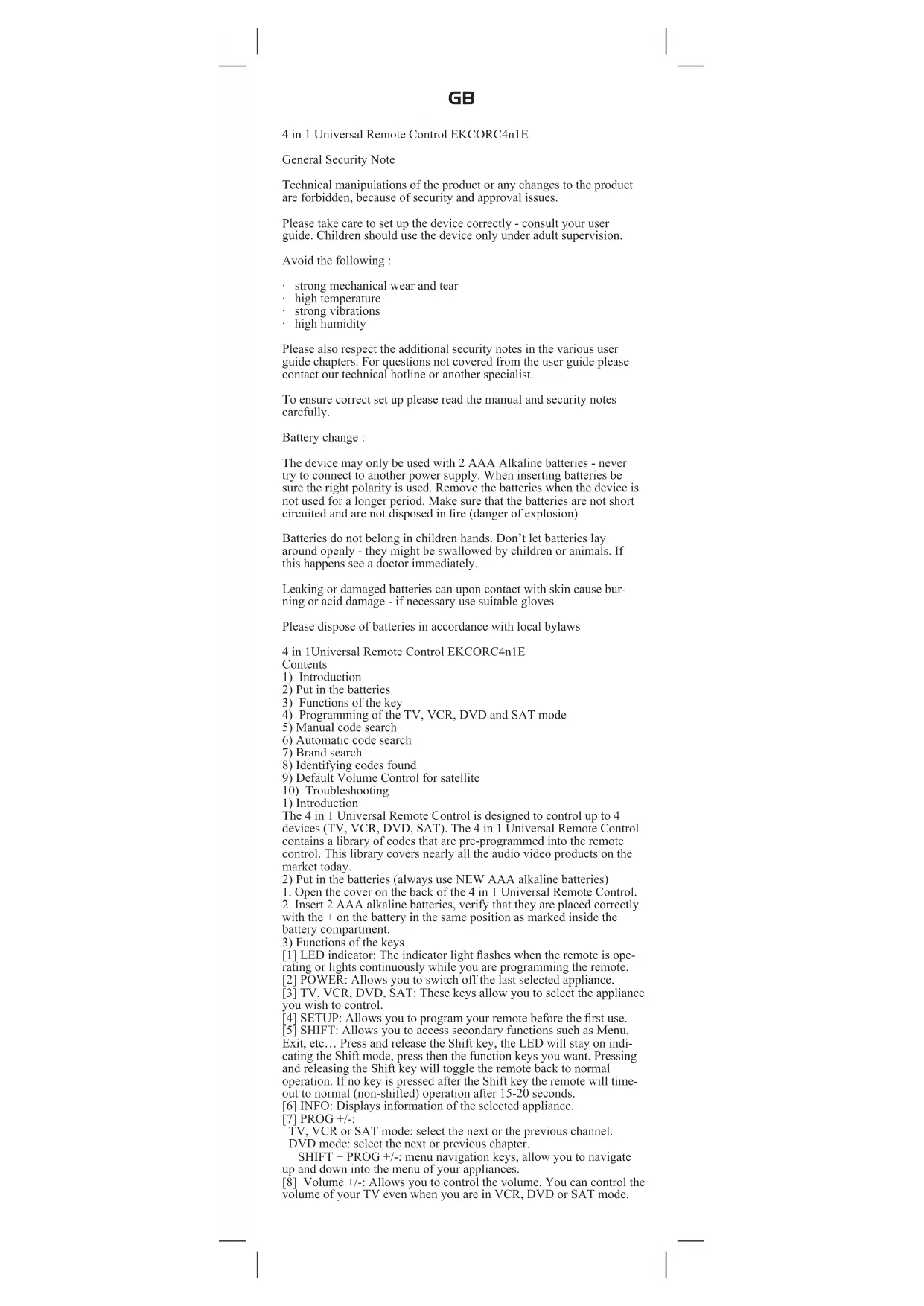


| Product type | Universal remote control |
| Brand | Emtec |
| Model | Universal Remote Control 1in1 H110 |
| Compatibility | TV, VCR, DVD, SAT, and other infrared devices |
| Number of controllable devices | 1 device at a time (programmable for different types) |
| Battery type | Alkaline LR03 (AAA) |
| Number of batteries | 2 |
| Estimated battery life | Several months depending on usage |
| Infrared range | Approximately 8 to 10 meters |
| Frequency | Infrared (IR) |
| Programming methods | Manual code entry, manual search, automatic search, brand search |
| Main functions | Power on/off, channel change, volume, mute, teletext, menu navigation, playback controls (play, stop, pause, forward, rewind), record |
| Special keys | SETUP, SHIFT, INFO, PROG+/-, MUTE, ENT, A/V, color keys, REC |
| LED indicator | Light indicator to signal activity and programming |
| Approximate dimensions | 17 x 4.5 x 2.5 cm |
| Approximate weight | 100 g (without batteries) |
| Color | Black (typical) |
| Material | ABS plastic |
| Operating temperature | 0°C to 40°C |
| Care and cleaning | Wipe with a soft dry cloth. Do not use abrasive or solvent-based products. |
| Safety | Do not expose to moisture, high temperatures, or vibrations. Keep out of reach of children. Replace batteries correctly observing polarity. |
| Battery recycling | Do not dispose of batteries with household waste. Deposit them at an approved collection point. |
| Package contents | Remote control, user manual, code list (not provided here) |
Frequently Asked Questions - Universal Remote Control 1in1 H110 EMTEC
User questions about Universal Remote Control 1in1 H110 EMTEC
0 question about this device. Answer the ones you know or ask your own.
Ask a new question about this device
Download the instructions for your Remote control in PDF format for free! Find your manual Universal Remote Control 1in1 H110 - EMTEC and take your electronic device back in hand. On this page are published all the documents necessary for the use of your device. Universal Remote Control 1in1 H110 by EMTEC.
USER MANUAL Universal Remote Control 1in1 H110 EMTEC
4 in 1 Universal Remote Control LKCORC4n1E
General Security Note
Technical manipulations of the product or any changes to the product are forbidden, because of security and approval issues.
Please take care to set up the device correctly - consult your user guide. Children should use the device only under adult supervision.
Avoid the following :
- strong mechanical wear and tear
high temperature
strong vibrations
high humidity
Please also respect the additional security notes in the various user guide chapters. For questions not covered from the user guide please contact our technical hotline or another specialist.
To ensure correct set up please read the manual and security notes carefully.
Battery change :
The device may only be used with 2 AAA Alkaline batteries - never try to connect to another power supply. When inserting batteries be sure the right polarity is used. Remove the batteries when the device is not used for a longer period. Make sure that the batteries are not short circuited and are not disposed in fire (danger of explosion)
Batteries do not belong in children hands. Don't let batteries lay around openly - they might be swallowed by children or animals. If this happens see a doctor immediately.
Leaking or damaged batteries can upon contact with skin cause burning or acid damage - if necessary use suitable gloves
Please dispose of batteries in accordance with local bylaws
4 in 1Universal Remote Control EKCORC4n1E
Contents
1) Introduction
2) Put in the batteries
3) Functions of the key
4) Programming of the TV, VCR, DVD and SAT mode
5) Manual code search
6) Automatic code search
7) Brand search
8) Identifying codes found
9) Default Volume Control for satellite
10) Troubleshooting
1) Introduction
The 4 in 1 Universal Remote Control is designed to control up to 4 devices (TV, VCR, DVD, SAT). The 4 in 1 Universal Remote Control contains a library of codes that are pre-programmed into the remote control. This library covers nearly all the audio video products on the market today.
2) Put in the batteries (always use NEW AAA alkaline batteries)
-
Open the cover on the back of the 4 in 1 Universal Remote Control.
-
Insert 2 AAA alkaline batteries, verify that they are placed correctly with the + on the battery in the same position as marked inside the battery compartment.
3) Functions of the keys
[1] LED indicator: The indicator light flashes when the remote is operating or lights continuously while you are programming the remote.
[2] POWER: Allows you to switch off the last selected appliance.
[3] TV, VCR, DVD, SAT: These keys allow you to select the appliance you wish to control.
[4]SETUP: Allows you to program your remote before the first use.
[5] SHIFT: Allows you to access secondary functions such as Menu, Exit, etc... Press and release the Shift key, the LED will stay on indicating the Shift mode, press then the function keys you want. Pressing and releasing the Shift key will toggle the remote back to normal operation. If no key is pressed after the Shift key the remote will timeout to normal (non-shifted) operation after 15-20 seconds.
[6] INFO: Displays information of the selected appliance.
[7]PROG+/-:
TV, VCR or SAT mode: select the next or the previous channel. DVD mode: select the next or previous chapter.
SHIFT + PROG +/-: menu navigation keys, allow you to navigate up and down into the menu of your appliances.
[8] Volume +/-: Allows you to control the volume. You can control the volume of your TV even when you are in VCR, DVD or SAT mode.
GB
No need to select the TV mode.
SHIFT + Volume +/-: menu navigation keys, allow you to navigate left and right into the menu of your appliances.
[9] Teletext MIX: Allows to mix the Teletext and the picture of the selected channel.
[10] Mute: Allows you to turn on/off the sound. You can control the «Mute» function of your TV even when you are in VCR, DVD or SAT mode. No need to select the TV mode.
SHIFT + Mute: OK key, confirms the selection.
[11] Teletext OFF:
TV mode: Stop Teletext.
SHIFT + Teletext OFF: Exit Mnu.
12| Teletext Hold: Stop page change in Teletext mode.
[13] Numeric keys 0 - 9: Work the same way as your original remote.
[14] Teletext ON:
TV mode: Start/stop Teletext.
SIIIFT + Teletext ON: Menu ON.
[15] ENT: If you are in programming mode automatic code search- you can confirm the code of the device you want to control. In connection with the numeric keys, this button allows you with some equipment to select directly channels higher than 9.
[16] A/V: Selection of an external source (SCART input).
[17] Play, FF. Stop, Rew. Pause:
In VCR & DVD mode: These buttons work the same way as in your original remotes.
In TV mode: Fast text function (coloured keys).
REC (record): This key works the same way as the one on your original remote for your VCR. In order to avoid a mistake you have to press this key twice to activate this feature.
4) Programming your TV, VCR, DVD and SAT modes
Note: You can dedicate any appliance (TV, DVD, SAT...) to the VCR, DVD, or SAT keys: you just need to enter the 4 digit code (found in the code book) of the appliance, i.e. a VCR code under the SAT key. In any case, follow the steps below:
-
Make sure your equipment is switched on (for example TV).
-
Press and hold the SETUP (4) key until the LED indicator (1) lights continuously. Release the SETUP key.
-
Press and release the mode key (3) of the device you want to control (for example TV).
-
Enter the 4 digit code (13) from the Code Book. The LED (1) turns off after the last digit is entered. If you entered a wrong code the LED blinks for 3 seconds and then goes off. You have to repeat from step 2.
-
Point the remote in the direction of your TV and press the POWER button (2). Your device should turn off. Check other functions (for example for a VCR: FF or REW etc.). If certain functions are not responding this indicates that the entered code is not the correct one. In that case repeat the above procedure with the next corresponding code of your brand.
-
Repeat this procedure from step 1 for the other equipment you want to control (TV, VCR, DVD, SAT)
5) Manual code search
If your equipment (TV, SAT etc....) does not respond, try the other codes for your brand. If it still doesn't respond, try the Code Search method.
Note: As you can dedicate any appliance (TV, DVD, SAT...) to the VCR, DVD or SAT keys, you need first to enter any 4 digit code for the kind of appliance you wish to control (found in the code book), i.e.: If you want to program a SAT under the VCR key, enter any SAT code found in the code book and then follow the steps below:
-
Make sure your equipment is switched on. If not switch it on manually.
-
Press and hold SETUP (4) until the LED indicator lights steadily. Release SETUP
-
Press the mode key (3) that matches the equipment you want to control (for example TV).
-
Press PROG - (7) repeatedly until the PROG changes. If you step past the correct code use PROG - (7) to go back to the right code.
-
When the equipment you want to control reacts press FNT (15) to confirm the code. That's all.
Note: If your equipment doesn't have PROG+, you can use PLAY (VCR or DVD) (17) or POWER (2) key.
The search starts after the last registered code. If that was 0030, the search starts at 0031 until the last possible code and then goes from 0000 to 0029.
Note: if certain functions of your equipment can't be controlled you have to find a different code for your brand.
6) Automatic code search
When searching an unknown code, you can step through the library automatically (AutoSearch). When your equipment responds, you can stop the searching process and store the code you found.
GB
Note: As you can dedicate any appliance (TV, DVD, SAT...) to the VCR, DVD or SAT keys, you need first to enter any 4 digit code for the kind of appliance you wish to control (found in the code book, i.e.: If you want to program a SAT under the VCR key, enter any SAT code found in the code book and then follow the steps below:
- Turn on the device you want to control.
- Press and hold SFTUP (4) until the LED indicator (1) lights steadily. Release SFTUP button.
- Press the mode button (3) that matches the equipment you wish to control. The LED (1) blinks once.
- Press PROG+ (7) once. After a few seconds the remote starts stepping through the code library (fast search, 1 codec per second). When the device responds, you can press PROG- (7) to switch to slow search (1 codec per 3 seconds). You can step back by pressing PROG- (7) (you can step forward by pressing PROG+ (7) in case you went too far back). As soon as the device responds again, press the -ENT key (15) to store the code you found.
7) Brand search
If your brand is listed hereafter, you have the possibility to use the brand search method (faster than the «manual» and the «automatic code search»):
BRAND CODE
Philips/Radiola 1
Sony/Panasonic/JVC/Sharp Akai/Toshiba/Dacwoo 2
Thomson/Brandt 3
Telefunken/Saba/Normende 4
Grundig/Blaupunkt 5
Nokia/ ITI 6
1. Turn on the device you want to control.
2. Press and hold SETUP (4) until the LED indicator (1) lights steadily. Release SETUP button.
3. Press the mode key (3) that matches the equipment you want to control (for example TV).
4. Enter the code corresponding to your brand, point the 4 in 1 Universal Remote Control in the direction of your equipment, press once only PROG+ (7) continue to point the 4 in 1 Universal Remote Control at your equipment until the equipment changes channel. (The remote control sends an IR signal every second. So please wait until your equipment reacts). When your equipment does react, press on the key ENT (15) to confirm. If accidentally you miss the code, you can stop the autocsearch by pressing PROG - (7) and by repeatedly pressing this key return to the right code. Press ENT (15) to confirm. 8) Identifying codes found using the search procedure
1. Press and hold SETUP (4) until the LED indicator (1) lights steadily. Release SETUP.
2. Press the mode key (4) for the equipment you want to identify (TV, VCR, DVD or SAT). The LED blinks once.
3. Press again SETUP. The LED blinks once.
4. To identify the first digit press each number button from 0-9 (13) until the LED blinks. The number you pressed is the first digit of the code.
5. Press each number key from 0 - 9 as above to find the second and third digit.
7. Press each number key from 0-9 as above to find the fourth digit. When the fourth digit has been found the LED will go off. Don't forget to write down the code on the label of the battery compartment. 9) Volume Control
Adjustment of ALL volume controls under a specific mode You can program the remote control so that the volume and mute keys control a specific device (the volume control must exist on the corresponding device). E.g. control of TV sound in TV mode, VCR mode and SAT mode.
1. Press and hold SETUP (4) until the LED indicator (1) lights steadily. Release SETUP.
2. Press and hold MUTE (10) until the LED (1) blinks once. Release MUTE.
3. Press once on the mode key (TV, SAT,...) corresponding to the device whose volume will always be controlled by the VOL (8) and MUTE (10) keys.
4. Press the MUTE (10) key once.
Adjustment of the volume controls for EACH mode.
You can program the remote control so that the volume control is functional for each mode selected (the volume control must exist on the corresponding device). E.g. control of the television set sound in TV mode, control of the SAT receiver sound in SAT mode... 1. Press and hold SETUP (4) until the LED indicator (1) lights steadily. Release SETUP.
2. Press and hold MUTE (10) until the LED (1) blinks once. Release MUTE.
3. Press once on the mode key (TV, VCR,...) corresponding to the device whose volume will always be controlled by the VOL. (8) and
GB
MUTE (10) keys.
- Press the VOL-(8) key once.
- Press the MUTE (10) key once.
10) Problems and troubleshooting
The remote doesn't work or loses codes entered
- Confirm with your original remote that the equipment works correctly.
Make sure that you have pressed the corresponding mode key of the equipment or device that you want to control.
If the listed code does not work, try the AUTOSEARCH method or enter the next code of that brand.
To find the corresponding code for your equipment use the automatic search.
Check that the batteries have the correct polarity position.
- The programming of the remote requires 2 AAA alkaline batteries (new). If the remote loses codes within a few days/weeks the problem can be solved by using 2 new batteries from the same brand.
If the LED is lit permanently, in general it will be necessary to replace the batteries.
Important:
The 4 in 1 Universal Remote Control must be used only in the way described in this instruction manual and may not be used for a purpose not intended.
DE
TV mode: Vypne Teletext.
SHIFT + Teletext OFF: Vystup z nabidky.
[12] Teletext Hold: Zastavi prechod na dal'si stranku v rezimu teletextu.
TV mode: Spusti/vypnc teletext.
SHIFT + Tcletext ON: Spusti nabidku.
[15] ENT: Pokud jste v rezimu programovani automa
Telefunken/Saba/Normende
Grundig/Blaupunkt 5
Nokia/ITT 6
GK
-
Evpyoioiote tn ookoe npou eoyuee va eaycete.
-
IIaIIOTe KAI KpAIOte PAATNUEVO TO ANIKTPO SETUP (4) uexo o deictc LED (1) va avayeoi tOepa.Aroedoeote to ANIKTPO SETUP.
3.ΠaTnose to nnKtpo aeitoupyiae (3) nou napiaei me tov eoIaiopo noo eonpuate va eaeyets (ya npapadaryua tsns Taopopaa).
- Euayte tov koki oovavtoyoi stn npka oac, stoxoote to 4 oe I Tavko Tnaeapntno oynkataobwn to oxoaiouo aoc, natnevo maopa to PROG+ (7) ovveio va otoxoene to 4 oe I Tavko Tnaeapntno oovexoao oac mepoi va aalxiot o eonlaosoc kawoi. (To naeapntno oicvai vma IR kae bodopcno. I avo, cagnapakaoo meooc nepiivee mypi va anokpicto i eonlaosoc). Oraov avtipaae oonlaosoc, nahtore to nktpo LNT (15) npoc enbetaaowon. Eav xoe tke akobua tov koki, mupetie vaiaokovetsnv aoatm avacnnon pavotxAG PROG- (7) kaanovtanaevavaaubavovaeto nktpto yia v anotpvee sto oostokko. Ntntote ENT (15) yia enbetaaowon.
8)EgakpiBooN Kowikov Nov EvtoiotNkav XpouoioWvtaTn 10000000000000000000000000000000000000000000000000
TV mode: Stop teletektst.
TV mode: Start/stop teletekst.
SHIFT + Teletekst ON(AAN): Menu ON (AAN).
[17] Play, FF, Stop, Rew, Pause:
[17] Play, FF, Stop, Rcw, Pausc:
Mod TV: Oprire Teletext.
SHIFT + Teletext OFF: legire din menu.
[12] Teletext Hold: Oprirea schimbarii paginii in modul teletext.
[13] Taste numerie 0-9: Se folosesc la fel ca la telecomenzile originale.
[14] Teletext ON:
Mod TV: Pornire/oprirc teletext.
SHIIT+Teletext ON:Activare menui.
[17] Play, FF, Stop, Rew, Pause:
PcKHM TV, VCR HIN SAT: Bb6op c. dyioero HIN npc bnyoero KaHaia.
PcKIM DVD: Bb6op cJyUoHIO HIN pCBAUYIeO OHHoHa. SHIT+PROG+:/nABIHAnHOIIIE KJIABHHMENIO;N03BOJIO TNEPEMeHATCBBepx HINHIO MEHIO yCTPOCTB.
[8] Volume +/:- (TPOMOKCTb) IIO3BOJET ynpaBnBT TPOMOKCTbIO. MoKHO ynpaBnBT TPOMOKCTbO TeBHe3Opa B peKHM E VCR, DVD HAI SAT.II He HxKHO Bb6IpAtpbpeKM TV.
SHIFT+Volume+/-:HABHuaHOHHMe KJIaBHH MeHIO;IO3BOJIOI HpeMeHHaTbCn BHeO H BnpaBO IO MEH0 yCTPOHCTB.
[9] Teletext MIX: (TeIeREKcT MHKC) IO3BOJIAe CMEIHINBAtb TeIeREKcT c H3O6paKeHHem Bbl6paHHO KAHAJA.
[10] Mutc: (Bc3 3bKa) IIO3BOJIeBt BHKHOaHTB HBJIOHOHATb 3bYK. MoKHO yIupABHbT bOiI OyHKINCH y TcCBHNOPa JAcE B PCKHM C VCR, DVD HII SAT. He NyKHO B6IOHPaT bcKHM TV.
SHIFT+Mute:K1aBnHIIA《OK》noTBCpJAcTcCJIaHnB BB6Op.
[11] Teletext OFF: (Teienerer BblKJI.)
PcKHM TV:OctanOB TCJCTeKaTa.
SHIT+TeletextOF1:BbIXoH3MeHIO.
[12] Teletext Hold: (YdepkaaHne teTeKcTa) OctaIOB cMeIIb CTpaHH B peKHMe teTeKcTa.
[13]HNCIOBBe KJIaBbINu 0-9:Pa6oTaIOT TaK Je,KaK HHaOpHHaJIbHOM IIyIbTe.
[14] Teletext ON: (TeIeTeKCT BKJI.)
PekHM TV:3aHcyck/OctaHOB TeJeTeKcTa.
SHIFT+Teletext ON:MeHIO BKJIOHEHO.
[15]ENT:EcHHBbHAXoITecb BpeKHMpepAMMHPoBaHHA ABOMaTHCCKHN KOIIOHCKa-MOHO HOHTBepHTB KOIycIpOCTBA KOTOpBM BbXOTHTeYIIpaBBT. B CoCHaAHn C HcIOJBbIM KIAIBaAMN OTA KIOIHQAIOBOJIET C IOMOIIBIO ONPCJCNIOHO 06OpIOBaIIH IIpaMyIO BbIbHpATb KaIJIbC II HOMCPOM 6O.Icc 9.
[16]A/V:(AyDnO/BnDco)Bb6op BnEeHero HcToHnKa (BXoJ SCART).
[17] Play (Bocnpn3bc,deine), Ff (IlepeMOTka Bnepe), Stop (Cron), Rew (IIepeMOTka Haa), Pause (Haya):
BpeKIMAX VCR H DVD: 3TH KHOINK pa6oTaIOT TAK Ke, KaK Ha opHHHaJIbHbIX IIbTaX.
BpeKIMe TV: ΦyHKINH 6bICTpOro TeKCTa (OKpaIIHHe KJIABHH).
REC(3aHc):3raKJIABHHpa6oTaerTakKe,KaKnTaKaH KJIABHHaHOPIHHAIOHbOMIyIbTeBnIOeMAHHTOPOHa.B0 H36cKaHcOHNIOHbIKHyKHOHaKaTHbTyKJIABHHy(BaKb)UIN BkHOCHNIAJAHONΦYHKINH
4)ПрогамнроваимпpeжнмовTV,VCR,DVDиSATПпсчань:Мокгio паимачыллбocуctpoctBO(TV,DVD,SAT...)Клавиam VCR,DVDИH SAT:Пужно рoceto Bbcctn4-3uaqumii nHpOBoi KoI(ПалдьньВ кIHrc KoIOB)yctpoctBa,τ.e.KoVCRДЯКlaBHHSAT.BMo6omCnyaeBbIOITcJIeDyIOUHe DeIcTBH:
-
V6eIHTecb, YTOYCTPOHCTBO BKIOUHO (HAIPHMep, TEJIeBH3OP). 2. IIaKMHTeYIEpKBAHBeT KJABHUIY SETUP (4), Ioka CBETOAIIOI (1) He6yETropEBIOCTOBHO. OTHCYTHE KJABHUIY SETUP.
-
HaKMHTHe HOTHcyTHe KTAABHHy peKHMa (3) yctpoCTBO, KOtOpBM BbXOTHTe YIpaBnTb (Haipmep.TeJIeBn3Op).
-
BBeHnTe 4-3NaHbI uHpOBOI KOI (13) H3 KHNIOKoIOB. CBeTOHOJ (1) HOAChET IOOCIE BBOIA IOOCIEHcHIOHp6I. PnBBOc HcPiABuHbIO HOKOa CBEOHOJ MHaTcr 3 cckyHbI bATcEM TaCHcT. HyXIO NOBtropITb, NaHHaCo BO TOpOro DeHtBN.
-
HanpaBbTe npIbI nTa TcBnOp HnAaMHTc KOnKy POWER (2). YcTpoCTBO JIOJIIO 6bITb BkIOHcNo. IIpOBcTe DpyTHc FyINmH (nAnPmCp,nn VCR:FFHNN RLEW nT.I.).EeH ONOpEeJIeNIIbc FyIKHH NIOCTYIIH,3IIaHNT,BBeENIIb K0I IIeBepen.B 3ToM CnYae NOBTOPITE yKa3aIHyIO BIIse PPOeDpy CO cJeDyIOHM IOXoJIMHM KOOM IINBAIe MAPKn.
-
IIIOPTHE 3Ty IPOUeIpy, HauHINHc JdeIeCTBn1, IJRApyrTOG yctpoiECTBA, KOtOpBM bXoHTHe ynpabTb (TV, VCR, DVD, SAT) 5) PyHoi IOHCK KoJa
Ecnn Baine 60pOHaHne (TV, SAT H. T.) He OTEpaAer, HIOPOByIte,pyrno KOBJ Dua Hanei MapKn. Ecnn H TO He HOMoAer, HIOPOByIte CIOOCB HONCKa KOJB.
PnmeHHe: NockoBky MoKHO Ha3HaHTb JIOOe ycTpoiCTBO (TV, DVD, SAT...) KnaBnnm VCR, DVD nN SAT, cHaHa hyKHO
RU
BecTHIIOOJI KOJ H3 4IIHpD JINI THNa YCTPOHCTBA,KOTOpBM BIXOHTHE ynpABITb (NIAI DEIHBI K INHI KIOOB),T.E.: cCIN BI XOTHI ZaIporpAMMPOBaTB SAT HA KJIABHNY VCR,BBEIHTe IIOoBI KOJ SAT, HAIJEHHBI K KHRE KOIOB, N BILIOHNITE CNE dyIOHIEJeCTBHA:
- Y6eIHTecb, ITO OobopyIOBaHHe BKIOHcHO. EcIN OHO BbIKIOHcHO, BKIOHTE BPYHyO.
- Haekmte n y,epknaire SETUP (4), hoka cBeroIOHO He 6ynet Tpeb HocToHHo. Othycnre SETUP
- HaKMnHc KJIaBnHpypeKmHa(3),coBnaIauHOyO cYIpOHTBOM, KOtOpbIM BbXOTHTc YpapBtB (HAPUMCp,TEICBn3Op).
4.HaMKTE PROG+7)HcKO.16Ko pa3,IOka PROG NC H3MeHHTeC. EJIHN BbI npOyETHIN IIpaBHIIBIK ROJ,BCpIHTeCk K IcMyc IIMOIIIO PROG-(7). - Korla IyKIOc yCTPOIcTBO OTKINKInCTcR, IaXMMrE ENT (15) 1nI IOITBepKdIIH NKA. 3TO BCE.
IIpHMeaHHe: Ecln Ha yCTPOBCTBe HET KJIABHIN IN PROG+,MOKIO HcIOI3OBaTb KJIABHINy PLAY (BHeOeMaHHTofoH HIN DVD) (17) HIN POWER (2).
HONCK HAHTETC HIOCTHEIHO 3apeHCTpHPOAHHORO KOJA. FCIN 3TO 6bJI KOJ0030. HONCK HAHTETC O 0031 JOIOHCTJEIHO BO3MOKHO T KOJA H 3ATEM OT 0000 JO0029.
PIMcHHe:EcH OHPCJCHHHc FyHKHH BAHIO OOBpyOBAHH HcMOTY npAaBHTbC, HNHO HAITn DpyTOn KOJ Dn BAChm MapKn. 6) ABToMaTHWcKHNIOCK KOJa
IIN NOHCK IINB3ECTTIOK KOJI, MOKIO ABOTMATHCCKII INPOCMOTpcb6 616.110TEcy (AutoSearch). KOrJa ycStpOCTBO OTKJHKHCTcR, MOKIO OCTaONBHT IOHNK IH COXPAINTB IIAIJEIIIIIKI KOJI.
IppHMeaHHe: IIOckOJIbky MOKIO IIaIIaIHTb IIO6oe ycTPOcCTBO (TV, DVD, SAT...) KJIaBnIMAM VCR, DVD IIIN SAT, cHaJIaIyIHyKIO BBeCTH IIIO6o KoI H3 4 IIHpI JIIaII TIIa YcTPOcCTBa, KOtOpBM Bbl XOTHTe yIpaBIAITb (HaJIeHHbI B KHInE KoIOB), T.E.: eCIN Bbl XOTHTe 3IipOrpAMmIPoBAtb SAT Ha KJIaBnHIY VCR, BBEJIte IIIO6o KoI SAT, HaJIeHHbI B KHInE KoIOB, N BIIIOJHITRE CJIe,IyOHHe IeICCTBn
- BkIOHTHE yIPOINCTBO, KOTOPBIM BxXOTHTe yIpaJBNTb.
- HaKMnH n yepKnBaIe SETUP (4), Hoka CBCTOJHO1 (1) He 6yder TOpEb HocToaHHo. OTHyctHTc KHOHKY SETUP.
- HaKMNTC KHOITKY pcKHMa (3), coBnIaIOIyIO cYcTpoHCTBOM, KOtOpbIM BbXOTHTe yIpaJIbIbIb. CBeToIOHOI (1) MmIHCTOINII pa3.
4.HaKMHTc PROG+ (7) 0HII pa3. YpeC3 HCCKJIbKO cCKYINIpy.IbT IIaHITc IPOCMOTp 6HIOIHOTEKn KOIOB (6bIcTpbn NOnCK -1 KOD B CEKYIyD). KorJa yCTpoIHCTBO OTKINIKETCR, MOKIO IIaKaTb PROG+ (7) JIa NepeKIOUeHINHa MeJIDHeINIIHOICK (1 KOD 3a 3 cekyIbI). MoKIO BEHPYtBC HA3aI, HaKaAB PROG- (7) (MOKHO IpeEHTN BInepEi HAkaB PROG (7),ecIN Bm UyIN CTHIKOM DAnIEKO HAsd). KaK ToBNbKO yCTpoIHCTBO OTKINIKETCR CHOBA,HaKMHTe KJIaBHIy-ENT (15) JIa CoXPAHEHH KA OAI BAHIn MapKn.
7) IIOHcMapKn FJIIN BAHAPMapKa yka3HaB CIIHcKe,MOKHO HcIO.1b3OBaTb IIIOHcIIO MAPK(6bIpc,CHM<pyhoH)N《ABTOMATHcckKn IIOHcKOJaI)
MAPKA KOJ
Philips/Radiola 1
Sony/Panasonic/JVC/Sharp Akai/Toshiba/Dacwoo 2
Thomson/Brandt 3
Telefunken/Saba/Normende 4
Grundig/Blaupunkt 5
Nokia/TT 6
- BkIOHTe yCTPOHCTBO, KOTOpBIM BB XOTHTe VipabTb.
- HauMHTe H y,epKHBaHTe SETUP (4), Ioka CBeToIOHO1 (1) He 6yIET Tropetb IOCTOHHO, OTHCYTHe KHOIKy SETUP.
- HaKMMTe KJIABHINy peKHMa (3). COBnAaHOu cyCTpoiCTBOM, KOtOpBM BxOHTe yIpaBHTb (HaIPmep, TV).
4.BHCNTeKO,cooTBCCTHYOHN BANHcMapKc;HaipaHbTC yHHBPCaHbHbN HbTTB 41 HAyTPOHCTBO;OINpaaHAKMTc TOJbKO PROG-(7)HAPABHnIyHTB 41 HAyCTPOHCTBO,NOKa OH INCmEHNT KAAJI.(IpyHT NocBlaAETHKCHNIKAKJYIO cCKyIiy.HOTOMy JOXHITCCB,NOKa YcTPOHCTBO OTKINKHTCE). EChn YcTPOHCTBO IpcAHpyET,NAKMIte KJIABHUYENT(15)JIN NOITBePBrEeHN. EChn BBcIcyAHIIO pONpyCTHNN KO,IMOKIO OCTaIIOBHTb ABROMATHeCKN IOHCK,IAKAB PROG-(7),HIECKOJIbKO pa3 HaKIMMA3TY KJIABHUY,BepHyTBcK IIpaBHbHOMy KOy.IaKMITE ENT (15)JINIOITBePckDeHH.
8) HHTHKAIHA KOIOB, HAJIeHHbIX C IOMOUIbIO HOCKA - HaKMMHe n y,lepKHaBte SETUP (4),IOKA cBeToIOHO(1) He 6yIeT IopTe IOCTOARHNO.OTHyCtHTe SETUP.
- HauKmHTe KJIABHnHpyekHMA (4) JINy cItpOcHb, KOtOpoe BnXOTHTe HcHTHpHInPObAtb (TV, VCR, DVD HIN SAT). CBrTOHOJ MHTHT EONH p33.
- CHOBa HaxMITE SETUP.CBETOHOJ MHTHER OHH pa3.
- 100 ppeHHeHH HepBoi HpHpaHakMaHte KaKjyO uocIOBOyO
RU
KIOIky O1 9 (13), IOKA CBeToHNOI He MInHIE. HaxKaTOe YHe.Io -3TO NepBaI UHpa KOna.
5.IaXMMHTe KaKdyIO YHcNObYIO KJIABHmOy OTO9,HTo6bHaHTBTOpyIO TpeTbIO H
- NaKMTe KaKaJyO YHcIOBvO KJIaBHHy O T 0 10 9, YTObI HaHTN HeTBePryIO Hpy. IocHe HaxoKJHnH NteBPeTOn IuHpM CBeToHOI Horacher. He ZabYtBe TaHncatb KoI Ha HauKe Ieke OtceKa IaI Barapeek.
9)YipapHIEHmI pOMKoCTbHO
PcIyIpOBKa BCEX opAHOB yipabJCHH IpOMKOCTbHO B KOHKPCTHOM
pCKHMc
MoKIO 3aIIpOpaMmPObAIByIbI, YTO6bI KJIaBHIIN TpOMKOCTH N OKIIOCHIN 3BYKa yIPaB.IIIN KOIKpcTBMN yCtpoHcTBOM (yIPaB.IICNC TpOMKcTIO DOJIKIO 6bIT DoCTYIIIO Ia COOTBEcTBIOYIOEM YcTPOHcTBc). HApIMeP, yIPaB.TcIHNC 3ByKOM TeIEBHOPa BpeKHe MTV, VCR NH SAT.
-
Haxmnte n y,epxHbaIe SETUP (4), noka cBeToHO(1) He 6yTe rOpTe hocToHHo. OTHyCTHe SETUP.
-
IIaKMMHe n y,depKbAte MUTE (10),IOKA cBeToHoo(1) He MHHTe OIMn pa3.OTIyCTHe MUTE.
-
HaKMMTE OUIH PAS KIAHBIYIPEKIMTA (TV, SAT, ...), COOTBECTHYIOHO yCPOHCTY, "BHeI I pOMKcTBb Bb XOTHE BCERJy UYPABJIb C HIOHIIbKO KIAHBIIV VOL (8) H MUTE (10).
-
HaxMMTE KJIaBmHyy MUTE (10) OHH pa3.
PcIyIHpOBKa opraHOB yipabieHHraTpOMKocTBIO pcknMa EACH (KAJKdbH).
MoKIO 3IINPOrpaMMHPOBaTb NIIbT, TIO6bI yIIPAJIICIHc rPOMKOCTIO paOToaIO JIN KAKIOI RO BIOpaIIOI POeKHMa (yIPABJICIHc rPOMKOCTBOJIKIO 6bITIOOCOTYIIIO IIO COOTBeCTBYIOE MycTOPOHCTBE). HAnpHMe, yIIPABJIeHHe 3BYKOM TeEBHBOPA B pEKHMe TV, yIIPABJIeHHe 3BYKOM SAT-pechBepaBKeMSEAT...
1.ⅡaKmIte H y,epxHBAHTe SETUP (4),noka cBeToHOD(1) He 6yierropeBIOCTOHHO.OTNCTHETE SETUP.
2. HaKMHTI H y,epKHBaIte MUTE (10), IOKa CBeTOIOU (1) He MHTET OINH pa3. OTHyCTIte MUTE.
3. HoKMMTE OHH paS KAAHNNI pyeknma (TV, VCR,...), CoTHETCHNYIOY eipOoiHTy, YeI pOMKcTbBO bXOTHE BcERda yuPAJIbH c HOMOHIO KAAHINI VOL (8) H MUTE (10).
4. HaxmHc KJIaBnVy VOL- (8) onHH pa3.
5. Haxmntc knabmy MUTE (10) onn pa3.
10) Ycpanennc neno.iaok
IyIbI Ie paObaTe HIN TepeT BBeJeHIIbe KOJI.
IPOBepbTe C NOMOUBIO OPHHIIaJIbHO IyIbTa, YTO yCTPOHCTBO pa0TaET npABHIO.
Y6eHITcB,HTOBaHaJIN COOTBeTCTBYIOUHO KJIaBbIpypeKIMAbOOPyIOBAHIN HIN YCTPOINCTBA,KOTOpbIM BbXOTHTeYIIpABTIB.
FcHn HpeHnCJIeHbIe KOBHe paObaTAt, nonpoByTe cIOOCB ABTOIONCKA HIN BReHTe CInyOnHII KOJUIN BTOI MapKn.
HIOHCKA COOTBECTBYKHOIeroKOJaaBaiHeroOOBpy,IOBaHH HIOJIb3yHTe aBOMaTHUcckHNOCK.
IpoBcpe IpaBHHbHOCTb HOJIaHPOCTn 6arapeck.
IIINIIPORPAMMPOBAHINIyIbTa Tpc6yTe32 IIICIOHbIe 6BatapeHHAAN (HOBx).EeHN IyIbT TeprEt KOJIb TB TcCtIHc HcckOJIbKHX IINH/HeJI, IIO6JIcMMy MOKIIPO pIITITc HOMOJIbIO 2 HOIBX6 BatapeCK ToHcMapKn.
EeHcBcTOIOI TOpHITIOCTOARIO,TO,KaK IpaBnIO,TpeSyerTaMeHa 6aTaapeek.
BaKHe 3aMeuHaHn:
YHnBepcaIbHbIyIbT IHCTAHIOHOHO ynpaBHeHH 4 B1 CneJyET HNOIbO3BAtTOIbKO CIIOOCOM, OINCAHbIM B HHCTpyKHH, H ZIJIpeJIeTaC HIOIbO3BAt ETo R HbIX JIIBX.
SK
Univerzalne diafkové ovladanie EKCORC4n1E typu 4 v 1
SHIFT+Teletext ON: Menyn PA:
[15] ENT: Om du belinner dig i programmcringslagct - automatisk kodsökning - kan du bkräfla koden for apparaten som du vill styra. I anslutining till nummerknapparna kan du medenna knapp pa vissa apparater direktvalja kanaler som ar högre an 9.
[16] A/V: Valja cn extern kalla (SCART-ingang).
[17] Play, FF, Stop, Rcw, Pause:
[14]TeTeKETBKJI.(TeletextON): PekmTV:BkHIOeHHB/BAKIIHOeHHH TeTeKCTY. SHIFT +TeletexON: BKHIOeHHMeHO.
[15]BBOJ(ENT):KIO BO H,pcKHMI IPOIpamyBaHH 3 ABOMATHHOTIO HOUYKY KOUBB, BH MOKCTC III TBCPINTN KOI PHPCTOIO,IIIB XOYCTC KOTTPIOBHATn Pn BHKOPCTAHNI 3 IIHPoBBMI KJIABIIiAMn,II KJIABIIIA JONOMARAC PpMo NpeHTNO KAATIB,IIIO MAOTB HOMeD GUNIE 9.
[16] A/V: Bnbiip 30bniiinboTo dxkepeia (Bxix SCART).
[17] BiTbOpEHH (Play), IIepeMoTyBaHII BnpeE (F), CToI (Stop), IIepeMoTyBaHII Ia3aI (Rew), IIay3a (Pause):
BpeKmI VCR ta DVD II KhoIKN IpaIIOIOb TaKoK JaHa opriHiaJbHnx IyIbTx IO IIX IpuIaIiB.
BpeKMI TV:HyHKIII IIBHIOKO TReKCTy (KOBOPOJI KJIABIII). 3aIINC (REC) II KJIABIII npauoTO TB KOK JH AO pHIITAHbOMY HJbTI IO BAIHOI npcHrpoIO VCR. IIIO 3aIOBHITIOHOMIOK, HAIHTCHI bIO KJIABIII dHII, IIIO6 AKTHNYBATHIO OyHKIIIO. 4) PpOpaMyBaHHpeKIMTV,VCR,DVD Ta SAT YbaIa: ByIb KHN npHnAID (TV,DVD,SAT...) BN MOKCTC Ha3HaHTH Na KJIABIII VCR,DVD a05 SAT:BAM TILIKN HOPIPiBO BBcTNI 4-IIIpOboN KOI (3HaiHITB KIN3I KOiB) npHnAly, HApNKlaI KOI VCRdN KINONKn SAT.BbOmy BnAdky,CiiTyTe PaCTyTTHM KpOKAM:
-
Ipebeipte 6o6 npHJaIb 6yB BkIOueHH (nAnpHKJaTV).
-
IIaIHCIIb Ta TpHMaIte KJIaBiIy SETUP (4) IIOKH INIINKAtop (1) IIIOueIOCTHIOROPIH. BIIncyTHTb KJIaBiIy SETUP. 3. IIaIHCIIb Ta BIIInCyTHTb KJIaBiIy peKHMy (3) IIA INPcHcTPOHO, kIKH BN XOeTe KOHTPOINOBATn (HAIPHKaIaTV).
-
BBeITb 4-IIIpOBBH (13) K0I 3 KNTH KOJIIB. IHJIKATOp (1) BHKIOHTBcBcNII BBEIEHHOCTAHBOI IIINPPM. JIKIO BN BBEHN HcHPHHKoI, IHJIKATOp 6yE MIITHN IPOTOM 3 cekyH,I, a HOITM HOYXHC. B Takomy paia IOBTOPIBCE 3 KpOKy 2.
-
HABeITbIy.bT B HApPmky TV Ta HATHeHb KHaBHy KHNCHNPOWER (2).PiHcpii NOBnH BnIOOHnC. NpeBipTe nHI i fyHKII (IIaepKJIaD JIN VCR: NpcmOTka Bnpcd FF a6o Na3aI RLW ta II).JIKIO DEKi FyIKII Ic npAIOIOTB, Ic O3NaAc, IO BBeEINH KOI NC IIxOAnTB. B TAKOMy BNnA.KY NOBtOpHTI pOeDpy 3IOBY BHKOPHCTOBYIOH BIIOBI INH KOI DIA BpEUY BaWoTOI pHiJaIy.
-
IIOBTOPTHTIIO npOeDpy BID KpOKy 1 IINHx INHx INHxADIB, Aki BN XoUeTe KOHTPOJIOBATN (TV,VCR,DVD,SAT).
6) PyuHHn IIouyK KoIIB
IAKIO npHuaDN (TV, SAT ra iHNi....) He peayKOTb, cIpO6yIte iHNi
KoJIN JIINI 6peHUY. IAIO HIOHO HE BHXOHTB, CIpO6yIte MetoI
IIouyK KoIIB.
Ybara: Tak kB MoKere haHaHHTHIO6H IIpHlaI (TV, DVD, SAT...) Ha KaJIaHI VCR, DVD a60 SAT, To bAM, HIO-NepHe, HOIpiHO BHEcT 4-3HaHNI KOI JUH pHaIyA, IIIO BIX XOHTe KOHTPOJOHATN
UK
(3iainbKoB KIN3i), iNkH: RaIO BxOyTe 3aIporpamyBaTH SAT IIa KIabiVCR, BBeITb KoI SAT, IO Bn 3IIaIIIN B KIN3i, a IOTIM cIiyte HAcTyHHM Kpokam:
-
Ipebeipte, 106 npHlaI 5yIO yBIMKHeHO. KIO ne He TaK, BBIMKHITb HOTO BpyHy.
-
Hattchitb Ta Tpmaire KlaBiny SETUP (4) IOKn iHukarTop (1) He IOHe IOCTIOHO TopII. BiUvCHTb SETUP
-
Hattichb kaihiiny peKmmy (3) 111 npncpO, AKn Bn XoHcE KOHPOIOHOBATH (HaipHKJIaT TV).
-
HattckaiTc PROG+7) 10THN HOp NOKH IporpaMa HC npcknOHTbC. KIO Bn II pOnyCTH BIPHH KO, BHKOPHCOTByTc PROG-7),MOB NOePITHyTe DO BIPNTOKOy.
-
RaIIIO npHnIa, IIIO Bn XOCTc KOITPOJIOBAtH, BiINIOBlaac, HATHeHHTb ENT (15), IO6 MIITBepDTH KoA, Ie BCC. YBaRa: RaIIIO npHnIa IIE MaE KIOIKN PROG +, MoKHa BHKOpHCTOByBaTH KIOIKNY PLAY (VCR a6o DVD) (17) a6o KIOIKNY POWER (2).
TIOIyK IOUINHAeTcB 3 octAHHHo 3apeecpOBAHOrO KOiY, JAIIOO OCTAHHIM 6yB KOI 0030, IIOIyK IOUINHeTcB 3 0031 do octAHHHoM OMOJIINBOrKOIy, a IOITIM IpoiTe KOiN 3 0000,IOO 0029.
YBaHa:KIOJcKi fyHKII O6.laHaHHHe HpaHOTb 3 HjIBTa, Tpeba 3HaHIn HINIKoI JINB6pHJa.
6) ABTomathmni Hnuyk Ko1B
PiH NoIyky hCBIOMoRr KoJy, MoKHa IykaTH B 6i6.iOTcH
abTOMaTHHIO (ABTO NOyK). KIIO npHIAJ IOYNC pCaRYBaTH, BN
MoKTe 3yHHITN IPOUcc NoIyKy Ta 36cpETH 3IIaIcINHKOJ.
Ybara: TaK kB NH Mokete Ia3NaHTH IIObH nPHTAID (TV, DVD,
SAT... ) HA KJIaBHI VCR, DVD afo SAT, To BaM, IIO-NepHe, Nortpio
BBeCTn 4-3aunHKnOd IpaHauLy, IIO BV XOeTe KOHTPOINOBATH
(3HaHIIb KO B KHN3i), IHAKHe: JIKHO BH XOeTe 3aIporpAMyBaTH
SAT Ha KJIaBHI YCR, BBeITb KOJ SAT, IIO BV 3HaHIIH B KHN3i, a
IOITm CJIyTu He AchtYHM KpOKAM:
-
YBIMKHITb UPDCPTPII, IIO BO XOJETE KOHTPOJOBOHIN.
-
Hattchitb Ta TpHmaiie KJIaBiyu SETUP(4)IOKniINikarop(1) HCIOHCIOCTIHO TOPIH. BiUHycHTb KJIaBiyu SETUP.
3.HarncihbKnabinypcKmVy(3)IOBiiNIOiIac npHJy,IO BN XOHTc KOHTPOHOBATN.INDHKATOP(1)MHTHC OINPi
4.HaHcnHbKnaBiyPROG+(7)Onnpa3.IicIckibKa cckyI INbT noNcNyKATn NO 6biNtcei KoIB (INbIKnIOYK-1KO B CCKyIy).KoJI npCTPi npoearye, BN MOKeTe NaTHcyTN KNaBiy PROG-(7),IO6peKIOuTHnc HA IOBIbNIOwYK(1 KOI B3 ceKyIIN).IOBeepHyTcdo IpoOnJeHHX KoIB MoKIIaTHcyBHN PROG-(7)(HaTHCyBHN PROG(7)MOKHa 3HOBY BKIOHTN NIOWY BHepeII).KoJI npCTPi 3HOBy npopearye,HaTHcHb-ENT(15),IO6 SepeRTH KOI,IOB NH3AHIIIN.
7) NIOIVK 3a 6peHLOM
KIO 6peH1 BAIIHO IINHIAIy E B HACTYHHI TabHHI, HN MOKERE CCKPHTAHCHMEOIOMIIOIky3a 6peHIOI (INHIIIE HIK pyHHI Ta ABOTMAHHNIOIHUYK KOIB)
BPEHKO
Philips/Radiola 1
Sony/Panasonic/JVC/Sharp Akai/Toshiba/Dacwoo 2
Thomson/Brandt 3
Telefunken/Saba/Normende 4
Grundig/Blaupunkt 5
Nokia/ITT 6
- YBIMKHTb IpHCTpi, HIO BN XOyete KOHTPOJHOBaTH.
- Hattchitb Ta TPhmaire KnaBiny SETUP (4) IOKn iHikarTop (1) He NoIHe NoCTiHo rOpH. BiuCyTHTKnaBiny SETUP.
- Hattichb klaibiny pekmmy (3) 11 npctpo, knn Bx xohete KOHPOIOHOBATH (haipnKJIaT TV).
4.BcHbKoIIOBIOIacBaIOMy6pHly,HAcBIOIbYbI 4 B 1Ha npHeTPI,HATCHHTO OIN PA3 KNOKy PROG+(7)ra TpIMaITc IyIbT cIPMAOBAM HA pIHJAD NOKn PnCETPI H3MIHTb KaHJI. (IyIbT NOCHIAC INPpAepBOHN CTHNIA KOXHY CCKNY. Tomy 6byIbNacka 3aCkAHTe NOKn PnCETPI NC BIDpcaryc).KOIN PnCETPI BIDpcarye,HATHCHTKKnONKYENT(15),IO8NIITBepHH. JIKIO BH BNIIaIOBO IpOnyCTHH KO, BH MOKeTe 3yNNHHTN ABTO IOWYK HATNCYBHN PROG-(7)Ta HATNCKaOHU IO KJIaBIY NOBepHyTHcdo BIPHOKOy.IIATHCHTB ENT(15)IAIITBepKeHH.
8)IeHTnphiia3HaIIeHIX KOIB 3 BHKOpncTaHHM IpOueypr HNOUYK - Hatncihb Ta TpHmaite KlaBiny SETUP (4) IOKn iHKarTop (1) He HIOHe HOCTINHO TopH. BiUyCHTb SETUP
- HATHCHTH KJIANHIpy pexKHy (4)JIAI IHPcIPOHO, JKH Bn XOHTe KOHPTIOBATH (TV,VCR,DVD a60 SAT).IHIKaTOp MHNHe OJHH pa3.
- 3HOBy HArHCHiB SETUP. IHnKarOp MInHe OyHH pa3.
- IIO6iJeHHHkiyBaTH Hepu Hnppy HnchHbci nnpoB
UK
Kabii B0 9 (13), DOKH MHTHE iHaKaTOp. UΦpa, IO BV HATCHyH, Ie nepiua HΦpa KoIy.
- IIaHcKaIe IINΦpOBI KJIaBII 0-9 JK OIIHcAHO BIIe, IIIO6 3HaIITN pIpyrTa TpeTIOIΦpy.
- IIaTHCKaIe KOKHy KnaBiyu BiJ 0 Jo 9K OIIHcAHO BIIue, IIOb 3aHTnTHeBTBepy UINpOy KoJIaYETBepy UINpOy 6yIe 3aHIteHo, IINKATOp IORache. He 3aByIe Tae 3aIHcATn KOI Ha IApINky, IIO 3aHXoNTbcNHa BIcICKy, IIO GaTapeR.
9) PedaryBaHHryHocri
HaicpoiKa BCIX KOHTPOeepB I HCBHOMy pcKMI
Bn MoKcIe 3aiporpaMybAtn Iy.1bT Tak, IIIO6 KJIaBHNI rYHOCTI Ta
BiKIOHcHNI 3Byky KOHTPOIOBAHI NcBIHII pNHeTpri (fYIKII
KepyBaHHr rYHIOcTI NOBIII IEyBaTHI HA BIDIIOBIOMY pNHeTpO).
HaipHKJIA, KepyBaHH 3BykOM TV B pCKHMax TV,VCR ta SAT. - HaHcnHtB Ta TpHMaIe KJIaIbIy SETUP (4) nOKn IInIkaTOp (1) He noHHe NoCTIIIO roPITH. BiDnycHTb SETUP.
- IIaHcHbI TPnMaTe KJIaBiNy MUTE (10) IOKH iINHKarOp (1) nMHRpe pa3.BiDyCTHTb MUTE.
- IIaTHCHiHb pa3 Ha KJIaBIuIy peKHMy (TV, SAT, ...) IIpHcTPO, IaII KePyBaHHa KOTPM 6y,IyTB BHKOPHCTOByBaTHc KJIaBIuIY VOL (8) Ta MUTE (10).
4.HarncitbKnabiny MUTE (10) ouH pa3.
Haicpoika KOHPOcPiB rYHOCi IIO KOKHO PCKHMy.
BNMOKCt 3aipoIpaMybATn IyIbT Tak, II06 KJIabHI rYHOCi
IpaIIIOBAIIN DIO KOKHOPO bOpaHOro PCKHMy (fYHKII KCPyBaHH
rYHOCi NOBIIIA icIyBaTH Na BIDNObIHOMy INpCTPOIO).
HaipKnA,I, KepyBaIM 3BykOM TcIBcOpby B pckHMITV,KcpyBaII
3BYKOM cyIYTHNKa B pckHMi SAT...
- HaTnHITb Ta TpHMaIe KJIaBHy SETUP (4) INKn iINnKaTOp (1) Ie noHne NoCTiHIO roPiH. BiDnCyTnTB SETUP.
- IIaHcnHbI trpMaHTe KJIaBiWy MUTE (10) nOKH iINHKaTOp (1) He MHrHe pa3. BiINcyCTHb MUTE.
- IIATNCHTb paa HkJIaBIiHy peKHMy (TV, VCR,...) IIpHCTpOHO, IJIa KepYBaHHKOTPMH 6yIyTB BHKOPHCTOBvBaTHCA KJIaBIHII VOL (8) Ta MUTE (10).
- Harnchitb KnaBiny VOL-(8) OHn pa3.
- Hattchitb Klaabiny MUTE (10) onn pa3
10)PpO6JIeMnTaYcynHnHHeNoJADOK
HyBt n paooc a6o Bpatah KOn, 10 6y.10 BBcno
1IpebiTe 3 opHraJIbIoro NJIbTy, IIO npHuaI ppaIIOBipHO.
HepeBipTe, HIO BN NAtHcNHy BIDNObIHy KJIaBIpy PcKIMy IINPnCTPOIO NH OIAIIAHIIH, IO BN XOHTe KOITPOIOBAIH.
KoIe npaioe, cnoyte MeToA BTOIOUYKY a60 BBeHb HAcTyHHN KOJI 6peHa.
ⅢO63HaHTB BIDIOBIuHn KOJ DJIg O6laHaHHB, BHKOPHCOTByTe ABTOMATUHHIOWYK.
Ipepeipre 3a BipHOIO IOJIAPHICTO PO3MIeHI 6atapei.
IpoIpaMByBaHH HnybTa KepyBaHH HnIpe6y 2 AAA JyKHi batapei (HOBI).KIO HO Ko,16yIO BpauHcEO Jekl.bka JHIB/THKHI H3aI, HPOICMY MOKHA BpuIHHTBCTaBHIIHH 2 HOH batapei TOrO JK camoTO bpcHy.
KIO HINKATOP NOCTIINHO BKNOCHNO, NOTPIIO 3AMINHTBatapei
BaxjHBO:
YHIEpcAJIINI INIT DnCTaIIINIO KCPyBaIIIN4 B1 IOBHNICBHKOPHCOTBOBATNC TILIKN BIIOBIIO 3 IIIEIO IINCTpyKIIIO TaIIE NOBHNIE BHKOPCOTBOBATNC DIIINIe, IIIE BIDIOBIAIHX DO pINHAAIEHII PPHCTPOHO.

Brand : EMTEC
Model : Universal Remote Control 1in1 H110
Category : Remote control