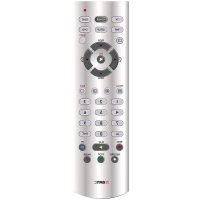
Universal Remote Control 4in1 H140 - Remote control EMTEC - Free user manual and instructions
Find the device manual for free Universal Remote Control 4in1 H140 EMTEC in PDF.

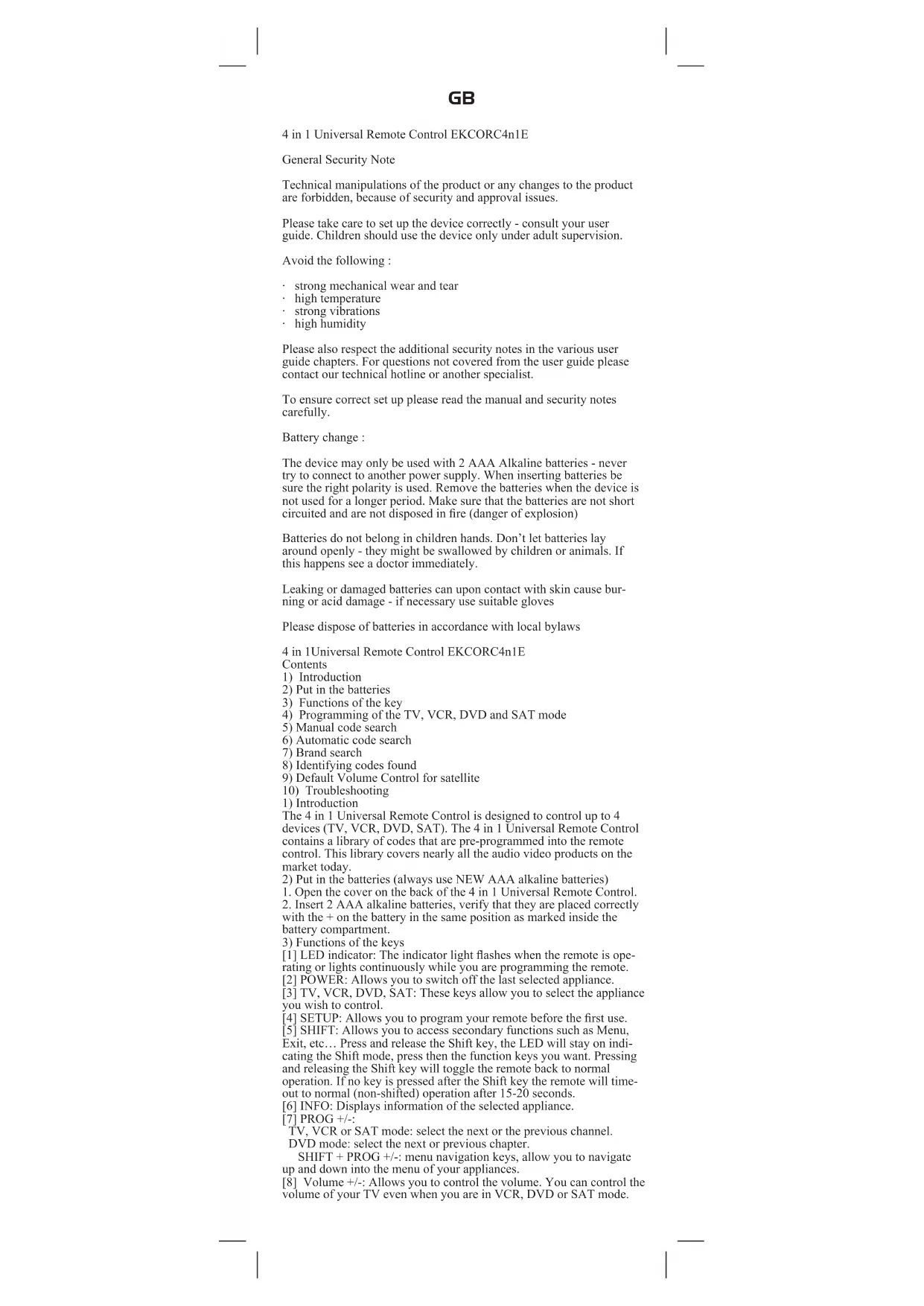


| Product type | Universal remote control 4 in 1 |
| Brand | Emtec |
| Model | Universal Remote Control 4in1 H140 |
| Dimensions (approx.) | 18 x 5 x 2.5 cm |
| Weight (with batteries) | Approximately 90 g |
| Power supply | 2 alkaline batteries LR03 (AAA) 1.5 V |
| Compatible devices | TV, VCR, DVD, SAT (up to 4 devices) |
| Infrared range | Approximately 8 meters (depending on conditions) |
| Main functions | On/Off, volume, channels, teletext, menu, navigation, media playback, recording |
| Programming methods | Direct code, manual search, automatic search, brand search |
| Volume control | Global mode (all modes) or independent per mode |
| Shift key | Yes, to access secondary functions (Menu, Exit, OK, navigation) |
| Indicator light | Red LED: flashes during operation, stays on in programming mode |
| Care and cleaning | Wipe with a soft, dry cloth. Do not use solvents. |
| Battery replacement | Remove the cover, insert 2 new AAA batteries observing polarity |
| Safety | Do not expose to moisture, high temperatures, shocks. Keep out of reach of children. |
| Disposal | Used batteries: do not dispose of with household waste, take to a collection point. Remote control: WEEE. |
| Spare parts | Not available separately. Product not user-serviceable. |
| Warranty | 2 years (according to applicable legislation) |
| Package contents | Remote control, instruction manual |
Frequently Asked Questions - Universal Remote Control 4in1 H140 EMTEC
User questions about Universal Remote Control 4in1 H140 EMTEC
0 question about this device. Answer the ones you know or ask your own.
Ask a new question about this device
Download the instructions for your Remote control in PDF format for free! Find your manual Universal Remote Control 4in1 H140 - EMTEC and take your electronic device back in hand. On this page are published all the documents necessary for the use of your device. Universal Remote Control 4in1 H140 by EMTEC.
USER MANUAL Universal Remote Control 4in1 H140 EMTEC
4 in 1 Universal Remote Control LKCORC4n1E
General Security Note
Technical manipulations of the product or any changes to the product are forbidden, because of security and approval issues.
Please take care to set up the device correctly - consult your user guide. Children should use the device only under adult supervision.
Avoid the following :
- strong mechanical wear and tear
high temperature - strong vibrations
high humidity
Please also respect the additional security notes in the various user guide chapters. For questions not covered from the user guide please contact our technical hotline or another specialist.
To ensure correct set up please read the manual and security notes carefully.
Battery change :
The device may only be used with 2 AAA Alkaline batteries - never try to connect to another power supply. When inserting batteries be sure the right polarity is used. Remove the batteries when the device is not used for a longer period. Make sure that the batteries are not short circuited and are not disposed in fire (danger of explosion)
Batteries do not belong in children hands. Don't let batteries lay around openly - they might be swallowed by children or animals. If this happens see a doctor immediately.
Leaking or damaged batteries can upon contact with skin cause burning or acid damage - if necessary use suitable gloves
Please dispose of batteries in accordance with local bylaws
4 in 1Universal Remote Control EKCORC4n1E
Contents
1) Introduction
2) Put in the batteries
3) Functions of the key
4) Programming of the TV, VCR, DVD and SAT mode
5) Manual code search
6) Automatic code search
7) Brand search
8) Identifying codes found
9) Default Volume Control for satellite
10) Troubleshooting
1) Introduction
The 4 in 1 Universal Remote Control is designed to control up to 4 devices (TV, VCR, DVD, SAT). The 4 in 1 Universal Remote Control contains a library of codes that are pre-programmed into the remote control. This library covers nearly all the audio video products on the market today.
2) Put in the batteries (always use NEW AAA alkaline batteries)
-
Open the cover on the back of the 4 in 1 Universal Remote Control.
-
Insert 2 AAA alkaline batteries, verify that they are placed correctly with the + on the battery in the same position as marked inside the battery compartment.
3) Functions of the keys
[1] LED indicator: The indicator light flashes when the remote is operating or lights continuously while you are programming the remote.
[2] POWER: Allows you to switch off the last selected appliance.
[3] TV, VCR, DVD, SAT: These keys allow you to select the appliance you wish to control.
[4]SETUP: Allows you to program your remote before the first use.
[5] SHIFT: Allows you to access secondary functions such as Menu, Exit, etc... Press and release the Shift key, the LED will stay on indicating the Shift mode, press then the function keys you want. Pressing and releasing the Shift key will toggle the remote back to normal operation. If no key is pressed after the Shift key the remote will timeout to normal (non-shifted) operation after 15-20 seconds.
[6] INFO: Displays information of the selected appliance.
[7]PROG+/-:
TV, VCR or SAT mode: select the next or the previous channel. DVD mode: select the next or previous chapter.
SHIFT + PROG +/-: menu navigation keys, allow you to navigate up and down into the menu of your appliances.
[8] Volume +/-: Allows you to control the volume. You can control the volume of your TV even when you are in VCR, DVD or SAT mode.
GB
No need to select the TV mode.
SHIFT + Volume +/-: menu navigation keys, allow you to navigate left and right into the menu of your appliances.
[9] Teletext MIX: Allows to mix the Teletext and the picture of the selected channel.
[10] Mute: Allows you to turn on/off the sound. You can control the «Mute» function of your TV even when you are in VCR, DVD or SAT mode. No need to select the TV mode.
SHIFT + Mute: OK key, confirms the selection.
[11] Teletext OFF:
TV mode: Stop Teletext.
SHIFT + Teletext OFF: Exit Mnu.
[12] Teletext Hold: Stop page change in Teletext mode.
[13] Numeric keys 0 - 9: Work the same way as your original remote.
[14] Teletext ON:
TV mode: Start/stop Teletext.
SIIIFT + Teletext ON: Menu ON.
[15] ENT: If you are in programming mode automatic code search- you can confirm the code of the device you want to control. In connection with the numeric keys, this button allows you with some equipment to select directly channels higher than 9.
[16] A/V: Selection of an external source (SCART input).
[17] Play, FF. Stop, Rew. Pause:
In VCR & DVD mode: These buttons work the same way as in your original remotes.
In TV mode: Fast text function (coloured keys).
REC (record): This key works the same way as the one on your original remote for your VCR. In order to avoid a mistake you have to press this key twice to activate this feature.
4) Programming your TV, VCR, DVD and SAT modes
Note: You can dedicate any appliance (TV, DVD, SAT...) to the VCR, DVD, or SAT keys: you just need to enter the 4 digit code (found in the code book) of the appliance, i.e. a VCR code under the SAT key. In any case, follow the steps below:
-
Make sure your equipment is switched on (for example TV).
-
Press and hold the SETUP (4) key until the LED indicator (1) lights continuously. Release the SETUP key.
-
Press and release the mode key (3) of the device you want to control (for example TV).
-
Enter the 4 digit code (13) from the Code Book. The LED (1) turns off after the last digit is entered. If you entered a wrong code the LED blinks for 3 seconds and then goes off. You have to repeat from step 2.
-
Point the remote in the direction of your TV and press the POWER button (2). Your device should turn off. Check other functions (for example for a VCR: FF or REW etc.). If certain functions are not responding this indicates that the entered code is not the correct one. In that case repeat the above procedure with the next corresponding code of your brand.
-
Repeat this procedure from step 1 for the other equipment you want to control (TV, VCR, DVD, SAT)
5) Manual code search
If your equipment (TV, SAT etc....) does not respond, try the other codes for your brand. If it still doesn't respond, try the Code Search method.
Note: As you can dedicate any appliance (TV, DVD, SAT...) to the VCR, DVD or SAT keys, you need first to enter any 4 digit code for the kind of appliance you wish to control (found in the code book), i.e.: If you want to program a SAT under the VCR key, enter any SAT code found in the code book and then follow the steps below:
-
Make sure your equipment is switched on. If not switch it on manually.
-
Press and hold SETUP (4) until the LED indicator lights steadily. Release SETUP
-
Press the mode key (3) that matches the equipment you want to control (for example TV).
-
Press PROG - (7) repeatedly until the PROG changes. If you step past the correct code use PROG - (7) to go back to the right code.
-
When the equipment you want to control reacts press FNT (15) to confirm the code. That's all.
Note: If your equipment doesn't have PROG+, you can use PLAY (VCR or DVD) (17) or POWER (2) key.
The search starts after the last registered code. If that was 0030, the search starts at 0031 until the last possible code and then goes from 0000 to 0029.
Note: if certain functions of your equipment can't be controlled you have to find a different code for your brand.
6) Automatic code search
When searching an unknown code, you can step through the library automatically (AutoSearch). When your equipment responds, you can stop the searching process and store the code you found.
GB
Note: As you can dedicate any appliance (TV, DVD, SAT...) to the VCR, DVD or SAT keys, you need first to enter any 4 digit code for the kind of appliance you wish to control (found in the code book, i.e.: If you want to program a SAT under the VCR key, enter any SAT code found in the code book and then follow the steps below:
- Turn on the device you want to control.
- Press and hold SFTUP (4) until the LED indicator (1) lights steadily. Release SFTUP button.
- Press the mode button (3) that matches the equipment you wish to control. The LED (1) blinks once.
- Press PROG+ (7) once. After a few seconds the remote starts stepping through the code library (fast search, 1 codec per second). When the device responds, you can press PROG- (7) to switch to slow search (1 codec per 3 seconds). You can step back by pressing PROG- (7) (you can step forward by pressing PROG+ (7) in case you went too far back). As soon as the device responds again, press the -ENT key (15) to store the code you found.
7) Brand search
If your brand is listed hereafter, you have the possibility to use the brand search method (faster than the «manual» and the «automatic code search»):
BRAND CODE
Philips/Radiola 1
Sony/Panasonic/JVC/Sharp Akai/Toshiba/Dacwoo 2
Thomson/Brandt 3
Telefunken/Saba/Normende 4
Grundig/Blaupunkt 5
Nokia/ ITI 6
1. Turn on the device you want to control.
2. Press and hold SETUP (4) until the LED indicator (1) lights steadily. Release SETUP button.
3. Press the mode key (3) that matches the equipment you want to control (for example TV).
4. Enter the code corresponding to your brand, point the 4 in 1 Universal Remote Control in the direction of your equipment, press once only PROG+ (7) continue to point the 4 in 1 Universal Remote Control at your equipment until the equipment changes channel. (The remote control sends an IR signal every second. So please wait until your equipment reacts). When your equipment does react, press on the key ENT (15) to confirm. If accidentally you miss the code, you can stop the autocsearch by pressing PROG - (7) and by repeatedly pressing this key return to the right code. Press ENT (15) to confirm. 8) Identifying codes found using the search procedure
1. Press and hold SETUP (4) until the LED indicator (1) lights steadily. Release SETUP.
2. Press the mode key (4) for the equipment you want to identify (TV, VCR, DVD or SAT). The LED blinks once.
3. Press again SETUP. The LED blinks once.
4. To identify the first digit press each number button from 0-9 (13) until the LED blinks. The number you pressed is the first digit of the code.
5. Press each number key from 0-9 as above to find the second and third digit.
7. Press each number key from 0 - 9 as above to find the fourth digit. When the fourth digit has been found the LED will go off. Don't forget to write down the code on the label of the battery compartment. 9) Volume Control
Adjustment of ALL volume controls under a specific mode You can program the remote control so that the volume and mute keys control a specific device (the volume control must exist on the corresponding device). E.g. control of TV sound in TV mode, VCR mode and SAT mode.
1. Press and hold SETUP (4) until the LED indicator (1) lights steadily. Release SETUP.
2. Press and hold MUTE (10) until the LED (1) blinks once. Release MUTE.
3. Press once on the mode key (TV, SAT,...) corresponding to the device whose volume will always be controlled by the VOL (8) and MUTE (10) keys.
4. Press the MUTE (10) key once.
Adjustment of the volume controls for EACH mode.
You can program the remote control so that the volume control is functional for each mode selected (the volume control must exist on the corresponding device). E.g. control of the television set sound in TV mode, control of the SAT receiver sound in SAT mode... 1. Press and hold SETUP (4) until the LED indicator (1) lights steadily. Release SETUP.
2. Press and hold MUTE (10) until the LED (1) blinks once. Release MUTE.
3. Press once on the mode key (TV, VCR,...) corresponding to the device whose volume will always be controlled by the VOL. (8) and
GB
MUTE (10) keys.
- Press the VOL-(8) key once.
- Press the MUTE (10) key once.
10) Problems and troubleshooting
The remote doesn't work or loses codes entered
- Confirm with your original remote that the equipment works correctly.
Make sure that you have pressed the corresponding mode key of the equipment or device that you want to control.
If the listed code does not work, try the AUTOSEARCH method or enter the next code of that brand.
To find the corresponding code for your equipment use the automatic search.
Check that the batteries have the correct polarity position.
- The programming of the remote requires 2 AAA alkaline batteries (new). If the remote loses codes within a few days/weeks the problem can be solved by using 2 new batteries from the same brand.
- If the LED is lit permanently, in general it will be necessary to replace the batteries.
Important:
The 4 in 1 Universal Remote Control must be used only in the way described in this instruction manual and may not be used for a purpose not intended.
DE
[17] Play, FF, Stop, Rew, Pause:
Note:uso combo (combinato TV/VCR o TV/DVD...)
TV mode: Vypnc Teletext.
SHIFT + Teletext OFF: Vystup z nabidky.
[12] Teletext Hold: Zastavi prechod na dal'si stränku v rezimu teletextu.
TV mode: Spusti/vypnc teletext.
SHIFT + Tcletext ON: Spusti nabidku.
[15] ENT: Pokud jste v rezimu programovani automa
TV mode: Stop teletektst.
SHIT+TeletekstOfF(UT):ShuithetMenuaf.
TV mode: Start/stop teletekst.
SHIFT + Teletekst ON(AAN): Menu ON (AAN).
[17] Play, FF, Stop, Rew, Pause:
[17] Play, FF, Stop, Rcw, Pausc:
Mod TV: Oprire Teletext.
SHIFT + Teletext OFF: legire din menu.
[12] Teletext Hold: Oprirea schimbarii paginii in modul teletext.
[13] Taste numerie 0-9: Se folosesc la fel ca la telecomenzile originale.
[14] Teletext ON:
[17] Play, FF, Stop, Rew, Pause:
YTHINHpyte 6aTapeKn COIacHO MeCTHOMy 3aKOHOaTeJIbCTBy
YHHepecaIbHbI IyIbT InCTaIHIOHOrO yIpaBHeHH 4 B 1 EKCOR-C4n1E
CoepKaHne
1)BBeHeHHe
2)YcraHObKaBaTaapeck
3)ΦyHKuH KTabH
4) PpOpaMnHpoBaHHepeKmMoTV, VCR, DVD n SAT
5)PyHIOI nonck KODa
6) ABTomathueckn HONCK KOJa
7) Iohck MapK
8)HcHTHKauHnHaJcHINbIX KOIOB
9)YnpaB.IeHHe rpoMKoCTbIO NO yMOJTuAHIO DJIa CNYTIHKOBbIX TpaHcJIaHn
10) YctpaHHe HEnoJaIOK
1)BBeHHe
YHBPcA1bHnIyIbTJnCTAHIOHOHOYnpABHeHH4R1
coaHAnIyIpypAeHHn4YcTPOIcTBAMnTVVCRDVD, SAT).JaHHnHyIbTcoTePckn6BnHOteKnypeIbpArntEJIbHo
ZanpoIpaMMnpOaHHbxKOIO.3ra6nHOtEkaOxBaTHBaer
IpaKaHcCKnBCHOayHO/HcOIOPOyKIOHO,peCCTaBIEHHyIO
ccToHNHa pblHKc.
2)YcTAnOBnC6bApCnKn(BcTeJaHcNo.H3yIeHOBBIEIeIOHNbc 6bapcnKnAAA)
- OrkpoTc KpbuKy Ia 3aIIOI PAICIN YINBepcaIbHOrO PyIBTa4 B1.
2.BCTABBLE 2IeNoOIIbIE 6aTapeEKN AAA,INPOBepTE NOJIPIIOCTB corIacIO CXEME BHyTPN OITcKa IIA 6aTapeek.
3)ΦyHKINH KJIaBHH
[1] CBeToHIOI: HHHKATOp MHaer BO Bpempa6oTHyJIbTa HIOCTOHHO TOpHT BO Bpemera IporpaMmHOBaHHa.
[2]POWER:(INTAHHE)IO3BOJET BIKIOHTB IOCTJEHe BB6paHHOE yCTPOIcTBO.
[3]TV,VCR,DVD,SAT:ETN KJIABINH HOBBOJIOI BbI6paIb ycIpoHCTBO,KOTOpBmHyKHOyupaBHTb.
[4] SFTUP: (HACTPOIKKA) Π03BOJRAET 3aIIPOpaMMPOBaTB IIyIbT HepeIePBbIM HcIOJIb3OBAHHEM.
[5]SHIFT: (CMEIIEHNE) TaKke o6eeHnBaet,ocTyI K
RU
BTOPOCTNEINHIM FyIKINHM, TaKHM KAK «MeIO», «BbXoD» H T.II. HaKMHTe H OITCYTHTE KtABNHy SHFT, CBTOHOJ IPODOHTKOTROPET, yKa3bBAE peKM SHFT, 3aTeM HAKMHTe HxkyHIOF yHKINHOJAHyIO KtABNHy. IIPh HAKATHN H OITNYCKAHHH KtABNHy SHFT IPOHCXOHTIIEPEKHIQUHHe O6pHTHO B HopMaJIbHbIe peKM pa60Tb. EChIIOcJIe KtABNHy SHFT He HAKMAETCAHKAkAaIpyrA KtABNHa, IIyIbT BEHPETcB HopMaJIbHbI (He cMeIIeHHH) peKM pa60Tb Ypees 15-20 cekyH.
[6] INFO: (HΦOPMAI[H] ΠOKa3bBact HΦopMaHIO O BBpaHOM y1pOiCTBC.
|7|PROG+/-:(PPO)PAMMA)
PcKHM TV, VCR HIN SAT: Bb6op c. dyioero Hn npc bnyoero KaHa1a.
PcKIM DVD: Bb6op cJyUoHIO HIN pCBAUYIeO OHHoHa. SHIT+PROG+:/nABIHAnHOIIIE KJIABHHMENIO;N03BOJIO TNEPEMeHATCBBepx HINHIO MEHIO yCTPOCTB.
[8] Volume +/:- (TPOMOKCTb) IIO3BOJET ynpaBnBT TPOMOKCTbIO. MoKHO ynpaBnBT TPOMOKCTbO TEeBH3Opa B peKHM E VCR, DVD HAI SAT.II He HyKHO Bb6IpAtpbpeKM TV.
SHIFT+Volume+/-:HABHuaHOHHMe KJIaBHH MeHIO;IO3BOJIOI HpeMeHHaTbCn BHeO H BnPaBO IO MEHO yCTPOHCTB.
[9] Teletext MIX: (TeIeREKcT MHKC) IO3BOJIAe CMEIHINBAtb TeIeREKcT c H3O6paKeHHem Bbl6paHHO KAHAJA.
[10] Mutc: (Bc3 3bKa) IIO3BOJIeBt BHKHOaHTB BHKHOaHTb 3bK. MoKHO yIupABHbT bOiI OyfHKINcY TcCBHNOp aJaK bPCKHM VCR, DVD HII SAT. He NyKHO B6IOHPaT bcKM TV.
SHIFT+Mute:K1aBnHIIA《OK》noTBCpJAcTcCJIaHnB BB6Op.
[11] Teletext OFF: (Teienerer BblKJI)
PcKHM TV:OctanOB TCJCTeKaTa.
SHIT+TeletextOF1:BbIXoH3MeHIO.
[12] Teletext Hold: (YdepkaaHne teTeKcTa) OctaIOB cMeIIb CTpaHH B peKHMe teTeKcTa.
[13]HNCIOBBe KJIaBHHn0 0-9:Pa6oTaIOT TaK Je,KaK HHaOpHnHaJIbHOM IIyIbTe.
[14] Teletext ON: (TeIeTeKCT BKJI.)
PekHM TV:3aHcyck/OctaHOB TeJeTeKcTa.
SHIFT+Teletext ON:MeHIO BKJIOHEHO.
[15]ENT:EcHHBbHAXOBpeKHMpeoipamMPOBaHHA ABOMATHCCCKN KOIIOHCKa-MOKHOIOIHHePHTB KOIycIpOoiCTBA, KOTOpBM BbXOTHTcYpABaTb. BcoCHAAHnC HcIOBJBmH KAIABHIAMN OTA KIOHtA NOSBOJIeCT C NOMOJIbO IOnPCJCINTOI O6OpyIOBaIIHIIHpMyIO BbIbHpTa KaIIaJIbC IIOMcPOM 60.Icc 9.
[16]A/V:(AyDnO/BnDco)Bb6op BnEeHero HcToHnKa (BXoJ SCART).
[17] Play (Bocnpn3bc,deiHc), Ff (IlepeMeTka Bnepe), Stop (Cron), Rew (IepeMeTka Haa), Pause (Iaya):
BpeKIMAX VCR H DVD: 3TH KHOINK pa6oTaIOT TAK Ke, KaK Ha opHHHaJIbHbIX IIbTaX.
BpeKnme TV: ΦyHKnna 6bictporo TeKCTa (OKpaHHeHHbIe KJIABHH).
REC(3aHc):TaKJIABHHpa6oTaerTakKe,KaKnTaKaH KJIABHHaHOPIHHAIOHbOMIyIbTe BnIOOMaHIHTOPOHa.B0 H36cKaHcOHNIOHbIKHyKHO HAKaTHbTyKJIABHHy(BaKb)UH BKHOCHNIAJAHOHΦYHKINH
4)ПрогамнроваимпpeжнмовTV,VCR,DVDиSATПпсчань:Мокгio паимачпьлбобocуctpoctBO(TV,DVD,SAT...)Клавиam VCR,DVDиIM SAT:Ийкnoюpocto Bbcctn4-3ичlmишфрoboiкoi(ПадлсььнВ кИнrc KoIOB)уctpoctBA,τ.e.KoJ VCRДЯКlaJBHIN SAT.ВлбомсуacБblIOIHTeCJIeIyIOUHe DeIcTBH:
-
V6eIHTecb, YTO yCTPOHCTBO BKIOUHO (HAIPHMep, TEJIeBH3OP). 2. IIaKMHTe IyEPckBAHBe KJABHUIY SETUP (4), Ioka CBETOAIIOI (1) He 6yET TROPbIOCTBO HIOHYOTHE KJABHUIY SETUP.
-
HaKMHTHe HOTHcyTHe KTAABHHy peKHMa (3) yctpoCTBO, KOtOpBM BbXOTHTe YIpaBnTb (Haipmep.TeJIeBn3Op).
-
BBeHnTe 4-3NaHbI uHpOBOI KOI (13) H3 KHNIOKoIOB. CBeTOHOJ (1) HOACHT IOOCIE BBOIA IOOCIEHcHIOHp6I. PnBBOc HcHpaNbHbOHO KOa CBeTOHO, MHaTcr 3 cckyHbI bATcEM TaCHeT. HyXIO NOBtropITb, NaHHaCo BO TbOPOr DeHtBN.
-
HanpaBbTe npIbI nTa TcBnOp HnAaMHTc KOnKy POWER (2). YcTpoCTBO DIOJIIO BbIKIOHcIO. IIpOBcPte dpyTHc FyINmH (nAnpHmCp,IMV VCR:FF HIN RLEW nT.I.).EiIN ONOpEeJIeHbIe FyIKHH INEOCTYIIH,3IIaHIT,BBeENIIbIKoI IIeBepen.B 3rOM CUYae NOBTOPITE yKa3AIHy IO BIIse PPOeDpy CO cJeDyIOHM NIOX0JIMHM KOOM IINBAIe MAPKn.
-
IIIOPTHE 3Ty IPOUeIpy, HauHINHc JdeIeCTBn1, IJRApyrTOG yctpoiECTBA, KOtOpBM bXoHTHe ynpabTb (TV, VCR, DVD, SAT) 5) PyHoi IOHCK KoJa
Ecnn Baine 60pOHaHne (TV, SAT H. T.) He OTEeAer, HIOPOByIte,pyrno KOBJ Dua Hanei MapKn. Ecnn H TO He HOMoAer, HIOPOByIte CIOOCB HONCKa KOJB.
PnmeHHe: NockoBky MoKHO Ha3HaHTb JIOOe ycTpoiCTBO (TV, DVD, SAT...) KnaBnnmVCR, DVD nN SAT, cHaHa hyKHO
RU
BecTHIIOOJI KOJ H3 4IIHpD JINI THNa YCTPOHCTBA,KOTOpBM BIXOHTHE ynpABITb (NIAI DEIHBI K INHI KIOOB),T.E.: cCIN BI XOTHI ZaIporpaAMMPOBaTB SAT HA KJIABHNY VCR,BBEIHTe IIOoBI KOJ SAT, HAIJEHHBI K KHRE KOIOB, N BILIOHNITE CNE dyIOHIEJeCTBHA:
- Y6eIHTecb, ITO OobopyIOBaHHe BKJIIOueHO. EcIN OHO BbIKJIIOueHO, BKJIIOHTe BPYHyO.
- Haekmte n y,epknaire SETUP (4), hoka cBeroIOHO He 6ynet Tpeb HocToHHo. Othycnre SETUP
- HaKMnHc KJIaBnHpypeKmHa(3),coBnaIauHOyO cYIpOHTBOM, KOtOpbIM BbXOTHTc YpapBtB (HAPUMCp,TEICBn3Op).
4.HaMKTE PROG+7)HcKO.16Ko pa3,IOka PROG NC H3MeHHTeC. EJIHN BbI npOyETHn IIpaBbIbIbI KOI,BCpIHTeCk K IcMyc IIMOIIIO PROG-(7). - Korla IyKIOc yCTPOIcTO OTKINKInCTcRA, IaXMMTe ENT (15) 1nI IOITBEpIXeIIH KODA.3rO BCE.
IIpHMeaHHe: Ecln Ha yctPOBCTBe HET KJIABHIN IN PROG+,MOKIO HcIOI3OBaTb KJIABHINy PLAY (BHeOeMaHHTofoH HIN DVD) (17) HIN POWER (2).
HONCK HAHTETC HIOCTHEIHO 3apeHCTpHPOAHHORO KOJA. FCIN 3TO 6bJI KOJ0030. HONCK HAHTETC O 0031 JOIOHCTJEIHO BO3MOKHO T KOJA H 3ATEM OT 0000 JO0029.
PIMcHHe:EcH OHPCJCHHHc FyHKHH BAHIO OOBpyOBAHH HcMOTY npAaBHTCB, HNHO HAITn DpyTOn KOJ Dn BAICmAPKn. 6) ABtOMaTHeCKHnIIOckKoJa
IIN NOHCK IINB3ECTTIOK KOJI, MOKIO ABOTMATHCCKII INPOCMOTpTe 616.110TEKy (AutoSearch).KOJIa ycStpoCTBO OTKJHKHCTc,MOKIO OCTAIOBHT IOHNK IH COXPAINTB IIAIJEIIIIIKI KOI.
IppMHueaHHe: IIOCKoIbky MOKIO Ia3IaHTb IIO6oe ycTPOcCTBO (TV, DVD, SAT...) KJIABHnAM VCR, DVD HTH SAT, cHaJIaIyHJIO BBeCTH IIIO6O KoI H3 4 IIHpI JIIa THIa YcTPOcCTBa, KOtOpBM Bb XOTHTe YIpaBIAHb (HaJIeHHb B KHITe KOIOB, T.e.: eCIN BbXOTHTe 3IupOrpAmmPobATb SAT Ha KJIaBnHv VCR, BBEIte IIO6O KoI SAT, HAIeHHb B KHITe KOIOB, N BHIooIHHTe CJIeIyHINHeJeCTBH
- BkIOHTHE yIPOINCTBO, KOTOPBIM BxXOTHTe yIpaJBNTb.
- HaKMnH n yepKnBaIe SETUP (4), Hoka CBCTOJHO1 (1) He 6yder TOpEb HocToaHHo. OTHyEcHTHe KHOHKY SETUP.
- HaKMNTKHOHNY pcXHMa (3),coBnAiaOIOyIO cYcTpoHCTBOM, KOTOpBM Bb XOTHTe yIpaJIbIbIb. CBeTOIOHOI (1) MmHCT OHH pa3.
4.HaKMHTc PROG+ (7) 0HII pa3. YpeC3 HCCKJIbKO cCKYINIpyIbT IIaHITc IPOCMOTp 6HIOIHOTEKH KOIOB (6bIcTpbn NOnCK -1 KOD B CEKYIyD). KorJa yCTpoIHCTBO OTKINIKETCR, MOKIO IIaKaTb PROG+ (7) JnnepeKIOUeHHN MaMeJIneHHNIOHK (1 KOD 3a 3 cekyIbI). MoKHO BEpytbc HAzAD, HaKaAB PROG- (7) (MOxHO IpeEHn BHepeJ HAkaab PROG (7),ecHN Bm UyHH CTHIKOM DAnEko HAsd). KaK ToBNbKO yCTpoIHCTBO OTKINIKETCR CHOBA,HaKMHTe KJIaBHIy-ENT (15) JncoXpaHEHH KA OaBIIeMapKn.
7) IIOHcMapKn FJIIN BAHAPMapKa yka3HaB CIIHcKe,MOKHO HcIO.1b3OBaTb IIIOHcIIO MAPK(6bIpc,CHM<pyhoH)N《ABTOMATHcckKn IIOHcKOJaI)
MAPKA KOJ
Philips/Radiola 1
Sony/Panasonic/JVC/Sharp Akai/Toshiba/Dacwoo 2
Thomson/Brandt 3
Telefunken/Saba/Normende 4
Grundig/Blaupunkt 5
Nokia/TT 6
- BkIOHTe yCTPOHCTBO, KOTOpBIM BB XOTHTe VipabTb.
- HauMHTe H y,epKHBaHTe SETUP (4), Ioka CBeTOHO1 (1) He 6yIET Tropb HIOCTOHHO, OTHCYTHe KHOIKy SETUP.
- HaKMMTe KJIABHINy peKHMa (3). COBnAaHOu yC yCTPOiCTBOM, KOtOpBM BxOHTe YIpaBHTb (HaIPmep, TV).
4.BHCNTeKO,cooTBCCTHYOHN BANHcMapKc;HaipaHbTC yHHBPCaHbHbN HbTTB 41 HAyTPOHCTBO;OINpaaHAKMTc TOJbKO PROG-(7)HAPABnIpyHTB 41 HAyCTPOHCTBO,NOKa OH INCmHHT KAnA.(IpyHT NocBlaAETHKCHNIAKKaJYIO cCKyIiy.HOTOMy JOXHITCCb,NOKa YcTPOHCTBO OTKINHKTcER). ECINH YcTPOHCTBO IpcAHPyET,NAKMMTE KJIABHUYENT(15)JIN NOITBePBeJENII. ECLIN BBcIcyAHIIO pONpyCTHNN KO,IMOKIO OCTaIHOBHT ABROMATHeCKNIHOHK,IAKAB PROG-(7),H, HECKOJIbKO pa3 HaKIMMA3TY KJIABHUY,BepHyTBcK IIpaBHbHOMy KOy.IaKMITE ENT (15)JINIOITBePKeHEnH
8) HHTHKAIHA KOIOB, HAJIeHHbIX C IOMOUIbIO HOCKA - HaKMMHe n y,lepKHaBte SETUP (4),IOKA cBeToIOHO(1) He 6yIeT IopTe IOCTOARHNO.OTHyCtHTe SETUP.
- HauKmHTe KJIABHnHpyekHMA (4) JINy cItpOcHb, KOtOpoe BnXOTHTe HcHTHpHInHPOBaTb (TV, VCR, DVD HIN SAT). CBrTOHOJ MHTHT EONH p33.
- CHOBa HaxMITE SETUP.CBETOHOJ MHTHER OHH pa3.
- 100 ppeHHeHH HepBoi HpHpaHakMaHte KaKjyO uHcIIOByo
RU
KIOIky O1 9 (13), IOKA CBeToHNOI He MInHIE. HaxKaTOe YHe.Io -3TO NpBaa IIHpa KOna.
5.IaXMMHTe KaKdyIO YHcNObYIO KJIABHmOy OTO9,HTo6bHaHTBTOpyIO TpeTbIO UHpbl.
- NaKMMTE KAKJYIO YNIOBIOY KTAHNNIy O T 9, YTO6bHaHTN 6eTBePTy IOOpy. Iocne HAXOKJIeHHaTeBPToH UINPm CBEToHOI 10rAChET. He 3abyIte 3aIIHCATb KOI Ha KaJIeKe OTcKa AITI 8BaTaapeek.
9)YipapHJIeHHeIpOMKoCTbHO
PcIy.IIpOBKa BCEX opHaHOB yIpaBHJCHH IpOMKOCTbHO B KOHKPCTHOM
pCKMH
MoKIO 3aIporpaMnPOBaTb NjIbT, YTO6bI KJABHINr TpOMKOCTN HOTKIOCHIN3ByKa yIPaB1HN KOIKPCTHBM YcTPOINCTBOM (yIPaB1CINC rPoKOCBIO DOJIKNIO 6bITb JOCTYIIIO HA COOTBECTBYIOEM YcTPOIECTBE). HanPIMcp, yIPaB1eIHNC 3ByKOM TEIEBHOPA B pekmte TV, VCR H SAT.
-
IiaKmIte H y,epKnBaHTe SETUP (4), noka cBeToJHOa (1) He 6yIer rOpTe hocToaHNo. OITNyCTHe SETUP.
-
IaKMMte H ydepKbAte MUTE (10),IOKA cBeTOnHO(1) He MMHTe OINH PA3,OTYCTHe MUTE.
-
HaKMMTE OUIH PAS KIAHNNIpyeKIMa (TV, SAT, ...), COOTBECTHYIOHO yCPOHcy, HbE I pOMKcBb Bx xOHTHE CERNA yUAPBHB c HIOHIOH KIAHNNI VOL (8) H MUTE (10).
-
Haxmte Klaabiny MUTE (10) OHH pa3.
PcIyIHpOBKa opraHOB yipabieHHraTpOMKocTBIO pcknMa EACH (KAJKdbH).
MoKIO 3IIpOrrpaMMHPOBaTb NIIbI, TIO6b yIipapBICIHC rPOMKOCTbIO paObaTIO JIN KAKIO TBIOpAIIIO TPOeKHMa (yIPaBJIICnC rPOMKOCTbIO DOIKIO 6bITIO COOTcYIIIO IIA COOTcETbYIOIe m YcTOPIoNCTBe). HAnpHMe, yIPaBJIeIHHe 3ByKOM TeTeBtHOpa B pekHMe TV, yIPaBJIeIHHe 3ByKOM SAT-pechBepa B peKHMe SAT...
1.ⅡaKmHnHyepKbAHTeSETUP(4),nOKacBetoHoo(1)He 6yierropeIIOCTOHHo.OTNcyTHTeSETUP.
2. HaKMMHe n y,lepKbAaTE MUTE (10), Ioka CBeToHOu (1) He MHHTe OJIN PA3.OTHyCTIte MUTE.
3. HAKMHTE OINH PAB KHAHNNIPEKHMATV,VCR,... COOTBCTHYIOHNYcPOINTHY,BeHITpOMKcTbBO BxOHTHE CECNTA YIUPAHIBTC HOMOHIIbKO KHAHNI VOL (8) H MUTE (10).
4. HaxmHc KJIaBnHy VOL-(8) OHN pa3.
5. Haxmntc Klaabmy MUTE (10) oinn pa3.
10) Ycpanennc neno.iaok
Iyblt HpebaotnH TepaET BBeJeHHBIE KOJIbI.
IPOBepbTe C NMOOUBIO OPHHIIaIbHO IyIbTa, YTO yCTPOHCTBO pa0otaet npabHbHO.
YbeHTEcB,HTOBaHaKaJIIN COOTBeTCTBYKJIAHBUNypeKHMOpOUPOBAHnI HTHYCTPOHCTBa,KOTOpbIM BbXOTHTe YIpaABJITb.
Fen HpeHnCJIeHNbIe KO1bI He paObaTAR, nonpooyTe cIOOCB ABTOONCKA HIN BReHTe CJIeYIOUII KO1D JIIB TIOI MapK.
HIOHCKA COOTBECTBYKHOIeroKO/aaBaiHrO OOBpy,0BaHHH HIOJIb3yHTc ABOMaTHHCCKHI HONCK.
PpOBepbIc npabHbHocb HOJHPoCTb 6aTapeck.
IINI INIPOIRPAMNIOBANH NIIIBTA Tpe6yETc2 2IeIOOHb6 BatapcIKN AAA (HOBIX).EeINI INIHT TcpeT KOJIbBTcCHINH NIECKOJIbKHX IINH/IECJI, IIPO6JIcMMy MOKIIPO pIINITb c HOMOIIb2 2 HOBIX Batapeck ToH Kc MapKn.
LcHnCBEOIOIROPHIOIOHO,TO,KaIKpABHIO,TpcOyeto 3aMeHa6aTaapeek.
BaKHe 3aMeuHaHn:
YHInBeBaTHbIbIbIbIbIbIbIbIbIbIbIbIbIbIbIbIbIbIbIbIbIbIbIbIbIbIbIbIbIbIbIbIbIbIbIbIbIbIbIbIbIbIbIbIbIbIbIbIbIbIbIBIOHOIOHOIOHOIOHOIOHOIOHOIOHOIOHOIOHOIOHOIOHOIOHOIOHOIOHOIOHOIOHOIOHOIOHOIOHOIOHOIOHOIOHOIOHOIOHOIOHOIOHOIOHOIOHOIOHOIOHOIOHOIOHOIOHOIOHOIOHOIOHOIOHOIOHOIOHOIOHOIOHOIOHOIOHOIOHOIOHOIOHOIOHOIOHOIOHOIOHOIO HOIOHOIOHOIOHOIOHOIOHOIOHOIOHOIOHOIOHOIOHOIOHOIOHOIOHOIOHOIOHOIOHOIOHOIOHOIOHOIOHOIOHOIOHOIOHOIOHOIOHOIOHOIOHOIOHOIOHOIOHOIOHOIOHOIOHOIOHOIOHOIOHOIOHOIOHOIOHOIOHOIOHOIOHOIOHOIOHOIOHOio HOio HOio HOio HOio HOio HOio HOio HOio HOio HOio HOio HOio HOio HOio HOio HOio HOio HOio HOio HOio HOio HOio HOio HOio HOio HOio HOio HOio HOio HOio HOio HOio HOio HOio HOio HOio HOio HOio HOio HOio HOio HOio HOio HOio HOio HOio HOio HOio HOio HOio HOO
SK
Univerzalne diafkové ovladanie EKCORC4n1E typu 4 v 1
SHIFT+Teletext ON: Menyn PA:
[15] ENT: Om du belinner dig i programmcringslagct - automatisk kodsökning - kan du bkräfla koden for apparaten som du vill styra. I anslutining till nummerknapparna kan du medenna knapp pa vissa apparater direktvalja kanaler som ar högre an 9.
[16] A/V: Valja cn extern kalla (SCART-ingang).
[17] Play, FF, Stop, Rcw, Pause:
6) ABTomathmnn NoIyK KoJb
7) Hoiwyk 3a 6pceHIOM
8)IeHTnΦiKaia 3naJeiHx KoIDB
9) PeIaRyBaHnI pIBH rYuHocI, Iy cyNyTHnKa 3a 3aMOBuAHbM
10) YcvHeHH HeNoJaIOK
1)BBe,JeHHJ
YHIBepcaJIbHHI IyIbI INCTaIHINHO KepyBaHH4 B 1 P03pO6JIeHO
JUH YIUPARINHH HINCTPOHM N3AraJIbHIO KITbKICTHo 4 HHTyK (TV, VCR, DVD, SAT). YHIBepcaJIbHHI IyIbI 4 B 1 Mac 6iBIOTEky KOJIH,
IIIO 3aIropamOBaHI B IIy.11 DcTahIHINHO KepyBaHH. B6iHOIEKa
IIIO pIMyC HIN6.IIHO HcI ayIO ra BIco IpnCtpoH, IO npHeYTHI H
IIcH qac Ha PHKY.
2) BctaBcHINb6atapcH (3abKHN BHKOPnCtOByHc HOBI JyKHI 6atapcI AAA)
1.BiKpHrKe KpHky No3aMy yIbcepaJIbNO rNtAnIIHIOKcpyBaIIH 4B1.
2.BCTABTE 2JyKIIbatapei AAA.IHepeBIPTe,IO6batape6yIa BIPIO PO3MIeIIa Ta CTOpIIa batapei 3I 3HakOM +PO3MIeIIa 3r1IO MAPKByAHHBI BICIKY IIAbatapei.
3) HKII KHOIIK
[1]IHINKATOP:IHINKATOP MRAE KOHN IyNBt BHKOPNCTOBYOTB. IHINKATOPROPbIOCTIHO IIpIPOrpaMyBaHHI.
[2]XNBJEHHRA (POWER):IOBBOIIE BHKTHOHIT IIpHJI,IIIO 6yJIO ObopaHOOCTAHIM.
[3]TV,VCR,DVD,SAT:II KJIaJIIMIIOOBOJHObOBpaHn Hco6xIHIN,JIKepyBaHHHaPJIaI.
[4] HACTPOIKA (SETUP): IIpoIpaMyBaHHI IIyJIbTa IInCTaHIIHIO KcpyBaHHI UPH IepHOMy BHKOpHCTAHHI.
UK
[5]KtabiHa SHIF:IO3B0JNEpeHTNoIOnomixHxpyIKiHn,
TakHXkMeHIO (Menu),BHXiE(Exit)taIIHIII...HaTHcHITbTa
BIDNyCTHTKtABIHy Shift.IIHAKATOPSyIeRopIH BKAyOHN Ha
peKHM Shift.IIHACHTbHeo6XHnyFyHKINAOHBMyKtABIHy.
IIaTHCKAHHa TaBIInyckAHHKaTABiHShift HepeBIEIyIbT3HOBy y
HOPMaBHn peKHM. JIKIO HcTAHNTCKAHHa KtABIH Shift HIKa
KtABIHa He HATNcKaTeCB, IyIbTIpeHJeIO HOpMaBHOrO peKHMy
peEe315-20 cekYH.
[6] IHΦOPMAIJI (INFO): BiO6paKeHH iHΦopMaIIi o6paHOIUPMIAJy.
[7]IPOPTPAMH (PROG) + / - PekHM TV, VCR a6o SAT: npecknochnnn no hactytnoro a6o nnpcnbo kanaJy.
PcKHM DVD: npeckIOUeHINr IIO HAcTyHnOro afo nnpcnboorpo3dV.
SHIT+PROG+:/:KJIaIiI IaIraIe MeIIIO.03BOIe IepexoHTBROPy a60 BnH3 BMeIIIO pHIAIIB.
[8] YuichiCTb (Volume) /I:ДзБОЛБЕ KOPHryBATH ryUHcTb. PIBeHb ryUHcTb TV moKHa peJdaryBath B peJHKmax VCR, DVD a60 SAT. IpeKJIouHuaTH b peJHKTV He NTropi6HO.
SHIFT+Volume+:/:KabiniHabirianMeHO,IO3BOJHe IepexOHTN JIBOPy a0IpaBOPy B MeHO IIpHaTiaJB.
[9]3mhybaHH Teiletekcy (Teletext MIX):IOsBOHc npoHuaTH TceIeKecTa 3obpaKeHH oBpaHO KaHaiy.
[10]BHKIOOCHHH 3Byka (MuC): IOBOIOHRC BIKIOOHTHBHKIOOHTH 3ByK.ФИнгд«MuC»III TV MOKC BHKOPCTOBYBAITHCB PCKHMAX VCR, DVD abo SAT. IpeKIOOHATCHB PCKHM INOTpiHO. SHIFT+Muc: KJIABIMa OK NITBCEPdKmTNBbOpy.
[11] TeTeKCT BHKJI. (TeText OFF): PeKHM TV: BiKIOHHTN TeTeKT. SHIFT + TeText OFF: BnXJ3 mEIO.
[12]3aTpHmKaTeIeTeKcTy (Teletext IIold): 3yINHHc 3mHy crotipnii B peKmI TeIeTeKCT.
[13]IuΦpOBI KJIaBIII 0-9:IIpaIIOHObTaKoK JaKaHaOpHrHaJIbHnX IIyIbTx.
[14]TeTeKETBKJI.(TeletextON): PekmTV:BkHIOeHHB/BAKIIHOeHHH TeTeKCTY. SHIFT +TeletexON: BKHIOeHHMeHO.
[15]BBOJ(ENT):KIO BnBpeKHMI IPOIpamyBaHH3 ABOMATHHOTIO HOUYKY KOUB, BH MOKCTC III TBCEpIHTH KOI PHPCTOIO, IIIB XOYCTC KOITPOHOBH. PPH BHKOPCTAHNI 3 IIHPoBBMI KJIABIIAMH, II KJIABIIIA JONOMARAC PIPMO NcpeHT DO KAATIB, IIIO MAOTB HOMeD GINIEE 9.
[16] A/V: Bnbiip 30bniiinboTo dxkepeia (Bxix SCART).
[17] BiTbOpEHH (Play), IIepeMoTyBaHII BnpeE (F), CToI (Stop), IIepeMoTyBaHII Ia3aI (Rew), IIay3a (Pause):
BpeKmI VCR ta DVD II KhoIKN IpaIIOIOb TaKoK JaHa opriHiaJbHnx IyIbTx IO IIX IpuIaIiB.
BpeKMI TV:HyHKIII IIBHIOKO TReKCTy (KOBOPOJI KJIABIII). 3aIHC (REC) II KJIABIII npauoTO TB KOK JH AO pHIITAHbOMY HJbTI IO BAIHOI npcHrpoIO VCR. IIIO 3aIOBHITIOHOMIOK, HAIHTCHI bIO KJIABIII dHIO IIIOA KTHNYBATHIO OyHKIIIO. 4) PpOpaMyBaHHpeKIMTV,VCR,DVD Ta SAT YbaIa: ByIb KHN npHnIaT (TV, DVD, SAT...) BN MOKCTe HA3HaHTH Na KJIABIII VCR, DVD a60 SAT:BAM TILIKN IOTPIHO BBcTNI 4-IIIpOboN KOI (3HaiitB KIN3i KOIN) npu.iNy, HApNK1aI KOI VCR dN KINONKn SAT.B bOmy BnAdky, ciiTyTe nactyTTHM KpOKAM:
-
Ipebeipte 6o6 npHjaD 6y BkIOueHH (IaPnKJaT TV).
-
IIaIHCIIb Ta TpHMaIte KJIaBiIy SETUP (4) IIOKH INIINKAtop (1) IIIOueIOCTHIOROPIH. BIIuNCTHTB KJIaBIUY SETUP. 3. IIaIHCIIb Ta BIiYcTHTB KJIaBIUY peKHMY (3) IIAI pIHCTPOHO, IIKH Bn XOeTe KOHTPOHOBATn (HaIPHKaIaTV).
4.BBeHb4-HPpOBHH(13)KoI3 KHNTH KOIIIB.IHINKAtOP(1 BHKIOHTBcHcNIABBeIEHHOCTAHHHOIuPHJ.KHO BN BBEH NHeIPHHKO,IHINKAtOP6yMHTHNPOTOM 3cekyH,a HOrIM HOYXHC.B Takomy paia HOBnPTB CCC 3 KPOKY2
-
HABeITbIy.bT B HApPmky TV Ta HATHeHb KHaBHy KHNCHNPOWER (2).PiHcpii NOBnH BnIOOHTnC. NpeBipTe nIIi FyHKii (IIaepKJAD JIN VCR: NpcmOTka Bnpcd FF a6o Na3aRI RLW ta IIIII). RaIO cEKi FyIKII Ic npAIOIOTB, Ic O3NaAc, IO BBeDInn KOI NC IIxOAnh. B TAKOMy BNnA.KY NOBtOpHTb IpoeDpy 3IOBY BHKOPHCTOBYIOH BIIOBI INN KOI DJIg BpeIy BaWoTO pHiJaIy.
-
IIOBTOPTHTIIO npOeDpy BID KpOKy 1 IINHx INHx INHxADIB, Aki BN XoUeTe KOHTPOJIOBATN (TV,VCR,DVD,SAT).
6) PyuHHn IIouyK KoIIB
IAKIO npHuaDN (TV, SAT ra iHNi....) He peayKOTb, cIpO6yIte iHNi
KoJIN JIINI 6peHUY. IAIO HIOHO HE BHXoUITb, CIpO6yIte MetoI
IIouyK KoIIB.
Ybara: Tak kB MoKere haHaHHTHIO6H IIpHlaI (TV, DVD, SAT...) Ha KaJIaHI VCR, DVD a60 SAT, To bAM, HIO-NepHe, HOIpiHO BHEcT 4-3HaHNI KOI JNJ pHIAIy, IIIO BIX XOHTe KOHTPOJOHATN
UK
(3iainbKoB KIN3i), iNkH: RaIO BxOyTe 3aIporpamyBaTH SAT IIa KIabiVCR, BBeITb KoI SAT, IO Bn 3IIaIIIN B KIN3i, a IOTIM cIiyte HAcTyHHM Kpokam:
-
Ipebeipte, 106 npHlaI 5yIO yBIMKHeHO. KIO ne He TAK, BBIMKHITb HOTO BpyHy.
-
Hattchitb Ta Tpmaire KlaBiny SETUP (4) IOKn iHukarTop (1) He IOHe IOCTIOHO TopII. BiUvCHTb SETUP
-
Hattichb kaihiiny peKmmy (3) 111 npncpO, AKn Bn XoHcE KOHPOIOHOBATH (HaipHKJIaT TV).
-
HattckaiTc PROG+7) 10THN HOp NOKH IporpaMa HC npcknOHTbC. KIO Bn II pOnyCTH BIPHH KO, BHKOPHCOTByTe PROG-7),MOB NOePITHyTe DO BIPNOrO KoY.
-
RaIIIO npHnIa, IIIO Bn XOCTc KOITPOJIOBAtH, BiINIOBlaac, HATHeHHTb ENT (15), IO6 MIITBepDTH KoA, Ie BCC. YBaRa: RaIIIO npHnIa IIE MaE KIOIKN PROG +, MoKHa BHKOpHCTOByBaTH KIOIKNY PLAY (VCR a6o DVD) (17) a6o KIOIKNY POWER (2).
TIOIyK IOUINHaETbc3 0 octAHHHo 3apeeCTPOBAHOrO KOiY, JAIIOO OCTaHHIM 6by K01 0030, IIOIyK IOUHeTbc3 0 031 0 do octAHHHo MOJIKBOHOKO Y, a IOIT IM IpoiTe KOiN 3 0002,io 0029.
YBaHa:KIOJcKi fyHKII O6.laHaHHHe HpaHOTb 3 HjIBTa, Tpeba 3HaHIn HINIKoI JINB6pHJa.
6) ABTomathmnnn noyK KOiB
IIH NoIiy KcBIOOMoKOy, MoKHa IyKaTH B 6io. HOTcui
ABtomathmno (AToNoIyK). RaIO npHnA IOYnc pcaryBaTH, BN MoKcTe 3yHHNTH IPOCC NOyKy Ta 3OcpcTH 3aHcCINHO. YBara: TaK kBn MOKeTe na3NauHTN moOH npHtA (TV, DVD, SAT...) HA KJIaBIu VCR, DVD afo SAT, TO BAM, no-epHne, Notpi6eBBecTH 4-3NaUHHK KOJ Ia II pHnAHy, IIIO Bn XOyete KOHPTPOIAOBATH (3HaHITb KO B KHN3), IHAKHe: RaIO Bu XOyete 3aNPoTpaMyBaTH SAT Ha KJIaBIuVCR, BBeITb KOJ SAT, IIIO Bn 3HaHInB KHN3i, a HOTmclUYte HAcTyHM KpOKAM:
-
YBIMKHITb UPDCPTPII, IIO BO XOJETE KOHTPOJOBOHIN.
-
Hattchitb Ta TpHmaiie KJIaBiyIy SETUP (4) IIOKINIHINKAIrop (1) HCIOHCIOCTIIHO TOPIH. BiUHyCHTb KJIaBiyIY SETUP.
3.HarncihbKnabinypcKmVy(3)IOBiiNIOiIac npHJy,IO BN XOHTc KOHTPOIOBAtn.INDIKATOP(1)MHTHC OINPi3
4.HaHcnHbKnaBiyPROG+(7)Onnpa3.IicIckibKa cckyI INbT noNcNyKATn NO 6biNIOtei KoIB (INbIKNn NOnyK-1 KO B CCKyI.N. KOnPiNpCTPiNPOpearyC, BN MOKeTe NaTHCyTN KNaBiy PROG-(7),IO6NEpeKnOHTnca HIO NIObln NIOwYK(1KO,B3 ceKyIIN).IOBeepHyTncdo IpoOneHHX KoIB MoKHa NAtCHyBHN PROG-(7)(HaTHCyBHN PROG(7MOKHa 3HOBY BKIOuHTn NOnyK BHepeII).KOnPiNpCTPi 3HOBy POpearyE,HaTHCtB-ENT(15),IO6 SEperrT KIO,NO B3AHIIM
7) NIOIVK 3a 6peHLOM
KIO 6peH1 BAHOIIO npHIAIy E B HAcTpyHH TaBHNH, BN MOKeTe CCKPHTAHCHMEOOM IOUYK 3a 6peHIOOM (INHIIUE HIK pyHH Ta ABOTMAHHNIOUYK KOIB)
BPEHKO
Philips/Radiola 1
Sony/Panasonic/JVC/Sharp Akai/Toshiba/Dacwoo 2
Thomson/Brandt 3
Telefunken/Saba/Normende 4
Grundig/Blaupunkt 5
Nokia/ITT 6
- YBIMKHITb IINCTPII, HIO BN XOYE KHTPOJBOATM
- Hatchitb Ta Tpmaire KnaBiny SETUP (4)IOKn iHikatop (1) He NoIHe NoCTiHo roptin. BiuycTb KnaBiny SETUP.
- Hattichb klaibiny pekmmy (3) 11 npctpo, knn Bx xohete KOHPOIOHOBATH (haipnKJIaT TV).
4.BcHbKoIIOBIOIacBaIOMy6pHly,HABcHbHybT4B 1 HA IpncIpi, HATCHHbOJIN PA3 KNOHKY PROG+ (7) Ta TpIMaHTC IyIbT cIpMaOBAHm HA pHuaN OKN IpncIpi Ha 3MInHTb KaHJI. (IyIbT NocHLaI INPpAepBOHN CnHAI KOKHY CCKNY. Tomy 6byIbNacka 3aueKaHrE NOKn IpncETPi NC BIDpcaryc). KOH IpncIpi BiPcarye, HATCNHb KNOHKY ENT (15), IOB NiITBepHH. JIKIO BH BNIIaKOBo IpoNcyTHm KOD, BH MOKeTe 3yNNHHTb ABTO NOuYK HATNCbYbHIN PROG- (7) Ta HtNcKaOHu IO KJIaBIy NObepHyTHcdo BIPnHO KoY IIATHCbH ENT (15) dI MNTBepKeHH.
8)IeHTnphiia3HaIIeHIX KOIB 3 BHKOpncTaHHM IpOueypr HNOUYK - Hatncihb Ta TpHmaite KlaBiny SETUP (4) IOKn iHKarTop (1) He NoHe NoCTiNo ToPIH. BiUyCHTb SETUP
- HATHCHTH KJIANHIpy pexKHMy (4)JIAI IHPcIPOHO, JKHBI XOHTE KOHPTIOIBATH (TV,VCR,DVD a60 SAT).IHIKaTOp MHHc OJINH pa3.
- 3HOBy HArHCHiB SETUP. IHnKarOp MInHe OyHH pa3.
- IIO6iJeHHHkiyBaTH Hepu Hnppy HnchHbci nnpoB
UK
KJIaIbIi Bi 0 do 9 (13),doKn Ie MInIe iHnKaTOp. Lhpa, IO Bn HAtHCHyH,Je nepHa Hppa KoIy.
- IIaHcKaIe IINΦpOBI KJIaBII 0-9 JK OIIHcAHO BIIe, IIo6 3HaIITN pIpyrTa TpeTIOIΦpy.
- IIaTHCKaIe KOKHy KnaBiyu BiJ 0 Jo 9K OIIHcAHO BIIue, IIOb 3AHHTnTHeBTpepy. KOJIyETBepy UINppy 6yHe 3AIHeHO, IHIKATOp IORache. He 3aOyIte 3aIIHCaTH KOJ Ha IApINky, IIO 3HXAOITbChHa BIICiKy, IIO GaTaepie.
9) PedaryBaHHryHocri
HaicpoiKa BCIX KOHTPOeepB I HCBHOMy pcKMI
Bn MoKcTe 3aiporpaMyBAtI Ny.1bT Tak, IIIO6 KJIABHI rYHOCTI Ta
BiKIOHOCHI 3Byky KOHTPOIOBAH NCBII INPcHPTPI (fYIKII
KePYBaIIHr rYHIOCTI NOBIIHl IEyBaTH IIA BIDIOBIOMY pIPcHPTO).
HaipHKJiaD, KepyBaIIH 3BykOM TV B pCKHMax TV,VCR ta SAT. - HaHcnHtB Ta TpHMaIe KJIaIbIy SETUP (4) nOKn IInIkaTOp (1) He noHHe NoCTIIIO roPITH. BiDnycHTb SETUP.
- IIaHcHbI TPnMaTe KJIaBiNy MUTE (10) IOKH iINHKarOp (1) nMHRpe pa3.BiDyCTHTb MUTE.
- IIaTHCHiHb pa3 Ha KJIaBIuIy peKHMy (TV, SAT, ...) IIpHcTPO, IaIa KepyBaHHa KOTPM 6y,IyTB BHKOPHCTOByBaTHc KJIaBIuI Vol (8) Ta MUTE (10).
- Harnchirb kajinly MUTE (10) oun pa3.
Haicpoika KOHPOcPiB rYHOCi IIO KOKHO PCKHMy.
BNMOKcIe 3aipoipambybTH NtBtTak, HIO6 KJIABHI rYHOCi
IpaIIOBaHI DRI KOKHORO O6pAHORO PCKHMY (fYHKII KCPYBAHH
rYHOCi NOBHnIa icHyBaTH Na BIIOBIIOHMy IIpHcTPOIO).
HaipnKaI, KepyBaHIM 3BykOM TcNcBOpry B pckHMI TV, KcpyBaHII
3BYKOM cyNYTHNKa B pcKHMi SAT...
- HaTnHITb Ta TpHMaIe KJIaBHy SETUP (4) INKn iINnKaTOp (1) Ie noHne NoCTiHIO roPiH. BiDnCyTnTB SETUP.
- IIaHcnHbI trpMaHTe KJIaBiWy MUTE (10) nOKH iINHKaTOp (1) He MHrHe pa3. BiINcyCTHb MUTE.
- IIATNCHTb paa HkJIaBIiHy peKHMy (TV, VCR,...) IIpHCTPOHO, IJIa KepYBaHHKOTPMH 6yIyTB BHKOPHCIOBYBaTHCA KJIaBIII VOL (8) Ta MUTE (10).
- Harnchitb KnaBiny VOL-(8) OHn pa3.
- Hattchitb Klaabiny MUTE (10) onn pa3
10)PpO6JIeMnTaYcynHnHHeNoJADOK
HyBt n paooc a6o Bpatah KOn, 10 6y.10 BBcno
1IpebiTe 3 opHraJIbIoro IyIbTy, IIIO pHuaIpaIIOB bipno.
HepeBipTe, HIO BN NAtHcNHy BIDNObIHy KJIaBIpy PcKIMy IIN PnHCTPOIO NH O6JAAHIIH, HIO BN XOHTe KOITPOJIIBaTH.
KoKnIe npaioe, cnpoyne MeToA BTOIOIyKY a0bBeeiTh HAcTyHnn KOn IJIg 6peHa.
ⅢO63HaHTB BIDIOBIuHn KOJ DJIg O6laHaHHB, BHKOPHCOTByTe ABTOMATUHHIOWYK.
Ipepeipre 3a BipHOIO IOJIAPHICTO PO3MIeHI 6atapei.
IpoIpaMByBaHH HnybTa KepyBaHH HnIpe6y 2 AAA JyKHi batapei (HOBI).KIO HOJIO BpauHcEO JIKIbKa JHIB/THKHI H3aI, HPOICMY MOKHA BpuIHHTBCTaBHIIHH 2 HOH batapei TOrO JK camoTO bpcHy.
KIO HINKATOP NOCTIINHO BKNOCHNO, NOTPIIO 3AMINHTBatapei
BaxjHBO:
YHIEpcaaHHIpybI dHcTaIIHIO KepyBaIIH4B1IOBHINCH BHKOPCTOBYBATHC TILIKN BIIOBIIO 3 IIEIO IICHTpyKIOIO TaHE NOIBIIH BKOPCTOBYBATHC DJII IOE, IIe BiIOBIDIHX DO pHINHAueHHI pHnctpHO.