
IS2056BK IRONING SYSTEM SERIES 2 - Ironing system BRAUN - Free user manual and instructions
Find the device manual for free IS2056BK IRONING SYSTEM SERIES 2 BRAUN in PDF.
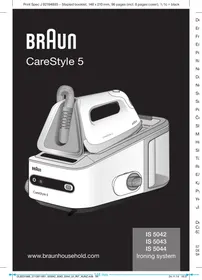



| Product type | Ironing system with steam station and iron |
| Brand | Braun |
| Model | IS2056BK IRONING SYSTEM SERIES 2 |
| Power supply | Mains (see device label) |
| Water tank capacity | Approximately 1.5 liters |
| Soleplate type | Eloxal 3D (scratch-resistant, optimal glide) |
| Steam function | Yes, with dual trigger and precision jet |
| ECO function | Yes, for delicate fabrics (reduced steam flow) |
| Vertical steam jet | Yes |
| Dry ironing | Yes |
| iCare ultimate technology | Automatic temperature adjustment suitable for all fabrics |
| Auto shut-off (standby) | After 10 minutes of inactivity |
| Locking system | Yes, for safe storage of iron on station |
| Recommended descaling | Every 15 liters of water consumed (approximately 10 fills) |
| Soleplate cleaning | With a damp cloth, without abrasive products |
| Safety | Hot surfaces, do not immerse, unplug before filling |
| Display | Screen with icons (power, steam ready, water level, ECO, cleaning) |
Frequently Asked Questions - IS2056BK IRONING SYSTEM SERIES 2 BRAUN
User questions about IS2056BK IRONING SYSTEM SERIES 2 BRAUN
0 question about this device. Answer the ones you know or ask your own.
Ask a new question about this device
Download the instructions for your Ironing system in PDF format for free! Find your manual IS2056BK IRONING SYSTEM SERIES 2 - BRAUN and take your electronic device back in hand. On this page are published all the documents necessary for the use of your device. IS2056BK IRONING SYSTEM SERIES 2 by BRAUN.
USER MANUAL IS2056BK IRONING SYSTEM SERIES 2 BRAUN
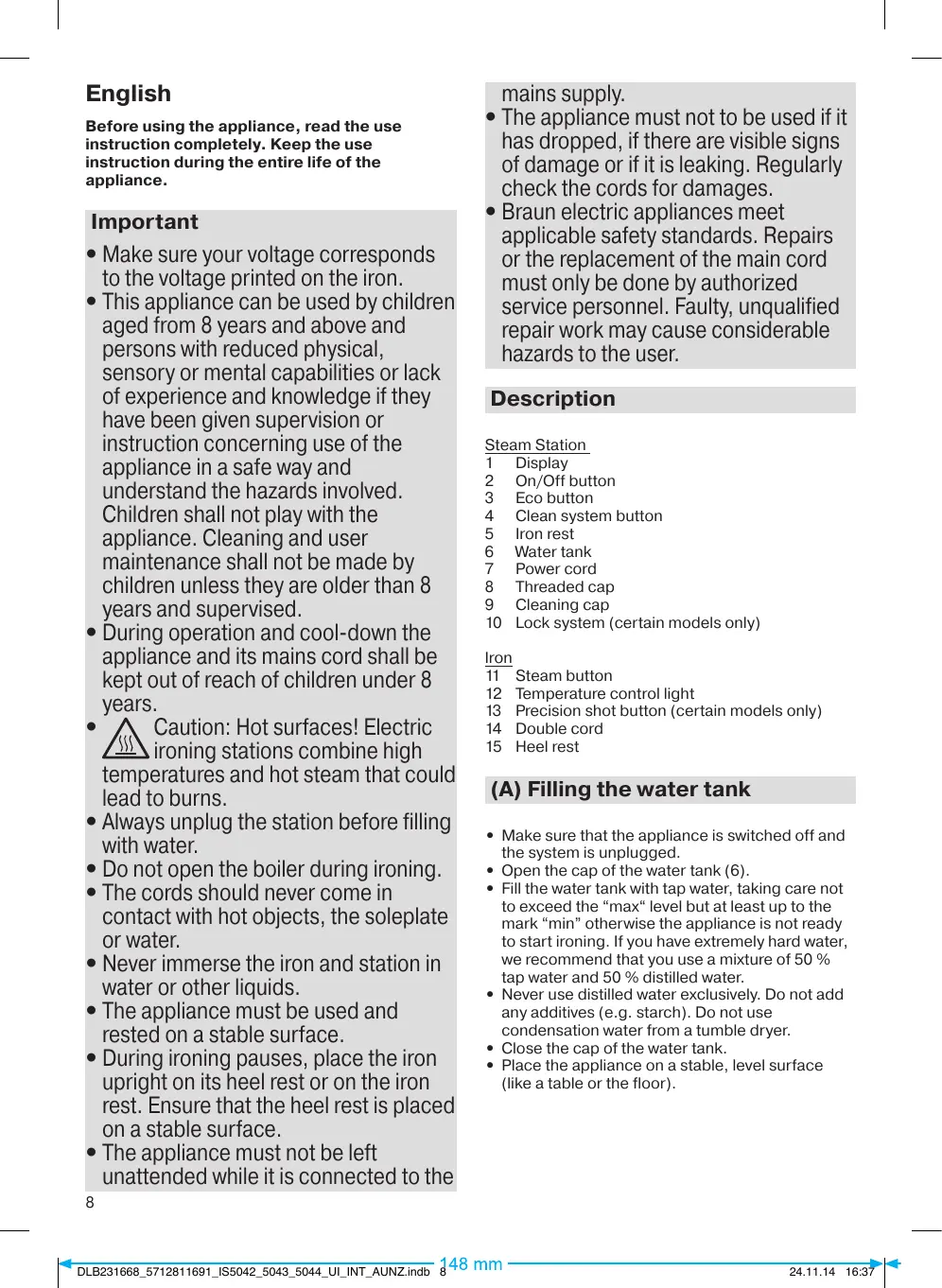
Before using the appliance, read the use instruction completely. Keep the use instruction during the entire life of the appliance.
Important
- Make sure your voltage corresponds to the voltage printed on the iron.
- This appliance can be used by children aged from 8 years and above and persons with reduced physical, sensory or mental capabilities or lack of experience and knowledge if they have been given supervision or instruction concerning use of the appliance in a safe way and understand the hazards involved. Children shall not play with the appliance. Cleaning and user maintenance shall not be made by children unless they are older than 8 years and supervised.
- During operation and cool-down the appliance and its mains cord shall be kept out of reach of children under 8 years.
- Caution: Hot surfaces! Electric ironing stations combine high temperatures and hot steam that could lead to burns. Always unplug the station before filling with water.
- Do not open the boiler during ironing.
- The cords should never come in contact with hot objects, the soleplate or water.
- Never immerse the iron and station in water or other liquids.
- The appliance must be used and rested on a stable surface.
- During ironing pauses, place the iron upright on its heel rest or on the iron rest. Ensure that the heel rest is placed on a stable surface.
- The appliance must not be left unattended while it is connected to the
mains supply.
- The appliance must not to be used if it has dropped, if there are visible signs of damage or if it is leaking. Regularly check the cords for damages.
- Braun electric appliances meet applicable safety standards. Repairs or the replacement of the main cord must only be done by authorized service personnel. Faulty, unqualified repair work may cause considerable hazards to the user.
Description
Steam Station
1 Display 2 On/Off button 3 Eco button 4 Clean system button 5 Iron rest 6 Water tank 7 Power cord 8 Threaded cap 9 Cleaning cap 10 Lock system (certain models only)
Iron
11 Steam button 12 Temperature control light 13 Precision shot button (certain models only) 14 Double cord 15 Heel rest
(A) Filling the water tank
- Make sure that the appliance is switched off and the system is unplugged.
- Open the cap of the water tank (6).
- Fill the water tank with tap water, taking care not to exceed the "max" level but at least up to the mark "min" otherwise the appliance is not ready to start ironing. If you have extremely hard water, we recommend that you use a mixture of 50% tap water and 50% distilled water.
- Never use distilled water exclusively. Do not add any additives (e.g. starch). Do not use condensation water from a tumble dryer.
- Close the cap of the water tank.
- Place the appliance on a stable, level surface (like a table or the floor).
Low Water
- When the water level is low, the icon ♠ is permanently on.
- The icons ☐ / ☐ turn off
- If you want to continue steam ironing, refill the tank of the steam station (A).
(B) Start ironing
- Place the iron on the iron rest (5) or on its heel rest (15), plug in the appliance and press the on/off switch on the station (2). After switching on, the related icon in the display (1) is permanently on.
- At the same time, the icon in the display (1) will start to blink until steam is ready. This steam setting is suitable for garments like cotton and linen. Note: during the blinking in the display, the steam function is deactivated.
- Once the conditions have been reached, the icon will stay permanently on.
- The iron will start to heat up: during this, the temperature control light on the iron (12) is blinking.
- Thanks to the ultimate iCare technology, the system has one temperature setting which is perfectly suitable for all garments.
- Once the temperature setting is reached, the temperature control light is permanently on.
- For steam ironing, press the steam button (11) below the iron handle. Steam will come out from all the holes in the soleplate.
- For dry ironing, just stop pressing the steam button (11) or precision shot button (13). Take care that after 10 minutes of dry ironing, the appliance will turn into the stand-by mode.
- The unique round shape of the 3D eloxal soleplate ensures best gliding results on difficult parts (e.g. buttons, pockets and tough wrinkles).
- Double trigger: Press twice the steam button (11). There will be a steam emission for a few seconds. To stop this function, press the button (11) again. Vertical steam: The iron can be used as well for steaming hanging clothes (B).
Note:
When starting the ironing session or when you have not used the steam function for some time, the steam still present in the supply hose will condense into water. This may cause some spluttering in the appliance and a few drops of water may come out from the soleplate.
ECO Function
- For ironing with lower steam, press the ECO button (3) and the icon \(\widehat{\mathbb{Q}}\) turns permanently on.
- Lower steam is suggested for most delicate garments like silk, wool, and synthetics.
- From the 2nd switch on, the appliance works based on the latest set function. To return to the normal steam function, press the ECO button again.
(C) Precision shot
- Press the precision shot button (13) completely down to activate it.
- Steam is coming out of the tip area of the iron only.
- To stop this function, just release the button (13).
- If you don't press it down completely, some steam may also come out from the rear steam holes in the soleplate.
(D) Stand-by
The system (steam iron and steam station) will turn into the stand-by mode to have a power consumption reduction. When the system is going into the stand-by mode, the icon \(\mathcal{O}\) is blinking.
It is activated:
- after 10 minutes without pressing the steam button (11).
- after 10 minutes if the icon \(\spadesuit\) is activated, water tank is not refilled, and if there is no steam emission.
To turn the system ON again, the ON/OFF button (2) has to be pressed. Before starting ironing again, wait until the temperature control light (12) has turned continuously on.
After ironing
- Press the On/Off button to turn off the appliance (2).
- Unplug and let the appliance cool down before storing.
- Empty the water tank.
- For models with lock system, lock the iron.
(E) Lock system
The lock system can be used for a safe and easy storage of the steam station and the iron. Do not lift or carry the appliance on the handle of the locked iron.
- Place the soleplate into the recess on the iron mat.
- Press down the iron until you hear a "click" and the iron will be locked automatically.
- To unlock the iron slide the locking system forward. The iron will be released.
(F) Decalcifying / Clean system button
To maintain optimum performance, the system needs to be decalcified after every 15 liters of water consumption (about 10 complete refills). The icon (4) is blinking.
- First unplug the appliance. Wait until the appliance has cooled down completely.
- Empty the water tank.
- Take the iron aside (if applicable unlock the iron).
- Unscrew the threaded cap (8) positioned on the steam station side and unscrew the cleaning cap (9).
- Fill in 500 ml tap water.
- Screw the cleaning cap to close the steam station.
- Shake the steam station to rinse, then empty the water.
- Repeat procedure one more time.
- After having finished this cleaning procedure, switch on the steam station (2) and press the clean system button (4) for 2 seconds to reset.
In case the appliance is switched off without cleaning, just after the next plug-in the icon (4) starts blinking again.
(G) Cleaning and maintenance
- Before cleaning, always make sure that the appliance is unplugged and has cooled down.
- Wipe the soleplate clean with a cloth.
- Never use scouring pads, vinegar or other chemicals.
- To clean the soft material on the handle use a damp cloth.
For UK Only
Guarantee Information
All Braun Household products carry a minimum guarantee period of two year. The rights and benefits under this guarantee are additional to your statutory rights which are not affected.
Please keep your receipt as this will form the basis of your guarantee.
In the unlikely event of a breakdown you have access to professional help from our team simply by calling:
02392 392333
For service in the Republic of Ireland please call:
012475471
Braun Household undertakes within the specified period to repair or replace any part of the appliance, free of charge (with the exception of any glass or porcelain-ware incorporated in the product) found to be defective provided that;
- We are promptly informed of the defect.
- The product is used and maintained in accordance with the User Instructions.
- The appliance has not been altered in any way or subjected to misuse or repair by a person other than an authorised service agent for Braun Household.
- No rights are given under this guarantee to a person acquiring the appliance second hand or for commercial or communal use.
- Any repaired or replaced appliance will be guaranteed on these terms for the unexpired portion of the guarantee.
- The need for repair has not been caused by insufficient aftercare or cleaning: or damage caused by the chemical or electrochemical effects of water.
Under no circumstances shall the application of this guarantee give rise to the complete replacement of the appliance or entitle the consumer to damages.
Braun Household, New Lane, Havant, Hampshire PO9 2NH
www.braunhousehold.co.uk
Troubleshooting guide
| PROBLEM | CAUSE | REMEDY |
| The appliance does not switch on. | The appliance is not plugged into a mains socket. | Make sure the appliance is correctly connected and press the on/off button. |
| Steam comes out under the steam station | The "max" pressure safety system has opened. | Turn the appliance off immediately and contact an authorised Braun Customer Services |
| There are some water drops from the holes in the bottom of the sole plate. | Water has condensed inside the tubes because steam is being used for the first time, or has not been used for some time. | Press the steam button several times away from the ironing board. This will eliminate cold water from the steam circuit. |
| Brown coloured fluid leaks from the sole plate. | Chemical water softeners or additives have been poured into the water tank or steam generator. | Never pour products into the water tank. Clean the sole plate with a damp cloth. |
| The first time the appliance is turned on, you notice smoke | Some parts have been treated with sealer/lubricant which evaporates the first time the iron heats up. | This is normal and will stop when you have used the iron a few times. |
| The appliance emits an intermittent noise associated with vibrations. | Water is being pumped into the steam generator. | This is completely normal |
| The appliance emits a continuous noise associated with vibrations. | Unplug the system from the mains and contact an authorised Braun Customer Services. | |
| The steam generator cap is difficult to unscrew | Limescale has made the steam generator cap difficult to open | Turn the cap forcefully. To avoid the problem, rinse the steam generator frequently |
| After topping up with water, the light does not reset. | The water float doesn't work appropriately | Empty the water tank, rinse out it and refill. |
| All LEDs are blinking | System error | Unplug the system, plug it again and press ON/off button. If this problem is still present, Turn the appliance off immediately and contact an authorised Braun Customer Services. |
| The icons▲and◇are blinking | Accidentally the reset button was pressed instead of ON/OFF button. | Unplug and plug again |
Subject to change without notice. Please do not dispose the product in the household waste at the end of its useful life. Disposal can take place at a Braun Service Centre or
at appropriate collection points provided in your country

Braun IS 5042, IS 5043, IS 5044, 220-240 V, 50-60 Hz
2200 - 2400 W.
De'Longhi Haushaltsgeräte GmbH
Carl-Ulrich-Straße 12, 63263 Neu-Isenburg
For after-sales service, please contact the seller or the nearest authorized service center. For more detailed information, see the attached list of service centers.
Call the toll-free hotline: 8-800-200-52-62.
This product must be disposed of separately from household waste at the end of its service life. Do not dispose of it with unsorted municipal waste.
The product is covered by a warranty for 2 years from the date of purchase.
Importer:
De'Longhi LLC, Moscow, 127055,
Moscow, Sushchevskaya Street,
27/3 (building 27, structure 3)
Tel.: +7 (495) 781-26-76
Service centers
| AKAYIbIK | CESEBEI | ЖОНДЕУ |
| Курьлficь косылмайды. | Курьлficь Кат Кезін Каллafибаган. | Курьлficьпин Дурьс Косылг ТурогынTekсерін, Кocу/шічірі Ту'mecinбасыltы3. |
| Бу bекетин actынан 6ушыfasы. | "Max" Кысьм Kayincizdigi яйechiaшылг ketken. | Курьлficьнбірden ошірін, BraunТутыншыларfa КьIMET KepeCtуoptалылгхаьарласылб. |
| Ytik tabanbintabf teceikterden cy tamшылайды. | Бу бірінші рет Калдаьліп отуралдытан, Тукіт\'рдін iшін'de cyЖИналліКаллafн Hemece Kурьлficь bipaz YAкыт KОлданылмаган. | Ytik'tey Tacktasindarfa 6у ту'mecin6ibpnese ретбасынБ.Бу6уЖуесiнderi cyык,судыжо'dы. |
| Ytik tabanbintah konbyp tucti城乡居民ТыкTBK, afa'dы. | Су Ку'reн bідібіка Hemece 6by reheparotoblya SC JyCMcapTATbH XIMIKaTTap Hemece KocbHdlnlap KByIbFAH. | Су Ку'reн bідібіка Ondai Ozhimderdi KlyoRa 6OLmaBdy. YtɪkTIh Tâбанындымлilшубөркөн.Tуртɪn albɪbɪ. |
| Kурьлficь bipirshì pet Kocbllfəнda, tUTIN shыfasы. | Ytɪk'tiŋ, Kei'bɪp 6eLluekeptɪр TуflbɪZdaFbɪMATEPINAДAPMEN/MayIapMEnEн'deɪræn, COHdɪkTaH TUTK bɪpɪHniPet Kocbllfənda coI 3aTTap Shbfaɪdny. | Бул кал'tьліхаftай жэne утіkti6ibpnese рет Калданfah сон eztdirinHToKtaɪdny. |
| Kурьлficь terpbeniictermen baimaHaBICTbUzdiKti shbyil shbyrapadny. | Бу reheparotoblya CS tapbIynda. | Бул кал'tьліхаftafáд. |
| Kурьлficь terpbeniictermen baimaHaBICTbUzdiKci 3 shbyil shbyrapadny. | Жу'reнін Куот Кезінен axkbpatbɪn, BraunТутыншыларfa КьIMET KepcetyoptалылгхаьарласынБ. | |
| Бу reheparotobiyhIn kaknakusbInbUpan aшу Кын. | Бу reheparotobHybInkaknakusbIna ekЖИналліКалflan. | КaknakusbInkuytten buyan aшынБ.Мэсeledорыл'malac yшiN,Бу reheparotobHyн кшую касу. |
| Су толырFaHHaH n KeiH, shambykaIaIpeTteImeДi. | Су калымсы Дурьс ЛувICICTeMeiДi. | Су Ку'reн bідіbICTbOsoCatbɪn,шa'bɪn,Ка'taТоЛТырьИн. |
| XapbɪkДиODtBuShamDarDbHbIgblfblbIqtan Tур. | Жу'rekataJIrgi. | Жу'reнін Куот Кезін axkbpatbɪn, кaita xalfaHbɪdla,КOCV/EuIPpy Tу'mecinbIcIbIbɪs.Егет мэсeled щл'deшшіл'mece, курьлficьн oшіріn, BraunТутыншыларfa КьIMET KepcetyoptалылгхаьарласынБ. |
| Жэne 6beIriepi xbylblkrtan Tур. | Абайсьзда KOCY/ФШIPY tynmecinih,орьиha кaita pettey tynmeci sha'bIgbln KETTI. | Курьлficьнь Кат Кезін АжыртВ, кaita xalfaHbɪs. |
Specifications are subject to change without notice. This product may be combined with other products from the manufacturer. For more information, contact the service center or other authorized service organizations.

Russian
Before using the appliance, read the instructions completely. Keep the instructions for the entire service life of the appliance.
Baxho!
- Connect the appliance to a voltage that matches the voltage indicated on the rating plate. The appliance can be used by children aged 8 years and above and by persons with reduced physical, sensory or mental capabilities, or lack of experience and knowledge, if they have been given supervision or instruction concerning use of the appliance in a safe way and understand the hazards involved. Children shall not play with the appliance. Cleaning and user maintenance shall not be made by children without supervision. Keep the appliance and its cord out of reach of children aged less than 8 years. Caution: Hot surface! The steam station operates with high temperature and hot steam, which can cause burns.
- Always disconnect the station from the power supply before filling with water. Do not open the boiler while ironing. Do not allow the power cord to come into contact with hot objects or hot water.
Do not immerse the iron or the station in water or other liquids. - During use and when placing the appliance, place it exclusively on a stable surface. - During breaks in ironing, place the iron vertically on its heel or on the platform. Make sure the heel is on a stable surface. Do not leave the appliance plugged in unattended. Do not use the appliance after a fall, if there are visible damages or leaks. Regularly check the power cord for damage. - Braun electrical appliances meet the applicable safety standards. Repairs or replacement of the power cord must only be carried out by authorized service staff. Unqualified repairs can result in serious hazards for the user.
Description
Steam station
1 Soleplate 2 On/Off button 3 Eco button 4 "Calc-Clean" button 5 Platform for the iron 6 Water tank 7 Cord 8 Screw cap 9 Cleaning lid 10 Fixation system (only for some models)
Iron
11 Steam button 12 Temperature indicator light 13 Spray button
(only for some models)
14 Double cord 15 Heel
(A) Filling the water tank
- Make sure the appliance is switched off and disconnected from the power supply.
- Open the water tank lid (6). Fill the tank with tap water (from the tap) up to the "MAX" mark, but not below the "MIN" mark; otherwise the appliance will not be ready for ironing. If you have hard water, we recommend using a mixture of 50% tap water and 50% distilled water. Never use undiluted distilled water. Do not add any additives (e.g., starch). Do not use the condensate from a tumble dryer.
- Open the water tank cap. Place the device on a stable, flat surface (for example, on a table or on the floor).
Low water level
- When the water level is low, the indicator will light up.
- Signal / beep.
- If you want to continue steaming, add water to the steam tank (A).
(B) Start of steaming
Place the iron on the base (5) or on the rear stand (15), plug the device into the mains and press the "ON/OFF" button on the station (2). After switching on, the display (1) will light up with the corresponding indicator. At the same time, the indicator on the iron (1) will flash and continue to flash until the iron is ready. The steam settings are suitable for most types of fabrics. Note: when the indicator on the iron is flashing, the steam function is active. After setting the required parameters, the indicator will flash intermittently. The iron is heating up. During this time, the temperature indicator light on the iron (12) will flash. By default, the system has one temperature setting suitable for most fabrics. When the set temperature is reached, the temperature indicator light will be steady.
lights up.
Troubleshooting guide
(A) Filling the water tank
- It is recommended that the device be unplugged and the system disconnected from the mains.
- Open the water tank cap (6). Fill the tank with tap water up to the "Max" mark but not below the "Min" mark. Otherwise, the device will not be able to generate steam. If the water is too hard, we recommend using a mixture of tap water and distilled water in a 1:1 ratio. Never use only distilled water. Do not add any additives (e.g., starch). Do not use water from a condenser dryer. Close the water tank cap. Place the device on a flat, stable surface (e.g., a table or the floor).
Low water level
The water level will be constantly monitored. If the indicators go out and you want to continue ironing, fill the water tank of the ironing station with water (A).
(5) Start of ironing
- Place the iron on the stand (5) or the soleplate (15), plug in the appliance and press the ON/OFF button on the station (2). After switching on, the indicator (1) will light up constantly. While the iron is heating up, the indicator (1) will blink. Ironing with steam is only possible when the iron has reached the correct temperature. Note: If the indicator on the soleplate lights up, it means that the ironing function is switched off.
- When the required conditions are reached, the indicator will light up constantly.
- The iron will start heating up: simultaneously, the temperature control indicator (12) will light up. Thanks to the pre-set technology in the system, only one temperature level is set, which is ideal for all types of fabric.
- Once the temperature is reached, the temperature control indicator will light up constantly. For steam ironing, press the steam button (11) under the iron handle. Steam will come out of all holes in the soleplate. For dry ironing, simply release the steam button (11) or the steam shot button (13). Note that after 10 minutes of dry ironing, the appliance will switch to standby mode. The special rounded shape of the soleplate ensures
Best gliding on difficult fabrics (e.g., pleats, folds, and creases).
Steam shot: Press the steam shot button (11) repeatedly. Steam will be emitted for a few seconds. To switch off this function, press the button (11) again. - Vertical steam: The iron can also be used for removing wrinkles from hanging clothes (6).
Note:
If you are starting ironing or if the steam function has not been used for a while, the steam may condense in the hose. This can cause water droplets to be ejected from the soleplate.
ECO function
For ironing with a low steam level, press the ECO button; the indicator (3) will start blinking constantly. The low steam level is intended for delicate fabrics such as silk, wool, and synthetics. When starting up, the appliance will use the last setting. To return to the normal steam level, press the ECO button again.
(B) Steam shot
- Press the steam shot button (13) briefly to activate it.
- Steam will only come out of the iron's nozzle.
- To turn it on, simply press the button (13).
- If you do not press the button for a long time, the steam may also come out of the holes in the soleplate.
(D) Standby mode
The system (steam iron and steam station) will completely turn off to save energy. When the system enters standby mode, the indicator will blink.
The mode activates in the following cases:
- After 10 minutes of operation without pressing the steam button (11). - After 10 minutes of inactivity, if the indicator was activated and the water reservoir was not filled with water, and also if the iron is not in use.
To turn the system on again, press the ON/OFF button (2). Before starting operation, wait until the temperature control indicator (12) stops blinking.
After use
- Press the ON/OFF button to turn off the appliance (2). Disconnect the appliance from the electrical outlet and let it cool down before storing. Empty the water from the water reservoir. - If the model is equipped with a locking system, lock the iron.
(E) Cleaning and maintenance
- Before cleaning, always make sure the appliance is disconnected from the electrical outlet and let it cool down. - Wipe the soleplate with a clean cloth. - Never use abrasive cleaners, solvents, or other chemical agents. Clean the housing and handle with a damp cloth.
The product does not contain hazardous substances. Disposal must be carried out in accordance with technical regulations for the use of certain hazardous substances in electrical and electronic equipment.
001
Hotline 0 800 503-507 (toll-free from landline phones).
Troubleshooting guide
1
()
ji jia xili olssall iina glc jai rall iinall glc
jinnn Cbiw glc 2y gao qai joll iinall
jz jz jz jz jz jz
Therefore, {1/2 < x < 3/2, 0 < y < 1/2} implies {1/2 < x < 0, 3/4 < y < 1/2} implies {1/2 < x < 0, 3/4 < y < 1/2} implies x > 3/4 y
a 1 a b a c d e f g h i j k l m n o p q r s t
aI aI aI aI aI aI aI aI aI
sill llll
Therefore, a_i = 70 because
aDalll Brawn
a aalalal alalal alalal
ol all
(g)
jil 10 k jkill all j l jlll j jlll
Therefore, {1,2,3}
1
2y 4y
(204
(11) jju jdujjglgejbjil: gajll
Therefore, cos A = BP/PC = sqrt(3/5)
(a) vector(ab) * vector(a) + vector(cd) * vector(c) = 0
Therefore, 45 degrees * 2x = 10 degrees
a
12
(x, y) = (ab, 5/2 ab) (x, y) = (ab, 11/8 ab)
ECO
ECO mode
Jaiy (Jaiy/ Jaiy) On/Off
(1)
Country of origin: China
Year of Manufacture
To determine the year of the manufacture, refer to the 5-digit production code located near the type plate. The first digit of the production code refers to the last digit of the year of manufacture. The next 2 digits refer to the calendar week in the year of manufacture. And the last 2 digits show the print date automatically calculated since 1992. Example: 30421 - The product was manufactured in week 4 of 2013.

- IMPORTANT
- DESCRIPTION
- STEAM STATION
- IRON
- FILLING THE WATER TANK
- LOW WATER
- START IRONING
- NOTE
- ECO FUNCTION
- PRECISION SHOT
- STAND-BY
- AFTER IRONING
- LOCK SYSTEM
- DECALCIFYING / CLEAN SYSTEM BUTTON
- CLEANING AND MAINTENANCE
- FOR UK ONLY
- TROUBLESHOOTING GUIDE
- SERVICE CENTERS
- RUSSIAN
- BAXHO
- LOW WATER LEVEL
- START OF STEAMING
- START OF IRONING
- STEAM SHOT
- STANDBY MODE
- THE MODE ACTIVATES IN THE FOLLOWING CASES
- AFTER USE
- (G)
- ECO
- COUNTRY OF ORIGIN: CHINA
- YEAR OF MANUFACTURE
Brand : BRAUN
Model : IS2056BK IRONING SYSTEM SERIES 2
Category : Ironing system