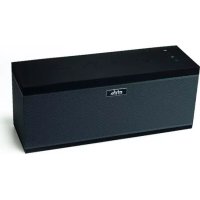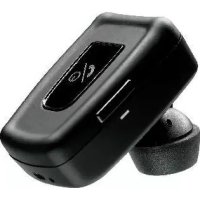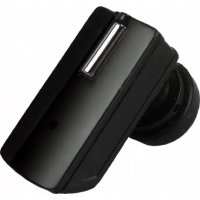
BLUE VISION - Bluetooth hands-free kit MR HANDSFREE - Free user manual and instructions
Find the device manual for free BLUE VISION MR HANDSFREE in PDF.



| Product type | Bluetooth hands-free kit |
| Brand | MR HANDSFREE |
| Model | BLUE VISION |
| Power supply | 12-24 V (vehicle) or 100-240 V (mains) |
| Battery | Rechargeable lithium polymer |
| Standby time | 300 hours |
| Talk time | 18 hours |
| Charging time | Less than 3 hours |
| Wireless technology | Bluetooth |
| Range | 10 meters |
| Number of paired devices | Up to 2 phones |
| Functions | Answer/end calls, voice dialing, redial last number |
| Modes | Desk mode and Car mode |
| Mounting | Sun visor clip + Velcro straps |
| Microphone | Built-in adjustable |
| Speaker | Built-in |
| Safety | Do not block airbag, voltage 12-24 V, secure installation |
| Maintenance | Keep dry, avoid extreme heat/cold, do not open, no solvents |
| Warranty | 3 years |
Frequently Asked Questions - BLUE VISION MR HANDSFREE
User questions about BLUE VISION MR HANDSFREE
0 question about this device. Answer the ones you know or ask your own.
Ask a new question about this device
Download the instructions for your Bluetooth hands-free kit in PDF format for free! Find your manual BLUE VISION - MR HANDSFREE and take your electronic device back in hand. On this page are published all the documents necessary for the use of your device. BLUE VISION by MR HANDSFREE.
USER MANUAL BLUE VISION MR HANDSFREE
SAFETY INSTRUCTIONS 2
WHAT DOES MR HANDSFREE BLUE VISION INCLUDE? 2
OVERVIEW 2
GETTING STARTED 3
OPERATION 6
TROUBLE-SHOOTING 9
BLUETOOTH 10
TECHNICAL DATA 10
CARE AND MAINTENANCE 10
GUARANTEE 11
SAFETY INSTRUCTIONS
- Make sure that the operation of the carkit will never influence your safety.
- Make sure not to impact the steering or braking system or other key systems essential for proper operation of the car when installing the carkit. Make sure that the deployment of the airbag is not blocked or impaired in any way.
- The carkit may only be used at an operating voltage of 12-24V with the minus pole earthed. Failure to observe this requirement may result in damage to the car's electronics system.
- Make sure that the visor mounting cannot cause any damage to your body in case of an accident.
WHAT DOES MR HANDSFREE BLUE VISION INCLUDE?
See Illustration I
- Handsfree unit with built-in speaker
- Lithium-Polymer rechargeable battery
- Clip for sun visor fixation
- AC adapter for connecting the Blue Vision to the mains power (100V - 240V)
- Cigarette plug for connecting the Blue Vision to the power supply of the car via cigarette lighter (12 - 24V)
- VELCRO-parts
OVERVIEW
See Illustration II
- Speaker
GB 2
-
Volume Up button:
-
Increase the volume
Office mode -
Volume Down button:
Decrease the volume
Car mode
-
Power On/Off button
-
Talk button:
-
Answering calls
-
Pairing
-
Reject button:
Ending calls
Rejecting calls
-
Built-in microphone
-
Charging socket
- Service socket
- Battery status indicator
GETTING STARTED
The mr Handsfree Blue Vision is compatible with most Bluetooth® mobile phones.
Since devices with Bluetooth® technology communicate through radio waves, your carkit and your mobile phone do not need to be in direct line-of-sight. The 2 devices only need to be within a maximum of 10 meters of each other, so you do not need to take your phone out of your pocket or bag to make and receive calls via the carkit.
Since Bluetooth® phones produced by different manufacturers provide various functionalities, some functions described in this user's manual could be different or may not be available.
CHARGING THE BATTERY
See Illustration III
The mr Handsfree Blue Vision comes with a Lithium-Polymer rechargeable battery. The battery is charged preliminary, but nevertheless we recommend charging it before using the carkit for the first time.
Insert the battery in the battery compartment as indicated in the illustration. Attach the sun visor clip to your Blue Vision if you are going to use the carkit in your car by fixing it on the sun visor.
Plug the adapter jack into the carkit and the AC adapter or the cigarette plug into a power socket.
A red or green light will light under the power button (4) when the charging process begins. If the
power button (4) lights red, the carkit should be charged until the button will light green. Unplug the AC adapter or the vehicle charger from the carkit.
Note:
- To obtain a fully charged battery and to get the maximum characteristics of talk time and standby time, we recommend continuing the charging process one hour extra from the moment that the power button starts to light green.
You can use the Blue Vision during the charging process.
Warning:
Using an AC adapter other than the one provided may damage or destroy your carkit. We recommend using only original mr Handsfree accessories.
TURNING THE CARKIT ON/OFF
To turn on the carkit, press and hold the power button (4) for 5 seconds until all buttons will light and you will hear a melody. The battery status indicator (10) will start to flash. If the light is green, the battery charging level is high. If it is red, the level is low.
To turn off the carkit, press and hold the power button (4) for 5 seconds until all buttons will light and you will hear a melody.
PAIRING
You are required to pair the Blue Vision with your mobile phone before using it.
Your Blue Vision can store pairing information for up to 2 different Bluetooth® telephones. When an attempt to pair more than 2 devices is made, the oldest paired device is removed from the memory.
When any of the paired devices is in the range of 10 meters and the Blue Vision is turned on, the Blue Vision will automatically initiate a connection with the last mobile phone it was connected to. In case this phone is not available, the Blue Vision will automatically search for the second paired phone for connection. The Blue Vision can have one active connection.
Make sure that your phone and the carkit are switched on. Press and hold the Talk button (5) for more than 5 seconds until you hear a melody and buttons 2, 3 and 5, 6 flash alternately. The pairing mode is now activated for two minutes (during these 2 minutes, the buttons will keep on flashing). Enter your phone's Bluetooth® menu and make sure that the Bluetooth® feature is activated. Enter the submenu where you can set the phone to search for Bluetooth® devices and start the search. The phone will search all Bluetooth® devices within about 10 meters and display them as a list. Select the Blue Vision from the list. Enter the passkey "0000" to pair and connect the Blue Vision to your phone. The carkit's buttons will stop blinking and "Blue Vision" appears in the phone menu where you can view the Bluetooth® devices that are currently paired with your phone.
Note:
You only need to pair the Blue Vision and your phone once. Each time the carkit is switched on, it will try to restore the connection with the mobile phone.
The Bluetooth® connection between the Blue Vision and your mobile phone will automatically disconnect when one of the devices has been switched off or when one of the devices is out of range. To restore the connection between your mobile phone and the Blue Vision, both devices need to be turned on and they should be within 10 meters of each other. The following step depends on your mobile phone type:
Some phones will restore the connection automatically.
- For most mobile phones, you should press the Talk button (5) of the Blue Vision to restore the connection.
For other phones it is necessary to restore the connection via the phone's menu.
Note:
For all mobile phone types, it is recommended to set "Trust" or "Authorized" for Blue Vision in the Bluetooth® menu of your mobile phone. Please refer to the manual of your mobile phone for more detailed information.
OPERATION
Before using the mr Handsfree Blue Vision make sure that:
The carkit is paired and connected to your phone.
The phone's Bluetooth® feature is on; see your phone's user's manual.
The carkit is switched on and the battery status indicator is blinking.
INSTALLATION IN THE CAR
See Illustration IV
Fix the carkit on the sun visor using the special clip and turn the microphone (7) to your mouth.
This is the main working position of the microphone holder: the front microphone should be directed to your mouth and the rear microphone to the speaker phone metal shield.
Note:
We advise not to change the microphone position during the activated call, since an echo effect could appear. If you follow this advice, you will have a comfortable duplex communication mode of your phone conversation.
MAKING A CALL
Using your mobile phone's keypad
Dial a number on the keypad. Press the phone's Talk button.
Using voice dialing
When no call is in progress, press the Talk button (5) once. You will hear a tone that indicates that you can say the desired name ("voice tag"). Say the voice tag. The phone plays the voice tag and dials the related phone number.
You can also activate voice dialing with your phone. For details on voice dialing, please refer to your phone's user's manual. Please note that the voice dialing function is only available if it is supported by your mobile phone.
ENDING A CALL
Press the Reject button (6) to end the currently active call or end the call with your mobile phone.
ANSWERING A CALL
After you hear the ring tone, press the Talk button (5).
AUTOMATIC ANSWER
If the Automatic answer function is set on your phone, the phone automatically answers the incoming call after some rings.
REDIALING THE LAST DIALED NUMBER
Press the Reject button (6) while no call is in progress. You will hear a confirmation beep. The phone will dial the last dialed number.
REJECTING AN INCOMING CALL
If you do not want to answer an incoming call, you can reject the call by pressing the Reject button (6).
ADJUSTING THE CARKIT SPEAKER VOLUME
When your phone and the carkit just paired, the volume is set in the middle level automatically. Press the Volume Up button (2) to increase the volume level or the Volume Down button (3) to decrease the volume.
When the maximum or minimum level of the carkit's speaker is reached, you will hear a loud beep tone.
OFFICE/CAR MODE
Office mode creates the appropriate sound sensitivity to provide optimal performance of the Blue Vision in the office or at home.
To activate the Office mode, press and hold the Volume Up button (2) for three seconds. If the Office mode is activated the keypad will blink during a call.
To activate the Car mode, press and hold the Volume Down button (3) for three seconds. If the Car mode is activated the keypad will light continuously during a call.
DISCONNECTING THE CARKIT FROM THE MOBILE PHONE
You can disconnect the carkit from your phone when, for example, you want to use another Bluetooth® device with your phone. The Blue Vision can be disconnected in the following ways:
- Switch off the carkit.
- Disconnect the carkit in the phone's menu.
- Move the phone more than 10 meters away from the carkit.
TROUBLE-SHOOTING
| Problem | Reason | Elimination |
| The device doesn't charge from the Cigarette plug. Green LED of the Cigarette plug is off. | · The Cigarette lighter jack is damaged. · No contact between Power adapter and Cigarette lighter jack. · 1.5A fuse in the Power adapter is burned. | · Check the car's electric circuitry. · Check the connection in the cigarette plug. · Replace the fuse. |
| The device doesn't charge from the AC adapter. Green or Red LED under the On/Off button is off. | The AC adapter doesn't work. | Apply to the nearest service center. |
| The battery is connected, but the device doesn't turn on when the On/Off button is pressed for 5 seconds. | The battery is completely discharged. | Connect a power adapter and charge the battery. |
BLUETOOTH
The Bluetooth® word mark and logos are owned by the Bluetooth SIG, Inc. and any use of such marks by TE-Group NV is under license. Other trademarks and trade names are those of their respective owners.
TECHNICAL DATA
| Parameter | Value |
| Charging time | < 3 hours |
| Vehicle adapter voltage | 10 – 30 V |
| AC power adapter voltage | 100 – 240 V |
| Standby time | 300 hours |
| Talk time | 18 hours |
CARE AND MAINTENANCE
The Blue Vision is a product of superior design and should be treated with care. The suggestions below will help you to fulfill any warranty obligations and to enjoy this product for many years.
- Keep the carkit dry. Precipitation, humidity and all types of liquids or moistures can contain minerals that will corrode the electronic circuitry.
- Do not use or store the carkit in hot areas. High temperatures can shorten the life of electronic devices and warp or melt certain plastics.
- Do not store the carkit in cold areas. When it warms up (to its normal temperature), moisture can form inside, which may damage the electronic circuitry boards.
- Do not attempt to open the carkit. Non-expert handling may damage it.
- Do not use harsh chemicals, cleaning solvents, or strong detergents to clean the device.
GB 10
If the device is not working properly, take it to your nearest qualified service facility. The personnel there will assist you and, if necessary, arrange for service.
Mr Handsfree wishes you a nice and safe trip!
GUARANTEE
Mr Handsfree is a registered trademark of TE-Group NV.
The mr Handsfree brand stands for superior product quality and outstanding customer service. That is why mr Handsfree warrants this product against all defects in material and workmanship for a period of three (3) years from the date of original purchase of the product.
The conditions of this limited guarantee and the extent of responsibility of mr Handsfree under this limited guarantee are as follows:
This guarantee is limited to the original purchaser of the product and is not transferable to any subsequent purchaser/end user.
- During the limited guarantee period, the sole responsibility of mr Handsfree will be limited to repair or replace, at its option, any defective parts of the product if this is needed because of malfunction or failure under normal use and conditions. No charge shall be made to the customer for parts and/or repair labor.
- The product must be shipped to an authorized service center in its original and complete packaging, with transportation charges prepaid. Mr Handsfree will not assume responsibility for any losses or damages during transportation.
To obtain repair or replacement within the terms of this guarantee, the customer must provide (a) a proof of purchase (e.g. dated bill of sale); (b) a written specification of the defect(s); (c) a return address and phone number.
GB 11
This limited guarantee does not cover and is void with respect to the following:
(a) Products which have been subjected to improper installation, unauthorized repair, improper maintenance, unauthorized modifications or other acts which are not the fault of mr Handsfree; (b) Products which have been subjected to misuse, abuse, neglect, improper handling and storage, an accident or physical damage; (c) Products which have been subjected to fire, water, excessive humidity, sand, dirt, extreme changes in temperature or other conditions which are beyond the control of mr Handsfree; (d) Products which have been used with non-mr Handsfree approved accessories; (e) Products which have the serial number altered, defaced or removed; (f) Products which have been opened, altered, repaired or modified by any unauthorized service center.
- Excluded from any guarantee are consumable items which may need replacing due to normal wear and tear, such as batteries, ear cushions, decorative parts and other accessories.
- This limited guarantee gives you specific legal rights, and you may also have other rights which vary from country to country.
GB 12
INHOUDSTAFEL
VEILIGHEIDSINSTRUCTIES 2
WAT OMVAT DE MR HANDSFREE BLUE VISION? 2
OVERZICHT 2
STARTPROCEDURE 3
WERKING 6
VERHELPEN VAN PROBLEMEN 9
BLUETOOTH 10
Met spreakherkenning (voice dialing)
NUMMERHERHALING (REDIAL)
MANUTENÇÂO E PRECAUÇÂOs
The Bluetooth® word mark and logos are owned by the Bluetooth SIG, Inc. and any use of such marks by TE-Group NV is under license. Other trademarks and trade names are those of their respective owners.
MUSZAKI ADATOK
UPUTE O SIGURNOSTI 2
OD CEGA SE SASTOJI MR HANDSFREE BLUE VISION? 2
PREGLED 2
POcETAK RADA 3
UPOTREBA 6
OTKLANJANJE PROBLEMA 9
BLUETOOTH 10
TEHNICKI PODACI 10
NJEGA I ODRZAVANJE 10
UPUTE O SIGURNOSTI
The Bluetooth® word mark and logos are owned by the Bluetooth SIG, Inc. and any use of such marks by TE-Group NV is under license. Other trademarks and trade names are those of their respective owners.
TEHNICKI PODACI
The Bluetooth® word mark and logos are owned by the Bluetooth SIG, Inc. and any use of such marks by TE-Group NV is under license. Other trademarks and trade names are those of their respective owners.
TECHNICKE UDAJE
PA6OTA C YCTPOINCTBOM
Ipeed hauanom ncoj30bAHn mr Handsfree Blue Vision npobepte,TO:
BO3MOXKbIe HENCnPABHOCTn INx YCTPAHEHNE
Mr Handsfree Xenaet Bam cactnbo ro nytn!

RU 11





CBEDEHNA OCEPTNΦUKALUN
Pon3BedeNo:
TN Tpyn:
KaepTcctpaaT 61,2950
Kanenlen, BEJbTnA





TAPAHINHbI CEPTNUKAT
YBAXAEMbI NOKyIATEJIb!
BlaorodapnM Bac 3a nookynk y3dennr ToproBoe MapKn, npnaHndIeKaaee KOMpaHn TE - Group. Peped 3cknnyataucnei BNIMatebNo O3HaKoMbTeCb c NcHcTpyKueei no pnpmeHeHIO. POMHTte, YTO Baun HnepabNbHbIe DeJCTBnO npn IcNoIb3ObaHn n3dennr Moryt npnbEctn K notepe rapaHTn.
KOMNAHNA TE - Group npeoctabnreT nonHomOOna NO oCyueCTBNEHIO rapaHTmHOrO n cepBUNCHoro 06cynBaBA HBATOp3OBaHHbIM cepBNCbHM ueHTpAM. ADepe aBTOP3OBaHHbIX cepBNCbHX ueHTpOB MboMxotey 3yHatb:
B npnIOxHnn K HAcToaIeMy rapaHTnHOMy cepTnΦNkAty;
- Mo MeCy npNo6peTeHnI 3denni;
- Na战机 noideprknn B cetn INItepnet: www.mrhandsfree.com
To TelefoHy: 7 (812) 346 60 66
Tolobno oΦnc TE - Group:
Kapelsestraat 61, 2950, Kapellen Belgium
φaKc: 32(3)6648890
PpeCTabnteJIbCTBO TE - Group B BoctouHoi Ebpone:
Poccn,197046,CaHKT-TeTep6ypr
AneKcaHnpBcKn napK, 5
φakc: 7(812)3466091
e-mail: info@te-group.ru



HRETCEIPODABLOM
TAPAHNTIHBII CPOK IJIa N3JEJIa TOPROBOI MAPKn mr Handsfree COCTABJARET 12 MEC.
MOДЕЛь
CEPNHbI HOMEP
ДАТА ПОДАЖИ
PPODABEU
TELEΦOH IPOДAILA
AДРЕС ПОДАВЦА
mr Handsfree Blue Vision





Utamn mara3nHa
3ANOJIHARETCIPOKYATEJEIM
I3dene npOBepaNoB Bo BcEx peximax B npCcyTcbn nokypaTeia.
PoknyateJIb
CycIOBMyIrapaHTnO3HaKOMJIeH

Φ.N.O.





UCIOBNA TAPAHNTN
RapaHTHnBnCpOJn3dENmTOPOBBOMarKmrHsTfrcseCoCTABnIe12MeC.0cJHnPpOAdkNtKynatEnIO.
RapaHTnJeDeiCTbENTbHaToJIbnpnppeBraHnEInnpaBnIBHO3aONHeHHoRApaHTnHOrO
cepITMnKATA.DaHNbcePcETMnKAT DaETnpBaHO aYcTpanHeHne DeFekOBu3dENnBA TeChHeMe RApaHTnHORO
cPoKa,NOpBbAaSTOMCb 3aNaCHbIX YCaTeN aPobOT no PemOH TY3dENnHA RaPapHTNHoe O6CNyXHBaHne
3dENn pINHMaETCB N oHINo KOMPNeKTaun C3aONHeHHbIM paAPHTnHbIM cepTnPhiKAtOM.
RapaHTnHbIe Tpe6OBaHn DOnKbHb 6bItb npEbBnEBn cpa3y NoCE bOpjxErH eOcHPyEHHe HcNepPABHO tnn
deEkeTa.PpeOCTABnMaERpaHTN He oBeCeueHaeT B03MeUeHne pPMAbx INI KOCBeHHbX y6bTKOB,
noteb nI mUyep64.Ha KOMPNeKTyoUeUeCAtH n3dENn (aHTenHb, AkkyMlyTApBt, 3apAHIbe yctpoiCTBa,
UnByp) raPaHTnHbNcPoCtOABnT6 MeCaeue.
HACTOIIA TAPAHTINHE PACNPOCTPAHRETCA HA:
paCXOДHbIe MaTePnAJIbI;
NOBEXHNEKOTKIOJI B H3HauHTeBHOI CTENEHMOY NOBNIATb HA CTOnIMOCb INOTpeBtENbCKNe CBOITbA hINEDa
NOBpeKdEHNy,Bbl3BaHbIe OTKIOHeHEm NITaIOeRO HapJxHeHn;
OTKa3bIBpaOte,BbI3BaHHbIE HeOpexHbIM OTHoUeHNEM Kn3dJIINIO:
MexaHueckne NOBpeKdEHHN 3dEHHN;
nonaHne Bnarn BO BHytpb Kopnyca;
3aIpr3HeHn, BbI3BaHHbe 6bITOBbIMn HaceKOMbIMn;
NOBpeXdHn, Bbl3BaHHbIe HeCCHaCTHbIM ClyuHaem NIN CTNXHbIM 6eDCTBHeM;
CnyuH, KOrJa n3dennn EKcNpyaTnpOBaNoCb C HApUeHHeM npabIn, n3NOxKeHHbIX B INCTpyKUnnIO EKcNpyaTaun;
Cnyu,KaOgDa HApueyHnBaB Po0eT O83NkAaOT N3-3JIeKPTOpAMHTHOHOBCEMObETMOCTCN HecepTfKnUHPOBAHbIM MInHnctepCTOBM C83nnI mOpAbo hTO yCTapeBWMoB O6pOyDbaHMe;
CNYaH, KORA oTAK3bI b PABOE I3dENJI B3bBAHb HnpePAHbBbM BIoDBOM PIN-KoDOB, KOIOB 6NOKoPBNKINu A DpyrUMn EeCTBnMI, EOHNsCAHmBu B INHCTPykUNO N EKCNPLTAUIN.



TAPAHTNA HENIECTBINTELBA BCLEYIOUIXCNUYAX
PnO6bHApKJHNN DEEKOBT, KOTOpBle BbIIN Bb3BaHbI HENpaBnIbHbIM NcN0JIb3OBaHMe IINI MaHNyIaJIrMM NOCTOPHOHN IIX;
- rapaHTnHbIe Tpe6OBaHn IpeIbYBaJIeHbI He B COOTBcTcBmC HAcTOAUMrapaHTnHbIMyCJIOBnMn;
I3JENIE IMeET CNEbbl B3JENIE yCTaHOBEnHb KOMNoHEbTI INOPOHNTEbHbIe YcTOPICTBA, HE COOTBCTBYUoiNe Tpe6oBaONHmNpOBOyINTe, O6XnKbNAHIN NIIPEMOHT N3JENIE BbIOPOHHeB PEMOHTHM MaTcERCKOnI, HMeIOJIeC OOTCBETCYIOUIN NOHOMOIN;
3aBOIDCKOHNOMePn3dEINyUdaJIeHnnIImMeHeH.
Makciml bhlb npck BnloHneHraPahntnHoro pemHOa YCTAHOBHe COOTBETCTBNIC 3aKOHOM, perynpUoIm nparaotne6itiene.
ABTOPU3OBAHHbIE CEPBUNChbIe LHTPbI
Cetb cepbnchbix uehroB Smile-Mobile c 1995 roda ocuyctbIeT npoepccmoHaIbHbpeMOHT DomuHnIX M oMoIbHbX TeneFOHO, npedocabJraN noptbeTEnIO BceB cIeKtp pa8OT rapaHTmHoro I nocnerapaHTmHorO 6cIyXHBnA, BKIOUaY BaICSyU KatoTePOIc CNOxHocTm. Smile-Mobile ABJIeTcR Bedyun CoOMaHnO no OcbNyXbHaHBO ATOMbOcHbHr promKm BrzA m Drshtree Hte TeppitOpn Pocmm, a takke Meet npmyoABtOp3auIQ O kpyIHeMxM mPoBxipnoIbDoNTeJe MoIbHbIX TeneFOHO.
O6paTntbcraBcePbCHbIeHTpbSmile-Mobile Bbl MoKeTe no aDpecam:
| ГОЮД | HAЗBAHИЕ | АДPEC | TELEФОH | ПРIMЕЧАНОВ |
| MOCKBA | SMILE MOBILE | 1-й СМОЛЕСКМ ПЕ., Д.22/10 | (095) 258-56-87 | OOO "ТЕLEКOM ПОИНТ" |
| CAHKT-ПETEPБΥΡ | SMILE MOBILE | ALEKCAHДРовский ПAPК, Д.5, OФIC 102 | (812) 346-60-66 | 3AO "OPINEHTA-CEPBIVC |
| CAHKT-ПETEPБΥΡ | SMILE MOBILE | CEHNЯ ПЛ., 1, Павильов 23r | (812) 310-57-08 | 3AO "OPINEHTA-CEPBIVC |
| CAHKT-ПETEPБΥΡ | SMILE MOBILE | ПР. ПОСBEЦЕНИnea, Д.19, TK "HOPД" | (812) 333-31-21 | 3AO "OPINEHTA-CEPIMC |
www.smile-mobile.com


PernohaIbHbIe cepBnChbIe ζeHTpbI:
| ГОД | HAЗВАHIE | АДРЕ | TEЛЕФОH |
| БAPHAЛ | OOO "ДИОД" | ПР КСАССОМЕСКИ, Д. 14 | (3832) 23-58-20 |
| ВОПЕХ | OOO "ИРМОС" | УЛ. 20-ЛET OKТЯБР, Д. 103, OФИС 222 | (0732) 777-314 |
| ВОЛIGДA | COTHNK-CEPBИС | УЛ. 百JOLOСКИNUO, Д. 9, OФ. 405 | (8172) 76-55-21 |
| ВЛАДИВОCTOK | ИЛЮЗЕФОВИСВ.Г. | HAPOДНБИ П, Д. 11 | (4232) 206-600, 207-700 |
| ЕКATEРINБΥРΙ | CUI "MCTRADE" | УЛ. ВИКУЛОВА, Д. 63, KОПΥЦС 3 | (343) 2-144-060, 2-140-785, 2-140-713 |
| ИРКУТСК | CUI "TEXHO-ПОТАЛ" | COBERTSCА, 58, TЛ.TРИМФ, OФИС 9 | (3952) 29-11-60 |
| КАЛИNHИРад | BECTEP-CEPBИС OOO | УЛ. ГОьКОTO, Д. 50 | (0112) 27-20-54, 27-34-32 |
| КАЛΥТА | HOFΕЛÉT | УЛ. СВОВОВА, 128 | (0842) 76-59-08 |
| КРACHОДАР | TELECSBЯЗ | УЛ. ГОьКОTO 110, KОПΥЦС 1 | (861) 255-92-82 |
| Н. HOВТОПОД | TEXUCEНТР «ДЛТЕK» | УЛ. ГОДЕБСКА, Д. 2A, ГUM, 2ЗТАЖ. | (8312) 13-09-09, 28-09-09 |
| НовOCИБИРСК | HTTC PTO | УЛ. ДУСИ KOВАЛьЧ, Д.258/2 | (383-2) 26-93-11 |
| OMCK | KOMП. HOВБИ TELEФОH | УЛ. DEКАБПИСТОВ, 45 | (3812) 53-45-61 |
| OPСК | ЗАО "СТANДAPT-N" | ПР. ЛЕMHа, Д. 46 (ОPEHБΥΤСКА OБЛ.) | (3537) 21-12-12 |
| СAMAPA | OOO "БВОПЕСКЕ TELТКOM-ПIM" | УЛ. 3-Д ПОЕЗД, Д. 57 | (8462) 60-16-14 |
| CAPATOB | OOO "АЗЛITA" | УЛ. мOCKОВСКА, Д.134\146 | (8452) 52-37-74 |
| CAPATOB | OOO "АЗЛITA" | УЛ. ПУТАЧЕВСКА, Д. 137A | (8452) 72-66-22 |
| РОСТОВ-HA-ДОнУ BOЛБТА-CEPBИС | YJI. CERAPФИМОВИЧ, Д.79 KOMHATA 1 | UЛ. CERAPФИМОВИCH, Д.79 KOMHATA 1 | (8632) 62-46-78 |
| РЯЗAHь | TEXCEPBИС | УЛ. HOВА, Д.51 Γ | (912) 21-02-19,24-60-12 |
| ЯROSСАЛВь | KACKAD | УЛ. B. OKТЯБРСКА, Д. 28 | (0852) 30-78-87 |

Waste electrical products must not be disposed of with household waste. This equipment should be taken to your local recycling centre for safe treatment.
Blue Vision/05-06/V04