
BLUE-CHAMELEON - Audio accessory MR HANDSFREE - Free user manual and instructions
Find the device manual for free BLUE-CHAMELEON MR HANDSFREE in PDF.



| Product Type | Bluetooth Headset |
| Brand | MR HANDSFREE |
| Model | BLUE-CHAMELEON |
| Power | Integrated rechargeable battery |
| Initial charging time | 24 hours |
| Normal charging time | 2 hours |
| Talk time | 8 hours |
| Standby time | Approximately 200 hours |
| Low battery indicator | 5 quick beeps every 20 seconds |
| Wireless technology | Bluetooth |
| Maximum range | 10 meters |
| Default PIN code | 0000 |
| Pairing name | Blue Ch-I |
| Number of pairable devices | Up to 8 |
| Multifunction button (MF) | Power on/off, answer/end, transfer, hold, pairing |
| Volume buttons | Volume + and Volume -, Mute function |
| LED indicator | Blue (solid, blinking, off according to mode) |
| Compatibility | Bluetooth mobile phones, Bluetooth PC/PDA (audio gateway profile) |
| Included accessories | Charger, adapter |
| Battery maintenance | Recharge every two months if not used for a long time |
Frequently Asked Questions - BLUE-CHAMELEON MR HANDSFREE
User questions about BLUE-CHAMELEON MR HANDSFREE
0 question about this device. Answer the ones you know or ask your own.
Ask a new question about this device
Download the instructions for your Audio accessory in PDF format for free! Find your manual BLUE-CHAMELEON - MR HANDSFREE and take your electronic device back in hand. On this page are published all the documents necessary for the use of your device. BLUE-CHAMELEON by MR HANDSFREE.
USER MANUAL BLUE-CHAMELEON MR HANDSFREE
MAKING AND ANSWERING / ENDING CALLS 3
TRANSFERRING / SWITCHING CALLS / PUTTING CALLS
ON HOLD 4
CONNECTING WITH A PC OR PDA 4
TROUBLESHOOTING 5
BLUETOOTH 5


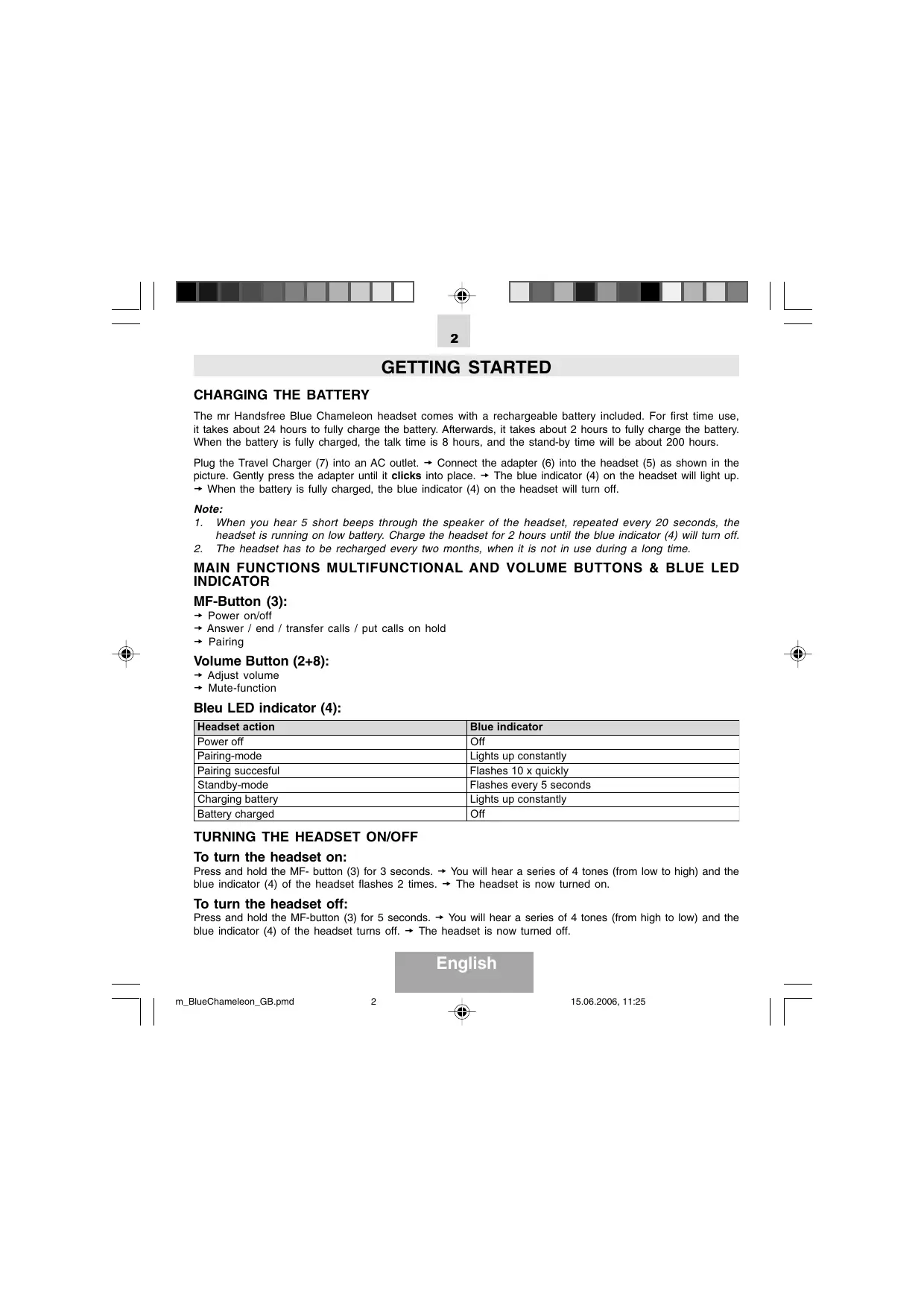
GETTING STARTED
CHARGING THE BATTERY
The mr Handsfree Blue Chameleon headset comes with a rechargeable battery included. For first time use, it takes about 24 hours to fully charge the battery. Afterwards, it takes about 2 hours to fully charge the battery. When the battery is fully charged, the talk time is 8 hours, and the stand-by time will be about 200 hours.
Plug the Travel Charger (7) into an AC outlet. Connect the adapter (6) into the headset (5) as shown in the picture. Gently press the adapter until it clicks into place. The blue indicator (4) on the headset will light up. When the battery is fully charged, the blue indicator (4) on the headset will turn off.
Note:
- When you hear 5 short beeps through the speaker of the headset, repeated every 20 seconds, the headset is running on low battery. Charge the headset for 2 hours until the blue indicator (4) will turn off.
- The headset has to be recharged every two months, when it is not in use during a long time.
MAIN FUNCTIONS MULTIFUNCTIONAL AND VOLUME BUTTONS & BLUE LED INDICATOR
MF-Button (3):
Power on/off
Answer / end / transfer calls / put calls on hold
Pairing
Volume Button (2+8):
Adjust volume
Mute-function
Bleu LED indicator (4):
| Headset action | Blue indicator |
| Power off | Off |
| Pairing-mode | Lights up constantly |
| Pairing successful | Flashes 10 x quickly |
| Standby-mode | Flashes every 5 seconds |
| Charging battery | Lights up constantly |
| Battery charged | Off |
TURNING THE HEADSET ON/OFF
To turn the headset on:
Press and hold the MF- button (3) for 3 seconds. You will hear a series of 4 tones (from low to high) and the blue indicator (4) of the headset flashes 2 times. The headset is now turned on.
To turn the headset off:
Press and hold the MF-button (3) for 5 seconds. You will hear a series of 4 tones (from high to low) and the blue indicator (4) of the headset turns off. The headset is now turned off.
English



3
PAIRING THE HEADSET
You are required to pair the Blue Chameleon headset with your mobile phone once before using it. Each Blue Chameleon headset has a default PIN-code 0000 for pairing, which is stored in its internal memory. You are usually required to enter the PIN-code 0000 in a pairing process with a Bluetooth® mobile phone or other devices; however it depends on the kind of Bluetooth® device that the headset is connected to.
The Blue Chameleon headset must be turned off before initiating pairing. Press and hold the MF-button (3) until the blue indicator (4) lights up constantly. The headset is now ready for pairing. Initiate the pairing process on your Bluetooth® mobile phone to pair with the Blue Chameleon headset. (Refer to the manual of your mobile phone.) Select Blue Ch-I out of the list with found devices on your mobile phone. You will be asked to enter the PIN-code to complete pairing, enter 0000 and confirm it. When the pairing has been successful, the blue indicator (4) of the headset will flash 10 times quickly.
Note:
- If the Blue Chameleon headset is not in pairing mode, your mobile phone won't find the headset. Please set the headset into pairing mode before letting your mobile phone search for the headset.
- If no pairing is possible for a period of time (approx. two minutes), the headset will automatically leave pairing mode. You may need to start all over again.
- The Blue Chameleon headset can pair up to 8 devices. The different devices are stored in a list in the internal memory of the headset.
a. If you wish to pair more than 8 devices, the less recent paired device will be automatically deleted from the list.
b. All devices (max.8) that are on this list, can be connected to the headset.
c. When turning on the headset, it will automatically connect to the device it was last connected with. If you want to connect the headset with another device of this list, you have to start the procedure from this device. This device then becomes the last connected device on the list.
- Paired devices remain paired even when:
One of the devices is not turned on.
- A service connection is interrupted or the service stopped.
- One or both devices are rebooted.
MAKING AND ANSWERING / ENDING CALLS
Once the Blue Chameleon headset is successfully paired with your mobile phone, you can use it to make and receive calls. The Blue Chameleon headset can be used with voice dialing if your mobile phone supports this feature. (Please check the manual of your mobile phone).
MAKING CALLS
Using voice dialing:
Press the MF-button (3), wait for a beep and say the name of the person you want to call. Press the MF-button (3) again to cancel voice dialing.
Using the phone keys to make a call:
Enter and dial the number on the mobile phone as you normally do. Once the call has been set up, the sound will be transmitted to your headset automatically.
English


Redial:
Press and hold the MF-button (3) for 3 seconds to redial the last number you called.
ANSWERING / ENDING CALLS
When the Blue Chameleon headset is turned on and there is an incoming call, you will hear a musical tone and the blue indicator (4) will change to a quick-flashing mode. Press the MF-button (3) to answer the call or press and hold the MF-button (3) for 3 seconds to reject the call. Adjust the headset volume by pressing the + button (2) to increase the volume and pressing the - button (8) to decrease the volume. End the call by pressing the MF-button (3).
When the headset is turned off, press and hold the MF-button (3) for 3 seconds to turn the headset on. The call will automatically be transferred to the headset.
Note:
Due to the different design of some mobile phones, an auto-disconnect may happen even when the Blue Chameleon headset is turned on. In that case, the headset won't ring when there is an incoming call. Press the MF-button (3) for 3 sec. to reconnect the headset with your mobile phone for an incoming call.
MUTE FUNCTION
During conversation, it is possible to mute the microphone.
Press and hold the Volume-button (2/8) until you hear a beep to activate the Mute function. To disable the Mute function, press the Volume-button (2/8) once again until you hear a beep.
TRANSFERRING / SWITCHING CALLS / PUTTING CALLS ON HOLD
To transfer a call:
Press and hold the MF-button (3) until you hear a series of 4 tones (from high to low) to transfer the call to the mobile phone while talking on the headset. The headset will be turned off. If you want to transfer the call back to the headset, press the MF-button (3) again for 3 seconds.
To switch to a second call:
Press and hold the MF-button (3) for 3 seconds to switch to a second call during a call. This function only works when your mobile phone service provider provides this service (check with your network provider).
To put a call on hold:
Press and hold the MF-button (3) for 3 seconds to put a call on hold. Press and hold this button (3) once again for 3 seconds to continue the conversation.
CONNECTING WITH A PC OR PDA
You are allowed to connect the Blue Chameleon headset with a Bluetooth® enabled PC or PDA that is supported with Audio Gateway Profiles. Please refer to the user manual of your Bluetooth® enabled PC or PDA for setup information.
English

TROUBLE SHOOTING
| 1. You hear 5 quick beeps, repeated every 20 seconds. | The headset is running low on battery. Charge the headset for 2 hours until the blue LED indicator turns off. |
| 2. No sound contact between the Blue Chameleon headset and other devices. | - Make sure that the two devices have been paired. - Make sure that the headset is turned on. - Make sure that the two devices are within a working range (10 m). - Make sure that your mobile phone is within signal strength. - Some Bluetooth® mobile phones can support only one Bluetooth® headset. Disconnection may happen when there is more than one headset paired with your mobile phone. |
| 3. Several Bluetooth® devices appear on my mobile phone while searching the Blue Chameleon headset. | Most Bluetooth® enabled mobile phones with Bluetooth® function activated can search for more than one Bluetooth® device within operative range. The headset will appear as "Blue Ch-I" on your mobile phone after having been found by your mobile phone. |
| 4. There is a disturbance noise coming from the Blue Chameleon headset. | The performance of the headset will be affected by two factors: - Whether your mobile phone is in a good signal area. If your mobile phone is in weak signal area, you won't hear clearly with the headset. - Whether it is in the operative range (10 m). The headset will automatically try to reconnect within 90 seconds. |
| 5. The Blue Chameleon headset is turned on and is paired, but the blue LED indicator doesn't light up. | The blue LED indicator flashes in Standby-mode every 5 seconds. If after 5 minutes no action is taken, the blue LED indicator will turn off to save the battery. The LED will light again as soon as you press any key. |
BLUETOOTH®
The Bluetooth® word mark and logos are owned by the Bluetooth SIG, Inc. and any use of such marks by TE-Group NV is under license. Other trademarks and trade names are those of their respective owners.
English

INHOUDSOPGAVE
STARTPROCEDURE 2
PAIRING (KOPPELING) VAN DE HEADSET 3
TELEFONEREN EN OPROEPEN BEANTWOORDEN / BEEINDIGEN 3
OPROEPEN DOORSCHAKELEN / OVERSCHAKELEN
NAAR TWEEDE OPROEP / IN Wacht ZETTEN 4
VERBINDEN MET EEN PC OF EEN ZAKCOMPUTER (PDA) 5 PROBLEEMOPISSING 5
BLUETOOTH 5



2
STARTPROCEDURE
BATTERIJ OPLADEN
Met spreakherkenning (voice dialing):
CONNECTER AVEC UN PC OU PDA 5
RESOLUTION DES PROBLEMES 5
BLUETOOTH 6


2
MISE EN ROUTE
RECHARGER LA BATTERIE
CONNECTER AVEC UN PC OU PDA
CONNECTION CON PC O PDA 5
CONNECTION CON PC O PDA
LIGAR AO PC OU PDA 5
SOLUTION DE PROBLEMAS 5
BLUETOOTH 5



2
PREPARAR O AURICULAR
CARREGAR AS BATERIAS
KpaTkoe pyKOBoCTBO noIb3ObaTeN 1 wT.
CBEDEHNA OCEPTNΦUKALUN

Pon3BedeNo:
TN-Γpyn: Kanenecctpaat 61, 2950 KanenJIeH, BEJbTnIa


TARTALOMJEGYZEK
AZ ELOKESZULETEK 2
The Bluetooth® word mark and logos are owned by the Bluetooth SIG, Inc. and any use of such marks by TE-Group NV is under license. Other trademarks and trade names are those of their respective owners.
Magyar

SADRžAJ
POcETAK RADA 2
UPARIVANJE NAGLAVNE SLUŠALICE 3
NAZIVANJE I ODGOVARANJE / PREKIDANJE POZIVA...... 3
PREBACIVANJE / JAVLJANJE NA POZIV/
POZIV NAČEKANJU 4
SPAJANJE NA PC ILI PDA 4
TRAZENJE GREŠAKA 5
BLUETOOTH 5



2
POČETAK RADA
PUNJENJE BATERIJE
Mr Handsfree Blue Chameleon naglavna slušalica se isporucuje s baterijom za punjenje. Kod pvog korišenja treba optrilike 24 sata za potpuno napuniti baterije. Iza toga je potrebno oko 2 sata, kako bi se baterija potpuno napunila. Kada je baterija puna, vrijeme razgovora iznosi 8 sati, a vrijeme u priremi (standby) oko 200 sati.
Spojite kučni punjac (7) u AC utićnicu. → Spojite adapter (6) u slujaciu (5) kao što se vidi na slici. Nježno gurnite adapter dok ne sjedne do kraja na prevideno mesto. → Plava indicator lampica (4) na slujalici ce se upaliti. → Kada je baterija puna do kraja indicator (4) ce seugasiti.
Napomena:
- Kada Čujete 5 kratkih tonova (beep) kroz zvučnik slušalice koji se ponavlja svakih 20 sekundi to je znak da se baterija polako prazni. Punite bateriju 2 sata dok se ne izgasi plava indicator lampica.
- Naglavnu slusalicu treba temeljito puniti svaka 2 mjeseca, ako se ne koristi dulje vrijeme.
GLAVNE FUNKCIJE SVIH TIPKI & PLAVI INDIKATOR
MF-Tipka (3):
Uklučivanje on/off
Javljanje na poziv / zavrsetak razgovora / prespajanje poziva / poziv naČekanju
Povezivanje
Volumen tipka (2 + 8)
→ Prilagodite volumen
Mute-funkcija
Plavi LED indicator (4):
| Slušalica | Plavi indicator |
| Urežaj isklučen | Isklučen |
| Mode za povezivanje | Svjetli konstantno |
| Povezivanje uspJEŠNO | Svjetli 10 x brJE |
| Standby-mode | Svjetli svakih 5 sekundi |
| Punjenje baterije u tijeku | Svjetli konstantno |
| Baterija je puna | Isklučen |
UKLJUCIVANJE / ISKLJUCIVANJE NAGLAVNE SLUSALICE
Uklujcivanje slusalice:
Držite pritisnutom tipku MF (3) 3 sekunde. → Cut cete seriju od 4 tona (slabje prema jacem) I plavi indicator na slušalici ce zasvjeliti 2 puta. → Slušalica je sada ukljucena.
Isklučivanje slušalice:
Držite pritsnutom tipku MF (3) 5 sekunde. → Cut cete seriju od 4 tona (jače prema slabijem) I plavi indicator na slušalici ce se isključiti. → Slušalica je sada isključena.
Hrvatski


3
UPARIVANJE NAGLAVNE SLUŠALICE
Naglavnu slušalicu Blue Chameleon treba upariti s vašim mobilnim Telefonom prije korištenja. Svaka naglavna slušalica ima unaprijed postavljeni PIN-kod 0000 za uparivanje, koji je pohranjen u internoj memoriji. Trebate unijeti taj PIN-kod (0000) tjiekom uparivanja s Bluetooth® mobilnim Telefonom ili drugim uredajem; to ovisi o načinu na koji je Bluetooth® uredaj spojen na naglavnu slušalicu.
The Bluetooth® word mark and logos are owned by the Bluetooth SIG, Inc. and any use of such marks by TE-Group NV is under license. Other trademarks and trade names are those of their respective owners.


