
BLUE EAGLE 2 - Audio accessory MR HANDSFREE - Free user manual and instructions
Find the device manual for free BLUE EAGLE 2 MR HANDSFREE in PDF.



| Product Type | Bluetooth Handsfree Kit for Vehicle |
| Brand | MR HANDSFREE |
| Model | BLUE EAGLE 2 |
| Power Supply | Cigarette lighter 12V (12V socket) |
| Connection Technology | Bluetooth |
| Bluetooth Range | Up to 10 meters |
| Phone Compatibility | Bluetooth mobile phones with hands-free or headset profile |
| Display | LCD screen (displays volume, caller ID, call duration) |
| LED Indicator | Blue (flashing standby, solid in call) + Red (alternating pairing) |
| Microphone | Built-in, adjustable, optimal distance 40-50 cm from mouth |
| Speaker | Built-in, 16 volume levels |
| Main Functions | Handsfree calls, voice dialing, redial, auto answer, call waiting, call transfer, caller ID (last 9 numbers) |
| Ringtone Volume Adjustment | 5 levels |
| Pairing Memory | Up to 2 Bluetooth devices |
| Protection Fuse | 750 mA, replaceable |
| Installation | Insert into cigarette lighter, secure with regulator, install display module with cable |
| Maintenance and Cleaning | Do not use corrosive products; keep dry; avoid extreme temperatures |
| Warranty | 3 years (excluding battery, earphones, accessories) |
Frequently Asked Questions - BLUE EAGLE 2 MR HANDSFREE
User questions about BLUE EAGLE 2 MR HANDSFREE
0 question about this device. Answer the ones you know or ask your own.
Ask a new question about this device
Download the instructions for your Audio accessory in PDF format for free! Find your manual BLUE EAGLE 2 - MR HANDSFREE and take your electronic device back in hand. On this page are published all the documents necessary for the use of your device. BLUE EAGLE 2 by MR HANDSFREE.
USER MANUAL BLUE EAGLE 2 MR HANDSFREE
The mr Handsfree Blue Eagle II is a Bluetooth® wireless carkit, developed for installation in motor vehicles to enable the handsfree operation of your Bluetooth® mobile phone.
Since devices with Bluetooth® technology communicate through radio waves, your carkit and your mobile phone do not need to be in direct line-of-sight. The 2 devices only need to be within a maximum of 10 meters of each other, so you do not need to take your phone out of your pocket or bag to make and receive calls via the carkit.
Important!
Since Bluetooth® phones produced by different manufacturers provide various functionalities, some functions described in this user's manual could be different or may not be available.
OVERVIEW
HANDSFREE UNIT
See Illustration I
- Volume Down button
- Volume Up button
- Multifunctional button (MFB)
- LED indicator
- Power plug
- Adjuster
- Display cord jack
- Speaker
DISPLAY UNIT
See Illustration II
- LCD
- Microphone
- Display cord with plug
GB-2




INSTALLATION
See Illustration III
- Insert the plug of the display cord (1) into the display cord jack (2) on the handsfree unit. Make sure the plug clicks into place.
- Insert the handsfree unit into the cigarette lighter of your car.
- Slide the adjuster (3) in the arrow direction to fasten the handsfree unit.
- Place the display unit at a location where you can watch the LCD easily. The microphone (4) should be pointed towards your mouth. For optimal performance, the microphone should be located at a distance of 40 - 50cm from the driver's mouth.
TURNING THE CARKIT ON/OFF
When you turn on the ignition of your car, the Blue Eagle II is turned on automatically. The blue LED flashes every 3 seconds and the display shows the "VOL" icon. The unit is now in Standby mode and ready for use.
When you turn off the ignition of your car, the Blue Eagle II is turned off automatically.
PAIRING
You are required to pair the Blue Eagle II with your mobile phone before using it. Do the following steps to pair the Blue Eagle II with your mobile phone:
Press and hold MFB in Standby mode (up to 10 seconds) until a prompt tone is heard and the red and blue LED's flash alternately. The Blue Eagle II is now ready for pairing, and a continuous line flashes on the display. Initiate the pairing process on your Bluetooth® mobile phone to pair with the Blue Eagle II (Please refer to the manual of your mobile phone). You will be asked to enter the passkey. The default passkey is "0000". Enter the passkey and confirm. When the pairing has been successful, the display shows "VOL" and the Blue Eagle II returns to Standby mode.
Note:
If there is no device linked within 2 minutes after the Blue Eagle II enters pairing mode, the Blue Eagle II will return to Standby mode.
Your Blue Eagle II can store pairing information for up to two different Bluetooth® devices. After switch on, the Blue Eagle II will automatically search the last mobile phone it was connected to. In case this phone is not available, the Blue Eagle II will automatically search for the previously paired phone for connection.
GB-3




Note:
- When an attempt to pair to more than two devices is made, the oldest paired device is removed from the memory.
- When any of the paired devices is in the range of 10 meters and power is on, the Blue Eagle II will automatically initiate a connection with the last device it was connected to. If not, press MFB once to quickly start the connection. If you want to connect to another device that has been paired with your Blue Eagle II, you should disconnect the connected device and initiate the connection from another mobile phone (Please refer to the manual of your mobile phone).
Some mobile phones support only Headset Bluetooth® profile operation. To switch the Blue Eagle II to the Headset profile, press and hold MFB on the Blue Eagle II during power on of the carkit. This will be confirmed by a tone. → Now the Blue Eagle II is started in the special Headset Bluetooth® profile operation. From now on, you can follow the normal operation to pair and connect your mobile phone and the carkit. → To switch your Blue Eagle II back in the normal mode, please repeat this operation.
Note:
If your mobile phone and the Blue Eagle II connect to each other with Headset profile, the following functions may not work: LCD, Voice dialing, and Last number redial.
MAKING AND ANSWERING / ENDING CALLS
Note:
Before using the Blue Eagle II make sure that:
The carkit is paired and connected to your phone.
The phone's Bluetooth® feature is on; see your phone's user's manual.
Once the Blue Eagle II is successfully paired with your mobile phone, you can use it to make and receive calls. The Blue Eagle II can be used with voice dialing if your mobile phone supports this feature.
MAKING CALLS
Using your mobile phone:
Enter and dial the number on the mobile phone as you normally do.
Using voice dialing:
In Standby mode, press MFB. You will hear a tone that indicates that you can say the voice tag. Say the name of the person you want to call. The Blue Eagle II will repeat the voice tag and the corresponding number will be dialed.
GB-4




Note:
Some phones don't send the audible tone to indicate that you can say the voice tag.
For more details on voice dialing, please refer to your phone's user's manual.
ANSWERING A CALL
When a call is received, the Blue Eagle II rings and the display shows the caller's number.
Press MFB to answer the call OR answer the call with your mobile phone.
Note:
If the call is answered by pressing MFB, the display shows the duration of the call.
AUTOMATIC ANSWER
If the Automatic answer function is set on your phone, the phone automatically answers the incoming call after some rings.
ENDING A CALL
Press MFB once OR end the call with your mobile phone.
REDIAL
In Standby mode, press and hold MFB for 3 seconds. The last dialed number will be dialed out automatically.
Dial the last dialed number with your mobile phone.
SECOND INCOMING CALL
If you get a second call during a conversation, you will hear a "Beep" tone and you have the following two options:
- Press MFB once to receive the second call and reject the current call.
- Press MFB twice to receive the second call and put the current call on hold.
You can press MFB twice to switch between the 2 calls.
Note:
Some phones don't support this feature via Bluetooth®.
GB-5




ADJUSTING VOLUME
ADJUSTING SPEAKER VOLUME
When your phone and the carkit have just been paired, the volume level is set in the middle level automatically. You can press the Volume Up or Volume Down button or use your mobile phone (depending on your mobile phone) to adjust the speaker volume during a conversation.
There are 16 volume levels. During adjusting, the nll icon varies according to the volume level. The more bars, the higher the volume.
Press the Volume Up / Volume Down button repeatedly to increase / decrease the speaker volume.
OR
Use the Volume Up / Volume Down button of your mobile phone to increase / decrease the speaker volume (depending on your mobile phone).
ADJUSTING RINGER VOLUME
When a call is received, the Blue Eagle II rings. At that moment, you can press the Volume Up or Volume Down button or use your mobile phone (depending on your mobile phone) to adjust the ringer volume.
There are 5 volume-levels. During adjusting, the icon varies according to the volume level. The more bars, the higher the volume.
Press the Volume Up / Volume Down button repeatedly to increase / decrease the ringer volume.
OR
Use the Volume Up / Volume Down button of your mobile phone to increase / decrease the ringer volume (depending on your mobile phone).
CALLER ID
When a call is received, the LCD display shows the caller's number, if your local telephone company provides the Caller ID service. The last 9 incoming numbers will be saved in the Caller ID list, and you can use the list to dial the numbers. If the memory is full, the oldest number will be replaced by the new one.
VIEWING INCOMING NUMBERS
In Standby mode, press the Volume Up / Volume Down button repeatedly to view the incoming numbers.
CALLING BACK THE LAST 9 INCOMING NUMBERS
In Standby mode, press the Volume Up / Volume Down button repeatedly to select the number that you want to call. Press MFB once to call the number.
GB-6




SWITCHING CALLS
During a call, you can transfer a call from the Blue Eagle II to your mobile phone or vice versa.
SWITCH A CALL FROM THE CARKIT TO THE MOBILE PHONE
When a call is received, press MFB to answer the call. Press the Volume Up and Volume Down buttons simultaneously [A confirmation tone will be heard]. The call is transferred to your mobile phone, and the Blue Eagle II returns to Standby mode.
SWITCH A CALL FROM THE MOBILE PHONE TO THE CARKIT
When a call is received, press the reception button on your mobile phone to answer the call. Press MFB once. The call is transferred to the carkit, and your mobile phone returns to Standby mode.
Note:
Some phones don't support this feature. In this case, you could switch the call to your carkit using your mobile phone menu (Please refer to the manual of your mobile phone).
DISCONNECTING THE CARKIT FROM THE MOBILE PHONE
You can disconnect the carkit from your phone when, for example, you want to use another Bluetooth® device with your phone. The carkit can be disconnected by the following ways:
- Switch off the carkit;
- Disconnect the carkit in the phone's menu;
- Move the phone more than 10 meters away from the carkit.
STATUS INDICATORS
| Status | Indicators |
| Pairing mode | The red and blue LED's flash alternately. |
| Standby mode | The blue LED flashes every 3 seconds. |
| In talk mode | The blue LED lights steadily. |
GB-7




TROUBLESHOOTING
| Problem | Reason | Solution |
| Nothing appears on the LCD. | ·The display cord is disconnected. ·The display cord is damaged. | ·Check if the display unit is connected to the handsfree unit properly. ·Check if the handsfree unit is connected to the cigarette lighter properly. ·Check the connection of the display cord jack. ·Apply to a service center. |
| No operation. | ·Check if the handsfree unit is connected to the cigarette lighter properly. ·Check if the handsfree unit is turned on. ·Check if the pairing has been successful. | |
| No LED indicator. | ·Check if the handsfree unit is connected to the cigarette lighter properly. ·Check if the handsfree unit is turned on. | |
| Mr Handsfree Blue Eagle II doesn't work. The blue LED is off. | ·The cigarette lighter jack is damaged. ·There is no contact between the power plug and the cigarette lighter jack. ·The 750mA fuse in the power plug is burned. ·The power plug is damaged. | ·Check if the cigarette lighter functions normally. ·Clean the contact of the cigarette lighter jack and the power adapter. ·Remove the fuse. Unscrew the nut from the power plug and take out the fuse. Insert a new 750mA fuse. Assemble the power plug. ·If items 1-3 did not help apply to a service center. |
| A caller does not hear you. | ·The display cord is disconnected. ·The display cord is damaged. | ·Check the connection of the display cord jack. ·Apply to a service center. |
GB-8




BLUETOOTH®
The Bluetooth® word mark and logos are owned by the Bluetooth SIG, Inc. and any use of such marks by TE-Group NV is under license. Other trademarks and trade names are those of their respective owners.
CARE AND MAINTENANCE
Your Blue Eagle II is a product of superior design and should be treated with care. The suggestions below will help you to enjoy your product for many years.
- Keep the carkit dry. Precipitation, humidity and all types of liquids or moisture can contain minerals that will corrode electronic circuitries.
- Do not use or store the carkit in hot areas. High temperatures can shorten the life of electronic devices and warp or melt certain plastics.
- Do not store the carkit in cold areas. When if warms up (to its normal temperature), moisture can form inside, which may damage electronic circuit boards.
- Do not attempt to open the carkit. Non-expert handling may damage it.
- Do not use harsh chemicals, cleaning solvents, or strong detergents to clean the device.
- Do not drop, knock or shake the carkit. Rough handling can break internal circuit boards.
If the device is not working properly, take it to your nearest qualified service facility. The personnel there will assist you and, if necessary, arrange for service.
mr Handsfree wishes you a nice and safe journey!
GUARANTEE
Mr Handsfree is a registered trademark of TE-Group NV.
The mr Handsfree brand stands for superior product quality and outstanding customer service. That is why mr Handsfree warrants this product against all defects in material and workmanship for a period of three (3) years from the date of original purchase of the product.
The conditions of this limited guarantee and the extent of responsibility of mr Handsfree under this limited guarantee are as follows:
This guarantee is limited to the original purchaser of the product and is not transferable to any subsequent purchaser/end user.
During the limited guarantee period, the sole responsibility of mr Handsfree will be limited to repair or replace, at its option, any defective parts of the product if this is needed because of malfunction or failure under normal use and conditions. No charge shall be made to the customer for parts and/or repair labor.
GB-9




The product must be shipped to an authorized service center in its original and complete packaging, with transportation charges prepaid. Mr Hands-free will not assume responsibility for any losses or damages during transportation.
To obtain repair or replacement within the terms of this guarantee, the customer must provide (a) a proof of purchase (e.g. dated bill of sale); (b) a written specification of the defect(s); (c) a return address and phone number.
This limited guarantee does not cover and is void with respect to the following:
(a) Products which have been subjected to improper installation, unauthorized repair, improper maintenance, unauthorized modifications or other acts which are not the fault of mr Handsfree; (b) Products which have been subjected to misuse, abuse, neglect, improper handling and storage, an accident or physical damage; (c) Products which have been subjected to fire, water, excessive humidity, sand, dirt, extreme changes in temperature or other conditions which are beyond the control of mr Handsfree; (d) Products which have been used with non-mr Handsfree approved accessories; (e) Products which have the serial number altered, defaced or removed; (f) Products which have been opened, altered, repaired or modified by any unauthorized service center.
- Exclued from any guarantee are consumable items which may need replacing due to normal wear and tear, such as batteries, headset ear cushions, decorative parts and other accessories.
This limited guarantee gives you specific legal rights, and you may also have other rights which vary from country to country.


GB-10




INHOUDSTAFEL
INLEIDING 2
OVERZICHT 2
INSTALLATIE 3
HET TOESTEL AAN- EN UITSCHAKELEN 3
KOPPELING (PAIRING) 3
TELEFONEREN EN OPROEPEN BEANTWOORDEN / BEEINDIGEN....4
HET VOLUME AANPASSEN 6
NUMMERWEERGAVE (CLIP) 7
OPROEPEN DOORSCHAKELEN 7
VERBINDING TUSSEN DE CARKIT EN DE TELEFOON
VERBREKEN 7
STATUSWEERGAVE 8
VERHELPEN VAN PROBLEMEN 8
BLUETOOTH 9
ZORG EN ONDERHOUD. 9
GARANTIE 10




INLEIDING
Met spreakherkenning (voice dialing):
NUMMERHERHALING (REDIAL)
TRANSFERAREA APELULUI
CBEDEHNO OCEPTNΦUKALUNI 11
TAPAHINHbI CEPTNUΦUKAT
ABTOPU3OBAHHbIECEPBUNCHbIE LHTPbI




KOMNJIEKTHOCTb
1.БнokгомковCBR3N1Wt
2. JKK dincpnne1 1t
3. BtToK Ka6eNb 1 wT
4.Klnnca dny fukcaunn ka6ena 4 wT
5.Инструкшу пььбоватя 1шT
IPEB0D BbI3OBA C MOBnJIbHOro TEJIeFOHA HA YCTPOINCTBO TPGMKOINCBa3N
BO3MOXHbIE HENCnPABHOCTN
| ПюбLEMа | Причина | Реценье |
| На XX диспee Neчero He otobpaxaetс. | · Кабел диспeя He подкlioун. · Повржden Kaбел диспeя. | · Пюberыт e Наджноct b подкlioун e XX диспeя K 6лokу Гомков CB73i. · Пюberыт e Наджноct b подкlioун e 6лokа Гомков CB73i K покурпватello. · Пюberыт e Handede b подкlioун e pashem a Ha Kaбeile dmicnley. ·Образимпесь в сервicнь сеHTP. |
| Устристvo He paBOTaET. | · Пюberыт e Handede b подкlioун e 6лokа Гомков CB73i K покурпватello. ·Убадиесь,В TOM,чTO устристvo BKLOЧeHo. ·УбадиесьВ TOM,чTO reginstрочь 6bla пюberда ha устшо. | |
| С Beetodiniodhie Иndinkatopby He 3aГораIoTс. | · Пюberыт e Handede b подкlioун e 6лokа Гомков CB73i K покурпватello. ·Убадиесь,В TOM,чTO устристvo BKLOЧeHo. |
RU-9




| Усточь Blue Eagle II He\ pa60taet. Синий Иndикатор\ He\ 3a8opaečя. | ·ПрикypRubateь nobpeхдани\ и\ нсравен. ·Het kontаTKа мени\ аадпеторь\ и\ разьевом р佩кypRubateь. ·Перогор\ п佩охсань\ аадпета\ р佩кypRubateь. | ·Пробер.... ОчSENTе koNTak... ba3bema\ prinkypRubateь\ и\ адпета. ·Замен.... Од... Бу.... п佩охсань. Вст... Нов... п佩охсань\ ha 750mA.Сobepite adпет. ·Ес... ma... п... п... п... п... п... п... п... п... п... п... п... п... п... п... п... п... п... п... п... п... п... п... п... п... п... п... п... п... п... п... п... п... п... п... п... п... п... п... п... п... п... п... п... п... п... п... п... п... п... п... н... п... п... п... п... п... п... п... п... п... п... п... п... п... п... п... п... п... п... п... п... п... п... п... п... п... п... п... п... п... п... п... п... п... п... п... п... п... п... п... п... п... п... п... п... п... п... п... п... п... ? . . . . . . . . . . . . . . . . . . . . . . . . . . . . . . . . . . . . . . . . . . . . . . . . . . . . . . . . . . . . . . . . . . . . . . . . . . . . . . . . . . . . . . . . . . . . . . . . . . . . - . . . . . . . . . . . . . . . . . . . . . . . . . . . . . . . . . . . . . . . . . . . . . . . . . . . . . . . . . . . . . . . . . . . . . . . . . . . . . . . . . . . . . . . . . . . . . . . . . . . ; . . . . . . . . . . . . . . . . . . . . . . . . . . . . . . . . . . . . . . . . . . . . . . . . . . . . . . . . . . . . . . . . . . . . . . . . . . . . . . . . . . . . . . . . . . . . . . . . . . . \... . . . . . . . . . . . . . . . . . . . . . . . . . . . . . . . . . . . . . . . . . . . . . . . . . . . . . . . . . . . . . . . . . . . . . . . . . . . . . . . . . . . . . . . . . . . . . . . . . . . - ... - . - - - - - - - - - - - - - - - - - - - - - - - - - - - - - - - - - - - - - - - - - - - - - - - - - - - - - - - - - - - - - - - - - - - - - - - - - - - - - - - - - - - - - - - - - - - - - - - - - - - - - - - - - - - - - - - - - - - - - - - - - - - - - - - - - - - - - - - - - - - - - - - - - - - - - - - - - - - - - - - - - - - - - - - - - - - - - - - - - - - - - - - - - - - - - - - - - - - - - - - - - - ... . . . . . . . . . . . . . . . . . . . . . . . . . . . . . . . . . . . . . . . . . . . . . . . . . . . . . . . . . . . . . . . . . . . . . . . . . . . . . . . . . . . . . . . . . . . . . . . . . . - - - - - - - - - - - - - - - - - - - - - - - - - - - - - - - - - - - - - - - - - - - - - - - - - - - - - - - - - - - - - - - - - - - - - - - - - - - - - - - - - - - - - - - - - - - - - - - - - - - - - - - - - - - - - - - - - - - - - - - - - - - - - - - - - - - - - - - - - - - - - - - - - - - - - - - - - - - - - - - - - - - - - - - - - - - - - - - - - - - - - - - - - - - - - - - - - - - - - - -- - - - - - - - - - - - - - - - - - - - - - - - - - - - - - - - - - - - - - - - - - - - - - - - - - - - - - - - - - - - - - - - - - - - - - - - - - - - - - - - - - - - - - - - - - - - - - - - - - - - - - - - - - - - - - - - - - - - - - - - - - - - - - - - - - - - - - - - - - - - - - - - - - - - - - - - - - - - - - - - - - - - - - - - - - - - - - - - - - - - - - - - - - - - - - - - - - - - - - - - - - - - - - - - - - - - - - - - - - - - - - - - - - - - - - - - - - - - - - - - - - - - - - - - - - - - - - - - - - - - - - - - - - - - - - - - - - - - - - - - - - - - - - - - - - - - - - - - - - - -- - - - - - - - - - - - - - - - - - - - - - - - - - - - - - - - - - - - - - - - - - - - - - - - - - - - - - - - - - - - - - - - - - - - - - - - - - - - - - - - - - - - - - - - - - - - - - - - - - - - - - - - - - - - - - - - - - - - - - - - - - - - - - - - - - - - - - - - - - - - - - - - - - - - - - - - - - - - - - - - - - - - - - - - - - - - - - - - - - - - - - - - - - - - - - - - - - - - - - - . - - - - - - - - - - - - - - - - - - - - - - - - - - - - - - - - - - - - - - - - - - - - - - - - - - - - - - - - - - - - - - - - - - - - - - - - - - - - - - - - - - - - - - - - - - - - - - - - - - - # - - - - - - - - - - - - - - - - - - - - - - - - - - - - - - - - - - - - - - - - - - - - - - - - - - - - - - - - - - - - - - - - - - - - - - - - - - - - - - - - - - - - - - - - - - - - - - - - - - - ... - - - - - - - - - - - - - - - - - - - - - - - - - - - - - - - - - - - - - - - - - - - - - - - - - - - - - - - - - - - - - - - - - - - - - - - - - - - - - - - - - - - - - - - - - - - - - - - - - - - + - - - - - - - - - - - - - - - - - - - - - - - - - - - - - - - - - - - - - - - - - - - - - - - - - - - - - - - - - - - - - - - - - - - - - - - - - - - - - - - - - - - - - - - - - - - - - - - - - - - * - - - - - - - - - - - - - - - - - - - - - - - - - - - - - - - - - - - - - - - - - - - - - - - - - - - - - - - - - - - - - - - - - - - - - - - - - - - - - - - - - - - - - - - - - - - - - - - - - - - / - - - - - - - - - - - - - - - - - - - - - - - - - - - - - - - - - - - - - - - - - - - - - - - - - - - - - - - - - - - - - - - - - - - - - - - - - - - - - - - - - - - - - - - - - - - - - - - - - - - - - - - - - - - - - - - - - - - - - - - - - - - - - - - - - - - - - - - - - - - - - - - - - - - - - - - - - - - - - - - - - - - - - - - - - - - - - - - - - - - - - - - - - - - - - - - - - - - - - - # - - # - # - # - # - # - # - # - # - # - # - # - # - # - # - # - # - # - # - # - # - # - # - # - # - # - # - # - # - # - # - # - # - # - # - # - # - # - # - # - # - # - # - # - # - # - # - # - # - # - # - - - # - # - # - # - # - # - # - # - # - # - # - # - # - # - # - # - # - # - # - # - # - # - # - # - # - # - # - # - # - # - # - # - # - # - # - # - # - # - # - # - # - # - # - # - # - # - # - # - # - = - - # - # - # - # - # - # - # - # - # - # - # - # - # - # - # - # - # - # - # - # - # - # - # - # - # - # - # - # - # - # - # - # - # - # - # - # - # - # - # - # - # - # - # - # - # - # - # - # - # - - # - # - # - # - # - # - # - # - # - # - # - # - # - # - # - # - # - # - # - # - # - # - # - # - # - # - # - # - # - # - # - # - # - # - # - # - # - # - # - # - # - # - # - # - # - # - # - # - - # - - # - # - # - # - # - # - # - # - # - # - # - # - # - # - # - # - # - # - # - # - # - # - # - # - # - # - # - # - # - # - # - # - # - # - # - # - # - # - # - # - # - # - # - # - # - # - # - # () - () - () - () - () - () - () - () - () - () - () - () - () - () - () - () - () - () - () - () - () - () - () - () - () - () - () - () - () - () - () - () - () - () - - () - () - () - () - () - () - () - () - () - () - () - () - () - () - () - () - () - () - () - () - () - () - () - () - () - () - () - () - () - () - () - () - () - |

BLUETOOTH®
Ilorotin n ToBapHy 3nak Bluetooth® ABJIAOTc Co6CTBeHNOCTbIO Bluetooth SIG, Inc. JeraJIbHOCTb NcOJIb3OBAHINr DaHHbIX 3nKOB KOMPAnHei TE-Group NV noDTBepXdaetc IuueH3IOHbIM corNaUeHnEM. IpyrIe TOpROBIIe MapKn ABJIAOTc Co6CTBeHNOCTbIO INx BlaJeNBceB.
MEPbI INPEIOCTOPOXHOCTN
UcpoCTBO rpoMKoCBa3npa3pa6oTaHO nI3rOToBneHO CnCnPoB3OBaHNHe NocCneHnx DoctNXeHn TeXnKn I Tpe6yeTocToPOxHoro
obpaueHn. Cneyte npBeDeHHbIM HnHex peKomeHdaunm - 3TO n03BOInT BblOnHtB BCE yCIOBn IpeOCTabHnraPahn n
06ceNHT dInTehHy o 6e3OTKa3Hyu pa6Oy u3dEIny.
- O6epeaTe yCtpoCTBO n Akceccyapbl OT BnAIG. BlaRa n BCE BnDbl XnIkoCTe coepXaT MnHepaJIbHbIe qactNcbl, Bbl3blBaIOUcne Koppo3IO 3JeKToPHbIX CXEM.
He xpaHnTE yCTpoCTBO npIN NOBbIeHHoN TEMpeHApTye.3To MoXET pINBeCTN K COKpaUeHHO CpOa CnyK6bl 3JIeKTPOHHbIX yCTpoCTB N Bb3BaTb DeOpMaunIO nn ONJABLeHne PIACTIKOBbIX Detanei.
He xpaHnTE yCTPOBCTBO npi Hn3Knx TEMpepAtypax. Ppi NOBIweHn TMpepAtypb I Do HopMaJIbHOI BO3MOxHa KOHdeHcaizy BLaRn BHTpy KOpnyCa, YTO MOJET BBy3BaTb NOBpeXDeHne 3JIeKTPOHbIX PnAT.
RU-10




He nItaeBvckpybKopnyc yctpoiCTBa. HeKbaIinphiunipobAHoe o6paueHne MoKeT npivBeCn K nobpeJeHIO u3dEIna.
He nCnoJIb3yIte dIy cIcTKe UcTpoIcTbA arpeccuBbIe XIMNkAaTbI, paCTbOpTeJI N CJIbHbIe MOIOUJIe cpeIcTBA.
Пи Нарушенин Hормально pa6obtbi li6oboro n3 6IokOB yctpoiCTBa o6paTITecb 6JIIXaIIIN cIeIaIIIN3IpOBAHHbI cepBnCHbI ueHTp.
mr Handsfree xenaet Bam cactnBoro npTu!
CBEDEHNOCEPTNΦUKALUN


PpOu3BedeHo:
Tn-tpn: Kanencectpaa 61, 2950 Kanenlen, BJIbTVIa
RU-11




TAPAHTHbI CEPTNΦKAT
YBAKAEMbI NOKYNIATEJIb!
Blaorapum Bac 3a nokynky n3dennr toproBoi mApKn, npHaIeXaueK omnaHn TE - Group.
Ipeed 3KcnpnyatauneB BHMaTeJIbHO O3NaKOMbTeCb C NcHcTpkyuee IIO pImuMeHeHIO. POMHnTe, YTO Baun HnepaBnBhie DeiCTBnprnncnbl3OBaHmN n3dEInr MaOyT npVBecTN K notepe rapaHTn.
KOMnHnTE -Group npeoctabnreTNOJHMOOny noOcuyIeCTBJeHIO rapaHTnHOrO uCEPBnCHOrO o6CnyKbAHnA bTOPn3OBaHHbIM cepBnchbIM cHTpam. AApeca ABTopu3OBaHHbIX cepBnCHbIX cHeTpOB Bbl MoKeTe y3HaTb:
B npinnoxehnn K hactoaeMy rapaHTnHOMy ceptnKkaTy;
- Pio MeCTy pIno6peTeHn i3JeJIy;
Ha cai Te noDienepKkN B cTe NHTepHET: www.mrhandsfree.com
- TnTepeHv: 7 (812) 346 60 66
Tolobho oΦnc TE - Group:
Kapelsestraat 61, 2950 Kapellen, Belgium
φακc: 32 (3) 660 22 45
PpeCTaBtEnbctBO TE - Group B BoctOuHoi Ebpone:
Pocnia, 197046, CaHT-Tepe6byr, AJIeKcaHdpovckn napk, d5
ФАС:7(812)3466091
e-mail: info@te-group.ru
3ANOJIHJETCJ PPOJABUOM
TAPAHNHyBn CPOK IJr N3DEJIa TOPBOOb MAPKn mr Handsfree COCTABJRET 12 MEC.
MOdJIb
CEPNHbI HOMEP
DATAIPODAKIN
PPOJABELI
TEJIeΦOH IPOJABLA
AДРЕС ПОДАВLA
mr Handsfree Blue Eagle II
Utamn Mara3Hha




3ANOJIHReTcI NOKyIATEJIEM
I3dJIe IPOBepraIOc BO BCEX pexImax B npCytCTBm NOKyNaTeJ.
Pokynatelb
Φ.N.O.
C yCIOBnIMn rapaHTn O3HaKOMJIeH
UCIOBNA TAPAHTN
RapantnHbI cpoK dIy 3dEJIa TpOBO mApKn mr Handsfree coCTabJreT 12 mec. co nIPOdoXn NOkynateIIO. RapaHTn IeCTBtHeBa ToIbKO npri npedBraHEHm npabINbHO 3aONJHHeHORo RaPANTnHOrO cepTmFkata. DaNbHbcePTnFkAaT aepNo ha UycTaPAHHe NDEpETOB uTEHeHne raPANTnHOrO cpoKa, NOKpbBAIR CTMOCT bAnachbCt AanachbCt aeeCTe no pa60nt no pemOTHy n3dEJIa Ha raptNTnHoe o6clykbNAHme n3dEJIe npinHMaetcB nONHO KOMPNeKTaum C 3aONJHHeHBM rapaHTnHBM cepTNFkAtom. RapaHTnHbItepeOBAHn DOJNHBs B6Itb npelBraHEh Cp3y nocne ObHpyxehn HeNCnPABHOCTn INI DEpKTa. PpeOCTabJIeMAr rAPHTnHa he OecneUeHbAet 0B3MeUe HPrmA hN KOCBeHNy y6bIKOB, NoTePB nIyuepeBa. Ha KOMPKeTyUOpne qactIn n3dEJIa (aHTeHHb, akymyTToBP, 3ap4NHe bYcTpoCTBa, UHPy) rapaHTnHbI cpoK cOCTabJIeT 6 meCieJe.
HACTOJIUJAR TAPAHTINHE PACTIPOCTPAHRETCA HA:
pacxoHbIe MaTePnAbI;
- NOBpeKdEHHa, KOtOpbIe IINb B He3NaHTeJIbHOI CTeNEH MOrY TIOBnIaTb Ha CTOIMOCt b NOTpe6bTeJIbCKne CBOIcTBa H3dEHHa;
- NOBpeXdEHnY, Bbl3BaHbIe OTKloHeHnEM NITaIOUeRO HAnpJxehn;
- OTka3bl B pa60Te, Bbl3BaHHbIe He6peXHbIM OTHoUHeHEm K N3dJIeNIO:
-MexaHnueckne NOBpeKdEHHN3dEINr;
- NonadHne BlaIg BHyTpB Kopnyca;
3aIpy3HeHn, Bbl3BaHHbIe 6blTOBbIMn HaceKombIMn;
- i npyne;
- NOBpeXeHnY, BbI3BaHHbIe HeCCHaCTHbIM CnyaEM NIN CTUXNHBIM 6eJCTBnEM;
Cnyau, KOrda N3dene 3KcNlyaTupOBaIocb C HapuweHem npabn, n3loXeHHbIX B INHCTpyKmN IO kCnIyatau;
CnyuH, KOraHAPueyHnB in aBa60e Bo3NtHbAOKaT-3a 3NeKTPoMaRHTHNOHECOBMECTMUMOCTNC HecEePTNIuPBOAHbIM MInHCTepCTOB CByaI mOpalbHO yctapeBvIIN o60pyDobAHmE;
CnyaH, KOGa OTKa3bI b PabeO IBaJIe MBy3BaHbI HnepaBnJIbMbIM BBODOM PIN-KoJDo, KOJDo 6KOnIPOBKIN dpyrIMN DeiCTBMAH, HE ONICAHBIIM N IHCTyRcIIN OKcnIpyATAaUN.




TAPAHTЯ HΕΝΕΥCTΒΥΤΕΥΑΗ CΛLEΥΟύχιΧ ΚλΥΑχ
Pn6bHApKHeMDeEeKoB, KOTOpBe 6bln BbIbHbHeHepaBnHbM hCNIOJIbOBAHmEIM MmMANHpyLJIyRMMN IOCTOPOHHN LIM; rapAhnHbme Tpe6OBAHn PnpBdJIbHeHbE H COBTBEcTBN C HACTOUMM pArantHbHMn YCLOBOMM;
I3dJIeN IMeET CJIeB BCKbTnB, B I3dJIeN YCTaHOBHeHb KOMHOHEtBu IN DOnIOHNteBbHe YCTPOIcTBa, HE COOTBcTByUOuIe TpeBOAHm Ipn3BDOInTe, OcLnyKINBaHne IIN pEmoHT I3dJIeN BbIOnHeHb BpeMOHTHO MaCTepckO, He IMeIOSeI COOTBcTByOuIuXn NOnHOMOHn;
- 3aBOdCKoHOMepn3dJIyUdaJIeHUNIIN3MeHeH.
MakmamabhnycpoBbIyIohHeHrapaHTnHOro pEmoHTa yCTahOBJIe B COOTBETCTBN C 3aKOHOM,peRyIpyUOzMM npaba nortpe6ntien.
ABTOPU3OBAHHbIE CEPBNCHbIE LCEHTPbI
Cebc cepbncbix chtpob Smile-Mobile c 1995 rda ocuiectbIeT npoepccnoHaibIpeMOHT DOMaHnIX M6BnBbIX TenefoHOB, pedeocabJrNOTpebntenIO BeCb CNEKtp paobT rapaTHINHO I NocIerapaHTNIHORO oClyXnBAHnRA, BKJIouyBaICHyIO KateropnIO cNOxHOctn. Smile-Mobile JbIeTcB Bedyuei KOMpaHneIO OBCnyXnBAHnIO TenefoHOB TopROBo MAPKn mr Handsfree Ha Teppntopnn Pocnn, a Taakke Meet npraMyIO ABTopn3auNIO OT KpyHneINX MIPOBx POnI3BOInTeNe Mo6BnBbIX TenefoHOB.
O6paTntbCBAceBnChIeZeHTpBlSmile-Mobile BmOxKeTe no aDpeCam:
| Г罗pond | HAЗBAHAWE | АДРЕС | ТЕLEФОH |
| MOCKBA | SMILE MOBILE | 1-ий СМОЛECHКИ ПЕР., Д.22/10 | (495) 258-56-87 |
| MOCKBA | SMILE MOBILE | ВНУТРЕнHI ПIOЕЗД, Д.8, CTPOЕНICE 14, OФИС 50 | (495) 225-96-92 |
| CAHKT-ПETEPБΥΡΓ | SMILE MOBILE | AJLEKCAHДЮВСКИ ПAPК, Д.5, OФИС 102 | (812) 346-60-66 |
| CAHKT-ПETEPБΥΡΓ | SMILE MOBILE | CEHHAЯ ПЛ., Д.1, ПавILьОH 23Γ | (812) 310-57-08 |
| CAHKT-ПETEPБΥΡΓ | SMILE MOBILE | ПР. ПЮСBEUSHENIA, Д.19, TK "HOPД" | (812) 333-31-21 |
Дононтеловая Информacea на саite www.smile-mobile.com





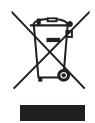
Waste electrical products must not be disposed of with household waste. This equipment should be taken to your local recycling centre for safe treatment.

Blue Eagle II/08-07/V02
