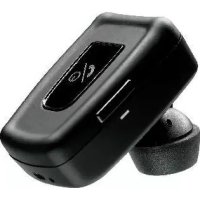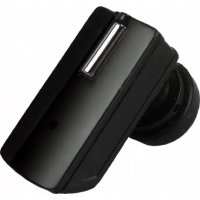
Blue Luxe - Earphones MR HANDSFREE - Free user manual and instructions
Find the device manual for free Blue Luxe MR HANDSFREE in PDF.



User questions about Blue Luxe MR HANDSFREE
0 question about this device. Answer the ones you know or ask your own.
Ask a new question about this device
Download the instructions for your Earphones in PDF format for free! Find your manual Blue Luxe - MR HANDSFREE and take your electronic device back in hand. On this page are published all the documents necessary for the use of your device. Blue Luxe by MR HANDSFREE.
USER MANUAL Blue Luxe MR HANDSFREE
Bluetooth Wireless Headset
www.mrhandsfree.com
FGB NL
ED QR
DK
DECLARATION OF CONFORMITY
We, the undersigned
| Company: TE-GROUP | ny |
| Address: Kapelsestraße 61, 2950 Kapellen - BELGIUM | |
declare, that the following equipment:
| Product Name: BLUE LUXE |
| Product Type: Bluetooth® headset |
Is in conformity with the Directions of the European Union EC R&TTE Directive 1999/5/EC
Conformity of the Bluetooth® headset with the above-mentioned directions is guaranteed by the CE-symbol.
C
Contents
GettinG started 2
Pairing the headset 3
MaKinG and ansWerinG / endinG CaLLs 4
transFerrinG CaLLs 4
ConneCting With a PC or Pda 4
adJUst the VoLUME 5
troUbLe shootingG 5
bLUtooth 5
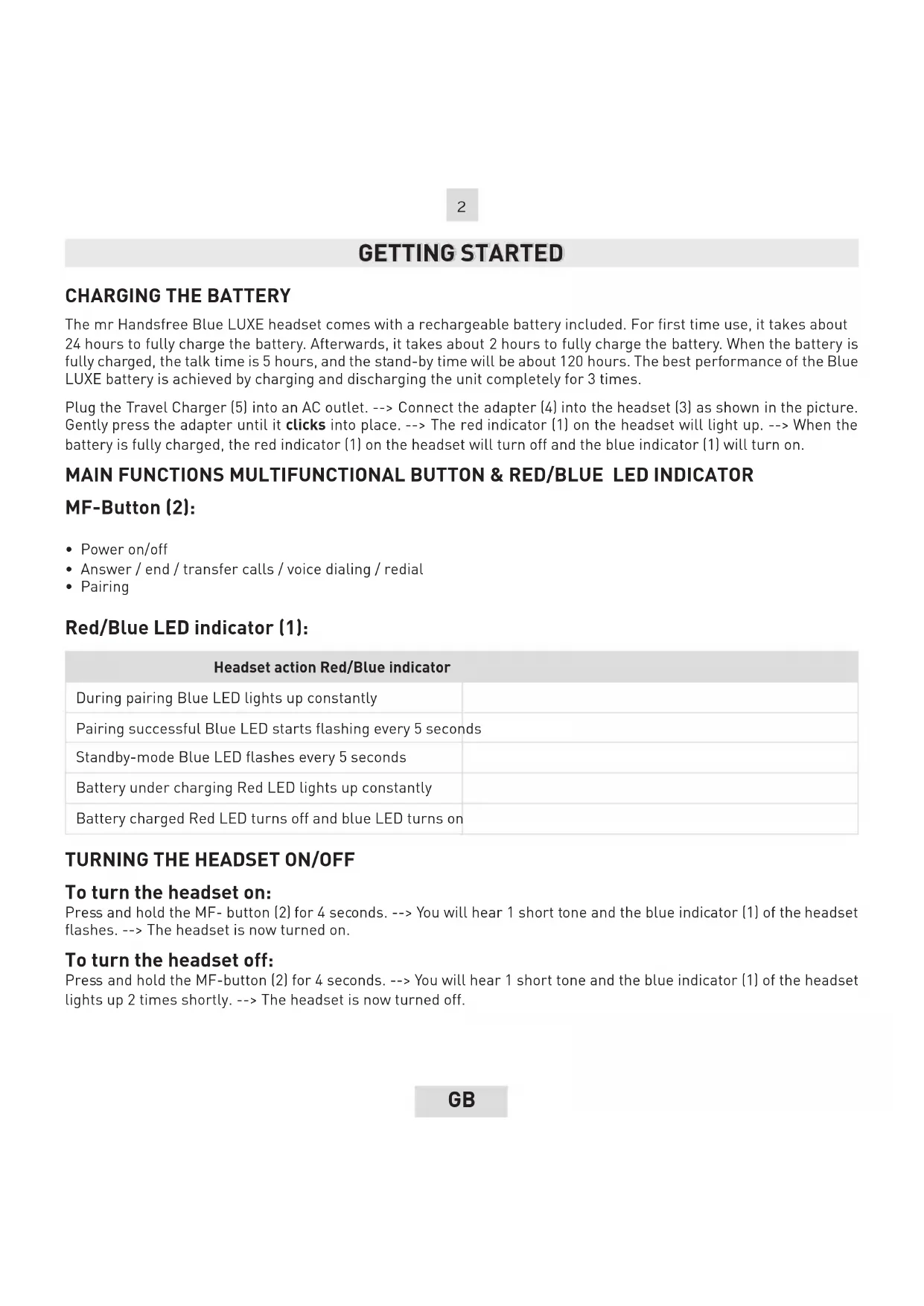
GETTING STARTED
CHARGING THE BATTERY
The mr Handsfree Blue LUXE headset comes with a rechargeable battery included. For first time use, it takes about 24 hours to fully charge the battery. Afterwards, it takes about 2 hours to fully charge the battery. When the battery is fully charged, the talk time is 5 hours, and the stand-by time will be about 120 hours. The best performance of the Blue LUXE battery is achieved by charging and discharging the unit completely for 3 times.
Plug the Travel Charger (5) into an AC outlet. --> Connect the adapter (4) into the headset (3) as shown in the picture. Gently press the adapter until it clicks into place. --> The red indicator (1) on the headset will light up. --> When the battery is fully charged, the red indicator (1) on the headset will turn off and the blue indicator (1) will turn on.
MAIN FUNCTIONS MULTIFUNCTIONAL BUTTON & RED/BLUE LED INDICATOR
MF-Button (2):
Power on/off
- Answer / end / transfer calls / voice dialing / radial
- Pairing
Red/Blue LED indicator (1):
| Headset action Red/Blue indicator | |
| During pairing Blue LED lights up constantly | |
| Pairing successful Blue LED starts flashing every 5 seconds | |
| Standby-mode Blue LED flashes every 5 seconds | |
| Battery under charging Red LED lights up constantly | |
| Battery charged Red LED turns off and blue LED turns on | |
TURING THE HEADSET ON/OFF
To turn the headset on:
Press and hold the MF- button [2] for 4 seconds. --> You will hear 1 short tone and the blue indicator (1) of the headset flashes. --> The headset is now turned on.
To turn the headset off:
Press and hold the MF-button (2) for 4 seconds. --> You will hear 1 short tone and the blue indicator (1) of the headset lights up 2 times shortly. --> The headset is now turned off.
PAIRING THE HEADSET
You are required to pair the Blue LUXE headset with your mobile phone once before using it.
Each Blue LUXE headset has a default PIN-code 0000 for pairing, which is stored in its internal memory. You are usually required to enter the PIN-code 0000 in a pairing process with a Bluetooth® mobile phone or other devices; however it depends on the kind of Bluetooth® device that the headset is connected to.
The Blue LUXE headset must be turned off before initiating pairing. ---> Press and hold the MF-button (2) until the blue indicator [1] lights up constantly. ---> The headset is now ready for pairing. ---> Initiate the pairing process on your
Bluetooth® mobile phone to pair with the Blue LUXE headset. (Refer to the manual of your mobile phone.) --> Select Blue LUXE out of the list with found devices on your mobile phone. --> You will be asked to enter the PIN-code to complete pairing, enter 0000 and confirm it. --> When the pairing has been successful, the blue indicator (1) of the headset will flash every 5 seconds.
Note:
- If the Blue LUXE headset is not in pairing mode, your mobile phone won't find the headset. Please set the headset into pairing mode before letting your mobile phone search for the headset.
- If no pairing is possible for a period of time (approx. two minutes), the headset will automatically leave pairing mode. You may need to start all over again.
- Paired devices remain paired even when:
One of the devices is not turned on.
- A service connection is interrupted or the service stopped.
- One or both devices are rebooted.
CONNECTION
In some cases the Blue LUXE can be disconnected from your phone and you will need to restore the connection.
- If the Blue LUXE has been switched off: Switch on the power and press the MF-button [2] for 1 second.
- If the mobile phone has been switched off: Turn on the mobile phone and restore the connection via the phone's menu.
- If one of the two devices has been out of range: Make sure that both devices are within working range and press the MF-button [2] once.
Note:
For all mobile phone types, it is recommended to set "Trust" or "Authorized" for Blue LUXE in the Bluetooth® menu of your mobile phone. Please refer to the manual of your mobile phone for more detailed information.
DISCONNECTION
You can disconnect the headset from your phone when, for example, you want to use another Bluetooth device with your phone. The Blue LUXE can be disconnected in the following ways:
- Switch off the headset.
- Disconnect the headset in the phone's menu.
- Move the phone more than 10 meters away from the headset.
MAKING AND ANSWERING / ENDING CALLS
Once the Blue LUXE headset is successfully paired with your mobile phone, you can use it to make and receive calls.
The Blue LUXE headset can be used with voice dialing and radial if your mobile phone supports this feature. (Please
check the manual of your mobile phone).
MAKING CALLS
Using voice dialing:
Press the MF-button [2], wait for a beep and say the name of the person you want to call. --> Press the MF-button [2] again to cancel voice dialing.
Using the phone keys to make a call:
Enter and dial the number on the mobile phone as you normally do. ---> Once the call has been set up, the sound will
be transmitted to your headset automatically.
Redial:
Press and hold the MF-button (2) for 4 seconds to redial the last number you called.
ANSWERING / ENDING CALLS
When the Blue LUXE headset is turned on and there is an incoming call, you will hear a musical tone. --> Press the MF-button (2) to answer the call ---> End the call by pressing the MF-button again (2).
When the headset is turned off, first accept the call on your mobile phone, then press and hold the MF-button (2) for 5 seconds to turn the headset on. ---> Then press the MF-button (2) again to accept the connection with the headset.
Note:
Due to the different design of some mobile phones, an auto-disconnect may happen even when the Blue LUXE headset is
turned on. In that case, the headset won't ring when there is an incoming call. Press the MF-button [2] for 1 sec. to reconnect
the headset with your mobile phone for an incoming call.
TRANSFERRING CALLS
To transfer a call to the mobile phone & back:
Press and hold the MF - button (2) until you hear a beep to transfer the call to the mobile phone while talking on the
headset. The headset will be disconnected. --> If you want to transfer the call back to the headset, press the MF-button
[2] again until you hear a beep. Some mobile phones ask for an extra confirmation to make the connection.
CONNECTING WITH A PC OR PDA
You are allowed to connect the Blue LUXE headset with a Bluetooth ® enabled PC or PDA that is supported with
headset and/or handsfree profiles. Please refer to the user manual of your Bluetooth ^ 念 enabled PC or PDA for setup
information.
ADJUST THE VOLUME
You can increase/decrease the volume by increasing/decreasing the volume of your mobile phone. The volume of your Blue Luxe headset will be adjusted automatically. Consult your mobile phone's manual for more information.
TROUBLESHOOTING
-
There is no red indication while charging the battery (even if the Blue LUXE headset is connected to the charger).
-
For first time use, it could be that the battery capacity is too low. It could take some time accordingly before the red indicator lights up.
-
When the headset has not been used for some time or when the battery of the headset is empty, it could also take some time before the red indicator lights up.
-
No sound contact between the Blue LUXE headset and other devices.
-
Make sure that the two devices are paired.
- Make sure that the headset is turned on.
- Make sure that the two devices are within a working range (10 m).
- Make sure that your mobile phone is within signal strength.
-
Some Bluetooth® mobile phones can support only one Bluetooth® headset. Disconnection may happen when there is more than one headset paired with your mobile phone.
-
Several Bluetooth® devices appear on my mobile phone while searching the Blue LUXE headset.
Most Bluetooth® enabled mobile phones with Bluetooth® function activated can search for more than one Bluetooth device within operative range. The headset will appear as "Blue LUXE" on your mobile phone after having been found by your mobile phone.
- There is a disturbance noise coming from the Blue LUXE headset.
The performance of the headset will be affected by two factors:
- Whether your mobile phone is in a good signal area. If your mobile phone is in weak signal area, you won't hear clearly with the headset.
- Whether it is in the operative range [10 m]. The headset will automatically try to reconnect within 90 seconds (this depends on your mobile phone).
BLUETOOTH®
The Bluetooth® word mark and logos are owned by the Bluetooth SIG, Inc. and any use of such marks by TE-Group NV is under license. Other trademarks and trade names are those of their respective owners.
TABLE DES MATIÈRES
MISE EN ROUTE 2
ASSOCIATION DE L'OREILLETTE 3
CONNECTER AVEC UN PC OU PDA
FUNCTIONS MULTIFUNCTIONE EN VOLUMEKNOP & ROOD INDICATIELAMPJE
MF-knop [2]:
Met spreakherkenning (voice dialing):
CONNECTION CON PC O PDA
SYN△EESH ME PC H PDA
Mnpoeite va auvdoe to akouotko Blue LUXE eva H/Y n PDA nou unoatnpizc1 Bluetooth® enikovwvia 0ra npoiia headset n/kai handsfree. AvatpETe oTic obnyie c xponc tou PC n ouuBatou Bluetooth® PDA 0ac yia tic nAnpoopopiec oxetik a e Tnv Eykarataan.
ENIAYH NPOBAHMATQN
-
unapxie kokkivn evoEiKn kata tn opion tnc
unatapiac (akoun k av to akouotko Blue LUXE eiva
ouvodemevo mTo optioth). -
Otav xpnooioite To akouotko yia npwtn popa, mopei n xwpntikotnTa nC matapiac va eivai nou xaunlan. Mopei va xepiaotei kanoioc xpovoc xepl va avaye i nkokkivn evdeiktikn luxvia.
- O'atv to akouotiko δev εxει xpnsuonoinθει γia apkεto xovikó òaotnμa n otav n μnatapia tou akouotkuouéxu aδεiαει, μnpεi va xpeiaotεi kanoioc xpovoc μexpi va aváψει n kokkivn εvδεiktikn luxvia.
Red/Blue lys indicator(1):
TILKOBLING TIL PDA ELLER PC
Du kan tinkoble Blue LUXE headset til en Bluetooth® PC erer PDA dersom pda ell er pc'eren har donne funksion. Venligst se i manualen til pda ell er pc.