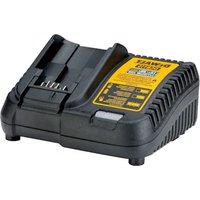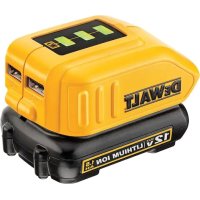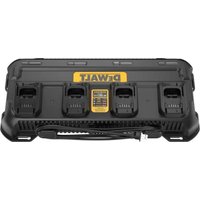
DCB1404 - Battery charger DEWALT - Free user manual and instructions
Find the device manual for free DCB1404 DEWALT in PDF.


| Product Type | Battery Charger |
| Brand | DeWalt |
| Model | DCB1404 |
| Nominal Voltage | 20 V DC |
| Mains Voltage | 230 V AC |
| Frequency | 50 Hz |
| Battery Type | Li-Ion |
| Number of Charge Ports | 4 |
| Input Current | 3.1 A |
| Output Current (per port) | 20 V, 4 A |
| Weight (without battery pack) | 0.5 kg |
| Charging Temperature Range | 4 °C to 40 °C |
| Double Insulation | Yes (compliant with EN60335) |
| Wall Mounting | Yes, via mounting holes (#10 screws, min. length 50.8 mm) |
| Electronic Protection | Yes (overload, overheating, deep discharge) |
| Indicator Lights | Phase 1, Phase 2, yellow light (hot/cold delay) |
| Battery Compatibility | DeWalt Li-Ion batteries (e.g., DCB546, DCB547, DCB548, DCB549, DCB181, DCB182, etc.) |
| Maintenance | Unplug before cleaning; use dry air and damp cloth |
| Safety | Residual current device recommended 30 mA; do not expose to water |
Frequently Asked Questions - DCB1404 DEWALT
User questions about DCB1404 DEWALT
0 question about this device. Answer the ones you know or ask your own.
Ask a new question about this device
Download the instructions for your Battery charger in PDF format for free! Find your manual DCB1404 - DEWALT and take your electronic device back in hand. On this page are published all the documents necessary for the use of your device. DCB1404 by DEWALT.
USER MANUAL DCB1404 DEWALT
You have chosen a DEWALT tool. Years of experience, thorough product development and innovation make DEWALT one of the most reliable partners for professional power tool users.
Technical Data
| DCB1404 | ||
| Output V | DC | 20 |
| Mains voltage V | AC | 230 |
| Frequency Hz 50 | ||
| Type 1 | ||
| Battery type Li-ion | ||
| Number of charging ports 4 | ||
| Charger current | ||
| Input A 3.1 | ||
| Output (each port) 20 V, 4 A | ||
| Weight (without battery pack) kg 0.5 | ||

WARNING: To reduce the risk of injury, read the instruction manual.
Definitions: Safety Guidelines
The definitions below describe the level of severity for each signal word. Please read the manual and pay attention to these symbols.
RANGER: Indicates an imminently hazardous situation which, if not avoided, will result in death or serious injury.
WARNING: Indicates a potentially hazardous situation which, if not avoided, could result in death or serious injury.
AUTION: Indicates a potentially hazardous situation which, if not avoided, may result in minor or moderate injury. NOTICE: Indicates a practice not related to personal injury which, if not avoided, may result in property damage.
Denotes risk of electric shock.
Notes risk of fire.
SAVE ALL WARNING AND INSTRUCTIONS FOR FUTURE REFERENCE
Important Safety Instructions for All Battery Chargers
- SAVE THESE INSTRUCTIONS: This manual contains important safety and operating instructions for DEWALT battery chargers. Refer to Technical Data in your product or charger manual for more information.
WARNING: Read all safety warnings, instructions, illustrations and specifications provided with the charger.
- Failure to follow all instructions may result in electric shock, fire and/or serious injury.
- Save all warnings and instructions for future reference.
- Before using charger, read all instructions and cautionary markings on charger, battery pack, and product using battery pack.
WARNING: Shock hazard. Do not allow any liquid to get inside charger. Electric shock may result.
WARNING: We recommend the use of a residual current device with a residual current rating of 30mA or less.
AUTION: Burn hazard. To reduce the risk of injury, charge only DEWALT rechargeable batteries. Other types of batteries may burst causing personal injury and damage.
NOTICE: Under certain conditions, with the charger plugged into the power supply, the exposed charging contacts inside the charger can be shorted by foreign material. Foreign materials of a conductive nature such as, but not limited to, steel wool, aluminum foil or any buildup of metallic particles should be kept away from charger cavities. Always unplug the charger from the power supply when there is no battery pack in the cavity. Unplug charger before attempting to clean.
Children are not allowed to use or play with this charger. This charger can be used by persons with reduced physical, sensory or mental capabilities or lack of experience and knowledge if they have been given supervision or instruction concerning use of the appliance in a safe way and understand the hazards involved. Otherwise, there is a risk of injuries.
Children shall be supervised during use to ensure that they do not play with the appliance.
To reduce the risk of injury, charge only DEWALT rechargeable batteries. Other types of batteries may burst causing personal injury and damage.
- These chargers are not intended for any uses other than charging DEWALT rechargeable batteries. DEWALT charger and battery packs are specifically designed to work together. Any other uses may result in risk of fire, electrical shock or electrocution.
- Do not expose charger to rain or snow. Water entering a product will increase the risk of electric shock.
- Pull by plug rather than cord when disconnecting charger. This will reduce risk of damage to electric plug and cord. Do not operate charger with damaged cord or plug—have them replaced immediately.
- Make sure that cord is located so that it will not be stepped on, tripped over, or otherwise subjected to damage or stress.
- Do not use an extension cord unless it is absolutely necessary. Use of improper extension cord could result in risk of fire, electric shock, or electrocution.
- Do not place any object on top of charger or place the charger on a soft surface that might block the ventilation slots and result in excessive internal heat. Place the charger in a position away from any heat source. The charger is ventilated through slots in the top and the bottom of the housing.
- Do not operate charger if it has received a sharp blow, been dropped, or otherwise damaged in any way. Take it to an authorised service centre.
- Do not disassemble charger; take it to an authorised service centre when service or repair is required. Incorrect reassembly may result in a risk of electrical shock, electrocution or fire.
- Disconnect the charger from the outlet before attempting any cleaning. This will reduce the risk of electric shock. Removing the battery pack will not reduce this risk.
- NEVER attempt to connect 2 chargers together.
Take care to ensure that the charger is standing in a steady, secure position. A falling battery or charger may present a risk of injury to yourself and/or others. - The location in which the charger is used should be clean and dry. Use of a charger in a dirty or wet area could result in risk of fire, electric shock, or electrocution.
Electrical Safety
The charger has been designed for one voltage only. Make sure that the voltage of your charger corresponds to that of your mains.

Your DEWALT charger is double insulated in accordance with EN60335; therefore, no earth wire is required.
If the supply cord is damaged, it must be replaced only by DeWALT or an authorised service organisation.
Package Contents
The package contains:
1 Batterycharger
1Instructionmanual
NOTE: Battery packs, chargers and kitboxes are not included with N models.
- Check for damage to the tool, parts or accessories which may have occurred during transport.
- Take the time to thoroughly read and understand this manual prior to operation.
Markings on Battery Charger and Battery Pack
The following pictograms are shown on the tool:





Read instruction manual before use.
Do not charge damaged battery packs.
Do not expose to water.
Have defective cords replaced immediately.
Charge only between 4^ and 40^
Do not probe with conductive objects.
Only for indoor use.
Risk of electric shock.
Discard the battery pack with due care for the environment.
Charge DEWALT battery packs only with designated DEWALT chargers. Charging battery packs other than the designated DEWALT batteries with a DEWALT charger may make them burst or lead to other dangerous situations.

Do not incinerate the battery pack.
USE (without transport cap). Example: Wh rating indicates 108 Wh (1 battery with 108 Wh).
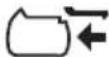
TRANSPORT (with built-in transport cap). Example: Wh rating indicates 3 x 36 Wh (3 batteries of 36 Wh).
Date Code Position (Fig. A)
The production date code 5 consists of a 4-digit year followed by a 2-digit week and is extended by a 2-digit factory code.
Description (Fig. A)
WARNING: Never modify the power tool or any part of it.
Damage or personal injury could result.
1 Battery pack
2 Battery release button
3 Cord wraps
4 Mounting holes
Intended Use
DO nOT use under wet conditions or in the presence of flammable liquids or gases.
These battery chargers and battery packs are professional power tools.
Battery Type
These battery packs may be used:
| Battery(kg)Battery(kg) | |
| DCB5461.08 DCB1850.35 | |
| DCB547/G1.46 DCB1870.54 | |
| DCB5481.46 DCB1880.95 | |
| DCB5492.12 DCB1890.54 | |
| DCB1810.35 DCBP034/G0.32 | |
| DCB1820.61 DCBP518/G0.75 | |
| DCB183/B/G0.40 DCB18800.98 | |
| DCB184/B/G0.62 DCBP3180.50 |
Charging a Battery (Fig. A)
NOTE: To ensure maximum performance and life of lithium-ion battery packs, charge the battery pack fully before first use.
- Plug the charger into an appropriate outlet before inserting battery pack.
- Insert the battery pack(s) 1 into the charger, making sure each one is fully seated in the charger. The (charging) light will blink continuously indicating that the charging process has started.
-
The Stage 1 Charging blink indicator represents the charge process that charges the majority of the battery's capacity.
Stage 2 Charging blink indicator represents the remainder, or top off charge process, for the battery to reach full capacity. -
The completion of charge for Stage 1 or Stage 2 will be indicated by the Stage's light remaining ON continuously. The battery pack is fully charged when both Stage 1 and Stage 2 charging lights remain ON continuously, and it may be removed and used at this time or left in the charger.
NOTE: To remove the battery pack, some chargers require the battery pack release button 2 to be pressed.
A charger will not charge a faulty battery pack. The charger refusing to light could indicate a problem with the charger or a faulty battery pack.
NOTE: This could also mean a problem with a charger.
If the charger indicates a problem, take the charger and battery pack to be tested at an authorised service centre.
WARNING: Only charge batteries in air temperature over 4^ and below 40^
Indicators
| Stage 1 Charging | ——| | □ |
| Stage 2 Charging | ——|—— | □ |
| Fully Charged | ——|—— | □ |
| Hot/Cold Pack Delay* | ——|——| | □ |
Hot/Cold Pack Delay
When the charger detects a battery pack that is too hot or too cold, it automatically starts a Hot/Cold Pack Delay, suspending charging until the battery pack has reached an appropriate temperature. The charger then automatically switches to the pack charging mode. This feature ensures maximum battery pack life.
A cold battery pack will charge at a slower rate than a warm battery pack.
- The red light will continue to blink, but a yellow indicator light will be illuminated during this operation. Once the battery pack has reached an appropriate temperature, the yellow light will turn off and the charger will resume the charging procedure.
Electronic Protection System
XR Li-Ion tools are designed with an Electronic Protection System that will protect the battery pack against overloading, overheating or deep discharge.
The tool will automatically turn off if the Electronic Protection System engages. If this occurs, place the lithium-ion battery pack on the charger until it is fully charged.
Wall Mounting (Fig. A)
This charger is designed to be wall mountable or to sit upright on a table or work surface. If wall mounting, locate the charger within reach of an electrical outlet, and away from a corner or other obstructions which may impede air flow. Use the charger mounting holes 4 as a template for the location of the mounting screws on the wall.
NOTE: Either the horizontal or the vertical mounting holes should be used, but not both. Dimensions are outlined on the back of the charger. Mount the charger securely using at least size #10 exterior wood screws (purchased separately) at least 50.8mm long, with a screw head diameter of 7 - 9mm . The keyhole slot on the charger is designed to slide over the head of
the screw providing a secure and adjustable way to wall mount.
IMPORTANT: Do not mount charger to a wall upside down (i.e., LED state of charge facing down).
MAINTENANCE
Your battery charger has been designed to operate over a long period of time with a minimum of maintenance. Continuous satisfactory operation depends upon proper tool care and regular cleaning.
WARNING: To reduce the risk of serious personal injury, disconnect the charger from mains and disconnect battery pack before making maintenance.
WARNING: Cleaning and user maintenance shall not be performed by children.
The charger and battery pack are not serviceable.
Charger Cleaning Instructions
WARNING: Shock hazard. Disconnect the charger from the AC outlet before cleaning.
WARNING: Blow dirt and dust out of the main housing with dry air as often as dirt is seen collecting in and around the air vents. Wear approved eye protection and approved dust mask when performing this procedure.
WARNING: Never use solvents or other harsh chemicals for cleaning the non-metallic parts of the tool. These chemicals may weaken the materials used in these parts. Use a cloth dampened only with water and mild soap. Never let any liquid get inside the tool; never immerse any part of the tool into a liquid.
Optional Accessories
WARNING: Since accessories, other than those offered by DEWALT, have not been tested with this product, use of such accessories with this tool could be hazardous. To reduce the risk of injury, only DEWALT-recommended accessories should be used with this product.
Consult your dealer for further information on the appropriate accessories.
Protecting the Environment
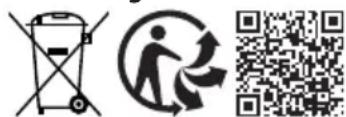
Products/batteries are recyclable, but if marked with the crossed-out bin, they must not be disposed of with normal household waste.
Run the batteries down completely and separate them, and separate any light sources from the product if possible. It is the user's responsibility to delete personal data from the product. Then take the waste to an official waste collection centre or a participating retailer who will often accept it free of charge. Packaging should be discarded based on the marked material code. Operating and safety instructions should only be discarded once the applicable product is no longer in use.
Please check with your local community/municipality for waste management guidance. For further information, visit www.2helpU.com and scan the above QR code.
CARGADOR DE BATERIA
DCB1404
Enhorabuena!
nOTa: Anything potrebbe, which is a problem in the caricabatteria.
Bataryayi atese atmayin.
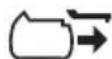
KULLANIM (Tasima kapaqi olmadan). Ornek: Wh degeri 108 Wh gosteriyor (108 Wh degerine sahip 1 batarya).
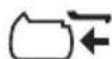
TASIIMA (Tasima kapaigile birlikte).Ornek:Wh degeri 3× 36 Wh gosterir (36 Wh degerine sahip 3 batarya).