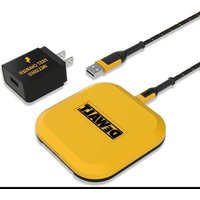
DXMA1410476E - Battery charger DEWALT - Free user manual and instructions
Find the device manual for free DXMA1410476E DEWALT in PDF.


User questions about DXMA1410476E DEWALT
0 question about this device. Answer the ones you know or ask your own.
Ask a new question about this device
Download the instructions for your Battery charger in PDF format for free! Find your manual DXMA1410476E - DEWALT and take your electronic device back in hand. On this page are published all the documents necessary for the use of your device. DXMA1410476E by DEWALT.
USER MANUAL DXMA1410476E DEWALT
Fast Wireless Charging Pad
DEFINITIONS: SAFETY GUIDELINES
The definitions below describe the level of severity for each signal word. Please read the manual and pay attention to these symbols.
A DANGER: Indicates an imminently hazardous situation which, if not avoided, will result in death or serious injury.
A WARNING: Indicates a potentially hazardous situation which, if not avoided, could result in death or serious injury.
A CAUTION: Indicates a potentially hazardous situation which, if not avoided, may result in minor or moderate injury.
▲NOTICE: Indicates a practice not related to personal injury which, if not avoided, may result in property damage.
A WARNING! Read and understand all instructions. Failure to follow all instructions listed below may result in electric shock, fire and/or serious personal injury.
SAVE THESE INSTRUCTIONS
The Fast Wireless Charging Pad is Qi-certified and is designed to charge all Qi-compatible devices with the use of the included power-in cable.
FAST WIRELESS CHARGING PAD SAFETY WARNINGS
- WARNING: This manual contains important safety and operating instructions for this Fast Wireless Charging Pad. Before using the Fast Wireless Charging Pad, read this manual and all labels on the Fast Wireless Charging Pad.
- Before using the Fast Wireless Charging Pad, read all instructions and cautionary markings on the Fast Wireless Charging Pad.
- Shock hazard. Do not allow any liquid to get inside the Fast Wireless Charging Pad. Electric shock may result.
- Burn hazard. To reduce the risk of injury, use only the power cable included with the Fast Wireless Charging Pad.
- Do not place other metal or metallic objects on the charging pad.
- The Fast Wireless Charging Pad is not intended for any uses other than charging Qi-compatible devices. Any other uses may result in risk of fire, electric shock or electrocution.
- When cleaning the charging pad, make sure it is not connected to a power source. To clean the charging pad, wipe it gently with a soft, dry cloth.
- Do not expose the Fast Wireless Charging Pad to rain or snow.
- When operating the Fast Wireless Charging Pad outdoors, always provide a dry location.
- Do not operate the Fast Wireless Charging Pad if it has received a sharp blow, been dropped or otherwise damaged in any way.
- Do not disassemble the Fast Wireless Charging Pad, there are no user serviceable parts.
Charging Procedure
- Insert the USB end of the charging cable into the power adapter.
- Insert the TYPE C end of the charging cable into the port of the charging pad.
- Place your Qi-compatible phone on the center of the charging pad. When the phone is being charged, the LED indicator will illuminate automatically to indicate the charging status.
LED Indicator Light Operation
WIRELESS CHARGER ON – SOLID BLUE LIGHT DEVICE IS CHARGING – SLOW BLINKING BLUE LIGHT OVERHEAT PROTECTION – NO LIGHT (SHUTS OFF) METAL OBJECT DETECTED/DEVICE IS INCOMPATIBLE – FAST BLINKING BLUE LIGHT
Charge Indicators
This charging pad is designed to detect certain problems that can arise. Problems are indicated by the flashing LED light at a fast rate.
If this occurs, remove the object from the charging pad. If the problem persists, try a different device to determine if the charging pad is working properly. If the new device charges correctly, then the original device is defective and should be returned to a service center or other repair location. If the new device elicits the same trouble indication as the original, please visit 2helpu.com.
Fast Charging Compatibility
The charging pad can charge compatible Samsung devices at up to 10W. Compatible Apple devices can charge at up to 7.5W. Devices that are not fast charge compatible can charge at up to 5W. Please check your device's manual to determine its compatibility.
Important Charging Notes
- Longest life and best performance can be obtained if a device is charged when the air temperature is between 65^ F and 75^ F ( 18^-24^ C). DO NOT charge a device in an air temperature below +40^ F (+ 4.5^ C), or above +105^ F (+ 40.5^ C). This is important and will prevent serious damage to the device.
- The charging pad and device may become warm to the touch while charging. This is a normal condition and does not indicate a problem. To facilitate the cooling of the charging pad after use, avoid placing the charging pad in a warm environment such as in a metal shed or an uninsulated trailer.
- If the charging pad does not charge properly:
a. Check operation of the receptacle by plugging in a lamp or other appliance.
b. Check to see if the receptacle is connected to a light switch which turns the power off when you turn out the lights.
c. Move the charging pad to a location where the surrounding air temperature is approximately 65^ F – 75^ F ( 18^ – 24^ C).
- Foreign materials of a conductive nature such as, but not limited to, grinding dust, metal chips, steel wool, aluminum foil, or any buildup of metallic particles should be kept away from the charging pad.
- Unplug the charging pad before attempting to clean it.
- Do not freeze or immerse the charging pad in water or any other liquid.
Storage Recommendations
- The best storage place is one that is cool and dry, away from direct sunlight and excess heat or cold.
- For long storage, it is recommended to store the charging pad in a cool dry place for optimal results.
FOR INFORMATION REGARDING SERVICE
If you have a problem with this product or have questions on how to use it, please visit:
http://www.2helpU.com
Please include the model number, date of purchase, and description in all communication.
Fast Wireless Charging Pad
MANUAL DE INSTRUÇÕES
DEWALT®
DXMA1410476E
INFORMACJE NA TEMAT SER- WISU
DEWALT - Belgium BVBA
Tel: +4021.320.61.04
www.dewalt.bg/3/
Croatia
GM&M Trgovina d.o.o.
Cesta dr. Jožeta Pučnika 10
1290 Grosuplje
Slovenija
Tel: +386 01 78 66 573
Fax: +386 01 78 61 205
www.g-mm.si
gmm@g-mm.si
servis@g-mm.si
Czech Republic
Stanley Black & Decker Czech
Republic s.r.o.
Praha 4 - Chodov, Türkova 5b
149 00 Praha, Czech Republic
Tel.: +420 228 887 265
www.dewalt.cz
c/o Energypark Building 3 sud
20871 Vimercate (MB), IT
Tel: 800-014353
+39 039 9590200
Fax: +39 039 9590313
www.dewalt.it
service.italia@sbdinc.com
Latvia
LIC GOTUS SIA
Ulbrokas Str.
LT - 1021 Riga
Tel: +371 286 15454
Fax: +371 675 55140
www.licgotus.lv
Lithuania
UAB ELREMTA MASTERMANN
Naglio Str 4C
LT - 52367 Kaunas
Tel: +370 37 370 138
Fax: +370-37-406540
Info@elremta.it
Servisas@elmast.It
Malta
Via Energypark 6
c/o Energypark Building 3 sud
20871 Vimercate (MB), IT
Tel. +39 039-9590-200
Fax +39 039-9590-313
www.dewalt.it
service.italia@sbdinc.com
Nederlands
DEWALT
Netherlands BV
Postbus 83
Tel: 31 164 283 063
www.dewalt.nl
Enduser.NL@SBDinc.com
Norge
DEWALT
service.austria@sbdinc.com
Poland
Stanley Black & Decker Polska
Sp. z 0.0.
Prosta 68, 00-838 Warsaw,
Poland
Tel.: +48 22 431 05 05
https://www.dewalt.pl/
https://www.dewalt.pl/
pomoc-i-wsparcie/skontak-
tuj-sie-z-nami
Portugal
DEWALT
Centro Empresarial Arquiparque
Phoenicia Business Center
Turturelelo Street No 11A 4th
Floor,
Module 12-15,
Tel: +4021.320.61.04
Fax: +4037.225.36.84
www.dewalt.ro
office.bucharest@sbdinc.com
Serbia
HAMMERCOM D.O.O.
Valjevska 3
11000 Beograd
Serbia
Tel: +386 (0)11 2543 683
office@hammercom.co.rs
Slovakia
BAND SERVIS s.r.o.
Paulinska 22
917 01 Trnava, Slovakia
Tel.: +421 335 511 063
Fax.: +421 335 512 624
www.2helpU.com
www.bandservis.sk
Slovenia
GM&M TRGOVINA D.O.O.
CESTA DR. JOŽETA PUČNIKA 10
1290 GROSUPLJE
SLOVENIJA
Tel: +386 01 78 66 573
www.dewalt.com
www.g-mm.si
gmm@g-mm.si
Suomi
DEWALT
PL 47
00521 Helsinki
Puh. 010 400 43 33
Faksi 0800 411 340
www.dewalt.fi
Stanley Black & Decker Turkey
Slough, Berks SL1 4XD
Tel: +44 (0)1753 511234
www.dewalt.co.uk
service.uk@sbdinc.com
Part No. DXMA1410476E © 2023 Stanley Black & Decker, Inc.
DEWALT® and the DEWALT Logo are trademarks of the DEWALT Industrial Tool Co., or an affiliate thereof and are used under license. The yellow/black color scheme is a trademark for DEWALT power tools & accessories.
Manufactured by E-filliate Inc. 11321 White Rock Rd. Rancho Cordova, CA 95742 USA