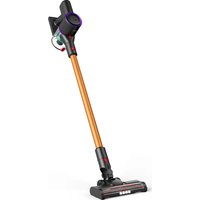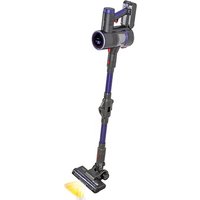
AD 7061 - Vacuum Cleaner ADLER - Free user manual and instructions
Find the device manual for free AD 7061 ADLER in PDF.


| Product type | Cordless stick vacuum |
| Brand | Adler |
| Model | AD 7061 |
| Battery voltage | 22.2 V (Li-Ion) |
| Rated power | 250 W |
| Adapter input voltage | 220-240 V ~ 50/60 Hz |
| Adapter output voltage | 27 V, 0.5 A |
| Charging time | Approximately 4 hours |
| Accessories included | Flexible hose, electric brush, UV mattress brush, pet hair brush, soft roller, 2-in-1 brush, crevice tool, wall mount |
| Main features | Display screen with battery status, adjustable suction power, full/blocked bin indicator, removable roller, washable HEPA filter |
| Filters | Primary HEPA filter, steel filter, secondary HEPA filter (washable) |
| Floor types | Hard floors (bristle roller) and carpets (soft roller) |
| Usage | Household use only, dry surfaces |
| Safety | Do not use near water, do not vacuum flammable or sharp objects, do not block vents |
| Maintenance | Empty bin after use, wash filters with clean water (must dry completely), clean roller |
| Replacement parts | Replacement filters AD 7061.1 |
| Warranty | Void if used commercially or for construction dust |
Frequently Asked Questions - AD 7061 ADLER
User questions about AD 7061 ADLER
0 question about this device. Answer the ones you know or ask your own.
Ask a new question about this device
Download the instructions for your Vacuum Cleaner in PDF format for free! Find your manual AD 7061 - ADLER and take your electronic device back in hand. On this page are published all the documents necessary for the use of your device. AD 7061 by ADLER.
USER MANUAL AD 7061 ADLER
natural_image
Black and blue handheld vacuum cleaner with a circular head dial (no visible text or symbols)AD 7061
natural_image
Set of various black and blue handheld vacuum cleaner components including brush, hose, and clip (no text or labels visible)B
C
D
E

F
natural_image
Technical illustration of a mechanical device with an upward arrow indicating motion or assembly (no text or symbols present)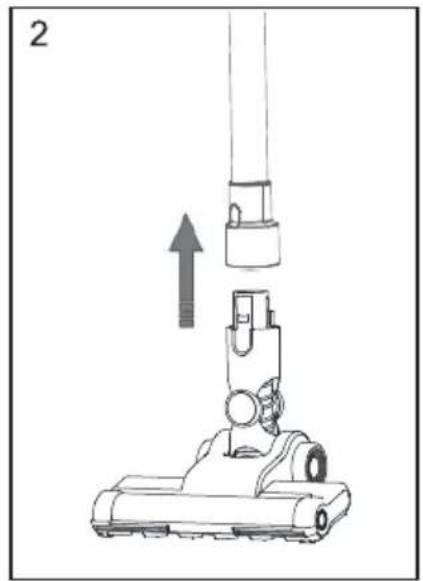
natural_image
Diagram of a vacuum cleaner with an upward arrow indicating motion (no text or symbols present)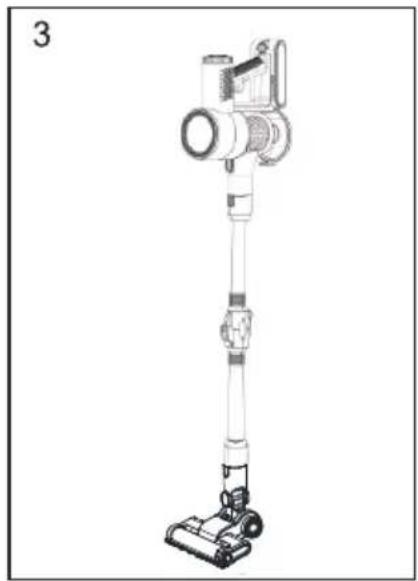
natural_image
Line drawing of a vacuum cleaner with attached cylindrical device (no text or symbols)G
natural_image
Simple line drawing of a smiling face with rays reflecting off a vertical axis (no text or symbols)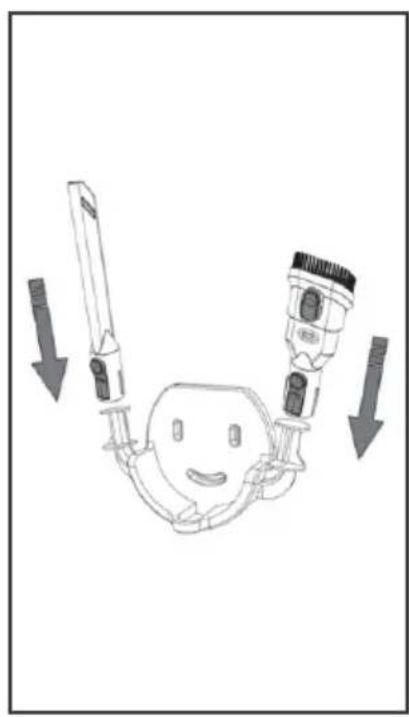
natural_image
Diagram of a medical or surgical device with two directional arrows indicating movement or force (no text or symbols present)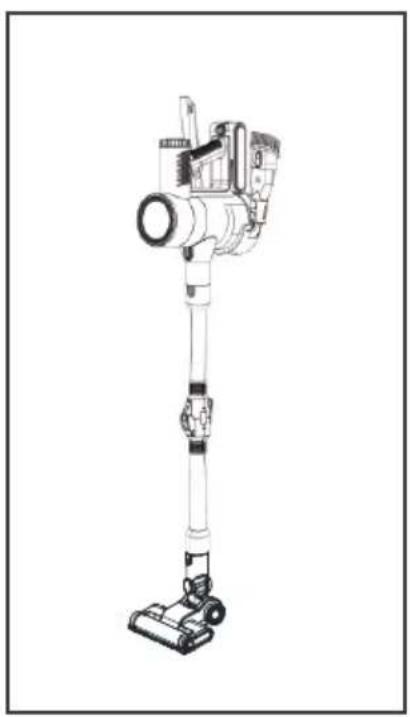
natural_image
Line drawing of a vacuum cleaner with mounted device (no text or symbols)E
ENGLISH
SAFETY CONDITIONS. IMPORTANT INSTRUCTIONS ON SAFETY OF USE PLEASE READ CAREFULLY AND KEEP FOR FUTURE REFERENCE
The warranty conditions are different, if the device is used for commercial purpose.
- Before using the product please read carefully and always comply with the following instructions. The manufacturer is not responsible for any damages due to any misuse.
- The product is only to be used indoors. Do not use the product for any purpose that is not compatible with its application.
- The applicable voltage is 220-240\~50/60 Hz. For safety reasons it is not appropriate to connect multiple devices to one power outlet.
- Please be cautious when using around children. Do not let the children to play with the product. Do not let children or people who do not know the device to use it without supervision.
- WARNING: This device may be used by children over 8 years of age and persons with reduced physical, sensory or mental capabilities, or persons without experience or knowledge of the device, only under the supervision of a person responsible for their safety, or if they were instructed on the safe use of the device and are aware of the dangers associated with its operation. Children should not play with the device. Cleaning and maintenance of the device should not be carried out by children, unless they are over 8 years of age and these activities are carried out under supervision.
- After you are finished using the product always remember to gently remove the plug from the power outlet holding the outlet with your hand. Never pull the power cable!!!
- Never leave the product connected to the power source without supervision. Even when use is interrupted for a short time, turn it off from the network, unplug the power.
- Never put the power cable, the plug or the whole device into the water. Never expose the product to the atmospheric conditions such as direct sun light or rain, etc.. Never use the product in humid conditions.
- Periodically check the power cable condition. If the power cable is damaged the product should be turned to a professional service location to be replaced in order to avoid hazardous situations.
- Never use the product with a damaged power cable or if it was dropped or damaged in any other way or if it does not work properly. Do not try to repair the defected product yourself because it can lead to electric shock. Always turn the damaged device to a professional service location in order to repair it. All the repairs can be done only by authorized service professionals. The repair that was done incorrectly can cause hazardous situations for the user.
- Never put the product on or close to the hot or warm surfaces or the kitchen appliances like the electric oven or gas burner.
- Never use the product close to combustibles.
- Do not let cord hang over edge of counter.
-
Do not immerse the motor unit in water.
-
Do not handle the appliance or power cord with wet hands.
- For household use only.
- Do not use the vacuum cleaner to pick up flammable items (such as fuel, solvents).
- Do not vacuum objects with sharp edges (e.g. broken glass).
- Do not aim the vacuum cleaner toward other people or animals.
- The vacuum cleaner may be used only on dry surfaces.
- Only use accessories designed for this appliance.
- Use extra care when vacuuming stairs.
- Do not block any vents.
- Do not operate the vacuum cleaner without the filter.
- Do not pull the vacuum cleaner by the hose.
- Make sure that the power cord is not wedged by a door and does not get jammed.
When moving the vacuum cleaner please note the length of the power cord. Pulling the vacuum cleaner suddenly when the cord is taut may damage it. - Vacuuming dust and residues of construction causes immediate loss of warranty. The vacuum cleaner is designed for domestic use only.
- The device is outfitted with a rechargeable battery. Do not throw into a fire, puncture, crush or damage the battery.
Device description (Picture A page 2):
- Main unit 2. Flex Tube pipe 3. Electro brush 4. Mattress brush
- Pet hair brush 6. Flexible hose 7. Fluffy roller 8. 2 in 1 brush
- Crevice tool 10. Wall hanger
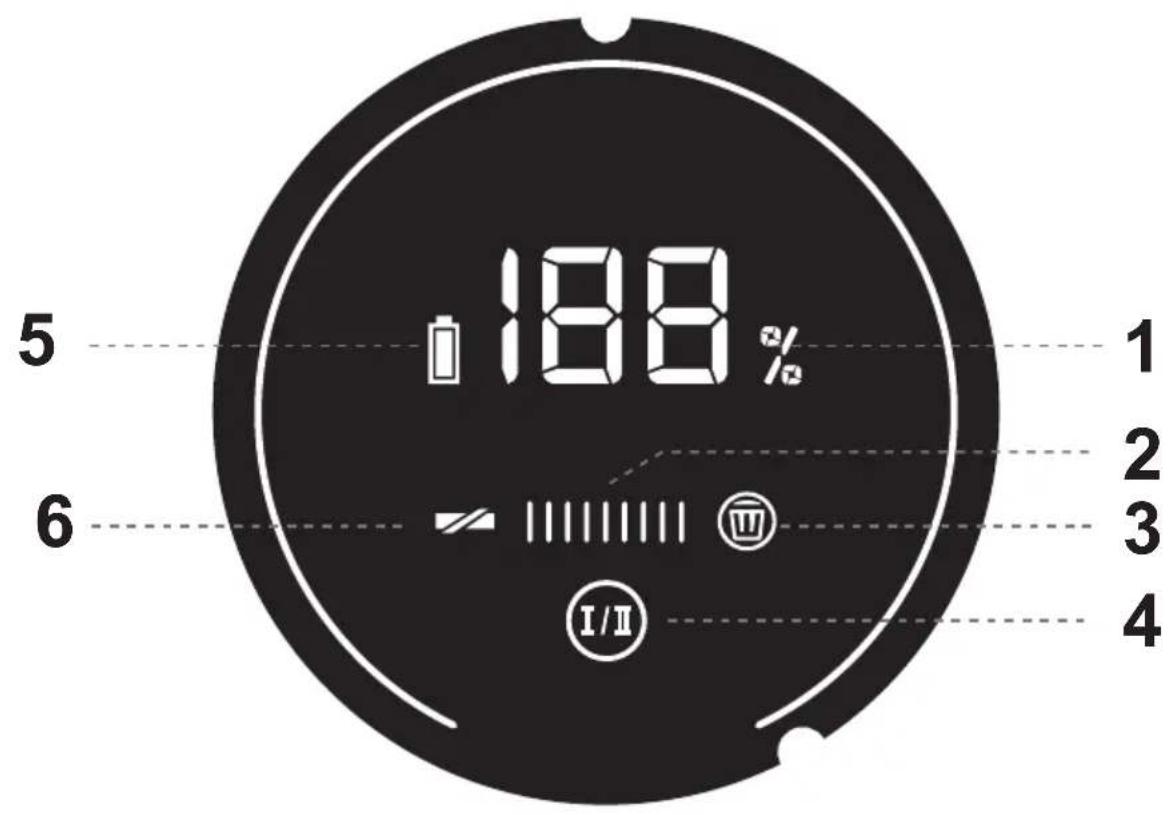
Display description (Picture B page 2):
- Battery status 2. Current suction power level 3. Dust bin full icon / blocked
- Suction power selection switch 5. Battery charging status
- Blocked roller icon
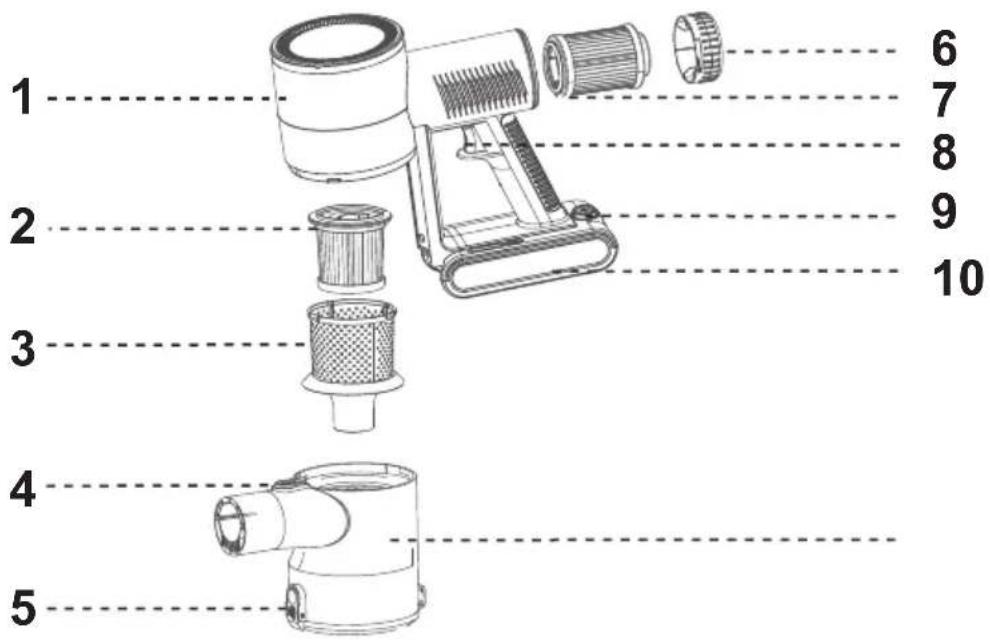
Main unit part description (Picture C page 3):
- Engine unit 2. Primary HEPA filter 3. Steel filter
- Dust container release latch 5. Dust container emptying latch
- Secondary HEPA filter 8. On / Off button
- Battery release latch 10. Battery
- Secondary HEPA filter cover
- Dust container
Floor brush parts (Picture E page 3):
- Electric brush body 2. Brush roller
Before first use:
- Remove all packing material from the device
- Check if the battery is charged and ready to work (Please consult the manual Battery charging)
Description and use of the attachments (Picture A page 2):
- Flex Tube – This tube can be used either when straight and also with a push of a button bend to reach under furniture.
- Electobrush - The attachment is used to clean hard floors with the bristle roller of on carpets with the soft roller (7)
- Mattress brush – The attachment is used to deep clean and disinfect your mattress. With the vibration function to penetrate and pull out dust and mites and then the UV light that disinfects the mattress and kills the mites.
- Pet hair brush – The attachment is used to untangle and clean your pets hair removing the loose hair and tangles. Release of the built in button pulls the brushed hair away from the attachment for fast and easy cleaning between sessions.
-
Flexible hose – The hose combined with the pet hair brush / Crevice brush / 2 in 1 brush can be used to reach into tight places and makes for ease of use.
-
Fluffy roller – This roller can be exchanged the classic bristle roller to clean more delicate surfaces such as carpets without the fibers blocking the electro brush.
- 2in1 brush – This brush can be used to clean upholstery and tops of books without removing them from the book stand.
- Crevice brush – This brush can be used to clean between couch pillows, in tight places such as cars and corners.
- Wall hanger – The hanger comes with 3 screws that mount the hanger to a wall. It is used to store accessories and the device when not used or charging.
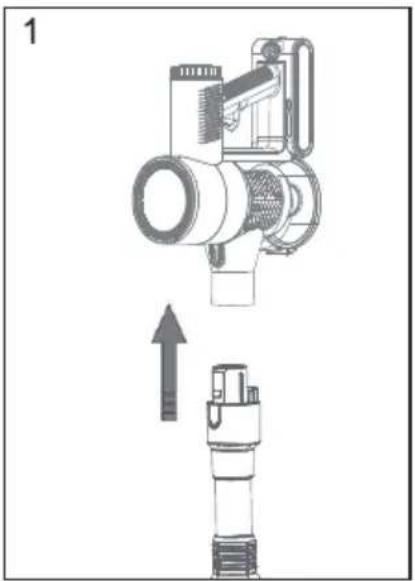
Assembly of the device (Consult pictures 1,2,3 on page 4 table G):
- Check if the device is loaded and ready for work, to do that press the On / Off button (Picture C point 8)
- If the device has no error messages and is fully loaded turn off the device once more.
- Attach the Flex tube pipe to the main unit making sure the connection is correct and the holes in the main unit are aligned correctly with the prongs in the pipe (Picture 1, page 4 table G)
- Connect the other side of the Flex Tube into the desired attachment. Please note the flexible hose is not compatible with the Flex Tube and can be only attached directly to the main unit.
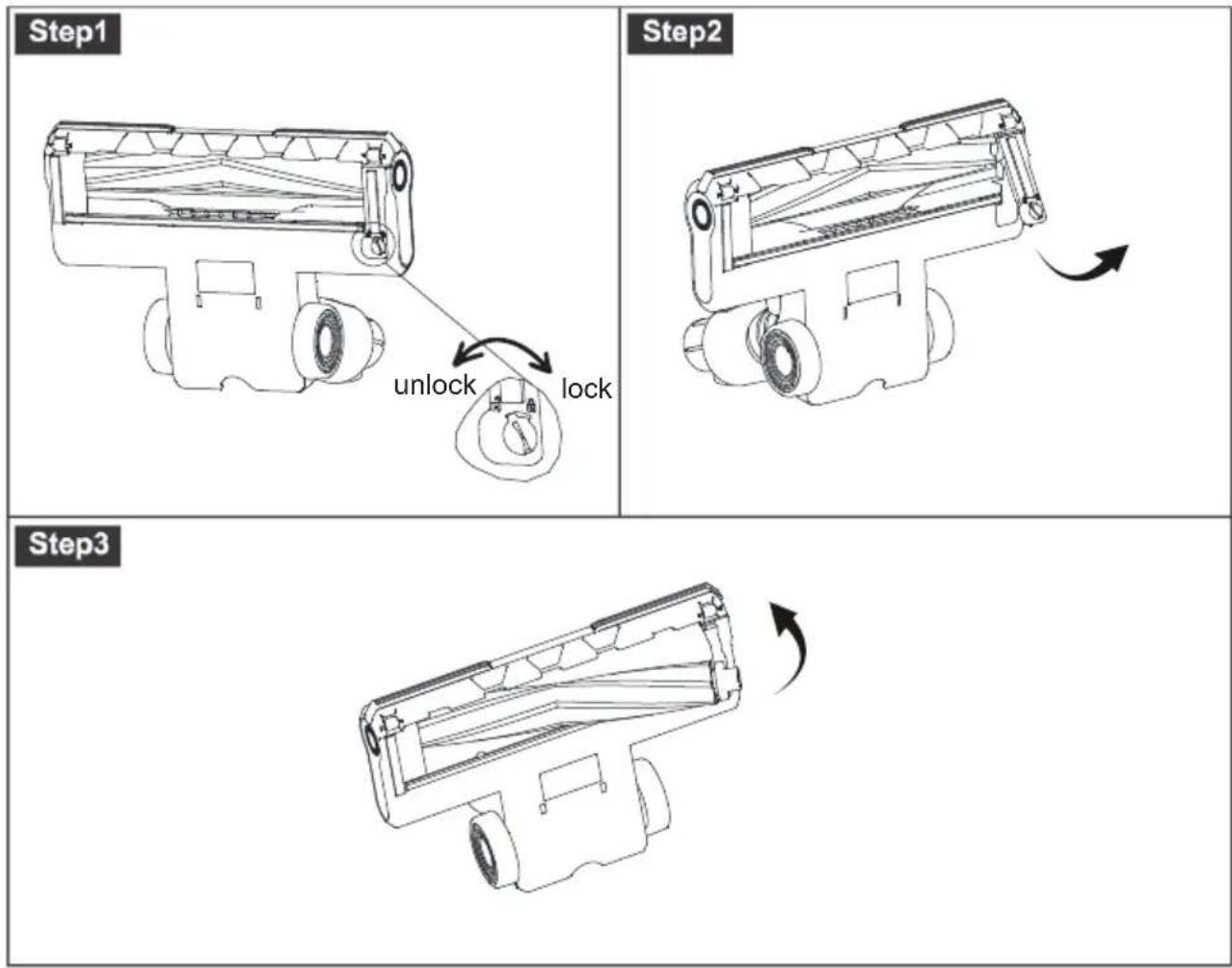
Exchange of the roller (Table F page 4):
- Inspect your electrobrush and you will find on the underside a circular latch. On one side the lock is closed and on the other side it is open.
- Using a screwdriver move the latch into the unlocked position (Step 1)
- Pull out the plastic cover hiding the side of the roller.
- Pull out the roller and exchange it for your desired roller.
- Put the plastic cover into its place.
- Mover he latch into the closed position.
Charging of the device the charging time is around 4 hours:
- To charge the device please attach the charger to the battery.
- Then plug the charger to the wall socket.
- If the battery is attached to the device the display will show the current percentage of the battery load (point 1, picture B, page 2).
- If the battery is not connected to the main body the 3 diodes on the side of the battery will blink. Once the battery is fully loaded the diodes will stay lit and will not blink.
Using of the device (Table B page 2):
- Once the battery is fully charged and you have assembled the device to your liking. Turn on the device by pressing the On / Off button. (Picture C point 8) Or you can use the button directly on the battery that is located below the charging LED.
- The device will turn on the last setting.
- To change the setting press the Suction power selection switch (Picture B point 4).
- The current power will be displayed on the device in the middle. (Picture B point 2).
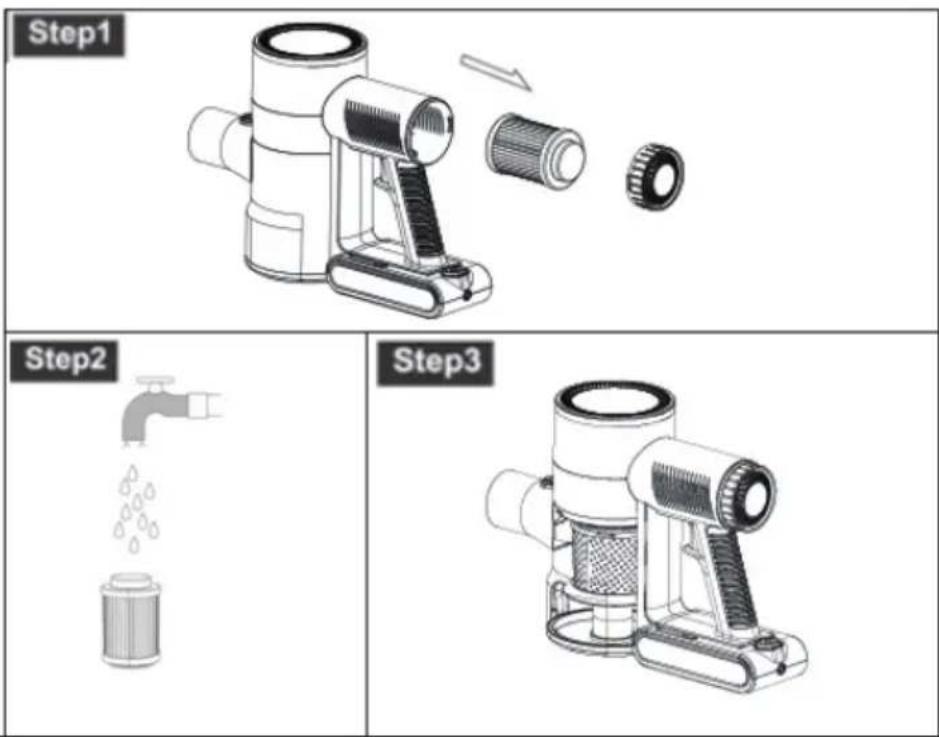
Device cleaning (Table D page 3):
- Move the device over a dust bin.
- Open the dust container by pressing the dust container emptying latch (Table C page 3 point 5)
- The device will empty.
- Tap out all the remaining dust.
- Grab the steel filter (Table C page 3 point 3) and turn it counter clockwise to release it.
- Tap out the filter over a dust bin and clean it with a damp cloth or brush. Make sure the filter is dry before putting it back.
- To clean the inlet heap filter (Table C page 3 point 2) you need to remove the whole dust container.
- To do so press the dust container release latch (Table C page 3 point 4) and rotate the dust container clockwise. On the dust container there is a little arrow pointing at a closed lock icon. Rotate the container until it points to the open lock.
- Pull the dust container downwards to remove it from the main body.
- Inside the dust container you will see a handle for the HEPA filter. Pull on it to remove the filter from the dust container.
- Using a brush clean the HEPA filter. If needed you can also wash the filter using only clean water. Do not soak the filter.
- Dry the filter in a well ventilated room until it is fully dry.
- Once the filter is clean and fully dry. DO NOT USE A FILTER THAT IS NOT FULLY DRY IT WILL DAMAGE YOUR DEVICE.
- Reinstall the filter in place and close the dust container.
- The device is equipped with a secondary clean air filter located in the back of the device. (Table C page 3 point 7)
- First remove the Back filter cover (Table C page 3 point 6) by unscrewing it.
-
Remove the filter. Under the filter you can see another black sponge filter. This is a engine protection so the dust from the heap filter does not blow back onto the engine. This filter is non exchangeable. With proper use of the device there is no need to clean or exchange it.
-
Clean the filter with If needed you can also wash the filter using only clean water. Do not soak the filter.
- Dry the filter in a well ventilated room until it is fully dry.
- Reinstall the filter cover.
- Even after cleaning and washing the filters, the suction power might drop. Depending on the frequency and usage of the vacuum cleaner the filters will get clogged. If that happens you need to exchange the filters. Ask your seller for spare filters AD 7061.1.
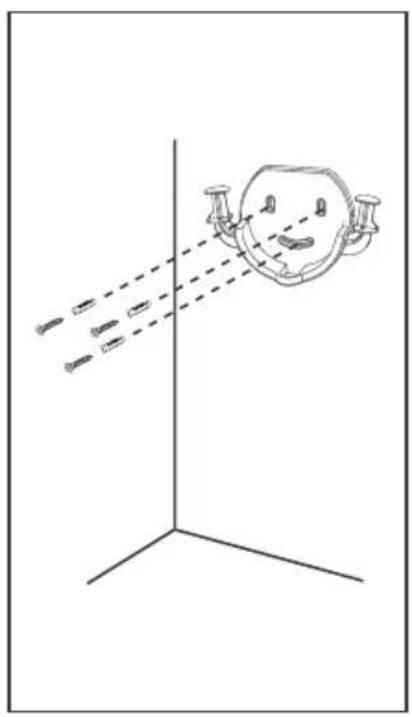
Wall mount installation (Table H page 5):
The device comes with a wall mount for the device and everyday accessories.
- Place the wall mount against the wall.
- Using a pen mark the holes.
- Make holes and insert the pegs inside.
- Place the wall mount and using the screws secure it in place.
- You can use the two hands of the wall mount to store the crevice attachment and 2 in 1 attachment.
- The middle part is for storing your main device.
Troubleshooting:
Problem: Device does not turn on.
Probable cause: Battery is not charged
Solution: Charge battery
Probable cause: Device is overheated
Solution: Wait for the device to cool down
Probable cause: Battery not installed correctly
Solution: Reinstall the battery correctly.
Problem: Device turns on and after short while turns off the Dust bin icon on display turns red.
Probable cause: Dust container is full
Solution: Empty dust container
Probable cause: Something stuck in pipe / attachment
Solution: Check and clear the pipe / attachment
Problem: Device turns on and after short while turns off the Stuck roller on display turns red.
Probable cause: Roller is stuck in place by hair or dirt
Solution: Clean roller
Problem: Low suction power
Probable cause: One or all filters are dirty
Solution: Clean filters
Technical description:
Rated device / Battery voltage: 22.2 V
Rated device power: 250W
Adapter input voltage: 220-240V\~50/60 Hz 0.5 A
Adapter Output voltage: 27V 0.5A
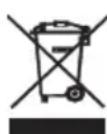
Please transfer cardboard packaging to waste paper. Pour the polyethylene bags (PE) into the plastic container Worn device should be returned to the appropriate point storage because it is dangerous in the device ingredients may pose a threat to the environment. The electrical device should be handed over to limit its reuse and use. If in the device there are batteries you have to take out and give to the point stored separately.
Description technique:
Description technique:
3: Input AC frequency
4: Output voltage
5: Output current
6: Output power
7: Average active efficiency
8: Efficiency at low load (10 %)
9: No-load power consumption
1: Modellkennung
2: Eingangsspannung
1: identificator model
Important battery safety information
Improper use of the battery may cause electrolyte leakage, overheating or explosion. The released electrolyte is a source of corrosion and may be toxic. May cause burns to skin and eyes; it is also harmful if swallowed.
To reduce the risk of injury:
- Keep the battery out of the reach of children.
- Do not heat, open, puncture, destroy or throw the battery into a fire.
- Do not touch the battery terminals with metal objects. These components may become hot and cause burns.
- Old exhausted or used batteries should be removed from the device and disposed of or recycled in accordance with national waste disposal regulations.
- In the event of a battery leak, avoid contact of the leaking electrolyte with skin or clothing. - If battery electrolyte comes into contact with your skin or clothing, wash the area immediately with water.
- Before inserting a new battery, clean the compartment thoroughly with a damp paper towel.
- Charging should only be carried out using the charger supplied with the product or appropriate for the given battery type.
CHEMICAL COMPOSITION of the battery or accumulator used: (Li-Ion) lithium-ion.
DEUTSCH
For at reducere risikoen for skade:
natural_image
Exterior view of a modern silver kettle with blue liquid, no visible text or symbolsElectric Kettle AD 1282

natural_image
Close-up of a black and white grainer with a pile of brown granular powder nearby (no text or symbols visible)Burr Coffee Grinder AD 4450
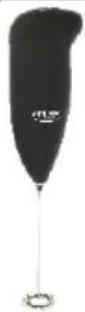
Milk Frother
AD 4491
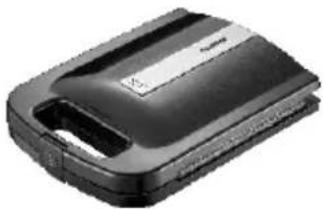
natural_image
Black hard drive with visible battery cover and ventilation slots (no text or symbols)Sandwich Maker AD 3055
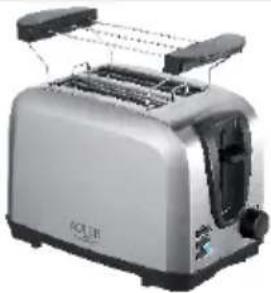
natural_image
Exterior view of a modern single-tier social toaster with dual towers (no text or symbols visible)TOASTER 2 SLICE AD 3222
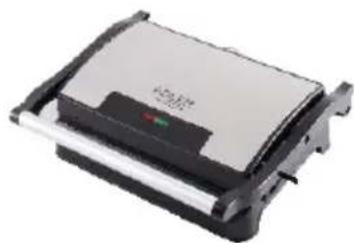
natural_image
Exterior view of a rectangular electronic device with a black and white casing (no visible text or symbols)ELECTRIC GRILL AD 3052
natural_image
Glass juice organizer with orange liquid and a white squeegee (no text or symbols visible)CITRUS JUICER AD 4009

natural_image
Product photo of a blender with orange juice and fruit in foreground (no visible text or symbols)PERSONAL BLENDER AD 4081
natural_image
Assorted kitchen appliances including a blender, keyboard, and cleaning tools (no visible text or labels)FOOD PROCESSOR AD 4224
natural_image
Black and silver electric mixer with coiled wire nearby (no text or symbols visible)MIXER AD 4225
natural_image
Black air fryer with control knob (no visible text or symbols)AIR FRYER AD 6310
natural_image
Exterior view of a stainless steel coffee pot with black lid and control buttons (no visible text or symbols)PASTEURIZATION POT AD 4496
natural_image
White portable air conditioner unit with visible cooling fan and control panel (no text or symbols)AIR CONDITIONER AD 7916
natural_image
Close-up of a black cylindrical device with a white lid and a small scale indicator (no visible text or symbols)AIR HUMIDIFIER AD 7966
natural_image
White portable heating fan with ventilation grille and two heat sinks (no visible text or symbols)FAN HEATER AD 7725
natural_image
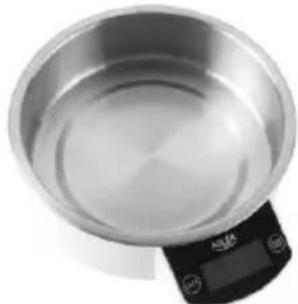
Top-down view of a stainless steel kitchen scale with digital display (no text or symbols visible)KITCHEN SCALE AD 3166
AFTER SALE SERVICE NOTICE
| GB | If you want to buy spare parts or make any complaints, please contact the seller who issued the receipt directly. |
| DE | Wenn Sie Ersatzteile kaufen oder reklamieren möchten, wenden Sie sich bitte direkt an den Verkäufer, der die Quittung ausgestellt hat. |
| FR | Si vous souhaitez acheter des pièces de rechange ou faire des réclamations, veuillez contacter directement le vendeur qui a émis le reçu. |
| ES | Si desea comprar repuestos o presentar alguna queja, comuníquese directamente con el vendedor que emitió el recibo. |
| PT | Se você quiser comprar peças de reposição ou fazer alguma reclamação, entre em contato diretamente com o vendedor que emitiu o recibo. |
| LT | Jei norite işigyti atsarginių dalių ar pateikti nusiskundimų, susisiekite tiesiogiai su kvitą išdavusiu pardavėju. |
| LV | Ja vēlaties iegādāties rezerves daļas vai izteikt pretenzijas, lūdzu, sazinieties tieši ar pārdevēju, kurš izsniedza čeku. |
| EST | Kui soovite osta varuosi või esitada pretensioone, võtke otse ühendust kvitungi väljastanud müūjaga. |
| HU | Ha pótalkatrészeket szeretne vásárolni, vagy panaszt szeretne tenni, forduljon közvetlenül a bizonylatot kiállító eladóhoz. |
| BS | Ako želite kupiti rezervne dijelove ili napraviti reklamaciju, obratite se direktno prodavaču koji je izdao račun. |
| RO | Если вы хотите купить запчасти или предъявить какие-либо претензии, пожалуйста, свяжити напрямую с продавцом, выдавшим чек. |
| CZ | Chcete-li zakoupit náhradní díly nebo uplatnit jakoukoli reklamaci, kontaktujte přímo prodejce, který účtenku vystavil. |
| RU | Dacă doriți să cumpărați piese de schimb sau să faceți vreo reclamație, vă rugăm să contactați direct vânzătorul care a emis chitanța. |
| GR | Eáv θέλετε να αγοράσετε ανταλλακτικά ή να κάνετε οποιαδήποτε παράπονα, επικοινωνήστε απευθείας με τον πωλητή που εξέδωσε την απόδειξη. |
| MK | Ако сакате да купите резервни делови или да поднесете какви било поплаки, контактирајте директно со продавачот koj ja издал сметката. |
| NL | Als u reserveonderdelen wilt kopen of een klacht wilt indienen, neem dan rechtstreeks contact op met de verkoper die de bon heeft afgegeven. |
| SL | Če želite kupiti nadomestne dele ali vložiti reklamacije, se obrnite neposredno na prodajalca, ki je izdal račun. |
| FI | Jos haluat ostaa varaosia tai tehdä valituksia, ota yhteyttä suoraan kuitin antaneeseen myyjään. |
| PL | W przypadku chęci zakupu części zamiennych lub zgłoszenia ewentualnych reklamacji należy kontaktować się bezpośrednio ze sprzedawcą, który wystawił paragon. |
| IT | Se desideri acquistare pezzi di ricambio o presentare reclami, contatta direttamente il venditore che ha emesso la ricevuta. |
| HR | Se desideri acquistare pezzi di ricambio o presentare reclami, contatta direttamente il venditore che ha emesso la ricevuta. |
| SV | Om du vill köpa reservdelar eller göra några reklamationer, vänligen kontakta säljaren som utfärdat kvittot direkt. |
| DK | Hvis du ønsker at købe reservedele eller reklamere, bedes du kontakte sælgeren, som har udstedt kvitteringen, direkte. |
| UA | Якщо ви хочете придбати запчастини або подати будь-які претензії, зверніться безпосереднь продавця, який видав чек. |
| SR | Ако желите да купите резервне делове или да уложите рекламацију, обратите се директно продавцу који је издао рачун. |
| SK | Ak si chcete küpit'náhradné diely alebo uplatnit' akúkol'vek reklamáciu, kontaktujte priamo predajcu, ktorý účtenku vystavil. |
| AR | و غيارقطعاع人次 في ترゴب کنتاذ! شكوى أي نقدم; لاصotta فيرجي مباشرلاصibia! رдумсаً يذلا بالباتغ |
| BG | Ако искате да закупите резервни части или да направите оплаквания, моля, свържете се дирс с продавача, който е издал касовата бележка. |
| AZ | Ehtiyat hissələri almaq və ya hər hansı ʂikayət etmək istəyirsinizsə, qəbzi verən satıcı ilə birbaşa əlaqə saxlayın. |
| ALB | Nëse dêshironi të blini pjesë këmbimi ose të bëni ndonjë ankesë, j l temi kontaktoni drejtpërdrejt shitësin që ka lësh ar !at rën. |