
HU1510 - Humidifier PHILIPS - Free user manual and instructions
Find the device manual for free HU1510 PHILIPS in PDF.

 FR
FR
 AZ
AZ
 BG
BG
 CS
CS
 DA
DA
 DE
DE
 EL
EL
 EN
EN
 ES
ES
 ET
ET
 FI
FI
 HU
HU
 HY
HY
 IT
IT
 KA
KA
 KK
KK
 KY
KY
 LT
LT
 LV
LV
 MK
MK
 NL
NL
 NO
NO
 PL
PL
 PT
PT
 RO
RO
 RU
RU
 SK
SK
 SL
SL
 SQ
SQ
 SV
SV
 TG
TG
 TK
TK
 TR
TR
 UK
UK
 UZ
UZ
| Product type | Humidifier |
| Brand | Philips |
| Model | HU1510 |
| Recommended area | ≤ 34 m² |
| Operating modes | Auto, Sleep, Medium, High |
| Aromatherapy function | Yes (built-in diffuser + FY5100 pads) |
| Ambient lighting | Yes (color and brightness adjustable via app) |
| Connectivity | Wi-Fi 2.4 GHz (802.11b/g/n/ax), Bluetooth 5.2 LE |
| Mobile app | Philips Air+ (iOS/Android) |
| Power supply | Mains 220-240 V ~ 50/60 Hz |
| Recommended water type | Distilled or low-mineral water |
| Tank capacity | Not specified in the manual |
| Maintenance | Clean every 3 days, cleaning alert |
| Water filter | Yes (replaceable) |
| Safety | Automatic shut-off if tank empty, protection against excessive humidity |
| Warranty | 2 years |
| Spare parts | Water filter, FY5100 aromatherapy pads |
| Included accessories | Aromatherapy diffuser, aromatherapy pads |
Frequently Asked Questions - HU1510 PHILIPS
User questions about HU1510 PHILIPS
0 question about this device. Answer the ones you know or ask your own.
Ask a new question about this device
Download the instructions for your Humidifier in PDF format for free! Find your manual HU1510 - PHILIPS and take your electronic device back in hand. On this page are published all the documents necessary for the use of your device. HU1510 by PHILIPS.
USER MANUAL HU1510 PHILIPS
natural_image
Three Philips air purifiers with digital display and control buttons, displayed against a white background (no visible text or symbols on the devices themselves)-1
-1
1_
1
English 4
Azərbaycanca 26
Čeština 48
Dansk 70
Deutsch 92
Eesti 116
Español 138
Français 160
Hrvatski 183
Italiano 205
Latviešu 228
Lietuviškai 250
Magyar 272
Nederlands 294
Norsk 317
O'zbek 339
Polski 361
Português 384
Română 407
Shqip 429
Slovenščina 451
Slovensky 473
Srpski 495
Suomi 517
Svenska 539
Türkçe 561
Türkmençe 583
Ελληνικά 605
Български 628
Кыргызча 651
Македонски 674
Русский 697
Точикй 721
Українська 744
Қазақша 767
Ruijtntu 790
งษัตย์ 814
4 English
Important
Read this important information booklet carefully before you use the appliance, and save it for future reference.
To ensure the best performance, kindly suggest the firmware of your appliance is upgraded to the latest version. You can do this upgrade via the Air+ app.
Danger
- Do not spray any flammable materials such as insecticides or fragrance around the appliance.
- Do not clean the appliance with water, any other liquid, or a (flammable) detergent to avoid electric shock and/or a fire hazard.
- The water in the water tank is not suitable for drinking. Do not drink this water and do not use it to feed animals or to water plants. When you empty the water tank, pour the water down the drain.
Warning
- Be aware that high humidity levels may encourage the growth of biological organisms in the environment.
- Do not permit the area around the humidifier to become damp or wet. If dampness occurs, turn the output of the humidifier down. If the humidifier output volume cannot be turned down, use the humidifier intermittently. Do not allow absorbent materials, such as carpeting, curtains, drapes, or tablecloths, to become damp.
- Never leave water in the reservoir when the appliance is not in use.
- Empty and clean the humidifier before storage. Clean the humidifier before next use.
- Check if the voltage indicated on the appliance corresponds to the local mains voltage before you connect the appliance.
- If the supply cord is damaged, you must have it replaced by Philips, a service center authorized by Philips, or similarly qualified persons in order to avoid a hazard.
- Do not use the appliance if the plug, the power cord, or the appliance itself is damaged.
- This appliance can be used by children aged from 8 years and above and persons with reduced physical, sensory or mental capabilities or lack of experience and knowledge if they have been given supervision or instruction concerning use of the appliance in a safeway and understand the hazards involved. Children shall not play with the appliance. Cleaning and user maintenance shall not be made by children without supervision.
- Micro-organisms that may be present in the water or in the environment where the appliance is used or stored, can grow in the water reservoir and be blown in the air causing very serious health risks when the water is not renewed and the tank is not cleaned properly every 3 days.
- Standard WiFi interface based on 802.11b/g/n/ax at 2.4GHz with a maximum output power of 64mW EIRP.
- Bluetooth version 5.2 (LE) at frequency 2.4GHz with RF output less than 10mW EIRP.
Caution
- The appliance is only intended for household use under normal operating conditions.
- Always place and use the appliance on a dry, stable, flat and horizontal surface.
- Do not place anything on top of the appliance and do not sit or stand on the appliance.
- Do not use the appliance near gas appliances, heating devices or fireplaces.
- Do not place the appliance directly below an air conditioner to prevent condensation from dripping onto the appliance.
- Do not use this appliance when you have used indoor smoke-type insect repellents or in places with oily residues, burning incense, or chemical fumes.
- Do not use the appliance in wet surroundings or in surroundings with high ambient temperatures, such as the bathroom, toilet, or kitchen, or in a room with major temperature changes.
- Do not immerse the humidifier base, power cord, or plug in water.
- Empty the water tank and refill every third day. Before refilling, clean it with fresh tap water. Remove any scale, deposits, or film that has formed on the sides of the water tank or on interior surfaces and wipe all surfaces dry.
- Always unplug the appliance when you want to move, clean appliance, fill the water, or carry out maintenance.
- Do not put any substance other than water in the water tank. Do not add essential oils or chemical substances into the water.
- Use purified, distilled water or water with low mineral content to prevent the build-up of scale and the dispersal of minerals into the air. Do not use hot water.
- Do not pour water into any openings except for the water tank.
- Do not cover the nozzles while the humidifier is on. Mist should be directed away from walls, furniture, bedding, and appliances.
- Remove the water tank from the base before moving the humidifier.
- Never place the product in a washing machine or dishwasher. It would be destroyed as a result.
- During the working of the humidifier, do not remove the water tank from the base, and never touch the water conduits or any components inside the reservoir.
- The essential oils are not included with the product. Please purchase and use the essential oils if needed.
- Make sure the product is disconnected with power before dropping essential oils into the aroma box.
- Do not use substances other than essential oils to the aroma box.
- Read and follow the safety and use instruction of the essential oil carefully before using it.
- Check the ingredients information of the essential oil versus your known allergies and exclude it from use when necessary.
- Consult and follow doctor recommendation before using the essential oil for infants, pregnant women or women in the lactation period or if you have respiratory issues
- If you feel unwell, irritation or discomfort during the use of the essential oil, please stop using it.
6 English
Electromagnetic fields (EMF)
This appliance complies with the applicable standards and regulations regarding exposure to electromagnetic fields.
Recycling

This symbol means that this product shall not be disposed of with normal household waste (2012/19/EU).
Follow your country's rules for the separate collection of electrical and electronic products. Correct disposal helps prevent negative consequences for the environment and human health.
Simplified EU declaration of conformity
Hereby, DAP B.V. declares that the radio equipment type HU1509/HU1510 is in compliance with Directive 2014/53/EU. The full text of the EU declaration of conformity is available at the following internet address: www.philips.com.
Your humidifier
Product overview
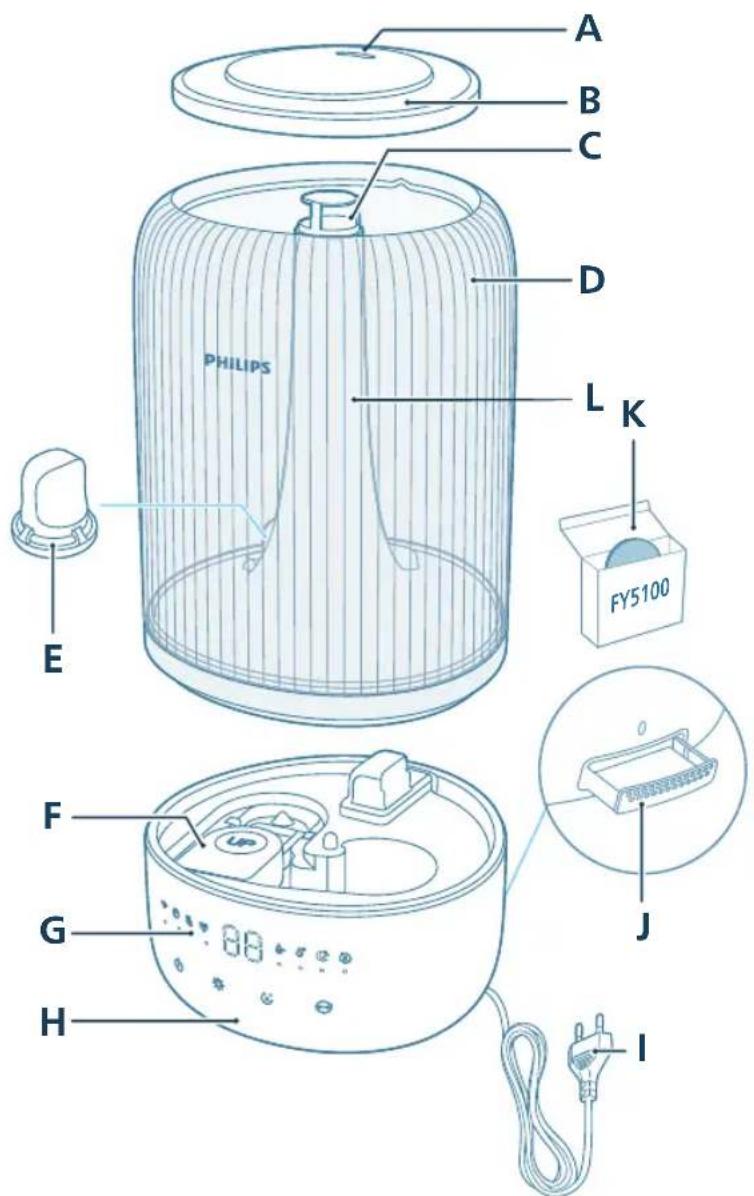
A Nozzle G Control panel
B Water tank cover H Base
C Mist outlet I Power plug
D Water tank J Aroma box
8 English
E Water filter K Aroma pads (FY5100)
F Float L Mist tube
Controls overview
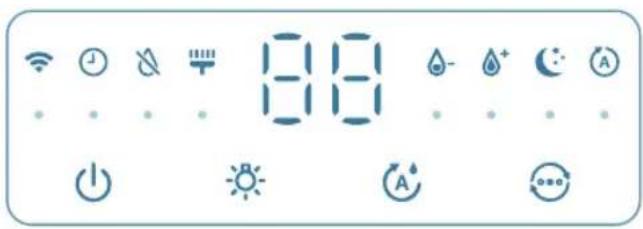
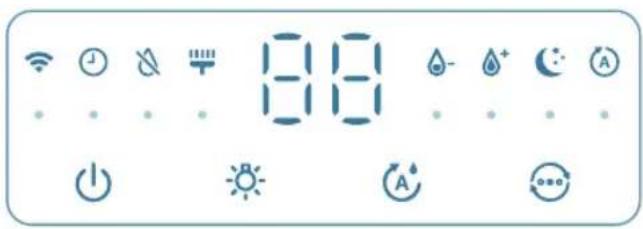
Control buttons:
| Power on/off button Light function button | ||
| Humidity setting button Mode switch | ||
| Long press the button(s) for 3 seconds: | ||
| Cleaning reset Wi-Fi reset | ||
| Display panel: | ||
| Auto mode Sleep mode | ||
| WiFi indicator Medium mode | ||
| High mode Humidifier cleaning alert | ||
| Water refill indicator Timer indicator (available in the app) | ||
Getting started
First time use
Note:
Remove all packing materials before first time use.
Take the water tank off of the base and remove all tapes.
Rinse all parts before first use.
Select a firm, flat, water-resistant surface for the humidifier, ensuring it is positioned at least 30cm away from walls.
Ensure that the mist is directed away from walls, furniture, and other appliance.
natural_image
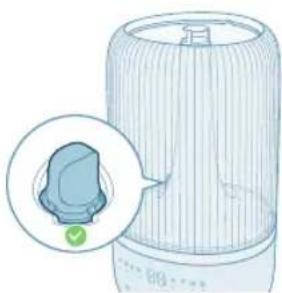
Diagram of a mechanical device with a highlighted component and arrow (no text or symbols)1 Make sure that the float is well in place.
natural_image
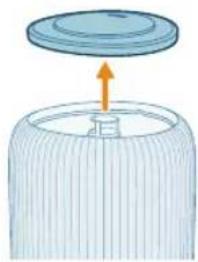
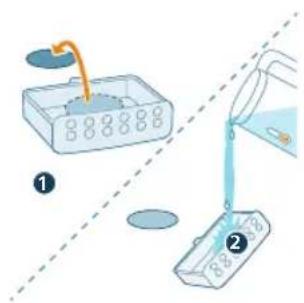
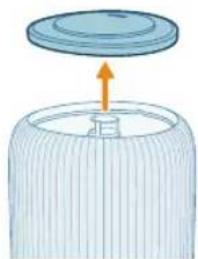
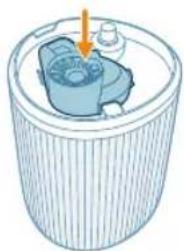
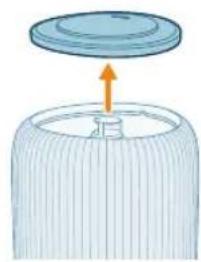
Illustration of a lid with an arrow pointing upward, no text or symbols present2 Remove the top cover from the water tank.
natural_image
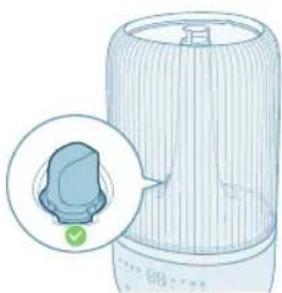
Illustration of a portable air conditioner unit with a close-up inset showing a small component (no text or symbols)3 Make sure the water filter is attached properly.
natural_image
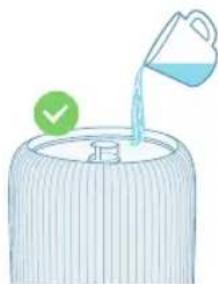
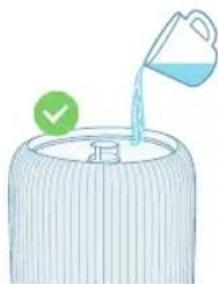
Illustration of a water dispenser pouring liquid into a container with a green checkmark (no text or symbols)4 Fill the water tank with water. Do not fill with hot water.
Note:
Use purified, distilled water or water with low mineral content to prevent the build-up of scale and the dispersal of minerals into the air.
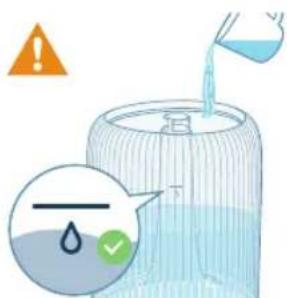
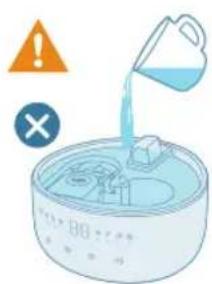
- Do not exceed the water level indication when filling water.
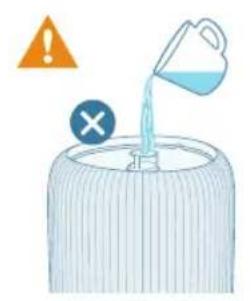
- Do not pour water through the ultrasonic mist outlet.
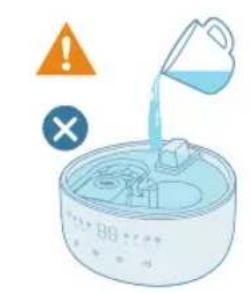
- Do not pour water directly into the base.
5 Reattach the top cover to the water tank.
Using the aroma function
Notes:
The essential oils are not included with the product. Please purchase and use the prescribed essential oils if needed.
Read the user manual of essential oils carefully before using the aroma function.
Make sure the product is disconnected with power before dropping essential oils into the aroma box.
Do not use substances other than essential oils.
Read and follow the safety and use instruction of the essential oil carefully before using it.
Check the ingredient information of the essential oil against your known allergies and exclude it from use when necessary.
Consult and follow your doctor's recommendation before using essential oils for infants, pregnant women, women in the lactation period, or if you have respiratory issues.
If you feel unwell, experience irritation or discomfort during the use of essential oils, please discontinue use.
Do not use the aroma function of essential oils for infants, pregnant women, or women in the lactation period.
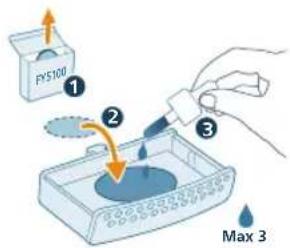
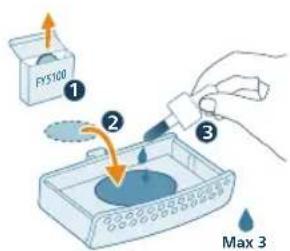
Only add essential oils directly to the aroma pad. Don't add essential oils to other parts, otherwise the parts will be damaged by the oil.
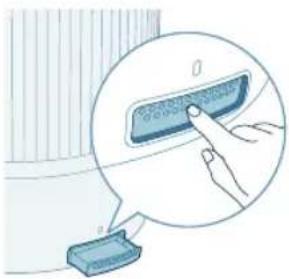
natural_image
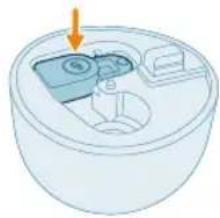
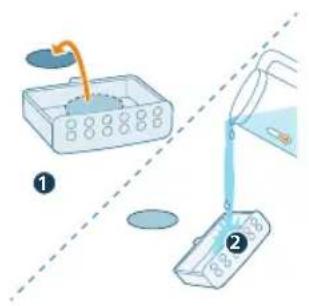
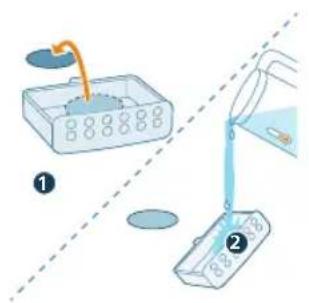
Illustration of a hand pressing a button on a device, with no visible text or symbols1 Push the aroma box to automatically eject it.
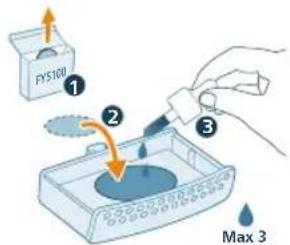
2 Drop in 2-3 drops of essential oils to the supplied aroma pad.
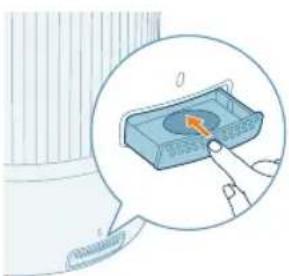
natural_image
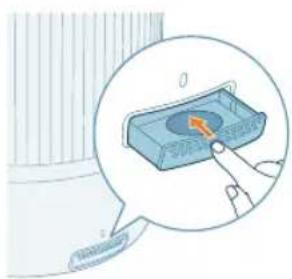
Illustration of a hand pressing a button on a blue rectangular object, with no visible text or symbols.3 Push the aroma box to back into the appliance.
Understanding Wi-Fi indicator
Wi-Fi icon status Wi-Fi connection status
Blink in orange Connecting to the smart phone
Stable in orange Connected to the smart phone
Blink in white Connecting to the server
12 English
Stable in white Connected to the server
Off Wi-Fi function disabled or device lights are off
Wi-Fi connection

Setting up the Wi-Fi connection for the first time
1 Download and install the Philips "Air+" app from the App Store or Google Play.
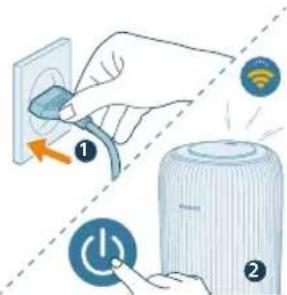
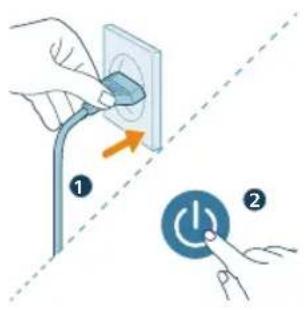
2 Put the plug of the humidifier in the power socket and press the power button to turn on the humidifier.
- The Wi-Fi indicator 📋links orange for the first time.
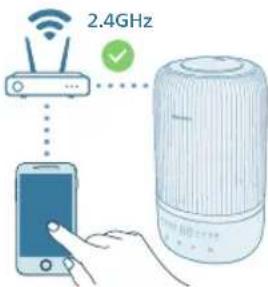
3 Make sure that your smart phone or tablet is successfully connected to your Wi-Fi network.
Note:
Enable Bluetooth feature on your smart phone to ensure the smooth pairing.
Please ensure your smartphone is connected to a 2.4GHz (home) Wi-Fi network instead of a 5GHz Wi-Fi network or public Wi-Fi. For a successful pairing, we suggest turning off your mobile data before initiating the pairing process.
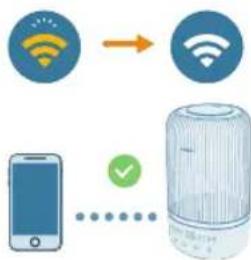
flowchart
graph TD
    A["Wi-Fi Signal"] --> B["Wi-Fi Signal"]
    C["Mobile Phone"] --> D["Device with Checkmark"]
4 Launch the Philips "Air+" app and click on "Add a device" or press the "+" button on the screen. Follow the on-screen instructions to connect the air purifier to your network.
- After a successful connection, the Wi-Fi indicator remains steady in white.
Note:
This instruction is only valid when the humidifier is being set up for the first time. If the network has changed or the setup needs to be performed again.
If you want to connect more than one humidifier to your smart phone or tablet, you can add the humidifier in the app on additional smart phones without doing the Wi-Fi connection reset on the device.
Make sure that the distance between your smart phone or tablet and the humidifier is less than 10 m without any obstructions.
Reset the Wi-Fi connection
1 Put the plug of the humidifier in the power socket and press turn on the air humidifier.
natural_image
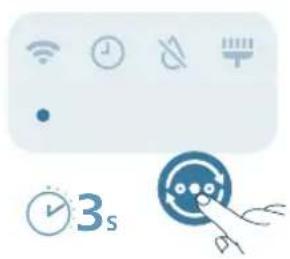
Pure UI icons without any text or symbols2 Long press button at the same time for 3 seconds until you hear a beep.
- The humidifier goes to pairing mode.
- The Wi-Fi indicator 📋links orange.
3 Follow the steps 3-4 in "Setting up the Wi-Fi connection for the first time" section.
Using the humidifier
Understanding the humidity light
Relative humidity represents the amount of water vapor in the atmosphere. The humidification indicator has four status levels:
The humidification light has three colors:
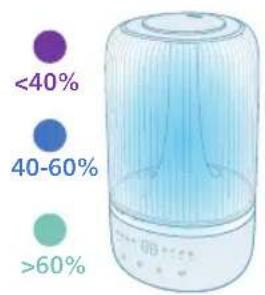
Humidification light color
Current humidity
What does it mean?
Purple < 40% Dry
Blue 40-60% Comfortable humidity
Green >60% Too humidity
14 English
Note: The default target humidity is 50%RH, you can set the desired target humidity by pressing the humidity setting button.
Water level
When there is not enough water in the water tank, the water refill indicator is on, the humidifier stops working. The humidifier will resume work when you refill water into the water tank.
Refilling water
Note:
Empty the water tank and refill every third day.
When filling water, do not exceed the maximum water level.
Do not shake the water tank when moving it, or water might leak.
Follow the steps in "First time use" for refilling water.
Turning on and off
Note:
For optimum humidification performance, close doors and windows.
Keep curtains away from the air inlet or air outlet.
The humidifier is applicable for ambient temperature range : 5-40 °C.
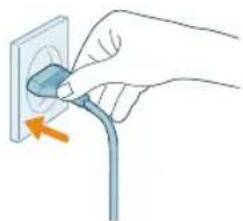
1 Put the plug of the humidifier into the power socket.
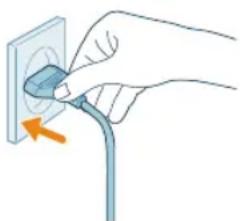
natural_image
Hand inserting a cable into an electrical outlet (no text or symbols visible)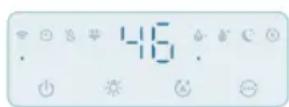
2 Press the power button to switch on the humidifier.
- The humidifier beeps.
- The humidity light chooses the appropriate color to match the surrounding humidity level.
- The humidifier operates in the Medium mode with current humidity level displayed on the screen.
3 Press the power button again to switch off the humidifier.

Note: If the humidifier stays connected to the electrical outlet after turning OFF, it will operate under the previous settings when turned ON again.
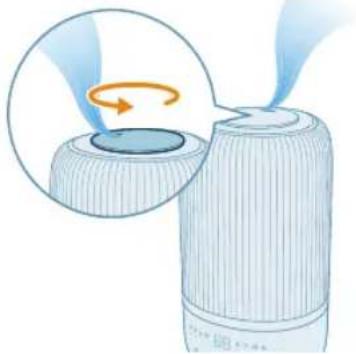
Adjusting mist direction
Rotate the nozzle to preferred mist direction.
natural_image
Illustration of a device emitting blue rays, showing a circular component being turned into a cylindrical container (no text or symbols)Changing the mode setting
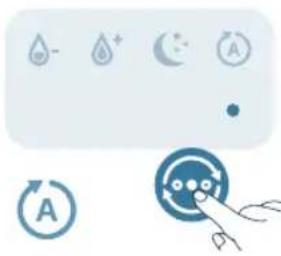
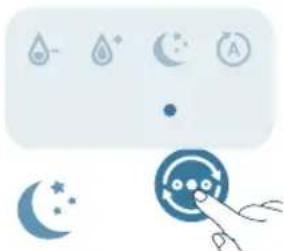
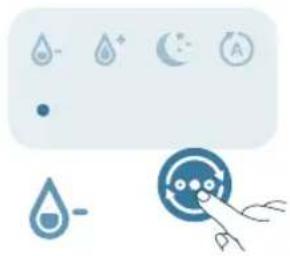
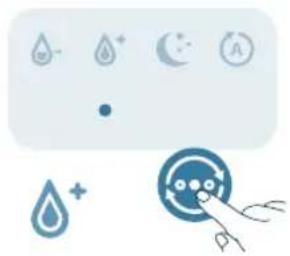
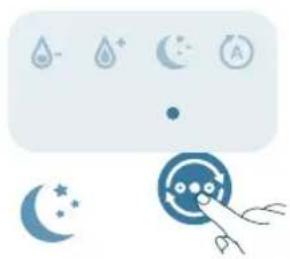
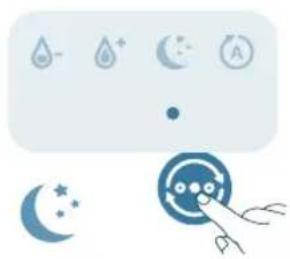
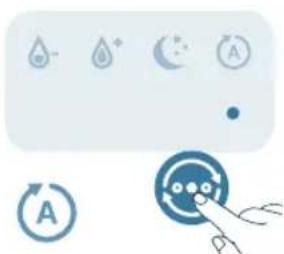
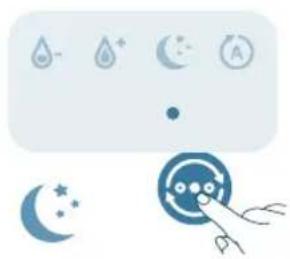
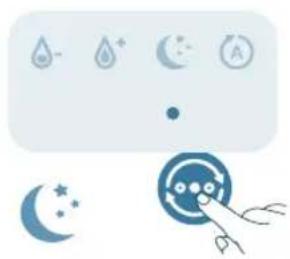
You can choose the Auto mode, the Sleep mode, the Medium mode, or the High mode by pressing the mode switch button.
Auto mode (A): The humidifier automatically adjusts the mist level in accordance with the ambient air humidity.
natural_image
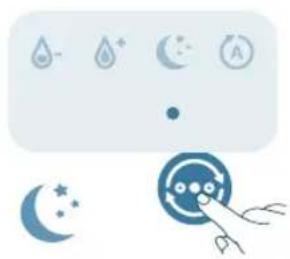
Illustration of a control panel with icons for water, moon, battery, refresh button, and hand gesture (no text or symbols)Sleep mode ( ): The humidifier operates quietly at a low mist level. After 3 seconds, the screen lights turn off.
natural_image
Illustration of weather icons including raindrops, moon, crescent moon, and a hand holding a circular object (no text or symbols)English
Medium mode ( ⚙): The humidifier operates on the medium mist level.
natural_image
Illustration of a water drop control panel with icons and a hand interacting with a circular dial (no text or symbols)High mode ( ⚠️): The humidifier operates on the highest mist level.
natural_image
Pure electrical circuit lines without any symbolsSetting humidity level
Note:
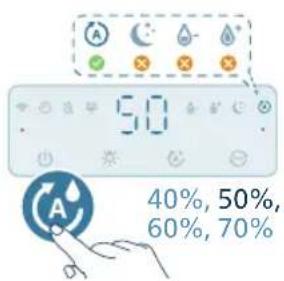
The default humidity level is 50%RH.
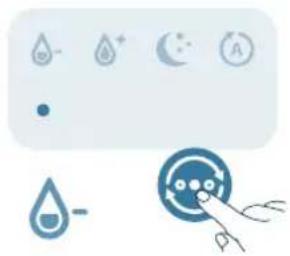
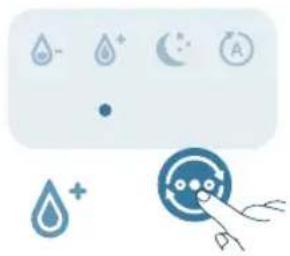
The humidity level can only be adjusted in the Auto mode.
The humidifier will change to Auto mode automatically when you set target humidity level in other modes.
You can adjust the humidity level by pressing the humidity setting button to choose from 40%, 50%, 60%, or 70%.
Using the light function
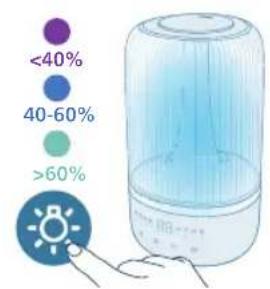
You can press the button to turn on humidity light, ambient light or turn off all lights and the control panel.
- The humidifier will turn on the humidity light by default.
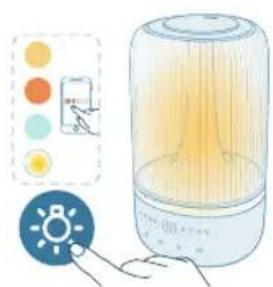
natural_image
Illustration of a portable air conditioner unit with color-coded indicators and a small icon showing a sun (no text or symbols)- You can press the light function button to switch to ambient light mode. Tailor the brightness and the color in the Air+ app.
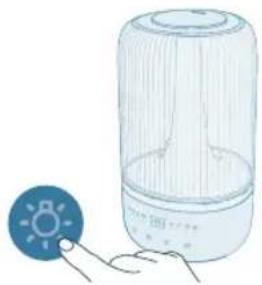
natural_image
Illustration of a light bulb device next to a hand holding a small circular icon with a sun symbol (no text or labels)You can press the light function button to turn off all lights and the control panel. Press any button to wake up the panel first, and press the light button again to set the light mode you want in 3 seconds.
Cleaning and maintenance
Note:
Always unplug the appliance before you clean it.
Never immerse the appliance in water or any other liquid.
Avoid pouring water through the air inlets and outlets.
Never use abrasive, aggressive, or flammable cleaning agents such as bleach or alcohol to clean any part of the appliance.
Cleaning the humidifier
Clean the humidifier when the cleaning alert is on or every three days.
Regularly clean the inside and outside of the humidifier to prevent dust from collecting.
English
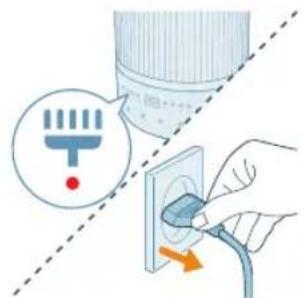
1 Wipe away dust with a soft dry cloth from the body of the humidifier.
2 Switch off the appliance and unplug from the power socket.
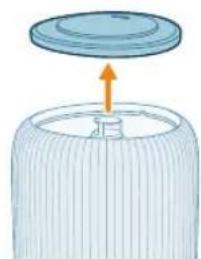
natural_image
Diagram of a cylindrical container with a lid and an upward arrow, no text or symbols present3 Remove the top cover from the water tank.
natural_image
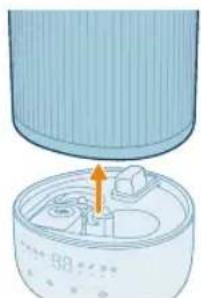
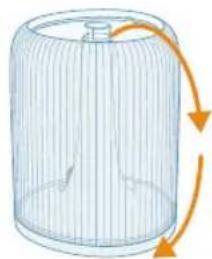
Illustration of a cylindrical container with internal components and an orange arrow indicating motion (no text or symbols)4 Remove the water tank from the base.
natural_image
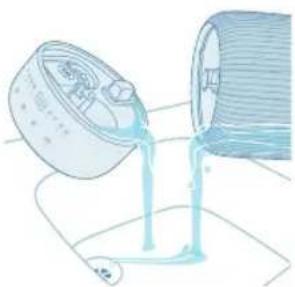
Illustration of a pouring liquid from a container into a cylindrical container (no text or symbols)5 Pour water out from the tank and the base.
natural_image
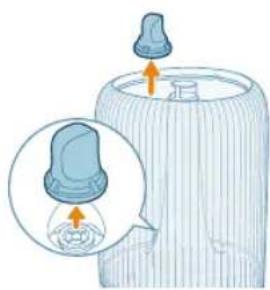
Illustration of a baby bottle with a close-up inset showing the cap and bulb (no text or symbols)6 Remove the water filter from the water tank.
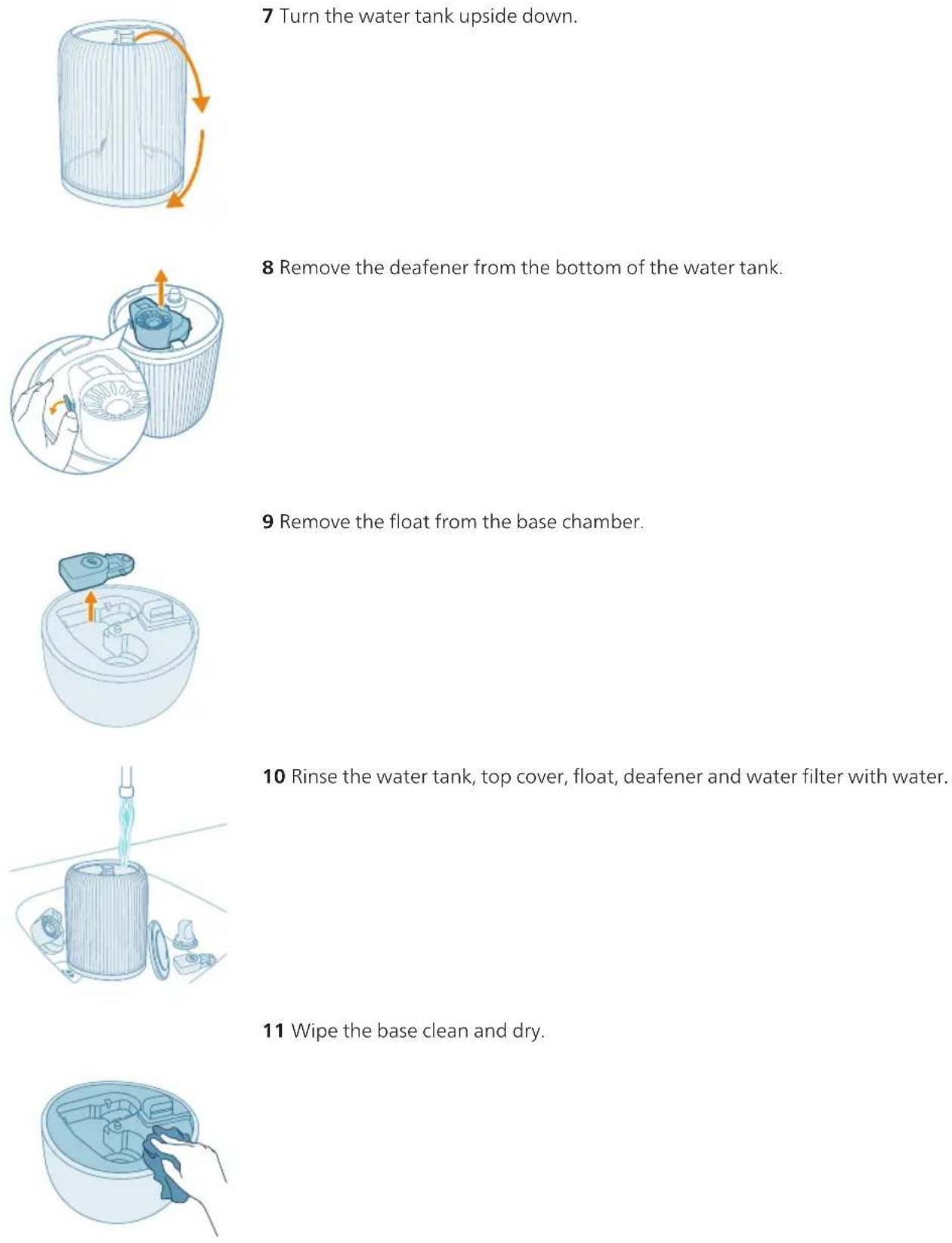
7 Turn the water tank upside down.
8 Remove the deafener from the bottom of the water tank.
9 Remove the float from the base chamber.
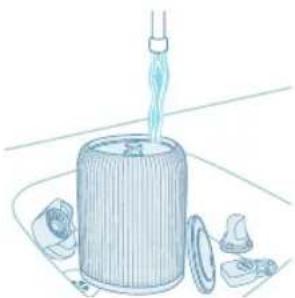
10 Rinse the water tank, top cover, float, deafener and water filter with water.
11 Wipe the base clean and dry.
20
English
natural_image
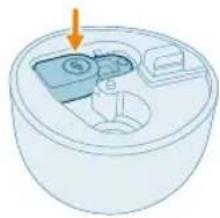
3D diagram of a cylindrical container with internal compartments and an arrow pointing to the top section (no text or symbols)12 Put the float back to the base chamber.
natural_image
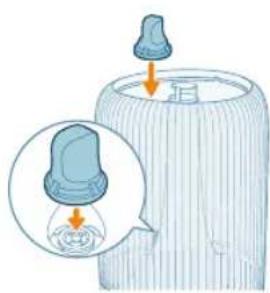
Illustration of a baby bottle with a blue cap and an inset showing a droplet inside (no text or symbols)13 Put the water filter back to the water tank.
natural_image
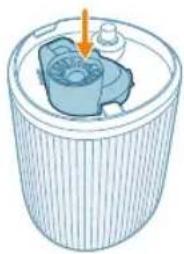
Illustration of a cylindrical container with a blue internal component and an arrow pointing to it (no text or symbols)14 Put the deafener back to the bottom of the base.
natural_image
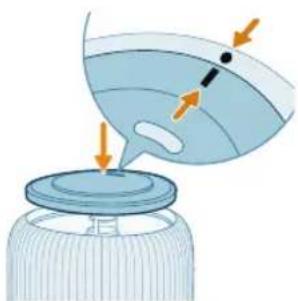
Illustration of a bottle with liquid being poured into a jar, showing arrows indicating flow direction (no text or symbols)15 Reattach the top cover.
natural_image
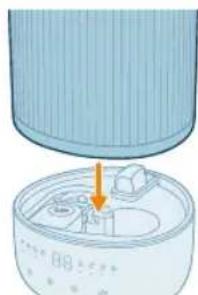
Illustration of a cylindrical container with an arrow pointing to a small internal component (no text or symbols)16 Re-install the water tank onto the base.
17 Put the power plug into the power socket.

natural_image
Hand inserting a plug into an electrical outlet (no text or symbols visible)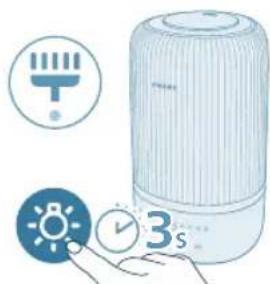
natural_image
Illustration of a portable air conditioner with icons for battery, timer, and alarm clock (no text or symbols)18 Press and hold light button for 3 seconds to reset the cleaning time.
Cleaning the aroma pad and box
For effective aromatherapy, the aroma pad should always be cleaned before using a new essential oil blend. Do not mix essential oil blends.
natural_image
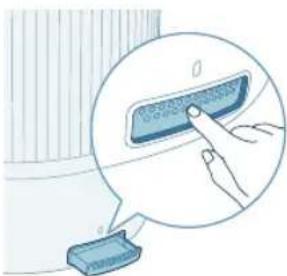
Illustration of a hand pressing a button on a device, with no visible text or symbols1 Remove the aroma box by pressing it in, then pulling it out.
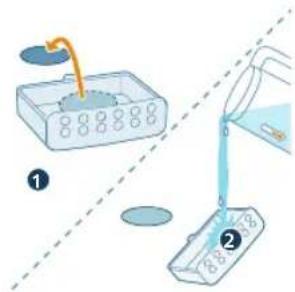
2 Remove the aroma pad and rinse the pad and the box under warm, running water.
22 English
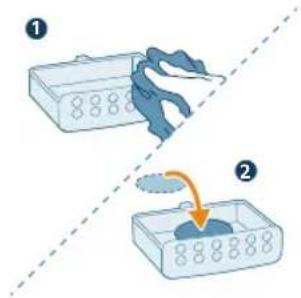
3 Dry with a clean cloth and place the pad back into the aroma box.
natural_image
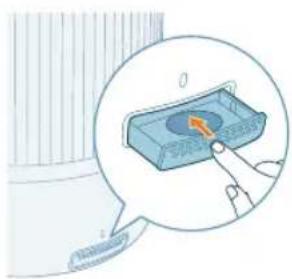
Illustration of a hand pressing a button on a blue rectangular object, with no visible text or symbols.4 Place the aroma box back inside the air humidifier
Note: Do not pour liquid cleaners or detergents into the aroma pad or box.
Replacing the Aroma Pad
If the aroma pad becomes deformed or damaged after repeated washing, it may need to be replaced. To maintain the performance of your air humidifier, only use official Philips aroma pads.
Storage
1 Turn off the humidifier and unplug from the power socket.
2 Clean the humidifier (see Chapter "Cleaning and Maintenance").
3 Let all parts air dry thoroughly before storing.
4 Store the humidifier in a cool, dry location.
Troubleshooting
This chapter summarizes the most common problems you could encounter with the appliance. If you are unable to solve the problem with the information below, contact the Consumer Care Center in your country.
Problem Possible solution
| The humidifier does not work. Make sure that there is power supply to the humidifier. | |
| Make sure that the water tank is filled with water and the water tank is placed properly on the base. | |
| Little or no mist comes out of the mist outlet. | Put the plug of the humidifier into the power socket and switch on the humidifier. |
| It may has achieved to your target humidity rate. | |
| Make sure that the water tank is filled with water and placed properly. | |
| There may be too much water in the base (above the MAX reminder on the base). Empty the base chamber. Refill the water tank (not the base chamber) and place the water tank properly onto the base. | |
| Make sure the bottom of the base is not blocked. The humidifier should not be set on carpet or other surfaces that may block the base. | |
| Make sure the nozzle is not blocked. | |
| Make sure the mist tube is not blocked or clogged. | |
| Make sure the humidifier is on a level surface. | |
| The water temperature may be too low. Turn the mist level to the highest setting and let the humidifier run for a while, then adjust to the desired setting. | |
| I do not see the humidity level change. Your room might have too much ventilation. Please close doors and windows. | |
| Your room size is too big. This humidifier is suitable for room size ≤ 34m^2 . | |
| Turn the mist level to a higher setting. | |
| When used in a dry environment, the moisture will be absorbed surrounding objects such as walls and furniture, which can prolong the humidification time. | |
| Cleaning the humidifier (see the chapter ‘Cleaning and maintenance’). | |
| The humidifier stops even when i feel quite dry. | The water tank is empty, please refill with water. |
| The humidity level around product has been achieved to target setting in auto mode, it will restart automatically once the humidity level lower than target setting. | |
| Our device will stop working when the humidity level around product is higher than 70% because it may lead to diversity fungi mold growth. | |
| There are some white dust around humidifier. | The white deposits are called scale and they consist of minerals from the water. |
| Use purified, distilled water or water with low mineral content to prevent the build-up of scale and the dispersal of minerals into the air. | |
| We recommend using the Anti-calc cartridge to protect your humidifier from calc and prevent white residue on nearby surfaces. You need to replace it when necessary. | |
24 English
It is too wet around humidifier. Humidity may be too high. Turn the mist level to a lower setting.
| There is unpleasant smell coming out from the humidifier. | The first few times you use your air humidifier, it may produce a plastic smell.This is normal and will fully disappear within a few days. |
| Clean the humidifier (see the chapter 'Cleaning and maintenance'). | |
| My aroma function doesn't work well( too weak or strong). | Use proper 2-3 drops essential oil. |
| Different essential oil may has different perceived intensity. | |
| It need take sometime to evaporate the smell to whole room. | |
| The water tank leaks. Make sure that the humidifier is not overfilled with water. | |
| Make sure that the humidifier is well assembled/connected every time after you clean it or after you remove the water tank for refilling. | |
| Make sure that the water tank is properly placed. If the problem persists, contact the Consumer Care Center in your country. | |
| If the humidifier is not used for a long time, How to store and reuse it? | When the humidifier is not used for a long time, bacteria and mold may grow. Please follow below steps for storage and reuse. |
| Clean the water tank and base thoroughly before storage. | |
| Mould grows inside the humidifier. Clean the water tank and base regularly. | |
| The Wi-Fi setup is not successful. Please ensure your smart phone is connected to a 2.4GHz (home) Wi-Fi network instead of a 5GHz Wi-Fi network or public Wi-Fi. For a successful pairing, we suggest turning off your mobile data before initiating the pairing process. | |
| Ensure to enable the following permissions: "Location", "Storage", "Bluetooth", and "Local Network" on your smart phone. After a successful Wi-Fi setup, you can change permission settings as desired. | |
| Please verify that you have entered the correct Wi-Fi password. The password is case-sensitive, has a limit of 63 characters. Special symbols are not accepted. | |
| Ensure the network name of your home Wi-Fi is correct. The network name is case-sensitive. | |
| If you are using a VPN on your smart phone, please turn it off before starting the pairing process. | |
| If your router has a whitelist set up to block pairing, please disable the whitelist to ensure successful connection. | |
Please ensure that both your device and smart phone are within 10 meters of the router.
| Ensure the app has been updated to the latest version. | |
| To ensure a strong Wi-Fi connection, avoid placing your device near other electronic devices, bright light sources, or signal stations that may cause interference. If you experience connectivity issues, move the device away from these sources and attempt to reconnect it to the Wi-Fi network. | |
| Consult the help section in the app for extensive and up-to-date troubleshooting tips. |
Warranty and support
Versuni offers a two-year warranty after purchase on this product. This warranty is not valid if a defect is due to incorrect use or poor maintenance. Our warranty does not affect your rights under law as a consumer. For more information or for invoking the warranty, please visit our website www.philips.com/support.
Order parts or accessories
If you have to replace a part or want to purchase an additional part, go to your Philips dealer or visit www.philips.com/support.
If you have problems obtaining the parts, please contact the Philips Consumer Care Center in your country.
Vacib
A Ucluq G Nazaret paneli
natural_image
Diagram of a cylindrical device with internal components and an arrow indicating direction (no text or symbols)natural_image
Illustration of a lid with an arrow pointing upward, partially filled with a textured base (no text or symbols)natural_image
Illustration of a portable air conditioner unit with a close-up inset showing a green button (no text or symbols)natural_image
Illustration of a water dispenser pouring liquid into a container with a green checkmark (no text or symbols)natural_image
Illustration of a bottle with liquid being poured into a jar, showing arrows indicating flow direction (no text or symbols)natural_image
Illustration of a hand pressing a button on a device, with no visible text or symbols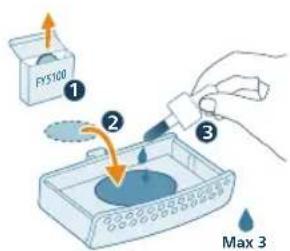
natural_image
Illustration of a hand pressing a button on a device (no text or symbols visible)3 Aroma qutusunu cihaza daxil edin.
natural_image
Icon set with Wi-Fi, clock, gear, timer, and 3s timer next to a circular device (no text or symbols)natural_image
Hand holding a plug inserted into an outlet, with an arrow indicating direction (no text or symbols)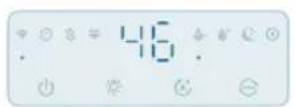
natural_image
Illustration of a device emitting blue rays, showing airflow direction (no text or symbols)natural_image
Pure electrical circuit symbols without any text or labelsAzərbaycanca
natural_image
Illustration of weather icons including raindrops, moon, clock, crescent moon, and hand pointing at a target (no text or symbols)natural_image
Pure electrical circuit symbols without any text or labelsnatural_image
Pure electrical circuit lines without any symbolsnatural_image
Illustration of a portable energy lamp with a control panel and indicator lights (no text or symbols)natural_image
Illustration of a light bulb device with a small icon showing a sun, next to a hand holding a button (no text or symbols present)natural_image
Illustration of a mechanical component with a circular top and a central base, showing an upward arrow (no text or symbols)natural_image
Illustration of a cylindrical container with internal components and an arrow indicating rotation (no text or symbols)natural_image
Illustration of a container pouring liquid into a container with a mouse (no text or symbols)natural_image
Illustration of a baby bottle with a magnified inset showing the cap and bulb (no text or symbols)natural_image
Diagram of a wire cage with orange arrows indicating rotation or movement (no text or symbols)natural_image
Illustration of a hand operating a circular device with a fan inside, next to a cylindrical container with an arrow indicating rotation (no text or symbols)natural_image
Illustration of a small appliance with a blue container and a small battery on top, showing internal components (no text or symbols)natural_image
Illustration of a cylindrical container with liquid being poured into it, surrounded by small fragments (no text or symbols)natural_image
Illustration of a hand cleaning a circular container with internal compartments (no text or symbols)natural_image
Diagram of a circular container with internal compartments and a downward arrow indicating direction (no text or symbols)natural_image
Illustration of a baby bottle with a close-up inset showing the bulb inside (no text or symbols)natural_image
Illustration of a cylindrical container with internal components and an arrow indicating direction (no text or symbols)natural_image
Illustration of a funnel pouring liquid into a jar with arrows indicating flow direction (no text or symbols)natural_image
Diagram of a device with a lid and internal components, showing an orange arrow pointing to a component (no text or symbols present)natural_image
Hand inserting a plug into an outlet (no text or symbols visible)natural_image
Illustration of a portable air conditioner with icons for timer, alarm clock, and 3-second duration (no text or symbols on main objects)natural_image
Illustration of a hand pressing a button on a device, with no visible text or symbols44
Azərbaycanca
natural_image
Illustration of a hand pressing a button on a blue rectangular object, with no visible text or symbols.natural_image
Diagram of a cylindrical device with internal components and an arrow indicating direction (no text or symbols)natural_image
Illustration of a mechanical component with a blue lid and an orange arrow indicating upward motion (no text or symbols)natural_image
Illustration of a portable air conditioner unit with a close-up inset showing a green button (no text or symbols)natural_image
Illustration of a container with liquid being poured into it, marked with a green checkmark (no text or symbols)natural_image
Illustration of a bottle with liquid being poured into a jar, showing arrows indicating flow (no text or symbols)natural_image
Illustration of a hand pressing a button on a device, with no visible text or symbols1 Zatlačte na aroma box, aby se automaticky vysunul.
natural_image
Illustration of a hand pressing a button on a blue rectangular object, with no visible text or symbols.natural_image
Hand holding a plug inserted into an outlet, with a cable being inserted (no text or symbols visible)
natural_image
Illustration of a device emitting blue rays, showing airflow direction (no text or symbols)natural_image
Pure electrical circuit symbols without any text or labels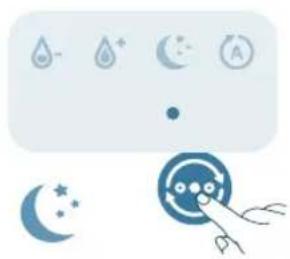
natural_image
Illustration of weather icons including raindrops, moon, sun, and a hand pointing at a circular object (no text or symbols)natural_image
Pure electrical circuit symbols without any text or labelsnatural_image
Pure electrical circuit lines without any symbolsnatural_image
Illustration of a portable air conditioner unit with color-coded indicators and a small icon showing a sun (no text or symbols)natural_image
Illustration of a light bulb device with a small icon showing a sun, next to a hand holding a button (no text or symbols present)natural_image
3D diagram of a cylindrical container with internal compartments and an arrow pointing to the top section (no text or symbols)natural_image
Illustration of a baby bottle with a blue cap and an inset showing a droplet inside (no text or symbols)natural_image
Illustration of a cylindrical container with a blue internal component and an arrow pointing to it (no text or symbols)natural_image
Illustration of a bottle with liquid being poured into a jar, showing arrows indicating flow direction (no text or symbols)natural_image
Illustration of a cylindrical container with an arrow pointing to a small internal component (no text or symbols)natural_image
Hand inserting a plug into an electrical outlet (no text or symbols visible)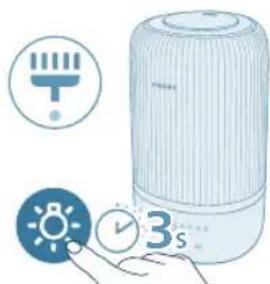
natural_image
Illustration of a portable air conditioner with icons for battery, timer, and alarm clock (no text or symbols)natural_image
Illustration of a hand pressing a button on a blue electronic device (no text or symbols visible)natural_image
3D diagram of a mechanical device with a highlighted component and arrow (no text or symbols)natural_image
Illustration of a lid with an arrow pointing upward, no text or symbols presentnatural_image
Illustration of a portable air conditioner unit with a close-up inset showing a small component (no text or symbols)natural_image
Illustration of a container with liquid being poured into it, marked with a green checkmark (no text or symbols)natural_image
Illustration of a cooking pot with liquid being poured into it, accompanied by warning symbols (no text or labels)natural_image
Illustration of a bottle with liquid being poured into a jar, showing arrows indicating flow (no text or symbols)natural_image
Illustration of a hand pressing a button on a device, with no visible text or symbols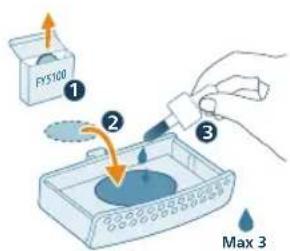
natural_image
Illustration of a hand pressing a button on a device (no text or symbols visible)3 Skub aromaboksen tilbage i apparatet.
Om Wi-Fi-indikator
Wi-Fi-ikonets status Wi-Fi-forbindelsesstatus
Blinker orange Opretter forbindelse til smartphonen
Konstant orange Tilsluttet smartphonen
flowchart
graph TD
    A["Wi-Fi Signal"] --> B["Output Wi-Fi"]
    C["Mobile Phone"] --> D["Device with Checkmark"]
Nulstil Wi-Fi-forbindelsen
natural_image
Icon set with Wi-Fi, clock, battery, and timer next to a stylized face (no text or symbols)Befugtningsindika- torens farve
natural_image
Hand holding a plug inserted into an outlet, with a cable being inserted (no text or symbols visible)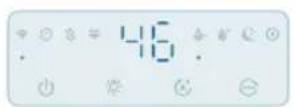
natural_image
Illustration of a device emitting blue rays, showing airflow direction (no text or symbols)natural_image
Pure electrical circuit symbols without any text or labels82 Dansk
natural_image
Illustration of weather icons including raindrops, moon, clock, crescent moon, and hand gesture (no text or symbols)natural_image
Pure electrical circuit lines without any symbolsnatural_image
Illustration of a weather control panel with icons for raindrops, moon, and alarm (no text or symbols)natural_image
Illustration of a cylindrical container with a lid and an upward arrow, no text or symbols presentnatural_image
Illustration of a cylindrical device with internal components and an orange arrow indicating motion (no text or symbols)natural_image
Illustration of a container pouring liquid into a spool (no text or symbols)natural_image
Illustration of a baby bottle with a close-up inset showing the cap and bulb (no text or symbols)natural_image
Hand inserting a plug into an electrical outlet (no text or symbols visible)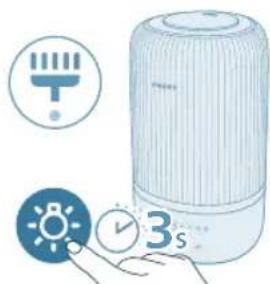
natural_image
Illustration of a portable electronic device with icons for battery, timer, and alarm clock (no text or symbols)natural_image
Illustration of a hand pressing a button on a device, with no visible text or symbolsnatural_image
Illustration of a hand pressing a button on a blue rectangular object, with no visible text or symbols.natural_image
Illustration of a cylindrical container with internal components and an arrow pointing to a top section (no text or symbols)natural_image
Diagram of a cylindrical container with a lid and an upward arrow, no text or symbols presentnatural_image
Illustration of a cylindrical device with a highlighted internal component and a green checkmark (no text or symbols)natural_image
Illustration of a container with liquid being poured into it, marked with a green checkmark (no text or symbols)Hinweis:
natural_image
Illustration of a hand pressing a button on a device, with no visible text or symbols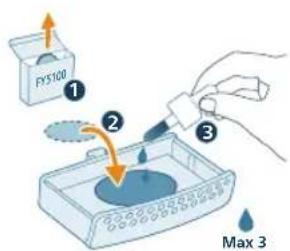
natural_image
Illustration of a hand pressing a button on a device (no text or symbols visible)natural_image
Hand inserting a plug into an outlet (no text or symbols visible)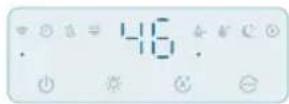

natural_image
Illustration of a device emitting blue light with a rotating button, showing airflow direction (no text or symbols)natural_image
Illustration of weather icons including raindrops, moon, and stars with a hand pointing to a target (no text or symbols)natural_image
Pure electrical circuit symbols without any text or labelsnatural_image
Illustration of icons representing water, moon, and battery symbols (no text or labels)natural_image
Illustration of a portable air conditioner with a digital display and a small icon showing a light bulb (no text or symbols)natural_image
Illustration of a light bulb device next to a small blue icon with a sun symbol (no text or labels)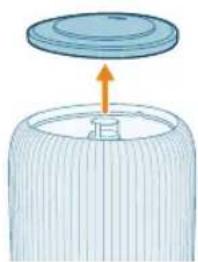
natural_image
Diagram of a cylindrical container with a lid and an upward arrow, no text or symbols presentnatural_image
Illustration of a cylindrical device with an orange arrow pointing to a component inside a container (no text or symbols visible)natural_image
Illustration of a pouring liquid from a container into a cylindrical container (no text or symbols)natural_image
Illustration of a baby bottle with a close-up inset showing the cap and liquid level (no text or symbols)natural_image
Diagram of a cylindrical container with internal structure and two curved arrows indicating rotation (no text or symbols)natural_image
Illustration of a hand using a tool to clean or adjust a circular component inside a cylindrical container (no text or symbols)natural_image
Illustration of a hand pressing a button on a device, with no visible text or symbolsE Veefilter K Aroomipadjad (FY5100)
F Ujuk L Udutoru
Nuppude tutvustus
Juhtnupud:
natural_image
Diagram of a mechanical device with a highlighted component and arrow (no text or symbols)1 Veenduge, et ujuk on korralikult paigas.
natural_image
Diagram of a cylindrical container with a lid and an arrow indicating upward motion (no text or symbols)natural_image
Illustration of a hairdryer with a magnified inset showing a blue object and a green checkmark (no text or symbols)3 Veenduge, et veefilter on korralikult kinnitatud.
natural_image
Illustration of a container with liquid being poured into it, marked with a green checkmark (no text or symbols)natural_image
Illustration of a cooking pot with liquid being poured into it, accompanied by warning symbols (no text or labels)natural_image
Illustration of a bottle with liquid being poured into a jar, showing arrows indicating flow (no text or symbols)natural_image
Illustration of a hand pressing a button on a device, with no visible text or symbolsnatural_image
Illustration of a hand pressing a button on a blue rectangular object, with no visible text or symbols.3 Lükake aroomikast seadmesse tagasi.
flowchart
graph TD
    A["Wi-Fi Signal"] --> B["Output Wi-Fi"]
    C["Mobile Phone"] --> D["Device with Checkmark"]
natural_image
Icon set with Wi-Fi, clock, battery, and timer next to a stylized face icon (no text or symbols)natural_image
Hand inserting a plug into an outlet (no text or symbols visible)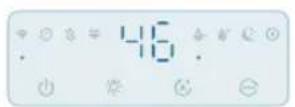
natural_image
Illustration of a device emitting blue rays, showing a rotating component with an orange arrow indicating rotation (no text or symbols present)natural_image
Pure electrical circuit symbols without any text or labels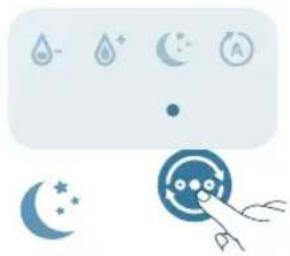
natural_image
Illustration of weather icons including raindrops, moon, clock, crescent moon, and hand pointing at a circular target (no text or symbols)natural_image
Pure electrical circuit symbols without any text or labelsnatural_image
Illustration of a weather control panel with icons for raindrops, moon, and alarm (no text or symbols)natural_image
Illustration of a portable air conditioner with a digital display and control panel (no text or symbols)natural_image
Illustration of a light bulb device next to a hand holding a small circular icon with a sun symbol (no text or labels)natural_image
Diagram of a container with a lid and an arrow indicating upward motion (no text or symbols)natural_image
Illustration of a cylindrical device with internal components and an orange arrow pointing to a component (no text or symbols)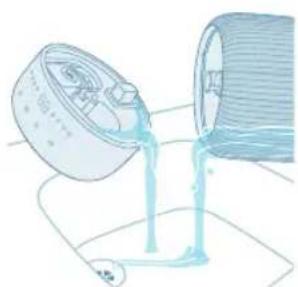
natural_image
Illustration of a container pouring liquid into a cylindrical container (no text or symbols)natural_image
Illustration of a baby bottle with a magnified inset showing the cap and bulb (no text or symbols)6 Eemaldage veefilter veepaagist.
natural_image
Diagram of a cylindrical container with internal structure and orange arrows indicating rotation (no text or symbols)natural_image
Illustration of a hand holding a device next to a cylindrical container with a fan-like mechanism inside (no text or symbols)natural_image
Illustration of a small mechanical component with an arrow indicating direction (no text or symbols)9 Eemaldage ujuk aluskambrist.
natural_image
Illustration of a cylindrical container with liquid being poured into it, surrounded by small fragments (no text or symbols)natural_image
Illustration of a hand cleaning a circular container with internal compartments (no text or symbols)natural_image
Diagram of a circular device with internal components and an arrow pointing to a component (no text or symbols)natural_image
Illustration of a baby bottle with a cap and a magnified inset showing liquid level (no text or symbols)13 Asetage veefilter tagasi veepaaki.
natural_image
Illustration of a cylindrical container with internal components and an arrow indicating direction (no text or symbols)natural_image
Illustration of a bottle with liquid being poured into a container, showing arrows indicating flow (no text or symbols)natural_image
Illustration of a device with a lid and internal components, showing an orange arrow pointing to a component (no text or symbols present)natural_image
Hand inserting a plug into an outlet (no text or symbols visible)natural_image
Illustration of a portable air conditioner with icons for timer, alarm clock, and 3-second duration (no text or symbols on main objects)natural_image
Illustration of a hand pressing a button on a surface, with a small block nearby (no text or symbols)134 Eesti
natural_image
Illustration of a hand pressing a button on a blue rectangular object, with no visible text or symbols.A Boquilla G Panel de control
natural_image
Diagram of a mechanical device with a highlighted component and an arrow indicating direction (no text or symbols)natural_image
Illustration of a lid with an arrow pointing upward, no text or symbols presentnatural_image
Illustration of a portable air conditioner unit with a close-up inset showing a small component (no text or symbols)natural_image
Illustration of a water dispenser pouring liquid into a container with a green checkmark (no text or symbols)natural_image
Illustration of a bottle with a lid and arrow indicating direction (no text or symbols)natural_image
Illustration of a hand pressing a button on a device, with no visible text or symbolsnatural_image
Icon set with Wi-Fi, clock, gear, and timer next to a stylized face icon (no text or symbols)natural_image
Hand inserting a plug into an outlet (no text or symbols visible)
natural_image
Illustration of a device emitting blue rays, showing a rotating button and airflow direction (no text or symbols)natural_image
Pure electrical circuit symbols without any text or labelsEspañol
natural_image
Illustration of weather icons including raindrops, moon, clock, crescent moon, and hand gesture (no text or symbols)natural_image
Pure electrical circuit symbols without any text or labelsnatural_image
Pure electrical circuit lines without any symbolsnatural_image
Illustration of a portable air conditioner unit with color-coded indicators and a small icon showing a sun (no text or symbols)natural_image
Illustration of a light bulb device with a small icon showing a sun, next to a hand holding a button (no text or symbols present)natural_image
Diagram of a cylindrical container with a lid and an upward arrow, no text or symbols presentnatural_image
Diagram of a cylindrical device with internal components and an orange arrow indicating a process (no text or symbols)natural_image
Illustration of a pouring liquid from a container into a cylindrical container (no text or symbols)natural_image
Illustration of a baby bottle with a close-up inset showing the cap and bulb (no text or symbols)natural_image
3D diagram of a small appliance with a lid and internal components, no text or symbols presentnatural_image
Illustration of a baby bottle with a blue cap and an inset showing liquid level (no text or symbols)natural_image
Illustration of a cylindrical container with a blue internal component and an arrow pointing to it (no text or symbols)natural_image
Illustration of a bottle with liquid being poured into a jar, showing arrows indicating flow direction (no text or symbols)natural_image
Illustration of a cylindrical container with an arrow pointing to a small internal component (no text or symbols)natural_image
Hand inserting a plug into an electrical outlet (no text or symbols visible)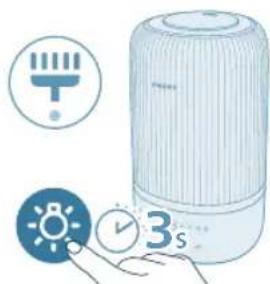
natural_image
Illustration of a portable electronic device with icons for battery, timer, and alarm clock (no text or symbols)natural_image
Illustration of a hand pressing a button on a device, with no visible text or symbolsnatural_image
Illustration of a hand pressing a button on a blue electronic device (no text or symbols visible)natural_image
Diagram of a mechanical device with a highlighted component and an arrow indicating direction (no text or symbols)natural_image
Illustration of a lid with an arrow pointing upward, no text or symbols presentnatural_image
Illustration of a portable air conditioner unit with a close-up inset showing a small component (no text or symbols)natural_image
Illustration of a water dispenser pouring liquid into a container with a green checkmark (no text or symbols)natural_image
Illustration of a cooking pot with liquid being poured into it, accompanied by warning symbols (no text or labels)natural_image
Illustration of a bottle with liquid being poured into a jar, showing arrows indicating flow direction (no text or symbols)natural_image
Illustration of a hand pressing a button on a device, with no visible text or symbolsnatural_image
Illustration of a hand pressing a button on a blue electronic device (no text or symbols visible)natural_image
Icon set showing Wi-Fi, clock, battery, and timer next to a blue circular button with a hand pointing at it (no text or symbols)natural_image
Hand inserting a plug into an outlet (no text or symbols visible)

natural_image
Illustration of a cylindrical device emitting blue light, with an inset showing a rotating component (no text or symbols)172 Français
Changer de mode
natural_image
Pure electrical circuit lines without any symbolsnatural_image
Illustration of weather icons including raindrops, moon, and stars with a hand pointing to a circular object (no text or symbols)natural_image
Pure electrical circuit symbols without any text or labelsnatural_image
Illustration of icons representing water, moon, and air (no text or symbols)natural_image
Illustration of a portable air conditioner with color-coded indicators and a small icon showing a light bulb (no text or symbols present)natural_image
Illustration of a light bulb device next to a small blue icon with a sun symbol (no text or labels)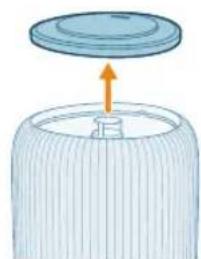
natural_image
Diagram of a container with a lid and an arrow indicating upward motion (no text or symbols)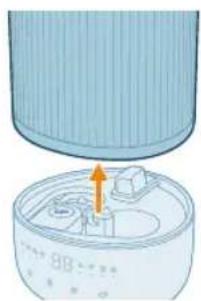
natural_image
Illustration of a cylindrical device with internal components and an orange arrow pointing to a small component (no text or symbols)natural_image
Illustration of a pouring liquid into a container (no text or symbols)natural_image
Illustration of a baby bottle with a close-up inset showing the cap and bulb (no text or symbols)natural_image
Diagram of a cylindrical container with internal structure and orange arrows indicating rotation (no text or symbols)natural_image
Illustration of a hand holding a fan next to a cylindrical device with an arrow indicating rotation (no text or symbols)natural_image
Illustration of a mechanical device inside a bowl with an upward arrow indicating motion (no text or symbols)natural_image
Illustration of a mechanical device with a funnel and multiple components (no text or symbols)natural_image
Illustration of a hand cleaning a circular container with internal compartments (no text or symbols)natural_image
Diagram of a mechanical component with a highlighted section and arrow (no text or symbols)natural_image
Illustration of a baby bottle with a dropper inserted into a liquid-filled container (no text or symbols)natural_image
Illustration of a cylindrical container with internal components and an arrow indicating direction (no text or symbols)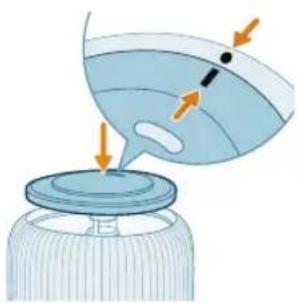
natural_image
Illustration of a funnel pouring liquid into a container with arrows indicating flow direction (no text or symbols)natural_image
Illustration of a cylindrical container with an arrow pointing to a small object inside, no text or symbols present.natural_image
Hand inserting a plug into an electrical outlet (no text or symbols visible)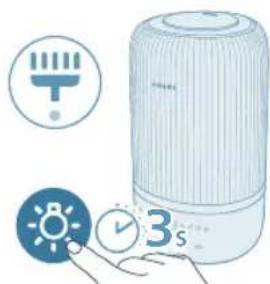
natural_image
Illustration of a portable air conditioner with icons for temperature, battery, and time (no text or symbols)natural_image
Illustration of a hand pressing a button on a surface, with a small block nearby (no text or symbols)natural_image
Illustration of a hand pressing a button on a device component, with no visible text or symbols.natural_image
Diagram of a mechanical device with a highlighted component and an arrow indicating direction (no text or symbols)natural_image
Illustration of a lid with an arrow pointing upward, no text or symbols present2 Skinite gornji poklopac sa spremnika za vodu.
natural_image
Illustration of a portable air conditioner unit with a close-up inset showing a small component (no text or symbols)natural_image
Illustration of a water dispenser pouring liquid into a container with a green checkmark (no text or symbols)4 Napunite spremnik vodom. Nemojte ulijevati vruću vodu.
Napomena:
- Prilikom ulijevanja vode u spremnik, nemojte premašiti oznaku za razinu vode.
- Nemojte ulijevati vodu kroz ultrazvučni izlaz za maglicu.
natural_image
Illustration of a bottle with liquid being poured into a jar, showing arrows indicating flow (no text or symbols)5 Ponovno pričvrstite gornji poklopac na spremnik za vodu.
Uporaba funkcije arome
Napomene:
Esencijalna ulja ne isporučuju se s proizvodom. Po potrebi kupite i upotrijebite propisana esencijalna ulja.
Prije upotrebe funkcije arome pažljivo pročitajte korisnički priručnik za esencijalna ulja.
natural_image
Illustration of a hand pressing a button on a device, with no visible text or symbols1 Pogurnite kutiju za arome kako biste je automatski izbacili.
natural_image
Illustration of a hand interacting with a blue rectangular device, showing a highlighted interior area (no text or symbols)3 Vratite kutiju za arome u aparat.
natural_image
Pure icon set with Wi-Fi, clock, battery, and timer symbols (no text or numbers)2 Istovremeno pritisnite gumb i zadržite pritisak 3 sekunde, sve dok ne začujete zvučni signal.
- Ovlaživač prelazi u način rada za uparivanje.
- Indikator za Wi-Fi bljeska narančasto.
3 Pratite korake 3 – 4 u odjeljku „Prvo postavljanje veze Wi-Fi“.
Upotreba ovlaživača
natural_image
Illustration of a hand inserting a plug into an outlet (no text or symbols)Hrvatski


natural_image
Illustration of a device emitting blue rays, showing a rotating component with an orange arrow indicating rotation (no text or symbols present)Promjena postavke načina rada
Pritiskom gumba za izmjenu načina rada možete odabrati automatski način rada, način rada za spavanje, način rada Srednja ili visoki način rada.
Automatski način rada (9). Ovlaživač automatski prilagođava razinu maglice sukladno vlažnosti zraka u okruženju.
natural_image
Pure electrical circuit symbols without any text or labels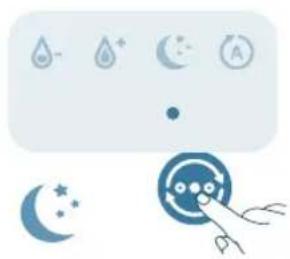
natural_image
Illustration of weather icons including raindrops, moon, sun, and a hand pointing at a circular object (no text or symbols)Način rada za spavanje ( ^9 ): Ovlaživač radi tiho pri niskoj razini maglice. Indikatori zaslona isključit će se nakon 3 sekunde.
natural_image
Pure electrical circuit symbols without any text or labelsNačin rada Srednja (☐): Ovlaživač radi pri srednjoj razini maglice.
natural_image
Illustration of a weather control panel with icons for raindrops, moon, and alarm (no text or symbols)Visoki način rada ( ): Ovlaživač radi pri najvišoj razini maglice.
Postavljanje razine vlažnosti
Napomena:
natural_image
Illustration of a portable air conditioner unit with color-coded indicators and a small icon showing a sun (no text or symbols)natural_image
Illustration of a light bulb device next to a hand holding a small circular icon with a sun symbol (no text or labels)1 S kućišta ovlaživača brišite prašinu mekom, suhom krpom.
2 Isključite aparat i iskopčajte ga iz strujne utičnice.
natural_image
Diagram of a cylindrical container with a lid and an arrow indicating upward motion (no text or symbols)3 Skinite gornji poklopac sa spremnika za vodu.
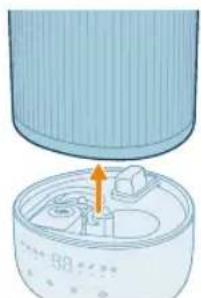
natural_image
Illustration of a cylindrical container with internal components and an orange arrow indicating motion (no text or symbols)natural_image
Illustration of a pouring liquid from a container into a cylindrical container (no text or symbols)natural_image
Illustration of a baby bottle with a close-up inset showing the cap and bulb (no text or symbols)6 Uklonite filtar za vodu iz spremnika za vodu.
198
Hrvatski
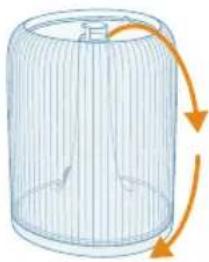
natural_image
Diagram of a cylindrical container with internal structure and orange arrows indicating rotation or flow (no text or symbols)natural_image
Illustration of a hand holding a circular device next to a cylindrical container with an internal component (no text or symbols)natural_image
Illustration of a mechanical device with an orange arrow pointing to a component (no text or symbols)9 Uklonite plovak iz komore podnožja.
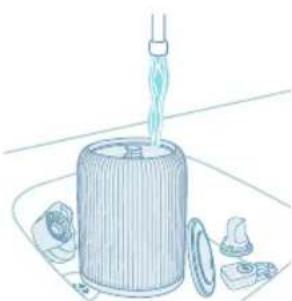
natural_image
Illustration of a mechanical device with a pipette inserted into a cylindrical housing, surrounded by other components (no text or symbols)10 Isperite spremnik za vodu, gornji poklopac, plovak, uredaj za smanjenje buke i filtar za vodu.
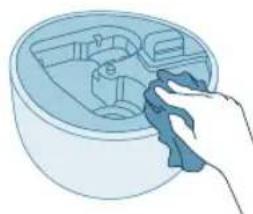
natural_image
Illustration of a hand cleaning a circular container with internal compartments (no text or symbols)natural_image
Hand holding a blue electrical plug inserted into a wall socket, with an orange arrow indicating the direction of insertion (no text or symbols present)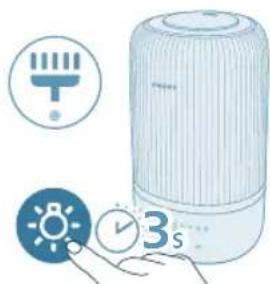
natural_image
Illustration of a portable air conditioner with icons for battery, timer, and alarm clock (no text or symbols)natural_image
Illustration of a hand pressing a button on a device, with no visible text or symbols1 Kako biste uklonili kutiju za arome prvo je pritisnite prema dolje, a zatim izvucite.
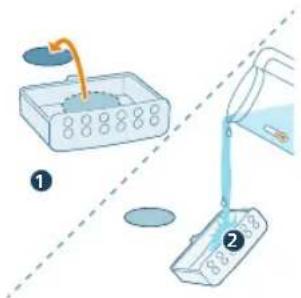
2 Uklonite jastučić za aromu i isperite ga zajedno s kutijom pod mlazom tople vode.
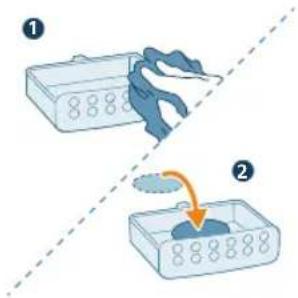
3 Jastučić osušite čistom krpom i vratite ga natrag u kutiju za arome.
natural_image
Illustration of a hand pressing a button on a blue electronic device (no text or symbols visible)4 Kutiju za arome vratite natrag u ovlaživač zraka
Napomena: Nemojte ulijevati tekuća sredstva za čišćenje ili deterdžente u jastučić ili kutiju za arome.
natural_image
Diagram of a mechanical device with a highlighted component and an arrow indicating direction (no text or symbols)natural_image
Illustration of a lid with an arrow pointing upward, no text or symbols presentnatural_image
Illustration of a portable air conditioner unit with a close-up inset showing a small component (no text or symbols)natural_image
Illustration of a water dispenser pouring liquid into a container with a green checkmark (no text or symbols)natural_image
Illustration of a bottle with liquid being poured into a jar, showing arrows indicating flow (no text or symbols)natural_image
Illustration of a hand pressing a button on a device, with no visible text or symbolsnatural_image
Illustration of a hand interacting with a blue rectangular device, showing a highlighted interior area (no text or symbols)natural_image
Icon set showing Wi-Fi, clock, and timer next to a stylized robot with a hand pointing at it (no text or symbols)natural_image
Hand inserting a plug into an electrical outlet (no text or symbols visible)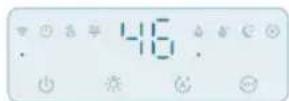

natural_image
Illustration of a device emitting blue light with a circular arrow indicating rotation (no text or symbols)natural_image
Illustration of weather icons including raindrops, moon, and sun with a hand pointing to a circular object (no text or symbols)natural_image
Illustration of a water control panel with icons for raindrops, moon, and battery (no text or symbols)natural_image
Illustration of a water drop control panel with icons for water, moon, and battery (no text or symbols)natural_image
Illustration of a smart nightlight device with a hand interacting with it, showing color-coded indicators (no text or symbols present)natural_image
Illustration of a light bulb connected to a cylindrical device with a base, no text or symbols presentnatural_image
Illustration of a cylindrical container with a lid and an arrow indicating upward motion (no text or symbols)natural_image
Illustration of a cylindrical container with an arrow pointing to a mechanical component inside, no text or symbols present.natural_image
Illustration of a container pouring liquid into a container (no text or symbols)natural_image
Illustration of a baby bottle with a close-up inset showing the cap and bulb (no text or symbols)natural_image
Diagram of a cylindrical container with internal structure and orange arrows indicating rotation (no text or symbols)natural_image
Illustration of a hand operating a circular device with a fan inside, next to a cylindrical container with an arrow indicating rotation (no text or symbols)natural_image
Illustration of a small mechanical component with an arrow indicating direction (no text or symbols)natural_image
Illustration of a cylindrical container with liquid being poured into it, surrounded by small fragments (no text or symbols)natural_image
Illustration of a hand cleaning a circular container with a cloth (no text or symbols)natural_image
Illustration of a small appliance with a lid and internal components, no text or symbols presentnatural_image
Illustration of a baby bottle with a dropper and a magnified inset showing liquid level (no text or symbols)natural_image
Illustration of a cylindrical container with internal components and an arrow pointing to a small component (no text or symbols)natural_image
Illustration of a bottle with liquid being poured into a jar, showing arrows indicating flow (no text or symbols)222 Italiano
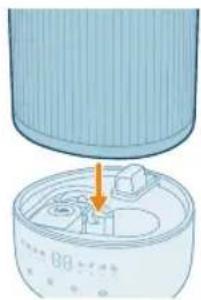
natural_image
Diagram of a device with a lid and internal components, showing an orange arrow pointing to a component (no text or symbols present)natural_image
Hand inserting a plug into an outlet (no text or symbols visible)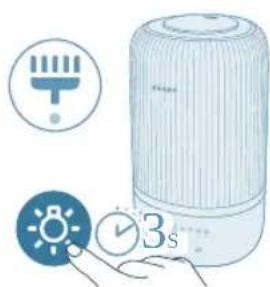
natural_image
Illustration of a portable air conditioner with icons for timer, alarm clock, and time indicator (no text or symbols on main objects)natural_image
Illustration of a hand pressing a button on a device, with no visible text or symbols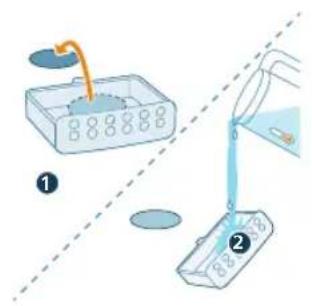
natural_image
Illustration of a hand pressing a button on a blue rectangular object, with no visible text or symbols.A Uzgalis G Vadības panelis
B Üdens tvertnes väks H Pamatne
C Mitruma izvade I Strāvas kontaktdakša
D Üdens tvertne J Aromāta kārba
232 Latviešu
E Üdens filtrs K Aromāta spilventini (FY5100)
natural_image
3D diagram of a mechanical device with a highlighted component and arrow (no text or symbols)natural_image
Illustration of a lid with an arrow pointing upward, no text or symbols presentnatural_image
Illustration of a portable air conditioner unit with a close-up inset showing a small component (no text or symbols)natural_image
Illustration of a container with liquid being poured into it, marked with a green checkmark (no text or symbols)- Nelejiet üdeni caur ultraskañas mitruma izvadi.
natural_image
Illustration of a cooking pot with liquid being poured into it, accompanied by warning symbols (no text or labels)natural_image
Illustration of a bottle with liquid being poured into a jar, showing arrows indicating flow direction (no text or symbols)natural_image
Illustration of a hand pressing a button on a device, with no visible text or symbols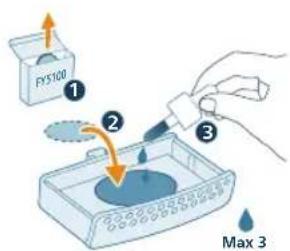
natural_image
Illustration of a hand interacting with a blue rectangular device, showing a highlighted interior area (no text or symbols)Mitruma indikatora krāsa
natural_image
Hand holding a plug inserted into an outlet, with a cable being inserted (no text or symbols visible)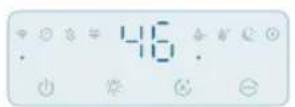
natural_image
Illustration of a device emitting blue rays, showing a rotating button and airflow direction (no text or symbols)Režima iestatijuma maina
natural_image
Pure electrical circuit symbols without any text or labels240 Latviešu
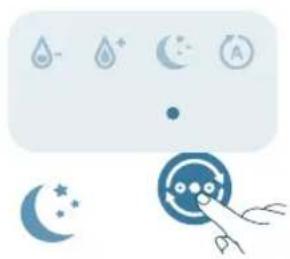
natural_image
Illustration of weather icons including raindrops, moon, sun, and a hand pointing at a circular object (no text or symbols)natural_image
Pure electrical circuit symbols without any text or labelsnatural_image
Illustration of a weather control panel with icons for raindrops, moon, and alarm (no text or symbols)natural_image
Illustration of a portable air conditioner unit with color-coded indicators and a small icon showing a sun (no text or symbols)natural_image
Illustration of a light bulb device with a small icon showing a sun, next to a hand holding a button (no text or symbols present)natural_image
Diagram of a cylindrical container with a lid and an arrow indicating upward motion (no text or symbols)natural_image
Diagram of a cylindrical device with internal components and an orange arrow indicating a process (no text or symbols)4 Atvienojiet üdens tvertni no ierīces pamatnes.
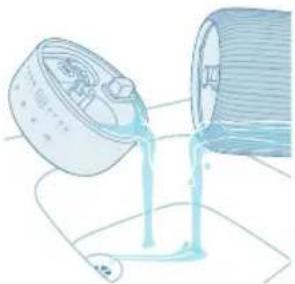
natural_image
Illustration of a container pouring liquid into a spool (no text or symbols)5 Izlej ūdeni no tvertnes un pamatnes.
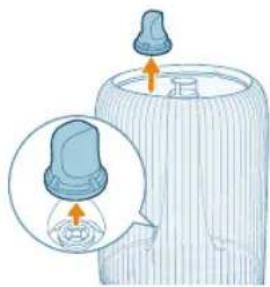
natural_image
Illustration of a baby bottle with a close-up inset showing the cap and bulb (no text or symbols)6 Izņemiet ūdens filtru no ūdens tvertnes.
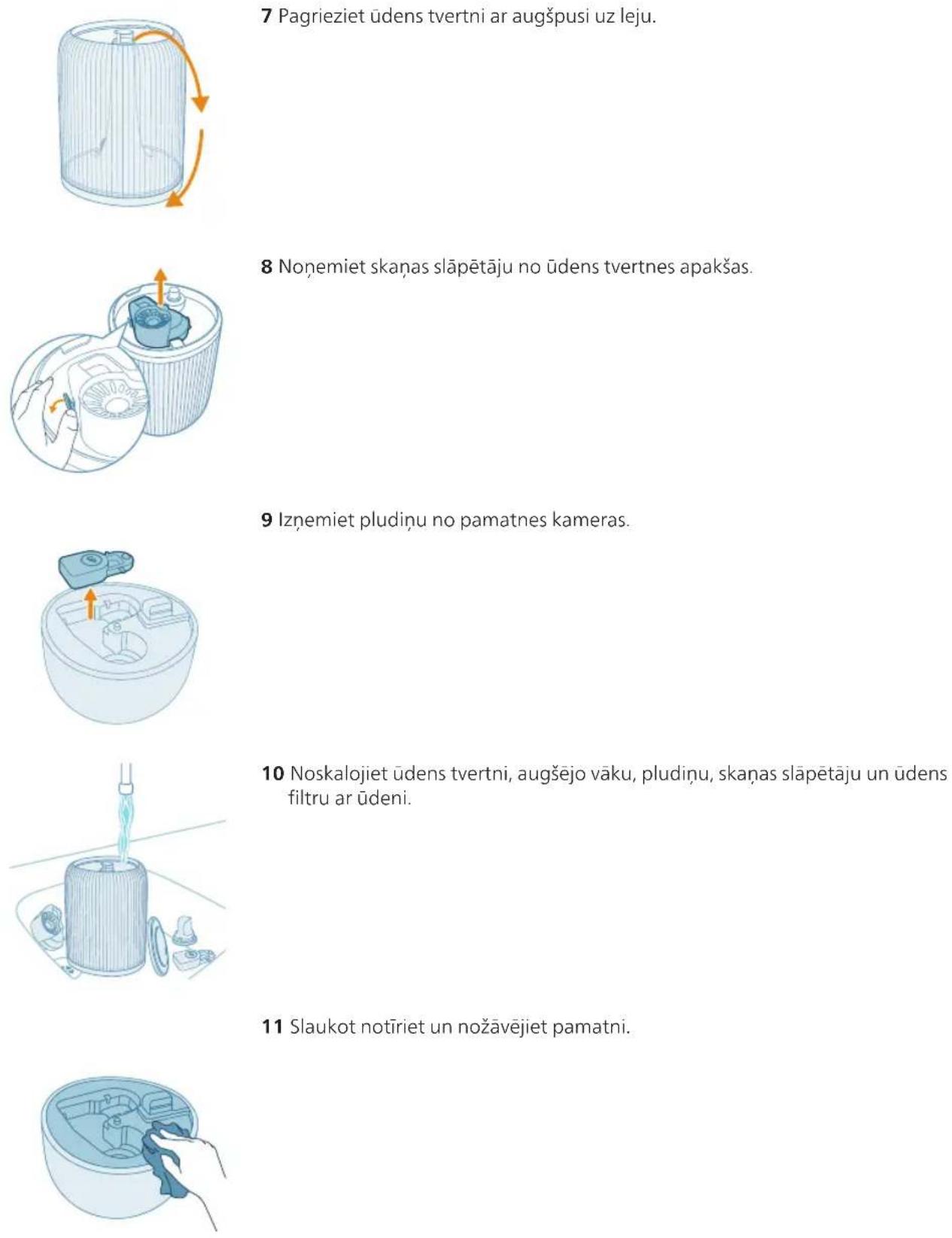
7 Pagrieziet údens tvertni ar augšpusi uz leju.
natural_image
3D diagram of a small appliance with a lid and internal components, no text or symbols presentnatural_image
Illustration of a baby bottle with a blue cap and an inset showing a droplet inside (no text or symbols)natural_image
Illustration of a cylindrical container with a blue internal component and an arrow pointing to it (no text or symbols)natural_image
Illustration of a bottle with liquid being poured into a jar, showing arrows indicating flow direction (no text or symbols)natural_image
Illustration of a cylindrical device with an arrow pointing to a small component inside a container (no text or symbols visible)16 Uzlieciet ūdens tvertni atpakal uz pamatnes.
17 lespraudiet kontaktdakšu kontaktligzdā.
natural_image
Hand holding a blue electrical plug inserted into a wall socket, with an orange arrow indicating the insertion direction (no text or symbols present)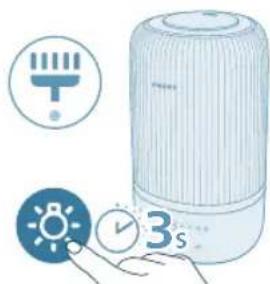
natural_image
Illustration of a portable electronic device with icons for battery, timer, and alarm clock (no text or symbols)natural_image
Illustration of a hand pressing a button on a device, with no visible text or symbolsnatural_image
Illustration of a hand pressing a button on a blue electronic device (no text or symbols visible)A Antgalis G Valdymo skydelis
B Vandens bakelio dangtelis H Pagrindas
natural_image
Diagram of a circular container with internal compartments and a downward arrow indicating direction (no text or symbols)natural_image
Illustration of a lid with an arrow pointing upward, partially filled with a textured base (no text or symbols)natural_image
Illustration of a portable air conditioner unit with a close-up inset showing a green button (no text or symbols)natural_image
Illustration of a water dispenser pouring liquid into a container with a green checkmark (no text or symbols)4 Vandens bakeli pripildykite vandens. Nepilkite karšto vandens.
Pastaba:
natural_image
Illustration of a hand pressing a button on a device, with no visible text or symbols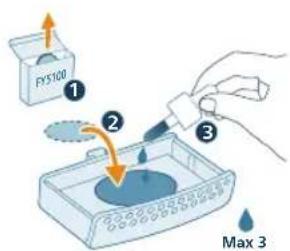
natural_image
Illustration of a hand pressing a button on a device (no text or symbols visible)natural_image
Icon set with Wi-Fi, clock, battery, and timer next to a stylized face with hands (no text or symbols)Drékinimo indikatoriaus spalva
natural_image
Hand inserting a plug into an outlet (no text or symbols visible)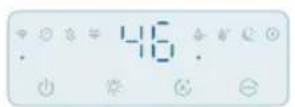
natural_image
Illustration of a device emitting blue rays, showing airflow direction (no text or symbols)natural_image
Pure electrical circuit symbols without any text or labels262 Lietuviškai
natural_image
Illustration of weather icons including raindrops, moon, sun, and a hand pointing at a circular object (no text or symbols)natural_image
Pure electrical circuit symbols without any text or labelsnatural_image
Pure electrical circuit lines without any symbolsnatural_image
Illustration of a portable air conditioner unit with color-coded indicators and a small icon showing a sun (no text or symbols)natural_image
Illustration of a light bulb device with a small icon showing a sun, next to a hand holding a button (no text or symbols present)natural_image
Diagram of a cylindrical container with a lid and an arrow indicating upward motion (no text or symbols)natural_image
Illustration of a cylindrical container with internal components and an orange arrow indicating motion (no text or symbols)natural_image
Illustration of a pouring liquid from a container into a cylindrical container (no text or symbols)natural_image
Illustration of a baby bottle with a close-up inset showing the cap and bulb (no text or symbols)natural_image
3D diagram of a small appliance with a lid and internal components, no text or symbols presentnatural_image
Illustration of a baby bottle with a blue cap and an inset showing a magnified view of the bulb (no text or symbols)natural_image
Illustration of a cylindrical container with a blue internal component and an arrow pointing to it (no text or symbols)natural_image
Illustration of a bottle with liquid being poured into a jar, showing arrows indicating flow direction (no text or symbols)natural_image
Illustration of a cylindrical container with an arrow pointing to a small container inside, no text or symbols present.natural_image
Hand inserting a plug into an electrical outlet (no text or symbols visible)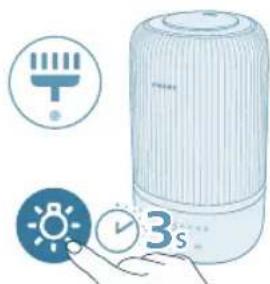
natural_image
Illustration of a portable air conditioner with icons for battery, timer, and alarm clock (no text or symbols)natural_image
Illustration of a hand pressing a button on a device, with no visible text or symbolsnatural_image
Diagram of a cylindrical device with internal components and an arrow indicating direction (no text or symbols)natural_image
Illustration of a lid being placed on a cylindrical container with an arrow indicating upward motion (no text or symbols)natural_image
Illustration of a portable air conditioner unit with a close-up inset showing a green button (no text or symbols)natural_image
Illustration of a water dispenser pouring liquid into a container with a green checkmark (no text or symbols)natural_image
Illustration of a cooking pot with liquid being poured into it, accompanied by warning symbols (no text or labels)natural_image
Illustration of a bottle with liquid being poured into a jar, showing arrows indicating flow direction (no text or symbols)natural_image
Illustration of a hand pressing a button on a device, with no visible text or symbols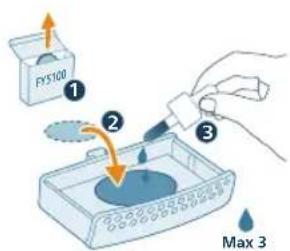
natural_image
Illustration of a hand interacting with a blue rectangular device, showing a highlighted interior area (no text or symbols)282 Magyar
natural_image
Illustration of a hand inserting a plug into an electrical outlet (no text or symbols)
natural_image
Illustration of a device emitting blue rays, showing a rotating component with an orange arrow indicating rotation (no text or symbols present)natural_image
Pure electrical circuit symbols without any text or labels284 Magyar
natural_image
Illustration of weather icons including raindrops, moon, clock, crescent moon, and hand pointing at a circular object (no text or symbols)natural_image
Pure electrical circuit symbols without any text or labelsnatural_image
Illustration of a weather control panel with icons for raindrops, moon, and alarm (no text or symbols)natural_image
Illustration of a portable air conditioner unit with color-coded indicators and a small icon showing a sun (no text or symbols)natural_image
Illustration of a light bulb device with a small icon showing a sun, next to a hand holding a button (no text or symbols present)natural_image
Diagram of a container with a lid and an arrow indicating upward motion (no text or symbols)natural_image
Illustration of a cylindrical container with internal components and an arrow indicating motion (no text or symbols)natural_image
Illustration of a pouring liquid from a container into a larger vessel (no text or symbols)natural_image
Illustration of a baby bottle with a cap and an inset showing the cap's opening (no text or symbols)natural_image
Diagram of a cylindrical container with internal structure and orange arrows indicating rotation (no text or symbols)natural_image
Illustration of a hand operating a circular device with a fan inside, next to a cylindrical container with an arrow indicating rotation (no text or symbols)natural_image
Illustration of a small mechanical component with an arrow indicating direction (no text or symbols)natural_image
Illustration of a cylindrical container with liquid being poured into it, surrounded by small fragments (no text or symbols)natural_image
Illustration of a hand cleaning a circular container with internal compartments (no text or symbols)natural_image
Diagram of a mechanical component with an arrow pointing to a component (no text or symbols present)natural_image
Illustration of a baby bottle with a cap and a magnified inset showing liquid level (no text or symbols)natural_image
Illustration of a cylindrical device with internal components and an arrow indicating direction (no text or symbols)
natural_image
Illustration of a bottle with liquid being poured into a container, showing arrows indicating flow (no text or symbols)natural_image
Illustration of a device with a lid and internal components, showing an orange arrow pointing to a component (no text or symbols present)natural_image
Hand inserting a plug into an outlet (no text or symbols visible)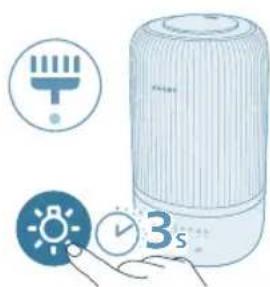
natural_image
Illustration of a portable air conditioner with icons for timer, alarm clock, and 3-second duration (no text or symbols on main objects)natural_image
Illustration of a hand pressing a button on a surface, with a small block nearby (no text or symbols)290 Magyar
natural_image
Illustration of a hand pressing a button on a rectangular object with a flame, next to a cylindrical device (no text or symbols visible)E Waterfilter K Aromapads (FY5100)
F Vlotter L Nevelbuis
natural_image
Diagram of a mechanical device with a highlighted component and an arrow indicating direction (no text or symbols)natural_image
Illustration of a lid with an arrow pointing upward, no text or symbols presentnatural_image
Illustration of a portable air conditioner unit with a close-up inset showing a small component (no text or symbols)natural_image
Illustration of a water dispenser pouring liquid into a container with a green checkmark (no text or symbols)natural_image
Illustration of a cooking pot with liquid being poured into it, accompanied by warning symbols (no text or labels)natural_image
Illustration of a bottle with liquid being poured into a jar, showing droplet and arrows (no text or symbols)natural_image
Illustration of a hand pressing a button on a device, with no visible text or symbolsflowchart
graph TD
    A["Mobile Device"] --> B["Wireless Sensor"]
    B --> C["Wireless Device"]
    C --> D["Device with Sensor icon"]
    D --> E["User Interface"]
natural_image
Illustration of hands connecting a power outlet to a plug (no text or symbols)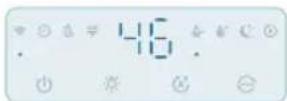
natural_image
Illustration of a device emitting blue smoke or vapor, showing airflow direction (no text or symbols)306 Nederlands
natural_image
Illustration of weather icons including raindrops, moon, and sun with a hand pointing at a target (no text or symbols)natural_image
Illustration of a water control panel with icons for water drop, moon, and battery (no text or symbols)natural_image
Illustration of a smart speaker with a hand interacting with it, showing color-coded sensor lights and a sun icon (no text or symbols)natural_image
Illustration of a light bulb with a small icon showing a sun, next to a transparent cylindrical device (no text or symbols)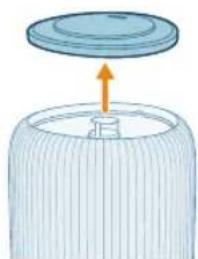
natural_image
Illustration of a cylindrical container with a lid and an upward arrow, no text or symbols present.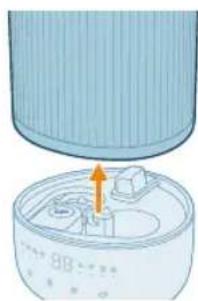
natural_image
Illustration of a cylindrical container with an orange arrow pointing to a lid, showing internal components (no text or symbols)natural_image
Illustration of a container pouring liquid into a cylindrical container (no text or symbols)natural_image
Illustration of a baby bottle with a close-up inset showing the cap and bulb (no text or symbols)natural_image
Diagram of a cylindrical container with internal structure and orange arrows indicating rotation (no text or symbols)natural_image
Illustration of a hand holding a fan next to a cylindrical device with an arrow indicating rotation (no text or symbols)natural_image
Illustration of a mechanical device inside a bowl with an orange arrow indicating direction (no text or symbols)natural_image
Illustration of a cylindrical device with a funnel pouring liquid into it, surrounded by small components (no text or symbols)natural_image
Illustration of a hand cleaning a circular container with internal compartments (no text or symbols)natural_image
Illustration of a small appliance with a lid and internal compartments, no text or symbols presentnatural_image
Illustration of a baby bottle with a droplet inside, showing liquid level and a magnified inset (no text or symbols)natural_image
Illustration of a cylindrical container with internal components and an arrow pointing to a small component (no text or symbols)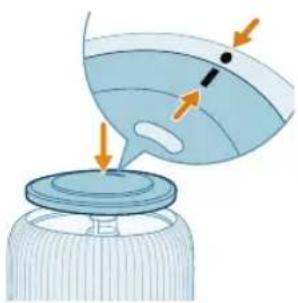
natural_image
Illustration of a funnel pouring liquid into a container with arrows indicating flow direction (no text or symbols)natural_image
Illustration of a cylindrical container with an arrow pointing to a small component inside, no text or symbols present.natural_image
Hand inserting a plug into an electrical outlet (no text or symbols visible)natural_image
Illustration of a portable air conditioner with icons for temperature, battery, and time (no text or symbols)De aromapad en de box schoonmaken
natural_image
Illustration of a hand pressing a button on a surface, with a small block nearby (no text or symbols)natural_image
Illustration of a hand interacting with a blue electronic device inside a container, showing a button and pointer (no text or symbols)E Vannfilter K Aromaputer (FY5100)
F Dupp L Tåkerør
natural_image
Diagram of a circular device with internal components and an arrow pointing to a component (no text or symbols)natural_image
Illustration of a lid with an arrow pointing upward, no text or symbols presentnatural_image
Illustration of a portable air conditioner unit with a close-up inset showing a small component (no text or symbols)natural_image
Illustration of a water dispenser pouring liquid into a container with a green checkmark (no text or symbols)4 Fyll vannbeholderen med vann. Ikke fyll på med varmt vann.
Merk:
- Ikke hell vann gjennom den ultrasoniske täkeutgangen.
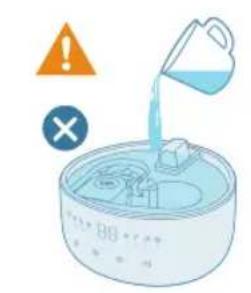
- Ikke hell vann direkte inn i sokkelen.
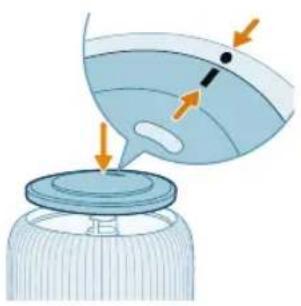
natural_image
Illustration of a droplet being poured into a jar with arrows indicating flow direction (no text or symbols)natural_image
Illustration of a hand pressing a button on a device, with no visible text or symbolsnatural_image
Illustration of a hand pressing a button on a device, with no visible text or symbolsTilbakestille Wi-Fi-tilkoblingen
1 Sett støpselet til luftfukteren inn i stikkontakten og berør för å slå på luftfukteren.
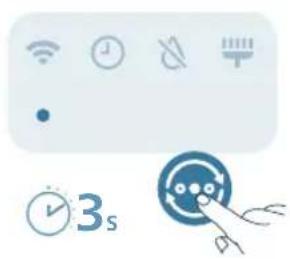
natural_image
Icon set with Wi-Fi, alarm clock, and 3-second timer (no text or symbols)natural_image
Hand inserting a plug into an outlet (no text or symbols visible)
natural_image
Illustration of a cylindrical device emitting blue rays, with an inset showing a rotating arrow (no text or symbols)natural_image
Pure electrical circuit symbols without any text or labels
natural_image
Illustration of weather icons including raindrops, moon, clock, crescent moon, and hand pointing at a circular object (no text or symbols)natural_image
Illustration of a weather control panel with icons for raindrops, water droplets, moon, and air (no text or symbols)Medium-modus ( ): Luftfukteren jobber på middels täkenivå.
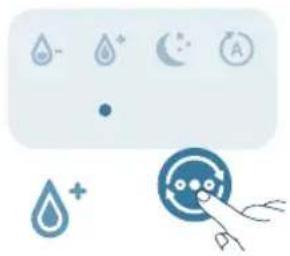
natural_image
Illustration of a weather control panel with icons for raindrops, moon, and alarm (no text or symbols)330 Norsk
natural_image
Illustration of a portable air conditioner unit with color-coded indicators and a small icon showing a sun (no text or symbols)natural_image
Illustration of a light bulb device next to a hand holding a small circular icon with a sun symbol (no text or labels)natural_image
Diagram of a cylindrical container with a lid and an arrow indicating upward motion (no text or symbols)natural_image
Illustration of a cylindrical container with internal components and an orange arrow indicating motion (no text or symbols)natural_image
Illustration of a pouring liquid from a container into a cylindrical container (no text or symbols)natural_image
Illustration of a baby bottle with a close-up inset showing the cap and bulb (no text or symbols)natural_image
Diagram of a wire cage with arrows indicating rotation or movement (no text or symbols)natural_image
Diagram of a mechanical device inside a cylindrical container with internal components (no text or symbols)natural_image
Illustration of a mechanical component with an arrow indicating direction (no text or symbols)natural_image
Illustration of a cylindrical container with liquid being inserted into it, surrounded by small components (no text or symbols)natural_image
Illustration of a hand cleaning a circular container with internal compartments (no text or symbols)natural_image
Hand inserting a plug into an electrical outlet (no text or symbols visible)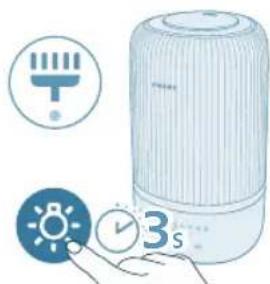
natural_image
Illustration of a white portable air conditioner with icons for battery, timer, and alarm clock (no text or symbols)natural_image
Illustration of a hand pressing a button on a device, with no visible text or symbolsnatural_image
Illustration of a hand pressing a button on a blue rectangular object, with no visible text or symbols.A Uchlik G Boshqaruv paneli
B Suv baki qopqog'i H Asos
C Tuman chiqishi I Quvvat vilkasi
D Suv baki J Ifor qutisi
E Suv filtri K lfor yostiqchalari (FY5100)
F Chayqalish L Tuman naychasi
Tugmalar sharhi
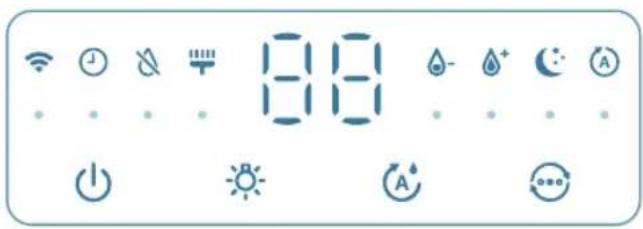
natural_image
Diagram of a mechanical device with a highlighted component and arrow (no text or symbols)1 Joyida yaxshi chayqalishini tekshiring.
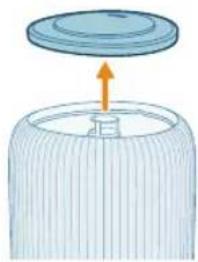
natural_image
Illustration of a lid with an arrow pointing upward, no text or symbols presentnatural_image
Illustration of a portable air conditioner unit with a close-up inset showing a small component (no text or symbols)3 Suv filtri to'g'ri biriktirilganini tekshiring.
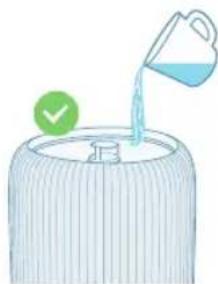
natural_image
Illustration of a water dispenser pouring liquid into a container with a green checkmark (no text or symbols)4 Suv bakini suv bilan to'ldiring. Issiq suv quymang.
Eslatma:
Chiziqlar paydo bo'lishi va minerallarning havoga uchishini oldini olish uchun tozalangan, distillangan yoki kam mineralli tarkibga ega suvdan foydalaning.
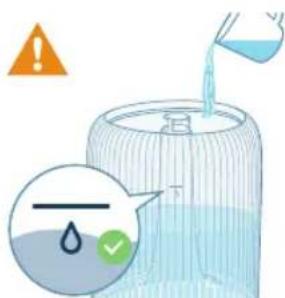
- Suv quyishda suv miqdori ko'rsatkichidan oshirib yubormang.
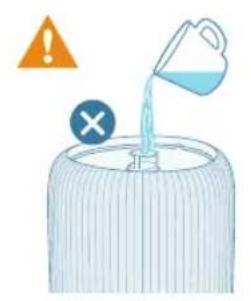
- Ultratovush par chiqishidan suv quymang.
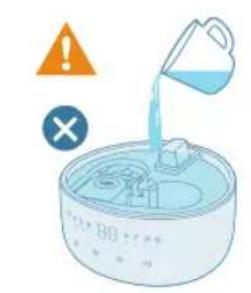
- Asosning o'ziga suv quymang.
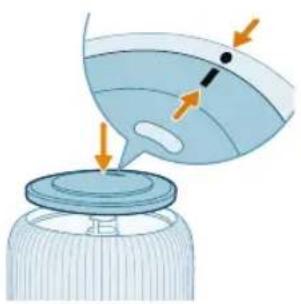
natural_image
Illustration of a bottle with liquid being poured into a jar, showing arrows indicating flow direction (no text or symbols)natural_image
Illustration of a hand pressing a button on a device, with no visible text or symbols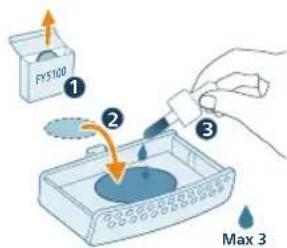
2 Mavjud iforlash yostiqchasiga 2-3 tomchi efir moyini oqizing.
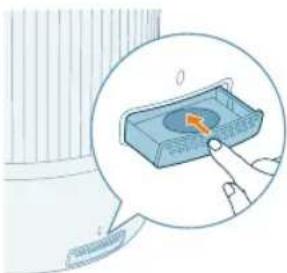
natural_image
Illustration of a hand pressing a button on a device (no text or symbols visible)3 Iforlash qutisini qayta uskuna ichiga itaring.
Wi-Fi indikatorini tushunish
Wi-Fi belgisi holati Wi-Fi ulanish holati
To'q sariq rangda o'chib-yonadi Smartfonga ulanish
Barqaror to'q sariq Smartfonga ulangan
Oq rangda o'chib-yonadi Serverga ulanmoqda
Barqaror oq Serverga ulangan
2 Namlagich vilkasini quvvat rozetkasiga ulang va havo namlagichni yoqish uchun yoqish/o'chirish tugmasini bosing.
- Birinchi ishlatganda Wi-Fi indikatori to'q sariq rangda yonib-o'chib turadi.
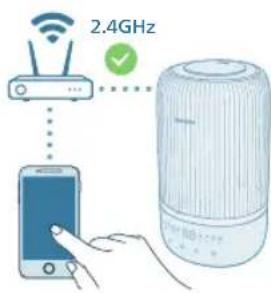
3 Smartfon yoki planshetingiz Wi-Fi tarmoqqa muvaffaqiyatli ulanganini tekshiring.
Eslatma:
Uzluksiz juftlash uchun smartfoningizda Bluetooth funksiyasini yoqing.
Wi-Fi ulanishni asliga qaytarish
1 Havo namlagichni yoqish uchun uning vilkasini quvvat rozetkasiga ulang va ⏻ tugmasini bosing.
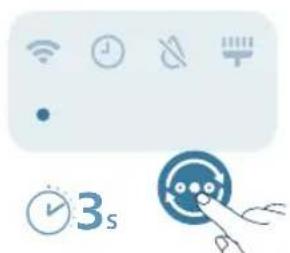
natural_image
Icon set with Wi-Fi, clock, gear, and timer next to a stylized face with hands (no text or symbols)2 Signal tovushi eshitilguncha tugmasini bir vaqtda 3 soniya bosib turing.
- Havo namlagich juftlash rejimiga o'tadi.
- Wi-Fi indikatori to'q sariq rangda yonib-o'chadi.
Namlik ko'rsatkichi ranggi
Joriy namlik
Bu nimani anglatadi?
Binafsha rang <40% Quruq
Ko'k 40-60% Qulay namlik
Yashil >60% O'ta yuqori namlik
Eslatma: Standart namlik darajasi 50%RH, siz namlikni sozlash tugmasini bosish orqali istalgan namlikni o'rnatishingiz mumkin.
Suv miqdori
Suv bakida suv yetarli bo'lmasa, suv quyish ko'rsatkichi yonadi, namlantirgich ishlashdan to'xtaydi, namlantirgich suv bakiga suv quygandan keyin ishini davom ettiradi.
Qayta suv to'Idirish
Eslatma:
Suv bakini har uch kunda bo'shating va qayta to'ldiring.
Suv quyishda maksimal suv miqdoridan oshirib yubormang.
Suv bakini surganda uni chayqamang, aks holda suv sizib chiqishi mumkin.
natural_image
Hand inserting a plug into an electrical outlet (no text or symbols visible)350 O'zbek

2 Namlagichni yoqish uchun quvvat tugmasini bosing.
- Havo namlagich tovush chiqaradi.
- Atrofdagi namlik darajasiga mos rang namlik indikatorida ko'rsatiladi.
- Havo namlagich ekranda aks ettirilgan joriy namlik darajasi bilan O'rtacha rejimda ishlaydi.
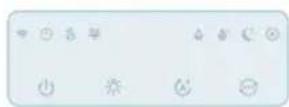
3 Havo namlagichni o'chirish uchun quvvat tugmasini yana bir marta bosing.
Eslatma: Agar namlagich O'CHIRILGANDAN keyin elektr rozetkasiga ulangan holatda qoldirilsa, u YOQILGANDA avvalgi sozlamada ishlashni boshlaydi.
Par yo'nalishini rostlash
Uchlikni istalgan par yo'nalishiga buring.
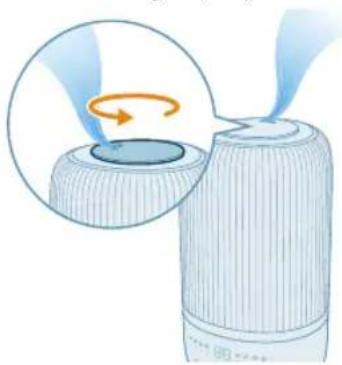
natural_image
Illustration of a device emitting blue rays, showing a rotating component with an orange arrow indicating rotation (no text or symbols present)Rejim sozlamasini o'zgartirish
Rejimni almashtirish tugmasini bosish orqali siz Avto rejim, Uyqu rejimi, O'rtacha rejim yoki Yuqori rejim ni tanlashingiz mumkin.
Avto rejim (9): Havo namlagich tashqi havo namligiga asoslanib, par miqdorini avtomatik sozlaydi.
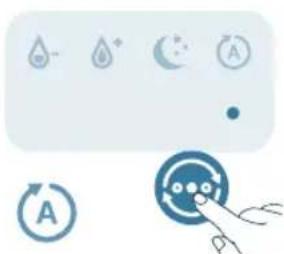
natural_image
Pure electrical circuit symbols without any text or labels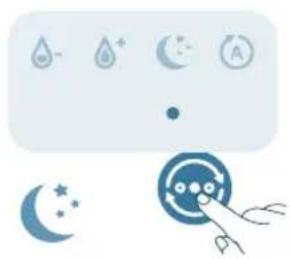
natural_image
Illustration of weather icons including raindrops, moon, sun, and a hand pointing at a circular object (no text or symbols)Uyqu rejimi (Q): Namlagich kichik par tezligida shovqinsiz ishlaydi. 3 soniyadan keyin ekran chiroqlari o'chadi.
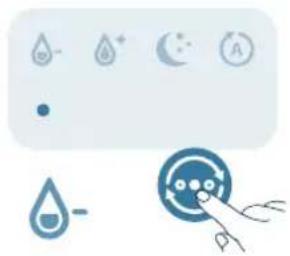
natural_image
Illustration of a weather control panel with icons for raindrops, water droplets, moon, and air (no text or symbols)O'rtacha rejim ( ): Namlagich o'rtacha par tezlikda ishlaydi.
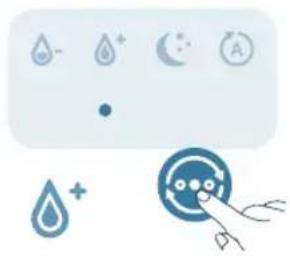
natural_image
Illustration of a weather control panel with icons for raindrops, moon, and alarm (no text or symbols)Yuqori rejim (A): Namlagich eng yuqori par tezligida ishlaydi.
Namlik darajasini o'rnatish
Eslatma:
Standart namlik darajasi 50%RH.
Namlik darajasi faqat Avto rejimda rostlanishi mumkin.
352 O'zbek
Chiroq funksiyasidan foydalanish
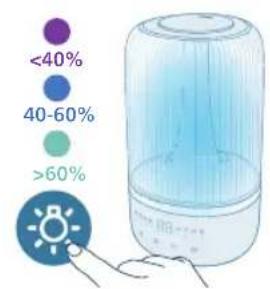
Namlik chirog'ini, atrof namligi chirog'ini yoqish yoki barcha chiroqlarni va boshqaruv panelini o'chirish uchun siz ushbu tugmani bosishingiz mumkin.
- Standart holatlarda namlagich namlik chirog'ini yoqadi.
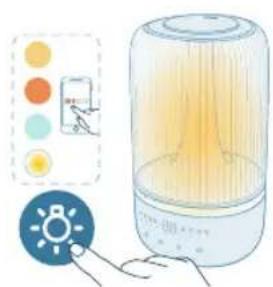
natural_image
Illustration of a portable air conditioner unit with color-coded indicators and a small icon showing a sun (no text or symbols)- Siz tashqi chiroq rejimiga o'tish uchun yorug'lik funksiyasi tugmasini bosishingiz mumkin. Air+ ilovasi orqali chiroq ranggi va yorqinligini moslashtirib oling.
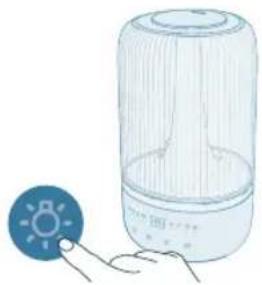
natural_image
Illustration of a light bulb device next to a hand holding a small circular icon with a sun symbol (no text or labels)Barcha chiroqlar va boshqaruv panelini o'chirish uchun chiroq tugmasini bosishingiz mumkin. Avvaliga boshqaruv panelini faollashtirish uchun istalgan tugmani dosing va kerakli yorug'lik rejimini o'rnatish uchun 3 soniya kutib yorug'lik tugmasini dosing.
Tozalash va texnik xizmat ko'rsatish
Eslatma:
Tozalashdan oldin jihozni har doim tokdan uzing.
1 Namlagichning korpusidagi changni yumshoq quruq mato bilan arting.
2 Jihozni o'chiring va quvvat rozetkasidan uzing.
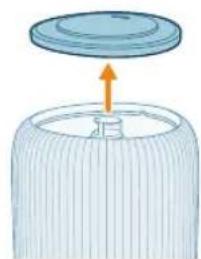
natural_image
Diagram of a cylindrical container with a lid and an upward arrow, no text or symbols presentnatural_image
Diagram of a cylindrical device with internal components and an orange arrow indicating a process (no text or symbols)4 Suv bakini asosdan yechib oling.
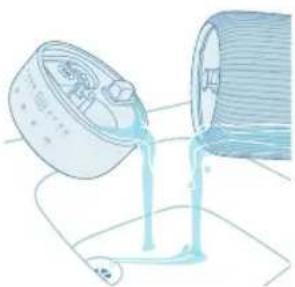
natural_image
Illustration of a pouring container with liquid into a cylindrical container (no text or symbols)5 Bak va asosdan suvni to'king.
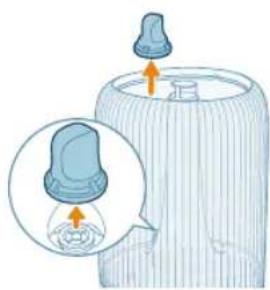
natural_image
Illustration of a baby bottle with a close-up inset showing the cap and bulb (no text or symbols)6 Suv bakining suv filtrini yechib oling.
354 O'zbek
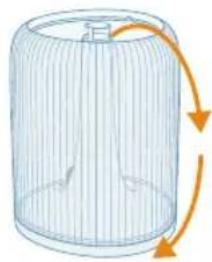
natural_image
Diagram of a wire cage with arrows indicating rotation or movement (no text or symbols)7 Suv bakini teskari qilib buring.
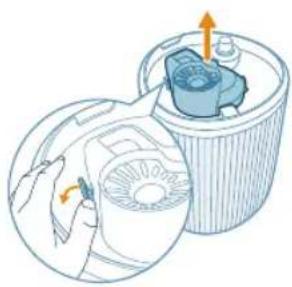
natural_image
Illustration of a hand holding a device inside a cylindrical container with an internal component (no text or symbols)8 Suv bakining ostidagi qopqoqchani olib tashlang.
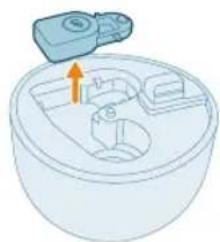
natural_image
Illustration of a mechanical component with an arrow indicating direction (no text or symbols)9 Asos kamerasidagi suzgich qopqoqni olib tashlang.
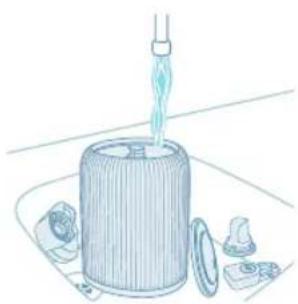
natural_image
Illustration of a cylindrical container with a pipette inserted, surrounded by small components (no text or symbols)natural_image
Illustration of a hand cleaning a circular container with internal compartments (no text or symbols)11 Asosni tozalab arting va quriting.
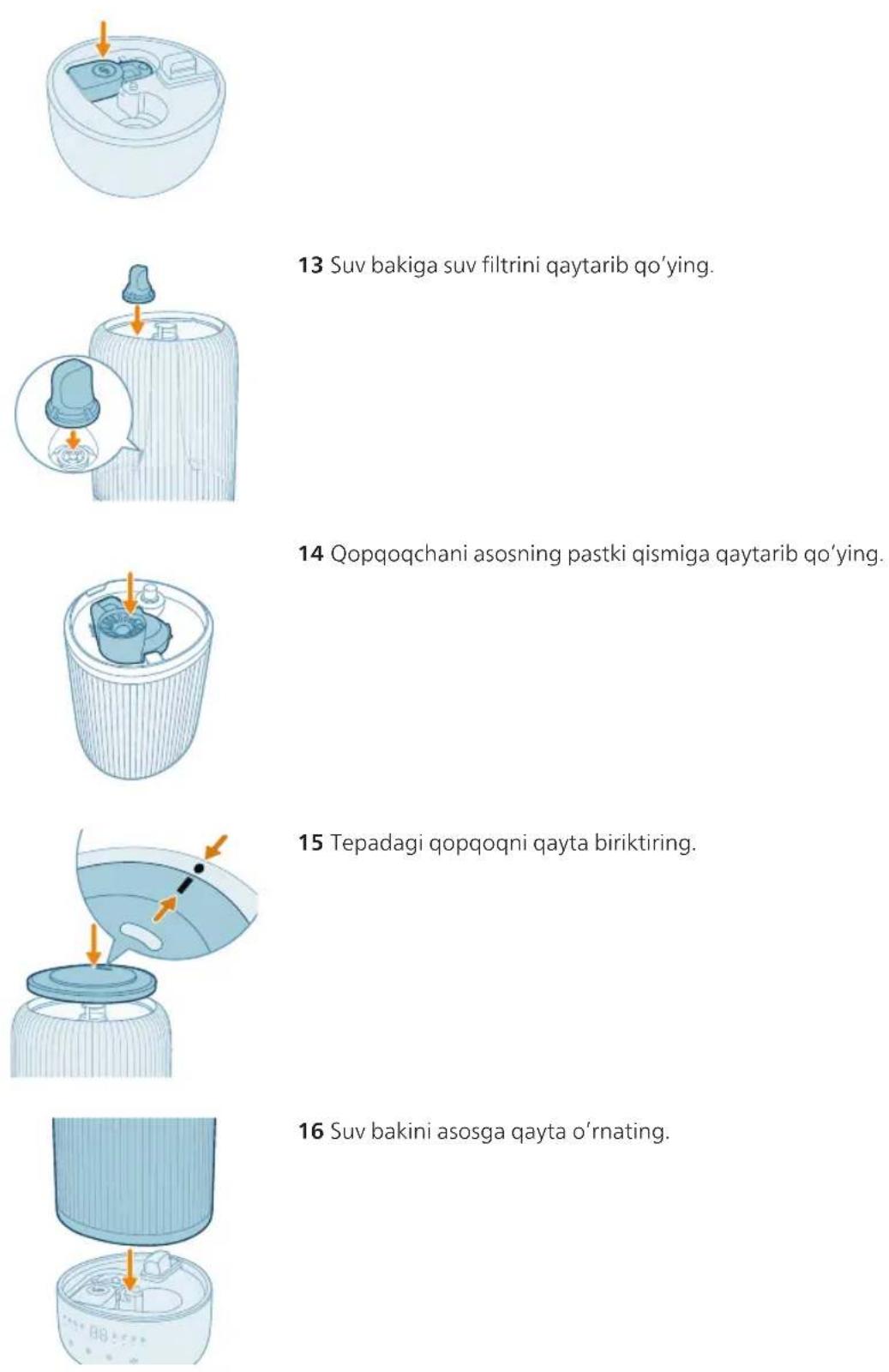
natural_image
Hand inserting a plug into an electrical outlet (no text or symbols visible)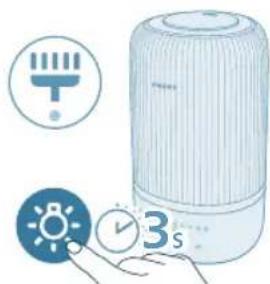
natural_image
Illustration of a portable water heater with icons for battery, timer, and alarm clock (no text or symbols)18 Birlamchi tozalash vaqtini tiklash uchun chiroq tugmasini 3 soniya bosib turing.
Iforlash yostiqchasi va qutisini tozalash
Samarador aromaterapiya olib borish uchun yangi efir moyi aralashmasini ishlatishdan oldin iforlash yostiqchasi har doim tozalanishi lozim. Efir moylarini aralashtirmang.
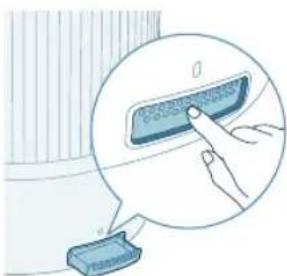
natural_image
Illustration of a hand pressing a button on a device, with no visible text or symbols1 Iforlash qutisini avval bosing, keyin uni tortib oling.
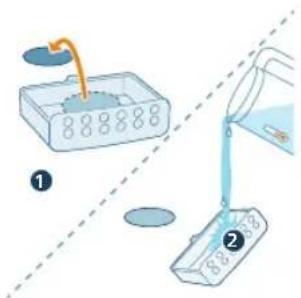
2 Iforlash qutisini chiqarib oling va iforlash yostiqchasi va qutisini iliq, oqib turgan suv bilan chaying.
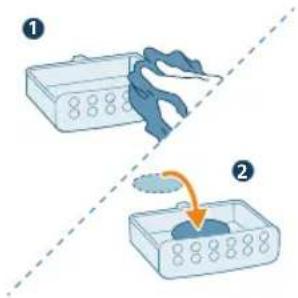
natural_image
Illustration of a hand pressing a button on a blue electronic device (no text or symbols visible)natural_image
Diagram of a mechanical device with a highlighted component and an arrow indicating direction (no text or symbols)natural_image
Illustration of a lid with an arrow pointing upward, no text or symbols presentnatural_image
Illustration of a portable air conditioner unit with a close-up inset showing a small component (no text or symbols)natural_image
Illustration of a water dispenser pouring liquid into a container with a green checkmark (no text or symbols)natural_image
Illustration of a bottle with liquid being poured into a jar, showing arrows indicating flow direction (no text or symbols)natural_image
Illustration of a hand pressing a button on a device, with no visible text or symbolsnatural_image
Hand inserting a plug into an electrical outlet (no text or symbols visible)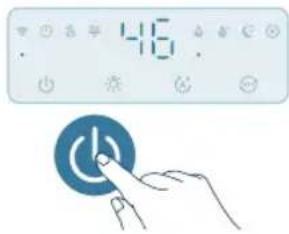
natural_image
Hand interacting with a blue circular button labeled 'Power' (no text or symbols on the button itself)natural_image
Illustration of a cylindrical device emitting blue light with a rotating arrow, showing airflow direction (no text or symbols)Zmiana trybów
natural_image
Pure electrical circuit symbols without any text or labelsnatural_image
Illustration of weather icons including raindrops, moon, and sun with a hand pointing to a circular target (no text or symbols)natural_image
Illustration of a car air conditioner control panel with icons for water, moon, and battery (no text or symbols)natural_image
Illustration of a weather control panel with icons for raindrops, moon, and alarm (no text or symbols)natural_image
Illustration of a portable air conditioner with a hand holding a light bulb, accompanied by a color-coded indicator panel (no text or symbols on the device itself)natural_image
Illustration of a light bulb connected to a cylindrical device with a small icon (no text or symbols)natural_image
Diagram of a cylindrical container with a lid and an arrow indicating upward motion (no text or symbols)natural_image
Illustration of a cylindrical container with an internal component and an arrow pointing to it, showing no text or symbols.natural_image
Illustration of a pouring liquid into a container (no text or symbols)natural_image
Illustration of a baby bottle with a close-up inset showing the cap and bulb (no text or symbols)natural_image
Diagram of a cylindrical container with internal structure and orange arrows indicating rotation (no text or symbols)natural_image
Illustration of a hand holding a circular device next to a cylindrical container with an internal component (no text or symbols)natural_image
Illustration of a mechanical device with a blue component and orange arrow indicating direction (no text or symbols)natural_image
Illustration of a mechanical device with a funnel pouring liquid into a cylindrical housing, surrounded by small components (no text or symbols)natural_image
Illustration of a hand cleaning a circular container with a cloth (no text or symbols)natural_image
Diagram of a mechanical device with a highlighted component and an arrow indicating direction (no text or symbols)natural_image
Illustration of a baby bottle with a dropper inserted into a glass bottle (no text or symbols)natural_image
Illustration of a cylindrical container with internal components and an arrow indicating direction (no text or symbols)natural_image
Illustration of a bottle with liquid being poured into a jar, showing fluid flow direction (no text or symbols)natural_image
Illustration of a cylindrical container with an arrow pointing to a small object inside, no text or symbols present.natural_image
Hand inserting a plug into an electrical outlet (no text or symbols visible)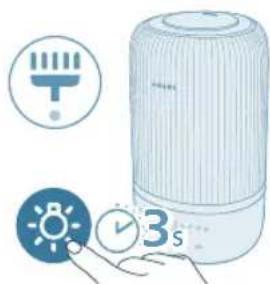
natural_image
Illustration of a white portable air conditioner with icons for temperature, battery, and time (no text or symbols)natural_image
Illustration of a cylindrical container with internal components and an arrow pointing to a top section (no text or symbols)natural_image
Diagram of a cylindrical container with a lid and an upward arrow, no text or symbols presentnatural_image
Illustration of a cylindrical device with a highlighted internal component (no text or symbols)natural_image
Illustration of a container with liquid being poured into it, marked with a green checkmark (no text or symbols)natural_image
Illustration of a cooking pot with liquid being poured into it, accompanied by warning symbols (no text or labels)natural_image
Illustration of a bottle with liquid being poured into a jar, showing droplet and arrows (no text or symbols)natural_image
Illustration of a hand pressing a button on a device, with no visible text or symbols2 Coloque 2–3 gotas de óleos essenciais na gaveta de aromas fornecida.
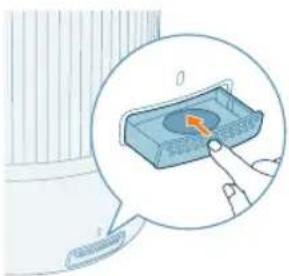
natural_image
Pure electrical circuit symbols without any text or labelsnatural_image
Hand inserting a plug into an outlet (no text or symbols visible)

natural_image
Illustration of a device emitting blue rays, showing a rotating component with an arrow indicating rotation (no text or symbols present)natural_image
Illustration of a smart air conditioner unit with a hand interacting with it, showing color-coded indicators (no text or symbols present)natural_image
Illustration of a light bulb device next to a circular indicator light symbol (no text or labels)natural_image
Illustration of a cylindrical container with a lid and an arrow indicating upward motion (no text or symbols)natural_image
Diagram of a mechanical component with an arrow indicating assembly or insertion, no visible text or symbolsnatural_image
Illustration of pouring liquid into a container (no text or symbols)natural_image
Illustration of a baby bottle with a close-up inset showing the cap and bulb (no text or symbols)natural_image
Diagram of a cylindrical container with internal structure and orange arrows indicating rotation (no text or symbols)natural_image
Illustration of a hand holding a device next to a cylindrical container with a fan-like mechanism inside (no text or symbols)natural_image
Illustration of a small mechanical component with an arrow indicating direction (no text or symbols)natural_image
Illustration of a fountain tip emerging from a cylindrical container with scattered fragments (no text or symbols)natural_image
Diagram of a device with a lid and internal components, showing an arrow indicating a process (no text or symbols present)natural_image
Hand inserting a plug into an outlet (no text or symbols visible)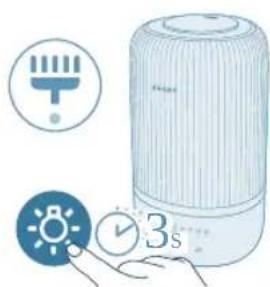
natural_image
Illustration of a portable water heater with icons for timer, clock, and alarm (no text or symbols)natural_image
Illustration of a hand pressing a button on a device, with no visible text or symbols402 Português
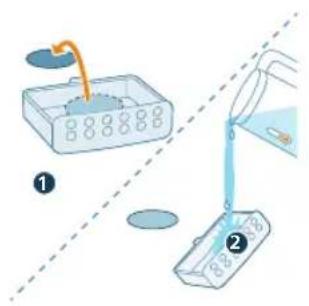
natural_image
Illustration of a hand pressing a button on a blue rectangular object, with no visible text or symbols.natural_image
Diagram of a circular device with internal components and an arrow pointing to a component (no text or symbols)natural_image
Illustration of a lid with an arrow pointing upward, no text or symbols presentnatural_image
Illustration of a portable air conditioner unit with a close-up inset showing a small component (no text or symbols)natural_image
Illustration of a water dispenser pouring liquid into a container with a green checkmark (no text or symbols)natural_image
Illustration of a bottle with liquid being poured into a jar, showing arrows indicating flow (no text or symbols)natural_image
Illustration of a hand pressing a button on a device, with no visible text or symbolsnatural_image
Illustration of a hand pressing a button on a device, with no visible text or symbolsflowchart
graph TD
    A["Wi-Fi Signal"] --> B["Wi-Fi Signal"]
    C["Mobile Phone"] --> D["Device with Checkmark"]
natural_image
Icon set with Wi-Fi, clock, gear, timer, and speedometer symbols (no readable text or numbers)natural_image
Hand inserting a plug into an outlet (no text or symbols visible)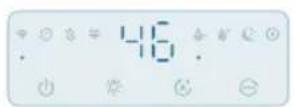
natural_image
Illustration of a device emitting blue rays, showing airflow direction (no text or symbols)natural_image
Pure electrical circuit symbols without any text or labels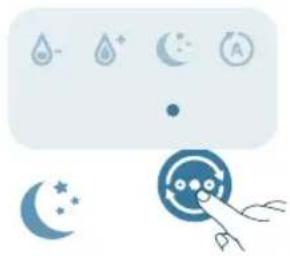
natural_image
Illustration of weather icons including raindrops, moon, and stars with a hand pointing to a circular object (no text or symbols)natural_image
Pure electrical circuit lines without any symbolsnatural_image
Pure electrical circuit lines without any symbols420 Română
natural_image
Illustration of a portable air conditioner unit with color-coded indicators and a small icon showing a sun (no text or symbols)natural_image
Illustration of a light bulb device next to a hand holding a small circular icon with a sun symbol (no text or labels)natural_image
Diagram of a cylindrical container with a lid and an upward arrow, no text or symbols presentnatural_image
Illustration of a cylindrical container with internal components and an orange arrow indicating motion (no text or symbols)natural_image
Illustration of a pouring liquid from a container into a cylindrical container (no text or symbols)natural_image
Illustration of a baby bottle with a close-up inset showing the cap and bulb (no text or symbols)natural_image
Diagram of a wire cage with arrows indicating rotation or movement (no text or symbols)natural_image
Diagram of a mechanical device inside a cylindrical container with internal components (no text or symbols)natural_image
Illustration of a mechanical component with an arrow indicating direction (no text or symbols)natural_image
Illustration of a cylindrical container with a pipette inserted, surrounded by small components (no text or symbols)natural_image
Illustration of a hand cleaning a circular container with internal compartments (no text or symbols)natural_image
Hand holding a blue electrical plug inserted into a wall socket, with an orange arrow indicating the insertion point (no text or symbols present)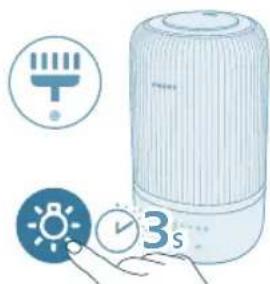
natural_image
Illustration of a portable water heater with icons for battery, timer, and alarm clock (no text or symbols)natural_image
Illustration of a hand pressing a button on a device, with no visible text or symbolsnatural_image
Illustration of a hand pressing a button on a blue rectangular object, with no visible text or symbols.natural_image
Diagram of a cylindrical device with internal components and an arrow indicating direction (no text or symbols)natural_image
Illustration of a lid with an arrow pointing upward, partially filled with a textured base (no text or symbols)natural_image
Illustration of a portable air conditioner unit with a close-up inset showing a green button (no text or symbols)natural_image
Illustration of a water dispenser pouring liquid into a container with a green checkmark (no text or symbols)natural_image
Illustration of a cooking pot with liquid being poured into it, accompanied by warning symbols (no text or labels)natural_image
Illustration of a bottle with liquid being poured into a jar, showing arrows indicating flow direction (no text or symbols)natural_image
Illustration of a hand pressing a button on a device, with no visible text or symbolsnatural_image
Illustration of a hand pressing a button on a device, with no visible text or symbolsRivendosja e lidhjes Wi-Fi
natural_image
Hand inserting a plug into an outlet tube (no text or symbols visible)440 Shqip

natural_image
Illustration of a device emitting blue rays, showing airflow direction (no text or symbols)natural_image
Pure electrical circuit symbols without any text or labels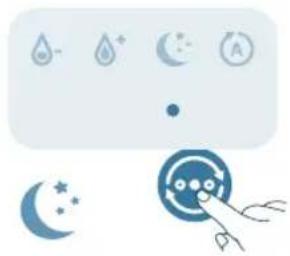
natural_image
Illustration of weather icons including raindrops, moon, and stars with a hand pointing to a circular object (no text or symbols)natural_image
Pure electrical circuit symbols without any text or labelsnatural_image
Illustration of a weather control panel with icons for raindrops, moon, and alarm (no text or symbols)442 Shqip
natural_image
Illustration of a portable energy lamp with a control panel and indicator lights (no text or symbols)natural_image
Illustration of a light bulb device next to a hand holding a small circular icon with a sun symbol (no text or labels)natural_image
Diagram of a cylindrical container with a lid and an upward arrow, no text or symbols presentnatural_image
Diagram of a cylindrical device with internal components and an orange arrow indicating a process (no text or symbols)natural_image
Illustration of a container pouring liquid into a spool (no text or symbols)natural_image
Illustration of a baby bottle with a close-up inset showing the cap and bulb (no text or symbols)6 Hiqni filtrin e ujit nga depozita.
444 Shqip
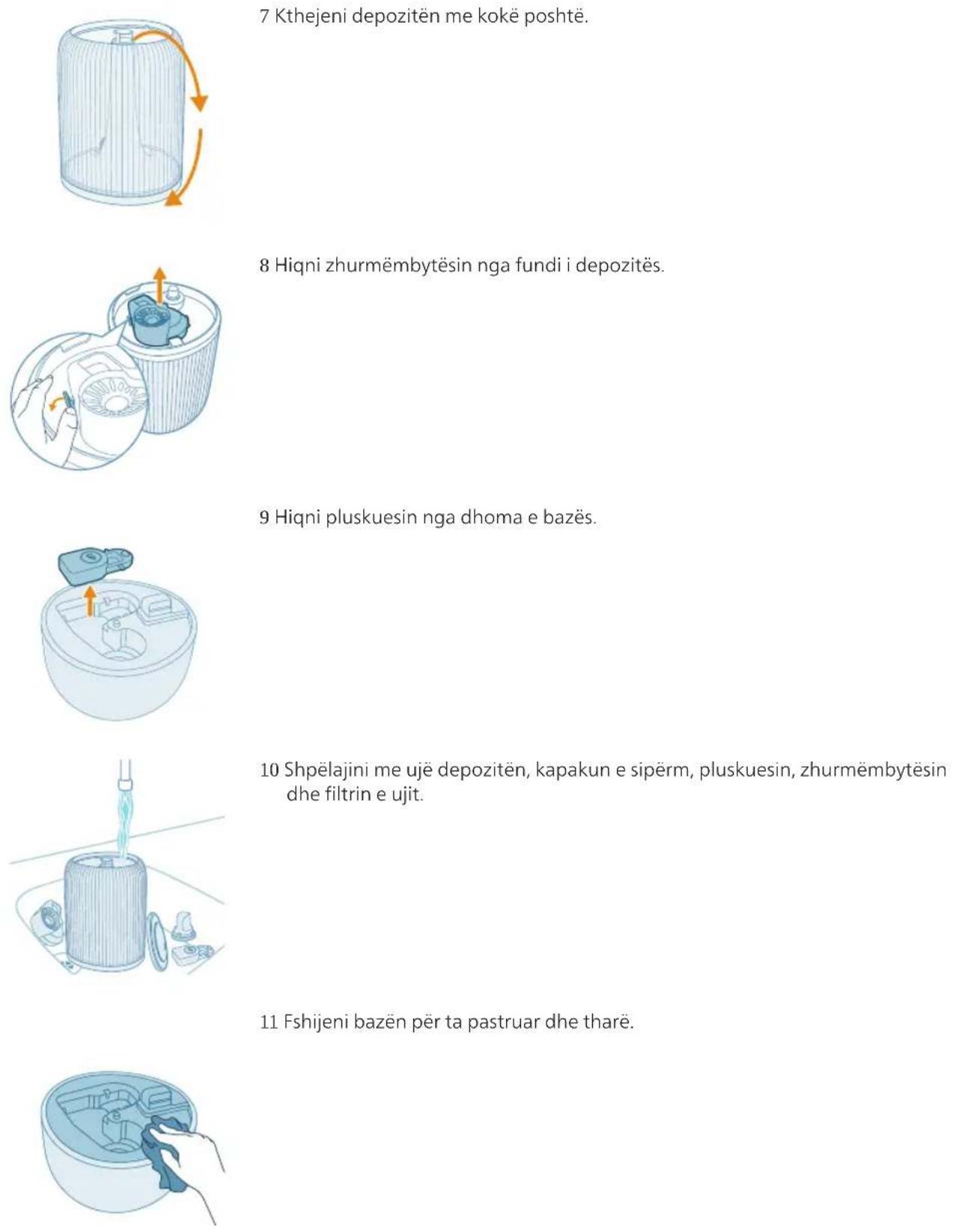
natural_image
Hand holding a blue electrical outlet plug with a cable, showing an orange arrow indicating direction (no text or symbols)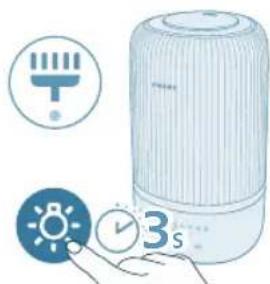
natural_image
Illustration of a white portable air conditioner with icons for battery, timer, and alarm clock (no text or symbols)natural_image
Illustration of a hand pressing a button on a device, with no visible text or symbolsnatural_image
Illustration of a hand pressing a button on a blue rectangular object, with no visible text or symbols.natural_image
Diagram of a circular container with internal compartments and a downward arrow indicating direction (no text or symbols)natural_image
Illustration of a lid with an arrow pointing upward, partially filled with a textured base (no text or symbols)2 Odstranite zgornji pokrov s posode za vodo.
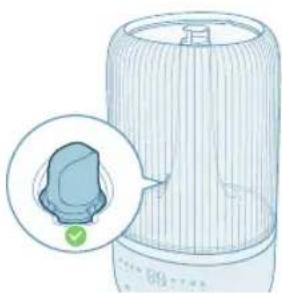
natural_image
Illustration of a portable air conditioner unit with a close-up inset showing a green button (no text or symbols)natural_image
Illustration of a water dispenser pouring liquid into a container with a green checkmark (no text or symbols)4 Posodo za vodo napolnite z vodo. Ne polnite z vročo vodo.
Opomba:
- Pri polnjenju z vodo ne presezite oznake za nivo vode.
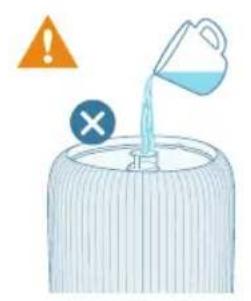
natural_image
Illustration of a cooking pot with liquid being poured into it, accompanied by warning symbols (no text or labels)natural_image
Illustration of a bottle with liquid being poured into a jar, showing arrows indicating flow (no text or symbols)5 Zgornji pokrov ponovno namestite na posodo z vodo.
Uporaba funkcije arome
Opombe:
Eterična olja niso priložena izdelku. Po potrebi kupite in uporabite priporočena eterična olja.
natural_image
Illustration of a hand pressing a button on a device, with no visible text or symbols1 Pritisnite predalček za aromo, da se samodejno odpre.
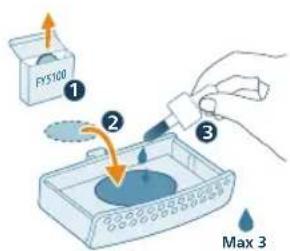
2 Na priloženo blazinico za aromo kapnite 2–3 kapljice eteričnega olja.
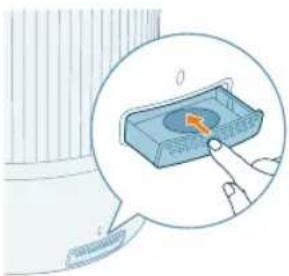
natural_image
Illustration of a hand interacting with a blue rectangular device, showing a highlighted interior area (no text or symbols)3 Predalček za aromo potisnite nazaj v aparat.
natural_image
Hand inserting a plug into an outlet (no text or symbols visible)462 Slovenščina

2 Vlažilnik vklopite s pritiskom gumba za vklop.
natural_image
Illustration of a device emitting blue rays, showing a rotating component with an orange arrow indicating rotation (no text or symbols present)natural_image
Pure electrical circuit symbols without any text or labels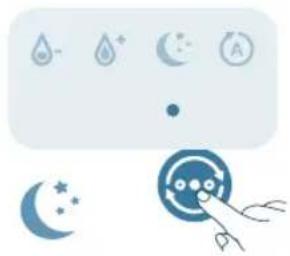
natural_image
Illustration of weather icons including raindrops, moon, clock, crescent moon, and hand pointing at a circular target (no text or symbols)natural_image
Pure electrical circuit symbols without any text or labelsnatural_image
Pure electrical circuit lines without any symbols464 Slovenščina
natural_image
Illustration of a portable air conditioner with a digital display and control panel (no text or symbols)natural_image
Illustration of a light bulb device next to a hand holding a small circular icon with a sun symbol (no text or labels)natural_image
Diagram of a cylindrical container with an upward arrow indicating motion or force, no text or symbols present.3 Odstranite zgornji pokrov s posode za vodo.
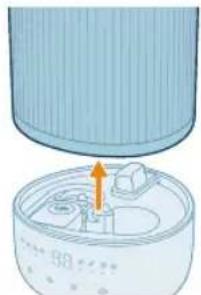
natural_image
Illustration of a cylindrical device with internal components and an orange arrow indicating a process (no text or symbols)4 Posodo za vodo odstranite iz podstavka.
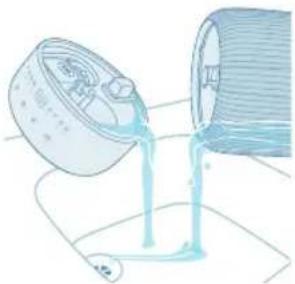
natural_image
Illustration of a container pouring liquid into a spool (no text or symbols)5 Izlijte vodo iz posode za vodo in podstavka.
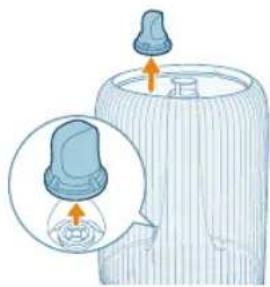
natural_image
Illustration of a baby bottle with a close-up inset showing the cap and bulb (no text or symbols)natural_image
Diagram of a wire cage with arrows indicating rotation or movement (no text or symbols)7 Posodo za vodo obrnite okoli.
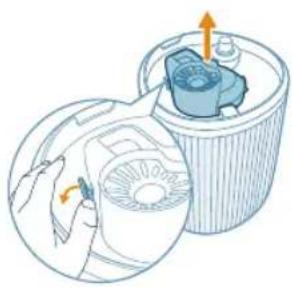
natural_image
Diagram of a mechanical device inside a cylindrical container with internal components (no text or symbols)8 Z dna posode za vodo odstranite glušnik.
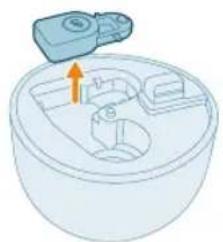
natural_image
Illustration of a mechanical component with an arrow indicating direction (no text or symbols)9 Odstranite plovec iz prekata podstavka.
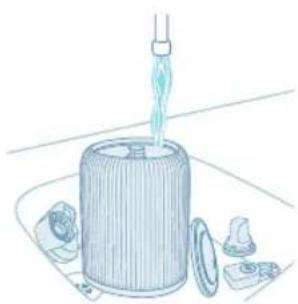
natural_image
Illustration of a cylindrical container with a pipette inserted, surrounded by small components (no text or symbols)10 Posodo za vodo, zgornji pokrov, plovec, glušnik in vodni filter splaknite z vodo.
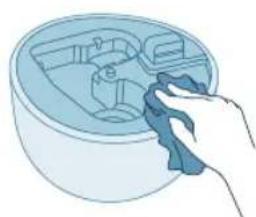
natural_image
Illustration of a hand cleaning a circular container with internal compartments (no text or symbols)11 Podstavek obrišite do čistega in suhega.

12 Plovec ponovno vstavite v prekat podstavka.
13 Vodni filter vstavite nazaj v posodo za vodo.
14 Glušnik ponovno vstavite na dno podstavka.
natural_image
Hand holding a blue electrical outlet plug with a cable, showing an orange arrow indicating direction (no text or symbols)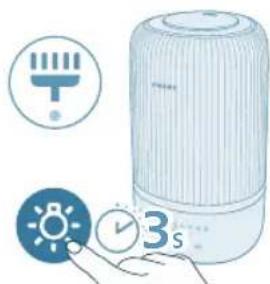
natural_image
Illustration of a white portable air conditioner with icons for battery, timer, and alarm clock (no text or symbols)natural_image
Illustration of a hand pressing a button on a device, with no visible text or symbols1 Predalček za aromo odstranite tako, da ga najprej potisnete navznoter in nato izvlečete.
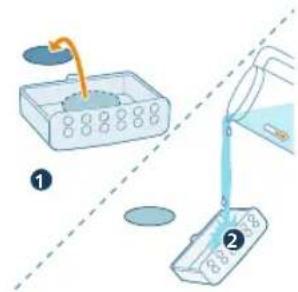
2 Aromatično blazinico odstranite ter jo skupaj s predalčkom za aromo sperite pod toplo tekočo vodo.
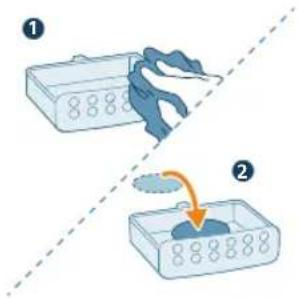
3 Osušite s čisto krpo in blazinico namestite nazaj v predalček za aromo.
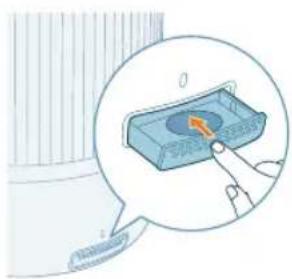
natural_image
Illustration of a hand pressing a button on a blue electronic device (no text or symbols visible)4 Predalček za aromo namestite nazaj v vlažilnik.
natural_image
Illustration of a bottle with liquid being poured into a jar, showing arrows indicating flow (no text or symbols)natural_image
Illustration of a hand pressing a button on a device, with no visible text or symbols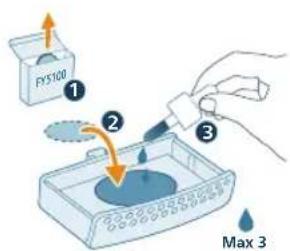
natural_image
Illustration of a hand pressing a button on a device (no text or symbols visible)3 Aromatizačný box zatlačte spät do zariadenia.
flowchart
graph TD
    A["Wi-Fi Signal"] --> B["Output Wi-Fi"]
    C["Mobile Phone"] --> D["Device with Checkmark"]
4 Spustite aplikáciu Philips „Air+“ a kliknite na položku „Add a device“ (Pridat zariadenie) alebo stlačte tlačidlo „+“ na obrazovke. Podl'a pokynov na obrazovke pripojte čistič vzduchu k sieti.
Zresetujte pripojenie Wi-Fi
1 Konektor zvlhčovača vzduchu pripojte do elektrickej zásuvky a tuknutím na ho zapnite.
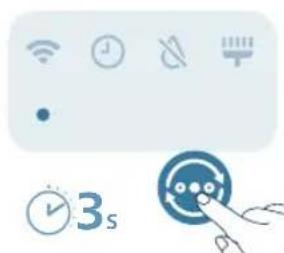
natural_image
Pure icon set with Wi-Fi, clock, and timer symbols without any text or labelsFarba svetla zvlhčovania
Aktuálna vlhkost
Čo to znamená?
natural_image
Illustration of hands connecting a plug into a socket with a cable (no text or symbols)484 Slovensky

natural_image
Illustration of a device emitting blue light with a rotating arrow, showing airflow direction (no text or symbols)Zmena nastavenia režimu
natural_image
Pure electrical circuit symbols without any text or labels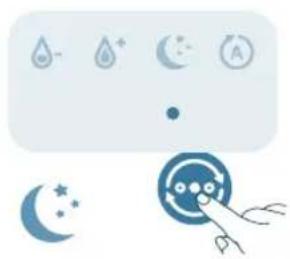
natural_image
Illustration of weather icons including raindrops, moon, sun, and a hand pointing at a circular object (no text or symbols)natural_image
Pure electrical circuit symbols without any text or labelsnatural_image
Illustration of a weather control panel with icons for raindrops, moon, and alarm (no text or symbols)natural_image
Illustration of a portable energy lamp with color-coded indicators and a small icon showing a light bulb (no text or symbols present)natural_image
Illustration of a light bulb device with a small icon showing a sun, next to a hand holding a button (no text or symbols present)natural_image
Diagram of a container with a lid and an arrow indicating upward motion (no text or symbols)natural_image
Illustration of a mechanical component with an arrow indicating assembly or operation (no text or symbols present)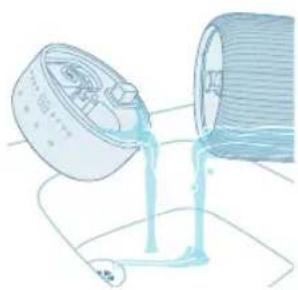
natural_image
Illustration of a pouring liquid into a container (no text or symbols)natural_image
Illustration of a baby bottle with a magnified inset showing the cap and bulb (no text or symbols)natural_image
Diagram of a cylindrical container with internal structure and orange arrows indicating rotation (no text or symbols)natural_image
Illustration of a hand holding a small device next to a cylindrical container with an internal component (no text or symbols)natural_image
Illustration of a small appliance with a blue container and a small battery, showing internal components (no text or symbols)natural_image
Illustration of a cylindrical container with liquid being poured into it, surrounded by small fragments (no text or symbols)natural_image
Illustration of a hand cleaning a circular container with internal compartments (no text or symbols)natural_image
Diagram of a mechanical component with an arrow pointing to a component (no text or symbols present)natural_image
Illustration of a baby bottle with a cap and a magnified inset showing liquid level (no text or symbols)natural_image
Illustration of a cylindrical device with internal components and an arrow indicating direction (no text or symbols)natural_image
Illustration of a bottle with liquid being poured into a container, showing arrows indicating flow (no text or symbols)490 Slovensky
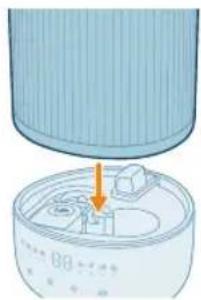
natural_image
Illustration of a device with a lid and internal components, showing an orange arrow pointing to a component (no text or symbols present)natural_image
Hand inserting a plug into an outlet (no text or symbols visible)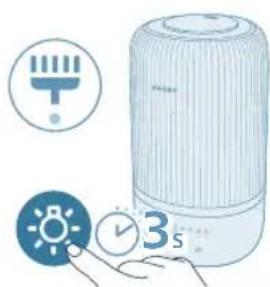
natural_image
Illustration of a portable air purifier with icons for timer, alarm clock, and 3-second time (no text or symbols on main device)natural_image
Illustration of a hand pressing a button on a surface, with a small block nearby (no text or symbols)
2 Vyberte aromatizačný box a opláchnite vložku a box pod teplou tečúcou vodou.
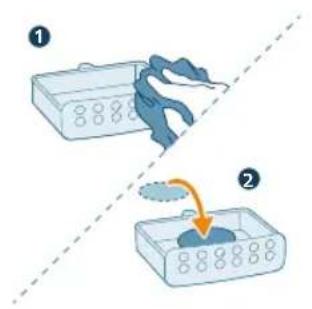
3 Osušte čistou handričkou a vložte vložku spät do aromatizačného boxu.
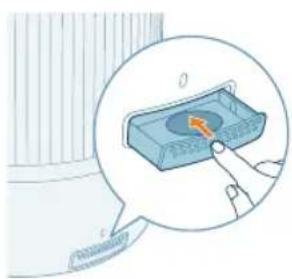
natural_image
Illustration of a hand pressing a button on a blue rectangular object, with no visible text or symbols.A Mlaznica G Kontrolna tabla
B Poklopac rezervoara za vodu H Baza
C Otvor za paru I Utičnica za struju
D Rezervoar za vodu J Posuda za funkciju arome
E Filter za vodu K Podloge za aromu (FY5100)
F Plovak L Cev za paru
Pregled komandi
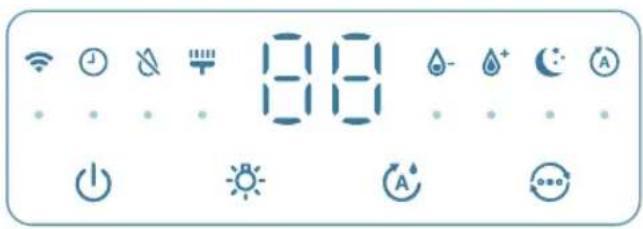
Kontrolna dugmad:
| Dugme za uključivanje/isključivanje Dugme za funkciju svetla | |
| Dugme za postavku vlažnosti Prekidač za biranje režima rada | |
| Pritisnite i držite dugmad 3 sekunde:Resetovanje obaveštenja za čišćenje Wi-Fi resetovanje |
natural_image
Diagram of a cylindrical device with internal components and an arrow indicating direction (no text or symbols)1 Proverite da li je plovak na mestu.
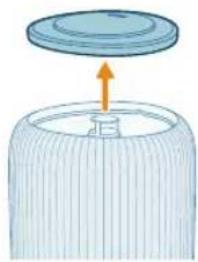
natural_image
Illustration of a lid with an arrow pointing upward, partially filled with a textured base (no text or symbols)2 Skinite gornji poklopac sa rezervoara za vodu.
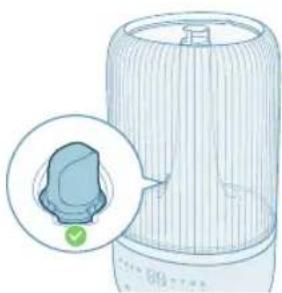
natural_image
Illustration of a portable air conditioner unit with a close-up inset showing a green button (no text or symbols)3 Proverite da li je filter za vodu dobro pričvršćen.
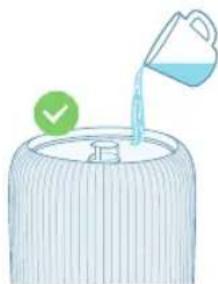
natural_image
Illustration of a water dispenser pouring liquid into a container with a green checkmark (no text or symbols)4 Napunite vodom rezervoar za vodu. Ne punite toplom vodom.
Napomena:
Koristite prečišćenu vodu, destilovanu vodu ili vodu sa niskim sadržajem minerala da biste sprečili stvaranje naslaga kamenca i disperziju minerala u vazduh.
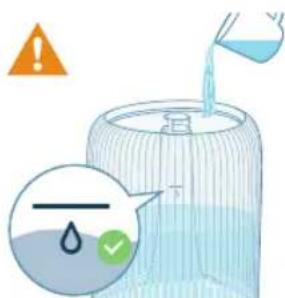
- Nemojte da prekoračite količinu naznačenu na posudi kada sipate vodu.
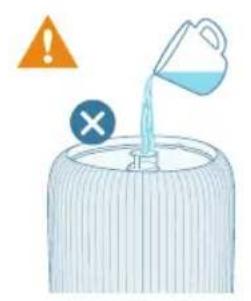
- Nemojte da sipate vodu direktno u bazu.
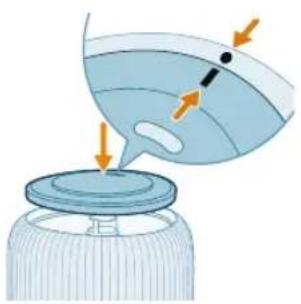
natural_image
Illustration of a bottle with liquid being poured into a jar, showing arrows indicating flow (no text or symbols)5 Stavite gornji poklopac na rezervoar za vodu.
Korišćenje funkcije arome
Napomene:
Esencijalna ulja se ne isporučuju sa proizvodom. Kupite i koristite preporučena esencijalna ulja po potrebi.
natural_image
Illustration of a hand pressing a button on a device, with no visible text or symbols1 Gurnite posudu za funkciju arome da biste je automatski izbacili.
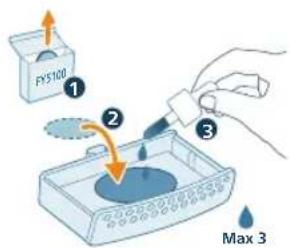
2 Nakapajte 2–3 kapi esencijalnih ulja na priloženu podlogu za aromu.
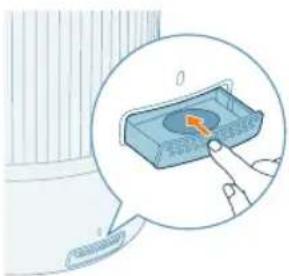
3 Vratite posudu za funkciju arome u aparat.
Razumevanje Wi-Fi indikatora
Status Wi-Fi ikone Status Wi-Fi veze
Treperi narandžasto Povezivanje sa pametnim telefonom
Svetli narandžasto Uspostavljena je veza sa pametnim telefonom
Treperi belo Povezivanje na server
Svetli belo Uspostavljena je veza sa serverom
Isključen Wi-Fi funkcija je onemogućena ili su svetla uređaja isključena
Wi-Fi veza

2 Uključite utikač ovlaživača u utičnicu i pritisnite dugme za napajanje da biste uključili ovlaživač.
- Wi-Fi indikator prvi put treperi narandžasto.
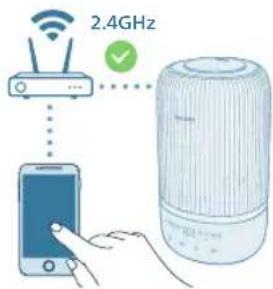
Resetovanje Wi-Fi veze
1 Uključite utikač ovlaživača u strujnu utičnicu i pritisnite da biste uključili ovlaživač vazduha.
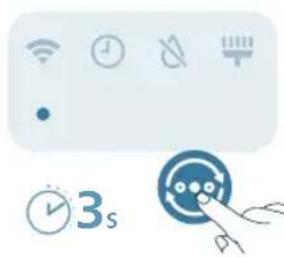
natural_image
Icon set showing Wi-Fi, clock, battery, and timer next to a blue circular button with icons (no text or symbols)2 Pritisnite dugme 📋 zadržite 3 sekunde dok ne čujete zvučni signal.
Boja indikatora vlažnosti
Trenutna vlažnost
Šta to znači?
Ljubičasta <40% Suvo
Plavo 40 – 60 % Ugodna vlažnost
Zeleno >60% Prevelika vlažnost
Napomena: Podrazumevana ciljna vlažnost je 50% RV, a željenu ciljnu vlažnost možete da podesite pritiskom na dugme za postavku vlažnosti.
Nivo vode
natural_image
Hand inserting a plug into an outlet (no text or symbols visible)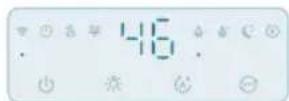

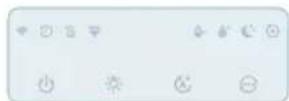

natural_image
Illustration of a device emitting blue rays, showing a rotating button and a magnified view (no text or symbols)Promena postavke režima
natural_image
Pure electrical circuit symbols without any text or labelsAutomatski režim (A): Ovlaživač vazduha automatski podešava nivo pare u skladu sa vlažnošću vazduha u okruženju.
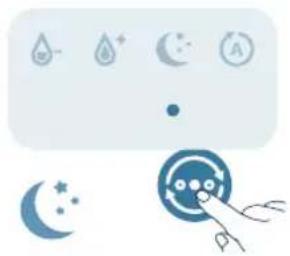
natural_image
Illustration of weather icons including raindrops, moon, and a hand pointing at a circular object (no text or symbols)Režim za spavanje (Ovlaživač radi tiho pri malom nivou pare. Ekran se isključuje nakon 3 sekunde.
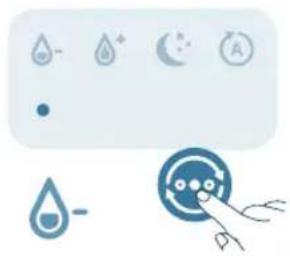
natural_image
Illustration of a water drop control panel with icons for rain, moon, and battery (no text or symbols)Srednji režim ( ): Ovlaživač radi pri srednjem nivou pare.
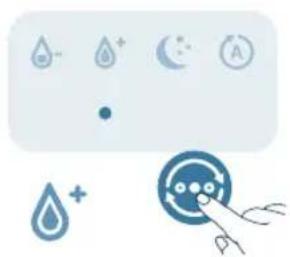
natural_image
Illustration of a water drop control panel with icons for rain, moon, and alarm (no text or symbols)Snažni režim (♂): Ovlaživač radi pri najvećem nivou pare.
Podešavanje nivoa vlažnosti
Napomena:
Podrazumevani nivo vlažnosti 50% RV.
Nivo vlažnosti može da se podesi samo u automatskom režimu.
Ovlaživač će se automatski prebaciti na automatski režim kada podesite ciljni nivo vlažnosti u drugim režimima.
Nivo vlažnosti možete da izaberete tako što ćete pritisnuti dugme za neku od postavki vlažnosti: 40%, 50%, 60% ili 70%.
40%, 50%,
60%, 70%
Korišćenje funkcije svetla
<40%
40-60%
60%
Možete da pritisnete dugme da biste uključili indikator vlažnosti, ambijentalno svetlo ili isključili sva svetla i kontrolnu tablu.
Očistite ovlaživač kada se uključi upozorenje za čišćenje ili na svaka tri dana. Redovno čistite unutrašnjost i spoljašnjost ovlaživača da biste sprečili sakupljanje prašine.
1 Obrišite prašinu sa kućišta ovlaživača mekom suvom krpom.
2 Isključite aparat i isključite ga iz zidne utičnice.
3 Skinite gornji poklopac sa rezervoara za vodu.
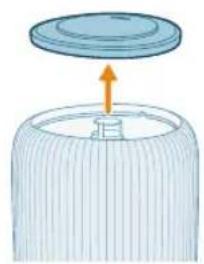
natural_image
Diagram of a cylindrical container with an upward arrow indicating rotation or movement (no text or symbols)natural_image
Illustration of a cylindrical container with an arrow pointing to a small object inside, no text or symbols present.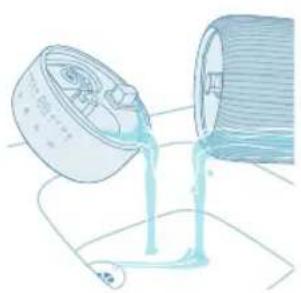
natural_image
Illustration of a container pouring liquid into a cylindrical container (no text or symbols)5 Prospite vodu iz rezervoara i baze.
510 Srpski
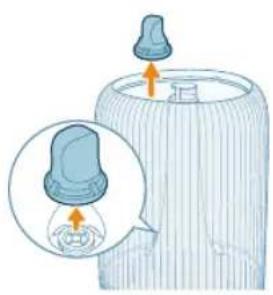
natural_image
Illustration of a baby bottle with a close-up inset showing the cap and bulb (no text or symbols)6 Skinite filter za vodu sa rezervoara za vodu.
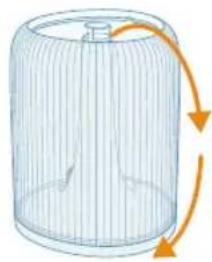
natural_image
Diagram of a wire cage with orange arrows indicating rotation or movement (no text or symbols)7 Okrenite rezervoar za vodu naopako.
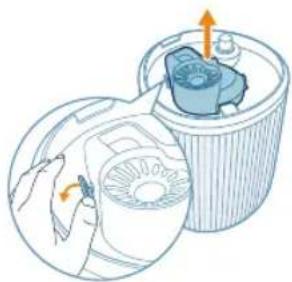
natural_image
Illustration of a hand operating a circular device with a fan inside, next to a cylindrical container with an arrow indicating rotation (no text or symbols)8 Uklonite prigušivač sa dna rezervoara za vodu.
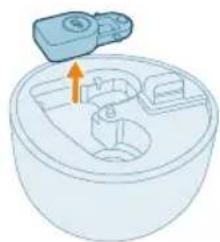
natural_image
Illustration of a small appliance with a blue container and a small battery, showing internal components (no text or symbols)natural_image
Illustration of a cylindrical container with liquid being poured into it, surrounded by small fragments (no text or symbols)10 Isperite vodom rezervoar za vodu, gornji poklopac, plovak, prigušivač i filter za vodu.
11 Obrišite bazu tako da bude čista i suva.
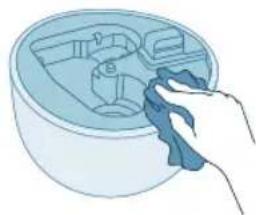
natural_image
Illustration of a hand cleaning a circular container with internal compartments (no text or symbols)12 Vratite plovak u baznu komoru.
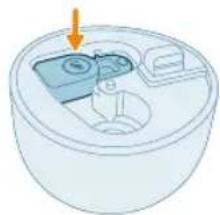
natural_image
Diagram of a mechanical component with an arrow pointing to a component (no text or symbols present)13 Vratite filter za vodu u rezervoar za vodu.
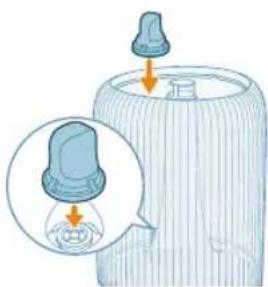
natural_image
Illustration of a baby bottle with a cap and a magnified inset showing liquid level (no text or symbols)14 Vratite prigušivač u dno baze.
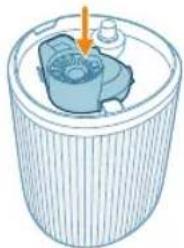
natural_image
Illustration of a cylindrical device with internal components and an arrow indicating direction (no text or symbols)15 Vratite gornji poklopac na mesto.
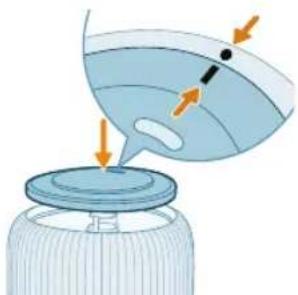
natural_image
Illustration of a bottle with a lid and arrow indicators, showing liquid level changes (no text or symbols)512 Srpski
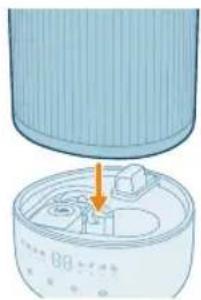
natural_image
Diagram of a device with a lid and internal components, showing an orange arrow pointing to a component (no text or symbols present)16 Vratite rezervoar za vodu na bazu.
natural_image
Hand inserting a plug into an outlet (no text or symbols visible)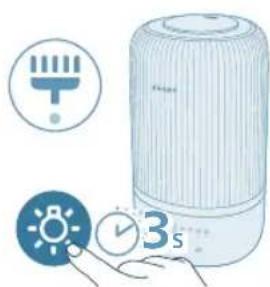
natural_image
Illustration of a portable air conditioner with icons for timer, alarm clock, and 3-second duration (no text or symbols on main objects)18 Pritisnite dugme za svetlo i držite 3 sekunde da biste resetovali vreme za čišćenje.
Čišćenje podloge za aromu i posude za funkciju arome
natural_image
Illustration of a hand pressing a button on a device, with no visible text or symbols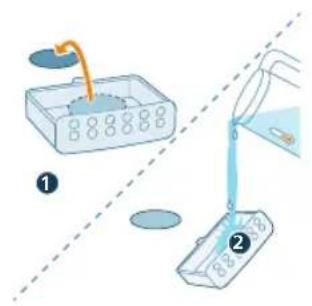
2 Uklonite podlogu za aromu i isperite podlogu i posudu pod mlazom tople vode.
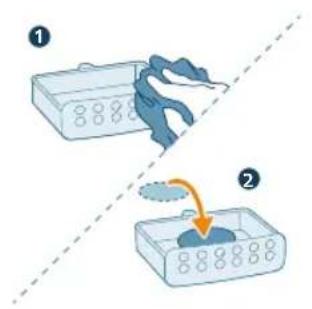
4 Vratite posudu za funkciju arome u ovlaživač vazduha.
natural_image
Diagram of a mechanical device with a highlighted component and an arrow indicating direction (no text or symbols)natural_image
Illustration of a lid being placed on a cylindrical container with an arrow indicating upward motion (no text or symbols)natural_image
Illustration of a portable air conditioner unit with a close-up inset showing a small component (no text or symbols)natural_image
Illustration of a water dispenser pouring liquid into a container with a green checkmark (no text or symbols)natural_image
Illustration of a bottle with liquid being poured into a jar, showing arrows indicating flow direction (no text or symbols)natural_image
Illustration of a hand pressing a button on a device, with no visible text or symbolsnatural_image
Illustration of a hand pressing a button on a blue rectangular object, with no visible text or symbols.flowchart
graph TD
    A["Wi-Fi Signal"] --> B["Wi-Fi Signal"]
    C["Mobile Phone"] --> D["Device with Checkmark"]
Nollaa Wi-Fi-yhteys
natural_image
Icon set with Wi-Fi, clock, and timer next to a stylized face with hands (no text or symbols)natural_image
Hand holding a plug inserted into an outlet, with a cable being inserted (no text or symbols visible)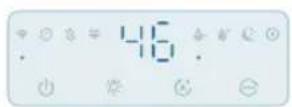
natural_image
Illustration of a device emitting blue rays, showing a rotating button and a magnified view (no text or symbols)natural_image
Pure electrical circuit symbols without any text or labels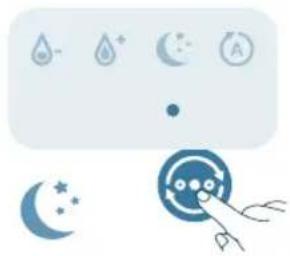
natural_image
Illustration of weather icons including raindrops, moon, and stars with a hand pointing at a circular target (no text or symbols)natural_image
Pure electrical circuit symbols without any text or labelsnatural_image
Illustration of a weather control panel with icons for raindrops, moon, and alarm (no text or symbols)natural_image
Illustration of a portable air conditioner with a digital display and control panel (no text or symbols)natural_image
Illustration of a light bulb device with a small icon showing a sun, next to a hand holding a button (no text or symbols present)natural_image
Diagram of a cylindrical container with a lid and an arrow indicating upward motion (no text or symbols)natural_image
Diagram of a cylindrical device with internal components and an orange arrow indicating a process (no text or symbols)natural_image
Illustration of a pouring liquid from a container into a cylindrical container (no text or symbols)natural_image
Illustration of a baby bottle with a close-up inset showing the cap and bulb (no text or symbols)natural_image
Diagram of a wire cage with arrows indicating rotation or movement (no text or symbols)natural_image
Diagram of a mechanical device inside a cylindrical container with internal components (no text or symbols)natural_image
Illustration of a mechanical component with an arrow indicating direction (no text or symbols)9 Irrota kelluke jalustalokerosta.
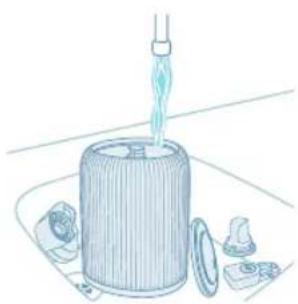
natural_image
Illustration of a cylindrical container with a pipette inserted, surrounded by small components (no text or symbols)natural_image
Illustration of a hand cleaning a circular container with internal compartments (no text or symbols)natural_image
3D diagram of a small appliance with a lid and internal components, no text or symbols presentnatural_image
Illustration of a baby bottle with a blue cap and an inset showing a droplet inside (no text or symbols)natural_image
Illustration of a cylindrical container with a blue internal component and an arrow pointing to it (no text or symbols)natural_image
Illustration of a bottle with liquid being poured into a jar, showing arrows indicating flow direction (no text or symbols)natural_image
Illustration of a cylindrical container with an arrow pointing to a small container inside, no text or symbols present.natural_image
Hand inserting a plug into an electrical outlet (no text or symbols visible)natural_image
Illustration of a portable air purifier with icons for battery, timer, and alarm clock (no text or symbols)natural_image
Illustration of a hand pressing a button on a device, with no visible text or symbolsnatural_image
Illustration of a hand pressing a button on a blue rectangular object, with no visible text or symbols.E Vattenfilter K Doftdynor (FY5100)
F Flottör L Dimrör
natural_image
Diagram of a mechanical device with a highlighted component and an arrow indicating direction (no text or symbols)natural_image
Illustration of a lid being placed on a cylindrical container with an arrow indicating upward motion (no text or symbols)natural_image
Illustration of a portable air conditioner unit with a close-up inset showing a small component (no text or symbols)natural_image
Illustration of a water dispenser pouring liquid into a container with a green checkmark (no text or symbols)natural_image
Illustration of a bottle with liquid being poured into a jar, showing arrows indicating flow (no text or symbols)natural_image
Illustration of a hand pressing a button on a device, with no visible text or symbolsnatural_image
Illustration of a hand interacting with a blue rectangular device, showing a highlighted interior area (no text or symbols)flowchart
graph TD
    A["Wi-Fi Signal"] --> B["Wi-Fi Signal"]
    C["Mobile Phone"] --> D["Device with Checkmark"]
natural_image
Icon set with Wi-Fi, clock, battery, and timer next to a blue circular button with hands (no text or symbols)natural_image
Hand holding a plug inserted into an outlet, with a cable being inserted (no text or symbols visible)550 Svenska

natural_image
Illustration of a device emitting blue rays, showing a rotating component with an orange arrow indicating rotation (no text or symbols present)natural_image
Pure electrical circuit symbols without any text or labels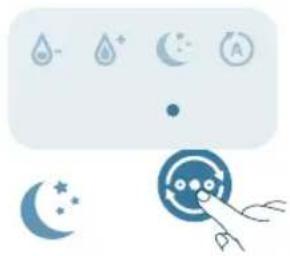
natural_image
Illustration of weather icons including raindrops, moon, and stars with a hand pointing to a circular target (no text or symbols)natural_image
Pure electrical circuit symbols without any text or labelsnatural_image
Illustration of a weather control panel with icons for raindrops, moon, and alarm (no text or symbols)552 Svenska
natural_image
Illustration of a portable air conditioner unit with color-coded indicators and a small icon showing a sun (no text or symbols)natural_image
Illustration of a light bulb device next to a hand holding a small circular icon with a sun symbol (no text or labels)natural_image
Diagram of a cylindrical container with a lid and an arrow indicating upward motion (no text or symbols)natural_image
Illustration of a cylindrical device with internal components and an orange arrow indicating a process (no text or symbols)natural_image
Illustration of a container pouring liquid into a spool (no text or symbols)natural_image
Illustration of a baby bottle with a close-up inset showing the cap and bulb (no text or symbols)natural_image
Diagram of a cylindrical container with internal structure and orange arrows indicating rotation or flow (no text or symbols)natural_image
Illustration of a hand holding a circular device next to a cylindrical container with an internal component (no text or symbols)natural_image
Illustration of a mechanical device with an orange arrow pointing to a component (no text or symbols)natural_image
Illustration of a mechanical device with a pipette inserted into a cylindrical housing, surrounded by other components (no text or symbols)natural_image
Illustration of a hand cleaning a circular container with internal compartments (no text or symbols)natural_image
Hand holding a blue electrical outlet plug with a cable, showing an orange arrow indicating direction (no text or symbols)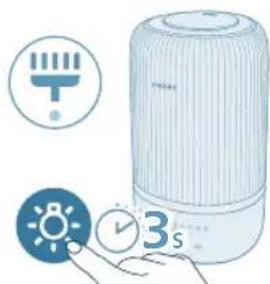
natural_image
Illustration of a white portable air conditioner with icons for battery, timer, and alarm clock (no text or symbols)natural_image
Illustration of a hand pressing a button on a device, with no visible text or symbolsnatural_image
Illustration of a hand pressing a button on a blue rectangular object, with no visible text or symbols.natural_image
Diagram of a mechanical device with a highlighted component and arrow (no text or symbols)natural_image
Illustration of a lid being placed on a cylindrical container with an arrow indicating upward motion (no text or symbols)natural_image
Illustration of a portable air conditioner unit with a close-up inset showing a small component (no text or symbols)natural_image
Illustration of a water dispenser pouring liquid into a container with a green checkmark (no text or symbols)natural_image
Illustration of a bottle with liquid being poured into a jar, showing arrows indicating flow (no text or symbols)natural_image
Illustration of a hand pressing a button on a device, with no visible text or symbolsnatural_image
Illustration of a hand interacting with a blue rectangular device, showing a highlighted interior area (no text or symbols)natural_image
Icon set with Wi-Fi, clock, battery, and timer next to a blue circular target with scissors (no text or symbols)natural_image
Hand inserting a plug into an outlet (no text or symbols visible)572 Türkçe

natural_image
Illustration of a device emitting blue rays, showing airflow direction (no text or symbols)natural_image
Pure electrical circuit symbols without any text or labels
natural_image
Illustration of weather icons including raindrops, moon, and stars with a hand pointing to a circular object (no text or symbols)natural_image
Pure electrical circuit symbols without any text or labelsnatural_image
Illustration of a weather control panel with icons for raindrops, moon, and alarm (no text or symbols)574 Türkçe
natural_image
Illustration of a portable air conditioner unit with color-coded indicators and a small icon showing a sun (no text or symbols)natural_image
Illustration of a light bulb device next to a hand holding a small circular icon with a sun symbol (no text or labels)natural_image
Diagram of a cylindrical container with a lid and an arrow indicating upward motion (no text or symbols)natural_image
Illustration of a cylindrical container with internal components and an orange arrow indicating motion (no text or symbols)natural_image
Illustration of a pouring liquid from a container into a cylindrical container (no text or symbols)natural_image
Illustration of a baby bottle with a close-up inset showing the cap and bulb (no text or symbols)natural_image
Diagram of a wire cage with arrows indicating rotation or movement (no text or symbols)natural_image
Illustration of a hand holding a device inside a cylindrical container with an internal component (no text or symbols)natural_image
Illustration of a mechanical component with an arrow indicating direction (no text or symbols)natural_image
Illustration of a cylindrical container with liquid being poured into it, surrounded by small fragments (no text or symbols)natural_image
Illustration of a hand cleaning a circular container with internal compartments (no text or symbols)natural_image
Hand inserting a plug into an electrical outlet (no text or symbols visible)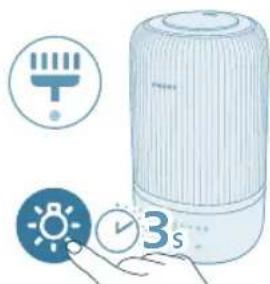
natural_image
Illustration of a portable water heater with icons for battery, timer, and alarm clock (no text or symbols)natural_image
Illustration of a hand pressing a button on a device, with no visible text or symbolsnatural_image
Illustration of a hand pressing a button on a blue rectangular object, with no visible text or symbols.A Nozzle G Dolandyrys paneli
B Suw gabynyň gapagy H Esas
C Mist outlet I Power plug
D Suw gaby J Ysly guty
E Water filter K Ysly yassyjaklar (FY5100)
F Float L Mist tube
Remove all packing materials before first time use.
Take the water tank off of the base and remove all tapes.
Rinse all parts before first use.
Select a firm, flat, water-resistant surface for the humidifier, ensuring it is positioned at least 30cm away from walls.
Ensure that the mist is directed away from walls, furniture, and other appliance.
588 Türkmençe
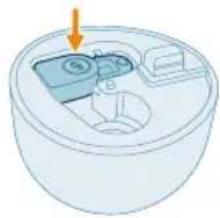
natural_image
Diagram of a cylindrical device with internal components and an arrow indicating direction (no text or symbols)1 Make sure that the float is well in place.
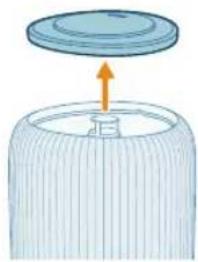
natural_image
Illustration of a lid being inserted into a cylindrical container with an arrow indicating direction (no text or symbols)natural_image
Illustration of a portable air conditioner unit with a close-up inset showing a green button (no text or symbols)3 Make sure the water filter is attached properly.
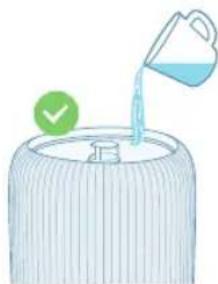
natural_image
Illustration of a water dispenser pouring liquid into a container with a green checkmark (no text or symbols)4 Suw gabyny suw bilen dolduryň. Do not fill with hot water.
Bellik:
- Do not exceed the water level indication when filling water.
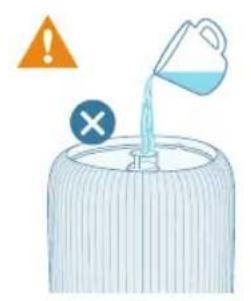
- Do not pour water through the ultrasonic mist outlet.
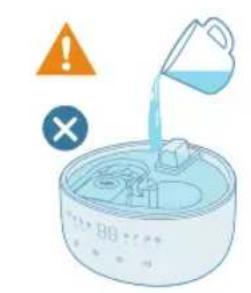
- Do not pour water directly into the base.

natural_image
Illustration of a bottle with liquid being poured into a jar, showing arrows indicating flow direction (no text or symbols)5 Reattach the top cover to the water tank.
natural_image
Illustration of a hand pressing a button on a device, with no visible text or symbols1 Awtomatiki usulda çykarmak üçin ys gutusyny basyň.
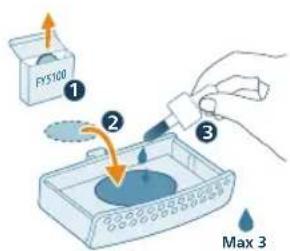
natural_image
Illustration of a hand pressing a button on a blue rectangular object, with no visible text or symbols.3 Ys gutysyny yzyna enjama salyň.
Çyglylyk açık reňk Hâzirki Nämäni aňladýar? çyglylyk
| Mawy <40% Gury |
| Gök 40-60% Rahat çyglylyk |
| Yaşyl >60% Aşa çyglylyk |
Bellik: Bellenen maksat çyglylygy 50% RH, çyglylygy sazlamak düwmesine basyp, islenyän maksatly çyglylygy kesgitläp bilersiñiz.
Suwuň derejesi
When there is not enough water in the water tank, the water refill indicator is on, the humidifier stops working. The humidifier will resume work when you refill water into the water tank.
Suw guýmak
Bellik:
When filling water, do not exceed the maximum water level.
Suw bakyny hereket etdireniñizde çaykamaň, yogsam suwyň howa girelgelerinden daşary dökülmegi mümkin.
Follow the steps in "First time use" for refilling water.
Açmak we öçürmek
Bellik:
The humidifier is applicable for ambient temperature range : 5-40 °C.
1 Howa çyglandyryjysynyň elektrik dürtgüjini elektrik rozetkasyna dakyň.
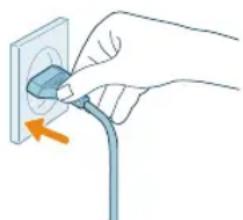
natural_image
Hand inserting a plug into an outlet (no text or symbols visible)594 Türkmençe

Adjusting mist direction
Rotate the nozzle to preferred mist direction.
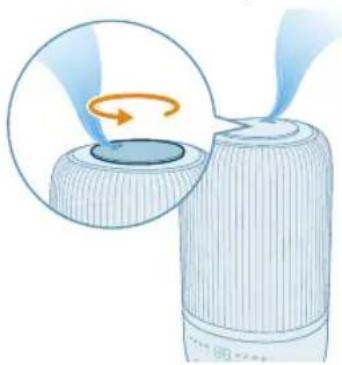
natural_image
Illustration of a device emitting blue rays, showing a rotating component with an orange arrow indicating rotation (no text or symbols present)natural_image
Pure electrical circuit symbols without any text or labels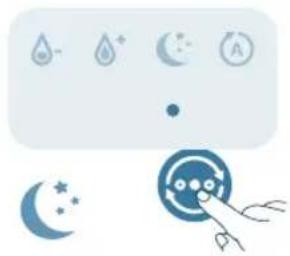
natural_image
Illustration of weather icons including raindrops, moon, and stars with a hand pointing at a circular target (no text or symbols)natural_image
Pure electrical circuit symbols without any text or labelsnatural_image
Illustration of a weather control panel with icons for raindrops, moon, and alarm (no text or symbols)The humidity level can only be adjusted in the Auto mode.
Beýleki tertiplerde maksatly çyglylyk derejesini kesgitläniñizde, çyglandyryjy awtomatiki usulda üytgär.
30%, 40%, 50%, 60% ya-da 70% saylamak üçin çyglylygy sazlamak düwmesine basyp çyglylyk derejesini sazlap bilersiñiz.
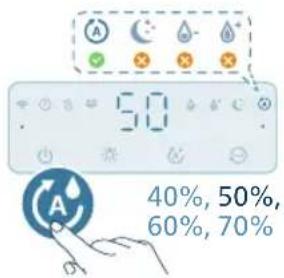
Çyglylyk çyrasyny, daşky gurşawy yakmak ya-da ähli ysyklary we dolandyrys panelini öçürmek üçin düwmä basyp bilersiiniz.
natural_image
Illustration of a portable air conditioner unit with color-coded indicators and a small icon showing a sun (no text or symbols)- Daşky gurşaw yagtylyk re tertbine geçmek üçin yagtylyk funksiyasynyň düwmesini basyp bilersiñiz. Air+programmasyndaky yagtylygy we reňkini düzün.
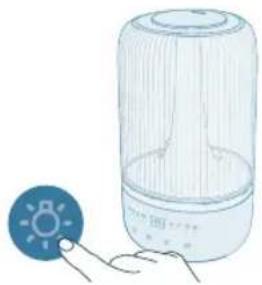
natural_image
Illustration of a light bulb device with a small icon showing a sun, next to a hand holding a button (no text or symbols present)Ähli ysyklary we dolandyrys panelini öçürmek üçin yşyk düwmesini basyp bilersiñiz. Ilki paneli oyarmak üçin islendik düwmä basyň we isleýän ýagtylyk tertibiñizi 3 sekuntda bellemek üçin yşyk düwmesine ýene basyň.
Arassalamak we abatlamak
Bellik:
Arassalamazdan ozal enjamyn dürtgüjini elektrik rozetkasyndan ayryn.
Clean the humidifier when the cleaning alert is on or every three days.
natural_image
Diagram of a lid being inserted into a cylindrical container with an arrow indicating direction (no text or symbols)natural_image
Illustration of a cylindrical device with an orange arrow pointing to a component, showing internal structure (no text or symbols)natural_image
Illustration of a container pouring liquid into a cylindrical container (no text or symbols)5 Pour water out from the tank and the base.
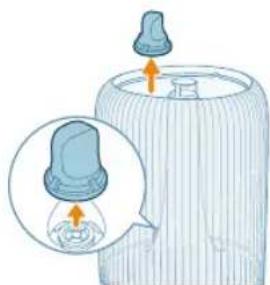
natural_image
Illustration of a baby bottle with a blue cap and an inset showing the cap's tip and base (no text or symbols)natural_image
Diagram of a wire cage with arrows indicating rotation or movement (no text or symbols)7 Turn the water tank upside down.
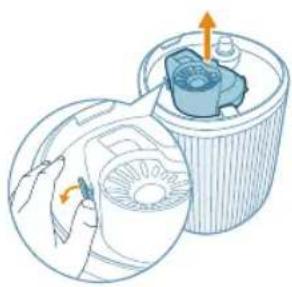
natural_image
Diagram of a mechanical device inside a cylindrical container with internal components (no text or symbols)8 Remove the deafener from the bottom of the water tank.
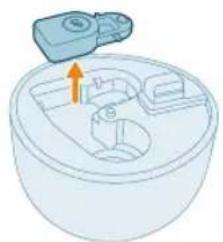
natural_image
Illustration of a mechanical component with an arrow indicating direction (no text or symbols)9 Remove the float from the base chamber.
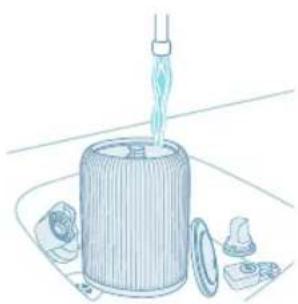
natural_image
Illustration of a cylindrical container with a pipette inserted, surrounded by small components (no text or symbols)10 Rinse the water tank, top cover, float, deafener and water filter with water.
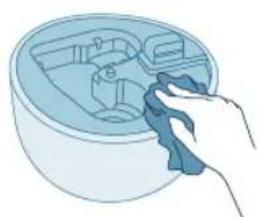
natural_image
Illustration of a hand cleaning a circular container with internal compartments (no text or symbols)11 Wipe the base clean and dry.
Türkmençe 599
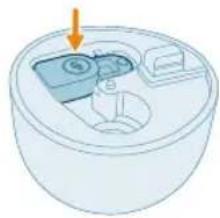
natural_image
3D diagram of a cylindrical container with internal compartments and an arrow pointing to the top section (no text or symbols)12 Put the float back to the base chamber.
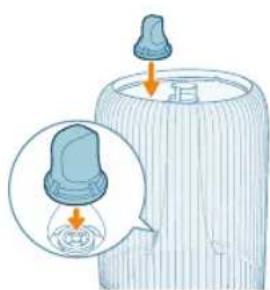
natural_image
Illustration of a baby bottle with a droplet inserted into a glass container (no text or symbols)13 Çyglandyrys süzgüjini täzeden suw gabyna oturdyň.
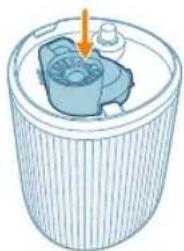
natural_image
Illustration of a cylindrical container with internal components and an arrow indicating direction (no text or symbols)14 Put the deafener back to the bottom of the base.
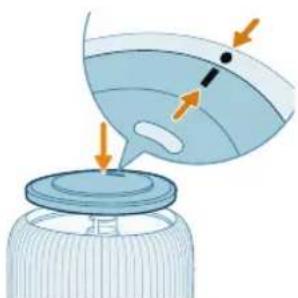
natural_image
Illustration of a bottle with liquid and a funnel, showing airflow direction (no text or symbols)15 Öndäki örtügini yerine dakyň.

natural_image
Illustration of a container with internal components and an arrow indicating a process (no text or symbols)16 Suw gabyny baza dakyň.
600 Türkmençe
17 Elektrik dürtgüjini rozetka dakyň.
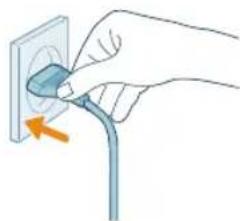
natural_image
Hand inserting a plug into an electrical outlet (no text or symbols visible)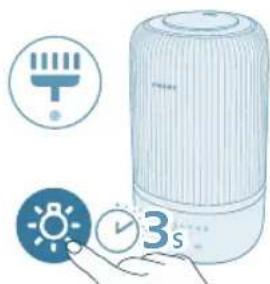
natural_image
Illustration of a white portable air conditioner with icons for battery, timer, and alarm clock (no text or symbols)18 Süzgüji arassalamaga wagty täzeden sazlamak üçin we düwmelerini 3 sekuntlap basyp saklaň.
Ys beriji we gutyny arassalamak
Netijeli aromaterapiya üçin, täze efir yagyny ulanmazdan ozal, ysly yassyjaklary arassalamaly. Efir yagynyň garyndysyny garyşdyrmaň.
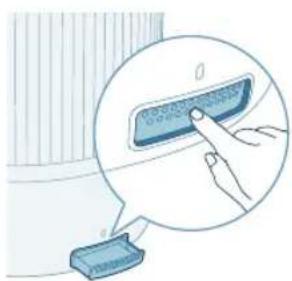
natural_image
Illustration of a hand pressing a button on a device, with no visible text or symbols3 Arassa mata bilen guradyň we ýassyjaklary ys gutusyna goýuň.
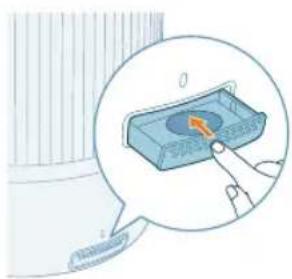
natural_image
Illustration of a hand pressing a button on a blue electronic device (no text or symbols visible)natural_image
Illustration of a small appliance with a lid and internal components, no text or symbols presentnatural_image
Illustration of a lid placed on a cylindrical base with an upward arrow indicating motion (no text or symbols)natural_image
Illustration of a cylindrical device with a highlighted internal component (no text or symbols)natural_image
Illustration of a container with liquid being poured into it, marked with a green checkmark (no text or symbols)natural_image
Illustration of a hand pressing a button on a device, with no visible text or symbolsnatural_image
Hand inserting a plug into an electrical outlet (no text or symbols visible)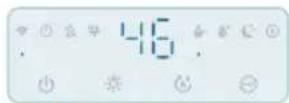
natural_image
Illustration of a device emitting a fan or lens, showing airflow direction (no text or symbols)natural_image
Pure electrical circuit symbols without any text or labelsnatural_image
Illustration of weather icons including raindrops, moon, and stars with a hand pointing at a circular target (no text or symbols)natural_image
Illustration of a weather control panel with icons for rain, moon, and alarm (no text or symbols)natural_image
Illustration of a control panel with icons for water, moon, and battery (no text or symbols)natural_image
Illustration of a smart air conditioner with a digital display and a warning symbol (no text or symbols present)natural_image
Illustration of a light bulb connected to a transparent cylindrical device with a small icon below (no text or symbols)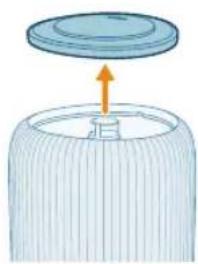
natural_image
Diagram of a lid being inserted into a cylindrical container with an arrow indicating direction (no text or symbols)natural_image
Illustration of a cylindrical device with an orange arrow pointing to a component inside a container (no text or symbols visible)natural_image
Illustration of a container pouring liquid into a cylindrical container (no text or symbols)natural_image
Illustration of a baby bottle with a close-up inset showing the cap and liquid (no text or symbols)natural_image
Diagram of a cylindrical container with internal structure and orange arrows indicating rotation (no text or symbols)natural_image
Illustration of a hand using a tool to clean a circular component inside a cylindrical container (no text or symbols)natural_image
Illustration of a mechanical component being inserted into a jar, showing internal structure and motion arrows (no text or symbols)natural_image
Illustration of a cylindrical container with an arrow pointing to a lid, showing internal components (no text or symbols)natural_image
Hand inserting a plug into an outlet (no text or symbols visible)natural_image
Illustration of a portable air conditioner with icons for timer, alarm clock, and hand gesture (no text or symbols)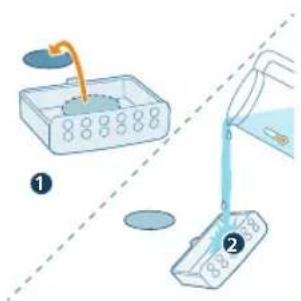
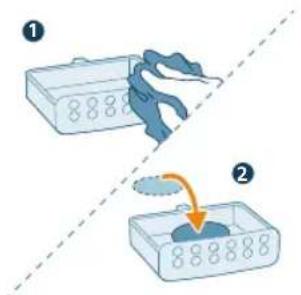

natural_image
Illustration of a hand pressing a button on a device, with no visible text or symbolsА Дюза G Контролен панел
natural_image
Diagram of a cylindrical device with internal components and an arrow indicating direction (no text or symbols)natural_image
Illustration of a lid being placed on a cylindrical container with an arrow indicating upward motion (no text or symbols)natural_image
Illustration of a portable air conditioner unit with a close-up inset showing a green button (no text or symbols)natural_image
Illustration of a water dispenser pouring liquid into a container with a green checkmark (no text or symbols)- Не наливайте вода директно в основата.
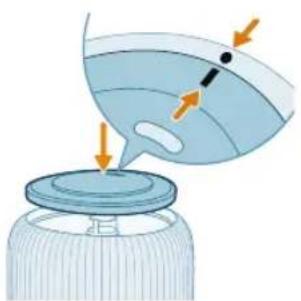
natural_image
Illustration of a bottle with liquid being poured into a jar, showing arrows indicating flow (no text or symbols)natural_image
Illustration of a hand pressing a button on a device, with no visible text or symbolsnatural_image
Hand inserting a plug into an outlet (no text or symbols visible)
natural_image
Illustration of a device emitting blue smoke or vapor, showing airflow direction (no text or symbols)natural_image
Illustration of a weather control panel with icons for raindrops, moon, and timer (no text or symbols)natural_image
Illustration of weather icons including raindrops, moon, and stars next to a circular object with a finger pointing at it (no text or symbols)natural_image
Illustration of a weather control panel with icons for rain, moon, and alarm (no text or symbols)natural_image
Pure electrical circuit symbols without any text or labelsnatural_image
Illustration of a portable air conditioner with a digital display and a small icon showing a light bulb (no text or symbols)natural_image
Illustration of a light bulb device next to a small circular icon with a sun symbol (no text or labels)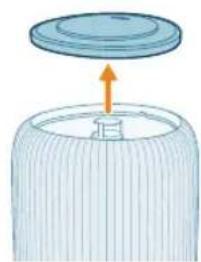
natural_image
Illustration of a lid being inserted into a cylindrical container with an arrow indicating direction (no text or symbols)natural_image
Illustration of a cylindrical container with an arrow pointing to a small component inside, no text or symbols present.natural_image
Illustration of a container pouring liquid into a cylindrical container (no text or symbols)natural_image
Illustration of a baby bottle with a close-up inset showing the cap and liquid level (no text or symbols)natural_image
Diagram of a cylindrical container with internal flow arrows indicating rotation (no text or symbols)natural_image
Illustration of a hand holding a fan inside a cylindrical container with an arrow indicating rotation (no text or symbols)natural_image
Illustration of a cleaning or cleaning process showing a container with a lid and a tool in the air (no text or symbols)natural_image
Illustration of a hand cleaning a small appliance with a cloth (no text or symbols)natural_image
Diagram of a mechanical device with a blue component and an arrow pointing to it (no text or symbols)natural_image
Illustration of a baby bottle with a close-up inset showing liquid level (no text or symbols)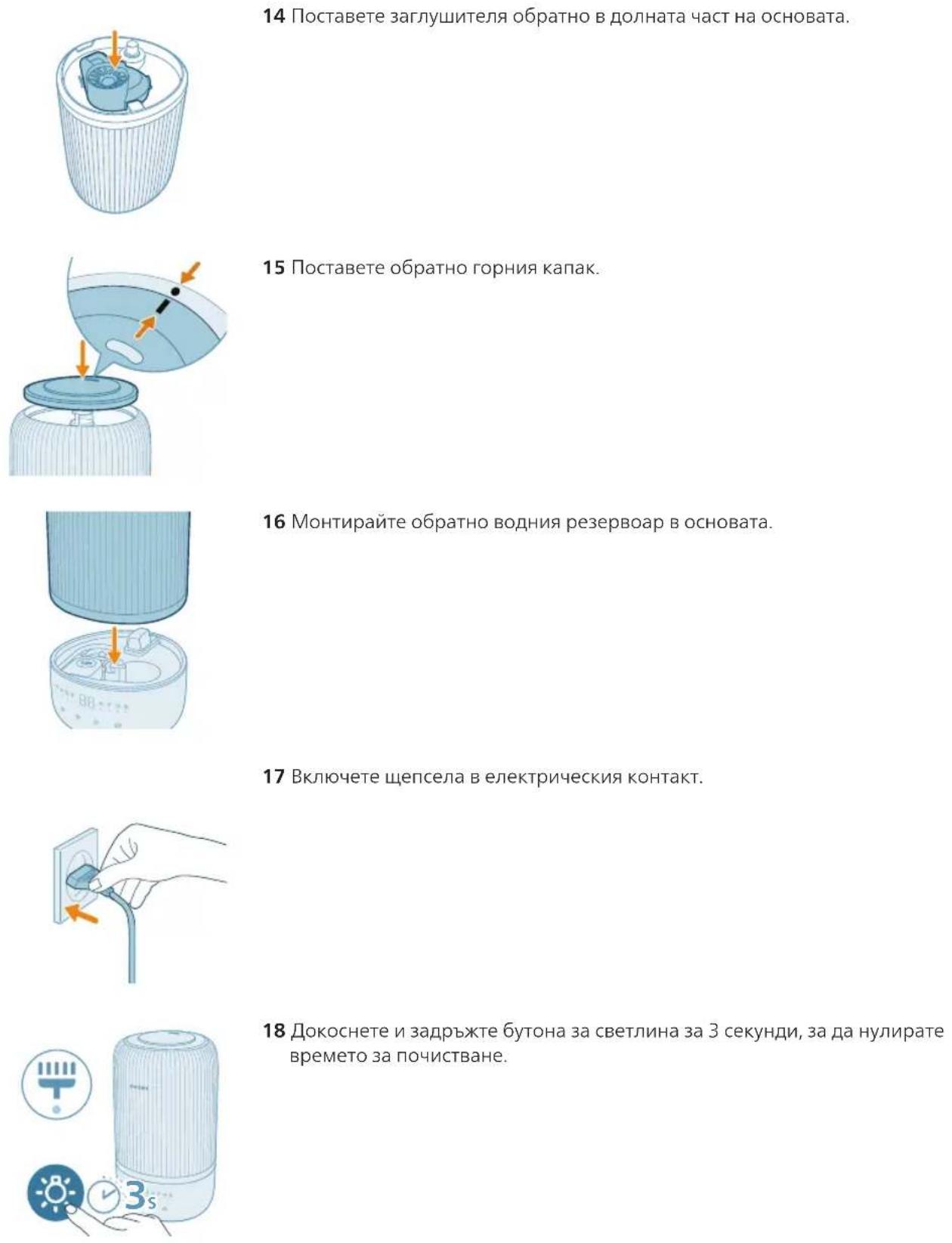
natural_image
Illustration of a hand pressing a button on a device, with no visible text or symbolsnatural_image
Illustration of a cylindrical container with internal components and an arrow pointing to the top section (no text or symbols)natural_image
Diagram of a cylindrical container with a lid and an upward arrow, no text or symbols presentnatural_image
Illustration of a cylindrical device with a highlighted internal component and a green checkmark (no text or symbols)natural_image
Illustration of a container with liquid being poured into it, marked with a green checkmark (no text or symbols)Эскертүү:
natural_image
Illustration of a bottle with liquid being poured into a jar, showing arrows indicating flow (no text or symbols)natural_image
Illustration of a hand pressing a button on a device, with no visible text or symbolsnatural_image
Hand inserting a plug into an electrical outlet (no text or symbols visible)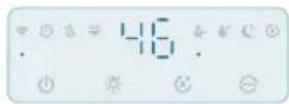

natural_image
Illustration of a cylindrical device emitting blue light with a rotating arrow, showing internal components (no text or symbols)natural_image
Pure electrical circuit lines without any symbolsnatural_image
Illustration of weather icons including raindrops, moon, and stars with a magnifying glass (no text or symbols)natural_image
Illustration of a water droplet and a hand holding a circular object with arrows, no text or symbols present.natural_image
Pure electrical circuit lines without any symbolsnatural_image
Illustration of a portable air conditioner with a digital display and a small icon showing a light bulb (no text or symbols)natural_image
Illustration of a light bulb device next to a small circular icon with a sun symbol (no text or labels)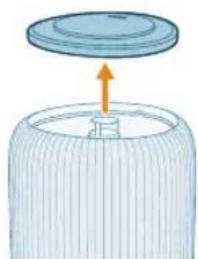
natural_image
Diagram of a cylindrical container with a lid and an upward arrow, no text or symbols present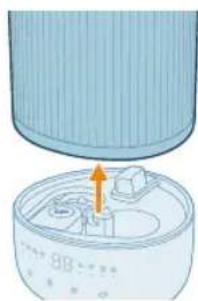
natural_image
Illustration of a cylindrical container with an orange arrow pointing to a lid, showing internal components (no text or symbols)natural_image
Illustration of a container pouring liquid into a cylindrical container (no text or symbols)natural_image
Illustration of a baby bottle with a close-up inset showing the cap and bulb (no text or symbols)natural_image
Diagram of a wire cage with orange arrows indicating rotation or movement (no text or symbols)natural_image
Illustration of a hand operating a device next to a cylindrical container with a fan (no text or symbols)8 Суу челегинин түбүнөн үн азайткычын алып салыңыз.
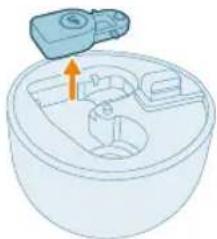
natural_image
Illustration of a mechanical device inside a bowl with an upward arrow indicating motion (no text or symbols)natural_image
Illustration of a mechanical device with a funnel pouring liquid into a cylindrical housing, surrounded by small components (no text or symbols)natural_image
Illustration of a hand cleaning a circular container with internal compartments (no text or symbols)natural_image
Illustration of a small appliance with a lid and internal compartments, no text or symbols presentnatural_image
Illustration of a baby bottle with a droplet inside, showing liquid level and a magnified inset (no text or symbols)natural_image
Illustration of a cylindrical container with internal components and an arrow indicating direction (no text or symbols)natural_image
Illustration of a bottle with liquid being poured into a jar, showing arrows indicating flow (no text or symbols)natural_image
Illustration of a cylindrical container with an arrow pointing to a small object inside, showing no text or symbols.natural_image
Hand inserting a plug into an electrical outlet (no text or symbols visible)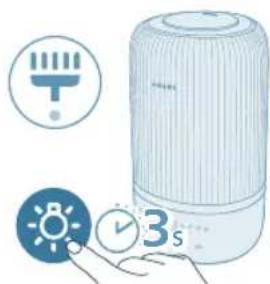
natural_image
Illustration of a white portable air conditioner with icons for temperature, battery, and time (no text or symbols)natural_image
Illustration of a hand pressing a button on a surface, with a small electronic component nearby (no text or symbols)3 Таза чупурек менен кургатып, жаздыкчаны кайра жыпар жыт кутусуна салыңыз.
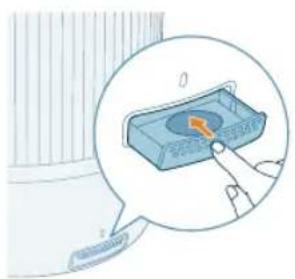
natural_image
Illustration of a device with a button labeled '0' and a finger pointing to it, no text or symbols present.A Млазница G Контролна табла
В Капак на резервоарот за вода Н Основа
natural_image
Diagram of a cylindrical device with internal components and an arrow indicating direction (no text or symbols)natural_image
Illustration of a lid being inserted into a cylindrical container with an arrow indicating direction (no text or symbols)natural_image
Illustration of a portable air conditioner unit with a close-up inset showing a green button (no text or symbols)natural_image
Illustration of a water dispenser pouring liquid into a container with a green checkmark (no text or symbols)natural_image
Illustration of a cooking pot with liquid being poured into it, accompanied by warning symbols (no text or labels)natural_image
Illustration of a bottle with liquid being poured into a jar, showing arrows indicating flow (no text or symbols)natural_image
Illustration of a hand pressing a button on a device, with no visible text or symbolsnatural_image
Illustration of a hand pressing a button on a blue tray, with no visible text or symbols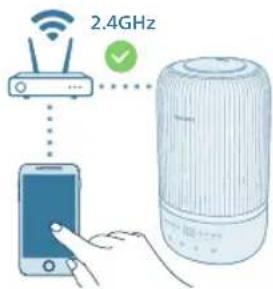
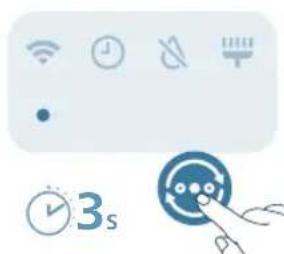
natural_image
Icon set with Wi-Fi, clock, battery, and timer next to a blue circular button with a pointer (no text or symbols)natural_image
Hand inserting a plug into an outlet (no text or symbols visible)


natural_image
Illustration of a cylindrical device emitting blue light, with a magnified inset showing the internal rotation (no text or symbols)natural_image
Illustration of weather icons including raindrops, moon, and stars with a magnifying glass (no text or symbols)natural_image
Illustration of icons representing water drop, water droplet, moon, and battery (no text or symbols)natural_image
Illustration of a water droplet and circular button with icons, no text or symbols presentnatural_image
Illustration of a portable air conditioner with a digital display and a small icon showing a light bulb (no text or symbols)natural_image
Illustration of a light bulb device next to a small circular icon with a sun symbol (no text or labels)natural_image
Diagram of a cylindrical container with a lid and an arrow indicating upward motion (no text or symbols)natural_image
Illustration of a cylindrical container with an arrow pointing to a small component inside, no text or symbols present.natural_image
Illustration of a container pouring liquid into a cylindrical container (no text or symbols)natural_image
Illustration of a baby bottle with a close-up inset showing the cap and liquid level (no text or symbols)natural_image
Diagram of a cylindrical container with internal flow arrows indicating rotation (no text or symbols)natural_image
Illustration of a hand holding a fan inside a cylindrical container with an arrow indicating rotation (no text or symbols)natural_image
Illustration of a cleaning or cleaning process: top shows a container with a lid and an arrow indicating direction; bottom shows a cylindrical container pouring liquid into a tube (no text or symbols)natural_image
Illustration of a hand cleaning a small appliance with a cloth (no text or symbols)natural_image
Diagram of a mechanical device with a blue component and an arrow pointing to it (no text or symbols)natural_image
Illustration of a baby bottle with a close-up inset showing liquid level (no text or symbols)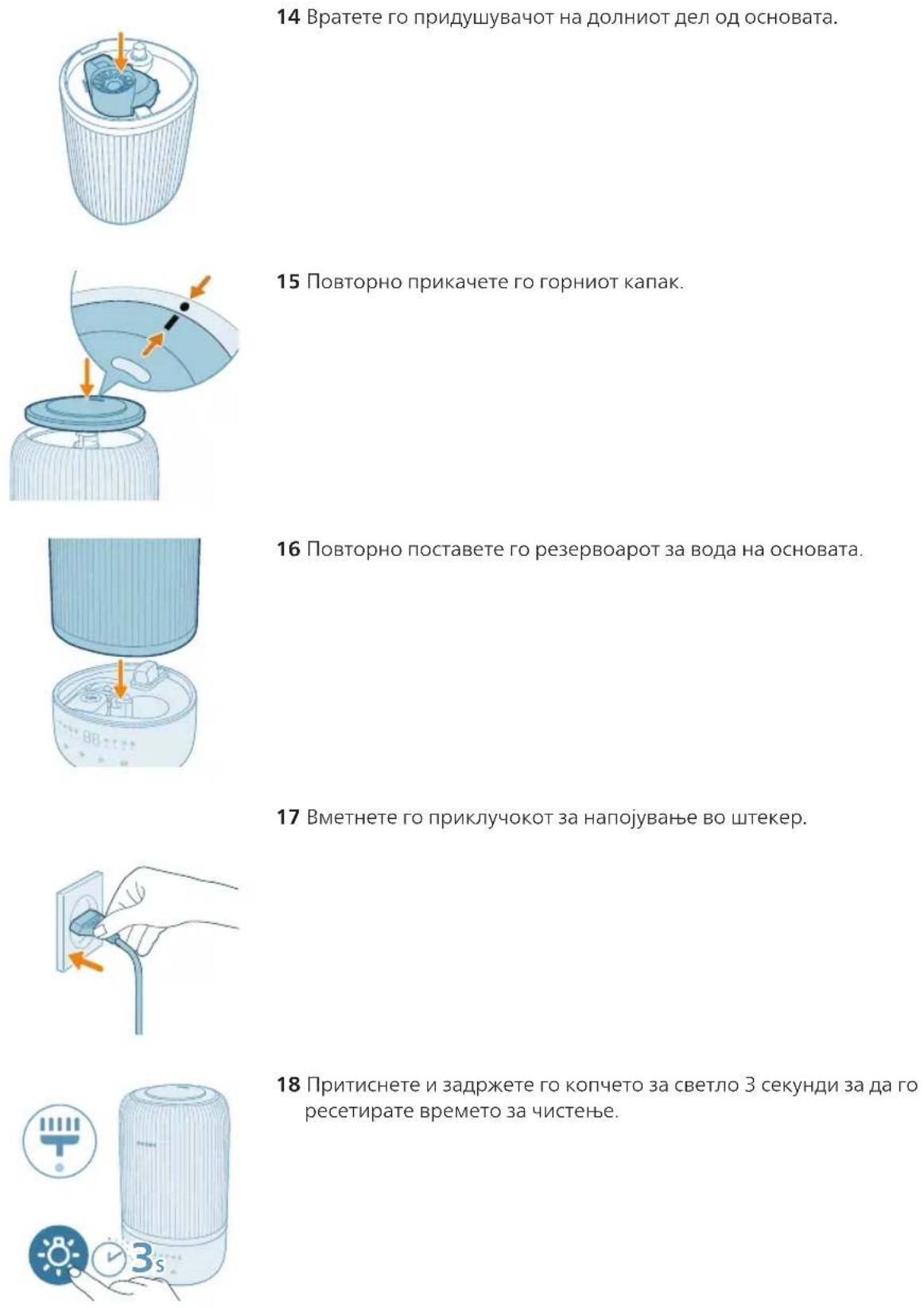
natural_image
Illustration of a hand pressing a button on a device, with no visible text or symbolsnatural_image
Diagram of a cylindrical device with internal components and an arrow indicating direction (no text or symbols)natural_image
Illustration of a lid with an arrow pointing upward, partially filled with a textured base (no text or symbols)natural_image
Illustration of a portable air conditioner unit with a close-up inset showing a green button (no text or symbols)natural_image
Illustration of a water dispenser pouring liquid into a container with a green checkmark (no text or symbols)natural_image
Illustration of a bottle with liquid being poured into a jar, showing arrows indicating flow (no text or symbols)natural_image
Illustration of a hand pressing a button on a device, with no visible text or symbolsnatural_image
Icon set with Wi-Fi, clock, battery, and timer next to a blue circular dial with a pointer (no text or symbols)natural_image
Hand inserting a plug into an electrical outlet (no text or symbols visible)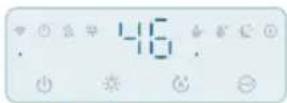
natural_image
Illustration of a device emitting blue light with a circular arrow indicating rotation (no text or symbols)natural_image
Pure electrical circuit symbols without any text or labelsnatural_image
Illustration of weather icons including raindrops, moon, and stars with a hand pointing to a circular object (no text or symbols)natural_image
Illustration of a weather control panel with icons for raindrops, moon, and alarm (no text or symbols)natural_image
Illustration of a weather control panel with icons for raindrops, water droplets, moon, and alarm (no text or symbols)natural_image
Illustration of a smart speaker with a light bulb and indicator lights (no text or symbols)natural_image
Illustration of a light bulb device next to a hand holding a small circular icon (no text or symbols present)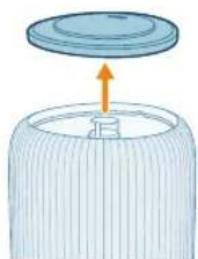
natural_image
Illustration of a lid with an arrow pointing upward, no text or symbols present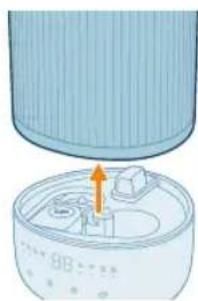
natural_image
Illustration of a cylindrical device with an orange arrow pointing to a component inside a container (no text or symbols)natural_image
Illustration of a container pouring liquid into a cylindrical container (no text or symbols)natural_image
Illustration of a baby bottle with a close-up inset showing the cap and bulb (no text or symbols)natural_image
Diagram of a cylindrical container with internal structure and orange arrows indicating rotation (no text or symbols)natural_image
Illustration of a hand holding a fan next to a cylindrical device with an arrow indicating rotation (no text or symbols)natural_image
Illustration of a mechanical device inside a bowl with an upward arrow indicating motion (no text or symbols)natural_image
Illustration of a mechanical device with a funnel pouring liquid into a cylindrical housing, surrounded by small components (no text or symbols)natural_image
Illustration of a hand cleaning a circular container with internal compartments (no text or symbols)natural_image
Illustration of a small appliance with a lid and internal components, no text or symbols presentnatural_image
Illustration of a baby bottle with a dropper inserted into a liquid (no text or symbols)natural_image
Illustration of a cylindrical container with internal components and an arrow indicating direction (no text or symbols)natural_image
Illustration of a bottle with liquid being poured into a jar, showing fluid flow direction (no text or symbols)natural_image
Illustration of a cylindrical container with an arrow pointing to a small object inside, no text or symbols present.natural_image
Hand inserting a plug into an electrical outlet (no text or symbols visible)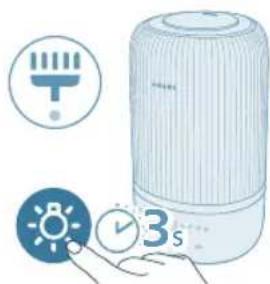
natural_image
Illustration of a white portable air conditioner with icons for temperature, battery, and time (no text or symbols)natural_image
Illustration of a hand pressing a button on a surface, with a small electronic component nearby (no text or symbols)natural_image
Illustration of a hand interacting with a blue electronic device inside a container, showing a button and pointer (no text or symbols)natural_image
Diagram of a cylindrical device with internal components and an arrow pointing to a component (no text or symbols)natural_image
Illustration of a lid with an arrow pointing upward, no text or symbols present2 Сарпуши болоиро аз зарфи об хорич кунед.
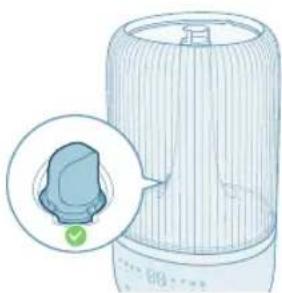
natural_image
Illustration of a portable air conditioner unit with a close-up inset showing a small green button (no text or symbols)natural_image
Illustration of a container with liquid being poured into it, marked with a green checkmark (no text or symbols)- Обро мустакиман ба пойгох, нарезед.
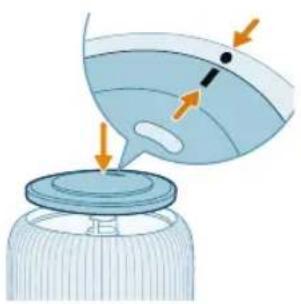
natural_image
Illustration of a bottle with liquid being poured into a container, showing arrows indicating flow direction (no text or symbols)natural_image
Illustration of a hand pressing a button on a device, with no visible text or symbolsАз нав танзим кардани пайвасти Wi-Fi
1 Сими намноккунандаи хаворо ба васлаки барк гузоред ва барои намнок кардани хаво ☑ро пахш намоед.
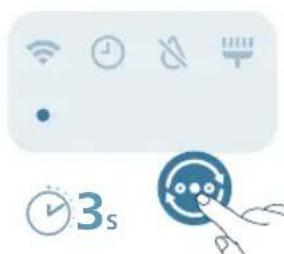
natural_image
Pure UI icons without any text or symbolsnatural_image
Hand inserting a plug into an electrical outlet (no text or symbols visible)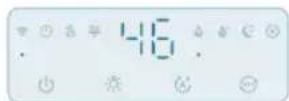

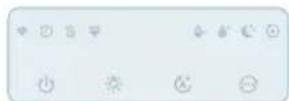

1 Сими намноккунандаро ба васлаки барк гузоред.
natural_image
Illustration of a cylindrical device emitting blue light with a circular arrow indicating rotation (no text or symbols)Тафир додани танзимоти холат
Шумо метавонед байни Холати худкор, Холати Хоб, Холати миена, ё Холати баланд -ро бо пахш кардани тугмаи гузариш интихоб кунед.
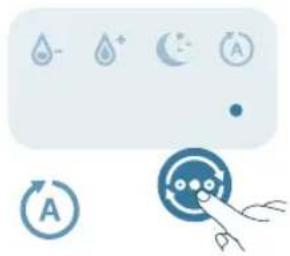
natural_image
Pure electrical circuit symbols without any text or labelsnatural_image
Illustration of weather icons including raindrops, moon, and a hand pointing at a circular object (no text or symbols)natural_image
Illustration of a water drop control panel with icons and a hand pointing at a circular button (no text or symbols)natural_image
Illustration of a water droplet and circular button with icons, no text or symbols presentnatural_image
Illustration of a smart speaker with a light bulb and a hand interacting with it (no text or symbols present)natural_image
Illustration of a light bulb device next to a circular indicator light symbol (no text or labels)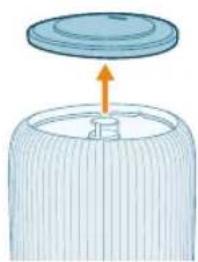
natural_image
Diagram of a lid being inserted into a cylindrical container with an arrow indicating direction (no text or symbols)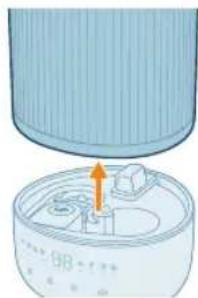
natural_image
Illustration of a cylindrical device with an orange arrow pointing to a component inside a container (no text or symbols)3 Сарпуши болоиро аз зарфи об хорич кунед.
natural_image
Illustration of a container pouring liquid into a cylindrical container (no text or symbols)natural_image
Illustration of a baby bottle with a close-up inset showing the cap and bulb (no text or symbols)natural_image
Diagram of a cylindrical container with internal structure and orange arrows indicating rotation (no text or symbols)natural_image
Illustration of a hand operating a device next to a cylindrical container with a fan (no text or symbols)natural_image
Illustration of a mechanical device inside a bowl with an upward arrow indicating motion (no text or symbols)natural_image
Illustration of a mechanical device with a funnel pouring liquid into a cylindrical housing, surrounded by small components (no text or symbols)10 Зарфи об, сарпўши боло, гупсар, садонишонак ва филтри обро бо об бишўед.

natural_image
Illustration of a hand cleaning a circular container with internal compartments (no text or symbols)natural_image
Diagram of a small appliance with a lid and internal compartments, no text or symbols presentnatural_image
Illustration of a baby bottle with a dropper tip and magnified inset showing liquid level (no text or symbols)natural_image
Illustration of a cylindrical container with internal components and an arrow indicating direction (no text or symbols)natural_image
Illustration of a bottle with liquid being poured into a jar, showing fluid flow direction (no text or symbols)15 Сарпўшро дубора пайваст кунед.
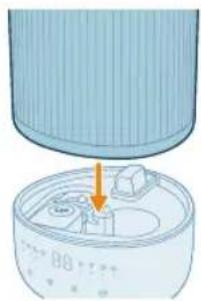
natural_image
Illustration of a cylindrical container with an arrow pointing to a small object inside, no text or symbols present.16 Зарфи обро ба пойгох пайваст кунед.
17 Сими баркро ба васлаки барк гузоред.
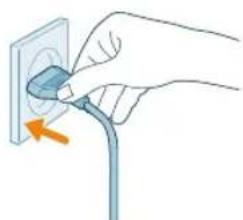
natural_image
Hand inserting a plug into an electrical outlet (no text or symbols visible)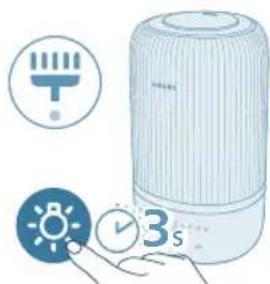
natural_image
Illustration of a white portable air conditioner with icons for temperature, battery, and time (no text or symbols)natural_image
Illustration of a hand pressing a button on a surface, with a small electronic component nearby (no text or symbols)4 Куттии хушбўйкунандаро дар дохили намноккунандаи хаво чойгир кунед Шарх: Моеъхои тозакунанда ё шустушўйро ба кутии хушбўйкунанда ё кутти нарезед.
natural_image
Illustration of a small appliance with a lid and internal components, no text or symbols presentnatural_image
Diagram of a cylindrical container with an upward arrow indicating motion or force (no text or symbols)natural_image
Illustration of a cylindrical device with a highlighted internal component and a green checkmark (no text or symbols)natural_image
Illustration of a container with liquid being poured into it, marked with a green checkmark (no text or symbols)Примітка.
natural_image
Illustration of a cooking pot with liquid being poured into it, accompanied by warning symbols (no text or labels)natural_image
Illustration of a bottle with liquid being poured into a jar, showing arrows indicating flow direction (no text or symbols)natural_image
Illustration of a hand pressing a button on a device, with no visible text or symbols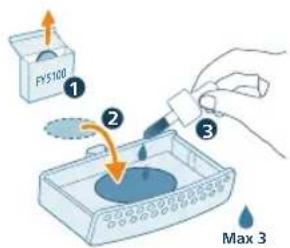
flowchart
graph TD
    A["Mobile Device"] -->|Signal| B["Wireless Device"]
    B --> C["Device with Wi-Fi icon"]
    C --> D["User Interface"]
754 Українська
natural_image
Hand inserting a plug into an outlet (no text or symbols visible)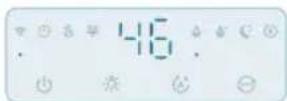

natural_image
Illustration of a device emitting blue rays, showing a rotating component with an arrow indicating rotation (no text or symbols present)natural_image
Illustration of weather icons including raindrops, moon, and sun with a hand pointing to a circular object (no text or symbols)natural_image
Illustration of a water control panel with icons for raindrops, moon, and sensors (no text or symbols)natural_image
Illustration of a water drop control panel with icons for water, moon, and battery (no text or symbols)natural_image
Illustration of a smart speaker with a light bulb and a control panel, accompanied by a small icon showing a sun (no text or symbols)natural_image
Illustration of a light bulb device next to a circular indicator light symbol (no text or labels)natural_image
Illustration of a cylindrical container with a lid and an arrow indicating upward motion (no text or symbols)natural_image
Diagram of a mechanical component with an arrow indicating direction, no visible text or symbols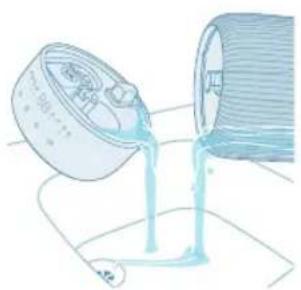
natural_image
Illustration of a container pouring liquid into a cylindrical container (no text or symbols)natural_image
Illustration of a baby bottle with a close-up inset showing the cap and bulb (no text or symbols)natural_image
Diagram of a cylindrical container with internal structure and orange arrows indicating rotation (no text or symbols)natural_image
Illustration of a hand operating a circular device with a fan inside, next to a cylindrical container with an arrow indicating rotation (no text or symbols)natural_image
Illustration of a small appliance with a blue container and a small battery on top, showing internal components (no text or symbols)natural_image
Illustration of a cylindrical container with liquid being poured into it, surrounded by small fragments (no text or symbols)natural_image
Illustration of a hand cleaning a circular container with internal compartments (no text or symbols)natural_image
Diagram of a mechanical device with a highlighted component and arrow (no text or symbols)natural_image
Illustration of a baby bottle with a cap and a magnified inset showing liquid level (no text or symbols)natural_image
Illustration of a cylindrical container with internal components and an arrow indicating direction (no text or symbols)natural_image
Illustration of a funnel pouring liquid into a jar with arrows indicating flow direction (no text or symbols)natural_image
Diagram of a device with a lid and internal components, showing an orange arrow pointing to a component (no text or symbols present)natural_image
Hand inserting a plug into an outlet (no text or symbols visible)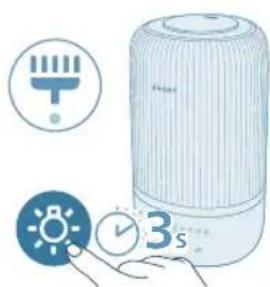
natural_image
Illustration of a portable air conditioner with icons for timer, alarm clock, and 3-second duration (no text or symbols on main objects)natural_image
Illustration of a hand pressing a button on a device, with no visible text or symbols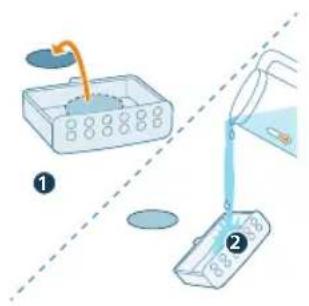
natural_image
Illustration of a hand pressing a button on a blue rectangular object, with no visible text or symbols.natural_image
Diagram of a mechanical device with a highlighted component and arrow (no text or symbols)natural_image
Illustration of a lid with an arrow pointing upward, no text or symbols presentnatural_image
Illustration of a portable air conditioner unit with a close-up inset showing a small green button (no text or symbols)natural_image
Illustration of a water dispenser pouring liquid into a container with a green checkmark (no text or symbols)- Ультрадыбыстык бу шыфатын жерден су күймаңыз.
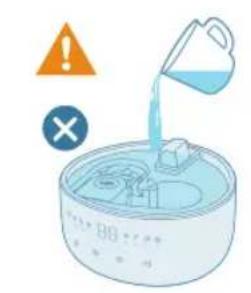
natural_image
Illustration of a bottle with liquid being poured into a jar, showing arrows indicating flow (no text or symbols)natural_image
Illustration of a hand pressing a button on a device, with no visible text or symbolsnatural_image
Icon set showing Wi-Fi, clock, battery, and timer next to a blue circular button with icons (no text or symbols)natural_image
Hand inserting a plug into an electrical outlet (no text or symbols visible)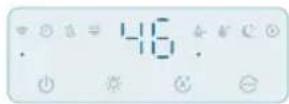

natural_image
Illustration of a device emitting blue light with a rotating button, showing airflow direction (no text or symbols)natural_image
Pure electrical circuit symbols without any text or labelsnatural_image
Illustration of weather icons including raindrops, moon, and stars with a magnifying glass (no text or symbols)natural_image
Illustration of a water heater with icons for rain, moon, and air (no text or symbols)natural_image
Pure electrical circuit symbols without any text or labelsnatural_image
Illustration of a portable air conditioner with a digital display and a small icon showing a hand holding a light bulb (no text or symbols present)natural_image
Illustration of a light bulb device next to a small circular icon with a sun symbol (no text or labels)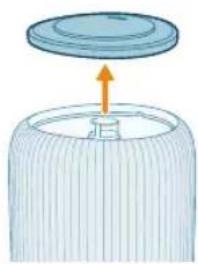
natural_image
Illustration of a lid being placed on a cylindrical container with an arrow indicating upward motion (no text or symbols)natural_image
Diagram of a device with a cylindrical component and a base, showing internal components (no text or symbols)natural_image
Illustration of a container pouring liquid into a cylindrical container (no text or symbols)natural_image
Illustration of a baby bottle with a close-up inset showing the cap and liquid level (no text or symbols)6 Су сүзгісін су ыдысынан алыңыз.
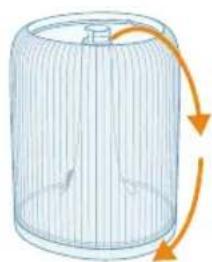
natural_image
Diagram of a cylindrical container with internal flow arrows indicating rotation (no text or symbols)natural_image
Illustration of a hand using a tool to clean or adjust a circular component, with no visible text or symbols.natural_image
Illustration of a hand pressing a button on a device, with no visible text or symbolsETLUNWUWQUHUWLWU NW2INTN (EMF)
Uju uwppn hwúwwwunwwuhwùniú 5 hǐyúnnwúwqúhuwlywù nω2untnh wqntgnujwùn yθnwptnnn yhhwnbīh uunwǔnwnunutnhù l ywùnüwwynqnqtnhù:
Oqunwhwùnì

Uju ǔ2wùn gniy g t unwjhu, nn wju wynwùpn szytinp t pauihujh unynnwlywù ytǔguwnwjhù wnph htun (2012/19/6U):
3tunutp 5tyunnwlywù l 5tyunnnàwjhù wqnwúpútnh wnwùdḥù hwwupúwù htún lwwuylwò dātn tplynniú qnnδnn lwwùnútinhù: ǒh2n oqunwhuìniún oquniú 5 lwwùhutl 2ngwlyw úhqwulwjnh l uównnni wnnnzniŋajwù hwwúwn pwgwuuwlwù htúnlwúpúttn:
EU hwúwùwùnwùhuìwùnìpàwù wùnqīgǔwǒ hwùnwùnwògh
DAP B.V.-ù unyúnú hujnwnwnniú ƒ, np HU1509/HU1510 ubuwlyh wnghnuwnpwuynnniún hwuwwwunwwuhwùniú ƒ 2014/53/6U hwǔàwnwnwnqphù: 6U hwuwwwunwwuhwùnjuwù hujnwnwnwnqph wúpnngwlywù untpuunn hwuwwutjħ ƒ htunljuwú qtplywjpniu' www.philips.com:
2tn hunuwugnighn
Uwnwuph punhwunin punipawqn
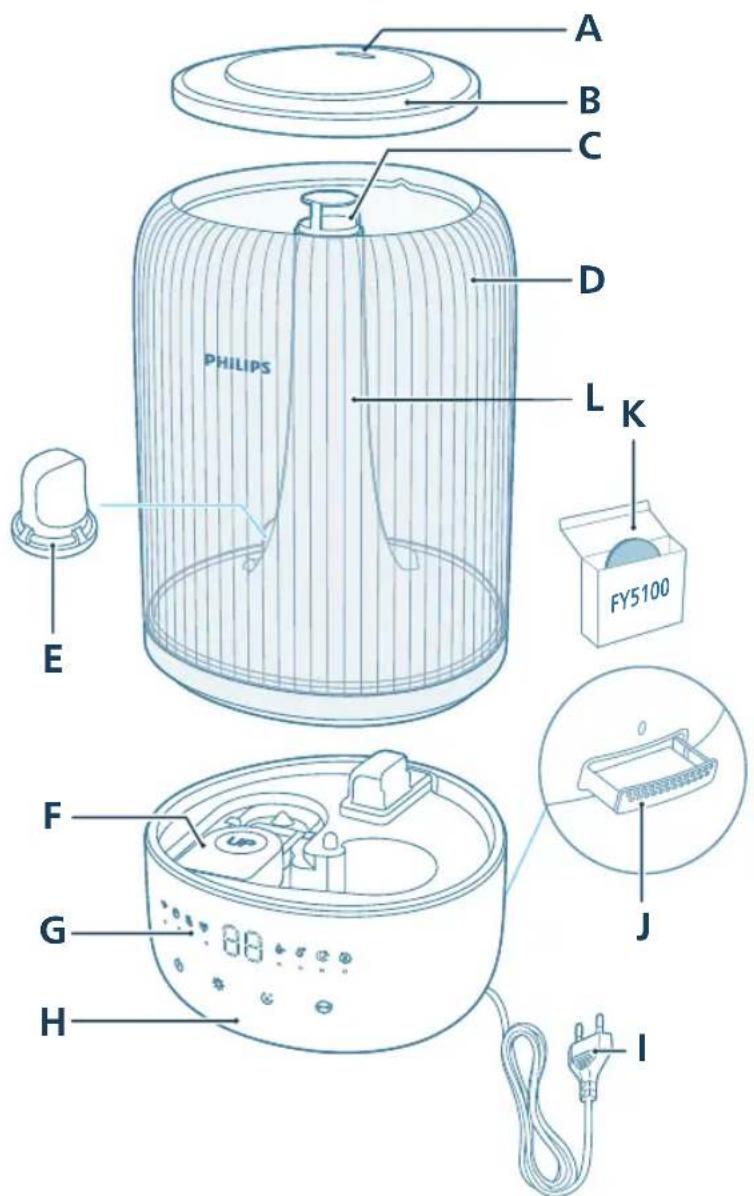
A 91huhy G 4wn2wylwniwi ywhwtiwu
B 2nh unwnwjh ywwwnh2 H 3hup
C 9n1nn2ni tlp I hnng
D 2nh unwpw J Fnpúniúph unnuh
E 2nh \$hlunn K fnipúniúph pwnàhlyútn (FY5100)
F Lnnwù L 9n1nn2ni hunnnu5w
Чуньцунушу \$нілghwùtnh pùnjuwqhnn
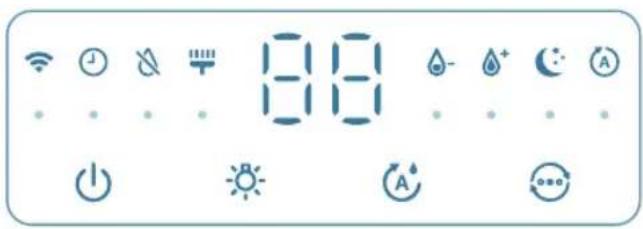
natural_image
Diagram of a cylindrical device with internal components and an arrow pointing to a component (no text or symbols)1 3wùnqūlāp, nn lnnwùn lwwl wùnwugulwōξ:
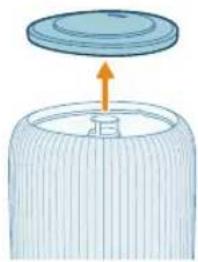
natural_image
Illustration of a lid being inserted into a cylindrical container with an arrow indicating direction (no text or symbols)2 3wutp qnh unwnwjh ytnuh ywwwnhyn:
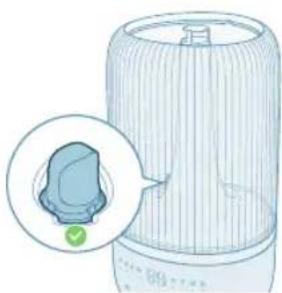
natural_image
Illustration of a portable air conditioner unit with a close-up inset showing a green button (no text or symbols)3 3wúnqultp, nn qnh \$hlunn qh2n 5 untwnnnuud:
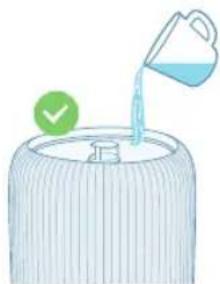
natural_image
Illustration of a container with liquid being poured into it, marked with a green checkmark (no text or symbols)4 2n1n 1gntp 2nh unwnwjh 3tg: Uh 1gntp 2nup 2n1n:
L2niu.
Oqunwqnptp iwpnluw, pnnwδ ywi δ guδn unlnnuwjuniŋwúp hwùpwjħu gnin' patiħniħtph wnwgwgniún l huìpwūjniŋtph onni δ gnuħωπιŋniún lywǔhutīni hwiśwn:
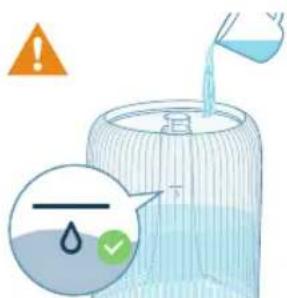
- 2nin gutihu uhi wugtp qnh gnighzh uwhuwuwwuhn:
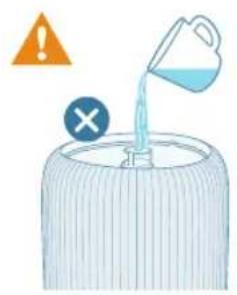
- 2n1n u1h lgntp n1unnwàwjùwjħu qn1nn2ni biph útg:
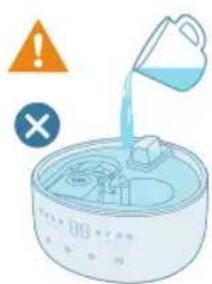
- 2ninn úk igntp wùúhǒu wǒtu hhuóph útg:
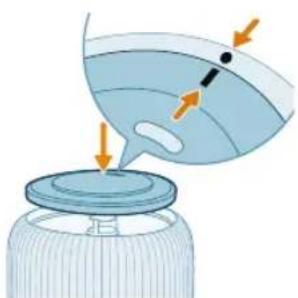
natural_image
Illustration of a bottle with a lid and arrow indicating direction (no text or symbols)5 4tnluh ywwhwphyn tunnhg wunwqntp qnh wnwnwjh ynw:
natural_image
Illustration of a hand pressing a blue rectangular object with a pointer, next to a small electronic component (no text or symbols visible)1 Utinúbp pniúnútúph unnúhh ynw' wju wqunnúwùn lytpwnú nnnpu hwùbínl hwiúwùn:
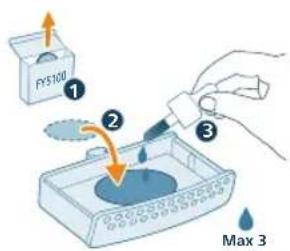
2 Lgntp 2-3 lwwahl bptnwnjhù jnintan utwnzulwó pnipúniúph pwnàhyhù:
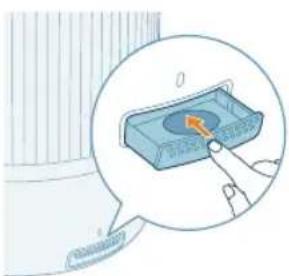
natural_image
Illustration of a hand pressing a button on a blue electronic device (no text or symbols visible)Wi-Fi distinguishes Wi-Fi, distinguishes Wi-Fi, distinguishes Wi-Fi
@wnpaniú 5 uwnúguwqniýunú Uhwùniú 5 uúwnja hīnwuhuhù
2 hunuwugnighpn uhwqntp ywnnwlyhg u utnutp uhwguwu lynawyln' uwnpn uhwgutjni hwuiwn:
- Wi-Fi-h gnighyn 闽nughù wùqwú úhwǔtǐhu ǔwnǔzquŋǔ ǐnùwǔŋnniājwūp ǎwnāniú ṭ:
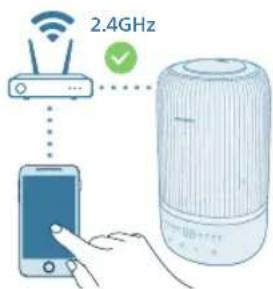
3 3wúnqúp, nn àtn uúwnə\$nùn ywú wīwùzǔn hwwnnniējwúp úhwgǔwǒ tàtn Wi-Fi guìghù:
L2niu.
2tn uúwnpěnǔniú úhwgntúp Bluetooth qnnðwnnyján` uwhniù qniqwwlnpnniúu wwwwhnúbīni huúwùn:
3wùnqultp, nn àtn uùwnpʃnùn úhwguwòt 2,4 93g (unùwjhù) Wi-Fi gwùghù` 5 93g Wi-Fi gwùgh lywú hwiùnwjhù Wi-Fi-h ʒnhuwentù: Uwhniù qniqwùnnniùu wwwwhnytjni hwiùwn útbùp wnwgwynniú tǔp wügwuntl àtn pōgwjhù unjwiútqn` iwwupwù qniqwùnnnuùu qnnòpnùpwgn ulyutìŋ:
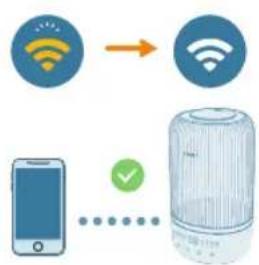
flowchart
graph TD
    A["Mobile Device"] --> B["Wireless Sensor"]
    C["Smart Phone"] --> D["Radio Station"]
    style A fill:#f9f,stroke:#333
    style B fill:#ccf,stroke:#333
    style C fill:#cfc,stroke:#333
    style D fill:#fcc,stroke:#333
4 9nnδwnytp Philips-h «Air+» hwuθιγωδη ι ζynwùhù utnútp «Uθιμgǔtι uwnp» yuuí «+» ynǎwln: ιυπωνωgninghen àtn gwùghù úhwgǔtini hwúwn hθunutp ζynwùh gnignwǔtphù:
-Uhwgnuhg hbunn Wi-Fi-h gnighpn uwnynui 5 uwhunwly qnyjuni:
L2niú.
Uju hnuwhuqn nich útg ć úhwjù wjù n̥twypniú, tnp huntuwulwgnighsh ywnqwynpnwiuttn ywnwnpyniú tǔ wnwghù wǔquú: tṛā gūwgh ywnqwynpnwiuttn yhnhuītī tǔ ywú hwnpwynn ć unphg ywnwnptl ywnqwynpnwiuttn:
bāt gwūlquīnǚ bù yhuugǔ lǐyìhg wǔtǐh uwnptn àtn uúwnrǎnǔhù yuò wīwùzunhù, yuunn bù uwnpù wǔtǐwǔgǔ lǐnwgnighs uúwnrǎnǔutnh hwuǐbīwǒniǔ wùwǔg uwnph Wi-Fi yuwn rǔtnwúwjtǐn:
Rwúnqúp, nn àtn uúwnræpnúh yuwú wjuwú2tunh u huntuwulwgnighsh úhgul hɪnzuŋnnniŋniŋn sh qtnuqwüugnu 10 u-p, u hunsyūnnnutin slywù:
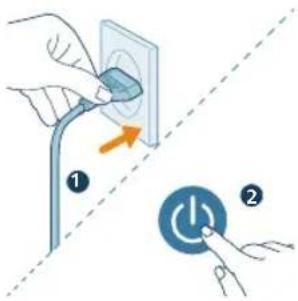
Wi-Fi ywwh qltnwlywniu
1 lonuwlugnighsh hunngn uingntp hnuwuph uwnnwuh utg la utnutip lynawyn' uwnpn uhwgutini hwuiwn:
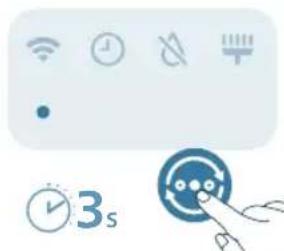
natural_image
Pure UI icons without any text or symbols2 Uhwdwuiwuwly utnutp lu wuhtp qnawlyn 3 uwjnljwu' uħuslu awjuwjhju wqnwu2wu jubp:
- bunuwugnighzu wuguniu l qniqwulnnuiwu nzhuhu:
- Wi-Fi gnighzh nyun pewnanui 5 uwnugwqnjunu:
3 Чwinwntp «Unwghù wùqwú Wi-Fi lywwh lqunqwynnnu» pwduh 3-4 pwyltnn:
Honuiunijuwu lnjuh gnighzh qnjuh
Cupwghy Hu 5 nu u2wùwlniu: hunwuln- uəjniü
Uwuni2wlywqnju <40% 2nn
ЧWWNYUN 40-60% ЗWWУПИЛТВИН НУТШУЛНЯЖИЛУ
natural_image
Hand inserting a plug into an outlet (no text or symbols visible)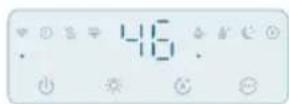

2 Utnútp uünigúwù lynǎwln` uwnpn úhwgútni hwiúwn:
natural_image
Illustration of a device emitting blue rays, showing a rotating button and a magnified view (no text or symbols)802 Rujtntu
Ujunnüwun nötchüh ywnqwülnnniüütph yhnühnünipajniü
Tnip yunnn ti p nunnnipniu ywnwnti Ujunniuun ntadhuh, Ruh ntadhuh,
Uhghù ntādhūh yuuì Fwunàn ntādhūh uǐhuì utnútīnǔ ntādhūtūnh
ynhwnpuiwu ynawyn:
Ujunnúwùn ntóchu (1) hūnwùwugnighen wujunnúwùn ytpwny lqwnquwynnniú 5 qninn2ni uwwywnnwyn' ywhuylwò 2ngowlyw úhowylwjnh hun'uwynijajniǔhg:
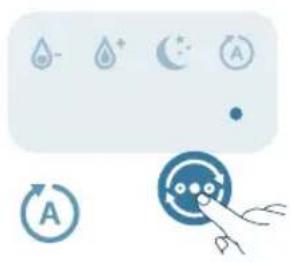
natural_image
Illustration of a weather control panel with icons for raindrops, moon, and timer (no text or symbols)Luh ntchu (‘ lonuwugnighsu w2huunniú 5 hwüqhuin’ aninn2ni gwón uwqunnwuh qnu: 3 qujnyiwuh gynwuh inyutnú wüguunlniú tǔ:
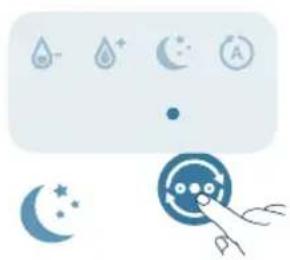
natural_image
Illustration of weather icons including raindrops, moon, and stars with a hand pointing to a circular object (no text or symbols)Uhghù ntchú (☐) fūnùwùwgnighsù w2huwunnu l 5 qnīnn2ni úhghù uówywnnwlyh ynu:
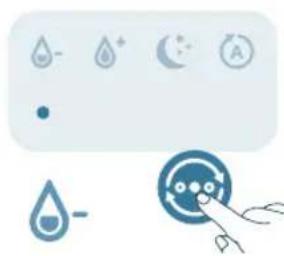
natural_image
Pure electrical circuit symbols without any text or labelsFwnàn ntāchú (A) 亡ùwùwugnighzǔ w2hùwinnuǐ t wúbùwpwnàn uówywnnwlyh qnu:
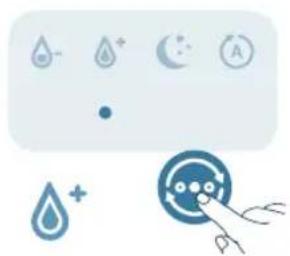
natural_image
Illustration of a control panel with icons for water, moon, and battery (no text or symbols)fonuuyniajwù uówuwnnwnp lwwnn 5 ywnquwlnpúl úhwjù wylunnúwun ntdchúnq:
Uwnpù húpuwptnpwpwn lquuguh Ujunnúwun ntdhúh, tnp ηnip uwhúwutp tiuqunwlywjhù hunuwlnipajwù uwwywnnwyn wjj ntdhúutpnnui:
hunwunjawu uwwwnwnyn lwnnn tip lwnqwnnti' utnutinyl hunwunjawu lwnqwnnuwu lynwyn' pwnntini hwuw 40%, 50%, 60% lww 70%:
Lnyuh qnnδωηνηραh oqunwqnδηιμ
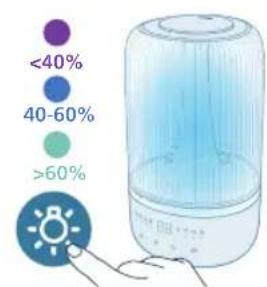
natural_image
Illustration of a smart speaker with a highlighted indicator and a hand pointing to it (no text or symbols present)- 3nip hyunn tn utnúti inyuh qnpδwnnyjah lynδwyn` 2ngwlyw inwwulnnipajwù ntdhúhù wǔgǔtīni huuwun: hyunqwulntp ywwjδwnniŋniù ni qnyún Air+ hwultiuwǒnu:
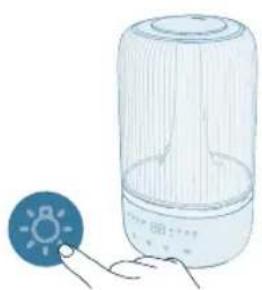
natural_image
Illustration of a light bulb device with a small icon showing a sun, next to a hand holding a pointer (no text or symbols present)Utnutinu injuh lynawyn` ywnnn tp wugwunti pninn inyutn u ni lqunwulwnufw u lwhuwyn: Lwhluwnwg, utnutip gwulwgwud lynawl` qwhuwyn uhwutjni hwuiwn, wjunhtunu lynyh u utnutp injuh lynawyn` gwulwuh inuwulnnupw u ntdhún 3 qujnyiwuniu uwhuwutjni hwuwn:
804 Rujtntu
Uwpnniú u inthuúhlywlyu uwwuuwnyniu
L2niú.
Uwpntinig wnwg üh2n hnuwuphg wugwuntip htuwlywjuwn:
tnptp uhi nuiynutp uwnpn qnh ywu nnu5 wjl htnniuh utg:
huniuwhtp onh utnpawuhwugnuhg onh uniunph u tiph wugptn:
Uwngh nput uwu uwpntbni huwun tnptip uh oqnwqnpndtp hnlynn, wqntuhu ywu ynnipwulwn uwppnn uhongutn, onhùwú pinn ywu uwhnun:
Hunwugnighsh uwpnniun
Uwpntp hunuwulwgnighyn, tnp úwpnúwù wqnú2wùn úhwùniú 5 yuuí tnp onn úty:
Twnptnwpwn uwpntap hunuwuqgnighp utnuhg u npuhg 7hn2nl lynuwynuhg hunuwuhtjni hwuwn:
1 Unptip yhn2hù hunwulwgnighsh ynnwnluhg znn yhwhnly yunnny:
2 Uguwuntp uwnpn u hwiutp hunngwyn hnuwuph qwnnwlyhg:
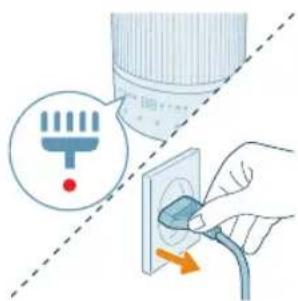
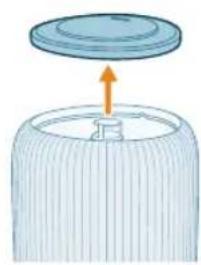
natural_image
Illustration of a cylindrical container with a lid and an arrow indicating upward motion (no text or symbols)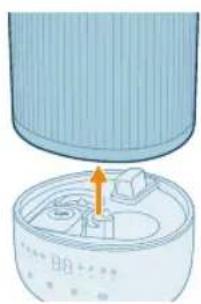
natural_image
Diagram of a cylindrical device with internal components and an orange arrow indicating a process (no text or symbols)3 3wutp qnh unwnwjh ytphuh ywhwnhyn:
4 3wùtāp gnh unwpwù hn hhúphg:
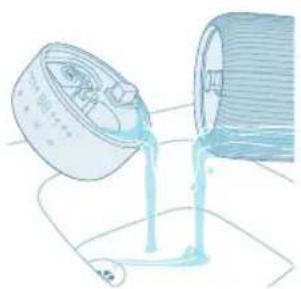
natural_image
Illustration of a pouring liquid into a container (no text or symbols)5 Ωnɪŋp əwʊhtɪp ʊnwnʊŋhg ʊhhʊ̥ɪphg:
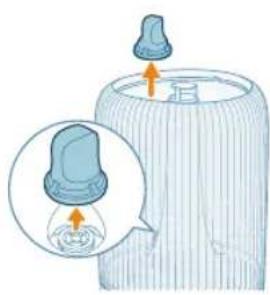
natural_image
Illustration of a baby bottle with a close-up inset showing the cap and bulb (no text or symbols)6 3tnwqntp qnh \$hlunn qnh unwnwjhg:
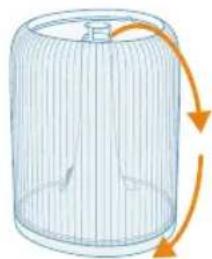
natural_image
Diagram of a cylindrical container with internal structure and orange arrows indicating rotation (no text or symbols)7 91huhulwyn 2ngtp qnh unwnwt:
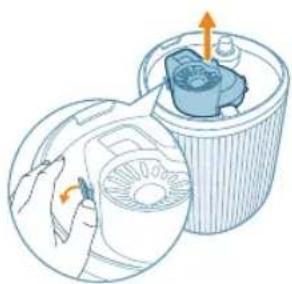
natural_image
Illustration of a hand holding a circular device next to a cylindrical container with an internal component (no text or symbols)8 3wutp huiwgnighn qnh unwnwjh unwljh uwwhg:
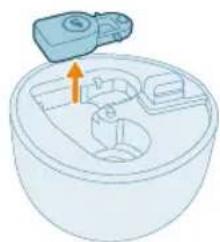
natural_image
Illustration of a mechanical component with an arrow indicating direction (no text or symbols)9 Rwutp Innwun hhuph hughyhg:
806 Rujtntu
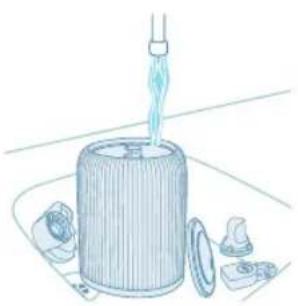
natural_image
Illustration of a mechanical device with a funnel pouring liquid into a cylindrical housing, surrounded by small components (no text or symbols)10 2nh unwnwù, ʊtənluh ywwuhwnhʒn, ɪnnwùn, huiwgnighʒn u ʒnh \$hlunn n lʊwgtp ɒnnuː:
11 Lwyljulgtp hhpn u znnwgntp:
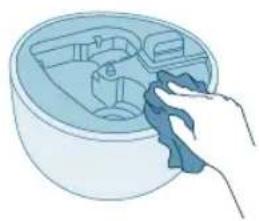
natural_image
Illustration of a hand cleaning a circular container with internal compartments (no text or symbols)12 Lnnwùn tunnhg nntp hhuíph hughyh útg:
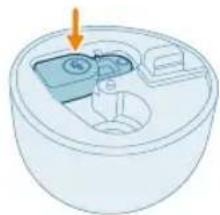
natural_image
Illustration of a small appliance with a lid and internal compartments, no text or symbols present13 2nh \$hlunn tunnhg untwnntip qnh unwnwnui:
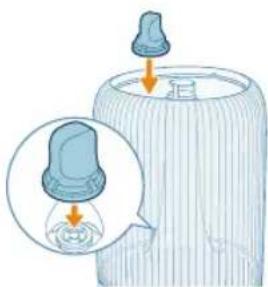
natural_image
Illustration of a baby bottle with a droplet inside, showing liquid level and a magnified inset (no text or symbols)14 bwrwnighen unnhg nnp hhuph utnpluh uwwuni:
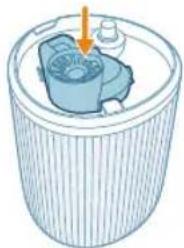
natural_image
Illustration of a cylindrical container with internal components and an arrow indicating direction (no text or symbols)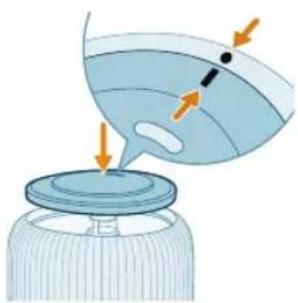
natural_image
Illustration of a bottle with liquid being poured into a container, showing fluid flow direction (no text or symbols)natural_image
Diagram of a device with a cylindrical component and a base, showing internal components (no text or symbols)16 2nh unwnwù ünphg nntp hhúph qnw:
17 Uhwgntp hunngn qwnnwlyhù:
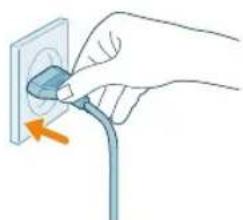
natural_image
Hand inserting a plug into an electrical outlet (no text or symbols visible)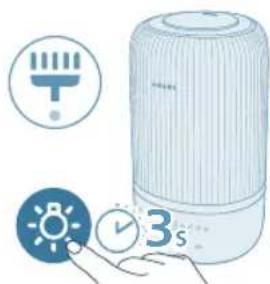
natural_image
Illustration of a portable air conditioner with icons for temperature, battery, and time (no text or symbols)18 Utnúbú u wuhbú lnyuh lynówyn 3 úwijnlyjuu` úwpnúuì duwúwùwyn útpwnútjni huuwùn:
natural_image
Illustration of a hand pressing a button on a surface, with a small block nearby (no text or symbols)1 3wùtp pnnúntúph unnuhn' utnútlnú nnw qnw u nninu pu2tlnú wjù:
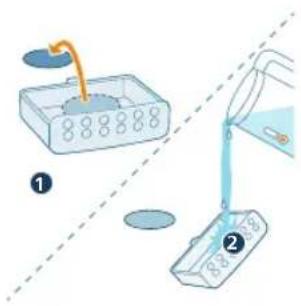
2 3wùtp pnnúniùph pwnàhyn l u lùwgtip wjù unnuhh hàn úhwuhù hnunn unwp qnh unwly:
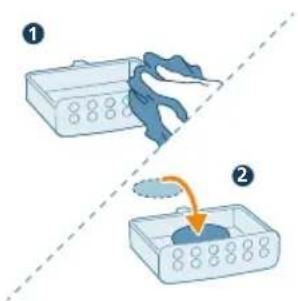
3 2nnwqntp úwpnín 2nnnú l u pwnáhún ünnhg ηntp pnnúniúph unnuhh úbg:
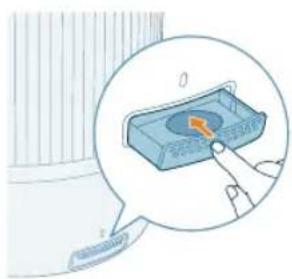
natural_image
Illustration of a hand interacting with a blue electronic device inside a container, showing a button and pointer (no text or symbols)4 Fnipúniúph unnuŋn ünphg ηπαρ hunùwulwgnighzh útg:
modification of the following forms:
natural_image
Diagram of a cylindrical device with internal components and an arrow pointing to a component (no text or symbols)natural_image
Diagram of a cylindrical container with a lid and an arrow indicating upward motion (no text or symbols)natural_image
Illustration of a cylindrical device with a highlighted internal component and green checkmark (no text or symbols)4 ∂guzbgn bymnbl mgtgfmzjsmn bymnnn. sm ∂guzbmon ybgmn bymnnn.
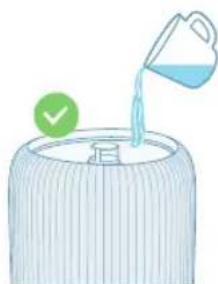
natural_image
Illustration of a container with liquid being poured into a container, marked with a green checkmark (no text or symbols)∂g6n∂36s:
zsdmnyg6pm zsbdg6pnnmn, zsdmbpnnmn bysmn 5b dn6gmsmgndnl csdsmn dgdu3gmmmndnl dgmbg bysmn, fmd oszngosb snynmmmn bsqgdnl bsmdmjd6s wu dn6gmsmgndnl zugmfj393s 3sgmdn.
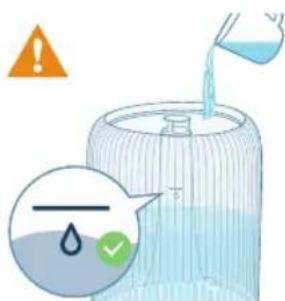
быمnom ∂g3uŋdnlssu sm zuqssfsmdomn 6ymnlu qmbnu n6qn3sphmbl.
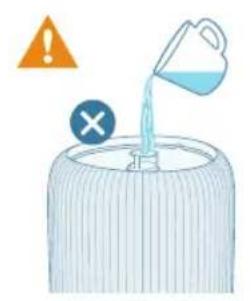
- -by-mn sm hssubsm ggbnu ymΦmδgΦnnn zudmdd3gðnm.
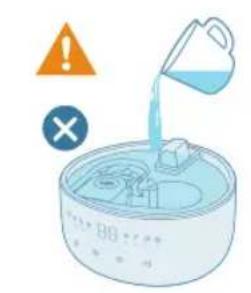
- 6yugmn sm hssubson 3nmpos3nm dnmdn.
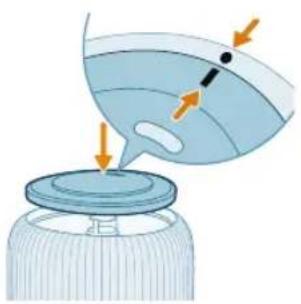
natural_image
Illustration of a bottle with liquid and a funnel, showing airflow direction (no text or symbols)5 bgtmubms qussdʒmgn 8gws bygn bymnlu mgtgmzyml.
natural_image
Illustration of a hand pressing a button on a surface, with a small blue object nearby (no text or symbols)Wi-Fi 30300000 bghm6000 4586600
natural_image
Icon set showing Wi-Fi, clock, battery, and timer next to a blue circular button with a hand pointing at it (no text or symbols)- Wi-Fi-l n6q0n3s4mmn 65m65n5g3m2o 53nd3nd4g0d.
∂θδσ∂γρησ <40% ∂∂μσρησ
40-60% 3m30mmФУСИФУБНБМДУ
∂63s6g >60% dυμησδ ∂υμομη Φθ6n6mòs
бы cannot be must be sure
natural_image
Hand inserting a plug into an outlet (no text or symbols visible)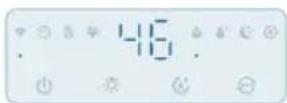

natural_image
Illustration of a flashlight emitting a circular object, showing light dispersion and rotation (no text or symbols)natural_image
Pure electrical circuit symbols without any text or labelsdāmān bāgjān (qī yāsāyībān bāgjān bāyāsāyībān yāsāyībān yāsāyībān yāsāyībān yāsāyībān yāsāyībān yāsāyībān yāsāyībān yāsāyībān yāsāyībān yāsāyībān yāsāyībān yōngjā. 3 bāsān bāgjāngjā, yāsān bāu bāsān yāgjāngjān nongjās.
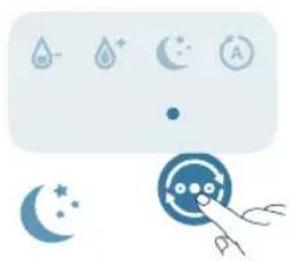
natural_image
Illustration of weather icons including raindrops, moon, and stars with a hand pointing at a circular target (no text or symbols)natural_image
Illustration of a weather control panel with icons for raindrops, moon, and alarm (no text or symbols)natural_image
Illustration of a water control panel with icons for water, rain, moon, and alarm (no text or symbols)Figures of the following table:
natural_image
Illustration of a portable air conditioner with a light bulb and a small inset showing a hand holding a device (no text or symbols present)natural_image
Illustration of a light bulb device next to a circular icon with a sun symbol (no text or labels)natural_image
Illustration of a lid being placed on a cylindrical base with an arrow indicating upward motion (no text or symbols)830
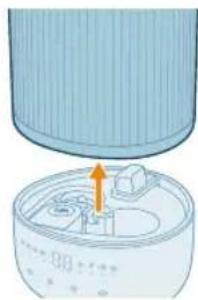
natural_image
Illustration of a cylindrical device with an orange arrow pointing to a component inside a container (no text or symbols visible)4 dnhnqub dmblgbnb byrnnb mghm3yugmn.
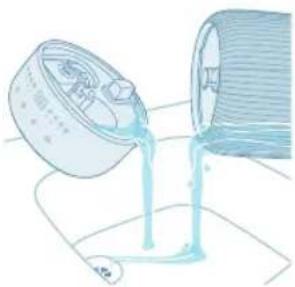
natural_image
Illustration of a container pouring liquid into a cylindrical container (no text or symbols)natural_image
Illustration of a baby bottle with a close-up inset showing the cap and liquid (no text or symbols)6 əmbuğbnom ßyünnu əgnımfönn ßyünnu ʃnj8jfmʒyúmû.
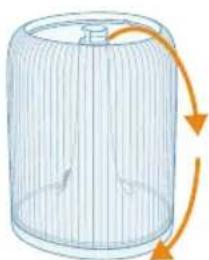
natural_image
Diagram of a cylindrical container with internal structure and orange arrows indicating rotation (no text or symbols)natural_image
Illustration of a hand using a tool to clean or adjust a circular component inside a cylindrical container (no text or symbols)10 fiscalon fiscal government fiscal and fiscal, fiscal by fiscal, fiscal, financial, and financial expenses fiscal.
11 306200 30620000000000000000000000000000000
12 ๑๖๕๖๗๘๐๓๔๐๓๔๐๓๔๐๓๔๐๓๔๐๓๔๐๓๔๐๓๔๐๓๔๐๓๔๐๓๔๐๓๔๐๓๔๐๓๔๐๓๔๐๓๔๐๓๔๐๚
natural_image
Illustration of a mechanical component being inserted into a jar, showing internal structure and motion arrows (no text or symbols)natural_image
Illustration of a cylindrical container with an arrow pointing to a lid, showing internal components (no text or symbols)16 dn680 b9m5b9m5 405d3g6m0n 6y6mn5 m980m3y6mn.
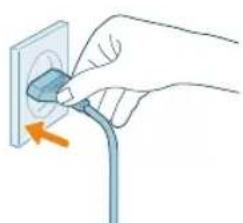
natural_image
Hand inserting a plug into an outlet (no text or symbols visible)natural_image
Illustration of a white portable air conditioner with icons for battery, timer, and alarm clock (no text or symbols)18 falmghnls gubgomuzgdnl qfmnls gubsbymgdmsq pssgngm on 3 bsdnl gubduzmmodsan sm ydzsom bsmghnl mnmsj.
modification of the following forms:
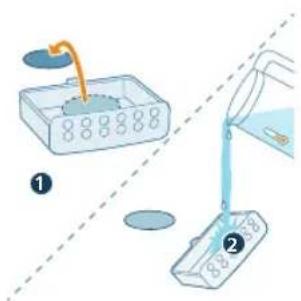
natural_image
Illustration of a hand pressing a button on a blue rectangular object, with no visible text or symbols.36702020202020202020202020202020202020202020202020202020202020202020202020202020
PHILIPS and the Philips Shield Emblem are registered trademarks of Koninklijke Philips N.V. and are used under license.
This product has been manufactured by and is sold under the responsibility of Versuni Holding B.V., and Versuni Holding B.V. is the warrantor in relation to this product.
2024 © Versuni Holding B.V.