
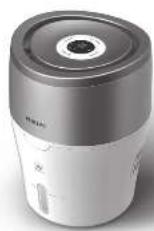
HU4811 - Humidifier PHILIPS - Free user manual and instructions
Find the device manual for free HU4811 PHILIPS in PDF.


| Product type | Air humidifier |
| Brand | Philips |
| Model | HU4811 |
| Humidification technology | NanoCloud (cold evaporation) |
| Tank capacity | 2 liters |
| Humidification rate | 220 ml/h |
| Recommended area | Up to 25 m² |
| Noise level | 26 dB(A) |
| Power consumption | 20 W |
| Power supply | Mains 220-240 V, 50/60 Hz |
| Dimensions (W x D x H) | 20 x 20 x 30 cm |
| Net weight | 1.5 kg |
| Control | Touch buttons |
| Water level indicator | Yes |
| Automatic shut-off | Yes (empty tank) |
| Filter | Integrated anti-scale filter |
| Cleaning | Recommended weekly cleaning |
| Spare parts | Replaceable filter (type FY1110) |
| Repairability (score) | 8.4/10 |
| Warranty | 2 years |
| Included accessories | User manual |
Frequently Asked Questions - HU4811 PHILIPS
User questions about HU4811 PHILIPS
0 question about this device. Answer the ones you know or ask your own.
Ask a new question about this device
Download the instructions for your Humidifier in PDF format for free! Find your manual HU4811 - PHILIPS and take your electronic device back in hand. On this page are published all the documents necessary for the use of your device. HU4811 by PHILIPS.
USER MANUAL HU4811 PHILIPS
2021 Phillips Drammalls Appliances Holdings NV.
all rights reserved
3000.0598211

User Manual


Contents
1 Important 2
Safety 2
2 Your humidifier 5
What's in the box 5
3 Getting started 5
Prepare for humidification 5
4 Using the humidifier 6
Understand the humidity indication 6
Understand the healthy air protect alert and lock 6
Switch the humidifier on and off 6
Clean the water tank 9
Clean the humidification filter 10
6 Replacing the
humidification filter 10
7 Troubleshooting
11
8 Guarantee and service 13
Order parts or accessories 13
9 Notices 13
Electromagnetic fields (EMF) 13
Recycling 14
1 Important
Safety
Read this user manual carefully before you use the humidifier, and save it for future reference.
Danger
- Do not spray any flammable materials such as insecticides or fragrance around the humidifier.
- The water in the water tank is not suitable for drinking. Do not drink this water and do not use it to feed animals or to water plants. When you empty the water tank, pour the water down the drain.
Warning
- Check if the voltage indicated on the bottom of the humidifier corresponds to the local power voltage before you connect the humidifier.
• If the power cord is damaged, you must have it replaced by Philips, a
service center authorized by Philips, or similarly qualified persons in order to avoid a hazard.
- Do not use the humidifier if the plug, the power cord, or the humidifier itself is damaged.
- This appliance can be used by children aged from 8 years and above and persons with reduced physical, sensory or mental capabilities or lack of experience and knowledge if they have been given supervision or instruction concerning use of the appliance in a safe way and understand the hazards involved. Cleaning and maintenance shall not be made by children without supervision.
- This appliance is not a toy. Children should be supervised to ensure that they do not play with the humidifier.
- Do not block the air inlet and outlet, e.g. by placing items on the air outlet or in front of the air inlet.
Caution
- If the power socket used to power the humidifier has poor connections, the plug of the humidifier becomes hot. Make sure that you plug the humidifier into a properly connected power socket.
• Always place and use the humidifier on a dry, stable, level, and horizontal surface. - Do not place anything on top of the humidifier and do not sit on the humidifier.
• Make sure that the humidifier is well assembled/connected every time after you clean it or after you remove the upper cover and/or water tank for refilling. The humidifier must be properly assembled to deliver a good and safe performance. - Only use the original Philips filter specially intended for this humidifier. Do not use any other filter.
- Avoid knocking against the humidifier (the air inlet and
outlet in particular) with hard objects.
- Do not insert your fingers or objects into the air outlet or the air inlet to prevent physical injury or malfunctioning of the humidifier.
- Do not use this humidifier when you have used indoor smoke-type insect repellents or in places with oily residues, burning incense, or chemical fumes.
- Do not use the humidifier near gas appliances, heating devices or fireplaces.
• Always unplug the humidifier after use and before you clean it. - Do not fill water from the air outlets on top of the humidifier.
- Place the humidifier properly to prevent children from knocking it over.
-
Do not use the humidifier in a room with major temperature changes, as this may cause condensation inside the humidifier.
-
When the humidifier is not used for a long time, bacteria and mold may grow on the filters. Check the filters before you start using the humidifier again. If the filter is very dirty with dark spots, replace it (see chapter ‘Replacing the humidification filter’).
- Do not wash the filter in a washing machine or dish washer, otherwise the filter will be deformed.
- The humidifier is only intended for household use under normal operating conditions.
- Clean the water tank and humidification filter every week to keep it clean.
- Only fill the water tank with cold tap water. Do not use ground water or hot water.
-
Do not put any substance other than water in the water tank. Do not add fragrance or chemical substance into the water. Use only water (tap, purified, mineral, any sort of potable water).
-
If you do not use the humidifier for a long time, clean the water tank and dry the humidification filter.
- If you need to move the humidifier, disconnect the humidifier from the power supply first. Then empty the water tank, and carry the humidifier horizontally.
- Keep the humidity sensor dry. If the sensor gets wet, it could miscalculate the humidity level, and the humidifier could stop working due to miscalculated humidity level.
- Unplug the appliance during filling and cleaning.
2 Your humidifier
Congratulations on your purchase, and welcome to Philips!
To fully benefit from the support that Philips offers, register your product at www.philips.com/welcome.
The Philips humidifier brings fresh, humidified air to your house for the health of your family.
It offers you advanced evaporation system with NanoCloud technology, using a special humidification filter which adds H2O molecules to the dry air, and produces healthy humid air without formation of water mist. Its humidification filter retains bacteria, calcium and other particles from the water. It delivers only pure humidified air in your home. No more dry air in the winter season or from the air conditioning.
Read this user manual carefully before you install and use the humidifier. Save it for future reference.
What's in the box
Check and identify the contents of your package (fig. ①):
A Upper unit
B Humidification filter (FY2401)
C Filter support
D Float
E Water tank
F User manual
G Warranty
3 Getting started
Prepare for humidification
1 Hold by both sides of the upper unit to lift it up (fig. ②).
2 Remove the packaging material of the new humidification filter (fig ③).

Note
• In order to get the optimal humidification result, soak the filter in water for 30 minutes before use.
3 Assemble the new humidification filter around the filter support (fig 4).
4 Put the filter and the filter support back into the water tank (fig 5).
5 Fill the water tank with cold tap water until water reaches the maximum water level indication (fig. 6).
6 Place the upper unit back onto the water tank (fig. ⑦).
4 Using the humidifier
Understand the humidity indication
The humidifier is equipped with a built-in humidity sensor. You can set the target humidity level at 40%RH, 50%RH and 60%RH. The ambient humidity level displays on the center of the control panel from 20%RH to 95%RH.

Note
• A comfortable humidity level is from 40RH% to 60RH%.
- The accuracy of the humidity indication is approximately ± 10% .
- It takes some time to measure the humidity level in the room.
Understand the healthy air protect alert and lock
The healthy air protect alert gives you a timely warning when the water tank needs refilling. When the water in the tank starts getting low, a red indicator on the control panel starts blinking to tell you that it is time to refill the tank (fig. ⑧). It blinks for 30 minutes. After that, the indicator remains on before the water tank is refilled with water.
The healthy air protect lock always ensures that your humidifier does not work without water in the tank. When the water tank is empty and needs to be refilled, the healthy air protect lock shuts off the humidifier after 30 minutes and a red indicator lights up. When you refill the water tank properly, the humidifier is turned on again.

Note
- In sleep mode, the red indicator does not blink, it turns on when the water level is low.
Switch the humidifier on and off
1 Put the plug of the humidifier into the wall socket.
2 Press the power button ☐ switch on the humidifier (fig. ⑨).
→ The current humidity level and fan speed display on the screen.
3 Press the power button to switch off the humidifier.

Note
- If the water level in the tank is getting very low, the humidifier stops humidifying. The red indicator light first starts blinking and then remains on.
- The humidifier releases very fine invisible mist, so it is normal that you cannot see the mist.
The auto mode uses the digital sensor to constantly monitor the air humidity. It turns your humidifier on and off whenever needed to ensure the humidity level is constantly at the right level. The default humidity level of the auto mode is set at 50RH%, but you can change it to the humidity level you need under the auto mode. Next time when you switch on the humidifier, it will remember your last set humidity level, unless you have removed the plug from the wall socket. In this case the default humidity level is set at 50RH% again.
1 Press the speed button ⚫ select the auto mode (fig. ⑩). → The AUTO speed light goes on.

Tip
- If the desired humidity level is reached, the humidifier changes to a lower fan speed automatically.
- In AUTO mode, the fan speed changes between \~ and .
Manual
You can manually select the desired fan speed.
1 Press the speed button ② once or more times to select the desired fan speed (AUTO, \~, ≈ or ≈) (fig. ⑪). → The selected fan speed light goes on.

Tip
- If the desired humidity level is reached, you can select a lower fan speed. However, if the desired humidity level is not reached, you can select a higher fan speed to humidify the air more quickly.
Sleep mode
In sleep mode, the humidifier operates quietly with dimmed light for your undisturbed sleep.
1 Press the speed button once or more times to select sleep mode (fig. ⑫). In sleep mode, only the speed light is on.
2 To change to another fan speed, simply press the speed button ✝ again.

Note
- Sleep mode only works at speed \~
- In sleep mode, the red indicator does not blink, but remains on when the water level gets low.
- In sleep mode, you can only set the timer; the humidity level cannot be set, and the humidity light is off.
Set the timer
With the timer function, you can let the humidifier operate for a set number of hours. When the set time has elapsed, the humidifier automatically switches off.
1 Press the timer button ③ once or more times to choose the number of hours you want the humidifier to operate (fig. ⑬). → The corresponding timer light (1H, 4H or 8H) goes on.
To deactivate the timer function, press the timer button repeatedly until the timer light turns off.
Set the humidity level

Note
• Make sure that the water tank is filled with water before the humidifier can function (see the chapter 'Get started', section 'Prepare for humidification').
- The humidifier will turn on at intervals, in order to ventilate air around humidity sensor, therefore get more accurate reading on environment humidity. This setting applies to the humidity level setting, including the Auto mode.
1 Press the humidity button once or more times to set the desired air humidity to 40RH%, 50RH% or 60RH% (fig. 14). → The humidity light (40, 50 or 60) of the humidity level goes on. → The ambient humidity level displays on the center of the control panel.

Tip
- A comfortable humidity level is from 40RH% to 60RH%. You can choose the preferred humidity level at 40%RH, 50%RH or 60%RH.

Note
- If no preset humidity level is selected, the humidifier will stop working when the humidity level reaches 50RH% in the auto mode and 70RH% in other modes.
Water level
When there is not enough water in the water tank, the appliance will work in the following ways.
- The water level drops and the red indicator light starts blinking (fig. ⑧).
- The humidifier continues to work for 30 minutes and then stops working, the red ◆indicator light remains on.
The appliance will resume work when you refill water into the water tank.

Note
- If the water tank is empty when the humidifier is plugged in and switched on, the red ◆indicator light blinks for 2 minutes and then remains on before the water tank is refilled with water.
- It is normal to find some water left in the tank.
Refill water
Water level can be observed through the transparent water tank window.
1 Switch off the humidifier and unplug it.
2 Remove the upper unit by holding it at both sides (fig. ②).
3 Fill the water tank with cold tap water until water reaches the maximum water indication level (fig. ⑥).

Note
- When filling water, do not exceed the maximum water level, or water might leak from the drain hole and air inlets.
- Do not shake the water tank when moving it, or water might leak from the drain hole and air inlets.
- Do not fill water through the air outlets on top of the humidifier.
4 Place the upper unit back onto the water tank.
5 Clean your humidifier

Note
• Always unplug the humidifier before you clean it.
- When pouring water from the water tank, make sure to pour water from the opposite side of the drain hole and air inlets.
- Never use abrasive, aggressive, or flammable cleaning agents such as bleach or alcohol to clean any part of the humidifier.
- It is normal to have dust inside upper unit of the appliance after using it for a while. User cannot clean it by himself. Please contact local service center for support.
Clean the body of the humidifier
Regularly clean the inside and outside of the humidifier to prevent dust from collecting.
1 Wipe away dust with a soft dry cloth from the body of the humidifier.
2 Clean the air inlet and the air outlet with a soft dry cloth.
Clean the water tank
Clean the water tank every week to keep it hygienic.
1 Take out the humidification filter and the filter support.
2 Fill the water tank for 1/3 with water.
3 Add some mild washing-up liquid to the water in the water tank.
4 Clean the inside of the water tank with a soft clean cloth.
5 Empty the water tank into a sink.
6 Put the humidification filter and the filter support back into the water tank.
Clean the humidification filter
Clean the humidification filter every week to keep it hygienic.
1 Take out the humidification filter and the filter support from the water tank (fig. ⑮).
2 Remove the humidification filter from the filter support (fig. 16).
3 Soak the humidification filter in cleansing agent (e.g diluted citric acid solution) for one hour (fig. 17).

Note
- Please use mid or acid cleanser (24g citric acid with 4L water).
4 Rinse the humidification filter under a slowly running tap. Do not squeeze or wring the filter when cleaning (fig. ⑱).
5 Let excess water drip off the humidification filter.
6 Assemble the humidification filter round the filter support (fig. ④).
7 Put the humidification filter and the filter support back into the water tank (fig. ⑤).
8 Put the upper unit back onto the water tank (fig. ⑦).

Note
- Do not squeeze or wring the filter. This might damage the filter and impact humidification performance.
- Do not dry the filter under direct sunlight, unless it is assembled back onto the filter support
6 Replacing the humidification filter
Replace the humidification filter every 6 months for optimal performance. If the filter is in good condition, you could use it for a longer period of time. Make sure to replace the humidification filter at least once a year.

Note
- Use only Philips original humidification filter FY2401.
• Always unplug the humidifier before you replace the humidification filter.

Tip
- Register your product at www.philips.com for further information on how to replace your filter.
1 Take out the humidification filter and the filter support from the water tank (fig. ⑮).
2 Remove the humidification filter from the filter support. Discard the used filter (fig. 19).
3 Remove the packaging material from the new humidification filter (fig. ③).
4 Assemble the new humidification filter around the filter support (fig. ④).
5 Put the filter and the filter support back into the water tank (fig. ⑤).
6 Put the upper unit back onto the water tank (fig. ⑦).

Tip
- You can easily find more information about how to replace the filter in our web page or by calling our Consumer Care Center.
7 Troubleshooting
This chapter summarizes the most common problems you could encounter with the humidifier. If you are unable to solve the problem with the information below, contact the Consumer Care Center in your country.
| Problem Possible solution | |
| The humidifier does not work. | Make sure that there is power supply to the humidifier.Make sure that the water tank is filled with water and the upper unit is placed properly onto the water tank. |
| There is no air humidification. | Make sure that the water tank is filled with water and the upper unit is placed properly onto the water tank.The humidifier will stop working if the current humidity level reaches 70%RH. Humidity level above 70%RH does not make users feel comfortable, so the humidifier automatically turns off to ensure optimal humidification performance. |
| The water tank leaks. | Make sure that the humidifier is not overfilled with water.Make sure that the humidifier is well assembled/connected every time after you clean it or after you remove the upper unit and/or water tank for refilling.Make sure that the water tank is properly placed. If the problem persists, contact the Consumer Care Center in your country. |
| I do not see the current humidity indication change. | Make sure that you have assembled the humidification filter round the filter support.The humidification filter is dirty. Rinse and/or descale the humidification filter (see the chapter ‘Clean the humidification filter’).Your room might have too much ventilation. Please close doors and windows.Your room size is too big. The recommended room size is:25 m 2 /269 ft 2 (HU4803)44 m 2 /474 ft 2 (HU4813) |
| There are some white deposits on the humidification filter. | The white deposits are called scale and they consist of minerals from the water. Scale on the humidification filter affects the humidifying performance, however it does not harm your health. Please follow the cleaning instructions in the user manual. |
Problem Possible solution
| The filter turns yellowish after some time. | The yellow deposits is a natural effect of the wick material, and it has no impact on humidification performance. Clean the humidification filter frequently to remove the scale, and replace the humidification filter every 6 months. |
| There is unpleasant smell coming out from the humidifier. | Make sure that the water tank is filled with water.Clean the humidification filter (see the chapter ‘Clean the humidification filter’). |
| No air comes out of the air outlet. | Put the plug of the humidifier into the wall socket and switch on the humidifier. |
| I do not see visible mist coming out of the humidifier. Is it working? | When mist is very fine, it is invisible. This humidifier has a NanoCloud humidification technology, which produces healthy humid air from the outlet area without formation of water mist. Therefore, you cannot see the mist. |
| I want to check whether the humidity sensor works or not. | Gently blow moist air into the humidity sensor. After a while, the humidity indication changes. The indication can show the ambient humidity level from 20%RH to 95%RH. |
| The humidifier still works even when environment reaches target humidity. | The humidifier will turn on at intervals, in order to ventilate air around humidity sensor, therefore get more accurate reading on environment humidity. This setting applies to the humidity level setting, including the Auto mode. |
8 Guarantee and service
If you need information or if you have a problem, please visit the Philips website at www.philips.com or contact the Philips Consumer Care Center in your country (you will find its phone number in the worldwide guarantee leaflet). If there is no Consumer Care Centre in your country, go to your local Philips dealer.
Order parts or accessories
If you have to replace a part or want to purchase an additional part, go to your Philips dealer or visit www.philips.com/support.
If you have problems obtaining the parts, please contact the Philips Consumer Care Center in your country (you will find its phone number in the worldwide guarantee leaflet).
9 Notices
Electromagnetic fields (EMF)
This Philips appliance complies with all applicable standards and regulations regarding exposure to electromagnetic fields.
Compliance with EMF
Philips Domestic Appliances Holding B.V. manufactures and sells many products targeted at consumers, which, like any electronic apparatus, in general have the ability to emit and receive electromagnetic signals.
One of Philips' leading Business Principles is to take all necessary health and safety measures for our products, to comply with all applicable legal requirements and to stay well within the EMF standards applicable at the time of producing the products.
Philips is committed to develop, produce and market products that cause no adverse health effects. Philips confirms that if its products are handled properly for their intended use, they are safe to use according to scientific evidence available today.
Philips plays an active role in the development of international EMF and safety standards, enabling Philips to anticipate further developments in standardization for early integration in its products.
Recycling

This symbol means that this product shall not be disposed of with normal household waste (2012/19/EU).
Follow your country's rules for the separate collection of electrical and electronic products. Correct disposal helps prevent negative consequences for the environment and human health.
Съдържание
1 Важно 16
Безопасност 16
Still inn timeren 186


- CONTENTS
- 1 IMPORTANT 2
- 2 YOUR HUMIDIFIER 5
- 3 GETTING STARTED 5
- 4 USING THE HUMIDIFIER 6
- 6 REPLACING THE
- 7 TROUBLESHOOTING
- 8 GUARANTEE AND SERVICE 13
- 9 NOTICES 13
- 1 IMPORTANT
- SAFETY
- DANGER
- WARNING
- CAUTION
- 2 YOUR HUMIDIFIER
- WHAT'S IN THE BOX
- 3 GETTING STARTED
- PREPARE FOR HUMIDIFICATION
- NOTE
- 4 USING THE HUMIDIFIER
- UNDERSTAND THE HUMIDITY INDICATION
- UNDERSTAND THE HEALTHY AIR PROTECT ALERT AND LOCK
- SWITCH THE HUMIDIFIER ON AND OFF
- TIP
- MANUAL
- SLEEP MODE
- SET THE TIMER
- SET THE HUMIDITY LEVEL
- WATER LEVEL
- REFILL WATER
- 5 CLEAN YOUR HUMIDIFIER
- CLEAN THE BODY OF THE HUMIDIFIER
- CLEAN THE WATER TANK
- CLEAN THE HUMIDIFICATION FILTER
- 6 REPLACING THE HUMIDIFICATION FILTER
- 8 GUARANTEE AND SERVICE
- ORDER PARTS OR ACCESSORIES
- 9 NOTICES
- ELECTROMAGNETIC FIELDS (EMF)
- COMPLIANCE WITH EMF
- RECYCLING
- СЪДЪРЖАНИЕ
Brand : PHILIPS
Model : HU4811
Category : Humidifier