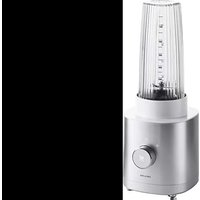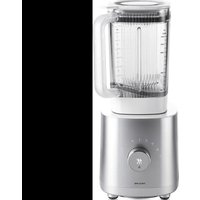
Enfinigy Table Blender - Blender Zwilling - Free user manual and instructions
Find the device manual for free Enfinigy Table Blender Zwilling in PDF.


| Product type | Blender |
| Brand | Zwilling |
| Model | Enfinigy Table Blender |
| Power | 1200 W |
| Bowl capacity | 1.4 L |
| Electrical supply | 220-240 V~, 50-60 Hz |
| Dimensions (L x W x H) | 176 x 188 x 402 mm |
| Weight | Approximately 4 kg |
| Cable length | 1 m |
| Automatic programs | Smoothie, Cocktail, Ice crushing, Cleaning |
| Multifunction (Pulse) | Yes, for pre-mixing or post-mixing |
| Variable speed | Yes, 6 levels (adjustable by rotary selector) |
| Lid closure | Removable, with sealing gasket |
| Safety | Automatic shutdown in case of overheating; detection of incorrectly positioned bowl/lid |
| Bowl cleaning | Automatic program with water and detergent; rinse under running water |
| Cleaning the lid and pusher | Dishwasher safe or hand washable |
| Base cleaning | Damp cloth, always unplug before |
| Blades | Sharp, rotating, do not touch |
| Intended use | Beverages, soups, sauces, pesto, ice cubes; household use only |
| Warranty | 2 years (subject to manufacturer's conditions) |
Frequently Asked Questions - Enfinigy Table Blender Zwilling
User questions about Enfinigy Table Blender Zwilling
0 question about this device. Answer the ones you know or ask your own.
Ask a new question about this device
Download the instructions for your Blender in PDF format for free! Find your manual Enfinigy Table Blender - Zwilling and take your electronic device back in hand. On this page are published all the documents necessary for the use of your device. Enfinigy Table Blender by Zwilling.
USER MANUAL Enfinigy Table Blender Zwilling
natural_image
Red line drawing of a modern kitchen blender with a handle and control panel (no text or symbols)Bedienungsanleitung 2 | Operating instructions 16 | Manuel d'utilisation 30 | Manual de instrucciones 44 | Istruzioni per l'uso 58 | Bedieningshandleiding 72 | Manual de instruções 86 | Betjeningsvejledning 100 | Bruksanvisning 114 | Инструкция по применению 128
ZWILLING ENFINIGY® TABLE BLENDER
53002
Sicherheit
natural_image
Line drawing of a cylindrical device with a curved cable at the base (no text or symbols)
natural_image
Two electrical components: a square socket and a plug with a lightning bolt (no text or symbols)
text_image
3.2 Zutaten einfüllen
natural_image
Line drawing of a kitchen toaster with control knob and brand logo (no text or symbols on the device itself)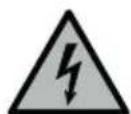
natural_image
Three gray icons representing food waste management, a trash bin, and a vehicle with no sign (no text or symbols)Störung
Read these operating instructions in their entirety and with care before using the blender. Keep these operating instructions in a safe place. If you transfer the blender to a third party, ensure that you include the operating instructions in such a transfer.
Non-observance of these operating instructions can lead to serious injury or damage to the appliance. Zwilling does not accept any liability for damage caused by non-observance of these operating instructions.
Important information for your safety is specifically marked. Make sure to observe this information in order to avoid accidents and damage to the appliance:
Safety information
The blender (hereinafter referred to as the "appliance") is intended exclusively for crushing and mixing ingredients for beverages, liquid foods (dips, soups, sauces, pesto) and ice cubes. It may only be used with the accessories supplied or approved by Zwilling. Any other use is considered improper and may result in personal injury or property damage.
Do not put any hot fats, oils, or objects in the appliance.
The appliance is intended for domestic use. It is not intended for commercial use.
Certain persons are at greater risk: This appliance may be used by children 8 years of age and older and by persons with reduced physical, sensory or mental capacity or with a lack of experience and knowledge, if such children and persons are supervised or have been instructed in the safe use of the appliance and understand the hazards resulting from using the appliance.
Children are not allowed to play with the appliance. Cleaning and maintenance must not be carried out by children without supervision.
Keep the appliance and its power cord in a location that is not accessible to children under 8 years old.
Keep children away from the packaging material. It poses a risk of suffocation.
The appliance is operated with electric current. There is therefore a danger of electric shock:
Only plug the appliance into a correctly installed socket.
Only operate the appliance if the voltage stated on the rating plate matches the voltage of your socket.
Make sure that the power cord is not kinked or pinched and make sure that the power cord and the appliance do not come in contact with sources of heat (e.g. hobs, gas flames).
When unplugging the power plug
from the socket, always unplug the power plug directly. Do not carry the appliance by the power cord.
Never touch the power plug with wet hands.
Do not insert any objects into the openings on the appliance.
As long as the power plug is plugged in, there is a voltage inside the appliance, even if the appliance is switched off.
After every use and in the event of danger or a defect, unplug the power plug from the socket immediately.
For this reason, keep the socket into which the appliance's power plug is plugged easily accessible at all times.
Unplug the appliance from the socket prior to cleaning or maintenance.
Never unscrew the appliance and do not make any technical modifications.
The sharp and rotating blade poses a serious risk of injury:
In the absence of supervision, disconnect the power plug prior to assembly, disassembly and cleaning.
Be very careful when filling, emptying and cleaning the blender bowl, and do not reach into the blades.
Poor hygiene is a health hazard:
Do not leave any food in the blender bowl if you are not using the appliance.
Clean the appliance and all accessories thoroughly prior to first use and immediately after every use. A faulty appliance can cause damage and injuries:
Check the appliance for damage prior to each use. If you detect any transport damage, contact the dealer from whom you purchased the appliance immediately. Never use a faulty appliance or faulty accessories.
Never operate an appliance or accessories that have been dropped.
The appliance needs to be repaired in the event of a fault or a damaged power cord. The appliance does not contain any parts that you are able to repair yourself.
Damage may occur if the appliance is handled incorrectly.
Place the appliance on a dry, level and non-slip surface.
Do not place the appliance on a hot surface or in the vicinity of strong sources of heat.
Do not let the power cord hang down.
When preparing food and drinks, liquid may spray or flow out and cause injury or property damage:
Always place the blender bowl on a level, non-slip surface. Never overfill the blender bowl. Do not open the lid closure during operation.
Never use the blender bowl to heat up food or drink in the microwave.
Explanation of symbols
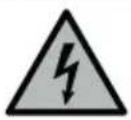
Danger of death due to electric shock
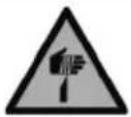
Danger of cuts at the blades
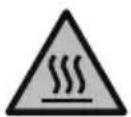
Danger of scalding from hot liquids
Risk of property damage and damage to the appliance
Technical data
Power supply 220 - 240 V\~, 50-60 Hz
Energy consumption/Power 1200 W
Capacity of the blender bowl 1.4 l
Length of the power cord 1 m
Dimensions of the blender base
with bowl (L x W x H)
Weight approx. 4 kg
$$ 1 7 6 \times 1 8 8 \times 4 0 2 \mathrm{mm} $$
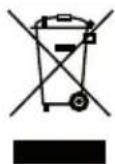
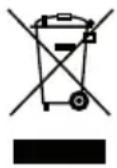
Do not dispose of in household waste.
Markings
The appliance complies with the directives for CE marking.
Program functions
text_image
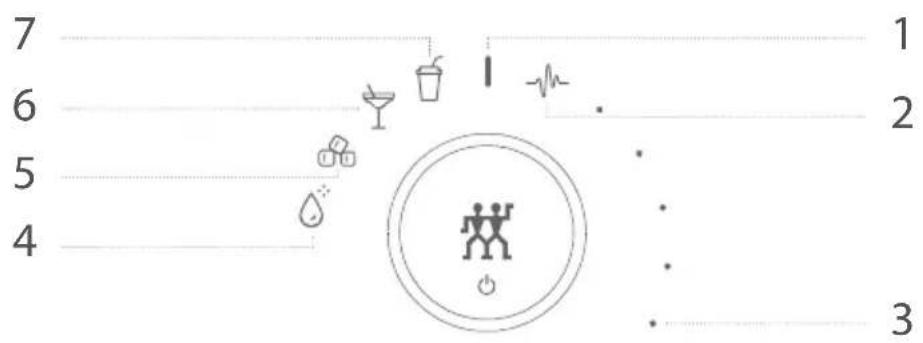
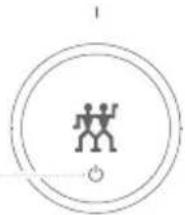
7 6 5 4 1 2 31 On/Off
2 Multi-function (pulse) - Post-mixing or pre-mixing of mixed products or individual ingredients
3 Variable speed - Mixture with desired consistency from lumpy to liquid
4 Cleaning - Cleaning of the blender bowl with water and detergent
5 Ice cube crushing - Chopping ice cubes into ice pieces
Note: Do not crush more than 150 g of ice at once!
6 Cocktails - Liquid mixed drink composed of spirits, juices, syrup
7 Smoothie - Creamy mixed drink made from fruits, herbs and dairy products
Overview
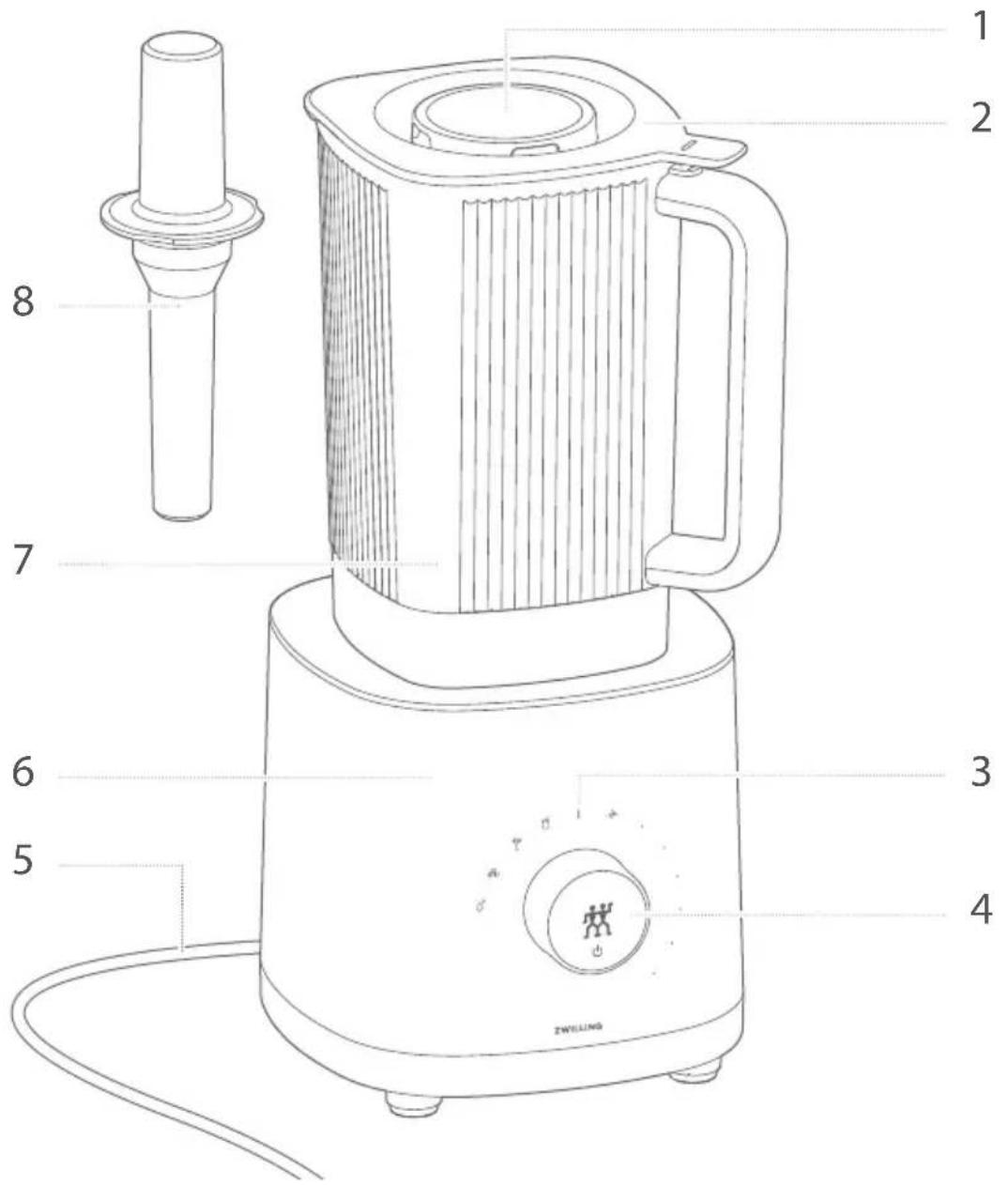
text_image
1 2 7 8 6 5 3 4 ZWELLING| 1 Lid closure | 5 Power cord |
| 2 Blender lid | 6 Blender base |
| 3 Program symbols | 7 Blender bowl with blade |
| 4 Selector switch / power button | 8 Tamper |
Operation
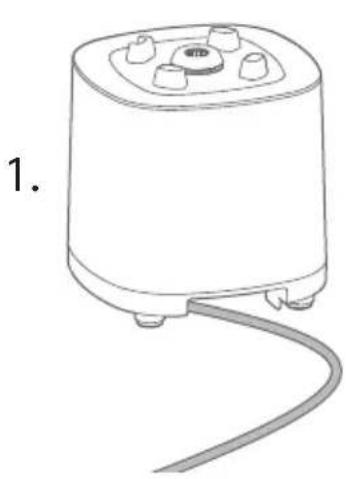
1 Putting the blender into operation
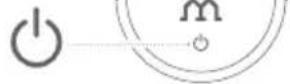
Prior to commissioning, you must unwind the power cord completely. You need to press the power button to switch the blender on and off.
natural_image
Line drawing of a cylindrical device with a curved cable extending from its side (no text or symbols)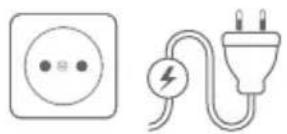
2 Filling with ingredients
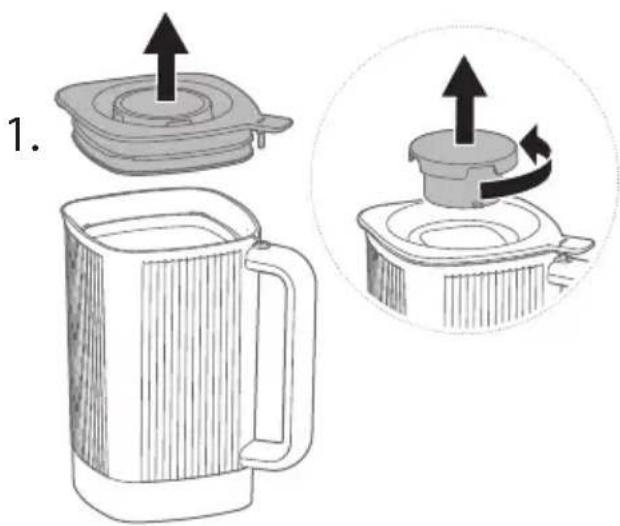
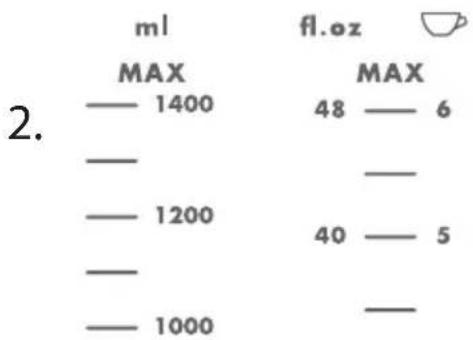
To fill with ingredients, you need to place the blender bowl on a flat surface and remove the lid or unscrew the lid closure. A measuring scale for the filling quantity is attached to the blender bowl.
text_image
1.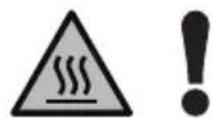
Observe the maximum mark. Do not overfill. For hot ingredients, observe a maximum filling quantity of 1,000 ml.
other
| Category | Value | |---|---| | 2. | ml (MAX) | | 2. | fl.oz (MAX) | | 2. | 1400 (MAX) | | 2. | 1200 (MAX) | | 2. | 1000 (MAX) | | 2. | 48 (MAX) | | 2. | 5 (MAX) | | 2. | 6 (MAX) | | 2. | 40 (MAX) | | 2. | — (MAX) | | 2. | — (FL.oz) |3 Putting the blender bowl on the base
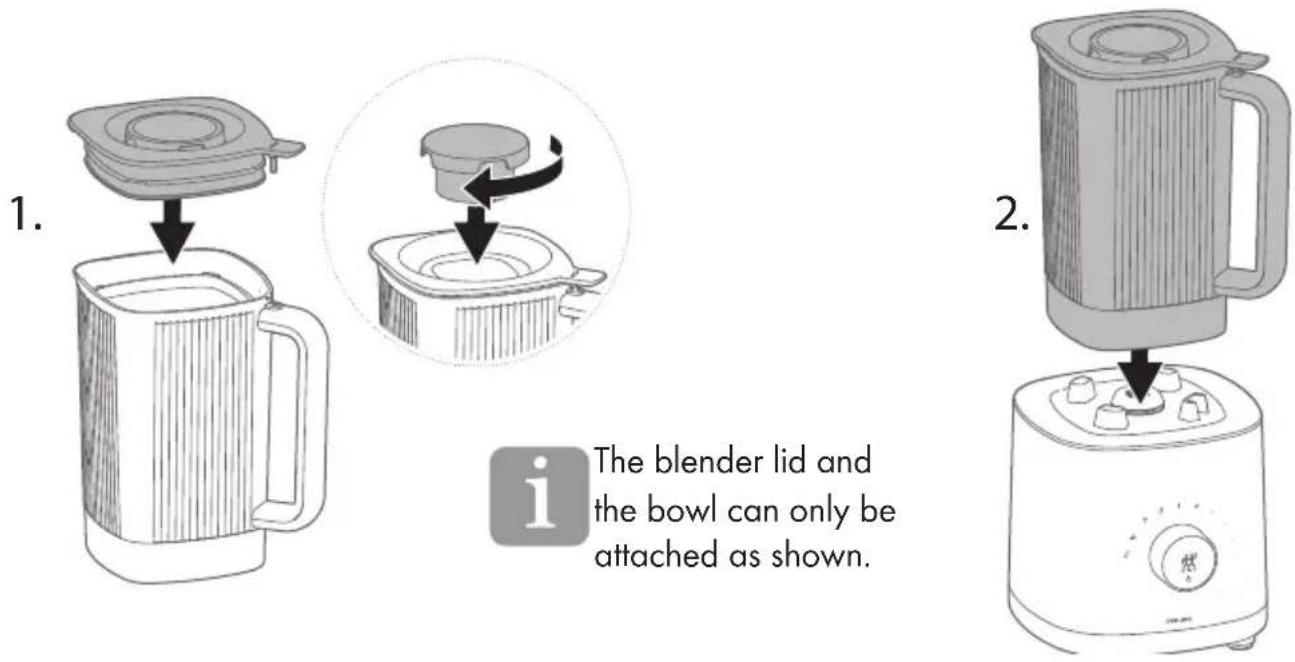
Before you put on the blender bowl, you must first seal the bowl with the lid and the lid closure and then place the bowl on the base so that the handle of the bowl faces the front right.
text_image
1. The blender lid and the bowl can only be attached as shown. 2.4 Preparing a beverage using the automatic program
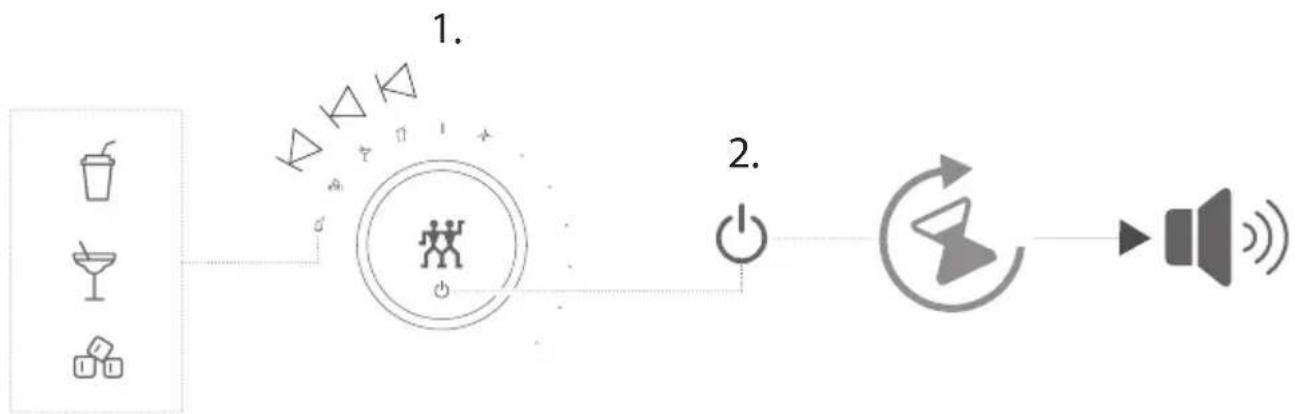
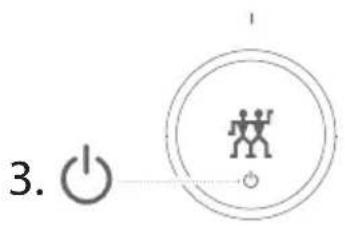
To prepare the desired mixed drink, turn the selector switch to the left to the corresponding program symbol and then press the power button. The mixed drink is ready when the program symbol lights up continuously and a beep sounds.
flowchart
graph LR
    A["Drinker"] --> B["Central Member Icon"]
    C["Drinker"] --> B
    D["Drinker"] --> B
    B --> E["Power"]
    E --> F["Speaker Icon"]
    style B fill:#f9f,stroke:#333,stroke-width:2px
    note1["1."]
    note2["2."] --> E
5 Interrupting the automatic program
You need to press the power button to stop the mixing process. A beep sounds. You can continue the mixing process by pressing the power button again if the desired consistency has not yet been achieved.

flowchart
graph LR
    A["i"] --> B["Power"]
    B --> C["User Icon"]
    C --> D["Speaker"]
    D --> E["Sound waves"]
If the mixing process has been interrupted, you can also remove the blender bowl from the base to refill ingredients, press down with the tamper or check the consistency.
6 Using the multi-function program
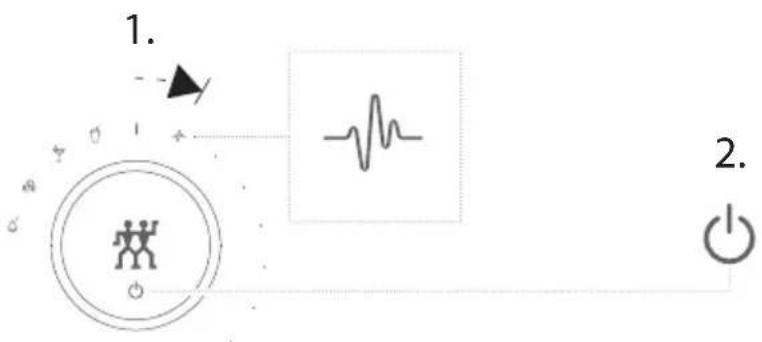
To prepare any mixed drinks and liquid foods, turn the selector switch to the right to the "Multi-function" program symbol and press and hold the power button until the desired consistency of the product is achieved. The mixing process stops if you let go of the power button.
text_image
1. 2.7 Preparing products at your own mixing speed
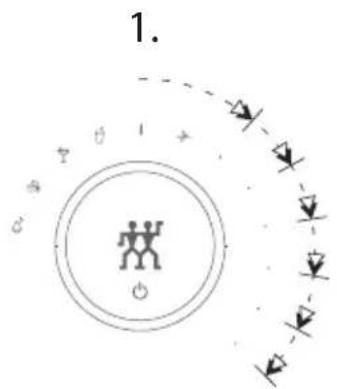
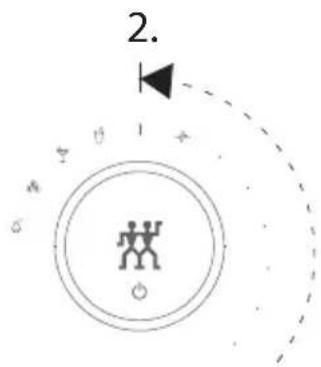
To select a mixing speed, turn the selector switch to the right until the blender starts up and reaches the desired speed. Once the desired consistency of the product has been achieved, turn the selector switch back to the on/off position.

The selected mixing speed is shown by means of six dots. A flashing dot indicates the first of two possible levels.
text_image
1.
text_image
2.8 Switching off
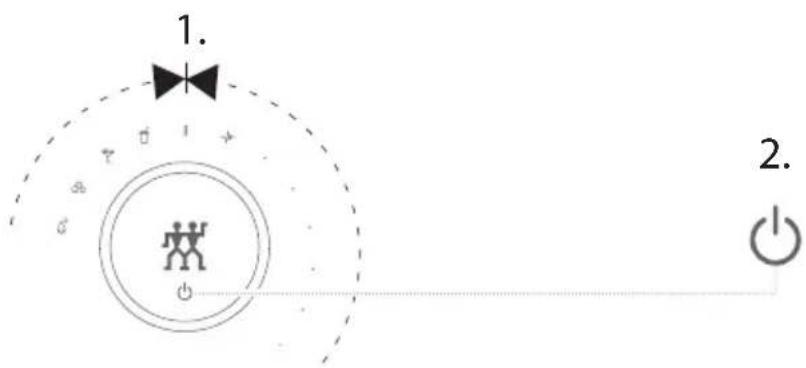
To switch off the blender, turn the selector switch back to the on/off position and press the power button.
text_image
1. 2.Maintenance
1 Cleaning the blender bowl
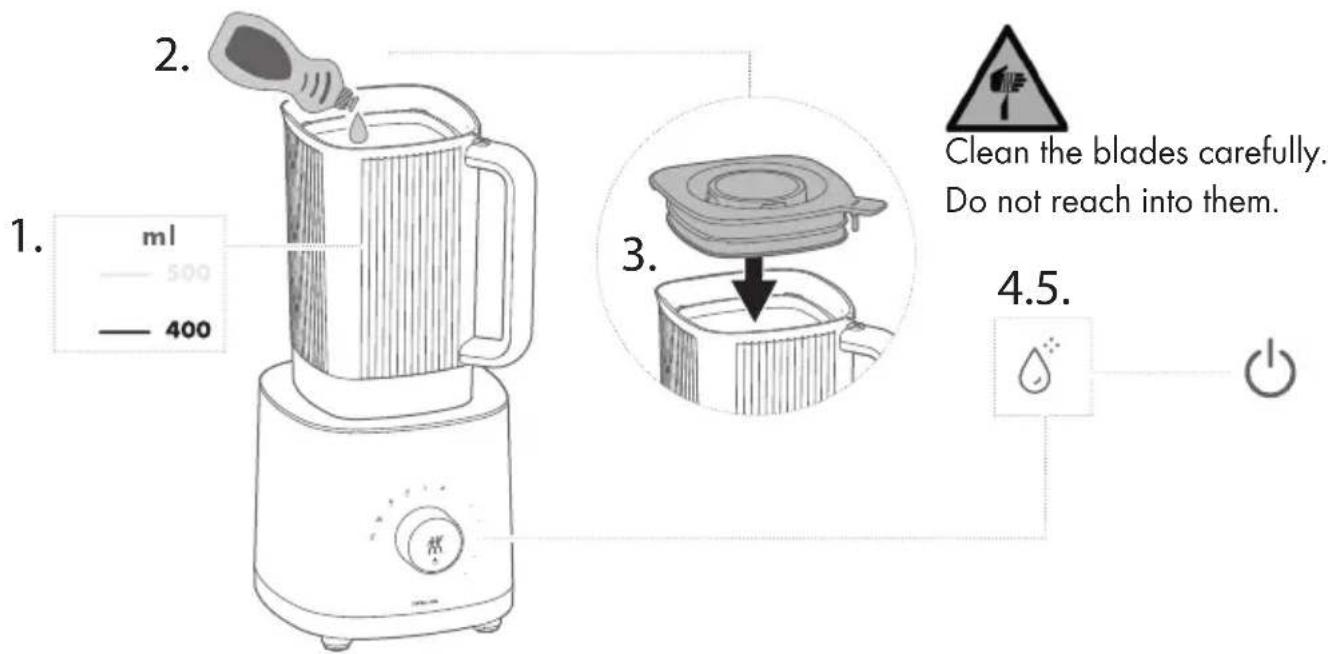
To clean the blender bowl, fill the bowl with 400 ml of water, add some detergent and start the cleaning program. Then rinse out the blender bowl under running water.
text_image
1. ml 500 400 2. 3. Clean the blades carefully. Do not reach into them. 4.5.2 Cleaning the blender lid and tamper
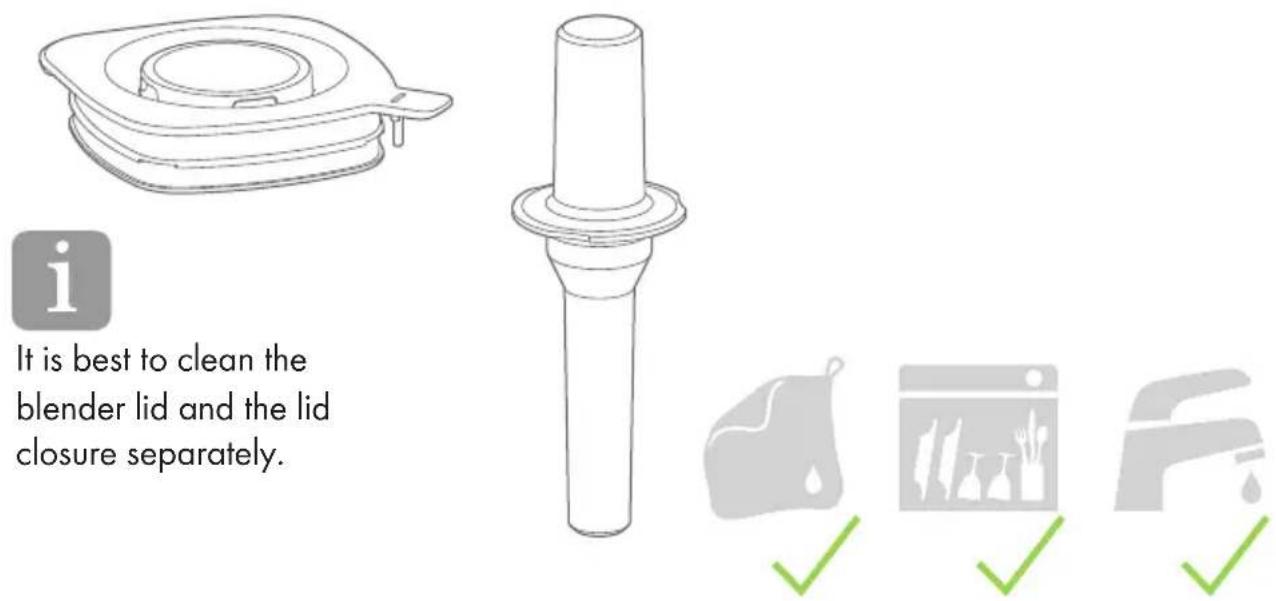
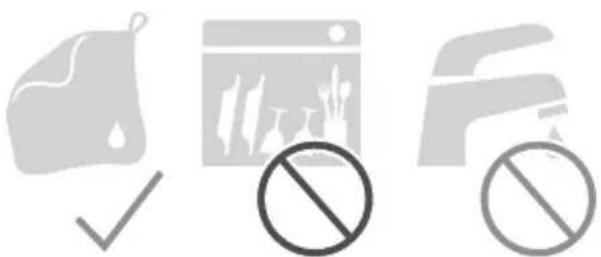
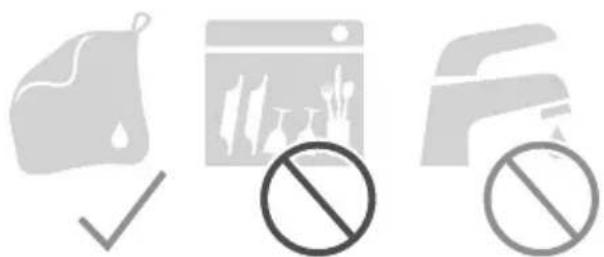
You can clean the blender lid and the tamper under running water, with a damp, lint-free cloth or in the dishwasher.
text_image
It is best to clean the blender lid and the lid closure separately.3 Cleaning the blender base
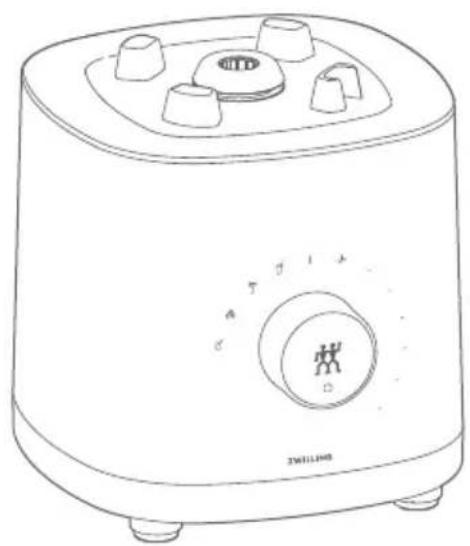
You can clean the blender base with a damp, lint-free cloth.
natural_image
Line drawing of a kitchen toaster with control knob and brand logo (no text or symbols on main body)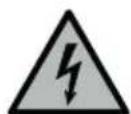
Prior to cleaning, un- plug the power plug.
natural_image
Three gray icons representing food, a trash bin, and a vehicle with no sign, all without any text or symbols.Fault
| Problem Possible cause Remedy | ||
| The mixed product contains many ingredient pieces. | The power button was not pressed and held for long enough in the multi-function program. | Press and hold the power button until the desired consistency is reached. |
| The mixing speed is too low or the mixing duration too short if you have selected the mixing speed yourself. | If you have selected the mixing speed yourself, turn the selector switch further to the right to increase the mixing speed, or extend the mixing process until the desired consistency is reached. | |
| The ingredients are not suitable for the selected automatic program to be used. | Finish mixing the mixed product with the multi-function program until the desired consistency is achieved. | |
| The appliance switches off immediately. | The power button was not pressed and held in the multi-function program. | Press and hold the power button. |
| Liquid runs out of the blender bowl. | The blender lid, the lid closure or both parts are not attached correctly. | Attach the blender lid correctly and seal it with the lid closure. |
| The seal of the blender lid is broken. | The seal must be exchanged by customer service. | |
| The blender bowl is overfilled. | Reduce the number of ingredients or the quantity. | |
| A program symbol and the power button are flashing. | An automatic program has been interrupted. The flashing indicates the interruption. | Press the power button again to continue the automatic program. |
| All program symbols on the blender base are flashing and three beeps sound. | The blender bowl and the lid have been removed during operation. | Reattach the blender bowl or lid and continue as desired. |
| The motor has overheated. | Put the selector switch in the on/off position, unplug the appliance and wait 30 minutes. | |
| It is not possible to start the mixing process. | The blender bowl or the lid is not attached correctly. | Place the blender bowl on the base with the handle facing to the right or front or attach the lid correctly. |
| The blender has been stopped and the selector switch has been moved with the lid open. | Put the selector switch in the on/off position, press the power button and then switch the appli-ance back on. | |
Customer service
Please contact our customer service should you encounter any problems with your blender.
Detailed information on service, repairs, warranty and product registration can be found at www.zwilling.com/service.
Disposal
With regard to disposal, please return your old appliance to a collection point for electrical appliances.
Sécurité
natural_image
Line drawing of a cylindrical device with a curved cable extending from its side (no text or symbols)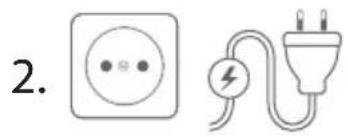
text_image
2.
text_image
3.other
| Category | Value | |---|---| | 2. | ml (MAX) | | 2. | fl.oz (MAX) | | 2. | 1400 (MAX) | | 2. | 1200 (MAX) | | 2. | 1000 (MAX) | | 2. | 48 (MAX) | | 2. | 5 (fl.oz) | | 2. | — (fl.oz) | | 2. | — (fl.oz) | | 2. | — (fl.oz) | | 2. | — (fl.oz) | | 2. | — (fl.oz) | | 2. | — (fl.oz) | | 2. | — (fl.oz) | | 2. | — (fl.oz) | | 2. | — (fl. oz)flowchart
graph LR
    A["i"] --> B["Power Supply"]
    B --> C["User Icon with Power Circle"]
    C --> D["Speaker Signal"]
natural_image
Line drawing of a microwave oven with control knobs and a rotary dial (no text or symbols)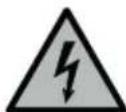
natural_image
Three gray icons representing food waste management, a checkmark, and a prohibition symbol (no text or labels)Défaut
natural_image
Line drawing of a cylindrical device with a curved cable extending from its side (no text or symbols)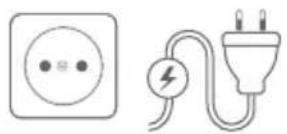
natural_image
Illustration of a kettle and a toaster with a handle, showing the process of cooling (no text or symbols present)flowchart
graph LR
    A["i"] --> B["Power Supply"]
    B --> C["User Icon with Power Circle"]
    C --> D["Speaker Output"]
natural_image
Line drawing of a kitchen toaster with control knob and brand logo (no text or symbols on the device itself)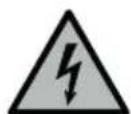
natural_image
Three gray icons representing food waste management, including a checkmark, a web browser with prohibition symbols, and a document (no text or labels)Avería
natural_image
Line drawing of a cylindrical device with a curved cable at the base (no text or symbols)
flowchart
graph LR
    A["i"] --> B["Power Supply"]
    B --> C["User Icon with Power Circle"]
    C --> D["Speaker Signal"]
natural_image
Line drawing of a kitchen toaster with control knob and brand logo (no text or symbols on the device itself)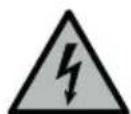
natural_image
Three gray icons representing food waste management, including a checkmark, a web browser with prohibition symbols, and a document (no text or labels)Guasto
natural_image
Line drawing of a cylindrical device with a curved cable at the base (no text or symbols)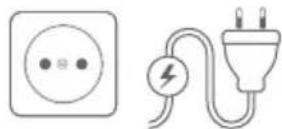
flowchart
graph LR
    A["i"] --> B["Power Icon"]
    B --> C((User Icon))
    C --> D["Speaker"]
natural_image
Line drawing of a microwave oven with control knobs and a rotary dial (no text or symbols)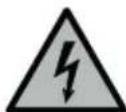
natural_image
Three gray icons representing food waste management, a checkmark, and a prohibition symbol (no text or labels)Storing
natural_image
Line drawing of a cylindrical device with a curved cable extending from its side (no text or symbols)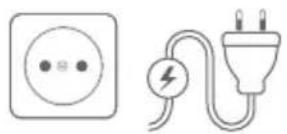
flowchart
graph LR
    A["i"] --> B["Power Icon"]
    B --> C((User Icon))
    C --> D["Speaker"]
natural_image
Line drawing of a mechanical component with concentric rings and a handle (no text or symbols)
natural_image
Simple line drawing of a cylindrical mechanical component with flange (no text or symbols)
natural_image
Gray icon of a bag with a droplet and a green checkmark (no text or symbols)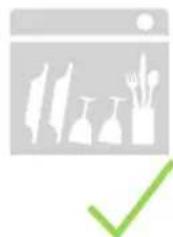
natural_image
Icon showing a window with silhouettes of vegetables and food items, plus a green checkmark (no text or symbols)
3 Limpeza da base do liquidificador
natural_image
Line drawing of a kitchen toaster with control knob and brand logo (no text or symbols on the device itself)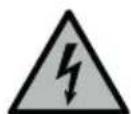
Antes de proceder à limpeza, retire a ficha da tomada.
natural_image
Three gray icons representing food waste management, including a checkmark, a web browser with prohibition symbols, and a document (no text or labels)Avaria
natural_image
Line drawing of a cylindrical device with three ports and a curved cable (no text or symbols)
natural_image
Two electrical components: a square socket and a plug with a lightning bolt (no text or symbols)- Ⓧ
natural_image
Simple icon of a person inside a circle with a power button, no text or symbols present.natural_image
Line drawing of a microwave oven with control knobs and a rotary dial (no text or symbols)
natural_image
Three gray icons representing cleaning, web browser, and trash bin (no text or symbols)Fejl
natural_image
Line drawing of a cylindrical device with three ports and a curved cable (no text or symbols)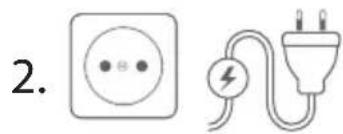
natural_image
Two electrical components: a square socket and a plug with a lightning bolt (no text or symbols)- Ⓧ
natural_image
Simple icon of a human figure inside concentric circles with a power button below (no text or symbols)2 Fylla på ingredienser
natural_image
Simple diagram showing a power button, a group icon with a person, and a speaker emitting sound waves (no text or symbols)
natural_image
Line drawing of a kitchen toaster with control knob and brand logo (no text or symbols on the device itself)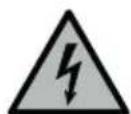
natural_image
Three gray icons representing food waste management, including a checkmark, a web browser with prohibition symbols, and a document (no text or labels)Fel
natural_image
Line drawing of a cylindrical device with a curved cable at the bottom (no text or symbols)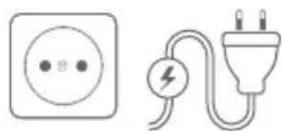

natural_image
Simple line drawing of a human figure inside concentric circles (no text or symbols)flowchart
graph LR
    A["i"] --> B["Power Supply"]
    B --> C["User Interaction Icon"]
    C --> D["Speaker Signal"]
natural_image
Line drawing of a mechanical component with a square housing and central circular feature (no text or symbols)i
natural_image
Simple line drawing of a cylindrical mechanical component with flanged base (no text or symbols)
natural_image
Simple icon of a bag with a droplet and a green checkmark (no text or symbols)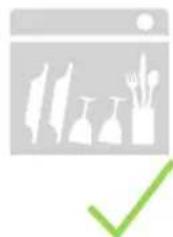
natural_image
Icon showing a window with silhouettes of vegetables and food items, plus a green checkmark (no text or symbols)
natural_image
Line drawing of a microwave oven with control knob and brand logo (no text or symbols on the device itself)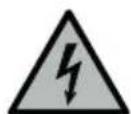
natural_image
Three gray icons representing food safety symbols: a checkmark, a web browser with prohibition signs, and a hand holding a prohibition sign (no text or labels)Неисправность
natural_image
Red square icon with white stick figure silhouettes of two figures (no text or symbols)ZWILLING

DOWNLOAD APP