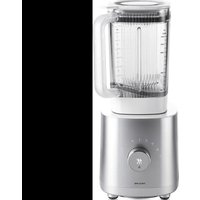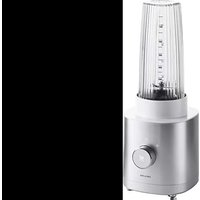
Enfinigy Personal Blender - Mixer Zwilling - Free user manual and instructions
Find the device manual for free Enfinigy Personal Blender Zwilling in PDF.


User questions about Enfinigy Personal Blender Zwilling
0 question about this device. Answer the ones you know or ask your own.
Ask a new question about this device
Download the instructions for your Mixer in PDF format for free! Find your manual Enfinigy Personal Blender - Zwilling and take your electronic device back in hand. On this page are published all the documents necessary for the use of your device. Enfinigy Personal Blender by Zwilling.
USER MANUAL Enfinigy Personal Blender Zwilling
natural_image
Red line drawing of a Zwelling electric shaver with a black top and control knob (no text or symbols on the device itself)Bedienungsanleitung 2 | Operating instructions 16 | Manuel d'utilisation 30 | Manual de instrucciones 44 |
Istruzioni per l'uso 58 | Bedieningshandleiding 72 | Manual de instruções 86 | Betjeningsvejledning 100 |
natural_image
Simple line drawing of a cylindrical device with a curved base and top cap, labeled '2.' (no text or symbols on the device itself)
text_image
3.2 Zutaten einfüllen
text_image
Diagram showing a plastic container being lifted by an arrow, indicating material deformation or recycling.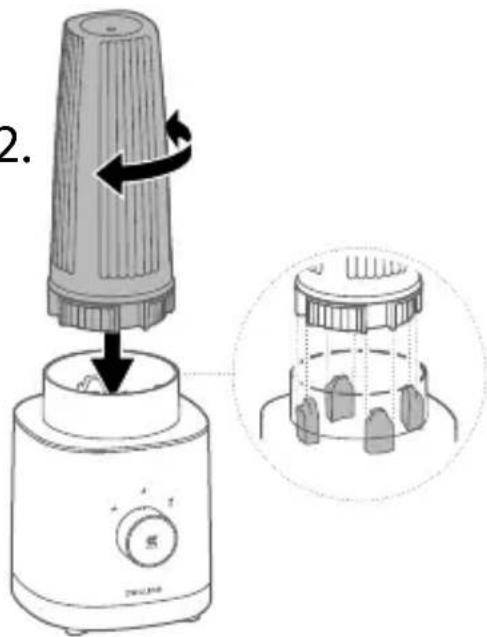
text_image
2.
flowchart
graph TD
    A["Process Node"] --> B["Arrow to Right"]
    B --> C["Trash Cup Icon"]
natural_image
Simple diagram with concentric circles and symbols (no readable text or labels)text_image
Diagram illustrating electrocardiogram (ECG) signal transmission and human silhouette representation with labeled componentsnatural_image
Illustration of a trash bin with a lid and filter, alongside three checkmark icons (checkmark, checkmark, checkmark) for inspection or cleaning.2 Mixerdeckel reinigen
natural_image
Technical line drawing of a mechanical component with a central top and flanged base (no text or symbols)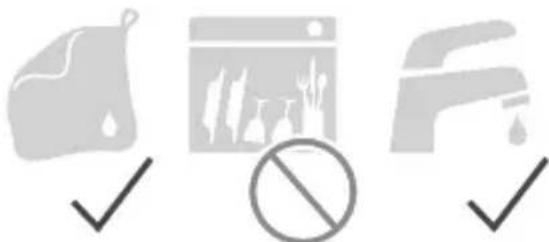
natural_image
Three gray icons representing cleaning, outdoor scenes, and a barrier, all checkmark (no text or symbols)3 Mixersockel reinigen
natural_image
Line drawing of a small appliance with a lid and control knob, labeled 'ZWILLING' (no other text or symbols)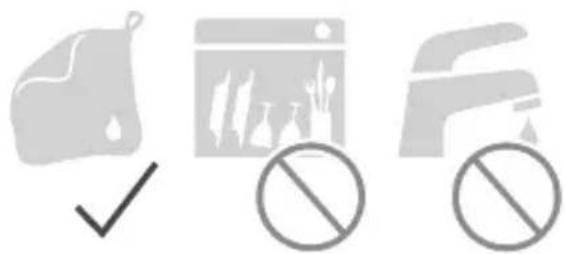
natural_image
Three gray icons: a document with checkmark, a browser window with leaf symbols, and a truck with no sign (no text or symbols present)Störung
Read these operating instructions in their entirety and with care before using the blender. Keep these operating instructions in a safe place. If you transfer the blender to a third party, ensure that you include the operating instructions in such a transfer.
Non-observance of these operating instructions can lead to serious injury or damage to the appliance.
Zwilling does not accept any liability for damage caused by non-observance of these operating instructions.
Important information for your safety is specifically marked. Make sure to observe this information in order to avoid accidents and damage to the appliance:
Safety information
The blender (hereinafter referred to as "the appliance") is intended exclusively for crushing and mixing ingredients for beverages, liquid foods (dips, sauces, pesto) and a small quantity of ice cubes. It may only be used with the accessories supplied or approved by Zwilling.
Any other use is considered improper and may result in personal injury or property damage.
Do not put any hot liquids, fats, oils, or objects in the appliance.
The appliance is intended for domestic use. It is not intended for commercial use. Certain persons are at greater risk:
This appliance may be used by children 8 years of age and older and by persons with reduced physical, sensory or mental capacity or with a lack of experience and knowledge, if such children and persons are supervised or have been instructed in the safe use of the appliance and understand the hazards resulting from using the appliance.
Children are not allowed to play with the appliance. Cleaning and maintenance must not be carried out by children without supervision.
Keep the appliance and its
power cord in an a location that is not accessible to children under 8 years old.
Keep children away from the packaging material. It poses a risk of suffocation.
The appliance is operated with electric current. There is therefore a danger of electric shock: Only plug the appliance into a correctly installed socket.
Only operate the appliance if the voltage stated on the rating plate matches the voltage of your socket.
Make sure that the power cord is not kinked or pinched and make sure that the power cord and the appliance do not come in contact with sources of heat (e.g. hobs, gas flames).
When unplugging the power plug from the socket, always unplug the power plug directly. Do not carry the appliance by the power cord.
Never touch the power plug with wet hands.
Do not insert any objects into the openings on the appliance. As long as the power plug is
plugged in, there is a voltage inside the appliance, even if the appliance is switched off.
After every use and in the event of danger or a defect, unplug the power plug from the socket immediately. For this reason, keep the socket into which the appliance's power plug is plugged easily accessible at all times.
Unplug the appliance from the socket prior to cleaning or maintenance.
Never unscrew the appliance and do not make any technical modifications.
The sharp and rotating blade poses a serious risk of injury: In the absence of supervision, disconnect the power plug prior to assembly, disassembly and cleaning.
Be very careful when filling, emptying and cleaning the blender bowl, and do not reach into the blades.
Never lick the blade with your tongue to taste the food.
Poor hygiene is a health hazard:
Do not leave any food in the blender bowl if you are not using the appliance.
Clean the appliance and all accessories thoroughly prior to first use and immediately after every use.
A faulty appliance can cause damage and injuries:
Check the appliance for damage prior to each use. If you detect any transport damage, contact the dealer from whom you purchased the appliance immediately. Never use a faulty appliance or faulty accessories. Never operate an appliance or accessories that have been dropped.
The appliance needs to be re- paired in the event of a fault or a damaged power cord. The appliance does not contain any parts that you are able to repair yourself.
Damage may occur if the appliance is handled incorrectly. Place the appliance on a dry, level and non-slip surface.
Do not place the appliance on a hot surface or in the vicinity
of strong sources of heat.
Do not let the power cord hang down.
When preparing food and drinks, liquid may spray or flow out and cause injury or property damage:
Always place the blender bowl on a level, non-slip surface.
Never overfill the blender bowl.
Never use the blender bowl to heat up food or drink in the microwave.
Explanation of symbols
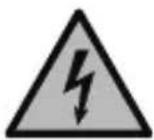
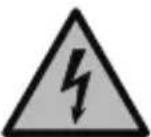
Danger of death due to electric shock
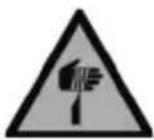
Danger of cuts at the blades
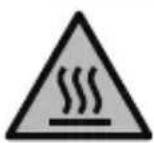
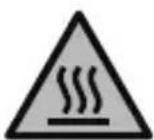
Danger of scalding from hot liquids

Risk of property damage and damage to the appliance
Technical data
Power supply 220 - 240 V\~, 50-60 Hz
Energy consumption/Power 600 W
Capacity of the blender bowl 0.55 l
Length of the power cord 0.8 m
Dimensions of the blender base with bowl (L x W x H)
$$ 1 3 9 \times 1 5 6 \times 3 6 2 \mathrm{mm} $$
Weight approx. 2.3 kg
Markings
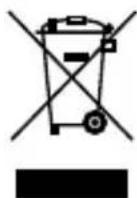
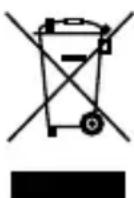
Do not dispose of in household waste.
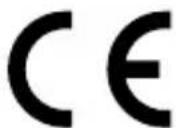
The appliance complies with the directives for CE marking.
Program functions
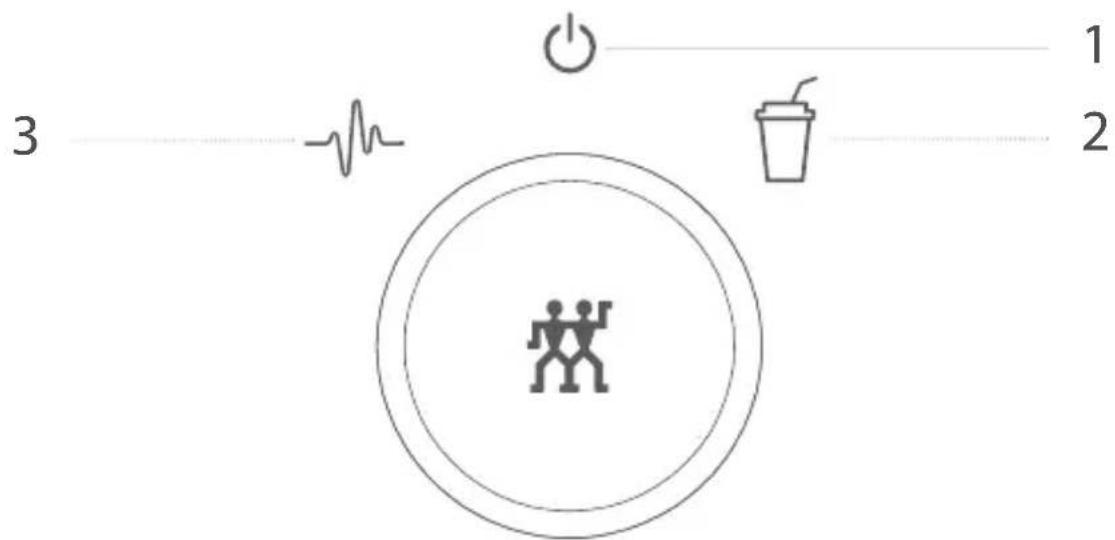
text_image
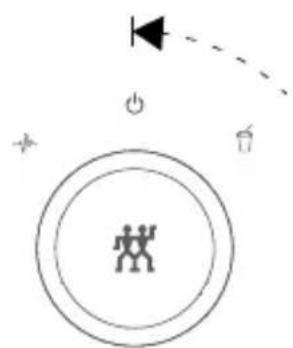
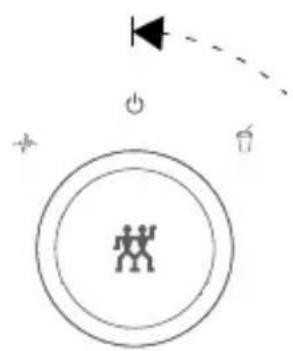
3 1 21 On/Off
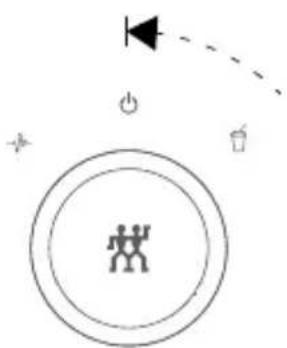
2 Smoothie - Creamy mixed drink made from fruits, herbs and dairy products
3 Multi-function (pulse) - Post-mixing or pre-mixing of mixed products or individual ingredients
Overview
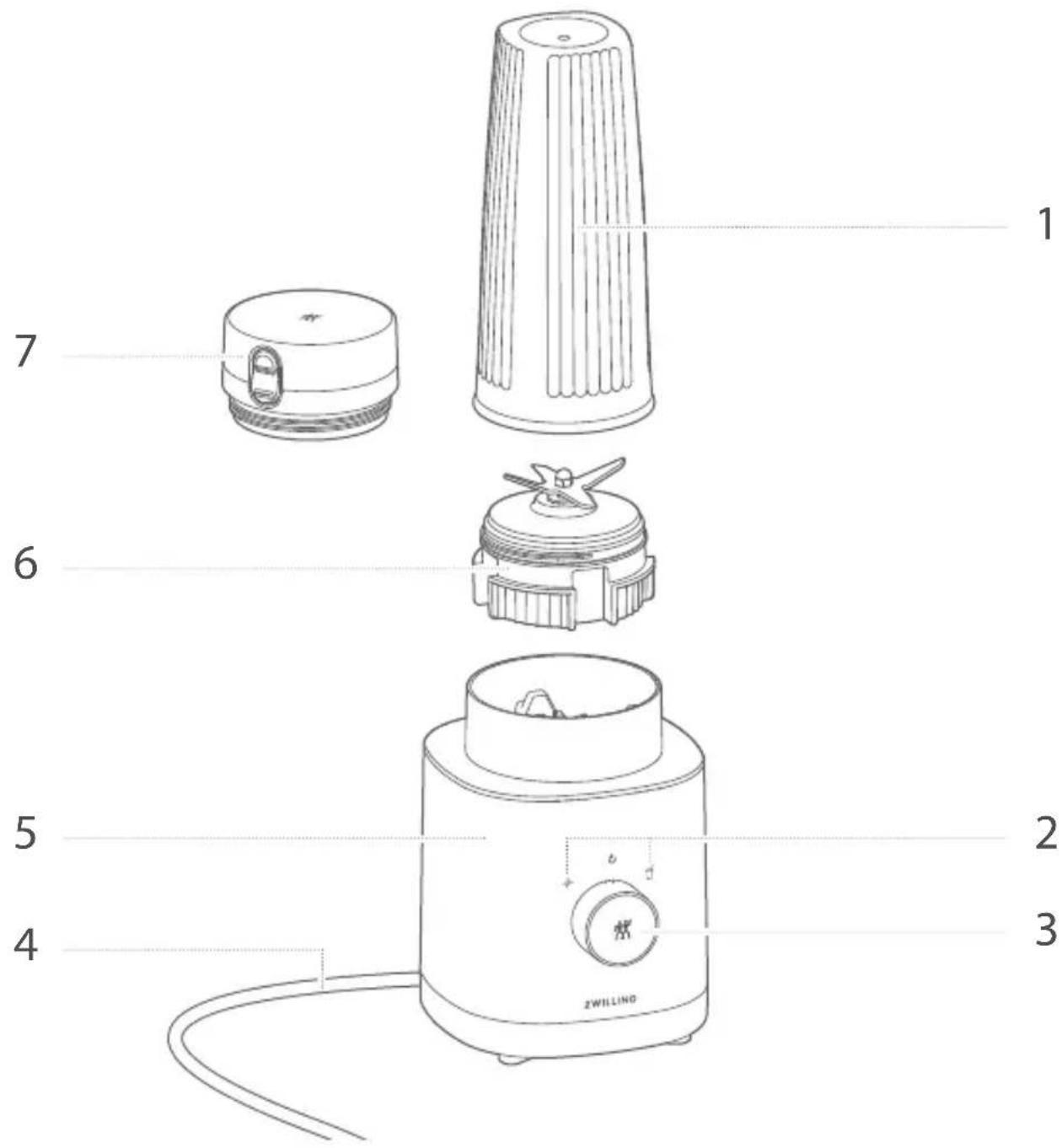
text_image
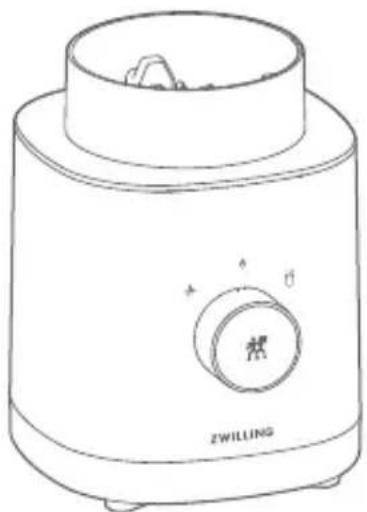
1 7 6 5 4 2 3 ZWILLING1 Blender bowl
2 Program symbols
3 Selector switch
4 Power cord
5 Blender base
6 Blender lid with blade
7 Drinking vessel closure
Operation
1 Putting the blender into operation
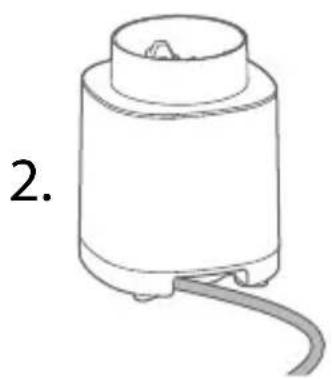
Prior to commissioning, you must turn the selector switch to the on/off position and unwind the power cord completely.
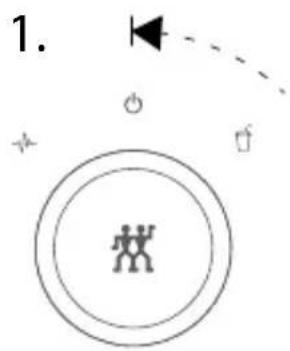
text_image
1.
natural_image
Simple line drawing of a cylindrical device with a base and a curved cable, labeled '2.' (no text or symbols on the device itself)
text_image
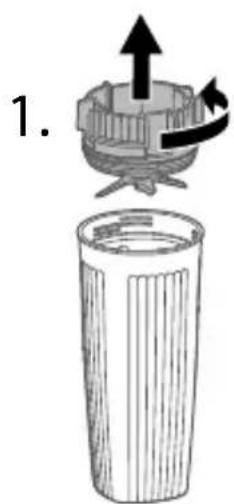
3.2 Filling with ingredients
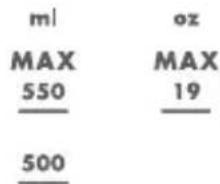
To fill with ingredients, place the blender bowl on a flat surface and twist off the blender lid. A measuring scale for the filling quantity is attached to the blender bowl.
Do not fill with any hot liquids or ingredients.
text_image
1.
Observe the maximum mark. Do not overfill.
2.
text_image
ml MAX 550 500 oz MAX 193 Putting the blender bowl on the base
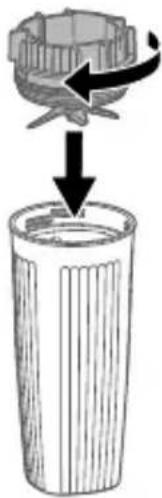
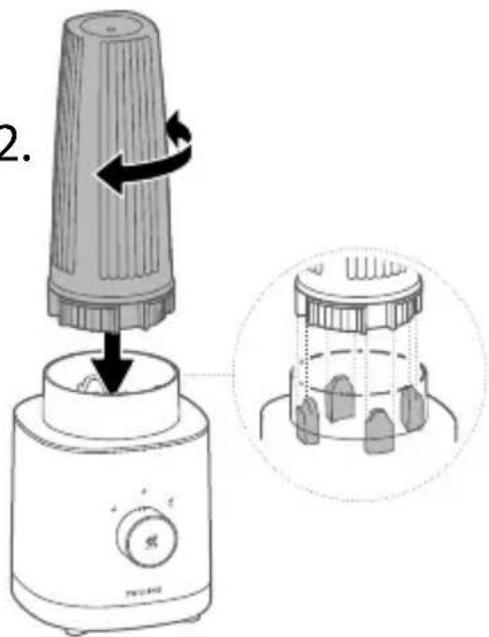
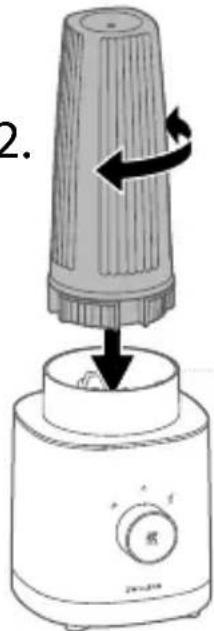
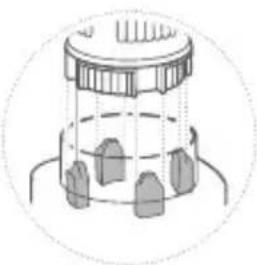
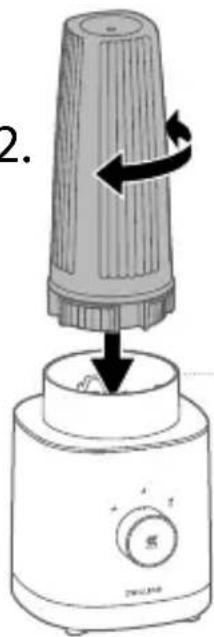
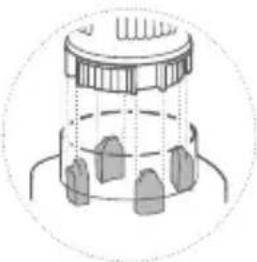
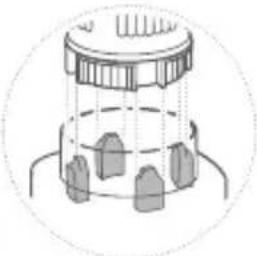
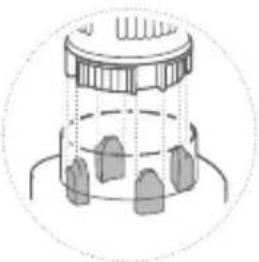
To attach the blender bowl, first screw the lid onto the bowl, then turn the bowl over and place it on the base by gently pressing it down.

Screw the blender lid down completely before turning it upside down.
1.
natural_image
Diagram showing a mechanical component being lifted into a trash bin, with no text or symbols present.2.
text_image
2.
The appliance has outlets. Should liquid run into the appliance, soak up the liquid and clean the blender base before further use.
4 Preparing a smoothie using the automatic program
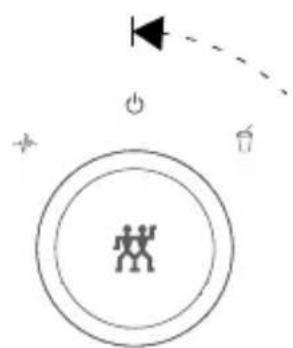
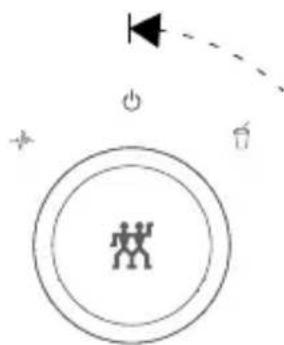
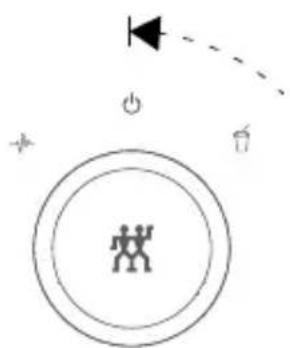
To prepare a smoothie, turn the selector switch to the right until it clicks into place. The smoothie is ready when the program symbol lights up continuously. To stop prematurely and at the end of the program, turn the selector switch back to the on/off position.
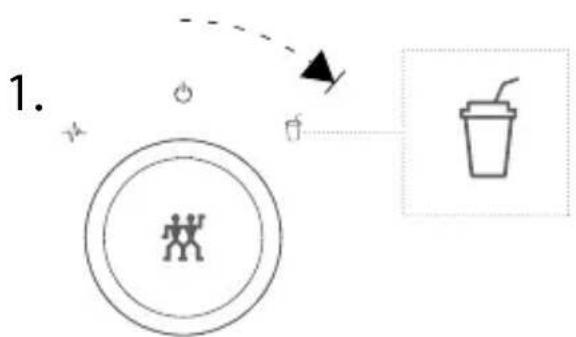
flowchart
graph TD
    A["Start"] --> B{Decision}
    B -->|Yes| C["Process Step"]
    B -->|No| D["End"]
2.
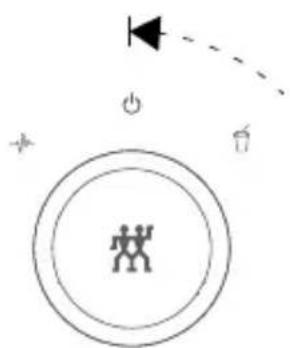
natural_image
Simple diagram with concentric circles, a lightning bolt symbol, and directional arrows (no text or labels)5 Using the multi-function program
To prepare any kind of mixed drinks and liquid foods, you need to turn the selector switch to the left and hold it in position until the desired consistency of the product is achieved. The mixing process stops if you let go of the selector switch.
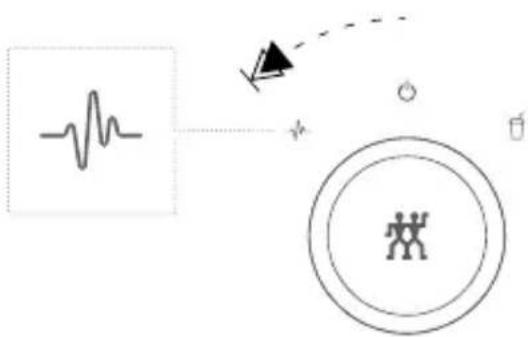
text_image
Diagram illustrating electrocardiogram (ECG) signal transmission and human silhouette representation6 Taking a mixed drink with you
If you do not wish to consume the mixed drink immediately, but wish to take it with you, you can seal the blender bowl with the drinking vessel closure. This allows you to take the drink with you.
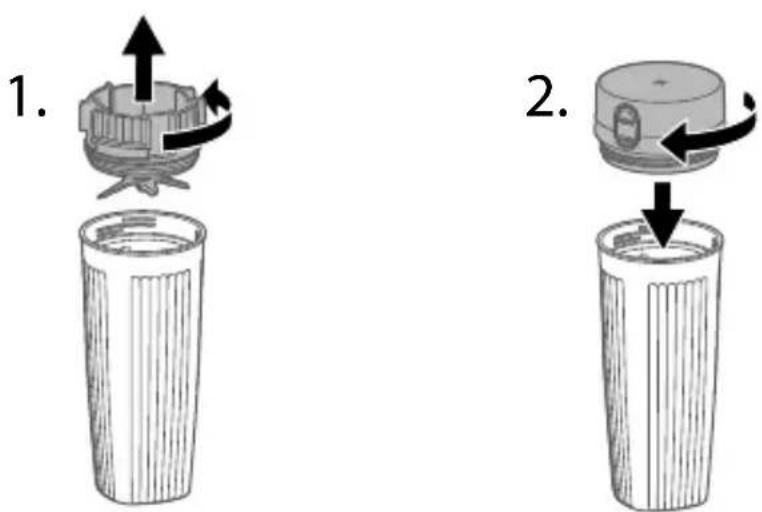
text_image
1. 2.Maintenance
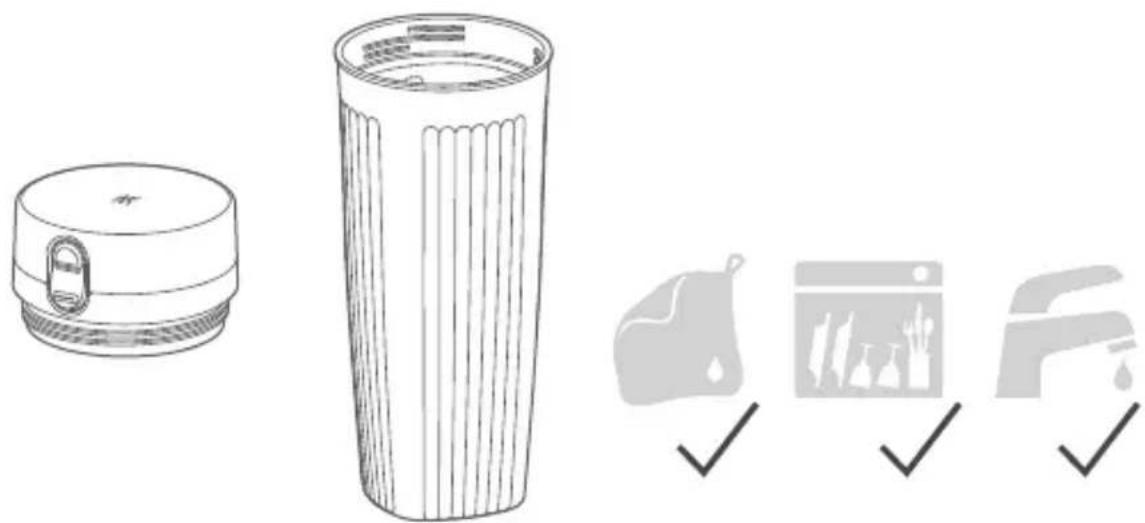
1 Cleaning the blender bowl and drinking vessel closure
You can clean the blender bowl and the drinking vessel closure in the rinsing bath or in the dishwasher.
natural_image
Illustration of a trash bin with a lid and filter, alongside three checkmark icons (no text or symbols)2 Cleaning the blender lid
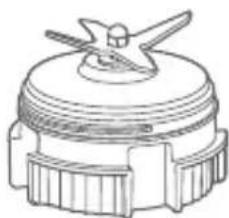
You can clean the blender lid under running water and with a damp, lint-free cloth.
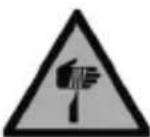
Clean the blades carefully. Do not reach into them.
natural_image
Technical line drawing of a mechanical component with no visible text or symbols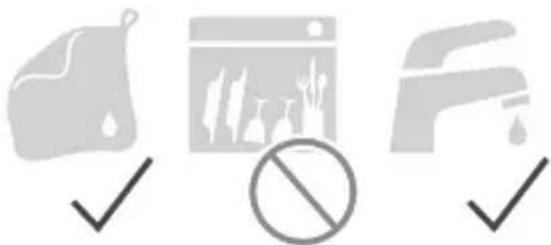
natural_image
Three gray icons representing different environmental or operational symbols: a document, a browser window, and a water drop (no text or labels)3 Cleaning the blender base
You can clean the blender base with a damp, lint-free cloth.
Prior to cleaning, unplug the power plug.
natural_image
Line drawing of a small kitchen appliance with a rotary knob and 'ZWILLING' label (no text or symbols on the device itself)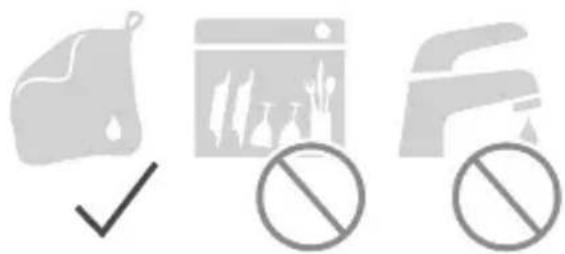
natural_image
Three gray icons representing document, a web browser, and a car with no symbols (no text or labels)Fault
| Problem Possible cause Remedy | ||
| The mixed product contains many ingredient pieces. | The selector switch was not kept for long enough in the multi-function program. | Keep the selector switch in the multi-function position until the desired consistency is reached. |
| The ingredients are not suitable for the automatic program to be used. | Finish mixing the mixed product with the multi-function program until the desired consistency is achieved. | |
| The appliance switches off immediately. | The selector switch was not kept in the multi-function program. | Keep the selector switch in the multi-function position. |
| Liquid runs out of the blender bowl. | The blender lid is not screwed on correctly. | Screw the blender lid on correctly. |
| The seal of the blender lid is broken. | The seal must be exchanged by customer service. | |
| The blender bowl is over-filled. | Reduce the number of ingredients or the quantity. | |
| Liquid runs out of the appli-ance. | Liquid runs out of the blender bowl and into the base. | Check the blender bowl and clean the appliance. |
| All program symbols are flashing on the blender base. | The blender bowl was removed from the base during operation. | Put the selector switch in the on/off position. Then put the blender bowl back on and continue as desired. |
| The selector switch is not in the on/off position when the blender is plugged in. | Put the selector switch in the on/off position and continue as desired. | |
| The motor has overheated. | Put the selector switch in the on/off position and wait 30 minutes. | |
| It is not possible to start the mixing process. | The blender bowl does not sit properly on the base. | Place the blender bowl on the base by pressing it down. |
Customer service
Please contact our customer service should you encounter any problems with your blender.
Detailed information on service, repairs, warranty and product registration can be found at www.zwilling.com/service.
Disposal
With regard to disposal, please return your old appliance to a collection point for electrical appliances.
Sécurité
natural_image
Simple line drawing of a cylindrical device with a curved base and top component, labeled '2.' (no text or symbols on the device itself)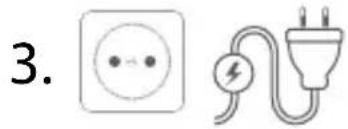
text_image
3.text_image
Diagram showing a plastic container being lifted by an arrow, indicating material deformation or recycling.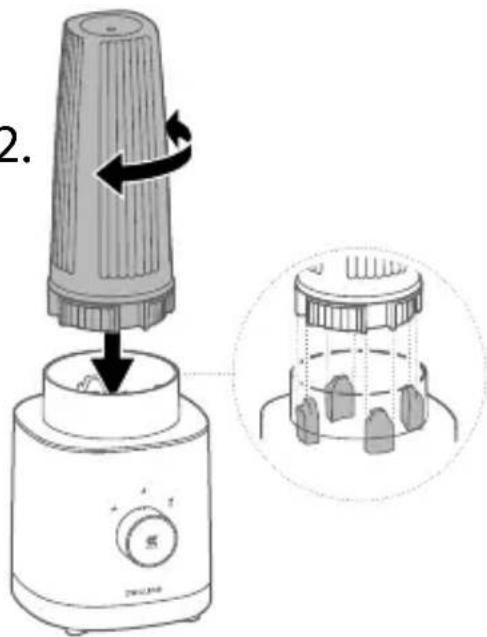
text_image
2.natural_image
Simple diagram with concentric circles and symbols (no readable text or labels)flowchart
graph TD
    A["Waveform"] --> B["Directional Arrow"]
    B --> C["Human Figure Icon"]
    style A fill:#f9f,stroke:#333
    style C fill:#ccf,stroke:#333
6 Emporter un cocktail
natural_image
Illustration of a trash bin with a lid and filter, alongside three checkmark icons (checkmark, checkmark, checkmark) for inspection or cleaning.natural_image
Technical line drawing of a mechanical component with no visible text or symbols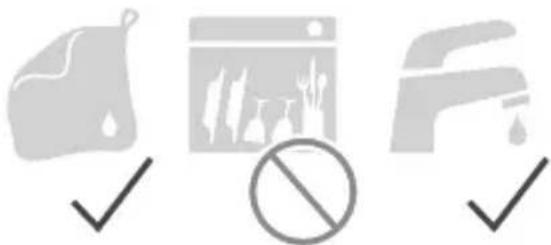
natural_image
Three gray icons representing different environmental or operational symbols: a document, a browser window, and a water drop (no text or labels)natural_image
Line drawing of a small kitchen appliance with a lid and control knob (no text or symbols)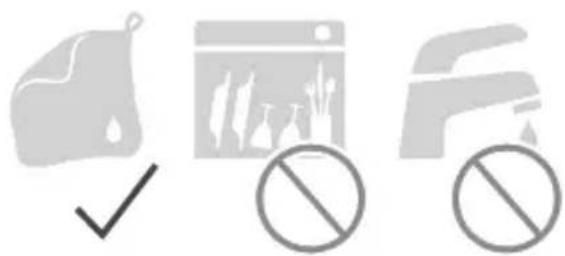
natural_image
Three gray icons representing food safety symbols: a checkmark, a browser window with food cuts, and a bicycle with no stop sign (no text or labels)Défaut
natural_image
Simple line drawing of a cylindrical device with a curved base and top component, labeled '2.' (no text or symbols on the device itself)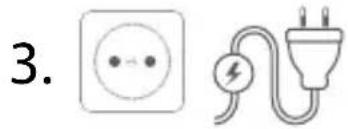
text_image
3.natural_image
Diagram showing a mechanical component being inserted into a cylindrical container, with an arrow indicating the process (no text or symbols present)2.
text_image
2.
natural_image
Diagram of a cylindrical container with internal components and a dashed line indicating a depth or measurement (no text or symbols)
flowchart
graph TD
    A["Circle Process Node"] --> B["Arrow to Right"]
    B --> C["Trash Cup Icon"]
2.
natural_image
Simple diagram with concentric circles and directional arrows, no text or symbols presentflowchart
graph TD
    A["Waveform"] --> B["Directional Arrow"]
    B --> C["Human Figure Icon"]
    style A fill:#f9f,stroke:#333
    style C fill:#ccf,stroke:#333
natural_image
Illustration of a trash bin with a lid and filter, alongside three checkmark icons (no text or symbols)natural_image
Technical line drawing of a mechanical component with no visible text or symbols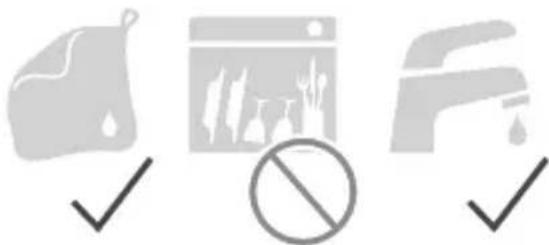
natural_image
Three gray icons representing food, a browser window, and a showerhead, all checked with a checkmark (no text or symbols)natural_image
Line drawing of a small kitchen appliance with a rotary knob and 'ZWILLING' label (no text or symbols on the device itself)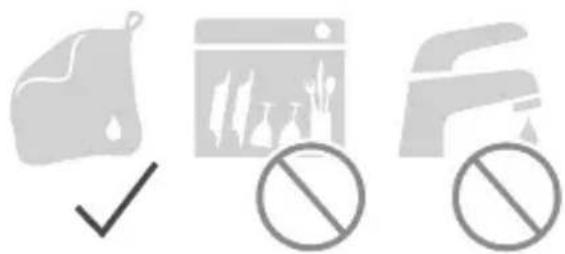
natural_image
Three gray icons representing document, a web browser, and a car with no symbols (no text or labels)Avería
natural_image
Simple line drawing of a cylindrical device with a base and a curved cable, labeled '2.' (no text or symbols on the device itself)
text_image
3.text_image
Diagram showing a mechanical component being lifted into a trash bin, with an arrow indicating rotation direction.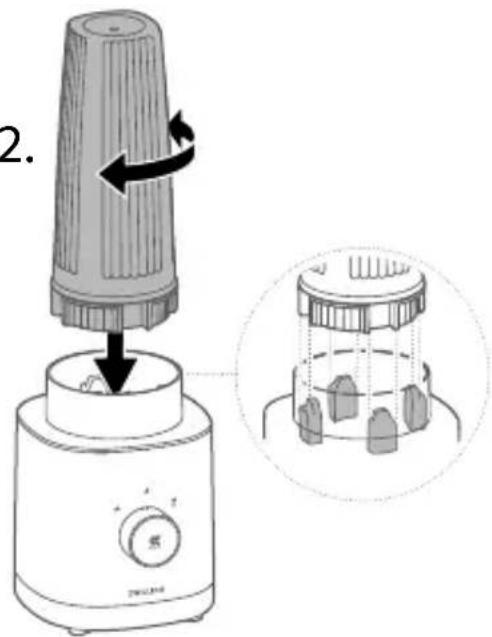
text_image
2.
flowchart
graph TD
    A["Step 1: Circle with stick figure icon"] --> B["Step 2: Circle with stick figure icon"]
    B --> C["Arrow to coffee cup icon"]
    style A fill:#f9f,stroke:#333
    style B fill:#ccf,stroke:#333
text_image
Diagram illustrating physiological monitoring with ECG waveform, sensor, and human figure iconnatural_image
Illustration of a trash bin with a lid and filter, alongside three checkmark icons (checkmark, checkmark, checkmark) for inspection or cleaning.natural_image
Technical line drawing of a mechanical component with no visible text or symbols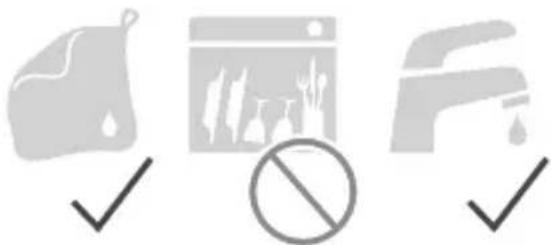
natural_image
Three gray icons representing different environmental or operational symbols: a document, a browser window, and a water drop (no text or labels)natural_image
Line drawing of a small appliance with a lid and control knob, labeled 'ZWILLING' (no other text or symbols)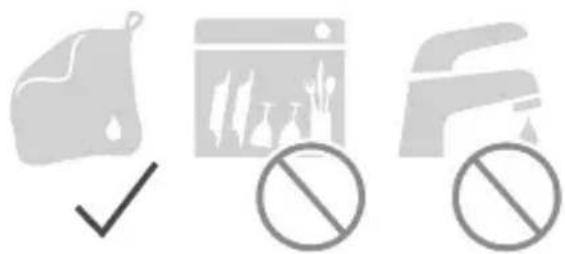
natural_image
Three gray icons: a document with checkmark, a browser window with leaf symbols, and a truck with no sign (no text or symbols present)Guasto
natural_image
Simple line drawing of a cylindrical device with a curved base and top component, labeled '2.' (no text or symbols on the device itself)
text_image
3.text_image
Diagram showing a plastic container being lifted by an arrow, indicating material deformation or recycling.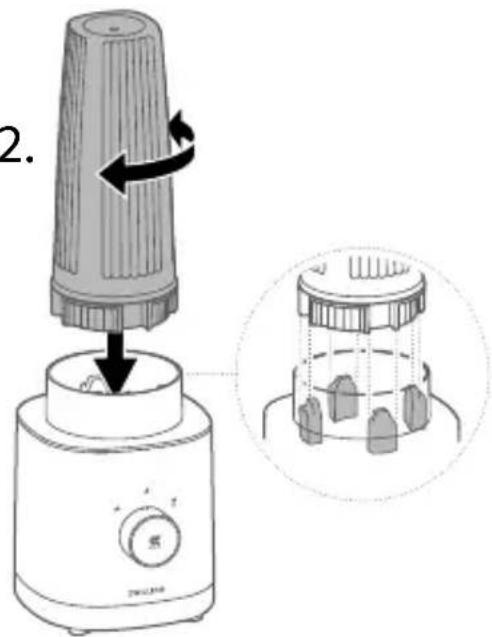
text_image
2.flowchart
graph TD
    A["Circle Process Node"] --> B["Arrow to Right"]
    B --> C["Trash Cup Icon"]
natural_image
Simple diagram with concentric circles and symbols (no readable text or labels)text_image
Diagram showing ECG waveform, directional arrow, and human figure inside a circle with a small object nearby6 Gemixt drankje meenemen
natural_image
Illustration of a trash bin with a lid and filter, alongside three checkmark icons (checkmark, checkmark, checkmark) for inspection or cleaning.2 Mixerdeksel reinigen
natural_image
Technical line drawing of a mechanical component with no visible text or symbols
natural_image
Three gray icons representing cleaning, outdoor scenes, and a barrier, all checkmark (no text or symbols)3 Mixersokkel reinigen
natural_image
Line drawing of a small appliance with a lid and control knob, labeled 'ZWILLING' (no text or symbols on the device itself)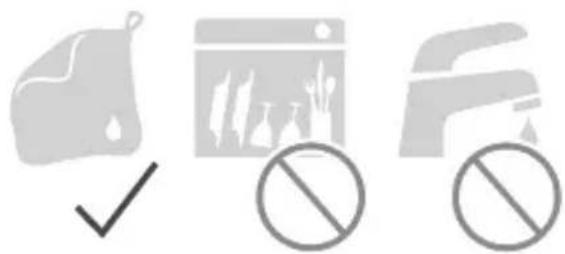
natural_image
Three gray icons: a document with checkmark, a browser window with leaf symbols, and a truck with no sign (no text or symbols present)Storing
natural_image
Simple line drawing of a cylindrical device with a curved base and top component, labeled '2.' (no text or symbols on the device itself)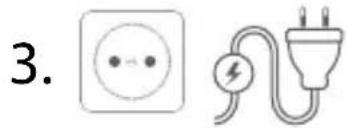
text_image
3.text_image
Diagram showing a plastic container being lifted by an arrow, indicating material deformation or recycling.2.

text_image
2.flowchart
graph TD
    A["Process Node"] --> B["Arrow to Right"]
    B --> C["Icon: Drink with straw"]
2.
text_image
Diagram showing a person silhouette inside a circle with directional arrows and symbols, possibly indicating movement or interaction.text_image
Diagram illustrating physiological monitoring with ECG waveform, sensor, and human figure icon6 Bebida combinada para levar
natural_image
Illustration of a trash bin with a lid and filter, alongside three checkmark icons (checkmark, checkmark, checkmark) for inspection or cleaning.2 Limpeza da tampa do liquidificador
natural_image
Technical line drawing of a mechanical component with no visible text or symbols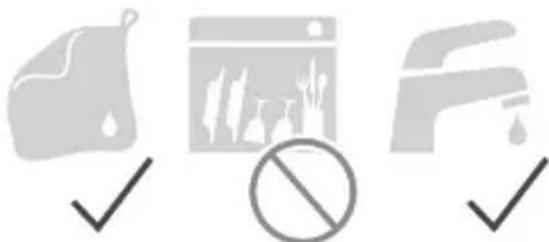
natural_image
Three gray icons representing cleaning, outdoor scenes, and a barrier, all checkmark (no text or symbols)3 Limpeza da base do liquidificador
natural_image
Line drawing of a small kitchen appliance with a lid and control knob (no text or symbols)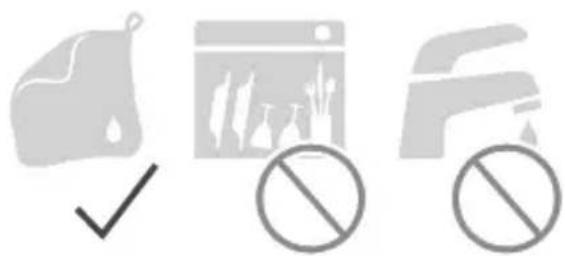
natural_image
Three gray icons: a checkmark over a document, a prohibition symbol with arrows, and a crossed-out document (no text or symbols present)Avaria
natural_image
Simple line drawing of a cylindrical device with a curved base and top component, labeled '2.' (no text or symbols on the device itself)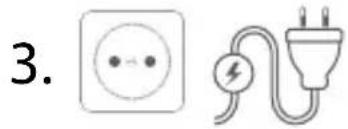
text_image
3.text_image
Diagram showing a plastic container being lifted by an arrow, indicating material deformation or recycling process.2.
text_image
2.
natural_image
Diagram of a mechanical component with multiple teeth and a central hub, enclosed in a circular boundary (no text or symbols)
flowchart
graph TD
    A["Process Node"] --> B["Arrow to Right"]
    B --> C["Trash Cup Icon"]
2.
natural_image
Simple diagram with concentric circles and symbols (no readable text or labels)text_image
Diagram illustrating physiological monitoring with ECG waveform, sensor, and human figure iconnatural_image
Illustration of a trash bin with a lid and filter, alongside three checkmark icons (checkmark, checkmark, checkmark) for inspection or cleaning.natural_image
Technical line drawing of a mechanical component with no visible text or symbols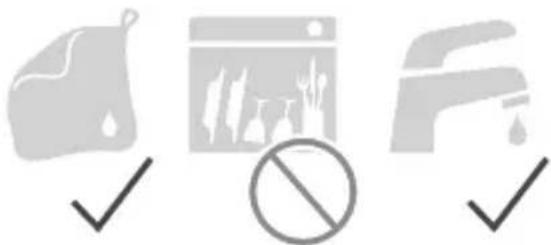
natural_image
Three gray icons representing different environmental or operational symbols: a document, a browser window, and a water drop (no text or labels)natural_image
Simple line drawing of a cylindrical device with a curved base and top, labeled '2.' (no text or symbols on the device itself)
text_image
3.2 Fylla på ingredienser
text_image
Diagram showing a mechanical component being lifted into a trash bin, with an arrow indicating the process.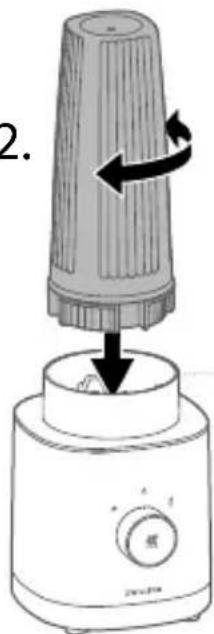
text_image
2.
natural_image
Diagram of a cylindrical container with internal components and a lid, no text or symbols presentnatural_image
Simple diagram with concentric circles and symbols (no readable text or labels)text_image
Diagram illustrating physiological monitoring with ECG waveform, sensor, and human figure icon6 Ta med mixdryck
natural_image
Line drawings of a food item: a flat plate and a cylindrical container with filter, alongside three checkmark icons (no text or symbols)natural_image
Technical line drawing of a mechanical component with a flanged top and base (no text or symbols)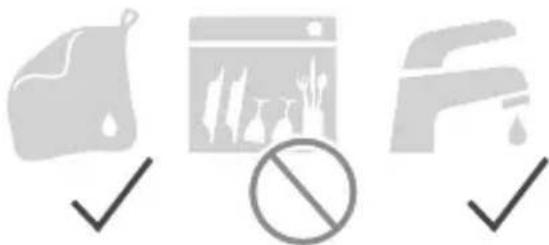
natural_image
Three gray icons representing food, a web browser, and a water drop, all checked with checkmarks (no text or symbols)natural_image
Line drawing of a small kitchen appliance with a lid and control knob (no text or symbols)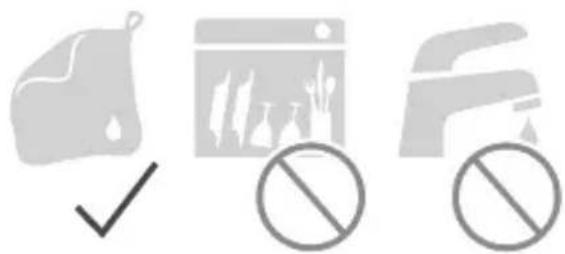
natural_image
Three gray icons: a document with checkmark, a browser window with leaf symbols, and a truck with no sign (no text or symbols present)Fel
natural_image
Simple line drawing of a cylindrical device with a curved base and a small protrusion, labeled '2.' (no text or symbols on the device itself)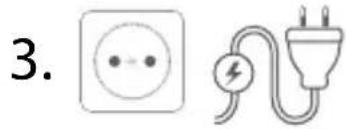
text_image
3.text_image
Diagram showing a plastic container being lifted by an arrow, indicating material deformation or recycling.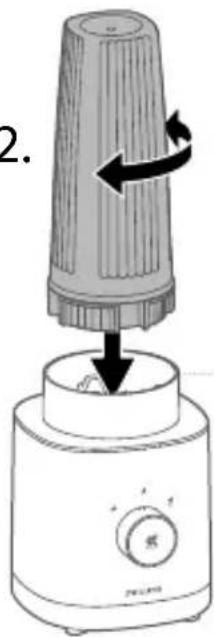
text_image
2.
natural_image
Diagram of a mechanical or architectural component with no visible text, numbers, or symbolsflowchart
graph TD
    A["Person Icon"] --> B["Coffee Cup Icon"]
    B --> C["Arrow to Left"]
    C --> D["Arrow to Right"]
natural_image
Simple diagram with concentric circles and symbols (no readable text or labels)text_image
Diagram illustrating electrocardiogram (ECG) signal transmission with a human figure inside a circle and an arrow indicating direction.natural_image
Illustration of a food waste bin with a lid and filter, alongside three checkmark icons (no text or symbols)natural_image
Technical line drawing of a mechanical component with no visible text or symbols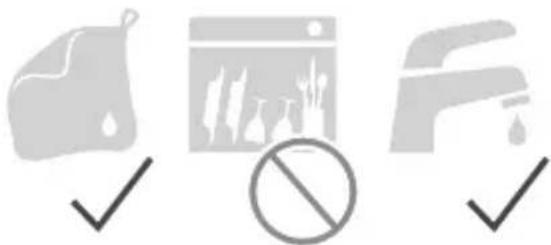
natural_image
Three gray icons representing food, a browser window, and a showerhead, each with a checkmark and no prohibition symbol (no text or labels)natural_image
Line drawing of a small kitchen appliance with a circular top and control knob labeled 'ZWILLING' (no additional text or symbols)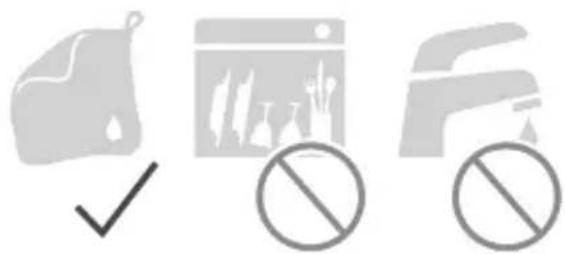
natural_image
Three gray icons representing different environmental or regulatory symbols: a checkmark, a browser window with plants, and a prohibition sign (no text or labels)Неисправность
natural_image
Red square sign with white pictogram of two human figures (no text or symbols)ZWILLING

DOWNLOAD APP