Fresh & Save - Vacuum packaging machines Zwilling - Free user manual and instructions
Find the device manual for free Fresh & Save Zwilling in PDF.

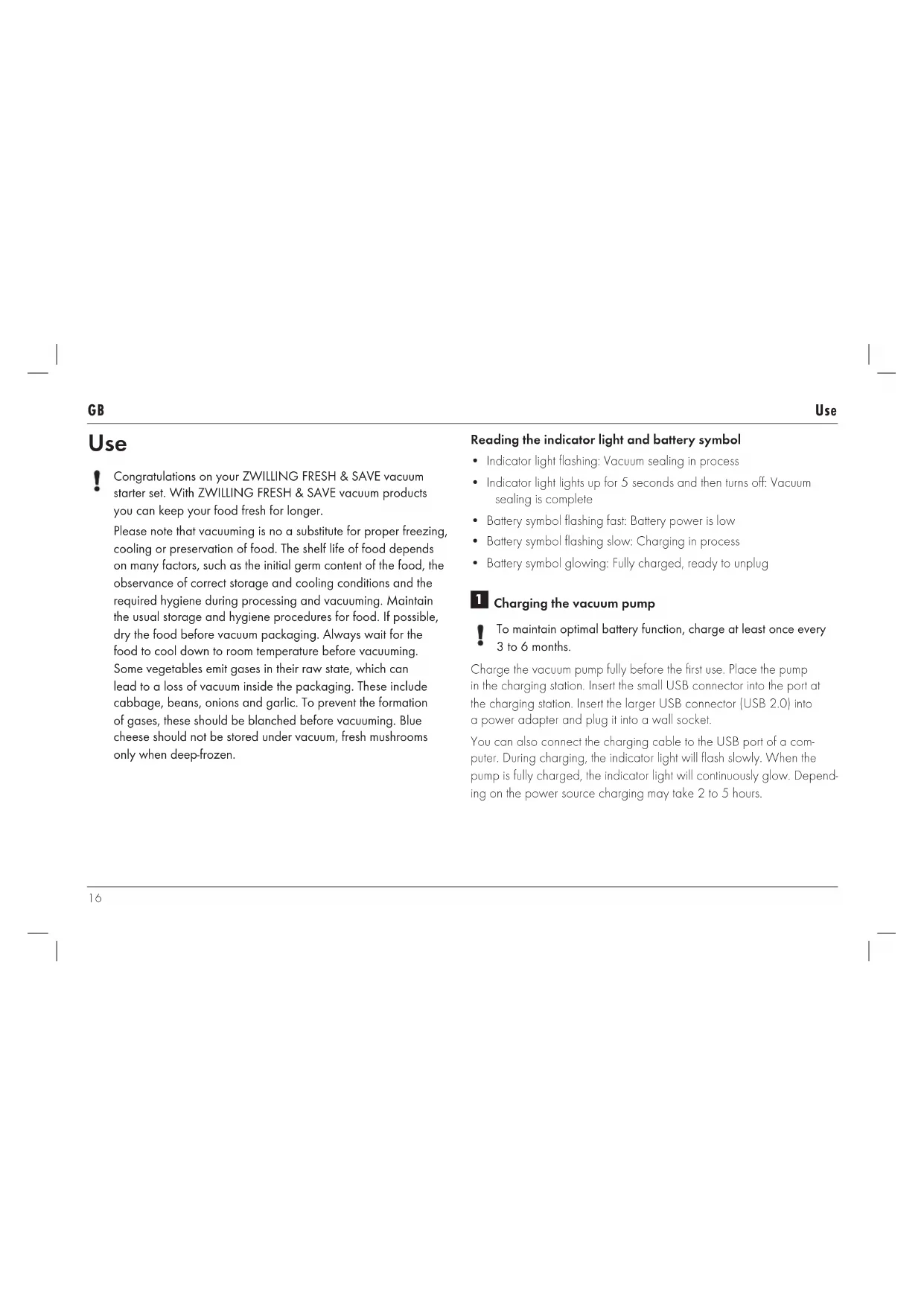


| Product type | Vacuum pump for food packaging |
| Brand | Zwilling |
| Model | Fresh & Save |
| Dimensions (L x W x H) | 50 x 50 x 190 mm |
| Weight | Approximately 0.3 kg |
| Power | Li-ion battery 3.7 V, 1200 mAh, rechargeable via USB |
| Battery life | Up to several cycles depending on containers |
| Battery type | Non-removable Li-ion |
| Charger included | USB 2.0 to micro USB cable (power adapter not included) |
| Charging station | Yes, included in the kit |
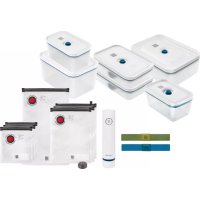
| Container compatibility | ZWILLING FRESH & Save vacuum boxes and bags |
| Main functions | Automatic vacuum sealing, automatic stop at optimal pressure, stop after 2 min if failure |
| LED indicators | LED light and battery symbol (charging, vacuum in progress, low battery) |
| Microwave use | Compatible boxes and bags (remove lid for glass boxes) |
| Oven use | Glass boxes without lid up to 180°C |
| Cleaning the pump | Dry or slightly damp cloth; silicone cap washable with water |
| Cleaning the boxes | Dishwasher safe |
| Cleaning the bags | Hand wash, reusable |
| Safety | Automatic stop if liquid is vacuumed; protected battery; do not open |
| Repairability | No user-serviceable parts; contact customer service |
| Associated app | ZWILLING app (scan QR) for food and date management |
| Intended use | Domestic, vacuum storage of food |
| Warranty | See website www.zwilling.com/service |
Frequently Asked Questions - Fresh & Save Zwilling
User questions about Fresh & Save Zwilling
0 question about this device. Answer the ones you know or ask your own.
Ask a new question about this device
Download the instructions for your Vacuum packaging machines in PDF format for free! Find your manual Fresh & Save - Zwilling and take your electronic device back in hand. On this page are published all the documents necessary for the use of your device. Fresh & Save by Zwilling.
USER MANUAL Fresh & Save Zwilling
natural_image
Line drawing of red containers and storage compartments with no text or symbolsBedienungsanleitung 2 | User manual (GB) 13 | Manuel d'utilisation (FR) 24 | Manual de instrucciones 35 | Istruzioni per l'uso 46 | Bedieningshandleiding 57 | Manual de instruções 68 | Инструкция no применению 79
ZWILLING® FRESH & SAVE VACUUM STARTER SET
Sicherheit
natural_image
Illustration of two hands holding a mechanical component, showing internal gear-like structures (no text or symbols)GebrauchDE
natural_image
Two-step line drawing showing hand positioning of a circular object on a surface, with no text or symbols present.natural_image
Diagram showing two views of a device with a central knob, one being rotated and the other showing a shaded band (no text or symbols)www.zwilling.com/app
DE
Reinigen
Reinigen

text_image
Diagram showing a thermosupress bottle with a bag and two circular icons labeled '洗' (wash) and '洗' (wash), alongside a recycling symbol.natural_image
Three gray icons showing a bag, a window with noise, and a faucet with a prohibition sign (no text or symbols)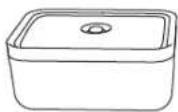
natural_image
Three gray icons showing a bag, a window with plants, and a faucet, all checked with a checkmark (no text or symbols present)Please carefully read this user manual in its entirety before using the vacuum pump. Keep this manual in a safe place. If you give the vacuum pump away, be sure to include this manual with it. A failure to comply with this user manual can lead to serious injury or damage to the appliance. ZWILLING does not accept any liability for damage caused by a failure to comply with this user manual.
Safety information
The vacuum pump (hereinafter referred to as the "appliance") is intended to be exclusively used with all ZWILLING FRESH & SAVE vacuum storage options to create an effective vacuum seal for long-lasting food storage. It may only be used with the accessories supplied or approved by ZWILLING. Any other use is considered improper and may result in personal injury or property damage. The appliance is intended for domestic use. It is not intended for commercial use. Do not use the appliance on yourself, other persons or animals. Certain persons are at greater risk: this appliance can be used by children aged from 8 years and above and persons with reduced physical or sensory capabilities or lack of experience and knowledge if they have been given supervision or instruction concerning use of the appliance in a safe way and understand the hazards involved. Children shall not play with the appliance. Cleaning and user maintenance shall not be made by children without supervision.
Keep the appliance and its connecting cable in a location that is not accessible to children under 8 years old. Keep children away from the packaging material. It poses a risk of suffocation. The device has a permanently installed battery. Improper handling causes the risk of fire. Only charge the battery using the included charging cable. Do not disassemble the battery. Do not short-circuit the appliance and do not throw it into fire. Do not open or otherwise destroy the appliance.
The appliance is charged with electric current. There is therefore a danger of electric shock. Only charge the appliance if the voltage stated on the rating plate of the used adapter matches the voltage of your socket. Make sure that the charging cable is not kinked or pinched and make sure that the charging cable and the appliance do not come in contact with sources of heat (e.g. hobs, gas flames). Always directly unplug the power adapter from the socket (do not pull the charging cable). Do not carry the appliance by the charging cable.
SafetyGB
Disconnect the charging cable from the appliance immediately after the charging process is complete. After every charging and in the event of danger or a defect, unplug the power adapter connected to the charging cable from the socket immediately. Unplug the appliance from the charging cable prior to cleaning or maintenance. As long as the power adapter is plugged in, there is a voltage inside the appliance, even if the appliance is switched off. Never unscrew the appliance and do not make any technical modifications. Check the appliance for damage prior to each use. If you detect any transport damage, contact the dealer from whom you purchased the appliance immediately. Never use a faulty appliance or faulty accessories. Never operate an appliance or accessories that have been dropped. In the event of a fault, please contact our customer service. The appliance does not contain any parts that you are able to repair yourself. Damage may occur if the appliance is handled incorrectly.
Explanation of symbols

Danger of harm to persons or property due to electric current

Risk of property damage and damage to the appliance

Hints for effective use
Key to symbols on the appliance

Appliance class III - Low voltage

CE certification mark

Do not throw away with household waste

EAC certification mark

UKCA certification mark
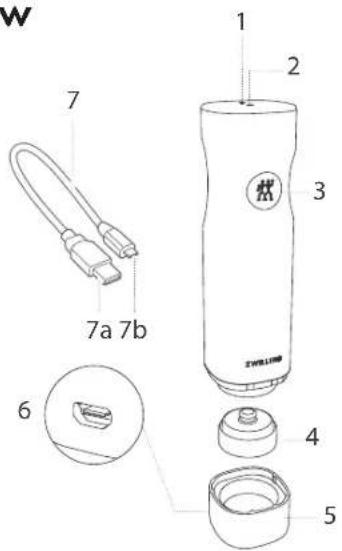
Overview
text_image
W 1 2 3 7a 7b 6 4 5| 1 | Battery symbol | 5 | Charging station |
| 2 | Indicator light | 6 | USB connection port |
| 3 | On/Off button | 7 | Charging cable with USB 2.0 (a) and micro USB (b) |
| 4 | Silicon top |
Technical data - vacuum pump
| Battery specification 3,7 V, Li-ion 1200 mAh | |
| Power adapter (not included) | Input: 100 - 240 V~, 50/60 Hz Output: 5 V~, 1000 mA |
| Charging cable USB 2.0 type A, micro USB, length 0.8 m | |
| Dimensions (L x W x H) 50 x 50 x 190 mm | |
| Weight approx. 0.3 kg | |
| Material ABS plastic, silicone | |
Content in starter set may vary.
Use
! Congratulations on your ZWILLING FRESH & SAVE vacuum starter set. With ZWILLING FRESH & SAVE vacuum products you can keep your food fresh for longer.
Please note that vacuuming is no a substitute for proper freezing, cooling or preservation of food. The shelf life of food depends on many factors, such as the initial germ content of the food, the observance of correct storage and cooling conditions and the required hygiene during processing and vacuuming. Maintain the usual storage and hygiene procedures for food. If possible, dry the food before vacuum packaging. Always wait for the food to cool down to room temperature before vacuuming.
Some vegetables emit gases in their raw state, which can lead to a loss of vacuum inside the packaging. These include cabbage, beans, onions and garlic. To prevent the formation of gases, these should be blanched before vacuuming. Blue cheese should not be stored under vacuum, fresh mushrooms only when deep-frozen.
Reading the indicator light and battery symbol
• Indicator light flashing: Vacuum sealing in process
- Indicator light lights up for 5 seconds and then turns off: Vacuum sealing is complete
- Battery symbol flashing fast: Battery power is low
• Battery symbol flashing slow: Charging in process
- Battery symbol glowing: Fully charged, ready to unplug
1 Charging the vacuum pump
To maintain optimal battery function, charge at least once every 3 to 6 months.
Charge the vacuum pump fully before the first use. Place the pump in the charging station. Insert the small USB connector into the port at the charging station. Insert the larger USB connector (USB 2.0) into a power adapter and plug it into a wall socket.
You can also connect the charging cable to the USB port of a computer. During charging, the indicator light will flash slowly. When the pump is fully charged, the indicator light will continuously glow. Depending on the power source charging may take 2 to 5 hours.
Use
GB
2 Vacuum sealing boxes and bags
! The pump must not absorb any liquids (e.g. water, oil, meat juices). If you see that the pump is sucking in liquids, immediately stop the vacuum sealing process by pressing the On/Off button.

The duration of the vacuum sealing process depends on the size of the container and how much it is filled. If a container is smaller or more full, the vacuum sealing process is faster.
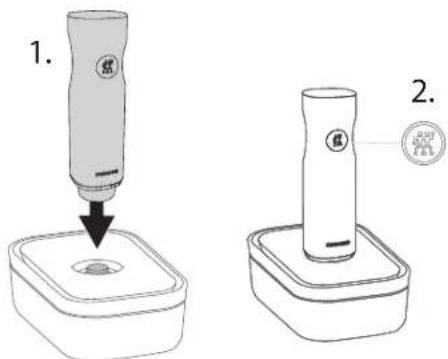
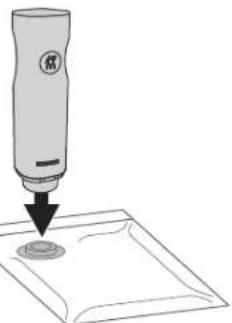
Place the vacuum pump on the valve of the box and, if necessary press down lightly. Press the On/Off button on the pump.
The pump sucks the air out of the box. The vacuum sealing stops automatically when the vacuum pressure reaches the right level. The vacuum sealing can also be manually interrupted at any time by pressing the On/Off button.
If the right level cannot be reached because, for example, the pump is not seated correctly, the vacuum process will stop automatically after 2 minutes. The container may not be closed properly.
! Clean the vacuum boxes before using them for the first time. Before each use, make sure that the seal of the lid and the edge of the box are clean and dry.
Do not overfill the box. Always leave 1-2 cm free to the edge. Make sure the food inside the box does not come in contact with the valve on the inside of the lid.
text_image
1. 2.GB
Use
ZWILLING FRESH & SAVE glass vacuum boxes can be placed in the oven if the lid is removed (max. 180 °C). Do not expose the glass vacuum boxes to extreme temperature shocks, e.g. do not place a vacuum box out of the fridge into a warm oven.
! The opening of the bag has to be completely clean and dry. Make sure the valve on the inside of the bag does not come into contact with its contents.
All bags and boxes included in the starter pack can be used to warm up food in the microwave. Even boxes with attached lids. For oily foods we recommend to use the glass boxes.
Before using the boxes in the microwave, make sure that the vacuum has been released and the lid is resting loosely on top.
i
With soft or liquid foods, it helps to freeze them briefly before vacuuming into bags. A firm consistency prevents your food from being crushed during vacuuming or liquid from entering the pump. Alternatively, the ZWILLING FRESH & SAVE vacuum boxes are particularly suitable here.
i
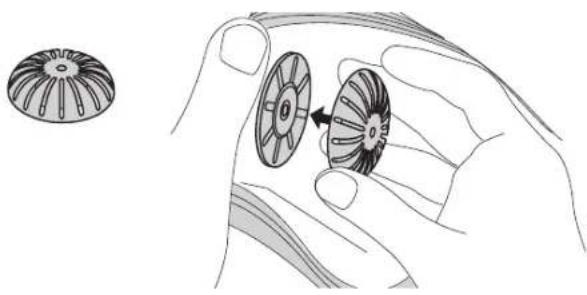
For marinating or sous-vide cooking, we recommend the use of the liquid barrier attachment. Clip it onto the valve on the inside of the bag before sealing the bag. The liquid barrier inhibits liquid absorption by the pump during the vacuum sealing process. Stop the vacuum sealing process immediately by pressing the ON/OFF button if you see liquids getting nearer to the pump.
natural_image
Illustration of two hands holding a mechanical component with a separate inset showing a gear-like structure (no text or symbols)Use GB
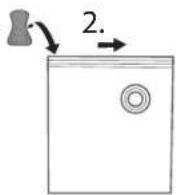
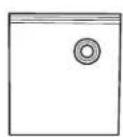
Bags can be easily closed with the included zipper. Slide it sideways onto the bag and move it across to close the bag. Then stroke your finger with a little pressure over the sealing strip to ensure that the bag is properly closed. To open the bags, pull the sealing bar apart with your hands.
natural_image
Simple line drawing of a spray bottle dispensing liquid onto a square base (no text or symbols)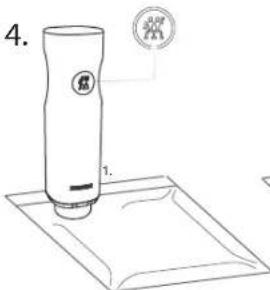
text_image
4. 1.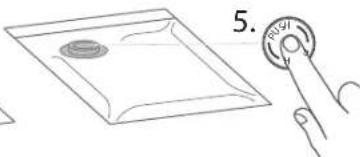
text_image
5.
Remember to press down the PUSH button in the middle of the silicone valve after each vacuuming process to finally seal the valve.
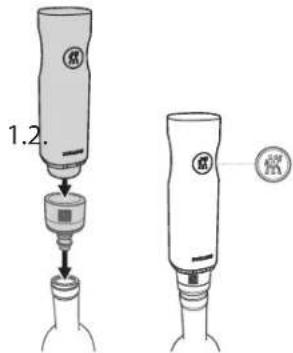
Bottles can be sealed using the wine sealer. The pump stops automatically when the vacuum pressure reaches the right level.
text_image
1.2.3 Opening a vacuumed container
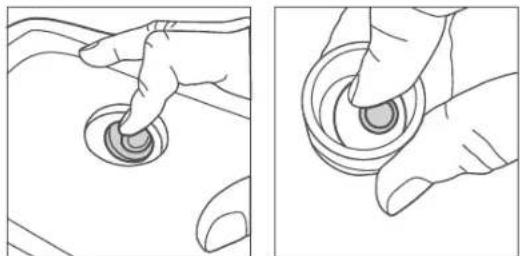
To open vacuum boxes or bottles, carefully pull the silicone valve to the side. Air flows in slowly and the vacuum escapes. The containers can be opened.
natural_image
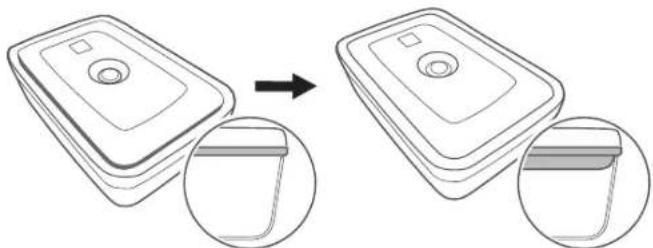
Two-step line drawing showing hand positioning on a circular object, no text or symbols presentAfter the vacuuming process, the inner lid of the vacuum box will be lowered and the sealing is expanded (this behaviour does not apply to lids from lunch boxes). As soon as the inner lid lifts, the vacuum should be refreshed. Use the vacuum pump to vacuum the box again.
natural_image
Diagram showing two views of a device with a circular component, one being rotated and the other showing a slot (no text or symbols present)4 Using QR codes and the app
ZWILLING FRESH & SAVE vacuum boxes and bags are equipped with a QR code, which is matched to the ZWILLING app. With the help of the app you can easily manage your vacuumed food and have a perfect overview of your stocks. The QR code on the products makes it easy to check the food into the app. The app reminds you when your food is due to expire. First download the ZWILLING app and then scan the QR code.
Each vacuum bag has a unique bag ID. This helps you to clearly identify your food.
More information and to download the app for free:
www.zwilling.com/app
Cleaning
GB
Cleaning

Unplug the power adapter and disconnect the vacuum pump from the charging cable prior to cleaning.
1 Cleaning the vacuum pump
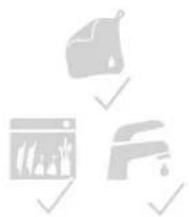
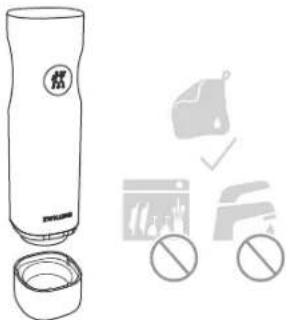
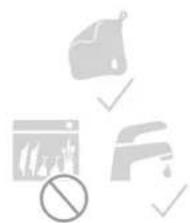
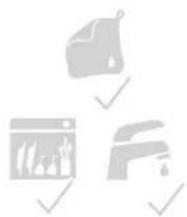
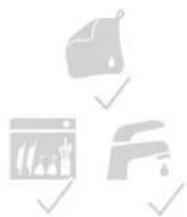
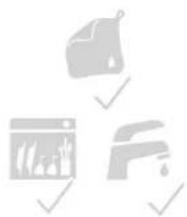
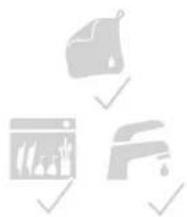
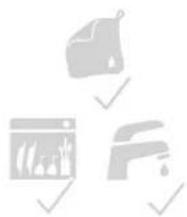
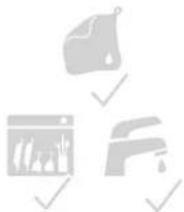
Only use a dry or slightly damp cloth to clean the body of the vacuum pump and the charging station. Do not put any parts of the pump into the dishwasher.
text_image
Diagram showing a thermosupressor bottle with a bag and three labeled items: a clean waste bin, a trash bin, and a no-smoking symbol.2 Cleaning the silicone top
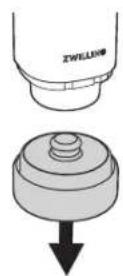
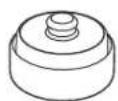
To clean the silicone top, remove it from the body of the vacuum pump by gently pulling downwards and clean it with water.
natural_image
Three gray icons showing a bag, a barrier, and a faucet with no symbols (no text or labels)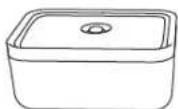
natural_image
Three gray icons representing a kitchen sink, a window with food, and a faucet, all checked with a checkmark (no text or symbols present)3 Cleaning the boxes
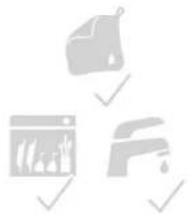
The boxes can be cleaned in the dishwasher.
4 Cleaning the bags
You can clean the bags by hand and reuse them afterwards. Dry the bags completely after each cleaning. If you have stored raw meat, fish, eggs or raw milk cheese in them, they must be cleaned particularly thoroughly.
Troubleshooting
| Problem Possible cause Remedy | ||
| The pump does not respond to the On/Off button. | The battery of the pump is low or not charged. | Charge the pump's battery. |
| The pump does not create a vacuum when placed on a container or the vacuum does not last. | The lid of the vacuum container, the silicone seal or the valve is positioned incorrectly. | Check that the positioning is correct and that the lid is properly closed. |
| The silicone seal or the container valve is dirty or wet. | Clean and dry the silicone seal and the valve of the container. | |
| The pump sits too loosely on the valve. | During vacuum sealing, lightly press the pump into the dock surrounding the valve to create a tight seal between the pump and the valve. | |
| The above problems cannot be solved. | The vacuum pump could be broken. | Contact customer service.Do not try to repair the pump yourself. |
Troubleshooting/Customer Service/Disposal
| The pump stops during the vacuum sealing process and does not turn back on. | The pump sucked in liquids during the vacuum sealing process. | Do not turn the pump upside down. Shake the pump slightly to remove any liquid. Make sure the pump and the charging station are completely dry. Plug the pump into the charging station for one second to reset, then remove it and push the On/Off button. Additional liquids may drip out. Repeat this process if the pump stops again. |
Customer Service
Please contact our customer service should you encounter any problems with your vacuum pump. Detailed information on service, repairs and warranty can be found at www.zwilling.com/service.
Disposal
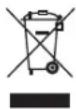
Do not dispose of the appliance with household waste. For an eco-friendly disposal, please return your old appliance to a collection point for electrical appliances. Separate collection of individual components of EE equipment prevents negative effects of environmental pollution and minimises danger to human health, which may occur as a result of improper product disposal. In addition, it enables reuse and recovery of the materials, thus saving energy and raw materials.
ZWILLING J.A. HENCKELS (UK) LTD
16 Handley Page Way,
Old Parkbury Lane,
Colney Street, St Albans, AL2 2DQ
UNITED KINGDOM
FR
Sécurité
Sécurité
natural_image
Illustration of two hands holding a mechanical component with a gear-like structure (no text or symbols)UtilisationFR
natural_image
Two-step line drawings showing hand positioning of a circular object on a surface, with no text or symbols present.natural_image
Diagram showing a device being processed from a base to a flat panel, with magnified views of the component (no text or symbols present)www.zwilling.com/app
FR
Nettoyage
Nettoyage

text_image
Diagram showing a bottle with a '燃' (waste) label and three circular icons below indicating different waste disposal methods.natural_image
Three gray icons showing a bag, a window with a shower, and a faucet, all without any text or symbols.
natural_image
Three gray icons representing a container, a window with plants, and a faucet, all checked with a checkmark (no text or symbols present)Nettoyage/Dépannage
FR
natural_image
Illustration of two hands holding a mechanical component with a rotating wheel (no text or symbols)Uso ES
natural_image
Two-step line drawing showing hand positioning of a circular object on a surface, with no text or symbols present.natural_image
Diagram showing two views of a device with a central hub, one being rotated and the other showing a separate view (no text or symbols present)www.zwilling.com/app
Limpieza
ES
Limpieza

text_image
Diagram showing a thermosupressor bottle with a bag and three labeled items: a clean waste bin, a trash bin, and a no-smoking symbol.natural_image
Three gray icons showing a bag, a barrier, and a faucet with no symbols (no text or labels)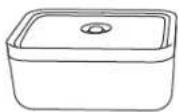
natural_image
Three gray icons representing a kitchen sink, a window with plants, and a faucet, all checked with a checkmark (no text or symbols present)natural_image
Illustration of two hands holding a mechanical component with a gear-like shape and an arrow indicating rotation (no text or symbols)Utilizzolt
natural_image
Two-step line drawing showing hand positioning of a circular object on a surface, with no text or symbols present.natural_image
Diagram showing two views of a device with a magnified inset, no text or symbols presentwww.zwilling.com/app
IT
Pulizia
Pulizia

text_image
Diagram showing a thermosupressor device with labeled components and safety symbols for cleaning or anti-smoking.natural_image
Three gray icons showing a bag, a browser window, and a faucet with a prohibition symbol (no text or labels)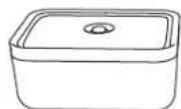
natural_image
Three gray icons representing a bag, a window with plants, and a faucet, all checked with a checkmark (no text or symbols present)natural_image
Illustration of two hands holding a mechanical component with a gear-like shape and an arrow indicating rotation (no text or symbols)Gebruik NL
natural_image
Two-step illustration showing hand positioning of a circular object on a surface, with no text or symbols present.natural_image
Diagram showing two views of a device with a button, one being rotated and the other showing a separate view (no text or symbols present)www.zwilling.com/app
Reiniging
NL
Reiniging

text_image
Diagram showing a gas container with a logo and three circular icons below indicating different components or actions.2 De silicone-dop schoonmaken
natural_image
Three gray icons showing a bag, a barrier, and a faucet with no symbols (no text or labels)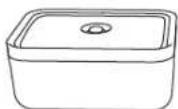
natural_image
Three gray icons representing a kitchen sink, a window with food, and a faucet, all checked with a checkmark (no text or symbols present)NL
natural_image
Illustration of two hands holding a mechanical component with a rotating wheel (no text or symbols)UtilizaçãoPT
natural_image
Two-step line drawing showing hand positioning on a circular object, one with concentric rings and the other with a ring (no text or symbols)natural_image
Diagram showing a device being processed from a base, with two views of the device (no text or symbols present)4 Utilizando o QR code e aplicativo
www.zwilling.com/app
PT
Limpeza
Limpeza

text_image
Diagram showing a gas washing bottle with a 'NO GRO' label and a sequence of cleaning steps including a wash, waste, and no symbols.2 Limpeza da parte superior de silicone
natural_image
Three gray icons showing a bag, a barrier, and a faucet with a prohibition symbol (no text or labels)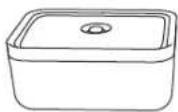
natural_image
Three gray icons showing a bag, a window with plants, and a faucet, all checked with a checkmark (no text or symbols present)text_image
2. 瓶 100g 200g 200gnatural_image
Illustration of two hands holding a mechanical component with a separate circular inset showing radial blades (no text or symbols)natural_image
Two-step line drawings showing hand positioning of a circular object, no text or symbols presentnatural_image
Diagram showing two views of a device with a magnified inset, no text or symbols presentwww.zwilling.com/app
Очистка

text_image
Diagram showing a fire extinguisher with labeled components and safety symbols for cleaning or inspection.natural_image
Three gray icons showing a bag, a window with graph, and a faucet with a prohibition sign (no text or symbols)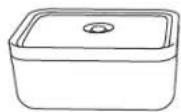
natural_image
Three gray icons: a bag with raindrops, a window with trees and water, and a faucet with falling drops, all checked with a checkmark (no text or symbols)Germany - www.zwilling.com
01034541_06-20 Made in China