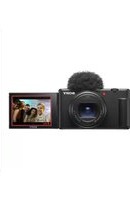
ZV-1M2 - Camera SONY - Free user manual and instructions
Find the device manual for free ZV-1M2 SONY in PDF.



| Product type | Compact digital camera |
| Brand | Sony |
| Model | ZV-1M2 |
| Sensor | 1.0-inch CMOS (20.1 effective megapixels) |
| Dimensions (W × H × D) | 105.5 × 60.0 × 46.7 mm |
| Weight | 292 g (with battery and memory card) |
| Power source | Rechargeable battery NP-BX1 (3.6 V) |
| Connectivity | Wi-Fi 802.11 b/g/n, Bluetooth, USB Type-C |
| Main features | Photo, 4K video, slow/quick motion (S&Q), included wind screen, product/face mode, image stabilization |
| Memory card compatibility | SD, SDHC, SDXC, Memory Stick PRO Duo |
| Operating temperature | 0 °C to 40 °C |
| Storage temperature | -20 °C to 55 °C |
| Maintenance and cleaning | Clean with a soft, dry cloth; avoid direct sunlight; do not use solvents |
| Safety | Do not aim at the sun; keep out of reach of young children; beware of surface burns during prolonged use |
| Spare parts and repairability | Battery NP-BX1, USB-C cable, wind screen; repair by Sony authorized center |
Frequently Asked Questions - ZV-1M2 SONY
User questions about ZV-1M2 SONY
0 question about this device. Answer the ones you know or ask your own.
Ask a new question about this device
Download the instructions for your Camera in PDF format for free! Find your manual ZV-1M2 - SONY and take your electronic device back in hand. On this page are published all the documents necessary for the use of your device. ZV-1M2 by SONY.
USER MANUAL ZV-1M2 SONY
https://www.sony.net/sonyInfo/Support/
SONY.
5-049-601-81(1)
©2023 Sony Corporation Printed in China

ZWL-AZ
ZV-1M2

"Help Guide" (Web manual) Refer to "Help Guide" for in-depth instructions on the many functions of the camera.
https://rd1.sony.net/help/dc/2310/h_zz/
| Digital Camera / Startup Guide | EN |
| Appareil Numérique / Guide de démarrage | FR |
| Câmara Digital / Guía de inizio | ES |
| Fotocamera digitale / Guía di avvio | IT |
| Câmara Digital / Guía de inizio PT | |
| Digitalkamera / Einführungsanleitung DE | |
| Digitale camera / Beknopte gids NL | |
| Aparat cyfrowy / Przewodnik uruchamiania PL | |
| Digitálni fotoparát / Poćátečné instrukce CZ | |
| Digitális fényképezőgép / Használatbavételi utmutató HU | |
| Digitálny fotoparát / Námod na spustenie SK | |
| Lüφρobá kámepa / RyköbočTBо по наочу paBOTы RU | |
| Lüφρobá kámepa /Посibnéк l3 поату poBOTи UA | |
| Digitalkamera / Startguide SE | |
| Digitalzikamera / Aloitusopas FI | |
| Digitalkamera / Startveileding NO | |
| Digitalkamera / Startveileding DK |
ZV-1M2
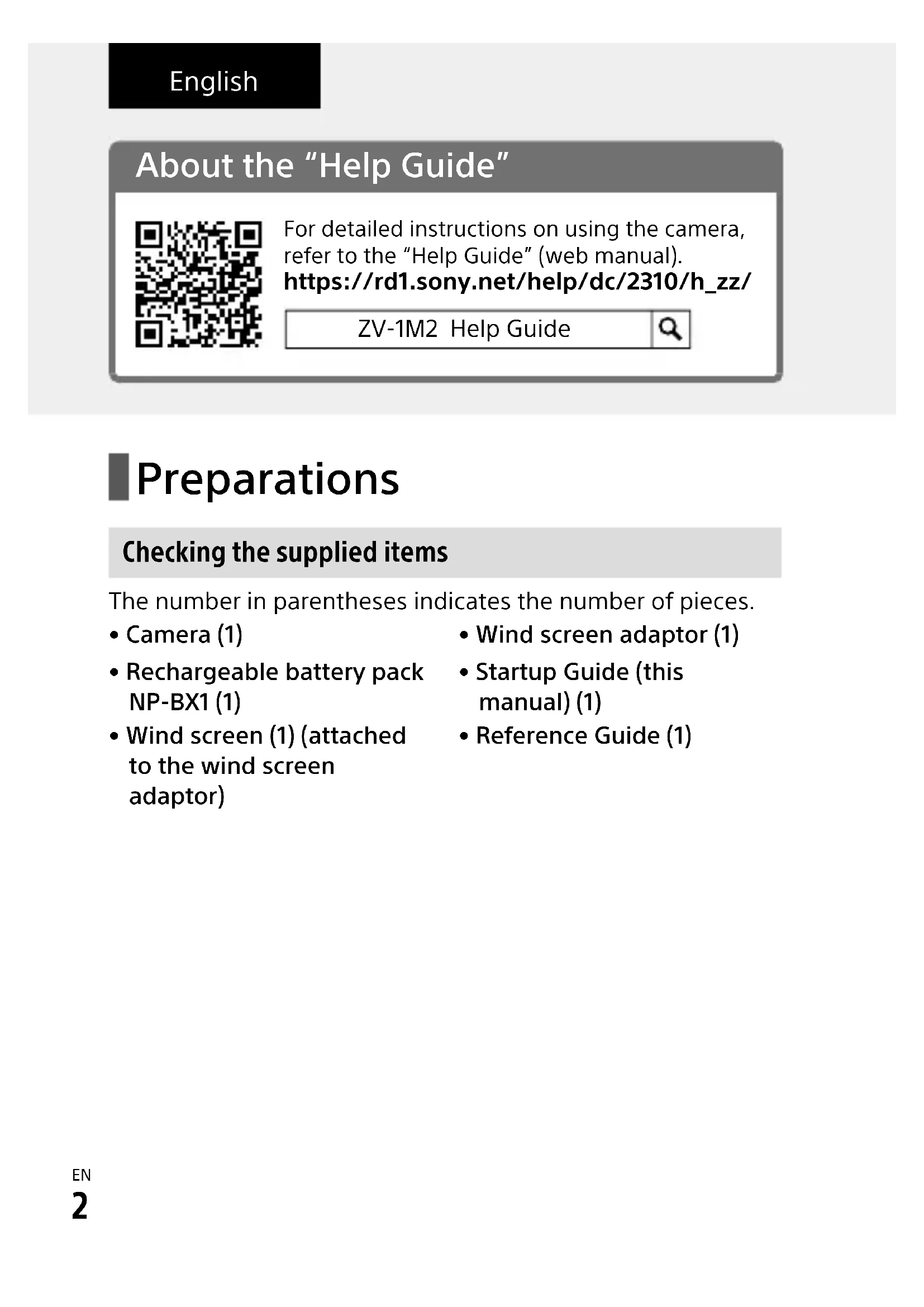
About the "Help Guide"

For detailed instructions on using the camera, refer to the "Help Guide" (web manual). https://rd1.sony.net/help/dc/2310/h_zz/
ZV-1M2 Help Guide

Preparations
Checking the supplied items
The number in parentheses indicates the number of pieces.
- Camera (1)
- Rechargeable battery pack NP-BX1 (1)
-
Wind screen (1) (attached to the wind screen adaptor)
-
Wind screen adaptor (1)
- Startup Guide (this manual) (1)
- Reference Guide (1)
Inserting the battery pack (supplied)/memory card (sold separately) into the camera
Open the battery/memory card cover, and insert the battery pack and a memory card into the camera. Then, close the cover.
Insert the battery pack while pressing the lock lever.
Ensure the notched corner faces correctly.

EN
This camera is compatible with SD memory cards or Memory Stick media.
When you use a memory card with this camera for the first time, format the card using the camera in order to stabilize the performance of the memory card.
Charging the battery pack

Charge lamp
1 Turn the power off.
- If the camera is turned on, the battery pack will not be charged.
Using a commercially available USB Type-C cable, connect the USB Type-C terminal on the camera to an external power source, such as a commercially available USB AC adapter or mobile battery.
- The charge lamp will light up when charging starts. When the charge lamp turns off, charging is completed.
Performing initial setup for the camera
By establishing a Bluetooth connection (pairing) between the camera and a smartphone, you can perform initial camera setup such as date and time settings from the smartphone. Install the dedicated application on your smartphone in advance, and then follow steps 1 to 4 under "Procedures for initial camera setup."
■ Installing the dedicated smartphone application

Install the application from the following website. Also, update to the latest version of the dedicated application. The specifications of the dedicated application may change without notice. https://www.sony.net/ca/
Procedures for initial camera setup
ON/OFF (Power) button

Press the ON/OFF (Power) button to turn on the camera.
2 Select the desired language and then press the center of the control wheel.
- The privacy notice screen will appear. Read the privacy notice regarding biometrics by opening the link using your smartphone, etc.
3 Press the center of the control wheel.
4 Follow the instructions on the camera screen to connect the camera with your smartphone and perform the initial setup.
- You can also configure or change the initial settings later from the MENU of the camera.
Connecting (pairing) the camera with your smartphone later

For details on the connection method, refer to the following Help Guide URL: https://rd1.sony.net/help/dc/2310_pairs/h_zz/
Shooting movies

Press the Still/Movie/S&Q button to select the movie recording mode.
Each time you press the button, the shooting mode switches in the order of still image shooting mode, movie recording mode, and slow-motion/quick-motion shooting mode.
Press the MENU button and select (Shooting) → [Shooting Mode] → [Shoot Mode] → the desired shooting mode.
Press the MOVIE (Movie) button to start recording.
Press the MOVIE (Movie) button again to stop recording.
EN
Using the wind screen (supplied)
Wind screen

Multi Interface Shoe
Use the wind screen to reduce wind noise picked up by the internal microphone when recording a movie. Attach the wind screen to the Multi Interface Shoe.
Notes on use
Refer to "Precautions" in the "Help Guide" as well.
Notes on handling the product
- Do not leave the lens exposed to a strong light source such as sunlight. Because of the lens's condensing function, doing so may cause smoke, fire, or a malfunction inside the camera body or the lens.
- If sunlight or other strong light enters the camera through the lens, it may focus inside the camera and cause smoke or fire. When shooting with backlighting, keep the sun sufficiently far away from the angle of view. Even if it is slightly away from the angle of view, smoke or fire may still occur.
- This camera (including accessories) has magnet(s) which may interfere with pacemakers, programmable shunt valves for hydrocephalus treatment, or other medical devices. Do not place this camera close to persons who use such medical devices. Consult your doctor before using this camera if you use any such medical device.
- Increase the volume gradually. Sudden loud noises can damage your ears.
- Do not leave the camera, the supplied accessories, or memory cards within the reach of infants. They may be accidentally swallowed. If this occurs, consult a doctor immediately.
-
If the monitor is damaged, stop using the camera immediately. The damaged parts may harm your hands, face, etc.
-
When shooting still images continuously, the monitor may flash between the shooting screen and a black screen. If you keep watching the screen in this situation, you may experience uncomfortable symptoms such as feeling of unwellness. If you experience uncomfortable symptoms, stop using the camera, and consult your doctor as necessary.
-
When recording or streaming for long periods of time or recording 4K movies, if the same part of your skin touches the camera for a long period of time while using the camera, even if the camera does not feel hot to you, it may cause symptoms of a low-temperature burn such as redness or blistering. Pay special attention in the following situations and use a tripod, etc.
-
When using the camera in a high temperature environment
- When someone with poor circulation or impaired skin sensation uses the camera
- When using the camera with [Auto Power OFF Temp.] set to [High]
Sony accessories
Using this unit with products from other manufacturers may affect its performance, leading to accidents or malfunction.
How to turn off wireless network functions (Wi-Fi, etc.) temporarily
When you board an airplane, etc., you can turn off all wireless network functions temporarily using [Airplane Mode].
For Customers in the U.S.A. and Canada
This equipment complies with FCC radiation exposure limits set forth for an uncontrolled environment and meets the FCC radio frequency (RF)
Exposure Guidelines. This equipment has very low levels of RF energy that is deemed to comply without testing of specific absorption rate (SAR).
The available scientific evidence does not show that any health problems are associated with using low power wireless devices. There is no proof, however, that these low power wireless devices are absolutely safe. Low power Wireless devices emit low levels of radio frequency energy (RF) in the microwave range while being used. Whereas high levels of RF can produce health effects (by heating tissue), exposure of low-level RF that does not produce heating effects causes no known adverse health effects. Many studies of low-level RF exposures have not found any biological effects. Some studies have suggested that some biological effects might occur, but such findings have not been confirmed by additional research.
This equipment has been tested and found to comply with ISED radiation exposure limits set forth for an uncontrolled environment and meets RSS-102 of the ISED radio frequency (RF) Exposure rules.
For Customers in the U.S.A.
For question regarding your product or for the Sony Service Center nearest you, call 1-800-222-SONY (7669).
Supplier's Declaration of Conformity
Trade Name : SONY
Model:WW198387
Responsible Party : Sony Electronics Inc.
Address: 16535 Via Esprillo, San
Diego, CA 92127 U.S.A.
Telephone Number: 858-942-2230
For Customers in Europe
Hereby, Sony Corporation declares that this equipment is in compliance with Directive 2014/53/EU.
The full text of the EU declaration of conformity is available at the following internet address:
https://www.compliance.sony.eu
Hereby, Sony Corporation declares that this equipment is in compliance with the UK relevant statutory requirements.
The full text of the declaration of conformity is available at the following internet address:
https://compliance.sony.co.uk
| IEEE802.11 b/g/n | 2 400 MHz | < 60 mW e.i.r.p. |
| Bluetooth 2 | 400 MHz | < 10 mW e.i.r.p. |
Specifications
Camera
[System]
Camera Type: Digital Camera
[Image sensor]
Image format: 1.0 type, CMOS image sensor
Effective pixel number of camera: Approx. 20 100 000 pixels
Total pixel number of camera: Approx. 21000000 pixels
[General]
Rated input: 3.6V = 1.9W
Operating temperature: 0 to 40^ (32 to 104^ )
Storage temperature: -20 to 55^ (-4 to 131 F)
Dimensions (W/H/D) (Approx.): 105.5 × 60.0 × 46.7 mm ( 41/4 × 23/8 × 17/8 in.)
Mass (Approx.): 292 g (0 lb 10.3 oz) (including battery pack, SD Card)
[Wireless LAN]
Supported format: IEEE 802.11 b/g/n
Frequency band: 2.4 GHz
Rechargeable battery pack NP-BX1
Rated voltage: 3.6 V---
Design and specifications are subject to change without notice.
Compatible iPhone/iPad models
iPhone SE (3rd generation), iPhone 13 Pro Max, iPhone 13 Pro, iPhone 13, iPhone 13 mini, iPhone 12 Pro Max, iPhone 12 Pro, iPhone 12, iPhone 12 mini, iPhone SE (2nd generation), iPhone 11 Pro Max, iPhone 11 Pro, iPhone 11, iPhone XS Max, iPhone XS, iPhone XR, iPhone X, iPhone 8 Plus, iPhone 8, iPhone 7 Plus, iPhone 7, iPhone SE, iPhone 6s Plus, iPhone 6s, iPad Air (3rd, 4th, and 5th generation), iPad (5th through 9th generation), iPad mini (6th generation), iPad Pro 12.9-inch (1st through 5th generation), iPad Pro 11-inch (3rd generation), iPad Pro 11-inch (2nd generation), iPad Pro 11-inch, iPad Pro 10.5-inch, iPad Pro 9.7-inch, iPad Air 2, iPad mini (5th generation), iPad mini 4 (As of September 2022)
Trademarks/Licensees
- Apple, iPhone and iPad are trademarks of Apple Inc., registered in the U.S. and other countries.
- USB Type-C® and USB-C® are registered trademarks of USB Implementers Forum.
- Wi-Fi, the Wi-Fi logo and Wi-Fi Protected Setup are registered trademarks or trademarks of the Wi-Fi Alliance.
- The Bluetooth® word mark and logos are registered trademarks owned by Bluetooth SIG, Inc. and any use of such marks by Sony Group Corporation and its subsidiaries is under license.
-
QR Code is a trademark of Denso Wave Inc.
-
In addition, system and product names used in this manual are, in general, trademarks or registered trademarks of their respective developers or manufacturers. However, the ^TM or ® marks may not be used in all cases in this manual.
IMPORTANT - Read the End User Software License Agreement before using your Sony product.
Using your product indicates your acceptance of the End User Software License Agreement. The software license agreement between you and Sony is available at the following URL: (https://rd1.sony.net/help/di/el23/h_zz/)
- Use of the Made for Apple badge means that an accessory has been designed to connect specifically to the Apple product(s) identified in the badge, and has been certified by the developer to meet Apple performance standards. Apple is not responsible for the operation of this device or its compliance with safety and regulatory standards.
Made for
iPhone iPad
Additional information on this product and answers to frequently asked questions can be found at our Customer Support Website.
https://www.sony.net/
EN

https://rd1.sony.net/help/dc/2310/h_zz/
ZV-1M2 Guide d'aide

Préparatifs
Bouton ON/OFF (Alimentation)

Griffe multi-interface
https://rd1.sony.net/help/dc/2310/h_zz/
https://rd1.sony.net/help/dc/2310/h_zz/
ZV-1M2 Guida

Preparazioni
https://www.sony.net/ca/
https://rd1.sony.net/help/dc/2310/h_zz/
https://www.sony.net/ca/
https://www.sony.net/ca/
https://rd1.sony.net/help/dc/2310/h_zz/
ZV-1M2 Helpgids

Voorbereidingen
https://rd1.sony.net/help/dc/2310/h_zz/
https://www.sony.net/ca/
Procedury wstepnej konfiguraksi aparatu
https://rd1.sony.net/help/dc/2310/h_zz/
https://rd1.sony.net/help/dc/2310/h_zz/
ZV-1M2 Sugóutmutató

Elokeszületek
https://www.sony.net/ca/

ZV-1M2 CnpaBOuHoe pyKOBoDCTBO

ПодгOTOBka
Поберka komплектуни
YncloBcKo6kax yKa3bIBaET KOJIInueCTBO WtYK.
Kamepa (1)
- AkkymyjTop NP-BX1 (1)
- Bětrpo3aùnTHbɪŋ ឃKpən (1) (πρικρeŋλen K aʌdʌnTepy Bětrpo3aùnTHoRo ឃKpɑna)
- Адампетер ВетрозашитHorо
экрана (1)
PykoBoDCTBO NO Haayy pa60tBI (daHHOe pykoBoDCTBO) (1)
CnpaBoUHnK (1)
BcTaBka aKKymyIaTopa (npnlaeraTc)/KapTbI naMaTn (npoJaTeC oTdeJIbHo) B KaMepy
OTKpoIte KpbIshky OTceKa aKKymyJrTopa/KapTbI NaMrtu IN BCTaBbTe aKKymyJrTop u KapTu NaMrtu B KaMepy. 3aTeM 3aKpoIte KpbIshKy.
HaXaB pbIyaxok fNkcaTopa, BCTaBbTe aKKymyJrTOp.
y6eIntecb, yTO cpe3aHHbI yrOJI paCNOJIOKeH npaBnJIbHO.

https://www.sony.net/ca/
IpoceDypblI JnHaJbHOn HaCTpOKn KaMepbl

Kolencko ynpaBleHn/ ceHTpaJbHa KhOpKa
Haxmte KhoNky ON/OFF (PntaHne)
Iy BKIOUeHnKaMepbl.
2 BbI6epnte HxKhbl I3blk, a 3aTeM HaxMMte no ceHTpy KoIecnka ynpabJIeHna.
Cpok rapaHTnn (JeT): 2. Cpok cnyX6bI (JeT): 7.
IpnO6HApUxKeHnI npOn3BOJCTBeHHbIX HeIOCTaTKOB n3JeNIA B TeueHne cPoka rapaHTNI CoHN nn ABTopu3OBAHHbIe CepBnCHbIe UeHTpbl (ACU) no CBOeMy yCMOTpeHnIO JIno yCTpaHrT INCnOJIb3OBAHnE M HObIX INI BOCCTaHOBJIeHHbIX 3aPuaCTe, JIno 3aMeHrT IN3JeJIne aHaJIOnuHbIM HOBbIM INI BOCCTaHOBJIeHHbIM, JIno BO3MeCTrT YpNaueHHyIO CTOnMocTb. PeKomeHdyETc coXpaHnTb DOkymeHT, NOITBvpeKJaIOUssn DaTy NOKyPKn IN3JeJIra.
Дя coхpaHeHЯ TapaHTn Heo6xoIIMO CO6JIIOdaTb INCTpyKUIM NO IcNoJIb3OBAHNU, XpaHeHIO N TpaHCnOpTIpOBKe, 3KcPnyaTIPOBaTB N3dJIne TOJbKO B JInuHbIX N DOMaUHNX ZeJx, He NOdBepraTb MOINKauCIN nII N HeKBaJIuNcIupOBaHHOMy peMOHTy, He ydaJIaTb 3TtKeTKy C cepNHBIM Homepom.
TapaHTnA CoHn He orpaHnUBaET npaba notpe6nteJe, YCTaHOBJIeHHbIe npIMeHMbIM 3aKOHOJaTeJbCTBOM B OTHoWeHN TOpROBJN NOTpe6nteJIbCKMn TOBapAMn.
Cnyk6a noDepKKn:
Pocn 8 800 200 76 67
Benapycb 8 820 0071 76 67
Ka3axCTan 8 800 070 70 35
Dpyrne cTpaHbl +74952587669
e-mail info@sony.ru
Ampeca ACL: https://www.sony.ru/support (TG-01-1)
CobmecTmblc moJeIi iPhone/iPad
iPhone SE (3-e полени), iPhone 13 Pro Max, iPhone 13 Pro, iPhone 13, iPhone 13 mini, iPhone 12 Pro Max, iPhone 12 Pro, iPhone 12, iPhone 12 mini, iPhone SE (2-e полени), iPhone 11 Pro Max, iPhone 11, iPhone XS Max, iPhone XS, iPhone XR, iPhone X, iPhone 8 Plus, iPhone 8, iPhone 7 Plus, iPhone 7, iPhone SE, iPhone 6s Plus, iPhone 6s, iPad Air (3-e, 4-e и 5-e полени), iPad (c 5-ro no 9-e полени), iPad mini (6-e полени), iPad Pro 12,9-юМ. (c 1-ro no 5-e полени), iPad Pro 11-юМ. (3-e полени), iPad Pro 11-юМ. (2-e полени), iPad Pro 11-юМ., iPad Pro 10,5-юМ., iPad Pro 9,7-юМ., iPad Air 2, iPad mini (5-e полени), iPad mini 4 (По сotingонию на сентябpb 2022 r.)
TobapHbIe 3HaKn/ IInceH3nn
Apple, iPhone n iPad yBnIOTc TOBaHPbIMn 3HaKaAMn Apple Inc., 3aperncTpnpoBaHHbIMn B CLUA n dpynx CtpaHax.
- USB Type-C® n USB-C®являютсанapereNTpnpOBaHHbIMTOBapHbIMN3haKaMn USB Implementers Forum.
Wi-Fi, norotn Wi-Fi Wi-Fi Protected Setup yBnIOTc 3aperncptnpOBaHHbIMN TOBapHbIMN 3HaKaMn nTOBapHbIMN 3HaKaMn Wi-Fi Alliance.
- TekSTOBbI CNMBOJ N JOROTINbl Bluetooth® YBJIaOTc3apeRnCTpnpOBaHHbIMN TOBaPbIMN 3HaKaMn, npHaJaJIeXaUIMNBluetooth SIG, Inc., n JIO6oe INCNoJIb3OBAHne TaKx3HaKOB KOpnpaUnei Sony Group Corporation i ee DouephmN KOMNaHnA MNUOCyUeCTBJIaETcN NO JInCeH3N.
- QR Code RNAJRETCa TOBapHbIM 3HaKOM Denso Wave Inc.
Kpome TOrO,Ha3BaHnIcCTEm n 3dJIIn, INCNOJb3YeMbIe B daHHOM pyKOBOIDCTBe, ABJIOTcR, O6bIuHO, TOBapHBIMN 3HaKaMn IIN 3apeHnCTpnpOBaHHbIMN TOBapHBIMN 3HaKaMn IX COOTBECTBYIOUX pa3pa6oTChKOB INI INPOIN3BOIDNTeJe. OHaKO 3HaKn TM INI MOrYT NcNoJb3OBaTbcr He BO BCEx CnyaX B daHHOM pyKOBOIDCTBe.
https://rd1.sony.net/help/dc/2310/h_zz/
ZV-1M2 DoBikka

ПідгOTOBka
Ipebipka npilaandja, 0o doaTbcra
YncnoBdykkax Bka3yeHaKilbKiCTb WtYK.
- Φοτοapanapat (1)
- Akymyntop NP-BX1 (1)
-
Bitpo3axnchn ekpan (1) (прпсднано до щадаNTepa BiTpO3axnCHOrO ekpaHa)
-
Адампетер Витрахуного ekрANA (1)
- Посiбнк i3 поату ку роботи (цeй посiбнк) (1)
- DoBikobni noci6HnK (1)
BCTaBJIaHHaTaapei (dOdaETbcs)/KapTn nam'ЯTi (npoJaETbca OKpeMo) y foToanapat
BiiKpnIe KpnIe 6aTapeHoro BiDciKy/BiDciKy Ira KapTn nam'ari BCTaBTe 6aTapeIO Ta KapTu NaM'arTi y fOtoanapat. Notim 3akpnIe KpnIe.
BcTaBTe 6aTapeo, OndHocHo HATnCKaOuN BaXijb fikcaTopa.
CniKyuIte, 0o6 HaApI3aHn Kyt 3HaXoDINBCa Y npaBnIbHOMy nOLOXKeHHi.

Ley foanapat cymicn i3 kaptamn nam'ari SD ta Memory Stick.
Kapta nam'ayi BnKOpNCTOByETbC i3 foToanapaTom yepwe, BiDfOpMaTyIe II 3a donomoroIo foToanapata, o6 3a6e3neuHTn hadiHny po6Otu.
UA
3apxkanha6atapei
IHHKATOp 3apJxHaHHe

BnMkHiTb XnBneHna.
-Якшо ФOTOанapat yBIMKHeHo, 6aTapeя He 3apJxKaTImeTbcr.
3a donomoroHnABHoro y npodaxy ka6eIIO USB Type-C nID'edhaTe po3'em USB Type-C Ha fOToanapati do 3OBhiunboro dKepeJa KnBJIeHHraK-OTdo HnABHx y npodaxy USB-aanTepa 3mIHoro ctpymy a6o nopTaTHBHO raKymyJrTopa.
- INdkaTOp 3apJxHaHn
3acBITbC8I0H0 pO3NoHHeTbc8
3apJxHaHH. INdkaTOp
3apJxHaHH BUMKHeTbc8 KOJI
3apJxHaHH 6yJe 3aBepSeHo.
KhoNka FoTo/BiJeO/S&Q

Khonka MENU
HaTnchItb KhONky FOTO/BiJeO/S&Q, 06 Bn6paTN peXm BiDeo3HOMKn.
- LOpa3y, KOLN Bn HaTnCKaTe KHOJky, peKIM 3HOMKn 3MiHIOCTbCBy TaKOMy NopRdKy: peKIM FOOTOrpaФyBaHHra, peKIM BiDeO3HOMKn, 3HOMKa ByNoBilbHeHOMy/npnCKopeHOMy peKIMi.
2 HATNCiHtB KHonky MENU i Bn6epiItb
(3иomka)→[Pexm 3iOMKn]
→[PexnM 3nOMKn] → notpi6Hn peXnM 3nOMKn.
3 Hatachitb KhoNky MOVIE (BiJeO), 06 po3noatn 3aInc.
3HOBy HATnCHiB KHonky MOVIE (BiJeO), 06 3ynnHnTn 3aInc.
BnKopncTahnBaItpo3axnchoro ekpaHa (Odaetbca)
Bitpo3axncn ekpaH

BaratoiHTepfeChn p03'EM
BnKopncToByTe BITPO3axnchn ekpaH dIyUcHyEnHry Shymy BITpy, 3aNCSyETbcra BHyTpiiShiM MIKPOOHOm Pid Yac BiDeo3HOMKn. Pd'EdHaTte BITPO3axnchn ekpaH BITpy Do 6araToiHTepfeiChoro PO3'EMy.
https://www.sony.net/ca/
https://rd1.sony.net/help/dc/2310/h_zz/
ZV-1M2 Kayttoopas

Valmistelut
https://www.sony.net/ca/

Prosedyrer for innledende kameraoppett
ON/OFF(strømknapp)

Kontrollhul/senterknapp