OptiFloss NDDC01 - Interdental brush SILKN - Free user manual and instructions
Find the device manual for free OptiFloss NDDC01 SILKN in PDF.



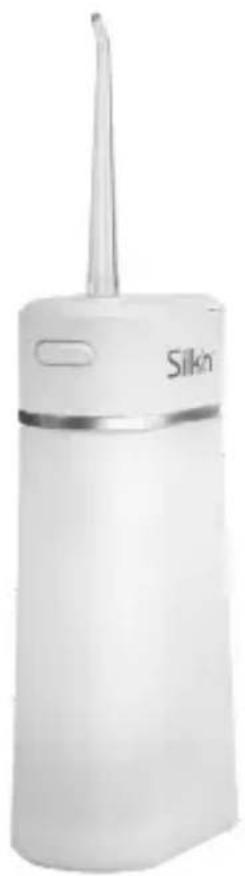
| Product type | Portable water flosser (interdental brush) |
| Brand and model | SILKN OptiFloss NDDC01 (ND-DC01) |
| Dimensions (H × W × D) | 14.35 × 4.9 × 7.45 cm |
| Weight | 230 g |
| Water tank capacity | 180 ml |
| Battery life | Up to 60 minutes per full charge |
| Charging time | Approximately 3 hours |
| Battery type | Lithium 1500 mAh, 3.7 V |
| Power supply | USB power adapter: input 100–240 V ~ 50/60 Hz, output 5 V / 0.5 A |
| Maximum power | 8 W |
| Operating modes | Normal, Soft, Puls (massaging), Manual (individual jet control) |
| Pump frequency | Normal: 2100 pulses/min; Soft: 1260 pulses/min; Puls: alternating 2100/1260 |
| Water pressure | Normal: 6.2 bar; Soft: 3.8 bar |
| Automatic shutdown | After 90 seconds |
| Noise level | ≤ 70 dB |
| Protection rating | IPX7 (product) / IP20 (power adapter) |
| Package contents | Main unit, 2 standard tips (0.6 and 0.8 mm), tongue scraper tip, orthodontic tip, dental plaque tip, USB power adapter, USB cable, travel case, tip storage box |
| Warranty | 2 years |
| Customer service France | 0891-655557 / serviceconsommateurfr@silkn.eu |
Frequently Asked Questions - OptiFloss NDDC01 SILKN
User questions about OptiFloss NDDC01 SILKN
0 question about this device. Answer the ones you know or ask your own.
Ask a new question about this device
Download the instructions for your Interdental brush in PDF format for free! Find your manual OptiFloss NDDC01 - SILKN and take your electronic device back in hand. On this page are published all the documents necessary for the use of your device. OptiFloss NDDC01 by SILKN.
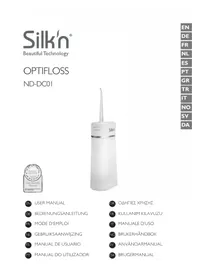
USER MANUAL OptiFloss NDDC01 SILKN
Beautiful Technology
OPTIFLOSS
ND-DC01
EN USER MANUAL
Home Skinovations Ltd. reserves the right to make changes to its products or specifications to improve performance, reliability, or manufacturability. Information furnished by Home Skinovations Ltd. is believed to be accurate and reliable at the time of publication. However, Home Skinovations Ltd. assumes no responsibility for its use. No license is granted by its implication or otherwise under any patent or patent rights of Home Skinovations Ltd.
No part of this document may be reproduced or transmitted in any form or by any means, electronic or mechanical, for any purpose, without the express written permission of Home Skinovations Ltd. Data is subject to change without notification.
Home Skinovations Ltd. has patents and pending patent applications, trademarks, copyrights, or other intellectual property rights covering subject matter in this document. The furnishing of this document does not give you any license to these patents, trademarks, copyrights, or other intellectual property rights except as expressly provided in any written agreement from Home Skinovations Ltd. Specifications are subject to change without notice.
SILK'N and the SILK'N logo are registered trademarks of Home Skinovations Ltd.
Invention Works B.V.
Donk IB, 2991 LE Barendrecht, The Netherlands
www.silkn.eu – info@silkn.eu
Table of contents
EN
I Package contents/device parts ____ 5
2 General information 5
2.1 Reading and storing the user manual ____ 5
2.2 Explanation of symbols 5
3 Safety 7
3.1 Proper use 7
3.2 Safety instructions 7
4 Checking the product and package contents _ II
5 Charging ____ II
6 Operation 12
6.1 Oral cleaning 12
6.2 After every use 13
6.3 Removing or replacing the tip 14
7 Cleaning 14
7.1 Main unit 14
7.2 Water tank 14
7.3 Tips 15
8 Storage 15
9 Troubleshooting 15
10 Technical data 16
10.1 General 16
10.2 USB wall adapter 16
II Disposal 17
11.1 Disposing of the packaging ____ 17
11.2 Disposing of the product ____ 18
12 Warranty 18
13 Customer service 19
EN
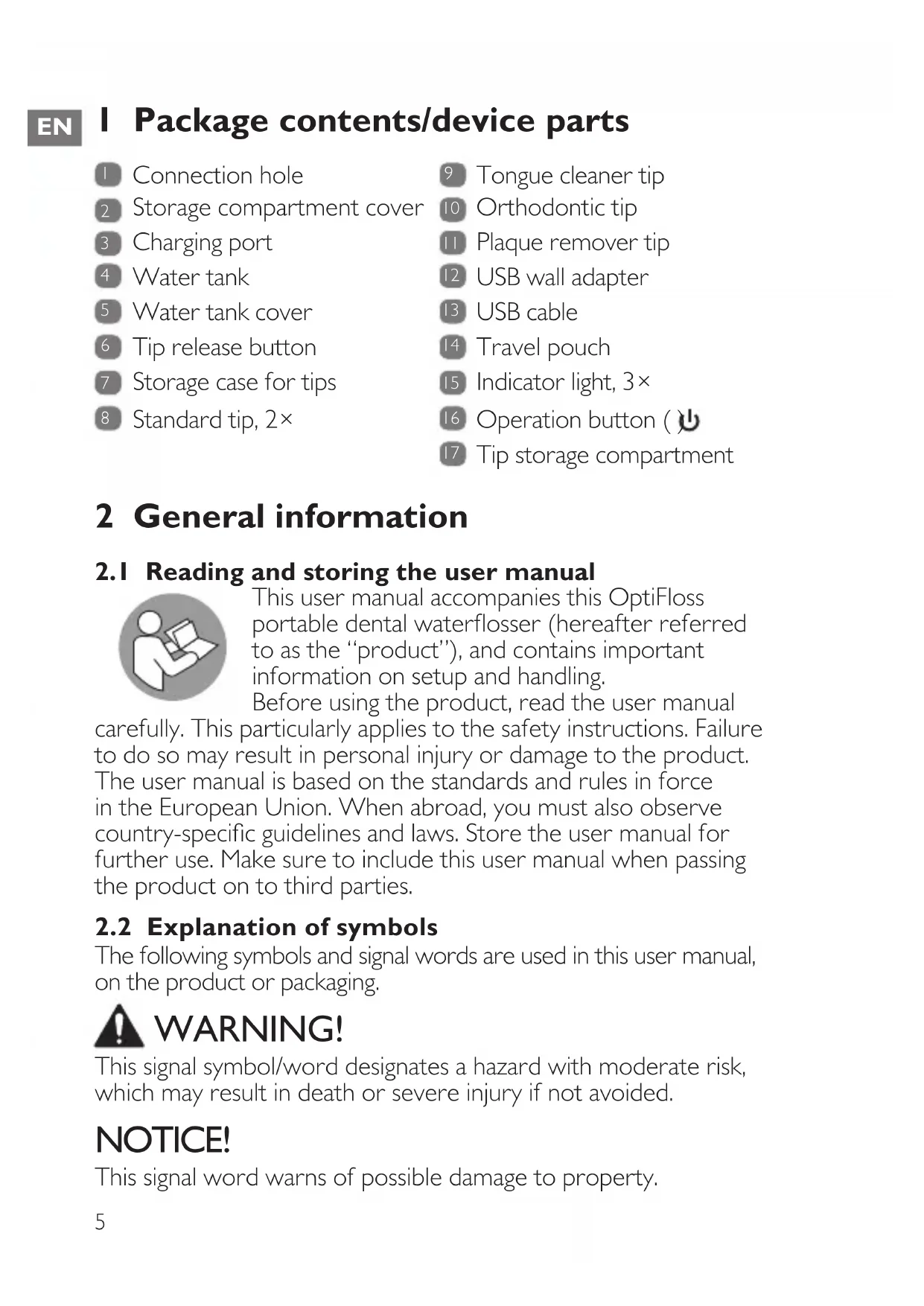
I Package contents/device parts
1 Connection hole
2 Storage compartment cover
3 Charging port
4 Water tank
5 Water tank cover
6 Tip release button
7 Storage case for tips
8 Standard tip, 2×
9 Tongue cleaner tip
10 Orthodontic tip
11 Plaque remover tip
12 USB wall adapter
13 USB cable
14 Travel pouch
15 Indicator light, 3×
16 Operation button ( )
17 Tip storage compartment
2 General information
2.1 Reading and storing the user manual

This user manual accompanies this OptiFloss portable dental waterflosser (hereafter referred to as the “product”), and contains important information on setup and handling.
Before using the product, read the user manual
carefully. This particularly applies to the safety instructions. Failure to do so may result in personal injury or damage to the product. The user manual is based on the standards and rules in force in the European Union. When abroad, you must also observe country-specific guidelines and laws. Store the user manual for further use. Make sure to include this user manual when passing the product on to third parties.
2.2 Explanation of symbols
The following symbols and signal words are used in this user manual, on the product or packaging.

WARNING!
This signal symbol/word designates a hazard with moderate risk, which may result in death or severe injury if not avoided.
NOTICE!
This signal word warns of possible damage to property.

This signal symbol provides you with useful additional information on handling and use.
Read the user manual.
Declaration of Conformity: Products labelled with this symbol meet all applicable provisions of the European Economic Area.
Devices marked with this symbol are only suitable for household use (dry indoor rooms).
This symbol identifies voltage and the current rating for direct current.
The word “GS” stands for tested safety. Products marked with this symbol meet the requirements of the German Product Safety Act (ProdSG).
The USB wall adapter is protected against solid objects up to 12 mm.
The international efficiency mark indicates that the power supply meets the level VI requirements (USB wall adapter).
The USB wall adapter is equipped with a short-circuit proof safety transformer.
The USB wall adapter has a switching power supply.
This symbol indicates the polarity of the pins in the USB wall adapter.
This symbol identifies electrical devices that belong to the protection class II.
Ambient temperature (USB wall adapter)
3 Safety
3.1 Proper use
The product is exclusively designed to remove plaque and food residues, and to maintain your oral hygiene. It is only intended for private use and not suitable for commercial purposes.
Only use the product as described in this user manual. Any other use is considered improper and may result in damage to property or persons. The manufacturer cannot be held liable for damages or injury incurred through improper or incorrect use.
3.2 Safety instructions

WARNING! RISK OF ELECTRIC SHOCK!
- Only connect the product if the line voltage of the socket corresponds to the data on the rating plate of the USB wall adapter.
- Only connect the USB wall adapter to an easily accessible socket so that you can quickly disconnect it from the mains supply in the event of a problem.
- The supplied USB wall adapter can only be connected to the product. Do not use it for other purposes.
- Do not use the product, USB cable or USB wall adapter if they are damaged or defective. The manufacturer or customer service must replace the damaged or defective parts to avoid risks.
- Do not open the housing; instead, have a qualified professional perform repairs. Contact the customer service team for this. Liability and warranty claims are waived
in the event of repairs performed by the user, improper connection or incorrect operation.
- Only parts that comply with the original device data may be used for repairs. This product contains electrical and mechanical parts which are essential for providing protection against sources of danger.
- Do not immerse the USB cable or USB wall adapter in water or other liquids.
- Do not leave the product submerged in water (max. 1 m) or under running water for more than 30 minutes.
- Always switch the product off when you are not using it, before changing the tip, when you intend to clean it, or in the event of a malfunction. Always unplug the USB wall adapter when you are not charging the product.
- Never touch the USB cable and USB wall adapter with wet or damp hands.
- Never insert any objects into the housing.
- Do not pull the USB wall adapter out of the socket by the USB cable; instead, always pull it out by the adapter itself. Never move, pull, or carry the product by the USB cable.
- Keep the product, USB cable and USB wall adapter away from open flames and hot surfaces.
EN
- Lay the USB cable so that it does not pose a tripping hazard.
- Do not kink the USB cable or wrap it around the product. Do not lay the USB cable over sharp edges.
- Only use the product indoors.

WARNING! RISK OF INJURY!
- The product can be used by children aged from 8 years and above and persons with reduced physical, sensory or mental capabilities or lack of experience and knowledge if they have been given supervision or instruction concerning the use of the product in a safe way and understand the hazards involved. Children must not play with the product. Cleaning and user maintenance must not be performed by children unless they are older than 8 years and supervised.
- Keep children under the age of 8 away from the product, USB cable and USB wall adapter.
- Make sure that children do not play with the plastic wrapping. They may get caught in it when playing and suffocate.
-
Use this product only for its intended use as described in this manual. Do not use attachments not recommended by the manufacturer.
-
Use only cold or warm water (not exceeding 40 °C) with the product.
- Do not leave the product unattended while in use.
- Do not direct the water pulses under the tongue or into the ear, nose, eye, or other sensitive areas.
- Do not press the tip too firmly against your teeth or gums.
- Consult your dentist before you use this product if you have had recent oral or gum surgery, suffer from an ongoing dental condition, had extensive dental work, have suspected issues with your dental work, or are not sure whether the product is suitable for you (e.g. using a pacemaker).
- Stop using the product and contact a physician/dentist if discomfort or pain is experienced.
NOTICE! RISK OF DAMAGE!
- Keep the product away from open fire, hot surfaces, high temperatures or the effects of the weather (e.g. rain).
- Do not place the product on the edge of a surface to avoid dropping.
- Unplug this product before filling the water tank. Fill the water tank with water or mouthwash only. Do not overfill.
EN
- Never fill the housing with liquid.
- Stop using the product if its plastic parts exhibit cracks or breaks or are deformed. Only replace damaged parts with corresponding original spare parts.
4 Checking the product and package contents
NOTICE! RISK OF DAMAGE!
- If you are not cautious when opening the packaging with a sharp knife or other pointed objects, you may quickly damage the product. Be very careful when opening it.
I. Take the product out of the packaging.
2. Check to make sure that all parts are included (see Fig. A).
3. Check whether the product or individual parts are damaged. If this is the case, do not use the product. Contact our customer service.
5 Charging

WARNING! RISK OF INJURY!
- Charge only with the supplied USB cable and USB wall adapter.
- Only charge the product at temperatures between 0 and 40°C .

- Fully charge the product before first use and when the battery power is low.
- The top indicator light 15 flashes during operation when the battery power is low. Recharge the product.
-
The product cannot be used during charging.
-
Plug the smaller end of the USB cable 13 into the charging port 3 of the product.
-
Plug the larger end of the USB cable into the USB port of the USB wall adapter 12.
You may also connect the USB cable to a compatible USB power source (e.g. PC, laptop or powerbank) for charging.
- Plug the USB wall adapter into a mains socket for charging.
All indicator lights flash when charging starts.
The bottom indicator light stops flashing and stays lit when the charging level reaches 60%.
The middle indicator light stops flashing and stays lit when the charging level reaches 80%.
All three indicator lights stay lit when the charging level reaches 98 %.
- When charging is done, unplug the USB wall adapter from the mains socket and disconnect the USB cable from the product.
6 Operation
6.1 Oral cleaning
- Insert a tip into the connection hole ☐. You will hear a click sound when the tip is fully inserted (see step 1 in Fig. B).
Use a standard tip 8 for general teeth and gum cleaning.
There are two standard tips (0.6 / 0.8 mm). The one with a smaller diameter offers higher water pressure.
Use the tongue cleaner tip 9 for tongue scraping and cleaning.
Use the orthodontic tip 10 if you have braces, or other hard-to-reach places.
Use the plaque remover tip 📄 to remove plaque around the gums.
-
Rotate the tip so that it is facing a direction convenient for cleaning (see step 2 in Fig. B). The tip can rotate 360° .
-
Gently pull the water tank 4 downwards until it clicks into place (see step 3 in Fig. B).
-
Hold the product horizontally and flip open the water tank cover 5 (see Fig. C).
-
Fill the water tank with water (not exceeding 40° C) and close the cover. Do not overfill the water tank.
EN
-
Hold the product in an upright position with the top part of the standard tip pointing towards the cleaning area (teeth or gum). Keep your mouth slightly opened so that water can flow out.
-
Press the operation button () 16 once.
The product is now switched on and in the Normal mode for normal cleaning. The top indicator light 15 illuminates.
Water pulses come out from the tip once the product is switched on.
- Press the operation button ( ) again.
The product is now in the Soft mode for gentle cleaning. The middle indicator light illuminates.
- Press the operation button () a third time.
The product is now in the Pulse mode for cleaning and massaging. The bottom indicator light illuminates.
In this mode, the product uses alternating strong and weak water pulses for a massage-like soothing effect.
- Press the operation button ( ) a fourth time.
The product is now in the Manual mode for manual cleaning. All three indicator lights illuminate. In this mode, the ejection of water pulses can be manually adjusted. Press the operation button ( ) again and hold the button until it has reached the desired amount of water pulses.
II. With the operation mode selected, direct the water pulses slowly along the teeth and gum line at a right angle.
For tongue cleaning, use the cup on the tongue cleaner tip to gently scrap against the tongue surface from the back to the front.
- The product automatically switches off after 90 seconds.
You can also press the operation button ( ) a fifth time, or press and hold the operation button ( ) to switch the product off any time.
All indicator lights turn off when the product is switched off.
6.2 After every use
-
Open the water tank cover 5, pour out the remaining water from the water tank 4 and then close the water tank cover.
-
Direct the tip to a sink and press the operation button () ⏻ 16 to switch the product on for a few seconds. This will drain the remaining water inside the water tank and the internal parts of the product.
-
Wipe the product dry with a dry cloth.
- Gently push the water tank upwards until it is fully closed.
6.3 Removing or replacing the tip
- Make sure the product is switched off.
- Press and hold the tip release button 6 and lift the tip 8 / 9 / 10 / 11 upwards to remove it from the connection hole 1.
- Release the tip release button.
For tip replacement, insert another tip into the connection hole. You will hear a click sound when the tip is fully inserted.
7 Cleaning
WARNING! RISK OF ELECTRIC SHOCK!
• Always unplug the product from mains power before cleaning.
NOTICE! RISK OF DAMAGE!
- Do not use any aggressive cleaners (e.g. vinegar or limescale removers), brushes with metal or nylon bristles, or sharp or metallic cleaning utensils such as knives, hard scrapers and the like.
- Do not use hot water for cleaning.
7.1 Main unit
Use a damp cloth (if necessary, with liquid soap) to wipe off the main unit and then wipe dry with a dry cloth.
7.2 Water tank
- Clean the inside of the water tank 4 with warm water. Remove any dirt at the water tank cover 5 with a damp cloth.
- Pour out the water from the water tank. Always keep the water tank dry when not in use and before being stored.
EN
7.3 Tips
I. Clean the tips 8 / 9 / 10 / 11 with warm water.
2. Wipe the tips dry with a dry cloth.
8 Storage
All parts must be completely dry before being stored. Make sure there is no water in the water tank 4.
- Store the product in a clean and dry place, avoiding heat and direct sunlight.
- Store the product in the travel pouch 14 when travelling to avoid damage.
- Store the tips 8 / 9 / 10 / 11 in the storage case for tips 7. One of the standard tips can also be stored in the tip storage compartment 17 when travelling to avoid damage. Push the storage compartment cover 2 sideways to open it (see Fig. D).
9 Troubleshooting
Some problems may be caused by minor faults that you can fix yourself. To do so, follow the instructions in the following table. If it is still not possible to resolve the problem, contact customer service. Do not repair the product yourself.
| Fault Possible cause and solution | |
| The product does not operate. | Make sure the product is properly charged. |
| The product does not charge. | Make sure the USB cable is securely connected between the product and USB wall adapter, and the USB wall adapter is properly connected to a mains socket. |
| Water pressure is very low. | Make sure the product is properly charged.Make sure the tip is not dirty or deformed. |
| Water does not come out from the tip. | Make sure the water tank is not empty.Make sure the product is not tilted. Keep the product in an upright position. |
10 Technical data
10.1 General
Model: ND-DC01
Rated voltage: DC 5 V
Power: Max. 8 W
Rechargeable battery: 1,500 mAh lithium, 3.7 V
Charging time: 3 hours
Operating time: Up to 60 minutes / full charge
Automatic power off: 90 seconds
Water tank capacity: 180 ml
Noise level: ≤ 70 dB
| Pump frequency: | 2,100 pulses/minute (normal mode) |
| 1,260 pulses/minute (soft mode) | |
| 2,100 or 1,260 pulses/minute (pulse mode) |
Water pressure: 6.2 bar (normal mode)
3.8 bar (soft mode)
IP code: IPX7 (protected against water immersion for up to 30 minutes at a depth of 1 m)
Weight: 230 g
Dimensions: 4.9 × 7.45 × 14.35 cm
10.2 USB wall adapter
Model number: PS06H050K0500EU
Input: 100–240 V\~ 50/60 Hz 0.25 A
Output: 5.0 V = 0.5 A, 2.5 W
Protection class: II
IP code: IP20 (protected against solid objects up to 12 mm)
| Published information | Value and precision Unit | |
| Name or trademark of the manufacturer, commercial register number and address: | Shenzhen Flypower Technology Co., Ltd. Building A2, Haosan Linpokeng 2nd Industry Zone, Nanpu Road, Shajing, Bao'an, Shenzhen, Guangdong, China | |
| Model identifier: PS06H050 | K0500EU | |
| Input voltage: 100–240 V | ||
| Input alternating current frequency: | 50/60 | Hz |
| Output voltage: 5.0 V | ||
| Output current: 0.5 A | ||
| Output power: 2.5 W | ||
| Average efficiency during operation: | 73.61 (min.) | % |
| Efficiency at low load (10 %): | 63.55 (min.) | % |
| Power consumption at zero load: | 0.0396 (max.) | W |
II Disposal
II.1 Disposing of the packaging

Sort the packaging before you dispose of it. Dispose of paperboard and cardboard with the recycled paper service and wrappings with the appropriate collection service.
II.2 Disposing of the product
(Applicable in the European Union and other European countries with separate collection systems of recyclable materials)
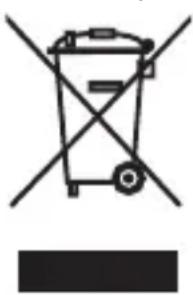
Old appliances may not be disposed of in the household waste!
Should the product no longer be capable of being used at some point in time, dispose of it in accordance with the regulations in force in your city or county. This ensures that old appliances are recycled in a professional manner and also rules out negative consequences for the environment. For this reason, electrical equipment is marked with the symbol shown here.
Batteries and rechargeable batteries may not be disposed of with household waste!
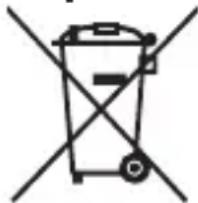
As the end user you are required by law to bring all batteries and rechargeable batteries, regardless whether they contain harmful substances* or not, to a collection point run by the communal authority or to a retailer, so that they can be disposed of in an environmentally friendly manner.
Bring the entire product (including the rechargeable battery) to your collection point and make sure that it is in an uncharged state!
* labelled with: Cd = cadmium, Hg = mercury, Pb = lead
Note: To remove the rechargeable battery, wrap a towel around the product and use a hammer to smash the housing. Make sure your eyes and hands are protected to avoid injury. Please note, the removal of the rechargeable battery is not reversible.
12 Warranty
This product is covered by a 2-year warranty according to European regulations and law. The extent of the warranty on this product is limited to technical defects caused by faulty production processes. In the event you want to claim warranty please be sure to contact our customer service for instructions. They may be able to solve your problem without needing to return the product to the store or our service center. Our customer service is always pleased to help you!

13 Customer service
For more information about the products of Silk'n visit your regional Silk'n website: www.silkn.eu. If the device is damaged, defective, in need of repair or you need our assistance, please contact your nearest Silk'n service center. This manual is also available as a PDF download from: www.silkn.eu.
Service number: 0906-2130009
Email: customercareuk@silkn.eu
Invention Works B.V.
Invention Works B.V.
WAARSCHUWING! GEVAAR VOOR ELEKTROCUTIE!
WAARSCHUWING! GEVAAR VOOR ELEKTROCUTIE!
Invention Works B.V.
Donk IB, 2991 LE Barendrecht, Os Países-Baixos
www.silkn.eu – info@silkn.eu
Índice
Nominell spenning: DC 5 V
Strømbehov: Maks. 8 W
Batteri: 1 500 mAh litium, 3,7 V
Ladetid: 3 timer
Driftstid: Inntil 60 minutt / fulladet
Automatisk utkobling: 90 sekunder
Utgang: 5,0 V 0,5 A, 2,5 W ---

Invention Works B.V.
Donk IB, 2991 LE Barendrecht, Nederländerna
www.silkn.eu – info@silkn.eu
6.1 Munrengöring 192
*märkta med: Cd = kadmium, Hg = kvicksilver, Pb = bly
Doc./Rev.-No. 199704-20211028

Silk'n®
Beautiful Technology
Invention Works B.V.
Donk IB, 2991 LE Barendrecht
The Netherlands
www.silkn.eu • info@silkn.eu
CE
UKCA
©
[Non-Text]

- BEAUTIFUL TECHNOLOGY
- OPTIFLOSS
- ND-DC01
- TABLE OF CONTENTS
- EN
- I PACKAGE CONTENTS/DEVICE PARTS
- 2 GENERAL INFORMATION
- 2.1 READING AND STORING THE USER MANUAL
- 2.2 EXPLANATION OF SYMBOLS
- WARNING
- NOTICE
- 3 SAFETY
- 3.1 PROPER USE
- 3.2 SAFETY INSTRUCTIONS
- WARNING! RISK OF ELECTRIC SHOCK
- WARNING! RISK OF INJURY
- NOTICE! RISK OF DAMAGE
- 4 CHECKING THE PRODUCT AND PACKAGE CONTENTS
- 5 CHARGING
- 6 OPERATION
- 6.1 ORAL CLEANING
- 6.2 AFTER EVERY USE
- 6.3 REMOVING OR REPLACING THE TIP
- 7 CLEANING
- 7.1 MAIN UNIT
- 7.2 WATER TANK
- 7.3 TIPS
- 8 STORAGE
- 9 TROUBLESHOOTING
- 10 TECHNICAL DATA
- 10.1 GENERAL
- 10.2 USB WALL ADAPTER
- II DISPOSAL
- II.1 DISPOSING OF THE PACKAGING
- II.2 DISPOSING OF THE PRODUCT
- OLD APPLIANCES MAY NOT BE DISPOSED OF IN THE HOUSEHOLD WASTE
- BATTERIES AND RECHARGEABLE BATTERIES MAY NOT BE DISPOSED OF WITH HOUSEHOLD WASTE
- 12 WARRANTY
- 13 CUSTOMER SERVICE
- WAARSCHUWING! GEVAAR VOOR ELEKTROCUTIE
- ÍNDICE
Brand : SILKN
Model : OptiFloss NDDC01
Category : Interdental brush