Wet & Dry AP3WD - Callus removal SILKN - Free user manual and instructions
Find the device manual for free Wet & Dry AP3WD SILKN in PDF.



| Product type | Electric callus remover |
| Brand | SILKN |
| Model | Wet & Dry AP3WD (AP-3WD) |
| Usage | Removal of calluses and hard skin on feet, hands and elbows, dry or on wet skin |
| Power supply | 2 AA batteries (LR06), 3 V DC, 3.4 W |
| Dimensions (H × W × D) | 15,5 × 6,0 × 3,5 cm |
| Weight (without batteries) | Approximately 127 g |
| Rotation speed | 2 300 tr/min ± 20 % |
| Housing material | ABS plastic |
| Included accessories | Protective cap, MicroPedi fine roller (light gray) anti-callus, MicroPedi coarse roller (dark gray) anti-hard skin, axle, locking bar, 2 AA batteries |
| Dry and wet operation | Yes, can be used on dry or wet skin |
| Safety | Automatic shut-off if excessive pressure, safety lock, protective cap |
| Cleaning | Clean with a damp cloth or under warm running water after each use, dry before storing |
| Roller replacement | Every 2-3 uses, or at signs of wear |
| Replacement parts | Available from the retailer or at www.silkn.eu |
| Warranty | 2 years from date of purchase |
| Storage temperature | 0–40 °C |
| Intended use | Household use only, intended for a single person |
Frequently Asked Questions - Wet & Dry AP3WD SILKN
User questions about Wet & Dry AP3WD SILKN
0 question about this device. Answer the ones you know or ask your own.
Ask a new question about this device
Download the instructions for your Callus removal in PDF format for free! Find your manual Wet & Dry AP3WD - SILKN and take your electronic device back in hand. On this page are published all the documents necessary for the use of your device. Wet & Dry AP3WD by SILKN.
USER MANUAL Wet & Dry AP3WD SILKN
Beautiful Technology
MICROPEDI
WET & DRY
AP-3WD
natural_image
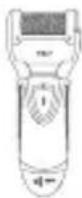
White Silk® hand-operated device with black handle and control panel (no visible text or symbols on device body)EN INSTRUCTIONS FOR USE
text_image
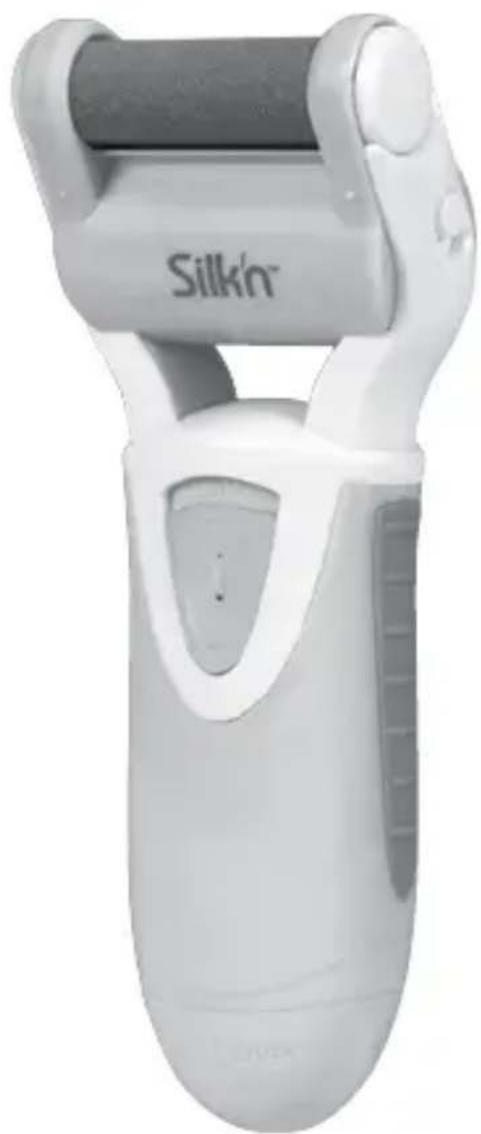
Silk® open LR06 LR06Scope of supply/device parts
- Protective cap
- MicroPedi roller, Fine (light grey)
- Spindle
- Locking bar for MicroPedi rollers
- Locking button
- On/off switch
- Battery compartment cover
- MicroPedi roller, Coarse (dark grey)
- 2x AA batteries
Copyright 2017 © Home Skinovations Ltd.
All rights reserved. Date printed: 03/2017
Legal notice
Home Skinovations Ltd. reserves the right to modify its products or amend specifications in order to improve their performance, reliability or manufacturability. Information supplied by Home Skinovations Ltd. is deemed to be accurate and reliable at the time of publication. However, Home Skinovations Ltd. assumes no responsibility for its use. No licence is hereby granted either tacitly or under any patent or patent rights by Home Skinovations Ltd.
No part of this document may be reproduced or transmitted in any form or by any means, whether electronic or mechanical, for any purpose without the express written consent of Home Skinovations Ltd. Data is subject to change without prior notice.
Home Skinovations Ltd. has patents and pending patent applications, trademarks, copyrights or other intellectual property rights covering the subject matter in this document. The furnishing of this document does not grant you any licence whatsoever for these patents, trademarks, copyrights or other intellectual property rights unless explicitly stated in a written agreement concluded with Home Skinovations Ltd. Specifications are subject to change without prior notice.
Silk'n and the Silk'n logo are registered trademarks of Home Skinovations Ltd.
InnoEssentials International, Donk 1B, 2991 LE Barendrecht, The Netherlands,
www.silkn.eu, info@silkn.com
Table of contents
Overview 3
Scope of supply/device parts 4
Legal notice 4
Table of contents 5
General information....6
Reading and storing the instruction manual....6
Explanation of symbols 6
Safety 6
Proper use....6
Safety instructions....7
First use....11
Checking the callus remover and package contents....11
Inserting batteries....11
Operation....11
Selecting MicroPedi roller....11
Ejecting and inserting a MicroPedi roller 12
Using the callus remover....12
Cleaning and maintenance....13
Cleaning the callus remover 13
Replacing MicroPedi rollers 13
Troubleshooting....14
Technical data....14
Declaration of conformity....14
Disposal....15
Disposing of the packaging 15
Disposing of the callus remover....15
Warranty card 153
Warranty terms....154
General information
Reading and storing the instruction manual
This instruction manual is supplied for the MicroPedi Wet & Dry (referred to below as the "callus remover"). It contains important information on using it for the first time and subsequent operation.
Please read the instruction manual carefully, especially the safety information, before using the callus remover. Failure to take note of the instruction manual may result in serious injuries or in damage to the device. The instruction manual is based on the rules and standards applicable in the European Union. When outside this territory, please take also note of laws and guidelines specific to individual countries.
Please keep the manual for future reference. If you pass the callus remover on to someone else, make sure you let them have this instruction manual as well.
This instruction manual can also be requested as a PDF file via our homepage: www.silkn.eu.
Explanation of symbols
The following symbols and signal words are used in this instruction manual, on the callus remover itself or on the packaging.

WARNING! This symbol/signal word indicates a medium-risk hazard which, if not avoided, may cause death or serious injury.

CAUTION! This symbol/signal word indicates a low-risk hazard which, if not avoided, may cause minor or moderate injury.

NOTE! This signal word warns of possible damage to property.

This symbol provides you with additional useful information about assembly or operation.

Declaration of conformity (see chapter "Declaration of conformity"):
Products marked with this symbol satisfy all applicable Community legislation of the European Economic Area.
Safety
Proper use
The callus remover is designed to remove calluses and hard skin on the feet, hands and elbows. It can be used on both wet and dry skin.
The callus remover is solely intended for home use. It is not suitable for commercial usage, e.g. chiropody services. Do not use the callus remover outside. The callus remover is not a toy. To prevent the transmission of diseases, the callus remover and the MicroPedi rollers should not be used by more than one person.
The callus remover should only be used as described in this instruction manual.
Any other usage is not in line with its proper use and may cause damage to property.
The manufacturer or the retailer accepts no liability for damage resulting from improper or incorrect use.
Safety instructions

WARNING! Risk of explosion and fire!
Improper handling of batteries increases the risk of explosion and fire.
- Never expose the batteries to heat, e.g. direct sun-shine, naked flame, etc.
- Do not charge batteries or reactivate them by other means.
- Do not short-circuit batteries.
- Do not open batteries.
- To prevent battery leakage, only ever use the same type of batteries in the callus remover.
- When inserting batteries, check for correct polarity.
- When batteries are empty, remove from the callus remover at once.

WARNING! Hazards for children and persons with reduced physical, sensory or mental capacity (for example, to a certain extent the disabled, elderly persons with restricted physical and mental capacity) or persons lacking in experience or knowledge (for example, older children).
• Make sure to keep batteries out of the reach of children. If you suspect that a child has swallowed a battery, seek medical help at once.
• The callus remover can be used by children of eight
years and over as well as by persons with reduced physical, sensory or mental capacity or lacking in experience or knowledge if they are supervised or instructed in safe usage of the device and understand the resulting hazards.
- Cleaning and user maintenance must not be performed by children without supervision.
- Keep the callus remover and its accessories out of the reach of children under the age of eight years.
- The scope of supply include small parts that can be swallowed as well as packaging films. Keep these parts away from children as, if swallowed, there is a risk of suffocation.

CAUTION! Risk of chemical burns!
Leaking battery fluid can harm the skin on contact or cause injuries to other parts of the body.
- If a battery has leaked in the callus remover, put on protective gloves and clean the battery compartment with a dry cloth.
- Prevent battery fluid from coming into contact with the skin, eyes and mucous membranes.
- If you have come into contact with battery acid, immediately rinse the affected areas with plenty of clean water and seek medical help at once.
- If you won't be using the callus remover for a while, take the batteries out of the battery compartment.

CAUTION! Risk of injury!
Improper use of the callus remover can result in injuries and damage to property.
- Holding the rotating MicroPedi rollers on one spot on your skin for too long may cause minor injury.
- Only use the callus remover on the hands, feet and elbows and not on any other part of the body.
- Do not use additional treatment products such as oils or ointments.
- Do not use the callus remover directly on or near open wounds and skin inflammation or to remove warts.
- Do not use the callus remover on skin that is sore, irritated or blistered.
- Do not treat your skin continuously with the callus remover for longer than two to three seconds.
- Stop treatment immediately if you experience pain or skin irritation.
- Seek medical help in the case of any bleeding or severe irritation.
- Do not use the callus remover if the MicroPedi rollers are damaged or worn.
- Long, flexible objects, hair and textiles can get caught in the rotating MicroPedi rollers. Make sure you keep the callus remover well away from hair, wigs and other long, flexible objects like shoelaces, string or textile fibres.
Consult your doctor before using the callus re-mover if ...
- you suffer from allergies, any rash on the hands or feet, skin irritation or skin diseases such as neurodermatitis, psoriasis, etc.;
- you have diabetes or poor circulation;
- you have a pacemaker;
- you are not sure whether the callus remover is suitable for you.
NOTE! Risk of damage!
Improper use of the callus remover may damage the device.
• Make sure no objects get inside the callus remover or between the MicroPedi rollers and casing.
- Protect the callus remover from hard knocks, extreme temperatures and direct sunshine.
- Only switch the callus remover on when a Micro-Pedi roller is inserted.
- Do not use the callus remover in rooms where people are working with sprays or pure oxygen.
- Switch the callus remover off immediately and stop using it if you see or smell smoke while operating the device.
- Only use the callus remover with original accessories.
- Do not open the sealed parts of the callus remover and do not try to modify the device.
- Do not use the callus remover if damaged.
First use
Checking the callus remover and package contents
NOTE! Risk of damage!
Opening the packaging without due care with a sharp knife or any other pointed objects may easily damage the callus remover.
• Take great care when opening.
- Take the callus remover out of the packaging.
- Check whether all parts supplied are complete (see Fig. A).
- Check whether the callus remover or individual parts are damaged. If this is the case, do not use the callus remover. You should then contact the manufacturer at the service address given on the warranty card.
Inserting batteries
- Hold the callus remover horizontally.
- Turn the battery compartment cover (7) anticlockwise and slide off.
- If necessary, clean the contacts on the batteries and the device before inserting the batteries.
- Upon insertion into the battery compartment (9), check for correct battery polarity.
- Fit the battery compartment cover back on and turn clockwise to close tightly. You can now insert a MicroPedi roller (2 or 8).
Operation
Selecting a MicroPedi roller
The callus remover comes with two MicroPedi rollers. Consult the following table to find out which roller is suitable for which treatment purpose.
| No. Colour Use | |
| 2 Light grey This surface of this MicroPedi roller is finer. Use this MicroPedi roller to remove rough skin or for treatment after using the dark-grey MicroPedi roller. | |
| 8 Dark grey This surface of this MicroPedi roller is coarser. Use this MicroPedi roller to remove very rough skin. | |
With very rough skin, we recommend always using the dark-grey MicroPedi roller first, followed by the light grey one.
Ejecting and inserting a MicroPedi roller
NOTE! Risk of damage!
If you eject an inserted MicroPedi roller from the spindle of the callus remover while the device is switched on, you may damage the callus remover.
- Never eject a MicroPedi roller that is still rotating when the callus remover is switched on.
- Always switch the callus remover off first before replacing the MicroPedi roller.
Ejecting MicroPedi roller
- Check that the callus remover is switched off.
- Slide down the locking bar for the MicroPedi rollers (4) on the right-hand side of the callus remover.
- The MicroPedi roller inside will be ejected.
- Pull the MicroPedi roller off the spindle (3) of the callus remover by moving outwards.
Inserting MicroPedi roller
- Fit the required MicroPedi roller (2 or 8) onto the spindle (3) in the casing of the callus remover.
- Carefully press the MicroPedi roller right onto the spindle until you hear the locking bar for the MicroPedi rollers (4) click into place.
- Shake the callus remover lightly to check whether the MicroPedi roller is securely fastened. The callus remover is now ready for use.
Using the callus remover
- Clean your skin before treatment with the callus remover. The best results are obtained when the skin is dry.
- Fit the required MicroPedi roller (2 or 8) onto the spindle (3) of the callus remover as described in the chapter "Ejecting and inserting a MicroPedi roller".
- Remove the protective cap (1).
- Press down the locking button (5) on the on/off switch (6).
- Slide the on/off switch up to switch the callus remover on.
- Move the MicroPedi roller carefully over the parts of the skin you wish to treat, applying light pressure.

If you use too much pressure, the MicroPedi roller will stop.
Only ever use on the skin for two or three seconds and then check the result.
- Once you have finished the treatment or want to take a lengthy break, switch off the
callus remover by sliding the on/off switch down.
- At the end of your skin care session, clean the callus remover as described in the chapter "Cleaning and maintenance".
Cleaning and maintenance
NOTE! Risk of damage!
If you use the wrong cleaning products or cleaning implements, you may damage the callus remover.
- Do not use hard, rough or abrasive cleaning products or implements.
Cleaning the callus remover
Clean the callus remover whenever you have used it as follows:
- Take the MicroPedi roller (2 or 8) out of the callus remover as described in the chapter "Ejecting and inserting a MicroPedi roller".
- Check that the battery compartment cover (7) is securely turned to the lock position.
- Remove any dirt, dust and remnants of skin from the callus remover and the MicroPedi rollers using a dampened cloth or shortly hold the parts under running lukewarm water.
- Wipe the callus remover and the MicroPedi roller dry with a cloth.
- Once clean and dry, store the callus remover and MicroPedi rollers in a cool and dry place.
Replacing MicroPedi rollers
The MicroPedi rollers (2 or 8) should only be used a couple of times depending on the frequency of use and size of the areas of skin treated.
• Always replace the MicroPedi rollers:
- when the MicroPedi rollers look worn;
- when the MicroPedi rollers start to show cracks or other damages.
- Replace the MicroPedi rollers as described in the chapter "Ejecting and inserting a Micro-Pedi roller".
For the best results we always recommend replacing both MicroPedi rollers together.
Original spare parts are available:
• from your retailer,
• on the Silk'n website: www.silkn.eu.
Troubleshooting
First try to solve the problem yourself by taking the measures listed below:
| Problem Possible causes and remedy | |
| The callus remover is not functioning. The | batteries (9) may not have been inserted properly.• Take the batteries out and reinsert them, checking for correct polarity. |
| The batteries (9) may be empty.• Change the batteries for new ones. | |
| The callus remover is running very slowly. | The batteries (9) may be almost empty.• Change the batteries for new ones. |
| One of the MicroPedi rollers is damaged. | Change damaged MicroPedi rollers for original spare parts. |
If these measures are unsuccessful or your callus remover needs to be repaired, contact Customer Service via the details on the warranty card.
Technical data
| Model: AP-3WD | |
| Batteries: LR06/AA, 2× | |
| Voltage: 3 V DC | |
| Power consumption: 3.4 W | |
| Speed: 2,300 rpm +/- 20% | |
| Dimensions (H × W × D): approx. | 15.5 × 6.0 × 3.5 cm |
| Weight without batteries: approx. | 127 g |
| Storage temperature: 0–40 °C |
Declaration of conformity

The EU declaration of conformity can be requested under the address shown on the back.
Disposal
Disposing of the packaging

Sort the packaging materials before disposing of them, handing over cardboard for the waste paper collection and plastics for recycling.
Disposing of the callus remover
(Applicable in the European Union and other European countries with separate waste collection systems for recyclable materials)
Old devices must not be disposed of with household waste!
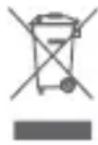
If the callus remover can no longer be used, consumers are obliged by law to dispose of used devices separately from household waste, e.g. by handing it over to a collection point run by their local authority/municipality. This ensures that such equipment is recycled in the proper manner and avoids any adverse effect on the environment. This is why electrical and electronic equipment is marked with the symbol shown here.

The casing of the callus remover is made of ABS plastic. Hand over the casing of the device for separate collection of this material if your local authority runs such a recycling scheme.
Batteries including rechargeable ones must not be disposed of with your household waste!
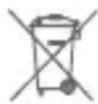
As a consumer you are obliged by law to hand over all batteries (incl. rechargeable ones) regardless whether they contain harmful substances* or not, to a collection point run by your local authority/municipality or to return them to the retailer so they can be subjected to environmentally sound disposal.
*labelled with: Cd = cadmium, Hg = mercury, Pb = lead
Copyright 2017 © Home Skinovations Ltd.
InnoEssentials International, Donk 1B, 2991 LE Barendrecht, The Netherlands,
www.silkn.eu, info@silkn.com.
Inhaltsverzeichnis
Übersicht 3
Copyright 2017 © Home Skinovations Ltd.
Copyright 2017 © Home Skinovations Ltd.
Copyright 2017 © Home Skinovations Ltd.
Copyright 2017 © Home Skinovations Ltd.
Telif Hakkı 2017 © Home Skinovations Ltd.
Copyright 2017 © Home Skinovations Ltd.
Copyright 2017 © Home Skinovations Ltd.
Alle rettigheter forbeholdt. Dato for trykking: 03/2017
Juridisk merknad
Copyright 2017 © Home Skinovations Ltd.
Copyright 2017 © Home Skinovations Ltd.
Date of the purchase*: ....
Place of purchase: ....
Description of the defect: ....
Send the completed warranty card and defective product to:
InnoEssentials International c/o Service Center
Donk 1B, 2991 LE Barendrecht,
The Netherlands
CUSTOMER SERVICE

0906-2130009
customercareuk@silkn.eu
*We recommend that you hold on to
the receipt and this warranty card.

Beautiful Technology
GARANTIEKARTE
MicroPedi Wet & Dry AP-3WD
2 JAHRE GARANTIE
Ihre Informationen:
Name:
Adresse:

E-mail:
Datum des Kaufs*:
Beautiful Technology
WARRANTY TERMS
TIP: Before sending in your device, please contact our hotline by phone or e-mail. This way, we can help you in cases involving handling errors.
Warranty period: 2 years from the date of purchase
To claim warranty coverage, please send us:
- the original receipt and completed warranty card together with the defective product.
• the product including all parts of the package contents.
The warranty does not cover damages due to:
- accident or unforeseeable events (e.g. lightning, water, fire, etc.).
- improper use or transport.
- failure to observe the safety and maintenance guidelines.
- other improper processing or modification.
The statutory warranty obligation of the sales outlet is not restricted by this warranty. The warranty period can only be extended if a legal standard provides for this. In countries where (mandatory) warranty and/or an inventory of spare parts and/or the settlement of claims for compensation are prescribed by law, the legally stipulated minimum terms shall apply. When accepting an item for repair, the service company and seller cannot be held liable for any customer data or settings stored on the product.
GARANTIEBEDINGUNGEN
InnoEssentials International
c/o Service Center
Donk 1B, 2991 LE Barendrecht,
The Netherlands
SERVICE APRÈS-VENTE
FR-0891-655557
Beautiful Technology
GARANTIEBEWIJS
MicroPedi Wet & Dry AP-3WD
2 JAAR GARANTIE
Uw gegevens:
Naam:
Adres: ....

E-mail:
Aankoopdatum*:
InnoEssentials International
c/o Service Center
Donk 1B, 2991 LE Barendrecht,
Nederland
KLANTENSERVICE
NL-0900-2502217
klantenservicenl@silkn.eu
Beautiful Technology
CONDITIONS DE LA GARANTIE
InnoEssentials International
c/o Service Center
Donk 1B, 2991 LE Barendrecht,
The Netherlands
Beautiful Technology
CARTÃO DE GARANTIA
MicroPedi Wet & Dry AP-3WD
GARANTIA DE 2 ANOS
Os seus detalhes:
Nome:
Endereço: ....

E-mail:
Data da aquisição*:
InnoEssentials International
c/o Service Center
Donk 1B, 2991 LE Barendrecht,
The Netherlands
APOIO AO CLIENTE

+31 (0)180-330550
info@silkn.com
*Recomendamos que guarde o recibo
Beautiful Technology
CONDICIONES DE LA GARANTÍA
InnoEssentials International
c/o Service Center
Donk 1B, 2991 LE Barendrecht,
The Netherlands
Beautiful Technology
GARANTI KARTI
MicroPedi Wet & Dry AP-3WD
2 YIL GARANTI
Size ait bilgiler:
Ad:
Adres: ....

E-posta:
Satın alma tarihi*:
InnoEssentials International
c/o Service Center
Donk 1B, 2991 LE Barendrecht,
The Netherlands
MÜŞTERI HIZMETLERI
+31 (0)180-330550
info@silkn.com
Beautiful Technology
'ΟΡΟΙ ΕΓΓ'ΥΗΣΗΣ
InnoEssentials International c/o Service Center
Donk 1B, 2991 LE Barendrecht,
The Netherlands
ASSISTENZA POST-VENDITA

+31 (0)180-330550
servizioclientiit@silkn.eu
Beautiful Technology
GARANTIKORT
MicroPedi Wet & Dry AP-3WD
2 ÅRS GARANTI
Din kontaktinfo:
Navn: ....
Adresse: ....

E-post:
Kjøpsdato*:
Kjøpssted: ....
InnoEssentials International c/o Service Center
Donk 1B, 2991 LE Barendrecht, The Netherlands
KUNDESERVICE

+31 (0)180-330550
info@silkn.com
*Vi anbefaler at du tar vare på kvitte-
ringen og dette garantikortet.

Beautiful Technology
InnoEssentials International c/o Service Center
Donk 1B, 2991 LE Barendrecht,
The Netherlands
KUNDTJÄNST

+31 (0)180-330550
info@silkn.com
Beautiful Technology
GARANTIBEVIS
MicroPedi Wet & Dry AP-3WD
2 ÅRS GARANTI
Dine oplysninger:
Navm: ....
Adresse: ....

E-mail:
Købsdato*:
Købssted:
InnoEssentials International c/o Service Center
Donk 1B, 2991 LE Barendrecht, The Netherlands
KUNDESERVICE

+31 (0)180-330550
info@silkn.com
*Vi anbefaler, at du gemmer kvitterin-
Beautiful Technology
GARANTIVILLKOR
text_image
Inno essentialsInnoEssentials International
Donk Ib, 2991 LE Barendrecht
The Netherlands
E-mail: info@silkn.com