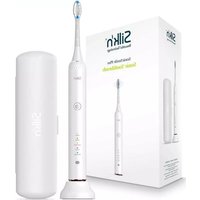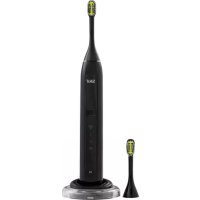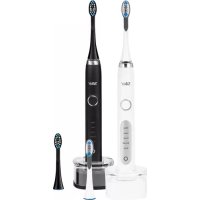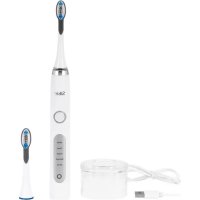
SonicYou DCA02 - Toothbrush SILKN - Free user manual and instructions
Find the device manual for free SonicYou DCA02 SILKN in PDF.



User questions about SonicYou DCA02 SILKN
0 question about this device. Answer the ones you know or ask your own.
Ask a new question about this device
Download the instructions for your Toothbrush in PDF format for free! Find your manual SonicYou DCA02 - SILKN and take your electronic device back in hand. On this page are published all the documents necessary for the use of your device. SonicYou DCA02 by SILKN.
USER MANUAL SonicYou DCA02 SILKN
Beautiful Technology
SONICYOU
DCA02

natural_image
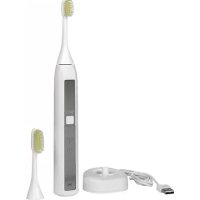
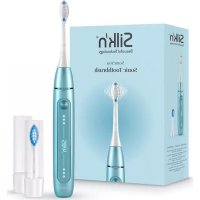
Exterior view of a modern electric toothbrush (no text or symbols visible)
text_image
MANUATE FULERO DE KERMA hanse control U ser-fie ndy Ma nua l ID: #05007EN USER MANUAL
Silk'n Beauty Ltd. reserves the right to make changes to its products or specifications to improve performance, reliability, or manufacturability. Information furnished by Silk'n Beauty Ltd. is believed to be accurate and reliable at the time of publication. However, Silk'n Beauty Ltd. assumes no responsibility for its use. No license is granted by its implication or otherwise under any patent or patent rights of Silk'n Beauty Ltd.
No part of this document may be reproduced or transmitted in any form or by any means, electronic or mechanical, for any purpose, without the express written permission of Silk'n Beauty Ltd. Data is subject to change without notification.
Silk'n Beauty Ltd. has patents and pending patent applications, trademarks, copyrights, or other intellectual property rights covering subject matter in this document. The furnishing of this document does not give you any license to these patents, trademarks, copyrights, or other intellectual property rights except as expressly provided in any written agreement from Silk'n Beauty Ltd. Specifications are subject to change without notice.
Silk'n and the Silk'n logo are registered trademarks of Silk'n Beauty Ltd.
Invention Works B.V.
Galileistraat 17, 3029 AL Rotterdam, The Netherlands www.silkn.eu – info@silkn.eu
Table of contents
EN
I Package contents/device parts ____ 5
2 General information 5
2.1 Reading and storing the user manual ____ 5
2.2 Explanation of symbols 5
3 Safety 6
3.1 Proper use 6
3.2 Safety instructions 6
4 Checking the product and package contents _ 10
5 Charging ____ II
6 Operation 12
6.1 Cleaning your teeth 12
6.2 Cleaning your tongue 13
7 Replacing the brush head ____ 13
8 Cleaning 14
9 Storage 15
10 Troubleshooting 15
II Technical data 15
12 Disposal 16
12.1 Disposing of the packaging ____ 16
12.1 Disposing of the packaging ____ 16
12.2 Disposing of the product ____ 16
13 Warranty 17
13 Warranty 17
14 Customer service ____ 17
EN
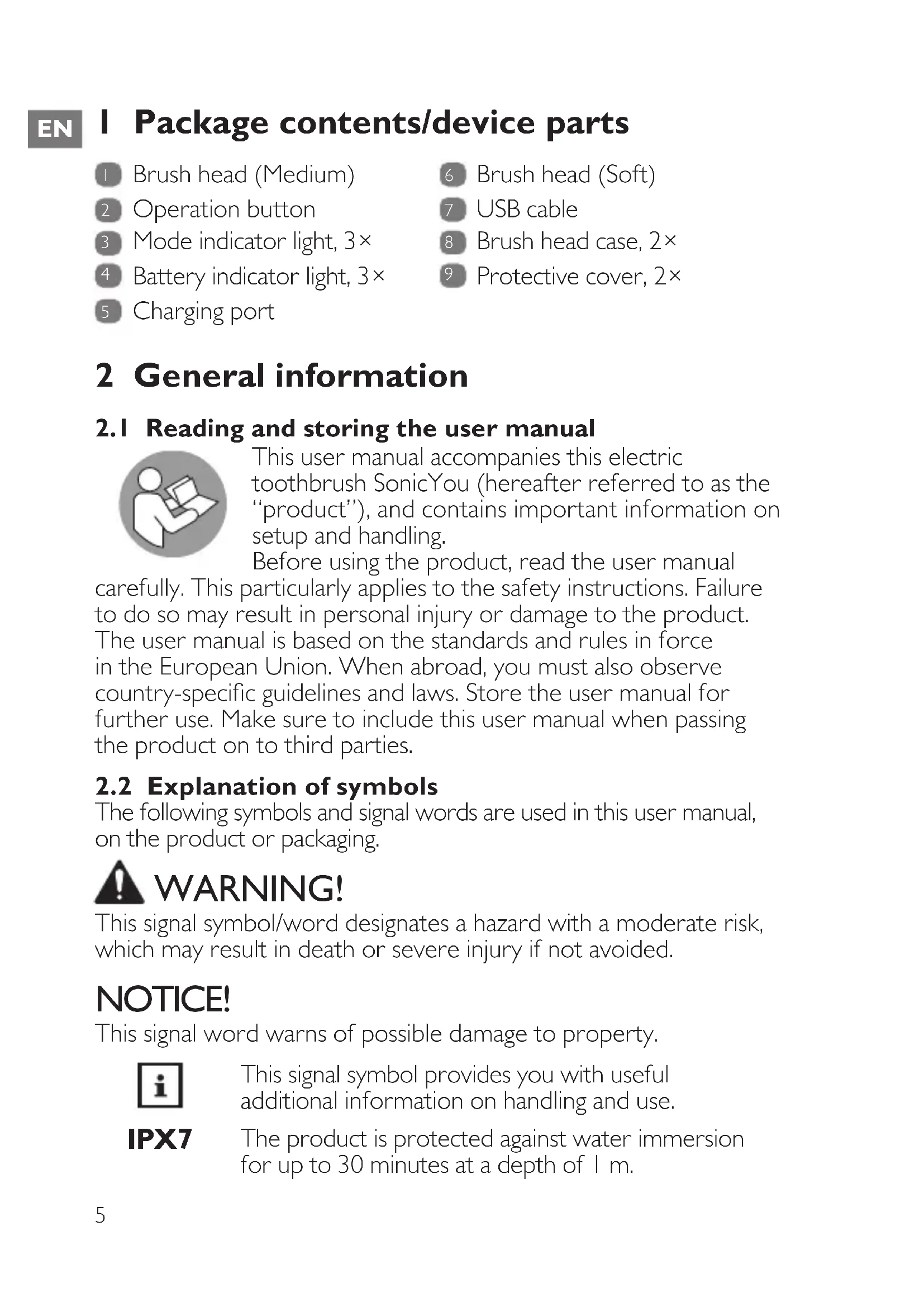
I Package contents/device parts
1 Brush head (Medium)
6 Brush head (Soft)
2 Operation button
7 USB cable
3 Mode indicator light, 3×
8 Brush head case, 2×
4 Battery indicator light, 3×
9 Protective cover, 2×
5 Charging port
2 General information
2.1 Reading and storing the user manual

natural_image
Icon of a person using a laptop (no text or symbols)This user manual accompanies this electric toothbrush SonicYou (hereafter referred to as the “product”), and contains important information on setup and handling.
Before using the product, read the user manual
carefully. This particularly applies to the safety instructions. Failure to do so may result in personal injury or damage to the product. The user manual is based on the standards and rules in force in the European Union. When abroad, you must also observe country-specific guidelines and laws. Store the user manual for further use. Make sure to include this user manual when passing the product on to third parties.
2.2 Explanation of symbols
The following symbols and signal words are used in this user manual, on the product or packaging.

WARNING!
This signal symbol/word designates a hazard with a moderate risk, which may result in death or severe injury if not avoided.
NOTICE!
This signal word warns of possible damage to property.

This signal symbol provides you with useful additional information on handling and use.
IPX7
The product is protected against water immersion for up to 30 minutes at a depth of 1 m.

Declaration of Conformity: Products labelled with this symbol meet all applicable provisions of the European Economic Area.
EN

This symbol identifies electrical devices that belong to the protection class III.
3 Safety
3.1 Proper use
The product is exclusively designed for oral cleaning. It is only intended for private use and not suitable for commercial purposes. The product has been tested for water ingress to the extent covered by IPX7. This means it is waterproof and suitable for use in the shower or while taking a bath, but do not leave it submerged in water (max. 1 m) or under running water for more than 30 minutes.
Only use the product as described in this user manual. Any other use is considered improper and may result in damage to property or persons. The manufacturer cannot be held liable for damages or injury incurred through improper or incorrect use.
3.2 Safety instructions

WARNING! RISK OF ELECTRIC SHOCK!
- Only use the product with the supplied USB cable.
- Only connect the USB cable of the product to a suitable mains adaptor (IEC/EN 60335 certified SELV power supply), connected to an easily accessible socket, so that you can quickly disconnect it from the mains supply in the event of a problem.
-
Do not use the product if it is damaged or if the USB cable is defective.
-
Do not open the housing; instead, have a qualified professional perform repairs. Contact the customer service team for this. Liability and warranty claims are waived in the event of repairs performed by the user, an improper connection or incorrect operation.
- Only parts that comply with the original device data may be used for repairs. This product contains electrical and mechanical parts which are essential for providing protection against sources of danger.
- Keep the USB cable away from water or other liquids. It is not waterproof.
- Do not leave the product submerged in water (max. 1 m) or under running water for more than 30 minutes.
- Always switch the product off when you are not using it, when you intend to clean it, or in the event of a malfunction. Always unplug the USB cable when you are not charging the product.
- Never touch the USB cable with wet or damp hands.
- Keep all parts of the product away from open flames and hot surfaces.
- Never insert any objects into the housing.
-
Lay the USB cable so that it does not pose a tripping hazard.
-
Do not pull the USB cable out of the mains adaptor by the cord; instead, always pull it out by the cable plug.
- Do not kink the USB cable and do not lay it over sharp edges.
- Only use the product indoors.

WARNING! RISK OF INJURY!
- The product can be used by children and persons with reduced physical, sensory or mental capabilities or lack of experience and knowledge if they have been given supervision or instruction concerning the use of the appliance in a safe way and understand the hazards involved. Cleaning and user maintenance shall not be made by children without supervision.
• Children must not play with the product.
- Keep children under 8 years of age away from the product.
- Do not allow children to play with the small parts. Children could swallow small parts and choke.
- Make sure that children do not play with the plastic wrapping. They may get caught in it when playing and suffocate.
- The product has only been designed for cleaning teeth and gums. Do not use it for any other purpose.
EN
- If you have recently had oral or gum surgery, consult your dentist before using the product.
- Consult your dentist if excessive bleeding occurs after using the product or if bleeding continues to occur after use. Also, consult your dentist if you experience discomfort or pain when using the product.
- Do not apply too much pressure to the product and your teeth when brushing them.
- For hygienic reasons, each brush head is recommended for one person only.
-
Consult your dentist before using the product if:
-
you are using a pacemaker.
- you are not sure whether the product is suitable for you.
- Under abusive conditions, liquid may be ejected from the battery; avoid contact. Liquid ejected from the battery may cause irritation or burns.
- If battery fluid comes into contact with skin, eyes or mucous membranes, wash and rinse the affected areas immediately with clean water. Consult a physician if necessary.
- The battery must not be disassembled, short-circuited or thrown into a fire.
NOTICE! RISK OF DAMAGE!
EN
- Stop using a brush head with crushed or bent bristles. Replace the brush head every 3 months or sooner if signs of wear appear. Do not use brush heads other than the ones recommended by the manufacturer.
- Avoid leaving the product in direct sunlight and never expose it to extreme heat or boiling water.
- Never fill the housing of the product with liquids.
- Stop using the product if its plastic parts exhibit cracks or breaks or are deformed. Only replace damaged parts with corresponding original spare parts.
- Do not place the product on the edge of a surface to avoid dropping it.
- Do not operate the product if it has been dropped or is damaged in any way. Have the product checked and/or repaired by qualified technicians if necessary.
4 Checking the product and package contents
NOTICE! RISK OF DAMAGE!
- If you are not cautious when opening the packaging with a sharp knife or other pointed objects, you may quickly damage the product.
Be very careful when opening it.
I. Take the product out of the packaging.
2. Check to make sure that all parts are included (see Fig. A).
3. Check whether the product or individual parts are damaged. If this is the case, do not use the product. Contact our customer service.
5 Charging

WARNING! RISK OF INJURY!
- Do not charge the product when it is wet. Make sure it is dry before charging.
- Only charge the product with the supplied USB cable.
- Only charge the product at temperatures between 0 and 40^ .
• Always unplug the product after charging has been completed.

- Fully charge the product before first use and when the battery power is low.
- The bottom battery indicator light 4 flashes during operation when the battery power is low. Recharge the product if this is the case.
-
The product cannot be used during charging.
-
Open the two protective covers 9 at the bottom of the product (see step 1 in Fig. B).
You may need the help of a tool (e.g. a small screwdriver) to open the protective covers.
-
Plug the smaller end of the USB cable 7 into the charging port 5 of the product (see step 2 in Fig. B).
-
Plug the larger end of the USB cable into the USB port of a compatible USB power source (e.g. a USB power adapter) for charging. Charging starts automatically. Refer to the battery indicator lights 4 for the charging progress.
The bottom indicator light stops flashing and stays lit when the charging level reaches 30%.
The middle indicator light stops flashing and stays lit when the charging level reaches 70 %.
All three indicator lights stay lit when the charging level reaches 100%.
- When charging is done, unplug the USB cable from the charging port and the USB power source.
- Securely close the two protective covers. Make sure the protective covers are completely closed to stop the charging port from getting wet.
6 Operation

- The product is equipped with three modes: “Sensitive”, “Clean” and “White”. When using the product for the first time, start with the “Sensitive” mode (with the lowest vibration frequency) before changing to other modes.
- The product remembers your last selected mode for your next use.
- You can check the battery indicator lights 4 for the remaining battery power level during operation:
Three lights: 71–100 %, two lights: 31–70 %, one light: 0–30 %
Recharge the product when the bottom battery indicator light flashes during operation (see chapter "Charging").
6.1 Cleaning your teeth
I. Attach a suitable brush head 1 / 6 to the product (see chapter "Replacing the brush head").
Clean the brush head before first use as described in the chapter “Cleaning”.
- Hold the brush head under running water for a moment to make it wet.
- Apply toothpaste to the brush head.
- Carefully move the brush head up to your teeth.
- Press the operation button 2 once.
The product is now switched on in the “Sensitive” mode. It is suitable for a gentle yet thorough clean of sensitive teeth and
EN
gums. The bottom mode indicator light 3 illuminates in this mode.
- Within 5 seconds, press the operation button a second time.
The product is now in the “Clean” mode. It is suitable for daily teeth cleaning.
The bottom and middle mode indicator lights illuminate in this mode.
- Within 5 seconds, press the operation button a third time.
The product is now in the “White” mode. It is suitable for removing stains and whitening teeth.
All mode indicator lights illuminate in this mode.
- Brush the upper and lower parts of your teeth as well as the outer and inner sides of each quadrant for 30 seconds. Make sure you do not apply too much pressure.
The product briefly pauses every 30 seconds as a reminder to change your brushing area and automatically switches off after 2 minutes. You can also switch off the product anytime by pressing the operation button once.
- Clean the product after each use (see chapter "Cleaning").
6.2 Cleaning your tongue
I. The back of the brush head 1 / 6 contains a tongue cleaning area. Wet it and brush your tongue in a back and forth motion for 30 seconds. Clean as far back as comfortable.
- Rinse your mouth after cleaning.
7 Replacing the brush head

- Replace the brush head 1 / 6 as soon as the bristles start to wear or at least every 3 months.
- You can purchase new brush heads on our website at www.silkn.eu.
Make sure the product is switched off when replacing the brush head.
• To remove the brush head, gently pull it off from the product.
- To attach the brush head, align its bristles with the operation button 2 and gently push the brush head onto the top of the product (see Fig. C).
Avoid applying too much pressure. There should be a small gap between the brush head and the product.
8 Cleaning

WARNING! RISK OF ELECTRIC SHOCK!
• Always unplug the product from power before cleaning.
NOTICE! RISK OF DAMAGE!
- Do not leave the product submerged in water (max. 1 m) or under running water for more than 30 minutes. Make sure that no water or other liquids penetrate the housing.
- Keep the USB cable away from water or other liquids. It is not waterproof.
- Make sure the protective covers at the bottom of the product are securely closed before cleaning.
- Do not use any aggressive cleaners, brushes with metal or nylon bristles, or sharp or metallic cleaning utensils such as knives, hard scrapers and the like.
-
After every use, rinse the brush head 1 / 6 under running water to remove all leftover toothpaste from the brush head.
-
Remove the brush head from the product to clean the brush head connection at least once a week. To do so, clean the connection with a soft, damp cloth and then wipe it dry with a dry cloth.
-
Clean the housing of the product with a soft, damp cloth. Then wipe it dry with a dry cloth.
EN
9 Storage
All parts must be completely dry before being stored.
- Store the product in a clean and dry place, avoiding heat and direct sunlight.
- Place the brush heads 1 / 6 in the brush head cases 8 for transport.
10 Troubleshooting
Some problems may be caused by minor faults that you can fix yourself. To do so, follow the instructions in the following table. If it is still not possible to resolve the problem, contact customer service. Do not repair the product yourself.
| Fault Possible cause and solution | |
| The product does not operate. | Make sure the product is properly charged.Make sure the product is not currently being charged. |
| The product does not charge. | Make sure the USB cable 7 is securely connected to the charging port 5 and the USB power source.Make sure the USB cable and USB power source are not defective. If necessary, try another USB power source. |
II Technical data
Model: DCA02
Input voltage: DC 5V
Current: < 500 mA
Battery capacity: 3,350 mAh
IP code: IPX7 (protected against water
immersion for up to 30 minutes at a depth of 1 m)
Charging time: 10–13 hours
Operating time per full charge: 1,200 minutes ("Sensitive")
500 minutes ("Clean")
360 minutes ("White")
Timer: 0.25-second pause after approx.
30 seconds, deactivation after
2 minutes
Pulse frequency: 30,000/min ("Sensitive")
36,000/min ("Clean")
37,000/min ("White")
Noise level: < 67 dB (10 cm)
Weight: 130 g (without brush head)
133.9 g (with brush head)
Dimensions: 249.6 × ∅ 27.7 mm
12 Disposal
12. I Disposing of the packaging

Sort the packaging before you dispose of it.
Dispose of paperboard and cardboard with the recycled paper service and wrappings with the appropriate collection service.
12.2 Disposing of the product
(Applicable in the European Union and other European countries with separate collection systems of recyclable materials)
natural_image
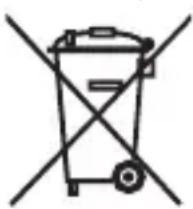
Simple line drawing of a trash bin with two crossed lines indicating no waste or restriction (no text or symbols)Old appliances may not be disposed of in household waste!
Should the product no longer be capable of being used at some point in time, dispose of it in accordance with the regulations in force in your city or

county. This ensures that old appliances are recycled in a professional manner and also rules out negative
consequences for the environment. For this reason, electrical equipment is marked with the symbol shown here.
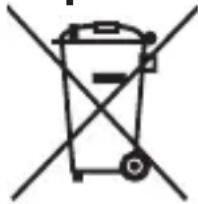
Batteries and rechargeable batteries may not be disposed of with household waste!
natural_image
Simple line drawing of a trash bin with no text or symbolsAs the end user you are required by law to bring all batteries and rechargeable batteries, regardless of whether they contain harmful substances* or not, to a collection point run by the communal authority or to a retailer, so that they can be disposed of in an
environmentally friendly manner.
Bring the entire product (including the rechargeable battery) to your collection point and make sure that it is in an uncharged state!
*labelled with: Cd = cadmium, Hg = mercury, Pb = lead
Note: To remove the rechargeable battery, wrap a towel around the product and use a hammer to smash the housing. Make sure your eyes and hands are protected to avoid injury. Please note, the removal of the rechargeable battery is not reversible.
13 Warranty
This product is covered by a 2-year warranty according to European regulations and law. The extent of the warranty on this product is limited to technical defects caused by faulty production processes. In the event you want to claim warranty please be sure to contact our customer service for instructions. They may be able to solve your problem without needing to return the product to the store or our service center. Our customer service is always pleased to help you!
14 Customer service
For more information about the products of Silk'n visit your regional Silk'n website: www.silkn.eu. If the device is damaged, defective, in need of repair or you need our assistance, please contact your nearest Silk'n service center. This manual is also available as a PDF download from: www.silkn.eu.
Service number: 0906-2130009
Email: customercareuk@silkn.eu
Invention Works B.V.
Galileïstraat 17, 3029 AL Rotterdam, Die Niederlande www.silkn.eu - info@silkn.eu
Inhaltsverzeichnis
DE
natural_image
Icon of a person using a laptop (no text or symbols)natural_image
Simple line drawing of a trash bin with two crossed lines indicating no waste or restriction (no text or symbols)natural_image
Simple line drawing of a trash bin with two crossed lines indicating no waste or prohibition (no text or symbols)Invention Works B.V.
natural_image
Icon of a person using a laptop (no text or symbols)natural_image
Simple line drawing of a trash bin with two crossed lines indicating no waste or restriction (no text or symbols)natural_image
Simple line drawing of a trash bin with crossed lines indicating no waste or prohibition (no text or symbols)WAARSCHUWING! GEVAAR VOOR ELEKTROCUTIE!
WAARSCHUWING! GEVAAR VOOR ELEKTROCUTIE!
natural_image
Symbol of a trash bin crossed with no text or numbers, representing waste sorting or disposal (no text present)natural_image
Simple line drawing of a trash bin with two crossed lines indicating no waste or prohibition (no text or symbols)natural_image
Icon of a person using a laptop (no text or symbols)natural_image
Symbol of a trash bin crossed with no text or numbers, representing waste sorting or disposal (no text present)natural_image
Simple line drawing of a trash bin with two crossed lines indicating no waste or prohibition (no text or symbols)Invention Works B.V.
Galileistraat 17, 3029 AL Rotterdam, Os Países-Baixos
www.silkn.eu – info@silkn.eu
Índice
natural_image
Icon of a person using a computer (no text or symbols)natural_image
Symbol of a trash bin crossed with no text or numbers, representing waste sorting or disposal (no text present)natural_image
Simple line drawing of a trash bin with two crossed lines indicating no waste or prohibition (no text or symbols)natural_image
Simple icon of a person using a computer (no text or symbols)natural_image
Symbol of a trash bin crossed with a diagonal line, no text or numbers presentnatural_image
Simple line drawing of a trash bin with no text or symbolsnatural_image
Icon of a person using a laptop (no text or symbols)natural_image
Simple line drawing of a trash bin with two crossed lines indicating no waste or restriction (no text or symbols)
natural_image
Simple line drawing of a trash bin with two crossed lines indicating no waste or prohibition (no text or symbols)natural_image
Icon of a person using a computer (no text or symbols)natural_image
Symbol of a trash bin crossed with no text or numbers, representing waste sorting or disposal (no text present)natural_image
Symbol of a trash bin crossed out by two diagonal lines (no text or labels)natural_image
Icon of a person using a laptop inside a circular frame (no text or symbols)natural_image
Symbol of a trash bin with crossed lines indicating no waste or restriction (no text or labels)natural_image
Simple line drawing of a trash bin with no text or symbolsInvention Works B.V.
Galileïstraat 17, 3029 AL Rotterdam, Nederländerna
www.silkn.eu – info@silkn.eu
natural_image
Icon of a person using a laptop (no text or symbols)360 minuter ("White")
natural_image
Symbol of a trash bin crossed with no text or numbers, representing waste sorting or disposal (no text present)natural_image
Simple line drawing of a trash bin with two crossed lines indicating no waste or prohibition (no text or symbols)*märkta med: Cd = kadmium, Hg = kvicksilver, Pb = bly
Invention Works B.V.
natural_image
Icon of a person using a laptop (no text or symbols)natural_image
Simple line drawing of a trash bin with crossed lines indicating no waste or restriction (no text or symbols)natural_image
Simple line drawing of a trash bin with two crossed lines indicating no waste or prohibition (no text or symbols)Beautiful Technology
Invention Works B.V.