Hydra Pro 6 MR5500 - Router LINKSYS - Free user manual and instructions
Find the device manual for free Hydra Pro 6 MR5500 LINKSYS in PDF.


| Product Type | Dual-Band Mesh Wi-Fi 6 Router |
| Model | MR5500 (Hydra Pro 6) |
| Dimensions | 215 x 155 x 56 mm |
| Weight | 574 g |
| Power Supply | 12V, 2A (AC adapter included) |
| Radio Frequencies | 2.4 GHz and 5 GHz |
| Wi-Fi Standards | IEEE 802.11a/b/g/n/ac/ax (Wi-Fi 6) |
| Total Theoretical Speed | AX5400 (up to 5.4 Gbps) |
| Antennas | 2 external (non-removable) + 1 internal |
| Ethernet Ports | 4 Gigabit ports (10/100/1000) blue + 1 Gigabit Internet port yellow |
| USB Port | 1 USB 3.0 port |
| Buttons | Power On/Off, Reset, WPS |
| Wireless Security | WPA2-Personal, WPA3-Personal, WPA2/WPA3-Personal Mixed |
| Supported File Systems (USB) | FAT, NTFS, HFS+ |
| Software Features | Parental Controls, Guest Network, Device Prioritization, Speed Test, WPS |
| Mobile App | Linksys App (iOS 11.4+ / Android 6.0+) |
| Operating Temperature | 0°C to 40°C |
| Storage Temperature | -20°C to 60°C |
| Operating Humidity | 10% to 80% (non-condensing) |
| Storage Humidity | 5% to 90% (non-condensing) |
| Certifications | FCC, IC, CE, Wi-Fi |
| Care and Cleaning | Clean with a soft, dry cloth. Do not use chemicals. |
Frequently Asked Questions - Hydra Pro 6 MR5500 LINKSYS
User questions about Hydra Pro 6 MR5500 LINKSYS
0 question about this device. Answer the ones you know or ask your own.
Ask a new question about this device
Download the instructions for your Router in PDF format for free! Find your manual Hydra Pro 6 MR5500 - LINKSYS and take your electronic device back in hand. On this page are published all the documents necessary for the use of your device. Hydra Pro 6 MR5500 by LINKSYS.
USER MANUAL Hydra Pro 6 MR5500 LINKSYS
Where to find more help ____ 5
Set Up 6
What you'll need 6
Linksys Whole Home Wi-Fi System Settings 8
Log in to the Linksys app 8
Navigation Menu 9
Dashboard 10
Devices 11
To view or change device details 12
Parental Controls 13
Wi-Fi Settings 14
Advanced Wi-Fi Settings 15
Connect a Device with WPS 16
Guest Network Access 17
Device Prioritization 18
Notifications 19
Network/Router Administration 20
Advanced Settings 21
Internet Settings 21
Port Settings 22
Wi-Fi MAC Filters 23
External Storage 24
Speed Check 25
My Account 26
Feedback 27
Help 28
Connect Directly To Your Router 29
Router password 30
How to factory reset your router ____ 31
How to mount your router on the wall ____ 31
Specifications 32
Linksys MR5500 32
Environmental 32
Product Overview
text_image
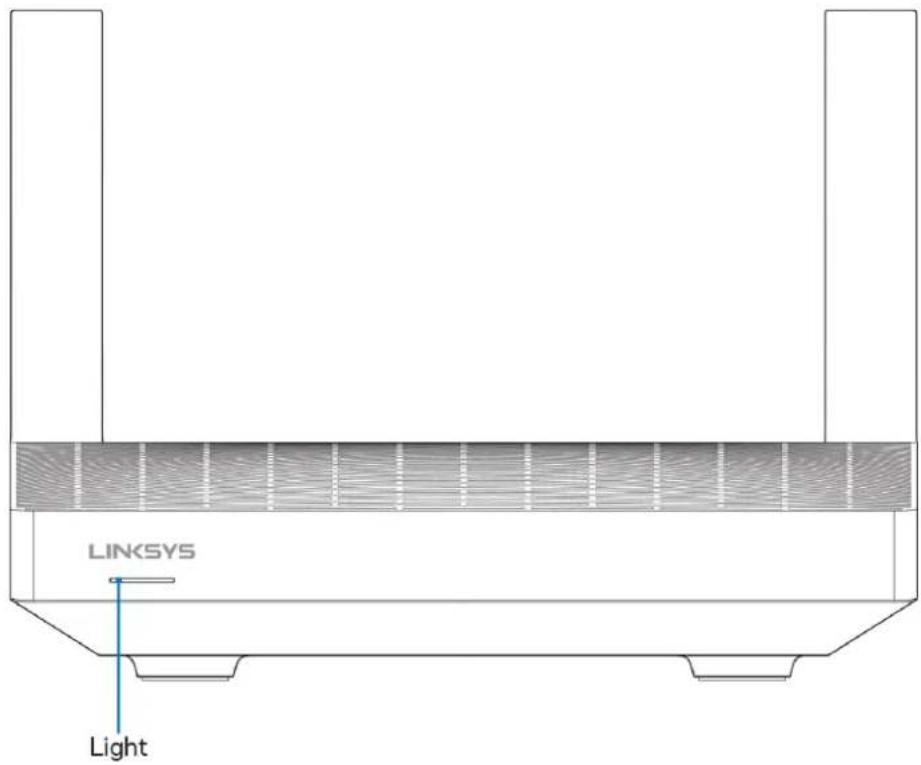
LINKSYS Light| Light description Status | |
| Blue (blinking) | Starting up/WPS pairing startedWait for the router to finish starting up or WPS paring to complete. |
| Purple | Ready for setupOpen the Linksys app to complete setup. |
| Purple (blinking) | Setup in progressFollow instructions in the app. |
| Blue | Connected to internet/WPS pairing successfulRouter is online, everything is good. |
| Red | No internetNot online, check with your ISP for service interruptions. |
| Red (blinking) | DisconnectedChild node: too far from a working nodeParent node: unplugged from the modem |
| Yellow | Weak signal (child nodes only) |
| Yellow (blinking) | WPS pairing unsuccessful |
text_image
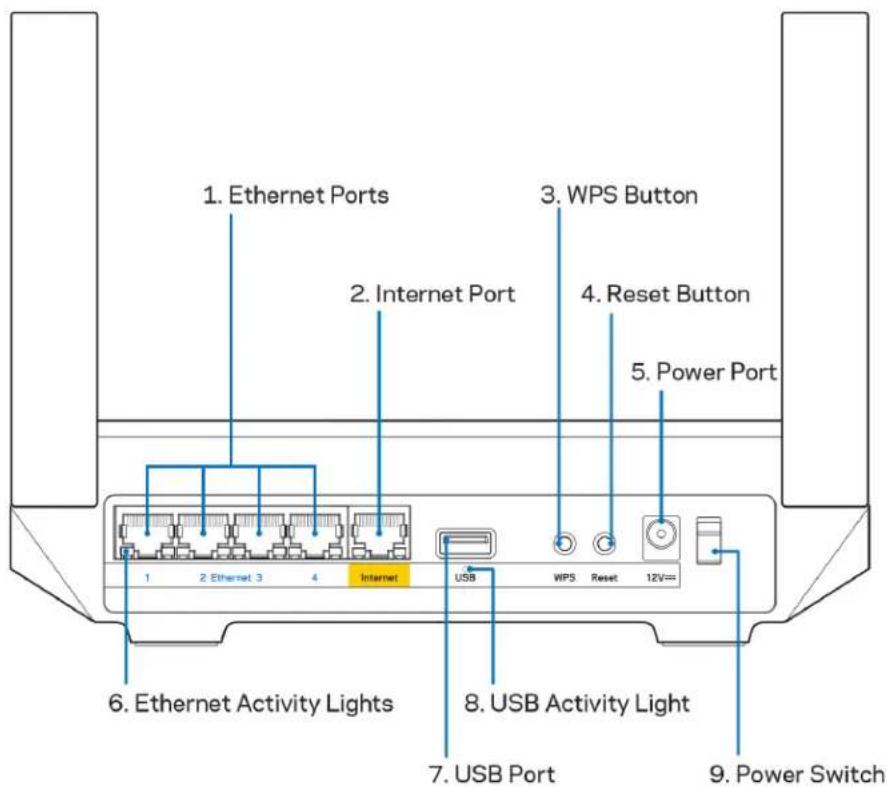
1. Ethernet Ports 2. Internet Port 3. WPS Button 4. Reset Button 5. Power Port 6. Ethernet Activity Lights 7. USB Port 8. USB Activity Light 9. Power SwitchEthernet ports (1)—Connect ethernet cables to these blue gigabit (10/100/1000) ports, and to wired devices on your network.
Note—For best performance, use CAT5e or higher rated cables on the Ethernet ports.
Internet port (2)—Connect an ethernet cable to the yellow gigabit (10/100/1000) port, and to a broadband internet cable/DSL or fiber modem. If you are using this router as a child node in a mesh Wi-Fi system, you can use this port to create a wired connection to another node.
Note—For best performance, use CAT5e or higher rated cable on the Internet port.
Wi-Fi Protected Setup™ button (3)—Press to connect to WPS-enabled network devices.
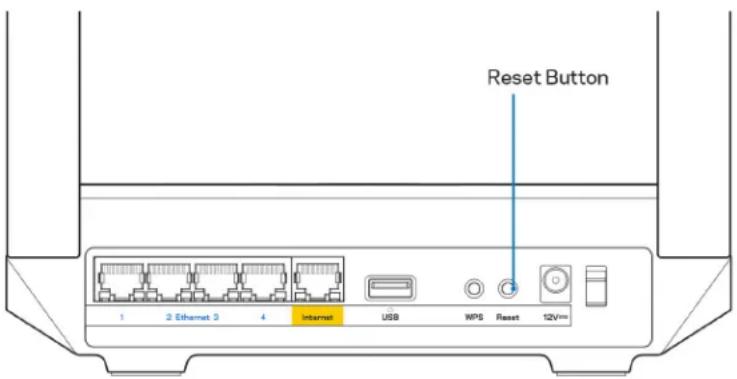
Reset button (4)—To factory reset your router, press and hold while the light on top of the router blinks red. Do not release the button until the light goes out and then turns bright red.
Power port (5)—Connect the included AC power adapter.
Ethernet activity lights (6)—Lights indicate data transfer over ethernet cable.
USB 3.0 port (7) — Connect and share USB drives on your network or on the internet.
USB activity light (8)—Light indicates data transfer over USB connection.
Power switch (9)—Press | (on) to turn on the router.
Help
Where to find more help
- Linksys.com/support/MR5500
- Linksys app help (launch the app and click Help in the main navigation menu)
| iPhone | Android | ||
| My Home Wi-Fi Devices 12 Parental Controls Wi-Fi Settings Guest Network External Storage ↓↑ Device Prioritization Notifications Network Administration Advanced Settings Set up a New Product Account Help | Dashboard Devices Wi-Fi Settings Guest Access External Storage Speed Check Parental Controls ↓↑ Device Prioritization Notifications Velop Administration Advanced Settings My Account Feedback ? Help Set Up a New Product MyHomeWiFi | ||
Note—Licenses and notices for third party software used in this product may be viewed on http://support.linksys.com/en-us/license. Please contact http://support.linksys.com/en-us/gplcodecenter for questions or GPL source code requests.
Set Up
IMPORTANT—Your MR5500 Series router can be set up as a parent node or a child in a whole home mesh Wi-Fi system. A parent node must be connected with an ethernet cable to your modem or modem-router. Child nodes can be connected wirelessly or with ethernet cables.
If you are adding the router as the parent node for an existing Velop whole home mesh Wi-Fi system, factory reset all nodes and add them to the system after your MR5500 Series router is setup and working.
Download the Linksys app. You need this app to set up your router.
Go to the app store for your device and search for Linksys. Look for this icon:

What you'll need
Install the app, open it and follow the instructions.
Note—The app works with iOS 11.4 and later, and Android 6.0 and later.
During setup you will create a Linksys Smart Wi-Fi account so you can use the app to view or change your router system settings from anywhere you have an internet connection.
Among the many things you can do with Linksys Smart Wi-Fi and the Linksys app:
• Change your Wi-Fi name and password
- Set up guest access
- Connect devices to Wi-Fi with WPS
• Block internet with parental controls
• Test your internet connection speed
Note—We'll send you a verification email. While connected to your home network, click the link in the email to link your router with your account.
Other than plugging in the power and the ethernet cable, the app-based setup process does the work for you. Once connected, use the app to personalize your Wi-Fi by giving it a name and password. You also can give your router and any child nodes names based on where they are so you can identify them in the rare case where things need attention.
If you want to add child nodes to create a whole home mesh Wi-Fi system, set them up within range of a working node. Only the parent node has to be wired to the modem or modem-router. Don't worry, the app will help you place your nodes.
Print this page, then record your Wi-Fi and account settings in the table as a reference. Store your notes in a safe place.
| WI-FI Name | |
| WI-FI Password | |
| Router Password | |
| Guest Network Name | |
| Guest Network Password | |
| Linksys App Login Email Address | |
| Linksys App Password |
Your login email address and password can also be used to log in at LinksysSmartWiFi.com on a computer. You can view or manage your Wi-Fi in an internet browser.
Linksys Whole Home Wi-Fi System Settings
Using your Linksys app, you can view or change Wi-Fi system settings including security and parental controls. You can access settings from anywhere in the world if you have an internet connection. You can also access your system directly from your home network, even if you don't have an internet connection.
Log in to the Linksys app
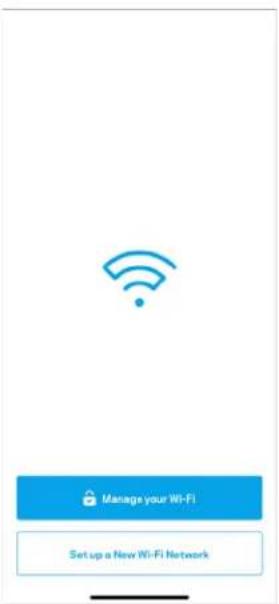
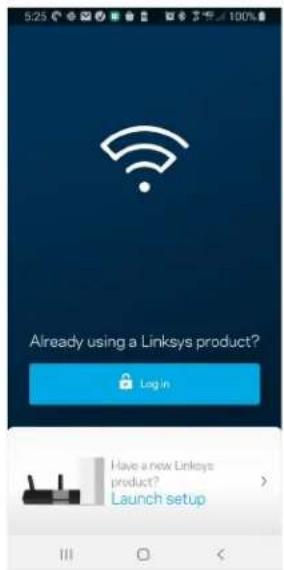
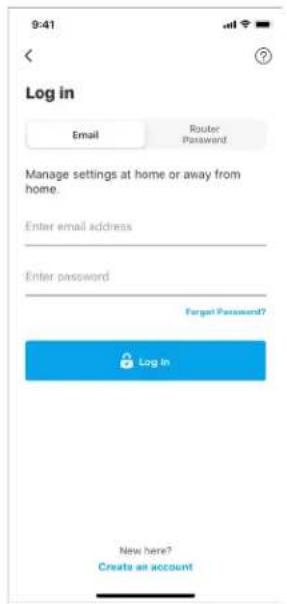
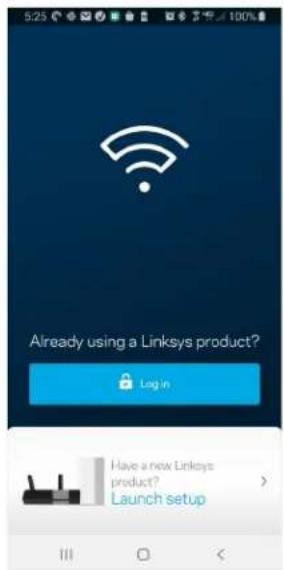
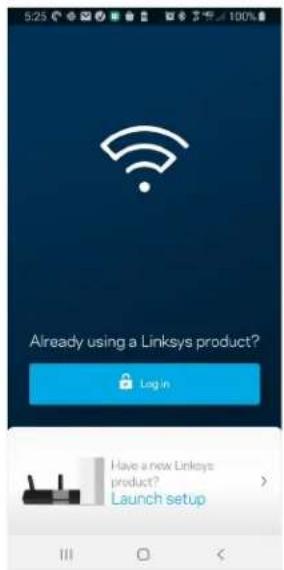
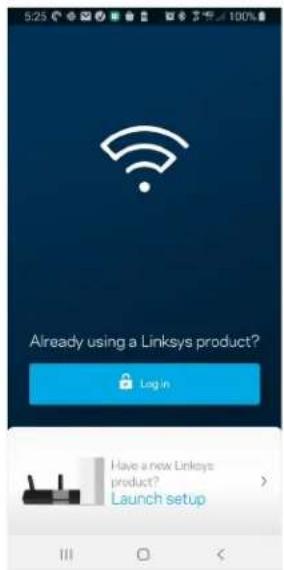
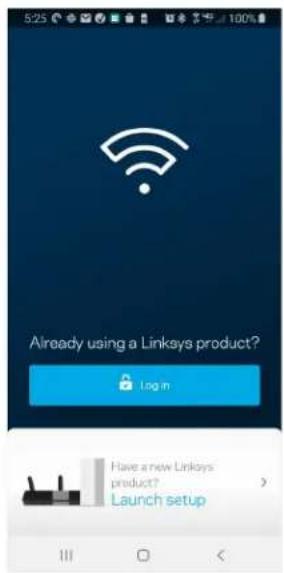
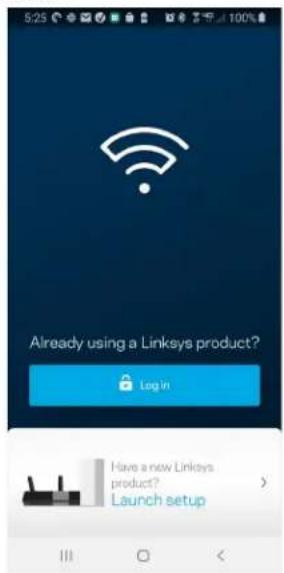
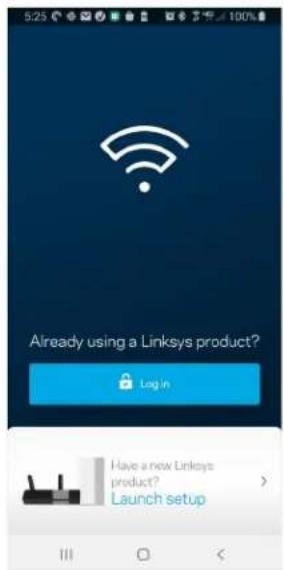
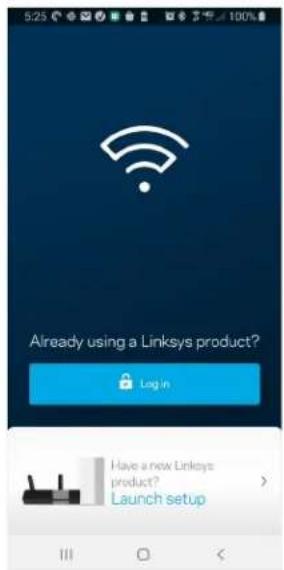
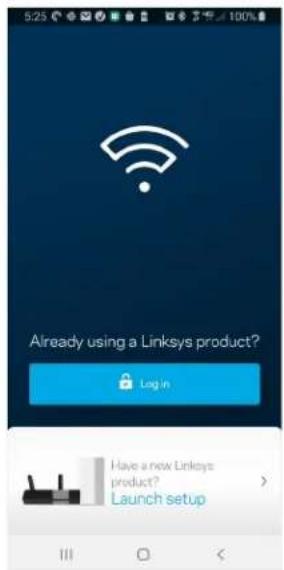
- Open the Linksys app, tap Log in.
iPhone
text_image
Manage your Wi-Fi Set up a New Wi-Fi Network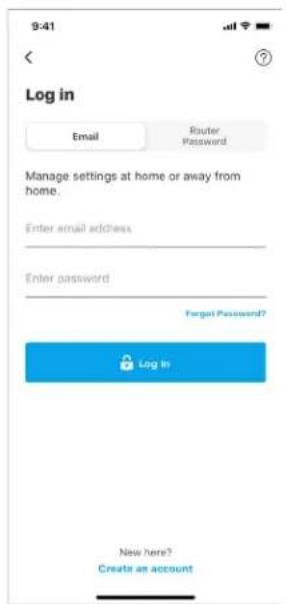
text_image
9:41 Log in Email Router Password Manage settings at home or away from home. Enter email address Enter password Forgot Password? Log In New here? Create an accountAndroid
text_image
5:23 Already using a Linksys product? Log in Have a new Linksys product? Launch setup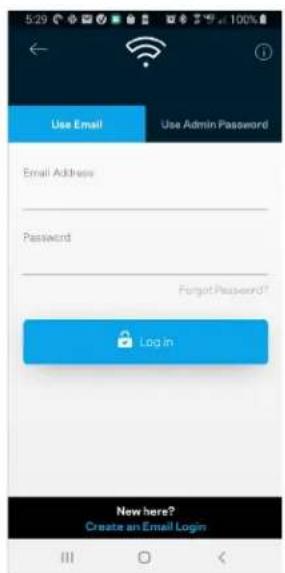
text_image
5:29 Use Email Use Admin Password Email Address Password Forgot Password? Login New here? Create an Email Login- Enter the email address you used when creating your account.
- Enter your account password.
- Tap Log in.
Navigation Menu
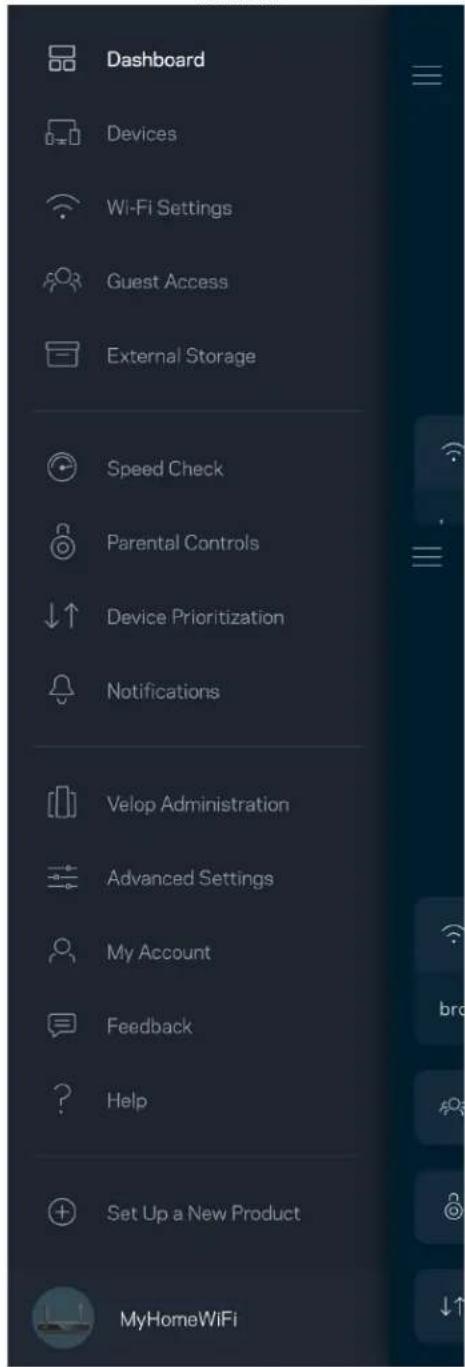
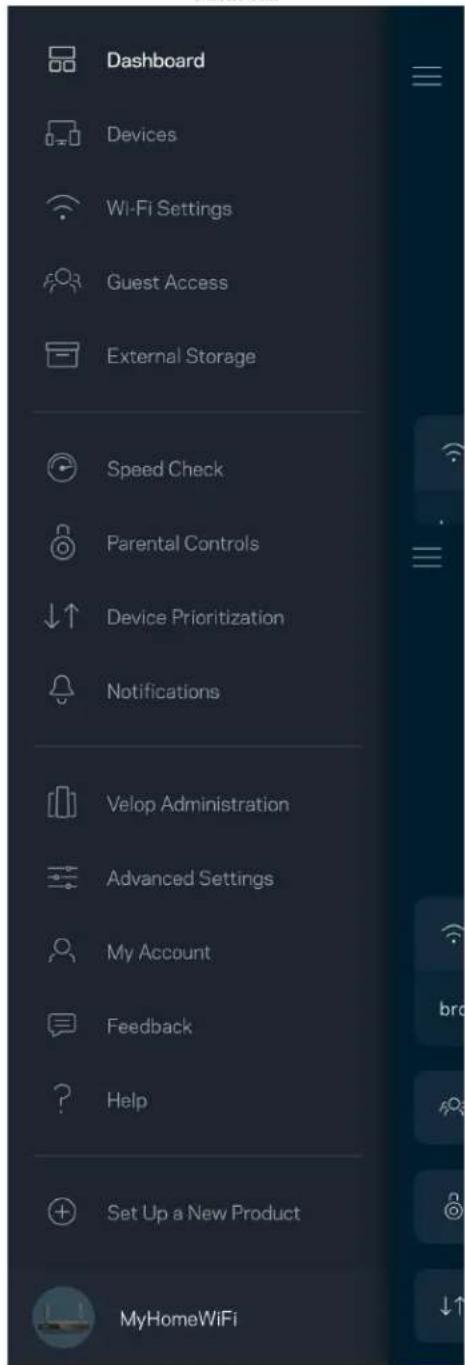
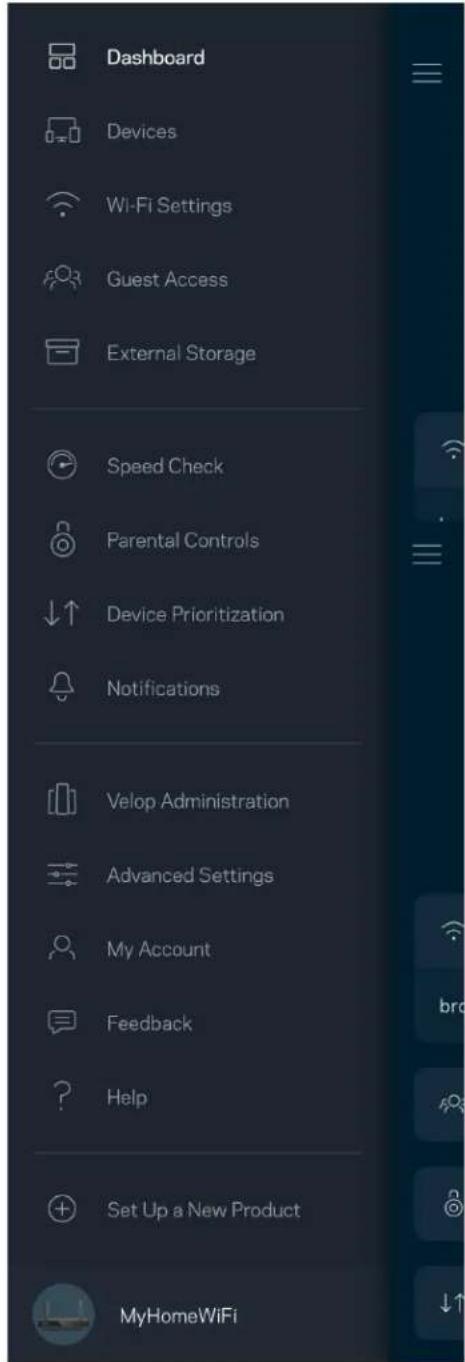
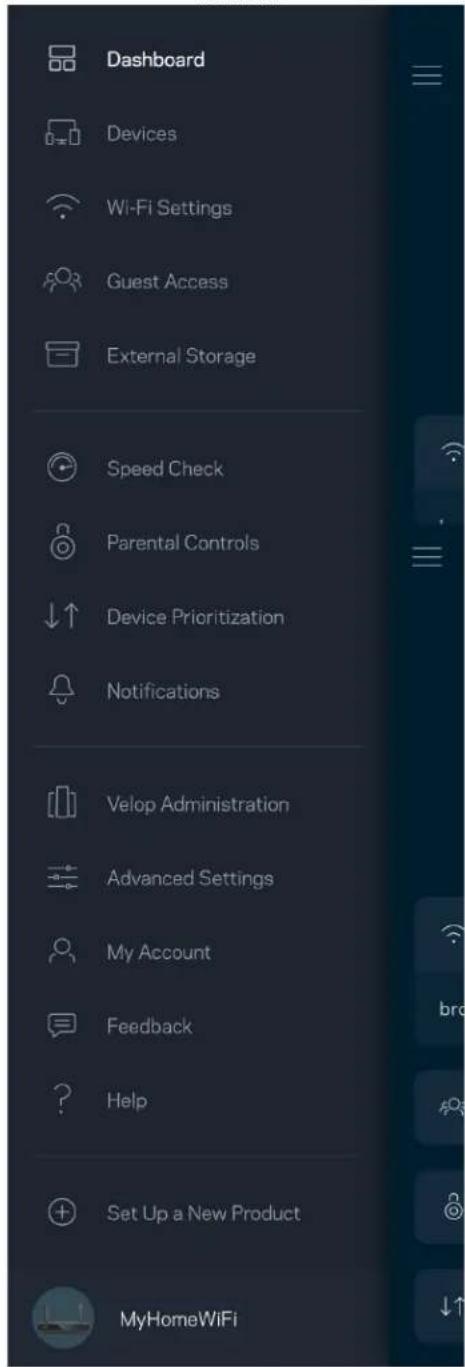
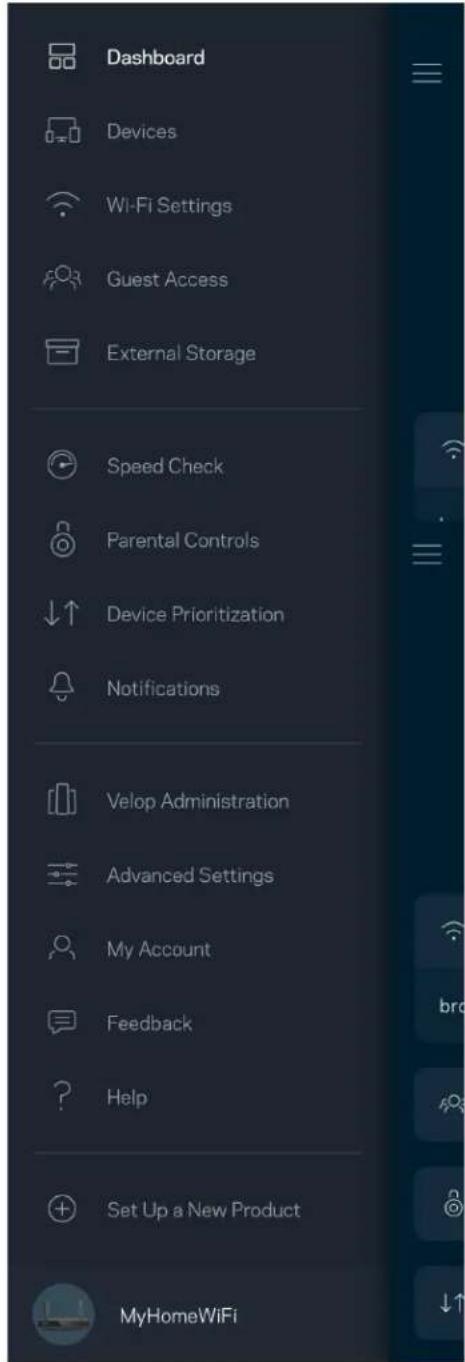
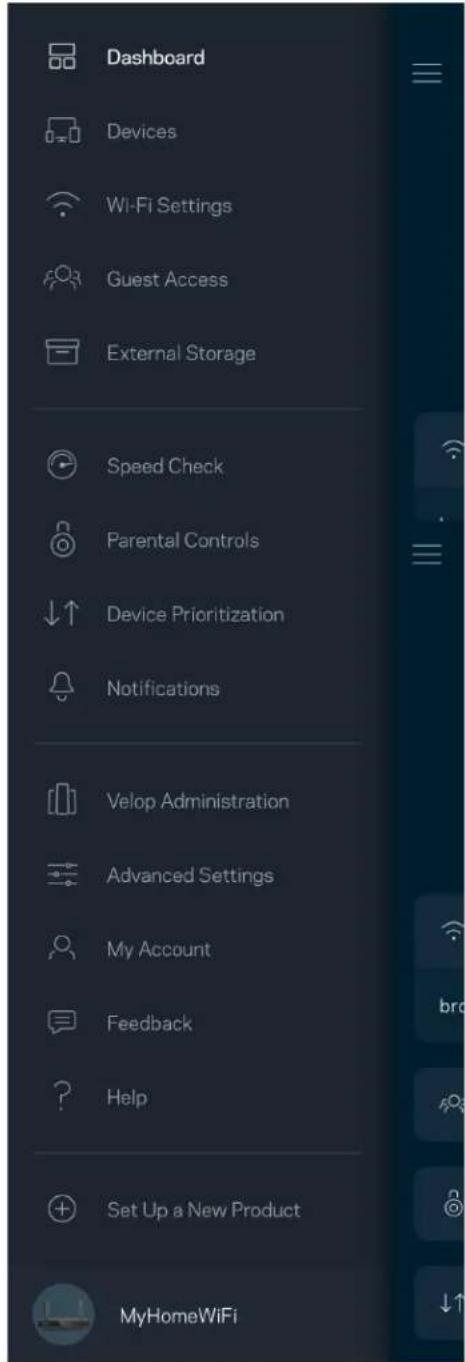
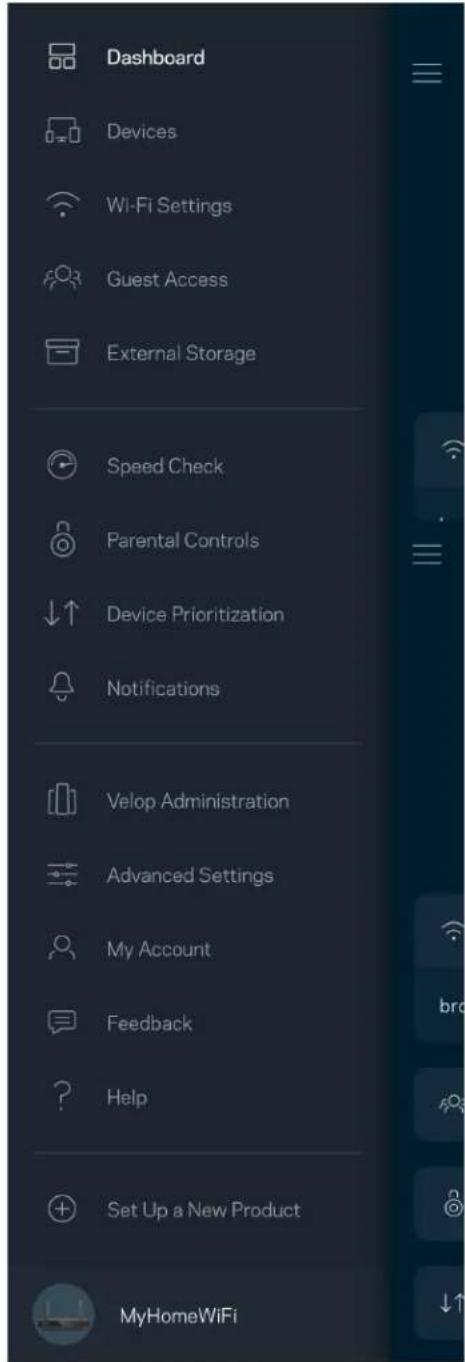
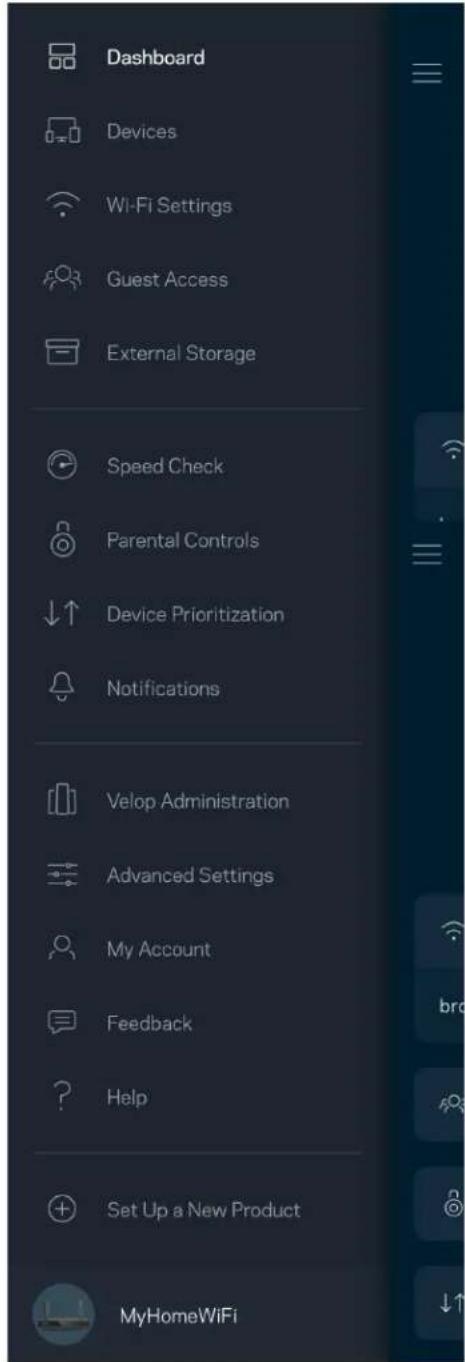
Tap the menu icon → to navigate around the app.
iPhone
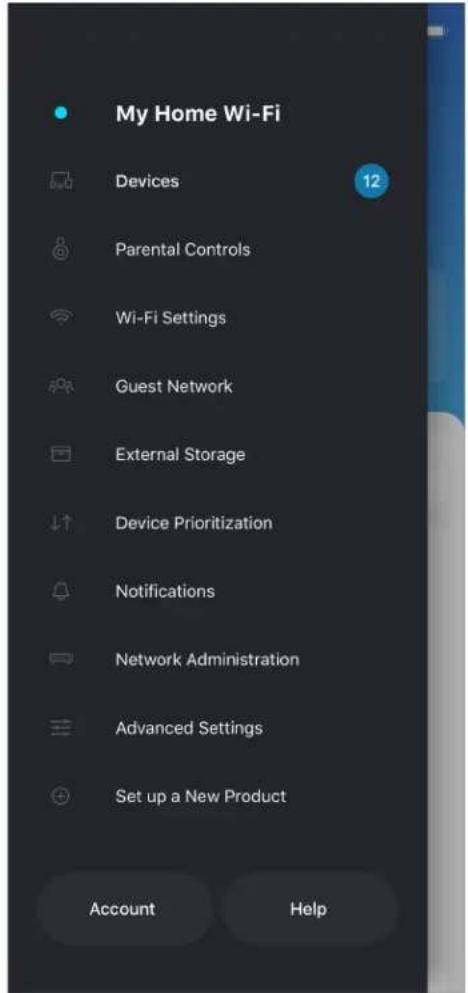
text_image
My Home Wi-Fi Devices 12 Parental Controls Wi-Fi Settings Guest Network External Storage Device Prioritization Notifications Network Administration Advanced Settings Set up a New Product Account HelpAndroid
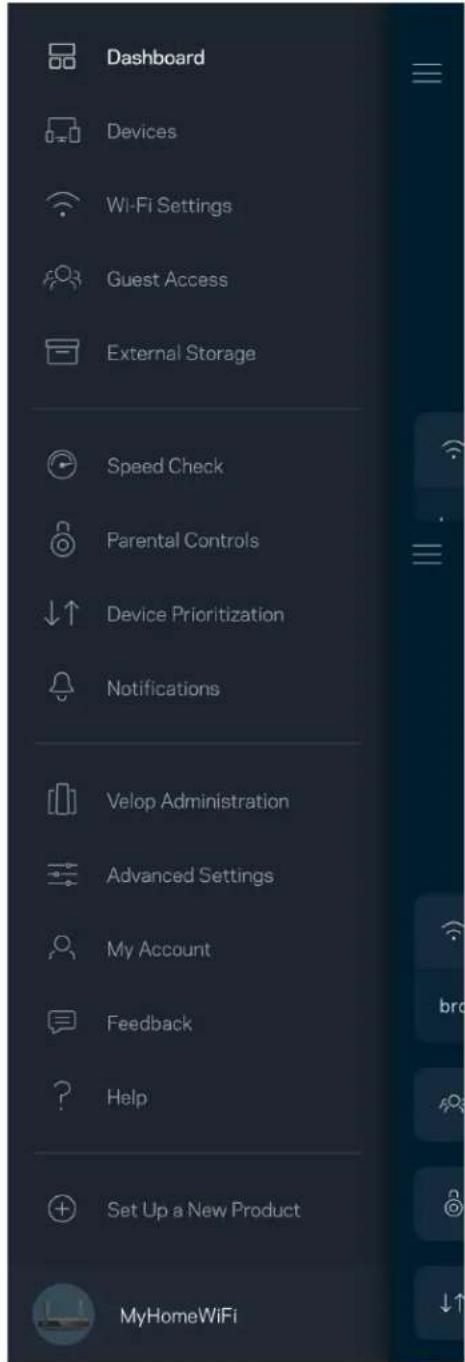
text_image
Dashboard Devices Wi-Fi Settings Guest Access External Storage Speed Check Parental Controls Device Prioritization Notifications Velop Administration Advanced Settings My Account Feedback Help Set Up a New Product MyHomeWiFiDashboard
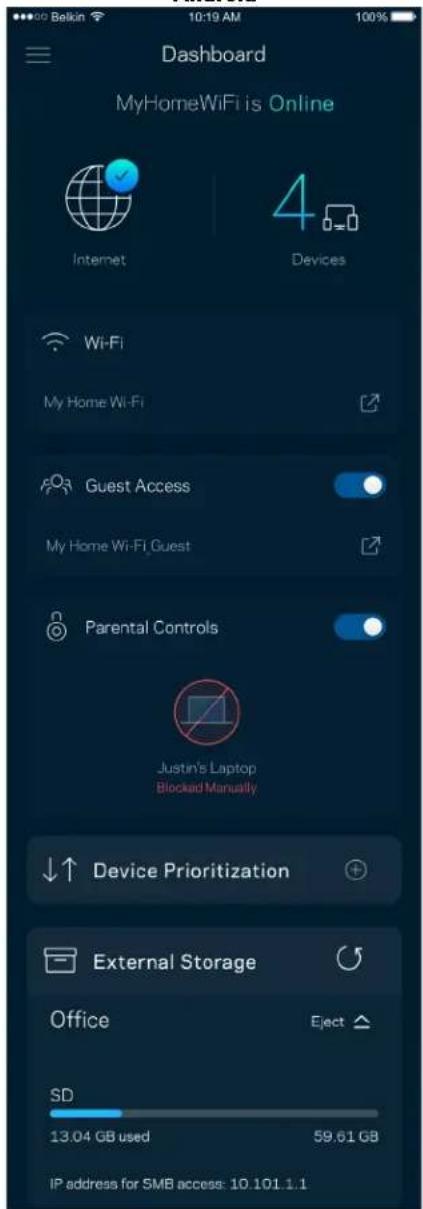
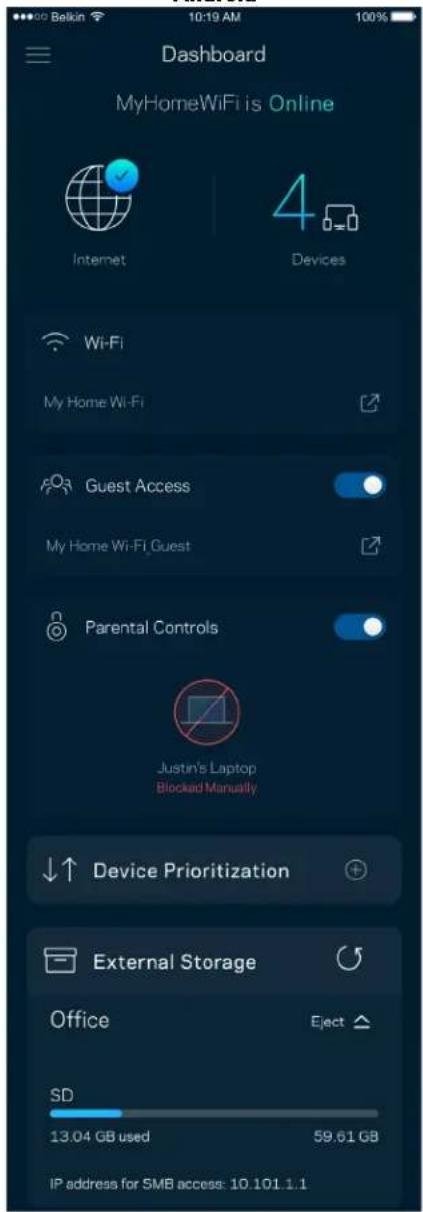
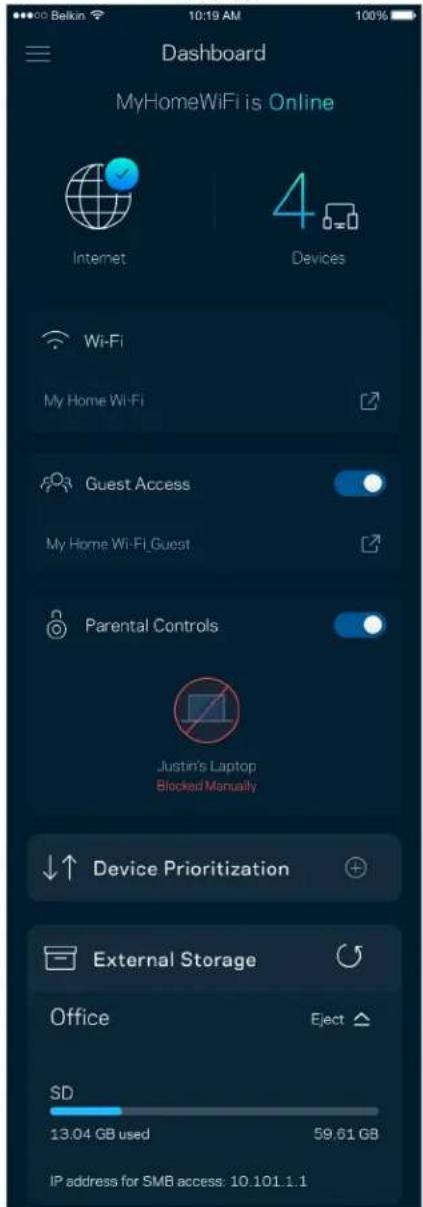
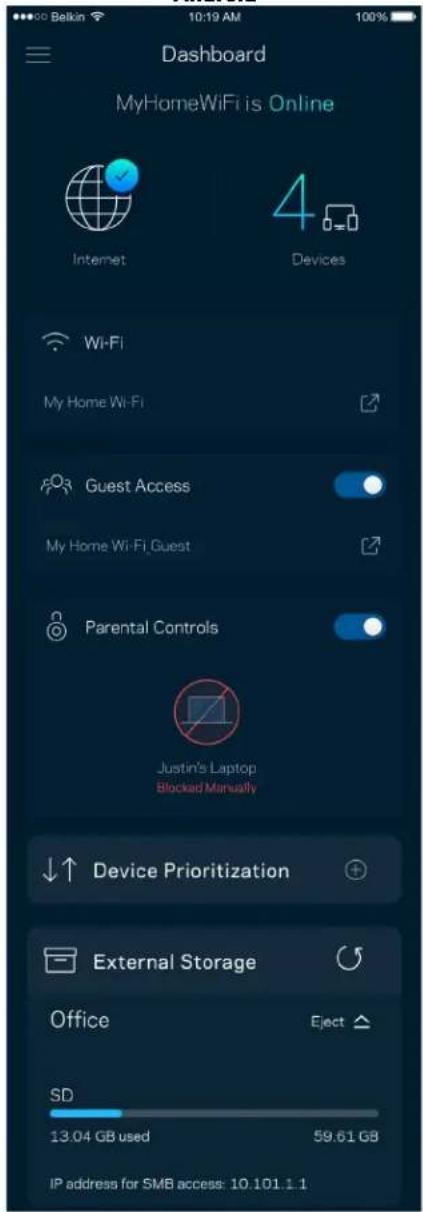
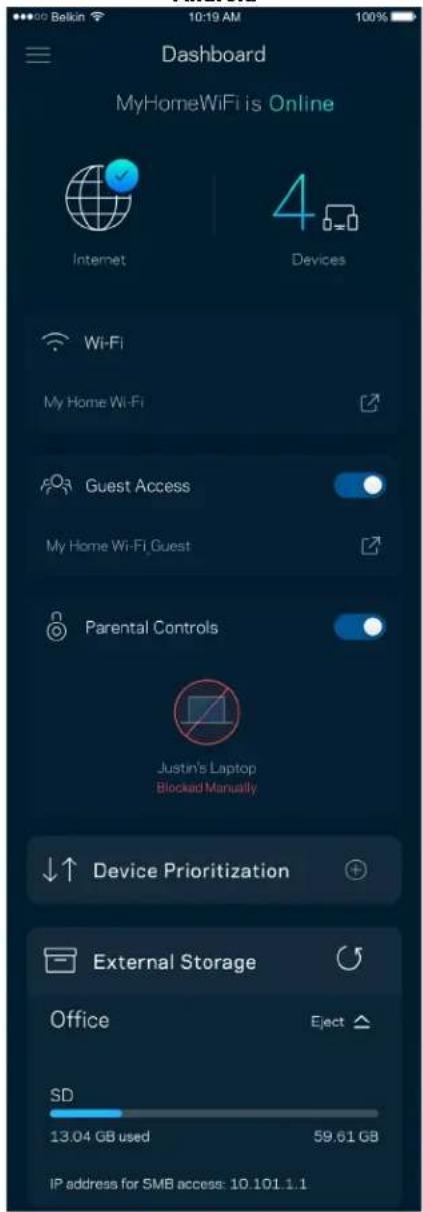
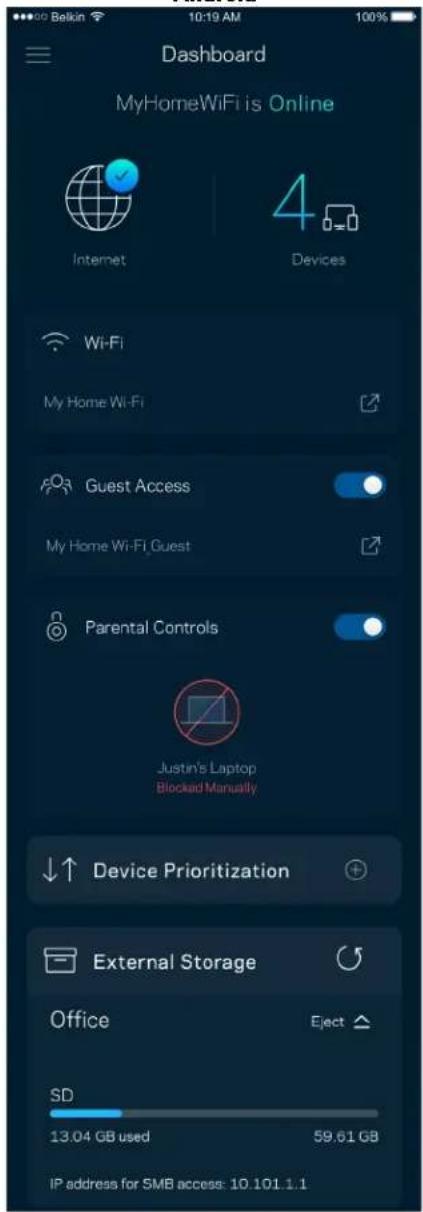
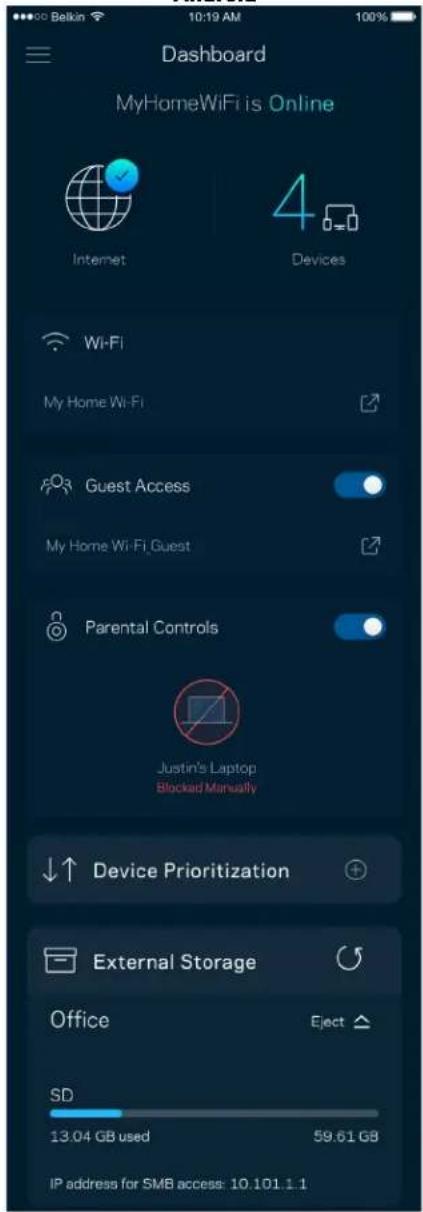
Dashboard is a snapshot of your Wi-Fi. See how many devices are connected to your system. From Dashboard you can share your Wi-Fi password and turn on guest access. Dashboard also shows you if any devices have parental controls on them or have been prioritized for Wi-Fi access.
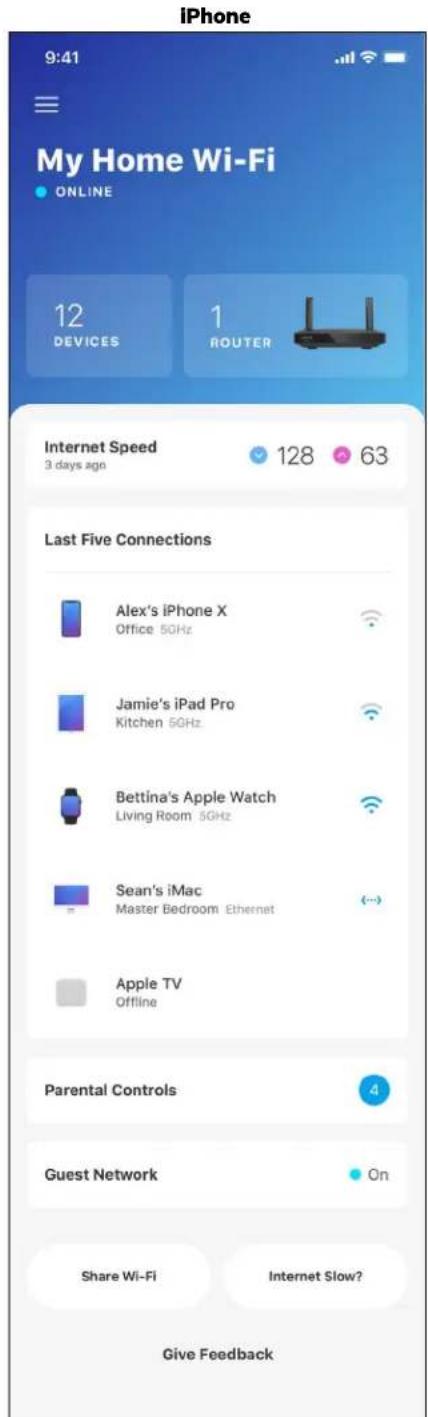
text_image
iPhone 9:41 My Home Wi-Fi ONLINE 12 DEVICES 1 ROUTER Internet Speed 3 days ago 128 63 Last Five Connections Alex's iPhone X Office 5GHz Jamie's iPad Pro Kitchen 5GHz Bettina's Apple Watch Living Room 5GHz Sean's iMac Master Bedroom Ethernet Apple TV Offline Parental Controls Guest Network On Share Wi-Fi Internet Slow? Give Feedback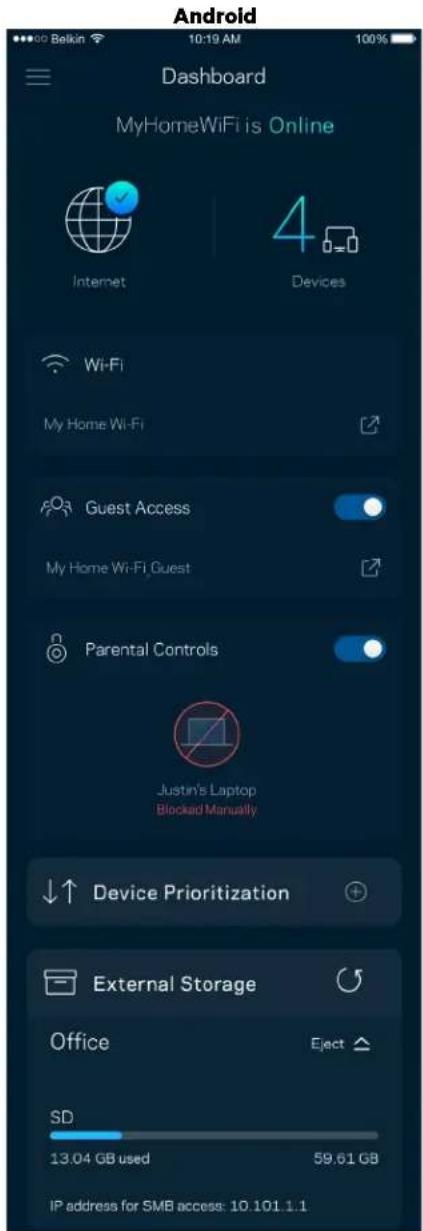
text_image
Android Dashboard MyHomeWiFi is Online Internet 4 Devices Wi-Fi My Home Wi-Fi Guest Access My Home Wi-Fi Guest Parental Controls Justin's Laptop Blocked Manually Device Prioritization External Storage Office Eject SD 13.04 GB used 59.61 GB IP address for SMB access: 10.101.1.1Devices
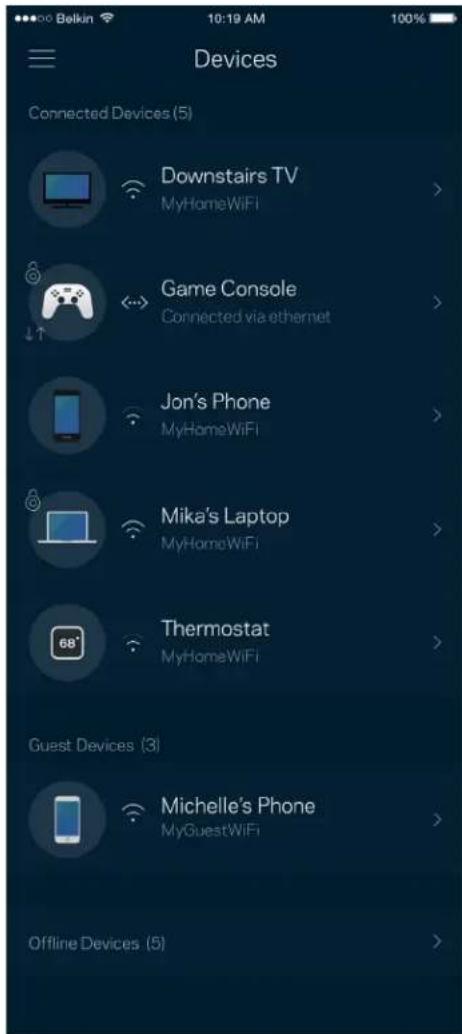
View and change details for all devices connected to your Wi-Fi. You can view devices on your main network and your guest network, or display information about each device.
text_image
Belkin 10:19 AM 100% Devices Connected Devices (5) Downstairs TV MyHomeWiFi Game Console Connected via ethernet Jon's Phone MyHomeWiFi Mika's Laptop MyHomeWiFi Thermostat MyHomeWiFi Guest Devices (3) Michelle's Phone MyGuestWiFi Offline Devices (5)To view or change device details
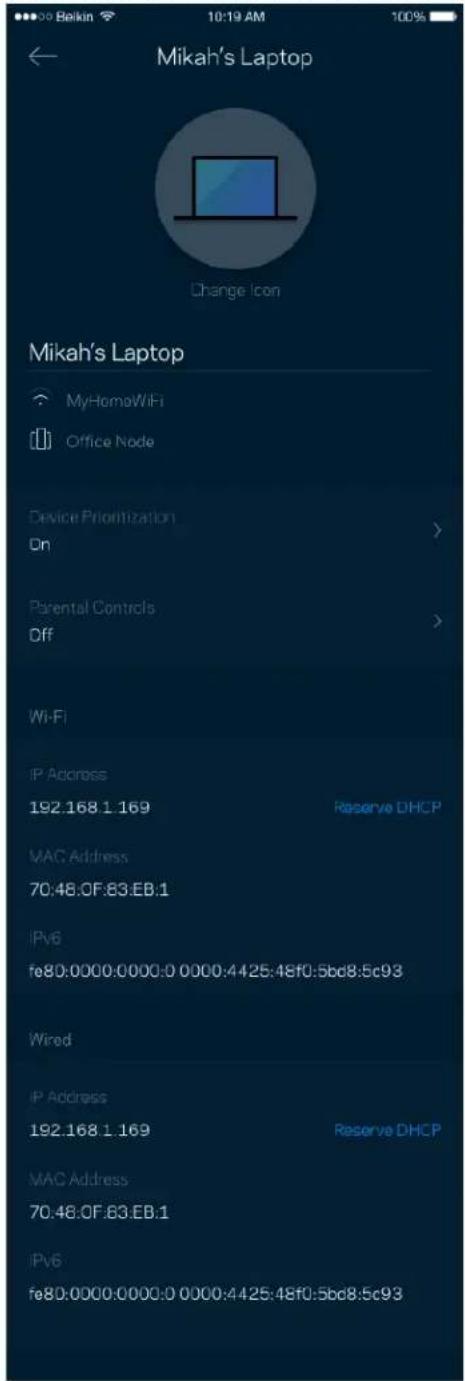
From the Devices screen you can edit device names and change the device icons. You also can prioritize devices, set parental controls, and see Wi-Fi details. Tap on any device to see details.
text_image
Mikah's Laptop Change Icon Mikah's Laptop MyHomoWiFi Office Node Device Prioritization On Parental Controls Off Wi-Fi IP Address 192.168.1.169 Reserve DHCP MAC Address 70:48:0F:83.EB:1 IPv6 fe80:0000:0000:0 0000:4425:48f0:5bcd8.5c93 Wired IP Address 192.168.1.169 Reserve DHCP MAC Address 70:48:0F:83.EB:1 IPv6 fe80:0000:0000:0 0000:4425:48f0:5bcd8.5c93Parental Controls
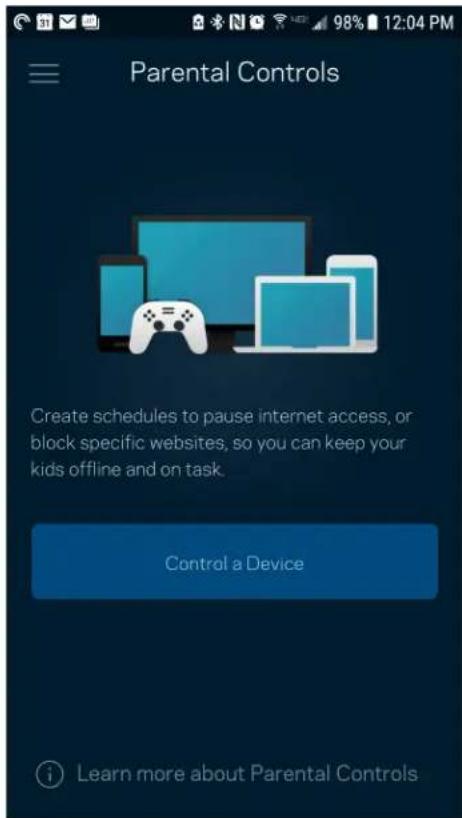
Parental controls allow you to control when your kids are online and what they're doing there. Pause internet to specific devices, or block specific websites.
text_image
Parental Controls Create schedules to pause internet access, or block specific websites, so you can keep your kids offline and on task. Control a Device Learn more about Parental Controls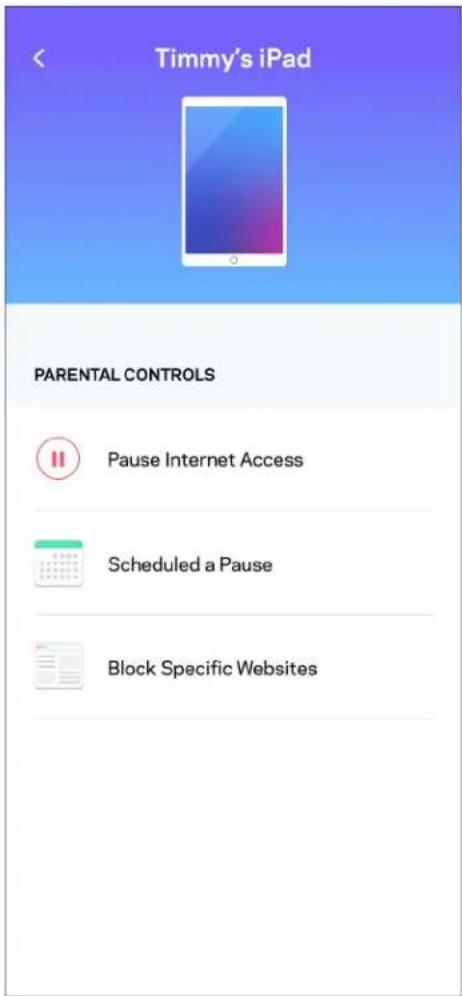
text_image
Timmy's iPad PARENTAL CONTROLS Pause Internet Access Scheduled a Pause Block Specific WebsitesWi-Fi Settings
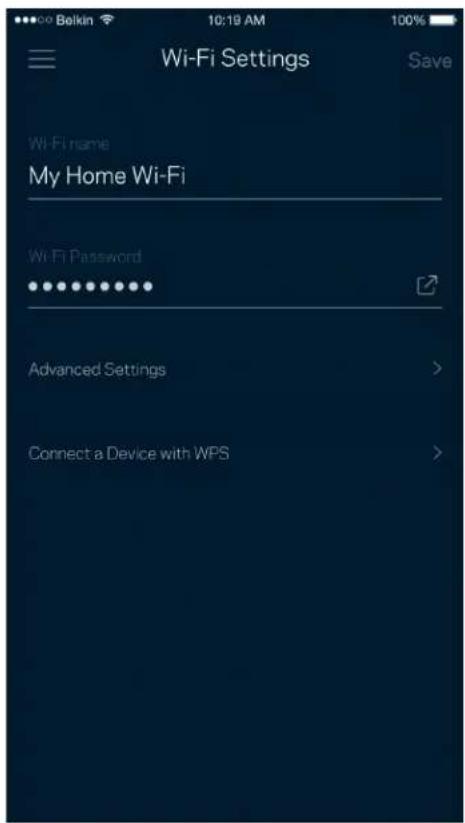
View or change your Wi-Fi name and password and connect devices using Wi-Fi Protected Setup™.
text_image
Wi-Fi Settings Hi-Fi name My Home Wi-Fi Wi-Fi Password Advanced Settings Connect a Device with WPSAdvanced Wi-Fi Settings
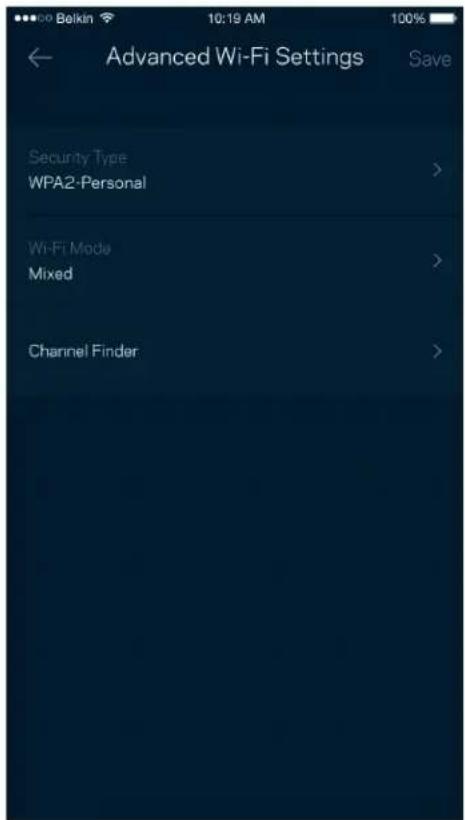
Advanced users can change the default security type and Wi-Fi mode. Do not change these unless you have a lot of experience with Wi-Fi networks. Channel Finder will search for the least populated Wi-Fi channels in your area to ensure you get the best performance from your system. If you have more than one node in your system, Channel Finder will find the best channel for each node.
text_image
Balkin 10:19 AM 100% Advanced Wi-Fi Settings Save Security Type > WPA2-Personal > Wi-Fi Mode > Mixed > Channel Finder >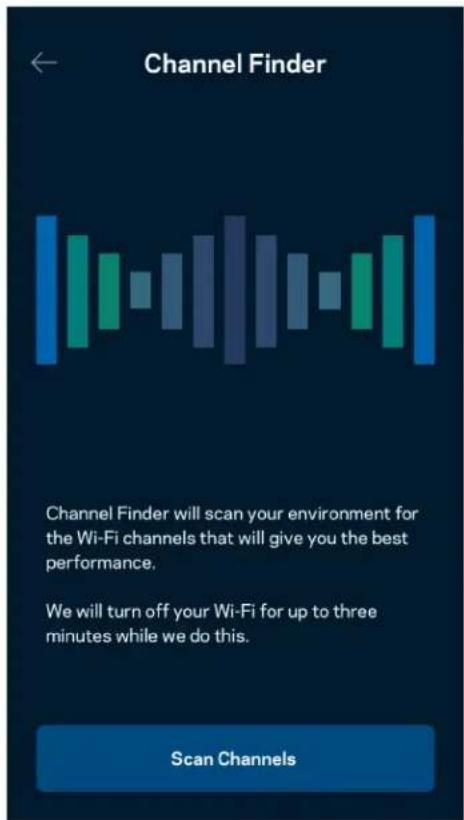
text_image
Channel Finder Channel Finder will scan your environment for the Wi-Fi channels that will give you the best performance. We will turn off your Wi-Fi for up to three minutes while we do this. Scan ChannelsConnect a Device with WPS
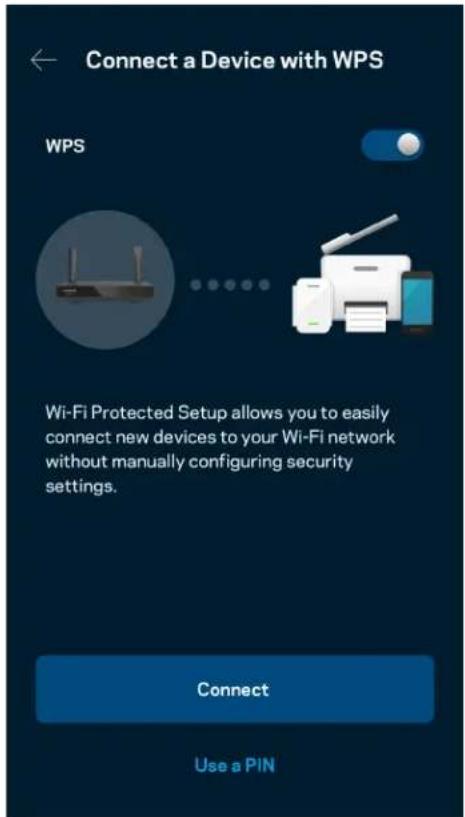
Wi-Fi Protected Setup allows you to easily connect wireless devices to your Wi-Fi without manually entering security settings.
text_image
Connect a Device with WPS WPS Wi-Fi Protected Setup allows you to easily connect new devices to your Wi-Fi network without manually configuring security settings. Connect Use a PINGuest Network Access
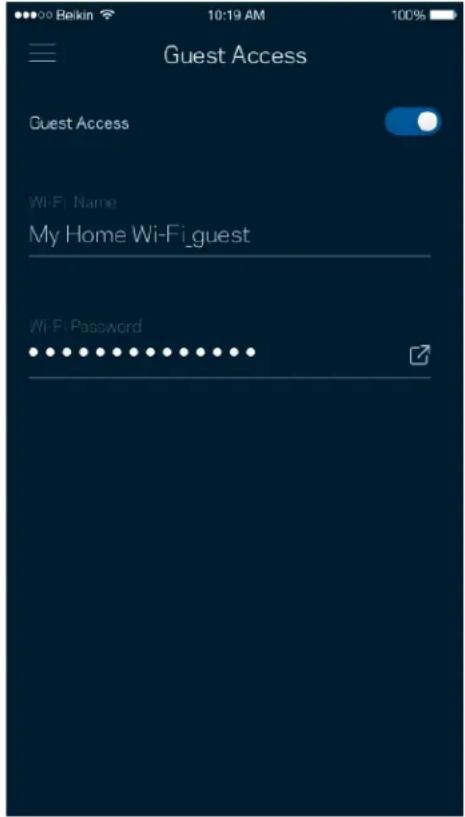
Use your Guest Access screen to allow guests to get online while restricting their access to other resources connected to your Wi-Fi. Send the password by text message or email.
text_image
Guest Access Guest Access Wi-Fi Name My Home Wi-Fi_guest Wi-Fi PasswordDevice Prioritization
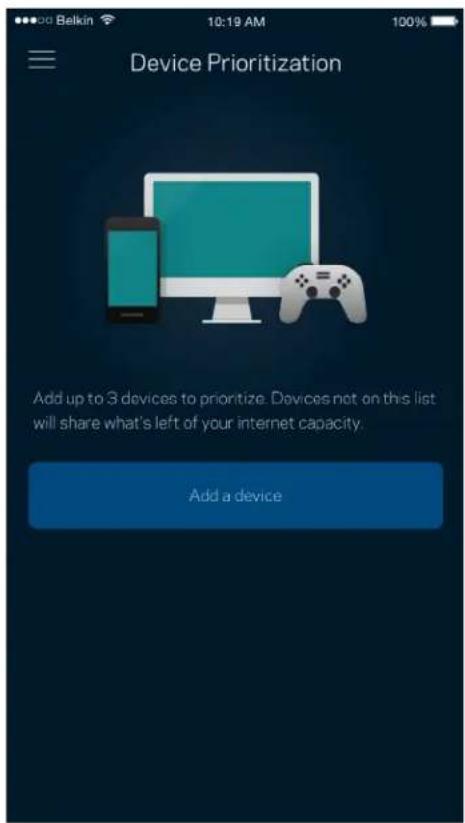
Choose up to three devices for priority usage of your internet connection. Those devices – wired and/or wireless – always will have the best access when connected. Your router runs a speed check to determine how to best distribute Wi-Fi to prioritized devices. Other devices will share the leftover capacity.
text_image
Device Prioritization Add up to 3 devices to prioritize. Devices not on this list will share what's left of your internet capacity. Add a deviceNotifications
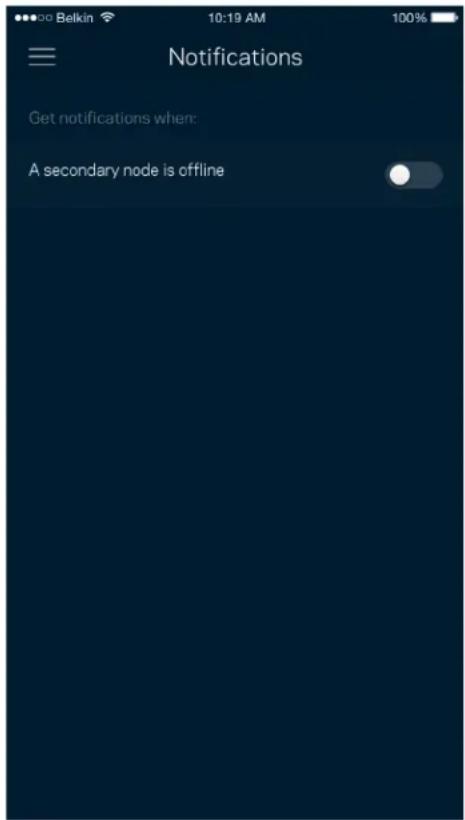
If you have more than one node, the app can notify you when child nodes in your system go offline. Child nodes are any that are not wired to your modem. You have to turn on notifications in your mobile device settings to allow the app to notify you.
text_image
Belkin 10:19 AM 100% Notifications Get notifications when: A secondary node is offlineNetwork/Router Administration
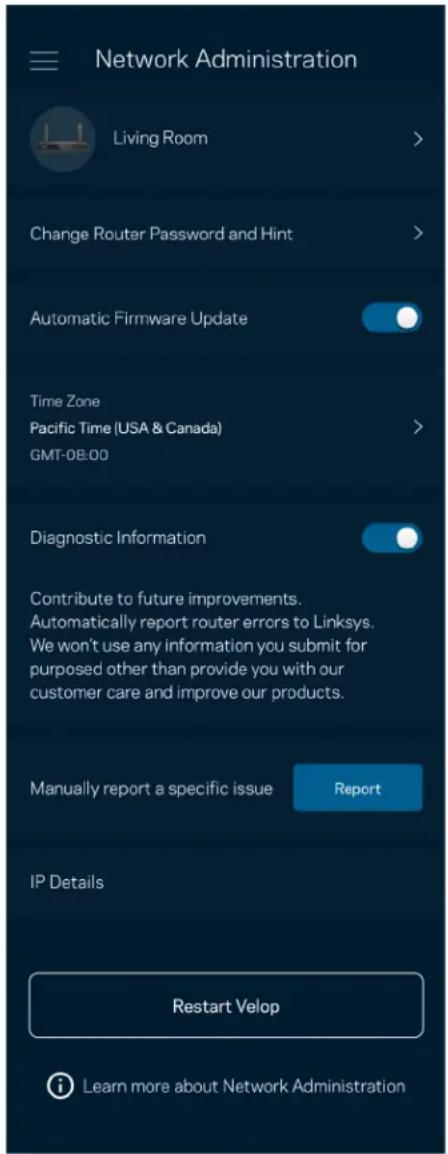
Use the Network Administration screen to change the router password and hint, and check various identifiers (model number, serial number, and IP details) for your router.
text_image
Network Administration Living Room > Change Router Password and Hint > Automatic Firmware Update Time Zone Pacific Time (USA & Canada) GMT-0B:00 > Diagnostic Information Contribute to future improvements. Automatically report router errors to Linksys. We won't use any information you submit for purposed other than provide you with our customer care and improve our products. Manually report a specific issue Report IP Details Restart Velop Learn more about Network AdministrationOpt in to automatically report crashes to Linksys and contribute to improving the Wi-Fi experience. You also can manually report specific issues to Linksys.
The following information will be sent with your description of the issue:
| App version | Login Type (cloud: show email address associated, local: display “Router admin”) |
| Device model | WAN Connection type (display Wi-Fi or ethernet) |
| Device OS version | Time: date (mo/day/year, time, time zone) |
Advanced Settings
Internet Settings
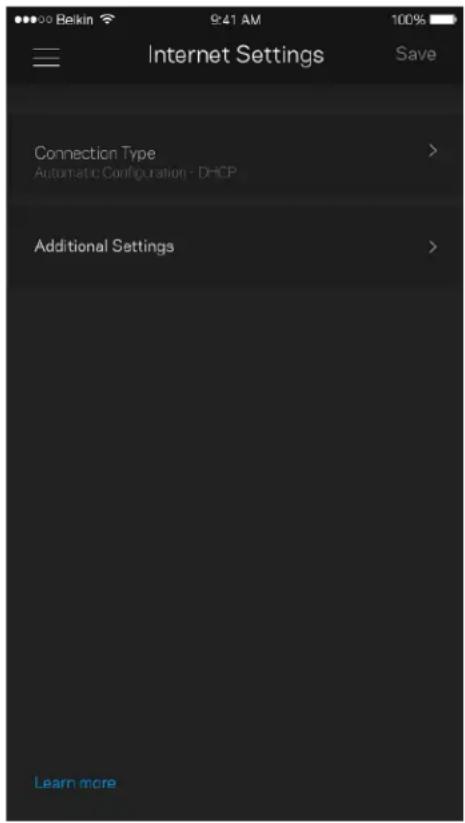
You can choose how your router connects to the internet. The default is Automatic Configuration – DHCP. Other connection types depend on your internet service provider or how you plan to use your router. Advanced users can use Additional Settings to clone MAC addresses and set MTU (maximum transmission unit).
text_image
Internet Settings Save Connection Type > Automatic Configuration - DHCP Additional Settings > Learn morePort Settings
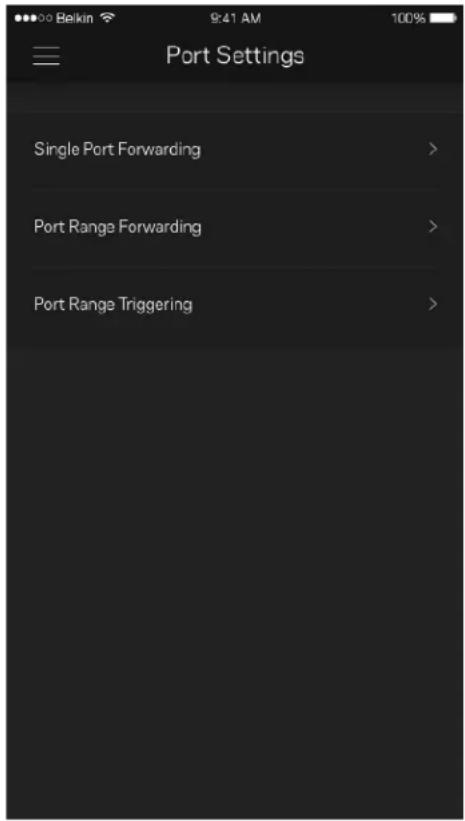
Port forwarding—for a single port, multiple ports or a range of ports—sends traffic inbound on a specific port or ports to a specific device or port on your Wi-Fi. In port range triggering, your router watches outgoing data for specific port numbers. Your router remembers the IP address of the device that requests the data so that when the requested data returns, it is routed back to the proper device.
text_image
Port Settings Single Port Forwarding > Port Range Forwarding > Port Range Triggering >Wi-Fi MAC Filters
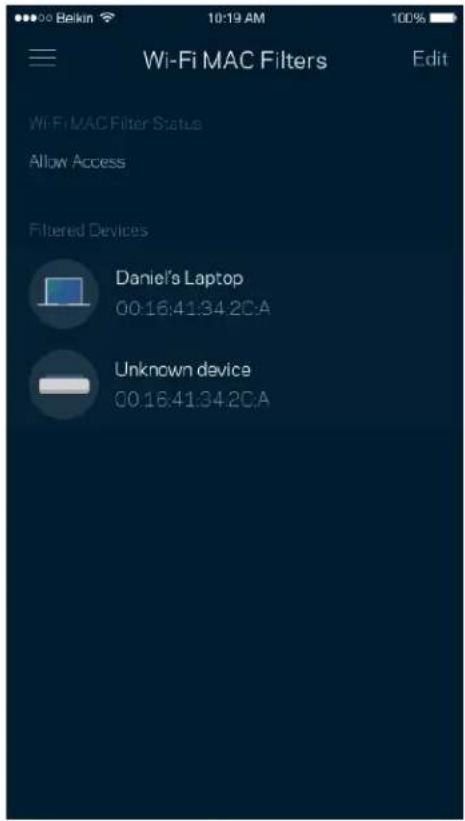
Every network device has a unique 12-digit MAC (media access control) address. You can create a list of MAC addresses, and then allow or deny those devices on your Wi-Fi.
text_image
Wi-Fi MAC Filters Edit Wi-Fi MAC Filter Status Allow Access Filtered Devices Daniel's Laptop 00:16:41:34.2CA Unknown device 00:16:41:34.2CAExternal Storage
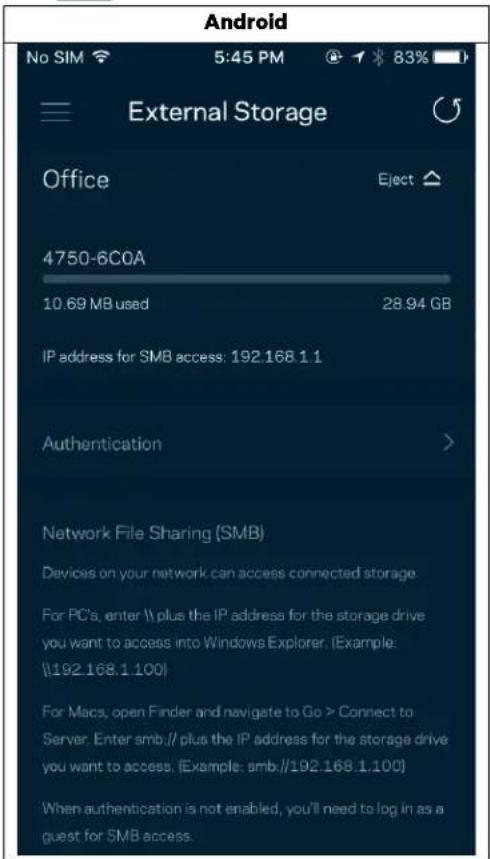
In the Dashboard, see which node an external drive is connected to, check the amount of free space left, and enable authentication by setting a username and password. (Only when a drive is plugged in to your router's USB port.) Be sure to tap Eject before removing a drive to avoid losing data.
text_image
Android No SIM 5:45 PM @ ↑ 83% External Storage Office Eject ▲ 4750-6C0A 10.69 MB used 28.94 GB IP address for SMB access: 192.168.1.1 Authentication > Network File Sharing (SMB) Devices on your network can access connected storage For PC's, enter \ plus the IP address for the storage drive you want to access into Windows Explorer. (Example: \192.168.1.100) For Macs, open Finder and navigate to Go > Connect to Server. Enter smb.// plus the IP address for the storage drive you want to access. (Example: smb.//192.168.1.100) When authentication is not enabled, you'll need to log in as a guest for SMB access.Speed Check
Run a speed check to make sure you are getting the speeds you pay for. Speed check also helps in Device Prioritization because results determine how Wi-Fi is distributed to the prioritized devices.

text_image
Speed Check Ping 19 ms 101 | 121 ↓ Mbps ↑ Mbps Download Upload Results At this speed, you can stream HD videos, hold video conferences, and play online games on multiple devices at the same time. Test again SPEEDTEST powered™- Download speed is the rate at which internet content is transferred to your router.
- Upload speed is the rate at which you can upload content to the internet.
Note—Internet connection speeds are determined by a variety of factors, including ISP account type, local and worldwide internet traffic, and number of devices in your home that are sharing the internet connection.
My Account
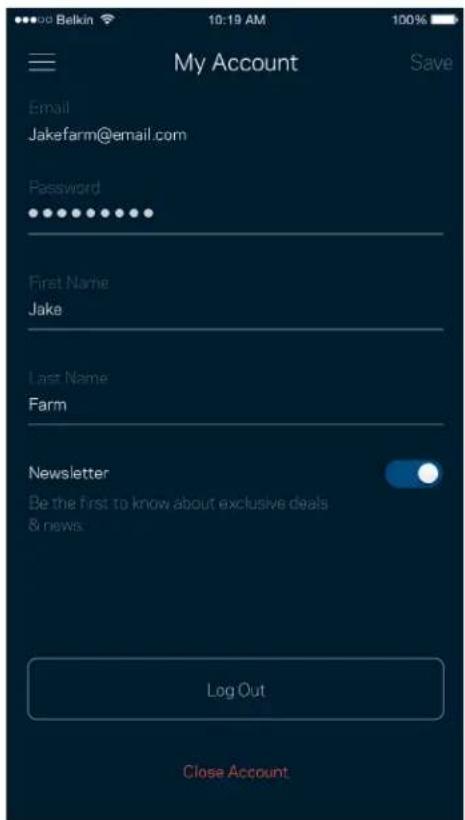
Change your Linksys app password and opt in to receive the latest news and deals from Linksys. Only available when logged into the app with your email address.
text_image
My Account Email Jakefarm@email.com Password First Name Jake Last Name Farm Newsletter Be the first to know about exclusive deals & news. Log Out Close AccountFeedback
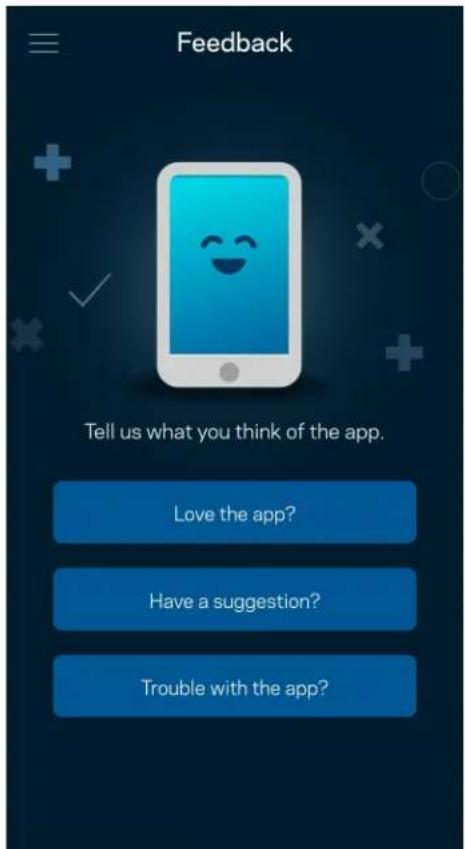
Here's your chance to tell us what you think. Rate the app at your app store, send us a suggestion, or report an issue that's keeping you from a great experience.
text_image
Feedback Tell us what you think of the app. Love the app? Have a suggestion? Trouble with the app?Help
Having trouble with the app? Just need a little more information about a feature? Tap Help for an explanation.
| Help |
| + Getting Started with Linksys Smart Wi-Fi |
| + Frequently Asked Questions |
| + Browse by Topic or Feature |
| + Subscription |
| + About |
| + Help and Support |
Connect Directly To Your Router
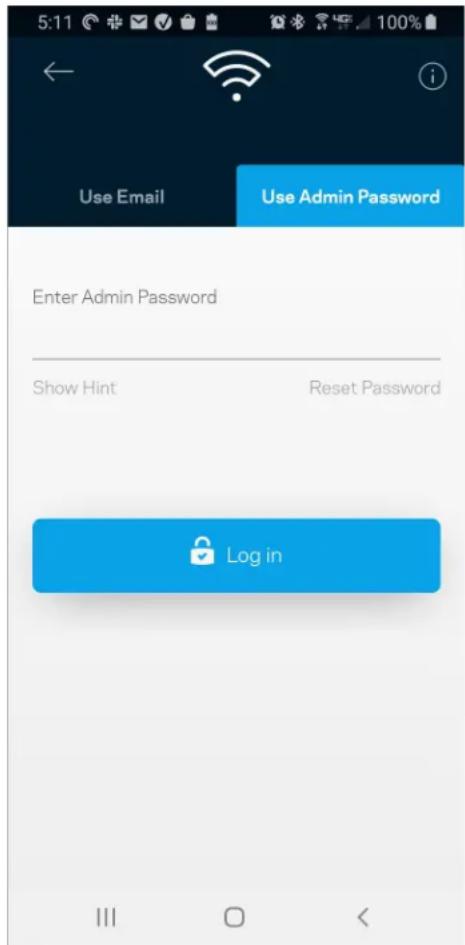
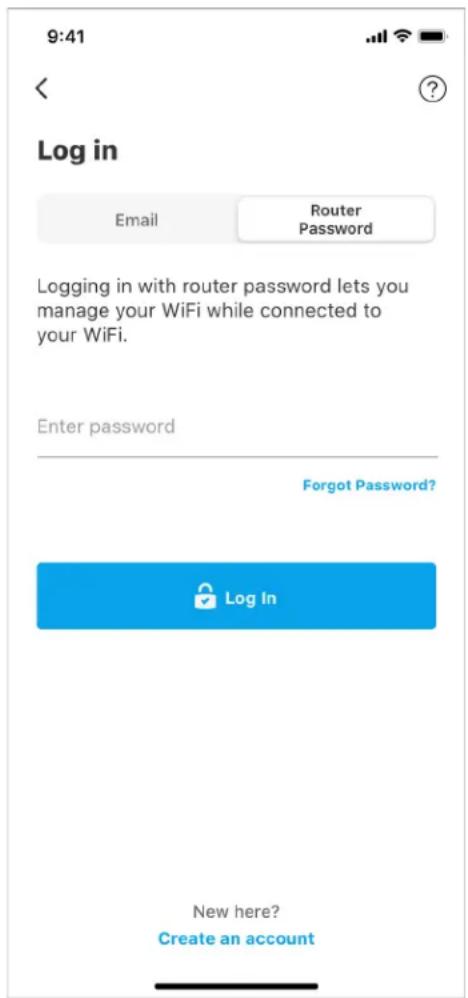
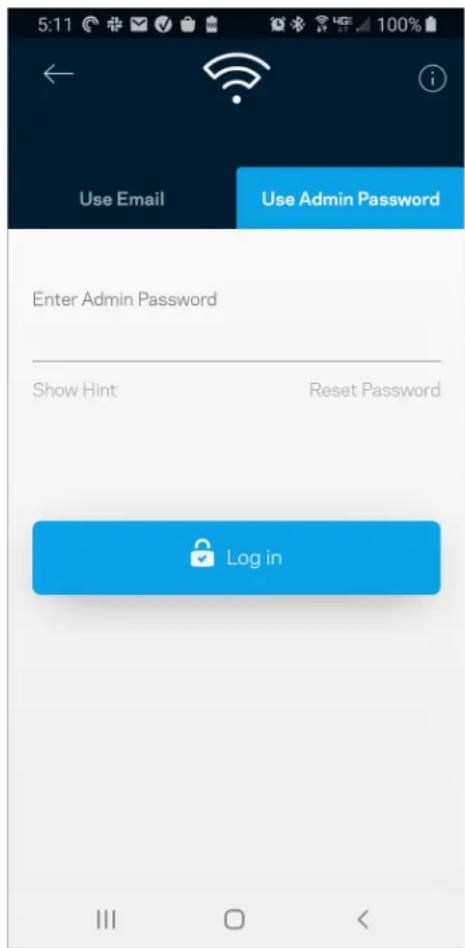
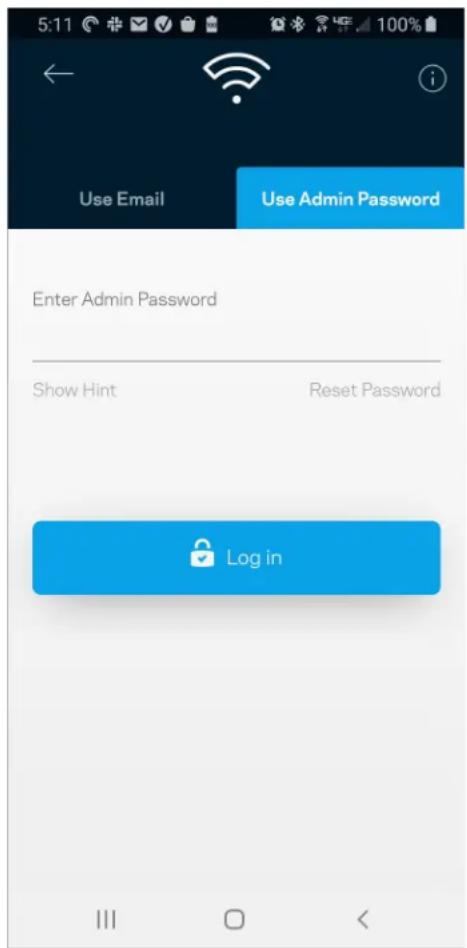
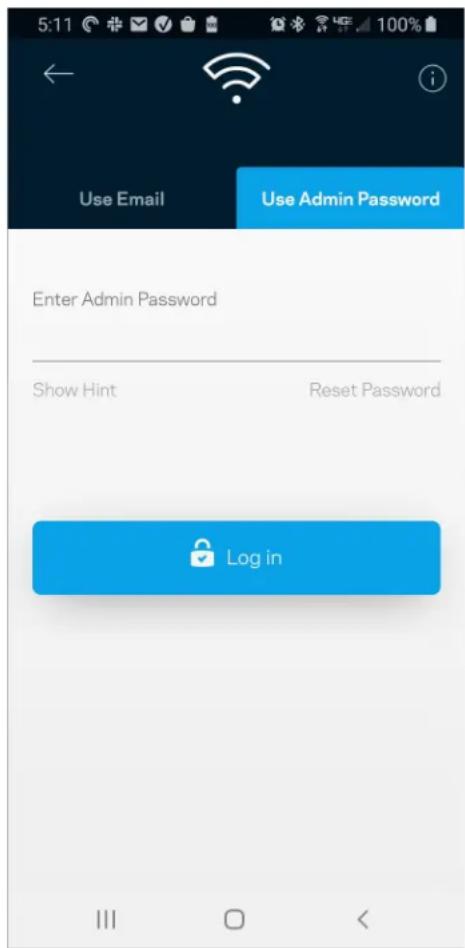
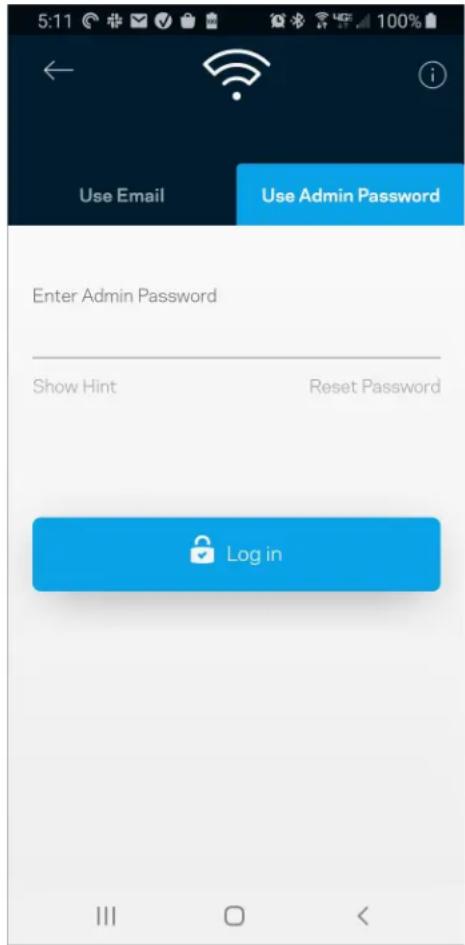
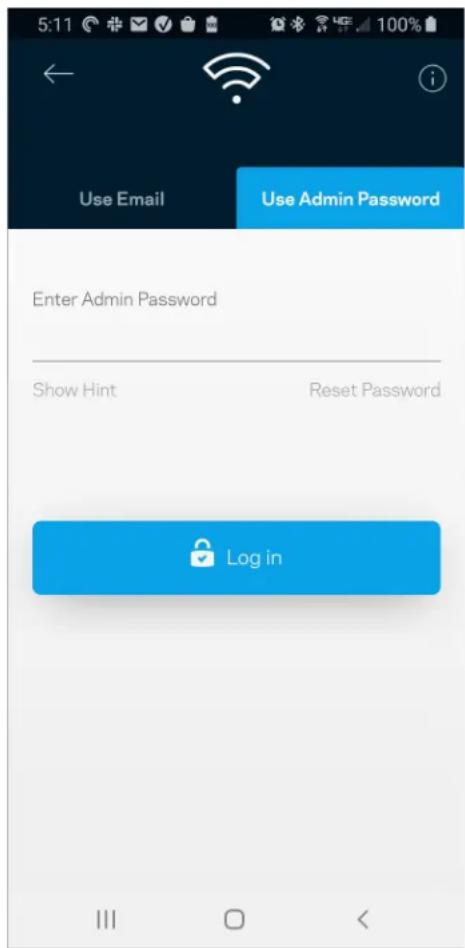
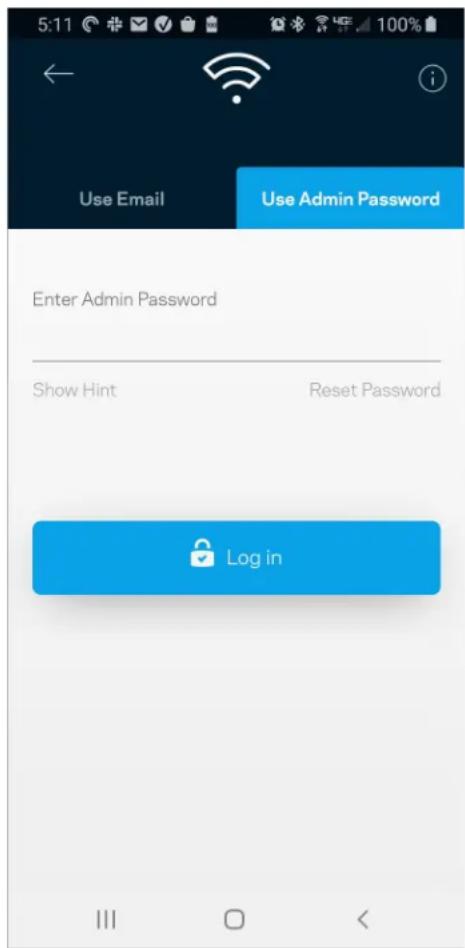
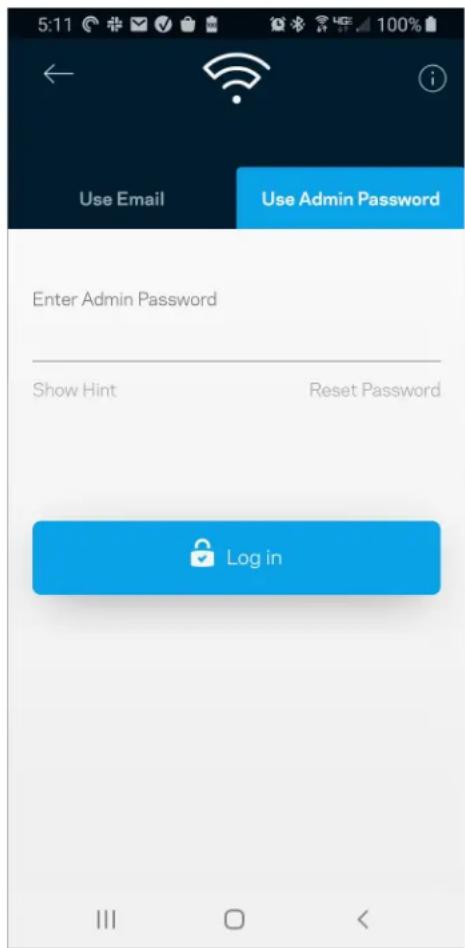
If you are not connected to the internet you still can access your router settings. Connect to your Wi-Fi name, launch the Linksys app and tap Log in with Router Password toward the bottom of the screen. You will not be able to access your Linksys Wi-Fi account when not online.
iPhone
text_image
9:41 Log in Email Router Password Logging in with router password lets you manage your WiFi while connected to your WiFi. Enter password Forgot Password? Log In New here? Create an accountAndroid
text_image
5:11 Use Email Use Admin Password Enter Admin Password Show Hint Reset Password Log inRouter password
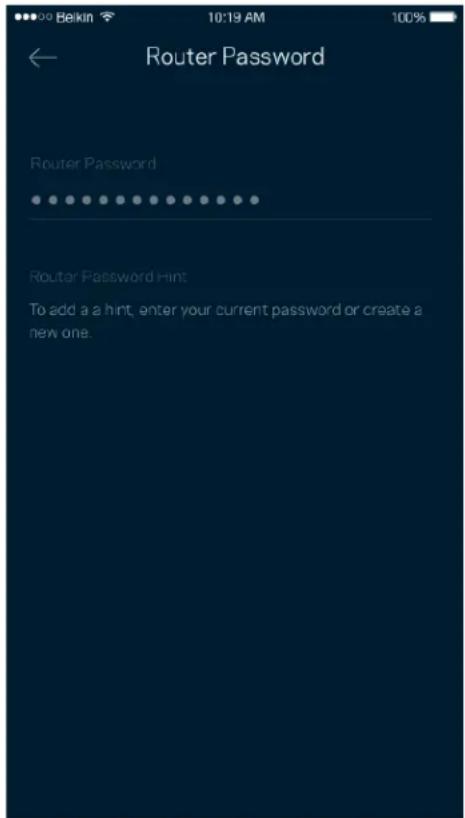
We created a secure admin password during setup. To change it, tap Network/Router Administration and Change Router Password and Hint.
text_image
Router Password Router Password Router Password Hint To add a a hint, enter your current password or create a new one.To keep your router secure, we'll send you an email if someone changes the router password.
How to factory reset your router
You should never need to factory reset your MR5500 Series router—a very disruptive process. A factory reset restores your router to the state it was when you took it out of its box, requiring you to go through the setup process again. All settings you have customized in setup and since – things such as Wi-Fi name, passwords, security type – will be erased. All wireless devices will disconnect from your Wi-Fi.
To factory reset :
- With your router connected to power and turned on, press and hold the Reset button on the back panel. The light on top of the router will blink red. Do not release the button until the light goes out and then turns bright red.
text_image
Reset Button 1 2 Ethernet 3 4 Internet USB WPS Reset 12V/mmHow to mount your router on the wall
Your MR5500 series router has holes on its underside for wall mounting.
Hang the router using M3 x 20 mm screws.
Specifications
Linksys MR5500
| Model Name | Dual-Band Mesh Wi-Fi 6 Router, AX5400 |
| Model Number | MR5500 |
| Switch Port Speed | 10/100/1000 Mbps (Gigabit Ethernet) |
| Radio Frequency | 2.4 GHz and 5 GHz |
| # of Antennas | 2 external adjustable antennas (non-detachable), 1 internal antenna |
| Ports | USB 3.0, Ethernet (1-4), Internet, Power |
| Buttons | Power, Reset, WPS |
| Lights | Front panel: One, multicolor light for power and statusBack panel: USB, ethernet (1-4), internet |
| Security Features | WPA2-Personal, WPA3-Personal, WPA2/WPA3-Personal Mixed |
| Security Key Bits | Up to 128-bit encryption |
| Storage File System Support | FAT, NTFS, HFS+ |
Environmental
| Dimensions | 8.46" x 6.10" x 2.20" (215 mm x 155 mm x 56 mm) |
| Unit Weight | 1.26 lbs (574 g) |
| Power 12V/2A | |
| Certifications | FCC, IC, CE, Wi-Fi (IEEE 802.11a/b/g/n/ac/ax) |
Operating Temp. 32° to 104° F (0 to 40° C)
Storage Temp. -4° to 140° F (-20 to 60° C)
Operating Humidity 10% to 80% relative humidity, non-condensing
Storage Humidity 5% to 90% non-condensing
Notes:
For regulatory, warranty, and safety information, go to Linksys.com/support/MR5500.
Specifications are subject to change without notice.
Maximum performance derived from IEEE Standard 802.11 specifications. Actual performance can vary, including lower wireless network capacity, data throughput rate, range and coverage. Performance depends on many factors, conditions and variables, including distance from the access point, volume of network traffic, building materials and construction, operating system used, mix of wireless products used, interference and other adverse conditions.
Visit Linksys.com/support/MR5500 for award-winning technical support.
BELKIN, LINKSYS and many product names and logos are trademarks of the Belkin group of companies. Third-party trademarks mentioned are the property of their respective owners.
© 2021 Linksys Holdings, Inc. and/or its affiliates. All rights reserved.
LINKSYS
text_image
LINKSYS Light| iPhone | Android | |||
| My Home Wi-Fi Devices 12 Parental Controls Wi-Fi Settings Guest Network External Storage ↓↑ Device Prioritization Notifications Network Administration Advanced Settings Set up a New Product Account Help | Dashboard Devices Wi-Fi Settings Guest Access External Storage Speed Check Parental Controls ↓↑ Device Prioritization Notifications Velop Administration Advanced Settings My Account Feedback ? Help Set Up a New Product MyHomeWiFi | |||
text_image
Manage your Wi-Fi Set up a New Wi-Fi NetworkAndroid
text_image
9:41 Log in Email Router: Password Manage settings at home or away from home. Enter email address Enter password Forgot Password? Log In New here? Create an account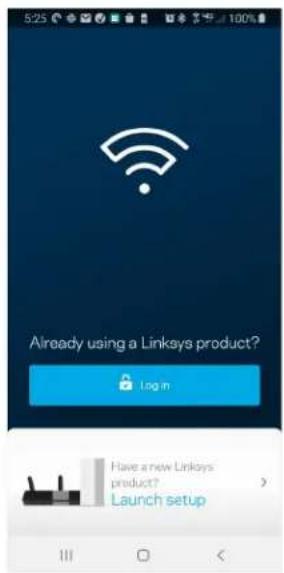
text_image
5:25 Already using a Linksys product? Login Have a new Linksys product? Launch setup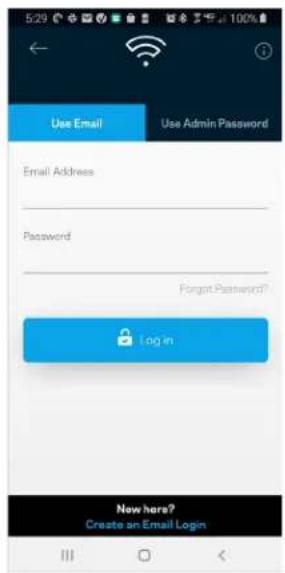
text_image
Use Email Use Admin Password Email Address Password Forgot Password? Login New here? Create an Email Logintext_image
My Home Wi-Fi Devices 12 Parental Controls Wi-Fi Settings Guest Network External Storage Device Prioritization Notifications Network Administration Advanced Settings Set up a New Product Account HelpAndroid
text_image
Dashboard Devices Wi-Fi Settings Guest Access External Storage Speed Check Parental Controls Device Prioritization Notifications Velop Administration Advanced Settings My Account Feedback Help Set Up a New Product MyHomeWiFiТабло за управление
text_image
iPhone 9:41 My Home Wi-Fi ONLINE 12 DEVICES 1 ROUTER Internet Speed 3 days ago 128 63 Last Five Connections Alex's iPhone X Office 5GHz Jamie's iPad Pro Kitchen 5GHz Bettina's Apple Watch Living Room 5GHz Sean's iMac Master Bedroom Ethernet Apple TV Offline Parental Controls Guest Network On Share Wi-Fi Internet Slow? Give Feedback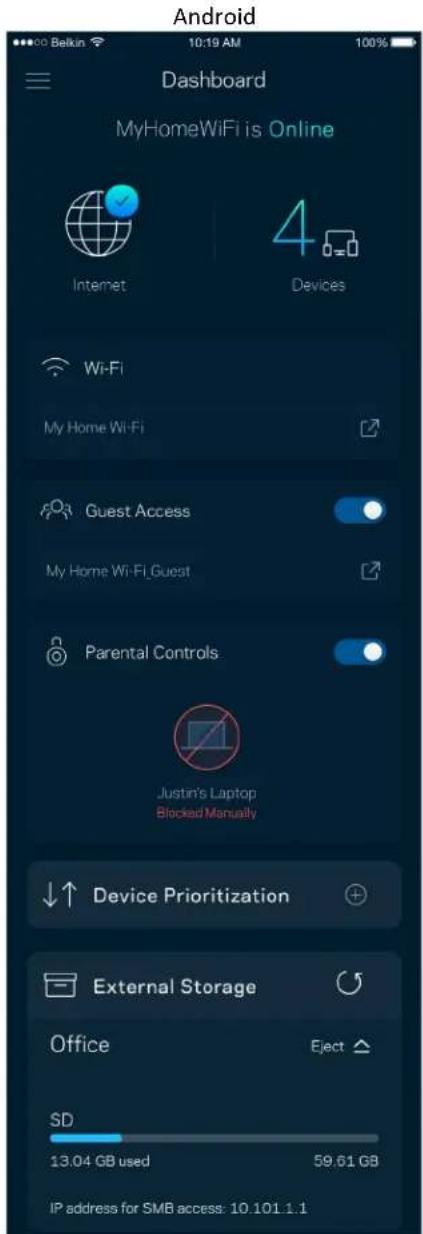
text_image
Android Dashboard MyHomeWiFi is Online Internet 4 Devices Wi-Fi My Home Wi-Fi Guest Access My Home Wi-Fi Guest Parental Controls Justin's Laptop Blocked Manually Device Prioritization External Storage Office Eject SD 13.04 GB used 59.61 GB IP address for SMB access: 10.101.1.1Устройства
text_image
Devices Connected Devices (5) Downstairs TV MyHomeWiFi Game Console Connected via ethernet Jon's Phone MyHomeWiFi Mika's Laptop MyHomeWiFi Thermostat MyHomeWiFi Guest Devices (3) Michelle's Phone MyGuestWiFi Offline Devices (5)text_image
Parental Controls Create schedules to pause internet access, or block specific websites, so you can keep your kids offline and on task. Control a Device Learn more about Parental Controls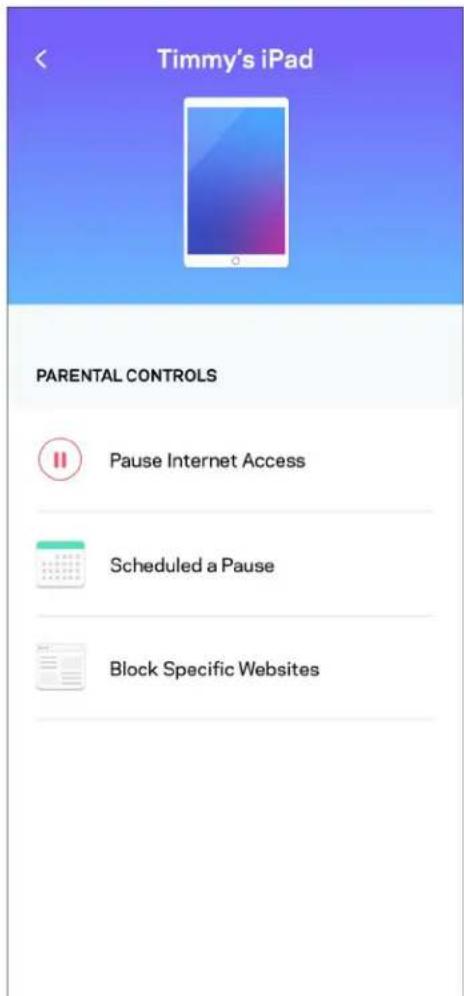
text_image
Timmy's iPad PARENTAL CONTROLS Pause Internet Access Scheduled a Pause Block Specific WebsitesНастройки на Wi-Fi
text_image
Wi-Fi Settings Hi-Fi name My Home Wi-Fi Wi-Fi Password Advanced Settings > Connect a Device with WPS >text_image
Belkin 10:19 AM 100% Advanced Wi-Fi Settings Save Security Type WPA2-Personal Wi-Fi Mode Mixed Channel Finder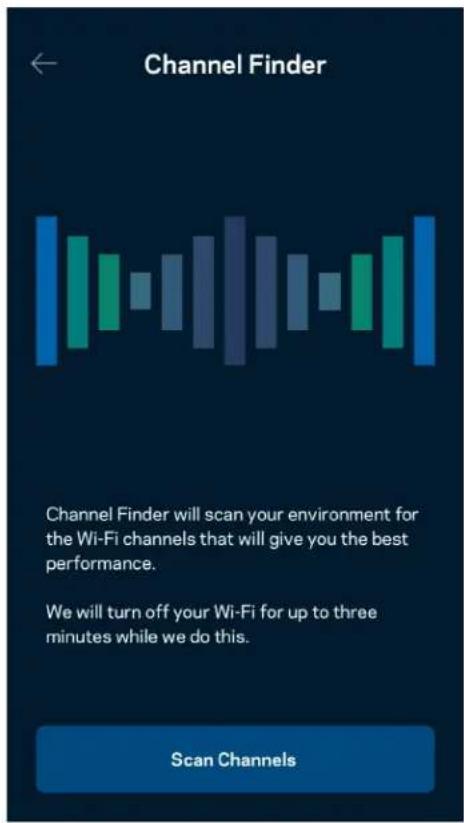
text_image
Channel Finder Channel Finder will scan your environment for the Wi-Fi channels that will give you the best performance. We will turn off your Wi-Fi for up to three minutes while we do this. Scan Channelstext_image
Connect a Device with WPS WPS Wi-Fi Protected Setup allows you to easily connect new devices to your Wi-Fi network without manually configuring security settings. Connect Use a PINtext_image
Guest Access Guest Access Wi-Fi Name My Home Wi-Fi_guest Wi-Fi Passwordtext_image
Device Prioritization Add up to 3 devices to prioritize. Devices not on this list will share what's left of your internet capacity. Add a deviceИзвестия
text_image
Balkin 10:19 AM 100% Notifications Get notifications when: A secondary node is offlinetext_image
Network Administration Living Room > Change Router Password and Hint > Automatic Firmware Update Time Zone Pacific Time (USA & Canada) GMT-08:00 > Diagnostic Information Contribute to future improvements. Automatically report router errors to Linksys. We won't use any information you submit for purposed other than provide you with our customer care and improve our products. Manually report a specific issue Report IP Details Restart Velop Learn more about Network Administrationtext_image
Internet Settings Save Connection Type > Automatic Configuration - DHCP Additional Settings > Learn moretext_image
Port Settings Single Port Forwarding > Port Range Forwarding > Port Range Triggering >Wi-Fi MAC филтри
text_image
Wi-Fi MAC Filters Edit Wi Fi MAC Filter Status Allow Access Filtered Devices Daniel's Laptop 00:16:41:34.2C:A Unknown device 00:16:41:34.2C:Atext_image
Android No SIM 5:45 PM @ ↑ $ 83% External Storage Office Eject 4750-6C0A 10.69 MB used 28.94 GB IP address for SMB access: 192.168.1.1 Authentication > Network File Sharing (SMB) Devices on your network can access connected storage. For PC's, enter \ plus the IP address for the storage drive you want to access into Windows Explorer. (Example: \192.168.1.100) For Macs, open Finder and navigate to Go > Connect to Server. Enter smb:// plus the IP address for the storage drive you want to access. (Example: smb://192.168.1.100) When authentication is not enabled, you'll need to log in as a guest for SMB access.text_image
Speed Check Ping 19 ms 101 | 121 ↓ Mbps ↑ Mbps Download Upload Results At this speed, you can stream HD videos, hold video conferences, and play online games on multiple devices at the same time. Test again SPEEDTEST powered™text_image
My Account Email Jakefarm@email.com Password First Name Jake Last Name Farm Newsletter Be the first to know about exclusive deals & news. Log Out Close AccountОбратна връзка
text_image
Feedback Tell us what you think of the app. Love the app? Have a suggestion? Trouble with the app?Помощ
| Help |
| + Getting Started with Linksys Smart Wi-Fi |
| + Frequently Asked Questions |
| + Browse by Topic or Feature |
| + Subscription |
| + About |
| + Help and Support |
text_image
iPhone 9:41 Log in Email Router Password Logging in with router password lets you manage your WiFi while connected to your WiFi. Enter password Forgot Password? Log In New here? Create an account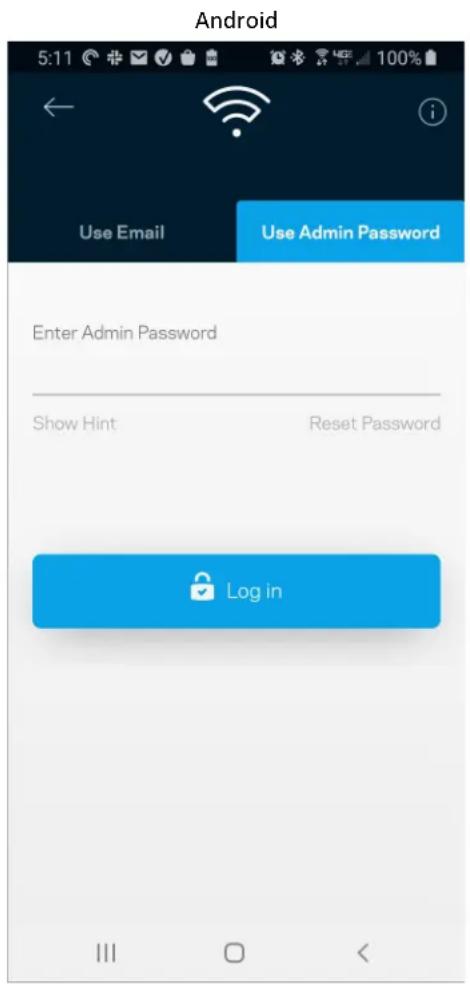
text_image
Android 5:11 Use Email Use Admin Password Enter Admin Password Show Hint Reset Password Log inПарола на рутера
text_image
Router Password Router Password Router Password Hint To add a a hint, enter your current password or create a new one.text_image
LINKSYS Light| iPhone | Android | ||
| My Home Wi-Fi Devices 12 Parental Controls Wi-Fi Settings Guest Network External Storage ↓↑ Device Prioritization Notifications Network Administration Advanced Settings Set up a New Product Account Help | Dashboard Devices Wi-Fi Settings Guest Access External Storage Speed Check Parental Controls Device Prioritization Notifications Velop Administration Advanced Settings My Account Feedback ? Help Set Up a New Product MyHomeWiFi | ||
text_image
Manage your Wi-Fi Set up a New Wi-Fi Network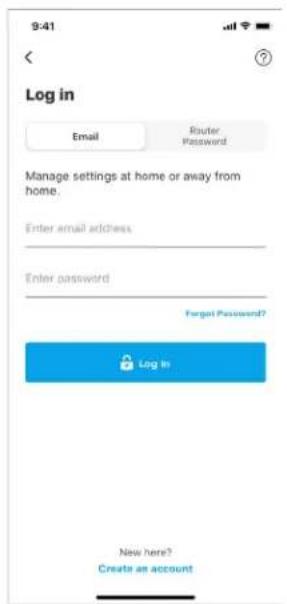
text_image
9:41 Log in Email Router Password Manage settings at home or away from home. Enter email address Enter password Forgot Password? Log In New here? Create an accountAndroid
text_image
5:23 Already using a Linksys product? Login Have a new Linksys product? Launch setup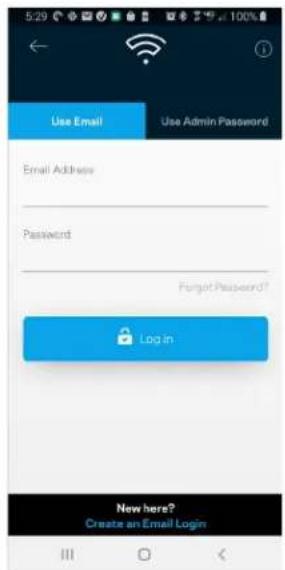
text_image
Use Email Use Admin Password Email Address Password Forgot Password? Login New here? Create an Email Logintext_image
My Home Wi-Fi Devices 12 Parental Controls Wi-Fi Settings Guest Network External Storage Device Prioritization Notifications Network Administration Advanced Settings Set up a New Product Account HelpAndroid
text_image
Dashboard Devices Wi-Fi Settings Guest Access External Storage Speed Check Parental Controls Device Prioritization Notifications Velop Administration Advanced Settings My Account Feedback Help Set Up a New Product MyHomeWiFiPanel
text_image
9:41 My Home Wi-Fi ONLINE 12 DEVICES 1 ROUTER Internet Speed 3 days ago 128 63 Last Five Connections Alex's iPhone X Office 5GHz Jamie's iPad Pro Kitchen 5GHz Bettina's Apple Watch Living Room 5GHz Sean's iMac Master Bedroom Ethernet Apple TV Offline Parental Controls Guest Network On Share Wi-Fi Internet Slow? Give FeedbackAndroid
text_image
Dashboard MyHomeWiFi is Online Internet 4 Devices Wi-Fi My Home Wi-Fi Guest Access My Home Wi-Fi Guest Parental Controls Justin's Laptop Blocked Manually Device Prioritization External Storage Office Eject SD 13.04 GB used 59.61 GB IP address for SMB access: 10.101.1.1Zařízení
text_image
Devices Connected Devices (5) Downstairs TV MyHomeWiFi > Game Console Connected via ethernet > Jon's Phone MyHomeWiFi > Mika's Laptop MyHomeWiFi > Thermostat MyHomeWiFi > Guest Devices (3) Michelle's Phone MyGuestWiFi > Offline Devices (5)text_image
Parental Controls Create schedules to pause internet access, or block specific websites, so you can keep your kids offline and on task. Control a Device Learn more about Parental Controls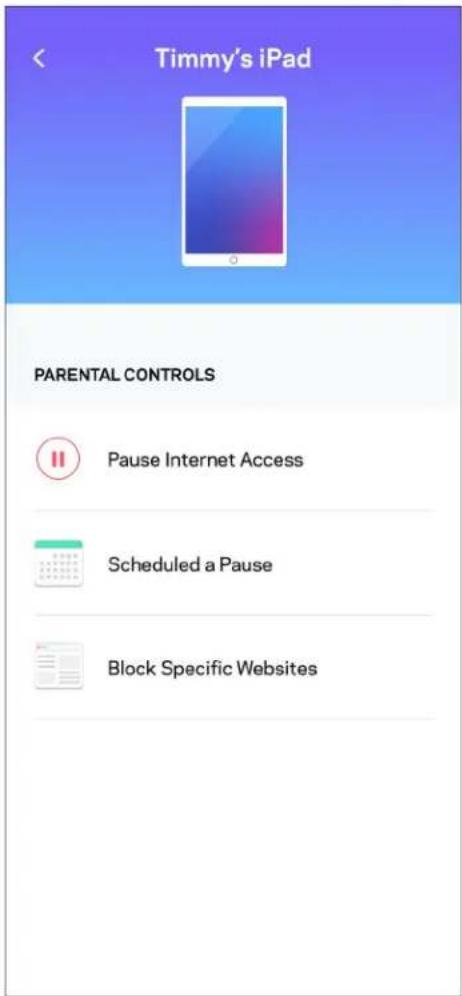
text_image
Timmy's iPad PARENTAL CONTROLS Pause Internet Access Scheduled a Pause Block Specific WebsitesNastavení Wi-Fi
text_image
Wi-Fi Settings Hi-Fi name My Home Wi-Fi Wi-Fi Password Advanced Settings Connect a Device with WPStext_image
Belkin 10:19 AM 100% Advanced Wi-Fi Settings Save Security Type WPA2-Personal > Wi-Fi Mode Mixed > Channel Finder >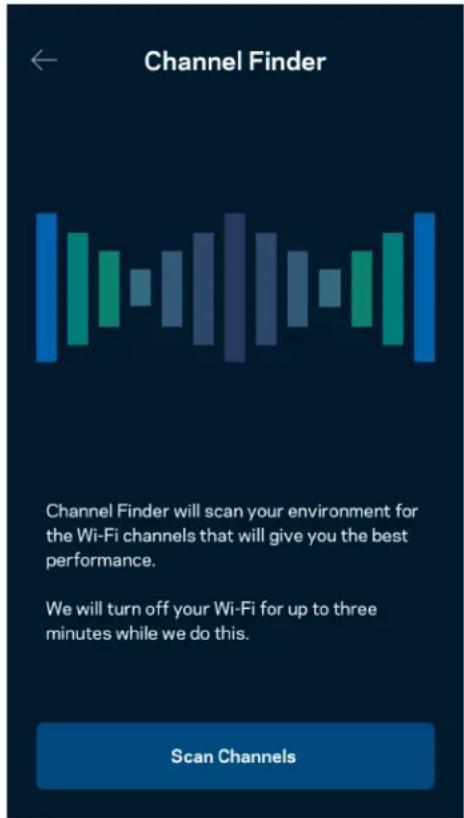
text_image
Channel Finder Channel Finder will scan your environment for the Wi-Fi channels that will give you the best performance. We will turn off your Wi-Fi for up to three minutes while we do this. Scan Channelstext_image
Connect a Device with WPS WPS Wi-Fi Protected Setup allows you to easily connect new devices to your Wi-Fi network without manually configuring security settings. Connect Use a PINtext_image
Guest Access Guest Access Wi-Fi Name My Home Wi-Fi_guest Wi-Fi PasswordPriorita zařízení
text_image
Device Prioritization Add up to 3 devices to prioritize. Devices not on this list will share what's left of your internet capacity. Add a deviceUpozornění
text_image
Belkin 10:19 AM 100% Notifications Get notifications when: A secondary node is offlinetext_image
Network Administration Living Room > Change Router Password and Hint > Automatic Firmware Update Time Zone Pacific Time (USA & Canada) GMT-0B:00 > Diagnostic Information Contribute to future improvements. Automatically report router errors to Linksys. We won't use any information you submit for purposed other than provide you with our customer care and improve our products. Manually report a specific issue Report IP Details Restart Velop Learn more about Network Administrationtext_image
Internet Settings Save Connection Type > Automatic Configuration - DHCP Additional Settings > Learn moreNastavení portů
text_image
Port Settings Single Port Forwarding > Port Range Forwarding > Port Range Triggering >Filtry MAC pro Wi-Fi
text_image
Wi-Fi MAC Filters Edit Wi-Fi MAC Filter Status Allow Access Filtered Devices Daniel's Laptop 00:16:41:34.2CA Unknown device 00:16:41:34.2CAExterní úložiště
text_image
Android No SIM 5:45 PM @ 83% External Storage Office Eject ▲ 4750-6C0A 10.69 MB used 28.94 GB IP address for SMB access: 192.168.1.1 Authentication > Network File Sharing (SMB) Devices on your network can access connected storage For PC's, enter \ plus the IP address for the storage drive you want to access into Windows Explorer. (Example: \192.168.1.100) For Macs, open Finder and navigate to Go > Connect to Server. Enter smb // plus the IP address for the storage drive you want to access. (Example: smb://192.168.1.100) When authentication is not enabled, you'll need to log in as a guest for SMB access.Rychlostní test
text_image
Speed Check Ping 19 ms 101 | 121 ↓ Mbps ↑ Mbps Download Upload Results At this speed, you can stream HD videos, hold video conferences, and play online games on multiple devices at the same time. Test again SPEEDTEST powered™text_image
My Account Email Jakefarm@email.com Password First Name Jake Last Name Farm Newsletter Be the first to know about exclusive deals & news. Log Out Close AccountZpětná vazba
text_image
Feedback Tell us what you think of the app. Love the app? Have a suggestion? Trouble with the app?Nápověda
| Help |
| + Getting Started with Linksys Smart Wi-Fi |
| + Frequently Asked Questions |
| + Browse by Topic or Feature |
| + Subscription |
| + About |
| + Help and Support |
text_image
9:41 Log in Email Router Password Logging in with router password lets you manage your WiFi while connected to your WiFi. Enter password Forgot Password? Log In New here? Create an accountAndroid
text_image
5:11 Use Email Use Admin Password Enter Admin Password Show Hint Reset Password Log inHeslo směrovače
text_image
Router Password Router Password Router Password Hint To add a a hint, enter your current password or create a new one.text_image
LINKSYS Light| iPhone | Android | ||
| My Home Wi-Fi Devices 12 Parental Controls Wi-Fi Settings Guest Network External Storage ↓↑ Device Prioritization Notifications Network Administration Advanced Settings Set up a New Product Account Help | Dashboard Devices Wi-Fi Settings Guest Access External Storage Speed Check Parental Controls ↓↑ Device Prioritization Notifications Velop Administration Advanced Settings My Account Feedback ? Help Set Up a New Product MyHomeWiFi | ||
text_image
Manage your Wi-Fi Set up a New Wi-Fi Network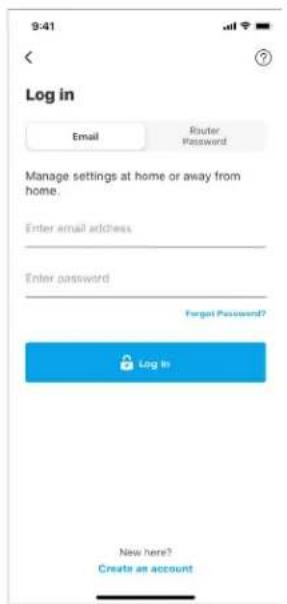
text_image
9:41 Log in Email Router Password Manage settings at home or away from home. Enter email address Enter password Forgot Password? Log In New here? Create an accountAndroid
text_image
5:23 Already using a Linksys product? Log in Have a new Linksys product? Launch setup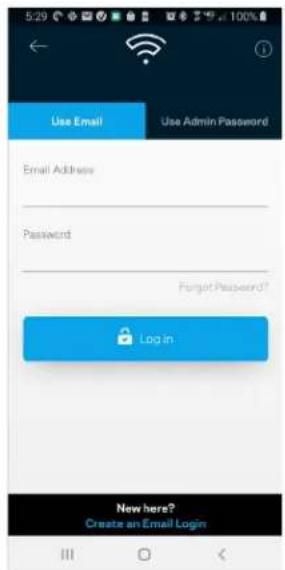
text_image
Use Email Use Admin Password Email Address Password Forgot Password? Login New here? Create an Email Logintext_image
iPhone My Home Wi-Fi Devices 12 Parental Controls Wi-Fi Settings Guest Network External Storage Device Prioritization Notifications Network Administration Advanced Settings Set up a New Product Account Help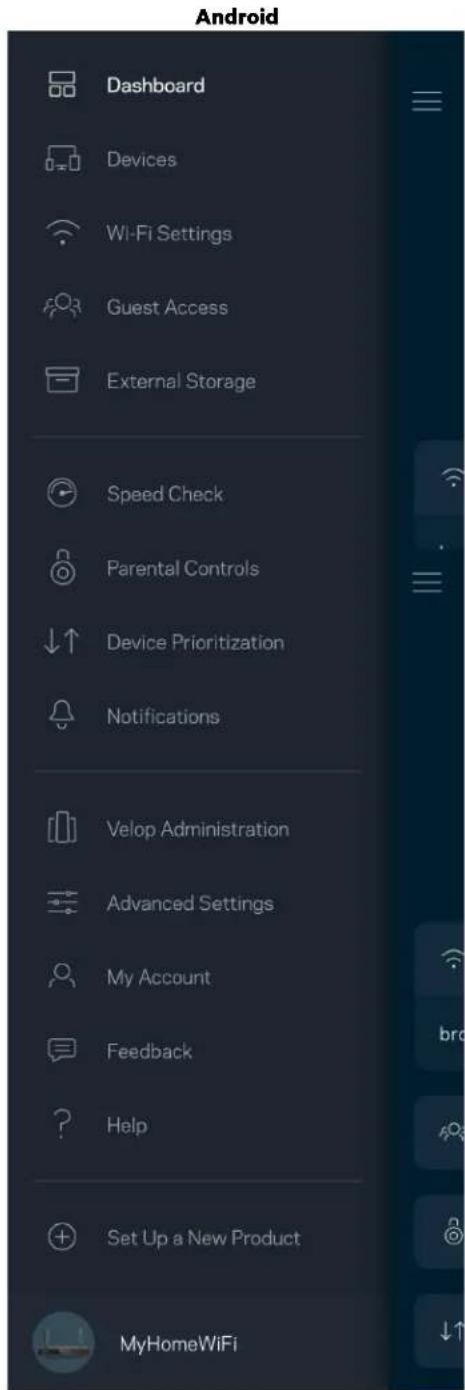
text_image
Android Dashboard Devices Wi-Fi Settings Guest Access External Storage Speed Check Parental Controls Device Prioritization Notifications Velop Administration Advanced Settings My Account Feedback Help Set Up a New Product MyHomeWiFiDashboard
text_image
iPhone 9:41 My Home Wi-Fi ONLINE 12 DEVICES 1 ROUTER Internet Speed 3 days ago 128 63 Last Five Connections Alex's iPhone X Office 5GHz Jamie's iPad Pro Kitchen 5GHz Bettina's Apple Watch Living Room 5GHz Sean's iMac Master Bedroom Ethernet Apple TV Offline Parental Controls 4 Guest Network On Share Wi-Fi Internet Slow? Give Feedback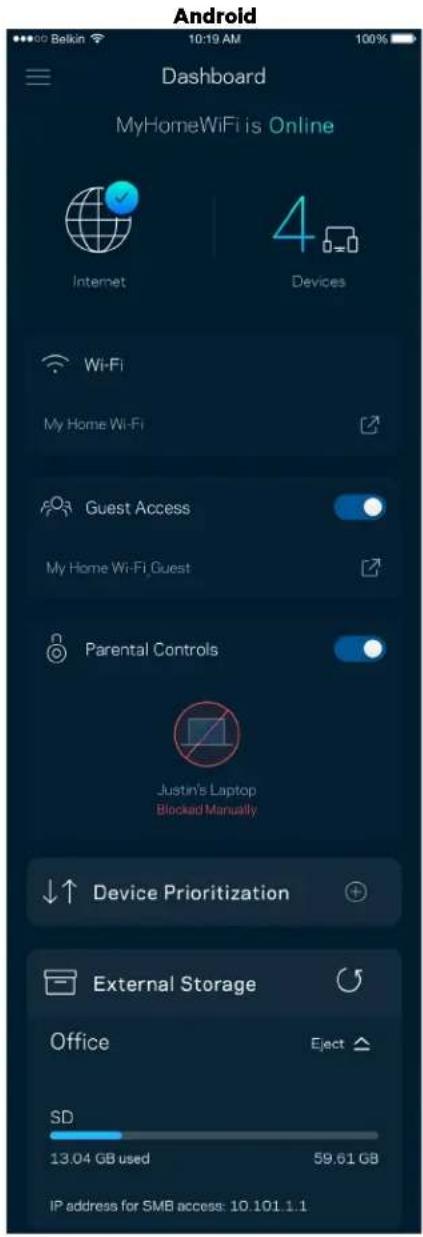
text_image
Android Dashboard MyHomeWiFi is Online Internet 4 Devices Wi-Fi My Home Wi-Fi Guest Access My Home Wi-Fi Guest Parental Controls Justin's Laptop Blocked Manually Device Prioritization External Storage Office Eject SD 13.04 GB used 59.61 GB IP address for SMB access: 10.101.1.1Enheder
text_image
Devices Connected Devices (5) Downstairs TV MyHomeWiFi > Game Console Connected via ethernet > Jon's Phone MyHomeWiFi > Mika's Laptop MyHomeWiFi > Thermostat MyHomeWiFi > Guest Devices (3) Michelle's Phone MyGuestWiFi > Offline Devices (5)text_image
Parental Controls Create schedules to pause internet access, or block specific websites, so you can keep your kids offline and on task. Control a Device Learn more about Parental Controls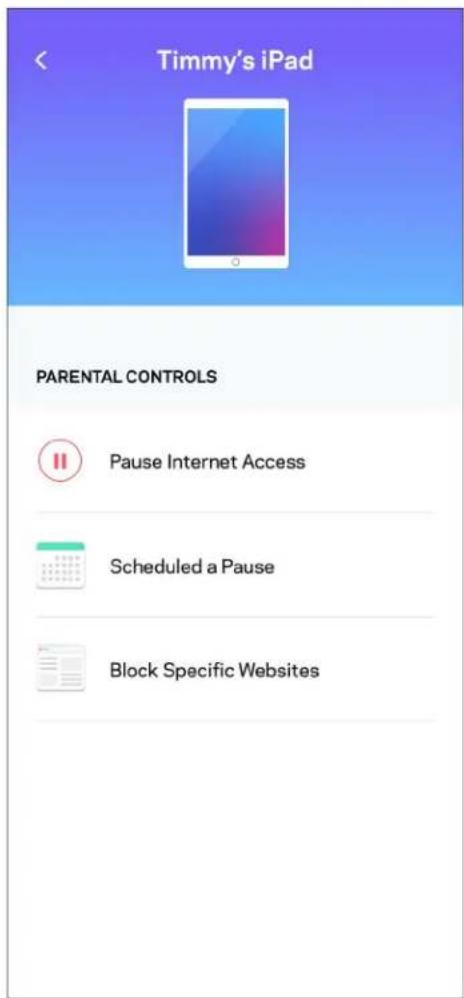
text_image
Timmy's iPad PARENTAL CONTROLS Pause Internet Access Scheduled a Pause Block Specific WebsitesWi-Fi-indstillinger
text_image
Wi-Fi Settings Hi-Fi name My Home Wi-Fi Wi-Fi Password Advanced Settings Connect a Device with WPSAvancerede Wi-Fi-indstillinger
text_image
Beikin 10:19 AM 100% Advanced Wi-Fi Settings Save Security Type WPA2-Personal > Wi-Fi Mode Mixed > Channel Finder >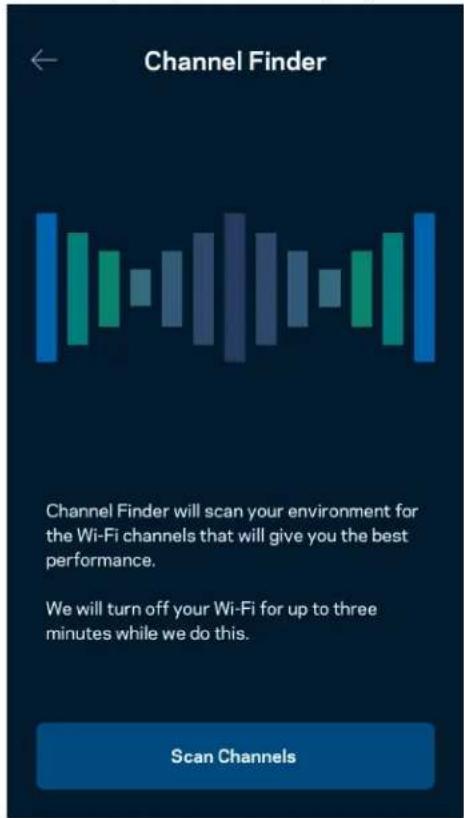
text_image
Channel Finder Channel Finder will scan your environment for the Wi-Fi channels that will give you the best performance. We will turn off your Wi-Fi for up to three minutes while we do this. Scan Channelstext_image
Connect a Device with WPS WPS Wi-Fi Protected Setup allows you to easily connect new devices to your Wi-Fi network without manually configuring security settings. Connect Use a PINtext_image
Guest Access Guest Access Wi-Fi Name My Home Wi-Fi_guest Wi-Fi PasswordEnhedsprioritering
text_image
Device Prioritization Add up to 3 devices to prioritize. Devices not on this list will share what's left of your internet capacity. Add a deviceMeddelelser
text_image
Belkin 10:19 AM 100% Notifications Get notifications when: A secondary node is offlinetext_image
Network Administration Living Room > Change Router Password and Hint > Automatic Firmware Update Time Zone Pacific Time (USA & Canada) GMT-0B:00 > Diagnostic Information Contribute to future improvements. Automatically report router errors to Linksys. We won't use any information you submit for purposed other than provide you with our customer care and improve our products. Manually report a specific issue Report IP Details Restart Velop Learn more about Network Administrationtext_image
Internet Settings Save Connection Type > Automatic Configuration - DHCP Additional Settings > Learn morePortindstillinger
text_image
Port Settings Single Port Forwarding > Port Range Forwarding > Port Range Triggering >Wi-Fi MAC-filtre
text_image
Wi-Fi MAC Filters Edit Wi-Fi MAC Filter Status Allow Access Filtered Devices Daniel's Laptop 00:16:41:34.2CA Unknown device 00:16:41:34.2CAEkstern lagring
text_image
Android No SIM 5:45 PM @ 83% External Storage Office Eject ▲ 4750-6C0A 10.69 MB used 28.94 GB IP address for SMB access: 192.168.1.1 Authentication > Network File Sharing (SMB) Devices on your network can access connected storage For PC's, enter \ plus the IP address for the storage drive you want to access into Windows Explorer. (Example: \192.168.1.100) For Macs, open Finder and navigate to Go > Connect to Server. Enter smb // plus the IP address for the storage drive you want to access. (Example: smb://192.168.1.100) When authentication is not enabled, you'll need to log in as a guest for SMB access.Hastighedstjek
text_image
Speed Check Ping 19 ms 101 | 121 ↓ Mbps ↑ Mbps Download Upload Results At this speed, you can stream HD videos, hold video conferences, and play online games on multiple devices at the same time. Test again SPEEDTEST powered™text_image
My Account Email Jakefarm@email.com Password First Name Jake Last Name Farm Newsletter Be the first to know about exclusive deals & news. Log Out Close AccountTilbagemelding
text_image
Feedback Tell us what you think of the app. Love the app? Have a suggestion? Trouble with the app?Hjælp
| Help |
| + Getting Started with Linksys Smart Wi-Fi |
| + Frequently Asked Questions |
| + Browse by Topic or Feature |
| + Subscription |
| + About |
| + Help and Support |
text_image
9:41 Log in Email Router Password Logging in with router password lets you manage your WiFi while connected to your WiFi. Enter password Forgot Password? Log In New here? Create an accountAndroid
text_image
5:11 Use Email Use Admin Password Enter Admin Password Show Hint Reset Password Log intext_image
Router Password Router Password Router Password Hint To add a a hint, enter your current password or create a new one.text_image
LINKSYS Light| iPhone | Android | ||
| My Home Wi-Fi Devices 12 Parental Controls Wi-Fi Settings Guest Network External Storage ↓↑ Device Prioritization Notifications Network Administration Advanced Settings Set up a New Product Account Help | Dashboard Devices Wi-Fi Settings Guest Access External Storage Speed Check Parental Controls ↓↑ Device Prioritization Notifications Velop Administration Advanced Settings My Account Feedback ? Help Set Up a New Product MyHomeWiFi | ||
text_image
Manage your Wi-Fi Set up a New Wi-Fi Network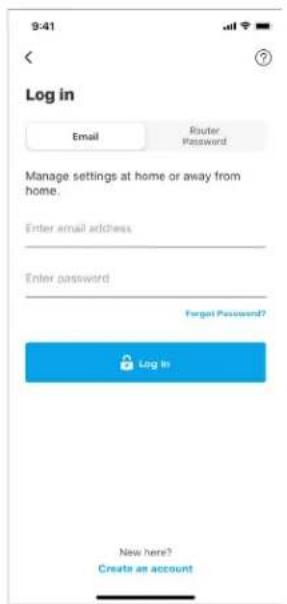
text_image
9:41 Log in Email Router Password Manage settings at home or away from home. Enter email address Enter password Forgot Password? Log In New here? Create an accountAndroid
text_image
5:23 Already using a Linksys product? Log in Have a new Linksys product? Launch setup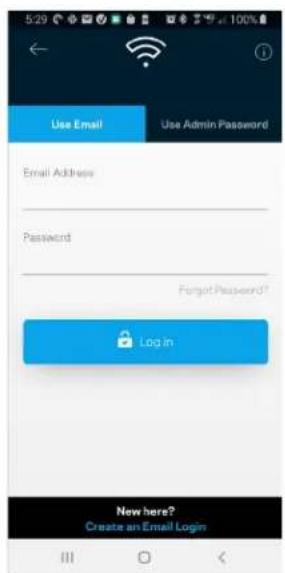
text_image
5:29 Use Email Use Admin Password Email Address Password Forgot Password? Login New here? Create an Email Logintext_image
My Home Wi-Fi Devices 12 Parental Controls Wi-Fi Settings Guest Network External Storage Device Prioritization Notifications Network Administration Advanced Settings Set up a New Product Account HelpAndroid
text_image
Dashboard Devices Wi-Fi Settings Guest Access External Storage Speed Check Parental Controls Device Prioritization Notifications Velop Administration Advanced Settings My Account Feedback Help Set Up a New Product MyHomeWiFiDashboard
text_image
My Home Wi-Fi ONLINE 12 DEVICES 1 ROUTER Internet Speed 3 days ago 128 63 Last Five Connections Alex's iPhone X Office 5GHz Jamie's iPad Pro Kitchen 5GHz Bettina's Apple Watch Living Room 5GHz Sean's iMac Master Bedroom Ethernet Apple TV Offline Parental Controls 4 Guest Network On Share Wi-Fi Internet Slow? Give FeedbackAndroid
text_image
Dashboard MyHomeWiFi is Online Internet 4 Devices Wi-Fi My Home Wi-Fi Guest Access My Home Wi-Fi Guest Parental Controls Justin's Laptop Blocked Manually Device Prioritization External Storage Office Eject SD 13.04 GB used 59.61 GB IP address for SMB access: 10.101.1.1Geräte
text_image
Devices Connected Devices (5) Downstairs TV MyHomeWiFi > Game Console Connected via ethernet > Jon's Phone MyHomeWiFi > Mika's Laptop MyHomeWiFi > Thermostat MyHomeWiFi > Guest Devices (3) Michelle's Phone MyGuestWiFi > Offline Devices (5)text_image
Parental Controls Create schedules to pause internet access, or block specific websites, so you can keep your kids offline and on task. Control a Device Learn more about Parental Controls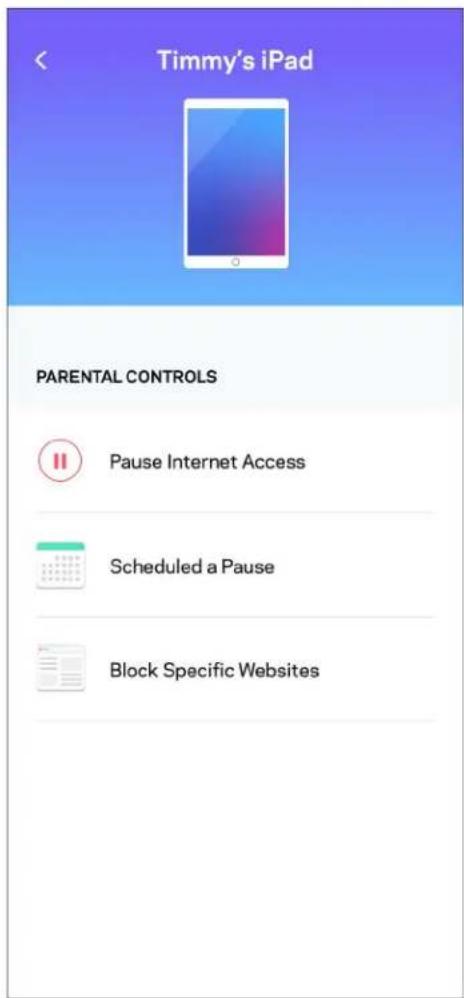
text_image
Timmy's iPad PARENTAL CONTROLS Pause Internet Access Scheduled a Pause Block Specific WebsitesWLAN-Einstellungen
text_image
Wi-Fi Settings Hi-Fi name My Home Wi-Fi Wi-Fi Password Advanced Settings Connect a Device with WPStext_image
Beikin 10:19 AM Advanced Wi-Fi Settings Save Security Type WPA2-Personal Wi-Fi Mode Mixed Channel Finder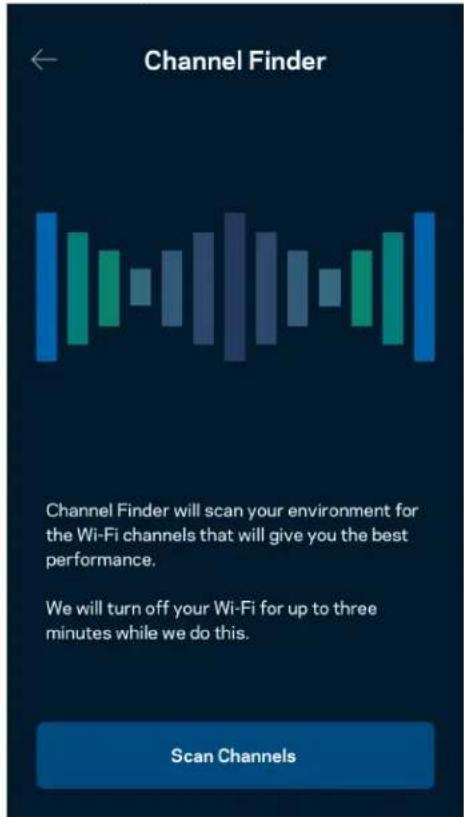
text_image
Channel Finder Channel Finder will scan your environment for the Wi-Fi channels that will give you the best performance. We will turn off your Wi-Fi for up to three minutes while we do this. Scan Channelstext_image
Connect a Device with WPS WPS Wi-Fi Protected Setup allows you to easily connect new devices to your Wi-Fi network without manually configuring security settings. Connect Use a PINtext_image
Guest Access Guest Access Wi-Fi Name My Home Wi-Fi_guest Wi-Fi Passwordtext_image
Device Prioritization Add up to 3 devices to prioritize. Devices not on this list will share what's left of your internet capacity. Add a deviceBenachrichtigungen
text_image
Belkin 10:19 AM 100% Notifications Get notifications when: A secondary node is offlinetext_image
Network Administration Living Room > Change Router Password and Hint > Automatic Firmware Update Time Zone Pacific Time (USA & Canada) GMT-08:00 Diagnostic Information Contribute to future improvements. Automatically report router errors to Linksys. We won't use any information you submit for purposed other than provide you with our customer care and improve our products. Manually report a specific issue Report IP Details Restart Velop Learn more about Network Administrationtext_image
Internet Settings Save Connection Type > Automatic Configuration - DHCP Additional Settings > Learn morePort-Einstellungen
text_image
Port Settings Single Port Forwarding > Port Range Forwarding > Port Range Triggering >WLAN-MAC-Filter
text_image
Wi-Fi MAC Filters Edit Wi-Fi MAC Filter Status Allow Access Filtered Devices Daniel's Laptop 00:16:41:34.2CA Unknown device 00:16:41:34.2CAExterner Speicher
text_image
Android No SIM 5:45 PM @ 83% External Storage Office Eject 4750-6C0A 10.69 MB used 28.94 GB IP address for SMB access: 192.168.1.1 Authentication > Network File Sharing (SMB) Devices on your network can access connected storage For PC's, enter \ plus the IP address for the storage drive you want to access into Windows Explorer. (Example: \192.168.1.100) For Macs, open Finder and navigate to Go > Connect to Server. Enter smb://plus the IP address for the storage drive you want to access. (Example: smb://192.168.1.100) When authentication is not enabled, you'll need to log in as a guest for SMB access.text_image
Speed Check Ping 19 ms 101 | 121 ↓ Mbps ↑ Mbps Download Upload Results At this speed, you can stream HD videos, hold video conferences, and play online games on multiple devices at the same time. Test again SPEEDTEST powered™text_image
My Account Email Jakefarm@email.com Password First Name Jake Last Name Farm Newsletter Be the first to know about exclusive deals & news. Log Out Close AccountFeedback
text_image
Feedback Tell us what you think of the app. Love the app? Have a suggestion? Trouble with the app?Hilfe
| Help |
| + Getting Started with Linksys Smart Wi-Fi |
| + Frequently Asked Questions |
| + Browse by Topic or Feature |
| + Subscription |
| + About |
| + Help and Support |
text_image
9:41 Log in Email Router Password Logging in with router password lets you manage your WiFi while connected to your WiFi. Enter password Forgot Password? Log In New here? Create an accountAndroid
text_image
5:11 Use Email Use Admin Password Enter Admin Password Show Hint Reset Password Log inRouter-Password
text_image
Router Password Router Password Router Password Hint To add a a hint, enter your current password or create a new one.text_image
LINKSYS Light| iPhone | Android | ||
| My Home Wi-Fi Devices Parental Controls Wi-Fi Settings Guest Network External Storage ↓↑ Device Prioritization Notifications Network Administration Advanced Settings Set up a New Product Account Help | Dashboard Devices Wi-Fi Settings Guest Access External Storage Speed Check Parental Controls ↓↑ Device Prioritization Notifications Velop Administration Advanced Settings My Account Feedback ? Help Set Up a New Product MyHomeWiFi | ||
text_image
Manage your Wi-Fi Set up a New Wi-Fi Network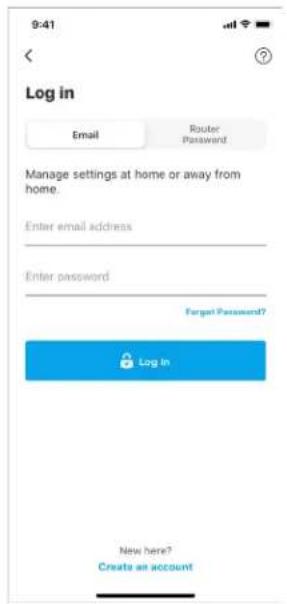
text_image
9:41 Log in Email Router: Password Manage settings at home or away from home. Enter email address Enter password Forgot Password? Log In New here? Create an accountAndroid
text_image
5:25 Already using a Linksys product? Login Have a new Linksys product? Launch setup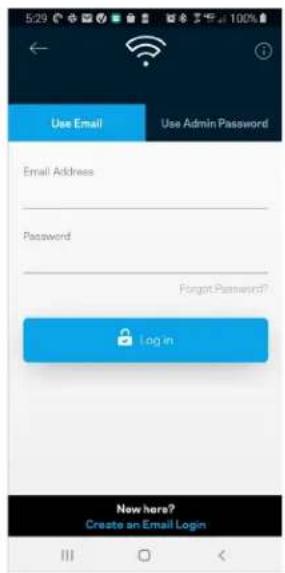
text_image
Use Email Use Admin Password Email Address Password Forgot Password? Login New here? Create an Email Logintext_image
My Home Wi-Fi Devices 12 Parental Controls Wi-Fi Settings Guest Network External Storage Device Prioritization Notifications Network Administration Advanced Settings Set up a New Product Account HelpAndroid
text_image
Dashboard Devices Wi-Fi Settings Guest Access External Storage Speed Check Parental Controls Device Prioritization Notifications Velop Administration Advanced Settings My Account Feedback Help Set Up a New Product MyHomeWiFitext_image
My Home Wi-Fi ONLINE 12 DEVICES 1 ROUTER Internet Speed 3 days ago 128 63 Last Five Connections Alex's iPhone X Office 5GHz Jamie's iPad Pro Kitchen 5GHz Bettina's Apple Watch Living Room 5GHz Sean's iMac Master Bedroom Ethernet Apple TV Offline Parental Controls 4 Guest Network On Share Wi-Fi Internet Slow? Give FeedbackAndroid
text_image
Dashboard MyHomeWiFi is Online Internet 4 Devices Wi-Fi My Home Wi-Fi Guest Access My Home Wi-Fi Guest Parental Controls Justin's Laptop Blocked Manually Device Prioritization External Storage Office Eject SD 13.04 GB used 59.61 GB IP address for SMB access: 10.101.1.1Devices (Συσκευές)
text_image
Devices Connected Devices (5) Downstairs TV MyHomeWiFi Game Console Connected via ethernet Jon's Phone MyHomeWiFi Mika's Laptop MyHomeWiFi Thermostat MyHomeWiFi Guest Devices (3) Michelle's Phone MyGuestWiFi Offline Devices (5)text_image
Parental Controls Create schedules to pause internet access, or block specific websites, so you can keep your kids offline and on task. Control a Device Learn more about Parental Controls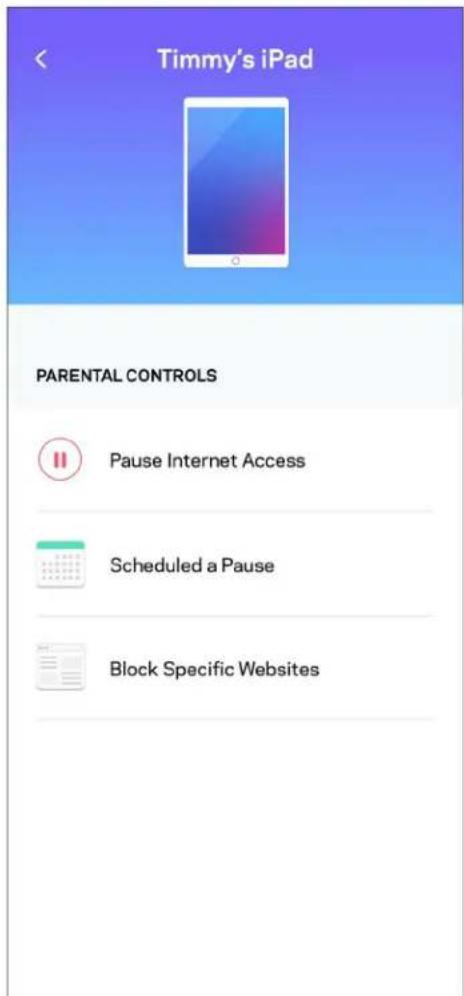
text_image
Timmy's iPad PARENTAL CONTROLS Pause Internet Access Scheduled a Pause Block Specific WebsitesWi-Fi Settings (Puθμίσεις Wi-Fi)
text_image
Wi-Fi Settings Save Wi-Fi name My Home Wi-Fi Wi-Fi Password Advanced Settings > Connect a Device with WPS >text_image
Belkin 10:19 AM 100% ← Advanced Wi-Fi Settings Save Security Type WPA2-Personal > Wi-Fi Mode Mixed > Channel Finder >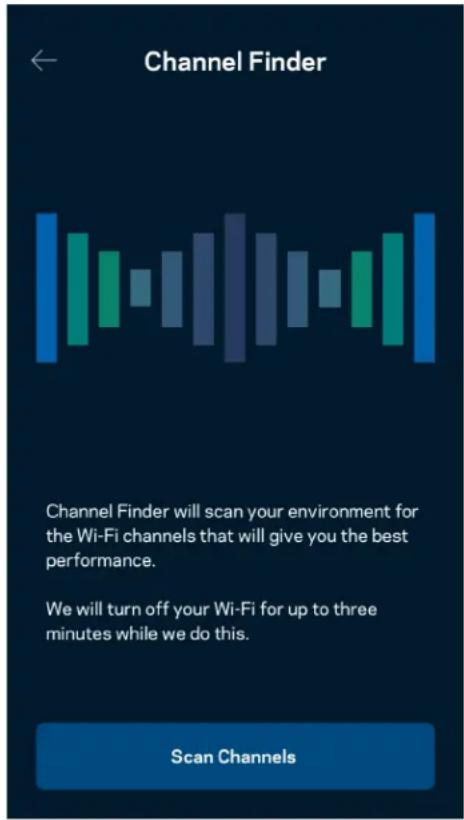
text_image
Channel Finder Channel Finder will scan your environment for the Wi-Fi channels that will give you the best performance. We will turn off your Wi-Fi for up to three minutes while we do this. Scan Channelstext_image
Connect a Device with WPS WPS Wi-Fi Protected Setup allows you to easily connect new devices to your Wi-Fi network without manually configuring security settings. Connect Use a PINtext_image
Guest Access Guest Access Wi-Fi Name My Home Wi-Fi_guest Wi-Fi Passwordtext_image
Device Prioritization Add up to 3 devices to prioritize. Devices not on this list will share what's left of your internet capacity. Add a devicetext_image
Belkin 10:19 AM 100% Notifications Get notifications when: A secondary node is offlinetext_image
Network Administration Living Room > Change Router Password and Hint > Automatic Firmware Update Time Zone Pacific Time (USA & Canada) GMT-08:00 > Diagnostic Information Contribute to future improvements. Automatically report router errors to Linksys. We won't use any information you submit for purposed other than provide you with our customer care and improve our products. Manually report a specific issue Report IP Details Restart Velop Learn more about Network Administrationtext_image
Internet Settings Save Connection Type > Automatic Configuration - DHCP Additional Settings > Learn moretext_image
Port Settings Single Port Forwarding > Port Range Forwarding > Port Range Triggering >text_image
Wi-Fi MAC Filters Edit Wi-Fi MAC Filter Status Allow Access Filtered Devices Daniel's Laptop 00:16:41:34.2C:A Unknown device 00:16:41:34.2C:Atext_image
Android No SIM 5:45 PM @ ↑ $ 83% External Storage Office Eject 4750-6C0A 10.69 MB used 28.94 GB IP address for SMB access: 192.168.1.1 Authentication > Network File Sharing (SMB) Devices on your network can access connected storage. For PC's, enter \ plus the IP address for the storage drive you want to access into Windows Explorer. (Example: \192.168.1.100) For Macs, open Finder and navigate to Go > Connect to Server. Enter smb://plus the IP address for the storage drive you want to access. (Example: smb://192.168.1.100) When authentication is not enabled, you'll need to log in as a guest for SMB access.text_image
Speed Check Ping 19 ms 101 | 121 ↓ Mbps ↑ Mbps Download Upload Results At this speed, you can stream HD videos, hold video conferences, and play online games on multiple devices at the same time. Test again SPEEDTEST powered™text_image
My Account Email Jakefarm@email.com Password First Name Jake Last Name Farm Newsletter Be the first to know about exclusive deals & news. Log Out Close AccountFeedback (Σχόλια)
text_image
Feedback Tell us what you think of the app. Love the app? Have a suggestion? Trouble with the app?Help (Βοήθεια)
| Help |
| + Getting Started with Linksys Smart Wi-Fi |
| + Frequently Asked Questions |
| + Browse by Topic or Feature |
| + Subscription |
| + About |
| + Help and Support |
text_image
iPhone 9:41 < Log in Email Router Password Logging in with router password lets you manage your WiFi while connected to your WiFi. Enter password Forgot Password? Log In New here? Create an account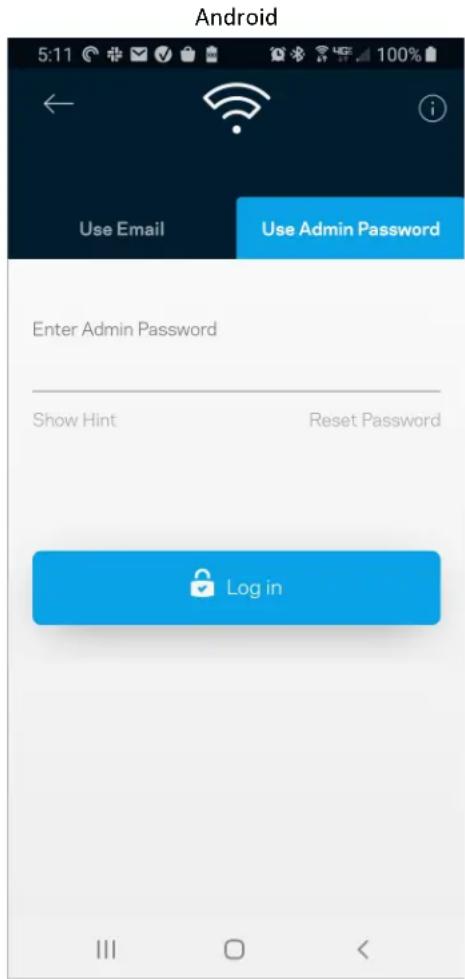
text_image
Android 5:11 Use Email Use Admin Password Enter Admin Password Show Hint Reset Password Log intext_image
Router Password Router Password Router Password Hint To add a a hint, enter your current password or create a new one.text_image
LINKSYS Light| iPhone | Android | ||
| My Home Wi-Fi Devices 12 Parental Controls Wi-Fi Settings Guest Network External Storage ↓↑ Device Prioritization Notifications Network Administration Advanced Settings Set up a New Product Account Help | Dashboard Devices Wi-Fi Settings Guest Access External Storage Speed Check Parental Controls ↓↑ Device Prioritization Notifications Velop Administration Advanced Settings My Account Feedback ? Help Set Up a New Product MyHomeWiFi | ||
text_image
Manage your Wi-Fi Set up a New Wi-Fi Network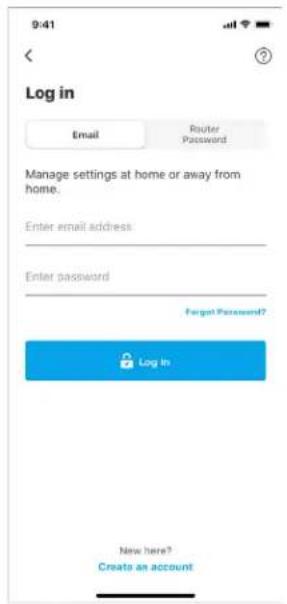
text_image
9:41 Log in Email Router Password Manage settings at home or away from home. Enter email address Enter password Forgot Password? Log In New here? Create an accountEn Android:
text_image
5:25 Already using a Linksys product? Login Have a new Linksys product? Launch setup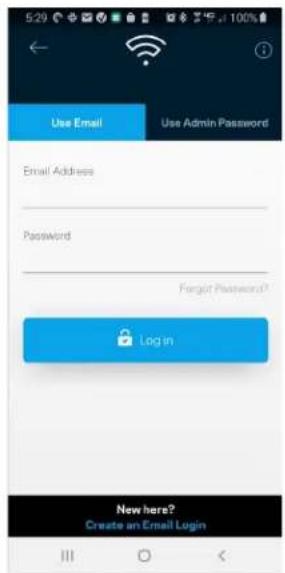
text_image
5:29 Use Email Use Admin Password Email Address Password Forgot Password? Login New here? Create an Email Logintext_image
My Home Wi-Fi Devices 12 Parental Controls Wi-Fi Settings Guest Network External Storage Device Prioritization Notifications Network Administration Advanced Settings Set up a New Product Account HelpAndroid
text_image
Dashboard Devices Wi-Fi Settings Guest Access External Storage Speed Check Parental Controls Device Prioritization Notifications Velop Administration Advanced Settings My Account Feedback Help Set Up a New Product MyHomeWiFiPanel de control
text_image
9:41 My Home Wi-Fi ONLINE 12 DEVICES 1 ROUTER Internet Speed 3 days ago 128 63 Last Five Connections Alex's iPhone X Office 5GHz Jamie's iPad Pro Kitchen 5GHz Bettina's Apple Watch Living Room 5GHz Sean's iMac Master Bedroom Ethernet Apple TV Offline Parental Controls 4 Guest Network On Share Wi-Fi Internet Slow? Give FeedbackAndroid
text_image
Dashboard MyHomeWiFi is Online Internet 4 Devices Wi-Fi My Home Wi-Fi Guest Access My Home Wi-Fi Guest Parental Controls Justin's Laptop Blocked Manually Device Prioritization External Storage Office Eject SD 13.04 GB used 59.61 GB IP address for SMB access: 10.101.1.1Dispositivos
text_image
Belkin 10:19 AM 100% Devices Connected Devices (5) Downstairs TV MyHomeWiFi Game Console Connected via ethernet Jon's Phone MyHomeWiFi Mika's Laptop MyHomeWiFi Thermostat MyHomeWiFi Guest Devices (3) Michelle's Phone MyGuestWiFi Offline Devices (5)text_image
Parental Controls Create schedules to pause internet access, or block specific websites, so you can keep your kids offline and on task. Control a Device Learn more about Parental Controls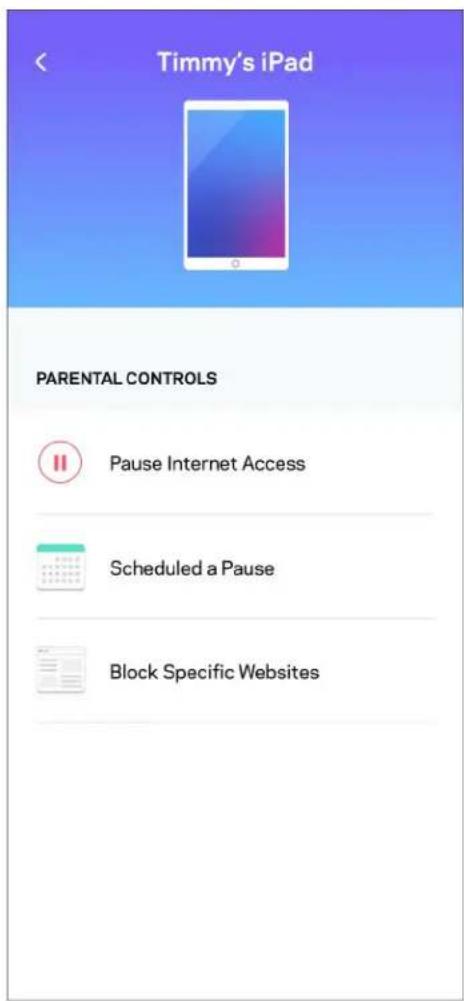
text_image
Timmy's iPad PARENTAL CONTROLS Pause Internet Access Scheduled a Pause Block Specific WebsitesAjustes de WiFi
text_image
Wi-Fi Settings Hi-Fi name My Home Wi-Fi Wi-Fi Password Advanced Settings Connect a Device with WPStext_image
Beikin 10:19 AM Advanced Wi-Fi Settings Save Security Type WPA2-Personal Wi-Fi Mode Mixed Channel Finder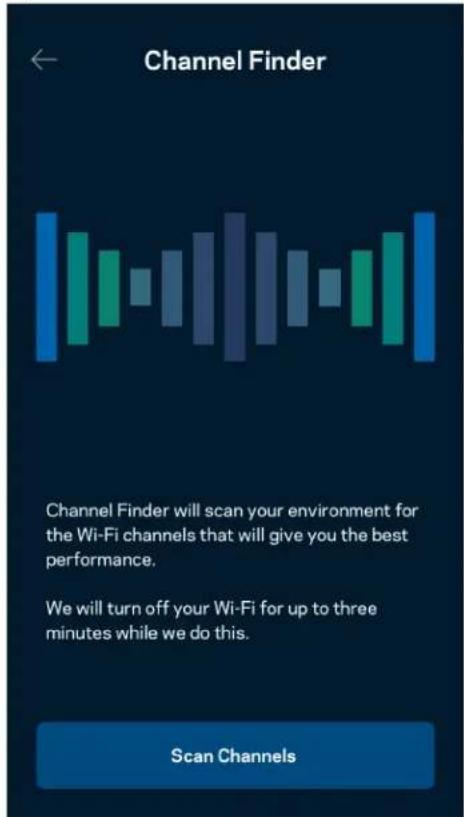
text_image
Channel Finder Channel Finder will scan your environment for the Wi-Fi channels that will give you the best performance. We will turn off your Wi-Fi for up to three minutes while we do this. Scan Channelstext_image
Connect a Device with WPS WPS Wi-Fi Protected Setup allows you to easily connect new devices to your Wi-Fi network without manually configuring security settings. Connect Use a PINtext_image
Guest Access Guest Access Wi-Fi Name My Home Wi-Fi_guest Wi-Fi Passwordtext_image
Device Prioritization Add up to 3 devices to prioritize. Devices not on this list will share what's left of your internet capacity. Add a deviceNotificaciones
text_image
Belkin 10:19 AM 100% Notifications Get notifications when: A secondary node is offlinetext_image
Network Administration Living Room > Change Router Password and Hint > Automatic Firmware Update Time Zone Pacific Time (USA & Canada) GMT-08:00 Diagnostic Information Contribute to future improvements. Automatically report router errors to Linksys. We won't use any information you submit for purposed other than provide you with our customer care and improve our products. Manually report a specific issue Report IP Details Restart Velop Learn more about Network Administrationtext_image
Internet Settings Save Connection Type > Automatic Configuration - DHCP Additional Settings > Learn moretext_image
Port Settings Single Port Forwarding > Port Range Forwarding > Port Range Triggering >Filtrado MAC de WiFi
text_image
Wi-Fi MAC Filters Edit Wi-Fi MAC Filter Status Allow Access Filtered Devices Daniel's Laptop 00:16:41:34.2CA Unknown device 00:16:41:34.2CAtext_image
Android No SIM 5:45 PM @ ↑ 83% External Storage Office Eject ▲ 4750-6C0A 10.69 MB used 28.94 GB IP address for SMB access: 192.168.1.1 Authentication > Network File Sharing (SMB) Devices on your network can access connected storage For PC's, enter \ plus the IP address for the storage drive you want to access into Windows Explorer. (Example: \192.168.1.100) For Macs, open Finder and navigate to Go > Connect to Server. Enter smb // plus the IP address for the storage drive you want to access. (Example: smb://192.168.1.100) When authentication is not enabled, you'll need to log in as a guest for SMB access.Prueba de velocidad
text_image
Speed Check Ping 19 ms 101 | 121 ↓ Mbps ↑ Mbps Download Upload Results At this speed, you can stream HD videos, hold video conferences, and play online games on multiple devices at the same time. Test again SPEEDTEST powered™text_image
My Account Email Jakefarm@email.com Password First Name Jake Last Name Farm Newsletter Be the first to know about exclusive deals & news. Log Out Close AccountOpinión
text_image
Feedback Tell us what you think of the app. Love the app? Have a suggestion? Trouble with the app?Ayuda
| Help |
| + Getting Started with Linksys Smart Wi-Fi |
| + Frequently Asked Questions |
| + Browse by Topic or Feature |
| + Subscription |
| + About |
| + Help and Support |
text_image
9:41 Log in Email Router Password Logging in with router password lets you manage your WiFi while connected to your WiFi. Enter password Forgot Password? Log In New here? Create an accountAndroid
text_image
5:11 Use Email Use Admin Password Enter Admin Password Show Hint Reset Password Log intext_image
Router Password Router Password Router Password Hint To add a a hint, enter your current password or create a new one.text_image
LINKSYS Light| iPhone | Android | ||
| My Home Wi-Fi Devices 12 Parental Controls Wi-Fi Settings Guest Network External Storage ↓↑ Device Prioritization Notifications Network Administration Advanced Settings Set up a New Product Account Help | Dashboard Devices Wi-Fi Settings Guest Access External Storage Speed Check Parental Controls Device Prioritization Notifications Velop Administration Advanced Settings My Account Feedback ? Help Set Up a New Product MyHomeWiFi | ||
text_image
Manage your Wi-Fi Set up a New Wi-Fi Network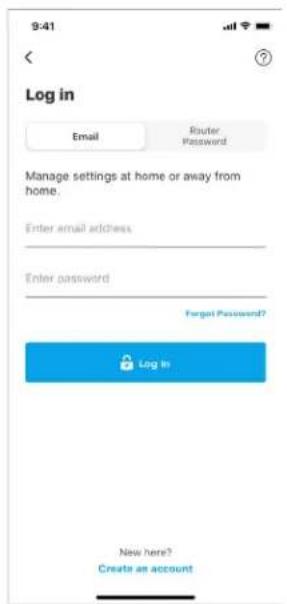
text_image
9:41 Log in Email Router Password Manage settings at home or away from home. Enter email address Enter password Forgot Password? Log In New here? Create an accountAndroid
text_image
5:23 Already using a Linksys product? Log in Have a new Linksys product? Launch setup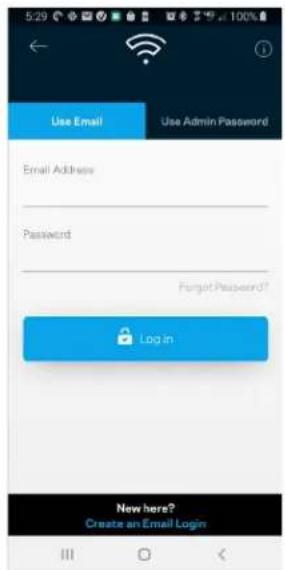
text_image
Use Email Use Admin Password Email Address Password Forgot Password? Login New here? Create an Email Login- Sisestage e-posti aadress, mida kasutasite oma konto loomisel.
- Sisestage konto parool.
- Puudutage valikut Log in (logi sisse).
Navigeerimismenüü
text_image
My Home Wi-Fi Devices 12 Parental Controls Wi-Fi Settings Guest Network External Storage Device Prioritization Notifications Network Administration Advanced Settings Set up a New Product Account HelpAndroid
text_image
Dashboard Devices Wi-Fi Settings Guest Access External Storage Speed Check Parental Controls Device Prioritization Notifications Velop Administration Advanced Settings My Account Feedback Help Set Up a New Product MyHomeWiFiEsipaneel
text_image
My Home Wi-Fi ONLINE 12 DEVICES 1 ROUTER Internet Speed 3 days ago 128 63 Last Five Connections Alex's iPhone X Office 5GHz Jamie's iPad Pro Kitchen 5GHz Bettina's Apple Watch Living Room 5GHz Sean's iMac Master Bedroom Ethernet Apple TV Offline Parental Controls 4 Guest Network On Share Wi-Fi Internet Slow? Give FeedbackAndroid
text_image
Dashboard MyHomeWiFi is Online Internet 4 Devices Wi-Fi My Home Wi-Fi Guest Access My Home Wi-Fi Guest Parental Controls Justin's Laptop Blocked Manually Device Prioritization External Storage Office Eject SD 13.04 GB used 59.61 GB IP address for SMB access: 10.101.1.1Seadmed
text_image
Devices Connected Devices (5) Downstairs TV MyHomeWiFi > Game Console Connected via ethernet > Jon's Phone MyHomeWiFi > Mika's Laptop MyHomeWiFi > Thermostat MyHomeWiFi > Guest Devices (3) Michelle's Phone MyGuestWiFi > Offline Devices (5)text_image
Parental Controls Create schedules to pause internet access, or block specific websites, so you can keep your kids offline and on task. Control a Device Learn more about Parental Controls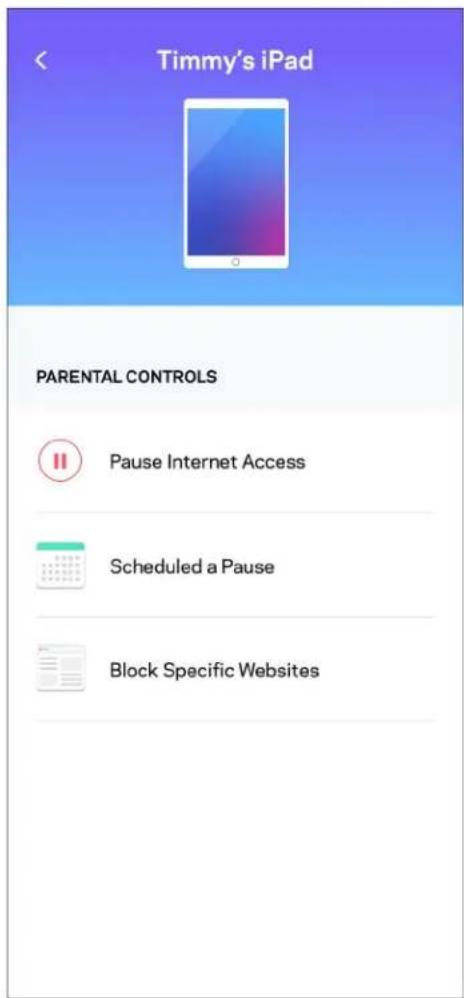
text_image
Timmy's iPad PARENTAL CONTROLS Pause Internet Access Scheduled a Pause Block Specific WebsitesWi-Fi seaded
text_image
Wi-Fi Settings Hi-Fi name My Home Wi-Fi Wi-Fi Password Advanced Settings Connect a Device with WPSTäpsemad Wi-Fi seaded
text_image
Beikin 10:19 AM 100% Advanced Wi-Fi Settings Save Security Type WPA2-Personal > Wi-Fi Mode Mixed > Channel Finder >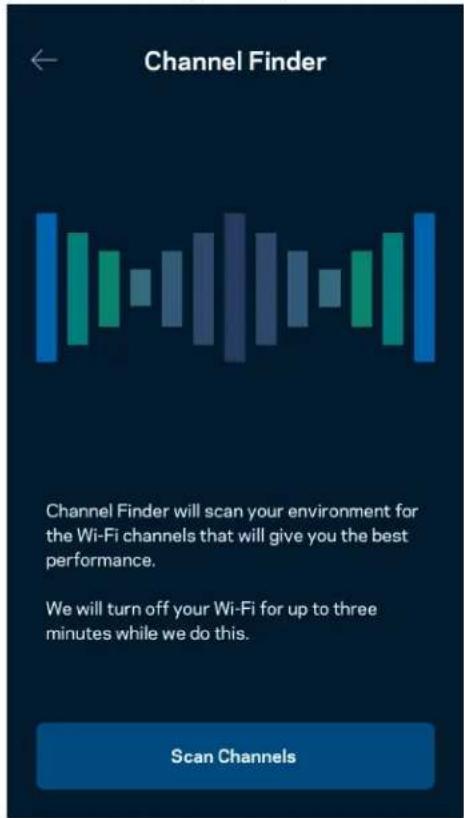
text_image
Channel Finder Channel Finder will scan your environment for the Wi-Fi channels that will give you the best performance. We will turn off your Wi-Fi for up to three minutes while we do this. Scan Channelstext_image
Connect a Device with WPS WPS Wi-Fi Protected Setup allows you to easily connect new devices to your Wi-Fi network without manually configuring security settings. Connect Use a PINtext_image
Guest Access Guest Access Wi-Fi Name My Home Wi-Fi_guest Wi-Fi Passwordtext_image
Device Prioritization Add up to 3 devices to prioritize. Devices not on this list will share what's left of your internet capacity. Add a deviceTeated
text_image
Belkin 10:19 AM 100% Notifications Get notifications when: A secondary node is offlinetext_image
Network Administration Living Room > Change Router Password and Hint > Automatic Firmware Update Time Zone Pacific Time (USA & Canada) GMT-08:00 Diagnostic Information Contribute to future improvements. Automatically report router errors to Linksys. We won't use any information you submit for purposed other than provide you with our customer care and improve our products. Manually report a specific issue Report IP Details Restart Velop Learn more about Network Administrationtext_image
Belkin 9:41 AM Internet Settings Save Connection Type Automatic Configuration - DHCP Additional Settings Learn morePordi seaded
text_image
Port Settings Single Port Forwarding > Port Range Forwarding > Port Range Triggering >Wi-Fi MAC-filtrid
text_image
Wi-Fi MAC Filters Edit Wi-Fi MAC Filter Status Allow Access Filtered Devices Daniel's Laptop 00:16:41:34.2CA Unknown device 00:16:41:34.2CAVälismälu
text_image
Android No SIM 5:45 PM @ 83% External Storage Office Eject ▲ 4750-6C0A 10.69 MB used 28.94 GB IP address for SMB access: 192.168.1.1 Authentication > Network File Sharing (SMB) Devices on your network can access connected storage For PC's, enter \ plus the IP address for the storage drive you want to access into Windows Explorer. (Example: \192.168.1.100) For Macs, open Finder and navigate to Go > Connect to Server. Enter smb // plus the IP address for the storage drive you want to access. (Example: smb://192.168.1.100) When authentication is not enabled, you'll need to log in as a guest for SMB access.Kiirustest
text_image
Speed Check Ping 19 ms 101 | 121 ↓ Mbps ↑ Mbps Download Upload Results At this speed, you can stream HD videos, hold video conferences, and play online games on multiple devices at the same time. Test again SPEEDTEST powered™text_image
My Account Email Jakefarm@email.com Password First Name Jake Last Name Farm Newsletter Be the first to know about exclusive deals & news. Log Out Close AccountTagasiside
text_image
Feedback Tell us what you think of the app. Love the app? Have a suggestion? Trouble with the app?Abi
| Help |
| + Getting Started with Linksys Smart Wi-Fi |
| + Frequently Asked Questions |
| + Browse by Topic or Feature |
| + Subscription |
| + About |
| + Help and Support |
text_image
9:41 Log in Email Router Password Logging in with router password lets you manage your WiFi while connected to your WiFi. Enter password Forgot Password? Log In New here? Create an accountAndroid
text_image
5:11 Use Email Use Admin Password Enter Admin Password Show Hint Reset Password Log inRuuteri parool
text_image
Router Password Router Password Router Password Hint To add a a hint, enter your current password or create a new one.text_image
LINKSYS Light| iPhone | Android | ||
| My Home Wi-Fi Devices 12 Parental Controls Wi-Fi Settings Guest Network External Storage ↓↑ Device Prioritization Notifications Network Administration Advanced Settings Set up a New Product Account Help | Dashboard Devices Wi-Fi Settings Guest Access External Storage Speed Check Parental Controls ↓↑ Device Prioritization Notifications Velop Administration Advanced Settings My Account Feedback ? Help Set Up a New Product MyHomeWiFi | ||
text_image
Manage your Wi-Fi Set up a New Wi-Fi Network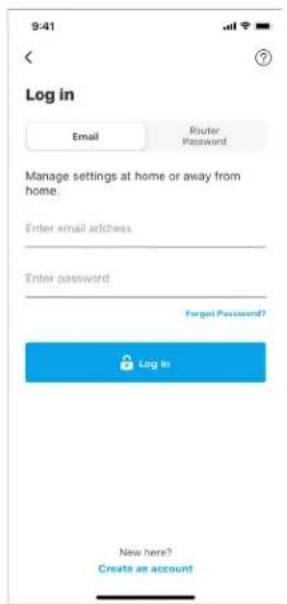
text_image
9:41 Log in Email Router Password Manage settings at home or away from home. Enter email address Enter password Forgot Password? Log In New here? Create an accountAndroid
text_image
5:23 Already using a Linksys product? Log in Have a new Linksys product? Launch setup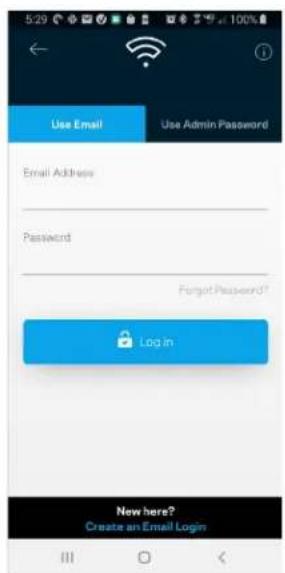
text_image
5:29 Use Email Use Admin Password Email Address Password Forgot Password? Login New here? Create an Email Logintext_image
My Home Wi-Fi Devices 12 Parental Controls Wi-Fi Settings Guest Network External Storage Device Prioritization Notifications Network Administration Advanced Settings Set up a New Product Account HelpAndroid
text_image
Dashboard Devices Wi-Fi Settings Guest Access External Storage Speed Check Parental Controls Device Prioritization Notifications Velop Administration Advanced Settings My Account Feedback Help Set Up a New Product MyHomeWiFiKoontinäyttö
text_image
My Home Wi-Fi ONLINE 12 DEVICES 1 ROUTER Internet Speed 3 days ago 128 63 Last Five Connections Alex's iPhone X Office 5GHz Jamie's iPad Pro Kitchen 5GHz Bettina's Apple Watch Living Room 5GHz Sean's iMac Master Bedroom Ethernet Apple TV Offline Parental Controls 4 Guest Network On Share Wi-Fi Internet Slow? Give FeedbackAndroid
text_image
Dashboard MyHomeWiFi is Online Internet 4 Devices Wi-Fi My Home Wi-Fi Guest Access My Home Wi-Fi Guest Parental Controls Justin's Laptop Blocked Manually Device Prioritization External Storage Office Eject SD 13.04 GB used 59.61 GB IP address for SMB access: 10.101.1.1Laitteet
text_image
Devices Connected Devices (5) Downstairs TV MyHomeWiFi > Game Console Connected via ethernet > Jon's Phone MyHomeWiFi > Mika's Laptop MyHomeWiFi > Thermostat MyHomeWiFi > Guest Devices (3) Michelle's Phone MyGuestWiFi > Offline Devices (5)text_image
Parental Controls Create schedules to pause internet access, or block specific websites, so you can keep your kids offline and on task. Control a Device Learn more about Parental Controls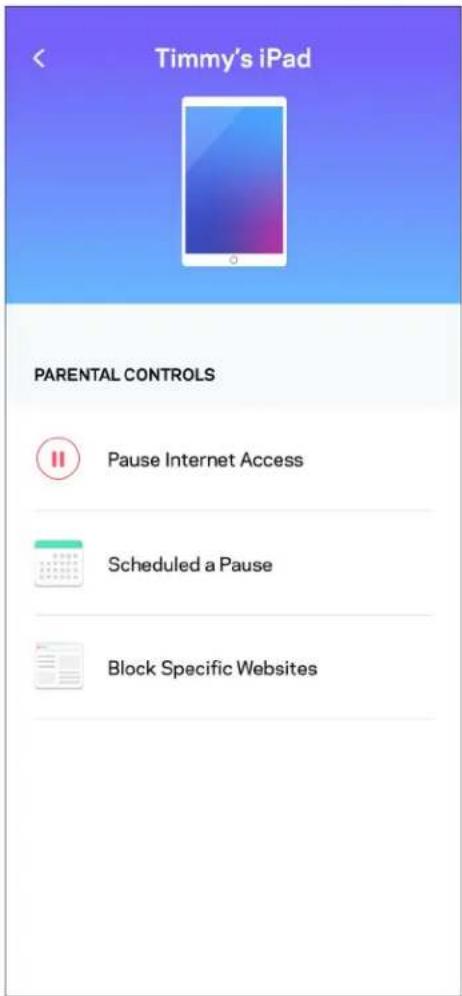
text_image
Timmy's iPad PARENTAL CONTROLS Pause Internet Access Scheduled a Pause Block Specific WebsitesWi-Fi-asetukset
text_image
Wi-Fi Settings Hi-Fi name My Home Wi-Fi Wi-Fi Password Advanced Settings Connect a Device with WPSWi-Fi-lisäasetukset
text_image
Balkin 10:19 AM 100% Advanced Wi-Fi Settings Save Security Type > WPA2-Personal > Wi-Fi Mode > Mixed > Channel Finder >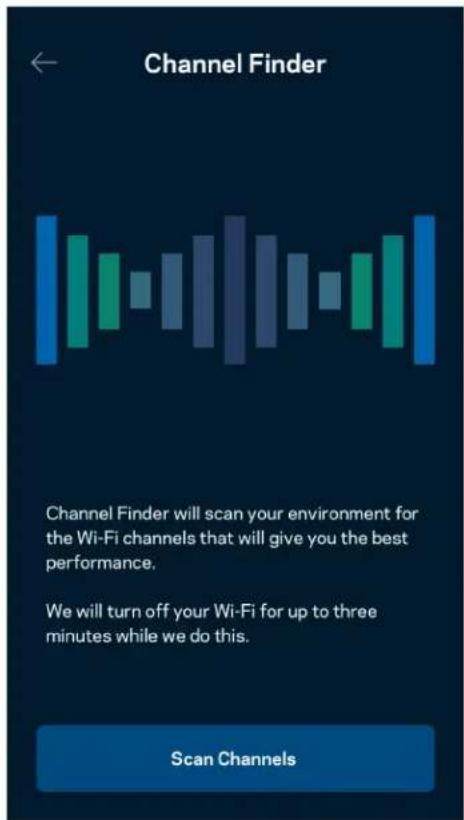
text_image
Channel Finder Channel Finder will scan your environment for the Wi-Fi channels that will give you the best performance. We will turn off your Wi-Fi for up to three minutes while we do this. Scan Channelstext_image
Connect a Device with WPS WPS Wi-Fi Protected Setup allows you to easily connect new devices to your Wi-Fi network without manually configuring security settings. Connect Use a PINVierasverkon käyttö
text_image
Guest Access Guest Access Wi-Fi Name My Home Wi-Fi_guest Wi-Fi Passwordtext_image
Device Prioritization Add up to 3 devices to prioritize. Devices not on this list will share what's left of your internet capacity. Add a deviceIlmoitukset
text_image
Belkin 10:19 AM 100% Notifications Get notifications when: A secondary node is offlineVerkon/reitittimen hallinta
text_image
Network Administration Living Room > Change Router Password and Hint > Automatic Firmware Update Time Zone Pacific Time (USA & Canada) GMT-0B:00 > Diagnostic Information Contribute to future improvements. Automatically report router errors to Linksys. We won't use any information you submit for purposed other than provide you with our customer care and improve our products. Manually report a specific issue Report IP Details Restart Velop Learn more about Network Administrationtext_image
Internet Settings Save Connection Type > Automatic Configuration - DHCP Additional Settings > Learn morePorttiasetukset
text_image
Port Settings Single Port Forwarding > Port Range Forwarding > Port Range Triggering >Wi-Fi-verkon MAC-suodattimet
text_image
Wi-Fi MAC Filters Edit Wi-Fi MAC Filter Status Allow Access Filtered Devices Daniel's Laptop 00:16:41:34.2CA Unknown device 00:16:41:34.2CAtext_image
Android No SIM 5:45 PM @ 83% External Storage Office Eject 4750-6C0A 10.69 MB used 28.94 GB IP address for SMB access: 192.168.1.1 Authentication > Network File Sharing (SMB) Devices on your network can access connected storage For PC's, enter \ plus the IP address for the storage drive you want to access into Windows Explorer. (Example: \192.168.1.100) For Macs, open Finder and navigate to Go > Connect to Server. Enter smb // plus the IP address for the storage drive you want to access. (Example: smb://192.168.1.100) When authentication is not enabled, you'll need to log in as a guest for SMB access.Nopeustarkistus
text_image
Speed Check Ping 19 ms 101 | 121 ↓ Mbps ↑ Mbps Download Upload Results At this speed, you can stream HD videos, hold video conferences, and play online games on multiple devices at the same time. Test again SPEEDTEST powered™text_image
My Account Email Jakefarm@email.com Password First Name Jake Last Name Farm Newsletter Be the first to know about exclusive deals & news. Log Out Close AccountPalaute
text_image
Feedback Tell us what you think of the app. Love the app? Have a suggestion? Trouble with the app?Ohje
| Help |
| + Getting Started with Linksys Smart Wi-Fi |
| + Frequently Asked Questions |
| + Browse by Topic or Feature |
| + Subscription |
| + About |
| + Help and Support |
text_image
9:41 Log in Email Router Password Logging in with router password lets you manage your WiFi while connected to your WiFi. Enter password Forgot Password? Log In New here? Create an accountAndroid
text_image
5:11 Use Email Use Admin Password Enter Admin Password Show Hint Reset Password Log inReitittimen salasana
text_image
Router Password Router Password Router Password Hint To add a a hint, enter your current password or create a new one.text_image
LINKSYS Light| iPhone | Android | ||
| My Home Wi-Fi Devices Parental Controls Wi-Fi Settings Guest Network External Storage ↓↑ Device Prioritization Notifications Network Administration Advanced Settings Set up a New Product Account Help | Dashboard Devices Wi-Fi Settings Guest Access External Storage Speed Check Parental Controls ↓↑ Device Prioritization Notifications Velop Administration Advanced Settings My Account Feedback ? Help Set Up a New Product MyHomeWiFi | ||
- Ouvrez Linksys App, touchez Log in (Connexion).
iPhone
text_image
Manage your Wi-Fi Set up a New Wi-Fi Network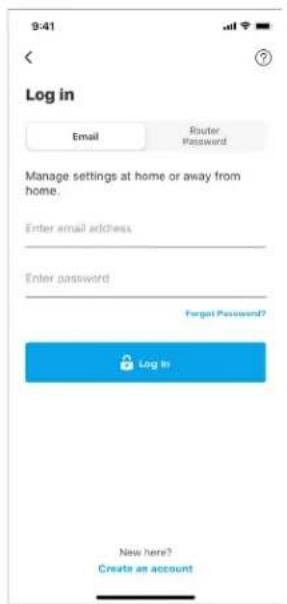
text_image
9:41 Log in Email Router Password Manage settings at home or away from home. Enter email address Enter password Forgot Password? Log In New here? Create an accountAndroid
text_image
5:23 Already using a Linksys product? Log in Have a new Linksys product? Launch setup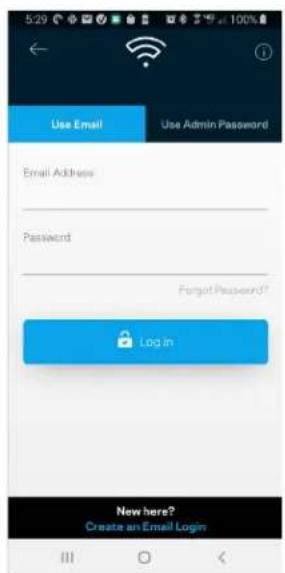
text_image
5:29 Use Email Use Admin Password Email Address Password Forgot Password? Login New here? Create an Email Logintext_image
My Home Wi-Fi Devices 12 Parental Controls Wi-Fi Settings Guest Network External Storage Device Prioritization Notifications Network Administration Advanced Settings Set up a New Product Account HelpAndroid
text_image
Dashboard Devices Wi-Fi Settings Guest Access External Storage Speed Check Parental Controls Device Prioritization Notifications Velop Administration Advanced Settings My Account Feedback Help Set Up a New Product MyHomeWiFiDashboard (Tableau de bord)
text_image
9:41 My Home Wi-Fi ONLINE 12 DEVICES 1 ROUTER Internet Speed 3 days ago 128 63 Last Five Connections Alex's iPhone X Office 5GHz Jamie's iPad Pro Kitchen 5GHz Bettina's Apple Watch Living Room 5GHz Sean's iMac Master Bedroom Ethernet Apple TV Offline Parental Controls Guest Network On Share Wi-Fi Internet Slow? Give FeedbackAndroid
text_image
Dashboard MyHomeWiFi is Online Internet 4 Devices Wi-Fi My Home Wi-Fi Guest Access My Home Wi-Fi Guest Parental Controls Justin's Laptop Blocked Manually Device Prioritization External Storage Office Eject SD 13.04 GB used 59.61 GB IP address for SMB access: 10.101.1.1text_image
Belkin 10:19 AM 100% Devices Connected Devices (5) Downstairs TV MyHomeWiFi Game Console Connected via ethernet Jon's Phone MyHomeWiFi Mika's Laptop MyHomeWiFi Thermostat MyHomeWiFi Guest Devices (3) Michelle's Phone MyGuestWiFi Offline Devices (5)text_image
Parental Controls Create schedules to pause internet access, or block specific websites, so you can keep your kids offline and on task. Control a Device Learn more about Parental Controls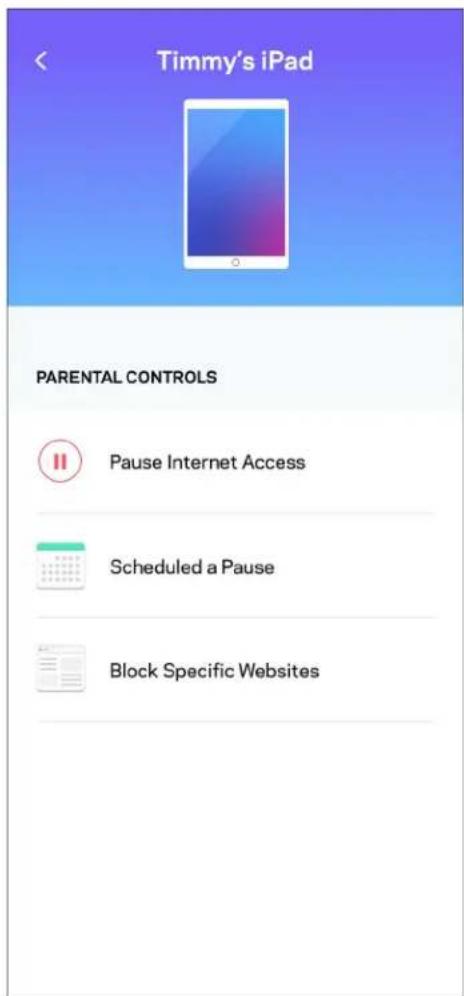
text_image
Timmy's iPad PARENTAL CONTROLS Pause Internet Access Scheduled a Pause Block Specific WebsitesWi-Fi Settings (Paramètres Wi-Fi)
text_image
Wi-Fi Settings Hi-Fi name My Home Wi-Fi Wi-Fi Password Advanced Settings Connect a Device with WPStext_image
Belkin 10:19 AM 100% Advanced Wi-Fi Settings Save Security Type WPA2-Personal > Wi-Fi Mode Mixed > Channel Finder >
text_image
Channel Finder Channel Finder will scan your environment for the Wi-Fi channels that will give you the best performance. We will turn off your Wi-Fi for up to three minutes while we do this. Scan Channelstext_image
Connect a Device with WPS WPS Wi-Fi Protected Setup allows you to easily connect new devices to your Wi-Fi network without manually configuring security settings. Connect Use a PINtext_image
Guest Access Guest Access Wi-Fi Name My Home Wi-Fi_guest Wi-Fi Passwordtext_image
Device Prioritization Add up to 3 devices to prioritize. Devices not on this list will share what's left of your internet capacity. Add a deviceNotifications
text_image
Belkin 10:19 AM 100% Notifications Get notifications when: A secondary node is offlinetext_image
Network Administration Living Room > Change Router Password and Hint > Automatic Firmware Update Time Zone Pacific Time (USA & Canada) GMT-08.00 > Diagnostic Information Contribute to future improvements. Automatically report router errors to Linksys. We won't use any information you submit for purposed other than provide you with our customer care and improve our products. Manually report a specific issue Report IP Details Restart Velop Learn more about Network Administrationtext_image
Internet Settings Save Connection Type > Automatic Configuration - DHCP Additional Settings > Learn moretext_image
Port Settings Single Port Forwarding > Port Range Forwarding > Port Range Triggering >Wi-Fi MAC Filters (Filtres MAC Wi-Fi)
text_image
Wi-Fi MAC Filters Edit Wi-Fi MAC Filter Status Allow Access Filtered Devices Daniel's Laptop 00:16:41:34:2C:A Unknown device 00:16:41:34:2C:AStockage externe
text_image
Android No SIM 5:45 PM @ 83% External Storage Office Eject 4750-6C0A 10.69 MB used 28.94 GB IP address for SMB access: 192.168.1.1 Authentication > Network File Sharing (SMB) Devices on your network can access connected storage For PC's, enter \ plus the IP address for the storage drive you want to access into Windows Explorer. (Example: \192.168.1.100) For Macs, open Finder and navigate to Go > Connect to Server. Enter smb.// plus the IP address for the storage drive you want to access. (Example: smb.//192.168.1.100) When authentication is not enabled, you'll need to log in as a guest for SMB accesstext_image
Speed Check Ping 19 ms 101 | 121 ↓ Mbps ↑ Mbps Download Upload Results At this speed, you can stream HD videos, hold video conferences, and play online games on multiple devices at the same time. Test again SPEEDTEST powered™text_image
My Account Email Jakefarm@email.com Password First Name Jake Last Name Farm Newsletter Be the first to know about exclusive deals & news. Log Out Close Accounttext_image
Feedback Tell us what you think of the app. Love the app? Have a suggestion? Trouble with the app?Help (Aide)
| Help |
| + Getting Started with Linksys Smart Wi-Fi |
| + Frequently Asked Questions |
| + Browse by Topic or Feature |
| + Subscription |
| + About |
| + Help and Support |
text_image
9:41 Log in Email Router Password Logging in with router password lets you manage your WiFi while connected to your WiFi. Enter password Forgot Password? Log In New here? Create an accountAndroid
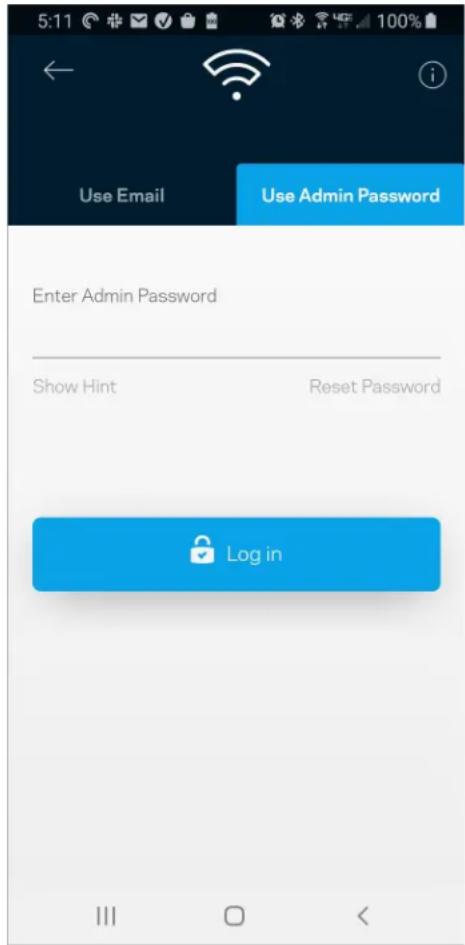
text_image
5:11 Use Email Use Admin Password Enter Admin Password Show Hint Reset Password Log intext_image
Router Password Router Password Router Password Hint To add a a hint, enter your current password or create a new one.text_image
LINKSYS Light| iPhone | Android | ||
| My Home Wi-Fi Devices 12 Parental Controls Wi-Fi Settings Guest Network External Storage ↓↑ Device Prioritization Notifications Network Administration Advanced Settings Set up a New Product Account Help | Dashboard Devices Wi-Fi Settings Guest Access External Storage Speed Check Parental Controls ↓↑ Device Prioritization Notifications Velop Administration Advanced Settings My Account Feedback ? Help Set Up a New Product MyHomeWiFi | ||
text_image
Manage your Wi-Fi Set up a New Wi-Fi Network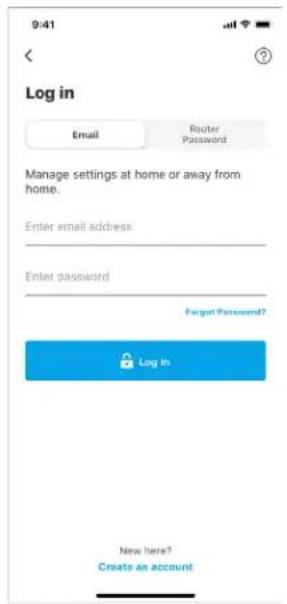
text_image
9:41 Log in Email Router Password Manage settings at home or away from home. Enter email address Enter password Forgot Password? Log In New here? Create an accountAndroid
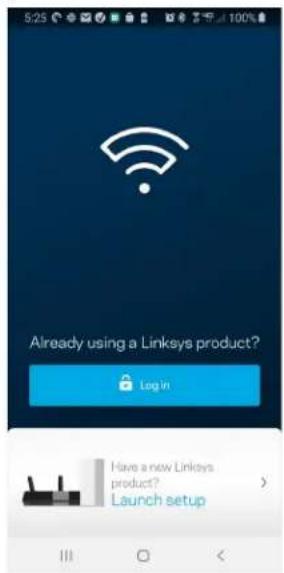
text_image
5:25 Already using a Linksys product? Login Have a new Linksys product? Launch setup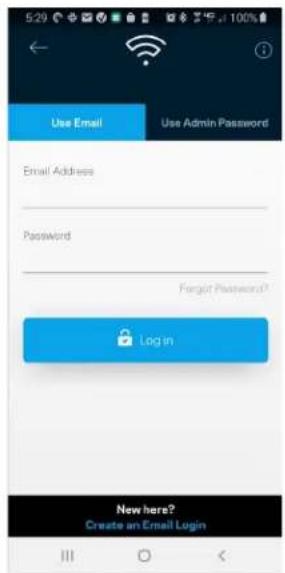
text_image
5:29 Use Email Use Admin Password Email Address Password Forgot Password? Login New here? Create an Email Logintext_image
My Home Wi-Fi Devices 12 Parental Controls Wi-Fi Settings Guest Network External Storage Device Prioritization Notifications Network Administration Advanced Settings Set up a New Product Account HelpAndroid
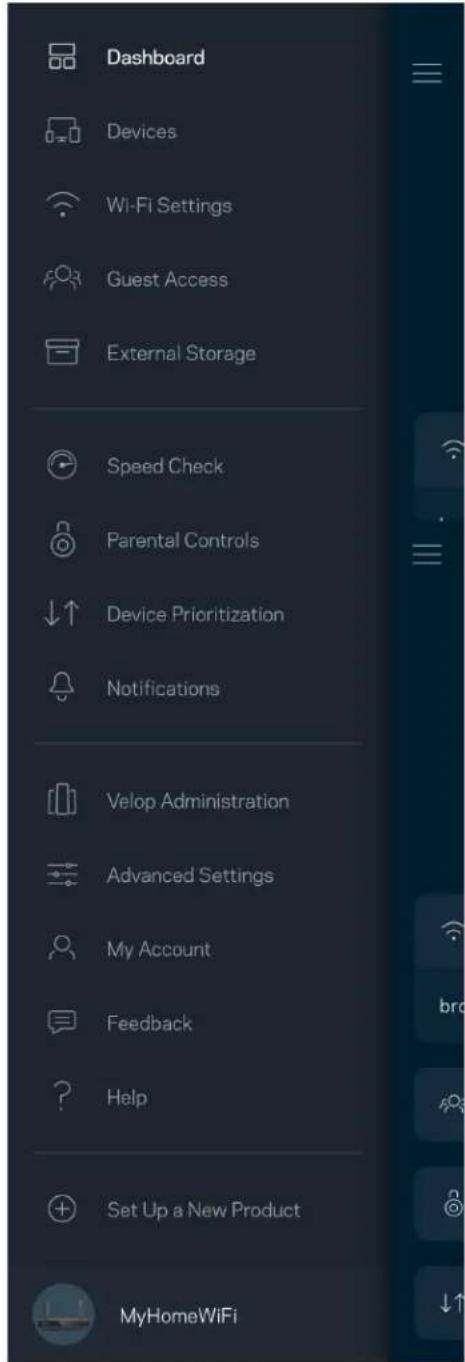
text_image
Dashboard Devices Wi-Fi Settings Guest Access External Storage Speed Check Parental Controls Device Prioritization Notifications Velop Administration Advanced Settings My Account Feedback Help Set Up a New Product MyHomeWiFiTableau de bord
text_image
9:41 My Home Wi-Fi ONLINE 12 DEVICES 1 ROUTER Internet Speed 3 days ago 128 63 Last Five Connections Alex's iPhone X Office 5GHz Jamie's iPad Pro Kitchen 5GHz Bettina's Apple Watch Living Room 5GHz Sean's iMac Master Bedroom Ethernet Apple TV Offline Parental Controls 4 Guest Network On Share Wi-Fi Internet Slow? Give FeedbackAndroid
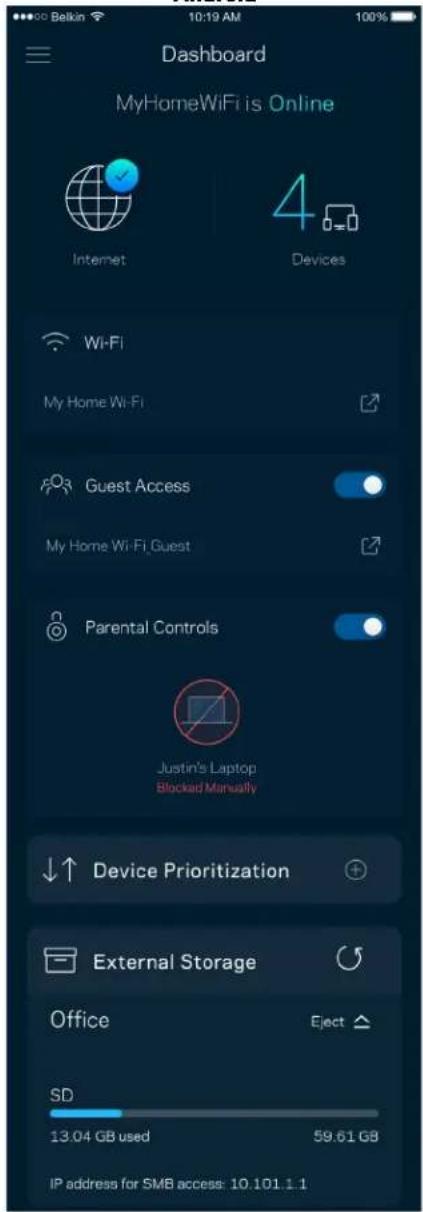
text_image
Dashboard MyHomeWiFi is Online Internet 4 Devices Wi-Fi My Home Wi-Fi Guest Access My Home Wi-Fi Guest Parental Controls Justin's Laptop Blocked Manually Device Prioritization External Storage Office Eject SD 13.04 GB used 59.61 GB IP address for SMB access: 10.101.1.1Appareils
text_image
Belkin 10:19 AM 100% Devices Connected Devices (5) Downstairs TV MyHomeWiFi Game Console Connected via ethernet Jon's Phone MyHomeWiFi Mika's Laptop MyHomeWiFi Thermostat MyHomeWiFi Guest Devices (3) Michelle's Phone MyGuestWiFi Offline Devices (5)text_image
Parental Controls Create schedules to pause internet access, or block specific websites, so you can keep your kids offline and on task. Control a Device Learn more about Parental Controls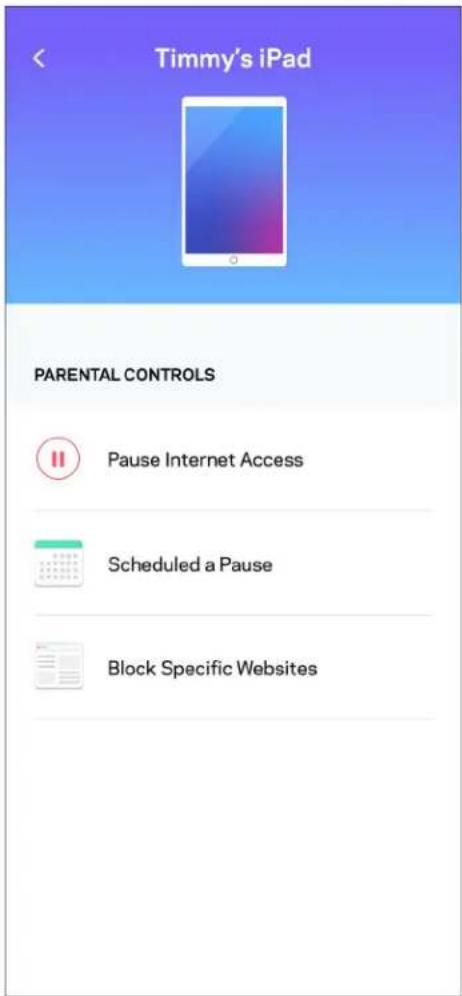
text_image
Timmy's iPad PARENTAL CONTROLS Pause Internet Access Scheduled a Pause Block Specific Websitestext_image
Wi-Fi Settings Hi-Fi name My Home Wi-Fi Wi-Fi Password Advanced Settings Connect a Device with WPStext_image
Beikin 10:19 AM Advanced Wi-Fi Settings Save Security Type WPA2-Personal Wi-Fi Mode Mixed Channel Finder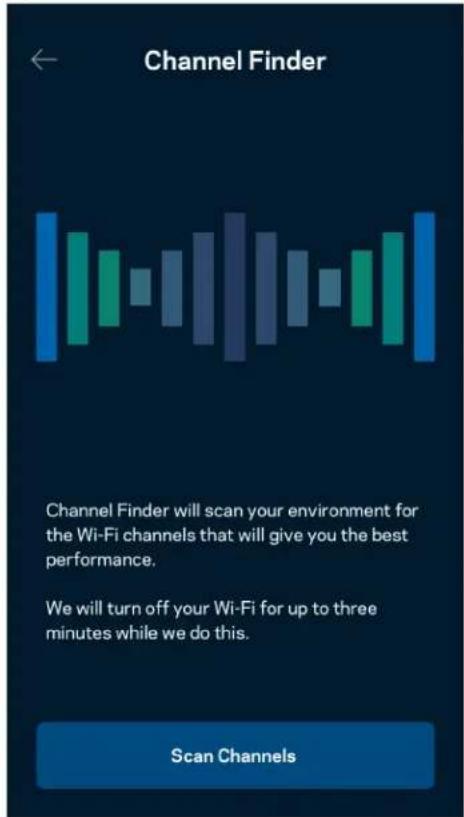
text_image
Channel Finder Channel Finder will scan your environment for the Wi-Fi channels that will give you the best performance. We will turn off your Wi-Fi for up to three minutes while we do this. Scan Channelstext_image
Connect a Device with WPS WPS Wi-Fi Protected Setup allows you to easily connect new devices to your Wi-Fi network without manually configuring security settings. Connect Use a PINtext_image
Guest Access Guest Access Wi-Fi Name My Home Wi-Fi_guest Wi-Fi Passwordtext_image
Device Prioritization Add up to 3 devices to prioritize. Devices not on this list will share what's left of your internet capacity. Add a deviceNotifications
text_image
Belkin 10:19 AM 100% Notifications Get notifications when: A secondary node is offlinetext_image
Network Administration Living Room > Change Router Password and Hint > Automatic Firmware Update Time Zone Pacific Time (USA & Canada) GMT-08.00 > Diagnostic Information Contribute to future improvements. Automatically report router errors to Linksys. We won't use any information you submit for purposed other than provide you with our customer care and improve our products. Manually report a specific issue Report IP Details Restart Velop Learn more about Network Administrationtext_image
Beikin 9:41 AM 100% Internet Settings Save Connection Type > Automatic Configuration - DHCP Additional Settings > Learn moreParamètres de ports
text_image
Port Settings Single Port Forwarding > Port Range Forwarding > Port Range Triggering >Filtres MAC sans-fil
text_image
Wi-Fi MAC Filters Edit Wi-Fi MAC Filter Status Allow Access Filtered Devices Daniel's Laptop 00:16:41:34.2CA Unknown device 00:16:41:34.2CAStockage externe
text_image
Android No SIM 5:45 PM @ 83% External Storage Office Eject 4750-6C0A 10.69 MB used 28.94 GB IP address for SMB access: 192.168.1.1 Authentication > Network File Sharing (SMB) Devices on your network can access connected storage For PC's, enter \ plus the IP address for the storage drive you want to access into Windows Explorer. (Example: \192.168.1.100) For Macs, open Finder and navigate to Go > Connect to Server. Enter smb://plus the IP address for the storage drive you want to access. (Example: smb://192.168.1.100) When authentication is not enabled, you'll need to log in as a guest for SMB access.Contrôle de vitesse
text_image
Speed Check Ping 19 ms 101 | 121 ↓ Mbps ↑ Mbps Download Upload Results At this speed, you can stream HD videos, hold video conferences, and play online games on multiple devices at the same time. Test again SPEEDTEST powered™text_image
My Account Email Jakefarm@email.com Password First Name Jake Last Name Farm Newsletter Be the first to know about exclusive deals & news. Log Out Close AccountCommentaires
text_image
Feedback Tell us what you think of the app. Love the app? Have a suggestion? Trouble with the app?Aide
| Help |
| + Getting Started with Linksys Smart Wi-Fi |
| + Frequently Asked Questions |
| + Browse by Topic or Feature |
| + Subscription |
| + About |
| + Help and Support |
text_image
9:41 Log in Email Router Password Logging in with router password lets you manage your WiFi while connected to your WiFi. Enter password Forgot Password? Log In New here? Create an accountAndroid
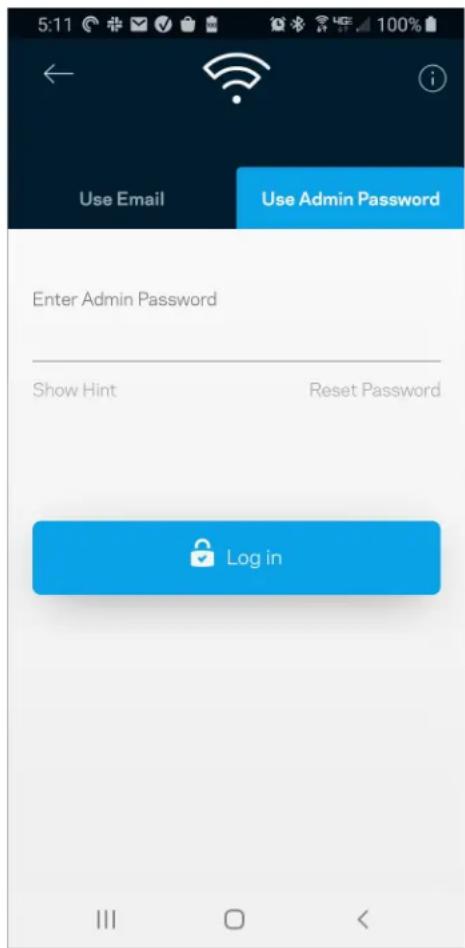
text_image
5:11 Use Email Use Admin Password Enter Admin Password Show Hint Reset Password Log intext_image
Router Password Router Password Router Password Hint To add a a hint, enter your current password or create a new one.text_image
LINKSYS Light| iPhone | Android | ||
| My Home Wi-Fi Devices 12 Parental Controls Wi-Fi Settings Guest Network External Storage ↓↑ Device Prioritization Notifications Network Administration Advanced Settings Set up a New Product Account Help | Dashboard Devices Wi-Fi Settings Guest Access External Storage Speed Check Parental Controls ↓↑ Device Prioritization Notifications Velop Administration Advanced Settings My Account Feedback ? Help Set Up a New Product MyHomeWiFi | ||
text_image
Manage your Wi-Fi Set up a New Wi-Fi Network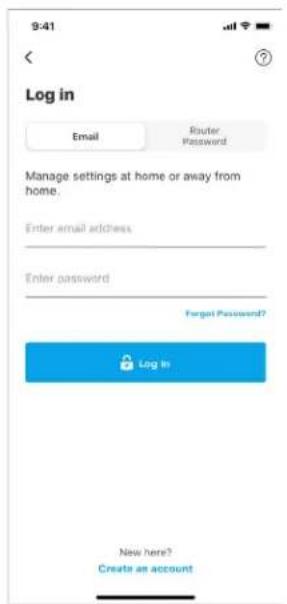
text_image
9:41 Log in Email Router Password Manage settings at home or away from home. Enter email address Enter password Forgot Password? Log In New here? Create an accountAndroid
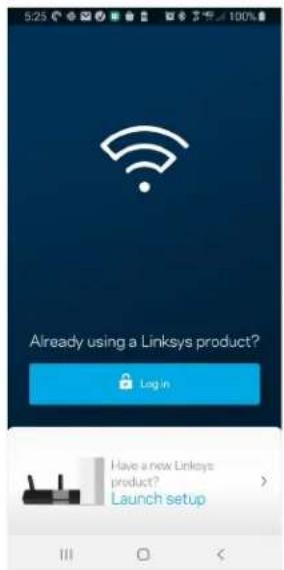
text_image
5:23 Already using a Linksys product? Log in Have a new Linksys product? Launch setup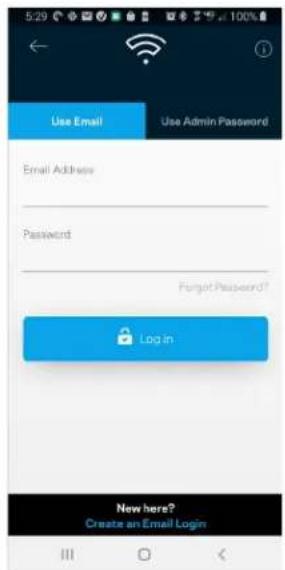
text_image
Use Email Use Admin Password Email Address Password Forgot Password? Login New here? Create an Email Logintext_image
My Home Wi-Fi Devices 12 Parental Controls Wi-Fi Settings Guest Network External Storage Device Prioritization Notifications Network Administration Advanced Settings Set up a New Product Account HelpAndroid
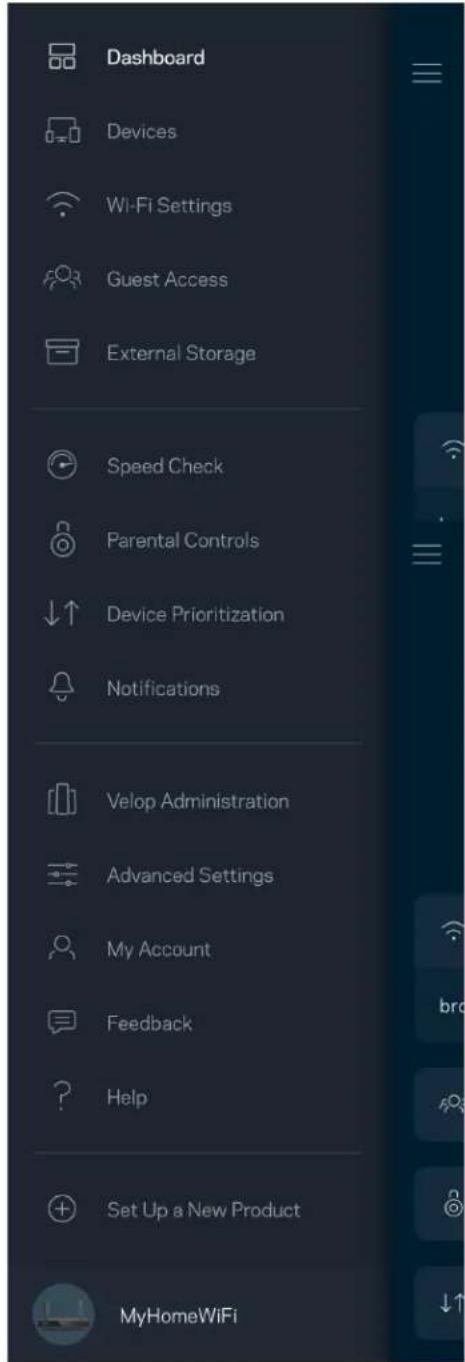
text_image
Dashboard Devices Wi-Fi Settings Guest Access External Storage Speed Check Parental Controls Device Prioritization Notifications Velop Administration Advanced Settings My Account Feedback Help Set Up a New Product MyHomeWiFitext_image
My Home Wi-Fi ONLINE 12 DEVICES 1 ROUTER Internet Speed 3 days ago 128 63 Last Five Connections Alex's iPhone X Office 5GHz Jamie's iPad Pro Kitchen 5GHz Bettina's Apple Watch Living Room 5GHz Sean's iMac Master Bedroom Ethernet Apple TV Offline Parental Controls 4 Guest Network On Share Wi-Fi Internet Slow? Give FeedbackAndroid
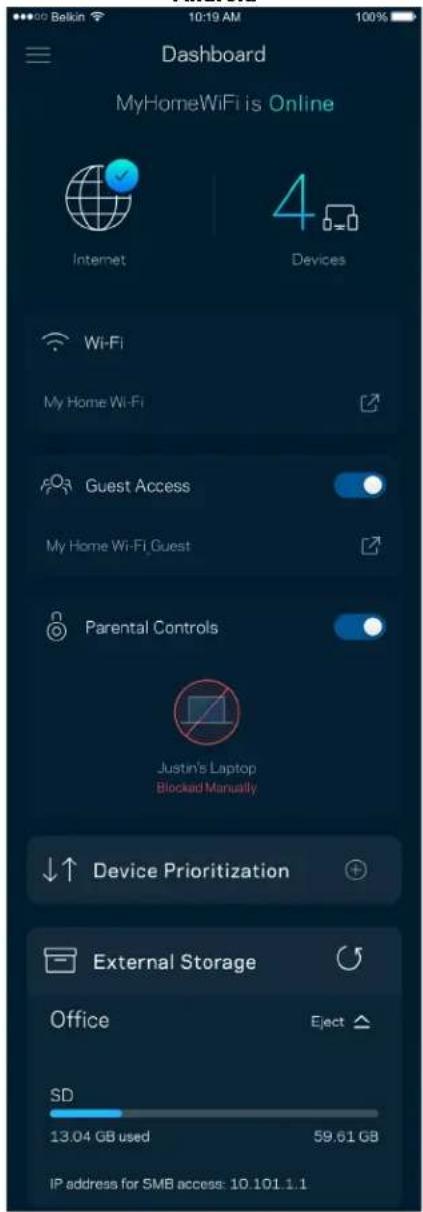
text_image
Dashboard MyHomeWiFi is Online Internet 4 Devices Wi-Fi My Home Wi-Fi Guest Access My Home Wi-Fi Guest Parental Controls Justin's Laptop Blocked Manually Device Prioritization External Storage Office Eject SD 13.04 GB used 59.61 GB IP address for SMB access: 10.101.1.1Devices (Eszközök)
text_image
Devices Connected Devices (5) Downstairs TV MyHomeWiFi > Game Console Connected via ethernet > Jon's Phone MyHomeWiFi > Mika's Laptop MyHomeWiFi > Thermostat MyHomeWiFi > Guest Devices (3) Michelle's Phone MyGuestWiFi > Offline Devices (5)text_image
Parental Controls Create schedules to pause internet access, or block specific websites, so you can keep your kids offline and on task. Control a Device Learn more about Parental Controls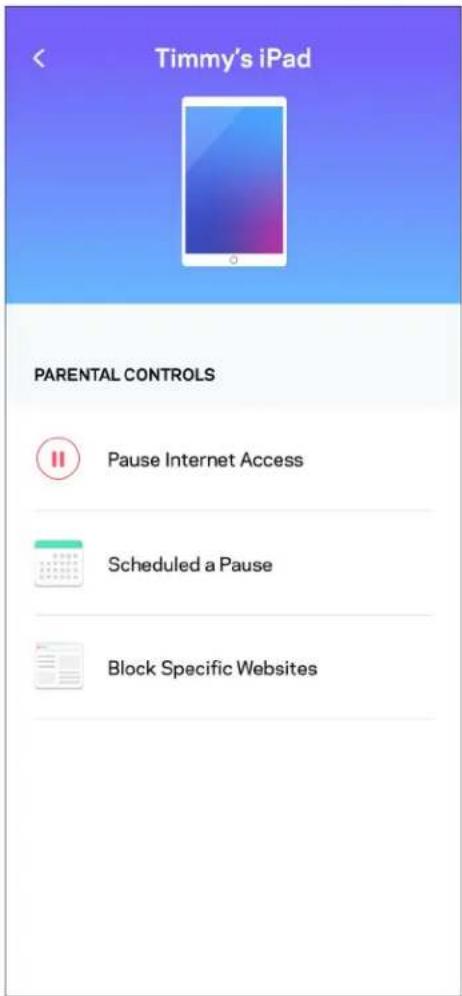
text_image
Timmy's iPad PARENTAL CONTROLS Pause Internet Access Scheduled a Pause Block Specific Websitestext_image
Wi-Fi Settings Hi-Fi name My Home Wi-Fi Wi-Fi Password Advanced Settings Connect a Device with WPStext_image
Belkin 10:19 AM 100% ← Advanced Wi-Fi Settings Save Security Type WPA2-Personal > Wi-Fi Mode Mixed > Channel Finder >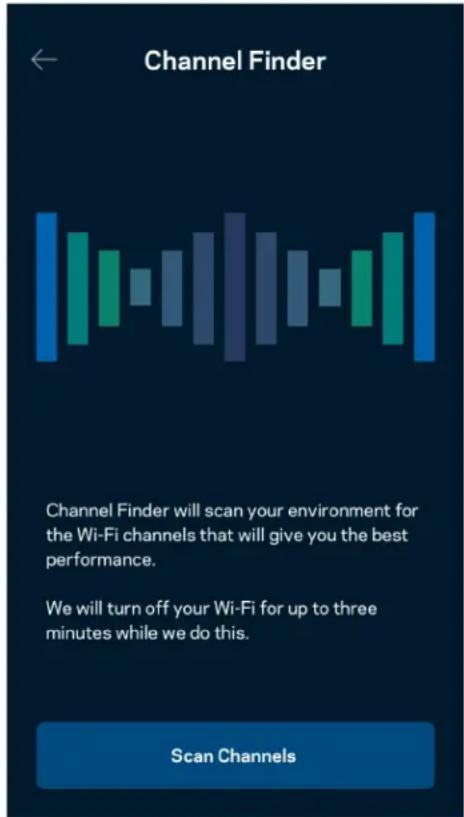
text_image
Channel Finder Channel Finder will scan your environment for the Wi-Fi channels that will give you the best performance. We will turn off your Wi-Fi for up to three minutes while we do this. Scan Channelstext_image
Connect a Device with WPS WPS Wi-Fi Protected Setup allows you to easily connect new devices to your Wi-Fi network without manually configuring security settings. Connect Use a PINtext_image
Guest Access Guest Access Wi-Fi Name My Home Wi-Fi_guest Wi-Fi Passwordtext_image
Device Prioritization Add up to 3 devices to prioritize. Devices not on this list will share what's left of your internet capacity. Add a devicetext_image
Belkin 10:19 AM 100% Notifications Get notifications when: A secondary node is offlinetext_image
Network Administration Living Room Change Router Password and Hint Automatic Firmware Update Time Zone Pacific Time (USA & Canada) GMT-08.00 Diagnostic Information Contribute to future improvements. Automatically report router errors to Linksys. We won't use any information you submit for purposed other than provide you with our customer care and improve our products. Manually report a specific issue Report IP Details Restart Velop Learn more about Network Administrationtext_image
Internet Settings Save Connection Type > Automatic Configuration - DHCP Additional Settings > Learn moretext_image
Port Settings Single Port Forwarding > Port Range Forwarding > Port Range Triggering >text_image
Wi-Fi MAC Filters Edit Wi-Fi MAC Filter Status Allow Access Filtered Devices Daniel's Laptop 00:16:41:34.2C:A Unknown device 00:16:41:34.2C:Atext_image
Android No SIM 5:45 PM @ 83% External Storage Office Eject 4750-6C0A 10.69 MB used 28.94 GB IP address for SMB access: 192.168.1.1 Authentication > Network File Sharing (SMB) Devices on your network can access connected storage For PC's, enter \ plus the IP address for the storage drive you want to access into Windows Explorer. (Example: \192.168.1.100) For Macs, open Finder and navigate to Go > Connect to Server. Enter smb://plus the IP address for the storage drive you want to access. (Example: smb://192.168.1.100) When authentication is not enabled, you'll need to log in as a guest for SMB access.Sebességteszt
text_image
Speed Check Ping 19 ms 101 | 121 ↓ Mbps ↑ Mbps Download Upload Results At this speed, you can stream HD videos, hold video conferences, and play online games on multiple devices at the same time. Test again SPEEDTEST powered™text_image
My Account Email Jakefarm@email.com Password First Name Jake Last Name Farm Newsletter Be the first to know about exclusive deals & news. Log Out Close Accounttext_image
Feedback Tell us what you think of the app. Love the app? Have a suggestion? Trouble with the app?Help (Súgó)
| Help |
| + Getting Started with Linksys Smart Wi-Fi |
| + Frequently Asked Questions |
| + Browse by Topic or Feature |
| + Subscription |
| + About |
| + Help and Support |
text_image
9:41 Log in Email Router Password Logging in with router password lets you manage your WiFi while connected to your WiFi. Enter password Forgot Password? Log In New here? Create an accountAndroid
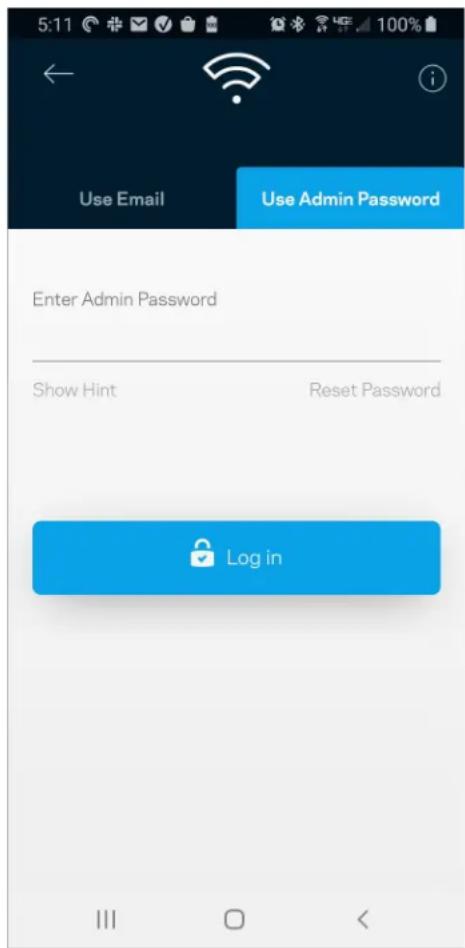
text_image
5:11 Use Email Use Admin Password Enter Admin Password Show Hint Reset Password Log inJelszó a routerhez
text_image
Router Password Router Password Router Password Hint To add a a hint, enter your current password or create a new one.text_image
LINKSYS Light| iPhone | Android | ||
| My Home Wi-Fi Devices 12 Parental Controls Wi-Fi Settings Guest Network External Storage ↓↑ Device Prioritization Notifications Network Administration Advanced Settings Set up a New Product Account Help | Dashboard Devices Wi-Fi Settings Guest Access External Storage Speed Check Parental Controls ↓↑ Device Prioritization Notifications Velop Administration Advanced Settings My Account Feedback ? Help Set Up a New Product MyHomeWiFi | ||
text_image
Manage your Wi-Fi Set up a New Wi-Fi Network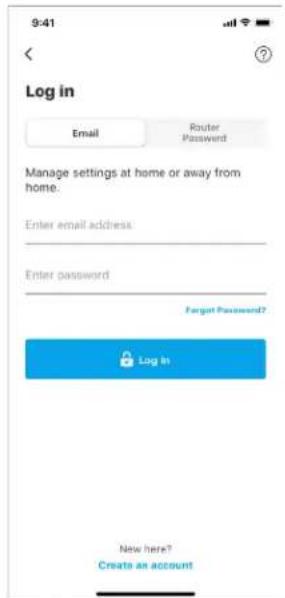
text_image
9:41 Log in Email Router Password Manage settings at home or away from home. Enter email address: Enter password Fengt Password? Log In New here? Create an accountAndroid
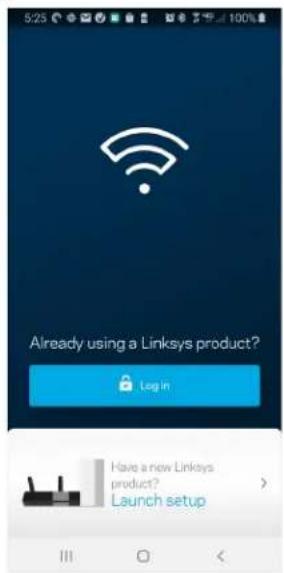
text_image
5:23 Already using a Linksys product? Login Have a new Linksys product? Launch setup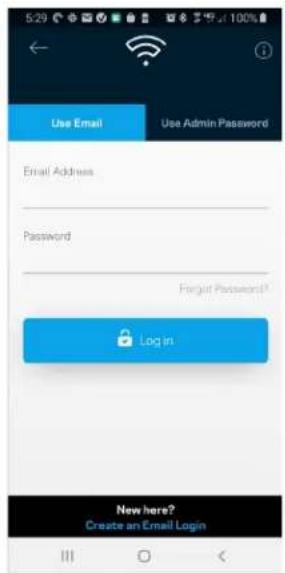
text_image
Use Email Use Admin Password Email Address Password Forgot Password? Log in New here? Create an Email Logintext_image
My Home Wi-Fi Devices 12 Parental Controls Wi-Fi Settings Guest Network External Storage Device Prioritization Notifications Network Administration Advanced Settings Set up a New Product Account HelpAndroid
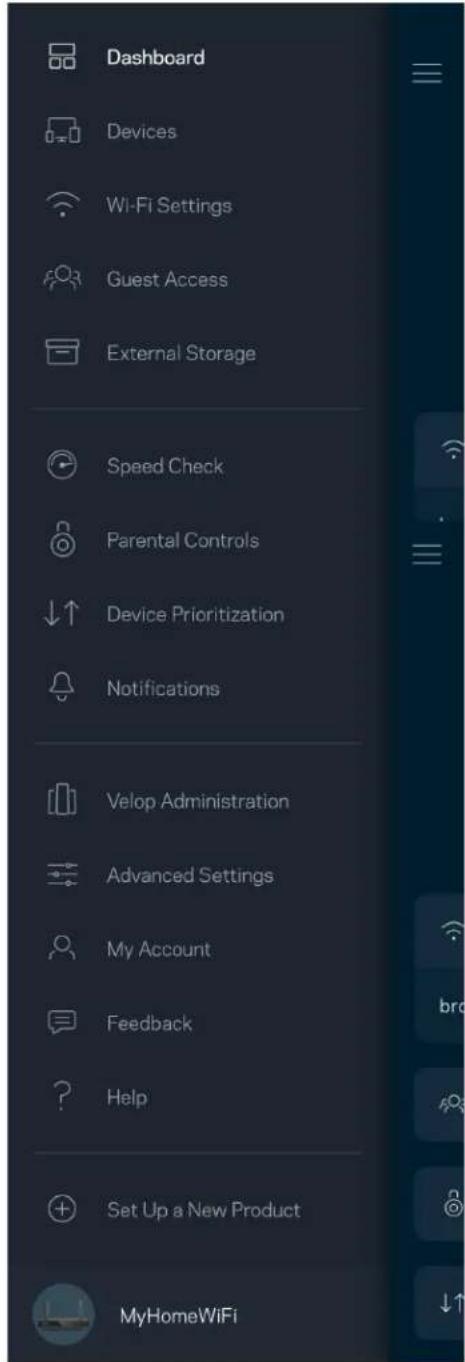
text_image
Dashboard Devices Wi-Fi Settings Guest Access External Storage Speed Check Parental Controls Device Prioritization Notifications Velop Administration Advanced Settings My Account Feedback Help Set Up a New Product MyHomeWiFitext_image
My Home Wi-Fi ONLINE 12 DEVICES 1 ROUTER Internet Speed 3 days ago 128 63 Last Five Connections Alex's iPhone X Office 5GHz Jamie's iPad Pro Kitchen 5GHz Bettina's Apple Watch Living Room 5GHz Sean's iMac Master Bedroom Ethernet Apple TV Offline Parental Controls 4 Guest Network On Share Wi-Fi Internet Slow? Give FeedbackAndroid
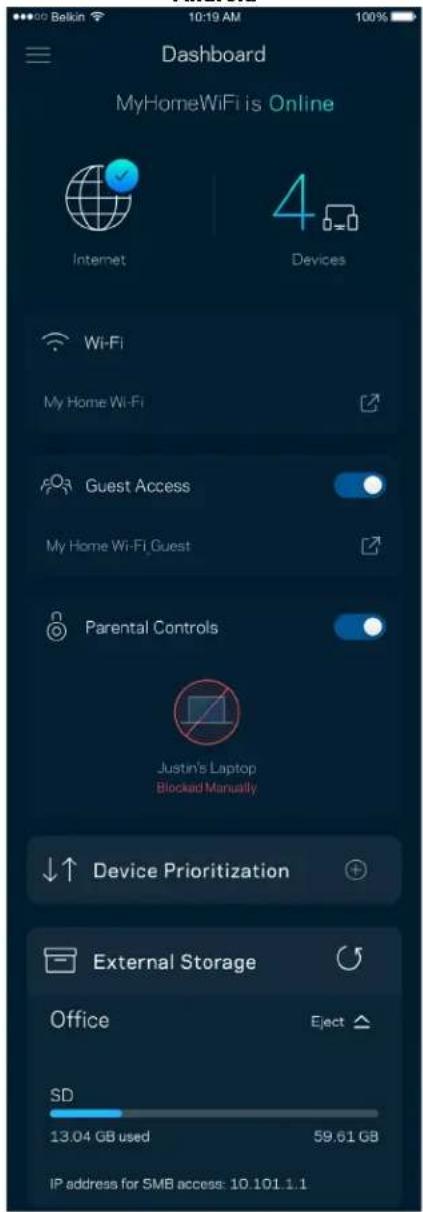
text_image
Dashboard MyHomeWiFi is Online Internet 4 Devices Wi-Fi My Home Wi-Fi Guest Access My Home Wi-Fi Guest Parental Controls Justin's Laptop Blocked Manually Device Prioritization External Storage Office Eject SD 13.04 GB used 59.61 GB IP address for SMB access: 10.101.1.1Dispositivi
text_image
Devices Connected Devices (5) Downstairs TV MyHomeWiFi > Game Console Connected via ethernet > Jon's Phone MyHomeWiFi > Mika's Laptop MyHomeWiFi > Thermostat MyHomeWiFi > Guest Devices (3) Michelle's Phone MyGuestWiFi > Offline Devices (5)text_image
Parental Controls Create schedules to pause internet access, or block specific websites, so you can keep your kids offline and on task. Control a Device Learn more about Parental Controls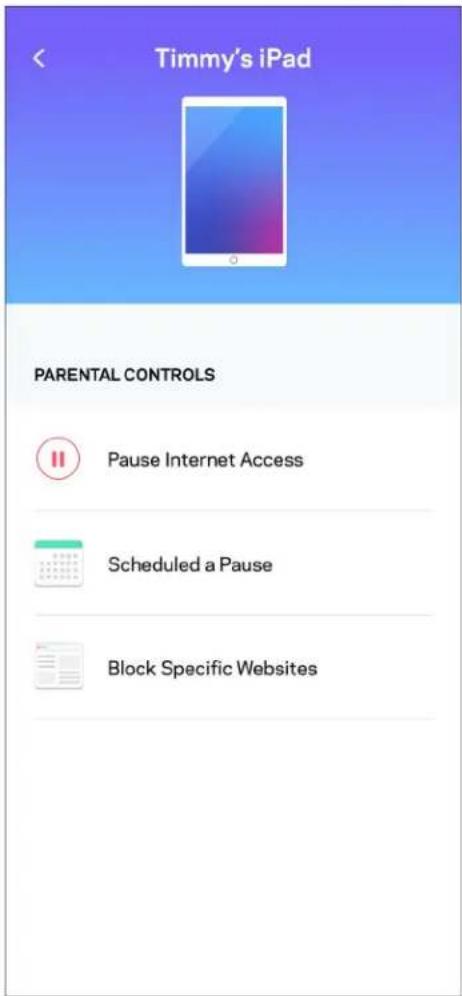
text_image
Timmy's iPad PARENTAL CONTROLS Pause Internet Access Scheduled a Pause Block Specific WebsitesImpostazioni Wi-Fi
text_image
Wi-Fi Settings Hi-Fi name My Home Wi-Fi Wi-Fi Password Advanced Settings Connect a Device with WPStext_image
Beikin 10:19 AM Advanced Wi-Fi Settings Save Security Type WPA2-Personal Wi-Fi Mode Mixed Channel Finder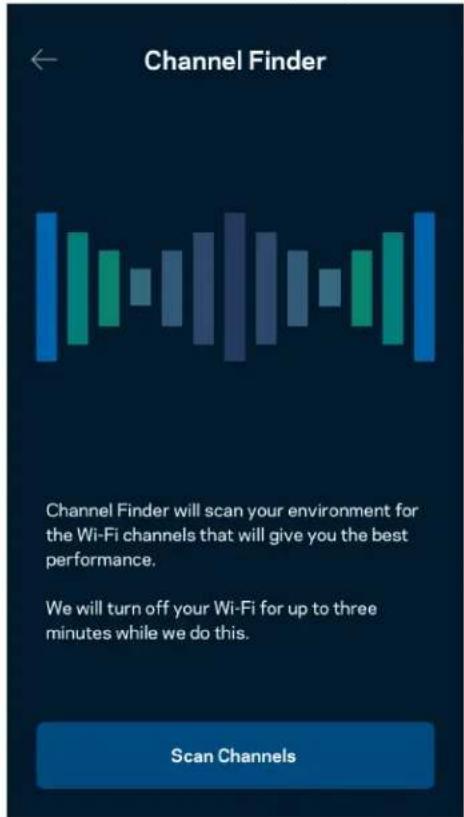
text_image
Channel Finder Channel Finder will scan your environment for the Wi-Fi channels that will give you the best performance. We will turn off your Wi-Fi for up to three minutes while we do this. Scan Channelstext_image
Connect a Device with WPS WPS Wi-Fi Protected Setup allows you to easily connect new devices to your Wi-Fi network without manually configuring security settings. Connect Use a PINtext_image
Guest Access Guest Access Wi-Fi Name My Home Wi-Fi_guest Wi-Fi Passwordtext_image
Device Prioritization Add up to 3 devices to prioritize. Devices not on this list will share what's left of your internet capacity. Add a deviceNotifiche
text_image
Belkin 10:19 AM 100% Notifications Get notifications when: A secondary node is offlinetext_image
Network Administration Living Room > Change Router Password and Hint > Automatic Firmware Update Time Zone Pacific Time (USA & Canada) GMT-0B:00 > Diagnostic Information Contribute to future improvements. Automatically report router errors to Linksys. We won't use any information you submit for purposed other than provide you with our customer care and improve our products. Manually report a specific issue Report IP Details Restart Velop Learn more about Network Administrationtext_image
Internet Settings Save Connection Type > Automatic Configuration - DHCP Additional Settings > Learn moreImpostazioni porta
text_image
Port Settings Single Port Forwarding > Port Range Forwarding > Port Range Triggering >Filtri MAC Wi-Fi
text_image
Wi-Fi MAC Filters Edit Wi-Fi MAC Filter Status Allow Access Filtered Devices Daniel's Laptop 00:16:41:34.2CA Unknown device 00:16:41:34.2CAtext_image
Android No SIM 5:45 PM @ 83% External Storage Office Eject 4750-6C0A 10.69 MB used 28.94 GB IP address for SMB access: 192.168.1.1 Authentication > Network File Sharing (SMB) Devices on your network can access connected storage For PC's, enter \ plus the IP address for the storage drive you want to access into Windows Explorer. (Example: \192.168.1.100) For Macs, open Finder and navigate to Go > Connect to Server. Enter smb://plus the IP address for the storage drive you want to access. (Example: smb://192.168.1.100) When authentication is not enabled, you'll need to log in as a guest for SMB access.Test della velocità
text_image
Speed Check Ping 19 ms 101 | 121 ↓ Mbps ↑ Mbps Download Upload Results At this speed, you can stream HD videos, hold video conferences, and play online games on multiple devices at the same time. Test again SPEEDTEST powered™text_image
My Account Email Jakefarm@email.com Password First Name Jake Last Name Farm Newsletter Be the first to know about exclusive deals & news. Log Out Close AccountFeedback
text_image
Feedback Tell us what you think of the app. Love the app? Have a suggestion? Trouble with the app?Guida
| Help |
| + Getting Started with Linksys Smart Wi-Fi |
| + Frequently Asked Questions |
| + Browse by Topic or Feature |
| + Subscription |
| + About |
| + Help and Support |
text_image
9:41 Log in Email Router Password Logging in with router password lets you manage your WiFi while connected to your WiFi. Enter password Forgot Password? Log In New here? Create an accountAndroid
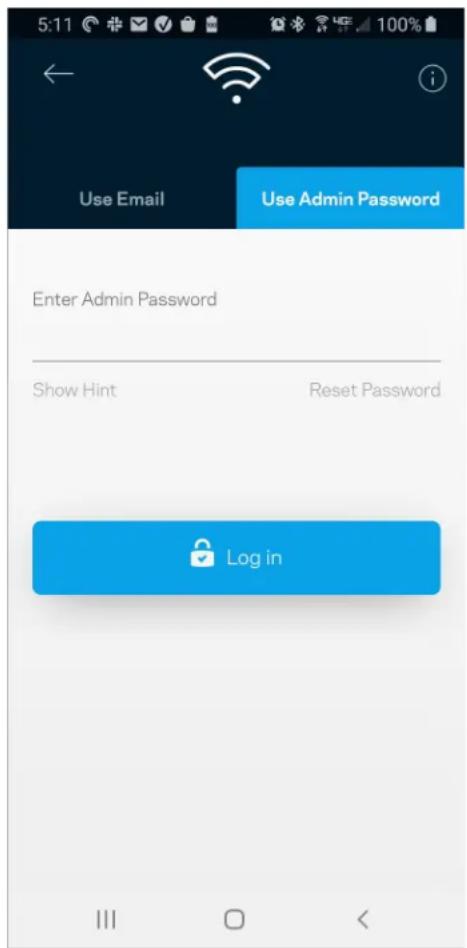
text_image
5:11 Use Email Use Admin Password Enter Admin Password Show Hint Reset Password Log inPassword del router
text_image
Router Password Router Password Router Password Hint To add a a hint, enter your current password or create a new one.text_image
LINKSYS Lighttext_image
Manage your Wi-Fi Set up a New Wi-Fi Network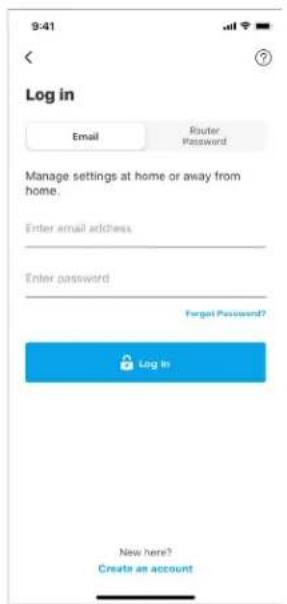
text_image
9:41 Log in Email Router Password Manage settings at home or away from home. Enter email address Enter password Forgot Password? Log In New here? Create an account„Android“
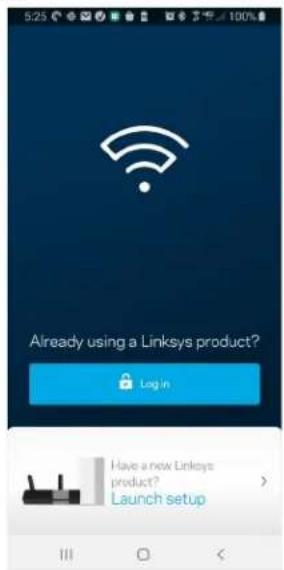
text_image
5:23 Already using a Linksys product? Log in Have a new Linksys product? Launch setup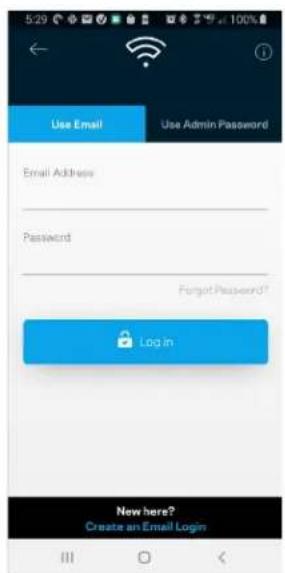
text_image
5:29 Use Email Use Admin Password Email Address Password Forgot Password? Login New here? Create an Email Logintext_image
"iPhone" My Home Wi-Fi Devices 12 Parental Controls Wi-Fi Settings Guest Network External Storage Device Prioritization Notifications Network Administration Advanced Settings Set up a New Product Account Help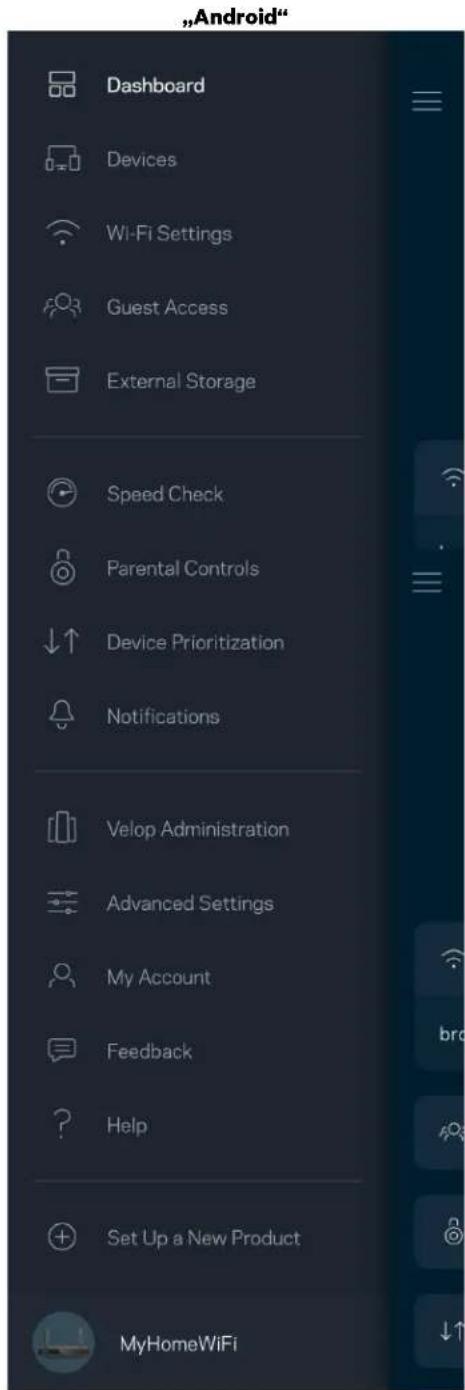
text_image
"Android" Dashboard Devices Wi-Fi Settings Guest Access External Storage Speed Check Parental Controls ↓↑ Device Prioritization Notifications Velop Administration Advanced Settings My Account Feedback Help Set Up a New Product MyHomeWiFiValdymo portalas
text_image
My Home Wi-Fi ONLINE 12 DEVICES 1 ROUTER Internet Speed 3 days ago 128 63 Last Five Connections Alex's iPhone X Office 5GHz Jamie's iPad Pro Kitchen 5GHz Bettina's Apple Watch Living Room 5GHz Sean's iMac Master Bedroom Ethernet Apple TV Offline Parental Controls 4 Guest Network On Share Wi-Fi Internet Slow? Give Feedback„Android“
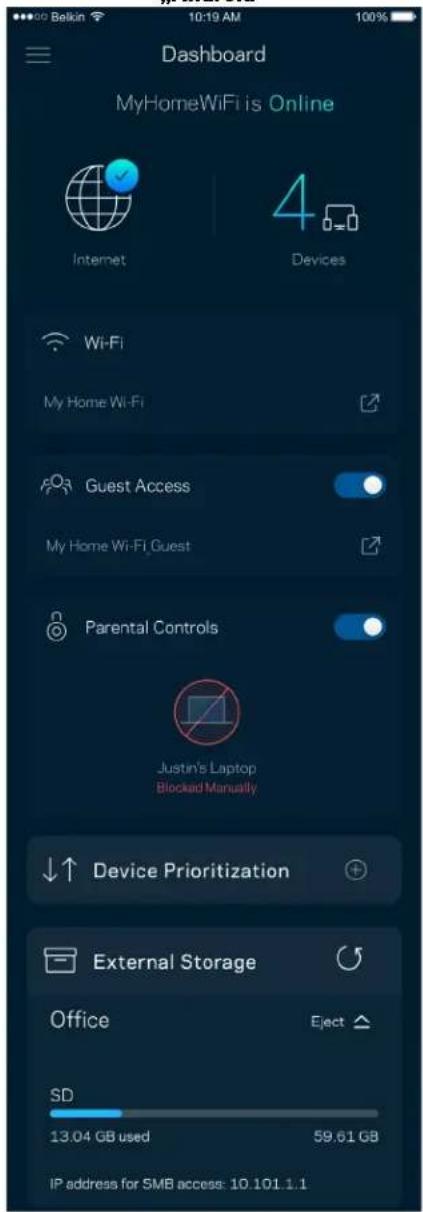
text_image
Dashboard MyHomeWiFi is Online Internet 4 Devices Wi-Fi My Home Wi-Fi Guest Access My Home Wi-Fi Guest Parental Controls Justin's Laptop Blocked Manually Device Prioritization External Storage Office Eject SD 13.04 GB used 59.61 GB IP address for SMB access: 10.101.1.1Irenginiai
text_image
Devices Connected Devices (5) Downstairs TV MyHomeWiFi > Game Console Connected via ethernet > Jon's Phone MyHomeWiFi > Mika's Laptop MyHomeWiFi > Thermostat MyHomeWiFi > Guest Devices (3) Michelle's Phone MyGuestWiFi > Offline Devices (5)text_image
Parental Controls Create schedules to pause internet access, or block specific websites, so you can keep your kids offline and on task. Control a Device Learn more about Parental Controls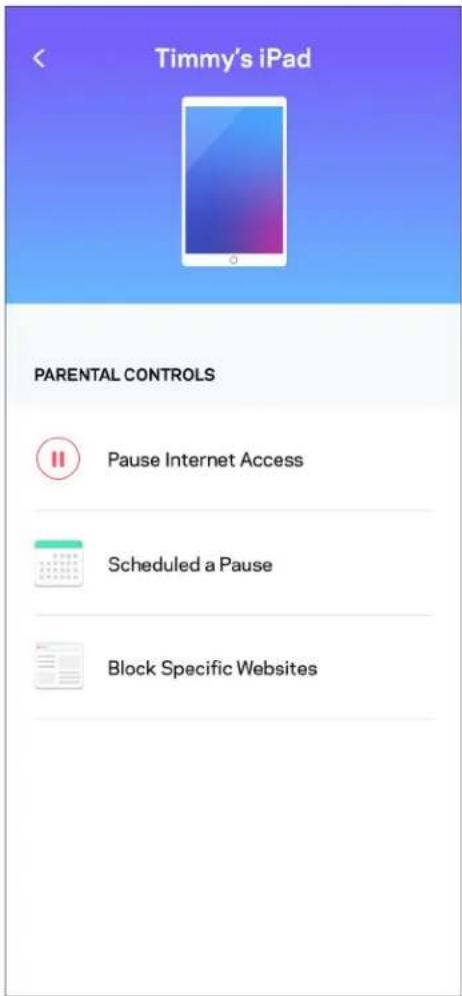
text_image
Timmy's iPad PARENTAL CONTROLS Pause Internet Access Scheduled a Pause Block Specific Websites„Wi-Fi“ nuostatos
text_image
Wi-Fi Settings Hi-Fi name My Home Wi-Fi Wi-Fi Password Advanced Settings Connect a Device with WPStext_image
Beikin 10:19 AM Advanced Wi-Fi Settings Save Security Type WPA2-Personal Wi-Fi Mode Mixed Channel Finder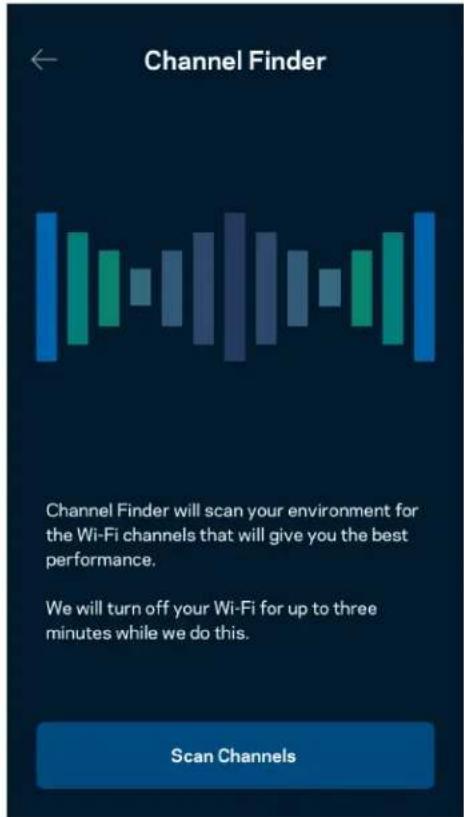
text_image
Channel Finder Channel Finder will scan your environment for the Wi-Fi channels that will give you the best performance. We will turn off your Wi-Fi for up to three minutes while we do this. Scan ChannelsIrenginio prijungimas naudojant WPS
text_image
Connect a Device with WPS WPS Wi-Fi Protected Setup allows you to easily connect new devices to your Wi-Fi network without manually configuring security settings. Connect Use a PINtext_image
Guest Access Guest Access Wi-Fi Name My Home Wi-Fi_guest Wi-Fi Passwordtext_image
Device Prioritization Add up to 3 devices to prioritize. Devices not on this list will share what's left of your internet capacity. Add a devicePranešimai
text_image
Belkin 10:19 AM 100% Notifications Get notifications when: A secondary node is offlinetext_image
Network Administration Living Room > Change Router Password and Hint > Automatic Firmware Update Time Zone Pacific Time (USA & Canada) GMT-08:00 Diagnostic Information Contribute to future improvements. Automatically report router errors to Linksys. We won't use any information you submit for purposed other than provide you with our customer care and improve our products. Manually report a specific issue Report IP Details Restart Velop Learn more about Network Administrationtext_image
Internet Settings Save Connection Type > Automatic Configuration - DHCP Additional Settings > Learn morePrievado nuostatos
text_image
Port Settings Single Port Forwarding > Port Range Forwarding > Port Range Triggering >„Wi-Fi“ MAC filtrai
text_image
Wi-Fi MAC Filters Edit Wi-Fi MAC Filter Status Allow Access Filtered Devices Daniel's Laptop 00:16:41:34.2CA Unknown device 00:16:41:34.2CAIšorinė saugykla
text_image
"Android" No SIM 5:45 PM @ ↑ 83% External Storage Office Eject ▲ 4750-6C0A 10.69 MB used 28.94 GB IP address for SMB access: 192.168.1.1 Authentication > Network File Sharing (SMB) Devices on your network can access connected storage For PC's, enter \ plus the IP address for the storage drive you want to access into Windows Explorer. (Example: \192.168.1.100) For Macs, open Finder and navigate to Go > Connect to Server. Enter smb // plus the IP address for the storage drive you want to access. (Example: smb://192.168.1.100) When authentication is not enabled, you'll need to log in as a guest for SMB access.Greičio patikra
text_image
Speed Check Ping 19 ms 101 | 121 ↓ Mbps ↑ Mbps Download Upload Results At this speed, you can stream HD videos, hold video conferences, and play online games on multiple devices at the same time. Test again SPEEDTEST powered™text_image
My Account Email Jakefarm@email.com Password First Name Jake Last Name Farm Newsletter Be the first to know about exclusive deals & news. Log Out Close AccountAtsiliepimai
text_image
Feedback Tell us what you think of the app. Love the app? Have a suggestion? Trouble with the app?Pagalba
| Help |
| + Getting Started with Linksys Smart Wi-Fi |
| + Frequently Asked Questions |
| + Browse by Topic or Feature |
| + Subscription |
| + About |
| + Help and Support |
text_image
„iPhone“ 9:41 Log in Email Router Password Logging in with router password lets you manage your WiFi while connected to your WiFi. Enter password Forgot Password? Log In New here? Create an account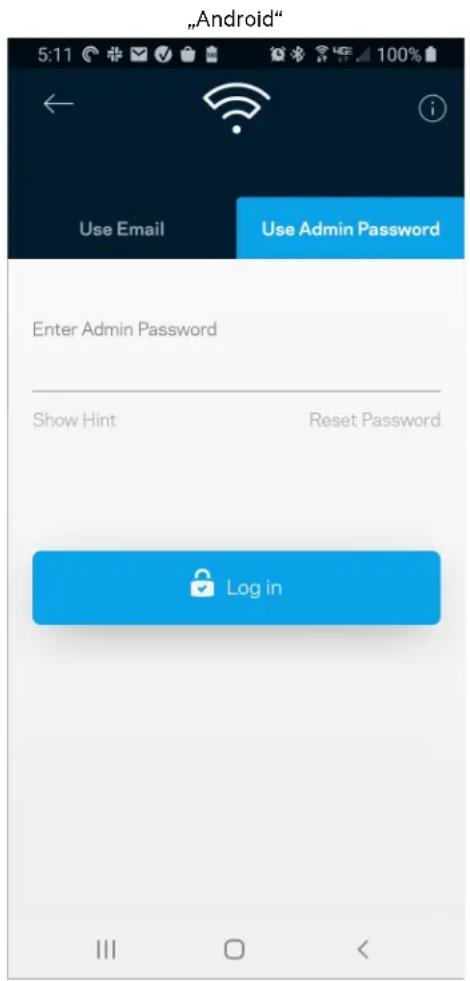
text_image
"Android" 5:11 Use Email Use Admin Password Enter Admin Password Show Hint Reset Password Log intext_image
Router Password Router Password Router Password Hint To add a a hint, enter your current password or create a new one.text_image
LINKSYS Light| iPhone | Android | ||
| My Home Wi-Fi Devices Parental Controls Wi-Fi Settings Guest Network External Storage ↓↑ Device Prioritization Notifications Network Administration Advanced Settings Set up a New Product Account Help | Dashboard Devices Wi-Fi Settings Guest Access External Storage Speed Check Parental Controls ↓↑ Device Prioritization Notifications Velop Administration Advanced Settings My Account Feedback ? Help Set Up a New Product MyHomeWiFi | ||
text_image
Manage your Wi-Fi Set up a New Wi-Fi Network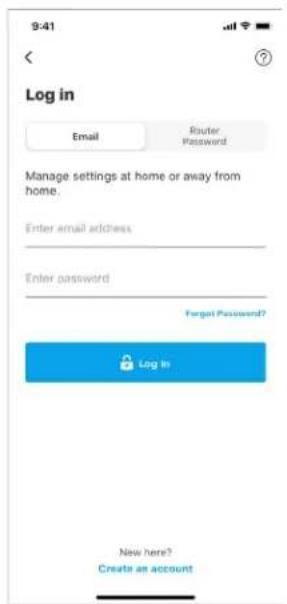
text_image
9:41 Log in Email Router Password Manage settings at home or away from home. Enter email address Enter password Forgot Password? Log In New here? Create an accountAndroid
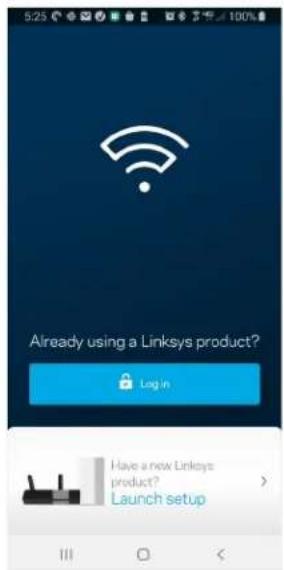
text_image
5:23 Already using a Linksys product? Log in Have a new Linksys product? Launch setup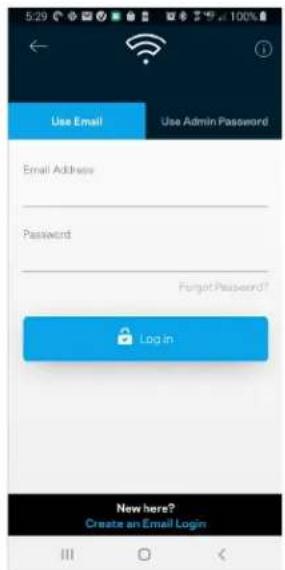
text_image
Use Email Use Admin Password Email Address Password Forgot Password? Log in New here? Create an Email Logintext_image
My Home Wi-Fi Devices 12 Parental Controls Wi-Fi Settings Guest Network External Storage Device Prioritization Notifications Network Administration Advanced Settings Set up a New Product Account HelpAndroid
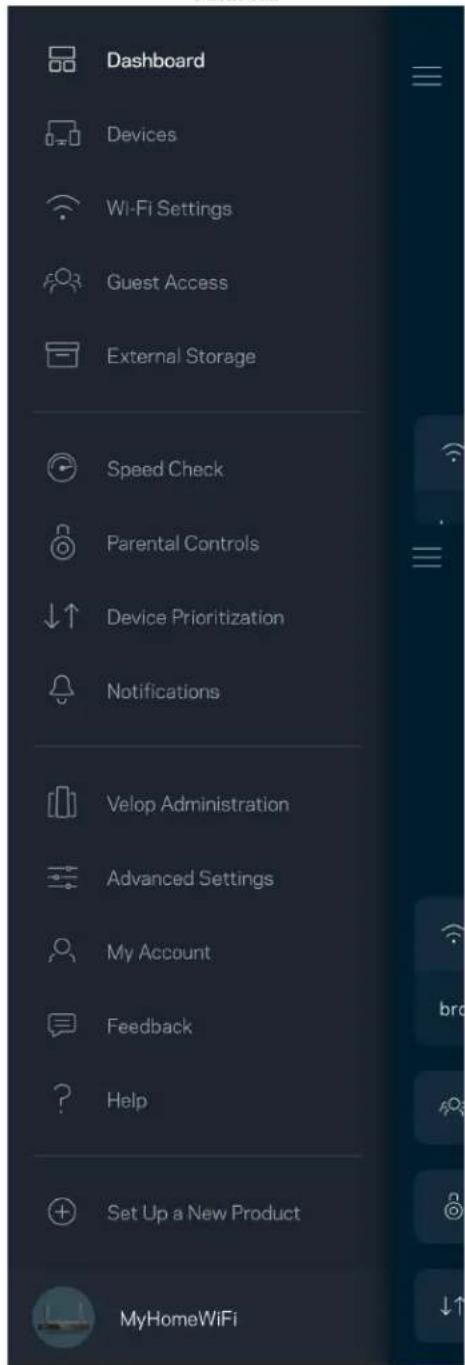
text_image
Dashboard Devices Wi-Fi Settings Guest Access External Storage Speed Check Parental Controls Device Prioritization Notifications Velop Administration Advanced Settings My Account Feedback Help Set Up a New Product MyHomeWiFitext_image
My Home Wi-Fi ONLINE 12 DEVICES 1 ROUTER Internet Speed 3 days ago 128 63 Last Five Connections Alex's iPhone X Office 5GHz Jamie's iPad Pro Kitchen 5GHz Bettina's Apple Watch Living Room 5GHz Sean's iMac Master Bedroom Ethernet Apple TV Offline Parental Controls 4 Guest Network On Share Wi-Fi Internet Slow? Give FeedbackAndroid
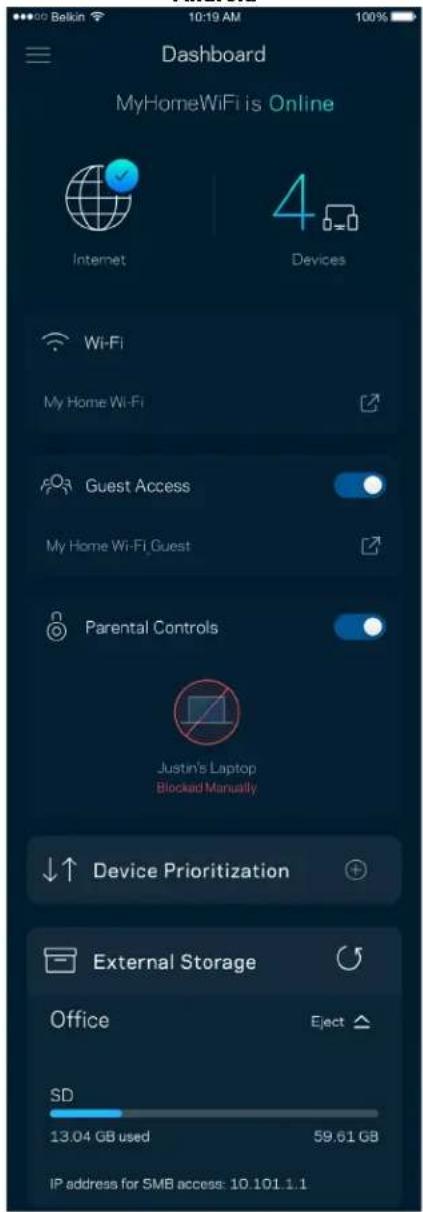
text_image
Dashboard MyHomeWiFi is Online Internet 4 Devices Wi-Fi My Home Wi-Fi Guest Access My Home Wi-Fi Guest Parental Controls Justin's Laptop Blocked Manually Device Prioritization External Storage Office Eject SD 13.04 GB used 59.61 GB IP address for SMB access: 10.101.1.1lerices
text_image
Devices Connected Devices (5) Downstairs TV MyHomeWiFi > Game Console Connected via ethernet > Jon's Phone MyHomeWiFi > Mika's Laptop MyHomeWiFi > Thermostat MyHomeWiFi > Guest Devices (3) Michelle's Phone MyGuestWiFi > Offline Devices (5)text_image
Parental Controls Create schedules to pause internet access, or block specific websites, so you can keep your kids offline and on task. Control a Device Learn more about Parental Controls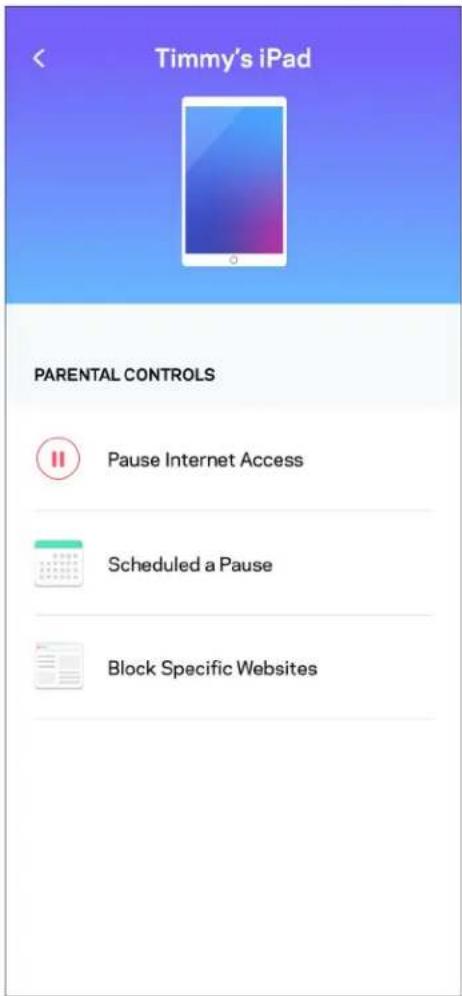
text_image
Timmy's iPad PARENTAL CONTROLS Pause Internet Access Scheduled a Pause Block Specific WebsitesWi-Fi iestatijumi
text_image
Wi-Fi Settings Hi-Fi name My Home Wi-Fi Wi-Fi Password Advanced Settings Connect a Device with WPSUzlaboti Wi-Fi iestatijumi
text_image
Beikin 10:19 AM 100% Advanced Wi-Fi Settings Save Security Type WPA2-Personal > Wi-Fi Mode Mixed > Channel Finder >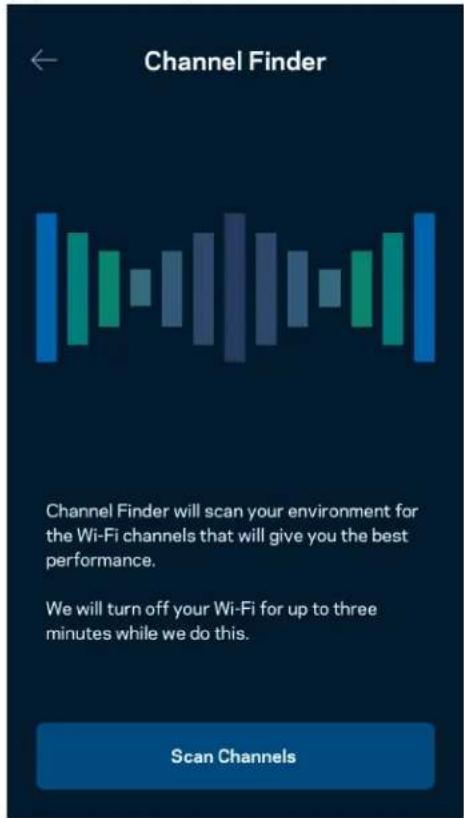
text_image
Channel Finder Channel Finder will scan your environment for the Wi-Fi channels that will give you the best performance. We will turn off your Wi-Fi for up to three minutes while we do this. Scan Channelstext_image
Connect a Device with WPS WPS Wi-Fi Protected Setup allows you to easily connect new devices to your Wi-Fi network without manually configuring security settings. Connect Use a PINViesa tikla piekluve
text_image
Guest Access Guest Access Wi-Fi Name My Home Wi-Fi_guest Wi-Fi Passwordtext_image
Device Prioritization Add up to 3 devices to prioritize. Devices not on this list will share what's left of your internet capacity. Add a devicePaziņojumi
text_image
Belkin 10:19 AM 100% Notifications Get notifications when: A secondary node is offlinetext_image
Network Administration Living Room > Change Router Password and Hint > Automatic Firmware Update Time Zone Pacific Time (USA & Canada) GMT-0B:00 > Diagnostic Information Contribute to future improvements. Automatically report router errors to Linksys. We won't use any information you submit for purposed other than provide you with our customer care and improve our products. Manually report a specific issue Report IP Details Restart Velop Learn more about Network Administrationtext_image
Belkin 9:41 AM 100% Internet Settings Save Connection Type > Automatic Configuration - DHCP Additional Settings > Learn moretext_image
Port Settings Single Port Forwarding > Port Range Forwarding > Port Range Triggering >Wi-Fi MAC filtri
text_image
Wi-Fi MAC Filters Edit Wi-Fi MAC Filter Status Allow Access Filtered Devices Daniel's Laptop 00:16:41:34.2CA Unknown device 00:16:41:34.2CAĀrējā krātuve
text_image
Android No SIM 5:45 PM @ ↑ 83% External Storage Office Eject ▲ 4750-6C0A 10.69 MB used 28.94 GB IP address for SMB access: 192.168.1.1 Authentication > Network File Sharing (SMB) Devices on your network can access connected storage For PC's, enter \ plus the IP address for the storage drive you want to access into Windows Explorer. (Example: \192.168.1.100) For Macs, open Finder and navigate to Go > Connect to Server. Enter smb.// plus the IP address for the storage drive you want to access. (Example: smb.//192.168.1.100) When authentication is not enabled, you'll need to log in as a guest for SMB access.Ätruma pärbaude
text_image
Speed Check Ping 19 ms 101 | 121 ↓ Mbps ↑ Mbps Download Upload Results At this speed, you can stream HD videos, hold video conferences, and play online games on multiple devices at the same time. Test again SPEEDTEST powered™text_image
My Account Email Jakefarm@email.com Password First Name Jake Last Name Farm Newsletter Be the first to know about exclusive deals & news. Log Out Close AccountAtsauksmes
text_image
Feedback Tell us what you think of the app. Love the app? Have a suggestion? Trouble with the app?Palidziba
| Help |
| + Getting Started with Linksys Smart Wi-Fi |
| + Frequently Asked Questions |
| + Browse by Topic or Feature |
| + Subscription |
| + About |
| + Help and Support |
text_image
9:41 Log in Email Router Password Logging in with router password lets you manage your WiFi while connected to your WiFi. Enter password Forgot Password? Log In New here? Create an accountAndroid
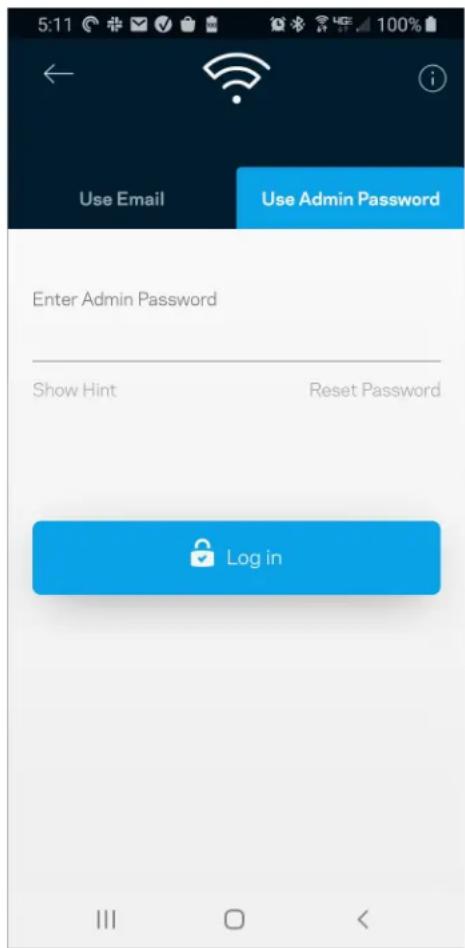
text_image
5:11 Use Email Use Admin Password Enter Admin Password Show Hint Reset Password Log inMaršrutētāja parole
text_image
Router Password Router Password Router Password Hint To add a a hint, enter your current password or create a new one.text_image
LINKSYS Light| iPhone | Android | ||
| My Home Wi-Fi Devices 12 Parental Controls Wi-Fi Settings Guest Network External Storage ↓↑ Device Prioritization Notifications Network Administration Advanced Settings Set up a New Product Account Help | Dashboard Devices Wi-Fi Settings Guest Access External Storage Speed Check Parental Controls ↓↑ Device Prioritization Notifications Velop Administration Advanced Settings My Account Feedback ? Help Set Up a New Product MyHomeWiFi | ||
text_image
Manage your Wi-Fi Set up a New Wi-Fi Network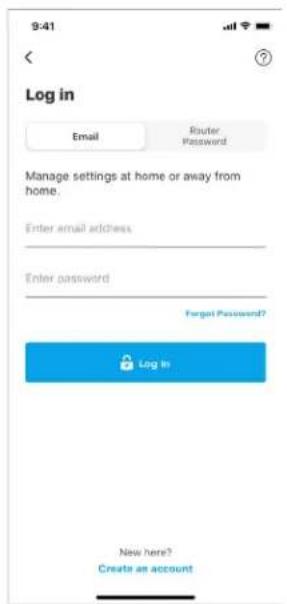
text_image
9:41 Log in Email Router Password Manage settings at home or away from home. Enter email address Enter password Forgot Password? Log In New here? Create an accountAndroid
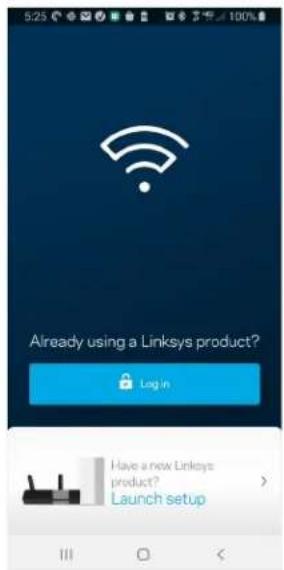
text_image
5:23 Already using a Linksys product? Log in Have a new Linksys product? Launch setup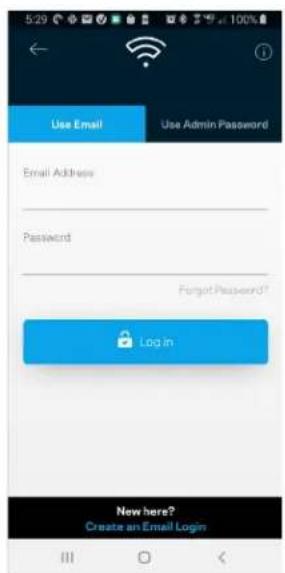
text_image
5:29 Use Email Use Admin Password Email Address Password Forgot Password? Login New here? Create an Email Logintext_image
My Home Wi-Fi Devices 12 Parental Controls Wi-Fi Settings Guest Network External Storage Device Prioritization Notifications Network Administration Advanced Settings Set up a New Product Account HelpAndroid
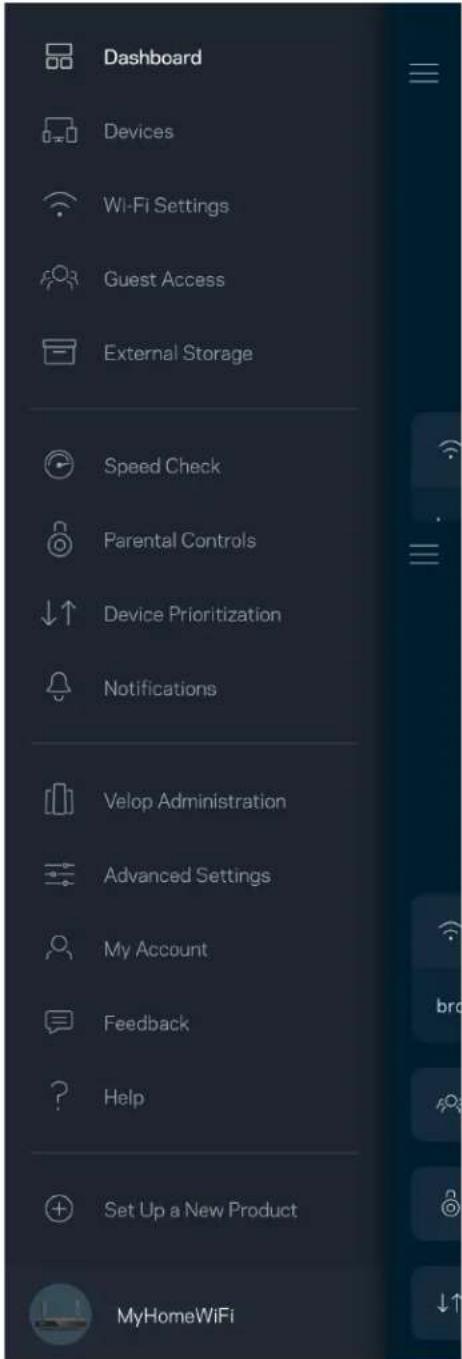
text_image
Dashboard Devices Wi-Fi Settings Guest Access External Storage Speed Check Parental Controls Device Prioritization Notifications Velop Administration Advanced Settings My Account Feedback Help Set Up a New Product MyHomeWiFiDashboard
text_image
My Home Wi-Fi ONLINE 12 DEVICES 1 ROUTER Internet Speed 3 days ago 128 63 Last Five Connections Alex's iPhone X Office 5GHz Jamie's iPad Pro Kitchen 5GHz Bettina's Apple Watch Living Room 5GHz Sean's iMac Master Bedroom Ethernet Apple TV Offline Parental Controls 4 Guest Network On Share Wi-Fi Internet Slow? Give FeedbackAndroid
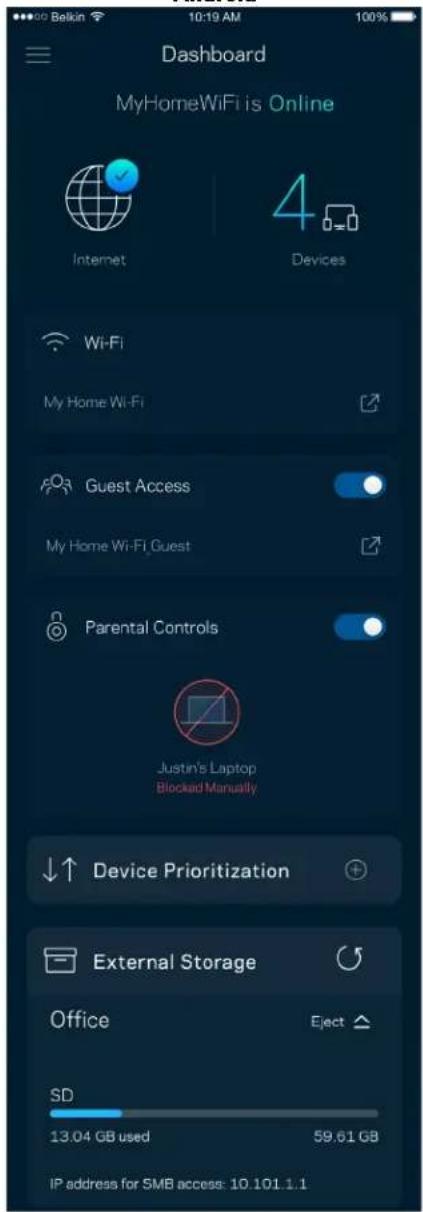
text_image
Dashboard MyHomeWiFi is Online Internet 4 Devices Wi-Fi My Home Wi-Fi Guest Access My Home Wi-Fi Guest Parental Controls Justin's Laptop Blocked Manually Device Prioritization External Storage Office Eject SD 13.04 GB used 59.61 GB IP address for SMB access: 10.101.1.1Apparaten
text_image
Devices Connected Devices (5) Downstairs TV MyHomeWiFi > Game Console Connected via ethernet > Jon's Phone MyHomeWiFi > Mika's Laptop MyHomeWiFi > Thermostat MyHomeWiFi > Guest Devices (3) Michelle's Phone MyGuestWiFi > Offline Devices (5)text_image
Parental Controls Create schedules to pause internet access, or block specific websites, so you can keep your kids offline and on task. Control a Device Learn more about Parental Controls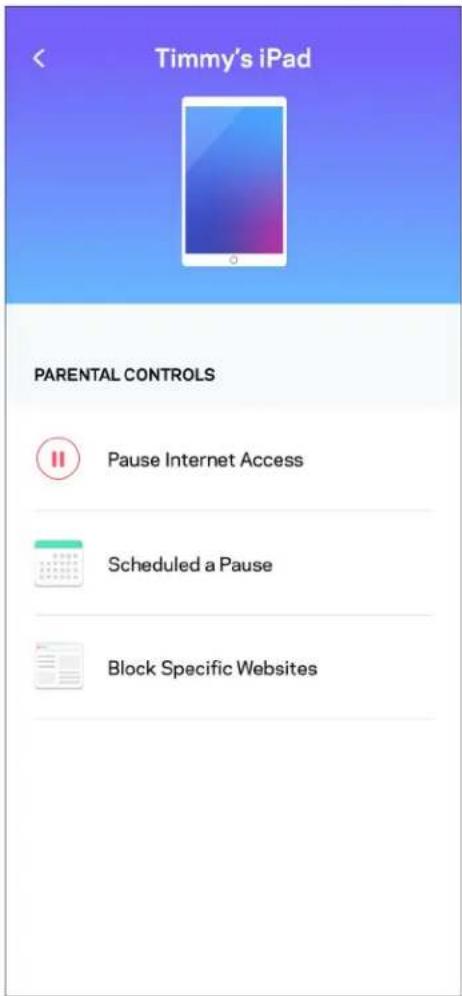
text_image
Timmy's iPad PARENTAL CONTROLS Pause Internet Access Scheduled a Pause Block Specific WebsitesWiFi-instellingen
text_image
Wi-Fi Settings Hi-Fi name My Home Wi-Fi Wi-Fi Password Advanced Settings Connect a Device with WPStext_image
Beikin 10:19 AM Advanced Wi-Fi Settings Save Security Type WPA2-Personal Wi-Fi Mode Mixed Channel Finder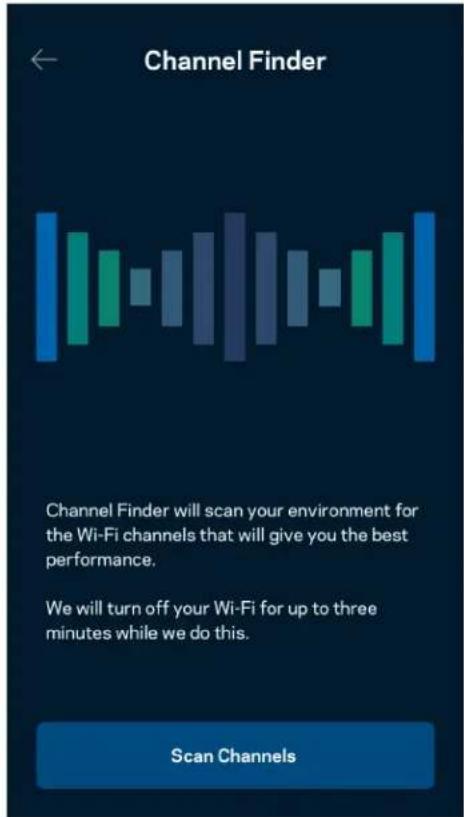
text_image
Channel Finder Channel Finder will scan your environment for the Wi-Fi channels that will give you the best performance. We will turn off your Wi-Fi for up to three minutes while we do this. Scan Channelstext_image
Connect a Device with WPS WPS Wi-Fi Protected Setup allows you to easily connect new devices to your Wi-Fi network without manually configuring security settings. Connect Use a PINtext_image
Guest Access Guest Access Wi-Fi Name My Home Wi-Fi_guest Wi-Fi PasswordApparaatprioritering
text_image
Device Prioritization Add up to 3 devices to prioritize. Devices not on this list will share what's left of your internet capacity. Add a deviceMeldingen
text_image
Belkin 10:19 AM 100% Notifications Get notifications when: A secondary node is offlinetext_image
Network Administration Living Room > Change Router Password and Hint > Automatic Firmware Update Time Zone Pacific Time (USA & Canada) GMT-0B:00 > Diagnostic Information Contribute to future improvements. Automatically report router errors to Linksys. We won't use any information you submit for purposed other than provide you with our customer care and improve our products. Manually report a specific issue Report IP Details Restart Velop Learn more about Network Administrationtext_image
Internet Settings Save Connection Type > Automatic Configuration - DHCP Additional Settings > Learn morePoortinstellingen
text_image
Port Settings Single Port Forwarding > Port Ranga Forwarding > Port Range Triggering >WiFi MAC-filters
text_image
Wi-Fi MAC Filters Edit Wi-Fi MAC Filter Status Allow Access Filtered Devices Daniel's Laptop 00:16:41:34.2CA Unknown device 00:16:41:34.2CAExterne opslag
text_image
Android No SIM 5:45 PM @ 83% External Storage Office Eject 4750-6C0A 10.69 MB used 28.94 GB IP address for SMB access: 192.168.1.1 Authentication > Network File Sharing (SMB) Devices on your network can access connected storage For PC's, enter \ plus the IP address for the storage drive you want to access into Windows Explorer. (Example: \192.168.1.100) For Macs, open Finder and navigate to Go > Connect to Server. Enter smb://plus the IP address for the storage drive you want to access. (Example: smb://192.168.1.100) When authentication is not enabled, you'll need to log in as a guest for SMB accessSnelheidscontrole
text_image
Speed Check Ping 19 ms 101 | 121 ↓ Mbps ↑ Mbps Download Upload Results At this speed, you can stream HD videos, hold video conferences, and play online games on multiple devices at the same time. Test again SPEEDTEST powered™text_image
My Account Email Jakefarm@email.com Password First Name Jake Last Name Farm Newsletter Be the first to know about exclusive deals & news. Log Out Close AccountFeedback
text_image
Feedback Tell us what you think of the app. Love the app? Have a suggestion? Trouble with the app?Help
| Help |
| + Getting Started with Linksys Smart Wi-Fi |
| + Frequently Asked Questions |
| + Browse by Topic or Feature |
| + Subscription |
| + About |
| + Help and Support |
text_image
9:41 Log in Email Router Password Logging in with router password lets you manage your WiFi while connected to your WiFi. Enter password Forgot Password? Log In New here? Create an accountAndroid
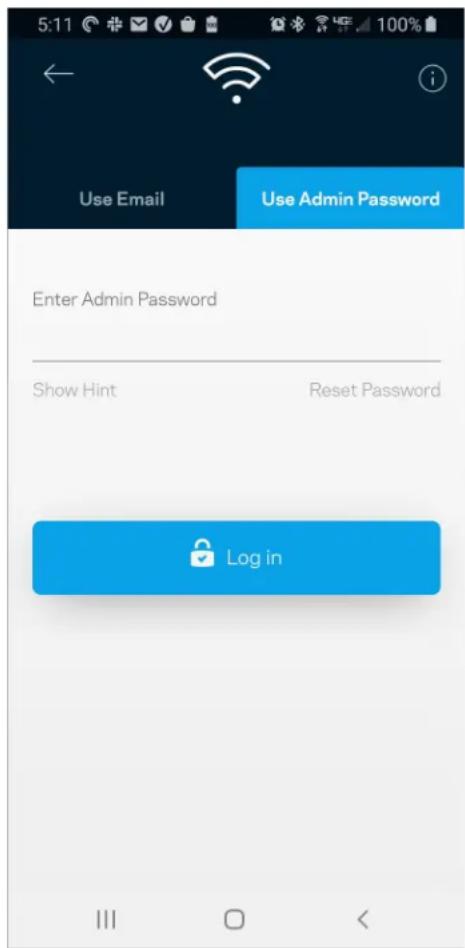
text_image
5:11 Use Email Use Admin Password Enter Admin Password Show Hint Reset Password Log inRouterwachtwoord
text_image
Router Password Router Password Router Password Hint To add a a hint, enter your current password or create a new one.text_image
LINKSYS Light| iPhone | Android | ||
| My Home Wi-Fi Devices 12 Parental Controls Wi-Fi Settings Guest Network External Storage ↓↑ Device Prioritization Notifications Network Administration Advanced Settings Set up a New Product Account Help | Dashboard Devices Wi-Fi Settings Guest Access External Storage Speed Check Parental Controls ↓↑ Device Prioritization Notifications Velop Administration Advanced Settings My Account Feedback ? Help Set Up a New Product MyHomeWiFi | ||
text_image
Manage your Wi-Fi Set up a New Wi-Fi Network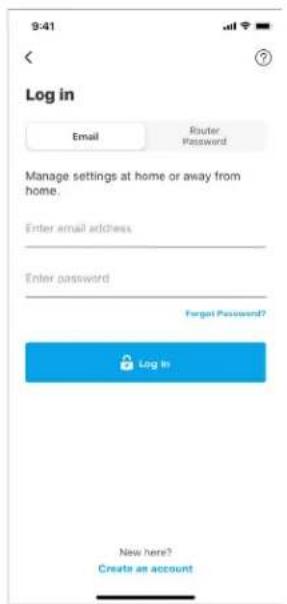
text_image
9:41 Log in Email Router Password Manage settings at home or away from home. Enter email address Enter password Forgot Password? Log In New here? Create an accountAndroid
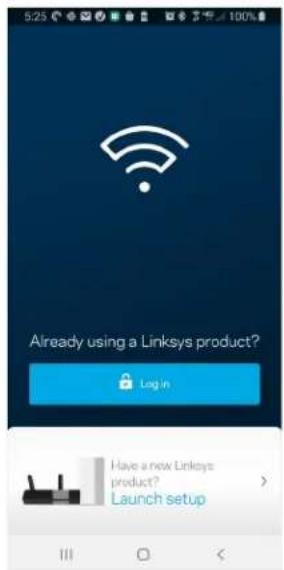
text_image
5:23 Already using a Linksys product? Log in Have a new Linksys product? Launch setup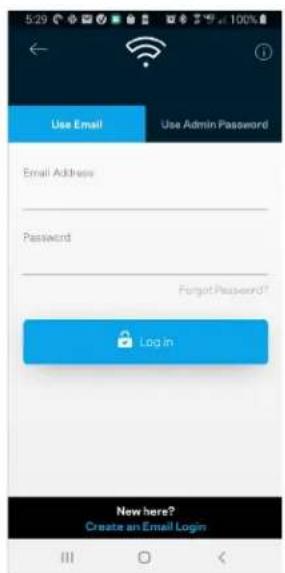
text_image
5:29 Use Email Use Admin Password Email Address Password Forgot Password? Login New here? Create an Email Login- Skriv inn e-postadressen du brukte när du opprettet kontoen.
- Skriv inn kontopassordet ditt.
- Trykk på Logg inn.
Navigasjonsmeny
text_image
My Home Wi-Fi Devices 12 Parental Controls Wi-Fi Settings Guest Network External Storage Device Prioritization Notifications Network Administration Advanced Settings Set up a New Product Account HelpAndroid
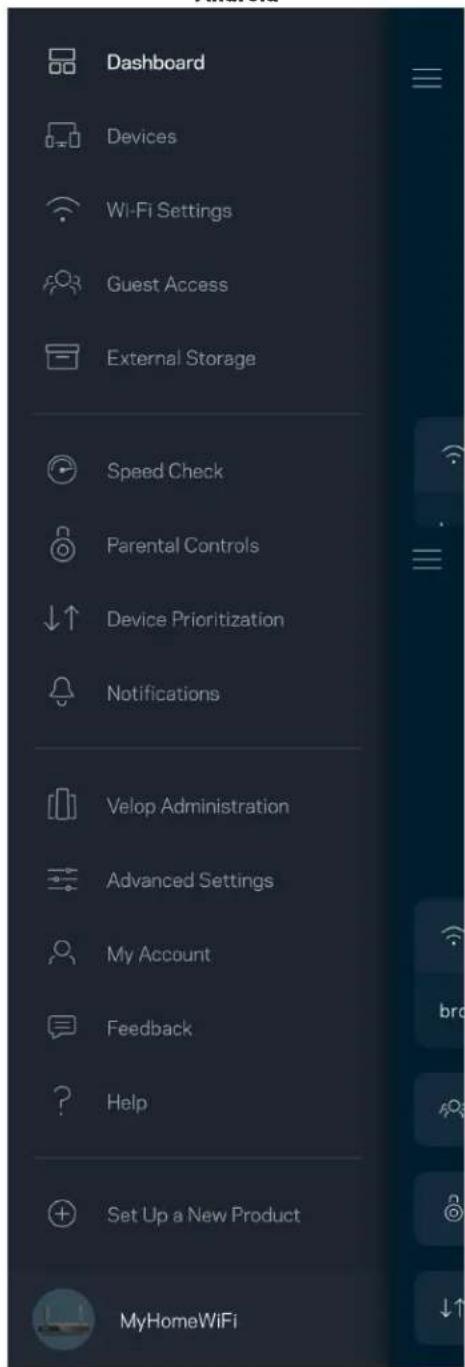
text_image
Dashboard Devices Wi-Fi Settings Guest Access External Storage Speed Check Parental Controls Device Prioritization Notifications Velop Administration Advanced Settings My Account Feedback Help Set Up a New Product MyHomeWiFiDashbord
text_image
My Home Wi-Fi ONLINE 12 DEVICES 1 ROUTER Internet Speed 3 days ago 128 63 Last Five Connections Alex's iPhone X Office 5GHz Jamie's iPad Pro Kitchen 5GHz Bettina's Apple Watch Living Room 5GHz Sean's iMac Master Bedroom Ethernet Apple TV Offline Parental Controls 4 Guest Network On Share Wi-Fi Internet Slow? Give FeedbackAndroid
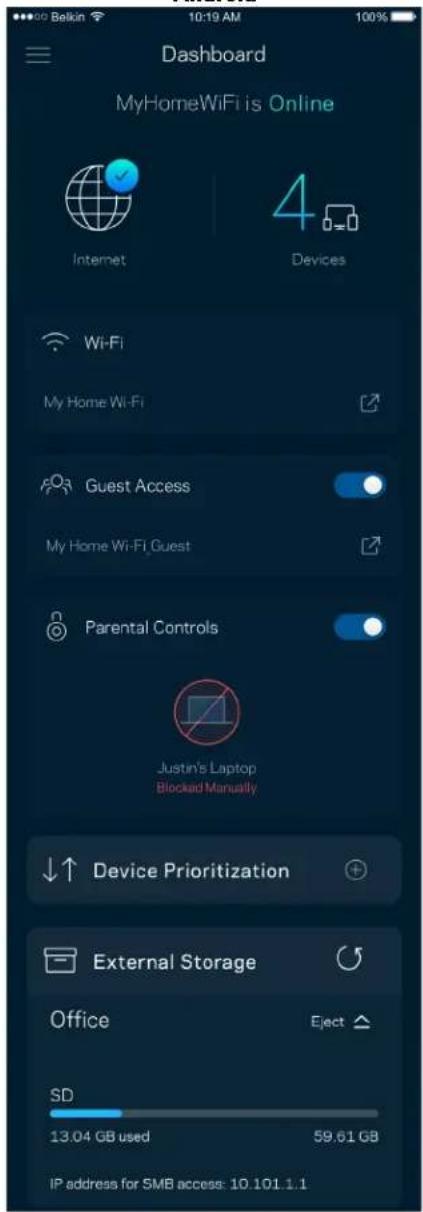
text_image
Dashboard MyHomeWiFi is Online Internet 4 Devices Wi-Fi My Home Wi-Fi Guest Access My Home Wi-Fi Guest Parental Controls Justin's Laptop Blocked Manually Device Prioritization External Storage Office Eject SD 13.04 GB used 59.61 GB IP address for SMB access: 10.101.1.1Enheter
text_image
Devices Connected Devices (5) Downstairs TV MyHomeWiFi > Game Console Connected via ethernet > Jon's Phone MyHomeWiFi > Mika's Laptop MyHomeWiFi > Thermostat MyHomeWiFi > Guest Devices (3) Michelle's Phone MyGuestWiFi > Offline Devices (5)text_image
Parental Controls Create schedules to pause internet access, or block specific websites, so you can keep your kids offline and on task. Control a Device Learn more about Parental Controls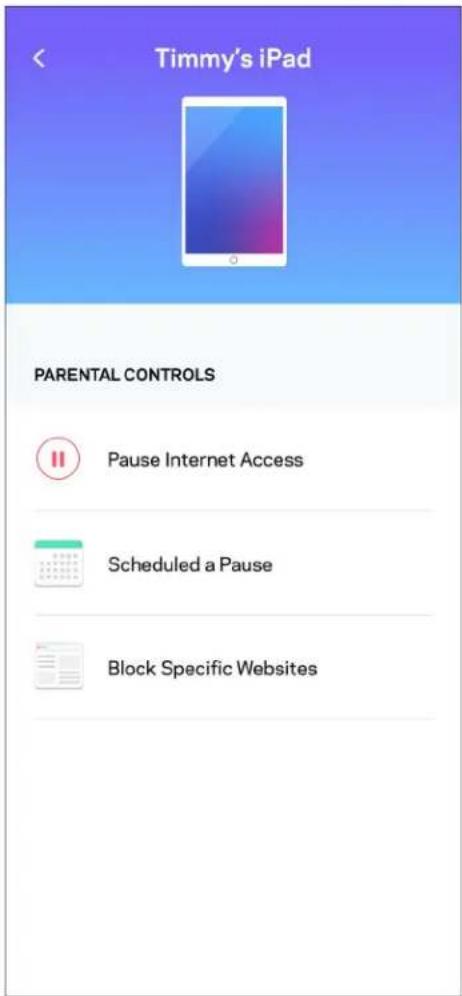
text_image
Timmy's iPad PARENTAL CONTROLS Pause Internet Access Scheduled a Pause Block Specific WebsitesWi-Fi-innstillinger
text_image
Wi-Fi Settings Hi-Fi name My Home Wi-Fi Wi-Fi Password Advanced Settings Connect a Device with WPSAvanserte Wi-Fi-innstillinger
text_image
Beikin 10:19 AM 100% Advanced Wi-Fi Settings Save Security Type WPA2-Personal > Wi-Fi Mode Mixed > Channel Finder >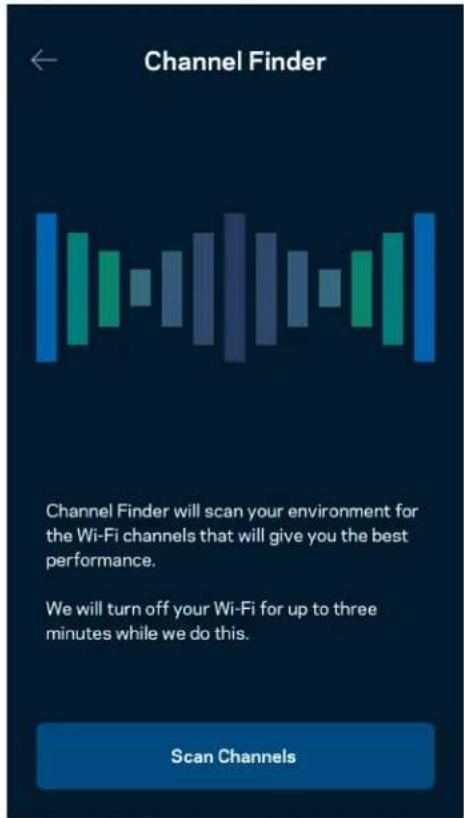
text_image
Channel Finder Channel Finder will scan your environment for the Wi-Fi channels that will give you the best performance. We will turn off your Wi-Fi for up to three minutes while we do this. Scan Channelstext_image
Connect a Device with WPS WPS Wi-Fi Protected Setup allows you to easily connect new devices to your Wi-Fi network without manually configuring security settings. Connect Use a PINtext_image
Guest Access Guest Access Wi-Fi Name My Home Wi-Fi_guest Wi-Fi PasswordEnhetsprioritering
text_image
Device Prioritization Add up to 3 devices to prioritize. Devices not on this list will share what's left of your internet capacity. Add a deviceVarslinger
text_image
Belkin 10:19 AM 100% Notifications Get notifications when: A secondary node is offlinetext_image
Network Administration Living Room > Change Router Password and Hint > Automatic Firmware Update Time Zone Pacific Time (USA & Canada) GMT-0B:00 > Diagnostic Information Contribute to future improvements. Automatically report router errors to Linksys. We won't use any information you submit for purposed other than provide you with our customer care and improve our products. Manually report a specific issue Report IP Details Restart Velop Learn more about Network Administrationtext_image
Internet Settings Save Connection Type > Automatic Configuration - DHCP Additional Settings > Learn morePortinnstillinger
text_image
Port Settings Single Port Forwarding > Port Range Forwarding > Port Range Triggering >Wi-Fi MAC-filtre
Hver nettverksenhet har en unik 12-sifret MAC-adresse (Media Access Control). Du kan lage en liste over MAC-adresser, deretter tillate eller nekte disse enhetene tilgang til ditt Wi-Fi.
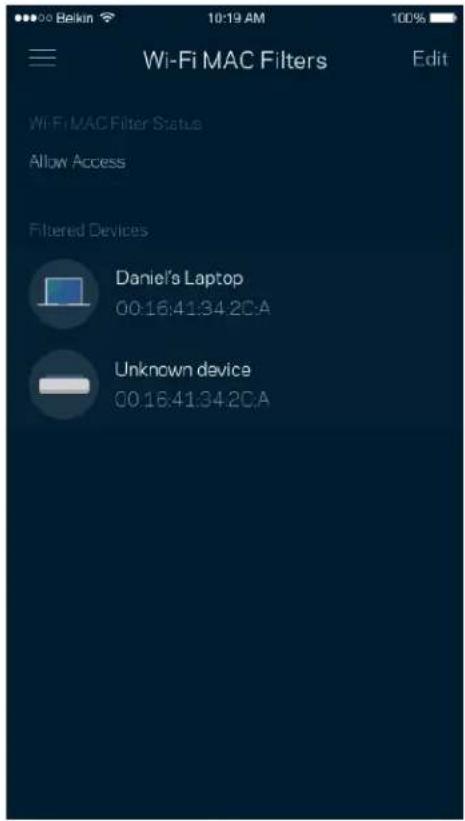
text_image
Wi-Fi MAC Filters Edit Wi-Fi MAC Filter Status Allow Access Filtered Devices Daniel's Laptop 00:16:41:34.2CA Unknown device 00:16:41:34.2CAEkstern lagring
text_image
Android No SIM 5:45 PM @ ↑ 83% External Storage Office Eject ▲ 4750-6C0A 10.69 MB used 28.94 GB IP address for SMB access: 192.168.1.1 Authentication > Network File Sharing (SMB) Devices on your network can access connected storage For PC's, enter \ plus the IP address for the storage drive you want to access into Windows Explorer. (Example: \192.168.1.100) For Macs, open Finder and navigate to Go > Connect to Server. Enter smb // plus the IP address for the storage drive you want to access. (Example: smb://192.168.1.100) When authentication is not enabled, you'll need to log in as a guest for SMB access.Hastighetssjekk
text_image
Speed Check Ping 19 ms 101 | 121 ↓ Mbps ↑ Mbps Download Upload Results At this speed, you can stream HD videos, hold video conferences, and play online games on multiple devices at the same time. Test again SPEEDTEST powered™text_image
My Account Email Jakefarm@email.com Password First Name Jake Last Name Farm Newsletter Be the first to know about exclusive deals & news. Log Out Close AccountTilbakemelding
text_image
Feedback Tell us what you think of the app. Love the app? Have a suggestion? Trouble with the app?Hjelp
| Help |
| + Getting Started with Linksys Smart Wi-Fi |
| + Frequently Asked Questions |
| + Browse by Topic or Feature |
| + Subscription |
| + About |
| + Help and Support |
Koble direkte til ruteren
text_image
9:41 Log in Email Router Password Logging in with router password lets you manage your WiFi while connected to your WiFi. Enter password Forgot Password? Log In New here? Create an accountAndroid
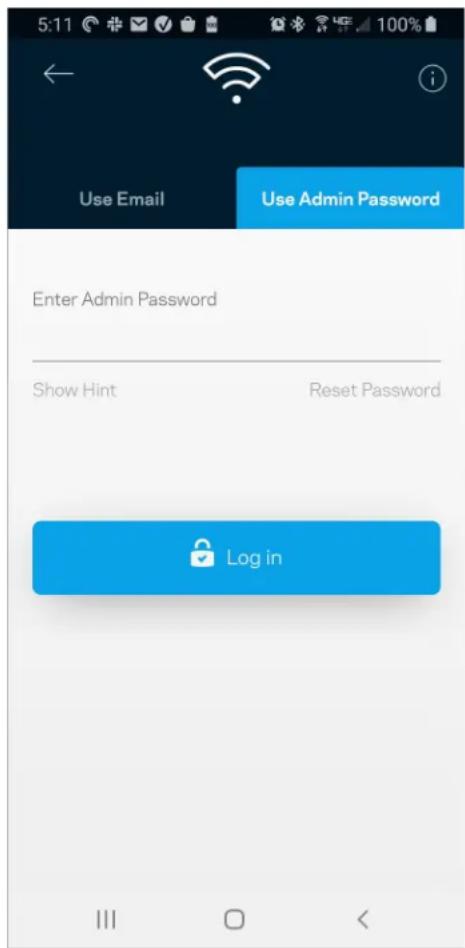
text_image
5:11 Use Email Use Admin Password Enter Admin Password Show Hint Reset Password Log inRuterpassord
text_image
Router Password Router Password Router Password Hint To add a a hint, enter your current password or create a new one.text_image
LINKSYS Light| iPhone | Android | ||
| My Home Wi-Fi Devices 12 Parental Controls Wi-Fi Settings Guest Network External Storage ↓↑ Device Prioritization Notifications Network Administration Advanced Settings Set up a New Product Account Help | Dashboard Devices Wi-Fi Settings Guest Access External Storage Speed Check Parental Controls ↓↑ Device Prioritization Notifications Velop Administration Advanced Settings My Account Feedback ? Help Set Up a New Product MyHomeWiFi | ||
text_image
Manage your Wi-Fi Set up a New Wi-Fi Network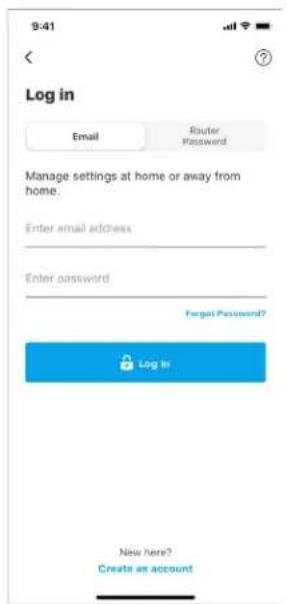
text_image
9:41 Log in Email Router Password Manage settings at home or away from home. Enter email address Enter password Forgot Password? Log In New here? Create an accountAndroid
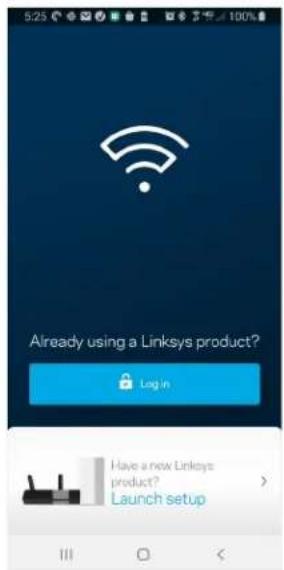
text_image
5:23 Already using a Linksys product? Log in Have a new Linksys product? Launch setup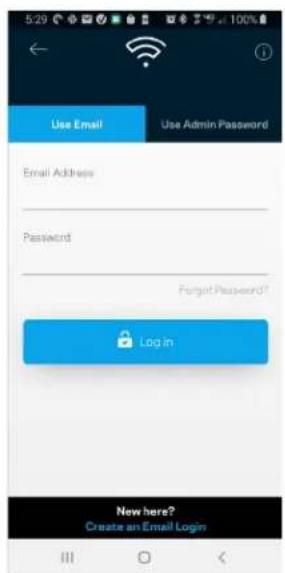
text_image
5:29 Use Email Use Admin Password Email Address Password Forgot Password? Login New here? Create an Email Logintext_image
My Home Wi-Fi Devices Parental Controls Wi-Fi Settings Guest Network External Storage Device Prioritization Notifications Network Administration Advanced Settings Set up a New Product Account HelpAndroid
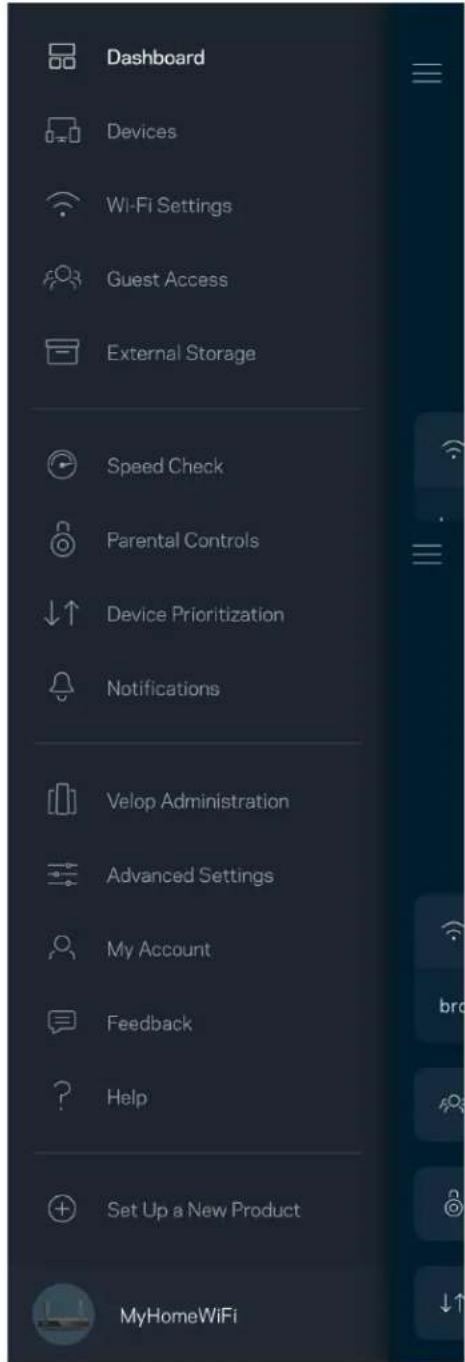
text_image
Dashboard Devices Wi-Fi Settings Guest Access External Storage Speed Check Parental Controls Device Prioritization Notifications Velop Administration Advanced Settings My Account Feedback Help Set Up a New Product MyHomeWiFiPulpit nawigacyjny
text_image
My Home Wi-Fi ONLINE 12 DEVICES 1 ROUTER Internet Speed 3 days ago 128 63 Last Five Connections Alex's iPhone X Office 5GHz Jamie's iPad Pro Kitchen 5GHz Bettina's Apple Watch Living Room 5GHz Sean's iMac Master Bedroom Ethernet Apple TV Offline Parental Controls 4 Guest Network On Share Wi-Fi Internet Slow? Give FeedbackAndroid
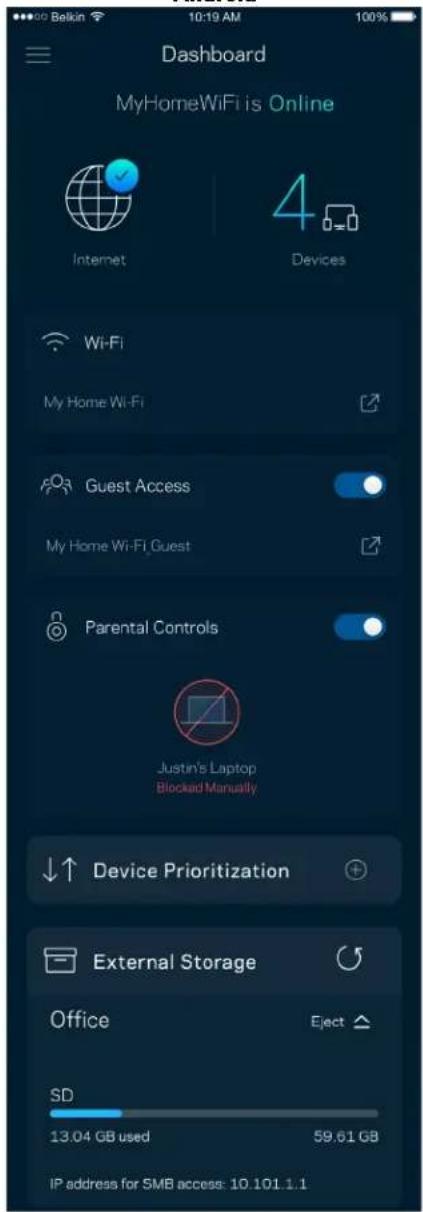
text_image
Dashboard MyHomeWiFi is Online Internet 4 Devices Wi-Fi My Home Wi-Fi Guest Access My Home Wi-Fi Guest Parental Controls Justin's Laptop Blocked Manually Device Prioritization External Storage Office Eject SD 13.04 GB used 59.61 GB IP address for SMB access: 10.101.1.1Urządzenia
text_image
Devices Connected Devices (5) Downstairs TV MyHomeWiFi > Game Console Connected via ethernet > Jon's Phone MyHomeWiFi > Mika's Laptop MyHomeWiFi > Thermostat MyHomeWiFi > Guest Devices (3) Michelle's Phone MyGuestWiFi > Offline Devices (5)text_image
Parental Controls Create schedules to pause internet access, or block specific websites, so you can keep your kids offline and on task. Control a Device Learn more about Parental Controls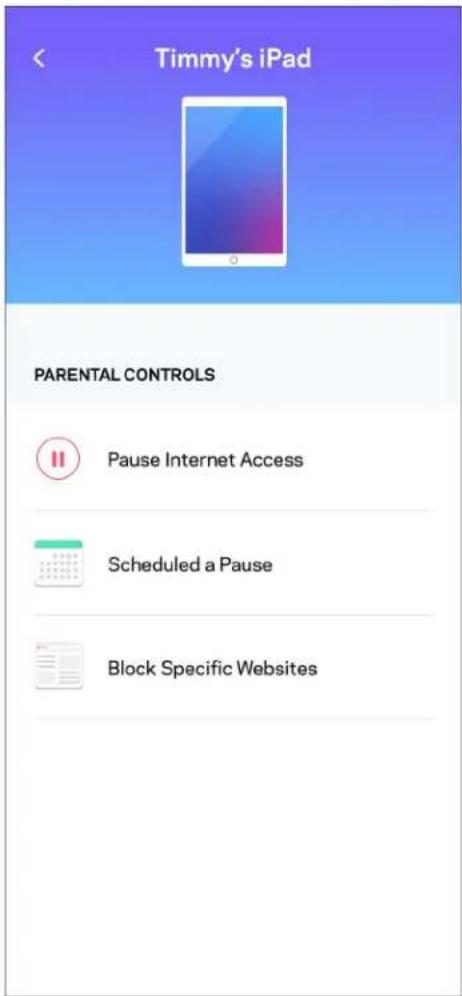
text_image
Timmy's iPad PARENTAL CONTROLS Pause Internet Access Scheduled a Pause Block Specific Websitestext_image
Wi-Fi Settings Hi-Fi name My Home Wi-Fi Wi-Fi Password Advanced Settings Connect a Device with WPStext_image
Balkin 10:19 AM 100% Advanced Wi-Fi Settings Save Security Type > WPA2-Personal > Wi-Fi Mode > Mixed > Channel Finder >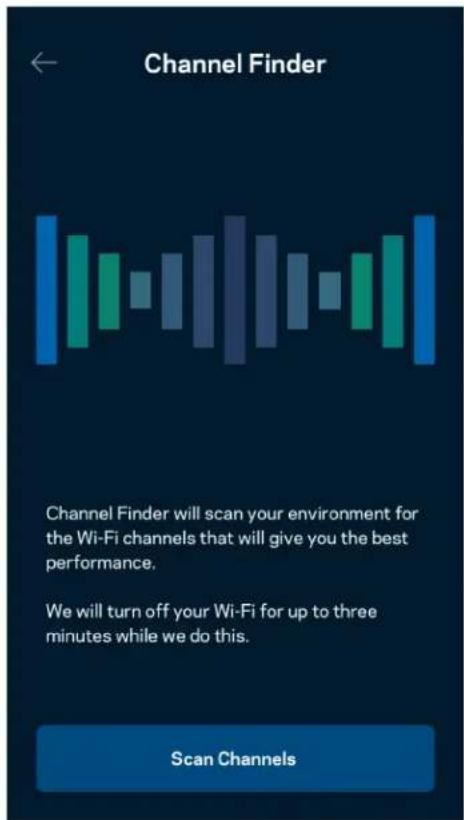
text_image
Channel Finder Channel Finder will scan your environment for the Wi-Fi channels that will give you the best performance. We will turn off your Wi-Fi for up to three minutes while we do this. Scan Channelstext_image
Connect a Device with WPS WPS Wi-Fi Protected Setup allows you to easily connect new devices to your Wi-Fi network without manually configuring security settings. Connect Use a PINtext_image
Guest Access Guest Access Wi-Fi Name My Home Wi-Fi_guest Wi-Fi Passwordtext_image
Device Prioritization Add up to 3 devices to prioritize. Devices not on this list will share what's left of your internet capacity. Add a devicePowiadomienia
text_image
Belkin 10:19 AM 100% Notifications Get notifications when: A secondary node is offlinetext_image
Network Administration Living Room > Change Router Password and Hint > Automatic Firmware Update Time Zone Pacific Time (USA & Canada) GMT-0B:00 > Diagnostic Information Contribute to future improvements. Automatically report router errors to Linksys. We won't use any information you submit for purposed other than provide you with our customer care and improve our products. Manually report a specific issue Report IP Details Restart Velop Learn more about Network Administrationtext_image
Beikin 9:41 AM 100% Internet Settings Save Connection Type > Automatic Configuration - DHCP Additional Settings > Learn moreUstawienia portu
text_image
Port Settings Single Port Forwarding > Port Range Forwarding > Port Range Triggering >text_image
Wi-Fi MAC Filters Edit Wi-Fi MAC Filter Status Allow Access Filtered Devices Daniel's Laptop 00:16:41:34.2CA Unknown device 00:16:41:34.2CAtext_image
Android No SIM 5:45 PM @ 83% External Storage Office Eject 4750-6C0A 10.69 MB used 28.94 GB IP address for SMB access: 192.168.1.1 Authentication > Network File Sharing (SMB) Devices on your network can access connected storage For PC's, enter \ plus the IP address for the storage drive you want to access into Windows Explorer. (Example: \192.168.1.100) For Macs, open Finder and navigate to Go > Connect to Server. Enter smb // plus the IP address for the storage drive you want to access. (Example: smb://192.168.1.100) When authentication is not enabled, you'll need to log in as a guest for SMB access.text_image
Speed Check Ping 19 ms 101 | 121 ↓ Mbps ↑ Mbps Download Upload Results At this speed, you can stream HD videos, hold video conferences, and play online games on multiple devices at the same time. Test again SPEEDTEST powered™text_image
My Account Email Jakefarm@email.com Password First Name Jake Last Name Farm Newsletter Be the first to know about exclusive deals & news. Log Out Close AccountOpinie
text_image
Feedback Tell us what you think of the app. Love the app? Have a suggestion? Trouble with the app?Pomoc
| Help |
| + Getting Started with Linksys Smart Wi-Fi |
| + Frequently Asked Questions |
| + Browse by Topic or Feature |
| + Subscription |
| + About |
| + Help and Support |
text_image
9:41 Log in Email Router Password Logging in with router password lets you manage your WiFi while connected to your WiFi. Enter password Forgot Password? Log In New here? Create an accountAndroid
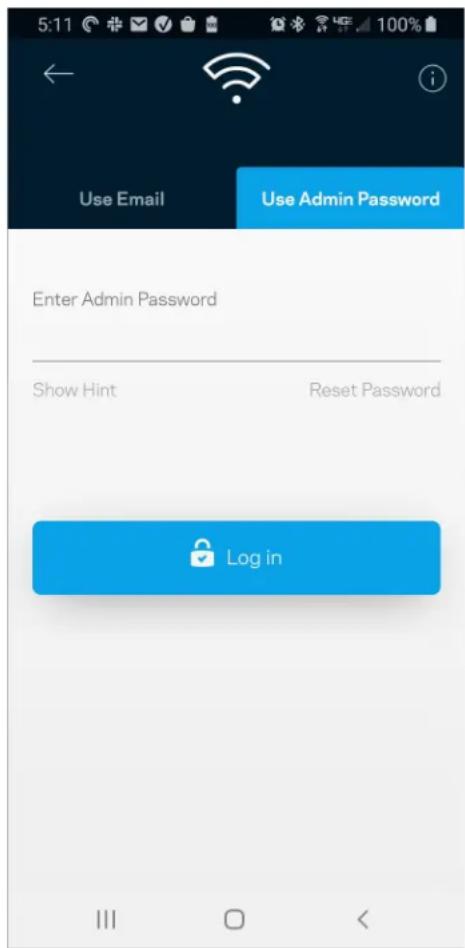
text_image
5:11 Use Email Use Admin Password Enter Admin Password Show Hint Reset Password Log inHasło routera
text_image
Router Password Router Password Router Password Hint To add a a hint, enter your current password or create a new one.text_image
LINKSYS Light| iPhone | Android | ||
| My Home Wi-Fi Devices 12 Parental Controls Wi-Fi Settings Guest Network External Storage ↓↑ Device Prioritization Notifications Network Administration Advanced Settings Set up a New Product Account Help | Dashboard Devices Wi-Fi Settings Guest Access External Storage Speed Check Parental Controls ↓↑ Device Prioritization Notifications Velop Administration Advanced Settings My Account Feedback ? Help Set Up a New Product MyHomeWiFi | ||
text_image
Manage your Wi-Fi Set up a New Wi-Fi Network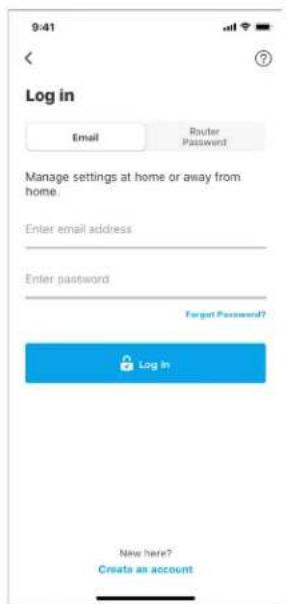
text_image
9:41 Log in Email Router Password Manage settings at home or away from home. Enter email address Enter password Forgot Password? Log In New here? Create an accountAndroid
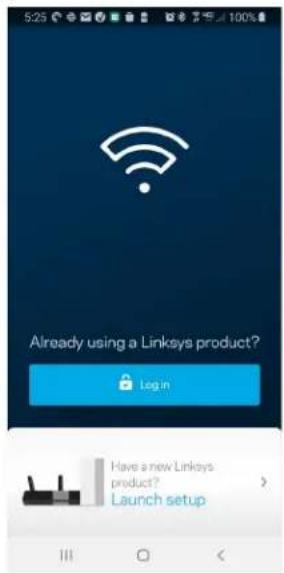
text_image
Already using a Linksys product? Login Have a new Linksys product? Launch setup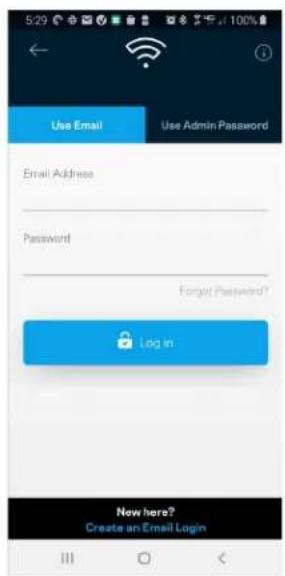
text_image
5:29 Use Email Use Admin Password Email Address Password Forgot Password? Log in Now here? Create an Email Logintext_image
My Home Wi-Fi Devices 12 Parental Controls Wi-Fi Settings Guest Network External Storage Device Prioritization Notifications Network Administration Advanced Settings Set up a New Product Account HelpAndroid
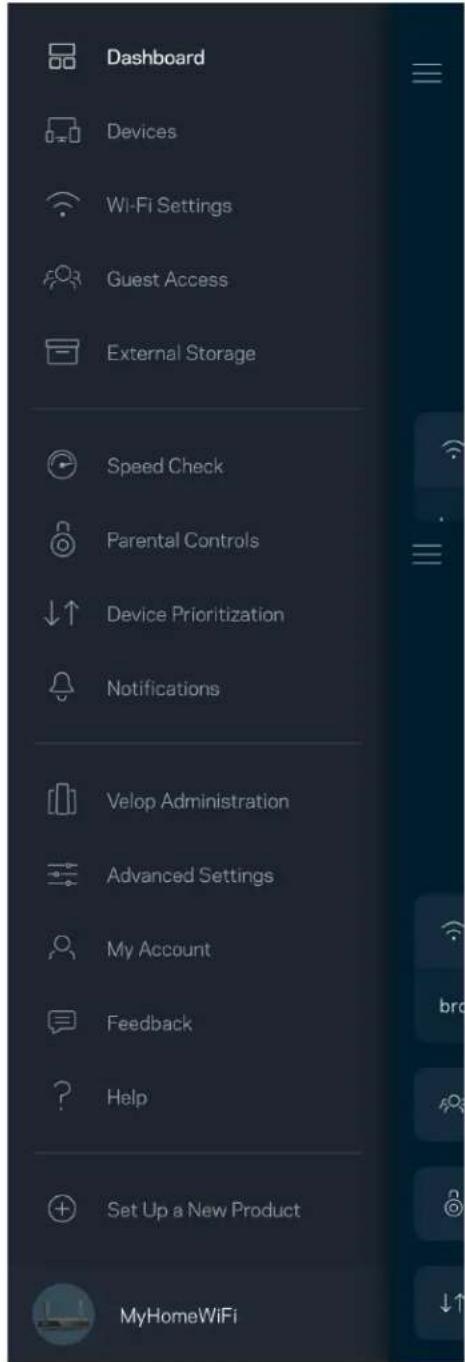
text_image
Dashboard Devices Wi-Fi Settings Guest Access External Storage Speed Check Parental Controls Device Prioritization Notifications Velop Administration Advanced Settings My Account Feedback Help Set Up a New Product MyHomeWiFiPainel de controlo
text_image
iPhone 9:41 My Home Wi-Fi ONLINE 12 DEVICES 1 ROUTER Internet Speed 3 days ago 128 63 Last Five Connections Alex's iPhone X Office 5GHz Jamie's iPad Pro Kitchen 5GHz Bettina's Apple Watch Living Room 5GHz Sean's iMac Master Bedroom Ethernet Apple TV Offline Parental Controls Guest Network On Share Wi-Fi Internet Slow? Give Feedback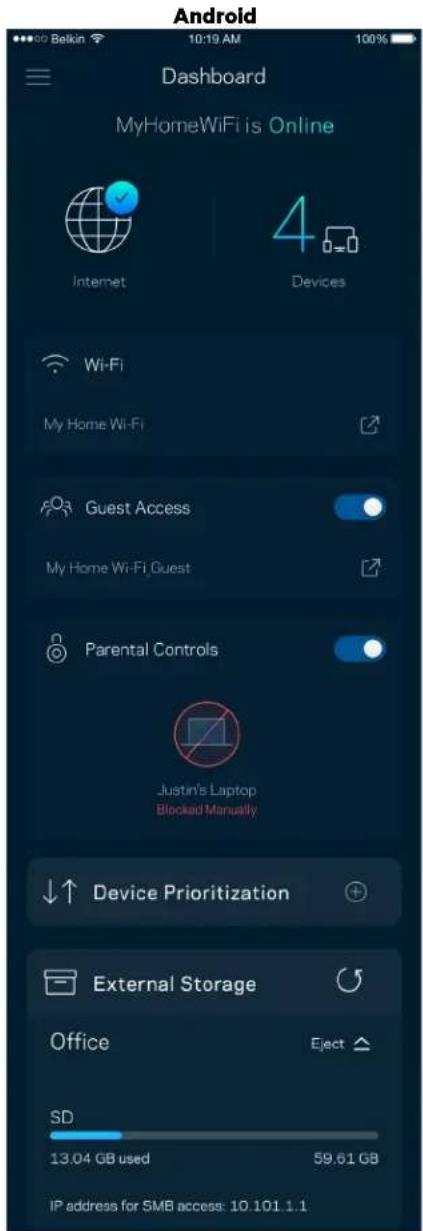
text_image
Android Dashboard MyHomeWiFi is Online Internet 4 Devices Wi-Fi My Home Wi-Fi Guest Access My Home Wi-Fi Guest Parental Controls Justin's Laptop Blocked Manually Device Prioritization External Storage Office Eject SD 13.04 GB used 59.61 GB IP address for SMB access: 10.101.1.1Dispositivos
text_image
Devices Connected Devices (5) Downstairs TV MyHomeWiFi > Game Console Connected via ethernet > Jon's Phone MyHomeWiFi > Mika's Laptop MyHomeWiFi > Thermostat MyHomeWiFi > Guest Devices (3) Michelle's Phone MyGuestWiFi > Offline Devices (5)text_image
Parental Controls Create schedules to pause internet access, or block specific websites, so you can keep your kids offline and on task. Control a Device Learn more about Parental Controls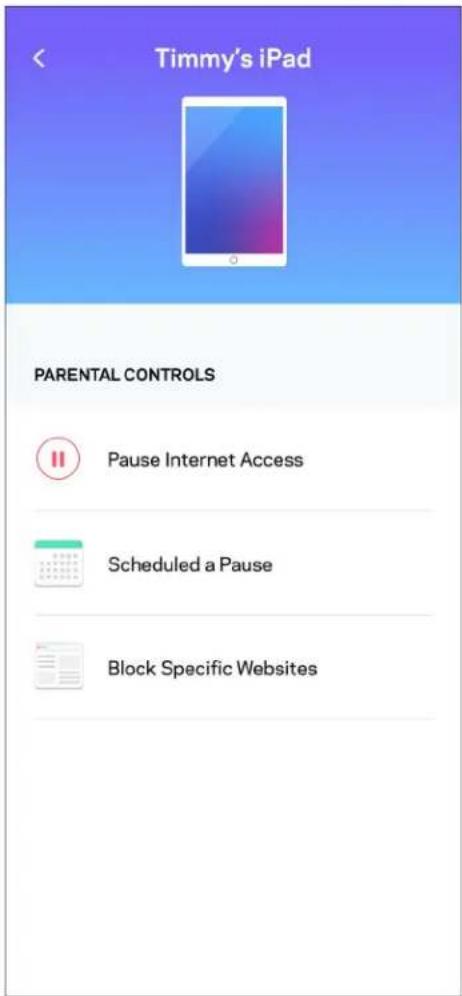
text_image
Timmy's iPad PARENTAL CONTROLS Pause Internet Access Scheduled a Pause Block Specific WebsitesDefinições de Wi-Fi
text_image
Wi-Fi Settings Hi-Fi name My Home Wi-Fi Wi-Fi Password Advanced Settings Connect a Device with WPStext_image
Beikin 10:19 AM Advanced Wi-Fi Settings Save Security Type WPA2-Personal Wi-Fi Mode Mixed Channel Finder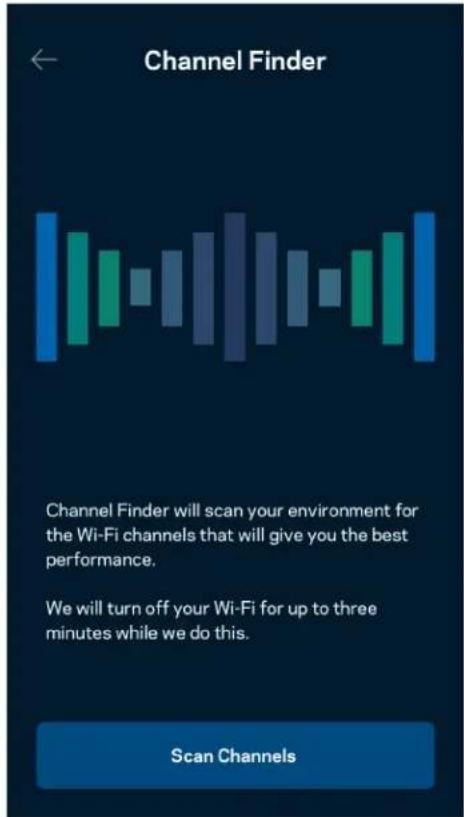
text_image
Channel Finder Channel Finder will scan your environment for the Wi-Fi channels that will give you the best performance. We will turn off your Wi-Fi for up to three minutes while we do this. Scan Channelstext_image
Connect a Device with WPS WPS Wi-Fi Protected Setup allows you to easily connect new devices to your Wi-Fi network without manually configuring security settings. Connect Use a PINtext_image
Guest Access Guest Access Wi-Fi Name My Home Wi-Fi_guest Wi-Fi Passwordtext_image
Device Prioritization Add up to 3 devices to prioritize. Devices not on this list will share what's left of your internet capacity. Add a deviceNotificações
text_image
Belkin 10:19 AM 100% Notifications Get notifications when: A secondary node is offlinetext_image
Network Administration Living Room > Change Router Password and Hint > Automatic Firmware Update Time Zone Pacific Time (USA & Canada) GMT-0B:00 > Diagnostic Information Contribute to future improvements. Automatically report router errors to Linksys. We won't use any information you submit for purposed other than provide you with our customer care and improve our products. Manually report a specific issue Report IP Details Restart Velop Learn more about Network Administrationtext_image
Internet Settings Save Connection Type > Automatic Configuration - DHCP Additional Settings > Learn moretext_image
Port Settings Single Port Forwarding > Port Range Forwarding > Port Range Triggering >Filtros MAC Wi-Fi
text_image
Wi-Fi MAC Filters Edit Wi-Fi MAC Filter Status Allow Access Filtered Devices Daniel's Laptop 00:16:41:34.2CA Unknown device 00:16:41:34.2CAArmazenamento externo
text_image
Android No SIM 5:45 PM @ ↑ 83% External Storage Office Eject ▲ 4750-6C0A 10.69 MB used 28.94 GB IP address for SMB access: 192.168.1.1 Authentication > Network File Sharing (SMB) Devices on your network can access connected storage For PC's, enter \ plus the IP address for the storage drive you want to access into Windows Explorer. (Example: \192.168.1.100) For Macs, open Finder and navigate to Go > Connect to Server. Enter smb // plus the IP address for the storage drive you want to access. (Example: smb://192.168.1.100) When authentication is not enabled, you'll need to log in as a guest for SMB access.text_image
Speed Check Ping 19 ms 101 | 121 ↓ Mbps ↑ Mbps Download Upload Results At this speed, you can stream HD videos, hold video conferences, and play online games on multiple devices at the same time. Test again SPEEDTEST powered™text_image
My Account Email Jakefarm@email.com Password First Name Jake Last Name Farm Newsletter Be the first to know about exclusive deals & news. Log Out Close AccountComentários
text_image
Feedback Tell us what you think of the app. Love the app? Have a suggestion? Trouble with the app?Ajuda
| Help |
| + Getting Started with Linksys Smart Wi-Fi |
| + Frequently Asked Questions |
| + Browse by Topic or Feature |
| + Subscription |
| + About |
| + Help and Support |
text_image
9:41 Log in Email Router Password Logging in with router password lets you manage your WiFi while connected to your WiFi. Enter password Forgot Password? Log In New here? Create an accountAndroid
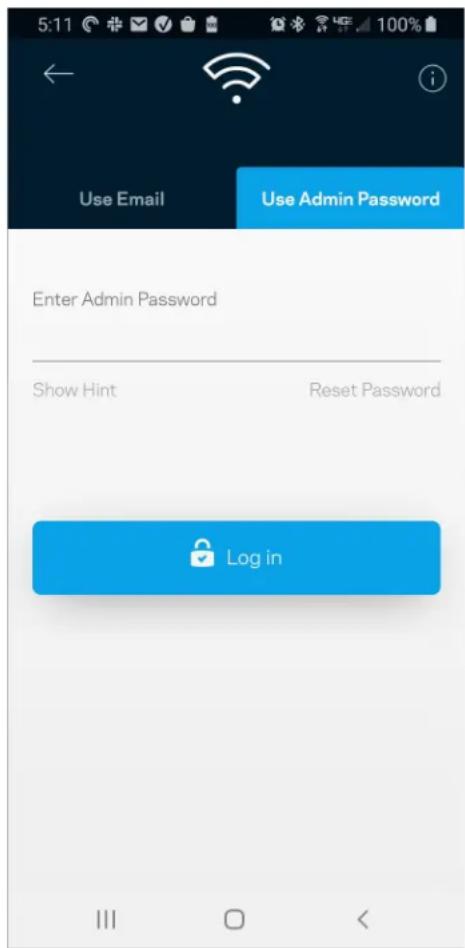
text_image
5:11 Use Email Use Admin Password Enter Admin Password Show Hint Reset Password Log intext_image
Router Password Router Password Router Password Hint To add a a hint, enter your current password or create a new one.text_image
LINKSYS Light| iPhone | Android | ||
| My Home Wi-Fi Devices Parental Controls Wi-Fi Settings Guest Network External Storage ↓↑ Device Prioritization Notifications Network Administration Advanced Settings Set up a New Product Account Help | Dashboard Devices Wi-Fi Settings Guest Access External Storage Speed Check Parental Controls ↓↑ Device Prioritization Notifications Velop Administration Advanced Settings My Account Feedback ? Help Set Up a New Product MyHomeWiFi | ||
text_image
Manage your Wi-Fi Set up a New Wi-Fi Network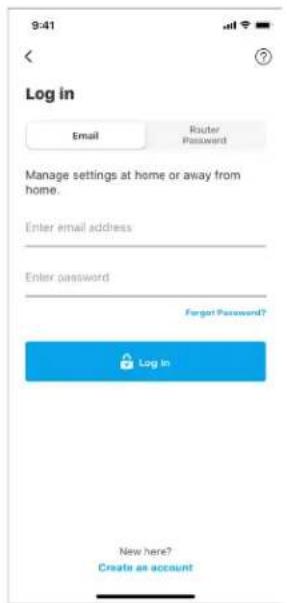
text_image
9:41 Log in Email Router Password Manage settings at home or away from home. Enter email address Enter password Forgot Password? Log In New here? Create an accountAndroid
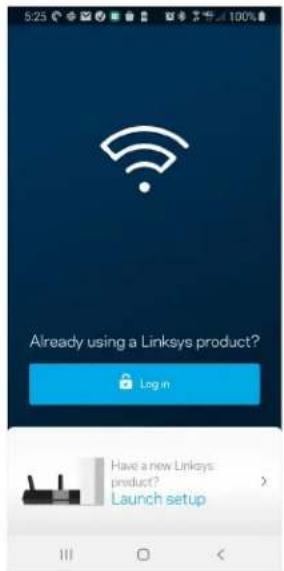
text_image
5:23 Already using a Linksys product? Log in Have a new Linksys product? Launch setup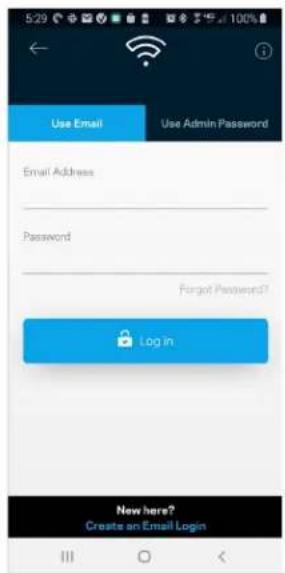
text_image
5:29 Use Email Use Admin Password Email Address Password Forgot Password? Log in New here? Creates an Email Logintext_image
My Home Wi-Fi Devices 12 Parental Controls Wi-Fi Settings Guest Network External Storage Device Prioritization Notifications Network Administration Advanced Settings Set up a New Product Account HelpAndroid
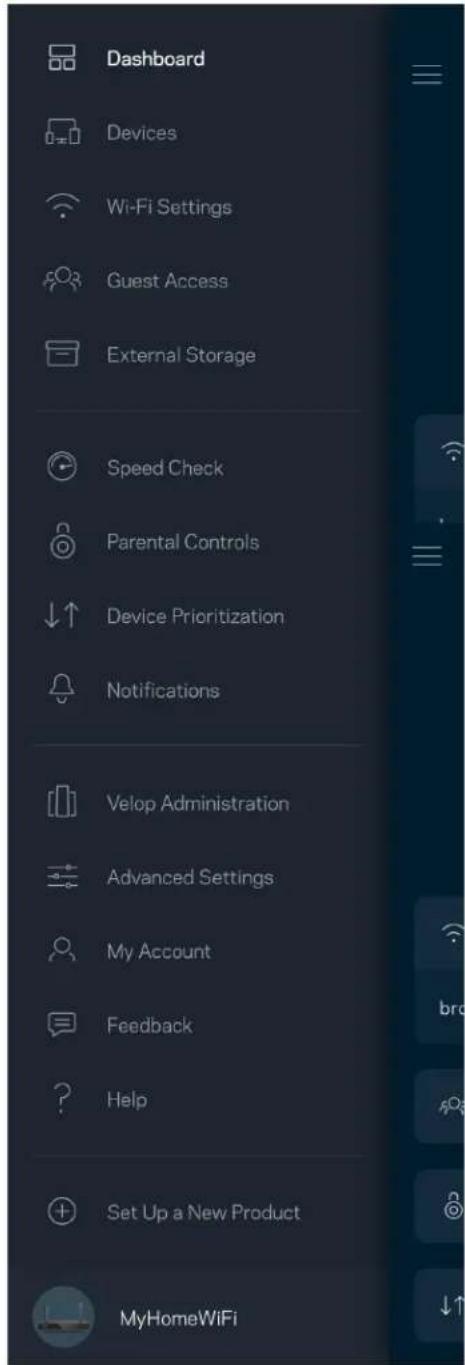
text_image
Dashboard Devices Wi-Fi Settings Guest Access External Storage Speed Check Parental Controls Device Prioritization Notifications Velop Administration Advanced Settings My Account Feedback Help Set Up a New Product MyHomeWiFiTablou de bord
text_image
9:41 My Home Wi-Fi ONLINE 12 DEVICES 1 ROUTER Internet Speed 3 days ago 128 63 Last Five Connections Alex's iPhone X Office 5GHz Jamie's iPad Pro Kitchen 5GHz Bettina's Apple Watch Living Room 5GHz Sean's iMac Master Bedroom Ethernet Apple TV Offline Parental Controls Guest Network On Share Wi-Fi Internet Slow? Give FeedbackAndroid
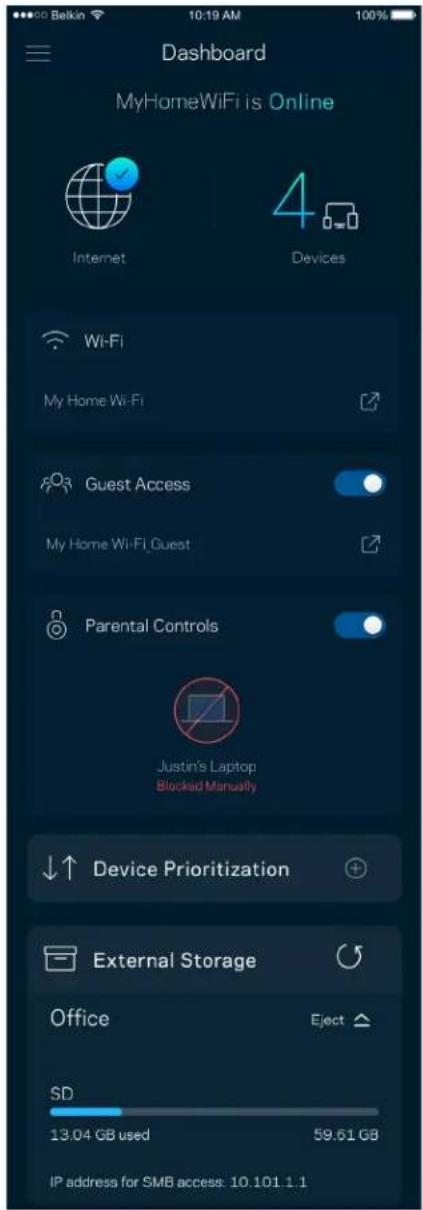
text_image
Dashboard MyHomeWiFi is Online Internet 4 Devices Wi-Fi My Home Wi-Fi Guest Access My Home Wi-Fi Guest Parental Controls Justin's Laptop Blocked Manually Device Prioritization External Storage Office Eject SD 13.04 GB used 59.61 GB IP address for SMB access: 10.101.1.1Dispositive
text_image
Devices Connected Devices (5) Downstairs TV MyHomeWiFi > Game Console Connected via ethernet > Jon's Phone MyHomeWiFi > Mika's Laptop MyHomeWiFi > Thermostat MyHomeWiFi > Guest Devices (3) Michelle's Phone MyGuestWiFi > Offline Devices (5)text_image
Wi-Fi Settings Hi-Fi name My Home Wi-Fi Wi-Fi Password Advanced Settings Connect a Device with WPStext_image
Belkin 10:19 AM 100% ← Advanced Wi-Fi Settings Save Security Type WPA2-Personal > Wi-Fi Mode Mixed > Channel Finder >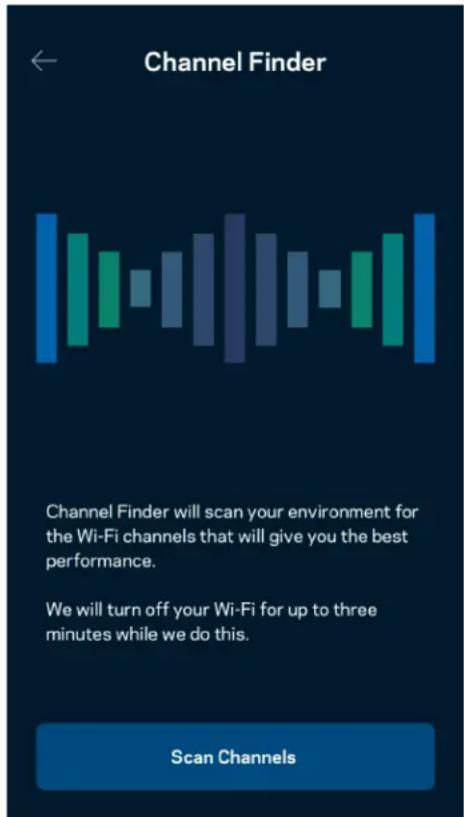
text_image
Channel Finder Channel Finder will scan your environment for the Wi-Fi channels that will give you the best performance. We will turn off your Wi-Fi for up to three minutes while we do this. Scan Channelstext_image
Connect a Device with WPS WPS Wi-Fi Protected Setup allows you to easily connect new devices to your Wi-Fi network without manually configuring security settings. Connect Use a PINAcces rețea invitat
text_image
Guest Access Guest Access Wi-Fi Name My Home Wi-Fi_guest Wi-FiPassAwordtext_image
Device Prioritization Add up to 3 devices to prioritize. Devices not on this list will share what's left of your internet capacity. Add a deviceNotificări
text_image
Belkin 10:19 AM 100% Notifications Get notifications when: A secondary node is offlineAdministrare retea/router
text_image
Network Administration Living Room > Change Router Password and Hint > Automatic Firmware Update Time Zone Pacific Time (USA & Canada) GMT-08:00 Diagnostic Information Contribute to future improvements. Automatically report router errors to Linksys. We won't use any information you submit for purposed other than provide you with our customer care and improve our products. Manually report a specific issue Report IP Details Restart Velop Learn more about Network Administrationtext_image
Internet Settings Save Connection Type > Automatic Configuration - DHCP Additional Settings > Learn moreSetări port
text_image
Belkin 9:41 AM 100% Port Settings Single Port Forwarding > Port Range Forwarding > Port Range Triggering >Filtre MAC Wi-Fi
text_image
Wi-Fi MAC Filters Edit Wi-Fi MAC Filter Status Allow Access Filtered Devices Daniel's Laptop 00:16:41:34.2C:A Unknown device 00:16:41:34.2C:AStocare externă
text_image
Android No SIM 5:45 PM @ ↑ $ 83% External Storage Office Eject ▲ 4750-6C0A 10.69 MB used 28.94 GB IP address for SMB access: 192.168 1.1 Authentication > Network File Sharing (SMB) Devices on your network can access connected storage. For PC's, enter \ plus the IP address for the storage drive you want to access into Windows Explorer. (Example: \192.168.1.100) For Macs, open Finder and navigate to Go > Connect to Server. Enter smb.// plus the IP address for the storage drive you want to access. (Example: smb.//192.168.1.100) When authentication is not enabled, you'll need to log in as a guest for SMB access.Verificare viteză
text_image
Speed Check Ping 19 ms 101 | 121 ↓ Mbps ↑ Mbps Download Upload Results At this speed, you can stream HD videos, hold video conferences, and play online games on multiple devices at the same time. Test again SPEEDTEST powered™text_image
My Account Email Jakefarm@email.com Password First Name Jake Last Name Farm Newsletter Be the first to know about exclusive deals & news. Log Out Close AccountFeedback
text_image
Feedback Tell us what you think of the app. Love the app? Have a suggestion? Trouble with the app?Ajutor
| Help |
| + Getting Started with Linksys Smart Wi-Fi |
| + Frequently Asked Questions |
| + Browse by Topic or Feature |
| + Subscription |
| + About |
| + Help and Support |
text_image
9:41 Log in Email Router Password Logging in with router password lets you manage your WiFi while connected to your WiFi. Enter password Forgot Password? Log In New here? Create an accountAndroid
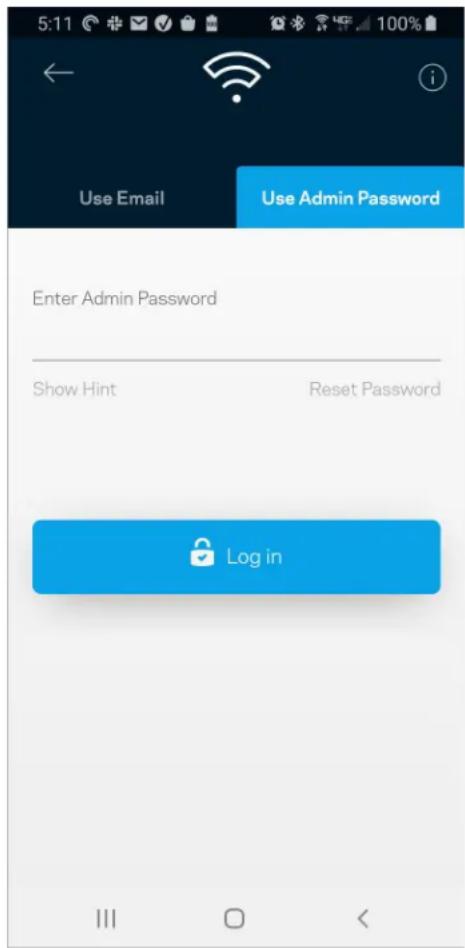
text_image
5:11 Use Email Use Admin Password Enter Admin Password Show Hint Reset Password Log inParolă router
text_image
Router Password Router Password Router Password Hint To add a a hint, enter your current password or create a new one.text_image
LINKSYS Lighttext_image
Manage your Wi-Fi Set up a New Wi-Fi Network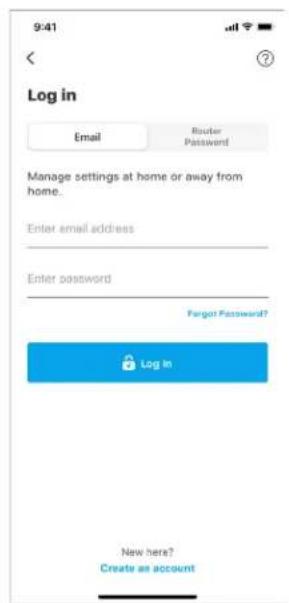
text_image
9:41 Log in Email Router Password Manage settings at home or away from home. Enter email address Enter password Fengt Password? Log In New here? Create an accountAndroid
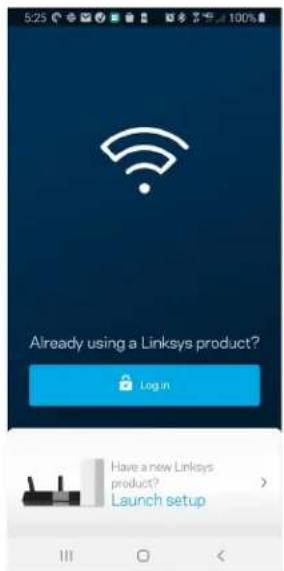
text_image
5:23 Already using a Linksys product? Login Have a new Linksys product? Launch setup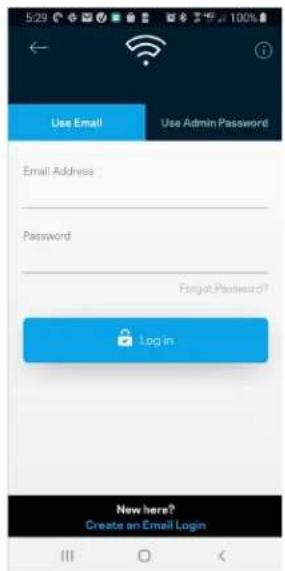
text_image
Use Email Use Admin Password Email Address Password Forgot Password? Log in New here? Create an Email Logintext_image
My Home Wi-Fi Devices 12 Parental Controls Wi-Fi Settings Guest Network External Storage Device Prioritization Notifications Network Administration Advanced Settings Set up a New Product Account HelpAndroid
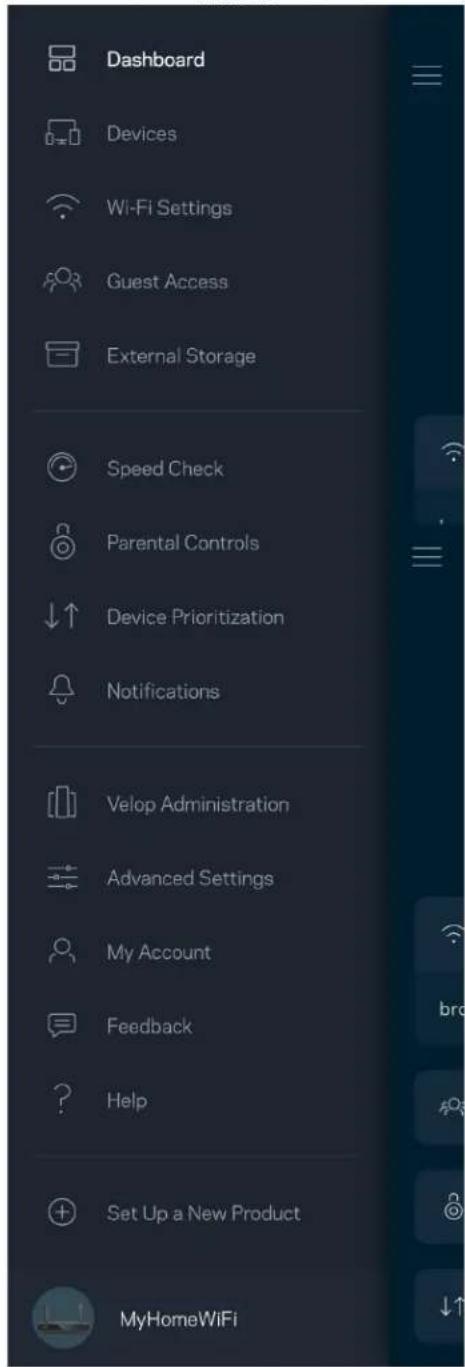
text_image
Dashboard Devices Wi-Fi Settings Guest Access External Storage Speed Check Parental Controls Device Prioritization Notifications Velop Administration Advanced Settings My Account Feedback Help Set Up a New Product MyHomeWiFiПанель мониторинга
text_image
My Home Wi-Fi ONLINE 12 DEVICES 1 ROUTER Internet Speed 3 days ago 128 63 Last Five Connections Alex's iPhone X Office 5GHz Jamie's iPad Pro Kitchen 5GHz Bettina's Apple Watch Living Room 5GHz Sean's iMac Master Bedroom Ethernet Apple TV Offline Parental Controls Guest Network On Share Wi-Fi Internet Slow? Give FeedbackAndroid
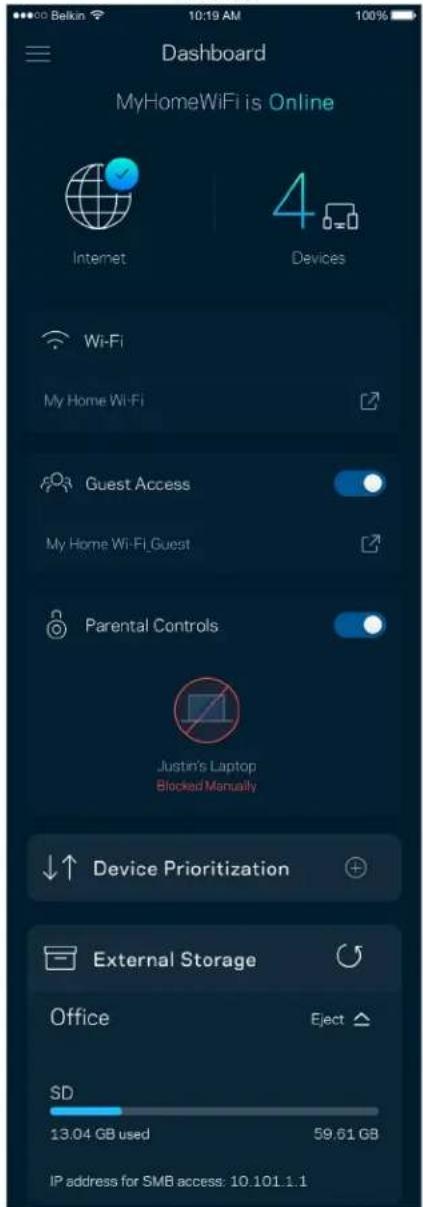
text_image
Dashboard MyHomeWiFi is Online Internet 4 Devices Wi-Fi My Home Wi-Fi Guest Access My Home Wi-Fi Guest Parental Controls Justin's Laptop Blocked Manually Device Prioritization External Storage Office Eject SD 13.04 GB used 59.61 GB IP address for SMB access: 10.101.1.1Устройства
text_image
Belkin 10:19 AM 100% Devices Connected Devices (5) Downstairs TV MyHomeWiFi Game Console Connected via ethernet Jon's Phone MyHomeWiFi Mika's Laptop MyHomeWiFi Thermostat MyHomeWiFi Guest Devices (3) Michelle's Phone MyGuestWiFi Offline Devices (5)text_image
Parental Controls Create schedules to pause internet access, or block specific websites, so you can keep your kids offline and on task. Control a Device Learn more about Parental Controls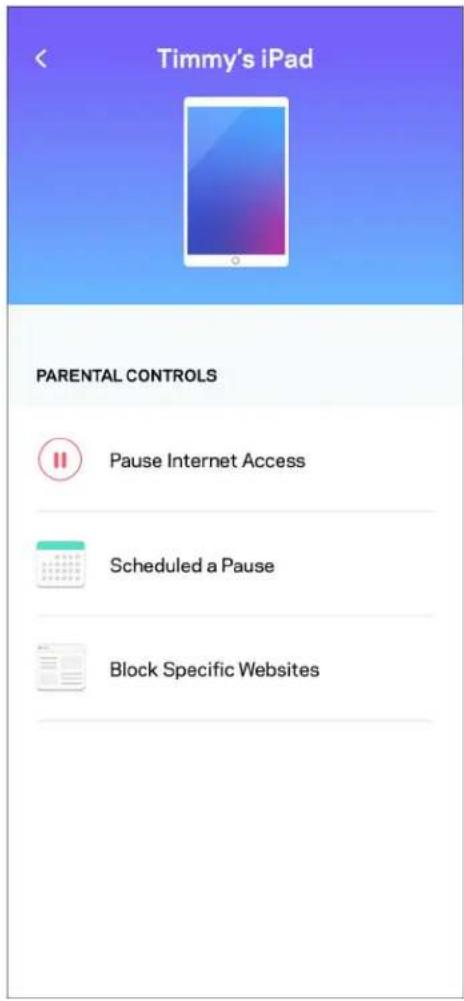
text_image
Timmy's iPad PARENTAL CONTROLS Pause Internet Access Scheduled a Pause Block Specific WebsitesНастройки Wi-Fi
text_image
Wi-Fi Settings Hi-Fi name My Home Wi-Fi Wi-Fi Password Advanced Settings Connect a Device with WPStext_image
Belkin 10:19 AM 100% Advanced Wi-Fi Settings Save Security Type > WPA2-Personal > Wi-Fi Mode > Mixed > Channel Finder >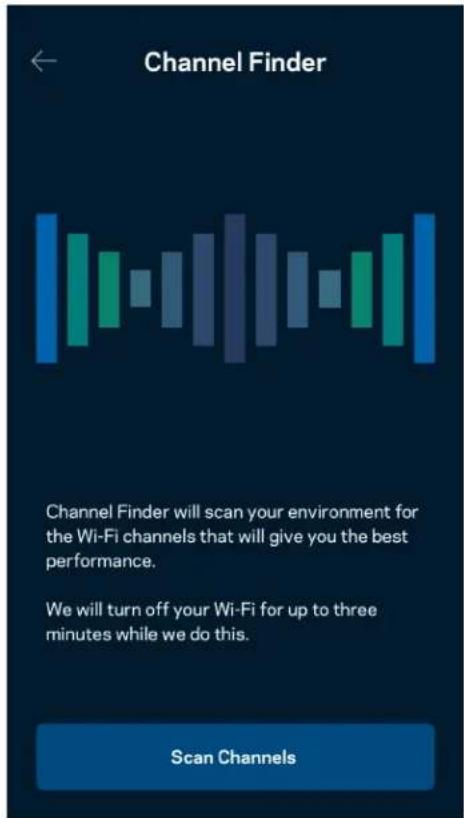
text_image
Channel Finder Channel Finder will scan your environment for the Wi-Fi channels that will give you the best performance. We will turn off your Wi-Fi for up to three minutes while we do this. Scan Channelstext_image
Connect a Device with WPS WPS Wi-Fi Protected Setup allows you to easily connect new devices to your Wi-Fi network without manually configuring security settings. Connect Use a PINtext_image
Guest Access Guest Access Wi-Fi Name My Home Wi-Fi_guest Wi-Fi PasswordПриоритет устройств
text_image
Device Prioritization Add up to 3 devices to prioritize. Devices not on this list will share what's left of your internet capacity. Add a deviceУведомления
text_image
Balkin 10:19 AM 100% Notifications Get notifications when: A secondary node is offlinetext_image
Network Administration Living Room > Change Router Password and Hint > Automatic Firmware Update Time Zone Pacific Time (USA & Canada) GMT-08.00 Diagnostic Information Contribute to future improvements. Automatically report router errors to Linksys. We won't use any information you submit for purposed other than provide you with our customer care and improve our products. Manually report a specific issue Report IP Details Restart Velop Learn more about Network Administrationtext_image
Beikin 9:41 AM Internet Settings Save Connection Type > Automatic Configuration - DHCP Additional Settings > Learn moreНастройки портов
text_image
Port Settings Single Port Forwarding > Port Range Forwarding > Port Range Triggering >text_image
Wi-Fi MAC Filters Edit Wi-Fi MAC Filter Status Allow Access Filtered Devices Daniel's Laptop 00:16:41:34.2C.A Unknown device 00:16:41:34.2C.Atext_image
Android No SIM 5:45 PM @ ↑ $ 83% External Storage Office Eject 4750-6C0A 10.69 MB used 28.94 GB IP address for SMB access: 192.168.1.1 Authentication > Network File Sharing (SMB) Devices on your network can access connected storage. For PC's, enter \ plus the IP address for the storage drive you want to access into Windows Explorer. (Example: \192.168.1.100) For Macs, open Finder and navigate to Go > Connect to Server. Enter smb://plus the IP address for the storage drive you want to access. (Example: smb://192.168.1.100) When authentication is not enabled, you'll need to log in as a guest for SMB access.Измерение скорости
text_image
Speed Check Ping 19 ms 101 | 121 ↓ Mbps ↑ Mbps Download Upload Results At this speed, you can stream HD videos, hold video conferences, and play online games on multiple devices at the same time. Test again SPEEDTEST powered™text_image
My Account Email Jakefarm@email.com Password First Name Jake Last Name Farm Newsletter Be the first to know about exclusive deals & news. Log Out Close AccountОтзыв
text_image
Feedback Tell us what you think of the app. Love the app? Have a suggestion? Trouble with the app?Справка
text_image
Help + Getting Started with Linksys Smart Wi-Fi + Frequently Asked Questions + Browse by Topic or Feature + Subscription + About + Help and Supporttext_image
iPhone 9:41 Log in Email Router Password Logging in with router password lets you manage your WiFi while connected to your WiFi. Enter password Forgot Password? Log In New here? Create an account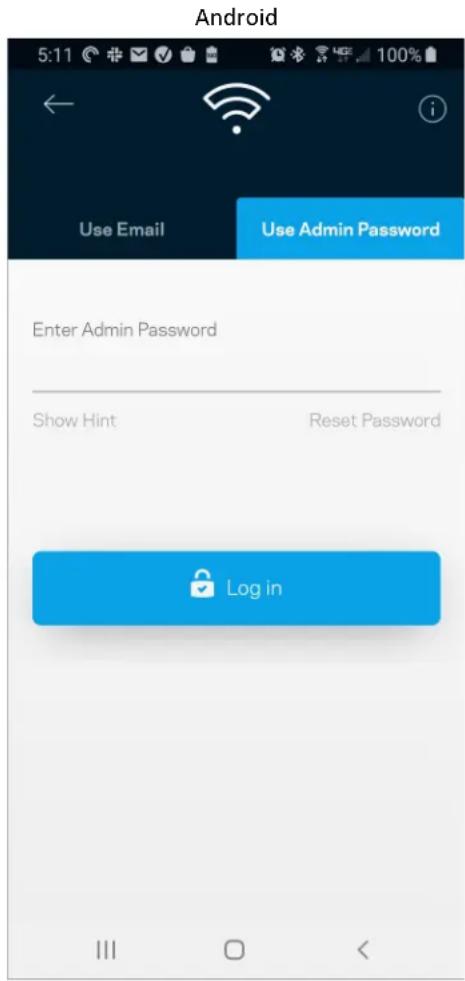
text_image
Android 5:11 Use Email Use Admin Password Enter Admin Password Show Hint Reset Password Log intext_image
Router Password Router Password Router Password Hint To add a a hint, enter your current password or create a new one.text_image
LINKSYS Light| iPhone | Android | ||
| My Home Wi-Fi Devices 12 Parental Controls Wi-Fi Settings Guest Network External Storage ↓↑ Device Prioritization Notifications Network Administration Advanced Settings Set up a New Product Account Help | Dashboard Devices Wi-Fi Settings Guest Access External Storage Speed Check Parental Controls ↓↑ Device Prioritization Notifications Velop Administration Advanced Settings My Account Feedback ? Help Set Up a New Product MyHomeWiFi | ||
text_image
Manage your Wi-Fi Set up a New Wi-Fi Network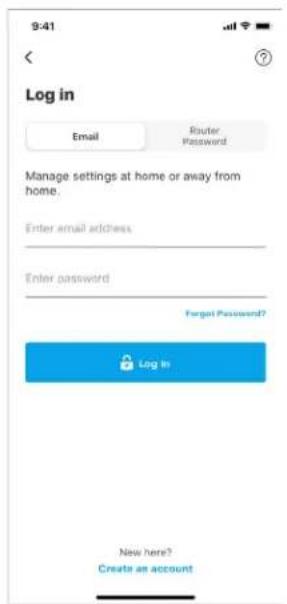
text_image
9:41 Log in Email Router Password Manage settings at home or away from home. Enter email address Enter password Forgot Password? Log In New here? Create an accountAndroid
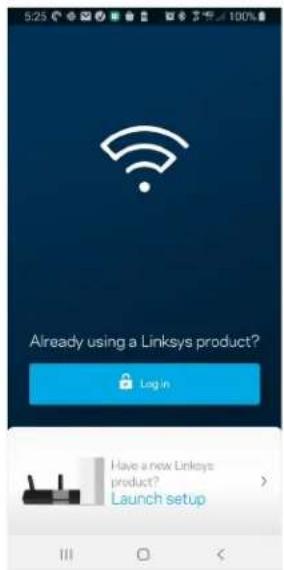
text_image
5:23 Already using a Linksys product? Login Have a new Linksys product? Launch setup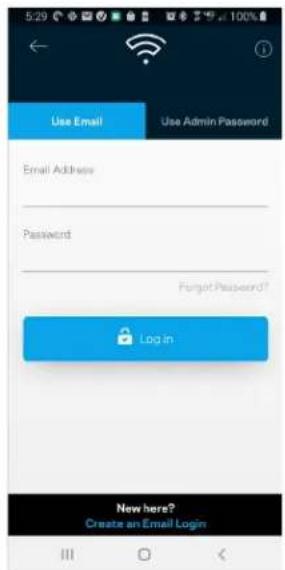
text_image
Use Email Use Admin Password Email Address Password Forgot Password? Log in New here? Create an Email Logintext_image
My Home Wi-Fi Devices 12 Parental Controls Wi-Fi Settings Guest Network External Storage Device Prioritization Notifications Network Administration Advanced Settings Set up a New Product Account HelpAndroid
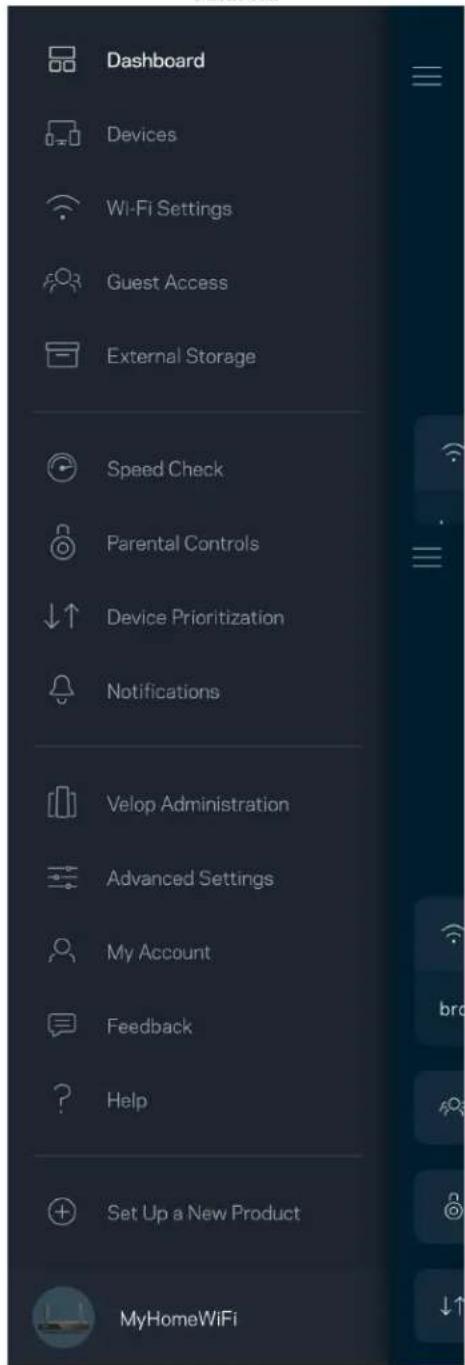
text_image
Dashboard Devices Wi-Fi Settings Guest Access External Storage Speed Check Parental Controls Device Prioritization Notifications Velop Administration Advanced Settings My Account Feedback Help Set Up a New Product MyHomeWiFiTabulía (Dashboard)
text_image
My Home Wi-Fi ONLINE 12 DEVICES 1 ROUTER Internet Speed 3 days ago 128 63 Last Five Connections Alex's iPhone X Office 5GHz Jamie's iPad Pro Kitchen 5GHz Bettina's Apple Watch Living Room 5GHz Sean's iMac Master Bedroom Ethernet Apple TV Offline Parental Controls 4 Guest Network On Share Wi-Fi Internet Slow? Give FeedbackAndroid
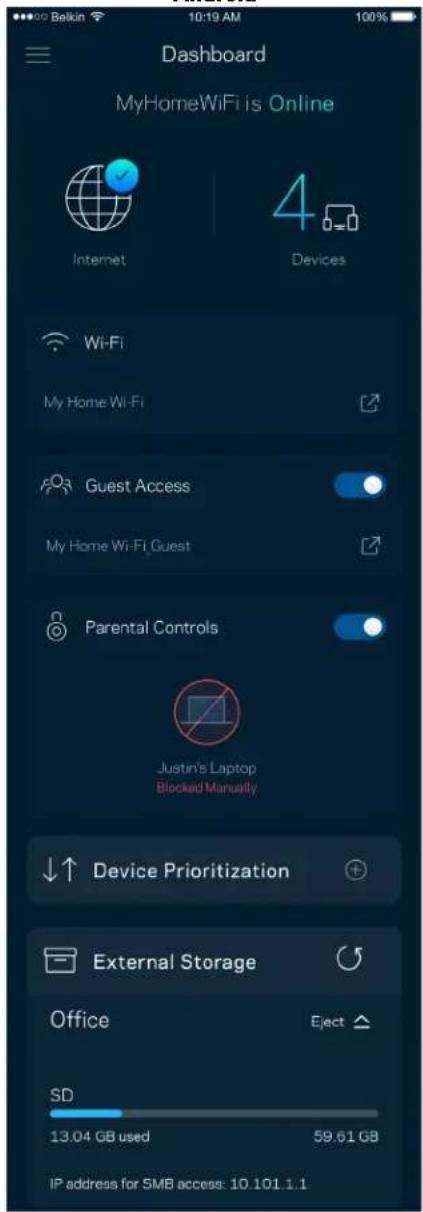
text_image
Dashboard MyHomeWiFi is Online Internet 4 Devices Wi-Fi My Home Wi-Fi Guest Access My Home Wi-Fi Guest Parental Controls Justin's Laptop Blocked Manually Device Prioritization External Storage Office Eject SD 13.04 GB used 59.61 GB IP address for SMB access: 10.101.1.1Zariadenia (Devices)
text_image
Belkin 10:19 AM 100% Devices Connected Devices (5) Downstairs TV MyHomeWiFi Game Console Connected via ethernet Jon's Phone MyHomeWiFi Mika's Laptop MyHomeWiFi Thermostat MyHomeWiFi Guest Devices (3) Michelle's Phone MyGuestWiFi Offline Devices (5)text_image
Parental Controls Create schedules to pause internet access, or block specific websites, so you can keep your kids offline and on task. Control a Device Learn more about Parental Controls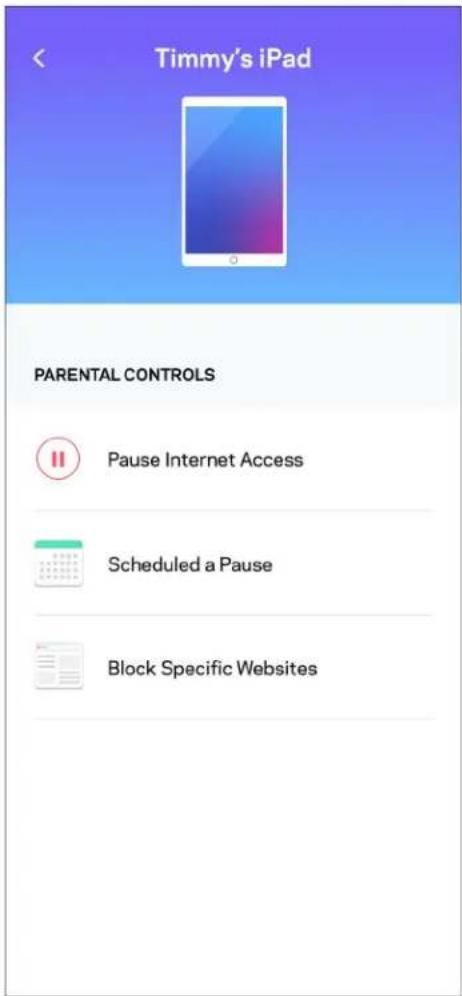
text_image
Timmy's iPad PARENTAL CONTROLS Pause Internet Access Scheduled a Pause Block Specific WebsitesNastavenia siete Wi-Fi (Wi-Fi Settings)
text_image
Wi-Fi Settings Hi-Fi name My Home Wi-Fi Wi-Fi Password Advanced Settings Connect a Device with WPSPokročilé nastavenia siete Wi-Fi (Advanced Wi-Fi Settings)
text_image
Beikin 10:19 AM Advanced Wi-Fi Settings Save Security Type WPA2-Personal Wi-Fi Mode Mixed Channel Finder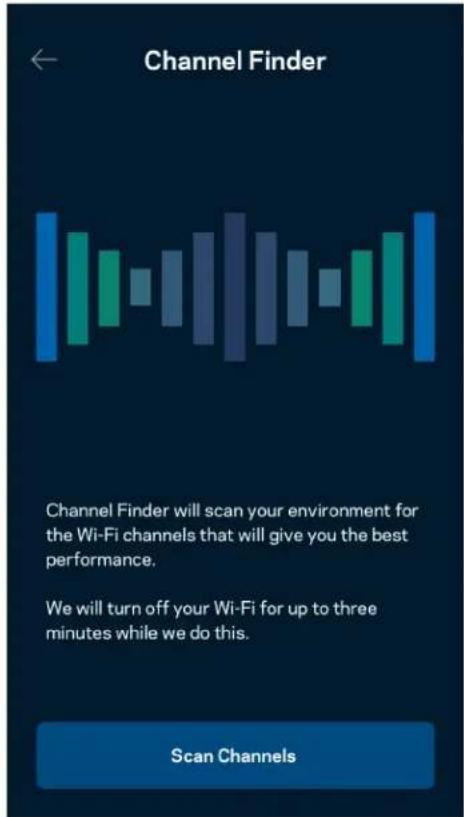
text_image
Channel Finder Channel Finder will scan your environment for the Wi-Fi channels that will give you the best performance. We will turn off your Wi-Fi for up to three minutes while we do this. Scan Channelstext_image
Connect a Device with WPS WPS Wi-Fi Protected Setup allows you to easily connect new devices to your Wi-Fi network without manually configuring security settings. Connect Use a PINPrístup do hostitelskej siete
text_image
Guest Access Guest Access Wi-Fi Name My Home Wi-Fi_guest Wi-Fi PasswordPrioritizácia zariadení (Device Prioritization)
text_image
Device Prioritization Add up to 3 devices to prioritize. Devices not on this list will share what's left of your internet capacity. Add a devicetext_image
Belkin 10:19 AM 100% Notifications Get notifications when: A secondary node is offlineSpráva siete/smerovača (Network/Router Administration)
text_image
Network Administration Living Room > Change Router Password and Hint > Automatic Firmware Update Time Zone Pacific Time (USA & Canada) GMT-08:00 Diagnostic Information Contribute to future improvements. Automatically report router errors to Linksys. We won't use any information you submit for purposed other than provide you with our customer care and improve our products. Manually report a specific issue Report IP Details Restart Velop Learn more about Network Administrationtext_image
Internet Settings Save Connection Type > Automatic Configuration - DHCP Additional Settings > Learn moreNastavenia portov (Port Settings)
text_image
Port Settings Single Port Forwarding > Port Range Forwarding > Port Range Triggering >Filtre adries MAC (Wi-Fi MAC Filters)
text_image
Wi-Fi MAC Filters Edit Wi-Fi MAC Filter Status Allow Access Filtered Devices Daniel's Laptop 00:16:41:34.2CA Unknown device 00:16:41:34.2CAExterné úložisko (External Storage)
text_image
Android No SIM 5:45 PM @ ↑ 83% External Storage Office Eject ▲ 4750-6C0A 10.69 MB used 28.94 GB IP address for SMB access: 192.168.1.1 Authentication > Network File Sharing (SMB) Devices on your network can access connected storage For PC's, enter \ plus the IP address for the storage drive you want to access into Windows Explorer. (Example: \192.168.1.100) For Macs, open Finder and navigate to Go > Connect to Server. Enter smb // plus the IP address for the storage drive you want to access. (Example: smb://192.168.1.100) When authentication is not enabled, you'll need to log in as a guest for SMB access.Speed Check (Kontrola rýchlosti)
text_image
Speed Check Ping 19 ms 101 | 121 ↓ Mbps ↑ Mbps Download Upload Results At this speed, you can stream HD videos, hold video conferences, and play online games on multiple devices at the same time. Test again SPEEDTEST powered™text_image
My Account Email Jakefarm@email.com Password First Name Jake Last Name Farm Newsletter Be the first to know about exclusive deals & news. Log Out Close AccountOdozva (Feedback)
text_image
Feedback Tell us what you think of the app. Love the app? Have a suggestion? Trouble with the app?Pomocník (Help)
| Help |
| + Getting Started with Linksys Smart Wi-Fi |
| + Frequently Asked Questions |
| + Browse by Topic or Feature |
| + Subscription |
| + About |
| + Help and Support |
Priame pripojenie k smerovaču
text_image
9:41 Log in Email Router Password Logging in with router password lets you manage your WiFi while connected to your WiFi. Enter password Forgot Password? Log In New here? Create an accountAndroid
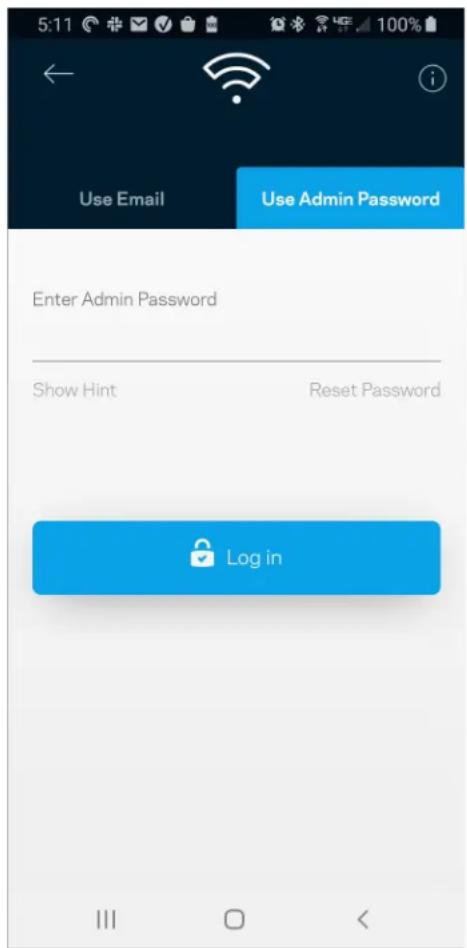
text_image
5:11 Use Email Use Admin Password Enter Admin Password Show Hint Reset Password Log inHeslo smerovača
text_image
Router Password Router Password Router Password Hint To add a a hint, enter your current password or create a new one.text_image
LINKSYS Light| iPhone | Android | ||
| My Home Wi-Fi Devices 12 Parental Controls Wi-Fi Settings Guest Network External Storage ↓↑ Device Prioritization Notifications Network Administration Advanced Settings Set up a New Product Account Help | Dashboard Devices Wi-Fi Settings Guest Access External Storage Speed Check Parental Controls ↓↑ Device Prioritization Notifications Velop Administration Advanced Settings My Account Feedback ? Help Set Up a New Product MyHomeWiFi | ||
text_image
Manage your Wi-Fi Set up a New Wi-Fi Network
text_image
9:41 Log in Email Router Password Manage settings at home or away from home. Enter email address Enter password Forgot Password? Log In New here? Create an accountAndroid
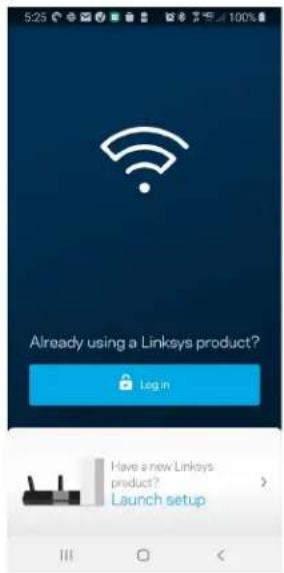
text_image
Already using a Linksys product? Login Have a new Linksys product? Launch setup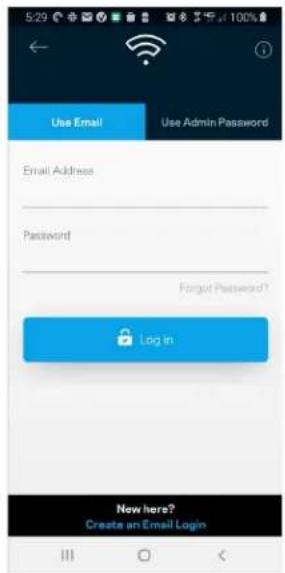
text_image
Use Email Use Admin Password Email Address Password Forget Password? Log in New here? Create an Email Login-
Vnesite e-poštni naslov, ki ste ga uporabili pri ustvarjanju računa.
-
Vnesite geslo računa.
- Dotaknite se polja Prijava.
Glavni meni
text_image
My Home Wi-Fi Devices 12 Parental Controls Wi-Fi Settings Guest Network External Storage Device Prioritization Notifications Network Administration Advanced Settings Set up a New Product Account HelpAndroid
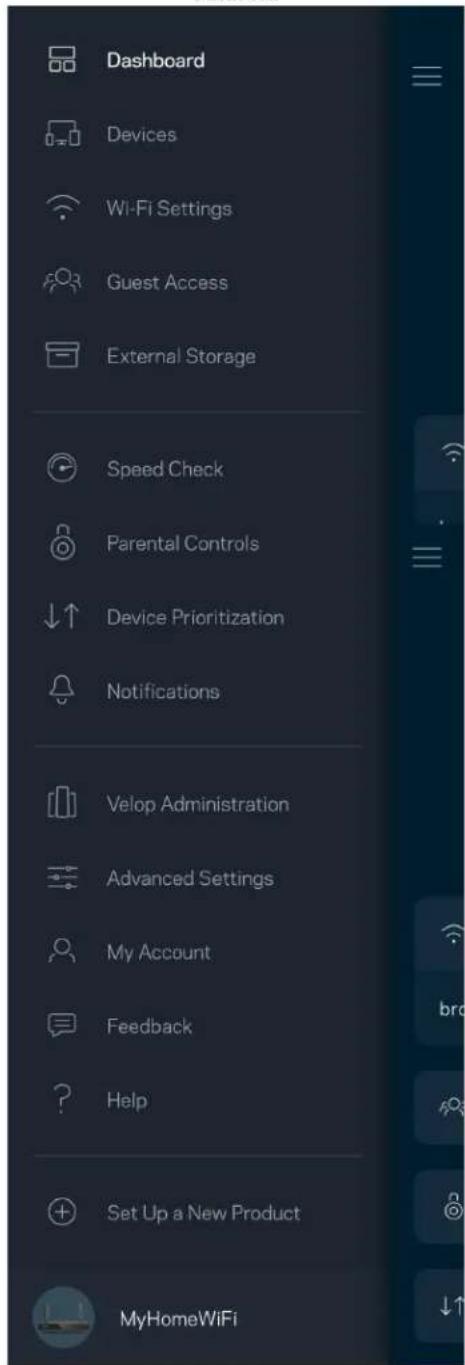
text_image
Dashboard Devices Wi-Fi Settings Guest Access External Storage Speed Check Parental Controls Device Prioritization Notifications Velop Administration Advanced Settings My Account Feedback Help Set Up a New Product MyHomeWiFiNadzorna plošča
text_image
My Home Wi-Fi ONLINE 12 DEVICES 1 ROUTER Internet Speed 3 days ago 128 63 Last Five Connections Alex's iPhone X Office 5GHz Jamie's iPad Pro Kitchen 5GHz Bettina's Apple Watch Living Room 5GHz Sean's iMac Master Bedroom Ethernet Apple TV Offline Parental Controls 4 Guest Network On Share Wi-Fi Internet Slow? Give FeedbackAndroid
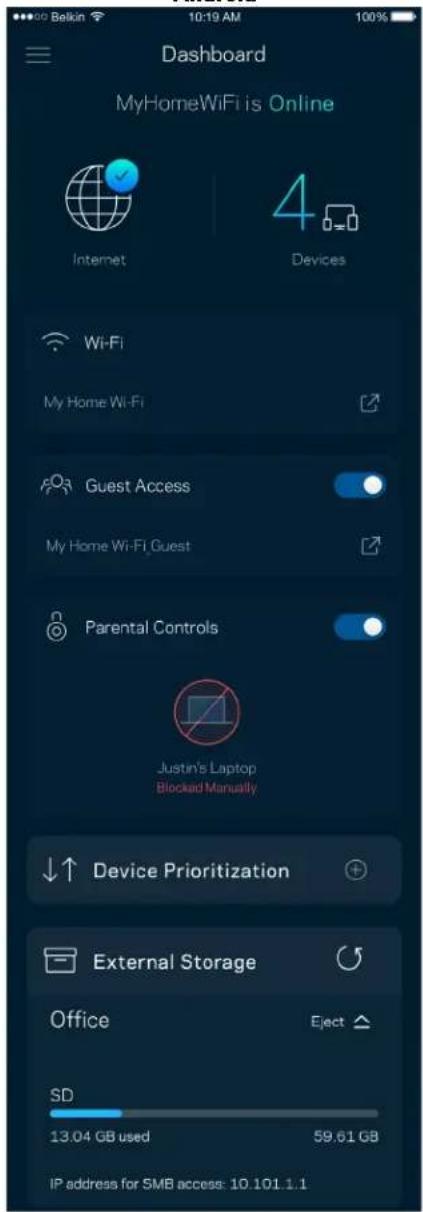
text_image
Dashboard MyHomeWiFi is Online Internet 4 Devices Wi-Fi My Home Wi-Fi Guest Access My Home Wi-Fi Guest Parental Controls Justin's Laptop Blocked Manually Device Prioritization External Storage Office Eject SD 13.04 GB used 59.61 GB IP address for SMB access: 10.101.1.1Naprave
text_image
Devices Connected Devices (5) Downstairs TV MyHomeWiFi > Game Console Connected via ethernet > Jon's Phone MyHomeWiFi > Mika's Laptop MyHomeWiFi > Thermostat MyHomeWiFi > Guest Devices (3) Michelle's Phone MyGuestWiFi > Offline Devices (5)Za ogled ali spremembo podrobnosti omrežne naprave
text_image
Parental Controls Create schedules to pause internet access, or block specific websites, so you can keep your kids offline and on task. Control a Device Learn more about Parental Controls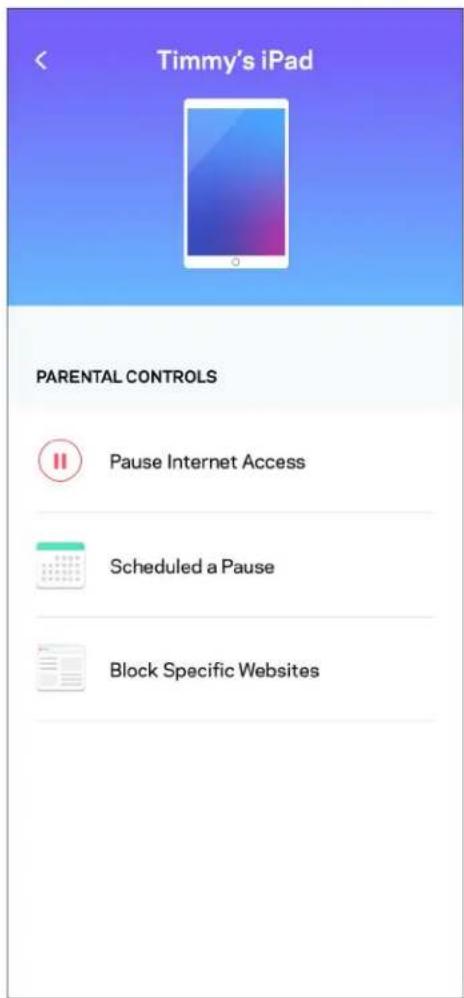
text_image
Timmy's iPad PARENTAL CONTROLS Pause Internet Access Scheduled a Pause Block Specific Websitestext_image
Wi-Fi Settings Hi-Fi name My Home Wi-Fi Wi-Fi Password Advanced Settings Connect a Device with WPStext_image
Beikin 10:19 AM Advanced Wi-Fi Settings Save Security Type WPA2-Personal Wi-Fi Mode Mixed Channel Finder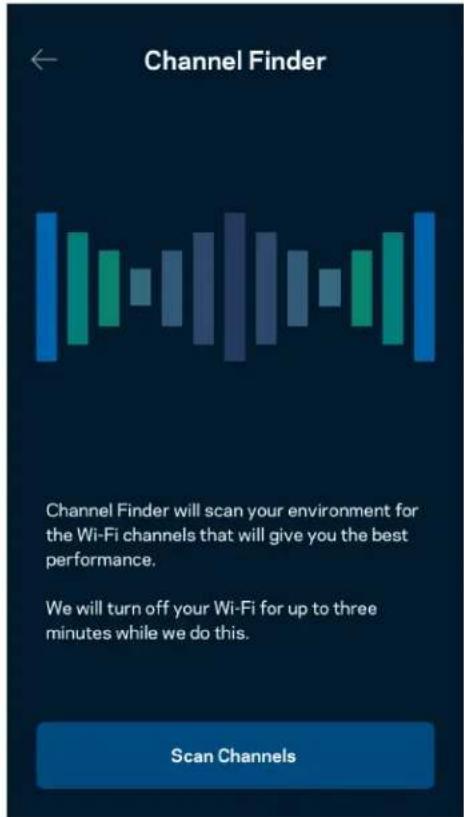
text_image
Channel Finder Channel Finder will scan your environment for the Wi-Fi channels that will give you the best performance. We will turn off your Wi-Fi for up to three minutes while we do this. Scan ChannelsPovežite napravo z WPS-om
text_image
Connect a Device with WPS WPS Wi-Fi Protected Setup allows you to easily connect new devices to your Wi-Fi network without manually configuring security settings. Connect Use a PINtext_image
Guest Access Guest Access Wi-Fi Name My Home Wi-Fi_guest Wi-Fi Passwordtext_image
Device Prioritization Add up to 3 devices to prioritize. Devices not on this list will share what's left of your internet capacity. Add a deviceObvestila
text_image
Belkin 10:19 AM 100% Notifications Get notifications when: A secondary node is offlinetext_image
Network Administration Living Room > Change Router Password and Hint > Automatic Firmware Update Time Zone Pacific Time (USA & Canada) GMT-0B:00 > Diagnostic Information Contribute to future improvements. Automatically report router errors to Linksys. We won't use any information you submit for purposed other than provide you with our customer care and improve our products. Manually report a specific issue Report IP Details Restart Velop Learn more about Network Administrationtext_image
Internet Settings Save Connection Type > Automatic Configuration - DHCP Additional Settings > Learn moreNastavitve vrat
text_image
Port Settings Single Port Forwarding > Port Range Forwarding > Port Range Triggering >text_image
Wi-Fi MAC Filters Edit Wi-Fi MAC Filter Status Allow Access Filtered Devices Daniel's Laptop 00:16:41:34.2CA Unknown device 00:16:41:34.2CAZunanji pomnilnik
text_image
Android No SIM 5:45 PM @ 83% External Storage Office Eject ▲ 4750-6C0A 10.69 MB used 28.94 GB IP address for SMB access: 192.168.1.1 Authentication > Network File Sharing (SMB) Devices on your network can access connected storage For PC's, enter \ plus the IP address for the storage drive you want to access into Windows Explorer. (Example: \192.168.1.100) For Macs, open Finder and navigate to Go > Connect to Server. Enter smb // plus the IP address for the storage drive you want to access. (Example: smb://192.168.1.100) When authentication is not enabled, you'll need to log in as a guest for SMB access.Preizkus hitrosti
text_image
Speed Check Ping 19 ms 101 | 121 ↓ Mbps ↑ Mbps Download Upload Results At this speed, you can stream HD videos, hold video conferences, and play online games on multiple devices at the same time. Test again SPEEDTEST powered™text_image
My Account Email Jakefarm@email.com Password First Name Jake Last Name Farm Newsletter Be the first to know about exclusive deals & news. Log Out Close Accounttext_image
Feedback Tell us what you think of the app. Love the app? Have a suggestion? Trouble with the app?Pomoč
| Help |
| + Getting Started with Linksys Smart Wi-Fi |
| + Frequently Asked Questions |
| + Browse by Topic or Feature |
| + Subscription |
| + About |
| + Help and Support |
text_image
9:41 Log in Email Router Password Logging in with router password lets you manage your WiFi while connected to your WiFi. Enter password Forgot Password? Log In New here? Create an accountAndroid
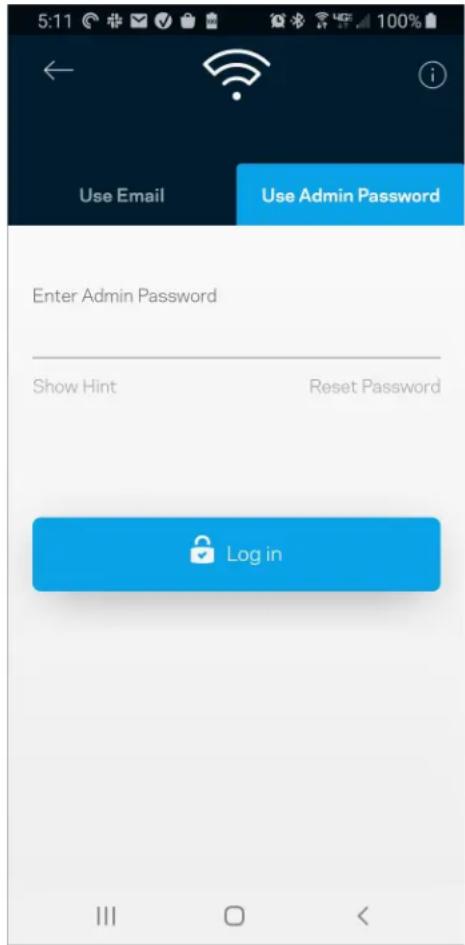
text_image
5:11 Use Email Use Admin Password Enter Admin Password Show Hint Reset Password Log intext_image
Router Password Router Password Router Password Hint To add a a hint, enter your current password or create a new one.Logga in i Linksys app 8
Navigeringsmeny 10
Instrumentpanel 11
Enheter 12
text_image
LINKSYS Light| iPhone | Android | ||
| My Home Wi-Fi Devices 12 Parental Controls Wi-Fi Settings Guest Network External Storage ↓↑ Device Prioritization Notifications Network Administration Advanced Settings Set up a New Product Account Help | Dashboard Devices Wi-Fi Settings Guest Access External Storage Speed Check Parental Controls ↓↑ Device Prioritization Notifications Velop Administration Advanced Settings My Account Feedback ? Help Set Up a New Product MyHomeWiFi | ||
Logga in i Linksys app
text_image
Manage your Wi-Fi Set up a New Wi-Fi Network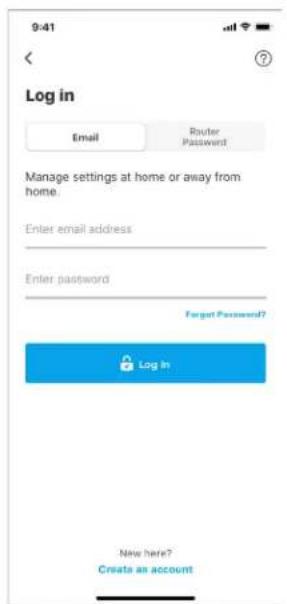
text_image
9:41 Log in Email Router Password Manage settings at home or away from home. Enter email address Enter password Forgot Password? Log In New here? Create an accountAndroid
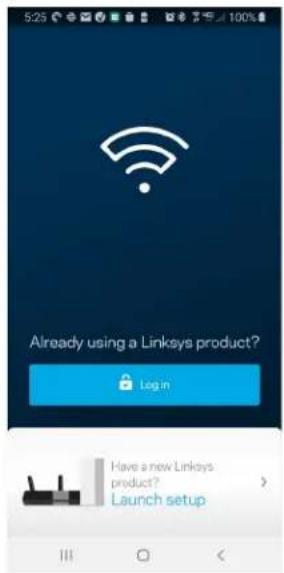
text_image
Already using a Linksys product? Login Have a new Linksys product? Launch setup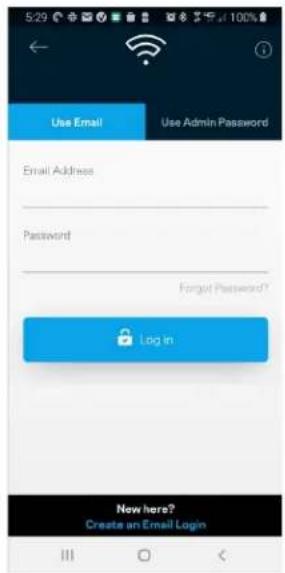
text_image
Use Email Use Admin Password Email Address Password Forget Password? Log in New here? Create an Email Logintext_image
My Home Wi-Fi Devices 12 Parental Controls Wi-Fi Settings Guest Network External Storage Device Prioritization Notifications Network Administration Advanced Settings Set up a New Product Account HelpAndroid
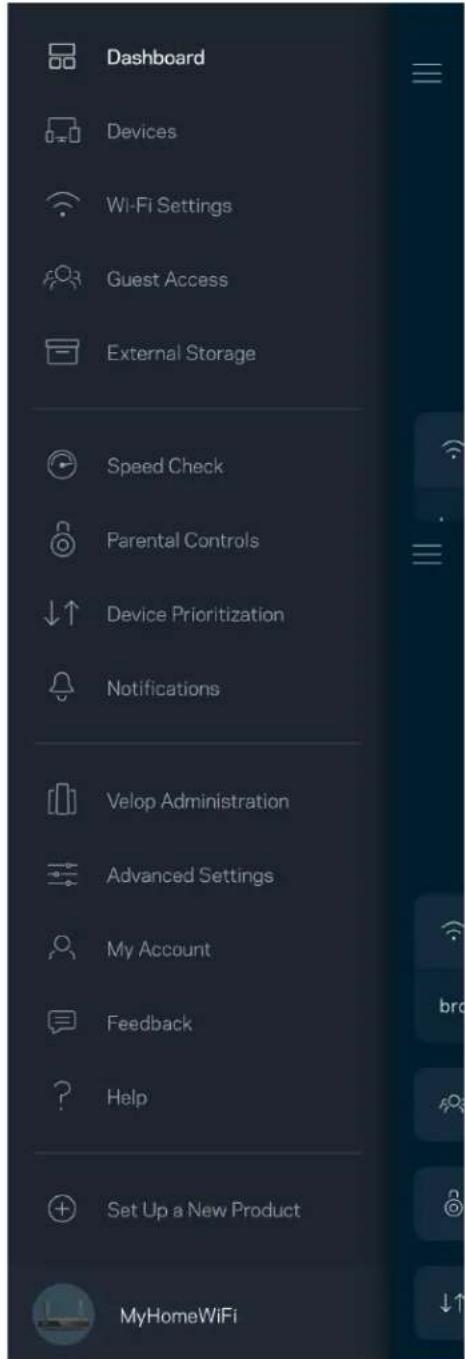
text_image
Dashboard Devices Wi-Fi Settings Guest Access External Storage Speed Check Parental Controls Device Prioritization Notifications Velop Administration Advanced Settings My Account Feedback Help Set Up a New Product MyHomeWiFiInstrumentpanel
text_image
My Home Wi-Fi ONLINE 12 DEVICES 1 ROUTER Internet Speed 3 days ago 128 63 Last Five Connections Alex's iPhone X Office 5GHz Jamie's iPad Pro Kitchen 5GHz Bettina's Apple Watch Living Room 5GHz Sean's iMac Master Bedroom Ethernet Apple TV Offline Parental Controls 4 Guest Network On Share Wi-Fi Internet Slow? Give FeedbackAndroid
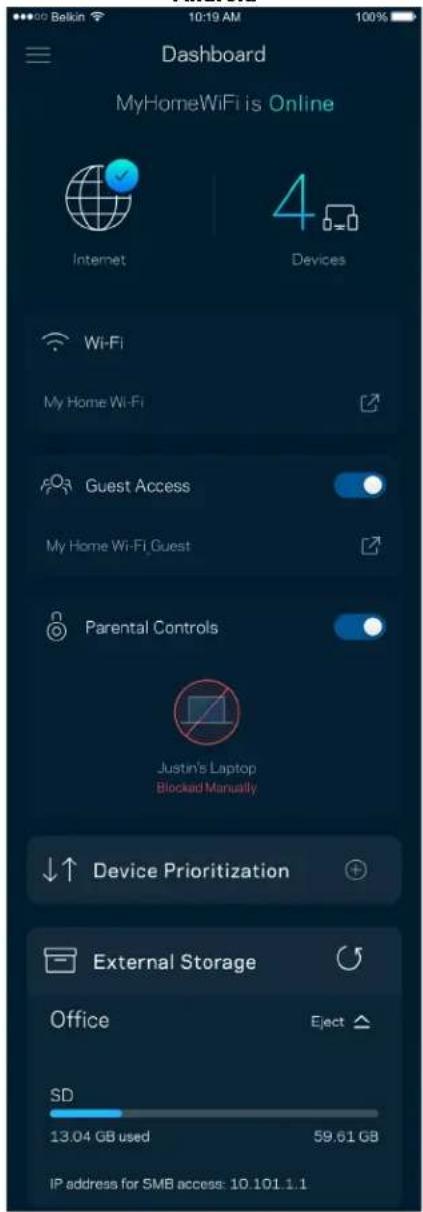
text_image
Dashboard MyHomeWiFi is Online Internet 4 Devices Wi-Fi My Home Wi-Fi Guest Access My Home Wi-Fi Guest Parental Controls Justin's Laptop Blocked Manually Device Prioritization External Storage Office Eject SD 13.04 GB used 59.61 GB IP address for SMB access: 10.101.1.1Enheter
text_image
Devices Connected Devices (5) Downstairs TV MyHomeWiFi > Game Console Connected via ethernet > Jon's Phone MyHomeWiFi > Mika's Laptop MyHomeWiFi > Thermostat MyHomeWiFi > Guest Devices (3) Michelle's Phone MyGuestWiFi > Offline Devices (5)text_image
Parental Controls Create schedules to pause internet access, or block specific websites, so you can keep your kids offline and on task. Control a Device Learn more about Parental Controls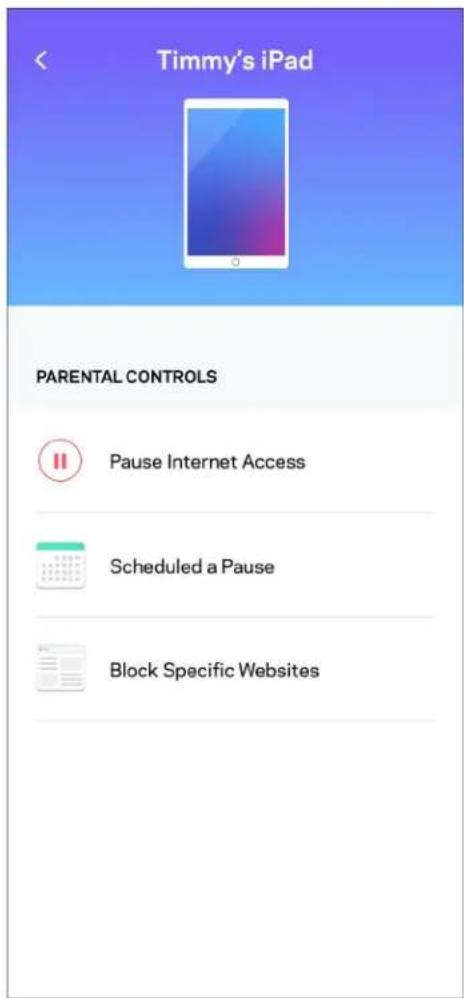
text_image
Timmy's iPad PARENTAL CONTROLS Pause Internet Access Scheduled a Pause Block Specific WebsitesWi-Fi-inställningar
text_image
Wi-Fi Settings Hi-Fi name My Home Wi-Fi Wi-Fi Password Advanced Settings Connect a Device with WPStext_image
Balkin 10:19 AM 100% Advanced Wi-Fi Settings Save Security Type > WPA2-Personal > Wi-Fi Mode > Mixed > Channel Finder >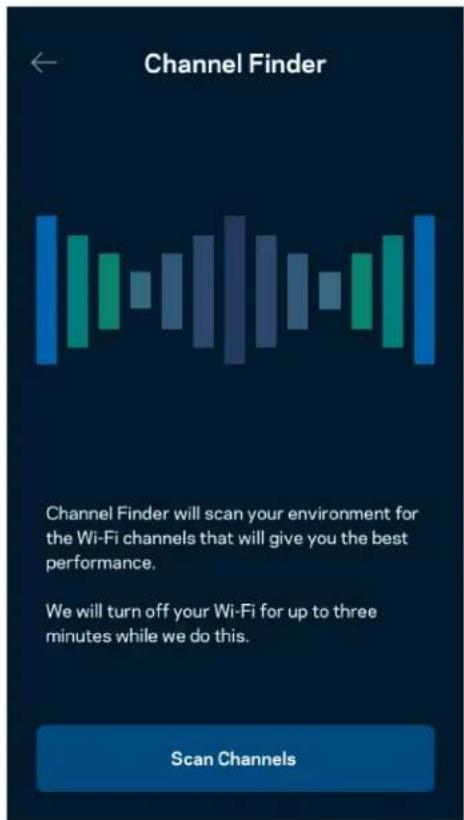
text_image
Channel Finder Channel Finder will scan your environment for the Wi-Fi channels that will give you the best performance. We will turn off your Wi-Fi for up to three minutes while we do this. Scan Channelstext_image
Connect a Device with WPS WPS Wi-Fi Protected Setup allows you to easily connect new devices to your Wi-Fi network without manually configuring security settings. Connect Use a PINtext_image
Guest Access Guest Access Wi-Fi Name My Home Wi-Fi_guest Wi-Fi PasswordEnhetsprioritering
text_image
Device Prioritization Add up to 3 devices to prioritize. Devices not on this list will share what's left of your internet capacity. Add a deviceMeddelanden
text_image
Belkin 10:19 AM 100% Notifications Get notifications when: A secondary node is offlinetext_image
Network Administration Living Room > Change Router Password and Hint > Automatic Firmware Update Time Zone Pacific Time (USA & Canada) GMT-0B:00 > Diagnostic Information Contribute to future improvements. Automatically report router errors to Linksys. We won't use any information you submit for purposed other than provide you with our customer care and improve our products. Manually report a specific issue Report IP Details Restart Velop Learn more about Network Administrationtext_image
Internet Settings Save Connection Type > Automatic Configuration - DHCP Additional Settings > Learn morePortinställningar
text_image
Port Settings Single Port Forwarding > Port Range Forwarding > Port Range Triggering >text_image
Android No SIM 5:45 PM @ 83% External Storage Office Eject 4750-6C0A 10.69 MB used 28.94 GB IP address for SMB access: 192.168.1.1 Authentication > Network File Sharing (SMB) Devices on your network can access connected storage For PC's, enter \ plus the IP address for the storage drive you want to access into Windows Explorer. (Example: \192.168.1.100) For Macs, open Finder and navigate to Go > Connect to Server. Enter smb // plus the IP address for the storage drive you want to access. (Example: smb://192.168.1.100) When authentication is not enabled, you'll need to log in as a guest for SMB access.Hastighetskontroll
text_image
Speed Check Ping 19 ms 101 | 121 ↓ Mbps ↑ Mbps Download Upload Results At this speed, you can stream HD videos, hold video conferences, and play online games on multiple devices at the same time. Test again SPEEDTEST powered™text_image
My Account Email Jakefarm@email.com Password First Name Jake Last Name Farm Newsletter Be the first to know about exclusive deals & news. Log Out Close AccountÅterkoppling
text_image
Feedback Tell us what you think of the app. Love the app? Have a suggestion? Trouble with the app?Hjälp
| Help |
| + Getting Started with Linksys Smart Wi-Fi |
| + Frequently Asked Questions |
| + Browse by Topic or Feature |
| + Subscription |
| + About |
| + Help and Support |
Anslut direkt till din router
text_image
9:41 Log in Email Router Password Logging in with router password lets you manage your WiFi while connected to your WiFi. Enter password Forgot Password? Log In New here? Create an accountAndroid
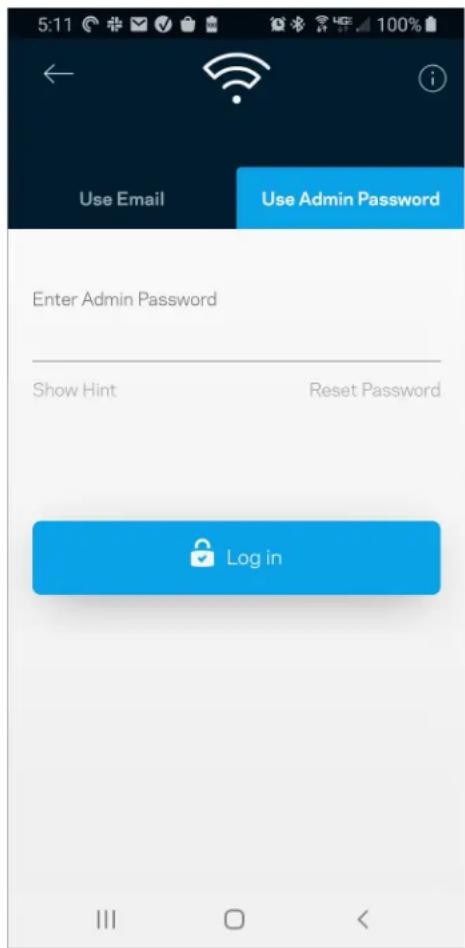
text_image
5:11 Use Email Use Admin Password Enter Admin Password Show Hint Reset Password Log inRouterlösenord
text_image
Router Password Router Password Router Password Hint To add a a hint, enter your current password or create a new one.text_image
LINKSYS Light| iPhone | Android | ||
| My Home Wi-Fi Devices 12 Parental Controls Wi-Fi Settings Guest Network External Storage ↓↑ Device Prioritization Notifications Network Administration Advanced Settings Set up a New Product Account Help | Dashboard Devices Wi-Fi Settings Guest Access External Storage Speed Check Parental Controls ↓↑ Device Prioritization Notifications Velop Administration Advanced Settings My Account Feedback ? Help Set Up a New Product MyHomeWiFi | ||
text_image
Manage your Wi-Fi Set up a New Wi-Fi Network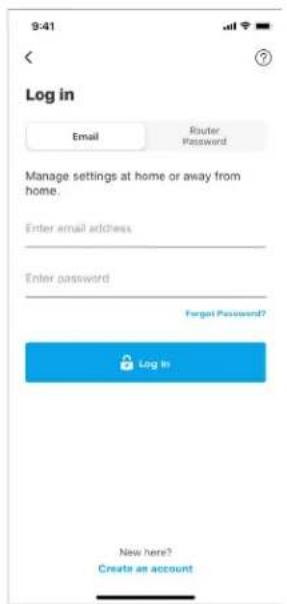
text_image
9:41 Log in Email Router Password Manage settings at home or away from home. Enter email address Enter password Forgot Password? Log In New here? Create an accountAndroid
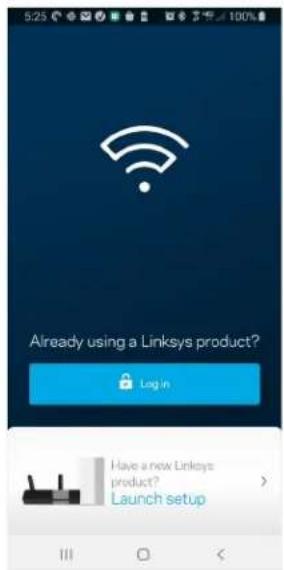
text_image
5:23 Already using a Linksys product? Log in Have a new Linksys product? Launch setup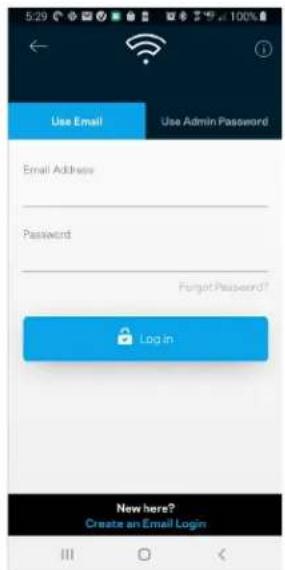
text_image
Use Email Use Admin Password Email Address Password Forgot Password? Login New here? Create an Email Logintext_image
My Home Wi-Fi Devices 12 Parental Controls Wi-Fi Settings Guest Network External Storage Device Prioritization Notifications Network Administration Advanced Settings Set up a New Product Account HelpAndroid
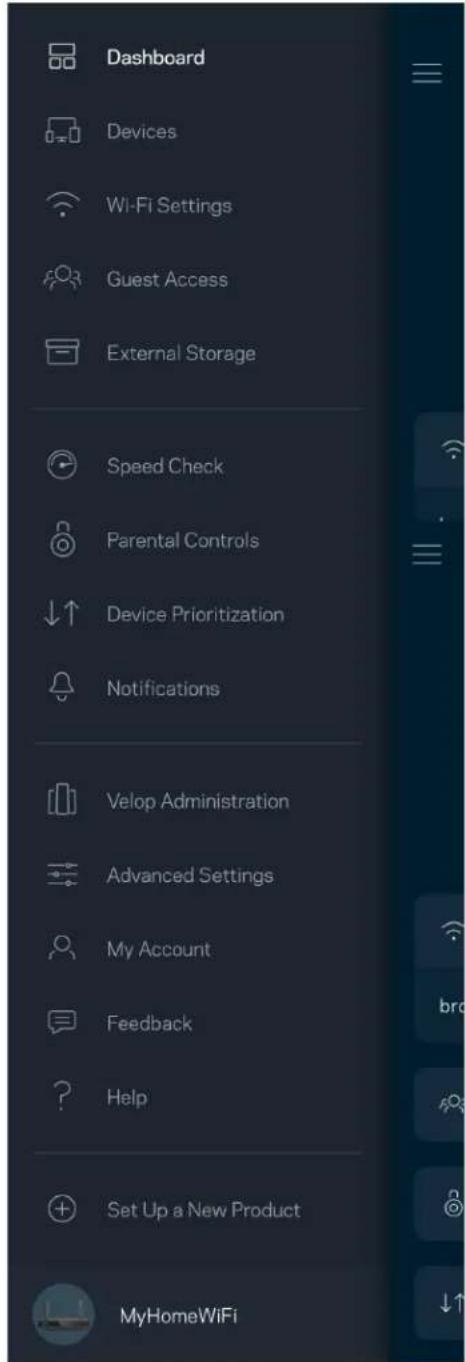
text_image
Dashboard Devices Wi-Fi Settings Guest Access External Storage Speed Check Parental Controls Device Prioritization Notifications Velop Administration Advanced Settings My Account Feedback Help Set Up a New Product MyHomeWiFiPano
text_image
My Home Wi-Fi ONLINE 12 DEVICES 1 ROUTER Internet Speed 3 days ago 128 63 Last Five Connections Alex's iPhone X Office 5GHz Jamie's iPad Pro Kitchen 5GHz Bettina's Apple Watch Living Room 5GHz Sean's iMac Master Bedroom Ethernet Apple TV Offline Parental Controls 4 Guest Network On Share Wi-Fi Internet Slow? Give FeedbackAndroid
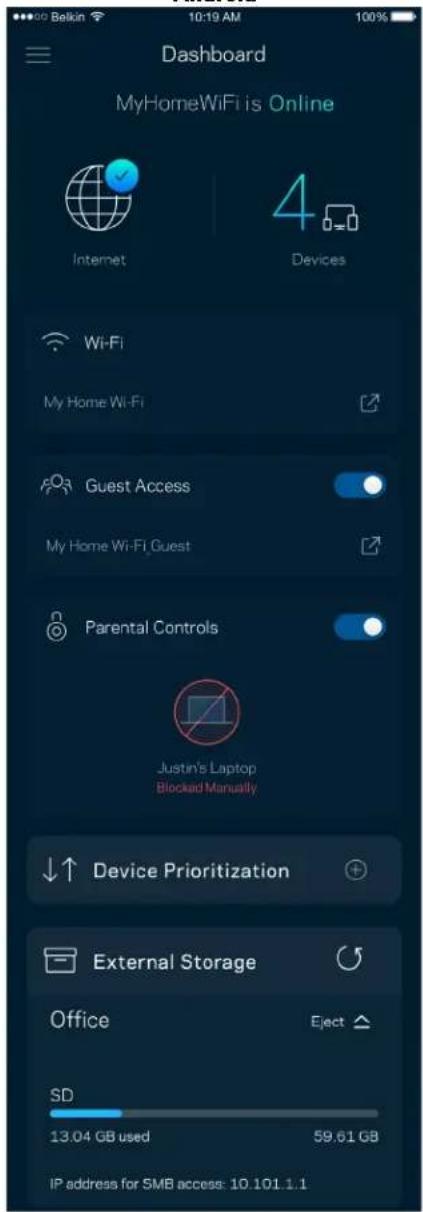
text_image
Dashboard MyHomeWiFi is Online Internet 4 Devices Wi-Fi My Home Wi-Fi Guest Access My Home Wi-Fi Guest Parental Controls Justin's Laptop Blocked Manually Device Prioritization External Storage Office Eject SD 13.04 GB used 59.61 GB IP address for SMB access: 10.101.1.1Cihazlar
text_image
Devices Connected Devices (5) Downstairs TV MyHomeWiFi > Game Console Connected via ethernet > Jon's Phone MyHomeWiFi > Mika's Laptop MyHomeWiFi > Thermostat MyHomeWiFi > Guest Devices (3) Michelle's Phone MyGuestWiFi > Offline Devices (5)text_image
Parental Controls Create schedules to pause internet access, or block specific websites, so you can keep your kids offline and on task. Control a Device Learn more about Parental Controls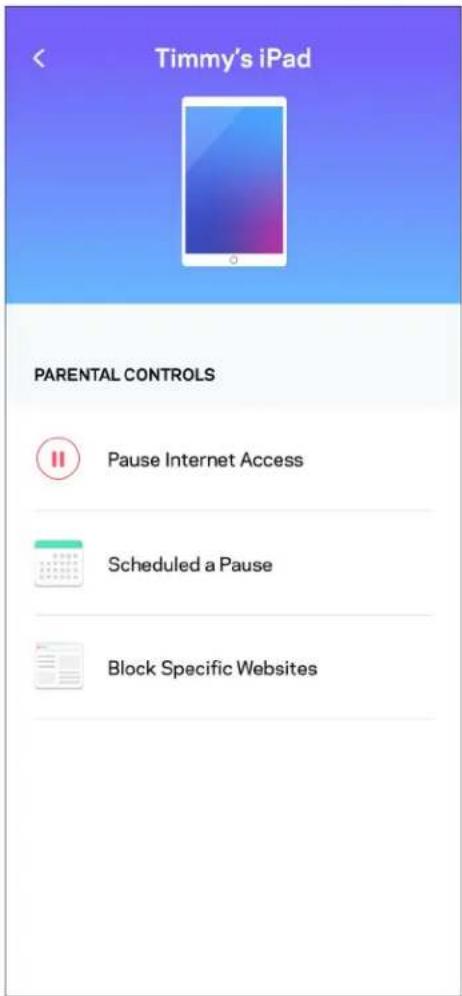
text_image
Timmy's iPad PARENTAL CONTROLS Pause Internet Access Scheduled a Pause Block Specific WebsitesWi-Fi Ayarları
text_image
Wi-Fi Settings Hi-Fi name My Home Wi-Fi Wi-Fi Password Advanced Settings Connect a Device with WPStext_image
Beikin 10:19 AM 100% Advanced Wi-Fi Settings Save Security Type WPA2-Personal > Wi-Fi Mode Mixed > Channel Finder >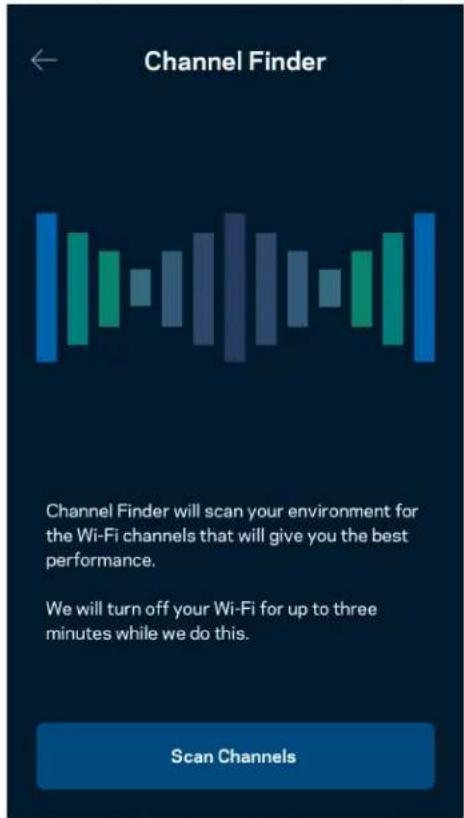
text_image
Channel Finder Channel Finder will scan your environment for the Wi-Fi channels that will give you the best performance. We will turn off your Wi-Fi for up to three minutes while we do this. Scan Channelstext_image
Connect a Device with WPS WPS Wi-Fi Protected Setup allows you to easily connect new devices to your Wi-Fi network without manually configuring security settings. Connect Use a PINKonuk Ağı Erişimi
text_image
Guest Access Guest Access Wi-Fi Name My Home Wi-Fi_guest Wi-Fi Passwordtext_image
Device Prioritization Add up to 3 devices to prioritize. Devices not on this list will share what's left of your internet capacity. Add a deviceBildirimler
text_image
Belkin 10:19 AM 100% Notifications Get notifications when: A secondary node is offlineAğ/Router Yönetimi
text_image
Network Administration Living Room > Change Router Password and Hint > Automatic Firmware Update Time Zone Pacific Time (USA & Canada) GMT-0B:00 > Diagnostic Information Contribute to future improvements. Automatically report router errors to Linksys. We won't use any information you submit for purposed other than provide you with our customer care and improve our products. Manually report a specific issue Report IP Details Restart Velop Learn more about Network Administrationtext_image
Internet Settings Save Connection Type > Automatic Configuration - DHCP Additional Settings > Learn morePort Ayarları
text_image
Port Settings Single Port Forwarding > Port Range Forwarding > Port Range Triggering >Wi-Fi MAC Filtreleri
text_image
Wi-Fi MAC Filters Edit Wi-Fi MAC Filter Status Allow Access Filtered Devices Daniel's Laptop 00:16:41:34.2CA Unknown device 00:16:41:34.2CAHarici Depolama
text_image
Android No SIM 5:45 PM @ 83% External Storage Office Eject ▲ 4750-6C0A 10.69 MB used 28.94 GB IP address for SMB access: 192.168.1.1 Authentication > Network File Sharing (SMB) Devices on your network can access connected storage For PC's, enter \ plus the IP address for the storage drive you want to access into Windows Explorer. (Example: \192.168.1.100) For Macs, open Finder and navigate to Go > Connect to Server. Enter smb // plus the IP address for the storage drive you want to access. (Example: smb://192.168.1.100) When authentication is not enabled, you'll need to log in as a guest for SMB access.Hiz Testi
text_image
Speed Check Ping 19 ms 101 | 121 ↓ Mbps Download ↑ Mbps Upload Results At this speed, you can stream HD videos, hold video conferences, and play online games on multiple devices at the same time. Test again SPEEDTEST powered™text_image
My Account Email Jakefarm@email.com Password First Name Jake Last Name Farm Newsletter Be the first to know about exclusive deals & news. Log Out Close AccountGeri Bildirim
text_image
Feedback Tell us what you think of the app. Love the app? Have a suggestion? Trouble with the app?Yardim
| Help |
| + Getting Started with Linksys Smart Wi-Fi |
| + Frequently Asked Questions |
| + Browse by Topic or Feature |
| + Subscription |
| + About |
| + Help and Support |
text_image
9:41 Log in Email Router Password Logging in with router password lets you manage your WiFi while connected to your WiFi. Enter password Forgot Password? Log In New here? Create an accountAndroid
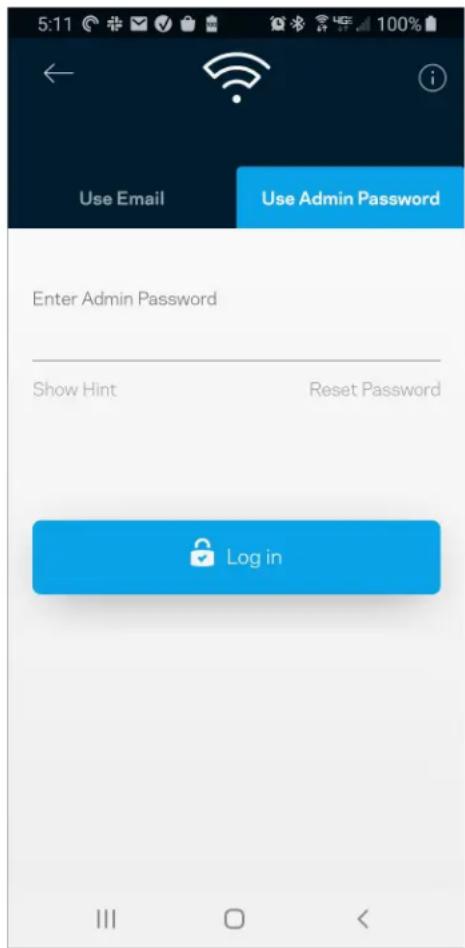
text_image
5:11 Use Email Use Admin Password Enter Admin Password Show Hint Reset Password Log inRouter parolası
text_image
Router Password Router Password Router Password Hint To add a a hint, enter your current password or create a new one.text_image
LINKSYS Light| iPhone | Android | ||
| My Home Wi-Fi Devices Parental Controls Wi-Fi Settings Guest Network External Storage ↓↑ Device Prioritization Notifications Network Administration Advanced Settings Set up a New Product Account Help | Dashboard Devices Wi-Fi Settings Guest Access External Storage Speed Check Parental Controls ↓↑ Device Prioritization Notifications Velop Administration Advanced Settings My Account Feedback ? Help Set Up a New Product MyHomeWiFi | ||
text_image
Manage your Wi-Fi Set up a New Wi-Fi NetworkAndroid
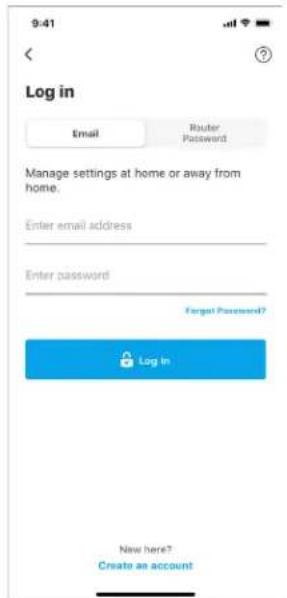
text_image
9:41 Log in Email Router Password Manage settings at home or away from home. Enter email address Enter password Forgot Password? Log In New here? Create an account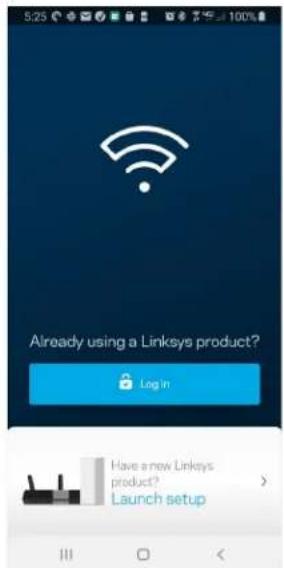
text_image
5:23 Already using a Linksys product? Login Have a new Linksys product? Launch setup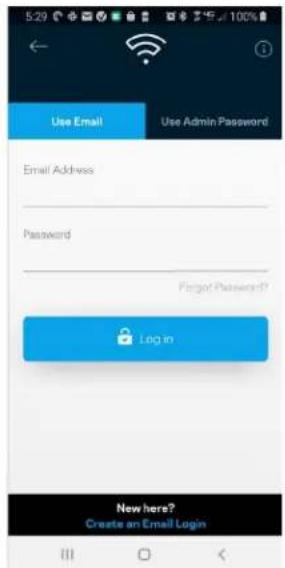
text_image
Use Email Use Admin Password Email Address Password Forgot Password? Login New here? Create an Email Logintext_image
iPhone My Home Wi-Fi Devices 12 Parental Controls Wi-Fi Settings Guest Network External Storage Device Prioritization Notifications Network Administration Advanced Settings Set up a New Product Account Help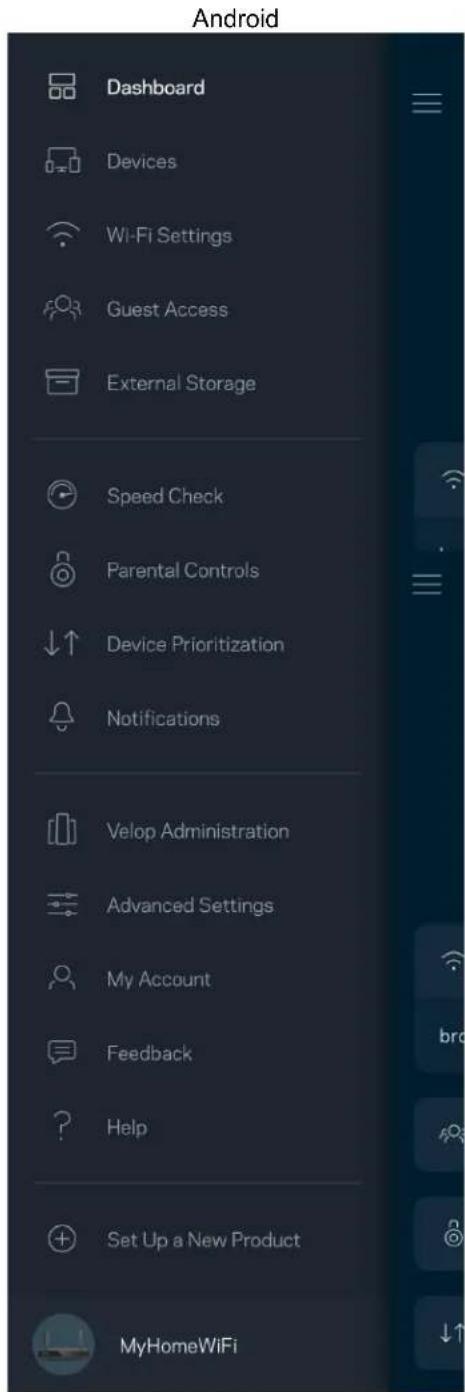
text_image
Android Dashboard Devices Wi-Fi Settings Guest Access External Storage Speed Check Parental Controls Device Prioritization Notifications Velop Administration Advanced Settings My Account Feedback Help Set Up a New Product MyHomeWiFiПриладна дошка
text_image
My Home Wi-Fi ONLINE 12 DEVICES 1 ROUTER Internet Speed 3 days ago 128 63 Last Five Connections Alex's iPhone X Office 5GHz Jamie's iPad Pro Kitchen 5GHz Bettina's Apple Watch Living Room 5GHz Sean's iMac Master Bedroom Ethernet Apple TV Offline Parental Controls Guest Network On Share Wi-Fi Internet Slow? Give FeedbackAndroid
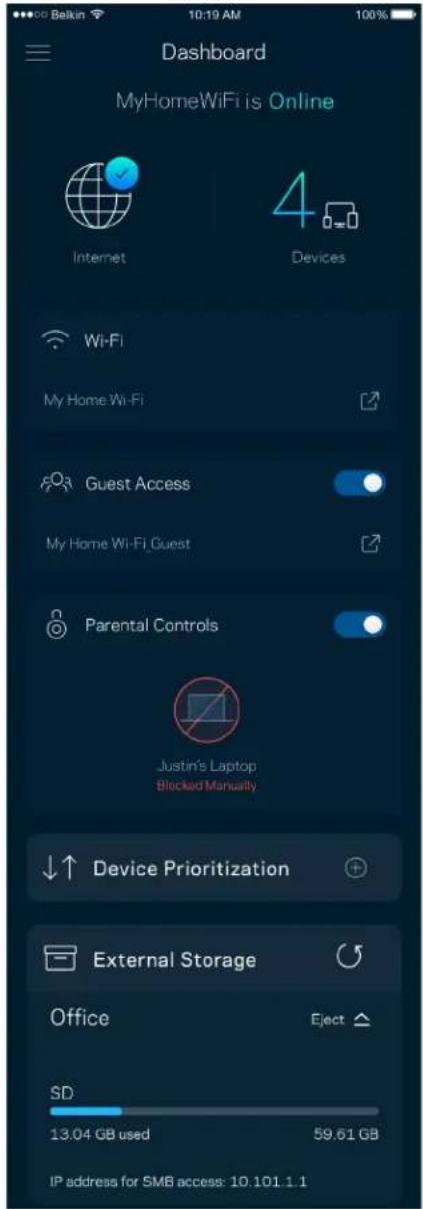
text_image
Dashboard MyHomeWiFi is Online Internet 4 Devices Wi-Fi My Home Wi-Fi Guest Access My Home Wi-Fi Guest Parental Controls Justin's Laptop Blocked Manually Device Prioritization External Storage Office Eject SD 13.04 GB used 59.61 GB IP address for SMB access: 10.101.1.1Пристрої
text_image
Devices Connected Devices (5) Downstairs TV MyHomeWiFi > Game Console Connected via ethernet > Jon's Phone MyHomeWiFi > Mika's Laptop MyHomeWiFi > Thermostat MyHomeWiFi > Guest Devices (3) Michelle's Phone MyGuestWiFi > Offline Devices (5)text_image
Parental Controls Create schedules to pause internet access, or block specific websites, so you can keep your kids offline and on task. Control a Device Learn more about Parental Controls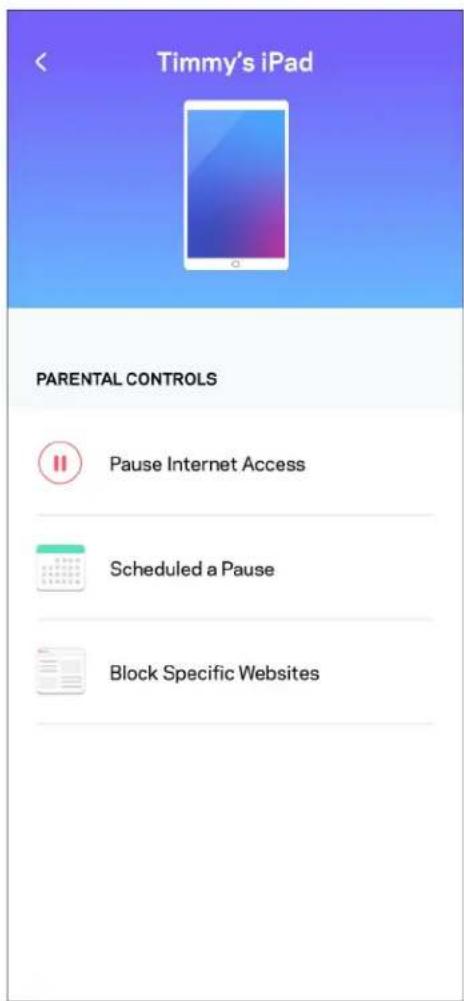
text_image
Timmy's iPad PARENTAL CONTROLS Pause Internet Access Scheduled a Pause Block Specific WebsitesНастройки Wi-Fi
text_image
Wi-Fi Settings Hi-Fi name My Home Wi-Fi Wi-Fi Password Advanced Settings Connect a Device with WPStext_image
Belkin 10:19 AM 100% ← Advanced Wi-Fi Settings Save Security Type WPA2-Personal > Wi-Fi Mode Mixed > Channel Finder >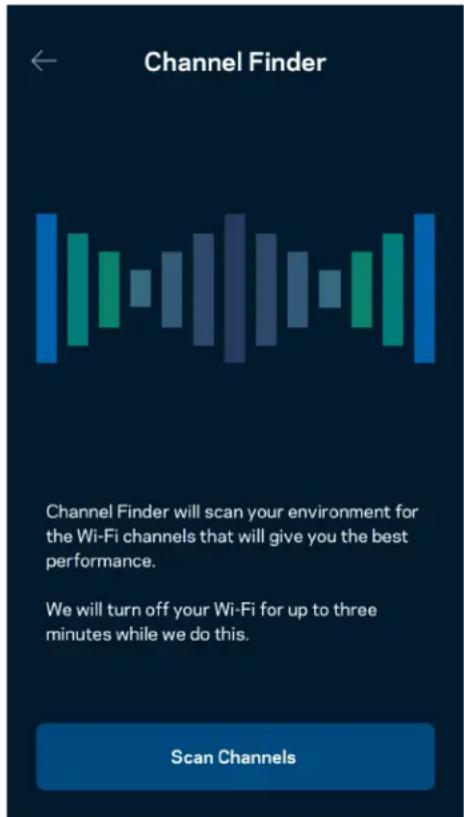
text_image
Channel Finder Channel Finder will scan your environment for the Wi-Fi channels that will give you the best performance. We will turn off your Wi-Fi for up to three minutes while we do this. Scan Channelstext_image
Connect a Device with WPS WPS Wi-Fi Protected Setup allows you to easily connect new devices to your Wi-Fi network without manually configuring security settings. Connect Use a PINtext_image
Guest Access Guest Access Wi-Fi Name My Home Wi-Fi_guest Wi-Fi Passwordtext_image
Device Prioritization Add up to 3 devices to prioritize. Devices not on this list will share what's left of your internet capacity. Add a deviceПовідомлення
text_image
Belkin 10:19 AM 100% Notifications Get notifications when: A secondary node is offlinetext_image
Network Administration Living Room > Change Router Password and Hint > Automatic Firmware Update Time Zone Pacific Time (USA & Canada) GMT-08:00 Diagnostic Information Contribute to future improvements. Automatically report router errors to Linksys. We won't use any information you submit for purposed other than provide you with our customer care and improve our products. Manually report a specific issue Report IP Details Restart Velop Learn more about Network Administrationtext_image
30 Belkin 9:41 AM Internet Settings Save Connection Type > Automatic Configuration - DHCP Additional Settings > Learn moreНастройки порту
text_image
Belkin 9:41 AM 100% Port Settings Single Port Forwarding > Port Range Forwarding > Port Range Triggering >Фільтри Wi-Fi MAC
text_image
Wi-Fi MAC Filters Edit Wi-Fi MAC Filter Status Allow Access Filtered Devices Daniel's Laptop 00:16:41:34:20:A Unknown device 00:16:41:34:20:Atext_image
Android No SIM 5:45 PM @ 83% External Storage Office Eject 4750-6C0A 10.69 MB used 28.94 GB IP address for SMB access: 192.168.1.1 Authentication > Network File Sharing (SMB) Devices on your network can access connected storage. For PC's, enter \ plus the IP address for the storage drive you want to access into Windows Explorer. (Example: \192.168.1.100) For Macs, open Finder and navigate to Go > Connect to Server. Enter smb://plus the IP address for the storage drive you want to access. (Example: smb://192.168.1.100) When authentication is not enabled, you'll need to log in as a guest for SMB access.Перевірка швидкості
text_image
Speed Check Ping 19 ms 101 | 121 ↓ Mbps ↑ Mbps Download Upload Results At this speed, you can stream HD videos, hold video conferences, and play online games on multiple devices at the same time. Test again SPEEDTEST powered™text_image
My Account Email Jakefarm@email.com Password First Name Jake Last Name Farm Newsletter Be the first to know about exclusive deals & news. Log Out Close AccountЗворотний зв'язок
text_image
Feedback Tell us what you think of the app. Love the app? Have a suggestion? Trouble with the app?Довідка
| Help |
| + Getting Started with Linksys Smart Wi-Fi |
| + Frequently Asked Questions |
| + Browse by Topic or Feature |
| + Subscription |
| + About |
| + Help and Support |
text_image
9:41 Log in Email Router Password Logging in with router password lets you manage your WiFi while connected to your WiFi. Enter password Forgot Password? Log In New here? Create an accountAndroid