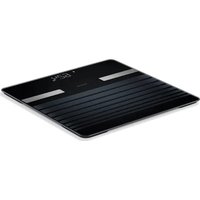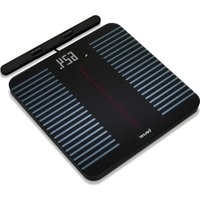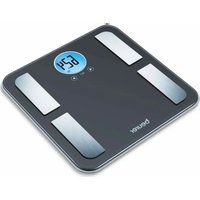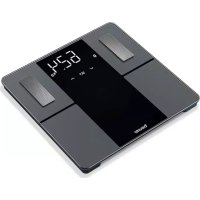
BF 500 - Scale BEURER - Free user manual and instructions
Find the device manual for free BF 500 BEURER in PDF.



User questions about BF 500 BEURER
0 question about this device. Answer the ones you know or ask your own.
Ask a new question about this device
Download the instructions for your Scale in PDF format for free! Find your manual BF 500 - BEURER and take your electronic device back in hand. On this page are published all the documents necessary for the use of your device. BF 500 by BEURER.
USER MANUAL BF 500 BEURER
DE Diagnosewaage
Gebrauchsanweisung 4
EN Diagnostic bathroom scale Instructions for use 12
FR Pese-personne impedancemetre Mode d'emploi 20
ES Báscula diagnóstica
Instrucciones de uso. 28
IT Bilancia diagnostica Istruzioni per l'uso. 36
TR Diyagnoz terazisi
Kullanim klavuzu 44
RUДиarHocTnueckneBecbl HNctpyKpIa no npImeHeHIO.51
PL Waga diagnostyczna
Instrukcja obslugi 60
NL Diagnoseweegschaal
Gebruiksaanwijzing 68
DA Diagnosevægt Betjeningsvejledning. 76
SV Diagnosvag Bruksanvisning 83
NO Diagnosevekt Bruksanvisning 90
FI Diagnoosivaaka
Käytöohje 98
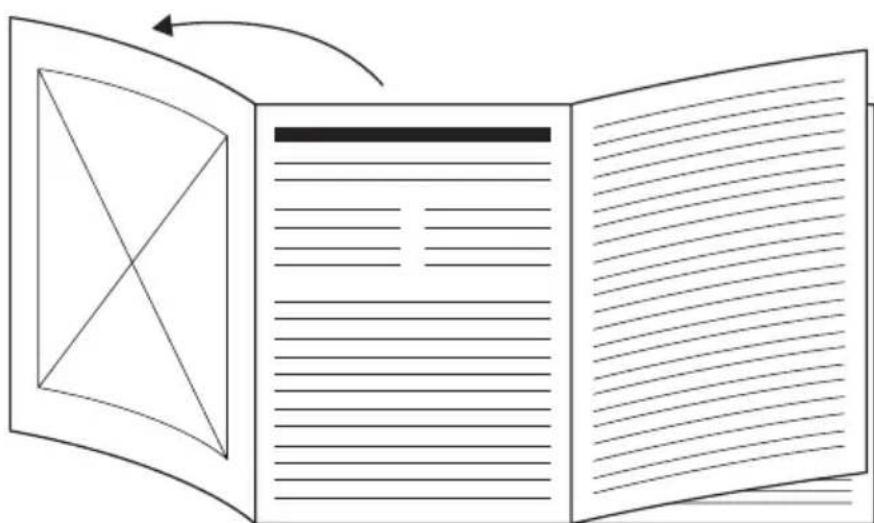
DE Klappen Sie vor dem Lesen der Gebrauchsanweisung die Seite 3 aus.
EN Unfold page 3 before reading the instructions for use.
FR Dépliez la page 3 avant de dire le mode d'emploi.
ES Despliegue la page 3 antes de leer las instrucciones de uso.
IT Prima di leggere le istruzioni per l'uso aprire la pagina 3.
TR Kullanim kilavuzunu okumadan once 3. sayfayi acin.
RU Ipeed uTeHnem HnCTpyKcnn no npimHeHIO pa3noXnte cTpaHcy 3.
PL Przed przyczytaniem instrukcji obstugi otworzyc strone 3.
NL Vouw pagina 3 uit om de gebruiksaanwijzing te konnen lezen.
DA Fold side 3 ud, for du laeser betjeningsvejledningen.
SV Vik ut sid. 3 innan du laer braksanvisningen.
NO Åpane side 3 För du leser bruksanvisningen.
FI Kännä sivu 3 auki ennen käyttoohjeen lukemista.
DEUTSCH

https://www.beurer.com/web/we-landingpages/de/cedeclarationofconformity.php
10. GARANTIE
Read these instructions for use carefully. Observe the warnings and safety notes. Keep these instructions for use for future reference. Make the instructions for use accessible to other users. If the device is passed on, provide the instructions for use to the next user as well.
TABLE OF CONTENTS
- SIGNS AND SYMBOLS 12
- WARNINGS AND SAFETY NOTES 13
- INCLUDED IN DELIVERY 14
4.DEVICE DESCRIPTION 14
5.USAGE 14
5.1 Prerequisites for taking measurements correctly 14
5.2 Creating scale users in the "beurer HealthManager Pro" app.....15
5.3 ALTERNATIVE METHOD: Creating scale users without the app...15
5.4 Weighing yourself 16
5.5 Deleting scale users 16
6.CLEANING AND MAINTENANCE. 16
7. WHAT IF THERE ARE PROBLEMS? 17
7.1 Resetting the scale to factory settings 17
7.2 Messages and errors 17
7.3 Bluetooth® connection problems 17
8.DISPOSAL 18
9. TECHNICAL SPECIFICATIONS 18
10.WARRANTY 19
1. SIGNS AND SYMBOLS
The following symbols are used on the device, in these instructions for use, on the packaging and on the type plate for the device:
| ! | WARNING Warning indicating a risk of injury or damage to health. | ||
| ! | IMPORTANT Warning indicating possible damage to the device. | ||
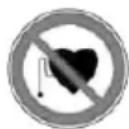
| The device may not be used by people with medical implants (e.g. pacemakers), as this may affect their functionality. | |||
| CE | CE labelling This product satisfies the requirements of the applicable European and national directives. | ||
| EAC | The products demonstrably meet the requirements of the Technical Regulations of the EAEU | ||
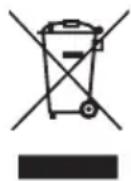
| Disposal in accordance with the Waste Electrical and Electronic Equipment EC Directive - WEEE | |||
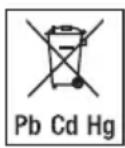
| Pb Cd Hg | Do not dispose of batteries containing hazardous substances with household waste | ||
| UKCA | United Kingdom Conformity Assessed Mark | ||
| Manufacturer | Separate the packaging elements and dispose of them in accordance with local regulations. | ||
| i | Read the instructions for use | B A | Marking to identify the packaging material. A = Material code, B = Material number: 1-7 = Plastics, 20-22 = Paper and cardboard |
| Place the scale on a stable, level surface. Do not place the scale on a carpet. | Separate the product and packaging elements and dispose of them in accordance with local regulations. | ||
| Danger of slipping! Do not step on the scale if the surface or your feet are wet | Danger of tipping! Do not stand on the outer edge. | ||
2. WARNINGS AND SAFETY NOTES

WARNING
- The device is only intended for weighing humans and for recording your personal fitness data. The device is only intended for private use and not for medical or commercial purposes. The device must only be used for the purpose for which it was designed and in the manner specified in these instructions for use.
- The device may not be used by people with medical implants (e.g. pacemakers), as this may affect their functionality.
- Do not use the device during pregnancy.
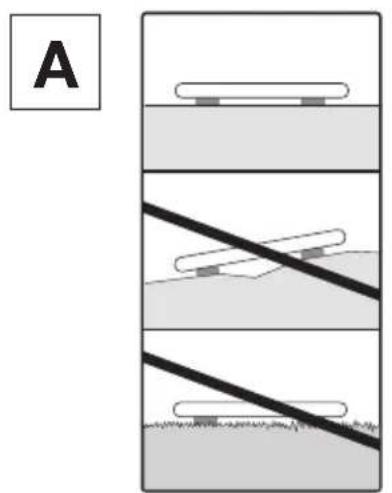
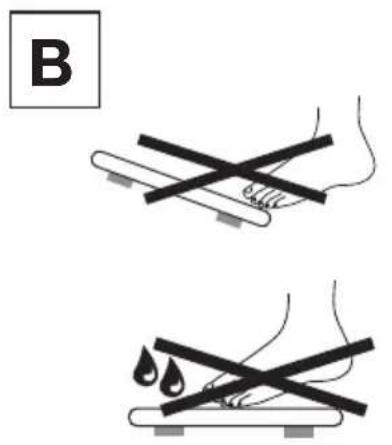
- Danger of tipping! Never place the scale on an uneven surface. Never step onto the outer edge of the scale on just one side (see Figure B).
- Danger of slipping! Do not step onto the scale with wet feet (see Figure B). Do not step onto the scale when the surface is wet. Do not step onto the scale wearing socks.
- Please note that measuring tolerances are possible for technical reasons as this scale is not calibrated for use in a professional medical context.
- Obtain professional advice from appropriately qualified personnel (e.g. a doctor) when undertaking any treatment or diet to address being overweight or underweight. The health values determined using the scale can assist the qualified personnel in their diagnoses.
- Inaccurate or implausible results may occur when determining body fat in children, performance athletes or people with medical/physical limitations (e.g. oedema symptoms, osteoporosis, people who are taking cardiovascular medication or medication which changes the vascular system, people with major anatomical abnormalities on the legs).
- Repairs may only be carried out by Beurer Customer Services or authorised retailers. Never open the scale yourself.

Safety notes on handling batteries
- Always insert the batteries correctly, taking into account the polarity (+/−). Keep batteries clean and dry and away from water. Always select the correct battery type.
- Never short-circuit batteries and battery compartment contacts.
- Never charge, forcibly discharge, heat, disassemble, deform, encapsulate or modify batteries.
- Never weld or solder on batteries.
- Never mix batteries of different manufacturers, capacities (new and used), size and type within a device.
- Risk of explosion! Failure to comply with the points mentioned above can result in personal injury, overheating, leakage, venting, breakage, explosion or fire.
- If a battery has leaked, put on protective gloves and clean the battery compartment with a dry cloth.
- If your skin or eyes come into contact with battery fluid, rinse the affected areas with water and seek medical assistance.
- Choking hazard! Keep batteries out of the reach of children. Seek medical attention immediately if swallowed.
- Never allow children to replace batteries without adult supervision.
- Store batteries away from metal objects in a well-ventilated, dry and cool place.
- Never expose batteries to direct sunlight or rain.
- Remove batteries from the device if it is not going to be used for a long period of time.
- Dispose of discharged batteries immediately and properly. Never dispose of batteries in fire.
- When disposing of batteries, keep batteries with different electrochemical systems separate.
3. INCLUDED IN DELIVERY
Check that the device packaging has not been tampered with and make sure that all contents are present. Before use, ensure that there is no visible damage to the device or accessories and that all packaging material has been removed. If you have any doubts, do not use the device and contact your retailer or the specified Customer Services address.
1 diagnostic bathroom scale
- 3 AA 1.5 V batteries
1 set of instructions for use
1 quick guide
4. DEVICE DESCRIPTION
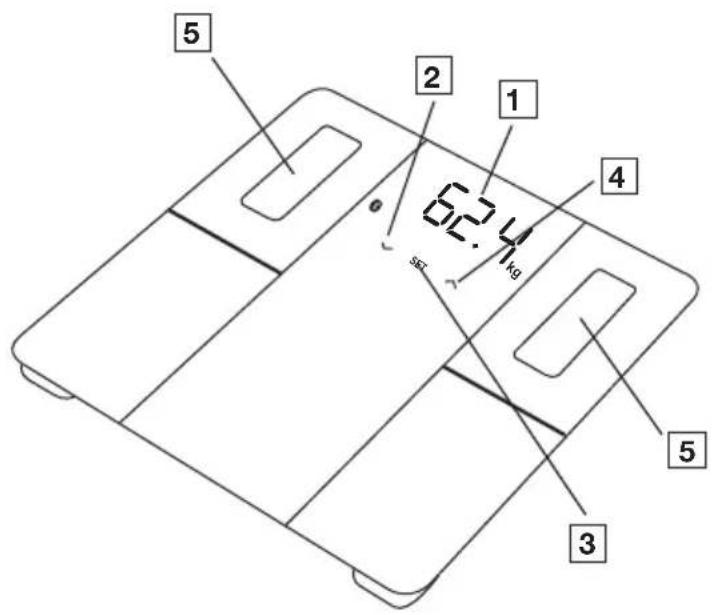
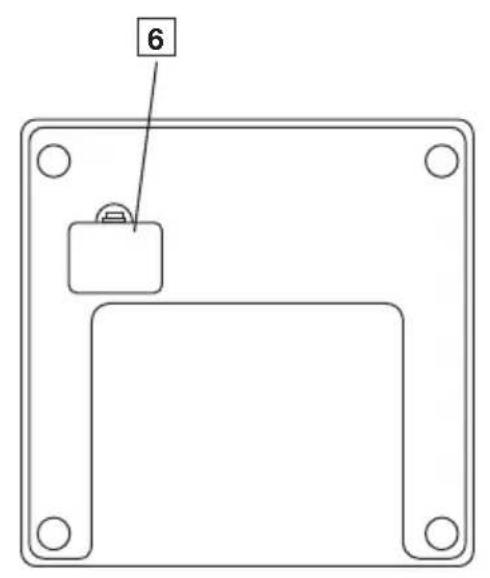
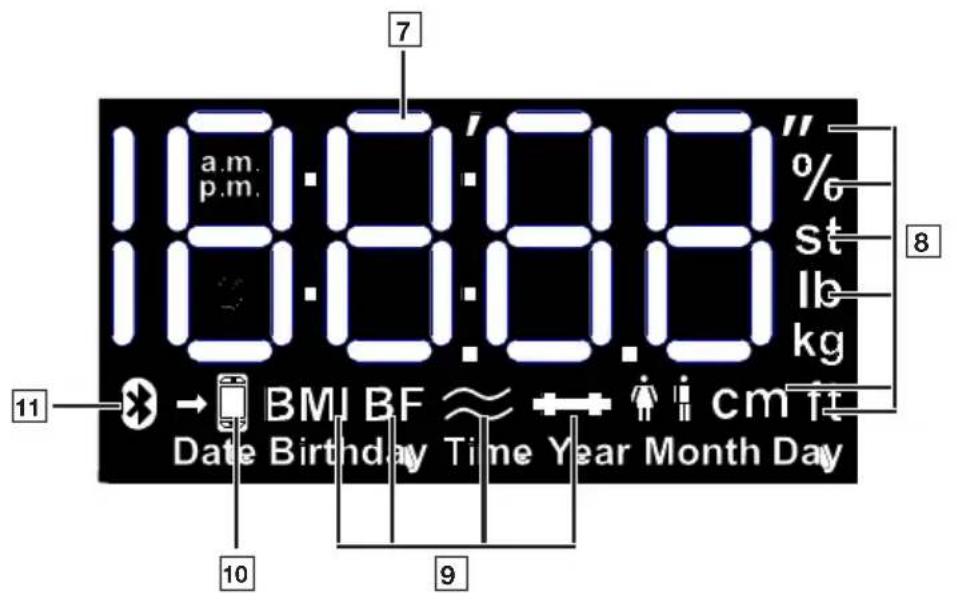
The corresponding drawings are shown on page 3.
1Display
2 Sensor button (reduces setting value)
3 SET sensor button (to confirm)
4 Sensor button (increases setting value or for user selection when assigning measured values)
5 Electrodes
6 Battery compartment
7Measurements
Measurement unit
9 Body data
Measurement data transfer
11 Scale connected to Bluetooth®
5.USAGE
5.1 Prerequisites for taking measurements correctly
- Place the scale on a level and stable surface (see Figure A).
- Wherever possible, weigh yourself at the same time every day (ideally in the morning), after having been to the toilet, on an empty stomach and without clothing.
To determine your body fat, always stand barefoot on the electrodes 5 on the scale. - Stand upright and still throughout, from the weight measurement through to the body fat measurement. Ensure that your weight is evenly distributed.
5.2 Creating scale users in the "beurer HealthManager Pro" app
The scale has 8 memory spaces for different scale users, enabling you to save the various members of your family, for example. You can use the "beurer HealthManager Pro" app to conveniently set up the individual app users and their corresponding scale user via your smartphone. To do so, proceed as follows:
- Scan the QR code with your smartphone and install the "beurer HealthManager Pro" app.
Scan here to access the "beurer HealthManager Pro" app
- Launch the "beurer HealthManager Pro" app and follow the instructions.
- When you reach the end of the instructions, you will be prompted to step onto the scale to take the initial measurement (for subsequent automatic personal recognition if within +/- 3kg ). As soon as a scale user (e.g. "U: 1") and "0.0" appears in the display 1 , step onto the scale.
Note on multi-user usage:
Create a separate app user for each scale user (in the same or on another smartphone/tablet with "beurer HealthManager Pro" app).
If the same scale is used by several app users, the device must be added in the app for each of them during setup. A new user is automatically created on the scale (e.g. U:2).
5.3 ALTERNATIVE METHOD: Creating scale users without the app
Alternatively, you can create a scale user directly on the scale without using the app. Do not create a scale user directly on the scale if you have already created that scale user using the app. This process is not required if the scale has already been connected to the app.
- Remove the battery insulating strip from the battery compartment 6 or insert batteries ("USE APP" flashes in display 1 .
- Place the scale on a stable surface.
- Press the SET button 3
- Set the current date (year, month, day) and time. Confirm each setting with the SET button until the display shows "0.0".
- Press the SET button 3
- "Unit" appears in display 1, select with A button 2 and confirm with SET button 3.
- "USEr" appears in display 1 Use the button 4 to select the scale user you need (you can select from U: 1 to 8). Confirm the selection with SET button 3.
- 1 flashes on the display. Use the button 4 to set the gender. Confirm your entry with the SET button 3
- “170” flashes on the display 1. Use the button 4 to set the height. Confirm your entry with the SET button 3.
-
The year, then the month, then the day flash on the display 1. Use the button 4 to set the year, month and day of birth. Confirm your entry with the SET button 3
-
"3" flashes on the display 1 Use the button 2 to set your activity level based on how much you exercise (considered over the long term). (1 = none, 2 = low, 3 = medium, 4 = high, 5 = very high/athletic) . Confirm your entry with the SET button 3.
- "End" appears briefly in the display 1; then "0.0" with the user symbol. Perform initial measurement (for subsequent automatic personal recognition if within + / - 3kg
5.4 Weighing yourself
- Step onto the scale barefoot. Stand still on the electrodes with both legs, making sure to distribute your weight evenly. The scale switches on automatically.
- Your body weight appears on the display 1. The scale user detected (e.g. "U: 1" for scale user 1) should then appear automatically. If the scale has detected several possible scale users, use the button 4 to select the correct one and wait 3 seconds. Step off the scale.
- The following health values will then appear one after the other.
| BMI | Body mass index (a healthy value is 18.5 - 25) |
| BF | Body fat percentage (a healthy value is 16 - 28% for women and 11 - 23% for men) |
| ≈ | Body water content in % (a healthy value is >45% for women and >50% for men) |
| ← | Muscle percentage (a healthy value is 27 - 43% for women and 37 - 57% for men) |
Note: For more details of the values, please see the app or the FAQs at www.beurer.com
-
If a Bluetooth® connection has been established and the user measurements have been successfully taken (e.g. for U: 1), the values will be transferred to the "beurer HealthManager Pro" app. This is indicated by the measurement data transfer symbol 10 . If the data cannot be transferred, up to 30 values will be stored per user. They will be transferred as soon as a connection has been established.
-
The scale switches itself off automatically.
Note: if the automatic scale user detection function is not working, press the button 4 until your scale user is displayed, and wait 3 seconds. Then take the diagnostic measurement.
Note: to display your last diagnostic measurement, briefly press on the scale until "0.0" and the user symbol appear in the display 1, press button 4 repeatedly until your scale user is displayed and wait 3 seconds. Then press the button 2 to display the most recent diagnostic measurement. To display further measurements, press the button 2 again. Up to 30 measurements can be shown on the display 1
Note: If you are wearing shoes when taking the measurement, only your weight will be shown (the weight is automatically saved when the scale detects the scale user).
5.5 Deleting scale users
You can delete individual scale users in the "beurer HealthManager Pro" app.
Alternatively, you can also delete scale users directly on the scale. To do so, proceed as follows:
- Briefly press on the scale until "0.0" appears in the display 1
- Press the SET button 3
- "Unit" appears in the display 1, confirm with SET button 3.
- "User" appears in display 1, select your user with button and confirm with SET button 3
- Press and hold the SET button 3 until "End" appears in the display. If you press button 4 within 3 seconds, "dEL" will appear in the display. If you confirm with the SET button 3, the user is deleted.
6. CLEANING AND MAINTENANCE
Clean the surface of the scale from time to time using a slightly damp cloth. Do not use the scale again until the surface is completely dry.

IMPORTANT
- Do not use any abrasive cleaning products.
- Never submerge the scale in water. Never rinse the scale under running water.
- Do not place any objects on the scale when it is not in use.
- Protect the scale from knocks, moisture, dust, chemicals, drastic changes in temperature and nearby sources of heat (ovens, heaters).
7. WHAT IF THERE ARE PROBLEMS?
7.1 Resetting the scale to factory settings
To reset the scale back to factory settings, proceed as follows:
- Remove the scale from your device settings in the app.
- Switch on the scale and press SET button 3 repeatedly until "SEt" appears in the display 1
- If you press button 4, "CLr" appears in display 1. Confirm with SET button 3.
7.2 Messages and errors
| Display Cause / Remedy | |
| Discrepancy in weight | Incorrect zero point: briefly press on the scale until the current weight is displayed, then remove your foot so that “0.0” flashes. Scale on carpet: place the scale on a solid surface. |
| PAir | Bluetooth® needs to be paired: start/allow pairing/bonding on your smartphone (note any messages in the status bar/notification bar), and confirm the 6-digit pairing code using the SET button 3 on the device and confirm on the smartphone. |
| “USE APP” | Connect the scale using the app. Do not connect it via the Bluetooth® settings on your smart-phone. Only connect it via the app. |
| U:- | The scale was unable to assign the measurement to a scale user: if the automatic scale user detection function is not working, briefly press on the scale, press the button 4 repeatedly until your scale user is displayed, and wait 3 seconds. Weigh yourself again. The user assignment limit is +/-3 kg and can be changed in the app. |
| BF-Err | The body fat percentage is outside the measurable range (less than 3% or greater than 70%): Check the user data or change the activity level. |
| BF-- | Diagnostic measurement cannot be taken (e.g. measurement attempted while wearing shoes): repeat the measurement barefoot. Otherwise, only weight values will be displayed and transferred. |
| Err | The maximum weight capacity of 180 kg has been exceeded: loads must not exceed 180 kg. |
| Lo | The batteries are flat: replace the batteries. |
7.3 Bluetooth® connection problems
| Problem Cause / Remedy | |
| No Bluetooth® connectionSymbol 11is not dis-played | Device is outside the Bluetooth® range.The minimum range in the open is approx. 10 m. Walls and ceilings reduce the range. Other radio waves may interfere with the transmission. Therefore, do not position the scale near devices such as microwaves or induction hobs. Ideally, switch off other Blue-tooth® devices that are within range. |
| No Bluetooth® connection to the app.1. Switch on the scale to establish the connection faster.2. Switch Bluetooth® on your smartphone off and on again. Ensure that the scale is not being connected via the Bluetooth® settings of the operating system. If necessary, remove it from the device list in the Bluetooth® settings and then use the “beurer HealthManager Pro” app.3. Completely close the app (including in the background). Switch your smartphone off and on again.4. Briefly remove the batteries from the scale and reinsert them. Launch the app.5. When connecting the scale, check the status bar on the smartphone to start pairing/ bonding. | |
| Measurements are not sentSymbol 10is not displayed | No measurement for the scale user or no Bluetooth® connection.The user memory (e.g. U: 1) which appears on the scale display must be assigned to the scale in your app settings. Only these measurements can be transferred. Therefore, check your user on the scale when taking a measurement and in your app settings. |
8. DISPOSAL
For environmental reasons, do not dispose of the device in household waste at the end of its service life. Dispose of the device at a suitable local collection or recycling point in your country. Observe the local regulations for material disposal. Dispose of the device in accordance with EC Directive - WEEE (Waste Electrical and Electronic Equipment).
If you have any questions, please contact the local authorities responsible for waste disposal. You can obtain the location of collection points for old devices from the local or municipal authorities, local waste disposal company or your retailer, for example.
The empty, completely flat batteries must be disposed of through specially designated collection boxes, recycling points or electronics retailers. You are legally required to dispose of the batteries.
The codes below are printed on batteries containing harmful substances:
Pb = Battery contains lead,
Cd = Battery contains cadmium,
Hg = Battery contains mercury.
9. TECHNICAL SPECIFICATIONS
| Model: BF 500 | |
| Dimensions: 300 x 300 x | 28 mm |
| Weight: 1700 g | |
| Measurement range: 180 | kg / 396 lb / 28 st |
| Scale interval d: kg: 0.1 kg | kg / lb: 0.2 lb / st: between 0-19 st = 0.2 lb; between 20-28 st = 1 lb |
| Repetition accuracy: max. +/- 0.4 kg | |
| Absolute precision: max. | +/- (0.5% +0.1 kg); e.g. for 80 kg: max. +/- 0.5 kg |
| Battery: 3 x 1.5 V AA battery | |
| Data transfer: Bluetooth | ® low energy technology Frequency band: 2402 - 2480 MHz, max. transmission power +3,1 dBm |
| List of compatible devices: | For a list of compatible smartphones, information on the software and further details on the devices, please see connect.beurer.com Scan here to see the list of supported devices. |
| System requirements for “beurer HealthManager Pro” app* | iOS ≥ 14.0 Android™ ≥ 8.0 Bluetooth® ≥ 4.2 |
Subject to technical changes.
*This product satisfies the requirements of the applicable European directives.
The CE mark has been applied in accordance with the following European directives: Directive 2014/53/EU (Radio Equipment Directive - RED)
The Declaration of Conformity for this product can be found at the following address: https://www.beurer.com/web/we-landingpages/de/cedeclarationofconformity.php
10. WARRANTY
Further information on the warranty and warranty conditions can be found in the warranty leaflet supplied.
FRANÇAIS

Directive 2014/53/UE (Radio Equipment Directive - RED)
https://www.beurer.com/web/we-landingpages/de/cdeclarationofconformity.php
10. GARANTIE
https://www.beurer.com/web/we-landingpages/de/cedeclarationofconformity.php
10. GARANTÍA
"beurer HealthManager Pro"
https://www.beurer.com/web/we-landingpages/de/cedeclarationofconformity.php
10. GARANTI
2. PEPENPPEKDEHNAYKA3AHNPOTEXHNIKE B3OPACHOCTN

PPEyPExKDEHNE
- Pnp6op npedha3haeH TOBko DnB B3BeWNBaHn JIOdeN 3aNNCn BaXnx NnHbIX PhNTHeC-napametpoB. Pnp6op npedha3haeH NCKIHOHTeNbHO DnA YAcTHORO NOJb3OBaHn, 3aPpeaaTcRero INoJIb3OBaHnE B MeDnIHckNX N KOMMepueckNX ZeJx. NcNoJIb3yIte np6op TOnkOBTEX ZeJAX, DnKOTOpBX OH 6bl pa3pa60TaH, N TOBko TEM CnOCobom, KOtOpBn ONnCAH B DaHHo IHCTpyKcNl No npimeHeHIO.
3anpeuaeTc npimHeHne np6opn C yCTaHOBJIeHHbIM MeINHCKM mIbnHtataMn (hnpmep, kapdnoctmmylantopamn). B npotnbom cnyae MoKeT HApUHTbcra pa6Ota mNpHaHTata.
He nCnoJIb3yIte npI6Op BO BpeMg 6epeMeHHocTn. - Onachoctb onpoknDbHna! HNKoIa He yctaHaBnBaIte Becbl Ha HEPOBHyIO NOBepXHOCTb. He BCTaBaIte Ha cambl Kpaai Becob C OndHoi CTOpOHbl (CM. pnc. B).
- Onachoctb nockaIb3bIBAHn! He BCTabaTe Ha BeCbl BnaXhbIMN HORAMn (cm. pnc. B). He BCTabaTe Ha BeCbl, ecnn IX NOBepxHOCTb BnaXHnA. He BCTabaTe Ha BeCbl B HOCKax.
- ObpaTne BHMaHne, yTO NO TEXHNueCKnM npuHnAM BO3MOXhbl NOrpeUHOCtN U3MepeHn, TaK KaK peYb IeTe He O KaJIIn6pOBaHHbIX BeCax IJra IpoPeCCNOHaJIbHOrO INcNoJIb3OBaHnB MeDINCHKnx ZeIax.
- Пи Любом Л uehen (ДиTe) n36bIToCHoro nIи HeIOCTaTOHoro Beca Tpe6yeTcK BaIINФИп
- рованя KOHCyIbTaцЯ CO CTOpOHI cOOTBeTcBMyUeero CneuaJIncTa (HaIpyMeP, leuAsero
- Врач). ПolyeHHbie NocpeIcTBOM 3TNx BEcoB DaHHbie MOrTy NOMOy cNeuaJIncTam.
- Y DeTei, npoepccnHaJIbHbIX CnOpTcMeHO BIII IIN C OrpaHueHHbIMN C MeINuHCKOJ/PH3NHeCKO TOUKN 3peHnRA BO3MOXHOCTaMn (HaNPmEp, C CUMPTOMAMN OTeHQCTN, OCTeONOP03OM, Pnnpeme MeikamEHTOB DJIJeEHnCepdeHuO-COCyDnCTbIX NII IN COCyDnCTbIX 3a6OJIeBAHn, IIuC CyUeCTBeHHbIMN aHATOMNUeCKIMN OTKIOHEHnA HOrax) BO3MOXHbI HeTOUHbIE INI HeIOCTOBepHBie pe3YbTaTbI Pn ONpeDeJIeHN JxipoBOJ MaCCbl TeJa.
- PemOHThbI pa60TbI DOJXHbI npON3BOIDtBcra TOnbKO cepBnCHo Cnyxboi Beurer nnn aBTopn3OBaHHbIMN TopRObbIMN ppeCTaBNTeJAMn. Kateropnueckn 3anpeuaetcramocToarTeNbHO BCKpbITHe BEcOB.
Yka3aHnno o6paueHHo c 6aTapeKamn
- Bcerda npabnIbHO yCTaHaBnBaIte 6atapeKn C yyeTOM nolpHocTn (+/-). CneInte, YTO6bl 6atapeKn 6bln YnCTbIMN u cyxIMN, 3aunuAite nx OT BO3dEInCTBna BODbl. Bcerda BblbnpaI-Te 6atapeKn NOxOJaUero Tnna.
He donyckaTe KOPOTKOro 3ambikaHn6 baTapeek I KOHTaKTob 6aTapeuHoro OTceKa.
3aPpeuaeTc3apXaTb, npHnHynteIbHo pa3pXaTb, HarpeBaTb, pa3bnpaTb, deOpMnpoBaTb, rEpMeTu3NPOBaTb IIN MOnduNUPOBaTb 6aTapeKn. - 3anpeuaetcBapnBaTbNJIN3aanBaTb6aTapeKn.
He nCnoJb3yIte BHyTpI npI6opa 6aTapeKn pa3HbIX npOn3BOIDITeJIe, pa3HOJ eMKoCTN (HOBbie N IcNoJIb3OBAHHble), pa3HOrO pa3Mepa N Ttna.
Onachoctb B3pbIba! Heco6nIOeHne yKa3aHHbIX npaBNI MOKe TpNBcTNI K TpaBMam, nepeTREBV, BblTEKAHIQ, BblNVCKV BO3IVXa, NOLOMKe, B3PbIBV NII BO3FGOAHIO. - EcII 6aTapeiKa nOteKJa, OUnCTnTe OTceK dIy 6aTapeeK cyXoJ caJIpeTKoJ, IpeBapITeJIbHO HAdEB 3aUHTHbIe NepTuTKn.
- PnI nonaHnn JxndKoCTn n3 6aTapeeKn Ha Koxy nII B rna3a HEO6XoIMO npOMbITb COOTBETCTBVHUM YACTOK 60blmm KOINcEChBOM BObln O6paNTbC K BpaV.
- Onachoctb nporlaTbIBaHn MeJkX qacte! XpaHnte 6aTaapeKn B HeIOCTyHOM dIeTeMeCTe. Ppi nporlaTbIBaHn HemeJeHHO o6PaTtEcB K BpaV.
- HnKoIa He N03BOJnTe DeTm 3aMeHrTb 6aTapeiKn 6e3 nPncMOtpa B3pOcJIbIX.
XpaHnTe 6aTapeKIN BdaI N OT MeTaJIInueCKNX npeMToB, B XopoIo npoBeTpNBaEmbIX, cyxNIX IN PPOXIIaNbIX NOMeUeHnIX.
He noBepraTe 6aTapeKu BO3JeICTBNUO PpAMyX COJHeYHbIX Lyuee NIN DOxJa. - EcIIN pIb6Op DJIInTeJbHoe BpeMr He IcIOJIb3VETcR, N3BLeKUte N3 Hero 6aTapeiKn.
Pa3pyKeHHbIe 6aTapeKn cIeNyET HeMeIeHHO yTUNI3NpOBaTb HAnEkaUIM o6pa3OM. He 6pocaiTe 6aTapeKu B OROHB. - Pn yTNJIN3aUNX XpaHNTe 6aTaPeYK N OTdJIbHO OT pa3JIuHbIX 3JeKTPOXUMUYeCKHX CnCTEm.
3. KOMJIeKT NOCTABKN
y6eHTecb, yTo ynaKOBka npnbopa He nobpeXdeHa, n npOBepbTe KOMnJIeKTHOcTB NOCTaBKn. Ipeed nCnoJb30BaHHeM y6eHTecb, yTo npnbop n ero npnHaJnxHOCTn He IMeOT BnIMbIX NOBpeXDeHn, n ydaIte BCE ynaKOBouHbIe MaTePnAbl. Pn HAnuN ComHEnH He nCNoJb3yIte npnbop n o6paTntEc b K npodabuy nn No yKa3AHHomy aDpEcy cepBnCHOn cnyk6bl.
1DInaHIOCTNueCKNe BEcBi
3 6aTaPeiKu Tuna AA,1.5 B
1 INHCTPVKUNI NO PIMMeHENIO
1 kpaTkoe pYKOBOCTBO
4.ОПИСАНЕ ПРИБОРА
COOTBETCTBYUüne n3o6paXeHnMa. Ha cTp. 3.
1 DnCnnei
2√CeHcOpHa KHOnKa (yMeHbSeHne 3NaueHn npaMeTpa)
3 CechopnKa KhoNka SET (IJI npTBePxKeHn)
4 Cechopna Khonka (yBelenueHne 3NaueHnnapaMeTpa NIN Bbl6Op N0lb3OBaTeJI npN COOTHeceHn IN3MpeHHoro 3NaueHnA
5 3neKtpoDbI
6 OtceK nla 6aTaapeek
7 Pe3yNbTaTbI n3MepeHn
8EINHnua n3MepeHnra
9 DaHHbIe O TeJIe
10перетаданьхизмереня
11 Beçbl coprajxehbl nocpečTBOM Bluetooth®
5. ПРИМЕHEHNE
5.1 Heo6xodmbie ycIOBnI npaBnIbHOrO n3MepeHnI
- IocTaBbTe BeCbI Ha poBHyO n TBepDyO NOBepXHOCTb (CM. pnc. A).
- Ito BO3MOXHOCTN B3BeUINBaITeCb B OJHO N TO Je BpeMcyTOK (nyuwe BCero yTpOM), nocne TORO kaCXoDnTE B TyaJIeT, Ha rOJOnHbI JKeJyDOK N 6e3 oJexKdbl.
- Дя onpeдения киюв Мась TeJa BCeRda BCTaBaITe Ha элктpoДы 5 BeCoB 6ocnKOM.
- CToIte npraMo n HeNoDnKHo, NaHnaC n3MepeHnB BeCa n 3aKaHnBa n3MepeHnEm XInpoBoMaccbI TeNa. CJeInte 3a paBHomepHbIM pacPpeJelenHem Beca.
5.2 Co3dHne yyeTHoN 3aIINCn POJIb3OBaTeJRA BEcOB B MO6NJbHOM npNJIOXeHN beurer HealthManager Pro
Becbi OchauhebI 8 yueKamn NamrT nBBoa noB3OBaTeNe BECOB (Hapmep, dpyrnx YneHOB BaWei cemb). C nOmoUbMO6NbHoro npINOxKeHna beurer HealthManager Pro Bbl moXeTe yDObHo HacTpbanBaTb OTDeJIbHbIe yUeTHbIe 3aINcN NOB3OBaTeNe npINOxKeHna COOTBeTCTByIOuNe IM yUeTHbIe 3aINcN NOB3OBaTeNe BECOB Ha CBOEM CMapTfoHe. DnA 3TOrO BbINOJHIne CJeDyIOuNe DeIcTBnI.
NoIb3OBaTeNeI OBeCneuTb yTuIN3aunIO 6aTaapeeK.
3Tu 3NaKn npedynpekjaIO T haJIuHIN
B 6aTapeiKaX TOKCnHbIX BeIeCTB:
Pb = cBnHeu,
9. TEXHnueCKNE DAHHbIE
https://www.beurer.com/web/we-landingpages/de/cedclarationofconformity.php.
10.「APAHTNЯ
"beurer HealthManager Pro"
https://www.beurer.com/web/we-landingpages/de/cedeclarationofconformity.php
10. GWARANCJA
2. WAARSCHUWINGEN EN VEILIGHEIDSRICHTLIJNEN
WAARSCHUWING
4. BESCHRIJVING VAN HET APPARAAT
https://www.beurer.com/web/we-landingpages/de/cedeclarationofconformity.php
10. GARANTI
"beurer HealthManager Pro"
https://www.beurer.com/web/we-landingpages/de/cedeclarationofconformity.php
10. GARANTI
INNHOLDSFORTEGNEALSE
- SYMBOLFORKLARING 90
- ADVARELS-OG SIKKERHETSANVISNINGER 91
- LEVERINGSOMFANG. 92
- APPARATBESKRIVELSE 92
5.BRUK. 93
6. RENGJØRING OG VEDLIKEHOLD
https://www.beurer.com/web/we-landingpages/de/cedclarationofconformity.php
10. GARANTI
Du finner detaljert informasjon om garantien og garantivilkarene på det medfolgende garantiarket.
SUOMI

The Bluetooth® word mark and logos are registered trademarks owned by Bluetooth SIG, Inc. and any use of such marks by Beurer GmbH is under license. Other trademarks and trade names are those of their respective owners.
Apple and the Apple logo are trademarks of Apple Inc., registered in the U.S. and other countries. App Store is a service mark of Apple Inc., registered in the U.S. and other countries.
Google Play and the Google Play logo are trademarks of Google LLC.
Android is a trademark of Google LLC.

Beurer GmbH • Söflinger Str. 218 • 89077 Ulm (Germany)
www.beurer.com • www.beurer.healthguide.com
www.beurer-gesundheitsratgeber.com