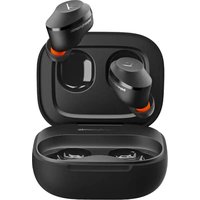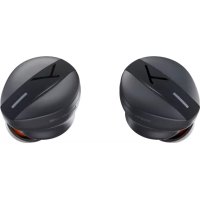
Free BYRD - Earphones BEYERDYNAMIC - Free user manual and instructions
Find the device manual for free Free BYRD BEYERDYNAMIC in PDF.



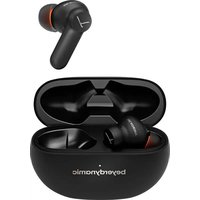
| Product type | True Wireless In-Ear Headphones |
| Brand | Beyerdynamic |
| Model | Free BYRD |
| Wireless connection | Bluetooth® (range 2.402–2.480 GHz) |
| Supported audio codecs | SBC, AAC, aptX™ Adaptive |
| Noise reduction | Active (ANC) and transparency mode |
| Battery type | Rechargeable lithium-ion |
| Charging case | USB-C (cable included) or Qi® wireless charger |
| Included accessories | Charging case, USB-C to USB-A cable, 5 silicone ear tips (XS–XL), 3 foam ear tips (S–L), quick start guide |
| Dedicated app | MIY App (available on App Store and Google Play) |
| Compatible voice assistant | Alexa (selectable in MIY App), generic smartphone voice assistant |
| Control | Touch interface on each earpiece |
| Control functions | Play/pause, calls, volume, ANC/transparency, previous/next track, voice assistant |
| Maintenance and cleaning | Clean ear tips with a soft cloth moistened with alcohol; avoid solvents |
| Spare parts | Replacement ear tips available at beyerdynamic.com/service/spare-parts |
| Safety – Volume | Set volume to minimum before insertion; do not listen too loud for too long |
| Safety – Environment | Do not expose to rain, humidity, extreme temperatures |
| Operating temperature | −10 to +60 °C |
| Storage temperature | 0 to +45 °C |
| Regulatory compliance | Industry Canada CNR, FCC, EU directive 2014/53/EU |
| Warranty | Limited, conditions at beyerdynamic.com |
Frequently Asked Questions - Free BYRD BEYERDYNAMIC
User questions about Free BYRD BEYERDYNAMIC
0 question about this device. Answer the ones you know or ask your own.
Ask a new question about this device
Download the instructions for your Earphones in PDF format for free! Find your manual Free BYRD - BEYERDYNAMIC and take your electronic device back in hand. On this page are published all the documents necessary for the use of your device. Free BYRD by BEYERDYNAMIC.
USER MANUAL Free BYRD BEYERDYNAMIC
natural_image
Abstract black Y-shaped line on white background (no text or symbols)beyerdynamic
FREE BYRD
natural_image
Abstract black Y-shaped line on white background (no text or symbols)beyerdynamic
FREE BYRD
TRUE WIRELESS HEADPHONES
OPERATING INSTRUCTIONS
CONTENTS
SAFETY INSTRUCTIONS....7
Intended use....7
Adjusting the volume....7
Reducing perception of ambient noise....8
Changed acoustic perception....8
Cleaning....8
Risk of swallowing....8
Power and connecting cable....8
Using the batteries....8
Environmental conditions....9
ABOUT THIS MANUAL....9
SCOPE OF DELIVERY 9
FIRST STEPS....9
Removing from packaging and storing 9
Using and fitting the eartips....10
How to insert the earphones....11
Charging the battery....12
BEYERDYNAMIC MIY APP....13
SOFTWARE-UPDATE....13
COMPATIBILITY WITH PLAYBACK DEVICES....13
SUPPORTED AUDIO CODECS....14
OPERATION 14
Connecting to a device via Bluetooth ^® .....14
Playing media....16
Switching on voice assistant....16
Adjusting the volume....16
Making a call....17
Resetting to factory settings....17
Overview of operating functions....18
HELP WITH PROPLEMS / FAQ....18
DISPOSAL....19
Battery disposal....19
EU/UK DECLARATION OF CONFORMITY....19
TECHNICAL DATA....19
WARRANTY CONDITIONS 20
THIRD PARTY LICENSES 20
REGISTERED TRADEMARKS......20
FCC / IC REGULATION.... 20
Thank you for choosing beyerdynamic Free BYRD True Wireless headphones.
SAFETY INSTRUCTIONS
▶ Please read these instructions carefully and completely before using the product.
▶ Please observe all instructions given, especially those concerning the safe use of the product.
Do not use the product if it is defective.
The company beyerdynamic GmbH & Co. KG accepts no liability for damage to the product or injury to persons caused by careless, improper or incorrect use of the product, or by use for purposes not specified by the manufacturer.
Intended use
Only use the product as described in this product manual. beyerdynamic accepts no liability for damage to the product or injury to persons caused by careless, improper or incorrect use of the product, or by use for purposes not specified by the manufacturer.
beyerdynamic is not liable for damage to USB devices that do not comply with the USB specifications.
beyerdynamic is not liable for damage resulting from connection interruptions due to batteries being empty or too old, or due to exceeding the Bluetooth ^® transmission range.
Please also observe the relevant country-specific regulations before using the product.
Adjusting the volume
High volumes and long listening times can permanently damage your hearing. Because in-ear headphones sit directly in the ear canal, there is an increased risk of hearing damage.
Before inserting the earphones, set the volume to minimum. Only increase the volume after inserting the earphones.
Do not use the in-ear headphones at high volume for a long time. When listening and speaking normally with in-ear headphones, your own voice should still be perceptible.
In case of tinnitus, decrease the volume. If necessary, consult a doctor.
Please note that excessively high volumes and long listening times may cause hearing damage. Hearing impairments are irreversible, so always make sure that the volume is appropriate. It is advisable to keep listening times as short as possible at high volumes.
Reducing perception of ambient noise
In-ear headphones drastically reduce perception of ambient noise. Using in-ear headphones in road traffic can be potentially dangerous. The user's hearing must not be impaired to the extent that it causes road safety risks.
Do not use the in-ear headphones within the action area of potentially dangerous machines and tools.
Avoid using in-ear headphones in situations where hearing must not be impaired – particularly in road traffic, when crossing a level crossing or on a construction site.
Changed acoustic perception
For many people, wearing in-ear headphones takes some getting used to because the acoustic perception of their own voice and body as well as the inner ear sounds that occur while walking is different from the “normal” situation without in-ear headphones. However, this initially strange sensation usually diminishes after wearing them for a while.
Cleaning
Dirt on the eartips and the formation of a warm and humid climate in the ear canal can cause an increased level of germs, which can increase the risk of an ear canal infection.
▶ Regularly clean the eartips.
General care instructions
Use a soft cloth moistened with water to clean all parts of the True-Wireless headphones. Make sure that no liquid enters the housing or the transducer.
Do not use cleaners containing solvents, as these can damage the surface.
Risk of swallowing
Keep small parts, such as product, packaging and accessories, away from children and pets. They constitute a choking hazard if swallowed.
Power and connecting cable
Use only the cable we supply to connect the unit for both charging and connecting to a laptop.
Using the batteries
Danger from heat, water and mechanical stress
Excessive heat, water and mechanical stress may cause explosion, heat, fire, smoke or fumes. Injuries and irreversible damage to the battery may result.
Do not expose the battery to excessive heat, direct sunlight or fire. There is a risk of explosion, fire, smoke or gas.
Do not subject the battery to mechanical stress (e.g. crushing). This may cause irreversible damage to the battery, or explosion or injury.
Do not open the housing or remove the battery.
▶ Only use a USB 2.0/3.0 standard-compliant 5 V power supply unit to charge the battery via the integrated USB type C socket.
Storing the battery
If the battery is not going to be used for an extended period, set the charge level to approximately 50 % of the maximum capacity and store it at temperatures up to max. 30 °C.
Environmental conditions
Do not expose the product to rain, snow, liquids or moisture.
ABOUT THIS MANUAL
This manual describes the product's most important functions.
The information in this manual refers to the default settings of the software. A newer version may be available.
For remarks on the software update, see "SOFTWARE-UPDATE" on page 13.
SCOPE OF DELIVERY
- Charging case
- Earphones L/R
• USB-C to USB-A charging cable - 5 silicone eartips
- 3 foam eartips
- Quick Start Guide and booklet
FIRST STEPS
Removing from packaging and storing
▶ Open the charging case and take out the earphones.
Carefully choose the eartips that are right for you and connect Free BYRD to your playback device (see Page 14).
Using and fitting the eartips
Five pairs of silicone eartips and three pairs of foam eartips are included in the supplied accessories for optimal fit and sound quality.
Every ear is unique, and the size of the eartip required may vary from one ear to another.
Take your time and choose the right eartips for you to maximise your listening pleasure.
Silicone eartips


Colour White Light grey Orange Dark grey Black
Size XS S M L XL
Foam eartips


Colour Orange Orange Orange
Size S M L
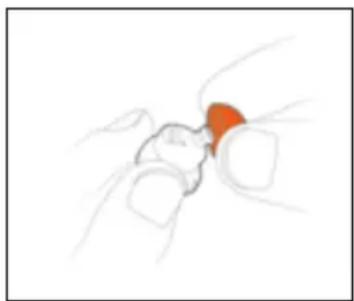
Using silicone eartips
▶ To use the eartips, carefully slip them over the Free BYRD.
natural_image
Illustration of a hand holding an insect, with no visible text or symbolsUsing foam eartips
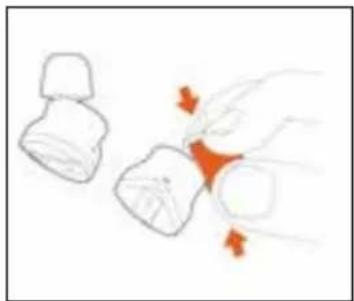
If you move around a lot, choose the foam eartips.
Give them a short squeeze before inserting them into the ear.
They expand again after insertion and provide good support during any activity.
natural_image
Simple line drawing of two mechanical components with orange arrows indicating motion or force (no text or symbols)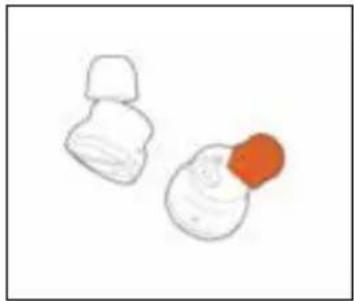
natural_image
Simple line drawing of two white objects with one orange, no text or symbols presentIf you are using them regularly, we recommend changing the eartips every three months. Replacement eartips made of silicone and other materials can be ordered from the beyerdynamic spare parts shop: www.beyerdynamic.com/service/spare-parts
How to insert the earphones
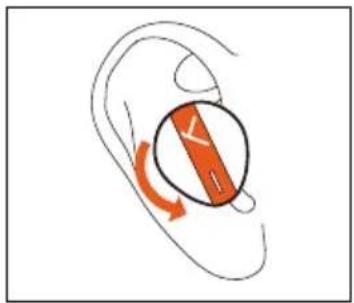
For a perfect fit, insert the earphones into your ear with a slight twisting movement.
② Make sure that the earphone fits properly. See illustration.
natural_image
Illustration of a human ear with a circular arrow indicating rotation or movement (no text or symbols)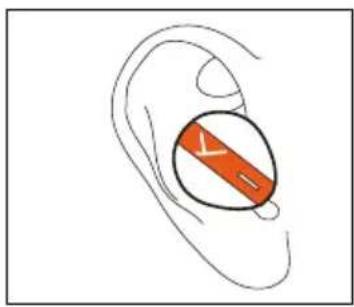
natural_image
Illustration of a human ear with an orange circular object labeled 'Y' on the inner ear (no text or symbols beyond the label)Charging the battery
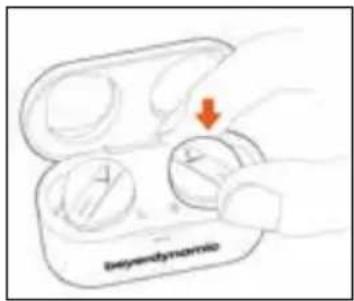
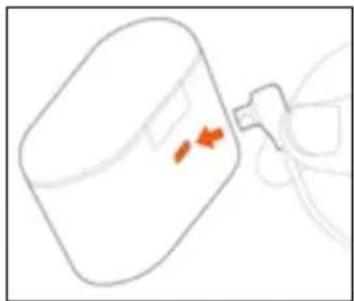
We recommend you use only the supplied USB cable to charge the battery.
Insert the earphones into the charging case.
text_image
beyendymo② Plug the USB cable into the charging socket on the charging case.
natural_image
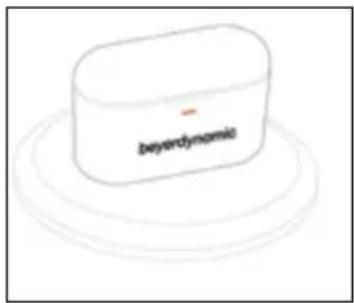
Simple line drawing of a container with an orange arrow pointing to it, connected by a pipe (no text or symbols)3 Alternatively, place the charging case on a QI® charging station. The charging LEDs indicate the charging status.
text_image
beyendymomioRemarks on the life of Li-ion batteries
- When fully charged, disconnect the USB cable from the charger and the product.
- CAUTION! High temperatures, especially with a high charge level, can cause irreversible damage.
- If the battery is not used or is stored for extended periods of time, it is recommended to charge it to approx. 50 % and store it at no more than 20 °C.
- Switch off the battery-powered product after use.
Displaying the battery charge level
The charge level of the charging case is indicated by the LED.
| LED Status | |
| Without charging unit connected: | |
| Orange Battery low | |
| White Battery sufficiently charged | |
| With charging unit connected: | |
| Orange Battery charging | |
| White Battery fully charged (100%) | |
The charge level of the earphones is displayed when the charging case is opened:
| LED Status | |
| Flashes and changes colour from red and yellow to green | Battery charging and indicating the current charging status |
| Lights up permanently green Battery fully charged | |
| Flashes rapidly red Battery almost empty |
BEYERDYNAMIC MIY APP
The MIY App from beyerdynamic can be downloaded from the App Store or Google Play.
text_image
Download on the App Store SETTOM Google Play MY
text_image
MY Download on the App Store
text_image
MY GETTON Google PlaySOFTWARE-UPDATE
Software updates are easily available via the MIY App.
COMPATIBILITY WITH PLAYBACK DEVICES
Free BYRD is compatible with Bluetooth® playback devices that support the following profiles:
• A2DP (for audio transmission)
• HFP/HSP (for phone operation and voice assistants)
• AVRCP (for control signal transmission)
SUPPORTED AUDIO CODECS
Within the A2DP profile, Free BYRD supports the audio codecs SBC, AAC and aptX ^™ Adaptive. The highest audio quality is offered by aptX ^™ Adaptive.
Please note that only the codecs available in the playback device can be used for audio transmission.
The playback device and Free BYRD automatically agree on the best mutually available codec in the following order:
- aptX™ Adaptive
- aptX ^TM
- AAC
- SBC
Most playback devices do not show which codec is actively in use.
OPERATION
Free BYRD can be operated via the integrated Touch Interface by slightly tapping the beyerdynamic Y.
Connecting to a device via Bluetooth®
Before the product can be used, it must be connected to a mobile phone or other Bluetooth®-enabled device. The connection process may differ depending on the device.
▶ Refer to the operating instructions of the device to which the product is to be connected.
To perform Pairing
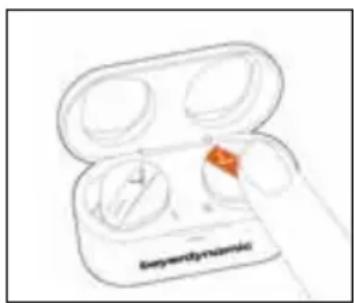
While the earphones are in the charging case, tap the left or right Touch twice and hold the second time ( ) until the LEDs flash alternately orange and blue.
text_image
Seminlymphonic2 Select Free BYRD in the pairing list on your smartphone.

natural_image
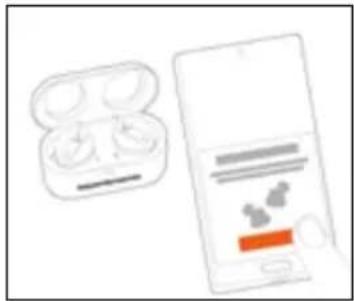
Illustration of a smartphone displaying a card with an orange stripe (no text or symbols visible)To perform Google Fast Pair®
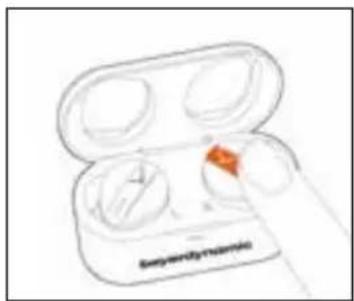
While the earphones are in the charging case, tap Touch twice and hold the second time (●) until the LEDs flash alternately orange and blue.
text_image
Syraridysinamide② In pairing mode, bring the earphones close to a Fast-Pair-enabled smartphone.
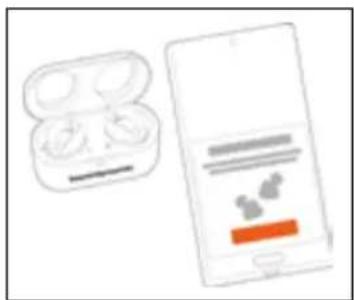
natural_image
Illustration of a smartphone with two earbuds and a screen showing app icons (no text or symbols)3 Tap on Connect in the smartphone.
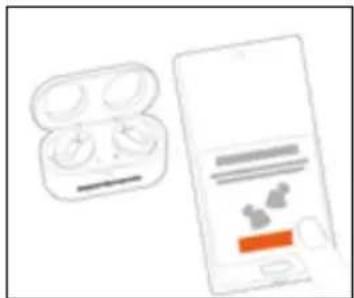
natural_image
Illustration of a pair of wireless earbuds and a smartphone displaying a small screen with icons (no text or symbols)To delete the pairing list
While the earphones are in the charging case, tap the left or right Touch twice and hold the second time (6 s) until the LEDs flash yellow three times.
The list of already paired Bluetooth ^® devices (maximum 6) is deleted, and the in-ear headphones switch to the Bluetooth ^® pairing mode.
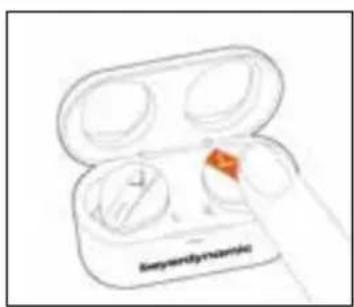
text_image
Ethernet earbellPlaying media
To start / pause playback:
Tap once to start or stop sound reproduction.
To switch between noise cancelling (ANC) and transparency mode
Tap twice to switch between active noise cancellation (ANC) and transparency mode.
Noise cancellation and transparency mode can be deactivated in the MIY App.
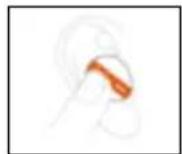

Playing the previous / next track
Tap left three times (●●) to play the previous track.
Tap right three times (●●●) to play the next track.
Switching on voice assistant
To switch on voice assistant:
Tap and hold once) to activate the voice assistant.
To use the Alexa voice assistant, you must select it once in the MIY App.
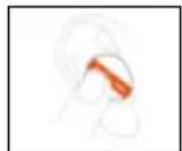

Adjusting the volume
To increase / decrease the volume:
To increase the volume, tap twice right and hold the second time (●).
To decrease the volume, tap twice left and hold the second time (●)
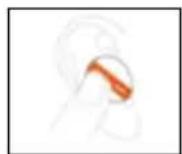
Making a call
| Accept incoming call ▶ tap once ( ) | |
| Reject incoming call | ▶ tap and hold once(—) |
| End active call | ▶ tap and hold once(—) |
| Accept incoming call and hold active call | ▶ tap once (●) |
| Reject second incoming call | ▶ tap and hold once (—) |
| Switch between two calls | ▶ tap once (●) |
| End active call and switch to held call | ▶ tap and hold once (—) |
Resetting to factory settings
All personal data is deleted if the device is reset to the factory settings!
To reset to factory settings:
While the earphones are in the charging case, tap the left or right Touch twice and hold the second time ( >10 s) until the LEDs flash red three times.
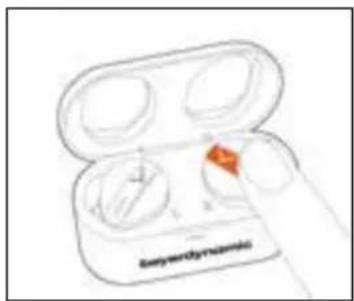
text_image
Antigen(Enzyme)Peer Pairing
To pair new earphones (e.g. when replacing defective or lost earphones), both sets of earphones must be reset to factory settings so that they can connect.
During peer pairing, the LEDs on the earphones flash rapidly blue.
Overview of operating functions
| FUNCTION - EARPHONES IN EARS OPERATION | |
| To start / stop media playback | ▶ tap once (●) |
| To switch between noise cancelling (ANC) and transparency mode | ▶ tap twice( ) |
| Playing the previous track | ▶ Tap left three times (●●●) |
| Playing the next track | ▶ Tap right three times (●●●●) |
| To switch on voice assistant | ▶ tap and hold once (—) |
| To accept an incoming call ▶ tap once ( | ●) |
| To reject an incoming call / end an ongoing call | ▶ tap and hold once( ) |
| To increase volume | ▶ tap twice right and hold the second time (●) |
| To decrease volume | ▶ tap twice left and hold the second time (●—) |
| FUNCTION - BOTH EARPHONES IN THE CHARGING CASE | OPERATION |
| To switch to Pairing mode | ▶ tap twice and hold the second time (●,2 s) |
| To delete the pairing list | ▶ tap twice and hold the second time (●,6 s) |
| To reset to factory settings | ▶ tap twice and hold the second time (●,>10 s) |
HELP WITH PROPLEMS / FAQ
Answers to the most common problems and questions can be found at the following internet address: https://www.beyerdynamic.com/free-byrd
DISPOSAL
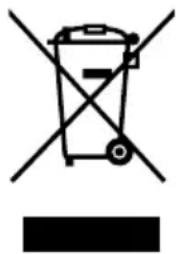
This symbol on the product, in the operating instructions or on the packaging means that the electrical and electronic devices must be disposed of separately from household waste at the end of their life cycle.
▶ Always dispose of used devices in accordance with the regulations in force.
In the EU, please use the recycling collection systems for this. To return old devices, batteries and rechargeable batteries, you have free collection points and a free return to beyerdynamic available to you, together with other recycling acceptance points where applicable. You can obtain the addresses of collection points for public waste disposal from your local authority. For further information, please contact your local authority or the dealer from whom the product was purchased.
natural_image
Symbol of a trash bin with crossed lines indicating no waste or restriction, and a solid black rectangle below (no text or labels)Battery disposal
▶ Dispose of batteries separately from the product after use in accordance with the regulations in force. They must not be disposed of in household waste. Returning batteries is free of charge.
▶ Discharge the batteries before disposal.
Non-destructive removal of the battery by the end user is not possible with this product. Please contact beyerdynamic or consult independent specialists.
EU/UK DECLARATION OF CONFORMITY
beyerdynamic hereby declares that this radio transmission device complies with the EU Directive 2014/53/EU and the UK Directive “The Radio Equipment Regulations 2017”.
The full text of the EU/UK declaration of conformity can be found on the Internet at: www.beyerdynamic.com/cod
TECHNICAL DATA
Bluetooth® frequency range 2.402–2.480 GHz
Transmitting power 7 dBm (Bluetooth®)
2 dBm (Bluetooth® LE)
Operating temperature range -10 to +60 °C
Charging temperature range 0 to +45 °C
▶ More detailed information on the technical data can be found on the internet at: www.beyerdynamic.com.
WARRANTY CONDITIONS
beyerdynamic provides a limited warranty for the original beyerdynamic product purchased.
Detailed information about beyerdynamic's warranty conditions can be found on the internet at: www.beyerdynamic.de/service/garantie
THIRD PARTY LICENSES
For more information on 3rd party licenses, please go to:
https://www.beyerdynamic.com/media/downloads/headphones/manual/Licenses
FreeByrd.md
REGISTERED TRADEMARKS
The Bluetooth® word mark and logos are registered trademarks of Bluetooth® SIG, Inc. and any use of such marks by beyerdynamic is under licence. Other trademarks and trade names belong to their respective owners.
USB type A, USB type B and USB type C are trademarks of USB Implementers.
The symbol and the name “Qi” are registered trademarks of the Wireless Power Consortium.
FCC / IC REGULATION
FCC ID: OSDFREEBYRD
NOTE: This equipment has been tested and found to comply with the limits for a Class B digital device, pursuant to Part 15 of the FCC Rules. These limits are designed to provide reasonable protection against harmful interference in a residential installation. This equipment generates, uses and can radiate radio frequency energy and, if not installed and used in accordance with the instructions, may cause harmful interference to radio communications. However, there is no guarantee that interference will not occur in a particular installation. If this equipment does cause harmful interference to radio or television reception, which can be determined by turning the equipment off and on, the user is encouraged to try to correct the interference by one or more of the following measures::
Reorient or relocate the receiving antenna.
Increase the separation between the equipment and receiver.
Connect the equipment into an outlet on a circuit different from that to which the receiver is connected.
Consult the dealer or an experienced radio/TV technician for help.
NOTICE:
This device complies with Part 15 of the FCC Rules [and with Industry Canada licence exempt RSS standard(s)].
Operation is subject to the following two conditions:
this device may not cause harmful interference, and
this device must accept any interference received, including interference that may cause undesired operation.
Changes or modifications made to this equipment not expressly approved by BeyerDynamic may void the FCC authorization to operate this equipment.
NOTICE:
This Class B digital apparatus complies with Canadian ICES-003.
Radio frequency radiation exposure information:
For body worn operation, this radio frequency device has been tested and meets the FCC RF exposure guidelines when used within a minimum distance to the human body.
Most users do not need a license to operate this wireless microphone system. Nevertheless, operating this microphone system without a license is subject to certain restrictions: the system may not cause harmful interference; it must operate at a low power level (not in excess of 50 milliwatts); and it has no protection from interference received from any other device.
Purchasers should also be aware that FCC is currently evaluating use of wireless microphone systems, and these rules are subject to change.
For more information, call the FCC at 1-888-CALL-FCC (TTY: 1-888-TELL-FCC) or visit the FCC's wireless microphone website at www.fcc.gov/cgb/wirelessmicrophones.
This device operates on a no-protection, no-interference basis. Should the user seek to obtain protection from other radio services operating in the same TV bands, a radio licence is required. For further details, consult Innovation, Science and Economic Development Canada's document Client Procedures Circular CPC-2-1-28,
Voluntary Licensing of Licence-Exempt Low-Power Radio Apparatus in the TV Bands.
This device contains licence-exempt transmitter(s)/receiver(s) that comply with Innovation, Science and Economic Development Canada's licence-exempt RSS(s). Operation is subject to the following two conditions:
(1) This device may not cause interference.
(2) This device must accept any interference, including interference that may cause undesired operation of the device.
natural_image
Abstract black Y-shaped line on white background (no text or symbols)beyerdynamic
FREE BYRD
natural_image
Simple line drawing of a hand holding an ant with a red circular highlight (no text or symbols)natural_image
Simple line drawing of two objects with arrows pointing to them, no text or symbols present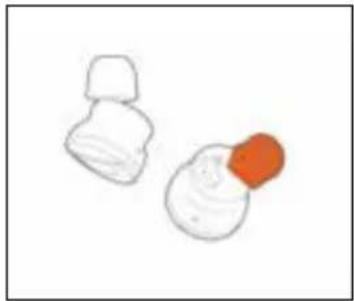
natural_image
Simple line drawing of two food items: a white dumpling and a red onion (no text or symbols)natural_image
Diagram of a human ear with a circular arrow indicating rotation or movement (no text or symbols)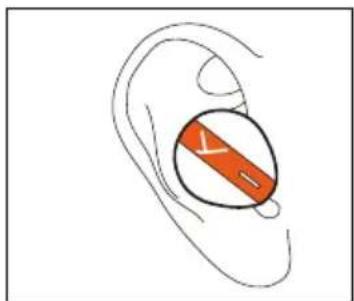
natural_image
Illustration of a human ear with an orange circular device embedded in the ear area (no text or symbols)Akkus aufladen
natural_image
Simple line drawing of a container with an orange arrow pointing to it, no text or symbols present.text_image
MY Download on the App Store
text_image
MY GET IT ON Google PlaySOFTWARE-UPDATE
natural_image
Illustration of a smartphone displaying a card with orange stripe (no text or symbols visible)natural_image
Illustration of a smartphone with two earbuds and a screen showing app icons (no text or symbols)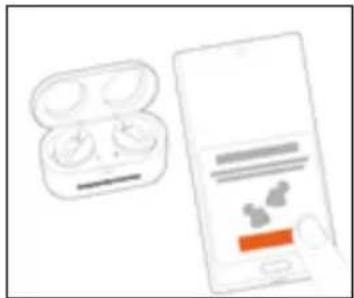
natural_image
Illustration of a smartphone with two earbuds and a charging case, no text or symbols present.https://www.beyerdynamic.com/free-byrd
ENTSORGUNG
natural_image
Symbol of a trash bin crossed with a diagonal line, no text or numbers presentAkkus entsorgen
natural_image
Abstract black Y-shaped line on white background (no text or symbols)beyerdynamic
FREE BYRD
ÉCOUTEURS TRUE WIRELESS
MODE D'EMPLOI
SOMMAIRE
CONSIGNES DE SÉCURITÉ....41
MISE AU REBUT ....53
DÉCLARATION DE CONFORMITÉ UE....53
CARACTÉRISTIQUES TECHNIQUES 54
CONDITIONS DE GARANTIE....54
MARQUES 54
natural_image
Simple line drawing of a hand holding an ant with a red circular highlight (no text or symbols)natural_image
Simple line drawing of two mechanical components with orange arrows indicating motion or force (no text or symbols)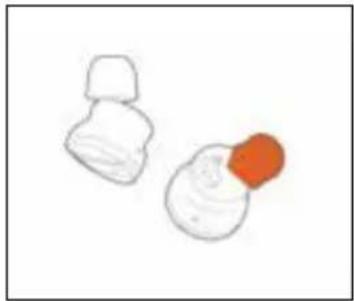
natural_image
Simple line drawing of two white objects with one orange, no text or symbols presentnatural_image
Diagram of a human ear with a circular arrow indicating rotation or movement (no text or symbols)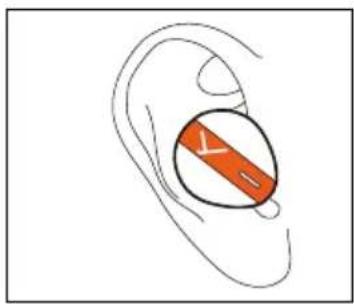
natural_image
Illustration of a human ear with an orange circular object inside, no text or symbols presentnatural_image
Simple line drawing of a container with an orange droplet inside, emitting a spray bottle (no text or symbols)text_image
Downloaded on the App Store GETT ON Google Play MY
text_image
MY Download on the App Store
text_image
MY GOTTON Google PlayMISE À JOUR DU LOGICIEL
text_image
Syracyclosteric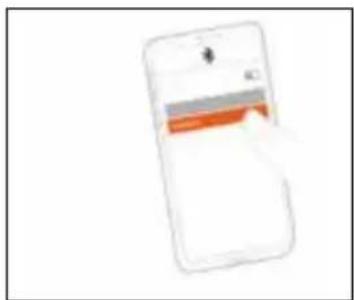
natural_image
Illustration of a smartphone displaying a card with orange stripe (no text or symbols visible)text_image
Averyredlymphem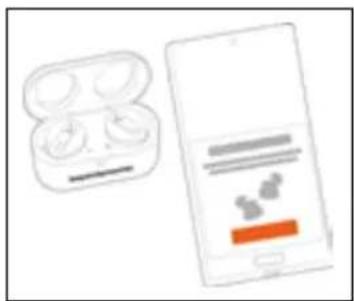
natural_image
Illustration of a smartphone with two earbuds and a screen showing app icons (no text or symbols)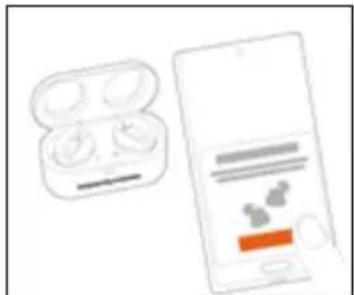
natural_image
Illustration of an open earbuds and a smartphone displaying a product page with icons (no text or symbols on the devices)https://www.beyerdynamic.com/free-byrd
MISE AU REBUT
natural_image
Symbol of a trash bin with crossed lines indicating no waste or restriction, and a solid black rectangle below (no text or labels)DÉCLARATION DE CONFORMITÉ UE
CONDITIONS DE GARANTIE
natural_image
Abstract black Y-shaped line on white background (no text or symbols)beyerdynamic
FREE BYRD
AURICULARES TRUE WIRELESS
INSTRUCCIONES DE USO
ÍNDICE
natural_image
Simple line drawing of a hand holding an ant with a red circular highlight (no text or symbols)natural_image
Two hand-drawn diagrams showing a hand holding a small object with an orange tip, above and below (no text or symbols)natural_image
Diagram of a human ear with a circular arrow indicating rotation or movement (no text or symbols)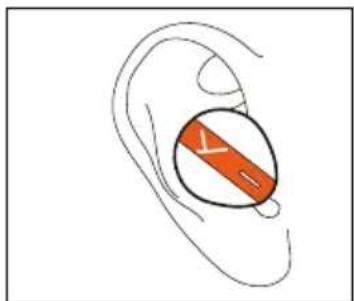
natural_image
Illustration of a human ear with an orange circular object labeled 'Y' on the inner ear (no text or symbols beyond the label)Carga de baterías
natural_image
Simple line drawing of a container with an orange arrow pointing to it, connected by a pipe (no text or symbols)text_image
MY Download on the App Store
text_image
MY GETION Google Playnatural_image
Illustration of a smartphone displaying a card with an orange stripe (no text or symbols visible)natural_image
Illustration of an open earbuds and a smartphone displaying a product screen (no text or symbols visible)natural_image
Illustration of a smartphone displaying a cloud app interface with a pair of earbuds and a battery pack (no text or symbols visible)natural_image
Abstract logo design featuring a stylized orange ear and the letters MY (no text or symbols in the graphic)Ajuste del volumen
text_image
Antenna/DeltaPeer Pairing
https://www.beyerdynamic.com/free-byrd
ELIMINATIÓN
natural_image
Symbol of a trash bin with no text or labels, crossed by two diagonal lines and a solid black rectangle below (no text or symbols present)natural_image
Abstract black Y-shaped line on white background (no text or symbols)beyerdynamic
FREE BYRD
AURICOLARI TRUE WIRELESS
ISTRUZIONI D'USO
CONTENUTO
AVVERTENZE PER LA SICUREZZA....73
Uso previsto....73
natural_image
Simple line drawing of a hand holding an ant with a red circular highlight (no text or symbols)natural_image
Two hand-drawn diagrams showing a hand holding a small object with an orange tip, above and below (no text or symbols)natural_image
Diagram of a human ear with a circular arrow indicating rotation or movement (no text or symbols)text_image
Diagram of a human ear with an orange circular device labeled 'V' on the inner ear areanatural_image
Simple line drawing of a container with an orange droplet inside, emitting a spray bottle (no text or symbols)text_image
MY Download on the App Store
text_image
MY GET ON Google PlayAGGIORNAMENTO DEL SOFTWARE
natural_image
Illustration of a smartphone displaying a card with orange stripe (no text or symbols visible)natural_image
Illustration of a smartphone with an open earbuds and a close-up of its screen showing app icons (no text or symbols)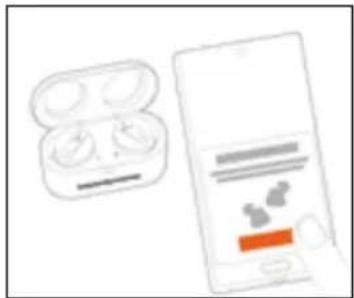
natural_image
Illustration of a smartphone with two earbuds and a close-up of its screen showing app icons (no text or symbols)https://www.beyerdynamic.com/free-byrd
SMALTIMENTO
natural_image
Symbol of a trash bin with crossed lines indicating no waste or restriction, and a solid black rectangle below (no text or labels)natural_image
Abstract black Y-shaped line on white background (no text or symbols)beyerdynamic
FREE BYRD
natural_image
Simple line drawing of a hand holding an orange object (no text or symbols)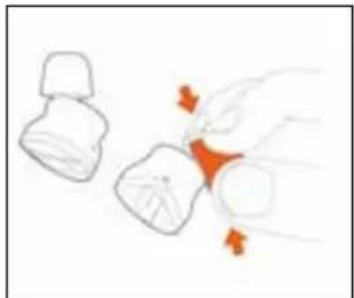
natural_image
Simple line drawing of a hand holding a small object with orange accents, next to two smaller objects (no text or symbols)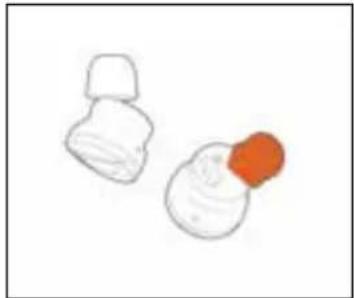
natural_image
Simple line drawing of two white objects with orange centers, resembling food items or containers (no text or symbols)natural_image
Illustration of a human ear with a circular arrow indicating rotation or movement (no text or symbols)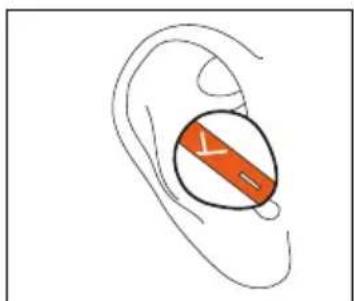
natural_image
Illustration of a human ear with a highlighted orange band (no text or symbols)Зарядка батарей
natural_image
Simple line drawing of a container with an orange droplet inside, emitting a spray bottle (no text or symbols)text_image
MY Download on the App Store
text_image
MY GETITON Google Playnatural_image
Illustration of a smartphone displaying a card with orange stripe (no text or symbols visible)natural_image
Illustration of a smartphone with an open earbuds and a close-up of its screen showing app icons (no text or symbols)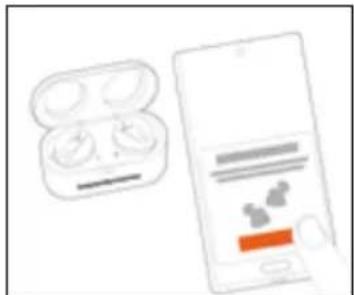
natural_image
Illustration of an e-buds and a smartphone displaying a product page (no text or symbols visible)text_image
Seyenlydynamictext_image
AnkyndrynePeer Pairing
https://www.beyerdynamic.com/free-byrd
УТИЛИЗАЦИЯ
natural_image
Symbol of a trash bin crossed with a diagonal line, no text or labels presentnatural_image
Abstract black Y-shaped line on white background (no text or symbols)beyerdynamic
FREE BYRD
TRUE WIRELESS 이어폰
사용 설명서
목차
안전상의 주의사항....105
규정에 따른 사용 105
볼륨 설정....105
외부 소리 인지 능력 감소 106
소리 인지 능력 변화....106
청소 106
삼킬 위험....106
전원 및 연결 케이블 106
배터리 사용....106
환경 조건....107
본 설명서 정보....107
제공 범위....107
첫 번째 단계....107
포장 풀기 및 보관....107
이어탑 사용 및 조절 108
귀에 이어폰 착용....109
배터리 충전....110
beyerdynamic MIY 앱 111
소프트웨어 업데이트....112
재생 장치 호환성 112
지원되는 오디오 코덱 112
조작....112
natural_image
Simple line drawing of a hand holding an object with a red-orange highlight (no text or symbols)품 이어팀 사용
natural_image
Two hand-drawn diagrams showing a hand holding a small object with an orange tip, above and below (no text or symbols)natural_image
Diagram of a human ear with a circular arrow indicating rotation or movement (no text or symbols)natural_image
Illustration of a human ear with an orange circular object inside, no text or symbols present배터리 충전
text_image
beyedynamicnatural_image
Simple line drawing of a container with an orange arrow pointing to it, connected by a pipe (no text or symbols)text_image
MY Download on the App Store
text_image
MY GETTOM Google Play소프트웨어 업데이트
natural_image
Illustration of a smartphone displaying a card with orange stripe (no text or symbols visible)Google Fast Pair® 실행
natural_image
Illustration of a smartphone displaying an e-wire with app icons, alongside a closed earbund (no text or symbols)natural_image
Illustration of a pair of wireless earbuds and a smartphone displaying app icons (no text or symbols)페어링 목록 삭제
text_image
S CyberdynamicsPeer Pairing
https://www.beyerdynamic.com/free-byrd
폐기
natural_image
Symbol of a trash bin crossed with no visible text or labels배터리 폐기
natural_image
Abstract black Y-shaped line on white background (no text or symbols)beyerdynamic
FREE BYRD
TRUE WIRELESS イヤホン
取扱説明
目次
安全上のご注意....119
適切な使用方法 119
音量設定....119
周囲騒音の低減 120
音響知覚の変化 120
清掃 120
誤飲の危険....120
電源および接続ケーブル 120
バッテリーの使用....120
周囲環境条件....121
この説明書について....121
納品範囲....121
初めてのご使用....121
開封と収納 121
イヤーピースの使用と適合 122
イヤホンを耳に入れる....123
バッテリーの充電....124
natural_image
Simple line drawing of an ant with a red-orange highlight on its body (no text or symbols)スポンジ製イヤーピースの使用
natural_image
Simple line drawing of three abstract shapes with orange highlights (no text or symbols)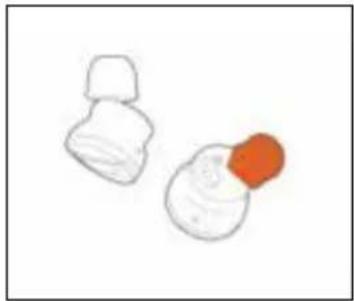
natural_image
Simple line drawing of two white objects with one orange, no text or symbols presentnatural_image
Diagram of a human ear with a circular arrow indicating rotation or movement (no text or symbols)natural_image
Illustration of a human ear with an orange circular object inside, no text or symbols presentバッテリー の 充電
natural_image
Simple line drawing of a container with an orange arrow pointing to it, no text or symbols present.text_image
MY Download on the App Store
text_image
MY GETRON Google Playソフトウェアのアップデート
natural_image
Illustration of a smartphone screen with a hand interacting with the screen (no visible text or symbols)natural_image
Illustration of an open earbuds and a smartphone displaying a blue screen with icons (no text or symbols)natural_image
Illustration of a smartphone displaying an e-branded earbuds and a mobile app interface (no text or symbols visible)ペアリングリストを削除する
https://www.beyerdynamic.com/free-byrd
廃棄
text_image
Diagram showing a trash bin crossed out by two crossed lines, with a black rectangle below and a fragment labeled '黑' (black) on the left.natural_image
Abstract black Y-shaped line on white background (no text or symbols)beyerdynamic
FREE BYRD
TRUE WIRELESS 入耳式耳機
操作說明
目錄
安全說明....133
一般使用說明....133
調整音量....133
降低外部聲音....133
改變聽覺感知....133
清潔 133
吞食風險....134
電纜及連接線纜 134
電池使用....134
環境條件....134
操作說明內容....135
隨機清單....135
首要事項....135
拆封及日常收納 135
佩戴和調節耳筒套....136
natural_image
Illustration of a hand holding an insect, with no visible text or symbols使用泡棉耳筒套
natural_image
Illustration of a hand placing a red object into a small container (no text or symbols)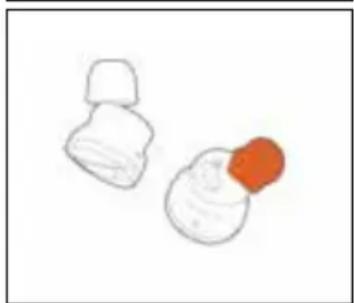
natural_image
Simple line drawing of two white objects with a red circular object on the right (no text or symbols)text_image
Diagram illustrating ear rotation with a circular arrow indicating clockwise motion around the ear area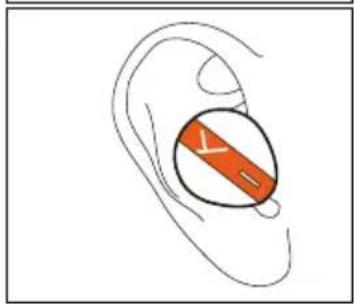
text_image
Diagram of a human ear with an orange highlighted section labeled 'Y' and 'S'為電池充電
natural_image
Simple line drawing of a container with an arrow pointing to it, no text or symbols presenttext_image
MY Download on the App Store
text_image
MY GETRON Google Play軟體更新
- aptX™ Adaptive
- aptX™
- AAC
- SBC
text_image
Mobile phone screen displaying a payment interface with orange buttons and a logonatural_image
Illustration of a smartphone and an open earbuds device (no text or symbols visible)③ 在智慧型手機上點擊連接。
natural_image
Illustration of a pair of wireless earbuds and a smartphone displaying a product screen (no text or symbols visible)刪除配對清單
https://www.beyerdynamic.com/free-byrd
廢棄處理
natural_image
Symbol of a trash bin crossed with two crossed lines and a solid black rectangle below (no text or labels)電池廢棄處理
For further distributors worldwide, please go to www.beyerdynamic.com
Non-contractual illustrations. Subject to change without notice.