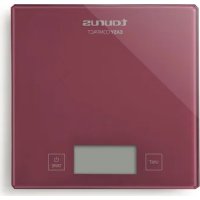
Easy Compact - Kitchen scale TAURUS - Free user manual and instructions
Find the device manual for free Easy Compact TAURUS in PDF.



| Product type | Kitchen scale |
| Brand | Taurus |
| Model | Easy Compact |
| Power supply | 1 CR2032 3V button cell battery |
| Display | LCD screen |
| Weighing capacity | 5 kg (estimated) |
| Accuracy | 1 g (estimated) |
| Main functions | On/Off, Tare, Unit selection (kg/lb/st/oz), Auto-off |
| Unit selection | kg, lb, st, oz |
| Weighing platform | Included |
| Material | Plastic and glass (estimated) |
| Cleaning | Damp cloth, do not immerse |
| Safety | Use under supervision for children under 8 years, do not exceed capacity |
| Use | Household only, not for professional use |
| Warranty | Compliant with applicable legislation |
| Standards | Directive 2014/30/EU and 2011/65/EU |
| Included accessories | CR2032 battery |
| Maintenance | Remove battery if not used for extended period |
Frequently Asked Questions - Easy Compact TAURUS
User questions about Easy Compact TAURUS
0 question about this device. Answer the ones you know or ask your own.
Ask a new question about this device
Download the instructions for your Kitchen scale in PDF format for free! Find your manual Easy Compact - TAURUS and take your electronic device back in hand. On this page are published all the documents necessary for the use of your device. Easy Compact by TAURUS.
USER MANUAL Easy Compact TAURUS
ECOLOGÍA Y RECICLABI-LDAD DEL PRODUCTO
Many thanks for choosing to purchase a Taurus brand product.
Thanks to its technology, design and operation and the fact that it exceeds the strictest quality standards, a fully satisfactory use and long product life can be assured.
-
Read these instructions carefully before switching on the appliance and keep them for future reference. Failure to follow and observe these instructions could lead to an accident.
-
Clean all the parts of the product that will be in contact with food, as indicated in the cleaning section, before use.
SAFETY ADVICE AND WARNINGS
-
This appliance can be used by children aged from 8 years and above and persons with reduced physical, sensory or mental capabilities or lack of experience and knowledge if they have been given supervision or instruction concerning use of the appliance in a safe way and understand the hazards involved.
-
This appliance is not a toy. Children should be supervised to ensure that they do not play with the appliance.
- Cleaning and user maintenance shall not be made by children unless they are supervised.
-
Do not use the appliance if it has fallen on the floor, if there are visible signs of damage or if it has a leak.
-
Avoid all contact with the liquid that could be released from the battery. In case of contact with eyes, wash them thoroughly and seek medical advice. The liquid spilled from the battery may cause irritation or burns.
-
Keep the working area clean and well lit. Cluttered and dark areas invite accidents.
-
Do not place the appliance on hot surfaces, such as cooking plates, gas burners, ovens or similar.
-
Do not place the appliance in an oven cavity or similar.
-
The appliance must be used and placed on a flat, stable surface.
-
Place the appliance on a horizontal, hard, rigid, flat, stable surface that is free from vibrations. Avoiding any contact of the weighing area with walls or other objects not to be weighed. Otherwise, it will not show the right weight.
USE AND CARE:
-
Do not use the appliance if the on/off switch does not work.
-
Do not overload the appliance's weight capacity.
-
Remove the batteries from the appliance if you are not going to use it for some time.
-
This appliance is for household use only, not professional, industrial use.
-
This appliance isn't valid for trade.
-
Store this appliance out of reach of children and/or persons with physical, sensory or reduced mental or lack of experience and knowledge.
-
Do not open the battery/ies under any circumstances whatsoever.
-
When the battery/ies is not in use, keep it away from other metal objects like paper clips, coins, keys, screws ... that could connect a terminal to another.
-
Do not short-circuit the battery terminals as this may cause an explosion or fire.
-
The battery/ies should be
stored at a temperature of below 40^
- Use the device only with the battery/ies for which has been specifically designed. The use of any other battery/ies can cause an explosion or fire hazard.
SERVICE:
-
Make sure that the appliance is serviced only by specialist personnel, and that only original spare parts or accessories are used to replace existing parts/accessories.
-
Any misuse or failure to follow the instructions for use renders the guarantee and the manufacturer's liability null and void.
DESCRIPTION
A Weighing platform
B LCD screen
C On/Off/TARE button
D Unit selector button
E Battery case lid
If the model of your appliance does not have the accessories described above, they can also be bought separately from the Technical Assistance Service.
ASSEMBLING THE BATTERY/S
- Caution: During the handling of batteries, do not touch both poles at the same time, as this will provoke the partial discharge of the stocked energy therefore affecting longevity.
- Remove the cover of the battery compartment.
- Check that the plastic covering that protects the battery has been removed (some batteries are sold with a protective covering).
- Put the battery in its compartment, respecting the polarity. (Fig. 1).
- Replace the cover of the battery compartment.
- It is essential that the batteries should always be the same kind and the same charge. Never mix alkaline batteries with normal one (Carbon-Zinc) and/or rechargeable ones.
- N.B. When changing the batteries, the configuration of the appliance will be removed, and you will need to reset the parameters of the appliance.
INSTRUCTIONS FOR USE
BEFORE USE:
-
Make sure that all products' packaging has been removed.
-
Before using the product for the first time, clean the parts that will come into contact with food in the manner described in the cleaning section.
WEIGHING UNITS SELECTOR KG/LB/ST/OZ/:
- The appliance has a selector of weighing units; put the selector in the position according to those units you want to work with. (Fig.2).
USE:
-
Turn the appliance on, by using the on/off button, and wait for the screen to show 0,0.
-
Place the items to be weighed in the middle of the appliance's bowl or weighing platform, avoiding sudden movement or contact with other objects, until the appliance shows the weight.
-
To avoid inaccurate results caused by electromagnetic interference between electrical and electronic equipments, do not use this appliance near to a cell phone or microwave oven.
WEIGHING UNITS SELECTOR FUNCTION KG/LB/ST/OZ/LB-OZ....
- The appliance has a selector of weighing units; put the selector in the position according to those units you want to work with. To do so, press the "unit" button, the measuring unit selected will then be shown on screen one after the other. (Fig.2).
TARE FUNCTION:
-
The appliance includes a tare function. This function is useful for weighing different items one after the other, without having to remove everything from the weighing platform each time.
-
For example, if you want to weigh 100g of flour and 25g of water, you can weigh the 100g of flour and then, by pressing on the tare button, reset the screen to 0.0, so as to weigh the 25g of water.
STAND-BY FUNCTION:
-
In order to save energy, the appliance passes to stand-by after few seconds if the user does not use it.
-
To return to normal operation simply press the appliance's on/off button.
ONCE YOU HAVE FINISHED USING THE APPLIANCE:
- Turn the appliance off using the on/off switch for few seconds.
- Remove the battery from the appliance if you are not intending to use the appliance during an extended period.
- Clean the appliance.
SPECIAL MESSAGES:
- The following messages can appear on the screen:
- Err: means that the appliance's capacity has been exceeded.
- Lo: means that the battery has to be changed/recharged.
CLEANING
- Clean the equipment with a damp cloth with a few drops of washing-up liquid and then dry.
- Do not use solvents, or products with an acid or base pH such as bleach, or abrasive products, for cleaning the appliance.
- Do not let water or any other liquid get into the air vents to avoid damage to the inner parts of the appliance.
- Never submerge the appliance in water or any other liquid or place it under running water.
SUPPLIES
- Only the following type of supplies must be used with the appliance (Fig.3).
- Batteries: 3V CR2032
- These supplies are available in specialist shops.
ANOMALIES AND REPAIR
- Take the appliance to an authorised technical support service if product is damaged or other problems arise. Do not attempt to disassemble or repair the appliance yourself as this may be dangerous.
FOR EU PRODUCT VERSIONS AND/OR IN CASE THAT IT IS REQUESTED IN YOUR COUNTRY:
ECOLOGY AND RECYCLABILITY OF THE PRODUCT
-
The materials of which the packaging of this appliance consists are included in a collection, classification and recycling system. Should you wish to dispose of them, use the appropriate public recycling bins for each type of material.
-
The product does not contain concentrations of substances
that could be considered harmful to the environment.
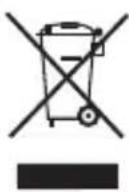
This symbol means that in case you wish to dispose of the product once its working life has ended; take it to an authorised waste agent
for the selective collection of Waste from Electric and Electronic Equipment (WEEE).

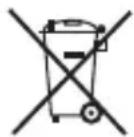
This symbol means that product may include a battery or batteries; user must to
remove them before disposing of the product. Remember that batteries must be disposed of in duly authorised containers. Do not dispose of them in fire.
This appliance complies with Directive 2014/30/EU on Electromagnetic Compatibility and Directive 2011/65/EU on the restrictions of the use of certain hazardous substances in electrical and electronic equipment.
François
Balance de cuisine
Easy compact
Cher Client,
DLA URZADZEN WYPRODUKOWANYCH W UNII EUROPEJSKIEJ I W PRZYPADKU WYMAGAN PRAWNYCH OBOWIAZUACYCH W DANYM KRAJU:
EKOLOGIA I ZARZADZANIE ODPADAMI
XPHESH KAI SYNTHPHESH:
EcnBaSha MoeJIb He yKOMnIeKToBaHa HxHNoi Bam npHaJneJExKHOCTbIO, ee MOxHo npNo6peCTN OTdJIbHO uepe3 cny6by TexHnuecko IODepKKn.
YCTAHOBKA BATEPEEK:
-BHIMAHNE! BcTaBnaJ 6batapeiKn, He npKacaiTecb K OBeM NOpIocam B OdHo NTO Xe Bpem, TaK KaK 3TO Bbl3OBet YactuHbI pa3Pd IMeUoSeiCBA HIX 3Heprn IN IOBIIaRt Ha DOJIROBeHuOCTb 6batapeek.
- CHIMNTE KpbIuKy cOTceKa dJa 6aTaapeek
- Y6eIntecb, yTO nIpaTnKOBoe NOKpbITHe, 3aUuuaOuuee aKKymyJrTop, 6bIIO ydaJIeHO (HeKOTOpbIe aKKymyJrTopbl npOdaIOTcR C 3aUHTbIM NOKpbITnEM).
- BcTaBbTe aKKyMnyTOp B OTeK, c6JIIOJa nOJIaRHOCTb (Fig.1).
- YCTHABNTe Ha MeCTO KpbIuKy 6atapeHoro OTceKa.
- BaxHo, yTo6bI 6aTapeiKn
Bcerda 6bIIN ODHOROTOJKe TnPa N IMeIOnDA He BCTaBJIaNTeODHOpeMeHNO UeIOUHbIE6TaPeEN CObbUHbIMN(yoJIbHO-UNHKOBbie) / nIaKKyMylrTOPbIMN.
-BHIMAHHe!Pn3aMeHe 6atapeek KOHfNrgpauzna yctpoiCTBa 6yDet ydaJeHa, n Bam Heo6xOJMo 6yDet c6pocntb npametpbI np6opa.
NcNoJIb3OBAHHe HeKOTOpbIX
ONaCHbIX BeLcECTB
3JIeKTpUpeCKOM 3JIeKTpOHHOM
obopydoBaHn.

3TOT 3HaQOK 03HaQaeT,
UTO NOCJIe OKOHuaHnA
cpoKa cnyX6bln
ytniN3aun
ənkeKtpo npu6opa
OTHECNTe eRO B nyHKT
c6opa 3JIeKTpnuYeCKnX n
3NeKtpoHHbIX OTxoIDOB (WEEE)
3TOT CUMBOJ O3HaayaeT,
UTo npBOp MOKeT
IMetb aKKymyTApTOp
HNECKOJIbKO
aKKymyIaTOPOB; NOJIb3OBaTeJIb
D0JKeHn3Bneuebnxpepe
ytnn3aunen npnbopa.
POMHnTe, yTo aKKymyJrTOpbI
OJXHbI 6bITb Bbl6poUeHbI
TOnbKO B CneuaJIbHO
npeHa3HaueHHeIg 3TOrO
KoHTeHepbI. He 6pocaiTe nx
B OROHb.
ДанныnpборВылнHeH
B COOTBETCTBNN C
DinpeKTHBOI 2014/30/
EU no 3JNeKTpomarHnTHoH
COBMECTHMOCTN IN DInpeKTHBOI
2011/65/EU, orpaHnUbaUoJe
Româna
Cantar de bucătărie
Easy compact
Stimate client,
CbBETN IN PPeDyPPEJDEHnA 3A B630PACHOCT.
- To3n ypei moKe da 6bJe n3noJ3BaH ot Xopa, Heymeeu Ida 6opabTc T03n BnI npOyKTI, Xopa C cHn3nueckn YBpejdaHnI nn Deua Had 8 rOdnH, Ho Camo I eINHCTBeHO aKO Ce HAMpaT NOd NaD3Opa Ha HAKO Bb3pacteH OBEk IJIaKO ppeDbapnteJIHO IM e o6aCHeHO kaK 6e3OpacHo Da n3NoJ3BaT ypeDa, a cbsoN
ako pa3bnpaT haInuHnTe pnCKOBe.
- Ypei bT He e nIgpaUka. Deuata cIeDba da ce HAMipat PoiHnA3Op, TaKa Ye Da He cn IIgparT cypeHa.
- YpeiBTo MoKe Da 6bIe NocntBaH nIIN POndRpKkata My Da 6bIe N3BbpWbHa oT
deca, eHnCTBeHo aKO ce HAMpaT noi Ha30pa Bb3pacteH yOBek.
-MoJr He n3noJI3BaIte ypeJa, aKO e npaI npn aKO nMa BnIMN CneiOn OT yBpeKdAHe.
-ИЗБЯВаITE KOHTaKT C TeUHOCTTA, KOrTo e Bb3MOxHO Da n3Teue ot 6atepna.T B CJIyauHa cIyuaeH KOHTaKT C OUYTe, He3a6abHo rN I3IIaKHeTe C BOda H NOcTeTe Iekap. TeUHocTTa, KoYTo MOKe Da n3Teue ot 6atepnaMoKe Da npedn3Bnka pa3dpa3HeHn IIN N3rapHnI.
-ПОДьржаite pa6OTHOTOMЯСТОчNTOиdo6peOCBETeHO.Pa3XBbPJIHnITEИТBMн MeCTa MoTДaDOBEdA T O 3JIONoJyKn.
- He nocTaBraIte ypeDa Bbpxy TOJIIN NOBbpxHOCTN KATO
HEN3ПРABHOCTN I PEMOHT
- B clyuaH ha Heu3npaBHOCT, MoJr OTHeceTe ypeDa BVOTOpuHaN cepBn3 3a TexHnuecko O6cnyXBaHe. MoJr He ce ONITBaIte Da pa3rIo6yBaTe ypeDa nII NbK da ro nonpaBYe - ToBa e onaCHO.
3A PA3HOBUNHOCTNE EU HA TOBA N3DEJNE N/INB CJIyUa, PNILOXIM 3A BAJATA CTPAHA:
To3n CmB0J O3Haayaba, Ye BbB BbTpewHOCTTa Ha
ypeMa MoKe Da NMa 6aTePnN, KOnTo Tp8Ba Da ce n3BaAdT, Ppei Da ce OCBo6OAnTe OT Hero. He 3a6paBraIte, Ye 6aTePnInTe Tp8Ba Ce n3XBbPJIrT B CneuHaHn KOHTeHepn N B HnKaBb CnyaH He CNeDBA Da CE XBbpIaT B OYbH.
To3n anapat e B cboTBetCTBne c DnpeKtNa 2014/30/ EU 3a eNeKtpomarHHTHa CbBMecTmOcT n DnpeKtNa 2011/65/EU 3a orpaHnueHnra T npu yNtpe6aTa Ha onpeJeHn OpanCHn BeIeCTBa B eNeKtpnuecknte n eNeKTPoHHn anapatn.
j0j j 10000000000000000000000000000000
jIaJI JJIi
:ddol
:JJI JSLJJAI JALJg
jglj jgsj ggegerr
yIbJ 1000 1/2
#
a 1500000000000000000000000000000000000000000
j4 = 1 又 a3 = 1 : 2 a_2 = 1
juaa aalaaeaaeae 1j0000000000000000000000000000000000000
aaii i 10
:dywUduIgO
.(.giF).aalalalglno gllgol y jlll lss
rr-rVCRr:egjno
aaiabj yib 3yqwU ayal algbl jgill i slj ci
Cuaauiy 4uie 1
a 100000000000000000000000000000000000000
y
auiib jgiw oolg aill
aia aaii iie e ie iie 15! iie jygi oioe g jgge gao pbi jjai liia aai jai ai oai oai
.ogglgjoo gj jswlil alolll yglal plwcl
ailljol jzjj jgllglblg
Jlloill jzrjne acllyi oos alil jy joi allyll jji ciS ldi jorll iia g
.(WEEE)a gSjg a lgl o jg 11 cai jao jiai jao Jg

j 1 j
j 1
oJb2 1go pluol uue EU/07/11.4 gig gublaagg jELU/EI/1-4 gjglal
a. g; y|y|g a.s|y|y| o.a.
.aaal 0aey allaal gil (aij-j-ss)
jglal slae! oale! ggrall jog jglal cldse! gaa aaiyab/ayraaill Jdaol ddo: aboXo
pUdoowyI ayyb
:JUauiuU aui g iLiizuo
1 1 1
a b c d e f g h i j k l m n o p q r s t
:aajgl/ugsw/Jej/5njjg
.(.giF)
= 10^2 - 25 × 25
j j 1
...aagj-1jg/ajg/ogw/1b/2jgglg g
Jz Jz jz jz gjg jz gjg jz gjg jz gjg jz
.(.giF).sulal aulal jaiu JtunUjJd u
:ccg1jjgddbg
.(a)afofofofofofofofofofofofofofofofofofofofofofofofofofofofofofofofofofofofofofofofofofofofofofofofofofofofofofofofofo
.(1.giF).jlll jlll aabll oolg zo, gaaa 1kkaa bll/laa /a
.1yjIJIJIJIJIJIJIJIOO 1000000000000000000000000000
aag aagaaagaaagaaagaaagaaagaaagaaagaaagaaagaaagaaagaaagaaagaaagaaagaaagaaagaaagaaagaaagaaagaaagaaagaaagaaagaaagaaagaaagaaagaaagaaagaaagaaagaaagaaagaaagaaagaaagaaagaaagaaagaaagaaagaa
A
Easy Compact
:00j1 j00
TAURUS aaiiaaiee iiaaae eae
jagab jaii lii jil oog jiae jggl ggl gll aalg lgl sall
.
JitaiyIg aiei Ij. Jiaatab1 3 4 5 6
o0a 10000000000000000000000000000000000000000
.
aLwJ 1
gol Gw A Joo joo Jab Jlaa Jaa
pIg I aiaiaiaiaiaiaiaiaiaiaiaiaiaiaiaiaiaiaiaiaiaiaiaiaiaiaiaiaiaiaiaiaiaiaiaiaiaiaiaiaiaiaiaiaiaiaiaiaiaiaiaiaiaiaiaiaiaiaiaiaiaiaiaiaiaiaiaiaiaiaiaiaiaiaiaiaiaiaia
Joozswb Jc bnnn nnnn nn nnnn nnnn nnnn nnnn nnnn nnnn nnnn nnnn nnnn nnnn nnnn nnnn nnnn nnnn nnnn nnnn nnnn nnnn nnnn nnnn nnnn nnnn nnnn nnnn nnnn nnnn nnnn nnnn nnnn nnnn nnnn nnnn nnnn nnnn
. 1
y pji y 15u a j 100 J 100 100
jJy jg
English WARRANTY and Technical Assistance
This product enjoys the recognition and protection of the legal guarantee in accordance with current legislation. To enforce your rights or interests you must go to any of our official technical assistance services.
You can find the closest one by accessing the following web link: http://taurus-home.com/
You can also request related information by contacting us.
You can download this instruction manual and its updates at http://taurus-home.com/
Français GARANTIE ET ASSISTANCE TECHNIQUE
cneyuoueBeb-cbInke:http:// taurus-home.com/
BbI TaKKe MoXeTe 3aNpocnTb COOTBeTCTByUOuYIO NHOpMaUIO, CBa3aBUnCb C HAMN (CM. NocJeHIO CTpaHnUy pyKOBoDCTBa).
BbIMoKeTe cKaaTaTb 3To pyKOBoDCTBO N O6HOBJeHnK Hemy no aDpecy http://taurushome.com/
Româna
GARANTIE ŞI ASISTENTÁ TEHNICA
Ederick Place, Accra-Ghana
302682448 / 302682404
Gibraltar
11 Horse Barrack Lane,
54000, Gibraltar
00350 200 75397 /
00350 200 41023
Greece
Sapfous 7-9, 10553, Athens
+30 21 0373 7000
Guinea
BP 206, GN, Conakry
(224) 622204545
Hong Kong
Unit H,13/F.,World Tech
Centre, Hong kong
(852) 2448 0116 / 9197 3519
Hungary
Kesmárk utca 11-13,
1158, Budapest
+3613704519
India
C-175, Sector-63, Noida,
Gautam Budh Nagar
201301, Delhi
(+91) 1204016200
Ivory Coast
01 Rue Des Carrossiers-Zone
3, B.P 3747, Abidjan 01 (RCI)
22521251820 / 225 21 353494
Jordan
28 Basman St Down town,
Amman
+962 6 46 222 68
Kuwait
P.O. BOX 3379 hawally,
32034, Hawally
+965 2200 1010
| Lebanon |
| Damascus Highway; Sciale |
| Building, Jamhour |
| 9615922963 |
| Luxembourg |
| Mariëndonstraße 5, 5154 EG, Elshout |
| 31620401500 |
| Mali |
| BP E2900, Dravela Bolibana |
| 223227216 / 223227259 |
Unit 25 & 26, San Croy Office Park, Die Agora Road, Croydon, Kempton Park, 1619, Johannesburg (+27) 011 392 5652
Tunisia
United Arab Emirates
P.O.BOX 8543, Dubai 14506246200
Uruguay
Luis Alberto de Herrera 3468, 11600, Montevideo 598 2209 28 00
Vietnam
Lot 7 Ind. Zone for, Ha Noi 84437658111 / 84437658110
taurus
Avda. Barcelona, s/n
E 25790 Oliana
Spain
- ECOLOGÍA Y RECICLABI-LDAD DEL PRODUCTO
- SAFETY ADVICE AND WARNINGS
- - Cleaning and user maintenance shall not be made by children unless they are supervised.
- USE AND CARE:
- SERVICE:
- DESCRIPTION
- ASSEMBLING THE BATTERY/S
- INSTRUCTIONS FOR USE
- BEFORE USE:
- WEIGHING UNITS SELECTOR KG/LB/ST/OZ/:
- USE:
- WEIGHING UNITS SELECTOR FUNCTION KG/LB/ST/OZ/LB-OZ....
- TARE FUNCTION:
- STAND-BY FUNCTION:
- ONCE YOU HAVE FINISHED USING THE APPLIANCE:
- SPECIAL MESSAGES:
- CLEANING
- SUPPLIES
- ANOMALIES AND REPAIR
- FOR EU PRODUCT VERSIONS AND/OR IN CASE THAT IT IS REQUESTED IN YOUR COUNTRY:
- ECOLOGY AND RECYCLABILITY OF THE PRODUCT
- François
- Balance de cuisine
- Cher Client,
- DLA URZADZEN WYPRODUKOWANYCH W UNII EUROPEJSKIEJ I W PRZYPADKU WYMAGAN PRAWNYCH OBOWIAZUACYCH W DANYM KRAJU:
- EKOLOGIA I ZARZADZANIE ODPADAMI
- XPHESH KAI SYNTHPHESH:
- YCTAHOBKA BATEPEEK:
- Româna
- Cantar de bucătărie
- Stimate client,
- CbBETN IN PPeDyPPEJDEHnA 3A B630PACHOCT.
- HEN3ПРABHOCTN I PEMOHT
- 3A PA3HOBUNHOCTNE EU HA TOBA N3DEJNE N/INB CJIyUa, PNILOXIM 3A BAJATA CTPAHA:
- #
- A
- Easy Compact
- aLwJ 1
- English WARRANTY and Technical Assistance
- Français GARANTIE ET ASSISTANCE TECHNIQUE
- GARANTIE ŞI ASISTENTÁ TEHNICA
- Gibraltar
- Greece
- Guinea
- Hong Kong
- Hungary
- India
- Ivory Coast
- Jordan
- Kuwait
- Tunisia
- United Arab Emirates
- Uruguay
- Vietnam
- taurus
Brand : TAURUS
Model : Easy Compact
Category : Kitchen scale