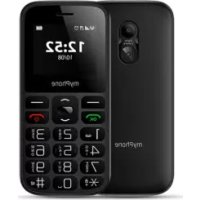
Halo A - Mobile Phone myPhone - Free user manual and instructions
Find the device manual for free Halo A myPhone in PDF.


User questions about Halo A myPhone
0 question about this device. Answer the ones you know or ask your own.
Ask a new question about this device
Download the instructions for your Mobile Phone in PDF format for free! Find your manual Halo A - myPhone and take your electronic device back in hand. On this page are published all the documents necessary for the use of your device. Halo A by myPhone.
USER MANUAL Halo A myPhone
www.myphone.pl/qr/myphone-halo-a
Table of contents. 14
Safety 15
Package content 18
Technical specification 18
Phone, its functions and buttons. 19
Turning the phone on/off 21
Inserting SIM card(s), memory card and battery 21
Charging the battery 21
Emergency change of language 22
Factory settings 22
Troubleshooting 22
Device maintenance 23
Correct disposal of electrical and electronic equipment 24
Correct disposal of used batteries 24
| CAUTION | Statement |
| The manufacturer is not responsible for any consequences caused by improper usage of the phone and not obeying the above instructions. | The software version can be upgraded without earlier notice. The representative retains the right to determine the correct interpretation of the above instructions. |
Without prior written consent of the manufacturer, no part of this manual may be photocopied, reproduced, translated or transmitted in any form or by any means, electronic or mechanical, including photocopying, recording or storing in any systems of storing and sharing information.
Please read the precautions and phone user's manual before use. The descriptions contained in this manual are based on the default settings of the phone. The newest version of the manual can be found on our company website:
www.myphone.pl/qr/myphone-halo-a
Depending on the installed version of the software, applications, service provider, SIM card or country, some of the descriptions in this manual may not match your phone.
Safety
-PETROL STATIONS-
Do not use your mobile phone while refuelling at a petrol station or in the vicinity of chemicals.
CAUTION! In places where there is a risk of explosion (i.e. Petrol stations, chemical factories etc.), it is advisable to turn off the phone. Please refer to regulations governing the use of GSM equipment in these places.
-ALARM CALLS
Making alarm calls may not be possible in some areas or circumstances. It is recommended to find an alternative way to notify emergency services if you are going to undeveloped or remote areas.
-QUALIFIED SERVICE
Only qualified personnel or an authorized service center may install or repair this product. Repairing by an unauthorized or unqualified service may cause device damage and warranty loss.
- CHILDREN AND PHYSICALLY OR MENTALLY DISABLED PEOPLE
This device should not be operated by people (including children) with limited physical or mental abilities, as well as by people with no earlier experience in operation of electronic equipment. They may use the device only under supervision of people responsible for their safety. This device is not a toy. Memory card and SIM card are small enough to be swallowed by a child and cause choking. Keep the device and its accessories out of reach of children.
-ROAD SAFETY-
Do not use this device while driving any kind of vehicle.
-WATER AND OTHER LIQUIDS-
Protect the device from water and other liquids. It can influence work and the life span of electronic components. Avoid using the device in environments with high humidity like kitchens, bathrooms or during rainy weather. Particles of water can cause the liquefaction of moisture in the device, and this may have a negative impact on the work of electronic components.
-BATTERY AND ACCESSORIES
Avoid exposing the battery to very high/low temperatures (below 0^ / 32^ and over 40^ / 104^ ). Extreme temperatures may
influence capacity and battery life. Avoid contact with liquids and metal objects as it may cause partial or complete battery damage. The battery should be used only according to its purpose. Do not destroy, impair or throw the battery into flames - it is dangerous and may cause fire. Worn-out or impaired battery should be placed in a dedicated container. Excessive charging the battery can cause damage. Therefore a single battery charge should not last longer than 1 day. Installing an incorrect battery type can cause an explosion. Never open the battery. Please dispose of battery according to the instructions. Disconnect an unused charger from power grid. In case of the charger wire damage, it should not be repaired but replaced with a new one. Use only the original manufacturer's accessories
HEARING
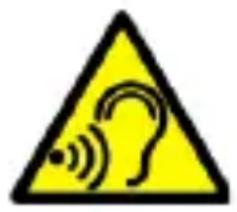
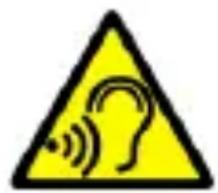
To avoid hearing damage, do not use the device at high volume levels for a long period of time, do not put operating device directly to the ear.
-EYESIGHT-
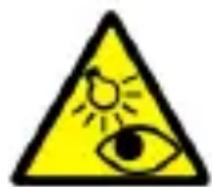
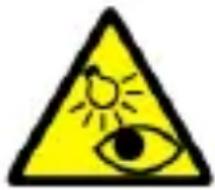
To avoid eyesight damage do not look closely onto the diode during its work. A strong bean of light may cause permanent eye damage!
Manufacturer:
mPTech Sp. z o.o.
00-511 Warsaw, Poland
E-mail: pomoc@mptech.eu
Website:
www.mptech.eu
Package content
Before you start using your phone, make sure all of the following items are included in the box:
- myPhone Halo A
- battery
- charger
- User manual
If any of the above items is missing or damaged, please contact your dealer. We advise to keep the container in case of any complaints. Keep the container out of reach of children.
Technical specification
Loudspeaker mode; Torch; Photo camera; FM radio, SOS function, Bluetooth
Display: 1.77"
Battery capacity: 800 mAh
Dimensions: 113.5 × 52.8 × 13.3 ~mm
Weight: 73 g
Memory cards support: up to 256 GB
Input parameters chargers: 100-240V~ 0.2A, 50/60Hz
Output parameters: 5.0V -0.5A, 2.5W
Average efficiency during operation (for 230V, 50hz): 72.83%
Energy consumption in no-load condition: less than 0.3W
Phone, its functions and buttons
| 1 | Speaker | A speaker used in phone conversations. |
| 2 | Camera | Camera lens. |
| 3 | SOS button | Press and hold to activate an alarm and/or auto-dial of predefined numbers. |
| 4 | Display | LCD display. |
| 5 | LED | Diode is used as a torch. |
| 6 | Torch On / Off | Allows you to turn on or off the flashlight diode at any time. |
| 7 | <Menu> button | While on the main screen enables entering the Menu, and confirms choice while in the Menu. |
| 8 | Navigation button Up / Down / OK | While in Menu enables navigating around it. On the main screen Up launches alarm clock, a Down launches shortcuts to selected functions, OK works as a button Menu. |
| 9 | <Contacts> button | Press to enter the phonebook. While in the Menu you can exit or opt out. |
| 10 | <Green | Allows you to receive an incoming call |
| handset> button | or look through the list of calls. | |
| 11 | <Red handset> button | Allows you to reject an incoming call. While in the Menu allows you to return to the main screen. When held for a long time, it turns off the phone or, if it is switched off, turns it on. |
| 12 | Phone keypad | Buttons for dialing a phone number on the main screen and entering letters or numbers in the SMS writing mode. |
| 13 | <#> button | Switches between audio modes and character input modes for texting, increases the volume in multimedia applications. |
| 14 | <*> button | Pressed after button Menu allows to lock or unlock the phone. Decreases volume in multimedia apps. When writing an SMS, it displays symbols for insertion into the content. |
| 15 | Gap | Allows to take off a cover of the phone. |
| 16 | Microphone | Do not cover it while on the phone. |
| 17 | Pins | Allows you to connect headphones to your phone so you can listen to radio (act as an extra antenna), music, and conversations with headphones equipped with a microphone. |
| 18 | Type C port | When connected enables recharging the battery. You can transfer data (photos, videos, music) when you connect it to your computer. |
Turning the phone on/off
To turn the phone on/off press and hold Red handset until the phone switches on. If directly after turning the phone on you will see the PIN code request, (in form of “****”) type the code and press button Menu.
Inserting SIM card(s), memory card and battery
If the phone is switched on - switch it off. Remove the back cover of the phone - use your fingernail to raise it using the gap in the case. Insert the SIM card(s) - place the SIM card(s) with its (their) golden contacts facing down as the recess is embossed. Insert the memory card - to open the cover of the card reader slide it gently to the right. Insert the microSD memory card with its gold contacts facing down, the way in which the slot is made. Zamknij klapke przysuwajqc jq lekko Left. Insert the battery so that its gold contacts touch the tripple connector in the phone bay. Put on and gently press down the cover until you hear the click of the latches. Make sure the cover is well attached.
Charging the battery
Connect the type C charger to the charger connector on your phone, then connect the charger into the power grid. *CAUTION: Improper connection of the charger can cause serious damage to the phone. Damages caused by an improper use of the phone are not covered by the warranty.
During charging, the battery icon in the upper right corner of the screen should be animated. When charged, the battery icon will no longer be animated and then disconnect the charger from the wall outlet. Unplug the cable from the socket on the phone.
Emergency change of language
To set the user's language, if someone accidentally chose an unknown one, press the [Menu] > <3 times - Down> >
Factory settings
To restore the factory settings, select in the phone Menu: [Settings] > [Phone Settings] > [Factory settings]. The code for resetting to factory settings is: 1122.
Troubleshooting
| Message | Possible solution |
| Insert SIM card | Make sure that the SIM card is installed correctly. |
| Input PIN | If the SIM card is secured with the PIN code you have to enter the PIN when turning the phone on and press <OK>. |
| No one can call me | The phone has to be on and within GSM network reach. |
| Network fail | In areas where signal or reception is weak, calls may not be possible. Also receiving calls may not be possible. Move to another location and try again. |
| Poor sound quality during conversation | Make sure that the speaker and microphone are not covered. |
| I cannot hear the caller./ The caller cannot hear me | The mic. should be close to mouth. Check if the built-in mic. is not covered. When a headset is un use, check if it has been connected correctly. Check if the built-in speaker isn't covered. |
| The connection cannot be established | Check if the typed-in phone number is correct. Check if the phone number entered to the [Contacts] is correct. Enter the correct phone number if necessary. |
Device maintenance
Follow the instructions below.
- For cleaning use only a dry cloth. Never use any agent with a high concentration of acids or alkalis.
- Use the original accessories only. Violation of this rule may result in an invalidation of the warranty.
Correct disposal of electrical and electronic equipment
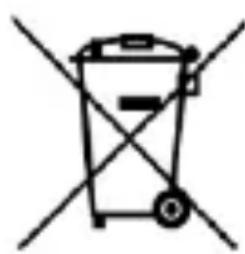
The device is marked with a crossed-out garbage bin, in accordance with the European Directive 2012/19/EU on used electrical and electronic Equipment (Waste Electrical and Electronic equipment - WEEE). Products marked with this
symbol should not be disposed of or dumped with other household waste after a period of use. The user is obliged to get rid of used electrical and electronic equipment by delivering it to designated recycling point in which dangerous waste are being recycled. Collecting this type of waste in designated locations, and the actual process of their recovery contribute to the protection of natural resources. Proper disposal of used electrical and electronic equipment is beneficial to human health and environment. To obtain information on where and how to dispose of used electrical and electronic equipment in an environmentally friendly manner user should contact their local government office, the waste collection point, or point of sale, where the equipment was purchased.
Correct disposal of used batteries
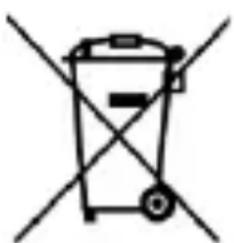
According to the EU directive 2006/66/EC with changes contained in EU directive 2013/56/UE on the disposal of batteries, this product is marked with crossed-out garbage bin symbol. The symbol
indicates that the batteries used in this product should not be disposed with regular household waste, but treated according to the legal directives and local regulations. It is not allowed to
dispose of batteries and accumulators with unsorted municipal waste. Users of batteries and accumulators must use the available collection points of these items, which allows them to return, recycle and disposal. Within the EU, the collection and recycling of batteries and accumulators is a subject to separate procedures.
To learn more about existing procedures of recycling of batteries and accumulators please contact your local office or an institution for waste disposal or landfill.
Rychly námod
myPhone Halo A
Obsah baleni
www.myphone.pl/qr/myphone-halo-a
www.myphone.pl/qr/myphone-halo-a
www.myphone.pl/qr/myphone-halo-a
www.myphone.pl/qr/myphone-halo-a
www.myphone.pl/qr/myphone-halo-a
www.myphone.pl/qr/myphone-halo-a
Specification technique 46
www.myphone.pl/qr/myphone-halo-a
Specification technique
www.myphone.pl/qr/myphone-halo-a
www.myphone.pl/qr/myphone-halo-a
www.myphone.pl/qr/myphone-halo-a
-PAGALBOS SKAMBUCIAI-
www.myphone.pl/qr/myphone-halo-a
www.myphone.pl/qr/myphone-halo-a
KpaTKoe pyKOBoIDCTBO IIO HcIIb30BaHHIO
myPhone Halo A
Homep napTNn: 202109
Copepknne
Copekane 50
Be3oIacNoctb 52
CopejkaHne yIaKOBKn 55
TexHnuecka cneuKauia 55
BheHHn BnTeJefoHa,ero yHKuH N KHOKn 56
BkIIOueHne / BbIKIOueHne TeJefoHa 58
MOnTaX SIM-KapT(bI), KapTbI NaMaTHn aKKymyJIaTopa 58
3apka 6aTapei 59
CmeHa y3bika. 59
3aBoDcKne HacTpoiKn 60
YcTpaHHe HeNcIpaBHOcte 60
06cIyKbAHne ycTpoiCTBa 61
IpaBnJIbHa yTuJIn3aunna 3JeKtpnueckoro n 3JeKtpoHnOro 62
IpaBnJIbHa yTnJIn3aUHn IcNoJIb30BaHHbIX 6aTapei..63
www.myphone.pl/qr/myphone-halo-a
B 3aBnCmOCTn OT yCTaHOBJIeHHoB Bercn IIporpaMMHOrO oBeCneueHn, IIpIIOJKeHn, IocTaBUnkKa ycIyr, SIM-kaTbI HIn CTpaHbI, HeKOToPbIE OINcAHn B 3TOM pyKOBODCTBe MOryT He COOTBeTCTBOBaTb BaIeMy TeJefoHy.
БezoinacHocTb
—ABTO3APABOCHbIECTAHUH—
He IIOJIb3yIteCb MO6HJIbHbIM TeJIeΦOHom BO BpeM 3aIIpaBKn Ha aBT03aIIpaBOUHOcTaNtIN HJN B HeIOscpeIcTBeHHoI 6JIH3OCTn OT XHMHKaTOB.
BHIMAHHE! B mecmax, 2de cyuecmeyem puck 3pb1Ba (hanpuMepe, Ha aem03anpaBouhbx cmaHuaX, Xmuueckux 3aBodax u m. d.), pekomehdyeemcra biklouamb melefoH. O3nakombmecb c npabulamu, pezlaMehmupuyuumu ucnolb3oBAHue o6opydoBaHua GSM b 3mux Mecmax.
——3KCTPEHHbIE Bbl30Bbl
B HeKOTOpbIX MecTax HJIH IIpH HeKOTOpbIX O6CTOJTeJBCTBaX OcyIeCTBJIeHHe 3KCTpeHHbIX Bbl3OBOB MoJKeT 6bITb HeBO3MOJHO. PekomeHdyeTcH NaHTn aJIbTePHaTHNBHbIN CIOco6 yBeIDOMJIeHnA bApNHBIX cJIyK6, eCIn Bbl CO6HpaTeCb B Hepa3BVtBie NJIH OTdaJIeHHbIe paNoHbI.
—KBAJIHΦNIIPOBAHHOE TEXHNUECKOE OBCJIYKUBAHNE —
ToIbKO KBaJIHΦHnIropOBaHHbI IepcoHaJI HJIH aBTOpH3nPoBAHHbI cepBnCHbI ΒeHTp MOryT KOHΦHrypHnPoBA Tb HJI npMOHTnpoBA Tb yCTpoIcTBO. PeMoHT OcyUeCTBJIeHHbI HeCAHKIHOHNPOBAHHbIM HJIH HeKBaJIHΦHnIrpOBaHHbIM ΒeHTpOM MoJKeT IIpNBecTH K IOBpeJdeHHIO TeJIeΦOHa N IOTepn rapaHTnN.
-ETNJIIOH C OΓPAHNUEHHbIMN BO3MOXHOCTaMn -
3TO yCTpOcTBO He I0JIgKHO 3KcIJIyaTHnpoBaTbcra JIOdbMn (BkJIIOUaJTeH) c OrpaHHueHHbIMn n3NueCKHMn HJIN YMCTBeHHbIMn CIOco6HOCTaMH, a TaKKe JIOdbMn, He
HMeOIIHMN OIIbITa pa6OTbI C 3JIeKTPoHHbIM 06OpyIOBaHNHeM. OH NMOrYT HcIOJb3OBaTb yCTPOICTBO TOJIbKO IIOd Ha6JIIOJeHNHe JIOJe, OTBeTCTBeHHbIX 3a Hx 6e3OJaCHOCtB. 3To yCTPOICTBO He nrgPyuHa. KapTa PAMrTHn SIM-KapTa IOCTaTOUHO MaJIbI, YTO6bI HX MoR IIPOrJIOTHTb pe6eHOK, YTO MoJKeT BbI3BaTb yDyUbe. XpaHnTe yCTPOICTBO n erO akCeCCyApbI B HeIOCTUYHOM dJIa DeTei MeCTe.
—BE3OIIACHOCTb IOPOXHOI BUNJKEHNA
He nCIOJIb3yIte 3TO yCTpOiCTBO BO BpeMЯ BOJKeHnRAJIIOBOro TpaHCnOpTHoro cpeIcTBA.
—BODA IN DPyTNE XHdkOCTN —
BepereYCTPOIcTBO OT IIOIaHnB OdbI IN dpyHX
KNDKOCTe.3TO MOKeT HeRaTHBHO BJIaTb Ha 3JIeKTPOHHbIE
KOMIOHENTbI TeJIeOHa. H36eraIte NcIOJIb3OBaHHa
YCTPOIcTBA B MeCTAX C BbICOKoB BLaJXHOCTbIO, TaKHX KaK
KUXHN, BaHHbIE KOMHaTbI HIN B DoJdJIHBYIO IIOrOy.
UactNzbl BOdbI MOrTy Bbl3BaTb cKOpJIeHne BlaarN B
YCTPOIcTBe, YTO MOKeT OTPnCaTeJIbHo cKa3aTbCra Ha pa6oTe
3JIeKTPOHHbIX KOMIOHENTOB.
BATAPEHAKCECYAPBI
He IIOBvepraIte 6aTapeIO BO3JeIcTBHIO OueHb BbICOKHX/Hn3KHX TeMIIepaTyp (HNJKe 0^ N BbIe 40^) . 3KCTpeMaJIbHbIe TeMIIepaTypbI MOrYT IOBJIInyTb Ha MoUHocTb H cPOK cIyJ6bl 6aTapeN. H36eAITe KOHTaKTa C JxNdkOCTaMn H MeTAJIInuYeCKHM NpeIMeTaMn TaK KaK 3TO MoJKeT BbI3BaTb QuCTNuHoe INJIN IOJIHOe pa3pyuHne 6aTapeN. BaTapeJdoJIkHa hCNoJIb3oBaTbcS TOLbKO B COOTBeTCTBnC eE IIpeDHa3NaUeHHeM. He pa3pyuJaTe, He pa3bpaIte n He 6pocaiTe 6aTapeIO B OTo OPiacHo n
MOJKeT IIpNBecTN K IIOJapU. N3HOIIeHHbIe HJI
IIOBpeJdeHbIe 6aTapeN DoJIKbI 6bITb IOMeIeHbIB
CpeIuaJIbHbI KOHTeHep. Upe3MepHa 3apJaKa 6aTaapeN
MOJKe TpNBecTN K eE IOBpeJdeHnIO. TaKIM O6pa3oM OJHa
3apJaKa 6aTaapeN DoJIKHa DInTbcra He 6OJIee 1 dJy.
YCTaHOvBa HHePaBnJIbHoRo TIIa 6aTaapeN MoJKe TpNBecTN
KO B3PbIBy. HnKOrda He pa36npaIte 6aTaapeIo.
UTNIIN3npyIte 6aTaapeIO B COOTBeTCTBnC INHCTpyKzIyMaMn.
OTKJIIOuHTe HeNCIOJIb3yEmoe 3apAДHoe yCTpoIcTBO OT cETN
IIHTaHn. B CJIyae IOBpeJdeHn Ka6eJa YCTpoIcTBA, erO
Heo6XODnMo He peMOHTnpoBaTb, a 3aMeHnTb HOBbIM.
HcNoJIb3yIte ToJIbKO opRHaJIbHbIe akceccyapbl ot
IIPOH3BOdnteJIa
-CLYX-
Bo n36eJkaHne IOBpeJdeHnra cIyxa He HcIOJIb3yIte yCTpoIcTBO Ha BbICOKHX
ypoBHX rPOMKoCTN B TeueHne IJIHTeJbHO
IepnoDa BpeMeHn, He IprncloHnTe yHKnOHNpyoUeeyCTPOcTBo HeNocpeDcTBeHNO K yxy.
-3PEHNE—
Bo n36eXaHne IOBpeXdEHHa 3peHnHa He cMOrPtHe BkJIIOUeHbI JHOJ. CnJIbHbI JyUc CBeTa MoKeT IIpNBecTH K Heo6paTHMOMy
Повпждению Гла3!
Пронзводntелб:
mPTech Sp. zo.o. YI. HOBORpo3ka, 31 00-511 Bapuaba, PoiBua
E-mail: pomoc@mptech.eu
CauT: www.mptech.eu
CopejkaHne yIpaKOBKn
Ipei nCIOJIb3OBAHHem TeJIefoHa, y6eIHTecb, YTO Bce IpeuHcJIeHHbIe HIXKe IpeIMetbl BKJIIOUeHbI ByIpaKOBky:
- myPhone Halo A
- 6aTapej
3apraHoe yctpoIcTBO - RykoBoDCTBO IOJIb3OBaTeJIa
EcJn KaKoJ-JIb6O H3 BbIWepepeHcJIeHHbIX IpeJMeTOB OTCyTCTByeT NJN IOBpeJdeH, o6paHTTeCb K CBOemy IocTaBUnKy. PeKOMeHJyEtc8 CoXpaHHTb KOHTeHep JJIa CJUyAra JkaIo6. XpaHNTe KOHTeHep B HeIOCTUINHom JJIa JeTei MeCTe.
TexHnuecka cneuKauia
PbKOBOCTBO3A YIOTPEBA
myPhone Halo A
Партуден homep: 202311
CbDbpxKaHne
CbIbpxKaHne. 64
Бezонос
65
CbIbpxKaHne Ha naketa. 68
TexHHueckn xapaKTepeNCTHKn 68
Функциии 6утои Na Teileфona. 69
BkIIOUBaHe/H3KJIIOUBaHe Ha TeJeΦOHa. 71
Claarhe ha SIM kaPta, KaPta nAmet H 6aTepeHra.71
3apekdahe ha 6aTeprnaTa. 72
HeymIIeHa cMaHa Ha e3Ha 72
Φa6pHnHaCTpoKn 72
YectocpeuHn Ipo6JIeMn 73
IopdpbKaHa yctpoiCTBOTO 74
IpaBnJHo H3XBbPJIaHe Ha eJIeKTpOHNka. 74
IpaBnJIHo n3XBbPJIaHe Ha n3NoJ3BaHn 6aTepHn ....75
www.myphone.pl/qr/myphone-halo-a
B 3aBnCnMoCT OTHNCTaJInpaHaTa BercnHa coΦTyepa, IIpHIOJKeHHaTa, DocTaBUnKa Ha ycIyrgn, SIM KapTaTa HJIIn CTpaHaTa, HAKON OT OINcAHnTa B TOBa pTBKOBoDCTBO MoJke Da He CbOTBeTCTBaT Ha BaIIINr TeJIeΦOH.
Бezoinachoct
—БEH3NHOHOCTAHци—
He n3noJ3BaIte mo6nJIHnCn TeJefoH,doKaTo 3apeKdaTe
TropBO Ha 6eH3nHOCTaHcNn HJIN B 6JIn3OCT Do XHMnKaJIN.
BHHMAHNE! Ha Mecma, Kbdemo cIuecmeyBa puck om
ekcnlo3ua (6eH3uHocmAnuu, xumuecku fabpuku u dp.), e
npenop6yumeNo da u3Kloume melefoHa. MoJ, buHcme
pa3nope6ume, ypeJcdauu u3noJ3BaHemo Ha GSM obopydbahe
Ha mezu Mecma.
—БЕЗПАСНСТHA ПБТЯ—
He n3IIOJI3BaIte TOBa yCTpoIcTBo, IOKaTO IIOΦHpaTe KaKbBTo I da e BnD IIpeBO3Ho cpeIcTBo.
—AJAPMN—
H3BbpiBaHeTo Ha aJIapMeHN IOBnKBaHHa MoKe Ja He e Bb3MOxHO B HЯKoN O6JaCTH JIn 06cToTaeJCTBa.
IpeopbYnteJIHo e da Hamepnte aJItepHaTnBeH NaHH 3a yBeIDomYBaHe Ha cIyX6NTe 3a cIIeIHa IOMOII, aKO OTNbATE B He3acTpOeHN HIn OTdaJIeUeHN paHOHN.
—CEPBNUOBCJYKBAHE—
Camo OTOpn3HpaH cepBn3eH ueHTbP MoKe Ja peMOHTnpa To3H IpoIyKT. PeMOHTbT Ha yCTpO'cTBOTO ot
HeKBaJIHΦIuPaH IJIH HeyIbJIHOMOiEh cepBn3eH TexHnK MoJKe Ia IOBeJe Do IIOBpeJa Ha yCTpoIcTBOTo n aHyJInpaHe Ha rapaHtIa.
—ДЕЦА И XОРACФИЗЧЕСКИЛПICHXUPECKI 3ATPYДHEHЯ-
ToBa yctpoIcTBo He Tp8Ba Da Ce H3IOJI3Ba OT Xopa (BkJIIOHTeJIHO Deca) C OrpaHnueHN H3NueCKn HJIn UmCTBeHH cNoC06HocTH, KaKTo N OT Xopa 6e3 OINT B pa6oTaTa C eJeKtpoHNO obOpyDbAHe. Te MoRaT Da H3IOJI3BaT UcTPOIcTBOTO CamO IOD HaI3Opa Ha JInCa, OTROBOPHN 3a TExHaTa 6e3OJaacHocT. ToBa yctpoIcTBo He e HrpaUka. KapTaTa C nAmet N SIM Kaptata Ca DoCTaTBuHo MaJKn, 3a Da 6bDaT IOrblHaTH OT DeTe N Da IIprUnHrT 3aJaABYHe. IpBXTe UcTPOIcTBOTO H HerOBHTe Akcecoapn DaJIeU OT Deua.
—BODA IN IpyTN TEUHOCTN—
IIa3eTe ycTpoiCTBOTO OT BODa N dpyrH TeuHocTH. TЯ може д IOBJIHRe Ha pa6OTaTaN pOДьJIЖHTeJIHOCTTa Ha JKNBOTa Ha eJIeKTPoHHTe KOMNoHEnTH. H36IgBaIte Da H3ПОЛ3BaTe yCtpoiCTBOTO B YcJIOBnC BHCOKa BJaXHOCT KaTO KUxHN,
6aHn nIi np IbKIOBHO BpeMe. KaIKN BOJa MOrA T da IIpHuHHr T BTeuHBAHe Ha BlaRaTa B yCTpoNCTBOTo N TOBa MoJKe Da HMa OTPiCaTeJIHo Bb3JeNCTBHe Bbpxy pa6OtaTa Ha eJIeKTPoHHnte KOMIOHeHTN.
—БATEPЯИAKCECOAPN—
Избягваite Да ИзлагаTe 6atepyraHa MHOBOHcOKn/Hnckn Tempepatypn (IOD 0^ / 32^ n HaID 40^ / 104^) .EkctpeMHnte Tempepatypn MoTaДa IOBJIyT Ha KaIIaIHTeTaN JINBOTA Ha 6atepyra.
I36YBaIte KOHTaKT C TeuHocTN MeTaJIHN IpeJMeTH, TbN KaTO TOBa MOnke DApUPhNn YAcTNUHa HIn PbJIHa IOBpeDaHa 6atepyra. Batepyra Tp6Ba Da ce H3IOJ3Ba Cnopei IpeJHa3NaHeHTo. He yHnOJkaBaIte, NOBpeJdaTe N He XbIpaIte 6atepyra B IIaMbIz - TOBa MOnke Da 6bIe OAnCHO N Da IprUnHn IooKap. H3NoceHaTa HIn IOBpeJHa 6atepyra Tp6Ba Da ce IocTabN B CpeZnAJeN KOHTeHep. IpeKOMepHOTo 3apeJdaHe Ha 6atepyra MOnke Da IprUnHn IOBpeJa.CleIOBaJIHo eJHO 3apeJdaHe Ha 6atepyra He Tp6Ba Da H3DbPjKa Iobue ot 1 DeH. IHcTaJInpaHTo Ha HeIpaBnJIeH TII Batepyra MOnke Da IprUnHn EKCJIIO3Hn. Hnkora He OTBapYITE 6atepyra.MoJia, H3XBbPJIeTe 6atepyra Cnopei HNCTpyKzHnTe. H3KJIIOUyeTe HEN3IOJ3BaHOTo 3apJdHO UcTPOJCTBO OT eJIeKTPnueckaTAmpeJa.B cIyuayHa IIOBpeJa Ha KaBeJa Ha 3apJdHOTo UcTPOJCTBO, ToJ He Tp6Ba Da ce peMOHTnpa, a da ce cMeHn C HOB. H3IOJ3BaIte Camo opRnHaJIHnTe akcecoapn Ha IpoN3BOJNTeJIA.
- CλIyX-
3aДаи36eHHeTe yBpeJdaHe Ha cIyxa, He H3IOJI3BaIte yCTpoIcTBOTO IIprn BnCOKn HnBa Ha cnJIaTa Ha 3ByKa 3a IbIbIg IIepNoI OT BpeMe, He
IocTbAyTe pa6oTeIoo yCTpoIcTBo InpeKTHO do yxoto.
-3PEHNE—
3aДаи36eHHeTe yBpeJdaHe Ha 3peHHeTo, He rIeJaTe DnpeKTHO BДnoJa,doKaTo Toe e BKJIIOueH.CnJIHaTa CBeTJIInHa MoKe Da IIprHnHH
TpaHNo yBpeJdaHe Ha ouHTe!
ПронзводnteЛ:
mPTech Sp. z o.o.
BkIIOUBaHe/H3KJIIOUBaHe Ha TeJeΦOHa
3aДаВКЛIOHTe/N3KJIIOHTe TeJIeФОHa HaTNCHeTe H 3aIpIbXTe YepBeHaTa ClyIIaJIka.Ako BeJHaRa cJIeD BKJIIOUBAHeTo My, TeJIeФOHa NcKa KOD, (BbBΦOpMaTa Ha "**") BbBeJeTe rH HaTNCHeTe 6yTOH MeHIO.
Claarhe Ha SIM Kapta, Kapta NaMeT N 6aTePnTa
Ako TeIefoHbTe BkJIIOueH - n3KJIIOueTe ro. MaxHeTe 3aHnna KaIaK - n3IIoJ3BaIte JxIe6a Ha KaIaKa. IocTaBeTe SIM KapTaTaNiOJI3BaIte TpIe6Ba Da ce IocTaBn CbC 3JIaTHnTe KOHTaKTN HaIoJy, TaKa Ye KapTaTa Da CbBIIaJHc MЯCTOTO 3a IocTaBraHTo N. IocTabrHe Ha BbHnHaTa PAmET - 3a Ja OTBOpHTe KaIaKa Ha YeTeuHa KaPTN, BHIMaTeJIHo rO
ПльзHETe HaJЯСHo, Taka Que KapTaTа Дa CbBПаДнE C MЯСTO, KыдeTo ИСКaTe ДaЯ ПОCTaВиTe. МИКpo SD пamETTa Tpr6Ba Дa ce ПОCTaВи Сбс 3ЛaTHHte KOHTaKTn HaNOLy, Taka Que OTBOPbT Дa ce ПОКрHe. ПОCTaBeTe bATEPnIa - bATEPnIa Tpr6Ba Дa 6bde ПОCTaBeHa Taka, Que TpHte N 3JIaTHN KOHTaKTA Дa DoKOCBaT Tpo'Hn CbeDINHITeI B rHe3dOTO Ha TeJIeФOHa. BhIMaTeJIHo ПОДmEHeTe KaIIaKa.
3apekdahe Ha 6aTepeyTa
IocTaBete Type C Ka6eJa B cJIoTa Ha TeJeΦOHa N BKJIIOUeTe 3apAДHOTOBKOHTaKTA.
*Bhumahue: HenpaBulHomo c66p38aHe Ha 3apadHomo ycmpoUcMBO MoHe da npuHu cepuO3Hu noBpeDu Ha melefoHa. IobpeDa, npuUnHea om HenpaBulHo u3noJ3BaHe Ha melefoHa, He ce nokpuBa om zapAHuaMa.
IpaBnJIHo H3XBbPJIaHe Ha N3NoJ3BaHn 6aTePN
CbIaCHO dInpeKTHBa Ha EC 2006/66/EO c Ipomehnte, cbIbpxaunCe B dInpeKTHBaTa Ha EC 2013/56/UE oTHocHO xBbpJhaTo Ha 6aTeprHnte, To3n IpoDyKT e MapKnpaH KaTO cHMBoJI 3a 3auepkBaHe Ha KoIIa 3a 6okJlyk.
CnMBoJIbT, KoITo 6aTePnHTe ce H3IOJ3BaT B TO3N IpoDyKT, He Tp8Ba Da ce H3XBbPJIc C o6NKHOBeHnte 6HTOBn OTIIaIbIa, a Da ce TpeTnpa B CbOTBeTCTBHe CbC 3aKoHOBHTe DInpeKTHBn I MeCTHnte eJIeMeHTn. He e pa3peIeHo H3XBbPJIaHETo Ha 6aTePnHTe n akymylaTOPHe C HecOpTnpanu 6HTOBn OTIIaIbIa. IOTpe6nteJIte Ha 6aTePnN n akymylaTOPn Tp8Ba Da n3IOJ3BaT NaJIuHNr PYNKTOBe 3a Cb6HpAne Ha Te3n apTNKUIn, KOeTO Nm P03BOJIaBA BpbIaHe, peiHKJIpaHe n n3XBbPJIaHe. B pamKlTe Ha EC c6bnapHeTo n peiHKJIpaHeTo Ha 6aTePnTe n akymylaTOPHe e IIpeImet Ha OTJeJIn IpoIeJypn. 3a da HayuHrTe IIOBeue 3a CbIeCTBvBaIuNTe IpoIeJypn 3a peiKJIpaHe Ha 6aTePnN n akymylaTOPn, MoJ, CBbpKeTe
ce C MeCTHnOΦnC nJIn HnCTHTUciN 3a n3XBbPJIHe Ha OTPiAdbIu nJIn DeIOHnpaHe.