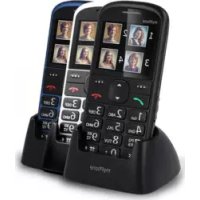
Halo 2 - Smartphone myPhone - Free user manual and instructions
Find the device manual for free Halo 2 myPhone in PDF.

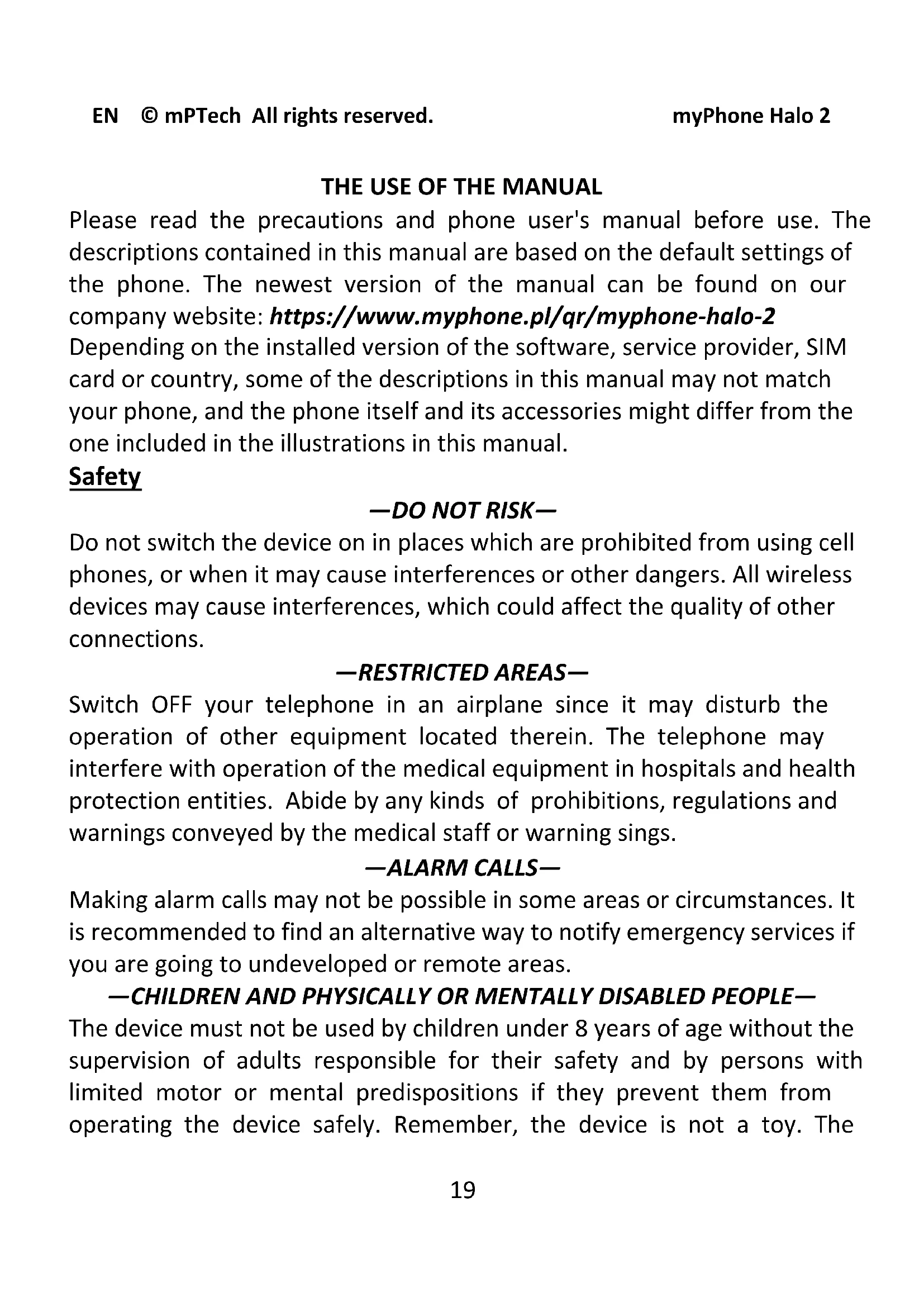


| Product type | Basic smartphone with physical keyboard |
| Brand and model | myPhone Halo 2 |
| Dimensions | 121 × 58 × 14 mm |
| Weight | 85 g |
| Display | 2.2-inch LCD |
| Battery | 900 mAh lithium-ion, rechargeable via mains charger or charging base |
| Network | Quad-band GSM 850/900/1800/1900 MHz |
| SIM cards | 1 slot for standard SIM card |
| External memory | microSD memory card up to 32 GB |
| Connectivity | Type-C port for charging and data transfer, Type-C headphone jack |
| Camera | Built-in camera with LED flash |
| Main functions | Calls, SMS, flashlight, FM radio, SOS button, hands-free speaker |
| Maintenance and cleaning | Use a dry cloth; do not use acidic or alkaline products |
| Safety | Do not use while driving; avoid water and humidity; do not expose to extreme temperatures |
| Spare parts and repairability | Repair only by an authorized service; user-replaceable battery |
| General information | Manufactured in China by mPTech Sp. z o.o., Warsaw, Poland |
Frequently Asked Questions - Halo 2 myPhone
User questions about Halo 2 myPhone
0 question about this device. Answer the ones you know or ask your own.
Ask a new question about this device
Download the instructions for your Smartphone in PDF format for free! Find your manual Halo 2 - myPhone and take your electronic device back in hand. On this page are published all the documents necessary for the use of your device. Halo 2 by myPhone.
USER MANUAL Halo 2 myPhone
Table of Contents 18
Safety 19
Package content myPhone Halo 2. 21
Technical Specification 21
Additional technical information 22
The phone, its functions and buttons 22
Turning the phone on/off 23
Inserting a SIM card, memory card, and the battery 24
Charging the phone 24
Charging without a cradle charger 24
Charging with a cradle charger 24
Language 25
Factory settings 25
Troubleshooting 25
Proper use of the battery 26
Proper phone maintenance 26
Correct disposal of electrical and electronic equipment. 27
Correct disposal of used batteries 28
| Attention | Statement |
| The manufacturer is not responsible for any consequences caused by improper usage of the phone and not obeying the above instructions. | The software version can be upgraded without earlier notice. The representative retains the right to determine the correct interpretation of the above instructions. |
THE USE OF THE MANUAL
Please read the precautions and phone user's manual before use. The descriptions contained in this manual are based on the default settings of the phone. The newest version of the manual can be found on our company website: https://www.myphone.pl/qr/myphone-halo-2
Depending on the installed version of the software, service provider, SIM card or country, some of the descriptions in this manual may not match your phone, and the phone itself and its accessories might differ from the one included in the illustrations in this manual.
Safety
—DO NOT RISK—
Do not switch the device on in places which are prohibited from using cell phones, or when it may cause interferences or other dangers. All wireless devices may cause interferences, which could affect the quality of other connections.
—RESTRICTED AREAS—
Switch OFF your telephone in an airplane since it may disturb the operation of other equipment located therein. The telephone may interfere with operation of the medical equipment in hospitals and health protection entities. Abide by any kinds of prohibitions, regulations and warnings conveyed by the medical staff or warning sings.
—ALARM CALLS—
Making alarm calls may not be possible in some areas or circumstances. It is recommended to find an alternative way to notify emergency services if you are going to undeveloped or remote areas.
- CHILDREN AND PHYSICALLY OR MENTALLY DISABLED PEOPLE—
The device must not be used by children under 8 years of age without the supervision of adults responsible for their safety and by persons with limited motor or mental predispositions if they prevent them from operating the device safely. Remember, the device is not a toy. The
memory card and SIM card are small enough to be swallowed by a child or cause choking. Keep the device and its accessories away from children.
—ROAD SAFETY—
Do not use this device while driving any kind of vehicle.
—FUEL STATION SAFETY—
Always turn off the phone while refueling your car on petrol station. Do not use your device close to chemicals.
QUALIFIED SERVICE
Only qualified personnel or an authorized service center may install or repair this product. Repairing by an unauthorized or unqualified service may cause phone damage and warranty loss.
—LONG PHONE CONVERSATIONS—
This device generates magnetic waves which (as with any phone) can cause headaches. Refer to the "SAR information" section of this manual for more information.
—WATER RESISTANCE—
This device is not water resistant. Protect it from moisture.
BATTERY AND ACCESSORIES
Avoid exposing the battery to very high/low temperatures (below 0^ / 32^ and over 40^ / 104^ ). Extreme temperatures may influence capacity and battery life. Also, protect the battery from contact with liquids and metal objects. It may cause partial or complete battery damage.
Use the battery only according to its intended purpose. Do not destroy, impair or throw the battery into flames - it is dangerous and may cause fire. Worn-out or impaired battery should be placed in a dedicated container. Never open the battery. Excessive charging the battery can cause damage and fire. Therefore a single battery charge should not last longer than 12 hours. Disconnect an unused charger from power grid. In case of the charger wire damage, it should not be repaired but replaced with a new one. Use only the original producer's accessories that are
included in your device set. Installing an incorrect battery type can cause an explosion Please dispose of battery according to the instructions.
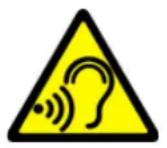
—SOUNDS—
To avoid hearing damage, do not use the device at high volume levels for a long period of time, do not put operating device directly to the ear.
Manufacturer:
mPTech Ltd.
Website: www.myphone-mobile.com
Package content myPhone Halo 2
Before you start using your phone, make sure all of the following items are included in the box:
- myPhone Halo 2 phone,
battery, - charger,
- cradle charger,
- user manual.
If any of the above items is missing or damaged, please contact your dealer. There is a sticker containing the IMEI and serial number on the packaging of myPhone Halo 2 set. We advise to keep the container in case of any complaints. Keep the container out of reach of children.
Technical Specification
Four frequency ranges: 850/1900 and 900/1800 MHz
One SIM card slot, Speakerphone mode
Dimensions: 121 × 58 × 14 mm
Display: 2'2"
Battery capacity: 900 mAh
Weight: 85g
Memory cards support up to 32 GB
Battery technical specification:
- Input: 100 - 240 V^ ,50/60 Hz,150 mA
Output: 5.0V 500mA,2.5W
Average efficiency during operation (for 230V, 50hz): 72.83% - Energy consumption in no-load condition: less than 0.3W
Additional technical information
The phone will store 500 contacts in the phonebook, and its internal memory stores up to 50 text messages. To use the camera and enter your own ringtones, it is recommended to mount the SD memory card in your phone. You can purchase headphones with a USB-C connector for better radio reception. The headphone USB-C can not be shorter than 7 mm.
The phone, its functions and buttons
| 1 | Speaker | A speaker used in phone conversations. |
| 2 | Display | LCD display. |
| 3 | <Menu> button | While on the main screen enables entering the Menu, and confirms choice while in the Menu. |
| 4 | <Green headset> button | Allows you to receive an incoming call. You can view the call list. |
| 5 | Navigation button Up | While in menu enables navigating around the menu. While on the main screen - up. |
| 6 | Navigation button Down | In the menu, it allows you to navigate down. |
| 7 | <Contacts> button | On the Mainscreen, launch the Phonebook. While in the menu you can exit or opt out. |
| 8 | <Red handset> button | Allows you to reject an incoming call. While in the menu allows you to return to the main screen. While on the mainscreen it allows to turn off the display or, turn it off or on again. |
| 9 | <*> button | Used to lock the keyboard and change slider values, text options, etc. When writing an SMS, it displays symbols for insertion into the content. |
| 10 | <#= button | Allows you to switch between audio modes and character input modes while creating a text message. |
| 11 | Torch On / Off | Shifting it allows you to turn the torch on or off. |
| 12 | Camera | Camera lens. |
| 13 | SOS button | Press and hold to activate an alarm or auto-dial of predefined numbers. |
| 14 | Phone keypad | Keys enabling dialling the phone number in the home screen, and entering the letters and numbers of the message body in the SMS writing mode. |
| 15 | LED | Diode is used as a torch. |
| 16 | Contacts | Allow you to connect your phone to the charging base. |
| 17 | USB-C | When connected, the charger enables recharging the battery. You can transfer data (photos, videos, music) when you connect it to your computer. |
| 18 | Gap | Makes it easier to remove the phone flap. |
Turning the phone on/off
To turn the phone on/off press and hold the
of *****) type the code and press
- BxoД: 100-240 V~, 50/60 Hz, 150 mA
- H3 xO4: 5.0 ~V, 500 ~mA, 2.5 ~W
- CpeДна eф ekтNBHocT lo Врeme Na pa60Ta (3a 230V, 50hz): 72.83%
- KoHcymaun Ha eHepn B cbCToHne 6e3 HATOBapBaHe: NOMaJIko ot 0.3W
Website: www.myphone-mobile.com
Obsah balenia myPhone Halo 2
www.myphone.pl /qr/myphone-halo-2
www.myphone-mobile.com
Inhalt des Sets
www.myphone.pl/qr/myphone-halo-2
—SERVICE PROFESSIONNEL—
www.myphone-mobile.com
Contenu du set
Specification technique
www.myphone.pl/qr/myphone-halo-2
www.myphone-mobile.com
Contudo do kit
www.myphone.pl/qr/myphone-halo-2
www.myphone.pl/qr/myphone-halo-2
www.myphone-mobile.com
Contenuto del pacco
https://www.myphone.pl/qr/myphone-halo-2
TRANSPORTLIDZEKLU VADIBA
Svetaine: www.myphone-mobile.com
Pakuotës turinys
B 3aBnCmOCTn OT yCTaHOBLeHHoB Bercnn nporpaMMHoro oBecepeHna, npIooKeHna, noCTaBzNka ycnyr, SIM-kaPTbI nII n CtpaHbI, HeKOToPbIe OINcaHnB B 3TOM pyKOBODCTBe MOyT He COOTBETCTBOBaTb BaWeMy TeJefoHy.
ИСПОЛьЗOBAHNEPyKOBODCTBA
Ipeed nCnoB3OBaHnem npoTuTe MEPbI ppeOcToPOJxHocTn I
pyKOBODCTBO noB3OBaTeJIa TeJefoHa. OnPscAHn, coDepeKaUneC8 B 3TOM
pyKOBODCTBe, ochOBaHbI Ha HacTroPoiKax TeJefoHa IO yMOJuaHnIO.
IocLeDnIO BepCNIO pyKOBODCTBa MoXHO NaHTN Ha caIte HaWei
KOMpaHn: https://www.myphone.pl/qr/myphone-halo-2
B 3aBnCmOCTn OT yCTaHOBLeHHo Bercn IporpaMMHoro o6ecneueHn, NOCTaBUnKa YcIyr, SIM-KapTbI nIi CTpaHbI, HeKOTOpbIe OINcaHnB ATOM pYKOBOdCTBe MOrYT He COOTBETCTBOBaTb BaWemy TeJefoHy, a cam TeJefoH n erO akceccyapbl MOrYT OTJIuHaTbcra OT Tex, KOTOpbIe NOKa3aHbI Ha nllIOCTpauqnx B ATOM pYKOBOdCTBe.
Бeэтonaсноctь
—HE PUCKYÜTE—
He BkIIOuAte yCTpoiCTBO B MeCTax, rDe 3aIpeUeHO IcNoIb3OBaHne MO6nJIbHbIX TelefoHOB, nII KOrDa 3TO MoKTe Bbl3BaTb IOMExn nII dpYrHe onaChocTn. BCE 6ecnpoBODhble yCTpoiCTBa MOryT co3DaBaTb IOMexn, KOToPbIE MOryT IOBnIaTb Ha KaueCTBO dpyrNX PoDKJIIOUeHn.
-3APPEUHbIE 3OHbl
BbIKIIOuAte TelefoH B cAmolTe, TaK KaK 3TO MoJKeT HApUHTb pa6OTo y dpyrOTo obOpudOBaHn, pacnoLoXeHHoro B HeM. TelefoH moKet MeaTb pa6ote Meiunckoro obOpudOBaHn B 6oJIbHncax n UypeJdeHnX 3dpaBOOxpanEHHa. Co6IouaTe IIObIe 3aIpeTbI, npabNla n PpeDynpexKDeHn, nepeDaBaemble MeiunHcKIM nepcoHaIOM nI npedynpeJdaIoUmm 3HaKaAMn.
-3KCTPEHHbIE Bbl3OBbl
B HeKOTOpbIX MecTax I npn HeKOTOpbIX 6cTcTbCTbax 3KcTpeHHbIe Bbl3OBbl MOrYT 6blb HeBO3MOxHbI. PekomeHdyetc HauTn aJIbTePhaTHBbI CNOCo6 ONoBeUeHnA ClyX6 3KcTpeHHoN NOMOuN, eCIn Bbl CObnpaTeEcB B HeocBoeHHbIe NII NOTdaJeHHbIe paHOhbl.
-ETN
3TOT TeIefoH He nrgyka. XpaHnTe yCTpoiCtBO n erO akceccyapbB HnOCTyHOM dIa IeTeMecTe.
-БE3OПАСHОCTь ДОРОЖНО ГДВИЖЕнЯ—
He nCnoIb3yIte 3TO yCTpoIcTBO 3a pyIeM IIO6Oro TpaHCnOpTHoro cpeIcTBA.
-БЕЗПАСНОCTь HA 3АПAPBOЧОН CTAHЦИN—
Bcerda BbIKIouaTe TelefoH npn 3anpaBKe aBTOMo6nla Ha A3C. He nCnoJIb3yIe yCTpoIcTBO pIaOM c XmMuecknMn BeIecTBaMn.
—KBALNΦHUNPOBAHHOE OBCJYKUBAHNE—
ToIbKO KBaIINΦnIuPoBAHHbI nepcoHaJI nII aBTOpI3OBaHHbI cepBnCHbI ΚeHTp MOKeT yCTaHaBnBaTb IJI npMOHTnpoBaTb 3TO T npOyKT. HeABTOpI3OBaHHbI nII HeKBaIINΦnIuPoBAHHbI peMOHT MoKeT npINBeCTn K IOBpeJdeHnTOteΦOHa n IOTepe rapaHTn.
-ДИNHbIE TEJIΕΦOHHbIE PA3ΓOBOPbl-
3TO yCTpoIcTBO rHepePpyeMaHHTbIe BOJIbI, KOToPbIe (KaK n IIO6oI TeJIeΦOH) MOrYT Bbl3BaTb rOIOBHyU 6OJIb.ДЯ ПОЛуЧЕнЯ ДОПОЛНТeJIbHOИФОмaци n cM. pa3dEл «ИHΦOPMaци o SAR» DAHHOrO pYKOBoDcTBA.
—BOOCTOJKOCTb—
3TO yCTpOietBO He YBJIeTcB BOHOHePOnHuaembIM. Bepernte ero ot nonaHaHn BlaIg.
—БАТAPЕИ AKCECCYAPbl-
I36eAte BO3dEInCTBnHa aKKyMylTOp OueHb BbICOKHX/Hn3KHX TeMnepatyp (Hxke 0 ^ C / 32^ F n Bblwe 40 ^ C / 104^ F). 3KCTpeMaJIbHbIe TeMnepatypb MOrTy NOBnraTb Ha eMKoCTb n cPOK cLyJk6bl 6aTapeN. TaKxpeDoXpaHnTe aKKymylTOp OT KOHTaKTa C XnIDKOCTaMn N
MeTalIuYeCKnMn IpeDMeTaMn. 3To MoKeT Bbl3BaTb YactNchoe Nll NoJIHoe NOBpeJxDeHne aKKyMylrTopa.
IcnoJb3yIte aKKymJrTOp TolbKO no npraMOMy Ha3NaueHnIO. He pa3pyaIte, He nopTInTe aKKymJrTOp n He 6pOcaIte erO B OToB-3TO onaCHO mOKeT BbI3BaTb nOxap. N3HOWeHHbI INn IOBpeKdEHHbI aKKymJrTOp cIeDyET nOmeCTnB B cNeuaJIbHbI KOHTeHep. HnkOrda He OTKpbIbAite aKKymJrTOp. Ero ype3MePnaB 3apJaKa MoKet npNBecTu K NOBpeJdeHnIO n BO3rOpaHnIO. NoTOMy 3apJaKa aKKymJrTOp a He dOJIkHa npeBbIaTb 12 YacOB. OTKLIouHTe HeNCnoJIb3yEmoe 3apJdHoe uCTpoiCTBO OT 3LeKTPocEtN. B clyuae nobpeJdeHnI npBODa 3apJdHoro uCTpoiCTBa erO He cIeDyET peMOHTnpoBAtB, a 3aMeHNTb Ha HObBi. IcnoJb3yIte TOLbKO opRnHaJIbHbIe akceccyapbl npOn3BOdnteJIa, BXODaIe B KOMJIeKT BaIero uCTpoiCTBa. UcTaHOVBka 6atapeHn HnPaBnJIbHOrO TIIa MoKet Bbl3BaTb B3pblB. YtJIIN3npyIte 6atapeU B COOTBeTCTBnC NHCTpyKzmaMn.
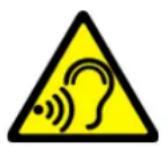
-3BYKU—
Bo n36eXaHne noBpeJdeHnA clyxa He nCnoIb3yIte yCTpoiCTBO Ha BbICOKoI rPOMKocTn B TeueHne dIInTeJIbHOro BpeMeHn, He pOdHocnte pa6OtaIOuOee ycTpoiCTBO npraMo K yxy.
Пронзводntелb:
mPTech Ltd.
YnIuaHOBorpoDcKa,31
00-511 BapшаВa
PoiIbIa
CaiT: www.myphone-mobile.com
KoMpIeKtaZn myPhone Halo 2
Ipeed TeM, KaK Naatb POnb30BaTbcra TelefoHOM, y6eInTeCb, YTO B Kopo6Ke ecTB Bce cIeDyUoUne npEmdMeTbl:
- Telefon myPhone Halo 2,
RU © mPTech. Bce npaba 3aunuehbl
myPhone Halo 2
akymyIaTOp,
3apdHoe yctpoCTBO,
3apnHaIoDCTaBka,
- pykoBOIOCTBO NOIb3OBaTeJIa.
EcnuTO-ln6o n3 BbIepepeucHNO OTCyTCTByeT nIN NOBpeKdEHO, o6paTntecb K CBOemy dIlepy. Ha ynaKOBke myPhone Halo 2 ectb NaKleKa c IMEI n cepinHbIM Homepom. CoBeTyem coXpaHNTb eE Ha cnUaB BO3HNKHOBeHnA IpeTeH3n. XpaHnte KOHTeHep B HeIOCTyHOM dIra DeTe MeCTe.
TexHnuecka cneuФикача n
YeTbIpe yacToTHbIX dHaNa3OHa: 850/1900 n 900/1800 MΓu
OdINH pa3bE M dIy SIM-kaPTbl, peKIM rpoMkoB CBa3N
Pa3mepbl: 121 x 58 x 14 MM
Диспел: 2'2"
Emkoctb aKKymyIaTopa: 900 mAч
Bec: 85 r
KapTBi namrtn noDepxNBAHT do 32 B
Texnueckne xapaKtepcntknaKKymyIaTopa:
BxoHbIe:100-240B\~,50/60Γu,150 mA
- BbIXoHbIe: 5.0 B =, 500 mA, 2.5 BT
- CpeHnKπD Bo BpeMpa6oTbI (ДЯ 230B,50Γu):72,83%
-ПOTpe6JIeHHe 3Heprnn 6e3 Harpy3Kn:MeHee 0,3 BTr.
YcTpaHHe HeNCnPaBHOCTeI
Website: www.myphone-mobile.com
www.myphone.pl/qr/myphone-halo-2
www.myphone-mobile.com
Taalkeuze in noodgevallen
www.myphone.pl/qr/myphone-halo-2
Veiligkeit
www.myphone.pl/qr/myphone-halo-2