00176589 - Lighting HAMA - Free user manual and instructions
Find the device manual for free 00176589 HAMA in PDF.

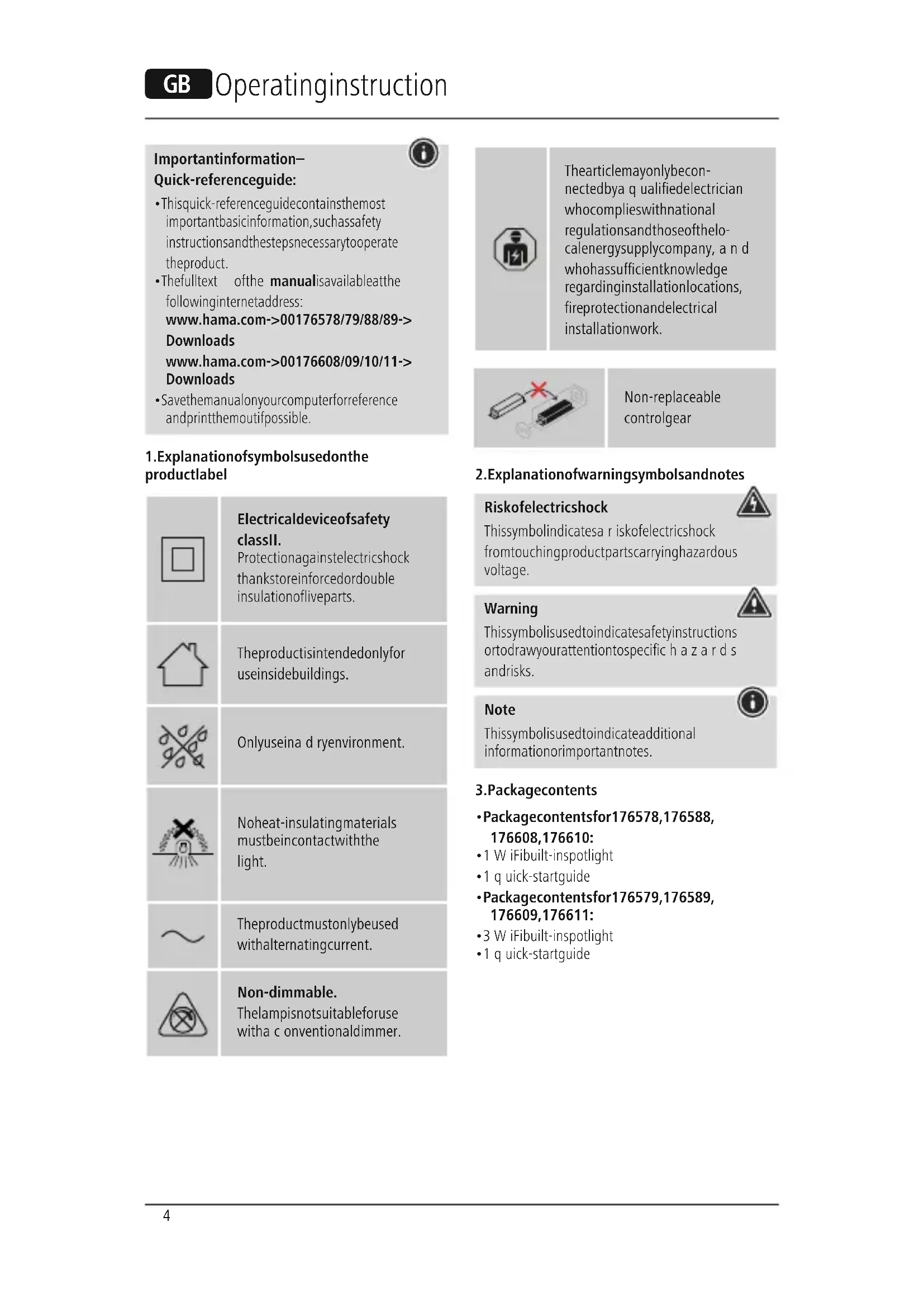


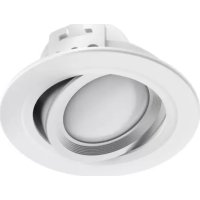
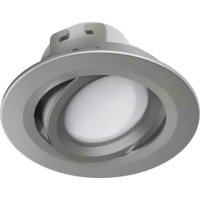
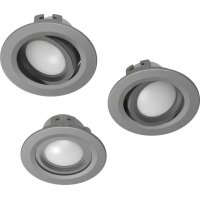
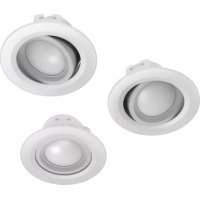
| Product type | Recessed LED WiFi spot (pack of 3) |
| Brand | Hama |
| Model | 00176589 |
| Power | 5 W |
| Luminous flux | 350 lm |
| Color temperature | 2700 K – 6500 K (warm white to cool white) |
| Supply voltage | 230 V ~ 50 Hz |
| Frequency band | 2.4 GHz |
| Maximum transmission power | < 100 mW |
| Protection class | II |
| Protection rating | IP20 (indoor use only) |
| Recessed diameter | 75 mm |
| Minimum installation depth | 80 mm |
| Minimum distance to flammable materials | 50 cm |
| Dimmer compatibility | Not compatible with conventional dimmer |
| Light source | Non-replaceable (replace entire luminaire) |
| Connectivity | WiFi 2.4 GHz via Hama SmartHome app |
| Package contents | 3 WiFi spots, quick start guide |
| Use | Indoor only, dry rooms |
| Cleaning | Slightly damp lint-free cloth, no harsh detergents |
| Warranty | See manufacturer's terms |
Frequently Asked Questions - 00176589 HAMA
User questions about 00176589 HAMA
0 question about this device. Answer the ones you know or ask your own.
Ask a new question about this device
Download the instructions for your Lighting in PDF format for free! Find your manual 00176589 - HAMA and take your electronic device back in hand. On this page are published all the documents necessary for the use of your device. 00176589 by HAMA.
USER MANUAL 00176589 HAMA
OperatingInstructions
Bedienungsanleitung
Moded'emploi
Instruccionesdeuso
Gebruiksaanwijzing
Istruzioniperl'uso
Instrukcjaobsługi
Használatiútmutató
Manualdeutilizare
Návodk p oužití
Návodnapoužitie
Manualdeinstruções
Bruksanvisning
LinktoApp

Step 3: Vertically put the spring buckle and then release on the hole of ceiling
Step4:Finishinstallation
Schritt4: Installationabschließen
- This quick-reference guide contains the most important basic information, such as safety instructions and the steps necessary to operate the product.
- Thefulltext ofthe manualisavailableatthe followinginternetaddress: www.hama.com->00176578/79/88/89-> Downloads www.hama.com->00176608/09/10/11-> Downloads
- Savethemanualonyourcomputerforreference andprintthemoutifpossible.
1. Explanation of symbols used on the product label

Electricaldeviceofsafety classII.
Protectionagainstelectricshock thankstoreinforcedordouble insulationofliveparts.
Theproductisintendedonlyfor useinsidebuildings.
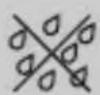
Onlyuseina d ryenvironment.
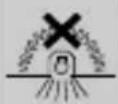
Noheat-insulatingmaterials mustbeincontactwiththe light.

Theproductmustonlybeused withalternatingcurrent.

Non-dimmable.
Thelampisnotsuitableforuse with a conventionaldimmer.

Thearticlemayonlybeconnectedbya q ualifiedelectrician whocomplieswithnational regulationsandthoseofthelocalenergysupplycompany, a nd whohassufficientknowledge regardinginstallationlocations, fireprotectionandelectrical installationwork.
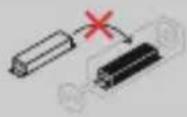
Non-replaceable controlgear
2. Explanationofwarningsymbolsandnotes
Riskofelectricshock
Thissymbolindicates a riskofelectricshock fromtouchingproductpartscarryinghazardous voltage.
Warning
This symbol is used to indicate safety instructions ortodraw your attention to specific hazards and risks.
Note
This symbol is used to indicate additional information or important notes.


3.Packagecontents
• Packagecontentsfor176578,176588,176608,176610:
- 1 W iFibuilt-inspotlight
- 1 quick-startguide
• Packagecontentsfor176579,176589, 176609,176611:
• 3 W iFibuilt-inspotlight
- 1 quick-startguide
4. Safetyinstructions
- Thisproductisintendedforprivate,non-commercialuseonly.
- Thisproductisintendedexclusivelyforinstallation insuspendedceilingsorsuitablebuilt-inrecesses orconcretebuilt-inhousings.
- Usetheproductonlyfortheintendedpurpose.
- Donotdroptheproductanddonotexposeitto anymajorshocks.
- Donotoperatetheproductoutsidethepower limitsspecifiedinthetechnicaldata.
- Do not modify the product in any way. Doing so voidsthewarranty.
- Childrenmustnotplaywiththedevice.Cleaning andusermaintenancemustnotbecarriedoutby childrenwithoutsupervision.
- As with all electrical products, this device should be kept out of thereach of children.
- Disposeofpackagingmaterialimmediately inaccordancewiththelocallyapplicable regulations.
• The product should only be installed in self-contained rooms. It is not suitable for installation in bathrooms.
• The product must only be operated on a supply network as described on the type plate. - Before mounting, check that the ceiling you have chosenissuitablefortheweighttobemounted. Also make sure that there are no electric, water, gasorotherlinesrunningthroughtheceilingat themountingsite.
• Electricalcablesmustneverbecometrappedor twistedbetweentheproductandthesurface. - If the product is attached to a metal surface, it must be connected to an earth lead or the installation's potential equalising cable.
• These built-in lights are not compatible with dimmerswitches, motionsensorsordimmers. - Protect the product from dirt, moisture and overheating and use it in dry room only.
- Onlyusethearticleundermoderateclimatic conditions.
- Donotusetheproductinareasinwhich electronicproductsare notpermitted.
- Donotusetheproductina d ampenvironment andavoidsplashingwater.
- Donotbendorcrushthecable.
- Donotattempttoserviceorrepairtheproduct yourself. L eaveanyandallserviceworkto qualifiedexperts.
- Donotcontinuetooperatethedeviceifitis visiblydamaged
Warning
- Plesenotethatlights(evenLEDs)cangenerateheatandmaybecomehot.Alwayslet theightcooldownfora fewminutesbefore touchingit.
• The device can only be operated on a 230 V / 50Hz AC voltagenetwork. Work on the 230V n etwork must only be carried out by an electrician certified in your country. The applicable accident prevention regulations must be adhered to.
• To avoid an electric shock from the device, pleased disconnect themains voltage (switch off the automatic circuit breaker). Failure to comply with the installation instructions can cause fires or other hazards.

Riskofelectricshock
Donotopentheproductandonotoperateitif itisdamaged,ifsmoke,a s trangesmellorloud noisesare c omingfromit.Immediatelycontact yourdealerorourservicedepartment(seeitem "ServiceandSupport").

Note
Thelightsourceofthislightisnotreplaceable; whenthelightsourcehasreachedtheendofits life,youneedtoreplacetheentire light.


Warning
Neverlookstraightintothelightsourceanddo notaimitsbeamoflightstraightintotheeyes ofotherpeopleoranimals.Thiscoulddamage your/theireyes.

Exampleinstallationinwood/ drywallceiling:
- Before commencing any installation, maintenance or repair work, pleased disconnect the power circuit by disconnecting the fuse.
- Secure the powerercircuit against being switched back on.
- Check that the minimum installation depth of 80mm (47mmlight + 33m m clearance) is available. The clearance between the upper edge of the light and the ceiling must not be less than 33mm to allow ventilation. The minimum distance between the lights and flammable material must be no less than 50cm. Donot cover the light with any heat-insulating material.
- Markoutthepositionwhere t helightisto beinstalled.
- Createaninstallationopeningwitha diameter of75mmusinga suitableholesaw. Take carenottodisturbanyhiddeninstallationor supplylines.
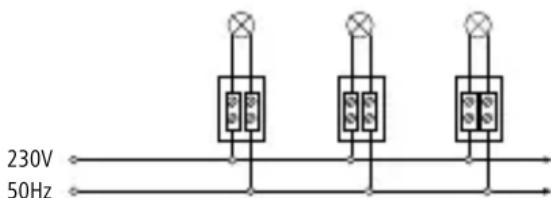
- Theterminalpoints(e.g. terminalstrip) between the domestic installation and the built-inspotlight connection cable must be clamped in suitable junction boxes. (Not included in the extent of delivery).
- Continuing cable to then next built-in light must correspond intermsof structure a nd insulation to the operating mode. They yellow / green (earth / PE conductor) cable is not connected. Other lights are c abledin parallel.
-
Closethejunctionboxandpushitintothe installationopening. Also ensure t hatthecables are free of compressive and tensile forces. Protectallcablesandinsulationfromany potentialdamage.
-
Positionthebuilt-inlightatanangleandfirst inserta c lampintotheinstallationopening. Thespringsontheclampare v erypowerful andcancauseinjuryifdueattentionis notpaid!
-
Now guidethesecond clamp into the installation opening. The built-in light is now slowly introduced all the way into the installation opening. The force of the clamps is sufficient to hold the built-in light in position.
- No further fixings are needed. For precise alignment, the built-in light can be easily repositioned and rotated. The internal part of the light can also be swivelled.
- Only reinsert the fuse once all built-in lights have been installed.
Removal
-
Pullthebuilt-inlightoutoftheinstallation openingononeside.Takecare to ensure that theclampdoesnotaccidentallyslipoutof theopening.Otherwisethere is a dangerthat fingersmaybecometrapped.
-
Firstcarefullyremoveoneclamp, then the other, from the installation opening.
-
The further removal process is carried out in thereverse order to the installation process.
5. Here'showeasyitis:
Downloadtheapp
- DownloadtheHamaSmartHome(Solution) APPfromtheAppleAppStore or G ooglePlay Store.
- OpentheHamaSmartHome(Solution)APP.
- The first time you set the app, you need to register and create a new account. If you already have an account, login with your access details.
- Follow the instructions in the app.
Note

A d etaileddescriptionofthe
HamaSmartHome(Solution)App
anditsfullscopeoffunctionscanbefoundinour AppGuideat:
www.hama.com ArticleNumber Downloads AppOperatingInstructions
6.CareandMaintenance

Note
Disconnect the product from themains before cleaning and during prolonged period so of non-use.
- Only clean this product with a slightly damp, lint-freeclothanddonotuseaggressivecleaning agents.
- Ensure that no water is able to enter the product.
7.WarrantyDisclaimer
Hama GmbH & Co KG assumes no liability and providesnowarrantyfordamageresultingfromimproper installation/mounting,improperuseoftheproduct orfromfailure t o o bservetheoperatinginstructions and/orsafetynotes.
8. Recycling Information
Noteonenvironmentalprotection:
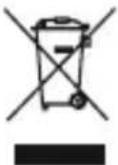
Aftertheimplementationofthe EuropeanDirective2012/19/EUand 2006/66/EUinthenationallegal system, the following applies: Electricandelectronicdevicesas
wellasbatteriesmustnotbedisposedofwith householdwaste.Consumersare o bligedbylaw toreturnelectricalandelectronicdevicesaswell asbatteriesattheendoftheirservicelivestothe publiccollectingpointssetupforthispurpose or point of sale. Details to this are defined by the nationallawoftherespectivecountry. T hissymbol ontheproduct,theinstructionmanualorthe package indicates that a product is subject to these regulations.Byrecycling,reusingthematerialsor otherformsofutilisingolddevices/Batteries,you are m akinganimportantcontributiontoprotecting ourenvironment.
9.RFexposureinformation
This device complies with the EU requirements for limiting the exposure of the general public to electromagnetic fields by means of health protection. The device complies with RF specifications provided it is used 20cm away from the body.
10. Declaration of Conformity
Hereby, Hama GmbH & Co KG declares that the radio equipmenttype[00176578,00176579,00176588,00176589,00176608,00176609,00176610,00176611]isincompliancewithDirective2014/53/EU. ThefulltextoftheEUdeclarationofconformity isavailableatthefollowinginternetaddress: www.hama.com->00176578,00176579,00176588,00176589,00176608,00176609,00176610,00176611->Downloads.
11.Technicaldata
| WiFiLEDBuilt-InSpotlight | 176578/79/88/89 |
| Luminousflux350lm | |
| Power5W | |
| Lightcolour | 2700%-6 500%(warmwhitetocool white) |
| Lampcurrent45mA | |
| Frequencyband/frequencybands | 2.4GHz |
| Maximumradio-frequencypower transmitted | < 1 00mW |
| WiFiLEDBuilt-InSpotlight | 176608/09/10/11 |
| Luminousflux380lm | |
| Power5W | |
| Lightcolour | 2700%-6 500%(warmwhitetocool white) |
| Lampcurrent45mA | |
| Frequencyband/frequencybands | 2.4GHz |
| Maximumradio-frequencypower transmitted | < 1 00mW |
natural_image
Pure electrical circuit lines without any symbolsnatural_image
Pure electrical circuit lines without any symbolsnatural_image
Pure electrical circuit lines without any symbolsnatural_image
Pure electrical circuit lines without any symbolsnatural_image
Simple icon of a person inside an octagonal frame, no text or symbols present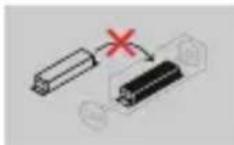
natural_image
Pure electrical circuit lines without any symbolsnatural_image
Pure electrical circuit lines without any symbols8. Pokynyk likvidaci
natural_image
Pure electrical circuit lines without any symbols8. Pokynyk likvidaci
natural_image
Pure electrical circuit lines without any symbolsAppHamaSmartHome(Solution)
natural_image
Pure electrical circuit lines without any symbolsnatural_image
Pure electrical circuit lines without any symbolsnatural_image
Pure electrical circuit lines without any symbolsnatural_image
Pure electrical circuit lines without any symbolsnatural_image
Pure electrical circuit lines without any symbolsnatural_image
Pure electrical circuit lines without any symbols"Google and Google Play are trademarks of Google LLC."
All listed brands are trademarks of the corresponding companies. Errors and omissions excepted, and subject to technical changes. Our general terms of delivery and payment are applied.