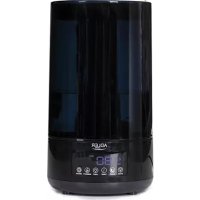
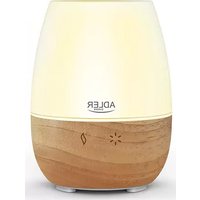
AD 7963 - Humidifier ADLER - Free user manual and instructions
Find the device manual for free AD 7963 ADLER in PDF.



| Product type | Ultrasonic humidifier |
| Brand | Adler |
| Model | AD 7963 |
| Power supply | 220-240 V ~ 50/60 Hz |
| Power | 25 W |
| Water tank capacity | 4.3 liters |
| Maximum humidification capacity | 310 ml/h |
| Noise level | <35 dB |
| Removable water tank | Yes |
| Descaling filter | Yes, replacement every 1-2 years |
| Remote control | Yes (CR2025 battery included) |
| Night light | Yes, multi-color |
| Timer | 1 to 12 hours |
| Humidity adjustment | 45 % to 90 % |
| Mist levels | 3: low, medium, high |
| Sleep mode (screen off) | Yes |
| Automatic shut-off when water runs out | Yes |
| Essential oil aroma box | Yes, with sponge |
| Recommended cleaning | Once a week |
| Use | Household only, room 5 to 40 °C |
Frequently Asked Questions - AD 7963 ADLER
User questions about AD 7963 ADLER
0 question about this device. Answer the ones you know or ask your own.
Ask a new question about this device
Download the instructions for your Humidifier in PDF format for free! Find your manual AD 7963 - ADLER and take your electronic device back in hand. On this page are published all the documents necessary for the use of your device. AD 7963 by ADLER.
USER MANUAL AD 7963 ADLER
natural_image
ADLER 3 water heater with digital display showing temperature reading of 85°F (no text or symbols on device body)AD 7963
natural_image
Close-up of a mechanical component with a textured base and a labeled section '8' (no text or symbols on the main subject)A
B

other
B9 MIST 88%/RH TIMING WATER SHORTAGE NIGHT LIGHT SLEEP HUMID B7 B11 B12 B13 B8 SPEED SLEEP TIMER LIGHT HUMIDITY OFF/ON B6 B2 B5 B3 B10 B4 B1C
ENGLISH
GENERAL SAFETY CONDITIONS
IMPORTANT SAFETY INSTRUCTIONS READ CAREFULLY AND SAVE FOR FUTURE
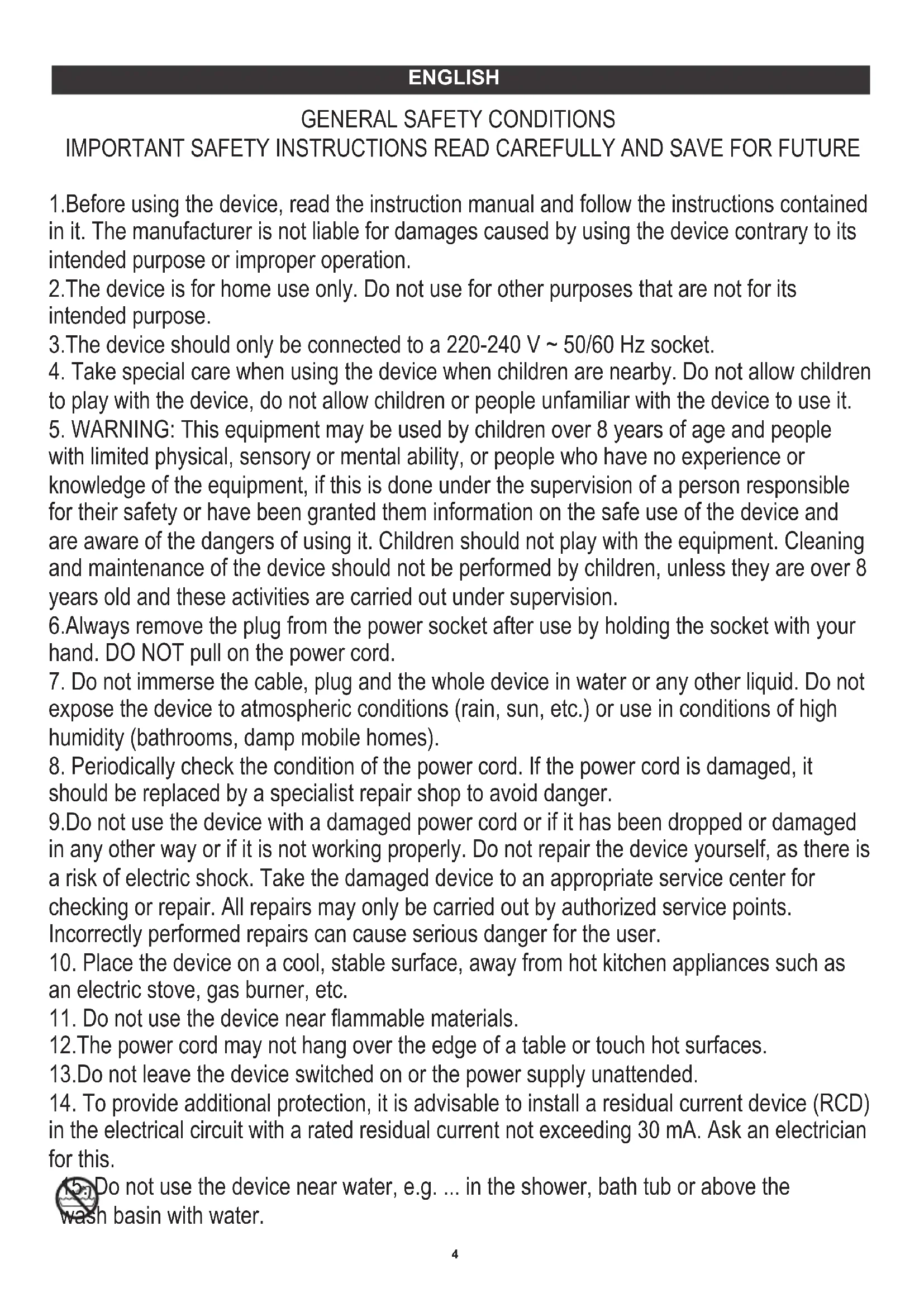
- Before using the device, read the instruction manual and follow the instructions contained in it. The manufacturer is not liable for damages caused by using the device contrary to its intended purpose or improper operation.
- The device is for home use only. Do not use for other purposes that are not for its intended purpose.
- The device should only be connected to a 220-240 V \~ 50/60 Hz socket.
- Take special care when using the device when children are nearby. Do not allow children to play with the device, do not allow children or people unfamiliar with the device to use it.
- WARNING: This equipment may be used by children over 8 years of age and people with limited physical, sensory or mental ability, or people who have no experience or knowledge of the equipment, if this is done under the supervision of a person responsible for their safety or have been granted them information on the safe use of the device and are aware of the dangers of using it. Children should not play with the equipment. Cleaning and maintenance of the device should not be performed by children, unless they are over 8 years old and these activities are carried out under supervision.
- Always remove the plug from the power socket after use by holding the socket with your hand. DO NOT pull on the power cord.
- Do not immerse the cable, plug and the whole device in water or any other liquid. Do not expose the device to atmospheric conditions (rain, sun, etc.) or use in conditions of high humidity (bathrooms, damp mobile homes).
- Periodically check the condition of the power cord. If the power cord is damaged, it should be replaced by a specialist repair shop to avoid danger.
- Do not use the device with a damaged power cord or if it has been dropped or damaged in any other way or if it is not working properly. Do not repair the device yourself, as there is a risk of electric shock. Take the damaged device to an appropriate service center for checking or repair. All repairs may only be carried out by authorized service points. Incorrectly performed repairs can cause serious danger for the user.
- Place the device on a cool, stable surface, away from hot kitchen appliances such as an electric stove, gas burner, etc.
- Do not use the device near flammable materials.
- The power cord may not hang over the edge of a table or touch hot surfaces.
- Do not leave the device switched on or the power supply unattended.
- To provide additional protection, it is advisable to install a residual current device (RCD) in the electrical circuit with a rated residual current not exceeding 30 mA. Ask an electrician for this.

Do not use the device near water, e.g. ... in the shower, bath tub or above the n basin with water.
- When the appliance is used in a bathroom, remove the plug from the socket after use, as the proximity of water is a hazard even when the appliance is turned off.
- Do not allow the device to get wet. In the event that the device falls into water, immediately remove the plug from the wall socket. Do not put your hands in water when the machine is connected to the network. It must be checked by a qualified electrician before using it again.
- Do not hold the device with wet hands.
- Always turn off the device when putting it away.
- Never turn on the device without water.
- Use only clean, cool water.
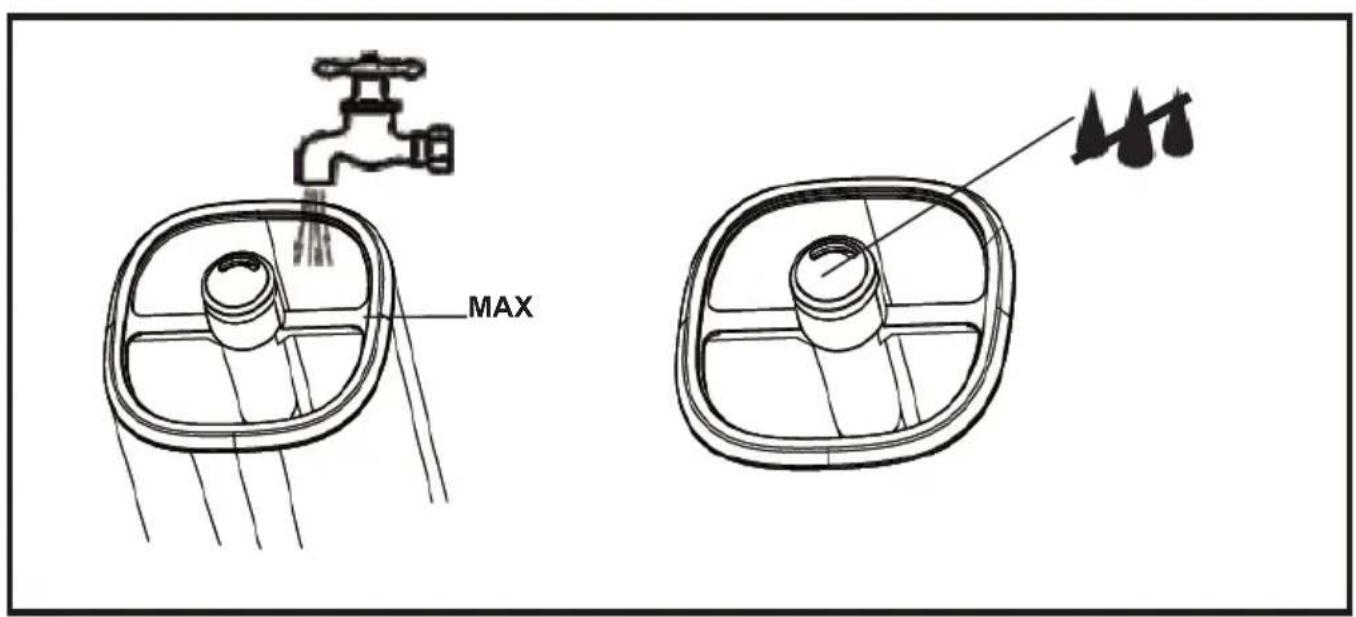
- Do not pour water into the tank above the maximum level.
- Do not immerse the humidifier base.
- Do not add any chemicals to the tank, the base or the steam outlet. Do not add aromatic oils, salts, descaling tablets, powders or cleaning substances to the water.
- The water inlet cap / water tank cover should always be tightly closed.
- Make sure the humidifier's mist outlet is not directed directly at walls, furniture, electrical outlets, electrical and electronic devices, or children. Too high humidity in a room can lead to moisture accumulation, causing bacteria and fungi to grow, and damage to walls, furniture, and wallpapers.
- Do not block the ventilation of the device. Keep a distance of at least 20 cm from the device. Do not block the humidifier water mist outlet.
- Do not use the device if there is a risk of condensation. Moisture can form on the inside and outside of the device when:
- the device is moved from a cold to a warm place,
- the heating system has just been switched on,
- the device is used in a room with high humidity,
- the device is cooled by the air conditioning cooling system.
When moisture condensation occurs in the device, it may not work properly or may be damaged in extreme cases. In this case, do not use the device and let it dry for a few hours. - Do not tilt, turn over or attempt to top up or pour water from the machine during operation.
- Do not remove the tank from the base of the device during operation of the humidifier.
- The filled water tank is heavy. When carrying it, keep it underneath as well.
- Do not use a humidifier if you find water leaks from under the device.
- Do not leave water in the humidifier when it is not being used.
- Clean the humidifier after each use cycle. Follow the cleaning instructions in this manual.
- Never allow sedimentation, moisture or water to remain in the humidifier base tank (this may cause contamination or even damage to the ultrasonic atomizer).
-
During prolonged operation of the device, the water mist emitted by the humidifier may fall to the floor and cause moisture.
-
Do not lift the water tank by the water mist outlet.
- It is prohibited to insert metal chips, wire, needles and other foreign objects into the product or into the housing gaps, otherwise it may cause electric shock or malfunction.
The device is designed to work in rooms with a temperature of 5-40 °C and a relative humidity of up to 80%.
DESCRIPTION OF THE DEVICE: ULTRASONIC HUMIDIFIER (picture A)
A1. Water mist outlet A2. Water tank
A3. Base A4. LCD Control panel
A5. Water tank cover A6. Remote control
A7. Water descaling filter A8. Sponge in fragrance box
LCD CONTROL PANEL (figure B)
B1. Power button B2. Mist SPEED button
B3. TIMER button B4. HUMIDITY button %
B5. SLEEP button B6. Timer indicator 1-12 hours
B7. Water shortage indicator B8. HUMIDITY value indicator %
B9. MIST intensity indicator 1/2/3 drops (weak / medium / strong)
B10. Night Light button B11. Night Light indicator
B12. SLEEP function indicator B13. HUMIDITY function indicator
USING (picture C)
- After transportation in low temperatures, leave the appliance in the room for 2 hours to acclimate before using. Do not use the device without water.
- Make sure the device is unplugged.
- Remove the water tank cover (A5). Remove the water tank (A2) from the base of the device (A3)
- Top up the water tank (A2) only when the machine is switched off from the power supply. Do not pour water into the tank above the maximum level – look at picture C. Do not pour water into the housing gaps and into the mist outlet pipe shown in Picture C.
- Place the filled water tank on the base (A3) in correct position, make sure the filter (A7) is properly placed. Wait a 1-2 minutes before starting the device.
- Close the water tank cover (A5).
- Slide out of the fragrance box from the base (A3) and put aroma oil on the aroma sponge (A8) if you desire, 3-5 drops of oil on the sponge should be enough. Aroma oil is not included in set. Do not add any aromatic substances into the water tank A2 (powder, liquids oil, etc.). Aromatic oil should be poured only on the sponge (A8) located in the fragrance box in the bottom of unit from back side.
- Remove plastic insert from the remote control (A6) to active the battery. The remote control (A6) operates the device in the same way as the control panel buttons on the device housing (picture B).
- Connect the device to the power supply. The device will emit a single sound and will wait for setting the operating mode.
- Touch the power button (B1), the LCD screen will light up and the device will start working. The display will show the humidity % near the machine and the function you set. The mist will start come out after several seconds.
- Press the SPEED (B2) button one, two or three times to activate continuous mist output at low or medium or strong level.
- Press the TIMER button (B3) to set the delayed switch-off of device, adjust required time in range: 1-12 hours. The device will switch off after required time of continuous operation.
- Press the button (B4) to set required humidity from 45% to 90%.
Note: When the device is on, it shows the current humidity level in room. When the room reaches the humidity % you set, the device will stop working automatically. When the humidity % decrease and becomes less than the preset humidity %, the device will start working again. If you don't set the room humidity, the device will keep running until the water is over. The humidifier mainly shows the humidity near the machine.
-
Press the LIGHT button (B10) to turn on and turn off the night light. The night light will change colors.
-
Press the SLEEP button (B5) to set the LCD display illumination ON/OFF.
-
Press the power button ON/OFF (B1) again so that the device stops working and goes into standby mode. Unplug the power plug.
If there is not enough water in the water tank, the device will beep and the display will show water shortage indication (B7) and have beep indication voice. The delayed switch-off and constant humidity setting is canceled. The device will stop working after some seconds. Unplug the device and refill the water tank.
Note: If moisture collects around the appliance, this is not a defect. It may be an indication that the humidity level is set too high. Reduce the mist output or reduce the required value of humidity %. It is normal to hear dripping sound when the mist output is at high level.
CLEANING AND MAINTENANCE OF THE DEVICE
To extend the lifespan of the appliance, it is recommended to clean it at least once a week.
- Turn off the device and unplug the power plug from the wall socket when filling with water and cleaning.
- Remove the water tank (A2) from the base, empty it. Do not keep the same water in the tank for more than 2 days.
- Wash the water tank to remove settlements and dirt. Do not use abrasive cleansers, hard brushes to avoid scratches. Dry the tank. Do not immerse the base in water or put it under running water.
- Gently wipe the inside of the humidifier base and the water descaling filter (A7) gently to dry.
- Replace the water descaling filter every 1-2 years.
- If the unit won't be used for an extended period of time, unplug it from the wall outlet.
NOTE: Do not allow the base of the humidifier to get wet in water.
NOTE: Do not wash the humidifier with warm water.
TECHNICAL DA
Power supply: 220-240V \~ 50 / 60Hz
Battery remote control CR2025 1 piece
Water tank capacity: 4.3 liters
Humidification capacity: max 310 ml / hour
Power: 25 W
Noise level: <35 Db.
To protect your environment: please separate carton boxes and plastic bags and dispose them in corresponding waste bins. Used appliance should be delivered to the dedicated collecting points due to hazarsous components, which may effect the environment. Do not dispose this appliance in the common waste bin.
DEUTSCH
A3. Base A4. Panel de control LCD
B2. Mist SPEED -painike
B3. AJAŠTIN-painike
B4. Kosteus-painike%
B5. SLEEP-painike
B2. Mist SPEED-knapp
B4. HUMIDITY-knapp%
B6. Timerindikator 1-12 timmar
(3) (A3) (A2) (A1) (A5) (A3) (A2) (A1) (A4) (A3) (A2) (A1) (A3) (A2) (A1) (A3) (A2) (A1) (A3) (A2) (A1) (A3) (A2) (A1) (A3) (A2) (A1) (A3) (A2) (A1) (A3) (A2) (A1) (A3) (A2) (A1) (A2) (A3) (A2) (A1) (A3) (A2) (A1) (A3) (A2) (A1) (A3) (A2) (A1) (A3) (A2) (A1) (A3) (A2) (A1) (A3) (A2) (A1) (A3) (A2) (A1) (A4)
natural_image
Symbol of a trash bin crossed with a diagonal line, no text or numbers presentnatural_image
White watermelon-shaped kettle with blue liquid inside, no visible text or symbols on the device itself.Electric Kettle AD 02

natural_image
Exterior view of a modern coffee machine with orange and black casing (no visible text or symbols)Espresso Machine AD 4404

Standing Fan
AD 7305
natural_image
Exterior view of a black and silver plate with a red and green button (no text or symbols visible)Sandwitch maker AD 3015

natural_image
White portable electric heater with black ventilation grille and control buttons (no visible text or symbols)Fan Heater AD 77

natural_image
White industrial air conditioner unit with cooling fan and wheels (no visible text or symbols)Oil Heater AD 7808

Hair Clipper
AD 2823
Hair Clipper
AD 2825

natural_image
Exterior view of a modern glass coffee maker with a black lid (no visible text or symbols)Dripp Coffee Maker AD 4407
natural_image
Glass water heater with blue liquid, no visible text or symbolsKettle AD 1286

natural_image
White handheld device with visible brand logo and cable (no readable text or symbols)Hair Dryer AD 2252
natural_image
Black handheld hairbrush with a silver clip and orange handle (no text or symbols visible)Hair Clipper AD 2832
natural_image
Black flip phone case with red strap (no visible text or symbols)Hair Shaver AD 2932

natural_image
Close-up of a stainless steel kitchen pan with digital display (no visible text or symbols)Kitchen Scale AD 8121

natural_image
Black and white photo of a mobile phone keyboard with circular buttons (no visible text or symbols)Nut Cookie Maker AD 3039

natural_image
A modern blender with pink liquid and black handle, no visible text or symbols on the device.Blender AD 4076

Brand : ADLER
Model : AD 7963
Category : Humidifier