
Evidence EA892C - Coffee machine KRUPS - Free user manual and instructions
Find the device manual for free Evidence EA892C KRUPS in PDF.
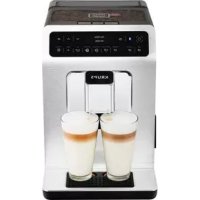



| Product type | Automatic coffee machine with grinder |
| Model | Evidence EA892C |
| Brand | KRUPS |
| Dimensions (H x W x D) | 367 x 240 x 380 mm |
| Weight | 8.4 kg |
| Power supply | 220-240 V ~ 50 Hz |
| Power | 1450 W |
| Pump pressure | 15 bar |
| Water tank capacity | 2.3 L |
| Bean hopper capacity | 250 g |
| Number of beverages | More than 14 hot beverages |
| Beverage types | Espresso, double espresso, coffee, double coffee, ristretto, doppio, americano, cappuccino, double cappuccino, latte, double latte, frothed milk, green tea, black tea, herbal tea |
| Grinder | Metal burr grinder with fineness adjustment |
| Heating system | Compact Thermoblock System with integrated brewing chamber |
| Special functions | Dark function (intensity boost), Extra Shot function (add an espresso), simultaneous dual cup preparation |
| Display | Tracking and navigation display |
| Connectivity | Bluetooth BLE, KRUPS Espresso app |
| Maintenance and cleaning | Automatic coffee and milk cleaning programs, automatic descaling, automatic rinse on/off |
| Safety | Automatic shutdown in case of malfunction, automatic leveling |
| Spare parts and repairability | Claris Aqua Filter System filter cartridge, removable One Touch Cappuccino unit, disassembly key, cleaning and descaling tablets included |
| Warranty | Warranty documents included |
Frequently Asked Questions - Evidence EA892C KRUPS
User questions about Evidence EA892C KRUPS
0 question about this device. Answer the ones you know or ask your own.
Ask a new question about this device
Download the instructions for your Coffee machine in PDF format for free! Find your manual Evidence EA892C - KRUPS and take your electronic device back in hand. On this page are published all the documents necessary for the use of your device. Evidence EA892C by KRUPS.
USER MANUAL Evidence EA892C KRUPS
Dear Customer,
Congratulations! You are now the proud owner of your Espresso Automatic EA89 Series.
This new product offers more than 14 hot drinks: espresso, double espresso, coffee, double coffee, ristretto, doppio, Americano, cappuccino, double cappuccino, latte, double latte, frothy milk, green tea, black tea, herbal tea.
In addition to this very large choice, the machine offers many opportunities for customising drinks. For example, you can use a function that will increase the intensity of your coffee, if you appreciate more full-bodied preparations. You can set the amount, strength and temperature of your drinks.
The most frequently consumed drinks are accessible with one simple touch on the main interface. As for the screen, it allows you to follow the progress of your coffees and provides easy access to the different menus.
Most drinks can be prepared in batches of two, which saves time and is more convivial.
Thanks to its KRUPS Quattro force technology, including a Compact Thermoblock System with built-in percolation chamber, its 15 bar pump, and because it uses coffee beans which have been freshly ground just before making the coffee, your machine will serve you hot ristrettos, espressos and coffees from the first cup with maximum aroma and a creamy golden-brown froth.
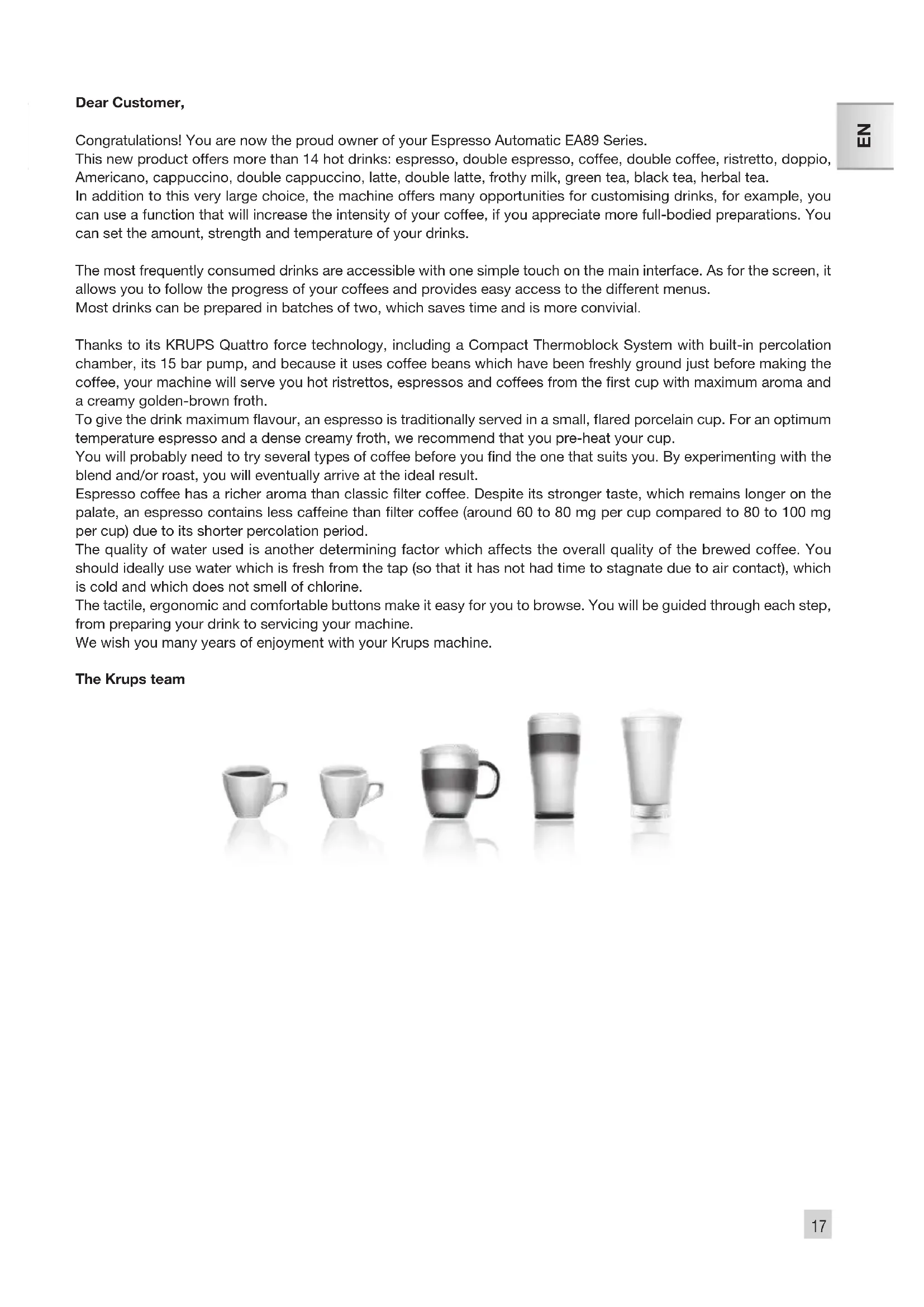
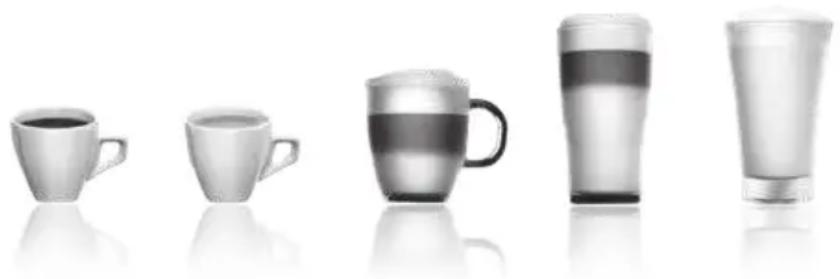
To give the drink maximum flavour, an espresso is traditionally served in a small, flared porcelain cup. For an optimum temperature espresso and a dense creamy froth, we recommend that you pre-heat your cup.
You will probably need to try several types of coffee before you find the one that suits you. By experimenting with the blend and/or roast, you will eventually arrive at the ideal result.
Espresso coffee has a richer aroma than classic filter coffee. Despite its stronger taste, which remains longer on the palate, an espresso contains less caffeine than filter coffee (around 60 to 80 mg per cup compared to 80 to 100 mg per cup) due to its shorter percolation period.
The quality of water used is another determining factor which affects the overall quality of the brewed coffee. You should ideally use water which is fresh from the tap (so that it has not had time to stagnate due to air contact), which is cold and which does not smell of chlorine.
The tactile, ergonomic and comfortable buttons make it easy for you to browse. You will be guided through each step, from preparing your drink to servicing your machine.
We wish you many years of enjoyment with your Krups machine.
The Krups team
To get the most out of your machine and obtain good quality coffees, here is some advice:
- The quality of your water significantly influences the quality of the flavors. Lime scale and chlorine can alter the taste of your coffee. We recommend that you use the Claris Aqua Filter System cartridge or low mineral-content water to preserve all of the flavors of your coffee.
- When preparing exclusively coffee recipes, we recommend that you use tulip-shaped porcelain cups, preheated beforehand (by running them under hot water, for instance), and of a size appropriate to the quantity you want to make. For your milk-based preparations, we recommend that you use thick glass cups for an appetizing result.
- Roasted coffee beans can lose their flavor if they are not protected. We recommend that you use the amount of beans required for your consumption for the next 4-5 days. Although the quality of coffee beans is subjective and varied, we do recommend that you use arabica rather than robusta.
- Lastly, please remember that oily and caramelized coffee beans must be avoided, as they can damage your machine.
- The quality and fineness of the grinding determine the strength of the flavors and the quality of the crema. The finer the beans are ground, the richer the crema. Indeed, grinding should be adapted to the drink desired: fine for ristretto and espresso, coarser for coffee.
- You can use pasteurized or UHT, skimmed, semi-skimmed, or whole milk, straight from the refrigerator (7°C). Using special milks (microfiltered, raw, fermented, enriched, etc.) or vegetable milks (rice, almond milk, etc.) can produce less satisfactory results, especially when it comes to the quantity and quality of the froth.
CONTENTS
IMPORTANT INFORMATION CONCERNING THE APPLIANCE AND INSTRUCTIONS. p.20 TECHNICAL DATA. p.20 APPLIANCE DESCRIPTION. p.21 OVERALL VIEW p.21 KRUPS APP p.22 USING YOUR APPLIANCE INSTALLING THE APPLIANCE . p.23 BEFORE PREPARING DRINKS IMPORTANT INFORMATION. p.24 PREPARING COFFEE DRINKS VIA DIRECT ACCESS . p.25 PREPARING MILKY DRINKS VIA DIRECT ACCESS p.25 PREPARING TEAS. p.26 PREPARING OTHER DRINKS: RISTRETTO, DOPPIO, AMERICANO OR FROTHY MILK .p.26 OTHER FUNCTIONS. p.27 GENERAL MAINTENANCE. p.28 TROUBLESHOOTING. p.30
IMPORTANT INFORMATION CONCERNING THE APPLIANCE AND INSTRUCTIONS
In this manual you will find all of the important information concerning the preparation, use, and maintenance of your machine.
Read the instructions carefully before using your appliance for the first time and keep them for future reference: KRUPS may not be held liable in the event of any use that does not comply with the instructions.
GUIDE TO THE SYMBOLS USED IN THE INSTRUCTIONS

Warning: Risk of serious injury or death. The lightning bolt symbol warns against electrical dangers.

Warning: Risk of possible malfunction, damage, or destruction of the appliance.

Warning: General or important note concerning the operation of the appliance.
Products supplied with your machine
Check the products supplied with your machine. If any parts are missing, contact your hotline (see p. 22: Initial settings).
Parts supplied:
- Espasso Automatic Series EA89 -2 cleaning tablets -1 descending sachet
- Milk conduit adaptable to the "One Touch Cappuccino" block
- Dismantling key for cleaning the steam circuit
- Safety instructions booklet
- Claris - Aqua Filter System cartridge with fitting accessory
- 1 stick for testing water hardness
- Instructions
- List of approved Krups service centres
- Guarantee documents
TECHNICAL DATA
| Appliance Espresso Automatic Series EA89 | |
| Power supply 220-240V- / 50 Hz | |
| Pump pressure 15 bars | |
| Coffee bean container 250 g | |
| Power consumption During operation: | 1,450 W |
| Standby power consumption Connected mode: 0,72 W | |
| Water tank 2.3 l | |
| First use and storage Indoors, in a dry place (protected from frost). | |
| Dimensions (mm) H x L x D 367 x 240 x 380 | |
| Weight EA89 (kg) 8.4 | |
| Frequency of the Bluetooth module 2.40 MHz | |
| Output produced by the Bluetooth module 7.7dBm | |
Subject to technical adaptations.
APPLIANCE DESCRIPTION
A. Water tank handle/lid, B. Water tank, C. Coffee grounds collector, D. Height-adjustable coffee outlets, E. Grid and removable drip tray, F. Coffee bean container lid, G. One Touch Cappuccino removable block, G1. Dismantling key for cleaning the steam circuit, G2. One Touch Cappuccino block, H. Milk tube and connector, I. Water level float.

Coffee bean container
J. Grinding fineness adjustment dial, K. Cleaning tablet funnel, L. Metal grinding mill

Display panel M. Display, N. "On-off" button, Tactile buttons
Specific information about:
The drip tray: it allows you to collect water or coffee that might flow out of the appliance during and after preparation. It is important to always leave it in place and to empty it regularly.

Important: Read these instructions carefully and keep them for future reference. Please follow the safety guidelines.
Manufacturer:
SAS GSM
OVERALL VIEW - Presentation of the different buttons
| Button | Description / General functions |
| OK | Switching the machine on and off.It is necessary to press and hold the button to start the machine. |
| Allows you to return to the previous screen or stop a recipe in progress. | |
| Browse upwards in the menu / increment the parameter selected | |
| Browse downwards in the menu / decrement the parameter selected | |
| Confirmation of selection. | |
| DARK | Function for increasing the strength of the coffee. |
| EXTRA SHOT | Function for adding a strong espresso to the recipe selected.Accessible with the main recipes (espresso, long coffee, cappuccino, Macchiato, tea) according to model. |
| ESPRESSIONS | Starts preparing an espresso. |
| LONG COFFEE | Starts preparing a Coffee. |
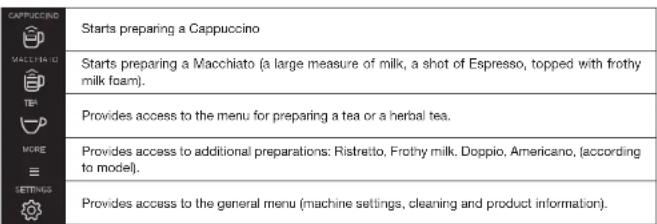

Bluetooth light:
When the symbol is not lit up, the machine is not connected or the function is deactivated.
When the symbol is lit up, the machine is connected.
Bluetooth is always activated. You can deactivate it in the menu and then "settings".
Specific information about the buttons' lighting
When a button is not illuminated, the corresponding function is inaccessible.
When it is slightly illuminated, the function is available and can be selected.
While the requested function is in progress, the light becomes very bright.
KRUPS APP
You can check if your smartphone is compatible on www.krups.com
Downloading the app
In order to be able to download the app, you must have a smartphone equipped with a Bluetooth® BLE (Bluetooth Low Energy) module and an Android version > "4.3" or iOS > "9". If your smartphone does not have this, you will not be able to use the app.
The KRUPS app is available on the Play Store for the Android version and on the App Store for the iOS version.
Configuring the account
In order to be able to take advantage of all the opportunities offered by the app, you must start by creating an account.
Complete the required fields and confirm the conditions of use in order to complete the creation of your account.
You will be required to enter a password to guarantee the confidentiality of your data.
Bluetooth® activation
To connect your phone to the machine, you must activate your phone's Bluetooth® BLE module and ensure that the machine's Bluetooth® module is also activated. Go to the settings menu, select the connectivity function, and activate the Bluetooth® module if it has been deactivated (the Bluetooth® module is activated by default).
Pairing with the machine
Follow the instructions provided on your telephone to pair your smartphone with the machine. Pairing is only possible when the BLE logo is on.
When the machine detects a pairing request from the smartphone, a screen on the machine asks you to accept the pairing. Accept by pressing OK, a screen appears on your smartphone asking you to confirm pairing: press to pair.
If pairing fails, it is possible for you to try again several times and it is advised to check that the machine's Bluetooth® BLE module is correctly activated.
If the problem persists, contact the after-sales service for help installing your app. In the home menu on your smartphone, the "Contact Krups" option allows you to access the contact details for the after-sales service.
When the machine is paired, the Bluetooth® symbol should be brightly lit, a sign that is correctly activated.
Machine settings
Once paired, you can modify the machine's settings via the app (the date and time of the smartphone will be updated automatically on the machine which means that you do not have to do it).
The mobile app facilitates the initial installation of the machine and the initial settings.
Using the app
Many functions are offered via the app:
- Running remote preparations,
Management of a favourites library and a cellar book
- Access to the account and information on the machine,
- Access to news and information about the world of coffee,
Access to a user guide with tutorials and videos in order to take advantage of all the machine's potential.
- Quick access to after-sales service in the event of a query or a problem concerning your appliance or the app.
You will be able to discover all these functions by browsing the app (whether you are connected to your machine or
not).
Do not hesitate to connect to the app as often as possible in order to view news and regularly monitor your machine.
USING YOUR APPLIANCE
INSTALLING THE APPLIANCE

Warning: Connect the appliance to an earthed 230 V mains socket. Failure to do so means that you run the risk of fatal injury due to electricity!
Respect the safety guidelines indicated in the "Safety guidelines" booklet.
Switching ON the appliance
Switch on the appliance by pressing the ON/OFF button until "Hello" appears on the screen Fig. 1. Follow the instructions provided by your appliance.
Initial settings
When using the machine for the first time, you will be prompted to configure various settings. Follow the indications
displayed on the screen. The aim of the following paragraphs is to give you a few visual cues.
Here are the first settings required:
Language
Select a display language by pressing the arrows until the language of your choice appears. Press "OK" to confirm.
Measuring unit
You can set the unit of measurement for volume to ml or oz.
Date and time
To set the time, press the desired time format (24 hours or AM/PM).
Auto-off
It is possible to program the time at which you want your machine to switch on automatically. This setting can be adapted as you wish: daily, weekly or weekend. Select the time at which you want it to start automatically following the time format selected earlier.
You can also select the length of time after which your appliance will switch off automatically in order to optimise your energy consumption.
Rinsing the coffee circuit
You can choose to activate it or not when switching on the machine. This allows you to ensure the quality of the coffee in the cup in order to avoid the presence of residue.
Filter installation
When switching on for the first time, the appliance asks if you want to install the filter. If you wish to do so, and if the hardness of your water requires it, select "YES" and follow the instructions on the screen.
Installing the cartridge in the appliance: Screw the filter cartridge into the bottom of the water tank using the accessory supplied with the cartridge. Fig. 4
Set the month when the cartridge is fitted (position 1 on the illustration, left side figure in the opening) by turning the grey ring located on the upper end of the filter. The month when the cartridge should be replaced is indicated in position 2 on the illustration. Fig. 5.
Put a container of 0.6 l under the steam exit. Fig. 6.
The machine must be primed whether the filter has been installed or not. This means that the water circuits have to
be filled. To do this, follow the instructions provided on the screen. The machine will begin by filling the water circuits, preheating the circuits and then will complete an automatic rinse.
The screen will inform you when installation is complete.
Water hardness
You must set your machine depending on the hardness of your water, from 0 to 4. To do this, follow these instructions: Before using the appliance for the first time, check the hardness of your water so that you can set the appliance accordingly. This operation should also be carried out when you use your machine in a place where the hardness of the water is different or if you notice a difference in the hardness of the water. To check the water hardness, use the test strip supplied with your machine or contact your local water authority. The details of the classes are given in the table below:
| Degree of hardness | Class 0 Very soft | Class 1 Soft | Class 2 Average hardness | Class 3 Hard | Class 4 Very hard |
| ° dH < 3° > 4 | \( > {7}^{ \circ } > {14}^{ \circ } > {2}^{ \circ } \) | ||||
| ° e < 3,75° > | \( {5}^{ \circ } > {8.75}^{ \circ } > {17},{5}^{ \circ } > {26.25}^{ \circ } \) | ||||
| ° f | < 5,4° | \( > {7.2}^{ \circ } \) | \( > {12.6}^{ \circ } \) | \( > {25.2}^{ \circ } \) | \( > {37.8}^{ \circ } \) |
| Appliance setting | 0 | 1 | 2 | 3 | 4 |
Fill a glass of water and insert a strip. Fig. 2
After 1 minute read the level of water hardness. Fig. 3
Indicate the number of red zones when configuring the appliance.
Preparing the appliance
Remove and fill the water tank. Fig. 7.
Replace the water tank. Fig. 8.
Remove the lid of the coffee bean container and add coffee beans (max. 250 g). Fig. 9.
Replace the lid of the coffee bean container, Fig. 10.
BEFORE PREPARING DRINKS IMPORTANT INFORMATION
Depending on the drinks chosen, your Espresso Automatic EA89 will automatically adjust the quantity of ground coffee.
Preparing the grinder
You can adjust the strength of your coffee by adjusting how finely the coffee beans are ground. In general, the finer the coffee is ground, the stronger and creamier the coffee will be. It may also vary according to the type of coffee used. We recommend a fine setting for espressos and a coarser setting for coffees.
Adjust the fineness of grinding by turning the coffee grounds fineness adjustment knob (J) which is located in the coffee bean container. This setting should be applied during grinding notch by notch. After 3 rounds, you will notice a pronounced difference in taste.
Setting the fineness of grinding is useful when you change the type of coffee or if you want to make coffee that is more or less strong. However, it is not advised to use this setting systematically.
Adjusting the coffee outlet
For all the drinks available, you can lower or raise the coffee outlets according to the size of your cup or glass. Fig.11
Stopping a drink during preparation
You can stop the preparation at any time by pressing the return button. Caution, pressing this button causes the machine to update which may last up to 30 seconds. This phase is normal. When a cycle is interrupted, it does not stop immediately. The machine will finish its cycle and the preparation will be cancelled.
"Double" preparation function
You can prepare two cups simultaneously with your appliance. The double preparation function can be accessed simply by pressing the selection twice and is valid for all drinks (except and ).
24
DARK function
EXTRA SHOT function
The "DARK" function allows you to increase the intensity of the coffee (its strength). You can activate or deactivate it in various ways: - Before selecting the chosen drink, just press DARK. - While preparing the drink, and until the end of grinding, you can press DARK. - By choosing the "DARK" parameter in the Settings menu. To do this, access the Settings menu with the button, then Settings → drink settings → Dark. The function will be activated for all "coffee" drinks: ①, ②, ③, ④. You can do the same to deactivate it. The "extra shot" function allows you to add an espresso at the end of the selected drink. You can activate or deactivate it in various ways: Before selecting the chosen drink, just press EXTRA SHOT. While making the drink, - By choosing the "EXTRA SHOT" parameter in the Settings menu. To do this, access the Settings menu with the button, then Settings → drink settings → EXTRA SHOT. Therefore, the function will be activated for all preparations. You can do the same to deactivate it.
PREPARING COFFEE DRINKS VIA DIRECT ACCESS
N.B.: Every time the drink is launched, the machine will remember the last drink prepared, including the settings that were selected.
Preparation
Place the cup(s) under the coffee nozzles. Fig. 12
Press the button for the desired drink.
If the machine detects a lack of water when you request this preparation, it will ask you to fill the tank.
Possible settings
It is possible to increase the strength of the coffee by pressing L and/or adding a coffee preparation by pressing L. You can prepare one or two cups with your appliance. The machine starts by grinding the beans, stamping the ground coffee, and finally brewing the coffee. It is possible to adjust the volume of the coffee being prepared by using the buttons: √ and. You can stop the preparation at any time by pressing. Important: Automatic rinsing of the coffee outlets: according to the type of preparation, the machine may complete an automatic rinse program when it switches off. The cycle lasts only a few seconds and stops automatically.
PREPARED MILKY DRINKS VIA DIRECT ACCESS
Possible settings
It is possible to increase the strength of the coffee by pressing and/or adding a coffee preparation by pressing. The steam is used to froth the milk. As a higher temperature is required when producing steam, the appliance will run an additional pre-heating phase.
Connect the straight side of the milk tube to the "One Touch Cappuccino" block (Fig. 13). Immerse the other end (bevelled side) in a receptacle filled with milk or directly in your bottle of milk (Fig. 14). Place the cup(s) under the coffee/milk nozzles (Fig. 15). Press the "Cappuccino" button (Fig. 16) or press the "Macchiato" button (Fig. 18). All of the settings can be modified. The preparation starts by frothing the milk (possible to set the time), and then the coffee flow (possible to adjust the volume). Adjusting the frothing time allows you to vary the quantity of milk and froth. The next steps follow automatically and your drink is ready to taste (Fig. 17).
25
Every time "Cappuccino" or "Macchiato" is run, the machine will remember the last drink prepared, including the settings that were selected.
Cleaning after preparing milky drinks
Milk rinsing
The screen indicates "Rinse milk?" at the end of each preparation.
It is advised to rinse after using the milk function in order to ensure the cleanliness of the frothing accessories and the frothiness of the milk.
During milk rinsing, you are required to systematically dismantle and clean the milk tube and connector with hot water (Fig. 21 and 25).
For the best results, it is advised to clean the "One Touch Cappuccino" removable block regularly (see general maintenance chapter).
If you note a change in the quality of your milk froth, do not hesitate to repeat the rinsing and cleaning process: indeed a milk system that is not well maintained may cause this type of problem.
PREPARING TEAS
Possible settings
Your appliance allows you to prepare three types of tea (green tea, black tea, herbal tea). You can adjust the volume of the drink to taste.
The hot water temperature is adapted to the drink selected.
You can program an extra shot in your tea which will allow you to prepare "tea/coffee" drinks that are very fashionable.
Preparing a tea
Select the screen. Place the cup(s) under the coffee nozzles. Fig.12
Then select the chosen drink and press OK
If the machine detects no water when you submit your request, it will ask you to fill the tank.
You can modify the volume by using buttons or during preparation.
PREPARING OTHER DRINKS: RISTRETTO, DOPPIO, AMERICANO OR FROTHY MILK
Preparation
Place the cup(s) under the coffee nozzles, Fig.12
If the machine detects no water when you submit your request, it will ask you to fill the tank.
Press button : with buttons and , select the desired drink: Ristretto, Doppio, Americano, Frothy milk.
Making a Ristretto
Select Ristretto and press OK
The machine starts by grinding the beans, tamping the ground coffee and finally brewing the coffee. It is possible to adjust the volume of the coffee being prepared by using the buttons: and You can stop the preparation at any time by pressing
Making a Doppio
Select DOPPIO and press OK
The preparation is identical to the RISTRETTO but with a double coffee cycle.
Making an Americano
Select AMERICANO and press OK
The preparation is identical to the DOPPIO, but is followed by hot water.
Making Frothy Milk
Connect the straight side of the milk tube to the "One Touch Cappuccino" removable block (Fig. 13). Immerse the other end (bevelled side) in a receptacle filled with milk (Fig. 14).
The steam is used to froth the milk. As a higher temperature is required when producing steam, the appliance will
launch an additional pre-heating phase.
A menu will allow you to customise the frothing time. You can modify it by pressing buttons or then press OK. The last frothing time used will be memorised for the next preparation.
You can download the preparation at any time by pressing
Rinsing the "One Touch Cappuccino" block
Please refer to the paragraph "Milk rinsing" in the section PREPARING ONE TOUCH MILK DRINKS.
OTHER FUNCTIONS
The Settings menu can be accessed via button which leads to the general menu (machine settings, maintenance, and product information).
Settings
By selecting the Settings menu, you can make the changes you want in order to optimize your ease of use and suit your preferences.
Below are the main settings available.
| Date You must set the date, particularly when you are using an anti-limescale cartridge. |
| Clock You can select to display a 12 or 24-hour clock. |
| Language You can select the language of your choice from those offered. |
| Measuring unit You can set the unit of measurement to be ml or oz. |
| Screen brightness You can adjust the screen brightness according to your preferences. |
| Coffee temperature You can adjust the temperature of your coffee drinks to three different levels |
| Tea temperature You can adjust the temperature of your teas to three different levels |
| Water hardness You can set your water hardness from 0 to 4. See chapter "Measuring water hardness". |
| Auto-on You can automatically start pre-heating of the appliance at a selected time. |
| Auto-off You can choose the duration after which your appliance will switch off automatically (duration of non use). |
| Automatic rinsing You can choose to activate automatic rinsing of the coffee outlet or not when starting the machine. |
| Drinks settings You can restore the default settings. You can also permanently activate the Dark and Extra Shot function for all your drinks (except). |
To quit the settings menu, press the Settings button.
The settings will be stored in the memory if you unplug your machine, with the exception of the date and time.
Maintenance
| All of these options allow you to run the selected programs. You should then follow the on-screen instructions. | |
| Cleaning milk | Provides access to cleaning the machine's one touch cappuccino block, which is essential for ensuring good quality milk frothing. |
| Milk rinsing | Provides access to rinsing the machine's one touch cappuccino block, which is essential for ensuring good quality milk frothing. |
| Coffee rinsing | Provides access to rinsing the machine's coffee circuit, which ensures the optimum taste of coffee. |
| Coffee cleaning | Provides access to cleaning the machine's coffee circuit (using a cleaning tablet), which ensures the optimum taste of coffee. |
| Descaling | Provides access to descending which is essential for the durability of your machine. When the number of drinks is not high enough for descending to be necessary, the function is not active. |
| Filter | Provides access to the filter mode, useful if the water is very hard, in order to ensure the best taste and the health of your machine. |
To quit the Cleaning menu, press the Settings button.
Info
The "Info" menu provides access to information about your use and about certain stages in the life of your machine. It also informs you about its upkeep. Below are the main details available.
| Drinks prepared Displays | the number of drinks prepared |
| Coffee circuit cleaning indicates that | indicates that is needs to be completed within x number of cycles. |
| Descalging Indicates that | needs to be completed within x number of cycles. |
| Filter Indicates that it will need to be changed in x days or x litres. | |
To quit the Info menu, press the Settings button.
GENERAL MAINTENANCE
Emptying the coffee grounds collector and the drip tray
After a certain number of coffees, the machine will ask you to empty the coffee grounds collector and the drip tray. Not performing these operations correctly can damage your machine.
The drip tray collects used water and the coffee grounds collector collects used ground coffee.
If the message "Please empty the two trays" is displayed, remove, empty and clean the drip tray. Remove, empty and clean the coffee grounds collector (C). Fig. 19.
Replace the coffee grounds collector. Fig. 20
The drip tray is equipped with a float to indicate when it needs emptying. However, the machine is also programmed to ask for the drip collector tray to be emptied after a certain number of coffees, in addition to any intermediate emptying operations that you may complete.
Rinsing the circuits:
You can start rinsing at any time by pressing and selecting Maintenance.
According to the type of recipe prepared, the machine may complete an automatic rinsing when it is turned off. It is also possible to set an automatic rinse program when it is switched on (see "Settings" section p.22).
Automatic cleaning programs
Automatic cleaning program of the coffee circuit
A message on the screen will indicate when a cleaning program needs to be run for the appliance.
To run this cleaning program, you will need a container which holds at least 0.6 l, and which should be placed beneath the coffee outlets and the steam nozzle, and a KRUPS cleaning tablet. Fig. 37. Carefully follow the instructions given on the screen. It is also possible to run a cleaning cycle via the Maintenance menu.

Important: You do not have to run the cleaning program as soon as the appliance requests it, but it must be done reasonably soon after. If cleaning is postponed, the alert message will remain illuminated until the process is completed.
The automatic cleaning program comprises two phases: a cleaning cycle and a rinsing cycle, and lasts about 13 minutes.
Important: If you unplug your machine during the cleaning cycle, or if there is a power failure, the cleaning program will continue from the current phase when the power is returned. It is not possible to postpone this process. This is essential to ensure that the water circuit has been correctly rinsed. In this case, a new cleaning tablet may be necessary. Complete the full cleaning program in order to remove all of the cleaning product which is harmful to health.
Cleaning the "One Touch Cappuccino" block
To complete a cleaning program, you will require two containers (minimum 0.6 L) and KRUPS cleaning liquid. You can start the cleaning cycle by pressing button
Then selecting "Maintenance" → "Milk Cleaning". Follow the instructions on the screen.
Dismantling the "One Touch Cappuccino" block
In addition to rinsing, it is necessary to clean the different elements of the block every time after use. To dismantle the block, follow the instructions below:
Remove the milk tube, Fig. 21.
Remove the front lid of the coffee milk nozzles. Slide it downwards and pull it towards you. Fig. 22.
Remove the "One Touch Cappuccino" block by pulling the upper part of the block and pull the orange cleaning tool.
Fig. 23.
Completely dismantle the block. Fig. 24.
Remove the milk tube connector, Fig. 27.
Clean all of the dismantled parts (block, connector, and milk tube) with soapy water. Then rinse them in hot water. Fig.
Once the elements are clean and dry, assemble the block and return them to their original position. Fig. 33.
Replace the front lid of the block. Fig. 34. Replace the connector in the milk tube (opposite side of the bevelled side) and plug in the block. Fig. 36.
Automatic descaling program of the steam circuit
Warning: if your appliance is fitted with our Claris - Aqua Filter System cartridge, remove the cartridge before descaling. A message on the screen will indicate when a descaling program needs to be run for the appliance. The frequency of this program depends on the quality of the water used and on whether a Claris Aqua Filter System filter is used or not (the harder the water, the more often the appliance has to be descaled). Important: You are not obliged to carry out this program immediately the appliance requests it, but it must be carried out reasonably soon afterwards. If descaling is postponed, the alert message will continue to be displayed until the process is completed. When the descaling alert level is reached and displayed, press OK to run the descaling program. To delay it, press [the appropriate key]. Once the procedure has been launched, follow the instructions provided on the screen. It is also possible to run a descaling cycle via the "Maintenance" menu → "Descaling". To carry out a descaling program, you will require a container with a capacity of at least 0.6 L which should be placed beneath the One Touch Cappuccino block and a KRUPS descaling sachet (40 g). Fig. 37. Fill the water tank up to the CALC mark then pour in the contents of one sachet of descaler. The descaling program comprises three phases: a descaling cycle and two rinsing cycles. The program lasts approximately 20 minutes. Important: If there is a power failure or if you unplug your machine, the cycle will continue from the current phase when the power is returned. It will not be possible to cancel this operation. Complete the full cycle in order to remove all of the descaling product which is harmful to health.
TROUBLESHOOTING
If one of the problems described in the table persists, contact KRUPS customer service.
| PROBLEM CORRECTIVE ACTION | |
| The machine displays a failure, the software hangs or your machine has a malfunction. | Switch off and unplug the appliance, remove the filter cartridge, wait for one minute and start the appliance again. Press and hold the on/off button for at least 3 seconds for starting. |
| The appliance does not switch on when the ON/OFF button is pressed (for at least 3 seconds). | Check your fuses and plug sockets. Check that the two power plugs are correctly inserted into the socket. |
| The coffee grinder makes a strange noise. | There is a foreign body in the grinder. Contact the KRUPS Customer Service team. |
| The One Touch Cappuccino block does not suck the milk. The One Touch Cappuccino blocks produces little or no froth. | Check that the block is assembled correctly (in particular the connector in the milk tube). Ensure that the steam nozzle is not blocked. If this is the case, see below "The steam nozzle on your machine seems to be partially or completely blocked". Check that the connector is not blocked or dirty; soak it in a mixture of hot water and washing-up liquid, then rinse and dry before reassembling. Ensure that the flexible pipes is not blocked or twisted and that it is properly inserted into the One Touch Cappuccino block in order to avoid any air leaks. Check that it is fully immersed in the milk. Rinse and clean the block (see chapters concerning rinsing and cleaning the One Touch Cappuccino block). For milk drinks, we recommend that you use fresh, pasteurised or UHT milk which has been recently opened. It is also advisable to use a cold container. |
| The steam nozzle on your machine seems to be partially or completely blocked. | Dismantle the nozzle from its support using the dismantling key. Fig. 25. Start the rinse cycle for the One Touch Cappuccino block to remove any remaining deposits. Clean the steam nozzle and ensure that the opening of the nozzle is not obstructed by the remains of milk or limescale. Use the cleaning needle if necessary. Fig. 26 |
| No steam comes out of the steam nozzle. | Ensure that the steam nozzle is not blocked. See "The steam nozzle on your machine seems to be partially or completely blocked." below If this does not work, empty the water tank and remove the Claris cartridge temporarily. Fill the water tank with mineral water with high calcium content (>100 mg/l) and run steam cycles (5 to 10) consecutively into a container until you obtain a continuous jet of steam. Put the cartridge back in the tank. |
| Steam is leaking from the drip tray grid. | Depending on the type of preparation, steam may escape from the drip tray grid. |
| The machine asks for the drip tray to be emptied although it is not full. | The machine is programmed to ask for the drip tray to be emptied after a certain number of coffees despite any intermediate emptying operations that you may complete. |
| The appliance asks to be unplugged and plugged back in again. | Unplug the appliance for 20 seconds, remove the Claris Aqua Filter System cartridge if necessary, then plug it back in again. If the error continues, contact the KRUPS Customer Service team. |
| The machine does not request decalging. | The descending cycle is requested after the steam circuit has been used a significant number of times. |
| Some ground coffee has found its way into the drip tray. | A small amount of ground coffee may settle in the drip tray. The machine is designed to evacuate any excess ground coffee so that the percolation zone remains clean. |
| The milk or water is not flowing correctly into the cup(s). | Check that the One Touch Cappuccino block is correctly positioned. |
| There are traces of milk in an Americano or a Hot water. | Complete a milk rinsing cycle or dismantle and clean the one touch cappuccino accessory before running the preparation. |
| There is water underneath the appliance. | Before removing the water tank, wait for 15 seconds after the coffee has finished flowing so that the appliance finishes its cycle properly. Check that the drip tray is correctly positioned on the machine; it should always be in place, even when the appliance is not in use. Check that the drip tray is not full. The drip tray should not be removed during a cycle. |
| When you turn off the appliance, warm water flows out of the coffee outlets and the One Touch Cappuccino block. | According to the type of recipe prepared, the machine may run an automatic rinsing cycle when it is turned off. This cycle lasts only a few seconds and stops automatically. |
| After emptying the coffee grounds collector, the warning message is still displayed on the screen. | Correctly replace the coffee grounds collector and follow the instructions on the screen. Wait at least 5 seconds before replacing them. |
| The coffee dispenses too slowly. | Turn the 'fineness of grind' adjustment dial to the right to make the ground coffee coarser (according to the type of coffee used). Run one or several rinsing cycles. Run a machine clean (see "Automatic machine cleaning programs p.28). Change the Claris Aqua Filter System cartridge (see "Installing the filter") p. 23). |
| The water tank has been filled, but the warning message is still displayed on the screen. | Check that the tank is installed correctly on the device. The float at the bottom of the tank should move freely. Check and unblock the float if necessary. |
| The coffee fineness knob is difficult to turn. | Only change the grinder setting when it is running. |
| The espresso or coffee is not hot enough. | Run a coffee circuit rinsing cycle before preparing your coffee. Increase the coffee temperature in the Settings menu. Warm the cup by rinsing it with hot water before making the drink. |
| The coffee is too lightly coloured or too weak. | Avoid using only, caramelised or flavoured coffee beans. Check that the coffee bean container has coffee in it and that is it dispensing correctly. Decrease the volume of the preparation and increase the strength of your drink by using the Dark function. Turn the grinding fineness adjustment dial to the left to make the grounds finer. Make the drink in two cycles by using the 2 cups function. |
| The appliance is not producing coffee. | A problem has been detected during preparation of the drink. The appliance has restarted automatically and is ready for a new cycle. |
| A power failure occurs during a cycle. | The appliance will automatically restart when the power is switched back on. |
| Your tea is not hot enough or too hot. | Increase or reduce the hot water temperature in the Settings menu. |
| You have used ground coffee instead of coffee beans. | Use your vacuum cleaner to remove the ground coffee from the coffee bean container. |
| The app is unable to connect or disconnects too often. | Check that the machine's Bluetooth is not deactivated. Stand as close as possible to the machine as possible when using the app. |
| The app does not detect the machine. | Switch the app off and on. |
| Appearance of steam under the lid of the grain tray. | Close the cleaning tablet chute beneath the cover. |
| After preparing a drink, if you ask for an extra shot the machine tells you that this is not possible. | The coffee grounds collector is full and the extra shot function is not available. Once your drink has been made, you can prepare an espresso after emptying the coffee grounds collector. |

Danger: Only a qualified technician is authorised to carry out repairs on electrical wiring and carry out work on the electrical grid. If you do not follow these instructions, you risk death by electrocution. Do not use an appliance that is visibly damaged!
Dear customer,
DESCRIPTION OF THE APPLIANCE
GENERAL MAINTENANCE. p.92
PROBLEMS AND CORRECTIVE ACTIONS. p.93
IMPORTANT PRODUCT INFORMATION AND INSTRUCTIONS FOR USE
coffee bean holder
GENERAL MAINTENANCE
Alternatively, you can use the time of the day to get a look at the prices and availability of the products.

STARTING OPERATION

Risk of electric shock 56V 3.3 Ah battery, 200 W.36 LED spotlight, risk of electric shock. Use only the charger supplied with the device.
Three safety instructions that are followed in the operating instructions
Operation
Quick start by pressing the "Quick start" button and adjusting the brightness with the button >Hello. Fig. 1. Quick start will be activated.
Initial commissioning.
During the first commissioning, the device must be fully charged. Follow the instructions in the operating instructions. The charger is the only way to charge the battery. See figure.
This is the battery, which is used for the following:
Charging
After 100 charging cycles, the battery capacity of the device decreases. Press "OK" to confirm.
Operating unit
You can adjust the brightness of the light and the color temperature.
Time and date
To set the time, press the time setting button (24 hours, hh:mm)
Automatic processing / automatic shutdown
The device is intended for use by professional users in accordance with the instructions provided by the manufacturer. The manufacturer is not liable for any damage caused by improper use.
Ensure that you have read and understood the instructions before using the device, especially for safety reasons.
Description of the device operation
You must ensure that the device is not used by children or persons with reduced physical, sensory, or mental capabilities. Also, you must ensure that the device is not used for purposes other than those for which it was designed.
Installation of the device
During the first use, the device may emit a slight odor. If the odor persists, press "NAP" and continue as described in the instructions.
Installation of the device on the wall: The device must be installed on the wall using the appropriate mounting brackets. The device is not suitable for installation on a wall made of plasterboard.
183
To adjust the height, the device (see Figure 1, number 1 on the left side of the device) is moved along the vertical slot of the device. The height adjustment screw is located at the bottom of the device, see Figure 2, Figure 5.
Place a container with water under the device. Fig. 6
The operation of the device is as follows: The device must be filled with water. The water level is indicated by the water level marks. To do this, follow the instructions described in the manual. The device starts with the filling of the water tank, the heating of the water tank, and the automatic shut-off. After 12 hours of continuous operation, the device will automatically shut off.
Water filling
Do not fill the water tank above the maximum level, as indicated by the water level mark. To do this, follow the instructions below.
Before using the device, read the instructions carefully. It is recommended to use the device with the correct voltage and frequency as indicated on the device label. Do not use the device if the power cord or plug is damaged. If the device is not working properly, contact the manufacturer or an authorized service center. Do not attempt to repair the device yourself.
The following table provides additional information regarding the categories of hardness.
Pour préparer votre boisson, suivez les instructions de la machine et toutes les indications. Ne pas utiliser de produits inflammables.
En cas de problème, le fabricant décline toute responsabilité.
Nettoyage
Recette pour un expresso comme le RISTRETTO, avec 10 cl d'eau.
Nettoyage de la machine
Expresso AMERICANO, prêt en quelques secondes.
Recette pour un expresso comme le DOPPIO, suivi de 2 tasses.
Nettoyage de la buse vapeur
Utilisez de l'eau fraîche pour préparer la boisson "One Touch Cappuccino" (voir chapitre 13). Versez le lait dans le réservoir (voir chapitre 14).
Avec le bouton, vous pouvez régler la quantité de boisson. Vous pouvez la modifier en appuyant sur
The machine is equipped with the "One Touch Cappuccino" function.
Press the button × and the "One Touch Cappuccino" function will be activated.
OPERATION
The machine is designed to be used with the power switch and the power cord, and it is easy to use.
Power
Before using, make sure that the voltage you are using matches the voltage indicated on the machine.
Check the power cord, plug, and socket for any damage.
| Hjepopnuia | H pujunon tnc njupeponiac elvni amapalutn nupkuc ce nepintwn xphong eoynayac opoalaataa |
| Polià Mnpoite va emela | tne mua anekovian tnc woc as 12apo n 24apo. |
| Ikaaaa Mnpoite va emela | tne yuudooa tnc npanlmpnac cac metabu tuw npoteiwpuwaw. |
| Movda μeptnoŋc Mnpoite | va emelaetene tnc powdoa μeptnoŋc petebu mi kai oz. |
| Oatenvotna obovic | Mnpoite va pujioloe tnc quteivotnnta tnc obovic avakova me tnc pootuayec tac. |
| Ozepokpacia kape Mnpoite | va pujioloe tnc Bejepokpacia tuw poyjntuvw kope cac, de tpcia emelada. |
| Ozepokpacia taayou | Mnpoite va npoepapocete tnc Bejepokpacia tuw taayuvw tac oipia emelada. |
| Eknpotneta vepuo | Pnepi va pujioloe tnc eknpotntoa tou vpou jeta 0 kai 4. Avntpètre oto kepaikaiot "Mertponen tnc aknpocntac tnc vpouv. |
| Aurojatn evpyonoinan | Mnpoite va Eekovate autóputa tvn nopobépuwan tnc ouakevuc er ma ouyekpiévn wpo tnc emakiyn ac. |
| Aurojatn amevpyonoinan | Mnpoite va emelaetene to govvo peta andov tov orio n ouokun ac; Ba atvepyonoiéttau autóputa (ypovoc unxpanci. |
| Aurojatn ekknluon | Mnpoite va evpyonoiéte ndy tvn autóputa ekknluon tnc ekdoov kope kata tvn ekvnnt tnc ouakeunc. |
| Püjuniq poŋjauw | Mnpoite va pujielctene ek vou tnc pnoemayuevnc papamétropc. Mnpoite enlonc va evpyonoiéte pnuja ti Kertouppya Dark kai Extra Shot yea ta poyjntau tnc (kertic oto ). |
If the power cord is damaged, replace it with a new one.
Do not operate the machine without water in the water tank.
Preparation
With the following steps, the machine will be ready for use. First, you need to fill the water tank with water.
Remove the water tank, fill it with water, and then place it back.
Remove the cap from the water tank and fill it with water. Then, replace the cap. See figure 2.2
Press the "One Touch Cappuccino" button to start the cappuccino function.
Place a cup or cups under the coffee nozzles. Fig. 12
Press the button for the desired drink.
If the appliance detects a lack of water during a drink preparation request, it will prompt you to add water to the tank.
Possible settings
Press button 1a to increase the coffee strength and/or add milk by pressing the button
The appliance allows you to prepare one cup or two cups.
The appliance grinds the coffee, performs the tamping of the coffee grounds, and then brews. The amount of coffee can be adjusted during preparation using
the buttons: You can cancel the drink preparation at any time by pressing the button
KRUPS ESPRESSO APP
On the website www.krups.com, check the compatibility of your smartphone.
KRUPS APP P.246
O Polymethyl tere lowe plermite
J Knob for adjusting the coffee bean grinding coarseness
K Opening for inserting the cleaning tablet
PROBLEMS AND THEIR SOLUTIONS
IMPORTANT INFORMATION ABOUT THE PRODUCT AND OPERATING INSTRUCTIONS
In this compact manual, you will find all the important information about the operation, use, and technical maintenance of your coffee machine.
Please read these instructions carefully before using the appliance and keep them for future reference. Any use not in accordance with these instructions may void the warranty.
SYMBOLS USED IN THE OPERATING INSTRUCTIONS

WARNING! This symbol alerts you to potential hazards that could cause injury. This symbol warns of dangers that could result in personal injury.

Important! This symbol indicates important information about the operation of the device.
Parts included with the coffee machine
Included parts:
- Krups coffee machine EAB9 -2 spare parts -1 safety devices against leaks Tube for milk suction, intended for One Touch Cappuccino block
- -Safety instructions -Claris filter system AquaFilterSystem with accessories -1 water hardness test strip -Operating instructions -List of Krups warranty service centers
TECHNICAL INFORMATION
A Handle/lid of water reservoir
Water reservoir
Coffee grounds collector
D Height-adjustable coffee outlets
Coffee spouts
E Grid and drip tray for collecting drips
F Lid of container for coffee beans
G One Touch Cappuccino block
G1 Steam wand knob
CIRCUIT
G2 One touch cappuccino block and milk suction tube and mixer 1.0000000000000000000000000000000000000000000

Container for coffee beans
J button for adjusting the fineness of the grind to the opening for changing the filter

Funnel
M screen and buttons Bn/Bn Q sensor
Information:
The coffee bean flow fills the coffee container, coming from the device during and after the brewing process. Do not remove the flow regularly empty the tank: carefully follow the operating instructions for maintenance. According to safety rules. User.
SASGSM
Rosen-Leonhard-53104, Mann
Germany
Overview
Description of different positions
| Khonika | Опсане /ОБшени /ОБшени Ф�ногаян ВИЗДУСТЕ ВИЗДУСТЕ Дава ВИЗДУСТЕ ПОБLOWERT ABERTYCS K ПОНДУСТЕ Дава ВИЗДУСТЕ ПОБLOWERT ABERTYCS K ПОНДУСТЕ Дава ВИЗДУСТЕ ПОБLOWERT ABERTYCS K ПОНДУСТЕ Дава ВИЗДУСТЕ ПОБLOWERT ABERTYCS K ПОНДУСТЕ Дава WIBAS NO MICH/ YMENHUCHENI BIVBAPHORO napAMETRA |
| Дава WIBAS NO MICH/ YMENHUCHENI BIVBAPHORO napAMETRA | |
| ПОБLOWERT ABERTYCS K ПОНДУСТЕ Дава WIBAS NO MICH/ YMENHUCHENI BIVBAPHORO napAMETRA | |
| ПОБLOWERT ABERTYCS K ПОНДУСТЕ Дава WIBAS NO MICH/ YMENHUCHENI BIVBAPHORO napAMETRA | |
| ПОБLOWERT ABERTYCS K ПОНДУСТЕ | |
| Дава WIBAS NO MICH/ YMENHUCHENI BIVBAPHORO napAMETRA | |
| ПОБLOWERT ABERTYCS K ПОНДУСТЕ | |
| Дава WIBAS NO MICH/ YMENHUCHENI BIVBAPHORO napAMETRA | |
| ПОБLOWERT ABERTYCS K ПОНДУSCNTES Дава WIBAS NO MICH/ YMENHUCHENI BIVBAPHORO napAMETRA | |
| ПОБLOWERT ABERTYCS K ПОНДYUSHUTS Дава WIBAS NO MICH/ YMENHUCHENI BIVBAPHORO napAMETRA | |
| ПОБLOWERT ABERTYCS K ПОНДYUSHUTS Дава WIBAS NO MICH/ YMENHUCHENI BIVBAPHORO napAMETRA | |
| ПОБLOWERT ABERTYCS K ПОНДYUSHTS Дава WIBAS NO MICH/ YMENHUCHENI BIVBAPHORO napAMETRA | |
| ПОБLOWERT ABERTYCS K ПОНДYUSHTS Дава WIBAS NO MICH/ YMENHUCHENI BIVBAPHORO napAMETRA | |
| ПОБLOWERT ABERTYCS K ПОНДYUSHUTS Дава WIBAS NO MICH/ YMENHUCHENI BIVBAPHORO napAMETRA | |
| ПОБLOWERT ABERTYCS K ПОНДYURSTES Дава WIBAS NO MICH/ YMENHUCHENI BIVBAPHORO napAMETRA | |
| ПОБLOWERT ABERTYCS K ПОНДYURSTES Дава WIBAS NO MICH/ YMENHUCHENI BIVBAPHORO napAMETRA | |
| ПОБLOWERT ABERTYCS K ПОНДYURSTIS Дава WIBAS NO MICH/ YMENHUCHENI BIVBAPHORO napAMETRA | |
| ПОБLOWERT ABERTYCS K ПОНДYURSTIS Дава WIBAS NO MICH/ YMENHUCHENI BIVBAPHORO napAMETRA | |
| ПОБLOWERT ABERTYCS K ПОНДYURSTUS Дава WIBAS NO MICH/ YMENHUCHENI BIVBAPHORO napAMETRA | |
| ПОБLOWERT ABERTYCS K ПОНДYURSTUS Дава WIBAS NO MICH/ YMENHUCHENI BIVBAPHORO napAMETRA | |
| ПОБLOWERT ABERTYCS K ПОНДYURSTIS Дава WIBAS NO MICH/ YMENHUCHENI BIVBAPHORO napAMETRA | |
| ПОБLOWERT ABERTYCS K ПОНДYURSTS Дава WIBAS NO MICH/ YMENHUCHENI BIVBAPHORO napAMETRA | |
| ПОБLOWERT ABERTYCS K ПОНДYURSTUS Дава WIBAS NO MICH/ YMENHUCHENI BIVBAPHORO napAMETRA | |
| ПОБLOWERT ABERTYCS K ПОНДYURSTS Дава WIBAS NO MICH/ YMENHUCHENI BIVBAPHORO napAMETRA | |
| ПОБLOWERT ABERTYCS K ПОНДYURSTS Дава WIBAS NO MICH/ YMENHUCHENI BIVBAPHORO napAMETRA | |
| ПОБLOWERT ABERTYCS K ПОНДYURSTIS Дава WIBAS NO MICH/ YMENHUCHENI BIVBAPHORO napAMETRA | |
| ПОБLOWERT ABERTYCS K ПОНДYURSTSS Дава WIBAS NO MICH/ YMENHUCHENI BIVBAPHORO napAMETRA | |
| ПОБLOWERT ABERTYCS K ПОНДYURSTSS Дава WIBAS NO MICH/ YMENHUCHENI BIVBAPHORO napAMETRA | |
| ПОБLOWERT ABERTYCS K ПОНДYURSTS Дава WIBAS NO MICH/ YMENHUCHENI BIVBAPHORO napAMETRA | |
| ПОБLOWERT ABERTYCS K ПОНДYURSTSS Дава WIBAS NO MICH/ YMENHUCHENI BIVBAPHORO napAMETRA | |
| ПОБLOWERT ABERTYCS K ПОНДYURSTSD Дава WIBAS NO MICH/ YMENHUCHENI BIVBAPHORO napAMETRA | |
| ПОБLOWERT ABERTYCS K ПОНДYURSTSD Дава WIBAS NO MICH/ YMENHUCHENI BIVBAPHORO napAMETRA | |
| ПОБLOWERT ABERTYCS K ПОНДYURSTSS Дава WIBAS NO MICH/ YMENHUCHENI BIVBAPHORO napAMETRA | |
| ПОБLOWERT ABERTYCS K ПОНДYURSTSG Дава WIBAS NO MICH/ YMENHUCHENI BIVBAPHORO napAMETRA | |
| ПОБLOWERT ABERTYCS K ПОНДYURSTSG Дава WIBAS NO MICH/ YMENHUCHENI BIVBAPHORO napAMETRA | |
| ПОБLOWERT ABERTYCS K ПОНДYURSTSD Дава WIBAS NO MICH/ YMENHUCHENI BIVBAPHORO napAMETRA | |
| ПОБLOWERT ABERTYCS K ПОНДYURSTSG Дава WIBAS NO MICH/ YMENHUCHENI BIVBAPHORO napAMETRA | |
| ПОБLOWERT ABERTYCS K ПОНДYURSTSS Дава WIBAS NO MICH/ YMENHUCHENI BIVBAPHORO napAMETRA | |
| ПОБLOWERT ABERTYCS K ПОНДYURSTSE Дава WIBAS NO MICH/ YMENHUCHENI BIVBAPHORO napAMETRA | |
| ПОБLOWERT ABERTYCS K ПОНДYURSTSD Дава WIBAS NO MICH/ YMENHUCHENI BIVBAPHORO napAMETRA | |
| ПОБLOWERT ABERTYCS K ПОНДYURSTSE Дава WIBAS NO MICH/ YMENHUCHENI BIVBAPHORO napAMETRA | |
| ПОБLOWERT ABERTYCS K ПОНДYURSTSG Дава WIBAS NO MICH/ YMENHUCHENI BIVBAPHORO napAMETRA | |
| ПОБLOWERT ABERTYCS K ПОНДYURSTSE Дава WIBAS NO MICH/ YMENHUCHENI BIVBAPHORO napAMETRA | |
| ПОБLOWERT ABERTYCS K ПОНДYURSTSE Дава WIBAS NO MICH/ YMENHUCHENI BIVBAPHORO napAMETRA | |
| ПОБLOWERT ABERTYCS K ПОНДYURSTSS Дава WIBAS NO MICH/ YMENHUCHENI BIVBAPHORO napAMETRA | |
| ПОБLOWERT ABERTYCS K ПОНДYURSTSC Дава WIBAS NO MICH/ YMENHUCHENI BIVBAPHORO napAMETRA | |
| ПОБLOWERT ABERTYCS K ПОНДYURSTSD Дава WIBAS NO MICH/ YMENHUCHENI BIVBAPHORO napAMETRA | |
| ПОБLOWERT ABERTYCS K ПОНДYURSTSC Дава WIBAS NO MICH/ YMENHUCHENI BIVBAPHORO napAMETRA | |
| ПОБLOWERT ABERTYCS K ПОНДYURSTSG Дава WIBAS NO MICH/ YMENHUCHENI BIVBAPHORO napAMETRA | |
| ПОБLOWERT ABERTYCS K ПОНДYURSTSC Дава WIBAS NO MICH/ YMENHUCHENI BIVBAPHORO napAMETRA | |
| ПОБLOWERT ABERTYCS K ПОНДYURSTSE Дава WIBAS NO MICH/ YMENHUCHENI BIVBAPHORO napAMETRA | |
| ПОБLOWERT ABERTYCS K ПОНДYURSTSC Дава WIBAS NO MICH/ YMENHUCHENI BIVBAPHORO napAMETRA | |
| ПОБLOWERT ABERTYCS K ПОНДYURSTSS Дава WIBAS NO MICH/ YMENHUCHENI BIVBAPHORO napAMETRA | |
| ПОБLOWERT ABERTYCS K ПОНДYURSTSL Дава WIBAS NO MICH/ YMENHUCHENI BIVBAPHORO napAMETRA | |
| ПОБLOWERT ABERTYCS K ПОНДYURSTSG Дава WIBAS NO MICH/ YMENHUCHENI BIVBAPHORO napAMETRA | |
| ПОБLOWERT ABERTYCS K ПОНДYURSTSL Дава WIBAS NO MICH/ YMENHUCHENI BIVBAPHORO napAMETRA | |
| ПОБLOWERT ABERTYCS K ПОНДYURSTSD Дава WIBAS NO MICH/ YMENHUCHENI BIVBAPHORO napAMETRA | |
| ПОБLOWERT ABERTYCS K ПОНДYURSTSL Дава WIBAS NO MICH/ YMENHUCHENI BIVBAPHORO napAMETRA | |
| ПОБLOWERT ABERTYCS K ПОНДYURSTSC Дава WIBAS NO MICH/ YMENHUCHENI BIVBAPHORO napAMETRA | |
| ПОБLOWERT ABERTYCS K ПОНДYURSTSC Дава WIBAS NO MICH/ YMENHUCHENI BIVBAPHORO napAMETRA | |
| ПОБLOWERT ABERTYCS K ПОНДYURSTSL Дава WIBAS NO MICH/ YMENHUCHENI BIVBAPHORO napAMETRA | |
| ПОБLOWERT ABERTYCS K ПОНДYURSTSL Дава WIBAS NO MICH/ YMENHUCHENI BIVBAPHORO napAMETRA | |
| ПОБLOWERT ABERTYCS K ПОНДYURSTSS Дава WIBAS NO MICH/ YMENHUCHENI BIVBAPHORO napAMETRA | |
| ПОБLOWERT ABERTYCS K ПОНДYURSTSK Дава WIBAS NO MICH/ YMENHUCHENI BIVBAPHORO napAMETRA | |
| ПОБLOWERT ABERTYCS K ПОНДYURSTSD Дава WIBAS NO MICH/ YMENHUCHENI BIVBAPHORO napAMETRA | |
| ПОБLOWERT ABERTYCS K ПОНДYURSTSM Дава WIBAS NO MICH/ YMENHUCHENI BIVBAPHORO napAMETRA | |
| ПОБLOWERT ABERTYCS K ПОНДYURSTSD Дава WIBAS NO MICH/ YMENHUCHENI BIVBAPHORO napAMETRA | |
| ПОБLOWERT ABERTYCS K ПОНДYURSTSTG Дава WIBAS NO MICH/ YMENHUCHENI BIVBAPHORO napAMETRA | |
| ПОБLOWERT ABERTYCS K ПОНДYURSTSD Дава WIBAS NO MICH/ YMENHUCHENI BIVBAPHORO napAMETRA | |
| ПОБLOWERT ABERTYCS K ПОНДYURSTSH Дава WIBAS NO MICH/ YMENHUCHENI BIVBAPHORO napAMETRA | |
| ПОБLOWERT ABERTYCS K ПОНДYURSTSG Дава WIBAS NO MICH/ YMENHUCHENI BIVBAPHORO napAMETRA | |
| ПОБLOWERT ABERTYCS K ПОНДYURSTSTG Дава WIBAS NO MICH/ YMENHUCHENI BIVBAPHORO napAMETRA | |
| ПОБLOWERT ABERTYCS K ПОНДYURISTSG Дава WIBAS NO MICH/ YMENHUCHENI BIVBAPHORO napAMETRA | |
| ПОБLOWERT ABERTYCS K ПОНДYURSTSD Дава WIBAS NO MICH/ YMENHUCHENI BIVBAPHORO napAMETRA | |
| ПОБLOWERT ABERTYCS K ПОНДYURISTSG Дава WIBAS NO MICH/ YMENHUCHENI BIVBAPHORO napAMETRA | |
| ПОБLOWERT ABERTYCS K ПОНДYURSTSG Дава WIBAS NO MICH/ YMENHUCHENI BIVBAPHORO napAMETRA | |
| ПОБLOWERT ABERTYCS K ПОНДYURISTSD Дава WIBAS NO MICH/ YMENHUCHENI BIVBAPHORO napAMETRA | |
| ПОБLOWERT ABERTYCS K ПОНДYURSTSG Дава WIBAS NO MICH/ YMENHUCHENI BIVBAPHORO napAMETRA | |
| ПОБLOWERT ABERTYCS K ПОНДYURISTSG Дава WIBAS NO MICH/ YMENHUCHENI BIVBAPHORO napAMETRA | |
| ПОБLOWERT ABERTYCS K ПОНДYURSTSH Дава WIBAS NO MICH/ YMENHUCHENI BIVBAPHORO napAMETRA | |
| ПОБLOWERT ABERTYCS K ПОНДYURSTSD Дава WIBAS NO MICH/ YMENHUCHENI BIVBAPHORO napAMETRA | |
| ПОБLOWERT ABERTYCS K ПОНДYURSTSR Дава WIBAS NO MICH/ YMENHUCHENI BIVBAPHORO napAMETRA | |
| ПОБLOWERT ABERTYCS K ПОНДYURSTSG Дава WIBAS NO MICH/ YMENHUCHENI BIVBAPHORO napAMETRA | |
| ПОБLOWERT ABERTYCS K ПОНДYURSTSH Дава WIBAS NO MICH/ YMENHUCHENI BIVBAPHORO napAMETRA | |
| ПОБLOWERT ABERTYCS K ПОНДYURISTSG Дава WIBAS NO MICH/ YMENHUCHENI BIVBAPHORO napAMETRA | |
| ПОБLOWERT ABERTYCS K ПОНДYURSTSM Дава WIBAS NO MICH/ YMENHUCHENI BIVBAPHORO napAMETRA | |
| ПОБLOWERT ABERTYCS K ПОНДYURSTSG Дава WIBAS NO MICH/ YMENHUCHENI BIVBAPHORO napAMETRA | |
| ПОБLOWERT ABERTYCS K ПОНДYURSTSM Дава WIBAS NO MICH/ YMENHUCHENI BIVBAPHORO napAMETRA | |
| ПОБLOWERT ABERTYCS K ПОНДYURISTSG Дава WIBAS NO MICH/ YMENHUCHENI BIVBAPHORO napAMETRA | |
| ПОБLOWERT ABERTYCS K ПОНДYURSTSR Дава WIBAS NO MICH/ YMENHUCHENI BIVBAPHORO napAMETRA | |
| ПОБLOWERT ABERTYCS K ПОНДYURSTSD Дава WIBAS NO MICH/ YMENHUCHENI BIVBAPHORO napAMETRA | |
| ПОБLOWERT ABERTYCS K ПОНДYURSTSN Дава WIBAS NO MICH/ YMENHUCHENI BIVBAPHORO napAMETRA | |
| ПОБLOWERT ABERTYCS K ПОНДYURSTSG Дава WIBAS NO MICH/ YMENHUCHENI BIVBAPHORO napAMETRA | |
| ПОБLOWERT ABERTYCS K ПОНДYURSTSR Дава WIBAS NO MICH/ YMENHUCHENI BIVBAPHORO napAMETRA | |
| ПОБLOWERT ABERTYCS K ПОНДYURISTSG Дава WIBAS NO MICH/ YMENHUCHENI BIVBAPHORO napAMETRA | |
| ПОБLOWERT ABERTYCS K ПОНДYURSTSN Дава WIBAS NO MICH/ YMENHUCHENI BIVBAPHORO napAMETRA | |
| ПОБLOWERT ABERTYCS K ПОНДYURSTSD Дава WIBAS NO MICH/ YMENHUCHENI BIVBAPHORO napAMETRA | |
| ПОБLOWERT ABERTYCS K ПОНДYURSTSK Дава WIBAS NO MICH/ YMENHUCHENI BIVBAPHORO napAMETRA | |
| ПОБLOWERT ABERTYCS K ПОНДYURSTSG Дава WIBAS NO MICH/ YMENHUCHENI BIVBAPHORO napAMETRA | |
| ПОБLOWERT ABERTYCS K ПОНДYURSTSN Дава WIBAS NO MICH/ YMENHUCHENI BIVBAPHORO napAMETRA | |
| ПОБLOWERT ABERTYCS K ПОНДYURISTSG Дава WIBAS NO MICH/ YMENHUCHENI BIVBAPHORO napAMETRA | |
| ПОБLOWERT ABERTYCS K ПОНДYURSTSL Дава WIBAS NO MICH/ YMENHUCHENI BIVBAPHORO napAMETRA | |
| ПОБLOWERT ABERTYCS K ПОНДYURISTSD Дава WIBAS NO MICH/ YMENHUCHENI BIVBAPHORO napAMETRA | |
| ПОБLOWERT ABERTYCS K ПОНДYURSTSD Дава WIBAS NO MICH/ YMENHUCHENI BIVBAPHORO napAMETRA | |
| ПОБLOWERT ABERTYCS K ПОНДYURISTSL Дава WIBAS NO MICH/ YMENHUCHENI BIVBAPHORO napAMETRA | |
| ПОБLOWERT ABERTYCS K ПОНДYURISTSD Дава WIBAS NO MICH/ YMENHUCHENI BIVBAPHORO napAMETRA | |
| ПОБLOWERT ABERTYCS K ПОНДYURISTSG Дава WIBAS NO MICH/ YMENHUCHENI BIVBAPHORO napAMETRA | |
| ПОБLOWERT ABERTYCS K ПОНДYURISTSD Дава WIBAS NO MICH/ YMENHUCHENI BIVBAPHORO napAMETRA | |
| ПОБLOWERT ABERTYCS K ПОНДYURISTSL Дава WIBAS NO MICH/ YMENHUCHENI BIVBAPHORO napAMETRA | |
| ПОБLOWERT ABERTYCS K ПОНДYURSTSD Дава WIBAS NO MICH/ YMENHUCHENI BIVBAPHORO napAMETRA | |
| ПОБLOWERT ABERTYCS K ПОНДYURISTSD Дава WIBAS NO MICH/ YMENHUCHENI BIVBAPHORO napAMETRA | |
| ПОБLOWERT ABERTYCS K ПОНДYURISTSD Дава WIBAS NO MICH/ YMENHUCHENI BIVBAPHORO napAMETRA | |
| ПОБLOWERT ABERTYCS K ПОНДYURSTSL Дава WIBAS NO MICH/ YMENHUCHENI BIVBAPHORO napAMETRA | |
| ПОБLOWERT ABERTYCS K ПОНДYURISTSL Дава WIBAS NO MICH/ YMENHUCHENI BIVBAPHORO napAMETRA | |
| ПОБLOWERT ABERTYCS K ПОНДYURISTSL Дава WIBAS NO MICH/ YMENHUCHENI BIVBAPHORO napAMETRA | |
| ПОБLOWERT ABERTYCS K ПОНДYURSTSL Дава WIBAS NO MICH/ YMENHUCHENI BIVBAPHORO napAMETRA | |
| ПОБLOWERT ABERTYCS K ПОНДYURISTSG Дава WIBAS NO MICH/ YMENHUCHENI BIVBAPHORO napAMETRA | |
| ПОБLOWERT ABERTYCS K ПОНДYURISTSL Дава WIBAS NO MICH/ YMENHUCHENI BIVBAPHORO napAMETRA | |
| ПОБLOWERT ABERTYCS K ПОНДYURISTSG Дава WIBAS NO MICH/ YMENHUCHENI BIVBAPHORO napAMETRA | |
| ПОБLOWERT ABERTYCS K ПОНДYURSTSC Дава WIBAS NO MICH/ YMENHUCHENI BIVBAPHORO napAMETRA | |
| ПОБLOWERT ABERTYCS K ПОНДYURISTSD Дава WIBAS NO MICH/ YMENHUCHENI BIVBAPHORO napAMETRA | |
| ПОБLOWERT ABERTYCS K ПОНДYURISTSC Дава WIBAS NO MICH/ YMENHUCHENI BIVBAPHORO napAMETRA | |
| ПОБLOWERT ABERTYCS K ПОНДYURISTSL Дава WIBAS NO MICH/ YMENHUCHENI BIVBAPHORO napAMETRA | |
| ПОБLOWERT ABERTYCS K ПОНДYURISTSC Дава WIBAS NO MICH/ YMENHUCHENI BIVBAPHORO napAMETRA | |
| ПОБLOWERT ABERTYCS K ПОНДYURISTSD Дава WIBAS NO MICH/ YMENHUCHENI BIVBAPHORO napAMETRA | |
| ПОБLOWERT ABERTYCS K ПОНДYURSTSC Дава WIBAS NO MICH/ YMENHUCHENI BIVBAPHORO napAMETRA | |
| ПОБLOWERT ABERTYCS K ПОНДYURISTSL Дава WIBAS NO MICH/ YMENHUCHENI BIVBAPHORO napAMETRA | |
| ПОБLOWERT ABERTYCS K ПОНДYURSTSC Дава WIBAS NO MICH/ YMENHUCHENI BIVBAPHORO napAMETRA | |
| ПОБLOWERT ABERTYCS K ПОНДYURISTSC Дава WIBAS NO MICH/ YMENHUCHENI BIVBAPHORO napAMETRA | |
| ПОБLOWERT ABERTYCS K ПОНДYURISTSC Дава WIBAS NO MICH/ YMENHUCHENI BIVBAPHORO napAMETRA | |
| ПОБLOWERT ABERTYCS K ПОНДYURSTSD Дава WIBAS NO MICH/ YMENHUCHENI BIVBAPHORO napAMETRA | |
| ПОБLOWERT ABERTYCS K ПОНДYURISTSC Дава WIBAS NO MICH/ YMENHUCHENI BIVBAPHORO napAMETRA | |
| ПОБLOWERT ABERTYCS K ПОНДYURSTSL Дава WIBAS NO MICH/ YMENHUCHENI BIVBAPHORO napAMETRA | |
| ПОБLOWERT ABERTYCS K ПОНДYURISTSC Дава WIBAS NO MICH/ YMENHUCHENI BIVBAPHORO napAMETRA | |
| ПОБLOWERT ABERTYCS K ПОНДYURSTSC Дава WIBAS NO MICH/ YMENHUCHENI BIVBAPHORO napAMETRA | |
| ПОБLOWERT ABERTYCS K ПОНДYURISTSG Дава WIBAS NO MICH/ YMENHUCHENI BIVBAPHORO napAMETRA | |
| ПОБLOWERT ABERTYCS K ПОНДYURISTSC Дава WIBAS NO MICH/ YMENHUCHENI BIVBAPHORO napAMETRA | |
| ПОБLOWERT ABERTYCS K ПОНДYURISTSG Дава WIBAS NO MICH/ YMENHUCHENI BIVBAPHORO napAMETRA | |
| ПОБLOWERT ABERTYCS K ПОНДYURSTSK Дава WIBAS NO MICH/ YMENHUCHENI BIVBAPHORO napAMETRA | |
| ПОБLOWERT ABERTYCS K ПОНДYURISTSC Дава WIBAS NO MICH/ YMENHUCHENI BIVBAPHORO napAMETRA | |
| ПОБLOWERT ABERTYCS K ПОНДYURISTSM Дава WIBAS NO MICH/ YMENHUCHENI BIVBAPHORO napAMETRA | |
| ПОБLOWERT ABERTYCS K ПОНДYURISTSD Дава WIBAS NO MICH/ YMENHUCHENI BIVBAPHORO napAMETRA | |
| ПОБLOWERT ABERTYCS K ПОНДYURISTSM Дава WIBAS NO MICH/ YMENHUCHENI BIVBAPHORO napAMETRA | |
| ПОБLOWERT ABERTYCS K ПОНДYURISTSG Дава WIBAS NO MICH/ YMENHUCHENI BIVBAPHORO napAMETRA | |
| ПОБLOWERT ABERTYCS K ПОНДYURISTSG Дава WIBAS NO MICH/ YMENHUCHENI BIVBAPHORO napAMETRA | |
| ПОБLOWERT ABERTYCS K ПОНДYURISTSM Дава WIBAS NO MICH/ YMENHUCHENI BIVBAPHORO napAMETRA | |
| ПОБLOWERT ABERTYCS K ПОНДYURISTSC Дава WIBAS NO MICH/ YMENHUCHENI BIVBAPHORO napAMETRA | |
| ПОБLOWERT ABERTYCS K ПОНДYURISTSK Дава WIBAS NO MICH/ YMENHUCHENI BIVBAPHORO napAMETRA | |
| ПОБLOWERT ABERTYCS K ПОНДYURISTSM Дава WIBAS NO MICH/ YMENHUCHENI BIVBAPHORO napAMETRA | |
| ПОБLOWERT ABERTYCS K ПОНДYURISTSM Дава WIBAS NO MICH/ YMENHUCHENI BIVBAPHORO napAMETRA | |
| ПОБLOWERT ABERTYCS K ПОНДYURISTSK Дава WIBAS NO MICH/ YMENHUCHENI BIVBAPHORO napAMETRA | |
| ПОБLOWERT ABERTYCS K ПОНДYURISTSD Дава WIBAS NO MICH/ YMENHUCHENI BIVBAPHORO napAMETRA | |
| ПОБLOWERT ABERTYCS K ПОНДYURISTSKS Дава WIBAS NO MICH/ YMENHUCHENI BIVBAPHORO napAMETRA | |
| ПОБLOWERT ABERTYCS K ПОНДYURISTSM Дава WIBAS NO MICH/ YMENHUCHENI BIVBAPHORO napAMETRA | |
| ПОБLOWERT ABERTYCS K ПОНДYURISTSL Дава WIBAS NO MICH/ YMENHUCHENI BIVBAPHORO napAMETRA | |
| ПОБLOWERT ABERTYCS K ПОНДYURISTSM Дава WIBAS NO MICH/ YMENHUCHENI BIVBAPHORO napAMETRA | |
| ПОБLOWERT ABERTYCS K ПОНДYURISTSN Дава WIBAS NO MICH/ YMENHUCHENI BIVBAPHORO napAMETRA | |
| ПОБLOWERT ABERTYCS K ПОНДYURISTSD Дава WIBAS NO MICH/ YMENHUCHENI BIVBAPHORO napAMETRA | |
| ПОБLOWERT ABERTYCS K ПОНДYURISTSS Дава WIBAS NO MICH/ YMENHUCHENI BIVBAPHORO napAMETRA | |
| ПОБLOWERT ABERTYCS K ПОНДYURISTSG Дава WIBAS NO MICH/ YMENHUCHENI BIVBAPHORO napAMETRA | |
| ПОБLOWERT ABERTYCS K ПОНДYURISTSKS Дава WIBAS NO MICH/ YMENHUCHENI BIVBAPHORO napAMETRA | |
| ПОБLOWERT ABERTYCS K ПОНДYURSTSD Дава WIBAS NO MICH/ YMENHUCHENI BIVBAPHORO napAMETRA | |
| ПОБLOWERT ABERTYCS K ПОНДYURISTSM Дава WIBAS NO MICH/ YMENHUCHENI BIVBAPHORO napAMETRA | |
| ПОБLOWERT ABERTYCS K ПОНДYURSTSL Дава WIBAS NO MICH/ YMENHUCHENI BIVBAPHORO napAMETRA | |
| ПОБLOWERT ABERTYCS K ПОНДYURISTSM Дава WIBAS NO MICH/ YMENHUCHENI BIVBAPHORO napAMETRA | |
| ПОБLOWERT ABERTYCS K ПОНДYURSTSD Дава WIBAS NO MICH/ YMENHUCHENI BIVBAPHORO napAMETRA | |
| ПОБLOWERT ABERTYCS K ПОНДYURISTSN Дава WIBAS NO MICH/ YMENHUCHENI BIVBAPHORO napAMETRA | |
| ПОБLOWERT ABERTYCS K ПОНДYURISTSG Дава WIBAS NO MICH/ YMENHUCHENI BIVBAPHORO napAMETRA | |
| ПОБLOWERT ABERTYCS K ПОНДYURISTSS Дава WIBAS NO MICH/ YMENHUCHENI BIVBAPHORO napAMETRA | |
| ПОБLOWERT ABERTYCS K ПОНДYURISTSM Дава WIBAS NO MICH/ YMENHUCHENI BIVBAPHORO napAMETRA | |
| ПОБLOWERT ABERTYCS K ПОНДYURISTSS Дава WIBAS NO MICH/ YMENHUCHENI BIVBAPHORO napAMETRA | |
| ПОБLOWERT ABERTYCS K ПОНДYURISTSD Дава WIBAS NO MICH/ YMENHUCHENI BIVBAPHORO napAMETRA | |
| ПОБLOWERT ABERTYCS K ПОНДYURISTSN Дава WIBAS NO MICH/ YMENHUCHENI BIVBAPHORO napAMETRA | |
| ПОБLOWERT ABERTYCS K ПОНДYURSTSD Дава WIBAS NO MICH/ YMENHUCHENI BIVBAPHORO napAMETRA | |
| ПОБLOWERT ABERTYCS K ПОНДYURISTSS Дава WIBAS NO MICH/ YMENHUCHENI BIVBAPHORO napAMETRA | |
| ПОБLOWERT ABERTYCS K ПОНДYURSTSD Дава WIBAS NO MICH/ YMENHUCHENI BIVBAPHORO napAMETRA | |
| ПОБLOWERT ABERTYCS K ПОНДYURISTSKS Дава WIBAS NO MICH/ YMENHUCHENI BIVBAPHORO napAMETRA | |
| ПОБLOWERT ABERTYCS K ПОНДYBURSTSG Дава WIBAS NO MICH/ YMENHUCHENI BIVBAPHORO napAMETRA | |
| ПОБLOWERT ABERTYCS K ПОНДYURISTSM Дава WIBAS NO MICH/ YMENHUCHENI BIVBAPHORO napAMETRA | |
| ПОБLOWERT ABERTYCS K ПОНДYURSTSG Дава WIBAS NO MICH/ YMENHUCHENI BIVBAPHORO napAMETRA | |
| ПОБLOWERT ABERTYCS K ПОНДYURISTSM Дава WIBAS NO MICH/ YMENHUCHENI BIVBAPHORO napAMETRA | |
| ПОБLOWERT ABERTYCS K ПОНДYBURSTSD Дава WIBAS NO MICH/ YMENHUCHENI BIVBAPHORO napAMETRA | |
| ПОБLOWERT ABERTYCS K ПОНДYURISTSN Дава WIBAS NO MICH/ YMENHUCHENI BIVBAPHORO napAMETRA | |
| ПОБLOWERT ABERTYCS K ПОНДYBURSTSD Дава WIBAS NO MICH/ YMENHUCHENI BIVBAPHORO napAMETRA | |
| ПОБLOWERT ABERTYCS K ПОНДYURISTSM Дава WIBAS NO MICH/ YMENHUCHENI BIVBAPHORO napAMETRA | |
| ПОБLOWERT ABERTYCS K ПОНДYBURSTSG Дава WIBAS NO MICH/ YMENHUCHENI BIVBAPHORO napAMETRA | |
| ПОБLOWERT ABERTYCS K ПОНДYURISTSN Дава WIBAS NO MICH/ YMENHUCHENI BIVBAPHORO napAMETRA | |
| ПОБLOWERT ABERTYCS K ПОНДYURISTSM Дава WIBAS NO MICH/ YMENHUCHENI BIVBAPHORO napAMETRA | |
| ПОБLOWERT ABERTYCS K ПОНДYURISTSR Дава WIBAS NO MICH/ YMENHUCHENI BIVBAPHORO napAMETRA | |
| ПОБLOWERT ABERTYCS K ПОНДYURISTSD Дава WIBAS NO MICH/ YMENHUCHENI BIVBAPHORO napAMETRA | |
| ПОБLOWERT ABERTYCS K ПОНДYURISTSR Дава WIBAS NO MICH/ YMENHUCHENI BIVBAPHORO napAMETRA | |
| ПОБLOWERT ABERTYCS K ПОНДYURISTSM Дава WIBAS NO MICH/ YMENHUCHENI BIVBAPHORO napAMETRA | |
| ПОБLOWERT ABERTYCS K ПОНДYURISTS Дава WIBAS NO MICH/ YMENHUCHENI BIVBAPHORO napAMETRA | |
| ПОБLOWERT ABERTYCS K ПОНДYURISTSD Дава WIBAS NO MICH/ YMENHUCHENI BIVBAPHORO napAMETRA | |
| ПОБLOWERT ABERTYCS K ПОНДYURISTS Дава WIBAS NO MICH/ YMENHUCHENI BIVBAPHORO napAMETRA | |
| ПОБLOWERT ABERTYCS K ПОНДYURISTSM Дава WIBAS NO MICH/ YMENHUCHENI BIVBAPHORO napAMETRA | |
| ПОБLOWERT ABERTYCS K ПОНДYURSTSM Дава WIBAS NO MICH/ YMENHUCHENI BIVBAPHORO napAMETRA | |
| ПОБLOWERT ABERTYCS K ПОНДYURISTSM Дава WIBAS NO MICH/ YMENHUCHENI BIVBAPHORO napAMETRA | |
| ПОБLOWERT ABERTYCS K ПОНДYURSTSR Дава WIBAS NO MICH/ YMENHUCHENI BIVBAPHORO napAMETRA | |
| ПОБLOWERT ABERTYCS K ПОНДYURISTSM Дава WIBAS NO MICH/ YMENHUCHENI BIVBAPHORO napAMETRA | |
| ПОБLOWERT ABERTYCS K ПОНДYURSTSCS Дава WIBAS NO MICH/ YMENHUCHENI BIVBAPHORO napAMETRA | |
| ПОБLOWERT ABERTYCS K ПОНДYURISTSM Дава WIBAS NO MICH/ YMENHUCHENI BIVBAPHORO napAMETRA | |
| ПОБLOWERT ABERTYCS K ПОНДYURASTSM Дава WIBAS NO MICH/ YMENHUCHENI BIVBAPHORO napAMETRA | |
| ПОБLOWERT ABERTYCS K ПОНДYURISTSM Дава WIBAS NO MICH/ YMENHUCHENI BIVBAPHORO napAMETRA | |
| ПОБLOWERT ABERTYCS K ПОНДYURASTSR Дава WIBAS NO MICH/ YMENHUCHENI BIVBAPHORO napAMETRA | |
| ПОБLOWERT ABERTYCS K ПОНДYURISTSM Дава WIBAS NO MICH/ YMENHUCHENI BIVBAPHORO napAMETRA | |
| ПОБLOWERT ABERTYCS K ПОНДYURASTS Дава WIBAS NO MICH/ YMENHUCHENI BIVBAPHORO napAMETRA | |
| ПОБLOWERT ABERTYCS K ПОНДYURISTSM Дава WIBAS NO MICH/ YMENHUCHENI BIVBAPHORO napAMETRA | |
| ПОБLOWERT ABERTYCS K ПОНДYURUSTSM Дава WIBAS NO MICH/ YMENHUCHENI BIVBAPHORO napAMETRA | |
| ПОБLOWERT ABERTYCS K ПОНДYURISTSM Дава WIBAS NO MICH/ YMENHUCHENI BIVBAPHORO napAMETRA | |
| ПОБLOWERT ABERTYCS K ПОНДYURUSTSCS Дава WIBAS NO MICH/ YMENHUCHENI BIVBAPHORO napAMETRA | |
| ПОБLOWERT ABERTYCS K ПОНДYURISTSM Дава WIBAS NO MICH/ YMENHUCHENI BIVBAPHORO napAMETRA | |
| ПОБLOWERT ABERTYCS K ПОНДYBURSTSCS Дава WIBAS NO MICH/ YMENHUCHENI BIVBAPHORO napAMETRA | |
| ПОБLOWERT ABERTYCS K ПОНДYURISTSM Дава WIBAS NO MICH/ YMENHUCHENI BIVBAPHORO napAMETRA | |
| ПОБLOWERT ABERTYCS K ПОНДYNRISTSM Дава WIBAS NO MICH/ YMENHUCHENI BIVBAPHORO napAMETRA | |
| ПОБLOWERT ABERTYCS K ПОНДYNRISTSM Дава WIBAS NO MICH/ YMENHUCHENI BIVBAPHORO napAMETRA | |
| ПОБLOWERT ABERTYCS K ПОНДYNLHRISTSM Дава WIBAS NO MICH/ YMENHUCHENI BIVBAPHORO napAMETRA | |
| ПОБLOWERT ABERTYCS K ПОНДYNRISTSM Дава WIBAS NO MICH/ YMENHUCHENI BIVBAPHORO napAMETRA | |
| ПОБLOWERT ABERTYCS K ПОНДYNLRISTSM Дава WIBAS NO MICH/ YMENHUCHENI BIVBAPHORO napAMETRA | |
| ПОБLOWERT ABERTYCS K ПОНДYNRISTSM Дава WIBAS NO MICH/ YMENHUCHENI BIVBAPHORO napAMETRA | |
| ПОБLOWERT ABERTYCS K ПОНДYNDRISTSM Дава WIBAS NO MICH/ YMENHUCHENI BIVBAPHORO napAMETRA | |
| ПОБLOWERT ABERTYCS K ПОНДYNRISTSM Дава WIBAS NO MICH/ YMENHUCHENI BIVBAPHORO napAMETRA | |
| ПОБLOWERT ABERTYCS K ПОНДYNHRISTSM Дава WIBAS NO MICH/ YMENHUCHENI BIVBAPHORO napAMETRA | |
| ПОБLOWERT ABERTYCS K ПОНДYNRISTSM Дава WIBAS NO MICH/ YMENHUCHENI BIVBAPHORO napAMETRA | |
| ПОБLOWERT ABERTYCS K ПОНДYURISTSM Дава WIBAS NO MICH/ YMENHUCHENI BIVBAPHORO napAMETRA | |
| ПОБLOWERT ABERTYCS K ПОНДYNRISTSm Дава WIBAS NO MICH/ YMENHUCHENI BIVBAPHORO napAMETRA | |
| ПОБLOWERT ABERTYCS K ПОНДYNRISTSM Дава WIBAS NO MICH/ YMENHUCHENI BIVBAPHORO napAMETRA | |
| ПОБLOWERT ABERTYCS K ПОНДYNRIST SM Дава WIBAS NO MICH/ YMENHUCHENI BIVBAPHORO napAMETRA | |
| ПОБLOWERT ABERTYCS K ПОНДYNRISTSM Дава WIBAS NO MICH/ YMENHUCHENI BIVBAPHORO napAMETRA | |
| ПОБLOWERT ABERTYCS K ПОНДYNRISTSm Дава WIBAS NO MICH/ YMENHUCHENI BIVBAPHORO napAMETRA | |
| ПОБLOWERT ABERTYCS K ПОНДYNHRISTSM Дава WIBAS NO MICH/ YMENHUCHENI BIVBAPHORO napAMETRA | |
| ПОБLOWERT ABERTYCS K ПОНДYNRIST SM Дава WIBAS NO MICH/ YMENHUCHENI BIVBAPHORO napAMETRA | |
| ПОБLOWERT ABERTYCS K ПОНДYNHRISTSM Дава WIBAS NO MICH/ YMENHUCHENI BIVBAPHORO napAMETRA | |
| ПОБLOWERT ABERTYCS K ПОНДYNRISTSm Дава WIBAS NO MICH/ YMENHUCHENI BIVBAPHORO napAMETRA | |
| ПОБLOWERT ABERTYCS K ПОНДYNRRISTSM Дава WIBAS NO MICH/ YMENHUCHENI BIVBAPHORO napAMETRA | |
| ПОБLOWERT ABERTYCS K ПОНДYNRISTSM Дава WIBAS NO MICH/ YMENHUCHENI BIVBAPHORO napAMETRA | |
| ПОБLOWERT ABERTYCS K ПОНДYNRRISTSM Дава WIBAS NO MICH/ YMENHUCHENI BIVBAPHORO napAMETRA | |
| ПОБLOWERT ABERTYCS K ПОНДYNRISTSm Дава WIBAS NO MICH/ YMENHUCHENI BIVBAPHORO napAMETRA | |
| ПОБLOWERT ABERTYCS K ПОНДYNIRISTSM Дава WIBAS NO MICH/ YMENHUCHENI BIVBAPHORO napAMETRA | |
| ПОБLOWERT ABERTYCS K ПОНДYNRISTSM Дава WIBAS NO MICH/ YMENHUCHENI BIVBAPHORO napAMETRA | |
| ПОБLOWERT ABERTYCS K ПОНДYNIRISTSM Дава WIBAS NO MICH/ YMENHUCHENI BIVBAPHORO napAMETRA | |
| ПОБLOWERT ABERTYCS K ПОНДYNRISTSm Дава WIBAS NO MICH/ YMENHUCHENI BIVBAPHORO napAMETRA | |
| ПОБLOWERT ABERTYCS K ПОНДYN RISTSM Дава WIBAS NO MICH/ YMENHUCHENI BIVBAPHORO napAMETRA | |
| ПОБLOWERT ABERTYCS K ПОНДYNRISTSM Дава WIBAS NO MICH/ YMENHUCHENI BIVBAPHORO napAMETRA | |
| ПОБLOWERT ABERTYCS K ПОНДYN RISTSM Дава WIBAS NO MICH/ YMENHUCHENI BIVBAPHORO napAMETRA | |
| ПОБLOWERT ABERTYCS K ПОНДYNRISTSm Дава WIBAS NO MICH/ YMENHUCHENI BIVBAPHORO napAMETRA | |
| ПОБLOWERT ABERTYCS K ПОНДYN-RISTSM Дава WIBAS NO MICH/ YMENHUCHENI BIVBAPHORO napAMETRA | |
| ПОБLOWERT ABERTYCS K ПОНДYNRISTSM Дава WIBAS NO MICH/ YMENHUCHENI BIVBAPHORO napAMETRA | |
| ПОБLOWERT ABERTYCS K ПОНДYN-RISTSM Дава WIBAS NO MICH/ YMENHUCHENI BIVBAPHORO napAMETRA | |
| ПОБLOWERT ABERTYCS K ПОНДYNRISTSm Дава WIBAS NO MICH/ YMENHUCHENI BIVBAPHORO napAMETRA | |
| ПОБLOWERT ABERTYCS K ПОНДYN-RISTSM Дава WIBAS NO MICH/ YMENHUCHENI BIVBAPHORO napAMETRA | |
| ПОБLOWERT ABERTYCS K ПОНДYNRISTSM Дава WIBAS NO MICH/ YMENHUCHENI BIVBAPHORO napAMETRA | |
| ПОБLOWERT ABERTYCS K ПОНДYNRISTSM Дава WIBAS NO MICH/ YMENHUCHENI BIVBAPHORO napAMETRA | |
| ПОБLOWERT ABERTYCS K ПОНДYNRISTSM Дава WIBAS NO MICH/ YMENHUCHENI BIVBAPHORO napAMETRA | |
| ПОБLOWERT ABERTYCS K ПОНДYNRISHTSM Дава WIBAS NO MICH/ YMENHUCHENI BIVBAPHORO napAMETRA | |
| ПОБLOWERT ABERTYCS K ПОНДYNRISTSM Дава WIBAS NO MICH/ YMENHUCHENI BIVBAPHORO napAMETRA | |
| ПОБLOWERT ABERTYCS K ПОНДYN-RISTSM Дава WIBAS NO MICH/ YMENHUCHENI BIVBAPHORO napAMETRA | |
| ПОБLOWERT ABERTYCS K ПОНДYNRISHTSM Дава WIBAS NO MICH/ YMENHUCHENI BIVBAPHORO napAMETRA | |
| ПОБLOWERT ABERTYCS K ПОНДYN-RISTSM Дава WIBAS NO MICH/ YMENHUCHENI BIVBAPHORO napAMETRA | |
| ПОБLOWERT ABERTYCS K ПОНДYN-RISTSM Дава WIBAS NO MICH/ YMENHUCHENI BIVBAPHORO napAMETRA | |
| ПОБLOWERT ABERTYCS K ПОНДYN-RISTSM Дава WIBAS NO MICH/ YMENHUCHENI BIVBAPHORO napAMETRA | |
| ПОБLOWERT ABERTYCS K ПОНДYN-RISTSM Дава WIBAS NO MICH/ YMENHUCHENI BIVBAPHORO napAMETRA | |
| ПОБLOWERT ABERTYCS K ПОНДNYRISTSM Дава WIBAS NO MICH/ YMENHUCHENI BIVBAPHORO napAMETRA | |
| ПОБLOWERT ABERTYCS K ПОНДYNRISHTSM Дава WIBAS NO MICH/ YMENHUCHENI BIVBAPHORO napAMETRA | |
| ПОБLOWERT ABERTYCS K ПОНDIYNRISTSM Дава WIBAS NO MICH/ YMENHUCHENI BIVBAPHORO napAMETRA | |
| ПОБLOWERT ABERTYCS K ПОНDIYN-RISTSM Дава WIBAS NO MICH/ YMENHUCHENI BIVBAPHORO napAMETRA | |
| ПОБLOWERT ABERTYCS K ПОНDIYN-RISTSM Дава WIBAS NO MICH/ YMENHUCHENI BIVBAPHORO napAMETRA | |
| ПОБLOWERT ABERTYCS K ПОНDIYN-RISTSM Дава WIBAS NO MICH/ YMENHUCHENI BIVBAPHORO napAMETRA | |
| ПОБLOWERT ABERTYCS K ПОНDIYN-RISTSM Дава WIBAS NO MICH/ YMENHUCHENI BIVBAPHORO napAMETRA | |
| ПОБLOWERT ABERTYCS K ПОНDIYN-RISTSM Дава WIBAS NO MICH/ YMENHUCHENI BIVBAPHORO napAMETRA | |
| ПОБLOWERT ABERTYCS K ПОНДYN-RISTSM Дава WIBAS NO MICH/ YMENHUCHENI BIVBAPHORO napAMETRA | |
| ПОБLOWERT ABERTYCS K PONDAKINYRISTSM Дава WIBAS NO MICH/ YMENHCHINELBAGS Дава WIBAS NO MICH/ YMENHCHINELBAGS | |
| ПОБLOWERT ABERTYCS K PONDAKINYRISTSM Дава WIBAS NO MICH/ YMENHCHINELBAGS | |
| ПОБLOWERT ABERTYCS K PONDAKINYRISTSM Дава WIBAS NO MICH/ YMENHCHINELBAGS | |
| ПОБLOWERT ABERTYCS K PONDAKINYRISTSM Дава WIBAS NO MICH/.YMENHCHINELBAGS | |
| ПОБLOWERT ABERTYCS K PONDAKINYRISTSM Дава WIBAS NO MICH/ YMENHCHINELBAGS | |
| ПОБLOWERT ABERTYCS K PONDAKINYRISTSM Дава WIBAS NO MICH/ YMENHCHINELBAGS | |
| Загунская рosityа ругштошени манково [MHOTO MONOH, DCSPECCI I RCTAH MONOHEN PENH] | |
| ПОДОЛNET NOΥСТЕ ДOKТУК MЕСНО PRIMTOБСЕНИЧЕ | |
| ПОДОЛNET NOΥСТЕ ДOKТУК PИRVTOBSENEVIKO DONOHNITHEI HANHTXOB: PICTETTO, MONOHY PENH, DONIH, AMEPAKH (В АМСМСТСТО MODEN) | |
| ПОДОЛNET NOΥСТЕ ДOKТУК I KRAJIHOMY MEHNO (HECTOPKII MAJIANHOG YKDAI AND HNFOPMAZHI O PINDUYKT) |

Bluetooth 5
When the flow is not burning, the machine is not switched on or is switched off. When the flow is burning, the machine is connected. The display is illuminated. In my mode, you can switch it off, press the button, and then adjust the parameter
Information about the network positions
If the button is not pressed - the unit is not accessible
Depending on the model, the function may be selected.
During the execution of the function, the display shows the selected program.
APPENDIX
Check compatibility of your device at www.krups.com
Download the app
Configuring the account
Activate Bluetooth
To connect your appliance to the app, you must have a Bluetooth BLE device. Follow the instructions in the app. Select the function and the desired settings, then confirm.
Connect the smart appliance
Follow the instructions in the app. Connect the appliance to the power supply, then turn it on.
When the appliance receives a connection request from the phone, the app asks you to confirm. Press OK, then the appliance connects to the smartphone. If you do not want to connect, press Cancel.
If the connection fails, try again a few times, making sure the Bluetooth module is activated.
If the problem persists, you can contact customer service or consult the FAQ on the website. The contact details are available on the last page of the manual and in the contact information of the manufacturer.
Before turning on the device, make sure that it is correctly connected to the power supply, as this ensures proper operation.
Device settings
To change the device settings, press and hold the settings button until the settings menu appears on the display. Then adjust the settings according to the instructions in this manual.
262
Mobile application for remote control of the device and checking settings.
Using the application
The application provides access to the following functions: - remote start of the device, - control of the list of selected programs and the list of containers, - access to information about the device's operating status and maintenance, - access to the control panel with a built-in assistant to help you get the most out of your device. Quick connection with the device in case of questions or problems. You can use all the functions by navigating through the application (regardless of the device's operating mode) using the application menu, to stay up to date with all news and the status of your device.
Preparation for work: installation of the device

Danger of electric shock from the power supply voltage of 230V. In case of violation, you may receive a fatal electric shock. Follow the safety instructions in the "Safety" section.
Switching on
Initial settings
Automatic switching on/off
In the automatic switching on/off mode, the device can be configured to your taste: daily, weekly, or on weekends, with the time of automatic start set according to the specified parameters.
You can also set a time after which the device will automatically switch on, to optimize energy consumption.
System preparation
The appliance is switched on. This will ensure high quality coffee in the cup.
Installing the filter
When using the appliance for the first time, install the filter. If the filter is not installed, the water hardness must be set.
Installing the filter: Insert the filter into the water tank, pressing it down firmly. See Fig. 4.
The filter installation location (position 1 in the figure, on the right side of the tank) is covered with a protective cap. The filter installation location is shown in position 2 in Fig. 5.
Place the water inlet hose into the container D.5 in Fig. 6
Starting the coffee machine: The appliance can be turned on regardless of whether the filter is installed or not. It is recommended to fill the water tank with fresh water before using the appliance for the first time. The appliance will heat up and then perform an automatic rinse.
The tap will inform you about the installation status
Water hardness
The appliance should be adjusted to the water hardness class: from 0 to 4, follow the steps below. Before using the appliance, set the water hardness so that the appliance can adapt to the local water hardness. Perform this procedure when using the appliance in a place where the water hardness differs from your usual one. The water hardness can be determined using the test strip included with the appliance or by contacting your local water supplier.
Information about water hardness classes is given in the table:
Stopping the preparation process
To stop the preparation process, press the button to return to the main menu. The appliance will stop the grinding process, which may take up to 30 seconds. This is normal.
When the drink is ready, the brewing will stop, the alarm will sound, and the drink will be ready to pour.
Function "Double"
The device prepares pre-ground coffee. You can use ground coffee, for which you need to select the appropriate setting. For more details, see the section (table of contents)
Function "DARK"
This function will allow you to increase the strength of the drink (strength).
There are several ways to turn on or off this function.
Before you select a drink, press the "DARK" button.
Press the "DARK" button during the preparation process and until the end of the cycle.
Selecting "DARK" in the settings menu. To change the setting, press the button, then
The settings for the "DARK" function are set in such a way that the drink will be stronger for each drink.
Perform the same operations for each drink.
Function "EXTRA SHOT"
The "EXTRA SHOT" function will add an extra espresso shot at the end of the preparation process of the drink.
There are several ways to turn the function on or off:
- To prepare drinks, press the EXTRA SHOT button.
During drink preparation.
Select EXTRA SHOT in the settings menu to change it in the settings menu, then press
and
Perform the same operations with the drink.
QUICK DRINK PREPARATION
The quick preparation function allows you to prepare drinks with one touch, as well as adjust the amount of coffee.
Preparation
Place a cup or glass under the spout. Fig. 12
Press the button for the selected drink.
If the drink preparation time is insufficient, the machine will ask you to fill the water tank.
Possible settings
You can adjust the coffee strength, set the amount to 100, and add more drink
The device allows you to prepare any drink.
The coffee maker performs the coffee brewing cycle, pressing the ground coffee and water. You can adjust the
The coffee maker is ready for use, using the buttons
You can stop the brewing process at any moment by pressing
1
Important! Automatic rinsing of the coffee maker: depending on the type of prepared drink, the machine
may perform an automatic rinse during the switching off process. This takes a few seconds and
is set automatically
CONTROL PANEL FOR PREPARING MILK-BASED DRINKS
Possible settings
You can strengthen the strength of the coffee by pressing the drink button again
ADJUST THE AMOUNT OF MILK FOAM. USE THE ROTARY KNOB TO ADJUST THE FOAM AMOUNT ACCORDING TO THE DESIRED TEMPERATURE, THE ROTARY KNOB IS USED FOR ADJUSTING THE FOAM AMOUNT.
PREPARING CAPPUCCINO
Press the steam tube into the milk with the right side "One Touch Cappuccino" Fig.13
Insert the other end (slanted edge) into the milk container or directly into the milk carton Fig.14.
Place the cup or glass under the coffee spout. Fig.15.
HaKmte Ha KOnky 'KanyuHoo' Puc.16 nn KOnky MaKaNato' Puc.18 Bce npametpoMoryt 60r hmeheH
PnroTOBHOH HNNHnOCTC U CENHHNBAH MNOKo (BOOMNOY CYTANOH BPEMOH), 3A OTOPOMC CAGCYT NOVA KOPc (perynyRnEBMIOB OEM). YCTANOH BPEMOH CENHHNBAH NBOOBIN TAM MOH, OEBN MOKIO NNSH.
CaeYIOJIe 3TANH PONCXO/RT ABOTMATHCKH, H BAI HANTOK TOTOB DnR DEpyCTaUMPc.17
K CBeHHNn: npKoKOHn pOIOBHeHN KanyHn Hm MaKAto KOeMaHaHb 6ydt 3aONMaHbT NoCedHH nnpOIOBHeHH HnHtO, A tAKe BbPbHcB PpI OTOHAPOH.
YxOa3 aa npnapatom noce npiroTOBHeMMA OMOHbIX HAMITKOB Ptmbbka MOnOyHoro 6bnoka
B KOHue KaKdO npHrTOBcHHHa KpAe NoHbTc HdNnCxPomBka MOnCHHO 6JOKa.
PEKOMEHYEETP NPOBMBAT MOHONBI BNOK NOC KAKORO HMCNBOBHAMMOKOA,TOB6 OBECENHHTV NKOTYI PIPADHOKOTCTEIN BYCNBTHAIBH N XOPXUE BCNBAHINBMIOK
HApnyc npomkoA monHOHOBnObKa POMeAHyERCTC HEMTBAKCHNPAZEBAPbH nPOMaBbH NOI TPORHE CTpyE BOYD TPbkyBCBaBHNAHMOKA N CIOBCEITM.Pm.21& 25
Iyoo yoo.
ENI BUNYBETRYTO, YUANCTRO MOLOHON HINH YUHUAETC, OUYACTBTE PPOUCC PPOUMBCN ANOCHTKE NPOXON YOOJ 3A ECTEMPOY UNYDNTMOKIA CTOMATIKP INPHENIOY PPOINOH KAKOPOA
PPIROTOBJEHNE YAR
Bo3MoXHbI He HacTpoKu
Bau anpapat paacctan ha npapotobane 3 aekipaa (aeneporo, ppaarho). Bn okeite opepynpoabt.6bem Hnntkno bocny Ekyck.
Temnepatypa ropaeB BoBy perynpyETC B COOTBETCTBm C Bb6paHHM HANATKOM
Bb moKreE knnnHb fyHKnHOxTRA SHOT. +P, KOtopa aon30aonnt Bam co3aatab 0eHb AkyChbe HanmtnKn Haim/kofo
Preparation
Select the program. Place the cup or mug under the coffee outlet, Fig. 12
Then press the start button
If during preparation the appliance detects a lack of water, it will ask you to fill the reservoir.
You can change the volume of the drink during preparation using the knob
PREPARATION OF OTHER DRINKS: ESPRESSO, CAPPUCCINO, AMERICAN COFFEE, MILK
Preparation
Place the cup or mug under the coffee outlet. Fig. 12
If during preparation the appliance detects a lack of water, it will ask you to fill the reservoir.
PRESS THE KNOB 3: USING THE KNOB YOU CAN SELECT THE DRINK ESPRESSO, CAPPUCCINO, AMERICAN, MILK.
Preparation of espresso
Select the espresso and press the knob
The grinder performs the grinding of coffee beans, pressing the coffee and infusion. You can adjust the volume
COFFEE PREPARATION PROCESS, USING THE KNOB FOR ADJUSTMENT
Preparation Donut
Select the donut program
The preparation process is identical to the donut preparation process. It is not for anything else.
Preparation American
Select American and press OK
The preparation process is identical to the donut preparation process, after which the hot drink is dispensed.
266 267
Preparation of milk drinks
MILK 10000000000000000000000000000000000000000000000000000000000000000
They are used for preparing milk-based drinks. Since the preparation process requires high temperatures, it is necessary to check the milk temperature before use.
The milk froth duration can be adjusted. You can change it by pressing the button or press OK. The last used froth duration will be saved and used for the next preparation.
You can stop the preparation of the milk drink by pressing the button.
One Touch Cappuccino block
Refer to the section 'Milk block' in the 'PREPARATION OF MILK DRINKS' section for the One Touch Cappuccino.
Other functions
Access to the "TRACTOR" model is carried out using the control panel located on the front of the machine (settings, programming, and service).
Settings
The following settings are necessary for optimal operation of the coffee machine and for its maintenance.
We present the main settings to your attention.
Automatic cleaning program of the coffee preparation system
The machine will notify you when it is necessary to perform the cleaning procedure.
To perform the cleaning procedure, it is necessary to use the cleaning tablets, which must be placed in the special compartment located on the top of the machine, as shown in Fig. 37. Then follow the instructions on the display.
Important: Do not start the cleaning program if the machine has just been turned on and is still cold. However, try to perform the procedure as soon as possible. If the cleaning process is interrupted, a warning message will be displayed until the cleaning is completed.
The automatic cleaning program includes 2 cycles - a cleaning cycle and a rinsing cycle - and lasts approximately 13 minutes.
Important: Do not turn off the machine during the cleaning cycle. If the power is interrupted, the cleaning program will continue from the point of interruption. The remaining time will be indicated. This is normal and does not affect the performance of the machine. To avoid any issues, do not open the top cover during the cleaning program, and do not remove the cleaning tablets.
Cleaning the "One Touch Cappuccino" block
To perform the cleaning program, you will need two containers (at least 0.6 L) and liquid detergent.
You can start the cleaning by pressing the button
Then select Service → Cleaning of the milk block, following the instructions on the display.
Rinsing the "One Touch Cappuccino" block
B JONHONHO K NPOHNOXEO HEOOHOOIOI CHIOHTI PAZHHNHE ZREHMTH GROK NOCE KAKJORO IHCNOBABAH. YQOBH DEMOTOPBOATB GOK, BUNOHNTNE CHeOyUeDEECHTBN
CHMMTEpy6ky 1/1B CaCbBaHH MOJIOKa, PwC.21.
CHMMTe Kpbuiky nepen CHaTHeM cnonna noqau N KoPe. OnyctHre ero BnH n NotAHHTe ee K ce6e.Pmc.22
NABNEKNTe 6nok One Touch Cappuccino, notary 3a BepxHIOO yactb 6noka, n BbTHHTe opahkeBbY mCTraun Hhctpymert.
PNC.23
No/HOCTbIO pa36epnTe 610K Pnc.24 CHMMATE CMECUTT BTPYK DNN BCACBBAHAN MONOKA PNC.27 PnmoTae CHTNE TETALIN (GIOX, OCECTEN B Tpy6Ky BACCHBHA MNOKA) A MBHOB BOJE. 3ATEN ONPOCHITE IX TEIHOB BOJIO.PMC.28 Kak tonbko detan 6yдyT npombln Bbcyuhehbl coepte 6nok noctabe ero a xcoghoe nonoxehme.Pmc.33. IOYACTAHOBIKI ONOKO NAOCTABIE H Ma CTOK PHUILIKI, PMC. 34. YCTAHOBITE CMECHENTB H TPOBYE DRA BCACBHANII MONOKA PMC. 35 (POTPBONONOHKA CTOPOA COXHEPHI CTOPOH) H NACTABTE E B O NKOK. PMC. 36
ABTomatueckn nporpaMa OunchknapoBOn cnctembl
KHMHmEe EaHa Haae KaOoMnHae yctAoHoeN eHnFp dAa BoaH Claris - Aqua Filter System, ChimaRe er nped Anapat cooBnH BAKU KNDOxMO BNOHINbnpouDpyy ydAENH HAKIN. HACTOTA BNNNEHNH DHHNORpOAMMBaHTOTKANCTBAHONLByEMBOIOTTO,YNONBLYEeNBIHNTBcIARSquaFilter System(HEEJECHEBDA, YCMAUECNIEYDABNbHbTcHnAPnATA). BaxnHO. Bn He 3a3Hb 3y nprrpmy cpa7y noce toro, Ka MaHna npnrnpmpnyer Bac o He6xoDAMCTe ee npoeBdHn. Ho nocaprairec bpnoeTn 3y npoeDpyk KMOHO bCtpe. Ecn npoeDpyd ydaenHn HAKINr OTKJDAEco, npdynpckdooe coobieHne 6ydt BbCBeBbTaBcdo Tep, poka OH He 6ydt OcyjctreHn. HaknHa Hte KHOK OK B to EPMN KAK BcUeBHeAraTc COBueHne 06 ydaneHNn HAKNN, aayCttn PPOeDpyy dyeaneHN HAKNN, DRA TTO OTOBb OTXKNTb OTEPAJIaH, HAKMN HA Kek Tohlo Knpoayy dter yauaeta, cnepyre nctpyuunm, noBnIbnoucmHa hKepahe. IpoueDpyy udAenHn HAKIMMOHO Taek ayezturB m HMeO o6CnykuaHae- oOHTNcH. IIN PNOBENHIO NPOEPDYU OUYANHAI KAMNOTPBEYTCKOHIEHP, KOPTOI MOKET BMECTTI NO KPNHEM MEPE 0.6 N.PNTVCTAHKOBN NPOBNKOMON One Touch CappucinoA, TAOKE MEOV NPOAHAN KAINIKR USP8, Ptc.37 HanoHNHepeepByap dIy BDOIOOTMEKNCALC.3aTeNOMeCTVE Tyda cOepKMMoe nakeTtKa CO cpeCTBOM ydaenHH
HAKINIH
Pnpoeaypa ydaenHn HnKnnn BkNooaet 3 paae hnnn nn n anhnnn npomnBKn. 3tnpoeaypa ainnrCOKUO 20 MNNH

Baxho:ecn npno3oien 608 nnpae anekpontnntnnn ene cbl otknnohnnm bauHHy, uKk yedet nostrop Hanyu cncpebnaor hao 8e6 beomnoHcHt oAOKHb taHny oepaHko. BboNnHHe bcBck kH, 406b yubnBt Bce Cnab BpOHHN pI aDPOBBP npoykOIOHcTcH OAKHH.
EcnKaaHnbo Hnnoaag, nppeaeeHHbix 7abuee, copaanctc, opaatntecb 6 cepaehch yinrkrUPS.
HENCTPABHOCTM N DEICTBNA IO IX YCTPAHEHNIQ
| HEMNIPABHOCTB YCTPAHEMEH | HEMNIPABHOCTE |
| MaaHnHa NOKaJIbBcIe C6oB, pnpOrpAmA ZAMOpOKeHn HnB MaIIa MaaHnHa NHCNepBaHn. | BvKIOHcHte I rTOcoEHNHITMeMaHInHy, ydaJIHTe KepTpaIK, fkiyItra, nOdoKdHte MmHITUy I nepeApIcyTE MaIIHINy. JIIN BkIOcHHeN I yDepeKbAte KKnOky BkN/ByKn He MeHne 3-X cekHyd. |
| Annapat He bKIOuAeTeC PAnke NoCe TIO TO, KAK BbY UZDcRbHbIMn KhoNey BkN/ByKn (B TcENHeHr He MeHne 3-X cekHyd) | PpoaepeTe I pdoXopHAteHn I poTeKxy CeTH OeKrpOHTaHnH. YBeJeTeCb, IIIEeep I npabMbHIO BcTAbHn B poTeHyd. |
| KoJcEMOnKa HsDaTe I NcOsbHmN liUyM. | B KOtHeHep E HxOJcTcR noCToPONHHHn I ppeMeT. ObapTeTcB c cepAICbHn I ceHrpKURPS. |
| MolKOxo He NoCTyIaER B COTeMy B6oKx«One Touch Cappuccino». B6oK «One Touch Cappuccino» He npOraBdHIT MOnOHy NeHr HnI npOraBdHIT MAnOHy NcH. | YBeJeTeCb, ITO bNO pnpAIAHBO CoepAH [B acCTHOCTH cmeCITeN]. YBeJeTeCb, ITO bVbXoIAPA HnE I aTOA BcTOMH, ECANJ EN B ATOA, CMOTPTy INKTcH TpAIOBE COIIO BAUEMMAHIN, NO-BiIMMOWy, VACTINHO IAI NIOHOCTBO SACOPIHOTcB HnOE. YBeJeTeCb, ITO cMCETeHb I haoC90Hn, BzMOnHIT eE I aPcTROBpe TPONIO BDOI, I GcEPaIe DAAHIO NcOeHHa B6oKx«One Touch Cappuccino» Be6oK «One Touch Cappuccino» Be6oK «One Touch Cappuccino». ITO pOToBIOHn HnE HcIOHO HnOcHIO MIOKxA MlPckOcHdYM EKIObHOBaHbT BcKoeK OMOIO, NaTePbOaHBOHIO NcIePcIbOaHBOHIO, IBA HeLaHBO HcIObHO TApM, TAcKpeKoHApEeTcIcNIObHbAOBbAT XcIOHO BcHTHeHep. |
| OTBeCTMn IprBaXoJa npA BnaiB MauHn, No-BiIMMOWy, NcTcHIO NcNoIOHbTbO 3acOpMnLb. | ChIMITE HacAky C kpenHnEe IprA npOioUe KIOOy dJe MeOHTaKAp. PmC. 25. 3aTyCtme IzuKn I prOIMMnKb B6oKx «One Touch Cappuccino» IprA yIaIeHnE MocTko HcIOAO BcOeTko HcIOAO BcOeTko HcIOAO BcOeTko HcIOAO BcOeTko HcIOAO BcOeTko HcIOAO BcOeTko HcIOAO BcOeTko HcIOAO BcOeTko HcIOAO BcOeTko HcIOAO BcOeTko HcIOAO BcOcHbTb. IPrn HeobOIOHm ToCnIOBbAot XcIOHO BcOeTko HcIOAO BcOeTko HcIOAO BcOeTko HcIOAO BcOeTko HcIOAO BcOeTko HcIOAO BcOeTko HcIOAO BcOeTko HcIOAO BcOeTko HcIOAO BcOeTko HcIOAO BcOeTko HcIO AO BcOeTko HcIOAO BcOeTko HcIOAO BcOeTko HcIOAO BcOeTko HcIOAO BcOeTko HcIOAO BcOeTko HcIOAO BcOeTko HcIOAO BcOeTko HcIOAO BcOeTko HcIOAO BcOeTko HcIOOO BcOeTko HcIOAO BcOeTko HcIOAO BcOeTko HcIOAO BcOeTko HcIOAO BcOeTko HcIOAO BcOeTko HcIOAO BcOeTko HcIOAO BcOeTko HcIOAO BcOeTko HcIOAO BcOeTko HcIOOBAUTy Ipry D NcTcKu. PmC. 26. |
| HbXoHIT npA Hs HacAkin IprBaXoJa npA. | YBeJeTeCb, ITO bVbXoJa npA He zACoEHI. CM.IyNHCT «OTBeCTMn IprBa BxOla Napa BxSAllMn, No-BiIMMOWy, AcTHIOH NmNnONHOCTBO cOaPcIbHc. HIXe. ECLTA To He pEAaI npOeHnE, OyCTOHTe PteEepyAp IBD IOBn D I BPEMHIO HcIMTeHbOanIbTris Clar.HaNoHITte PteEepyAp MIIHepAoiHbOanIOBIOI NcIOBIMHbIMmCoepaHbIMmKanIOBIOI IaTIy I aTyrCITcHc>100 M7/IN] I aTyrCITcHc>100 M7/IN] I aTyrCITcHc>100 M7/IN] I aTyrCITcHc>100 M7/IN] I aTyrCITcHc>100 M7/IN] I aTyrCITcHc>100 M7/IN] I aTyrCITcHc >100 M7/IN] I aTyrCITcHc>100 M7/IN] I aTyrCITcHc>100 M7/IN] I aTyrCITcHc>100 M7/IN] I aTyrCITcHc>100 M7/IN] I aTyrCITcHc>100 M7/IN] IaTyrCITcHc>100 M7/IN] I aTyrCITcHc>100 M7/IN] I aTyrCITcHc>100 M7/IN] I aTyrCITcHc>100 M7/IN] I aTyrCITcHc>100 M7/IN] I aTyrCITcHc>1O0 M7/IN] I aTyrCITcHc>100 M7/IN] I aTyrCITcHc>100 M7/IN] I aTyrCITcHc>100 M7/IN] I aTyrCITcHc>100 M7/IN] I aTyrCITcHc>100 M7/IN] I aT yrCITcHc>100 M7/IN] I aTyrCITcHc>100 M7/IN] I aTyrCITcHc>100 M7/IN] I aTyrCITcHc>100 M7/IN] I aTyrCITcHc>100 M7/IN] I aTyrCITcHc>100M7/IN] I aTyrCITcHc>100M7/IN] I aTyrCITcHc>100M7/IN] I aTyrCITcHc>100M7/IN] I aTyrCITcHc>100M7/IN] I aTyrCITcHc>100M7/IN] I aTyrCUTcHc>100M7/IN] I aTyrCITcHc>100M7/IN] I aTyrCITcHc>100M7/IN] I aTyrCITcHc>100M7/IN] I aTyrCITcHc>100M7/IN] I aTyrCITcHc>100M7 /IN] I aTyrCITcHc>100M7 /IN] I aTyrCITcHc>100M7 /IN] I aTyrCITcHc>100M7 /IN] I aTyrCITcHc>100M7 /IN] I aTyrCITcHc>100M7 /IN] I aTyrCITc Hc>100 M7/IN] I aTyrCITc Hc>100 M7/IN] I aTyrCITc Hc>100 M7/IN] I aTyrCITc Hc>100 M7/IN] I aTyrCITc Hc>100 M7/IN] I aTyrCITc Hc>100 M7/IN] I aTyrCITcHc>100M7/IN] I aTyrCITc Hc>100 M7/IN] I aTyrCITc Hc>100M7/IN] I aTyrCITc Hc>100M7/IN] I aTyrCITc Hc>100M7/IN] I aTyrCITc Hc>100M7/IN] I aTyrCITc Hc>100M7/IN] I aTyrCITc Hc>100M7/IN] I aTyrCUTc Hc>100M7/IN] I aTyrCITc Hc>100M7/IN] I aTyrCITc Hc>100M7/IN] I aTyrCITc Hc>100M7/IN] I aTyrCITc Hc>100M7/IN] I aTyrCITc Hc>100M7 /IN] I aTyrCITc Hc>100M7 /IN] I aTyrCITc Hc>100M7 /IN] I aTyrCITc Hc>100M7 /IN] I aTyrCITc Hc>100M7 /IN] I aTyrCITc Hc>100M7 /IN] I aTyrCITcHc>100M7 /IN] I aTyrCITc Hc>100M7 /IN] I aTyrCITc Hc>100M7 /IN] I aTyrCITc Hc>100M7 /IN] I aTyrCITc Hc>100M7 /IN] I aTyrCITc Hc>100M7 /IN) I aTyrCITc Hc>100M7 /IN] I aTyrCITc Hc>100M7 /IN] I aTyrCITc Hc>100M7 /IN] I aTyrCITc Hc>100M7 /IN] I aTyrCITc Hc>100M7 /IN] I aTyrCITc Hc >100M7 /IN] I aTyrCITc Hc>100M7 /IN] I aTyrCITc Hc>100M7 /IN] I aTyrCITc Hc>100M7 /IN] I aTyrCITc Hc>100M7 /IN] I aTyrCITc Hc>100M7 /IN] IaTyrCITc Hc>100M7 /IN] I aTyrCITc Hc>100M7 /IN] I aTyrCITc Hc>100M7 /IN] I aTyrCITc Hc>100M7 /IN] I aTyrCITc Hc>100M7 /IN] I aTyrCITc Hc>1O0M7 /IN] I aTyrCITc Hc>100M7 /IN] I aTyrCITc Hc>100M7 /IN] I aTyrCITc Hc>100M7 /IN] I aTyrCITc Hc>100M7 /IN] I aTyrCITc Hc>100M7 /IN] I aT yrCITc Hc>100M7 /IN] I aTyrCITc Hc>100M7 /IN] I aTyrCITc Hc>100M7 /IN] I aTyrCITc Hc>100M7 /IN] I aTyrCITc Hc>100M7 /IN] I aTyrCITc Hc>100 M7 /IN] I aTyrCITc Hc>100M7 /IN] I aTyrCITc Hc>100M7 /IN] I aTyrCITc Hc>100M7 /IN] I aTyrCITc Hc>100M7 /IN] I aTyrCITc Hc>100M7 /IN] I aTyrCUTc Hc>100M7 /IN] I aTyrCITc Hc>100M7 /IN] I aTyrCITc Hc>100M7 /IN] I aTyrCITc Hc>100M7 /IN] I aTyrCITc Hc>100M7 /IN] I aTyrCITc Hc>100M7/IN] I aTyrCITc Hc>100M7 /IN] I aTyrCITc Hc>100M7 /IN] I aTyrCITc Hc>100M7 /IN] I aTyrCITc Hc>100M7 /IN] I aTyrCITcHc>100M7 /IN] I aTyrCITcHc>100M7 /IN] I aTyrCITc Hc>100M7 /IN] I aTyrCITc Hc>100M7 /IN] I aTyrCITc Hc>100M7 /IN] I aTyrCITc Hc>100M7 /IN) I aTyrCITc Hc>100M7 /IN) I aTyrCITc Hc>100M7 /IN) I aTyrCITc Hc>100M7 /IN) I aTyrCITc Hc>100M7 /IN) I aTyrCITc Hc>100M7 /IN) I aTyrCITc Hc >100M7 /IN) I aTyrCITc Hc>100M7 /IN) I aTyrCITc Hc>100M7 /IN) I aTyrCITc Hc>100M7 /IN) I aTyrCITc Hc>100M7 /IN) I aTyrCITc Hc>100M7 /IN) IaTyrCITc Hc>100M7 /IN) I aTyrCITc Hc>100M7 /IN) I aTyrCITc Hc>100M7 /IN) I aTyrCITc Hc>100M7 /IN) I aTyrCITc Hc>100M7 /IN) I aTyrCITc Hc>1O0M7 /IN) I aTyrCITc Hc>1O0M7 /IN) I aTyrCITc Hc>1O0M7 /IN) I aTyrCITc Hc>1O0M7 /IN) I aTyrCITc Hc>1O0M7 /IN) I aTyrCITc Hc>1O0M7 /IN) I aT yrCITc Hc>1O0M7 /IN) I aTyrCITc Hc>1O0M7 /IN) I aTyrCITc Hc>1O0M7 /IN) I aTyrCITc Hc>1O0M7 /IN) I aTyrCITc Hc>1O0M7 /IN) I aTyrCITc Hc>1O0 M7 /IN) I aTyrCITc Hc>1O0M7 /IN) I aTyrCITc Hc>1O0M7 /IN) I aTyrCITc Hc>1O0M7 /IN) I aTyrCITc Hc>1O0M7 /IN) I aTyrCITc Hc>1O0M7 /IN) I aTyrCUTc Hc>1O0M7 /IN) I aTyrCITc Hc>1O0M7 /IN) I aTyrCITc Hc>1O0M7 /IN) I aTyrCITc Hc>1O0M7 /IN) I aTyrCITc Hc>1O0M7 /IN) I aTyrCITc Hc>1O0M7/IN) I aTyrCITc Hc>1O0M7 /IN) I aTyrCITc Hc>1O0M7 /IN) I aTyrCITc Hc>1O0M7 /IN) I aTyrCITc Hc>1O0M7 /IN) I aTyrCITc Hc>1O0M7 /IN) I aTyrCITcHc>1O0M7 /IN) I aTyrCITc Hc>1O0M7 /IN) I aTyrCITc Hc>1O0M7 /IN) I aTyrCITc Hc>1O0M7 /IN) I aTyrCITc Hc>1O0M7 /IN) I aTyrCITc Hc>1O0M7 /IN)I aTyrCITc Hc>1O0M7 /IN) I aTyrCITc Hc>1O0M7 /IN) I aTyrCITc Hc>1O0M7 /IN) I aTyrCITc Hc>1O0M7 /IN) I aTyrCITc Hc>1O0M7 /IN) I aTyrCITc Hc> 1O0M7 /IN) I aTyrCITc Hc>1O0M7 /IN) I aTyrCITc Hc>1O0M7 /IN) I aTyrCITc Hc>1O0M7 /IN) I aTyrCITc Hc>1O0M7 /IN) I aTyrCITc Hc>1O0M7 /IN) IaTyrCITc Hc>1O0M7 /IN) I aTyrCITc Hc>1O0M7 /IN) I aTyrCITc Hc>1O0M7 /IN) I aTyrCITc Hc>1O0M7 /IN) I aTyrCITc Hc>1O0M7 /IN) I aTyrCITc Hc>100M7 /IN) I aTyrCITc Hc>1O0M7 /IN) I aTyrCITc Hc>1O0M7 /IN) I aTyrCITc Hc>1O0M7 /IN) I aTyrCITc Hc>1O0M7 /IN) I aT yrCITc Hc>1O0M7 /IN) I aT yrCITc Hc>1O0M7 /IN) I aT yrCITc Hc>1O0M7 /IN) I aT yrCITc Hc>1O0M7 /IN) I aT yrCITc Hc>1O0M7 /IN) I aT yrCITc Hc>1O0 M7 /IN) I aT yrCITc Hc>1O0M7 /IN) I aT yrCITc Hc>1O0M7 /IN) I aT yrCITc Hc>1O0M7 /IN) I aT yrCITc Hc>1O0M7 /IN) I aT yrCITc Hc>1O0M7 /IN) I aT yrCUTc Hc>1O0M7 /IN) I aT yrCITc Hc>1O0M7 /IN) I aT yrCITc Hc>1O0M7 /IN) I aT yrCITc Hc>1O0M7 /IN) I aT yrCITc Hc>1O0M7 /IN) I aT yrCITc Hc>1O0M7/IN) I aT yrCITc Hc>1O0M7 /IN) I aT yrCITc Hc>1O0M7 /IN) I aT yrCITc Hc>1O0M7 /IN) I aT yrCITc Hc>1O0M7 /IN) I aT yrCITc Hc>1O0M7 /IN) I aT yrCITcHc>1O0M7 /IN) I aT yrCITc Hc>1O0M7 /IN) I aT yrCITc Hc>1O0M7 /IN) I aT yrCITc Hc>1O0M7 /IN) I aT yrCITc Hc>1O0M7 /IN) I aT yrCITc Hc>1O0M7 /IN)I aT yrCITc Hc>1O0M7 /IN) I aT yrCITc Hc>1O0M7 /IN) I aT yrCITc Hc>1O0M7 /IN) I aT yrCITc Hc>1O0M7 /IN) I aT yrCITc Hc>1O0M7 /IN) I aT yrCITc Hc> 1O0M7 /IN) I aT yrCITc Hc>1O0M7 /IN) I aT yrCITc Hc>1O0M7 /IN) I aT yrCITc Hc>1O0M7 /IN) I aT yrCITc Hc>1O0M7 /IN) I aT yrCITc Hc>1O0M7 /IN) IaT yrCITc Hc>1O0M7 /IN) I aT yrCITc Hc>1O0M7 /IN) I aT yrCITc Hc>1O0M7 /IN) I aT yrCITc Hc>1O0M7 /IN) I aT yrCITc Hc>1O0M7 /IN) I aT yrCITc Hc>100M7 /IN) I aT yrCITc Hc>1O0M7 /IN) I aT yrCITc Hc>1O0M7 /IN) I aT yrCITc Hc>1O0M7 /IN) I aT yrCITc Hc>1O0M7 /IN) I aT yrCITc Hc>1O0M7 /IN) I aT yIeHr Hc>1O0M7 /IN) I aT yrCITc Hc>1O0M7 /IN) I aT yrCITc Hc>1O0M7 /IN) I aT yrCITc Hc>1O0M7 /IN) I aT yrCITc Hc>1O0M7 /IN) I aT yrCITc Hc>1O0M7 / IN) I aT yrCITc Hc>1O0M7 /IN) I aT yrCITc Hc>1O0M7 /IN) I aT yrCITc Hc>1O0M7 /IN) I aT yrCITc Hc>1O0M7 /IN) I aT yrCITc Hc>1O0M7 /IN) I aT yrCITc HC>1O0M7 /IN) I aT yrCITc Hc>1O0M7 /IN) I aT yrCITc Hc>1O0M7 /IN) I aT yrCITc Hc>1O0M7 /IN) I aT yrCITc Hc>1O0M7 /IN) I aT yrCITc Hc>1O0M7 /IN)I aT yrCITc Hc>1O0M7 /IN) I aT yrCITc Hc>1O0M7 /IN) I aT yrCITc Hc>1O0M7 /IN) I aT yrCITc Hc>1O0M7 /IN) I aT yrCITc Hc>1O0M7 /IN) I aT yrCITc Hc >1O0M7 /IN) I aT yrCITc Hc>1O0M7 /IN) I aT yrCITc Hc>1O0M7 /IN) I aT yrCITc Hc>1O0M7 /IN) I aT yrCITc Hc>1O0M7 /IN) I aT yrCITc Hc>1O0M7 /IN) I abrYHbHbHbHbHbHbHbHbHbHbHbHbHbHbHbHbHbHbHbHbHbHbHbHbHbHbHbHbHbHbHbHbHbHbHbHbHbHbHbHbHbHbHbHbHbHbHbHbHbHbH bHbHbHbHbHbHbHbHbHbHbHbHbHbHbHbHbHbHbHbHbHbHbHbHbHbHbHbHbHbHbHbHbHbHbHbHbHbHbHbHbHbHbHbHbHbHbHbHbHbHhHbHbHbHbHbHbHbHbHbHbHbHbHbHbHbHbHbHbHbHbHbHbHbHbHbHbHbHbHbHbHbHbHbHbHbHbHbHbHbHbHbHbHbHbHbHbHbHbHbHlbHbHbHbHbHbHbHbHbHbHbHbHbHbHbHbHbHbHbHbHbHbHbHbHbHbHbHbHbHbHbHbHbHbHbHbHbHbHbHbHbHbHbHbHbHbHbHbHbHbHbbHbHbHbHbHbHbHbHbHbHbHbHbHbHbHbHbHbHbHbHbHbHbHbHbHbHbHbHbHbHbHbHbHbHbHbHbHbHbHbHbHbHbHbHbHbHbHbHbHbHbaHbHbHbHbHbHbHbHbHbHbHbHbHbHbHbHbHbHbHbHbHbHbHbHbHbHbHbHbHbHbHbHbHbHbHbHbHbHbHbHbHbHbHbHbHbHbHbHbHbHbt HbTaFt FfTaFt FfTaFt FfTaFt FfTaFt FfTaFt FfTaFt FfTaFt FfTaFt FfTaFt FfTaFt FfTaFt FfTaFt FfTaFt FfTaFt FfTaFt FfTaFt FfTaFt FfTaFt FfTaFt FfTaFt F fTaFt FfTaFt FfTaFt FfTaFt FfTaFt FfTaFt FfTaFt FfTaFt FfTaFt FfTaFt FfTaFt FfTaFt FfTaFt FfTaFt FfTaFt FfTaFt FfTaFt FfTaFt FfTaFt FfTaFt F/fTaFt FfTaFt FfTaFt FfTaFt FfTaFt FfTaFt FfTaFt FfTaFt FfTaFt FfTaFt FfTaFt FfTaFt FfTaFt FfTaFt FfTaFt FfTaFt FfTaFt FfTaFt FfTaFt FfTaFt F(fTaFt FfTaFt FfTaFt FfTaFt FfTaFt FfTaFt FfTaFt FfTaFt FfTaFt FfTaFt FfTaFt FfTaFt FfTaFt FfTaFt FfTaFt FfTaFt FfTaFt FfTaFt FfTaFt FfTaFt F(FeTaFt FfTaFt FfTaFt FfTaFt FfTaFt FfTaFt FfTaFt FfTaFt FfTaFt FfTaFt FfTaFt FfTaFt FfTaFt FfTaFt FfTaFt FfTaFt FfTaFt FfTaFt FfTaFt FfTaFt F/ TaFt FfTaFt FfTaFt FfTaFt FfTaFt FfTaFt FfTaFt FfTaFt FfTaFt FfTaFt FfTaFt FfTaFt FfTaFt FfTaFt FfTaFt FfTaFt FfTaFt FfTaFt FfTaFt FfTaFt Ff TaFt FfTaFt FfTaFt FfTaFt FfTaFt FfTaFt FfTaFt FfTaFt FfTaFt FfTaFt FfTaFt FfTaFt FfTaFt FfTaFt FfTaFt FfTaFt FfTaFt FfTaFt FfTaFt FfTaFt F( FeTaFt FfTaFt FfTaFt FfTaFt FfTaFt FfTaFt FfTaFt FfTaFt FfTaFt FfTaFt FfTaFt FfTaFt FfTaFt FfTaFt FfTaFt FfTaFt FfTaFt FfTaFt FfTaFt FfTaFt FF TaFt FfTaFt FfTaFt FfTaFt FfTaFt FfTaFt FfTaFt FfTaFt FfTaFt FfTaFt FfTaFt FfTaFt FfTaFt FfTaFt FfTaFt FfTaFt FfTaFt FfTaFt FfTaFt FfTaFt F f TaFt FfTaFt FfTaFt FfTaFt FfTaFt FfTaFt FfTaFt FfTaFt FfTaFt FfTaFt FfTaFt FfTaFt FfTaFt FfTaFt FfTaFt FfTaFt FfTaFt FfTaFt FfTaFt FfTaFt F(f TaFt FfTaFt FfTaFt FfTaFt FfTaFt FfTaFt FfTaFt FfTaFt FfTaFt FfTaFt FfTaFt FfTaFt FfTaFt FfTaFt FfTaFt FfTaFt FfTaFt FfTaFt FfTaFt FfTaFt F/f TaFt FfTaFt FfTaFt FfTaFt FfTaFt FfTaFt FfTaFt FfTaFt FfTaFt FfTaFt FfTaFt FfTaFt FfTaFt FfTaFt FfTaFt FfTaFt FfTaFt FfTaFt FfTaFt FfTaFt F/ taFt FfTaFt FfTaFt FfTaFt FfTaFt FfTaFt FfTaFt FfTaFt FfTaFt FfTaFt FfTaFt FfTaFt FfTaFt FfTaFt FfTaFt FfTaFt FfTaFt FfTaFt FfTaFt FfTaFt FfTA TaFt FfTaFt FfTaFt FfTaFt FfTaFt FfTaFt FfTaFt FfTaFt FfTaFt FfTaFt FfTaFt FfTaFt FfTaFt FfTaFt FfTaFt FfTaFt FfTaFt FfTaFt FfTaFt FfTaFt F/F TaFt FfTaFt FfTaFt FfTaFt FfTaFt FfTaFt FfTaFt FfTaFt FfTaFt FfTaFt FfTaFt FfTaFt FfTaFt FfTaFt FfTaFt FfTaFt FfTaFt FfTaFt FfTaFt FfTaFt F,f TaFt FfTaFt FfTaFt FfTaFt FfTaFt FfTaFt FfTaFt FfTaFt FfTaFt FfTaFt FfTaFt FfTaFt FfTaFt FfTaFt FfTaFt FfTaFt FfTaFt FfTaFt FfTaFt FfTaFt F// TaFt FfTaFt FfTaFt FfTaFt FfTaFt FfTaFt FfTaFt FfTaFt FfTaFt FfTaFt FfTaFt FfTaFt FfTaFt FfTaFt FfTaFt FfTaFt FfTaFt FfTaFt FfTaFt FfTaFt F' TaFt FfTaFt FfTaFt FfTaFt FfTaFt FfTaFt FfTaFt FfTaFt FfTaFt FfTaFt FfTaFt FfTaFt FfTaFt FfTaFt FfTaFt FfTaFt FfTaFt FfTaFt FfTaFt FfTaFt F-f TaFt FfTaFt FfTaFt FfTaFt FfTaFt FfTaFt FfTaFt FfTaFt FfTaFt FfTaFt FfTaFt FfTaFt FfTaFt FfTaFt FfTaFt FfTaFt FfTaFt FfTaFt FfTaFt FfTaFt F\~ TaFt FfTaFt FfTaFt FfTaFt FfTaFt FfTaFt FfTaFt FfTaFt FfTaFt FfTaFt FfTaFt FfTaFt FfTaFt FfTaFt FfTaFt FfTaFt FfTaFt FfTaFt FfTaFt FfTaFt F| TaFt FfTaFt FfTaFt FfTaFt FfTaFt FfTaFt FfTaFt FfTaFt FfTaFt FfTaFt FfTaFt FfTaFt FfTaFt FfTaFt FfTaFt FfTaFt FfTaFt FfTaFt FfTaFt FfTaFt Ffl TaFt FfTaFt FfTaFt FfTaFt FfTaFt FfTaFt FfTaFt FfTaFt FfTaFt FfTaFt FfTaFt FfTaFt FfTaFt FfTaFt FfTaFt FfTaFt FfTaFt FfTaFt FfTaFt FfTaFt Fff TaFt FfTaFt FfTaFt FfTaFt FfTaFt FfTaFt FfTaFt FfTaFt FfTaFt FfTaFt FfTaFt FfTaFt FfTaFt FfTaFt FfTaFt FfTaFt FfTaFt FfTaFt FfTaFt FfTaFt Fg TaFt Fg TaFt Fg TaFt Fg TaFt Fg TaFt Fg TaFt Fg TaFt Fg TaFt Fg TaFt Fg TaFt Fg TaFt Fg TaFt Fg TaFt Fg TaFt Fg TaFt Fg TaFt Fg TaFt Fg TaFt Fg TaFt Fg TaFt Fg TA TaF t F f TaF t F f TaF t F f TaF t F f TaF t F f TaF t F f TaF t F f TaF t F f TaF t F f TaF t F f TaF t F f TaF t F f TaF t F f TaF t F f TaF t F f TaF t F f TaF t F f TaF t F f TaF t F f TaF t F f TaF t Ff TaF t F f TaF t F f TaF t F f TaF t F f TaF t F f TaF t F f TaF t F f TaF t F f TaF t F f TaF t F f TaF t F f TaF t F f TaF t F f TaF t F f TaF t F f TaF t F f TaF t F f TaF t F f TaF t F f TaF t F l TaF t F f TaF t F f TaF t F f TaF t F f TaF t F f TaF t F f TaF t F f TaF t F f TaF t F f TaF t F f TaF t F f TaF t F f TaF t F f TaF t F f TaF t F f TaF t F f TaF t F f TaF t F f TaF t F f TaF t F I TaF t F f TaF t F f TaF t F f TaF t F f TaF t F f TaF t F f TaF t F f TaF t F f TaF t F f TaF t F f TaF t F f TaF t F f TaF t F f TaF t F f TaF t F f TaF t F f TaF t F f TaF t F f TaF t F f TaF t F(f TaF t F f TaF t F f TaF t F f TaF t F f TaF t F f TaF t F f TaF t F f TaF t F f TaF t F f TaF t F f TaF t F f TaF t F f TaF t F f TaF t F f TaF t F f TaF t F f TaF t F f TaF t F f TaF t F f TaF t F ( TaF t F f TaF t F f TaF t F f TaF t F f TaF t F f TaF t F f TaF t F f TaF t F f TaF t F f TaF t F f TaF t F f TaF t F f TaF t F f TaF t F f TaF t F f TaF t F f TaF t F f TaF t F f TaF t F f TaF t F( TaF t F f TaF t F f TaF t F f TaF t F f TaF t F f TaF t F f TaF t F f TaF t F f TaF t F f TaF t F f TaF t F f TaF t F f TaF t F f TaF t F f TaF t F f TaF t F f TaF t F f TaF t F f TaF t F f TaF t F i TaF t F f TaF t F f TaF t F f TaF t F f TaF t F f TaF t F f TaF t F f TaF t F f TaF t F f TaF t F f TaF t F f TaF t F f TaF t F f TaF t F f TaF t F f TaF t F f TaF t F f TaF t F f TaF t F f TaF t F 5 TaFA T A T A T A T A T A T A T A T A T A T A T A T A T A T A T A T A T A T A T A T A T A T A T A T A T A T A T A T A T A T A T A T A T A T A T A T A T A T A T A T A T A T A T A T A T A T A T A T A T A T A T T A T A T A T A T A T A T A T A T A T A T A T A T A T A T A T A T A T A T A T A T A T A T A T A T A T A T A T A T A T A T A T A T A T A T A T A T A T A T A T A T A T A T A T A T A T A T A T A T A TA T A T A T A T A T A T A T A T A T A T A T A T A T A T A T A T A T A T A T A T A T A T A T A T A T A T A T A T A T A T A T A T A T A T A T A T A T A T A T A T A T A T A T A T A T A T A T A T A T A T.A T A T A T A T A T A T A T A T A T A T A T A T A T A T A T A T A T A T A T A T A T A T A T A T A T A T A T A T A T A T A T A T A T A T A T A T A T A T A T A T A T A T A T A T A T A T A T A T A T A T 8 TaFA T C O E O O O O O O O O O O O O O O O O O O O O O O O O O O O O O O O O O O O O O O O O O O O O O O O O O O O O O O O O O O O O O O O O O O O O O O O O O O O O O O O O O O O O O O O O O O O O O O O O O O O O D A T A T A T A T A T A T A T A T A T A T A T A T A T A T A T A T A T A T A T A T A T A T A T A T A T A T A T A T A T A T A T A T A T A T A T A T A T A T A T A T A T A T A T A T A T A T A T A T A T A 8 TaFA T C O E O O O O O O O O O O O O O O O O O O O O O O O O O O O O O O O O O O O O O O O O O O O O O O O O O O O O O O O O O O O O O O O O O O O O O O O O O O O O O O O O O O O O O O O O O O O D A T A T A T A 8 TaFA T C O E O O O O O O O O O O O O O O O O O O O O O O O O O O O O O O O O O O O O O O O O O O O O O O O O O O O O O O O O O O O O O O O O O O O O O O O O O O O O O O O O O O O O D A T A T A T A T A T A T A T 8 TaFA T C O E O O O O O O O O O O O O O O O O O O O O O O O O O O O O O O O O O O O O O O O O O O O O O O O O O O O O O O O O O O O O O O O O O O O O O O O O O O O O O D A T A T A T A T A T A T A T A T A T A T A 8 TaFA T C O E O O O O O O O O O O O O O O O O O O O O O O O O O O O O O O O O O O O O O O O O O O O O O O O O O O O O O O O O O O O O O O O O O O O O O O D A T A T A T A T A T A T A T A T A T A T A T A T A T A T 8 TaFA T C O E O O O O O O O O O O O O O O O O O O O O O O O O O O O O O O O O O O O O O O O O O O O O O O O O O O O O O O O O O O O O O O O D A T A T A T A T A T A T A T A T A T A T A T A T A T A T A T A T A T A 8 TaFA T C O E O O O O O O O O O O O O O O O O O O O O O O O O O O O O O O O O O O O O O O O O O O O O O O O O O O O O O O O O D A T A T A T A T A T A T A T A T A T A T A T A T A T A T A T A T A T A T A T A T A T 8 TaFA T C O E O O O O O O O O O O O O O O O O O O O O O O O O O O O O O O O O O O O O O O O O O O O O O O O O O D A T A T A T A T A T A T A T A T A T A T A T A T A T A T A T A T A T A T A T A T A T A T A T A T A 8 TaFA T C O E O O O O O O O O O O O O O O O O O O O O O O O O O O O O O O O O O O O O O O O O O O D A T A T A T A T A T A T A T A T A T A T A T A T A T A T A T A T A T A T A T A T A T A T A T A T A T A T A T A T 8 TaFA T C O E O O O O O O O O O O O O O O O O O O O O O O O O O O O O O O O O O O O D A T A T A T A T A T A T A T A T A T A T A T A T A T A T A T A T A T A T A T A T A T A T A T A T A T A T A T A T A T A T A T A 8 TaFA T C O E O O O O O O O O O O O O O O O O O O O O O O O O O O O O D A T A T A T A T A T A T A T A T A T A T A T A T A T A T A T A T A T A T A T A T A T A T A T A T A T A T A T A T A T A T A T A T A T A T A T 8 TaFA T C O E O O O O O O O O O O O O O O O O O O O O O D A T A T A T A T A T A T A T A T A T A T A T A T A T A T A T A T A T A T A T A T A T A T A T A T A T A T A T A T A T A T A T A T A T A T A T A T A T A T A 8 TaFA T C O E O O O O O O O O O O O O O O D A T A T A T A T A T A T A T A T A T A T A T A T A T A T A T A T A T A T A T A T A T A T A T A T A T A T A T A T A T A T A T A T A T A T A T A T A T A T A T A T A T A T 8 TaFA T C O E O O O O O O O D A T A T A T A T A T A T A T A T A T A T A T A T A T A T A T A T A T A T A T A T A T A T A T A T A T A T A T A T A T A T A T A T A T A T A T A T A T A T A T A T A T A T A T A T A T A 8 TaFA T C O E oO O O O O O O O O O O O O O O O O O O O O O O O O O O O O O O O O O O O O O O O O O O O O O O O O O O O O O O O O O O O O O O O O O O O O O O O O O O O O O O O O O O O O O O O O O O O O O O O O O O O 8 TaFA T C C E E R E C E R E C E R E C E R E C E R E C E R E C E R E C E R E C E R E C E R E C E R E C E R E C E R E C E R E C E R E C E R E C E R E C E R E C E R E C E R E C E R E C E R E C E R E C E R E C E R E C E R E G E R D E C E R E C E R E C E R E C E R E C E R E C E R E C E R E C E R E C E R E C E R E C E R E C E R E C E R E C E R E C E R E C E R E C E R E C E R E C E R E C E R E C E R E C E R E C E R E C E R E C ER E C E R E C E R E C E R E C E R E C E R E C E R E C E R E C E R E C E R E C E R E C E R E C E R E C E R E C E R E C E R E C E R E C E R E C E R E C E R E C E R E C E R E C E R E C E R E C E R E C E C R E C E R E C E R E C E R E C E R E C E R E C E R E C E R E C E R E C E R E C E R E C E R E C E R E C E R E C E R E C E R E C E R E C E R E C E R E C E R E C E R E C E R E C E R E C E R E C E R E C C E R E C E R E C E R E C E R E C E R E C E R E C E R E C E R E C E R E C E R E C E R E C E R E C E R E C E R E C E R E C E R E C E R E C E R E C E R E C E R E C E R E C E R E C E R E C E R E C E R R D A T A T A T A T A T A T A T A T A T A T A T A T A T A T A T A T A T A T A T A T A T A T A T A T A T A T A T A T A T A T A T A T A T A T A T A T A T A T A T A T A T A T A T A T A T A T A T A T A T 4 TaFA T C C E E R E C E R E C E R E C E R E C E R E C E R E C E R E C E R E C E R E C E R E C E R E C E R E C E R E C E R E C E R E C E R E C E R E C E R E C E R E C E R E C E R E C E R E C E R E C ER E C E R E G D A T A T A T A T A T A T A T A T A T A T A T A T A T A T A T A T A T A T A T A T A T A T A T A T A T A T A T A T A T A T A T A T A T A T A T A T A T A T A T A T A T A T A T A T A T A T A T A T A T B 4 TaFA T C C E E R E C E R E C E R E C E R E C E R E C E R E C E R E C E R E C E R E C E R E C E R E C E R E C E R E C E R E C E R E C E R E C E R E C E R E C E R E C E R E C E R E C E R E C E R E G D A T A T A T A T A T A T A T A T A T A T A T A T A T A T A T A T A T A T A T A T A T A T A T A T A T A T A T A T A T A T A T A T A T A T A T A T A T A T A T A T A T A T A T A T A T A T 4 TaFA T C C C E E R E C E R E C E R E C E R E C E R E C E R E C E R E C E R E C E R E C E R E C E R E C E R E C E R E C E R E C E R E C E R E C E R E C E R E C E R E C E R E C E R E C E R E C E R E C E R E C C E R R D A T A T A T A T A T A T A T A T A T A T A T A T A T A T A T A T A T A T A T A T A T A T A T A T A T A T A T A T A T A T A T A T A T A T A T A T A T A T A T A T A T A T A T A T A T A T A T 4 TaFA T cBIOE C E R E C E R E C E R E C E R E C E R E C E R E C E R E C E R E C E R E C E R E C E R E C E R E C E R E C E R E C E R E C E R E C E R E C E R E C E R E C E R E C E R E C E R E C E R E C E R E C E R.E D A T A T A T A T A T A T A T A T A T A T A T A T A T A T A T A T A T A T A T A T A T A T A T A T A T A T A T A T A T A T A T A T A T A T A T A T A T A T A T A T A T A T A T A T A T A T A T A T A TA 4 TaFA T cBIOE C E R E C E R E C E R E C E R E C E R E C E R E C E R E C E R E C E R E C E R E C E R E C E R E C E R E C E R E C E R E C E R E C E R E C E R E C E R E C E R E C E R E C E R E C ER E C E R E C E R R D A T A T A T A T A T A T A T A T A T A T A T A T A T A T A T A T A T A T A T A T A T A T A T A T A T A T A T A T A T A T A T A T A T A T A T A T A T A T A T A T A T A T A T A T A 4 TaFA T cBIOE C E R E C E R E C E R E C E R E C E R E C E R E C E R E C E R E C E R E C E R E C E R E C E R E C E R E C E R E C E R E C E R E C E R E C E R E C E R E C E R E C E R E C E R E C E L D A T A 4 TaFA T cBIOE C E R E C E R E C E R E C E R E C E R E C E R E C E R E C E R E C E R E C E R E C E R E C E R E C E R E C E R E C E R E C E R E C E R E C E R E C E R E C E R E C E R E C E R R D A T A 4 TaFA T cBIOE C E R E C E R E C E R E C E R E C E R E C E R E C E R E C E R E C E R E C E R E C E R E C E R E C E R E C E R E C E R E C E R E C E R E C E R E C E R E C E R E C E R E C ER E C E R E C E R E C E R R D A T A 4 TaFA T cBIOE C E R E C E R E C E R E C E R E C E R E C E R E C E R E C E R E C E R E C E R E C E R E C E R E C E R E C E R E C E R E C E R E C E R E C E R E C D A T A 4 TaFA T cBIOE C E R E C E R E C E R E C E R E C E R E C E R E C E R E C E R E C E R E C E R E C E R E C E R E C E R E C E R E C E R E C E R E C E R E C E R E C E R E C E R E C E R E C E L D A 4 TaFA T cBIOE C E R E C E R E C E R E C E R E C E R E C E R E C E R E C E R E C E R E C E R E C E R E C E R E C E R E C E R E C E R E C E R E C E R E C E R E C E R E C E R E C E R E C E R E C D A T A 4 TaFA T cBIOE C E R E C E R E C E R E C D A T A 4 TaFA T cBIOE C E R E C E R E C D A T A 4 TaFA T cBIOE C E R E C D A T A 4 TaFA T cBIOE C E R E C D A T A 4 TaFA T cBIOE C E R E C D A T A 4 TaFA T cBIOE C E R E C D A T A 4 TaFA T cBIOE C E R E C D A T A 4 TaFA T cBIOE C E R E C D A T A I 4 TaFA T cBIOE C E R E C D A T A 4 TaFA T cBIOE C E R E C D A T A 4 TaFA T cBIOE C E R E C D A T A 4 TaFA T cBIOE C E R E C D A T A 4 TaFA T cBIOE C E R E C D A T A 4 TaFA T cBIOE cE R E C D A T A 4 TaFA T cBIOE cE R E C D A T A 4 TaFA T cBIOE cE R E C D A T A 4 TaFA T cBIOE cE R E C D A T A 4 TaFA T cBIOE cE R E C D A T A 4 TaFA T cBIOE cE R E C D A T A 4-Ta FA T cBIOE cE R E C D A T A 4 TaFA T cBIOE cE R E C D A T A 4 TaFA T cBIOE cE R E C D A T A 4 TaFA T cBIOE cE R E C D A T A 4 TaFA T cBIOE cE R E C D A T A 4 TaFA T cBIOE cE R E cD A D A 4 TaFA T cBIOE cE R E cD A D A 4 TaFA T cBIOE cE R E cD A D A 4 TaFA T cBIOE cE R E cD A D A 4 TaFA T cBIOE cE R E cD A D A 4 TaFA T cBIOE cE R E cD A D A 4 TaFA T cBIOBc cE R E cD A D A 4 TaFA T cBIOBc cE R E cD A D A 4 TaFA T cBIOBc cE R E cD A D A 4 TaFA T cBIOBc cE R E cD A D A 4 TaFA T cBIOBc cE R E cD A D A 4 TaFA T cBIOBc cE R E eDAA 4 TaFA T cBIOBc cE R E cDAA 4 TaFA T cBIOBc cE R E cDAA 4 TaFA T cBIOBc cE R E cDAA 4 TaFA T cBIOBc cE R E cDAA 4 TaFA T cBIOBc cE R E cDAA 4 TaFA T cBIOBc cE R E cDAA 4 TaFA T cBIOBc cE/R DAA 4 TaFA T cBIOBc cE/R DAA 4 TaFA T cBIOBc cE/R DAA 4 TaFA T cBIOBc cE/R DAA 4 TaFA T cBIOBc cE/R DAA 4 TaFA T cBIOBc cE/R DAA 4 TaFA T cBIOBc cE/R DAA 4 TaFA T cBIOR cE/R DAA 4 TaFA T cBIOBc cE/R DAA 4 TaFA T cBIOBc cE/R DAA |
| Пиббор собачет о небхдимостпс дббдддддддддддддддддддддддддддддддддддддддддддддддддддддддддддддддддддддддддддддддддддддддддддддддддддд徳 Дддддддддддддддддддддддддддддддддддддддддддддддддддддддддддддддддддддддддддддддддддддддддддддддддддд Бларгтрьгштггштгштгштгштгштгштгштгштгштгштгштg Малкгнгнгнгнгнгнгнгнгнгнгнгнгнгнгнгнгнгнгнгнгнгнгнгнгнгнгнгнгнгнгнгнгнгнгнгнгнгнгнгнгнгнгнгнгнгнгнгнгнгнг Баларгштгштгштгштgштgшtgшtgшtgшtg Валаргштгштgшtgшtgшtg Малкгнгнгнгнгнг Калч Сырмога Сырмога Сырмога Сырмога Сырмога Сырмога Сырмога Сырмога Сырмога Сырмога Сырмога Сырмога Сырмога Сырмога Сырмога C C C C C C C C C C C C C C C C C C C C C C C C C C C C C C C C C C C C C C C C C C C C C C C C C C B B B B B B B B B B B B B B B B B B B B B B B B B B B B B B B B B B B B B B B B B B B B B B B B B B C C C C C C C C C C C C C C C C C C C C C C C C C C C C C C C C C C C C C C C C C C C C C C C C C c c c c c c c c c c c c c c c c c c c c c c c c c c c c c c c c c c c c c c c c c c c c c c c c c c C C C C C C C C C C C C C C C C C C C C C C C C C C C C C C C C C C C C C C C C C C C C C C C C C D D D D D D D D D D D D D D D D D D D D D D D D D D D D D D D D D D D D D D D D D D D D D D D D D D C C C C C C C C C C C C C C C C C C C C C C C C C C C C C C C C C C C C C C C C C C C C C C C C C G G G G G G G G G G G G G G G G G G G G G G G G G G G G G G G G G G G G G G G G G G G G G G G G G G C C C C C C C C C C C C C C C C C C C C C C C C C C C C C C C C C C C C C C C C C C C C C C C C C E E E E E E E E E E E E E E E E E E E E E E E E E E E E E E E E E E E E E E E E E E E E E E E E E E C C C C C C C C C C C C C C C C C C C C C C C C C C C C C C C C C C C C C C C C C C C C C C C C C O O O O O O O O O O O O O O O O O O O O O O O O O O O O O O O O O O O O O O O O O O O O O O O O O O C C C C C C C C C C C C C C C C C C C C C C C C C C C C C C C C C C C C C C C C C C C C C C C C C F F F F F F F F F F F F F F F F F F F F F F F F F F F F F F F F F F F F F F F F F F F F F F F F F F E E E E E E E E E E E E E E E E E E E E E E E E E E E E E E E E E E E E E E E E E E E E E E E E E F F F F F F F F F F F F F F F F F F F F F F F F F F F F F F F F F F F F F F F F F F F F F F F F F G G G G G G G G G G G G G G G G G G G G G G G G G G G G G G G G G G G G G G G G G G G G G G G G G F F F F F F F F F F F F F F F F F F F F F F F F F F F F F F F F F F F F F F F F F F F F F F F F F Pnabpugm# Pnabpugm# Pnabpugm# Pnabpugm# Pnabpugm# Pnabpugm# Pnabpugm# Pnabpugm# Pnabpugm# Pnabpugm# Pnabpugm# Pnabpugm# Pnabpugm# Pnabpugm# Pnabpugm# Ppabpugm# Ppabpugm# Ppabpugm# Ppabpugm# Ppabpugm# Ppabpugm# Ppabpugm# Ppabpugm# Ppabpugm# Ppabpugm# Ppabpugm# Ppabpugm# Ppabpugm# Ppabpugm# Ppabpgm# Ppabpgm# Ppabpgm# Ppabpgm# Ppabpgm# Ppabpgm# Ppabpgm# Ppabpgm# Ppabpgm# Ppabpgm# Ppabpgm# Ppabpgm# Ppabpgm# Ppabpgm# Ppabpgm# Ppabpgm# Ppabpgm# Ppppgm# Ppppgm# Ppppgm# Ppppgm# Ppppgm# Ppppgm# Ppppgm# Ppppgm# Ppppgm# Ppppgm# Ppppgm# Ppppgm# Ppppgm# Ppppgm# Ppppgm# Ppppgm# Ppppgm# Ppppgm# Ppppgm# Ppppgm# Ppabpgm# Ppabpgm# Ppabpgm# Ppabpgm# Ppabpgm# Ppabpgm# Ppabpgm# Ppabpgm# Ppabpgm# Ppabpgm# Ppabpgm# Ppabpgm# Ppabpgm# Ppabpgm# Ppabpgm# Ppabpgm# pabpgm# pabpgm# pabpgm# pabpgm# pabpgm# pabpgm# pabpgm# pabpgm# pabpgm# pabpgm# pabpgm# pabpgm# pabpgm# pabpgm# pabpgm# pabpgm# pabpgm# pabpgm# pabpgm# pabpgm# |
KoHTeHepnKaBoOoiRyui
OToBopn noaHn Kaan,oo perynnooTbcn no aocori
One Touch Cappuccino
Demontage for cleaning
Control of steam supply
Block One touch cappuccino
Milk and froth adjustment
Indicator of readiness
Detailed information about:
MILK AND CAPPUCCINO OR COFFEE, WHICH CAN BE MADE IN THE DEVICE. IMPORTANT: REMEMBER TO CLEAN THE DEVICE AFTER EACH USE.

Important! Read the entire instruction manual and keep it. Follow the safety instructions.
Manufacturer
SASGSM
Rue Saint-Lessonard F-53104 Mayenne
France
If the lamp is not lit, the machine is not connected to the mains.
If the lamp is lit, the machine is connected.
Insert the plug. In the field of its activation, contact me and set the parameter.
CLARIFICATION OF THE MAIN FUNCTIONS
If the lamp is not lit, the corresponding function is unavailable.
If the lamp is lit weakly, the function may be available.
The operation of the main functions is controlled by the buttons.
KRUPS APP
Check the current data on the website comfwwikrups.com
Download the app
To use all the functions of the appliance, you must have a smartphone with the operating system not older than Android 4.3 or iOS 9. If your smartphone does not support the app, you can use the appliance without it.
The KRUPS app can be found in the Google Play Store for Android and the Apple Store for iOS.
Configuration of the account
Active Bluetooth
To connect your phone and devices, in the settings menu, turn on Bluetooth, and also. To do this, press the button to turn on the device. Before use, it is activated. The settings menu is activated, as well as the function. To connect the device, press the button (or in the settings menu, the function is activated).
Connect the device
Press the button to turn on the phone and device. The phone may become the main one when the connection is established.
To connect the device to your smartphone, or when the device is turned on, a confirmation will appear. Press the OK button, or on your smartphone, confirm the connection. Press the button.
The connection can be repeated several times and you can switch to another device.
To disconnect, press the button or turn off the device. All connections will be lost, and the device will be ready for a new connection. The device will turn off, and if you turn it on again, it will be ready to connect to the last device.
To connect the device, you need to turn it on, and then press the button on the device to start the connection.
Device settings
To connect the device, you need to have the phone and device close to each other (within the range of the phone and device).
The mobile program can be installed on the machine after the settings.
Use the device
The device gives you the ability to use the system functions.
- Any use of the device is prohibited.
Controlled by the remote control
- Access to the device's memory and information
- Instructions for using the device
Access to the device's structure and use is provided to the user, who must open the entire device for repair.
- Contact the service center for important questions or problems regarding the device, see the appendix.
You can familiarize yourself with the functions, the device's operation (regardless of the device's configuration).
Or
The device's components may be regularly checked and repaired.
Preparation for work: installation of the device

Ensure the device is disconnected from the 230 V power supply. Failure to do so may result in fatal
Injury or electric shock.
Follow the instructions in the technical manual before using the device.
Plug the device into an electrical outlet.
REDUCE THE BRIGHTNESS, ADJUST THE DISPLAY SETTINGS. Press the button to turn on the screen. Fig. 1. Use the control buttons.
Initial charging
Before first use, the device will be prompted to charge. Follow the
instructions displayed on the screen. The purpose of the initial charging is to ensure the battery is fully charged.
The first charging is described below.
Mode
Press the power button, the screen will turn on. If it does not, check the battery level.
Units of measurement
You can choose the unit of measurement: metric or imperial.
Time format
The time format can be set to 24-hour or AM/PM.
Automatic shutdown
The device will automatically turn off after a period of inactivity to save battery. To turn it back on, press the power button.
You can only choose the time after the automatic shutdown has been activated, to optimize the battery life.
The device is designed for water treatment systems.
Installing the filter
Install the filter cartridge. The cartridge is inserted into the housing. Make sure it is properly seated. See Fig. 4.
Remove the protective cap from the cartridge (if present) before installation. Turn the cartridge clockwise until it stops. Place the cartridge in the housing. See Fig. 5. Ensure the O-ring is properly positioned.
Startup must be performed immediately after installing the filter. If it was not installed, it is not operational.
Fill the system with water according to the instructions. Check for leaks at all connections. If leaks are found, tighten the connections. Do not use the system without water.
Water quality
To check water quality, use the test strips provided. Dip the strip into the water for 4 seconds. Compare the color to the chart.
If the water quality is not satisfactory, adjust the system settings. You may also need to replace the filter cartridge. The water quality depends on the incoming water quality and the condition of the filter. Regular maintenance is required.
Information about water quality can be found in the table below.
| Градусяхорстоста | Клас 0 Душе мьнка | Клас 1: мьнka | Клас 2:сярдьога стунецхорстOSTI | Клас 3: жорста | Клас 4:Д уке жорста |
| °dH<3°>4°>7°>14°>21° | |||||
| °e | <3,75° | >5° | >8,75° | >17,5° | >26,25° |
| °f | <5,4° | >7,2° | >12,6° | >25,2° | >37,8° |
| Налаштоанно празаду | 0 | 1 | 2 | 3 | 4 |
Fill the tank with water. Fig. 2
After 1 minute, you will get a water quality reading. Fig. 3
Indicate the number of water zones during the filter operation.
Preparation of the device
Remove the protective film from the device. Fig. 7
Install the reservoir in place, Fig. 8.
Remove the lid from the hopper, pour grain into it (max. 250 g). Fig. 9.
Install the hopper lid in place. Fig. 10
IMPORTANT RECOMMENDATIONS BEFORE USE
In normal operating conditions, the Automatic EA89 device automatically regulates the amount of flour.
Preparing the mill
In the mill, you can adjust the grinding degree of the grain. Set the desired grinding degree, from fine to coarse. The adjustment is made by turning the knob. Turn the knob clockwise for fine grinding and counterclockwise for coarse grinding.
Adjust the grinding degree by turning the knob, located under the hopper, to the desired position. The adjustment can be made during operation.
Adjust the grinding degree to achieve the desired flour fineness. However, it is not recommended to use the finest setting for a long time.
Adjusting the grinding degree
The adjustment of the grinding degree can be done during operation by turning the knob to the desired position. Fig. 11
Grinding degree adjustment
You can extend the grinding time by pressing the button. Press and hold the button for about 30 seconds. This is normal.
In case of interruption, press the power button, you can turn on the light, and cooking will be saved.
280 261
Function "Cooking completion"
Press the button to cook the dish. The cooking completion function starts automatically after the set cooking time has elapsed and the dish is ready (except for the function).
DARK
You can turn it on in different ways
Press the button to set the required cooking time
Cooking up to 100 minutes can be set
Set the parameters of the cooking process using the menu
For the function, the function is activated by pressing the button, as well as by using the active cooking time
U.
You can do it yourself, to turn it on.
Function "EXTRA SHOT"
The extra shot function is used when cooking in the oven.
You can turn it on in different ways
- The reverse side is not required, just press EXTRA SHOT;
for preparing
-press the MENU button, then use the MENU button to select
using the buttons, for preparation → select preparation → EXTRA SHOT. Also, this function will be available
for preparation
You can do the same to turn it off.
PREPARING BEVERAGES WITH ONE TOUCH
Please note that each function is prepared with a single press of the corresponding button, including the one that is
preparation
Place a cup under the spout. See Fig. 12
Press the desired beverage button
The preparation will start automatically. The machine will ask you to fill the water tank
Possible preparations
In the menu, you can set the amount of water for each beverage, press
Adjust the preparation time or the amount
IpnTcHbAikOHe nomEn 3epHa, TpamBbYhHe kauN HapeiT fiaTpaJIO. MoKHe pytOHnata o6E Kau N iuc PaIpyoTHyAHHApKOTyOyHKnHOHKeHHei1
Bm moke3 zynuHn npnoTpyBaHH 6dy-koai mnti, HataChyBu
BakmboAtonatvHHe POOMMAHHe OTBDIOB 8 3aekHOCTINTHY HAOIB FOKCTD WNOARABOTOMATHHO
BUNOHYDBTNPOOMBAHNNJNACBCROENKINHOHN.JIUKK TPHAE NHLHE KINHKA CCKHYI AETOMATPHNO 2YNTHPHNCTE.
PINTOTYBAHHH HANOIB 3MOJOKOM ODHMMOTIKOM
Moxnbi HanaTuBaHH
B Maate MOKNIMCTb 36nHHTMNI HMIHTc KABH, HATCHYBLIN V50 DoaTH NPHOTORYBAHHIe ODAH KABH, HATCHYBLIN
PnBHKIOHPOCTYOBCTIcRTHIOHOBA MOKOKA. PNPCTRI OCHAUHEH CHyKLIKO DODTOKBOFO NIIITDPBY, OCKILIK KN CTOBPENHR NpNt NPOTNIHIOH TENTEMPATYR.
PnrotyBaHHKanyMHHO 6oMaK'rTO
PnKnHbTpy6ky pna monoka 3 npaora 60ky d6noka One Touch Cappuccino Puc.13.
Onyctib HnHxiehck (KoueHOO CTOpOHIO) 8 cHHCTb, TaosHermy MonokOM, afo npAoo Bnnuay 3 MonokOM Puc.14.
NoctaTe yauky abo haukni nia cnpna noaay KaB/Monoka.PnC.15.
Hartchihk HONky KanyuHOo PnC. 16 afo KNKny X MxiaTox PnC. 18.Ycnapaerpn MoKyb Bytn mHHei
PnHrTOyBAHNR noHHaTcB 3 yTBOpEHH MOnoHoi nHk (perynHOaHH Hacy) I npOdoAkybca BntikaHm KaB
[pyrnoHnO6cmy].PerynoBHHHacyyIbOpCHHHNIHKpAeSMyEcknepeMeHTyAn3iCnBdHouChHHMOHOKaNnHK.
The device turns on automatically, and we can control it with Fig. 17.
For the coffee machine, the manufacturer recommends using 600 ml of water for preparing drinks, including milk-based drinks.
Maintenance and preparation of drinks with milk
Rinsing the milk frother unit
At the end of each use, rinse the milk frother unit?
We recommend turning off the milk frother unit after each use to clean and sanitize the internal parts of the unit and the milk container.
By pressing the button, you can select the function for preparing hot milk foam for Cappuccino (or for adding to other drinks).
Check the milk level, and if it is too low, add more milk. Also, make sure the milk container is properly inserted.
PREPARING COFFEE
Possible adjustments
The temperature of the hot water for preparing drinks can be adjusted.
The temperature of the hot water for preparing drinks.
The machine is equipped with a preparation system for drinks with a milk frother, which allows you to prepare various milk-based drinks.
Preparation
If the device is not used for a long time, it will ask you to refill the reservoir.
You can use either the included spoon or the measuring cup.
PREPARATION OF OTHER DRINKS: ESPRESSO, LATTE, AMERICANO
MILK FROTHER
Preparation
Place the cup or cups under the spout. Fig. 12
If the device is not used for a long time, it will ask you to refill the reservoir.
Press the button to select the desired drink: espresso, latte, americano, or milk frother.
Preparing espresso
Choose the espresso strength
Press the button to start brewing. You can stop the brewing at any time by pressing the button again.
You can also prepare any other drink using the steam wand.
Preparing milk froth
Preparation of the drink with full composition.
Preparing the drink
Preparing the drink with hot milk
Preparing the drink with hot milk, but with the correct procedure.
Preparing the milk froth
Pour the milk into the jug up to the Cappuccino level (Fig. 13). Lower the jug (with the thermocouple) into the milk. Fig. 14 Use the steam function. The device is equipped with a steam function, which creates steam for heating the milk. The menu allows you to adjust the milk froth. You can change it by pressing the button or press OK to stop the steam function. The settings are saved in memory. You can adjust the milk froth by pressing the button.
Preparing the 'One Touch Cappuccino' block
The milk froth is prepared using the milk container with the steam function.
Settings
The settings are used to adjust the coffee strength, the amount of water, and the temperature. The settings are saved in memory.
Settings
The main settings are presented below.
If you change the settings, they will be saved in memory, except for the time.
Dorna
All these lines are garbled OCR text. They are not usable.
| ОчSENTHA MONOHRO 6LOKA | Доб的成绩 отраимату досут do OчSENTHA 6LOKA xone touch cappuccino, Heo6xHDA pyra Забоче的效果 Нар hoа�ошо TIHKA |
| ПорUMБАн MONOHRO 6LOKA | Доб的成绩 отраимату досут do рорUMБАн 6LOKA xone touch cappuccho, Heo6xHDA pyra Забоче的效果 Нар hoа�ошо TIHKA |
| ПромБАн CMCTEM KABH | Доб的成绩 отраимату досут do рогIMБАн 6CETMEN pRHTORYBAH KABH, Za6e3nehyc OTMHAMHBI CMAK KAH. |
| ОчSENTHA CMCTEM KABH | Дacon Bam 3MOY OTРМАТД NOUФЕСHI NIO PRHOTORYBAH KABH MAHINA (3a DOnOMORO OCHNHO TABEKNH),do 3e3nehyc ONTHMABH MCAK KAH. |
| ОчSENTHA BID HAKINY | Доб的成绩 отраимату досут do OчSENTHA BID HAKINY, MAHINA HIO 3bBnHNYOKI TepmH CNYKBI BOLI MIAHIN, OYHINIE HO AHTINHA, KOHN KIRKICTS pRHTORYBAH HANBOH HEOCTA HTR HEO6XHIOCTI ONUHENH BII HAKINY. |
| ФINьт | Доб的成绩 OTPIMATE dOCTY do POKHY MIFIBTAP, KOPCHA B pAIH JOKCTKI BOH DRI 3a6e3neueHHI ONTMABHNGO CMHY TA BO8O6HNOCTI BAHII MAHINA. |
Before servicing, press the button to inflate.
HFO
The device may be used with the appropriate instructions for use of the device and other stages of the drive. The main instructions are provided.
Description of the container for cables and the plug for the cable
The cable is connected to the device via the connector on the container. The connection of the cables may be done according to the instructions.
When using the device, the container for cables must be used.
If the cable is damaged, it must be replaced. See Fig. 19.
Place the container for cables as shown in Fig. 20.
The cable is protected by a protective cover. However, it is also recommended to protect the cable from mechanical damage.
Cleaning the system
Cleaning can be done with a dry cloth, pressing the button for cleaning.
The device must be cleaned regularly. The cleaning instructions are provided.
Automatic program for device cleaning
Program of automatic cleaning of the appliance
If it is necessary to perform the machine program, before proceeding
The main signs of the system malfunction are indicated by the indicator lights on the control panel. Fig. 37. It is important to follow the instructions carefully and not to interrupt the program. Such cleaning can be performed before each use.

It is not recommended to perform the cleaning program without the need, as it is necessary to perform the cleaning cycle. If the cleaning is not performed, the appliance may become clogged, so it is recommended to perform the operation.
The automatic cleaning program includes 2 phases: cleaning and rinsing, and lasts about 13 minutes.

It is important to note that if the appliance is turned off during the cleaning or if the power is interrupted, the program will automatically resume when it is turned on again. This operation is not possible. It is important to follow the instructions carefully. In case of a power outage, a new cleaning cycle may be required. It is recommended to perform the cleaning program only when all the coffee grounds have been removed.
Cleaning "One Touch Cappuccino"
Performing the cleaning program with the milk container (approx. 600 ml) and the KRUPS cleaning product.
Start the cleaning process by pressing the button
Then follow the instructions on the display of the cleaning block.
Disassembly of the "One Touch Cappuccino" block
Before performing the cleaning, it is necessary to remove the milk container. To do this, press the button.
Remove the milk container, Fig. 21.
Remove the front cover of the block by turning it counterclockwise. Fig. 22
Remove the One Touch Cappuccino block by lifting the upper part of the block and pulling it out with the orange tool. Fig. 23
NoBHeTIO po36epitb bnoK.Pnc.24
3HIMITbMluyBnKahnnnMOPOKaPnc.27
OcHCTbE BcI 3HHI Detani (6nK, 3Miyuayi KaHAN DMOKA) B TcHIN BOJI. NITIM POMNIEix nig ternoio 0doIO, Pnc, 28
Nnna OHHHn Ta cyHHn KaonnoHertb 3eepit b noepHtio a noaTKoB nonoXeHHn Puc.33
IIOIOIOIOIOIOIOIOIOIOIOIOIOIOIOIOIOIOIOIOIOIOIOIOIOIOIOIOIOIOIOIOIOIOIOIOIOIOIOIOIOIOIOIOIOIOIOIOIOIOIOIOIOIOIOIOIOIOIOIOIOIOIOIOIOIOIOIOIOIOIOIOIOIOIOIOIOIOIOIOIOIOIOIOIOIOIOIOIOIOIOIOIOIOIOIOIOIOIOIOIO IO IO IO IO IO IO IO IO IO IO IO IO IO IO IO IO IO IO IO IO IO IO IO IO IO IO IO IO IO IO IO IO IO IO IO IO IO IO IO IO IO IO IO IO IO IO IO IO IO IO IO IO IO IO IO IO IO IO IO IO IO IO IO IO IO IO IO IO IO IO IO IO IO IO IO IO IO IO IO IO IO IO IO IO IO IO IO IO IO IO IO IO IO IO IO IO IO IO IO IO DO ILO O ILO O ILO O ILO O ILO O ILO O ILO O ILO O ILO O ILO O ILO O ILO O ILO O ILO O ILO O ILO O ILO O ILO O ILO O ILO O ILO O ILO O ILO O ILO O ILO O ILO O ILO O ILO O ILO O ILO O ILO O ILO O ILO O ILO O
Pporpama ABtOMaTHORO OuHcEHn CNTeMn Napn BId HAKUY
YaaraAkaa Baaan OcaHaeoPhiIpyaANHKM KAPRnKem Clans -Aqua Fit System. nepd OmuHmM iZ HAKYI YARO HEAOHNO 3HTN
y p3ai 0e016nOCTI BIKOKAHNI NpOpaRm OUMUHHEHNI BJI HAKHTY, PnuJAD nonpeJeTbBAC npo He. Hcota BIKOKAHNI UIe nporpAMBA JIOKCTI BHKOPKTBOHJEHOBTHaJI BIKOPKTAHHH ABOHEHKOPKTAHHH PIJIbTa Claris Aqau Filter System (HMI KOPKTHBA BOA, TMAV HCTUE CINpOPOBNTH OHUMEHN HNPAUYI BJI HAKHTY).
Baknns He oobnko BIKHOHTU nporpamy bIpya NcHn otmuHHN noHmHH, an nortipHe BOKHATn HbIKKIMHOMC. RIOIO OHNEHH BJI HAKNY HE BIKKOHO, NOBIOHMHH 3AHNTMHTBaHnHtMeTBAH KEPAH NPOCTPOO, DOKBI HE BIKHOHTU OeONAEH.
KaiiBIO6paKaTcHnONepepeKeHHn pO OaMeHHHe Bn KaHHy, HauKaHHaHH KeHHn OK aanyctb nporpaay OuaMeHHaHH bHaHH. 100 bKaHHNt, HauHHCHt.
KtBbHnPcIpyaTcyTbHcn, dOITpMByeLcHtHcyUk, EIO 3'ABHTOBCTBa H eepA1. TAKOX OUBHHBAI BAI HAKINY MOXHO ABYNTHTMNEHMOE O6CNYOBAYAHNBOO>>OHNHEBID HAOKYN
JANBAKOHANHUIIIEPPOPTAMOVAUQILHEBIBI HAKAHY BAM HAIOJOSEBTBAEEMHCTBIA KIA MOXIE BMHTTHNHE MNEHUE 0.51111111111111111111111111111111111111111111111111111111111111
IporpAeM OOHJHnB H B KAHNYY KNTDAEETBa3 3 aBz:OHNKNTOHNHBNB H BAKHNY Ta DBA ZIKNH NPOMBAHNR. IporpAaT TPAEaeNTHo20XHHH
Baknbo! Bn BIDXIOHTe npnaa BID MEPEKb 60a Bn BIDNIOHTCB B PeybTAti 3600 pOBoEtn EneKpOmepe KIKKcAM 3rAOTNTBc TTOI eTaN, KOIN cTANOC BIDNIOHENH, 63MOKNBOCTI BIDNADHNI QIE ONEPAII. IIOBHCIO BAKHOATAe KIK, 605 RAPANTH NcCNIACOby dAn OUWENHN BID HAKNY, WkDIAIBOrO DnI ZDOPO8.
IPOBJIEMN TACIOCOBNBPIUEHHH



- THE KRUPS TEAM
- TO GET THE MOST OUT OF YOUR MACHINE AND OBTAIN GOOD QUALITY COFFEES, HERE IS SOME ADVICE
- CONTENTS
- IMPORTANT INFORMATION CONCERNING THE APPLIANCE AND INSTRUCTIONS
- GUIDE TO THE SYMBOLS USED IN THE INSTRUCTIONS
- PRODUCTS SUPPLIED WITH YOUR MACHINE
- PARTS SUPPLIED
- APPLIANCE DESCRIPTION
- SPECIFIC INFORMATION ABOUT
- BLUETOOTH LIGHT
- SPECIFIC INFORMATION ABOUT THE BUTTONS' LIGHTING
- KRUPS APP
- DOWNLOADING THE APP
- CONFIGURING THE ACCOUNT
- BLUETOOTH® ACTIVATION
- PAIRING WITH THE MACHINE
- MACHINE SETTINGS
- USING THE APP
- USING YOUR APPLIANCE
- INSTALLING THE APPLIANCE
- SWITCHING ON THE APPLIANCE
- INITIAL SETTINGS
- LANGUAGE
- MEASURING UNIT
- DATE AND TIME
- AUTO-OFF
- RINSING THE COFFEE CIRCUIT
- FILTER INSTALLATION
- WATER HARDNESS
- PREPARING THE APPLIANCE
- BEFORE PREPARING DRINKS IMPORTANT INFORMATION
- PREPARING THE GRINDER
- ADJUSTING THE COFFEE OUTLET
- STOPPING A DRINK DURING PREPARATION
- DOUBLE" PREPARATION FUNCTION
- DARK FUNCTION
- EXTRA SHOT FUNCTION
- PREPARING COFFEE DRINKS VIA DIRECT ACCESS
- PREPARATION
- POSSIBLE SETTINGS
- PREPARED MILKY DRINKS VIA DIRECT ACCESS
- CLEANING AFTER PREPARING MILKY DRINKS
- MILK RINSING
- PREPARING TEAS
- PREPARING A TEA
- PREPARING OTHER DRINKS: RISTRETTO, DOPPIO, AMERICANO OR FROTHY MILK
- MAKING A RISTRETTO
- MAKING A DOPPIO
- MAKING AN AMERICANO
- MAKING FROTHY MILK
- RINSING THE "ONE TOUCH CAPPUCCINO" BLOCK
- OTHER FUNCTIONS
- SETTINGS
- MAINTENANCE
- INFO
- GENERAL MAINTENANCE
- EMPTYING THE COFFEE GROUNDS COLLECTOR AND THE DRIP TRAY
- RINSING THE CIRCUITS
- AUTOMATIC CLEANING PROGRAMS
- AUTOMATIC CLEANING PROGRAM OF THE COFFEE CIRCUIT
- CLEANING THE "ONE TOUCH CAPPUCCINO" BLOCK
- DISMANTLING THE "ONE TOUCH CAPPUCCINO" BLOCK
- AUTOMATIC DESCALING PROGRAM OF THE STEAM CIRCUIT
- TROUBLESHOOTING
- DEAR CUSTOMER
- DESCRIPTION OF THE APPLIANCE
- IMPORTANT PRODUCT INFORMATION AND INSTRUCTIONS FOR USE
- STARTING OPERATION
- OPERATION
- INITIAL COMMISSIONING
- CHARGING
- OPERATING UNIT
- TIME AND DATE
- AUTOMATIC PROCESSING / AUTOMATIC SHUTDOWN
- DESCRIPTION OF THE DEVICE OPERATION
- INSTALLATION OF THE DEVICE
- WATER FILLING
- NETTOYAGE
- NETTOYAGE DE LA BUSE VAPEUR
- THE MACHINE IS EQUIPPED WITH THE "ONE TOUCH CAPPUCCINO" FUNCTION
- POWER
- KRUPS ESPRESSO APP
- O POLYMETHYL TERE LOWE PLERMITE
- IMPORTANT INFORMATION ABOUT THE PRODUCT AND OPERATING INSTRUCTIONS
- SYMBOLS USED IN THE OPERATING INSTRUCTIONS
- PARTS INCLUDED WITH THE COFFEE MACHINE
- INCLUDED PARTS
- CONTAINER FOR COFFEE BEANS
- FUNNEL
- INFORMATION
- OVERVIEW
- BLUETOOTH
- INFORMATION ABOUT THE NETWORK POSITIONS
- APPENDIX
- DOWNLOAD THE APP
- ACTIVATE BLUETOOTH
- CONNECT THE SMART APPLIANCE
- DEVICE SETTINGS
- USING THE APPLICATION
- PREPARATION FOR WORK: INSTALLATION OF THE DEVICE
- SWITCHING ON
- AUTOMATIC SWITCHING ON/OFF
- SYSTEM PREPARATION
- INSTALLING THE FILTER
- STOPPING THE PREPARATION PROCESS
- FUNCTION "DOUBLE
- FUNCTION "DARK
- FUNCTION "EXTRA SHOT
- QUICK DRINK PREPARATION
- CONTROL PANEL FOR PREPARING MILK-BASED DRINKS
- PREPARING CAPPUCCINO
- YXOA3 AA NPNAPATOM NOCE NPIROTOBHEMMA OMOHBIX HAMITKOB PTMBBKA MONOYHORO 6BNOKA
- PPIROTOBJEHNE YAR
- BO3MOXHBI HE HACTPOKU
- PREPARATION OF OTHER DRINKS: ESPRESSO, CAPPUCCINO, AMERICAN COFFEE, MILK
- PREPARATION OF ESPRESSO
- PREPARATION DONUT
- PREPARATION AMERICAN
- PREPARATION OF MILK DRINKS
- ONE TOUCH CAPPUCCINO BLOCK
- AUTOMATIC CLEANING PROGRAM OF THE COFFEE PREPARATION SYSTEM
- PNC
- ABTOMATUECKN NPORPAMA OUNCHKNAPOBON CNCTEMBL
- CLARIFICATION OF THE MAIN FUNCTIONS
- CONFIGURATION OF THE ACCOUNT
- ACTIVE BLUETOOTH
- CONNECT THE DEVICE
- USE THE DEVICE
- PLUG THE DEVICE INTO AN ELECTRICAL OUTLET
- INITIAL CHARGING
- MODE
- UNITS OF MEASUREMENT
- TIME FORMAT
- AUTOMATIC SHUTDOWN
- THE DEVICE IS DESIGNED FOR WATER TREATMENT SYSTEMS
- WATER QUALITY
- PREPARATION OF THE DEVICE
- IMPORTANT RECOMMENDATIONS BEFORE USE
- PREPARING THE MILL
- ADJUSTING THE GRINDING DEGREE
- GRINDING DEGREE ADJUSTMENT
- FUNCTION "COOKING COMPLETION
- PREPARING BEVERAGES WITH ONE TOUCH
- POSSIBLE PREPARATIONS
- PINTOTYBAHHH HANOIB 3MOJOKOM ODHMMOTIKOM
- MOXNBI HANATUBAHH
- PNROTYBAHHKANYMHHO 6OMAK'RTO
- MAINTENANCE AND PREPARATION OF DRINKS WITH MILK
- RINSING THE MILK FROTHER UNIT
- PREPARING COFFEE
- POSSIBLE ADJUSTMENTS
- PREPARATION OF OTHER DRINKS: ESPRESSO, LATTE, AMERICANO
- MILK FROTHER
- PREPARING ESPRESSO
- PREPARING MILK FROTH
- PREPARING THE DRINK
- PREPARING THE MILK FROTH
- PREPARING THE 'ONE TOUCH CAPPUCCINO' BLOCK
- DORNA
- HFO
- DESCRIPTION OF THE CONTAINER FOR CABLES AND THE PLUG FOR THE CABLE
- CLEANING THE SYSTEM
- AUTOMATIC PROGRAM FOR DEVICE CLEANING
- PROGRAM OF AUTOMATIC CLEANING OF THE APPLIANCE
- CLEANING "ONE TOUCH CAPPUCCINO
- DISASSEMBLY OF THE "ONE TOUCH CAPPUCCINO" BLOCK
- PPORPAMA ABTOMATHORO OUHCEHN CNTEMN NAPN BID HAKUY
- IPOBJIEMN TACIOCOBNBPIUEHHH
Brand : KRUPS
Model : Evidence EA892C
Category : Coffee machine