ManualGo.com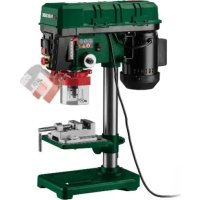
PTBM 400 D1 - Drill PARKSIDE - Free user manual and instructions
Find the device manual for free PTBM 400 D1 PARKSIDE in PDF.



Download the instructions for your Drill in PDF format for free! Find your manual PTBM 400 D1 - PARKSIDE and take your electronic device back in hand. On this page are published all the documents necessary for the use of your device. PTBM 400 D1 by PARKSIDE.
USER MANUAL PTBM 400 D1 PARKSIDE
- Non-compliance with the operating manual
- Repairs carried out by third parties, unauthorised specialists
- Installing and replacing non-original spare parts
- Failures of the electrical system in the event of the electrical regulations and VDE provisions 0100, DIN 57113 / VDE0113 not being observed. Note: The operating manual is part of this product. It includes important instructions for the safe, proper and economic operation of the product, for avoiding danger, for minimising repair costs and downtimes and for increasing the reliability and extending the service life of the product. In addition to the safety instructions in this operating manual, you must also observe the regulations applicable to the operation of the product in your country. Familiarise yourself with all operating and safety in- structions before using the product. Only operate the product as described and for the specified areas of ap- plication. Keep the operating manual in a good place and hand over all documents when passing the prod- uct on to third parties. 3 Product description (Fig. 1-16)
2. Locking screw (transmission cover)
3. Locking screw (motor unit)
7. Locking screw (drilling table)
11a. Clamping screw (protective device) 11b. Wing screws (protective device)
17. Depth stop (with scale)
4 Scope of delivery (Fig. 2) Item Quantity Designation
7. 1 x Locking screw (drilling table)
A. 1 x Allen key, 4 mm B. 1 x Allen key, 5 mm 1 x Tabletop drill 1 x Operating manual GB / IE / NI / CY / MT | 35 Proper use The bench drill is designed for drilling in metal, wood, plastic and tiles. Shank drill bits from 1.5 mm to 13 mm drill diameter can be used. The product may only be used in the intended manner. Any use beyond this is improper. The user/operator, not the manufacturer, is responsible for damages or in- juries of any type resulting from this. An element of the intended use is also the observance of the safety instructions, as well as the assembly in- structions and operating information in the operating manual. Persons who operate and maintain the product must be familiar with the manual and must be informed about potential dangers. The liability of the manufacturer and resulting damages are excluded in the event of modifications of the prod- uct. The product may only be operated with original parts and original accessories from the manufacturer. The safety, operating and maintenance specifications of the manufacturer, as well as the dimensions speci- fied in the technical data, must be observed. Please note that our products were not designed with the intention of use for commercial or industrial pur- poses. We assume no guarantee if the product is used in commercial or industrial applications, or for equiva- lent work. Explanation of the signal words in the operating manual DANGER Signal word to indicate an imminently haz- ardous situation which, if not avoided, will result in death or serious injury. WARNING Signal word to indicate a potentially haz- ardous situation which, if not avoided, could result in death or serious injury. CAUTION Signal word to indicate a potentially haz- ardous situation which, if not avoided, could result in minor or moderate injury. ATTENTION Signal word to indicate a potentially haz- ardous situation which, if not avoided, could result in product or property damage. 6 Safety instructions General power tool safety warnings Save all warnings and instructions for future reference. The term “power tool” in the warnings refers to your mains-operated (corded) power tool or battery-operat- ed (cordless) power tool. WARNING Read all safety warnings, instructions, illus- trations and specifications provided with this power tool. Failure to follow all instructions listed below may re- sult in electric shock, fire and/or serious injury.
a) Keep your work area clean and well-lit. Cluttered or dark areas invite accidents. b) Do not operate power tools in explosive atmo- spheres, such as in the presence of flammable liquids, gases or dust. Power tools create sparks which may ignite the dust or fumes. c) Keep children and bystanders away while oper- ating a power tool. Distractions can cause you to lose control.
2) Electrical safety
a) The connection plug of the electric tool must fit into the socket. Never modify the plug in any way. Do not use any adapter plugs with earthed (grounded) power tools. Unmodified plugs and matching outlets will reduce risk of electric shock. b) Avoid body contact with earthed or grounded surfaces, such as pipes, radiators, ranges and refrigerators. There is an increased risk of electric shock if your body is earthed or grounded. c) Do not expose power tools to rain or wet condi- tions. Water entering a power tool will increase the risk of electric shock. d) Do not abuse the cord. Never use the cord for carrying, pulling or unplugging the power tool. Keep cord away from heat, oil, sharp edges or moving parts. Damaged or entangled cords in- crease the risk of electric shock. 4 | GB / IE / NI / CY / MTe) When operating a power tool outdoors, use an extension cord suitable for outdoor use. Use of a cord suitable for outdoor use reduces the risk of electric shock. f) If operating a power tool in a damp location is unavoidable, use a residual current device (RCD) protected supply. Use of an RCD reduces the risk of electric shock.
a) Stay alert, watch what you are doing and use common sense when operating a power tool. Do not use a power tool while you are tired or under the influence of drugs, alcohol or medica- tion. A moment of inattention while operating pow- er tools may result in serious personal injury. b) Wear personal protective equipment and always safety goggles. Protective equipment such as a dust mask, non-skid safety shoes, safety helmet or hearing protection used for appropriate conditions will reduce personal injuries.
Prevent unintentional starting. Ensure the switch is in the off-position before connecting to power source and/or rechargeable battery, picking up or carrying the tool. Carrying power tools with your fin- ger on the switch or energising power tools that have the switch on invites accidents. d) Remove any adjusting tools or spanners/keys before turning the power tool on. A wrench or a key left attached to a rotating part of the power tool may result in personal injury. e) Avoid abnormal postures. Keep proper footing and balance at all times. This enables better con- trol of the power tool in unexpected situations. f) Dress properly. Do not wear loose clothing or jewellery. Keep your hair and clothing away from moving parts. Loose clothes, jewellery or long hair can be caught in moving parts. g) If devices are provided for the connection of dust extraction and collection facilities, ensure these are connected and properly used. Use of dust extraction can reduce dust-related hazards.
Do not let familiarity gained from frequent use of tools allow you to become complacent and ig- nore tool safety principles. A careless action can cause severe injury within a fraction of a second.
4) Power tool use and care
a) Do not force the power tool. Use the correct power tool for your application. The correct pow- er tool will do the job better and safer at the rate for which it was designed. b) Do not use the power tool if the switch does not turn it on and off. Any power tool that cannot be controlled with the switch is dangerous and must be repaired. c) Disconnect the plug from the power source and/or remove the battery pack, if detachable, from the power tool before making any adjust- ments, changing accessories, or storing power tools. Such precautionary measures reduce the risk of starting the power tool accidentally. d) Store idle power tools out of the reach of chil- dren and do not allow persons unfamiliar with the power tool or these instructions to operate the power tool. Power tools are dangerous in the hands of untrained users. e) Maintain power tools and attachments. Check for misalignment or binding of moving parts, breakage of parts and any other condition that may affect the power tool’s operation. If dam- aged, have the power tool repaired before use. Many accidents are caused by poorly maintained power tools. f) Keep cutting tools sharp and clean. Properly maintained cutting tools with sharp cutting edges are less likely to bind and are easier to control. g) Use electric tools, insertion tools, etc. accord- ing to these instructions. Take into account the working conditions and the work to be per- formed. Use of the power tool for operations differ- ent from those intended could result in a hazardous situation.
Keep handles and grasping surfaces dry, clean and free from oil and grease. Slippery handles and grasping surfaces do not allow for safe handling and control of the tool in unexpected situations.
a) Only have your power tool repaired by qualified specialists and only with original spare parts. This will ensure that the safety of the power tool is maintained. Safety instructions for transportable drills
The drill must be secured. An incorrectly secured drill can move or topple and this can result in injuries. b) The workpiece must be clamped or fastened to the workpiece support. Do not drill into work- pieces that are too small to be securely clamped. Holding the workpiece by hand can lead to injuries.
Do not wear gloves. Gloves can be caught by rotat- ing parts or drilling debris and thus cause injuries. d) Keep your hands away from the drilling area whilst the electrical tool is running. Contact with rotating parts or drilling debris can cause injuries. e) The drill must be turning before it makes con- tact with the workpiece. Otherwise, the drill bit can catch in the workpiece and this can result in an unexpected movement of the workpiece and cause injuries. GB / IE / NI / CY / MT | 5f) If the drill becomes jammed, stop pressing downwards and switch the electrical tool off. In- vestigate and rectify the cause of the jamming. Jamming can result in an unexpected movement of the workpiece and can result in serious injuries. g) Avoid long pieces of drill swarf by interrupting the downward pressure at regular intervals. Sharp metal swarf can become tangled and lead to injuries. h) Never remove drilling debris from the drilling ar- ea whilst the electrical tool is running. To re- move swarf, move the drill away from the work- piece, switch off the electrical tool and wait until the drill has come to a standstill. Use an aid such as a brush or a hook to remove the swarf. Contact with rotating parts or drilling debris can cause injuries.
The permissible rotational speed for drill bits with a rated speed must be at least as high as the highest speed cited on the electrical tool. Acces- sories which rotate faster than the maximum permis- sible rate can break and throw pieces into the air. Residual risks The power tool is state-of-the-art and has been built according to the recognised technical safety regulations. However, individual residual risks can arise during operation.
- Health hazard due to electrical power, with the use of improper electrical connection cables.
- Furthermore, despite all precautions having been met, some non-obvious residual risks may still re- main.
- Residual risks can be minimised if the "Safety In- structions" and the "Intended Use" together with the operating manual as a whole are observed.
Prevent the product being unintentionally started up.
- Keep your hands away from the working area when the product is in operation.
- Unintentional starting up of the product.
- Comply with the stipulated maintenance and safety instructions in the operating manual. WARNING This power tool generates an electromagnetic field during operation. This field can impair active or pas- sive medical implants under certain circumstances. In order to prevent the risk of serious or deadly inju- ries, we recommend that persons with medical im- plants consult with their physician and the manufac- turer of the medical implant prior to operating the power tool. 7 Technical data Rated voltage 230 V~ 50Hz Rated input 300W (S1*) 400 W (S6* 40%) Idle speeds n
Spindle Engine 550 – 2600 rpm 1400 rpm Protection class I Protection category IPX0 Weight 13 kg Chuck B16 (1.5 mm – 13 mm) Drill stroke 50 mm Workpiece size max. 60 mm Subject to technical changes! *Operating mode S1 (continuous operation) The product can be operated continuously with the specified power. *Operating mode S6 Uninterrupted periodic operation. The mode comprises of a start-up period, a time with constant load and an idle time. The operating time is 10 mins, the relative duty cycle is 40% of the operating time. Noise and vibration WARNING Noise can have serious effects on your health. If the machine noise exceeds 85 dB, please wear suitable hearing protection for you and persons in the vicinity. The noise and vibration values have been determined in accordance with EN 62841-1. Noise data Sound pressure L
3 dB The specified noise emission values have been mea- sured in accordance with a standardised test proce- dure and can be used to compare one power tool with another. The specified device emissions values can also be used for an initial estimation of the load.
6 | GB / IE / NI / CY / MTWARNING
The noise emission values can vary from the specified values during the actual use of the power tool, depending on the type and the manner in which the electric tool is used, and in particular the type of work- piece being processed. Try to keep the stress as low as possible. For exam- ple: Limit working time. In doing so, all parts of the operating cycle must be taken into account (such as times in which the power tool is switched off or times in which it is switched on, but is not running under a load). 8 Unpacking WARNING The product and the packaging material are not children's toys! Do not let children play with plastic bags, films or small parts! There is a danger of choking or suffo- cating!
- Open the packaging and carefully remove the product.
- Remove the packaging material, as well as the packaging and transport safety devices (if present).
- Check whether the scope of delivery is complete.
- Check the product and accessory parts for trans- port damage. Immediately report any damage to the transport company that delivered the Product. Later claims will not be recognised.
- If possible, keep the packaging until the expiry of the warranty period.
- Familiarise yourself with the product by means of the operating manual before using for the first time.
- With accessories as well as wearing parts and re- placement parts use only original parts. Spare parts can be obtained from your specialist dealer.
- When ordering please provide our article number as well as type and year of manufacture for the product. 9 Assembly WARNING Danger of injury! Only insert the mains plug into the socket when the product is ready for use. WARNING Tool attachments may be sharp and become hot during use. Always wear protective gloves when han- dling the tool attachments. Some parts of the delivery come disassembled. For quick and easy assembly, read and follow the instruc- tions below. Tool required:
- Phillips screwdriver*
- = may not be included in the scope of delivery! Clean the following parts with a clean and dry cloth:
2. Use the three M8x20mm hexagonal screws (9a) to
fit the column tube (6) to the floor plate (9). Do not tighten the hexagonal screws too tight, as the thread could otherwise break in the floor plate.
2. Push the drilling table (8) into a lower position and
use the locking screw (7) to secure it.
2. Use the two clamping screws (4a) to secure the
motor unit (4) to the side. Use a 4 mm Allen key (A).
9.4 Fitting the depth stop (17) and
device (11). Use a Phillips screwdriver.
2. Open the protective device (11) to enable access to
the inside of the protective device (11). GB / IE / NI / CY / MT | 73. Place the M6 nut (17f) in the recess provided in the protective device (11).
4. Close the protective device (11).
Ensure that the M6 nut (17f) remains in the recess provided.
5. Screw the M10/M6 threaded rod (17b) with a wash-
er (17e) from above into the recess provided in which the M6 nut (17f) is located.
6. Guide the M10/M6 threaded rod (17b) through the
and the scale indicator (17d) on the M10/M6 threaded rod (17b).
8. Guide the protective device (11) through the drill
spindle (18) and push the protective device (11) to the very top on the drill spindle (18).
9. Use the clamping screw (11a) to secure the protec-
tive device (11). Use a Phillips screwdriver.
10. Check that the scale indicator (17d) is positioned
correctly. Note: You can extend the protective device.
1. Open both wing screws (11b) on the protective de-
2. Push the outer protective device down to the re-
3. Secure both wing screws (11b).
9.5 Mounting the handle (5) (Fig. 8)
1. Place the handle (5) on the hand spindle guide (5a).
Ensure that the hole on the handle (5) aligns with the hole on the hand spindle guide (5a).
2. Guide the M6 Allen screw (5b) through the aligned
holes and use an M6 nut (5c) to secure it. Use a 5 mm Allen key (B).
9.6 Attaching the chuck (19) (Fig. 9)
1. Attach the chuck (19) in the cone on the drill spin-
2. Tap the chuck tip gently to secure the chuck (19).
Use a plastic hammer to do this.
9.7 Attaching the bench vice (10)
2. Use two M10x35mm hexagonal screws (10c), four
washers (10e) and two M10 nuts (10d) to fit the bench vice (10) to the drilling table (8). Use two 16mm open-ended spanners. Note: The hexagonal screws should be positioned diagonally opposite to each other. 10 Pre-commissioning WARNING Always remove the mains plug before carrying out adjustments on the product. Tool required:
- = may not be included in the scope of delivery!
10.1 Use as a stationary machine
(Fig. 11) The product must be mounted on a workbench for continuous use.
- The product must be securely installed, i.e. bolted down on a workbench or fixed machine stand.
- There are fastening holes in the floor plate (9) for this purpose.
1. Mark the drill holes.
– Place the product as it will be installed later. – Mark the positions of the holes to be drilled on the workbench. They are prescribed by the fastening holes in the floor plate (9).
2. Drill the holes (at least 11 mm diameter) through
3. Place the product over the drilled holes congruent
with the fastening holes in the floor plate (9) and in- sert the screws* (M10) with a suitable length through the holes from above.
Screw the nuts* onto the screws* (M10) from below.
5. Use two 17mm* open-ended spanners to tighten
- = not included in the scope of delivery!
10.2 Adjusting the drilling table (8)
and swinging the drilling table (8)
1. Loosen the locking screw (7).
2. Slide the drilling table (8) to the required height.
3. Move the drilling table (8) into the required position.
4. Re-secure the locking screw (7).
10.2.2 Inclining the drilling table (8)
You can also adjust the inclination of the drilling table (8).
1. To do this, undo the locking screw (14) below the
drilling table (8). Use a 17 mm open-ended spanner.
2. Incline the drilling table (8) as required up to max.
45° to the right or left.
- Ensure that the workpiece is securely fastened.
- Do not work with workpieces that are to small to be clamped in place.
- Only machine workpieces that can be clamped se- curely between the clamping jaws. The workpiece must not be too large, small or soft. Otherwise, it cannot be clamped securely.
- Use additional workpiece supports, if required for workpiece stability.
- Check the bench vice and the clamping jaws. They must be clean and free of chips and other residues.
1. Ensure that the bench vice (10) is installed on the
the bench vice (10).
3. Position the workpiece to be machined between
the clamping jaws (10a). Ensure that it is aligned so that it remains stable during machining.
4. Turn the crank handle (10b) clockwise to close the
bench vice (10) and to secure the workpiece.
5. Check that the workpiece is clamped securely and
tightly. It must not move.
10.4 Inserting/removing the tool
attachment (Fig. 14) WARNING Never leave the chuck key inserted in the chuck! Note: Check that the tool attachment is fitted securely. Tool attachments that are not fitted correctly or securely may come loose during operation and injure you.
- You can store the chuck key (16) in the chuck key holder (15).
1. Remove the chuck key (16) from the chuck key
2. Open the protective device (11) upwards and keep
it in this position.
3. Use the chuck key (16) to loosen the retaining jaws
4. Remove the attachment tool*.
5. Insert a new attachment tool*.
6. Use the chuck key (16) to tighten the retaining jaws
7. Place the check key (16) back into the chuck key
8. Check that the attachment tool* is centred.
9. Fold the protective device (11) into its starting posi-
10. Perform a short test run to check that the attach-
ment tool* for concentricity.
- = may not be included in the scope of delivery!
10.5 Setting the speed (Fig. 15)
WARNING Danger of crushing! Pay attention to your fingers! WARNING The drive pulleys on the opposite side must always be used. If drive pulleys at a different height are used, the drive belt will be destroyed! Note: The product is equipped with a safety switch. This means that the product cannot be switched on if the transmission cover is open or has not been closed properly.
1. Loosen the locking screw (2) on the transmission
2. Open the transmission cover (1).
3. Loosen the locking screw (3) on the motor unit (4).
4. Push the motor unit (4) towards the column tube (6)
to relieve the tension on the drive belt (20).
5. Place the drive belt (20) on the required combina-
tion between the spindle side drive pulley (21) and the motor side drive pulley (22) to achieve the specified speed:
6. Push the motor unit (4) away from the column tube
(6) to tension the drive belt (20). The drive belt (20) is tensioned correctly if it can be pushed down by around 1 cm.
7. Close the transmission cover (1) and use the lock-
ing screw (2) to secure it. Ensure that the safety switch (23) is engaged and that the transmission cover (1) is closed properly.
10.6 Adjusting the drilling depth
(17) and move it to a higher position along with the nut that is below it (17c). GB / IE / NI / CY / MT | 92. Insert the attachment tool into the chuck (19) as described in 10.4.
3. Use the handle (5) on the workpiece to lower the
5. Use the handle (5) to return the drill spindle (18) to
the starting position. Ensure that the M10 nut (17c) does not shift.
6. Use the M10 counternut (17c) to lock the adjusted
M10 nut (17c). Use two 17 mm open-ended spanners.
7. Check whether the set depth is correct.
11 Operation ATTENTION Always make sure the product is fully assembled before commissioning! WARNING Danger of injury! The on/off switch and the safety switch must not be locked! – Do not work with the product if the switch is damaged. – Ensure that the product is in working order be- fore each use. WARNING Danger of injury! Only insert the mains plug into the socket when the product is ready for use. WARNING Tool attachments may be sharp and become hot during use. Always wear protective gloves when han- dling the tool attachments. Notes:
- Prior to commissioning, all covers and safety devic- es must be mounted correctly. Damaged or illegible stickers must be replaced.
- Before connecting of the product, make certain that the data on the type plate matches with the mains power data.
- Remember that when the starter mechanism with motorised machines is commissioned, the cutting tool also starts operating.
- Never operate the product with defective Protec- tive devices or without safety devices.
- Before switching on, make sure that the product does not touch any objects.
- Check the material to be processed for foreign ob- jects such as nails, screws etc. and remove them.
- Make sure that the surface to be treated is dust- free and dry.
- After switching on, wait until the product has reached its maximum speed. Only then should you start working.
1. If the product has to be stopped due to an emer-
gency situation, press the emergency stop switch (12).
2. Before you start the product up again, perform a vi-
sual inspection to guarantee safety and to reset the product properly. – Visual inspection: Inspect the product visually for damage or obstacles that could impair oper- ation.
3. Turn the emergency stop switch (12) clockwise to
reset it to its original position.
4. Switch the product on as described in 11.2.
11.2 Switching the product on/off
(Fig. 1) Switching on
1. Insert the mains plug into a properly fused mains
2. Press the “I” switch on the on/off switch (13) to
switch the product on. Switching off
1. Press the “0” switch on the on/off switch (13) to
switch the product off.
2. Wait until the product has come to a standstill.
12 Working instructions ATTENTION The feed and the spindle speed are decisive for the attachment tool’s service life!
- The cutting speed is determined by the drill spindle speed and the diameter of the attachment tool.
- In principle, the greater the attachment tool diame- ter, the lower the speed should be.
- The stronger the workpiece, the higher the cutting pressure must be. 10 | GB / IE / NI / CY / MT• Pulling the attachment tool back repeatedly en- sures that the chips can be removed easier.
- Chip removal is made more difficult in deeper holes in particular. Reduce the feed and the speed here.
- In order to prevent excessive wear to the attach- ment tool cutting edge, first pre-drill holes with a diameter of more than 8.0 mm using an attachment tool with a smaller diameter.
12.1 Drilling (Fig. 1)
1. Use a punch* or a sharp nail* to mark the location
to be drilled on the workpiece.
2. Clamp the workpiece to be machined into the
bench vice (10) (see 10.3).
3. Insert a tool attachment into the chuck (19) (see
4. Use the handle (5) to lower the drill spindle (18) and
centre the attachment over the point to be drilled on the workpiece.
5. Switch the product on (see 11.2).
6. Use the handle (5) to lower the drill spindle (18).
7. Drill into the workpiece with an appropriate feed
and to the required depth.
8. Select the correct lubricant based on the work-
piece and drill bit materials, as well as the type of hole.
9. Ensure any required chip breaking on the way to
the required drilling depth.
10. Use the handle (5) to guide the drill spindle (18)
back to the starting position slowly.
- = may not be included in the scope of delivery!
12.2 Countersinking and centre
drilling You can also use this product for countersinking or centre drilling. Note that countersinking must be performed at the lowest speed while a high speed is required for centre drilling.
Note: Note that suitable dust extraction must be used when machining wood, as wood dust can be harmful to health. Wear a suitable dust protection mask when performing work that generates dust. 13 Electrical connection The electrical motor installed is connected and ready for operation. The connection complies with the ap- plicable VDE and DIN provisions. The customer's mains connection as well as the extension cable used must also comply with these regulations.
13.1 Damaged electrical connection
cables The insulation on electrical connection cables is often damaged. This may have the following causes:
- Pressure points, where connection cables are passed through windows or doors,
- Kinks where the connection cable has been im- properly fastened or routed,
- Places where the connection cables have been cut due to being driven over,
- Insulation damage due to being ripped out of the wall socket,
- Cracks due to the insulation ageing. Such damaged electrical connection cables must not be used and are life-threatening due to the insulation damage. Check the electrical connection cables for damage regu- larly. Ensure that the connection cables are disconnect- ed from electrical power when checking for damage. Electrical connection cables must comply with the appli- cable VDE and DIN provisions. Only use connection ca- bles with the same designation “H05VV-F 3x0,75 mm²”. The printing of the type designation on the connection cable is mandatory. Safety information for replacing damaged or defective mains connection cables Connection type Y If it is necessary to replace the mains connection ca- ble, this must be done by the manufacturer or their representative to avoid safety hazards.
- Extension cables up to 25 m long must have a cross-section of 1.5 mm². 14 Transport (fig. 1)
1. To transport the product, disconnect the it from the
power supply and set it up in the new position you want to use it in.
2. The product must be secured against tipping and
slipping during transport in vehicles in order to pre- vent damage and injuries.
3. Protect the product from impacts, shocks and se-
vere vibrations, e.g. during vehicular transport.
4. Do not transport the product by the motor unit.
Note: Carry the product together with a second person if possible.
1. Reach under the floor place (9) with one hand and
use the other hand to stabilise the product on the transmission cover (1). GB / IE / NI / CY / MT | 1115 Maintenance and cleaning WARNING Have maintenance and repair tasks that are not described in this operating manual, carried out by a specialist workshop. Use only original spare parts. There is a risk of accident! Always carry out maintenance and cleaning work with the motor switched off and the mains plug dis- connected. There is a danger of injury! Let the Product cool down before all mainte- nance and cleaning tasks. Elements of the engine are hot. There is a danger of injury and burning! The product can start unexpectedly and cause inju- ries. – Switch off the motor before carrying out any cleaning or maintenance work. – Allow the motor to cool down. – Pull out the mains plug! WARNING Pull out the mains plug before carrying out any setting, servicing or repair work!
- Keep protective devices, air vents and the motor housing as free of dust and dirt as possible. Rub the product clean with a clean cloth* or blow it off with compressed air* at low pressure. We recom- mend that you clean the product directly after ev- ery use.
- Never immerse the product in water or other liquids for cleaning.
- Always keep the product clean, dry and free from oil or grease. Remove dust after each use and be- fore storage.
- Do not use chemical, alkaline, abrasive or other ag- gressive cleaning agents or disinfectants to clean the product, as these may damage the surfaces.
- Do not clean the tool attachment while it is still in operation.
- Check the bench vice and the clamping jaws. They must be clean and free of chips and other residues.
15.2 Maintenance (Fig. 15)
WARNING Danger of crushing! Pay attention to your fingers! WARNING The drive pulleys on the opposite side must always be used. If drive pulleys at a different height are used, the drive belt will be destroyed! Note: The product is equipped with a safety switch. This means that the product cannot be switched on if the transmission cover is open or has not been closed properly.
15.2.1 Checking the drive belt (20)
1. Loosen the locking screw (2) on the transmission
2. Open the transmission cover (1).
3. Check the drive belt (20) tension.
4. The drive belt (20) is tensioned correctly if it can be
pushed down by around 1 cm.
5. Check the drive belt (20) for cracks, nicks or other
6. Close the transmission cover (1) and use the lock-
ing screw (2) to secure it. Ensure that the safety switch (23) is engaged and that the transmission cover (1) is closed properly.
15.2.2 Tensioning the drive belt (20)
1. Loosen the locking screw (2) on the transmission
2. Open the transmission cover (1).
3. Loosen the locking screw (3) on the motor unit (4).
4. Push the motor unit (4) away from the column tube
(6) to tension the drive belt (20).
5. The drive belt (20) is tensioned correctly if it can be
pushed down by around 1 cm.
6. Close the transmission cover (1) and use the lock-
ing screw (2) to secure it. Ensure that the safety switch (23) is engaged and that the transmission cover (1) is closed properly.
15.2.3 Replacing the drive belt (20)
1. Loosen the locking screw (2) on the transmission
2. Open the transmission cover (1).
3. Loosen the locking screw (3) on the motor unit (4).
4. Remove the old drive belt (20).
Turn the drive pulleys (21) and pull the drive belt (20) up slightly. 12 | GB / IE / NI / CY / MT5. Fit the new drive belt (20).
6. Turn the spindle and motor side drive pulleys
(21+22) and press the drive belt (20) gently onto the spindle and motor side drive pulleys (21+22). Ensure that the drive belt (20) is located properly in the spindle and motor side drive pulleys (21+22).
7. Push the motor unit (4) away from the column tube
(6) to tension the drive belt (20).
8. The drive belt (20) is tensioned correctly if it can be
pushed down by around 1 cm.
9. Close the transmission cover (1) and use the lock-
ing screw (2) to secure it. Ensure that the safety switch (23) is engaged and that the transmission cover (1) is closed properly. 16 Storage Store the product and its accessories in a dark, dry and frost-free place that is inaccessible to children. The optimum storage temperature is between 5°C and 30˚C. Store the product in its original packaging. Cover the product to protect it from dust or moisture. Store the operating manual with the product. 17 Repair & ordering spare parts After repairs or maintenance, make sure that all safety- related parts are installed and are in perfect condition. All parts which may cause injury must be kept where they are inaccessible to children or others. ATTENTION According to the German Product Liability Act, no li- ability is accepted for damage caused by improper repairs or by not using original spare parts. Such work should be performed by a customer ser- vice centre or an authorised specialists. The same applies to accessory parts. Connections and repairs Connections and repair work on the electrical equip- ment may only be carried out by electricians.
17.1 Ordering spare parts
Please provide the following information when ordering spare parts:
With this product, it is necessary to note that the follow- ing parts are subject to natural or usage-related wear, or that the following parts are required as consumables. Wearing parts: Drive belt 18 Disposal and recycling Notes for packaging The packaging materials are recy- clable. Please dispose of packag- ing in an environmentally friendly manner. Notes on the electrical and electronic equipment act [ElektroG] Waste electrical and electronic equipment does not belong in household waste, but must be collected and disposed of separately!
- Used batteries or rechargeable batteries that are not installed permanently in the old device must be removed non-destructively before disposal! Their disposal is regulated by the battery act.
- Owners or users of electrical and electronic devices are legally obliged to return them after use.
- The end user is responsible for deleting their per- sonal data from the old device being disposed of!
- The symbol of the crossed-out dustbin means that waste electrical and electronic equipment must not be disposed of with household waste.
- Waste electrical and electronic equipment can be handed in free of charge at the following places: – Public disposal or collection points (e.g. munici- pal works yards) – LIDL offers you return options directly in the shops and markets. Return and disposal are free of charge.
Up to three waste electrical devices per type of device, with an edge length of no more than 25 centimetres, can be returned free of charge to the manufacturer without prior purchase of a new device from the manufacturer or taken to another authorised collection point in your vicinity. – Further supplementary take-back conditions of the manufacturers and distributors can be ob- tained from the respective customer service.
- If the manufacturer delivers a new electrical device to a private household, the manufacturer can ar- range for the free collection of the old electrical de- vice upon request from the end user. Please con- tact the manufacturer’s customer service for this.
- These statements only apply to devices installed and sold in the countries of the European Union and which are subject to the European Directive 2012/19/EU. In countries outside the European Union, different regulations may apply to the dis- posal of waste electrical and electronic equipment. GB / IE / NI / CY / MT | 1319 Troubleshooting Fault Possible cause Remedy Motor does not start. On/off switch damaged Replace all damaged parts before you use your bench drill again. Contact your local service centre or an authorised service station. Every attempt to carry out a repair, can be dangerous if it is not done by skilled personnel. Damaged mains cable. Heavy vibrations Motor unit not secured Check the drive belt tension and tighten the locking nuts. Attachment tool not clamped cen- trally Check the attachment tool in the chuck Loud squeaking noise Drive belt tension too high Check the drive belt tension Drive belt damaged Check drive belts Drive pulley damaged Check the drive pulleys The motor runs slowly and does not reach the operating speed. Voltage too low, coils damaged, capacitor burnt. Have the voltage checked by a qualified electrician. Arrange for inspection of the motor by a specialist. Arrange for replacement of the capacitor by a spe- cialist. Engine producing exces- sive noise. Coils damaged, motor defective. Arrange for inspection of the motor by a specialist. Motor overheats easily. Overloading of the motor, insuffi- cient cooling of the motor Prevent the motor overloading, keep ventilation slots clear to ensure optimum motor cooling The product becomes slower during work Too much pressure is applied to the workpiece. Apply less pressure to the workpiece. The motor does not reach its full power. Circuits in the network are over- loaded (lamps, other motors, etc.). Do not use any other products or motors on the same circuit. 20 EU Declaration of Conformity Translation of the original Declaration of Conformity Manufacturer: Scheppach GmbH Günzburger Straße 69 D-89335 Ichenhausen We declare under our sole responsibility that the prod- uct described here complies with the applicable direc- tives and standards. Brand: Parkside Art. designation: BENCH PILLAR DRILL – PTBM 400 D1 Item No. 3906801976-3906801981, 39068019915, 39068019959 IAN no. 465594_2404 Series no. 01001– 20562 EU directives: 2006/42/EC, 2014/30/EU, 2011/65/EU*, (EU) 2015/863
- The object of the declaration described above fulfils the regulations of the directive 2011/65/EU of the Eu- ropean Parliament and Council from 8th June 2011, on the restriction of the use of certain hazardous sub- stances in electrical and electronic equipment. Applied standards: EN 62841-1:2015/A11:2022; EN 62841-3-13:2017; EN IEC 55014-1:2021; EN IEC 55014-2:2021; EN IEC 61000-3-2:2019+A1:2021; EN 61000-3-3:2013+A1:2019+A2:2021; EN IEC 63000:2018 Documentation authorised representative: Tobias Ihle Günzburger Str. 69 D-89335 Ichenhausen Ichenhausen, 27.08.2024 Simon Schunk Division Manager Product Center Andreas Pecher Head of Project Management 14 | GB / IE / NI / CY / MTWarranty certificate Dear Customer, All of our products undergo strict quality checks to ensure that they reach you in perfect condition. In the unlikely event that your device develops a fault, please contact our service department at the address shown on this guar- antee card. Of course, if you would prefer to call us then we are also happy to offer our assistance under the service number printed below. Please note the following terms under which guarantee claims can be made:
- These guarantee terms cover additional guarantee rights and do not affect your statutory warranty rights. We do not charge you for this guarantee.
- Our guarantee only covers problems caused by material or manufacturing defects, and it is restricted to the rec- tification of these defects or replacement of the device. Please note that our devices have not been designed for use in commercial, trade or industrial applications. Consequently, the guarantee is invalidated if the equipment is used in commercial, trade or industrial applications or for other equivalent activities. The following are also ex- cluded from our guarantee: compensation for transport damage, damage caused by failure to comply with the installation/assembly instructions or damage caused by unprofessional installation, failure to comply with the operating instructions (e.g. connection to the wrong mains voltage or current type), misuse or inappropriate use (such as overloading of the device or use of non-approved tools or accessories), failure to comply with the main- tenance and safety regulations, ingress of foreign bodies into the device (e.g. sand, stones or dust), effects of force or external influences (e.g. damage caused by the device being dropped) and normal wear resulting from proper operation of the device. The guarantee is rendered null and void if any attempt is made to tamper with the device.
- The guarantee is valid for a period of 3 years starting from the purchase date of the device. Guarantee claims should be submitted before the end of the guarantee period within two weeks of the defect being noticed. No guarantee claims will be accepted after the end of the guarantee period. The original guarantee period remains applicable to the device even if repairs are carried out or parts are replaced. In such cases, the work performed or parts fitted will not result in an extension of the guarantee period, and no new guarantee will become active for the work performed or parts fitted. This also applies when an on-site service is used.
- In order to assert your guarantee claim, please contact the service partner shown below. If the complaint is with- in the guarantee period, we will provide you with a return slip, with which you can return your defective device free of charge to us. It would help us if you could describe the nature of the problem in as much detail as possi- ble. If the defect is covered by our guarantee then your device will either be repaired immediately and returned to you, or we will send you a new device. Of course, we are also happy offer a chargeable repair service for any defects which are not covered by the scope of this guarantee or for units which are no longer covered. To take advantage of this service, please send the device to our service address. Processing of warranty claims To ensure that your request is processed quickly, please follow the instructions below:
- Please have the receipt and article number (e.g. IAN 465594_2404) ready as proof of purchase for all enquiries.
- Please refer to the type plate on the product, an engraving on the product, the title page of your instructions (bottom left) or the sticker on the back or underside of the product for the article number.
- If functional faults or other defects occur, first contact the service department named below by telephone or e- mail.
- You can then send a product recorded as defective to the service address provided to you free of charge, en- closing the proof of purchase (receipt) and stating what the defect is and when it occurred.
- You can view and download these and many other manuals at parkside-diy.com. This QR code will take you di- rectly to parkside-diy.com. Select your country and use the search mask to search for the operating instruc- tions. Enter the article number (IAN) 465594_2404 to access the operating instructions for your article. GB / IE / NI / CY / MT | 15Service contact (GB): Service contact (IE): Name: Forest Park & Garden Coed Court, Taffsmead Road Treforest, Ind. Estate, Pontypridd CF375SW Name: Forest Park & Garden Coed Court, Taffsmead Road Treforest, Ind. Estate, Pontypridd CF375SW Tel: 00800 4003 4003 Tel: 00800 4003 4003 E-Mail: service.GB@scheppach.com E-Mail: service.IE@scheppach.com Location: Great Britain Location: Great Britain Service contact (NI): Service contact (CY): Service contact (IT): Name: Forest Park & Garden Coed Court, Taffsmead Road Treforest, Ind. Estate, Pontypridd CF375SW Name:
- Gabelschlüssel SW 13 mm*
- 2x Gabelschlüssel/Steckschlüssel SW 16 mm*
- Gabelschlüssel SW 17 mm*
- 2x Gabelschlüssel/Steckschlüssel SW 17 mm*
schlüssel SW17* fest.