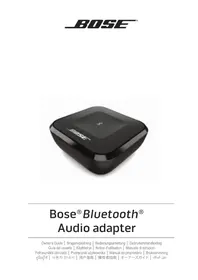
Bluetooth Audio adapter - Speakers BOSE - Free user manual and instructions
Find the device manual for free Bluetooth Audio adapter BOSE in PDF.



| Product type | Bluetooth audio adapter |
| Brand | Bose |
| Model | Bluetooth Audio Adapter |
| Category | Speakers (adapter) |
| Connectivity | Bluetooth, optical (TOSLINK), 3.5 mm audio, RCA |
| Bluetooth version | Not specified (compatible with Bluetooth 2.1+EDR and above) |
| Supported audio codecs | aptX, SBC |
| Multipoint connectivity | Up to 3 simultaneous devices |
| Pairing memory | Up to 8 devices |
| Power supply | External power adapter (100-240 V AC, 50/60 Hz) |
| Power consumption | Not specified |
| Dimensions (approx.) | Not specified |
| Weight (approx.) | Not specified |
| Operating temperature range | 0 °C to 45 °C |
| Care and cleaning | Soft, dry cloth; do not use solvents or chemicals |
| Safety | Do not expose to moisture, liquids, or heat sources; do not modify |
| Spare parts and repairability | Not specified; refer all repairs to qualified personnel |
| Warranty | Limited warranty (see registration card) |
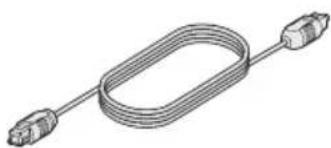
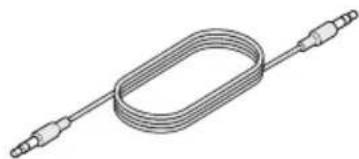
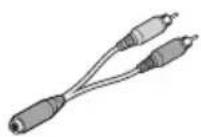
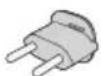
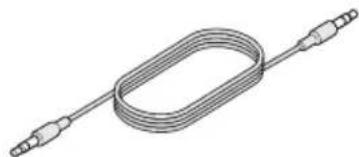
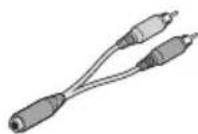
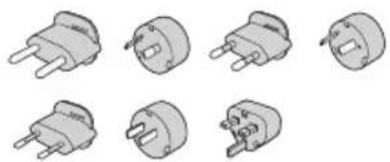
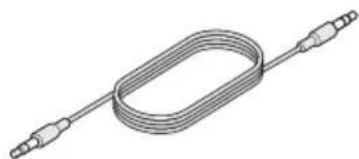
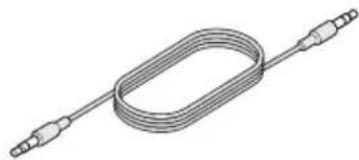
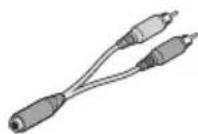
| Package contents | Adapter, power cord, power adapter, optical cable, 3.5 mm audio cable, 3.5 mm RCA female cable, plug adapters (depending on country) |
Frequently Asked Questions - Bluetooth Audio adapter BOSE
User questions about Bluetooth Audio adapter BOSE
0 question about this device. Answer the ones you know or ask your own.
Ask a new question about this device
Download the instructions for your Speakers in PDF format for free! Find your manual Bluetooth Audio adapter - BOSE and take your electronic device back in hand. On this page are published all the documents necessary for the use of your device. Bluetooth Audio adapter by BOSE.
USER MANUAL Bluetooth Audio adapter BOSE
natural_image
Black square electronic device labeled 'BIUSE' with a small cross symbol on the top (no additional text or symbols visible)Bose® Bluetooth® Audio adapter
Owner's Guide | Brugervejledning | Bedienungsanleitung | Gebruikershandleiding Guía del usuario | Käyttöohje | Notice d'utilisation | Manuale di istruzioni Felhasználói útmutató | Podręcznik użytkownika | Manual do proprietário | Bruksanvisning คู่มื่อผู้ใช้ | 사용자 안내서 | 用户指南 | 擁有者指南 | オーナーズガイド | دليل الملك
Important Safety Information
Please read this owner's guide carefully and save it for future reference.

The lightning flash with arrowhead symbol within an equilateral triangle alerts the user to the presence of uninsulated, dangerous voltage within the system enclosure that may be of sufficient magnitude to constitute a risk of electric shock.

The exclamation point within an equilateral triangle alerts the user to the presence of important operating and maintenance instructions in this owner's guide.
WARNINGS:
- To reduce the risk of fire or electric shock, do not expose the product to rain or moisture.
- Do not place naked flame sources, such as lighted candles, on or near the product.
- Do not expose this product to dripping or splashing, and do not place objects filled with liquids, such as vases, on or near the product. As with any electronic products, use care not to spill liquids into any part of the product. Exposure to liquids may create a failure and/or a fire hazard.

WARNING: Contains small parts which may be a choking hazard. Not suitable for children under age 3.
CAUTIONS:
- Do not make unauthorized alterations to this product; doing so may compromise safety, regulatory compliance, system performance, and may void the warranty.
-
Long-term exposure to loud music may cause hearing damage. It is best to avoid extreme volume when using headphones, especially for extended periods.
-
The product label is located on the bottom of the product.
- Where the mains plug or appliance coupler is used as the disconnect device, such disconnect device shall remain readily operable.
- This product must be used indoors. It is neither designed nor tested for use outdoors, in recreation vehicles, or on boats.
- This product is intended to be used only with the power supply provided.
- The speaker wire and interconnect cables included with the system are not approved for in-wall installation. Please check your local building codes for the correct type of wire and cable required for in-wall installation.
- Operate this product within the temperature range of 32^ F to 113^ F ( 0^ C to 45^ C).
Important Safety Instructions
- Read these instructions.
- Keep these instructions.
- Heed all warnings.
- Follow all instructions.
- Do not use this apparatus near water.
- Clean only with a dry cloth.
- Do not block any ventilation openings. Install in accordance with the manufacturer's instructions.
- Do not install near any heat sources such as radiators, heat registers, stoves, or other apparatus (including amplifiers) that produce heat.
- Only use attachments/accessories specified by the manufacturer.
- Unplug this apparatus during lightning storms or when unused for long periods of time.
- Refer all servicing to qualified personnel. Servicing is required when the apparatus has been damaged in any way, such as power-supply cord or plug is damaged, liquid has been spilled or objects have fallen into the apparatus, the apparatus has been exposed to rain or moisture, does not operate normally, or has been dropped.
The Bluetooth ^® word mark and logos are registered trademarks owned by Bluetooth SIG, Inc. and any use of such marks by Bose Corporation is under license.
© 2013 CSR plc and its group companies. The aptX® mark and aptX logo are trade marks of CSR plc or one of its group companies and may be registered in one or more jurisdictions.
© 2014 Bose Corporation. No part of this work may be reproduced, modified, distributed, or otherwise used without prior written permission.
Information about products that generate electrical noise
This equipment has been tested and found to comply with the limits for a Class B digital device, pursuant to Part 15 of the FCC Rules. These limits are designed to provide reasonable protection against harmful interference in a residential installation. This equipment generates, uses, and can radiate radio frequency energy and, if not installed and used in accordance with the instructions, may cause harmful interference to radio communications. However, there is no guarantee that interference will not occur in a particular installation. If this equipment does cause harmful interference to radio or television reception, which can be determined by turning the equipment off and on, the user is encouraged to try to correct the interference by one or more of the following measures:
- Reorient or relocate the receiving antenna.
- Increase the separation between the equipment and receiver.
- Connect the equipment into an outlet on a circuit different from that to which the receiver is connected.
- Consult the dealer or an experienced radio/TV technician for help.
FCC WARNING
Changes or modifications not expressly approved by Bose Corporation could void the user's authority to operate this equipment.

Bose Corporation hereby declares that this product is in compliance with the essential requirements and other relevant provisions of Directive 1999/5/EC and all other applicable EU directive requirements. The complete declaration of conformity can be found at : www.Bose.com/compliance
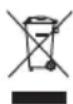
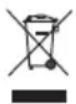
This symbol means the product must not be discarded as household waste, and should be delivered to an appropriate collection facility for recycling. Proper disposal and recycling helps protect natural resources, human health and the environment. For more information on disposal and recycling of this product, contact your local municipality, disposal service, or the shop where you bought this product.
This device complies with part 15 of the FCC Rules. Operation is subject to the following two conditions:
(1) This device may not cause harmful interference, and (2) this device must accept any interference received, including interference that may cause undesired operation.
This device complies with Industry Canada license-exempt RSS standard(s). Operation is subject to the following two conditions:
(1) This device may not cause interference, and (2) this device must accept any interference, including interference that may cause undesired operation of the device.
This Class [B] digital apparatus complies with Canadian ICES-003.
CAN ICES-3 (B) / NMB-3 (B)
This (These) device(s) comply with FCC and Industry Canada RF radiation exposure limits set forth for general population.
It (They) must not be co-located or be operating in conjunction with any other antennas or transmitters.
Tested temperature range: 32^ F to 113^ F ( 0^ C to 45^ C).
| Names and Contents of Toxic or Hazardous Substances or Elements | ||||||
| Toxic or Hazardous Substances and Elements | ||||||
| Part Name | Lead (Pb) | Mercury (Hg) | Cadmium (Cd) Hexavalent (CR(VI)) | Polybrominated Biphenyl (PBB) | Polybrominated diphenylether (PBDE) | |
| PCBs X O O O O | O | |||||
| Metal parts X O O | O O O | |||||
| Plastic parts O O O | O O O | |||||
| O: Indicates that this toxic or hazardous substance contained in all of the homogeneous materials for this part is below the limit requirement in SJ/T 11363-2006. | ||||||
| X: Indicates that this toxic or hazardous substance contained in at least one of the homogeneous materials used for this part is above the limit requirement in SJ/T 11363-2006. | ||||||
Contents
Introduction
About your Bose® Bluetooth® Audio adapter 5
System features 5
Unpacking.... 5
Setup
Connecting the adapter to your audio sytem 6
Option 1: optical cable.... 6
Option 2: 3.5 mm audio cable....7
Option 3: 3.5 mm female to RCA cable.... 7
Bose® Solo 15, Bose® CineMate® 15/10, Bose® Solo and Bose® Solo 10 systems 8
Connecting to AC power 8
Completing source setup.... 9
Operation
Selecting the Bose® Bluetooth® Audio adapter .... 10
For the Bose® Solo 15 system....10
Pairing a mobile device 10
Pairing another mobile device.... 11
Connecting a paired mobile device.... 11
Multi-point connectivity .... 11
Bluetooth ^® indicator 12
Adapter memory.... 12
Clearing memory.... 12
Care and Maintenance
Troubleshooting 13
Cleaning.... 13
Contacting customer service 13
Limited warranty 13
About your Bose® Bluetooth® Audio adapter
The Bose® Bluetooth® Audio adapter allows you to stream music from your smartphone, tablet, laptop or other Bluetooth enabled device through your audio system.
System features
- Wirelessly connect to your smartphone, tablet or other Bluetooth enabled device.
- Connect up to three devices using multi-point connectivity.
- Pair up to eight Bluetooth enabled devices.
- Stream CD-quality audio using your aptX® enabled device.
Unpacking
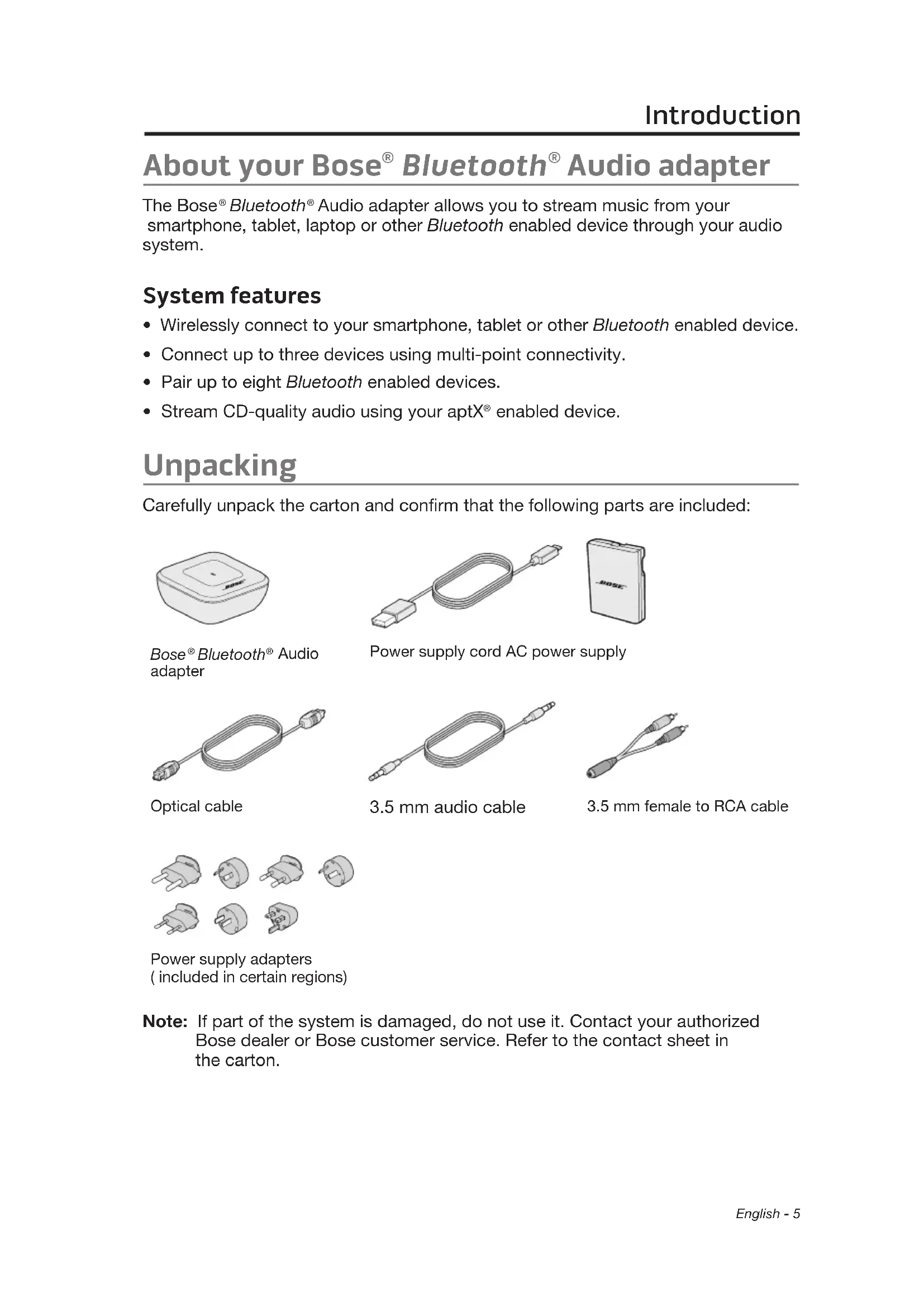
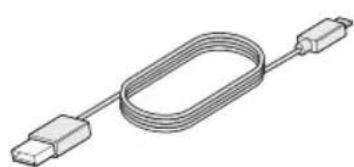
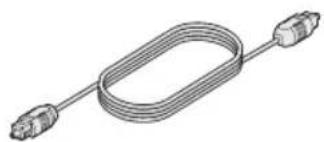
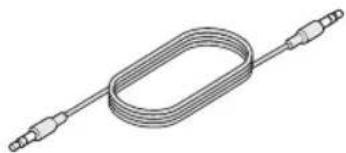
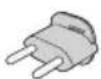
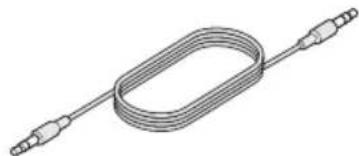
Carefully unpack the carton and confirm that the following parts are included:
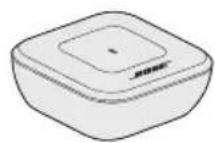
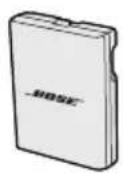
Bose® Bluetooth® Audio adapter
natural_image
Illustration of a U-shaped cable with two connectors (no text or symbols)
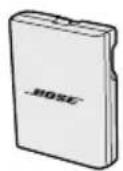
Power supply cord AC power supply
natural_image
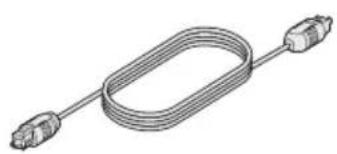
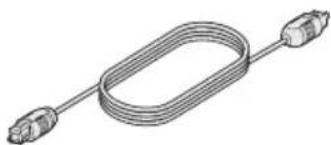
Pure electrical circuit lines without any symbolsOptical cable
natural_image
Pure electrical circuit lines without any symbols3.5 mm audio cable
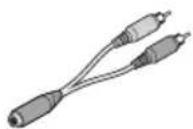
3.5 mm female to RCA cable


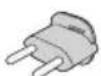
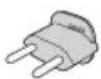
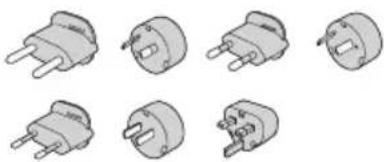
Power supply adapters (included in certain regions)
Note: If part of the system is damaged, do not use it. Contact your authorized Bose dealer or Bose customer service. Refer to the contact sheet in the carton.
Setup
Connecting the adapter to your audio system
Connect the adapter to your system using a provided cable. Refer to your audio system owner's guide to choose the best cable for connecting sources.
Note: Do not make more than one audio connection.
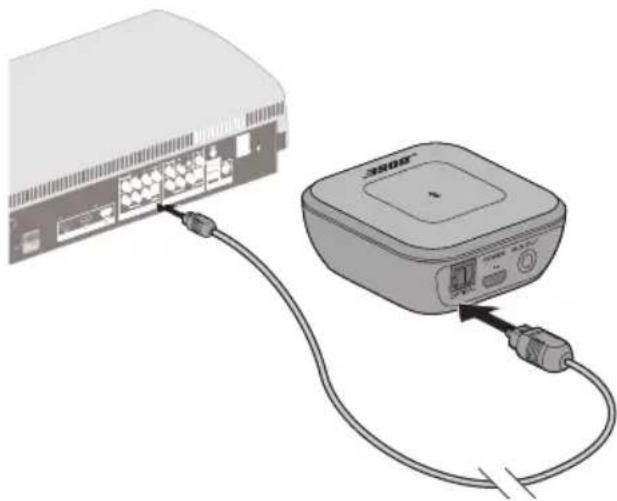
Option 1: optical cable
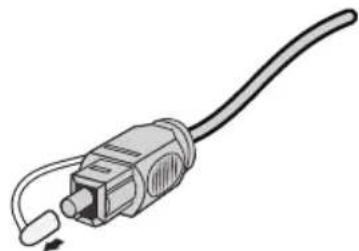
The optical cable is the preferred connection to your system. If your system does not have an optical connector, see "Option 2: 3.5 mm audio cable" on page 7.
- Remove the clear protective cap from both ends of the cable.
natural_image
Illustration of a USB cable connector with a port and cable ends (no text or symbols)- Align the plug with the OPTICAL connector on the adapter and insert the plug carefully.
Note: The connector's hinged door swings inward when inserting the plug.
CAUTION: Inserting the plug in the wrong orientation can damage the plug and the connector.
-
Firmly push the plug into the connector until it clicks.
-
Insert the other end of the cable into your system's optical connector.
Note: Make sure the input you have selected does not have any other sources connected.
natural_image
Illustration of a network device connected to a power supply unit via cable (no text or symbols visible)Option 2: 3.5 mm audio cable
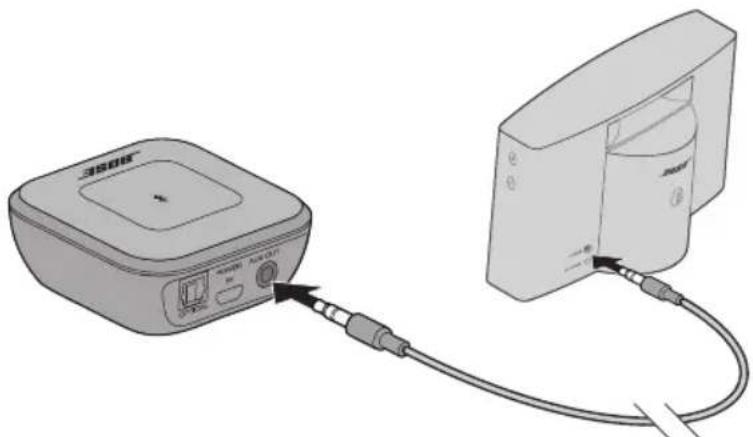
Use the 3.5 mm audio cable if your system does not have an optical connector. Refer to your audio system owner's guide for more information on connecting sources.
Note: If your system has an RCA analog connector, see "Option 3: 3.5 mm female to RCA cable".
-
Insert one end of the 3.5 mm audio cable into the AUX OUT connector on the adapter.
-
Insert the other end into a 3.5 mm AUX IN connector on your system.
natural_image
Diagram showing a device connected to a device with cable, no text or symbols presentOption 3: 3.5 mm female to RCA cable
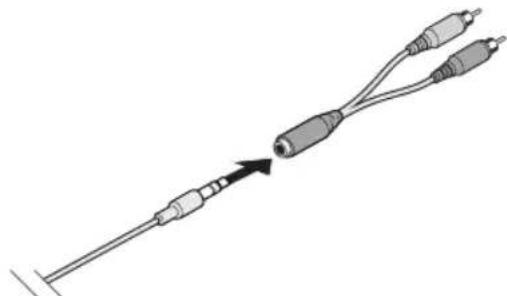
Use this connection method for the Bose® Solo, Bose® Solo 10, Bose® Solo 15 and Bose® CineMate® 15/10 systems to ensure the adapter will work properly. See "Bose® Solo 15, Bose® CineMate® 15/10, Bose® Solo and Bose® Solo 10 systems" on page 8.
- Connect the 3.5 mm female to RCA cable to the 3.5 mm audio cable.
natural_image
Diagram of a medical or laboratory probe inserted into two connected cables, showing internal components (no text or labels)-
Insert the other end of the 3.5 mm audio cable into the AUX OUT connector on the Bose® Bluetooth® audio adapter.
-
Insert the RCA analog cable into the RCA (red and white) connectors on your system.
Bose® Solo 15, Bose® CineMate® 15/10, Bose® Solo and Bose® Solo 10 systems
Connect your system with the 3.5 mm female to RCA cable. See “Option 3: 3.5 mm female to RCA cable” on page 7.
For the Bose® Solo 15 system: See “Selecting the Bose® Bluetooth® Audio adapter” on page 10.
For the Bose® CineMate® 15/10, Bose® Solo and Bose® Solo 10 systems: Power off other connected audio devices. The CineMate system will not automatically switch to your Bose® Bluetooth® Audio adapter if another connected device remains on.
Connecting to AC power
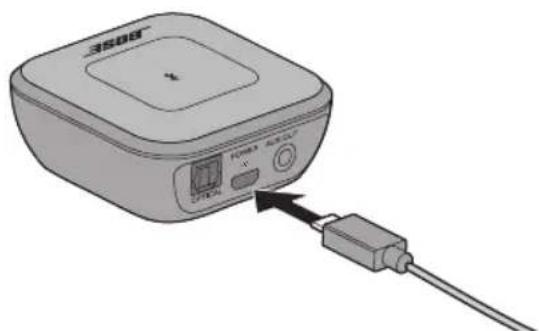
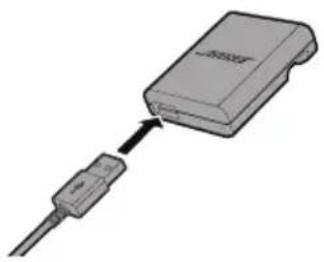
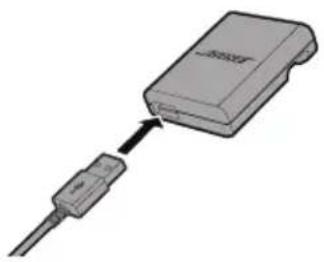
- Plug the small end of the power supply cord into the adapter's POWERconnector.
natural_image
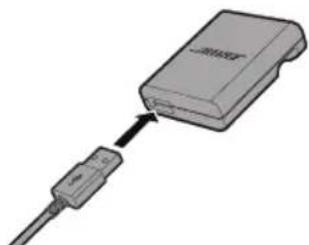
Illustration of a 3508S device with an attached cable and sensor port (no text or symbols visible)- Plug the large end of the power supply cord into the AC power supply's connector.
natural_image
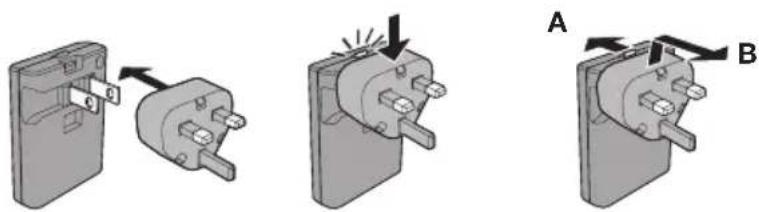
Diagram of a USB cable connector with an attached device (no text or symbols visible)- Extend the prongs. If needed, snap on the power supply adapter for your region.
Remove an adapter by pressing back on the release (A) and lifting the adapter up and off (B).
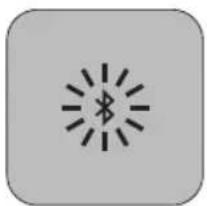
The adapter is in discoverable mode (the indicator blinks blue) once it is powered.
natural_image
Simple icon of a wireless signal with a starburst symbol (no text or labels)Completing source setup
After powering the Bose® Bluetooth® Audio adapter, You may need to set it up as a source for your audio system with these additional steps:
- Ensure your audio system is on and active.
- Ensure the volume is turned up.
- If applicable, follow any on-screen instructions.
Refer to your audio system owner's guide for more information.
Select the Bose® Bluetooth® Audio adapter
You may have to change the source input to the one the Bose® Bluetooth® Audio adapter is connected to on your audio system. Refer to your audio system owner's guide for more information on selecting sources.
For the Bose ^® Solo 15 system
Ensure that your system software is up to date (see your Bose® Solo 15 system owner's guide for software update instructions).
- On your remote, press and hold emits a tone (a few seconds). until the LED flashes and your system
Your system switches to the Analog input, where the Bose® Bluetooth® Audio adapter is connected.
- Pair your mobile device. See "Pairing a mobile device" on page 10.
To exit the Bose® Bluetooth® Audio adapter source:
On your remote, press and hold until the LED flashes and your system emits a tone (a few seconds). Your system returns to your previous source.
Pairing a mobile device
After you connect the adapter to power, the Bose® Bluetooth® Audio adapter is ready to pair with your device.
The Bluetooth indicator blinks blue.
- On your mobile device, turn Bluetooth on.
- Select Bose Bluetooth Audio Adapter.
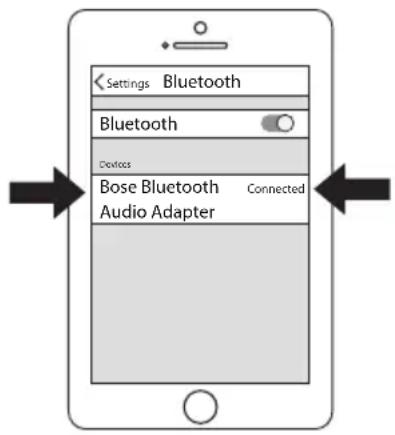
Note: Some devices may require a passcode. Enter 0000 if prompted.
When pairing is complete, the indicator glows solid white and your audio system emits a tone.
Note: If you are unable to pair your device, clear the adapter's memory. See “Adapter memory” on page 12.
Pairing another mobile device
- Power on your audio system and Bluetooth ^® enabled device.
- Press ✝ on the adapter.
The Bluetooth indicator blinks blue.
- On your mobile device, turn Bluetooth on.
- Select Bose Bluetooth Audio Adapter.
Note: Some devices may require a passcode. Enter 0000 if prompted.
When pairing is complete, the indicator glows solid white.
The adapter's memory can hold up to eight devices. See “Adapter memory” on page 12.
Connecting a paired mobile device
If you have disconnected your device by turning off Bluetooth® or by connecting a fourth device, you will have to re-connect your device. You do not have to re-pair your device unless you have cleared the adapter's memory, or have paired more than 8 devices. See “Adapter memory” on page 12.
- Power on your mobile device.
- On your mobile device, turn Bluetooth on.
- Select Bose Bluetooth Audio Adapter.
Until the device connects, the Bluetooth indicator on the adapter blinks white. When the adapter and Bluetooth enabled device have successfully connected, the indicator glows white and emits a tone through your audio system.
Multi-point connectivity
Multi-point connectivity enables your Bose® Bluetooth® Audio adapter to maintain an active connection with up to three mobile devices.
- Pair and connect your Bluetooth enabled devices. See "Pairing a mobile device" on page 10.
- Play music from your first connected device.
- Pause your first device, and play music from your second or third connected device.
The second or third device's music plays from your audio system.
Notes:
- You must pause your music from your active device to play another connected device.
- If you activate a fourth device, the device that has been inactive the longest is replaced.
Bluetooth® indicator
The ✗ (Bluetooth indicator) displays different Bluetooth connectivity states of the adapter through the LED.
| Indicator | Status |
| Blinking blue Discoverable and ready to pair with a device. | |
| Blinking white Attempting to connect to a paired device. | |
| Solid white Connected to a paired device. | |
| Slow blinking white Performing system updates. | |
| Solid blue Network standby (ready to reconnect with a device). | |
| Blinks white twice Paired device list removed. | |
Adapter memory
The Bose® Bluetooth® Audio adapter's memory holds up to eight paired devices. When the memory is full with eight devices and an additional device is paired, the last device paired is deleted from memory and the newly paired device is added.
Clearing memory
Press and hold ✗ on the adapter (about 10 seconds). The indicator quickly blinks white and emits a tone through your audio system when the device list is cleared.
All Bluetooth enabled devices are cleared from the Bose® Bluetooth® Audio adapter, and the adapter becomes discoverable. To pair additional devices see “Pairing a mobile device” on page 10.
To re-pair a deleted device:
- Clear the Bose Bluetooth Audio Adapter from your mobile device's Bluetooth list.
- Press ✝ on the adapter.
The Bluetooth indicator blinks blue.
- Select Bose Bluetooth Audio Adapter from your mobile device's Bluetooth list.
Troubleshooting
| Problem | What to do |
| Adapter is not powered • | Firmly connect both ends of the power supply cable.• Connect the power supply to a live AC (mains) outlet. |
| Adapter does not pair with mobile device | • On your mobile device, turn off Bluetooth® and turn it back on.• Remove the adapter from the Bluetooth list on your mobile device.Try pairing again.• Pair another mobile device.• Clear the adapter's memory: Press and hold § for 10 seconds.Try pairing again. See “Adapter memory” on page 12. |
| No sound from a Bluetooth enabled device | • Power on your audio system.• Turn up the volume on your audio system and on your Bluetooth enabled device(or music app).• Try pairing another mobile device.• Select the correct source input for the adapter on your audio system.• Connect the adapter to an optical connector that does not have a video output already connected.• For more information on connecting sources to your audio system, refer to your audio system owner's guide. |
| Poor sound quality from a Bluetooth enabled device | • Move the mobile device closer to the adapter, and away from any interference.• Try pairing another mobile device. |
| Cannot connect to multiple devices | • Make sure your devices are paired.• Clear the adapter's memory: Press and hold § for 10 seconds.Try pairing again. See “Adapter memory” on page 12. |
Cleaning
Clean the surface of the system with a soft, dry cloth.
- Do not use solvents, chemicals, or sprays.
- Do not allow liquids to spill into any openings.
Contacting customer service
For additional help, contact Bose ^® Customer Service. Refer to the contact sheet in the carton.
Limited warranty
Your system is covered by a limited warranty. Details of the limited warranty are provided on the product registration card that is included in the carton. Please refer to the card for instructions on how to register. Failure to register will not affect your limited warranty rights.
The warranty information provided with this product does not apply in Australia and New Zealand. See our website at www.bose.com.au/warranty or www.bose.co.nz/warranty for details of the Australia and New Zealand warranty.
natural_image
Illustration of a cable with a connector and plug, showing no text or symbolsnatural_image
Illustration of a network device with cable and connector, showing ports and connections (no text or symbols)natural_image
Illustration of a device connected to a computer interface (no text or symbols visible)natural_image
Diagram of a medical or laboratory probe with two connected cables, showing an arrow indicating direction (no text or symbols present)natural_image
Illustration of a 3500B device with an attached cable and indicator lights (no text or symbols)natural_image
Diagram of a device with a cable and connector, showing an open box connected to a plug (no text or symbols visible)natural_image
Simple icon of a starburst with radiating lines, no text or symbols presentnatural_image
Illustration of a cable with a connector and plug (no text or symbols)natural_image
Diagram showing connection between a network device and a device with cable (no text or symbols visible)Option 2: 3,5-mm-Audiokabel
natural_image
Illustration of a wireless device connected to a device with cable (no text or symbols visible)natural_image
Diagram of a USB cable connector with two connectors and a directional arrow indicating connection (no text or symbols)natural_image
Diagram of a device with an attached cable and indicator lights, showing no text or symbols.natural_image
Diagram of a device with a cable and connector, no text or symbols presentnatural_image
Simple icon of a starburst with a lightning bolt symbol, no text or labels presentnatural_image
Pure electrical connector diagram without any text or symbolsVoedingskabel Voeding
natural_image
Pure diagram of a coiled cable or connector with two connectors (no text or symbols)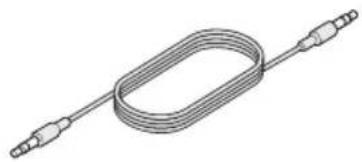
natural_image
Pure diagram of a coiled cable or wire with two connectors (no text or symbols)
natural_image
Illustration of a cable with a connector and cable outlet (no text or symbols)natural_image
Illustration of a network device with ports and cables, no text or symbols presentnatural_image
Illustration of a wireless device connected to a computer interface (no text or symbols visible)natural_image
Diagram of a USB cable with two connectors and a directional arrow indicating insertion (no text or symbols)natural_image
Illustration of a device with a USB cable and indicator lights, no visible text or symbolsnatural_image
Diagram of a device with a cable and connector, no text or symbols presentnatural_image
Simple gray square icon with a central starburst symbol (no text or numbers)natural_image
Pure diagram of a U-shaped cable with two connectors (no text or symbols)natural_image
Illustration of a coiled electrical connector with two connectors (no text or symbols)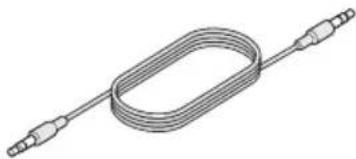
natural_image
Pure diagram of a coiled cable with two connectors (no text or symbols)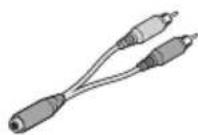
Cable óptico Cable de audio de 3,5 mm Conector hembra de 3,5 mm a cable RCA


natural_image
Illustration of a USB cable with a connector and cable outlet (no text or symbols)natural_image
Diagram showing connection between a network device and a mobile device via cable (no text or symbols visible)Opción 2: Cable de audio de 3,5 mm
natural_image
Illustration of a wireless device connected to a computer interface (no text or symbols visible)Opción 3: Conector hembra de 3,5 mm a cable RCA
natural_image
Diagram of a USB cable connector with two connectors and a directional arrow indicating connection (no text or symbols)natural_image
Illustration of a connected device with a cable and indicator lights, no visible text or symbolsnatural_image
Diagram of a device with a cable and connector, showing an open box connected to a plug (no text or symbols visible)natural_image
Simple gray square icon with a central starburst symbol (no text or numbers)natural_image
Pure electrical circuit lines without any symbolsnatural_image
Pure electrical circuit lines without any symbols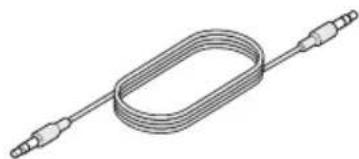
natural_image
Pure electrical circuit lines without any symbols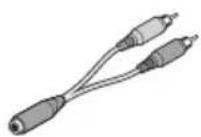
natural_image
Illustration of a USB cable with a connector and cable ends (no text or symbols)natural_image
Illustration of a network device with cable and ports, no text or symbols presentnatural_image
Illustration of a wireless device connected to a computer interface (no text or symbols visible)natural_image
Diagram of a USB cable connector with two connectors and a pointer indicating direction (no text or symbols)natural_image
Illustration of a 3500S device with a USB cable inserted, showing ports and signal flow (no text or symbols)natural_image
Diagram of a device with an attached cable and connector (no text or symbols visible)natural_image
Three technical diagrams showing a switch mechanism with labeled parts A and B, no text or symbols present.natural_image
Simple gray square icon with a central starburst symbol (no text or numbers)Lähdeasetukset
natural_image
Illustration of a USB cable and a closed hard drive (no text or symbols)natural_image
Pure electrical circuit lines without any symbolsnatural_image
Illustration of a coiled cable or wire with multiple connectors (no text or symbols)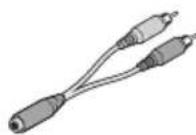
3,5 mm


natural_image
Illustration of a USB cable with a port and cable ends (no text or symbols)natural_image
Diagram showing connection between a network device and a device with cable (no text or symbols visible)natural_image
Illustration of a device connected to a device with cables, showing no text or symbolsnatural_image
Diagram of a USB cable connector with two connectors and a pointer indicating direction (no text or symbols)natural_image
Illustration of a device with an attached cable and indicator lights, no visible text or symbolsnatural_image
Diagram of a USB cable connector with an attached package (no text or symbols visible)natural_image
Simple gray square icon with a central starburst symbol (no text or numbers)Configuration finale de la source
Comment contacter le service client
natural_image
Pure electrical connector diagram showing a coiled cable with two connectors (no text or symbols)natural_image
Illustration of a coiled electrical connector with two connectors (no text or symbols)natural_image
Pure diagram of a coiled cable with two connectors (no text or symbols)
femmina a RCA


natural_image
Illustration of a USB cable with a connector and cable outlet (no text or symbols)natural_image
Illustration of a network device connected to a device via cable (no text or symbols visible)natural_image
Illustration of a device connected to a device with cable, showing no text or symbolsnatural_image
Diagram of a USB cable with two connectors and a black arrow indicating direction (no text or symbols)natural_image
Illustration of a beige electronic device with a cable and connector, showing no text or symbols on the device itself.natural_image
Diagram of a USB cable connector with an attached rectangular device (no text or symbols visible)natural_image
Simple icon of a starburst symbol with radiating lines, no text or labels presentnatural_image
Illustration of a USB cable and a rectangular device (no text or symbols visible)natural_image
Illustration of a coiled electrical sensor or probe with two connectors (no text or symbols)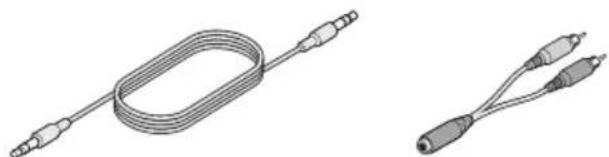
natural_image
Two types of electrical connectors: a coiled cable and a pair of connected probes (no text or symbols visible)natural_image
Six identical mechanical or electrical component diagrams shown in various orientations (no text or symbols)natural_image
Illustration of a cable with a connector and plug (no text or symbols)natural_image
Diagram showing connection between a network device and a Sony 3.062 console via cable (no text or symbols present)natural_image
Illustration of a wireless device connected to a computer interface (no text or symbols visible)natural_image
Diagram of a cable with two connectors and a directional arrow indicating connection (no text or symbols)natural_image
Diagram of a device with an attached cable and indicator lights, showing no text or symbols.natural_image
Diagram of a USB cable connector with an attached package (no text or symbols visible)natural_image
Simple gray square icon with a central starburst symbol (no text or numbers)natural_image
Pure diagram of a coiled cable or connector with two connectors (no text or symbols)natural_image
Illustration of a coiled electrical connector with two connectors (no text or symbols)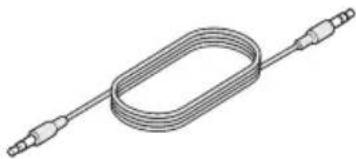
natural_image
Pure diagram of a coiled cable or wire with multiple connectors (no text or symbols)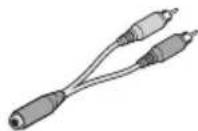
natural_image
Illustration of a USB cable with a connector and cable ends (no text or symbols)natural_image
Diagram showing connection between a network device and a device with cable (no text or symbols visible)natural_image
Illustration of a device connected to a computer interface (no text or symbols visible)natural_image
Diagram of a USB cable with two connectors and a pointer indicating direction (no text or symbols)natural_image
Diagram of a device with an attached cable and ports, showing no visible text or symbols.natural_image
Diagram of a USB cable connector with an attached device (no text or symbols visible)natural_image
Simple gray square icon with a central starburst symbol (no text or numbers)Konfiguracja źródeł
natural_image
Pure electrical circuit lines without any symbolsnatural_image
Pure diagram of a coiled cable or connector with two connectors (no text or symbols)Cabo óptico Cabo de áudio óptico de 3,5 mm
natural_image
Pure electrical circuit lines without any symbolsnatural_image
Illustration of a cable with a connector and plug (no text or symbols)natural_image
Diagram showing connection between a network device and a device with cable (no text or symbols visible)natural_image
Illustration of a device connected to a device with cable, showing no text or symbolsnatural_image
Diagram of a USB cable with two connectors and a black arrow indicating direction (no text or symbols)natural_image
Diagram of a device with an attached cable and indicator lights, showing no text or symbols.natural_image
Diagram of a device with a cable and connector, showing an open box connected to a plug (no text or symbols visible)natural_image
Simple icon of a starburst symbol with radiating lines, no text or labels presentnatural_image
Illustration of a coiled cable or connector with two connectors (no text or symbols)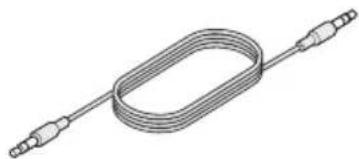
natural_image
Pure diagram of a coiled cable or wire with multiple connectors (no text or symbols)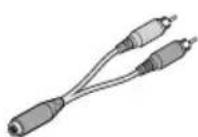
natural_image
Illustration of a USB cable with a connector and cable ends (no text or symbols)natural_image
Illustration of a network device connected to a rack-mounted device (no text or symbols visible)Alternativ 2: 3,5 mm ljudkabel
natural_image
Illustration of a device connected to a device with cable, showing no text or symbolsAlternativ 3: 3,5 mm honkontakt-till-RCA-kabel
natural_image
Diagram of a cable with two connected resistors, showing an arrow indicating direction (no text or symbols present)natural_image
Illustration of a 3608B temperature sensor device with connected cable (no text or symbols visible)natural_image
Diagram of a device with a cable and connector, no text or symbols presentnatural_image
Three technical diagrams showing a switch mechanism with labeled parts A and B, no text or symbols present.natural_image
Simple icon of a wireless signal burst with a starburst, no text or symbols presentnatural_image
Pure diagram of a coiled cable or connector with two connectors (no text or symbols)natural_image
Illustration of a coiled electrical connector with two connectors (no text or symbols)natural_image
Pure electrical circuit lines without any symbolsnatural_image
Illustration of a cable with a connector and cable outlet (no text or symbols)natural_image
Illustration of a network device connected to a 3608-branded device via cable (no text or symbols visible)natural_image
Illustration of a beige 360S device connected to a computer monitor via cable (no text or symbols visible)natural_image
Diagram of a USB cable with two connectors and a directional arrow indicating connection (no text or symbols)natural_image
Illustration of a 3500S power supply device with connected cable and indicator lights (no text or symbols)natural_image
Diagram showing a device connected to a cable, with no visible text or symbolsnatural_image
Three-step diagram showing a switch mechanism: adding a resistor to a terminal block, then adjusting the switch with a lightning bolt (no text or symbols present)natural_image
Simple gray square icon with a black wireless signal symbol (no text or numbers)natural_image
Pure diagram of a coiled cable or connector with two connectors (no text or symbols)전원 공급 장치 코드
AC 전원 공급 장치
natural_image
Illustration of a coiled cable with connectors (no text or symbols)광케이블
natural_image
Pure diagram of a coiled cable with two connectors (no text or symbols)3.5mm 오디오 케이블
3.5mm 암-RCA 케이블


natural_image
Illustration of a USB cable with a connector and cable ends (no text or symbols)natural_image
Diagram showing a network device connected to a device via cable, with no visible text or symbols.옵션 2:3.5mm 오디오 케이블
natural_image
Diagram showing connection between a device labeled '3800' and a computer monitor with cable (no text or symbols on the devices themselves)natural_image
Diagram of a USB cable with two connectors and a directional arrow indicating connection (no text or symbols)natural_image
Illustration of a 3608 microcontroller connected to a cable via an external connector (no text or symbols visible)natural_image
Diagram of a USB cable connector with an attached device (no text or symbols visible)natural_image
Three technical diagrams showing a switch mechanism with labeled parts A and B, no text or symbols present.natural_image
Simple gray square icon with a central starburst symbol (no text or numbers)소스 설치 완료
www.Bose.com/compliance
natural_image
Illustration of a coiled electrical component with two connectors (no text or symbols)光纤连接线
natural_image
Illustration of a coiled cable or tube with multiple connectors (no text or symbols)3.5 mm 母头 RCA 线
电源适配器
(特定区域已包含)
natural_image
Illustration of a cable with a connector, showing no text or symbolsnatural_image
Diagram showing connection between a network device and a device with cable (no text or symbols visible)选项 2: 3.5 mm 音频线
natural_image
Illustration of a 3800 MHz radio receiver connected to a device via cable (no text or symbols visible)natural_image
Diagram of a USB cable connector with two connected leads, showing an arrow indicating connection (no text or symbols present)natural_image
Illustration of a 3800S device with a USB cable inserted, showing ports and signal flow (no text or symbols)- 将电源线的较大端插入交流电源连接器。
natural_image
Diagram showing a device connected to a cable, with no visible text or symbolsnatural_image
Simple gray square icon with a central starburst symbol (no text or numbers)完成音频源设置
Information about products that generate electrical noise
This equipment has been tested and found to comply with the limits for a Class B digital device, pursuant to Part 15 of the FCC Rules. These limits are designed to provide reasonable protection against harmful interference in a residential installation. This equipment generates, uses, and can radiate radio frequency energy and, if not installed and used in accordance with the instructions, may cause harmful interference to radio communications. However, there is no guarantee that interference will not occur in a particular installation. If this equipment does cause harmful interference to radio or television reception, which can be determined by turning the equipment off and on, the user is encouraged to try to correct the interference by one or more of the following measures:
- Reorient or relocate the receiving antenna.
- Increase the separation between the equipment and receiver.
- Connect the equipment into an outlet on a circuit different from that to which the receiver is connected.
- Consult the dealer or an experienced radio/TV technician for help.
FCC WARNING
Changes or modifications not expressly approved by Bose Corporation could void the user's authority to operate this equipment.

Bose Corporation hereby declares that this product is in compliance with the essential requirements and other relevant provisions of Directive 1999/5/EC and all other applicable EU directive requirements. The complete declaration of conformity can be found at: www.Bose.com/compliance
This symbol means the product must not be discarded as household waste, and should be delivered to an appropriate collection facility for recycling. Proper disposal and recycling helps protect natural resources, human health and the environment. For more information on disposal and recycling of this product, contact your local municipality, disposal service, or the shop where you bought this product.
This device complies with part 15 of the FCC Rules. Operation is subject to the following two conditions:
(1) This device may not cause harmful interference, and (2) this device must accept any interference received, including interference that may cause undesired operation.
This device complies with Industry Canada license-exempt RSS standard(s). Operation is subject to the following two conditions:
(1) This device may not cause interference, and (2) this device must accept any interference, including interference that may cause undesired operation of the device.
This Class [B] digital apparatus complies with Canadian ICES-003.
CAN ICES-3 (B)/NMB-3(B)
This (These) device(s) comply with FCC and Industry Canada RF radiation exposure limits set forth for general population.
It (They) must not be co-located or be operating in conjunction with any other antennas or transmitters.
Tested temperature range: 32^ F to 113^ F ( 0^ C to 45^ C).
| Names and Contents of Toxic or Hazardous Substances or Elements | ||||||
| Toxic or Hazardous Substances and Elements | ||||||
| Part Name | Lead (Pb) | Mercury (Hg) | Cadmium (Cd) Hexavalent (CR(VI)) Polybrominated Biphenyl (PBB) | Polybrominated diphenylether (PBDE) | ||
| PCBs X O O O O | O | |||||
| Metal parts X O O | O O O | |||||
| Plastic parts O | O O | O O O | ||||
| O: Indicates that this toxic or hazardous substance contained in all of the homogeneous materials for this part is below the limit requirement in SJ/T 11363-2006. | ||||||
| X: Indicates that this toxic or hazardous substance contained in at least one of the homogeneous materials used for this part is above the limit requirement in SJ/T 11363-2006. | ||||||
目次
はじめに
natural_image
Pure diagram of a coiled cable or connector without any text, numbers, or symbols電源アダプター用ケーブル
電源アダプター
natural_image
Pure electrical circuit lines without any symbols光ケーブル
natural_image
Pure diagram of a coiled cable with multiple connectors (no text or symbols)3.5 mm ステレオ音声ケーブル
natural_image
Illustration of a cable with a connector and cable outlet (no text or symbols)natural_image
Diagram showing connection between a network device and a Sony 3.02X898 device via cable (no text or symbols present)natural_image
Illustration of a wireless device connected to a computer interface (no text or symbols visible)natural_image
Diagram of a USB cable with two connectors and a directional arrow indicating connection (no text or symbols)natural_image
Illustration of a 3600S device with an attached cable and indicator lights (no text or symbols)natural_image
Diagram of a USB cable connector with an attached device (no text or symbols visible)natural_image
Simple gray square icon with a central starburst symbol (no text or numbers)再生機器としてセットアップする
www.Bose.com/compliance
natural_image
Illustration of a coiled electrical connector with two connectors (no text or symbols)光纖連接線
natural_image
Pure electrical circuit lines without any symbols3.5 mm 母頭 RCA 線
電源配接器
(特定區域已包含)
natural_image
Illustration of a cable with a connector and plug (no text or symbols)natural_image
Diagram showing connection between a network device and a device with cable (no text or symbols visible)選項 2:3.5 mm 音訊線
natural_image
Illustration of a 3800 MHz radio receiver connected to a device via cable (no text or symbols visible)natural_image
Diagram of a USB cable with two connectors and a black arrow indicating direction (no text or symbols)natural_image
Illustration of a 3800S device with a USB cable inserted, showing ports and signal flow (no text or symbols)- 將電源線的較大端插入交流電源連接器。
natural_image
Diagram showing a device connected to a cable, with no visible text or symbolsnatural_image
Simple gray square icon with a central starburst symbol (no text or numbers)完成音訊源設定
natural_image
Simple gray square icon with a central starburst symbol (no text or numbers)إتمام إعداد المصدر
natural_image
Illustration of a 3600S device with an attached cable and indicator lights (no text or symbols)natural_image
Diagram of a device with a cable inserted into a package, showing an arrow indicating direction (no text or symbols present)natural_image
Illustration of a connected device with cable and ports, no visible text or symbolsBose® CineMate® و Bose® Solo 15 و Bose® Solo 10 و Bose® Solo Βοσε θις θις θις θις θις θις θις θις θις θις θις θις θις θις θις θις θις θις θις θις θις θις θις θις θις θι Βοσε θις θις θις θις θις θις θις θις θις θις θις θις θις θις θις θις θις θις θις θις θις θις θις θ₁ Βοσε θις θις θις θις θις θις θις θις θις θις θις θις θις θις θις θις θις θις θις θις θις θ₁
natural_image
Diagram of a medical or laboratory probe with two connected electrodes, showing an arrow indicating direction (no text or symbols present)natural_image
Illustration of a cable with a connector and cable ends, no text or symbols presentnatural_image
Diagram showing a network device connected to a device via cable, with no visible text or symbols.natural_image
Pure electrical circuit lines without any symbols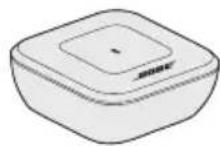
natural_image
Pure diagram of a coiled cable or wire with multiple connectors (no text or symbols)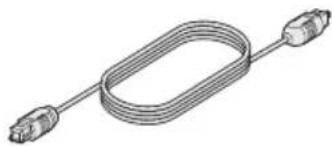
natural_image
Pure electrical circuit lines without any symbolsصوت 3.5 ملمكبل ضوني


- Bose® Bluetooth® Audio adapter
- Important Safety Information
- Please read this owner's guide carefully and save it for future reference.
- WARNINGS:
- CAUTIONS:
- Important Safety Instructions
- Information about products that generate electrical noise
- FCC WARNING
- Contents
- Introduction
- Setup
- Operation
- Care and Maintenance
- About your Bose® Bluetooth® Audio adapter
- System features
- Unpacking
- Connecting the adapter to your audio system
- Option 1: optical cable
- Option 2: 3.5 mm audio cable
- Option 3: 3.5 mm female to RCA cable
- Bose® Solo 15, Bose® CineMate® 15/10, Bose® Solo and Bose® Solo 10 systems
- Connecting to AC power
- Completing source setup
- Select the Bose® Bluetooth® Audio adapter
- For the Bose ® Solo 15 system
- To exit the Bose® Bluetooth® Audio adapter source:
- Pairing a mobile device
- Pairing another mobile device
- Connecting a paired mobile device
- Multi-point connectivity
- Notes:
- Bluetooth® indicator
- Adapter memory
- Clearing memory
- To re-pair a deleted device:
- Cleaning
- Contacting customer service
- Limited warranty
- Option 2: 3,5-mm-Audiokabel
- Opción 2: Cable de audio de 3,5 mm
- Opción 3: Conector hembra de 3,5 mm a cable RCA
- Lähdeasetukset
- Configuration finale de la source
- Comment contacter le service client
- Konfiguracja źródeł
- Alternativ 2: 3,5 mm ljudkabel
- Alternativ 3: 3,5 mm honkontakt-till-RCA-kabel
- 옵션 2:3.5mm 오디오 케이블
- 소스 설치 완료
- 选项 2: 3.5 mm 音频线
- 完成音频源设置
- 目次
- はじめに
- 再生機器としてセットアップする
- 選項 2:3.5 mm 音訊線
- 完成音訊源設定
Brand : BOSE
Model : Bluetooth Audio adapter
Category : Speakers