
Hi Move V - Vacuum Cleaner HISENSE - Free user manual and instructions
Find the device manual for free Hi Move V HISENSE in PDF.
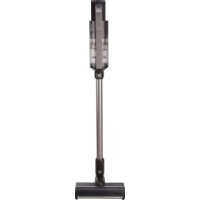



| Product type | Cordless vacuum cleaner |
| Brand | Hisense |
| Model | Hi Move V |
| Power source | Rechargeable lithium-ion battery |
| Runtime | Up to 108 min (min mode), 36 min (medium mode), 10 min (max mode) |
| Power levels | 3 levels: min, med, max |
| Automatic mode | Yes, with floor type detection |
| Display | OLED digital screen |
| Filtration system | Washable filter (replacement recommended every 6 months) |
| Dustbin capacity | Not specified |
| Included accessories | Motorized floor brush, motorized textile nozzle, 2-in-1 crevice tool, narrow crevice tool, wall mount with adapter |
| Battery type | Lithium-ion, removable |
| Dustbin cleaning | Empty by bottom opening, washable with warm water |
| Filter maintenance | Shake or rinse with warm water, dry thoroughly before reinstalling |
| Safety | Automatic shutdown in case of overheating, protection against overvoltage and overcurrent |
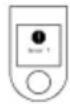
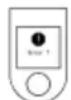
| Error codes | Display of error codes for diagnosis (e.g., error 1 low battery, error 104 high charging current) |
| Disposal | Remove the battery before disposal, selective collection of WEEE |
| Use | Domestic use, dry dust vacuuming only |
| Weight | Not specified |
| Dimensions | Not specified |
Frequently Asked Questions - Hi Move V HISENSE
User questions about Hi Move V HISENSE
0 question about this device. Answer the ones you know or ask your own.
Ask a new question about this device
Download the instructions for your Vacuum Cleaner in PDF format for free! Find your manual Hi Move V - HISENSE and take your electronic device back in hand. On this page are published all the documents necessary for the use of your device. Hi Move V by HISENSE.
USER MANUAL Hi Move V HISENSE
When using the vacuum cleaner always observe the following basic safety precautions: Carefully read this instruction manual and only use the appliance in accordance with the instructions herein. Before using the appliance for the first time, remove all protective film or plastics. Never leave the appliance unattended during use. Before using the appliance, carefully assemble all of its parts. Only use the appliance indoors and in dry areas. Only use the appliance with the parts recommended by the manufacturer. Do not use the appliance if it has been dropped, if it is damaged, if it has been kept outdoors, or if it has been dropped or immersed in a liquid. Regular cleaning can extend the appliance's useful life. Make sure your hair, loose parts of your garments, fingers or other parts of the body do not come into contact with the vents or moving parts of the appliance. The appliance complies with all required standards regarding electricity, and radio interference regulations. The appliance is not intended to be used by children and persons with impaired physical or mental abilities. This appliance may be used by children aged 8 years and more, and by persons with reduced physical, sensory or mental capabilities or lack of experience and knowledge, if they are supervised during the use of the appliance or if they have been provided relevant instructions regarding the use of the appliance in a safe way, and they understand the hazards involved. Keep children under supervision while they are using the appliance and make sure they do not play with it. Children should not perform any cleaning or maintenance tasks on the appliance, unless they are older than 8 years, and they do so under supervision. Switch off the appliance after use.
Danger
Do not immerse the main unit/appliance housing or the charging base in water or any other liquid and do not rinse them under running water.
Special warnings
Before connecting the appliance or the charging base with the power cord to the power mains, make sure the indicated voltage matches the voltage of the power mains in your home. Do not use a damaged vacuum cleaner or a damaged charging base (or adapter - depending on your vacuum cleaner model). If the charging base (or adapter) is damaged, replace it only with an original spare part in order to avoid danger. A transformer is integrated into the adapter. Removal and replacement of adapter with another one are not allowed as this may lead to a dangerous situation. Only charge the vacuum cleaner with the supplied adapter and charging base. The adapter may heat up during charging. This is a normal occurrence. (Depending on your model, if it has an adapter.) Switch off the appliance during charging. Never use the vacuum cleaner without filters or filtering unit in place. The exhaust vents may not be blocked during vacuum cleaning. Only use the appliance for household purposes and indoors. Keep the suction vents clean and free in order to ensure optimum and unimpeded suction power of the appliance. It is highly recommended to regularly clean the open parts of the suction hose, and to remove dust, hair, or anything else that may block the airflow. Before cleaning the support or the charging base, unplug it from the power socket. Never use the vacuum cleaner to clean up embers or filings, cigarette butts, matches, liquids (e.g. water, carpet cleaning foam), or sharp or pointed objects (broken glass
etc.). Keep the suction tube or the open part of the appliance away from your face and body. Never use the appliance to vacuum construction material (such as fine sand, lime, cement powder, toner dust etc.). This can cause damage to the appliance.
Problems and solution
| Problem | Possible reason | Solution |
| Not working. | The battery is dead. The handy VC is not assembled correctly. | Charge. Assemble the handy VC correctly. |
| Suction power has decreased. | The dust cup is full. Block in filter. Block in the air inlet tunnel or on the roller of electrical brush. | Pour out the dust. Clean or change filter. Clean the electrical brush. |
| The VC is not charging. | The charger is not connected on socket. The connector of charger is not connected to the hole of base body. The handy VC is not assembled to the body. | Connect the charger on socket. Connect the charger with base body of VC. Assemble the handy VC on body. |
| Use very short time after charging. | Not enough charging time. The battery is aging. | Charge according to instruction. Change the battery. |
Environment
Do not throw away the appliance with the normal household waste at the end of its life. Hand it in at an official collection point for recycling. By doing this, you help to preserve the environment.
This appliance is marked according to the European directive 2012/19/EU on Waste Electrical and Electronic Equipment (WEEE). This guideline is the frame of a European-wide validity of return and recycling on Waste Electrical and Electronic Equipment.
Guarantee & service
If you need information or if you have a problem, please contact the Hisense Customer Care Centre in your country (the phone number is in the worldwide guarantee leaflet). If there is no Customer Care Centre in your country, go to your local Hisense dealer or contact the Service department of Hisense domestic appliances.
Note: The warranty on the battery of vacuum cleaner is 12 months.
For personal use only!
For easier transport, some appliance parts are packed separately and safely placed in the main packaging unit. Before first use, read and follow the instructions for assembly and safe use. The appliance is intended for dry vacuuming in a domestic environment.

PARTS
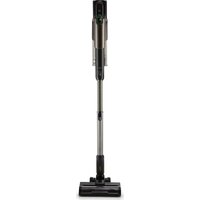
1 Housing with the motor, battery and dust container 2 Suction hose 3 Motorised floor brush 4 Motorised nozzle for vacuuming textile surfaces 5 2-in-1 nozzle 6 Long narrow nozzle 7 Wall bracket with adapter

INSTALLATION
Insert the battery into the motor housing. Connect the upper part of the hose to the motor unit and the lower part to the floor brush. The installation is correct when the appliance is firmly fixed all the way to the grooves (you hear a slight click at all settings).
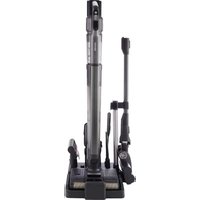
There is a charging station in the kit, on which you can install two smaller nozzles. Follow the assembly instructions shown in the figure. Keep the charging station at least 1 m away from any heating bodies. Due to its shape, the appliance is not self-standing.

USE
Brushes and nozzles fit both the hose and the motor unit. By pressing the button on the brushes and nozzles, you can freely switch between them, as they are intended for various uses:
The floor brush is used to vacuum all floor surfaces (vacuuming dry floor surfaces). Do not try to vacuum high fibre carpets as they may become entangled in the roller brushes and damage the vacuum cleaner. The textile surface nozzle comes in handy when vacuuming pet hair, sofas, beds, etc. The narrow nozzle is intended for vacuuming narrow hard-to-reach parts (corners, sofas, cobwebs, behind radiators...). Nozzle with bristles (for frames, drawers...).
CHARGING
Charge the vacuum cleaner at least 1 m away from any heating surfaces. The appliance cannot be switched on while charging.
The adapter with the vacuum cleaner charging cable is already mounted in the charging station. If you do not want to charge the vacuum cleaner at the charging station despite the warnings, follow the instructions for safely removing the adapter with the cable (figure). By pressing the button on the vacuum cleaner battery, you can safely remove the battery, which can also be charged separately from the vacuum cleaner.
During charging, the battery percentage will appear on the display unit.

OPERATION
1 On/off button. 2 Speed control knob to adjust the suction power. The vacuum cleaner has three suction speeds. 3 The digital display shows several different functions of use:
AUTO The vacuum cleaner has a floor brush with a sensor that detects what kind of floor you are vacuuming. It adjusts the vacuuming speed and power accordingly. This keeps the battery life intact.
Min-max When selecting the speed, the display shows you how much time you have left to vacuum before the battery runs out. You can choose between three different speeds (max (up to 10 min), med (up to 36 min), min (up to 108 min))
Roller symbol that lights up if a foreign object gets stuck in the brush. When this symbol is lit, remove the stuck foreign object.
Air flow symbol: displayed when the vacuum cleaner detects a blocked air intake. Turn off the vacuum cleaner and check if there are any foreign objects in the vacuum cleaner. Empty the container, check if the filter is clogged. Regularly replacing the filter preserves the battery and extends the life of the vacuum cleaner.
Error: Check the error code list. For each error code, it also shows you the solution to the problem.

DUST CONTAINER AND FILTERS
1 Dust container and filters
Remove the hose from the motor unit. To clean the dust container, push the button on the bottom of the container. The bottom of the dust container opens, and dust can be removed from the container. To remove the filter rim, rotate the rim and pull it out of the container. To remove the filter, press the button on the bottom part of the container (above the battery). To remove the container from the motor unit, carefully lift the dust container at an angle, as shown in the figure, so as not to damage the circuit. Remove the filter from the container and empty it. The container, sleeve, and filter can be wiped, shaken, or rinsed with lukewarm water, but be careful, as improper handling can damage parts of the vacuum cleaner. Before reinstalling the container back into the appliance, make sure that all parts are completely dry. To install the inner parts of the container, reassemble the vacuum cleaner correctly. Never vacuum without the dust filter inserted.
2 Replacing the filter
If you notice that the filter is damaged, replace it immediately. With regular use, we recommend replacing the filter every 6 months to ensure the longest life of the vacuum cleaner.

DISPOSAL OF THE APPLIANCE
If you want to replace the appliance or no longer need it, you should also think about protecting the environment.
The battery must be removed before disposing of the vacuum cleaner. To safely remove the battery, make sure that the battery is completely discharged. If the appliance does not have a removable battery, follow the instructions given in the booklet with figures.
ERROR CODES
| Error 1 | The battery is running low and needs to be replaced. |
| Error 2 | The NTC sensor has malfunctioned and requires either battery replacement or professional repair. |
| Error 10 | The suction motor signal wire is defective and needs to be repaired by a professional. |
| Error 11 | The appliance is malfunctioning and requires professional repair. |
| Error 12 | The operating current is too high or the bed brush and floor brushes are defective and need to be repaired by a professional. |
| Error 13 | The battery pack is not installed correctly, so it needs to be reinstalled - see quick guide for battery installation. When the battery is installed, the OLED still displays an error and needs to be repaired by a professional. |
| Error 14 | The floor brush roller does not work when it is installed on the floor brush, and the floor brush has a power-on fault and needs to be taken to a professional for repair. |
| Error 104 | The charging current is too high, causing the charger to fail. The charger needs to be replaced. |
| Error 105 | The charging voltage is too high, causing the charger to fail. The charger needs to be replaced. |
| Error 106 | If the charging temperature is too high, wait 60 minutes before charging. If the error is still showing, replace the charger. |
| Error 107 | When operating the appliance at a high speed, if the temperature of the appliance or the environment is too high, it is advisable to wait 60 minutes before resuming use. |
| Roller stuck | Check to see if any debris is blocking the airflow into the hose. Consult the quick guide for proper removal of the roller. Detach the roller from the brush and clean the brush. Check that there is no more debris in the hose. |
| Error 109 | The charging time of the charger exceeds 6 hours, indicating a failure, and replacement of the charger is required. |
| Error 110 | Suction motor overvoltage protection. Must be sent to qualified professionals for repair. |
| Error 111 | Suction motor overcurrent protection. Must be sent to qualified professionals for repair. |
| Error 112 | Suction motor overheat protection, resulting in automatic shutdown of the appliance. Must be sent to qualified professionals for repair. |
| Air flow blocked | When operating the appliance at a high speed, the motor has exceeded its optimal speed. The hose is blocked. // The filter is blocked. // Note: ensure that the filter screen, filter and dust container are dry-assembled before use. |
| Error 120 | If the filter and dust container are removed, the vacuum cleaner will not operate. |
General notes
Do not immerse the body in water or other liquids, and do not rinse it under water.
Special maintenance
Before cleaning the vacuum cleaner and the charging base, make sure that the indicated points correspond to those of the charging base. Do not damage the vacuum cleaner or the charging base (or adapter - depending on the model). If the charging base (or adapter) is damaged, replace it only with an original spare part to prevent danger. The adapter has an integrated transformer. Rewinding or replacing the adapter with another is not allowed, as it may lead to a dangerous situation. Charge the vacuum cleaner only with the adapter for the charging base from the kit. The adapter may heat up during use. This is normal. (Depending on the model, if there is an adapter). Switch off the device during charging. Never use the vacuum cleaner if it is without a filter or if the filter is not clean. The ventilation openings must not be blocked during operation of the device. Use the device only for household purposes and in enclosed spaces. Keep the ventilation openings clean to ensure optimal and unobstructed ventilation. It is strongly recommended to regularly clean the openings of the device and to remove dust, hair, and other things that could block the airflow.
Before cleaning the stand or the charging base, unplug it from the outlet. Never use the vacuum cleaner to collect flammable liquids, gases, burning ashes, hot objects (water, liquid from cleaning agents), or sharp objects (broken glass, etc.). Keep the moving parts of the device away from your face and body. Do not use the device to collect burning materials (ash, cement, toner dust, etc.). This may damage the device.
Troubleshooting
| ПюбLEM | Възможна ручина | Реценье |
| He paBOTи. | БаTERЯТа e ИЗTOUSЕнa. РьЧАТа прахOCуКачka He e сгЛоб�а правино. | Зареде. Сглобete рьчнATERа прахOCуКачka правино. |
| СиJPATA Na ВсмУКВанe e habаляп. | ТорбИКATA 3a пax e nbЛнa. ФиNTьрьT e БлOKИран. БлOKИран e kaHальТ 3a BxOДЯшь 3dДух илп рОелрьT ha eLEKТрическATA YETKA. | Отстpanепрах. Почистete по Смение ФиNTьр. Почистete eLEKТрическATA ЧETКa. |
| ПрахOCуКачКATA He ce 3apexдa. | Зарадноу устpoістBO He e CBbP3aHO С кONDТа Ha eLEKТрическATA Мржа. КонECHТOPьТ Ha 3apяДНOTO устpoістBO He e CBbP3aH c ИЗВODa Ha 6a3aTa 3a 3apexДанe. РьЧАТа прахOCуКачka He e Глобенa с Корпуca. | Свьржete зарадноу устpoістBO c КонECHТа Ha eLEKТрическATA Мржа. Свьржete зарадноу устpoістBO c БаЗATA 3a 3apexДанe Ha прахOCуКачКATA. Сглобete рьчнATERа прахOCуКачka с Корпуca. |
| РавOTи 3a MNoTo КраТКо Врeme с前列腺 3apexДaнeTo. | Времeto 3a 3apexДанe He e octaTbUHO. Врeme. БаTERЯТa OCTapЯВa. | Сmeneteя с鞘ед ИнструКцinte. Зареде 6baterya. |
Environment
Do not dispose of the device with ordinary household waste at the end of its life. Dispose of it at a collection point for recycling. This way you will help protect the environment.
This device is marked in accordance with European Directive 2012/19/EU regarding the disposal of waste electrical and electronic equipment (WEEE). This marking indicates the obligation for recycling and return of used electrical and electronic equipment in the European Union.
Warranty and service
If you need additional information or if problems arise during use of the device, please contact the Hisense customer service center in your country (the phone number is in the warranty card for the international warranty of the device). If there is a customer service center in your country, contact your local Hisense representative or contact the specialized service for Hisense household appliances.
Note: The warranty for the battery of the vacuum cleaner is 12 months.
For household use only!
Transporting the device parts separately and placing them safely in the base rocket. // Before use, read and follow the instructions for assembly and safe operation. // The device is intended for dry vacuuming of dust in a home environment.

PARTS
1 Body with motor, battery, dust container 2 Suction tube with motorized nozzle 4 Motorized attachment for cleaning textile surfaces 5 Attachment 2B1 6 Crevice nozzle 7 Wall stand with adapter

ASSEMBLY
Insert the battery into the motor body. // Connect the upper part of the tube to the motor block and the lower part to the brush. Assembly is correct when the device is properly attached and clicks into place (a click is heard in both parts).
The kit includes a charging station, on which you can install two smaller attachments. Follow the assembly instructions. // Keep the charging station at a distance of more than 1 m from heat sources. // For your own safety, the device is not free-standing.

OPERATION
Attach the brush and attachments as well to the tube as to the motor block. // By pressing the button on the brush and attachments, you can freely change them as desired, as they are intended for different purposes:
- The floor brush is used for cleaning all types of hard surfaces (dry cleaning of hard surfaces). Avoid using it on carpets, as they may get tangled in the brush and damage the vacuum cleaner.
- The textile surface attachment is suitable for cleaning upholstery, sofas, armchairs, curtains, etc.
- The crevice nozzle is intended for cleaning narrow, hard-to-reach places (corners, upholstery, radiators, etc.).
- The dusting brush (frames, moldings...
CHARGING
Charge the vacuum cleaner at least 1 m away from flammable surfaces. // The device cannot be switched on during charging.
The adapter with the charging cable of the vacuum cleaner is inserted into the charging station. If you do not want to charge the vacuum cleaner in the charging station, follow the instructions for safe removal of the adapter and charging cable (see illustration). // By pressing the button on the battery, you can safely remove it. The battery can be charged separately from the vacuum cleaner. // During charging, the LED shows the battery charge percentage.

1. On/Off button. 2. Speed control button, which regulates the suction power. The vacuum cleaner has three suction speeds. 3. The display shows various functions for use:
AUTO The vacuum cleaner is equipped with a dust sensor that recognizes the type of floor surface. It automatically regulates the suction power according to the surface. This ensures optimal battery life.
Min-max When a speed is selected, the display shows the remaining time for vacuuming before the battery needs to be recharged. You can choose between three different speeds: max (up to 10 minutes), med (up to 36 minutes), and min (up to 108 minutes).
The sensor symbol lights up if foreign objects are detected in the dust container. When this symbol lights up, remove the foreign object.
Blocked This symbol appears when the vacuum cleaner detects a blocked air inlet. Check the vacuum cleaner for any foreign objects. Empty the dust container and check that the filter is not clogged. A clogged filter reduces battery life and shortens the vacuum cleaner's lifespan.
Codes for troubleshooting. For each error code, a solution to the problem is shown.
DUST CONTAINER AND FILTERS
1 Dust container and filters
Remove the motor block. To empty the dust container, press the button on the top of the container and remove the dust. To remove the filter cover, twist the cover and lift it off the container. To remove the filter, press the button on the top of the container (above the battery). To remove the container from the motor block, carefully lift it upwards, as shown in the illustration, to avoid damaging the electrical wiring. Remove the filter from the container and empty it. The container and the filter can be washed and rinsed with cold water, but be careful, as improper handling may damage parts of the vacuum cleaner. Before reinstalling the container in the device, make sure all parts are completely dry. Reattach the vacuum cleaner properly by replacing the outer parts of the container. Never operate the vacuum cleaner without the dust filter installed.
2 Cleaning the filter
If you notice that the filter is damaged, replace it immediately. With regular use, we recommend replacing the filter every 6 months to ensure the longest possible lifespan of the vacuum cleaner.

DISPOSAL OF THE DEVICE
If you wish to replace the device or no longer need it, you must also consider environmental protection.
Before disposing of the vacuum cleaner, the battery must be removed. Ensure it is completely discharged. If the device has a replaceable battery, follow the instructions given in the manual with illustrations.
KOIOBE 3A TPEWKA
| Г的整体 1 | Баерияа e почтп разendeи и травьда се сmedи. |
| Г的整体 2 | NTC сенист e неизниразовен i Изиска сма на habаерияа улп пожесноален ремоNT. |
| Г的整体 10 | СигнаннояпRobODнК ha motopa e почеден и травьда вбдуpe ремоHTИран OTпожесноалICT. |
| Г的整体 11 | Урелы e неизниразовен i Изисьда пожесноален ремоNT. |
| Г的整体 12 | РавOTиЯТ TOK e ТВьрde BUCOK iИчЕТКATA 3a ЛгпОичЕТКITE 3a поса DeфeKTнIи Травьда вьдат ремоHTИран OTпожесноалICT. |
| Г的整体 13 | Баерияа He e ИсталлараHa павилно i Травьда вьдуpe Исталлара OTHOBО - ВИжTeКраТКОТ рьковodCTBO 3a Исталларе Ha batepyra. Ако сдд Исталларе Ha batepyra.TLED пожькава дупокASTBA Гrelka, e NeobxOДМ пожесноален ремоNT. |
| Г的整体 14 | Korato ce мontира вьрху чеката 3a поd, polkata Ha chekkata He paBOTи N Chekkata 3a поДпokAZBA Гrelka пу ВКЛЮЧАн; Травьда вьдуpe ЗANECHA NaHpOFECSNOHALNT 3a ремоNT. |
| Г的整体 104 | ЗардияТ TOK e ТВьрde BUCOK iПрочINЯВа НИЗправьНСТ Ha zapdHOTO uCTpoiCTBO.Зардиоту yctpoiCTBO. |
| Г的整体 105 | ЗардиOTO Habрженье e ТВьрde BUCOK iПрочINЯВа НИЗправьНСТ Ha zapdHOTO uCTpoiCTBO.Зардиоту yctpoiCTBO. |
| Г的整体 106 | Ако TemпepаТура пriп зарждане e ТВьрde BUCOK, ИЗчakайte 60 MInHyTNпрди заржданe.Ако ГrelkaТа пordьлжава дуce РадуDEТСТВ. |
| Г的整体 107 | Korato ИзюлбATE урета c BUCOKа SCOPOST i Temпература му e Твьрde BUCOKIи ИОКIHATa Temпература e ТВьрde BUCOKA, спрорьчава дуИЗчAKATE 60 MInHyTN,прди ДупюлжпЕду ot ИЗюлбATE. |
| 3acednANAЧETКа | Проверete дani Някаво 3ambrcBaHene He bokura пріTKA Na Bv3dUx B Trb6bata. 3a daotcpanite роглуКа пріTKA Na Bv3dUx B Trb6bata.просте роглуКа otЧETКАппocmstTу nachsteteчETKATA. Проверete дani B Trb6bata HЯma оше 3ambrcBaHЯ. |
| Г的整体 109 | Вретето за зарждане Ha zapdHOTO uCTpoiCTBO NaBvIIaBA 6чac, Koeto O3NaUvAbeHIN3PpABHOCITNHeO6XIDMOCTOTсмЯнуHa zapdHOTO uCTpoiCTBO. |
| Г的整体 110 | ЗашITO ot пөнанрженье Ha motopa. Римонтт Trрбвда се ИЗbByPsIot KMaФицрarihncSneuJaNCTN. |
| Г的整体 111 | ЗашITO ot CBpbTxTOK Ha motopa. Римontt Trрбвда се ИЗbByPsIot KMaФицрarihncSneuJaNCTN. |
| Г的整体 112 | ЗашITO Na Motopa ot прряВан,В pezuntat Ha Koeto UpeDbT se I3KlIOUVA abTomatMuHO.Pemontt Trрбвда се ИЗbByPsIot KMaФицрarihncSneuJaNCTN. |
| БлokиранВьздушENOTOK | Korato уреты tradebivск skopocst, моторь превшава ontmalnHATA сс skopocst.Trьбатe e Блokиранa. // Флntьрьт e Блokиран. // Белжka: Yeberete, Que ФлntьрьтИ КОТeHepbT 3a npax ca crNoBeHc cyxnnpdiy nTopeba.Флntьрьт И КОТeHepbT 3a npax 3a OTcTpaHEn, прахoxMуkaчkaTa HЯma da paBOTи. |
| Г的整体 120 | Ако Флntьрьт И КОтейнерьт 3a npax 3a OTcTpaHEn, прахoxMуkaчkaTa HЯma da paBOTи. |
General safety rules
During use of the device, always follow the safety rules below: Carefully read all instructions and use the device in accordance with the instructions set out in this manual. // Before first use of the device, remove all protective films or packaging. // Never leave the device unattended while it is in operation. // Use the device only in a dry place and with dry hands. // Use the device only with accessories recommended by the manufacturer. // Do not use the device if it is damaged, has been dropped, stored outdoors, or if water has entered it. // Regularly inspect the power cord for damage. // Do not allow contact of hair, loose clothing, fingers, or other body parts with the openings or moving parts of the device. // The device complies with all necessary electrical and radio interference standards. // The device is not intended for use by children or persons with reduced physical or mental capabilities. This device can be used by children aged 8 and above, as well as persons with reduced physical, sensory, or mental capabilities, or lack of experience and knowledge, if they are supervised or have received instructions regarding safe use of the device and understand the associated risks. Children may use the device only under adult supervision. Do not allow them to play with it. // Do not allow children to clean or maintain the device unless they are over 8 years old and are supervised. // Unplug the device after use.
Danger!
Do not immerse the motor unit / body of the device or the charging stand in water or any other liquid, and never rinse them under running water.
Special warnings
Before plugging in the device or the charging stand, check that the voltage indicated on the device or charging stand matches the voltage in your electrical outlet. // Do not use the device and charging stand (or adapter - depending on the model) if they are damaged. // In case of damage to the charging stand or adapter, to avoid hazards, they must be replaced only with original parts. // The adapter contains a transformer. It is forbidden to open or replace the adapter, as this may lead to a dangerous situation. // Charge the device only with the adapter and charging stand from the kit. During charging, the adapter may heat up. This is normal. (Depending on the model, if it has an adapter.) // During charging, the device must be switched off. // Never use the device without filters or a filter block. // The air inlet openings may become blocked during operation of the device. // The device is intended exclusively for household use indoors. // Keep the suction openings clean and free of obstructions to ensure optimal suction power of the device. Regularly inspect the open filter cover of the suction and
Avoid touching the device with wet hands, as this may cause an electric shock. // Before cleaning or servicing the device, unplug it from the power outlet. // Never use the device for cleaning surfaces under the influence of alcohol, metal shavings, solvents, acids, alkalis (e.g., water, oil for cleaning), or sharp objects (e.g., glass shards). // Keep the suction hose and the air inlet of the device away from the body. // Do not use the device for processing building materials (such as plaster, lime, cement, or fine powder). This may lead to damage to the device.
Malfunctions and their remedies
If you have replaced the device and no longer need it, remember to protect the environment.
Before disposing of the device, it is necessary to remove the battery. // For safe removal of the battery, ensure that it is completely discharged. If the device is not equipped with a removable battery, follow the instructions provided in the booklet with illustrations.
Battery
| Ошибka 1 | Аккуларов раразяжени оtcлuyжни сбовсрок. Заменite akкумларов. |
| Ошибka 2 | Датчник NTC несправен. Трешиется замена Akкуларов по лимларовпьн的眼ону восток. Пусятся пофессноалы的眼он. �имont. |
| Ошибka 10 | Сигнавны пювор motopа васьваши несправен. Трешиется пофессноалы的眼он. �имont. |
| Ошибka 11 | Пробор несправен. Трешиется пофессноалы的眼он. �имont. |
| Ошибka 12 | Равочий ток симшков Виславinski по лимларовпь的眼он. �имправны и трешиется пофессноалы的眼он. �имontа. |
| Ошибka 13 | Аккуларов неrelавиро установени. Сноа установпес Akкумларов (см. кракове руховдостvo по установке Akкумларов). ECSли Akкушларов поrelавиро установени, по дослел的眼ор. �имправл的眼ор. �имont. �им; �им; �им; �им; �им; �им; �им; �им; �им; �им; �им; �им; �им; �им; �им; �им; �им; �им; �им; �им; �им; �им; �им; �им; �им; �им; �им; �им; �им; �им; �им; �им; �им; �им; 受静止的 �им; �им; �им; �им; �им; �им; �им; �им; �им; �им; �им; �им; �им; �им; �им; �им; �им; �им; �им; �им; �им; �им; �им; �им; �им; �им; �им; �им; �им; �им; �им; �им; �им; ─. �им; ─. �im; ─. �im; ─. �im; ─. �im; ─. �im; ─. �im; ─. �im; ─. �im; ─. �im; ─. �im; ─. �im; ─. �im; ─. �im; ─. �im; ─. �im; ─. �im; ─. �im; ─. �im; ─. �im; ─. �im; ─. �IM; ─. �IM; ─. �IM; ─. �IM; ─. �IM; ─. �IM; ─. �IM; ─. �IM; ─. �IM; ─. �IM; ─. �IM; ─. �IM; ─. �IM; ─. �IM; ─. �IM; ─. �IM; ─. �IM; ─. �IM; ─. �IM; ─. �IM; ─. �im; ─. �im; ─. �im; ─. �im; ─. �im; ─. �im; ─. �im; ─. �im; ─. �im; ─. �im; ─. �im; ─. �im; ─. �im; ─. �im; ─. �im; ─. �im; ─. �im; ─. �im; ─. �im; ─. �in; ─. �in; ─. �in; ─. �in; ─. �in; ─. �in; ─. �in; ─. �in; ─. �in; ─. �in; ─. �in; ─. �in; ─. �in; ─. �in; ─. �in; ─. �in; ─. �in; ─. �in; ─. �in; ─. �in; ─. �im; ─. �im; ─. �im; ─. �im; ─. �im; ─. �im; ─. �im; ─. �im; ─. �im; ─. �im; ─. �im; ─. �im; ─. �im; ─. �im; ─. �im; ─. �im; ─. �im; ─. �im; ─. �im; ─. � im; ─. �im; ─. �im; ─. �im; ─. �im; ─. �im; ─. �im; ─. �im; ─. �im; ─. �im; ─. �im; ─. �im; ─. �im; ─. �im; ─. �im; ─. �im; ─. �im; ─. �im; ─. �im; ─. �im; ─. �m; ─. �m; ─. �m; ─. �m; ─. �m; ─. �m; ─. �m; ─. �m; ─. �m; ─. �m; ─. �m; ─. �m; ─. �m; ─. �m; ─. �m; ─. �m; ─. �m; ─. �m; ─. �m; ─. �m; ─. �im; ─. �im; ─. �im; ─. �im; ─. �im; ─. �im; ─. �im; ─. �im; ─. �im; ─. �im; ─. �im; ─. �im; ─. �im; ─. �im; ─. �im; ─. �im; ─. �im; ─. �im; ─. �im; ─. �. ─. �im; ─. �im; ─. �im; ─. �im; ─. �im; ─. �im; ─. �im; ─. �im; ─. �im; ─. �im; ─. �im; ─. �im; ─. �im; ─. �im; ─. �im; ─. �im; ─. �im; ─. �im; ─. �im; ─. �im ─ �im; ─ �im; ─ �im; ─ �im; ─ �im; ─ �im; ─ �im; ─ �im; ─ �im; ─ �im; ─ �im; ─ �im; ─ �im; ─ �im; ─ �im; ─ �im; ─ �im; ─ �im; ─ �im; ─ �im; ─ �im ─ �im; ─ �im; ─ �im; ─ �im; ─ �im; ─ �im; ─ �im; ─ �im; ─ �im; ─ �im; ─ �im; ─ �im; ─ �im; ─ �im; ─ �im; ─ �im; ─ �im; ─ �im; ─ �im; ─. �im; ─ �im; ─ �im; ─ �im; ─ �im; ─ �im; ─ �im; ─ �im; ─ �im; ─ �im; ─ �im; ─ �im; ─ �im; ─ �im; ─ �im; ─ �im; ─ �im; ─ �im; ─ �im; ─ �im; ─. �im ─ �im; ─ �im; ─ �im; ─ �im; ─ �im; ─ �im; ─ �im; ─ �im; ─ �im; ─ �im; ─ �im; ─ �im; ─ �im; ─ �im; ─ �im; ─ �im; ─ �im; ─ �im; ─. �im; ─ �im ─ �im; ─ �im; ─ �im; ─ �im; ─ �im; ─ �im; ─ �im; ─ �im; ─ �im; ─ �im; ─ �im; ─ �im; ─ �im; ─ �im; ─ �im; ─ �im; ─ �im; ─ �im; ─. �im; ─. �im; ─ �im; ─ �im; ─ �im; ─ �im; ─ �im; ─ �im; ─ �im; ─ �im; ─ �im; ─ �im; ─ �im; ─ �im; ─ �im; ─ �im; ─ �im; ─ �im; ─ �im; ─ �im; ─. �im; ─. �im ─ �im; ─ �im; ─ �im; ─ �im; ─ �im; ─ �im; ─ �im; ─ �im; ─ �im; ─ �im; ─ �im; ─ �im; ─ �im; ─ �im; ─ �im; ─ �im; ─ �im; ─. �im; ─ �im; ─ �im ─ �im; ─ �im; ─ �im; ─ �im; ─ �im; ─ �im; ─ �im; ─ �im; ─ �im; ─ �im; ─ �im; ─ �im; ─ �im; ─ �im; ─ �im; ─ �im; ─ �im; ─. �im; ─ �im; ─. �im; ─ �im; ─ �im; ─ �im; ─ �im; ─ �im; ─ �im; ─ �im; ─ �im; ─ �im; ─ �im; ─ �im; ─ �im; ─ �im; ─ �im; ─ �im; ─ �im; ─ �im; ─. �im; ─ �im; ─. �im; � �im; ─ �im; ─ �im; ─ �im; ─ �im; ─ �im; ─ �im; ─ �im; ─ �im; ─ �im; ─ �im; ─ �im; ─ �im; ─ �im; ─ �im; ─ �im; ─ �im; ─ �im; ─ �im; ─ �im; —— �im; ─ �im; ─ �im; ─ �im; ─ �im; ─ �im; ─ �im; ─ �im; ─ �im; ─ �im; ─ �im; ─ �im; ─ �im; ─ �im; ─ �im; ─ �im; ─ �im; ─ �im; ─ �im; ─ �im; --- �im; ─ �im; ─ �im; ─ �im; ─ �im; ─ �im; ─ �im; ─ �im; ─ �im; ─ �im; ─ �im; ─ �im; ─ �im; ─ �im; ─ �im; ─ �im; ─ �im; ─ �im; ─ �im; ─ �im; — �im; ─ �im; ─ �im; ─ �im; ─ �im; ─ �im; ─ �im; ─ �im; ─ �im; ─ �im; ─ �im; ─ �im; ─ �im; ─ �im; ─ �im; ─ �im; ─ �im; ─ �im; ─ �im; ─ �im; = �im; ─ �im; ─ �im; ─ �im; ─ �im; ─ �im; ─ �im; ─ �im; ─ �im; ─ �im; ─ �im; ─ �im; ─ �im; ─ �im; ─ �im; ─ �im; ─ �im; ─ �im; ─ �im; ─ �im; ── �im; ─ �im; ─ �im; ─ �im; ─ �im; ─ �im; ─ �im; ─ �im; ─ �im; ─ �im; ─ �im; ─ �im; ─ �im; ─ �im; ─ �im; ─ �im; ─ �im; ─ �im; ─ �im; ─ �im; ― �im; ─ �im; ─ �im; ─ �im; ─ �im; ─ �im; ─ �im; ─ �im; ─ �im; ─ �im; ─ �im; ─ �im; ─ �im; ─ �im; ─ �im; ─ �im; ─ �im; ─ �im; ─ �im; ─ �im; -- �im; ─ �im; ─ �im; ─ �im; ─ �im; ─ �im; ─ �im; ─ �im; ─ �im; ─ �im; ─ �im; ─ �im; ─ �im; ─ �im; ─ �im; ─ �im; ─ �im; ─ �im; ─ �im; ─ �im; − �im; ─ �im; ─ �im; ─ �im; ─ �im; ─ �im; ─ �im; ─ �im; ─ �im; ─ �im; ─ �im; ─ �im; ─ �im; ─ �im; ─ �im; ─ �im; ─ �im; ─ �im; ─ �im; ─ �im; 〉 �im; ─ �im; ─ �im; ─ �im; ─ �im; ─ �im; ─ �im; ─ �im; ─ �im; ─ �im; ─ �im; ─ �im; ─ �im; ─ �im; ─ �im; ─ �im; ─ �im; ─ �im; ─ �im; ─ �im; ~. �im; ─ �im; ─ �im; ─ �im; ─ �im; ─ �im; ─ �im; ─ �im; ─ �im; ─ �im; ─ �im; ─ �im; ─ �im; ─ �im; ─ �im; ─ �im; ─ �im; ─ �im; ─ �im; ─ �im; ~ �im; ─ �im; ─ �im; ─ �im; ─ �im; ─ �im; ─ �im; ─ �im; ─ �im; ─ �im; ─ �im; ─ �im; ─ �im; ─ �im; ─ �im; ─ �im; ─ �im; ─ �im; ─ �im; ─ �im; ~ �im; ─ �im; ─ �im; ─ �im; ─ �im; ─ �im; ─ �im; ─ �im; ─ �im; ─ �im; ─ �im; ─ �im; ─ �im; ─ �im; ─ �im; ─ �im; ─ �im; ─ �im; ─ �im; ─ �im; ─ |
Screwdriver
Safety instructions for using the device: Always follow the safety instructions and warnings provided. // When using the device, do not touch the moving parts or the cutting area. // Do not operate the device without the safety guard. // Do not use the device near flammable liquids or gases. // Do not use the device in explosive atmospheres. // If the device is damaged, broken, or has been dropped in water, do not use it. // Do not use the device with a damaged cord or plug. If the cord is damaged, have it replaced by the manufacturer or a qualified person. // Keep the device away from children and pets. // Do not allow children to use the device without supervision. // Children should be supervised to ensure that they do not play with the device. // Use the device only for its intended purpose as described in this manual. // The device complies with the relevant safety standards and regulations. // Do not use the device if it has been dropped or damaged. If the device is not working properly, contact the manufacturer or a qualified service center. // Do not attempt to repair the device yourself. // Keep the device away from heat sources and open flames. // Do not immerse the device in water or any other liquid. // Store the device in a dry place out of reach of children.
Safety
Do not immerse the device, the charging base (or adapter) in water or any other liquid, and do not rinse them under running water.
Maintenance
Before connecting the battery, make sure the battery base is connected to the electrical circuit correctly, and the electrical circuit is disconnected from the power source. // If the battery base (or batteries - accumulators, full charge) is damaged, contact your dealer. // If the battery base (or batteries) is damaged, contact your dealer for instructions on how to replace it. // Do not insert a transformer into the battery. To remove the battery, it is necessary to disconnect it from the power source, which may be dangerous. // Connect the batteries to the battery base, and the battery base, in turn, to the power source. During charging, the battery may become hot (if the battery is connected to the power source, full charge). // During charging, do not cover the battery. // Do not use the battery if it is wet or damaged. // For devices intended for this purpose, follow the instructions during battery operation. // The fans are designed for use in normal conditions. //
To maintain the device and its operation, follow the instructions for cleaning. However, it is possible to clean the device with a soft, dry cloth and a vacuum cleaner. // Before cleaning the device or battery base, disconnect it from the electrical circuit. // Do not use water, solvents, brushes, sprays, or wet cloths (e.g., for cleaning) for cleaning, as this may be dangerous. // Do not immerse the device in water. // Do not use the device for cleaning dry materials (such as sand, cement, plaster) or for cleaning purposes, as this may damage the device.
Searching for malfunctions and troubleshooting
| Акayльк | ыктумал себб | Жою |
| Аспал жуMbIC жасамады. | Аккулайтор толыктый разрдтанган. | Аккулайторды зардтань3. |
| Кол copfbicbl дрвic ophaылmaфан. | Кол copfbicblн дрвic калганы3. | |
| Сору куаты төмeh. | Шан жинаftыш толын калган. | Шан, жинаftышытla тазаланы3. |
| сузrici 6iteлген. | сузriciн тазаланы3н Нemece усытырны3. | |
| Aya Беретин ТУТК Hemece aiHaNBIn Тураын үүтka 6iteлген. | Турбоштканы тазаланы3. | |
| Аспал зараздталмады. | Аккулайтор розекага КOCылмafan. | Аккулайторды розекага калганы3. |
| Аккулайтор shaцсорfbiш устышындаftы afbITпafа жалганбafan. | Аккулайторды shaцсорfbiш устышындахлган. жалганы3. | |
| Кол copfbicbl opHaылмafan. | Кол copfbicblн opHaыны3. | |
| Заядтаганнakий шансорfbiш оte кыдka уakыт жуMbIC жасады. | Шансорfbiш кеткліkti узak заядталмafan. | Аккулайторды hyckayлбка саиkeс Заядтаны3. |
| Аккулайтор озihin, pecypсin тayысkan. | Аккулайторды aybICTырны3. |
Warranty
This product is a waste electrical and electronic equipment (WEEE). To prevent possible harm to the environment and human health, it must be handed over to authorized collection points for recycling. By disposing of this product correctly, you can help save valuable resources and prevent any potential negative effects on human health and the environment, which could otherwise arise from inappropriate waste handling.
Keep out of reach of children.
This device is marked in accordance with the European Directive 2012/19/EU on waste electrical and electronic equipment (WEEE). This directive sets the framework for the collection and recycling of waste electrical and electronic equipment in all EU countries.
Service and support
In case of malfunctions, contact the authorized service center. You can find the authorized service centers in the "Service Centers" booklet and on the website www.hisense.com.
Note: Battery life is 12 months.
For indoor use only!
For safety purposes, the device has been tested and approved according to relevant standards. // Before first use, read the safety instructions carefully. // The device is intended for household use only.

Components
1. Charger the battery, the housing is not included. 2. The housing is for the battery. 3. There is an electrical cable for connecting to the mains. 4. There is an electrical cable for connecting to the water heater. 5. First and second connections. 6. Third connection. 7. There are terminals for the battery charger.

BATTERY
The battery must be charged and stored in the housing. // Before charging, check the battery and the block, and also check the terminals for corrosion. If the battery has been stored for a long time (more than 6 months), charge it first.
The charger must be connected to a properly grounded outlet. See the instructions in the charging section. // The charger must be placed at least 1 meter away from the battery. // The power cord must be plugged into the outlet.

CHARGING
When the battery and the block are new, they are not fully charged. // The brushes and the terminals of the battery must be checked and replaced if necessary:
To charge the battery, connect the charger to the mains. The charger must be connected to the battery terminals, observing the polarity. The battery terminals are marked with + and -. For charging, use only the charger supplied with the device. Do not charge the battery with a charger not intended for this purpose. // The battery must be charged in a well-ventilated area, away from flammable materials. Do not charge the battery in a closed container.
CHARGING
The charger must be placed at least 1 meter away from the battery. // Do not charge the battery in a closed container.
If the charger is not working properly, contact a qualified service center. If the charger is not working, do not attempt to repair it yourself. // The charger must be connected to a properly grounded outlet. // During charging, the battery may emit gases.

MAINTENANCE
1. Check the brushes. 2. Clean the terminals and the battery case. // The charger has three indicator lights. 3. The indicator lights show the charging status:
AUTO: The charger has a built-in microprocessor that automatically adjusts the charging current and voltage. The indicator lights show the charging status and the battery condition.
Min.-Max. The charging time is indicated by the indicator lights. // Three types of charging: fast (10 min), medium (36 min), slow (108 min).
The symbol on the battery indicates that the battery must be recycled. Do not dispose of the battery in the trash.
Aya afbihb Byn CmBON aya xHafbi 6iteni KAnfah Ke3ne naJa 60ana. WaHcOpfbIuTBe uipiH3 6NOKTaNFAH XaHe 6erde 3aTTapdbH XoKtBiFbIH TeKcepH3. // KoHTeHepdi 6ocatbHb3, cy3riH 6iteMereHH TeKcepH3. // Cy3rHi JxHyEnJI Type aByIcTbPbIN Typy akMyJrTop 6aTapercbl MeH WauHcOpFBIUtBih, KbIMET eTy Mep3imH caKTan KaIaNbl.
Kate KoDbI Kate KoTapbIHbIH T3iMH TeKcepH3. 3p KATE KObl yWih MaceHHeH bIKTMaJI WeWIMi KepcetinreH.
JAH XINHAfbIU INEH CY3TINEP
1 WaaH xuHaBbiu neh cy3inep
WJHHTb Ko3rFTbIb6n0rBHaH axbipatbHb3. // WAn XnHaftbTa3aJaYwIH KOHTHeP Ty6iHderi 6aTbIPMaHb 6acbHb3 // WAnFa apHaHaf KOHeHep Ty6i aUbIaNb, eHdi wAnDb Kaftbn anyra 6oIaBb. // Cy3riH, dEHTeJIek YCTaftbHbA fBTbIn any ywiH OHb 6ypabH3 XaHE WAn XnHaftbHTan bIfapbIn anBbI3. // Cy3riH 6uFapbIn any ywiH WaHcOpftbTHIn TEmHI 6enirHderi (6ataper aCtbn daFb) 6aTbIPMaHb 6acblb3 // WAn XnHaftbTI Ko3rFTbIb 6n0rBaH aBTbIn any ywiH TyicnepePi 3aKbIMdAn AnMa, WaHcOpftbTb CypTe KepcetireHde BnRin6ip 6ypuHN AKBpBn KeTepiH3. // Cy3riH WAn XnHaftbHTAN bIFapBn anBn, 6ocatbHb3. // WAn XnHaftbITb MyfTAH JxHe cy3riH cyptYe, ciKyre Hemece XblbCyMeH WaHOFa 6oIaBb, 6pak cak 6oNbHb3, eHTkeHi Dpybc KOnDaH6ay WaHcOpftbIK KomNoHeHTepiH, 6yliHyHe anBn Kenyi Mymki. // WAn XnHaftbITb OPhBa HOPHaNAC 6ypBn 6eJIWeKTEpH, 6apBfiHBn TOblkTaN KeKeHHe Ke3 XeTKl3iH3. // WAn XnHaftbITb IwKi KomNoHeHTepi H OPhATy yiwH Kypactbpydb Kei TaPTINNE H opBHaHa. // WAn cy3rici OPhaTbIMaHaf WaHCopftbTb KOnDaHaBb3.
2 Cy3eHiaaybcmbipy
Erep cy3riH, 6y1iHReHH 6aKacahb3, OHbTe3 apada aybICTpbHb3. AcnantbI KyyenI Type KeonDaHy Ke3iHde WaHcOpfbTbIK, Kb3MeT eTy Mep3iMH y3apTy yuHin Cy3riH ap 6 a ai caiH aybICTpydbY cbHaMbI3.

ACNTbI KəDEE KAPATY
ErepacnantbaybcIbpydbKaIacahb3Hemeceacnan6ydaH6blaKaXeT6oImaca,KopwaFAnOpTaHbKopfayTypaJIbOnlaHaHxH.
WanCOPfbltBkAderE JapaTnac 6bpH aKKMyJrTop 6ataperecbH aftbIn any KaKet. // AKKMyJrTop 6ataperecbH kayinc3 any yuiH OHbH, TOnbIKTaN pa3pIaTHFaHbHa Ke3 XeTKi3Hj3. Erep acnanta anMaJIbIcAImJIbI aKKMyJrTop 6ataperecbH 6oMaca, cypETMeNepi 6ap XaDbHAmada 6epinre HycKaynapdbOpblHaHbI3.
KATE KOДТAPы
| 1-кate | Баразраразданган, abyстыру кожет. |
| 2-кate | NTC Datчни 6уьллган,баразаяны овьстыру, he 6олмаса 6илікті кжн'dey кожет 6олады. |
| 10-кate | Сору щелісін'deri 6озfasл'tьш'tьн, синhal'dы сыmbi 6улін'ren, 6ilikti кжн'dey kжот 6олады. |
| 11-кate | Acnan 6уьллган,біліkti щжн'dey кожет 6олады. |
| 12-кate | Icke кosity тordi ete joхогары, he 6олмаса мата beteptre hemece edenhrе aphaflanu 6улін'ren, 6ilikti щжн'dey kжot 6олады. |
| 13-кate | АKKумлітор 6разаясы дурьс opнатыл'mafан,баразаяны ka'tа opнату кожет 6олады, aKKумлітordы орnatу щжн'deri 6ыckаша bacшыл'tь karapаньз.Баразаяны орnatkaHHANK eIN OCД-dinспійre 6урьн'tьша kate 6уьл'tbɪn Tpyadny, 6ilikti щжн'dey kжot 6олады. |
| 14-кate | Erep 6ap 6oNca, edeHre aphaflanu 6teTka 6уьfipshlfbj fby JyMbIC JxacamaiDb, edeHre aphaflanu 6teTka rfa Kopek 6epy 6уьл'taN, 6ilikti щжн'dey kжot 6oladny. |
| 104-кate | Зapor'tay tordi ete joхогары, byl 6apdtyay Kypblfbcih 6bylnblya 6y3blybHa 6e6b6onfaH.Зapor'tay KypblfcibH aybictby p Kajet. |
| 105-кate | Зapor'tay kerneyi ete joхогары, byl 6apdtyay Kypblfbcih 6bylnblya 6y3blybHa 6e6b6onfaH.Зapor'tay KypblfcibH aybictby p Kajet. |
| 106-кate | Erep 6разаяtemператypacbi 3apdtyay yuHIn ete joхогары 6oNca, acnantbts 3apdtyayfa Kolmác 6byblybHa 3apdtyay Kypblfbcih 6y3blybHa 6e6b6onfaH.Зapor'tay 60 mHyr kytiniz. Erep 6tayabla xabapama JozfaMaca, 3apdtyay Kypblfbcih aybictbHbI3. |
| 107-кate | Acnan joxогары щьлдам'dikpen JyMbIC Jxacan Tpyarh Ke3de erep acnantbts Hemece KopshaFah optnahbI, Tempeparatypacbi 6e6tay 6oNca, acnantbts 6OJDAhydBi JxanFactbIMac 6ybyH onbI 60 mHyr 6oNb caJbHdaTbI any yCbHbIaI. |
| 108-кate | Aya afblbHbI, shanHgka Tpybll Kaftan KaHdai da 6ip Kokbicpen 6iteJIi n KalmaFaHbI IN Tekepiiz. ShblfblbYbIKbI dpyblic abytbIbn any yuHn KblcKaa 6acBbIbIKbI karapanbI. ShblfblpShbIKbI 6eTkaDah axbipTaHbI3 XeHe 6eTKaHbI Ta3anaHbI3. ShJAHITa KOKbICTbH, KalmaFaHbHa Ke3 XeTki3iHiz. |
| 109-кate | Зapor'tay Курьлfbcih 3apdtyay yakbIbI 6 carattan acadby, byL akaydu 6bilipedezi, zapor'tay Kypblfbcih aybictbpy Kajet 6oNadbl. |
| 110-кate | Copy jeniciHderi 3leKtp KozfaTknBltbI Shamaan TbIC Kepheyden Kopfay. BiliKTi jexHdey kaxket 6oNadbl. |
| 111-кate | Copy jeniciHderi 6ozfaTknBltbI Tordi 6obbHbIa Shamaan TbIC JyKTeMeDEH Kopfay. BiliKTi JexHdey kaxket 6oNadbl. |
| 112-кate | AcnanbI abTomaTbI Tpyde ewipyre anbI kelenTin copy jeniciHderi KozfaTknBltbI Kbl3bln Ketydhen KoprFay. BiliKTi jexHdey kaxket 6oNadbl. |
| Aya arblbI 6noKtanfaH | Acnan joxogarly JBllamdbIkymbic JxMBC JxacaarH Ke3de KozfaTknBltbI IN OHTaIIbI JxblmDaMlbKtbl acbypbl. // ShnaHttbH 6iteny. // Cy3riHIn 6iteny. // EckepTne: KolndaH y anlbHda cy3ri TopbHbI, cy3riHIn JxHe 6aH, JxHaHbIbHtBn KypFAK eKeHiNE Ke3 JxETki3iHiz. |
| 120-кate | UHaCupfbl 6ztri MeH 6aH, JxHaHbI aIbHFAH Ke3de JxMBC JxacamaiDbI. |
AVHENDING AV APPARATET
MANUEL D'INSTRUCTIONS FR
- DANGER
- SPECIAL WARNINGS
- ENVIRONMENT
- GUARANTEE & SERVICE
- PARTS
- INSTALLATION
- USE
- CHARGING
- OPERATION
- DUST CONTAINER AND FILTERS
- REPLACING THE FILTER
- DISPOSAL OF THE APPLIANCE
- ERROR CODES
- GENERAL NOTES
- SPECIAL MAINTENANCE
- WARRANTY AND SERVICE
- ASSEMBLY
- CLEANING THE FILTER
- DISPOSAL OF THE DEVICE
- KOIOBE 3A TPEWKA
- GENERAL SAFETY RULES
- BATTERY
- SCREWDRIVER
- SAFETY
- MAINTENANCE
- WARRANTY
- SERVICE AND SUPPORT
- COMPONENTS
- JAH XINHAFBIU INEH CY3TINEP
- WAAH XUHABBIU NEH CY3INEP
- CY3EHIAAYBCMBIPY
- ACNTBI KƏDEE KAPATY
- KATE KOДТAPЫ
- AVHENDING AV APPARATET
- MANUEL D'INSTRUCTIONS FR
Brand : HISENSE
Model : Hi Move V
Category : Vacuum Cleaner