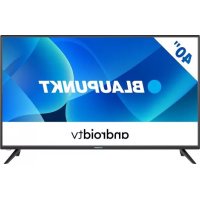
BA40F4132LEB - Television BLAUPUNKT - Free user manual and instructions
Find the device manual for free BA40F4132LEB BLAUPUNKT in PDF.



| Product Type | LED Television |
| Brand | Blaupunkt |
| Model | BA40F4132LEB |
| Screen Size | 40 inches (102 cm) |
| Resolution | Full HD 1920 x 1080 |
| Power Supply | 220-240 V ~ 50/60 Hz |
| Power Consumption | ECO, Standard, Maximum (see label) |
| Connectivity | HDMI, USB, Ethernet, Wi-Fi, Bluetooth |
| Smart Functions | Smart TV, Microsoft PlayReady |
| Included Accessories | Remote control, table stand, quick start guide, 2 AAA batteries |
| Wall Mount | VESA (compatible, brackets not included) |
| Climate Class | Temperate |
| Screen Care | Soft damp cloth, clean water only |
| Repairability | No user-serviceable parts, contact customer service |
| Safety | Anti-tilt recommended, ventilation distance 5 cm |
| Maximum Wi-Fi Power | 100 mW (2.4 GHz) |
| Maximum Bluetooth Power | 10 mW (2.4 GHz) |
Frequently Asked Questions - BA40F4132LEB BLAUPUNKT
User questions about BA40F4132LEB BLAUPUNKT
0 question about this device. Answer the ones you know or ask your own.
Ask a new question about this device
Download the instructions for your Television in PDF format for free! Find your manual BA40F4132LEB - BLAUPUNKT and take your electronic device back in hand. On this page are published all the documents necessary for the use of your device. BA40F4132LEB by BLAUPUNKT.
USER MANUAL BA40F4132LEB BLAUPUNKT
The terms HDMI, HDMI High-Definition Multimedia Interface, and the HDMI Logo are trademarks or registered trademarks of HDMI Licensing Administrator, Inc.

Digital Video Broadcasting
The DVB logo is the registered trademark of the Digital Video Broadcasting - DVB - project.

Manufactured under license from Dolby Laboratories. Dolby, Dolby Audio, and the double-D symbol are trademarks of Dolby Laboratories Licensing Corporation.

CERTIFIED
The Wi-Fi CERTIFIED Logo is a certification mark of the Wi-Fi Alliance.
androidv


Chromecast built-in

Google Assistant
Google, Android, YouTube, Android TV and other marks are trademarks of Google LLC.

Bluetooth
The Bluetooth" word mark and logos are registered trademarks owned by Bluetooth SIG, Inc.
Important safety instructions

Please, read these safety instructions and respect the following warnings before the appliance is operated:
In order to prevent fire always keep candles and other open flames away from this product.

- Television sets with 43^ size screens or more must be lifted and carried by at least two people.
- This TV does not contain any parts which could be repaired by the user. In case of a fault, contact the manufacturer or the authorised service agent. Contact with certain parts inside the TV might endanger your life. The guarantee does not extend to faults caused by repairs carried out by unauthorized third parties.
- Do not remove the rear part of the appliance.
- This appliance is designed for the receiving and reproduction of video and sound signals. Any other use is strictly forbidden.
- Do not expose the TV to dripping or splashing liquid.
- To disconnect the TV from mains please unplug the mains plug from the mains socket.
- If the supply cord is damaged, it must be replaced by the manufacturer, a service agent or similarly qualifi ed persons in order to avoid a hazard.
- The suggested distance to watch HD TV is approximately three times longer than the screen diagonal size. Reflections on the screen from other light sources can make the quality of the picture worse.
- Ensure the TV has sufficient ventilation and is not close to other appliances and other pieces of furniture.
- Install the product at least 5cm from the wall for ventilation.
- Ensure that the ventilation openings are clear of items such as newspapers, table-cloths, curtains, etc.
- The TV set is designed to be used in a moderate climate.
- The TV set is designed exclusively for operation in a dry place. When using the TV outside, please, make sure it is protected against moisture (rain, splashing water). Never expose to moisture.
- Do not place any objects, containers filled with liquids, such as vases, etc. on the TV. These containers might get pushed over, which would endanger electric safety. Place the TV exclusively on flat and stable surfaces. Do not place any objects such as newspaper or blankets, etc. on or under the TV.
- Make sure the appliance does not stand on any power cables as they might get damaged. Mobile phones and other devices such as WLAN adapters, monitoring cameras with wireless signal transmission, etc. might cause electromagnetic interference and they should not be placed near the appliance.
- Do not place the appliance near heating elements or in a place with direct sunlight as it has a negative effect on cooling of the appliance. Heat storage is dangerous and it can seriously reduce the lifetime of the appliance. In order to ensure the safety, ask a qualified person to remove the dirt from the appliance.
- Try to prevent damage to the mains cable or mains adapter. The appliance can only be connected with the supplied mains cable/adapter.
-
Storms are dangerous for all electric appliances. If the mains or aerial wiring is struck by lightening the appliance might get damaged, even if it is turned off. You should disconnect all the cables and connectors of the appliance before a storm.
-
To clean the screen of the appliance use only a damp and soft cloth. Use only clean water, never detergents and in no case use solvents.
- Position the TV close to the wall to avoid the possibility of it falling when pushed.
- WARNING - Never place a television set in an unstable location. A television set may fall, causing serious personal injury or death. Many injuries, particularly to children, can be avoided by taking simple precautions such as:
- Use cabinets or stands recommended by the manufacturer of the television set.
- Only use furniture that can safely support the television set.
- Ensure the television set is not overhanging the edge of the supporting furniture.
- Not place the television set on tall furniture (for example, cupboards or bookcases) without anchoring both the furniture and the television set to a suitable support.
- Not place the television set on cloth or other materials that may be located between the television set and supporting furniture.
- Educate children about the dangers of climbing on furniture to reach the television set or its controls.
- Ensure that children do not climb or hang onto the TV.
- If your existing television set is being retained and relocated, the same considerations as above should be applied.
- The instructions shown below are a safer way to set up the TV, by fixing it to the wall and will avoid the possibility of it falling forwards and causing injury and damage.
- For this type of installation you will need a fastening cord A) Using one/both of the top wall-mounting holes and screws (the screws are already supplied in the wall mounting holes) fasten one end of the fastening chord/s to the TV. B) Secure the other end of the fastening chord/s to your wall.
- The software on your TV and the OSD layout can be changed without notice.
- Note: In case of electrostatic discharge (ESD) the apparatus may show incorrect function. In such case, switch the TV off and back on. The TV will work normally.
Warning:
- When turning off the set, use the standby button on the remote control. By long pressing of this button, TV will turn off and enter the energy saving standby mode to meet the eco-design requirements. This mode is default one.
- Do not use TV set directly after unpacking. Wait until TV warms up to the room temperature before using it.
- Never connect any external devices to a live appliance. Switch off not only the TV but also the devices which are being connected! Plug the TV plug into the wall socket after connecting any external devices and the aerial!
Always make sure there is free access to the TV mains plug. - The appliance is not designed for a use in a workplace fitted with monitors.
- The systematic use of headphones at high volume might lead to irreversible hearing damage.
- Ensure environmental disposal of this appliance and any components including batteries. When in doubt, please, contact your local authority for details of recycling.
- While installing the appliance, do not forget that furniture surfaces are treated with various varnishes, plastics, etc. or they might be polished. The chemicals contained in these products might have a reaction with the TV stand. This could result in bits of the material sticking to the furniture surface, which are difficult to remove, if not impossible.
-
The screen of your TV has been produced under top quality conditions and was checked in detail for faulty pixels several times. Due to the technological properties of the manufacturing process, it is not possible to eliminate the existence of a small number of faulty points on the screen (even with maximum care while in production). These faulty pixels are not considered faults in terms of guarantee conditions, if their extent is not greater than the boundaries defned by DIN norm.
-
The manufacturer cannot be held responsible, or be liable, for customer service-related issues related to the third party content or services. Any questions, comments or service-related inquiries relating to the third party content or service should be made directly to the applicable content or service provider.
- There are a variety of reasons you may be unable to access content or services from the device unrelated to the device itself, including, but not limited to, power failure, the Internet connection, or failure to confi gure your device correctly. SCEP, its directors, offi cers, employees, agents, contractors and aff iates shall not be liable to you or any third party with respect to such failures or maintenance outages, regardless of cause or whether or not it could have been avoided.
- All third party content or services accessible via this device is provided to you on an "as-is" and "as available" basis and SCEP and its affi liates make no warranty or representation of any kind to you, either express or implied, including, without limitation, any warranties of merchantability, non-infringement, fitness for a particular purpose or any warranties of suitability, availability, accuracy, completeness, security, title, usefulness, lack of negligence or error-free or uninterrupted operation or use of the content or services provided to you or that the content or services will meet your requirements or expectations.
- 'SCEP' is not an agent of and assumes no responsibility for the acts or omissions of third party content or service providers, nor any aspect of the content or service related to such third party providers.
- In no event will 'SCEP' and/or its affi liates be liable to you or any third party for any direct, indirect, special, incidental, punitive, consequential or other damages, whether the theory of liability is based on contract, tort, negligence, breach of warranty, strict liability or otherwise and whether or not SCEP and/or its affi liates have been advised of the possibility of such damages.
- This product contains technology subject to certain intellectual property rights of Microsoft. Use or distribution of this technology outside of this product is prohibited without the appropriate license(s) from Microsoft.
- Content owners use Microsoft PlayReady™ content access technology to protect their intellectual property, including copyrighted content. This device uses PlayReady technology to access PlayReady-protected content and/or WMDRM-protected content. If the device fails to properly enforce restrictions on content usage, content owners may require Microsoft to revoke the device's ability to consume PlayReady-protected content. Revocation should not affect unprotected content or content protected by other content access technologies. Content owners may require you to upgrade PlayReady to access their content. If you decline an upgrade, you will not be able to access content that requires the upgrade.
Important information regarding use of video games, computers, captions and other fixed image displays.
- The extended use of fixed image program material can cause a permanent "shadow image" on the LCD screen (this is sometimes incorrectly referred to as "burnout to the screen"). This shadow image is then permanently visible on the screen in the background. It is irreversible damage. You can avoid such a damage by following instructions below:
- Reduce the brightness/contrast setting to a minimum viewing level.
- Do not display the fixed image for a long period of time. Avoid displaying of:
» Teletext time and charts,
TV/DVD menu, e.g. DVD contents,
In the "Pause" mode (hold): Do not use this mode for a long time, e.g. while watching a DVD or a video.
Turn off the appliance if you are not using it.
Batteries
- Observe the correct polarity when inserting the batteries.
- Do not expose batteries to high temperatures and do not place them on locations where the temperature might increase quickly, e.g. near the fire or on the direct sunshine.
- Do not expose batteries to excessive radiant heat, do not throw them into the fire, do not disassemble them and do not try to recharge un-rechargeable batteries. They could leak or explode.
Never use different batteries together or mix new and old ones.
Dispose of batteries in an environmentally friendly way.
» Most of the EU countries regulate the disposal of batteries by law.
Disposal
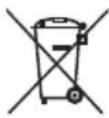
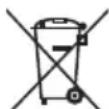
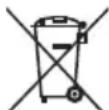
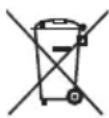
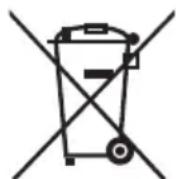
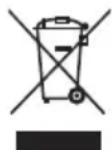
- Do not dispose of this TV as unsorted municipal waste. Return it to a designated collection point for the recycling of WEEE. By doing so, you will help to conserve resources and protect the environment. Contact your retailer or local authorities for more information.
CE Statement:
- Hereby, Sharp Consumer Electronics Poland sp. z o.o. declares that this LED TV is in compliance with the essential requirements and other relevant provisions of RED Directive 2014/53/EU.
The full text of the EU declaration of conformity is available by following the link www.unc-poland.com/declaration-of-conformity/ This equipment may be operated in all EU countries.
Wi-Fi max transmitter power:
100 mW at 2,412 GHz - 2,472 GHz
BT max transmitter power: 10 mW at 2,402 GHz - 2,480 GHz.
In order to let customer to manage TV power consumption properly and save energy, there are declared three power consumption values on the device rating label:
ECO - economy value, which provides minimum power consumption and which is available under default device condition (after reset, for example). Standard - the middle value, which reflects average power consumption under general device settings, after leaving of eco mode.
Maximum - the value, which is achievable under highest device load conditions (max picture luminance, max sound volume, etc).
What is included in the box
Supply of this TV includes following parts:
- 1xTV - 1xTV stand installation packet
- 1x Remote control - 1x Quick Start Guide
- 2x AAA batteries
Attaching the Stand
Please follow the instructions in Technical leaflet, located in the accessories bag.
Wall mounting the TV
- Remove the four screws that are supplied in the wall mounting holes.
- The wall mount can now be easily attached to the mounting holes on the rear of the TV.
- Install the wall mounting bracket to the television as advised by the bracket manufacturer.
Connections
Connecting external devices see last page in this IM.
Getting started - initial set up
- Using the RF cable, connect the TV to the TV Aerial wall socket.
- For connecting to the Internet with a wired connection connect a Cat 5/Ethernet cable (not included) from the TV to your broadband modem/router.
- Insert the batteries supplied into the Remote control.
- Connect the power cable to the Electrical outlet.
- Then press Standby button to power on TV.
- After turning the TV on, you will be welcomed by the First Time Installation menu.
- Please select language for TV menu.
- Please set desired settings in remaining screens of First installation menu.
TV buttons
Vol+ Volume up and menu right
Vol-Volume down and menu left
CH+Programme/Channel up and menu up
CH-Programme/Channel down and menu down
MENUDisplaysMenu/OSD
SOURCE Displays the input source menu
STANDBY Standby Power On/Off
Choosing Mode Input/Source
To switch between the diff erent input/connections.
a) Using the buttons on the remote control:
- Press the source menu will appear.
- Press [▲] or [▼] to select the input you require.
- Press [OK].
b) Using the buttons on the Television:
- Press [SOURCE].
- Scroll up/down using CH+ / CH- buttons to the input/source you require.
- Press [VOL+] to change input/source to the one selected.
TV Menu navigation
Use the ( / /) buttons to focus on the desired item.
Press the OK button to select the item currently in focus.
Press the button to go back one step in the menu.
Press the EXIT button to leave menu.
Press the button to enter TV Home menu.
Electronic instruction manual
Find more useful information directly from your TV.
To launch the online manual, press the button, select Apps from the Home menu, and select "E-instruction Manual" from the apps list.
NOTE: An Internet connection is required to use this electronic manual.
Remote control
See in On Screen Manual in TV
m = 311 ;
m = 311
Declaración CE:
Botones de la television
m = 311 ;
STANDBY Standby Taend/Sluk
Vaelg tilstanden Input/Kilde
Tryk pa- knappen for at abne TV-HOME-menuen.
b) Paina television painikkeita:
Olulised ohutusjuhised

m = 311
m = 311 ;
Declaratie CE:
MENU Afi seaza Meniul/OSD
BaxHHMHCTpyKcHm 3a6e30nacnoct

Ipeu da 3anoHeTe pa6oTa cypea, moJnpoUeTe uHcTpyKuInTe 3a 6e3onacNoCT nCna3BaIte npdUnpejXdeHnra, noocuEHn no-dony:
Cζe npdeoTbpaTaBaHe Na Noxap BnHaRn dpbXkTe CBeuN NII dpyrN n3TOUHnCu Ha OTKpNT OrbH daJeCy OT To3N pOdyKT.

TeIeBn3Opntc eekpHn ot 43" Tpr6Ba da 6bDat nobDnraHn n HocEHn ot NOHe Dbama dyuH.
To3n TeIeBn3Op He CbIbPxa qactN, KOIO 6xHa MoNn da Ce nonpaBrt ot notpe6ntela. B clyuah Ha nobpea ce CbIbPkeTe C npOn3BOJNTela nn C yIbHOMOseH cepBn3. DOnnpBT do onpeJeH euaCTn, HAMIPAun CE bTeEbn3opa MOKe Da 6bJe ONaCeH 3a XINBOTa Bn. TapaHcIyraTHe E BaIIuHa B clyuah Ha nobpeDu BCNeCTBne Ha peMOHTn, I3BbPWBaHr NT HeyIbJIHOMOSeH TpETn CTpaHn.
He cBaanIte 3aHaTa yacT haypea.
Toba yctpoiCTBO e npoeKtnpaHO 3a noIyuaBaHe n Bb3npoN3BeXdaHe Ha BnDeo I 3BykOBu CnHaII. BcKaKaB BnD npyra ynoTpe6a e cTporo 3a6paHaHa.
- Na3eTe TeneBn3opa ot Kaneu n nn pa3nBaau ci Teuhoctn.
3aJa N3KJIOUHTe TeneBUN3Opa OTOCHOBHOTo ENEKTPO3axpaHbHe,MOJI, N3BaTe TE UENcena OT KOHTAKTa.
Bcnyaaye3axpaHbauyraK6b6b6b6b6b6b6b6b6b6b6b6b6b6b6b6b6b6b6b6b6b6b6b6b6b6b6b6b6b6b6b6b6b6b6b6b6b6b6b6b6b6b6b6b6b6b6b6b6b6b6
- PpenopbHTeHTo pa3cTOnHe 3a rIeJaHe Ha HD TeLEBn3n e np6n3nTeHNo dnaRoHaHa Ha ekpaHa, ymHOxHen No net nTn. OTPaxeHnraTa Bbpxy ekpaHa OT dpYr N3TOUHnCu Ha CBeTnHa MoRaT da BLOwat KaueCTBOTo Ha KapTHHaT.
- YBepTe ce, Ye TeneBn3OpbTe IocTaBeH Ha DoctaTbUHO npoBeTpnuBO MRCTo, KaKTo N Ye He e pa3NoJoxe H BeNocpeCTBeHa 6Iu3OCT Do DpyrIn eNeKTPOypeDN UIN DomaknHcKO O63aBexKaHe.
3a noctirhahe Ha do6pa BeHTnnaucia,MOHTnpaTe ypeDa HA MNHmamHO pa3CTOHNHe OT 5 CM OT CTeHaT.
- YBepeTe Ce, Ye BeHTnlaZnHOHHTe OTBOpN He Ca 3aKpNTn OT PpeMTeN, KATO HApPIMep BeCTHnU, NOKpNBkN, 3aBeCN T.H.
TeIeBn3OpbTe npoeKtpaH 3a n3noJ3BaHe npu yMepeHn KInMaTUnHy cJIOBna.
ToTpr6Ba da 6bde n3noJ3BaH eDINCTBHeHO h cyxM MeCA. Korato n3noJ3BaTe TeNEBn3Opa Ha OTKpIto, MoJyBepTe ce, ye e 3aunTeH OT BODa (IbXd, pa3nBaUca ce BOda). Hnkora He u3naarTe To3n enEeKtpoypeHa BOda.
- He noctabraye HnkaBn npedmetn, cboBe CteHocTn, kato Baun n dp. Bbpy TeeneBn3opa. Te morat da 6bdaT 6ythaTn, KoTo E bn DObeNo ONaCHOCT OT TOKOB ynap. NocTabraye TeeneBn3opa eHNcTBHeHO Bbpy NLOCKN i CTaBnHH NOBbpxHOCTn. He noctabraye npedmetn, kato Hanpumep BeCTHnU, NOKPUBKn I.T.H. Bbpy nn NoTeneBn3opa.
- Ybepe Ce, Ye ypeBt He e nocTaben Bbpxy 3axpaHbaun Ka6eni. Toba 6n rnoBpeDnIO. Mo6uHN H TepeOHn I pyryn yctpoiCTBa, Kato 6e3KNUHmpeXOBn KapTn, KaMepn 3a Ha6NIOJeHne C 6e3KNUHO npedabHe n T.H. MoRat Da npuHnT eEKeTpOMarHHTn CMUeHn N He Tp6Ba Da 6bDat NoCTabAHn B 6bn3OcT do ypeA.
He nocTabraTe TeteBn3Opa B 6n3oCT Do ypeN, n3TOuHnK Ha BVcoka TemnepaTypa, KaTOn HA MeTa C npKa CbHYeBa CBeTInHa, Tb
KaTo TOBa OKa3Ba OTPuIaTeHbBnHnne BBypX OxNaxJaHeTo My. AkymyInpaHTo Ha ToPnHa e OnaCHO mOKe cepNo3HO da HAmai NjIBota Ha yCTpoiCTBO.To.ObbPheTe Ce KbM KBaIIuΦnUpaHO Iuice 3a NOuchTbaHe Ha HATpyNaHaTa MPbCoTnO typeA, c Zel OcNrypRaBe Ha 6e3oNaChata My pa6Ota.
- PanaTe MpeXOBn Ka6eN n aanTep Otn NobpeKdaHe. YpeBt MoKe Da 6bJe CbP3BaH eINHCTBeHO c npEIOCTaBEHnTe MpeXOB Ka6eN / aanTep.
- 5ypnte npedctablaBbAT onaHcOCT 3a BCNUKN eJekTpoypeDN. Ako TnABHOTo 3axpaHbAHe Nm aHTeHaTa 6bDaT nopaeHN OT MbNnH, ypeDbT MoKe Da 6bDe NoBpeDenOpuN KOraTe O n3KlUoyen. PpeDN bpyr Tp46Ba Da N3KlIOUHTe BCNUKN Ka6eN N KOHeKTOpN O tycPoIcTBOTO.
3aNouctBaHeHaekpHaH3nO13BaIteEINHCTBHeO BnaMeKa Kbpna.13no13BaIte cmo UcTbOda, HIKORA NouctBaun npenapatn IN HHKAKB Cnyai pa3TBOpNTeni. - NocTabete TeIeBn3Opa B 6JIn3OCT Do CTHe, C cJen n36yBaHae Ha Bb3MOxHOCHTTa OT naHahe, B cIyaua Ye 6bde 6yTHaT.
BHIMAHHE: HnKora He noctabai Te TeneBn3opa Bbpxy Hecta6nHOMrCTo.ToM Moze da naHe n Da npuHHN cepno3HO fnsuueckoHapaHbAbe NmCmbPT.MHoro HapaHbAHNA,OCO6eHo Ha deca,MoratDa ce n36eHaT KaTo ce npedpneMaT cneHNTe neCHn npedna3HmMepKN:
-ИЗползвайтseшкфовилсToйКи,прелорьанOTпролзвогntелуНаТелевизopa.
-ИзползBAйТе само Me6eи,КоюТМогаT 6e3oNAcHoДаСлужаTЗаОпора НaТeЛeВиЗopa. - YBepete ce, Ye TeJeBn3OpbT He BnCn HaI p6a Ha Te3n Me6eNl.
- He noctabray Te TELBn3opa Bbpxy Bucokn Me6eNn (HaNP. 6iofeTn nneta etaKeprn) 6e3 da 3axBaHete KaKTo Me6eNtTe, taKa n TELBn3opa KbM noDxoJa o npop.
He noctabay Te TeneBn3opa Bbpxy NokpBka nn npyn MaTePnaJn, KOINTo MoRaT Da Ce HAMpaT MeKdy Te TeneBn3opa n CnyKeuNTe 3a onopa Me6enn.
3a0n3HaTe DeaTa C onaChocHTe npi KaTepeHe Bbpy Me6enIte, 3a da DOCTHrHaT TeBEN3Opa NIN ByToHIne My. - YBepeTe Ce, Ye DeaTa He Ce KaTepeTn He BucT Bbpxy TepeBn3opa.
Ako hactoianr Bn TeleBun3Op 6bJe 3anaeh n npMeecTeH, Tpa6Ba da ce npInoKaT CbIHTe npEdna3Hm MepKn. - OngcaHnte no-dony nHctpyKu nn oka3BaT 6e3onaceH naHH 3a npnKpenBaHe Ha TeleBn3Opa KbM CteHaT. No To3n HauH MOraT da 6bDat N36erHaTn PpeKaTyPBAHoTo My HapPeI n PnpuHnRaHeTo Ha HapaHnBaHn IIN NOpeN.
3a da n3bpbwnTe To3n Bn MOHTaK, ige Bn 6bJe HxKHO BxKe 3a npkpenBaHe.
A)ИЗпалькн Edинги ИлдваТДIOБета,КakTOиВИNTOBe(BИNTOBeTe ca npINLOжEH 3aEDHc CIO6BENTe),3aTeHHTe edHnHЯ КраНа ВьжTo 3a пИКрЕВаНe KbM TelenBu3Opa.
B)Пикpenete Край На ВьжToKbM CTeHaTa.
CoTepbHa Baunna TeneBn3Op, KaKTo n EkapHnO To oΦopMneHMe MORa da 6bDat npomeHHe 6e3 npEdbapuTeHo N3BcTe.
3a6eJekKa: B cnyaHa eKtPoCtaTnueH pa3pI (ESD) ypeIbT moKe Da noka3Ba HnpaBnHa fynKcIyA. Ako ToBa ce cnyu, n3KnIOUeTe TeJeBnOpa, cIeN KOeTO ro BkIOUeTe HaHOBO. TeJeBnOpBT Ie 3aNoUHe Da pa6oTH HopMaJIHo.
BHIMAHHE:
3a da n3knIOHTe TeneBn3Opa, HATNCHEte 6yToHa 3a pejIM Ha rOTOBHOCT Ha nCTaHcNHOHOTo YnpabNeHne. Pn HAntCKaHe n 3aDbpxAe Ha To3n 6yToH, TeLEBn3OpbT pEmNHaba B eNEprcNecTBAupejIM Ha rTOBHOCT, N3IbJIHbAAkN IN3NCKBaHHaTa 3a ekONOrueH dN3aH. Toba e pejIMbT no NoPa36HpAhe.
- He n3n03BaIte TeneBun3opa HENOCpeCTBeHO CneI pa3oNaKOBaHe. Ppei Da ro BKNIOUHTe N3uKaaiTe, DOKATO ce aKImMaTn3npa Do CTaHa TemnepaTypa.
HnKora He Cbbp3BaIe BbHmH yCtpoiCTBa DOKaTO TeNeBUNOpBT E BKNIOUeH.NkIOuBAIte He cAmO TeNEBUNOPa,aNycTPOiCTBaTA,KONTO
ce Cbbp3BaT. BkIoueTe IcIencela Ha TeIeBn3opa B KOHTaHa cTeHaTa, CNeI KaTO CTe Cbbp3aII BbHUnHte YcTpoCTBaHa Ka6eJa Ha aHTeHaTa.
BunHnCe yBepaBaiTe,Ye IMa DoCTbN Do 3axpaHbaauiKa6en Ha TeJeBnOpa.
- UyeBbT He e npedHa3HaueH 3a ynoTpe6a Ha pa6oTHO Macto, 60pyBaHO C MOHTOpN.
CnCTemHa ynoTpe6a Ha cnUyauKn npu BncoKa cna Ha 3Byka MoKe da DoBee do Heo6paTuMn YBpeJdaHn Ha cnYxa.
- YBepete Ce, Ye ypeBt N BCNUK HerOBu KOMNHeHTN, BKNUOHTeHb 6aTePN, Ue 6bDat n3xBvpIeHn No 6e3oNaCen 3a OKoJIHaTa CpeDa NaHn. Ppi CbMHeHn OTHcHO NocJeDHoTo, Ce CbPjKeTe C MeCTHnTe BNaCTN, OT KOIT Oe NOLyUHrte NOBue HNΦOpMaZna 3a HaunHnTe Ha pezIKnIpaHe.
- Пп монтурано на устюствоTo He 3a6babЯITE, Que nobbpxHoctnTe Ha pa3nHHTe Me6eIn obuKHOBEHo ca o6pa6OteHc nakobe, nlaactMaCn I.T.H. nIi ca nOIIpaHn. XmUkaJIte, KOITc Ce cbJbPkaT B Te3n npOdyKTmoT a Da c3dJaT peakun C nocTaBkata Ha TepeBn3opa. Toba MoKe Ja DoBoeDe IO 3aIenBaHe Ha YacTN OT MaTePnaJa 3a nobbpxHocTTa Ha Me6eJIte, cIeJ KoTe npEmaxBaHeto Nm 6n 6nlo Tpydno nIi dopn HeBb3MOxHO.
EkpaHbT Ha BaWnIa TeBn3Op e npOn3BeDen npu yCNoBnHa Ha-NBcOKo KaueCTBO n He KcNkoKpTaHO npOepeBaH DeTaIIHO 3a DeEeKTHNI KcEe. Nopadn TexHOJrHuHHe Oco6eHocTn Ha npOn3BOdCTBeHnna Ipoec, PbHNOTo EENmHnPaHe Ha MNHMaJIHn BpO JdeEeKTHNI KcEeHa ekpaHa He e Bb3MoXHo (DOpn pnp MaKcMaHa rPnxKa B npoueca Ha npOn3BOdCTBO).Te3n DeEeKTHNI KcEeHa Ce CHTAT 3a DeEeKTHn, No OTHoWeHne Ha rapaHnOHnTe YcNoBn, B cnyaay e TexHn 6pO He HauBnAba rpaHnUte, onpeJeHn B cTaNapTa DIN.
- PpOu3BODIHTeJIrHe HcOu OTROBOPHOCT 3a Ipo6JIeMn, CbP3AHn CNotpe6ntckTOO6CnyXBaHHe Ha CbIbpxKaHne NmYyCNYn, NpeIOCTaBeHnOT TpeTn Nmua. BcKaKBN BbInpocN, KOMeHTapN Nm 3aINITBaHn, OTHACsUe CkM CbIbpxKaHne NmYcNYn, NpeIOCTaBeHn OT TpeTn CTpaHn CNEBa Da 6bJaT OtnpaBHaH NmIpeKTHO KbM DOCTaBvKnA Ha CbIbpxKaHne NmYcNYn.
CbueCTByBaTpa3nHnnpuHn,nopadKoT0eBb3MOxHO Da HmAte DoctbI Do cbbpxHaHe nIyUyt OYcTPOIcTBOTO, KOHTo He Ca CbP3aHn CbC CamOTO yCTpoiCTBO,BKIOUHTenHO,HO He Camo,IpeKbCBAHe Ha eJIeKtpuYeCTBOTO,Bpb3kata cNHTepHET,IIIN He npabunHO KOHpypuaHe Ha yCTpoiCTBOTO Bn.SCEP,HneHInTe MeHNJkbpn,pKBOBOnTEnI,CnyKtEnI,pipeCTabNTeHn,N3NbHInTeN I NOpa3dElenHn He HOcT OTROBOPHOCT ppeBacnnTpTaNo OTHouHe Hn TaKaBA HeBb3MOXHOCT nI npKeCbAHn 3a NoDpBxxKa, He3aBNCMMO OT npuHnHa, IN EBeHTyaJIHATA Bb3MOxHOCT NocJeHNTe Da 6nxMaMOrn da 6bDat n36erHaTu.
LJNTO CbIbPkaHHe IIN ycLyHn Ha TpeTn CTpaHn,IOCTbNHO Upe3 TOBa yCTpoiCTBO Bn ce npEOCTaBRA"KAKTo-e"U"KAKTo e HAIuHo" IN SCEP n HeHnHTe NOpa3dEhenHn He Bn npEOcTABAT KaBnTo n da 6Ino rapaHnIn, DIPeKTTHn INN KOCBeHN, BKIOUYTeHNO, 6e3 orpaHnueHne, BCuKNr rapaHnUs 3a npOdaBaEMoCT, INnca Ha HApyuHne, pnpiroHDoc 3a onpeJeHena CE, INn KaKBTuO n Da 6Ino rapaHnUs 3a rOHDoc, DOCTbNHOCT, ToOHOC, INbIHOTa, CnHyPOCT, 3aRJaBne, NOe3HOCT, 6e3nORpeWHa INN HenPeKbCHaTa pa6Ota INN 3nON3BaHe Ha CbIbPkaHHeTo INN ycLyrnte, KOtTO ca Bn npEOCTaBraHn, INn Ye TOBa CbIbPkaHHe INN ycLyrnte OTOBapRT Ha BaWnte n3nCKBaHHn INn OaKaBAHH.
"SCEP" He e npdctabuTEn n He Noema OTROBOPHOCTa DeIcTBnTa IIN6e3JeNCTbNArTa Ha TpeTIne CTpaHn, DocTaBnuIHa CbDbpKaHne IINyCnyr, HnTO 3a KoITOn I da 6nIO aCneKT Ha cbDbpXaHHeTo IINy yClyrata, Cbbp3aHa C TaKINBa DOCTabuNtI.
B HnKo cnuya"SCEP n/nn HeHnHe Tnopa3eHnne HnocT OTROBOPHOCT KbM Bac nIu dpyr TpeTu CTpaHn 3a KaKBnTO n Da 6nIO npKeN, KocBeHN, CneuaJHn, cnUyauHn, HakaTaTeJHn, 3aKoHOMepHn nn Dpyr UeTI, He3aBucmO daJI TeOpjraTa 3a OTROBOPHOCT ce OCHOBaba Ha DoTROBOP, Heno3BoJeHO yBpeXdaHe, He6peXHoCT, HapyuHeHne Ha rapaHcIraTa, 6e3BnHObHa OTROBOPHOCT n.T.H. n daJI N SCEP n/nn
HeHHTe NoOpa3dJeHHe He ca 6uNl PnpdynpdeHn 3a Bb3MOxHOCTTa OT Bb3HNKBAHeTo Ha TaKNBa UeTN.
- PpOdyKTbT pa3NoIar cTexHONOrn, KOrTo e npEMeT ha npaba Ha HHTeNeKtyaIIHa co6CTBeHoCT Ha Microsoft. N3non3BaHeto nn pa3npocTpapanHeHnTo Ha Ta3N TexHONOrn n3BbN npOpykTa 6e3 Heo6XoDMnTE IuIeH3N ot Microsoft e 3a6paHeno.
Co6cTBHeHnIte Ha cBbPjKAnHe n3non3Bat TexHoNOrnIa 3a doTbn Do cbbpJXanHeTo Ha Microsoft PlayReadyTM, 3a da 3auNTar HHTeKeTyalHaTa cn Co6cTBHeOCT, BKIOUHTenHO cbbpJXaHne C ABTOPCKn npaba. B TOBa yctpoiCTBO ce n3non3Ba TexHoNOrnPlayReady 3a doCTbn Do 3auNTeHO PlayReady cbbpJXaHne n/nn 3auNTeHO WMDRM cbbpJXaHne. B clyuay Ye orpaHnueHnra 3a non3BaHe Ha cbbpJXaHne 3a HactoAOTO yctpoiCTBO He 6bDat cna3EHn, co6cTBHeHnIte Ha TAKOBa MOrat Da n3nCKaT ot Microsoft Da oTMeHH CNoc6bOCTTa Ha yctpoiCTBOTo Da o6p6OTBa 3auNTeHO PlayReady cbbpJXaHne. Ta3n OTMaHa He cNeDbA da Kacae He3auNTeHO cbbpJXaHne Nn CBbpJXaHne, 3auNTeHO ot dpyrN TeXHoNOrnN 3a doCTbn Do cbbpJXaHne. Co6cTBHeHnIte Ha cbbpJXaHne Morat Da n3nCKaT ot Bac Da hAdcTponte PlayReady, 3a da nOnyUHe DoCTbn Do cbbpJXaHneTo. Ako He n3nbHHeTe HAcCTPOBnBe, HMa Da NMaTe DoCtbn Do cbOTBeTHOTO cbbpJXaHne.
Baxha HhΦopMaun OTHOCHO3nOJ3BaHeTo Ha BnDeo nIrpN, KOMnIOTpN, NaIINcN IpyrN nporpaMn CΦmKcnpaH 6pa3.
IpoobJnxTeHnata ynoTpe6a Ha nporpamHm Maepnau n c fukcapan o6pa3 moke da doBepe do noctoHa "craHka B o6pa3a" Ha TeuHOKpncTaHnna ekpaH (noHkora HnnpabUNHO hapnuHo "nperaH He ekpaHa"). Ta3n CAnKa B o6pa3a OCTaBa noCTOaHnHO BuIMMa BbB foHOB peKIM. ToBa e Heo6paTMa NobpeHa. MoKeTe Da Jn36erHete, KaTO cnEeBate INHCTpyKUInTE, NOCOeHN No-DoNy:
- HamaneTe HactpoKata 3a JPKOCT/KOHtPacT Do Bb3MOXHO HaHnCKNTe HnBa,Ha KOnTO MoKeTe Da rIeTa.
He Bb3npo3BExaJte FukncpaH 6pa3 3a Dblr npnno nO T BpeMe. 136raBaTe Bb3npo3BExaHaTo Ha:
»BpeMe n dnaarpMa Ha TeTeKeKCT,
TV/DVD MeHIO, HApp. DVD cbDbpxKaHne,
prn 3aIbpxKaHe B pexKIM ,Pay3a": He n3noI3BaIe To3n peKIM 3aToIeMn nepoDn, hApnpMepeDokato rIeIaTe DVD uIN BuJeOeKnIn.
N3KlnOuBaIte ypeDa, KOraTo He rO n3NON3BaTe.
Batepni
-Пи NOCTaBHeTo Ha 6aTePnIte O6bPHeTe BHMaHne DaJI NOLpNTeTbTe cNa3eH np
- He n3laarate 6aTePnTE Ha BucOKn TEMpePaTpyn He ngocabTne Ha MeCTa, KbJeTO TemNepaTpaTa 6n MoRJa Da ce NobuHb3o (KaTo HApnPmep 6nI3o Do OgbHnHa DnPeKTHa CbHueBa CBETNIHa).
He n3nae 6aTePnnte Ha cnHa IbYncta ToHnHa, He rXbPraIte BOrh, He rpa3rno6BaIte Hc ce OnTBAite Da npEzapeKdaTe 6aTePn, KOnTo He ca cneuaHIO npuRoJeHn 3a ToBa. B IpOToBEn CnyaH e Bb3MoXHo Te da npoTeKaT uN da ekCnloDnpaT.
》Hikora He n3nOlaBte 3aEDHO pa3nUHN batePN IN He cmeBaTe HOBu n CTapu TaKbA.
IM3XbPJIaTeI3pa3xoJeHte6aTePNIO6eONaceH3aOKoHaTa CpeHaHaHH.
IV3XbBpIaHHeTo Ha 6aTeepn e perynpaHO Cbc 3aKOH B nobueeTO cTpaHn OT EC.
Cd
I3BExKaHe OTeKcnNoaTaun
He n3xbpIyTe To3n TeleBn3Op Hape C pyrnte 6bTOBn OTnabu. BbpHete ro B hKoI OT onpeJeHneTe ceHTPOBE 3a peuKnIpaHc bTlacHO DnpeKTNbTa 3a NYEEO. ITo3n NaHn NpONaMaTe 3ana3BaHeTo Ha pecypcn n 3aunTbaTe OkONHaTc peda. 3a nobuee INΦopMaJcN Ce CBpXeTe C hai-6bnKn Jdo Bac TbproBe c MecTHNe Bnactn.
CE Dekauna:
C Hactoio Sharp Consumer Electronics Poland sp. z o.o. deklapupa, ue Tozni LED TeleBn3op e B cBoTBeTcBne CbC sbueCTBeHnTe n3NCKBaHnI npUIOxIMn pa3Nope6n Ha DInpeKtNbTa 3a RED 2014/53/EU.
TbHnT KeCT Ha DeKnapauNtA 3a CbOTBeTcBnE Ha EC MoKeTe da npOeTe Ha aDpc www.umc-poland.com/declaration-of-conformity/ To3n ypeI MoKe Da Ce I3NoJ3Ba BbB BCuKN cTpaHn Ha EC.
Wi-Fi MaKc. MoUHocT Ha npeJaBaHe:
100mW npn 2,412 GHz - 2,472 GHz;
BT MaKc. MoUHocT Ha npedabAhe: 10 mW npn 2,402 GHz - 2,480 GHz.
3a da ce no3B0nHa KIneHtA da ynpabnBa npabunHO KOHCymaIraTa Ha ehePnHa TeleBn3opa n Da neCTn ehePnHa eTKeTa C peiTnHa ycTpoiCTBOTo Ca KeIapuPAH TpN CTOHOCnHa KOHCymaIraHa ehePn:
ECO- INKOHOMUHnA CTIOHOC, KOATO OCNrpyBa MMHMmaHa KOHCymaHa Ha eHeprna N KOATo EDOCTbNa pnp yCNOBnHa yCTpOCTBOTo No noDpa3bnpaHe (HaNPIMep cIeNHynpaHe).
Ctahaptha - cpehata ctoHocT, KOrTO Otpa3raBa cpehata KoHcymaun Ha eheprn npn o6u n HactpoiKn Ha ycIPOCTBOTO, Cnei n3JIn3aHe ot ekO peKIM.
MaKcMym - CToHocTtA, KOrTo e NoCTNkIMa Pn Hai-BvCOKn YcIOBnHa HaTOBapBaHe Ha yCTpoiCTBOTO (MaKcMmaHa JpKOcT Ha KapTHHaTa, MaKcMmaJIHa CmHa Ha 3ByKa n T.H.).
KaKBO e BkJIIOyeHO B NaKeTa
Pn 3akynybahe Ha To3n TeleBn3Op, ue noyuHte cJeHNITE enemeHTN:
TeBn3Op-16p.PaKet3aMOHTaXHa
TeeneBn3noHHaTanoCTaBAk -16p.
-16p.
HapbUHK3a6bp3CTapT-16p.
- BaTePnpu3Mep AAA - 26p.
PpHKpenBaHe Ha noCTaBkTa
CneBaIte yka3aHnTa B TexHnueckKaT a NCTOBKa, KOrTO ige OTKpNeTe B Top6uKata C npHaadJeXHOCTN.
MOHTIpaHe Ha TeIeBn3opa Ha cTeHaTa
1.ИЗБАДЕТУЕТРУТЕВИТА,КОТTOСА NOCTABEHIN B OTBOPNTE 3a MOHTIPAHE.
2. CToiKaTa 3a MoHTnpaHe Ha cTeHa MoKe JIeCHO da 6bJe npIKpeNeHa KbM OTBOpNTe, pa3nOJIOKeHbBpXy 3aHaTa CTpaHa Ha TeNEu3opa.
3. MoThnpaIte KOH3OJaTa, cna3BaKu CbBeTnTe Ha npOn3BOJnTeJIa.
Cbbp3BaHe
3a cBp3BaHe Ha BbHnH yctpoCTBa pa3rneaIte noCnEHaTa CTpaHnHa HAcTOrIoTO pBkoBOdCTBO.
Vol- HamaJIbaHe Ha CnJIaTa Ha 3ByKa I NpeMInHaBaHe KbM MEHIO TO BJIBO
CH+ nporpama/KaHaHaHarope u npeMHabaHe KbMeHOTo rope
CH- nporpama/KaHaH NaOly n IpemnHaBaHe KbM MeHIOTo 0ny
MENU NOKa3Ba MeHIO/OSD
SOURCE NOKa3BaHe Ha MeHIO 3a INTOUHnKa Ha BXOeH CINHaI.
STANDBY BKJIIOUbaHe/U3KJIIOUbaHe Ha TeJIeBUN3opa,doKaTo e BpeJMM Ha rotOBHOCT.
I36op Ha peXIM 3a BXOeH cnRHaJ/ M3TOUHMK
IpeBkIOUbaHe MeJxNy pa3nHHTe BXoHN cINHaJI/NcBp3BaHna.
a) YnOTope6a Ha 6yToHInTe Ha dIscTaNtUOnHnTO ynpabJIeHne:
- HaTnCHHeTe 6yToH - BBExJa ce MeHiTO 3a n3TOUHN Ka CnHAn.
- CnEToBaHaTnCHeTe [A] nIe [▼], 3a Da n36epeTe npednoHTaHnO t Bac BxOden CnHn.
- HatncheTe [OK].
6)YnTope6aHa 6yToHmTe Ha TeJeBm3Opa:
- HatncheTe 6yToH [SOURCE].
2.ПпевьртeteHarope/HaДОусnomоюТаHa 6уToHnTeCH+/CH-,3a da DoCTNRHETe Do JekanHnO T BAc n3TOUHnK Ha BXoHEn CnHnA. - HATNCHeTe [VOL+], 3a Ja npomehnTe BXoDnna CnHaI/n3ToHnka KbM TO3N, KOIToCTe N36paNN.
YnpaBneHnE Ha MeHIOTo Ha TeJIeBn3Opa
C nOmoTa Ha 6byToH N △/▼/▲ MOKeTe Da n36peTe JeNaHn enMeHT.
HaTncheTe 6yToH OK, 3a Da NotBbPdnte N360pa Ha enEmeHTa.
Upe3 HATNCKaHE Ha 6yToH (Ha3aI) MOxTe Da ce BbPHeTe eHa CTbIka Ha3aI B MeHIO.
Moxete Da n3ne3eTe OT MeHHTO C HATnCKaHE Ha 6yTOH EXIT (N3xoJ).
Пи Нацka He Na 6yToH (Haayaneh ekpaH) Ue Bne3eTe B HauaHnTO MeHIO Ha TeNeBn3opa.
EneKtpoHNo pBkoBODCTBO 3a ynoTpe6a
MoxTe Da OTKpne Te DoTbHHTeHa NoIe3Ha HΦOpMaunu DnpeKTHO OT Baunu TeneBn3op.
3a CTaptnpahe Ha OHnaH HapbUHNKa,HaTnCHete 6yTOH
(Haapanen ekpan), n36epete Apps (Ppnnloxehn) ot hauanHna ekpan, cnE Koeto n36epete "E-instruction Manual" (EnktpoHn HapbHnK 3a ekcnnoataua) ot cncbka.
3A6EIXKKA:3a da u3non3bame mo3u Hap6yHuk ce u3uck8a c6bp3bahe C Hmephem.
CH+ program/kanal gor in meni gor
CH- program/kanal dol in meni dol
Sharp Consumer Electronics Poland sp. z o.o.
Ostaszewo 57B, 87-148 Lysomice, Poland
Made in China

- androidv
- Bluetooth
- Important safety instructions
- In order to prevent fire always keep candles and other open flames away from this product.
- Warning:
- Important information regarding use of video games, computers, captions and other fixed image displays.
- Batteries
- Disposal
- CE Statement:
- What is included in the box
- Supply of this TV includes following parts:
- Attaching the Stand
- Wall mounting the TV
- Connections
- Getting started - initial set up
- TV buttons
- Choosing Mode Input/Source
- TV Menu navigation
- Electronic instruction manual
- Remote control
- Declaración CE:
- Botones de la television
- Vaelg tilstanden Input/Kilde
- Olulised ohutusjuhised
- Declaratie CE:
- BaxHHMHCTpyKcHm 3a6e30nacnoct
- BHIMAHHE:
- Baxha HhΦopMaun OTHOCHO3nOJ3BaHeTo Ha BnDeo nIrpN, KOMnIOTpN, NaIINcN IpyrN nporpaMn CΦmKcnpaH 6pa3.
- Batepni
- I3BExKaHe OTeKcnNoaTaun
- CE Dekauna:
- KaKBO e BkJIIOyeHO B NaKeTa
- Pn 3akynybahe Ha To3n TeleBn3Op, ue noyuHte cJeHNITE enemeHTN:
- PpHKpenBaHe Ha noCTaBkTa
- MOHTIpaHe Ha TeIeBn3opa Ha cTeHaTa
- Cbbp3BaHe
- I36op Ha peXIM 3a BXOeH cnRHaJ/ M3TOUHMK
- YnpaBneHnE Ha MeHIOTo Ha TeJIeBn3Opa
- EneKtpoHNo pBkoBODCTBO 3a ynoTpe6a
Brand : BLAUPUNKT
Model : BA40F4132LEB
Category : Television